PhoneGap
Marissa Parmele
What is PhoneGap?
 PhoneGap, is a Cordova program. It is an open source
option for building your app and making it mobile across
multiple platforms.
 What platforms does it target?
 IOS, Android, Windows, Blackberry and more.
What code do you have to have?
 PhoneGap takes your HTML, CSS, and JavaScript files and
uses them to build your app for different devices.
 Why doesn’t it use PHP/JSF/JAVA/orASP?
 This is to easily allow your PhoneGap app to remotely access
existing business processes while the device is not
connected to the internet.
How does it work?
 You simply upload your files with the Adobe PhoneGap
Build cloud service.
 The program then compiles your code, which cuts down
on your development time.
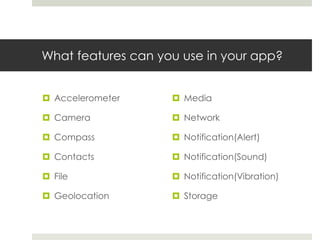
What features can you use in your app?
 Accelerometer
 Camera
 Compass
 Contacts
 File
 Geolocation
 Media
 Network
 Notification(Alert)
 Notification(Sound)
 Notification(Vibration)
 Storage
Is it costly?
 Because it is open standard, it is FREE!!!
 You can use this for your mobile applications for personal
use, commercial use, open source, or any combination.
 You can contribute to Cordova for the PhoneGap
program though.
Get Started!
 Simply log into your creative.adobe.com account.
 If you do not have one, simply sign up for one. It’s free! But of
course you can always upgrade for more options and
features.
 Access the PhoneGap Build option through Edge Tools
and Services.
That’s cool, but what do I do now?
 Simply create your app or program with your html, js, and
css files.
 Upload them through the PhoneGap Build interface.
 PhoneGap then generates a QR code for you to access
your app.
 You can test it on any Android device hassle free. Apple
is a bit different…
Apple is Different? WHAT?
 To test your app on the Apple IOS platform, you have to
go through the development program with them and
get a Developer’s Certificate.
 Once that is set up and the steps completed, you can
then access your app on your Apple device.
Why it’s Cool…
 It’s cool because it takes the hassle out of your
development process. (And if you’re like me, that is a
very awesome thing. Kudos indeed!)
 It makes it easy for a fast turnaround on a project.
 So go ahead, and try something new with PhoneGap
Build today!
Examples
 BBC Olympics
 Tripcase
 Harmonious

Phonegap

  • 1.
  • 2.
    What is PhoneGap? PhoneGap, is a Cordova program. It is an open source option for building your app and making it mobile across multiple platforms.  What platforms does it target?  IOS, Android, Windows, Blackberry and more.
  • 3.
    What code doyou have to have?  PhoneGap takes your HTML, CSS, and JavaScript files and uses them to build your app for different devices.  Why doesn’t it use PHP/JSF/JAVA/orASP?  This is to easily allow your PhoneGap app to remotely access existing business processes while the device is not connected to the internet.
  • 4.
    How does itwork?  You simply upload your files with the Adobe PhoneGap Build cloud service.  The program then compiles your code, which cuts down on your development time.
  • 5.
    What features canyou use in your app?  Accelerometer  Camera  Compass  Contacts  File  Geolocation  Media  Network  Notification(Alert)  Notification(Sound)  Notification(Vibration)  Storage
  • 6.
    Is it costly? Because it is open standard, it is FREE!!!  You can use this for your mobile applications for personal use, commercial use, open source, or any combination.  You can contribute to Cordova for the PhoneGap program though.
  • 7.
    Get Started!  Simplylog into your creative.adobe.com account.  If you do not have one, simply sign up for one. It’s free! But of course you can always upgrade for more options and features.  Access the PhoneGap Build option through Edge Tools and Services.
  • 8.
    That’s cool, butwhat do I do now?  Simply create your app or program with your html, js, and css files.  Upload them through the PhoneGap Build interface.  PhoneGap then generates a QR code for you to access your app.  You can test it on any Android device hassle free. Apple is a bit different…
  • 9.
    Apple is Different?WHAT?  To test your app on the Apple IOS platform, you have to go through the development program with them and get a Developer’s Certificate.  Once that is set up and the steps completed, you can then access your app on your Apple device.
  • 10.
    Why it’s Cool… It’s cool because it takes the hassle out of your development process. (And if you’re like me, that is a very awesome thing. Kudos indeed!)  It makes it easy for a fast turnaround on a project.  So go ahead, and try something new with PhoneGap Build today!
  • 11.
    Examples  BBC Olympics Tripcase  Harmonious