Developing with
                             PhoneGap
                    Building mobile applications with HTML/JS


Saturday, March 31, 2012
e Power of PhoneGap


Saturday, March 31, 2012
HTML/JS/CSS for Mobile Apps


Saturday, March 31, 2012
What’s the benefit of web
                            standards for mobile
                                applications?


Saturday, March 31, 2012
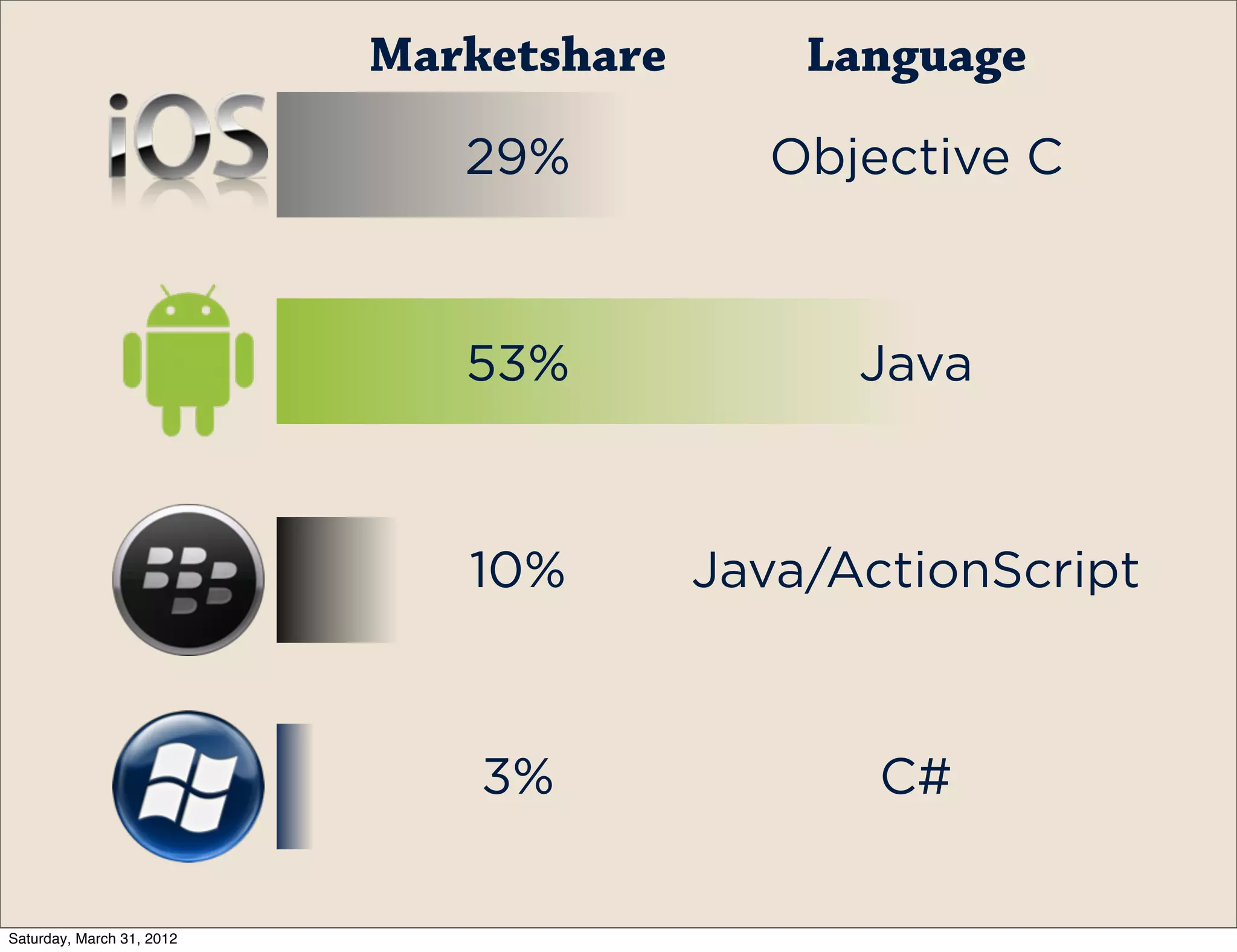
Marketshare       Language

                              29%          Objective C


                              53%              Java


                              10%        Java/ActionScript


                               3%               C#

Saturday, March 31, 2012
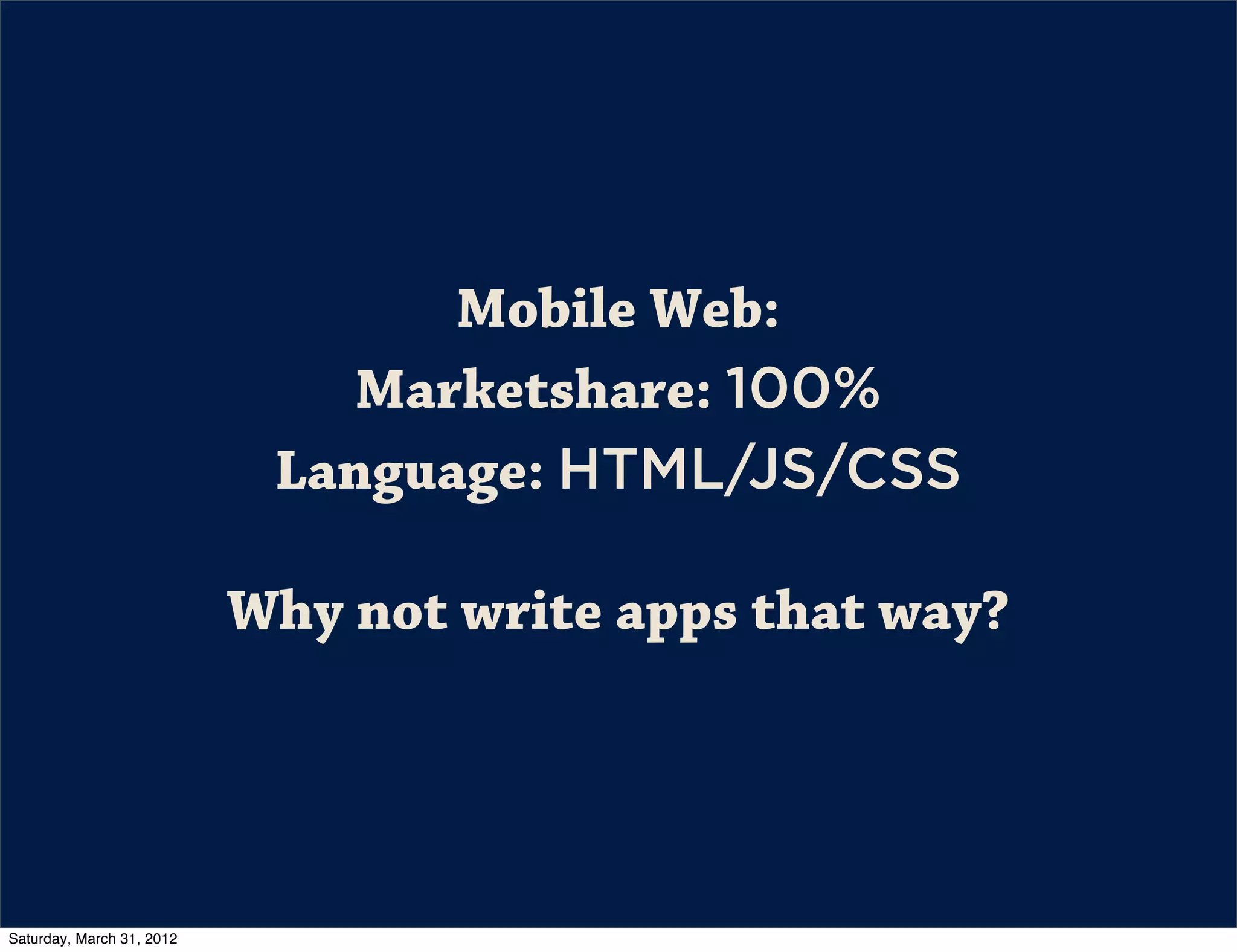
Mobile Web:
                               Marketshare: 100%
                            Language: HTML/JS/CSS

                           Why not write apps that way?


Saturday, March 31, 2012
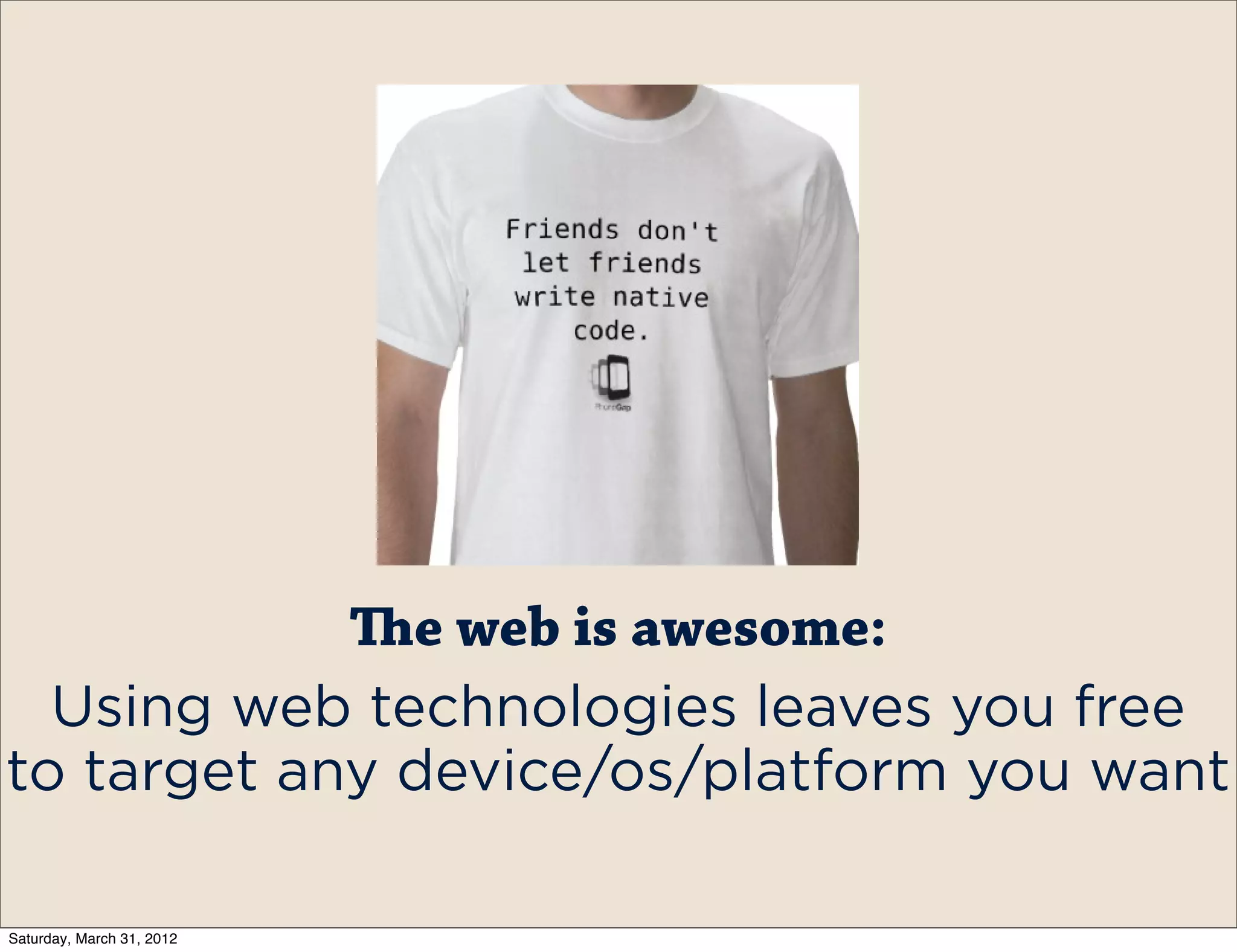
e web is awesome:
  Using web technologies leaves you free
to target any device/os/platform you want

Saturday, March 31, 2012
So how does it work?


Saturday, March 31, 2012
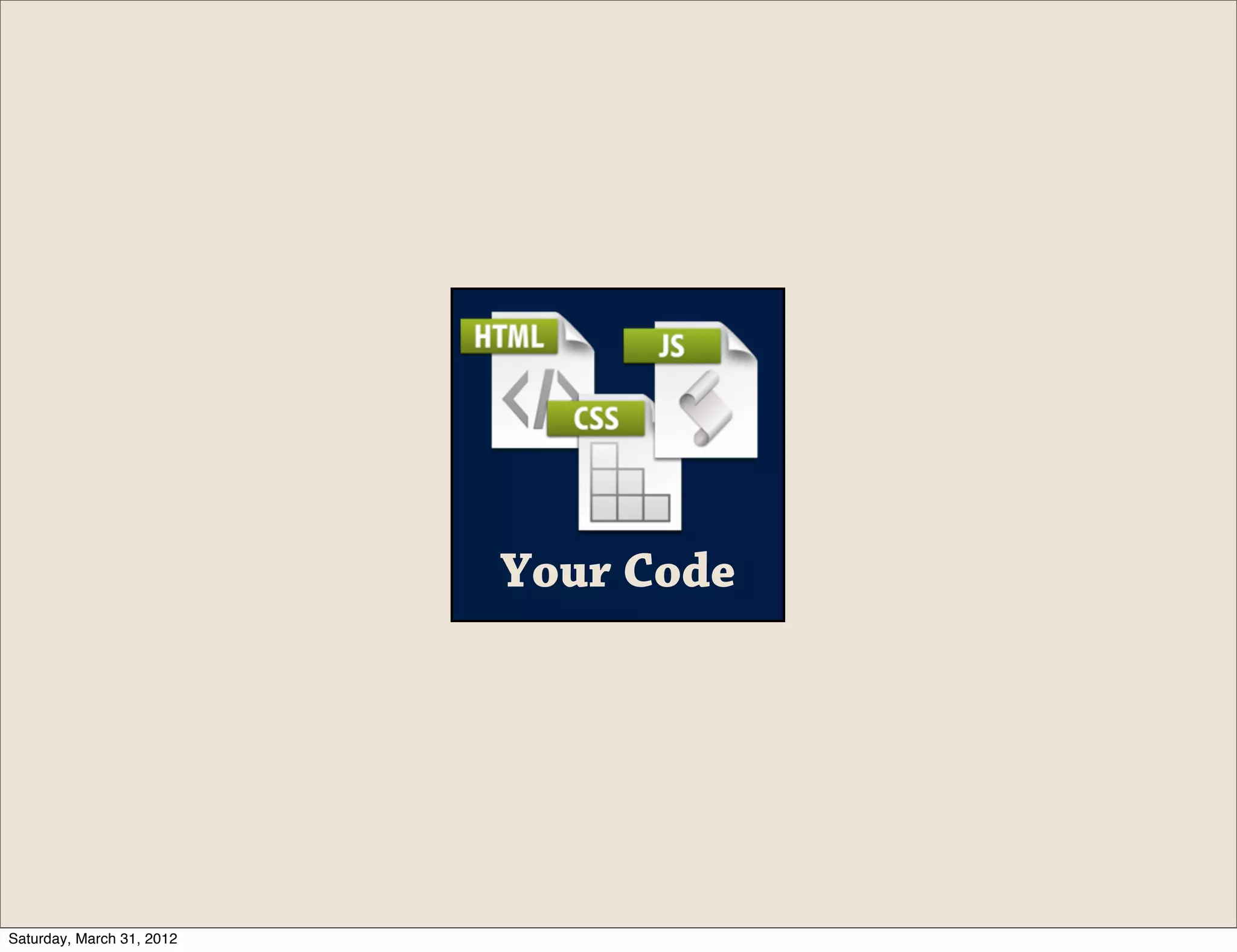
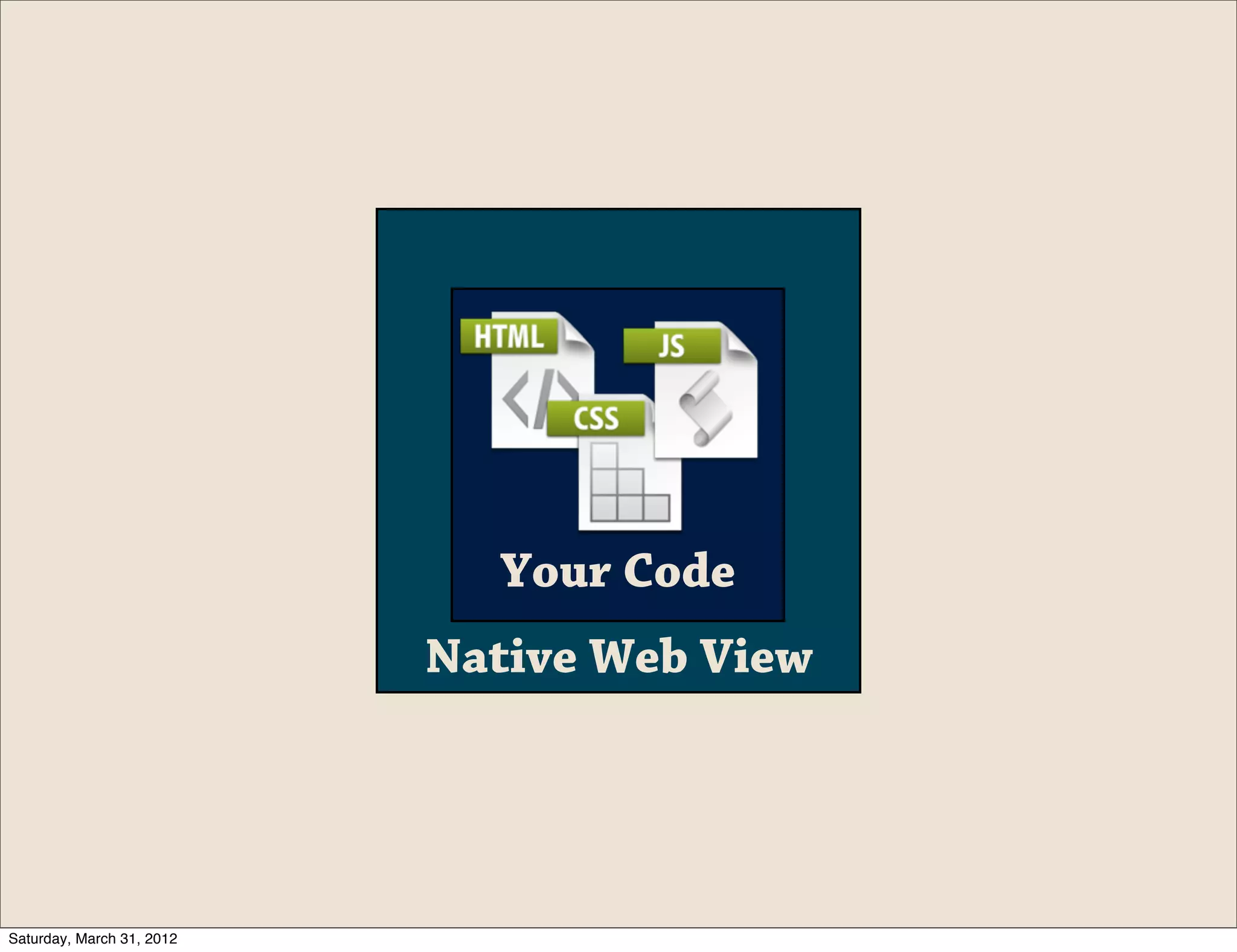
Your Code


Saturday, March 31, 2012
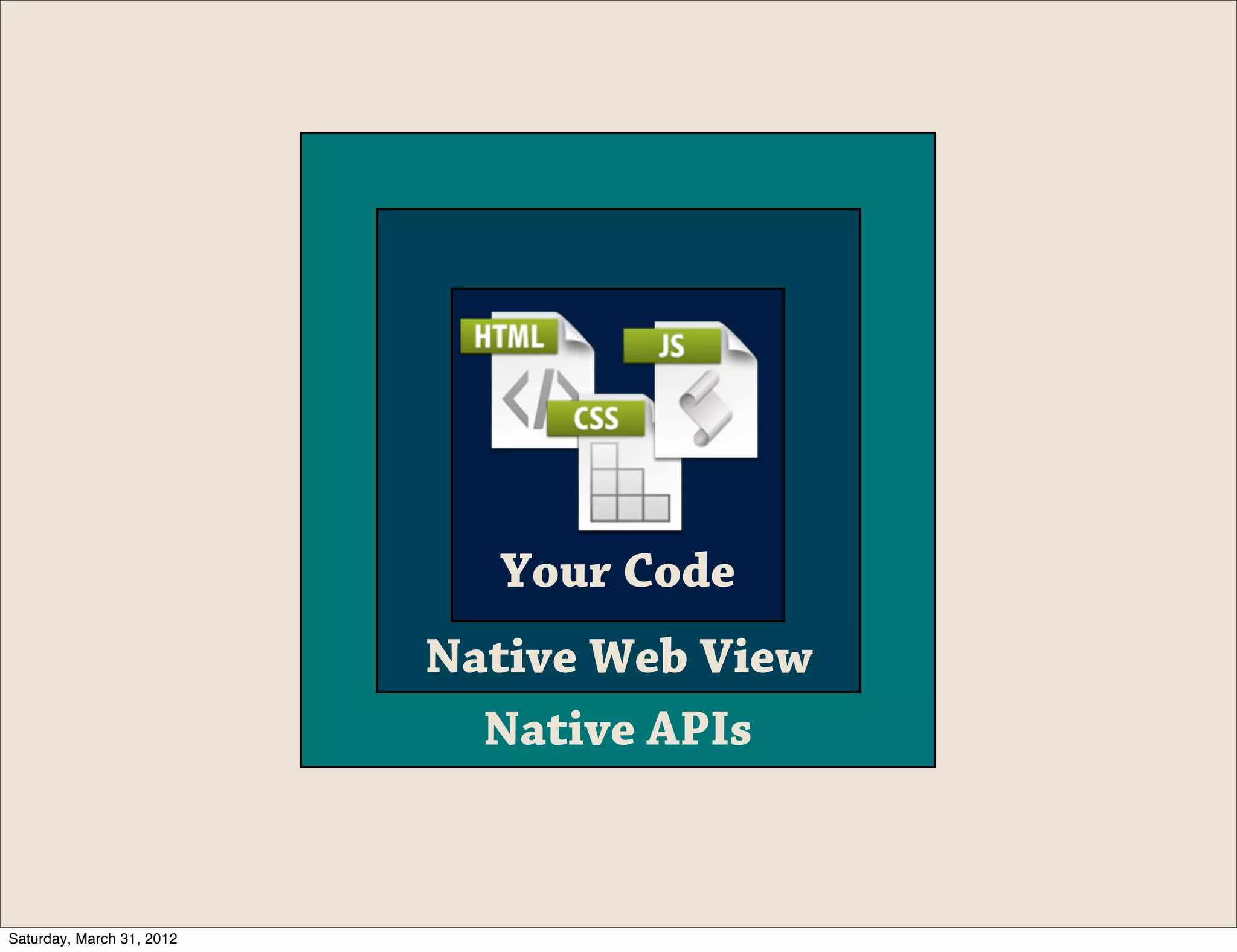
Your Code
                           Native Web View


Saturday, March 31, 2012
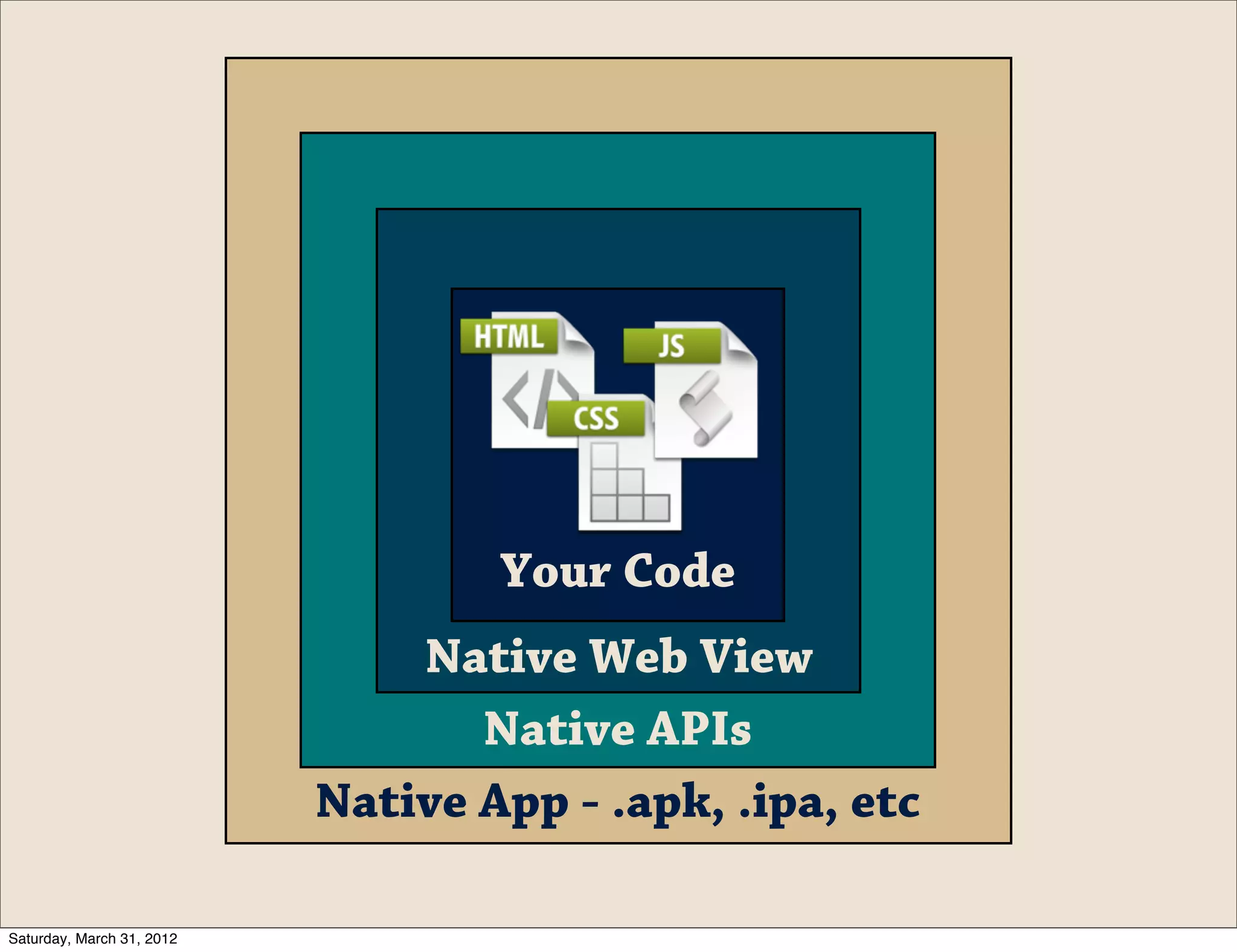
Your Code
                           Native Web View
                             Native APIs


Saturday, March 31, 2012
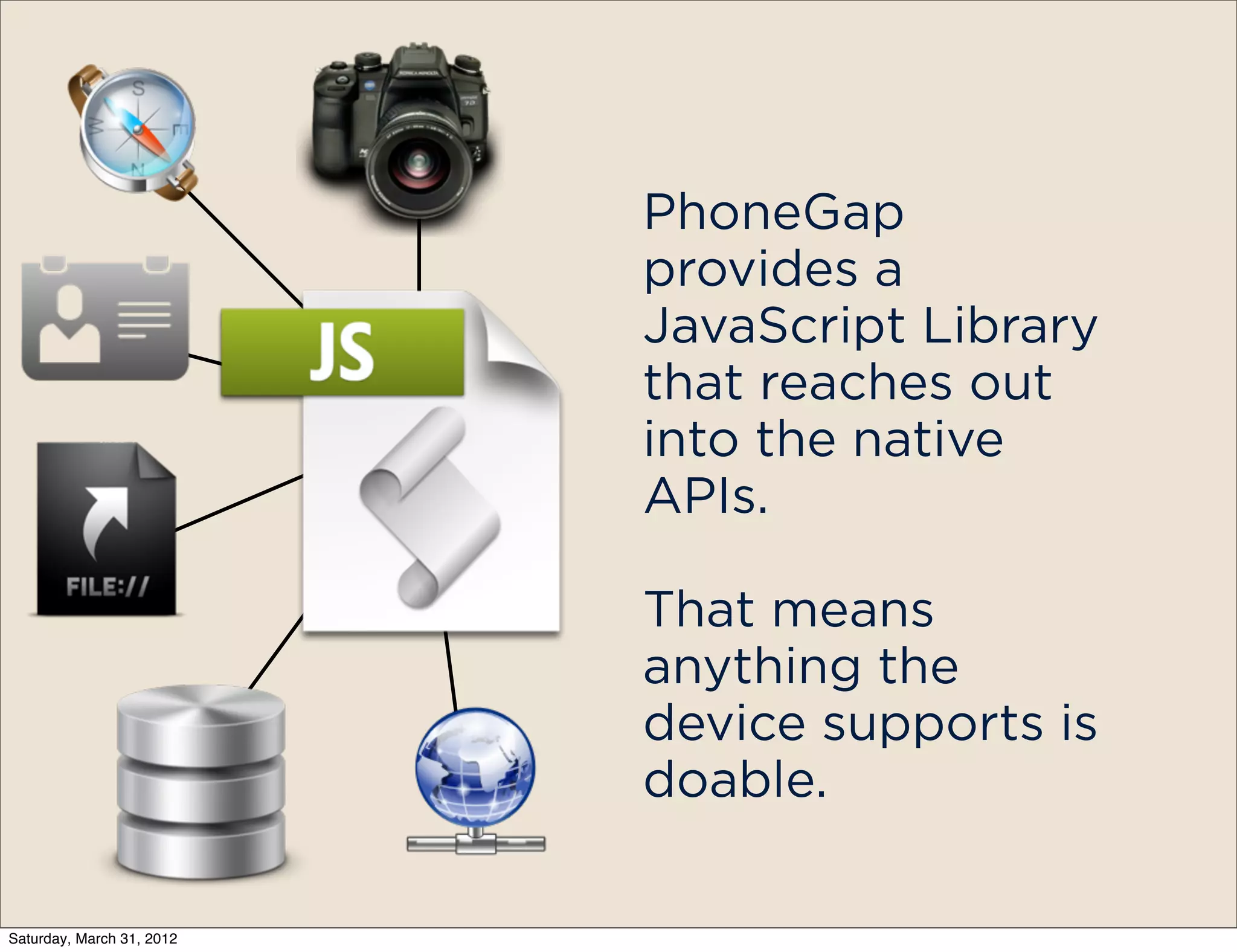
Your Code
                               Native Web View
                                  Native APIs
                           Native App - .apk, .ipa, etc

Saturday, March 31, 2012
PhoneGap
                           provides a
                           JavaScript Library
                           that reaches out
                           into the native
                           APIs.

                           That means
                           anything the
                           device supports is
                           doable.

Saturday, March 31, 2012
PhoneGap is
            completely open
            source and has
            been submitted to
            the Apache
            Foundation.


Saturday, March 31, 2012
The entire project
            is available on
            Github
            https://
            github.com/
            cordova


Saturday, March 31, 2012
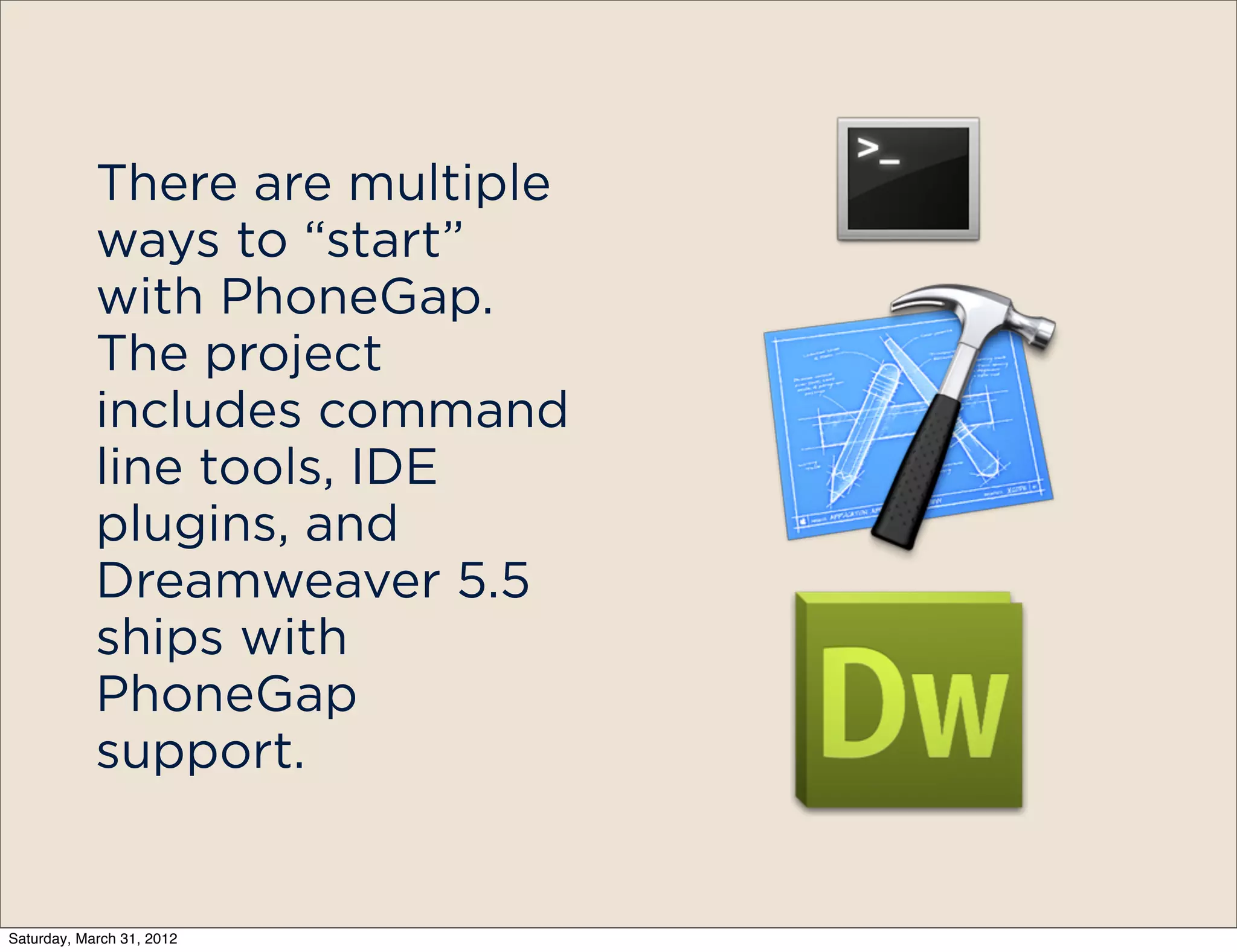
There are multiple
            ways to “start”
            with PhoneGap.
            The project
            includes command
            line tools, IDE
            plugins, and
            Dreamweaver 5.5
            ships with
            PhoneGap
            support.


Saturday, March 31, 2012
-   Accelerometer
                                -   Camera
                                -   Capture
                                -   Compass
            Out of the box,     -   Connection
            PhoneGap            -   Contacts
                                -   Device
            provides support    -   Events
            for a number of     -
                                -
                                    File
                                    Geolocation
            basic device APIs   -   Media
                                -   Network
                                -   Notification
                                -   Storage


Saturday, March 31, 2012
For added
            functionality
            PhoneGap
            provides a plug-in
            mechanism.
            Includes OS-
            specific code/
            libraries and the
            JS to use it in
            PhoneGap
            Some of the
            helpful ones:
            PayPal, Facebook,
            Push Notification
Saturday, March 31, 2012
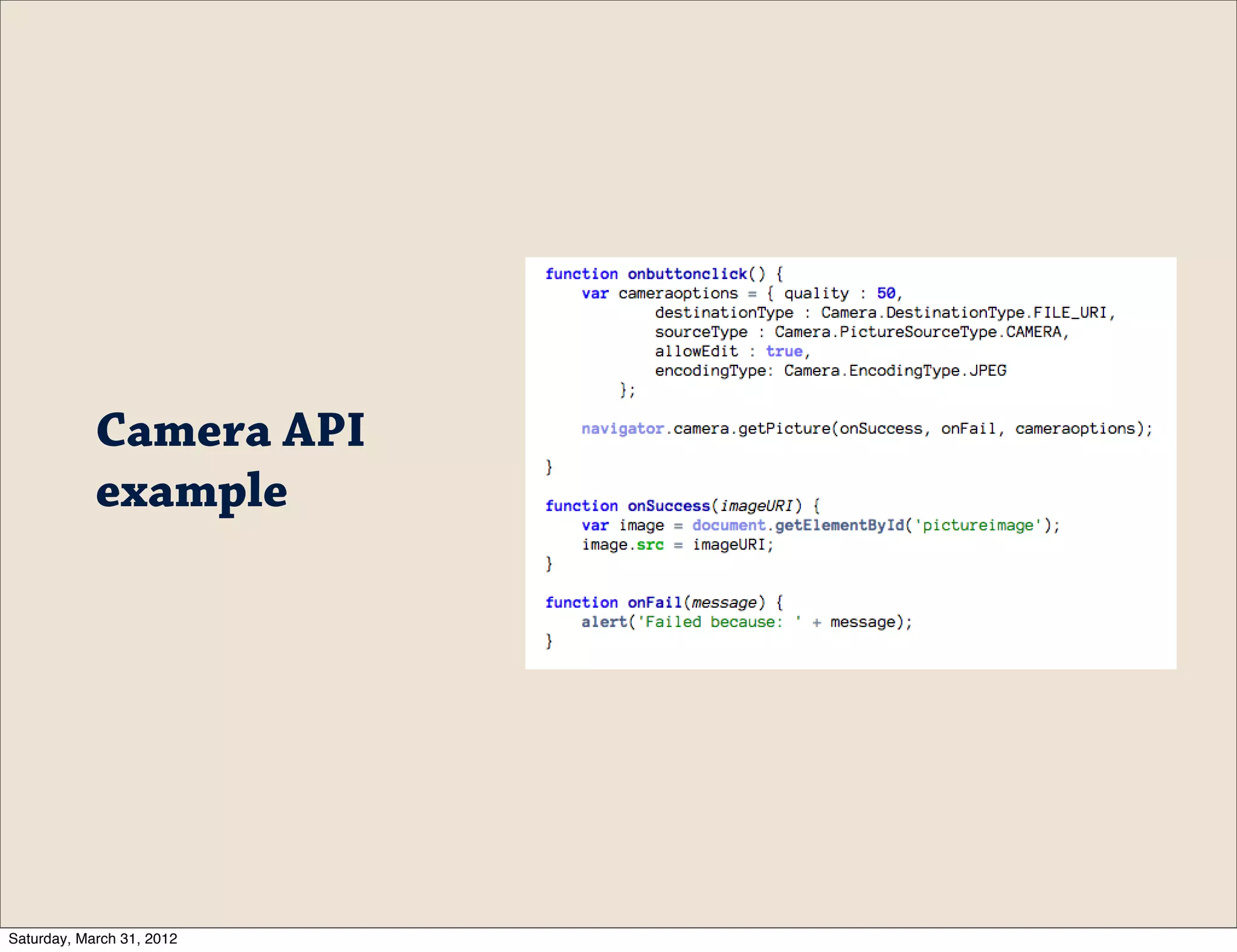
Camera API
            example


Saturday, March 31, 2012
Demo:
     Using PhoneGap


Saturday, March 31, 2012
Debugging


Saturday, March 31, 2012
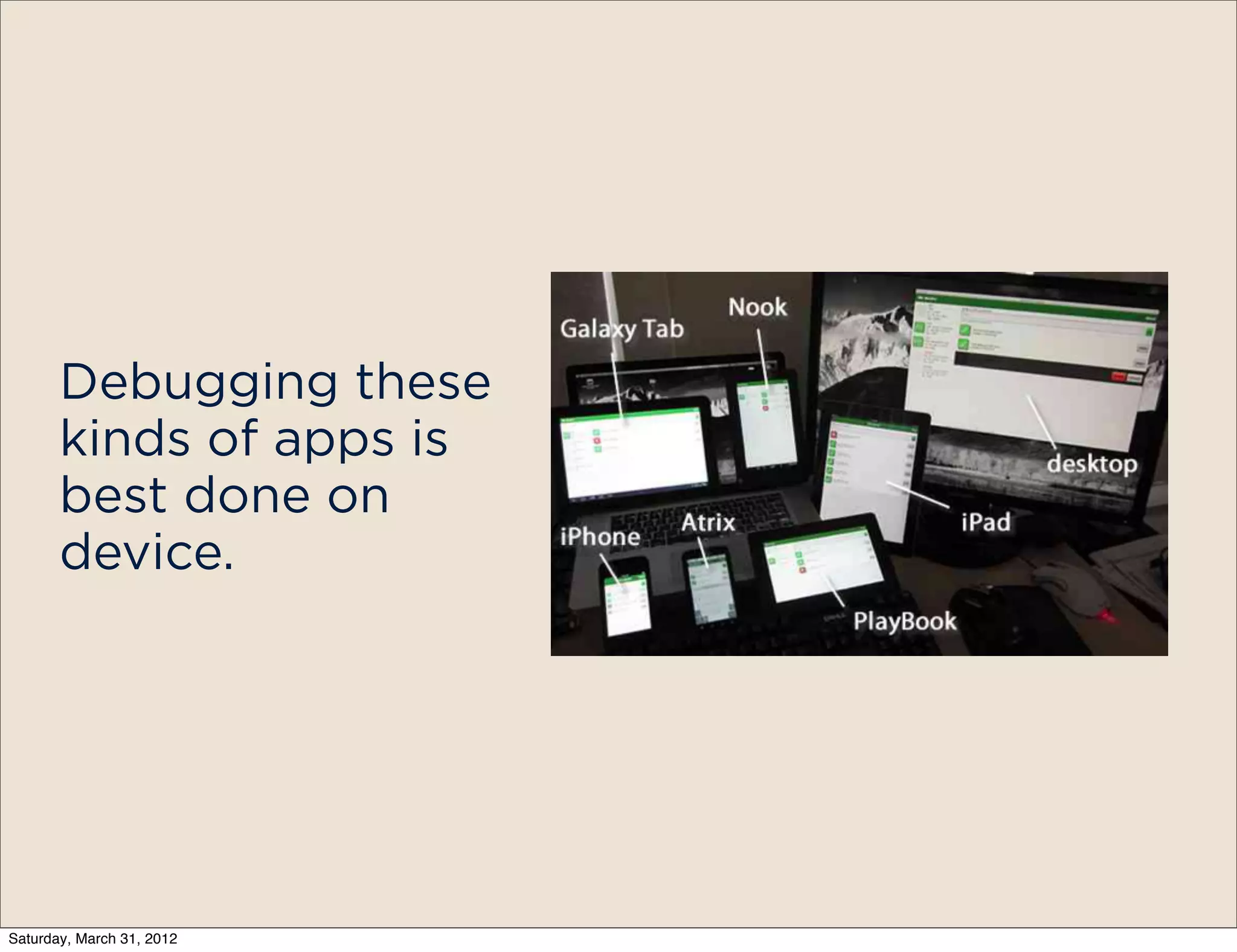
Debugging these
       kinds of apps is
       best done on
       device.


Saturday, March 31, 2012
It’s all just HTML/
            JS, so you can use
            your browser!
            Take advantage of
            Chrome Developer
            tools/Firebug to
            test your app’s UI.


Saturday, March 31, 2012
But what about Device APIs?
           Because we’re in the web view, there
               is no way to do line-by-line
                       debugging.


Saturday, March 31, 2012
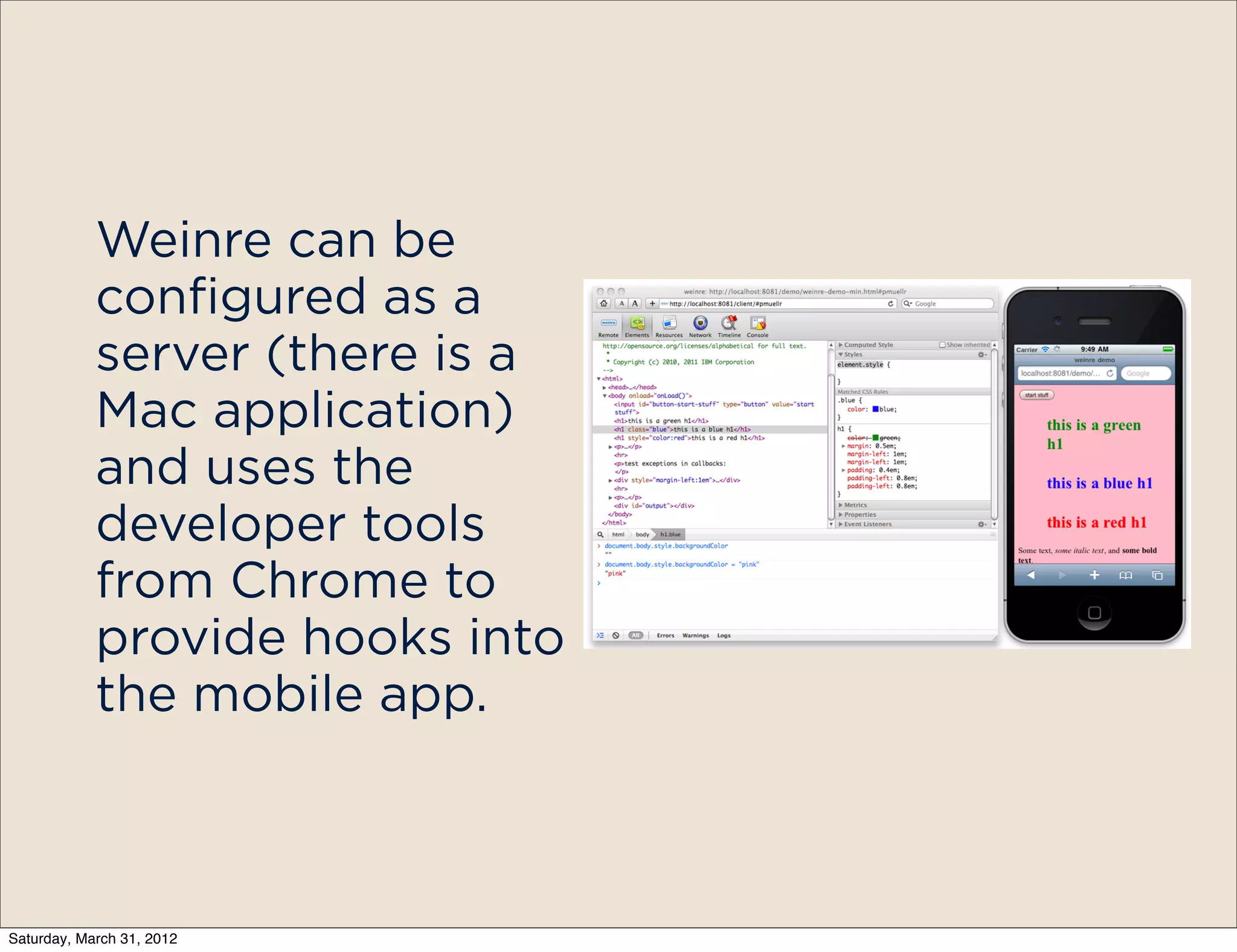
Luckily we have
            Weinre, which lets
            us debug and
            manipulate the
            DOM from our
            PCs.


Saturday, March 31, 2012
Weinre can be
            configured as a
            server (there is a
            Mac application)
            and uses the
            developer tools
            from Chrome to
            provide hooks into
            the mobile app.


Saturday, March 31, 2012
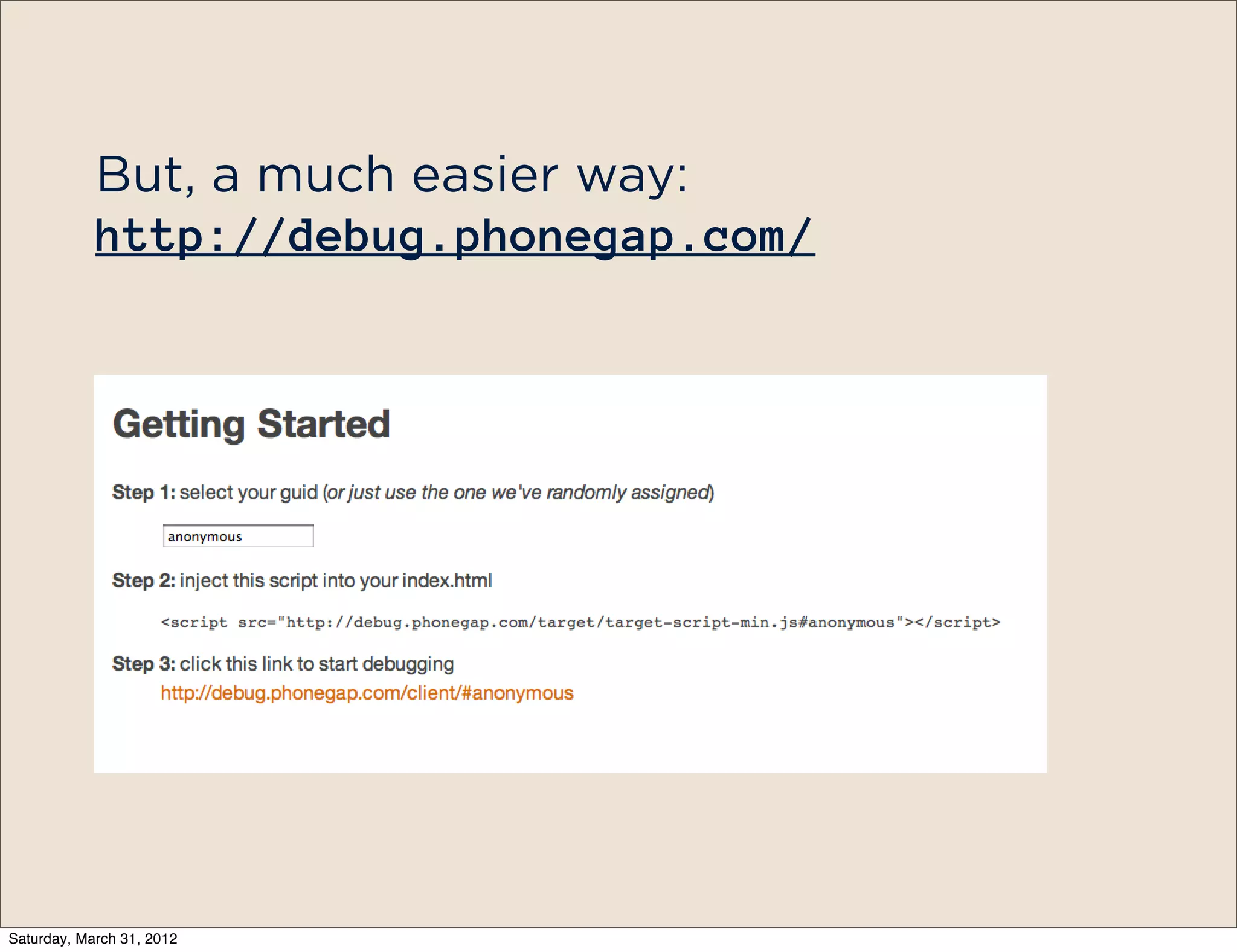
But, a much easier way:
            http://debug.phonegap.com/


Saturday, March 31, 2012
Demo:
     debug.phonegap.com


Saturday, March 31, 2012
Deploying
                           build.phonegap.com


Saturday, March 31, 2012
e Problem:

   You’re building a cross-platform app, but
     dealing with a lot of native projects


Saturday, March 31, 2012
e Solution:
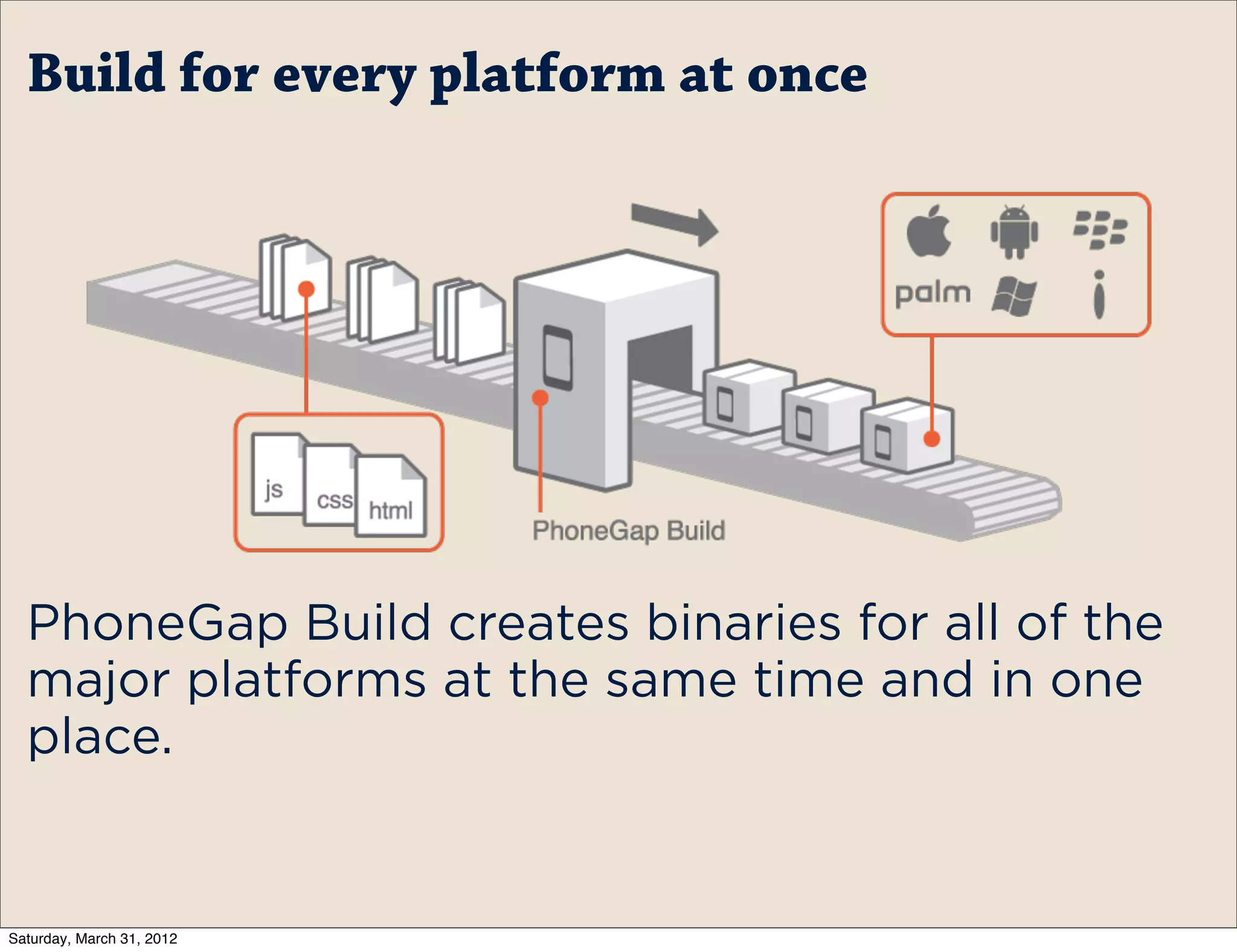
   PhoneGap Build - a cloud service for
creating binary files for multiple platforms
         from a single codebase


Saturday, March 31, 2012
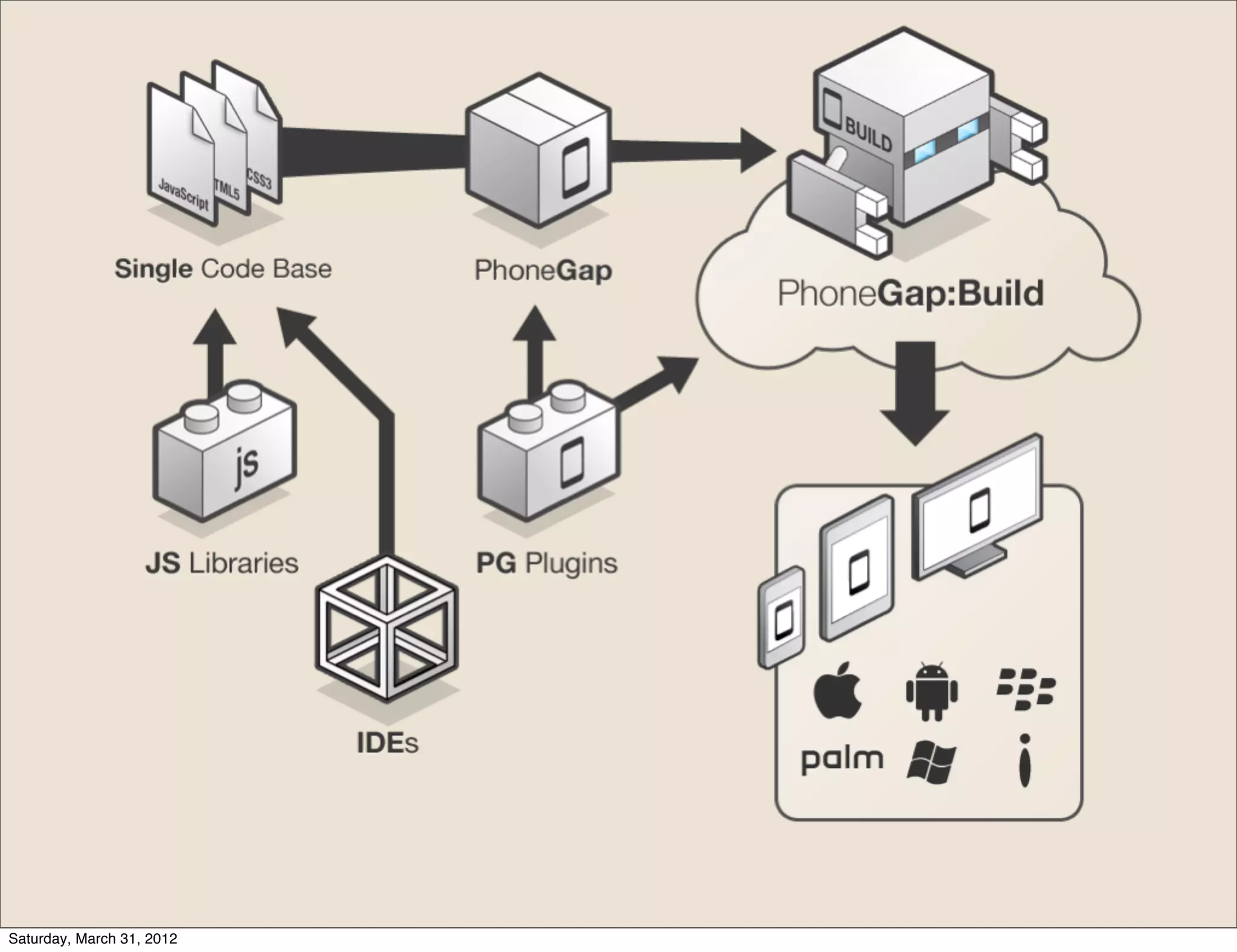
Build for every platform at once


  PhoneGap Build creates binaries for all of the
  major platforms at the same time and in one
  place.


Saturday, March 31, 2012
Core part of PhoneGap Build:

                           Work how you want to work


Saturday, March 31, 2012
Using Git/SVN
                           repositories


Saturday, March 31, 2012
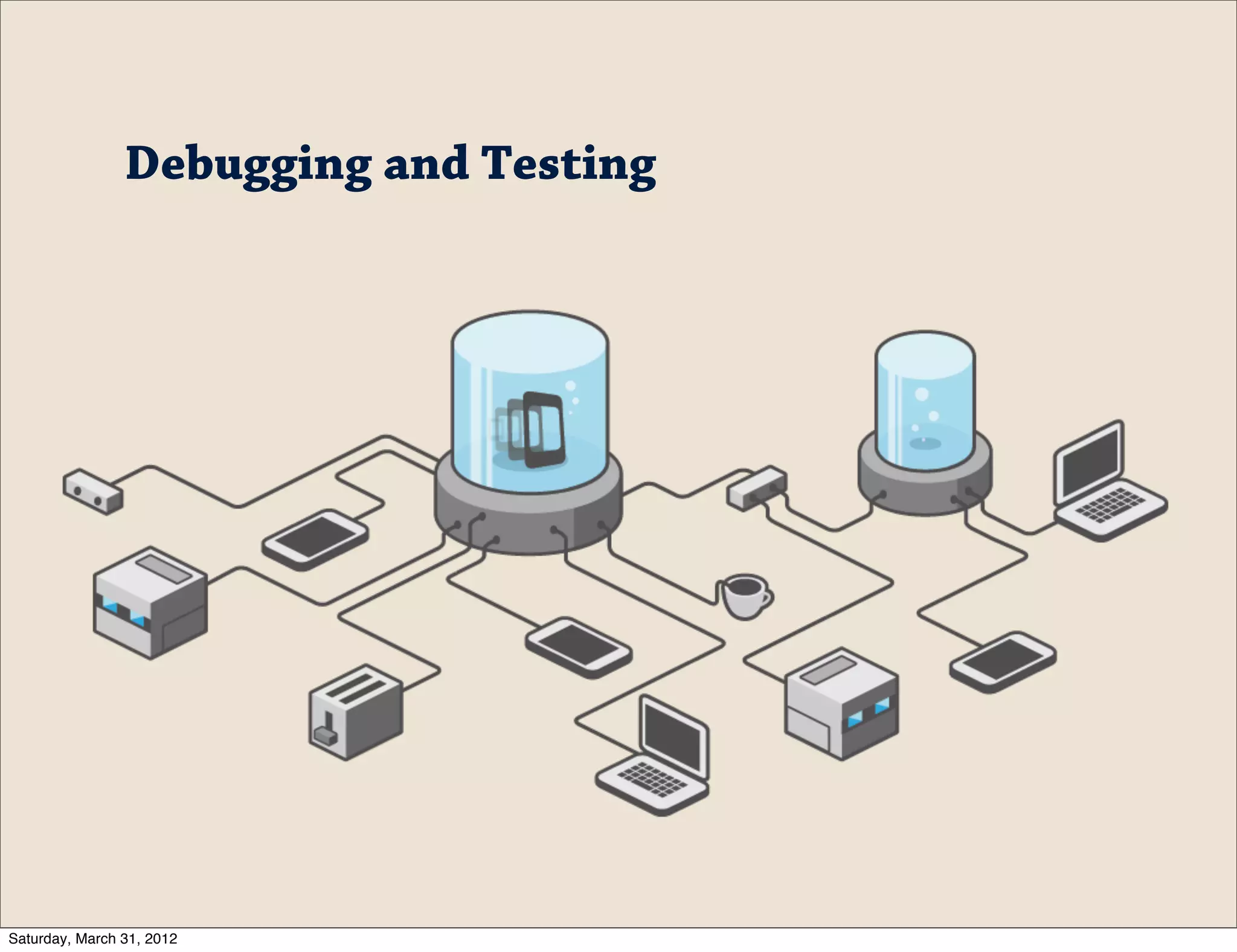
Debugging and Testing


Saturday, March 31, 2012
Build includes a
        debugging option that
        will inject the Weinre
        JavaScript into the
        app so it can be
        remotely debugged
        using
        debug.phonegap.com


Saturday, March 31, 2012
Demo:
           PhoneGap Build


Saturday, March 31, 2012
Demo:
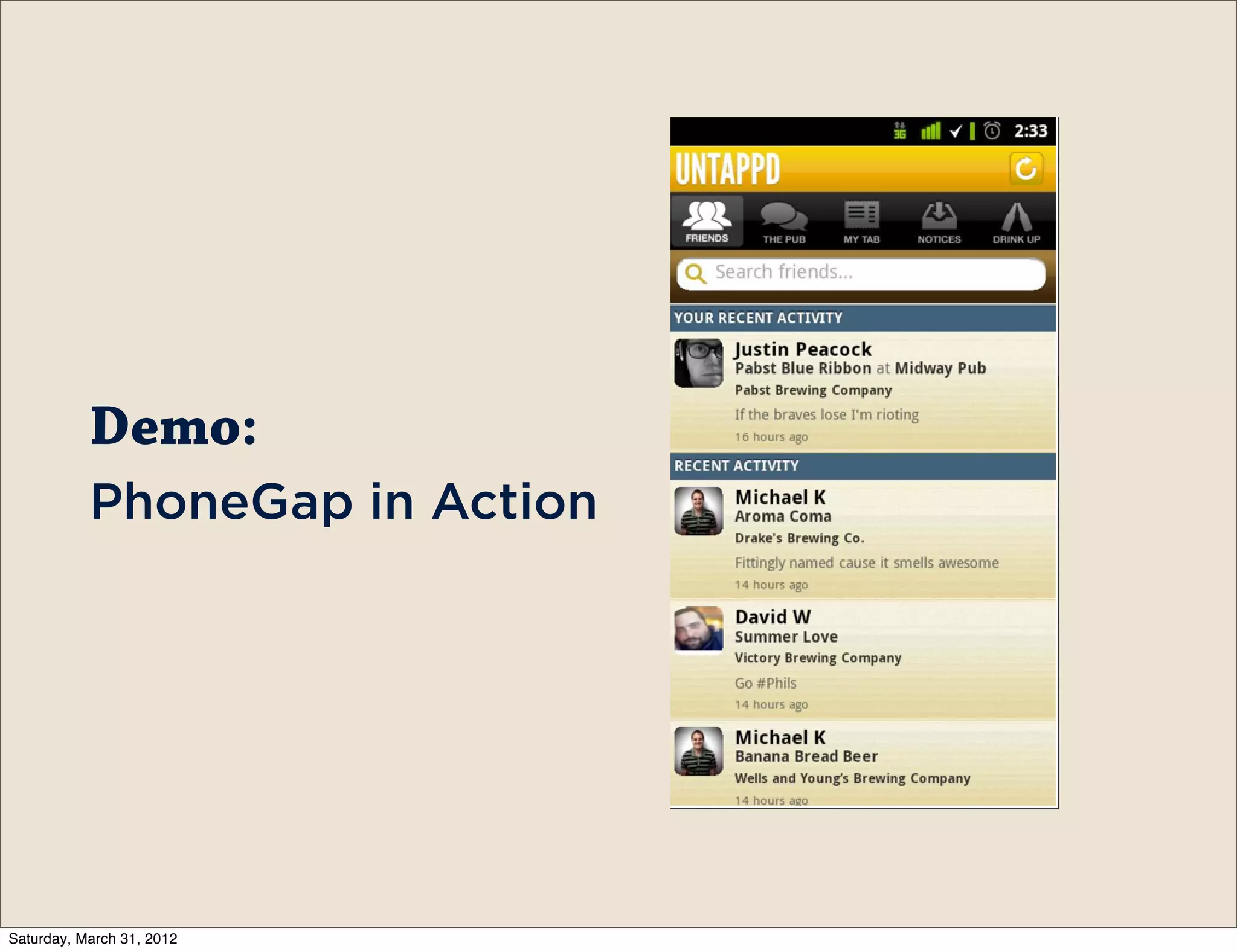
           PhoneGap in Action


Saturday, March 31, 2012
Ryan Stewart
                           Web Developer Evangelist, Adobe

                                    ryan@adobe.com

                                    blog.digitalbackcountry.com
                                    @ryanstewart

                                    github.com/ryanstewart


Saturday, March 31, 2012

Developing with Phonegap - Adobe Refresh 2012

  • 1.
    Developing with PhoneGap Building mobile applications with HTML/JS Saturday, March 31, 2012
  • 2.
    e Power ofPhoneGap Saturday, March 31, 2012
  • 3.
    HTML/JS/CSS for MobileApps Saturday, March 31, 2012
  • 4.
    What’s the benefitof web standards for mobile applications? Saturday, March 31, 2012
  • 5.
    Marketshare Language 29% Objective C 53% Java 10% Java/ActionScript 3% C# Saturday, March 31, 2012
  • 6.
    Mobile Web: Marketshare: 100% Language: HTML/JS/CSS Why not write apps that way? Saturday, March 31, 2012
  • 7.
    e web isawesome: Using web technologies leaves you free to target any device/os/platform you want Saturday, March 31, 2012
  • 8.
    So how doesit work? Saturday, March 31, 2012
  • 9.
  • 10.
    Your Code Native Web View Saturday, March 31, 2012
  • 11.
    Your Code Native Web View Native APIs Saturday, March 31, 2012
  • 12.
    Your Code Native Web View Native APIs Native App - .apk, .ipa, etc Saturday, March 31, 2012
  • 13.
    PhoneGap provides a JavaScript Library that reaches out into the native APIs. That means anything the device supports is doable. Saturday, March 31, 2012
  • 14.
    PhoneGap is completely open source and has been submitted to the Apache Foundation. Saturday, March 31, 2012
  • 15.
    The entire project is available on Github https:// github.com/ cordova Saturday, March 31, 2012
  • 16.
    There are multiple ways to “start” with PhoneGap. The project includes command line tools, IDE plugins, and Dreamweaver 5.5 ships with PhoneGap support. Saturday, March 31, 2012
  • 17.
    - Accelerometer - Camera - Capture - Compass Out of the box, - Connection PhoneGap - Contacts - Device provides support - Events for a number of - - File Geolocation basic device APIs - Media - Network - Notification - Storage Saturday, March 31, 2012
  • 18.
    For added functionality PhoneGap provides a plug-in mechanism. Includes OS- specific code/ libraries and the JS to use it in PhoneGap Some of the helpful ones: PayPal, Facebook, Push Notification Saturday, March 31, 2012
  • 19.
    Camera API example Saturday, March 31, 2012
  • 20.
    Demo: Using PhoneGap Saturday, March 31, 2012
  • 21.
  • 22.
    Debugging these kinds of apps is best done on device. Saturday, March 31, 2012
  • 23.
    It’s all justHTML/ JS, so you can use your browser! Take advantage of Chrome Developer tools/Firebug to test your app’s UI. Saturday, March 31, 2012
  • 24.
    But what aboutDevice APIs? Because we’re in the web view, there is no way to do line-by-line debugging. Saturday, March 31, 2012
  • 25.
    Luckily we have Weinre, which lets us debug and manipulate the DOM from our PCs. Saturday, March 31, 2012
  • 26.
    Weinre can be configured as a server (there is a Mac application) and uses the developer tools from Chrome to provide hooks into the mobile app. Saturday, March 31, 2012
  • 27.
    But, a mucheasier way: http://debug.phonegap.com/ Saturday, March 31, 2012
  • 28.
    Demo: debug.phonegap.com Saturday, March 31, 2012
  • 29.
    Deploying build.phonegap.com Saturday, March 31, 2012
  • 30.
    e Problem: You’re building a cross-platform app, but dealing with a lot of native projects Saturday, March 31, 2012
  • 31.
    e Solution: PhoneGap Build - a cloud service for creating binary files for multiple platforms from a single codebase Saturday, March 31, 2012
  • 32.
  • 33.
    Build for everyplatform at once PhoneGap Build creates binaries for all of the major platforms at the same time and in one place. Saturday, March 31, 2012
  • 34.
    Core part ofPhoneGap Build: Work how you want to work Saturday, March 31, 2012
  • 35.
    Using Git/SVN repositories Saturday, March 31, 2012
  • 36.
  • 37.
    Build includes a debugging option that will inject the Weinre JavaScript into the app so it can be remotely debugged using debug.phonegap.com Saturday, March 31, 2012
  • 38.
    Demo: PhoneGap Build Saturday, March 31, 2012
  • 39.
    Demo: PhoneGap in Action Saturday, March 31, 2012
  • 40.
    Ryan Stewart Web Developer Evangelist, Adobe ryan@adobe.com blog.digitalbackcountry.com @ryanstewart github.com/ryanstewart Saturday, March 31, 2012