Phish, Flop, or Fine?
Sandy Silk
Catherine Conway
We’re here to help.
Let us count the ways...
1. Increase the security of institutional and individual information. (Phish)
2. Improve the effectiveness of your broadcast email communications. (Flop)
3. Preserve email channel as a means for important messaging. (Fine)
From there to here, from here to there, phishy things are everywhere
One Phish
@iari.res.in
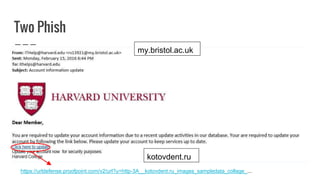
Two Phish
https://urldefense.proofpoint.com/v2/url?u=http-3A__kotovdent.ru_images_sampledata_collage_...
kotovdent.ru
my.bristol.ac.uk
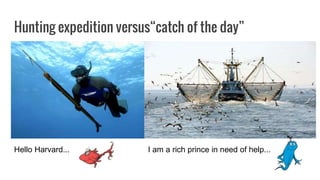
Hunting expedition versus“catch of the day”
I am a rich prince in need of help...Hello Harvard...
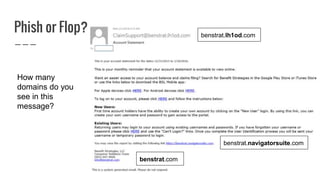
Phish or Flop?
How many
domains do you
see in this
message?
benstrat.lh1od.com
benstrat.navigatorsuite.com
benstrat.com
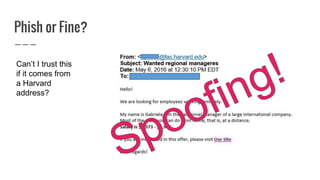
Phish or Fine?
Can’t I trust this
if it comes from
a Harvard
address?
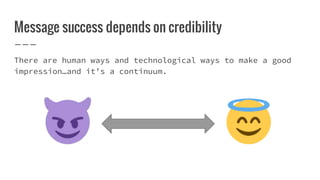
Message success depends on credibility
There are human ways and technological ways to make a good
impression…and it’s a continuum.
Phishing filters at Harvard
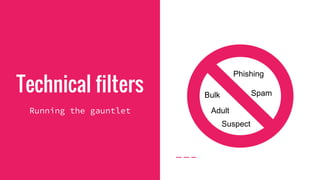
Technical filters
Running the gauntlet
Suspect
Adult
SpamBulk
Phishing
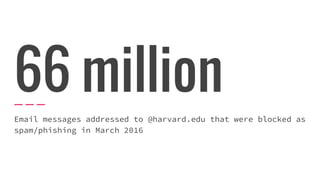
66 million
Email messages addressed to @harvard.edu that were blocked as
spam/phishing in March 2016
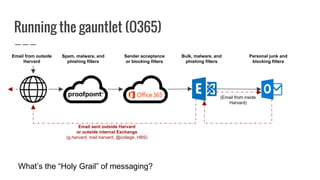
Running the gauntlet (O365)
Email from outside
Harvard
Spam, malware, and
phishing filters
Bulk, malware, and
phishing filters
Sender acceptance
or blocking filters
Personal junk and
blocking filters
(Email from inside
Harvard)
Email sent outside Harvard
or outside internal Exchange
(g.harvard, mail.harvard, @college, HBS)
What’s the “Holy Grail” of messaging?
There’s no
recipe for
spam.
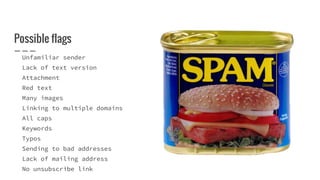
Possible flags
Unfamiliar sender
Lack of text version
Attachment
Red text
Many images
Linking to multiple domains
All caps
Keywords
Typos
Sending to bad addresses
Lack of mailing address
No unsubscribe link
Call ahead and
order off the menu.
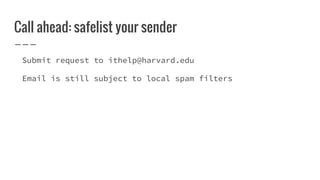
Call ahead: safelist your sender
Submit request to ithelp@harvard.edu
Email is still subject to local spam filters
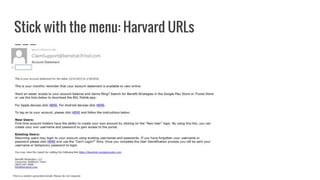
Stick with the menu: Harvard URLs
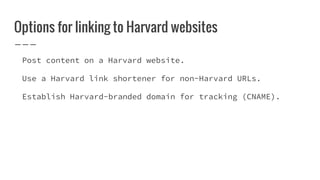
Options for linking to Harvard websites
Post content on a Harvard website.
Use a Harvard link shortener for non-Harvard URLs.
Establish Harvard-branded domain for tracking (CNAME).
Floss after every
meal.
Keep lists clean
Spam algorithms factor in engagement
No reason to keep unengaged subscribers on your list
Practice appropriate list hygiene
Re-engage inactive subscribers
If no response, consider opting out inactives
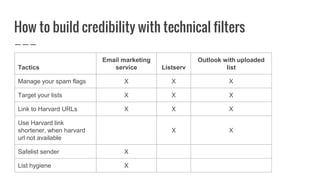
How to build credibility with technical filters
Tactics
Email marketing
service Listserv
Outlook with uploaded
list
Manage your spam flags X X X
Target your lists X X X
Link to Harvard URLs X X X
Use Harvard link
shortener, when harvard
url not available
X X
Safelist sender X
List hygiene X
Human filters
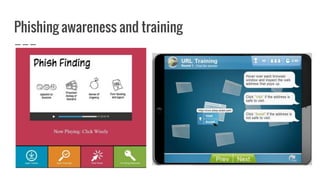
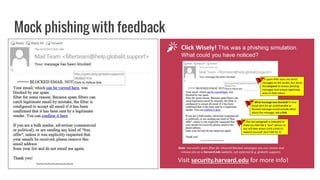
Phishing awareness
campaign
Click
Wisely
Phishing awareness and training
Mock phishing with feedback
Greater awareness
drives more scrutiny
of email
Be predictable
Manage your envelope:
Credible, consistent sender
Relevant subject line
Complementary preheader text
Have a reply address
Send at a regular, anticipated frequency
Use a well-tested and branded template
Include all information within the email or on a Harvard
website rather than sending an attachment
Provide option to manage preferences
Case study:
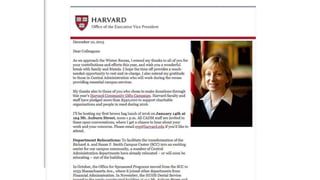
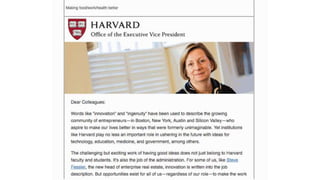
EVP newsletter
Goals
Easily read across devices
Reflects best email practices
Incorporates tracking to measure engagement
Efficiently assembled each month
Continues to engage readers while serving as a messaging
vehicle for Katie Lapp.
Execution
Content
Project brief & wireframe
Template development
Testing
Incorporated best practices:
Added a text version
Alt-text for images
Preheader text
Mailing address
Removed red text
Posted full articles on Harvard
websites
Delivery
Moved to Silverpop
Created list query
Safelisted evp@harvard.edu on
staff and school email servers
via HUIT
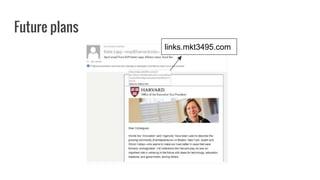
links.mkt3495.com
Future plans
Tools for being a phish-aware, effective
emailer
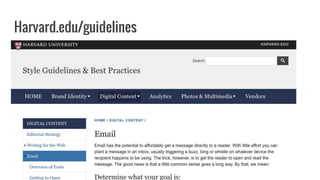
Harvard.edu/guidelines
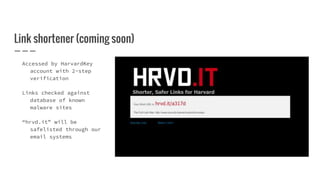
Link shortener (coming soon)
Accessed by HarvardKey
account with 2-step
verification
Links checked against
database of known
malware sites
“hrvd.it” will be
safelisted through our
email systems
Are you phish, flop, or fine?
Remember the continuum
Questions?

Phish, flop, or fine

Editor's Notes

  • #4 Our legitimate email messages should never display the red flags of phishing messages, enabling our community to quickly and easily identify and discard phishing messages. We’ll reinforce good security behaviors. We’ll provide you tips to improve both delivery and action taken on your business-related messages Removing phish and flops from our Inboxes helps to preserve the email channel as a viable and valuable one for our legitimate communications
  • #5 Perhaps not as fun as the silly rhymes of a beloved children’s book, the phishing messages that make their way into our Inboxes can make us wonder whether toddler or creative genius invented them. And some amount of them will always make it into our Inboxes to start us on great adventures. Oh, the places you will go!
  • #6 Oh, the places you will go -- such as Brazil, if you click this link
  • #7 Or you would go to Russia, if you clicked this link. This is the ProofPoint experience, with a rewritten URL.
  • #8 Most likely that blue phish scenarios will be blocked by ProofPoint, since broader base of clients receiving them. The red phish examples won’t have the same volume/diversity of recipients, so may not be blocked by ProofPoint until we notify them.
  • #9 What account statement? - could be more specific that this is FSA managed by Benefit Strategies Lots of “Click here” statements At least three different domains – senders should choose one and be consistent throughout All domains were whitelisted, so not rewritten by ProofPoint. Still looks phishy!
  • #10 What’s the visual clue here that this isn’t really from a Harvard address? The name didn’t resolve! There’s nothing in front of that bracketed address. SMTP (simple mail transfer protocol) doesn’t contain authentication mechanisms, and senders might change the message headers to indicate a different sending address than their own. Don’t trust a message simply because the sending address looks like it might come from Harvard or someone else you trust. Notice other red flags.
  • #11 There’s no absolute green light that gets your message all the way through technical filters, into an individual’s Inbox, with a guarantee of the desired action. Our filters are getting tighter, both the technical and the human filters.
  • #13 Let’s first look at the filters that control what makes it into our email services and our Inboxes. Who here is still receiving spam or phishing messages to their Inbox? Guess how much we actually block each month.
  • #14 Only about 1 in 5 messages make it through our filters to your Inbox. That’s a lot of noise that you never see. ProofPoint-blocked messages included highly malicious items: 116,215 messages containing viruses 40,000 messages containing credential-stealing malware (dridex strain) 9,000 messages containing ransomware
  • #15 Typically, we focus our filtering rules at the ProofPoint level and relax them later in the flow to ease troubleshooting. We perform safelisting at all levels, to avoid delivery problems. Sometime in the not too distant future -- ALL non-safelisted URLs will be rewritten by ProofPoint, versus just those with high enough suspect scores Safelisting = specific email addresses and scope/purpose of the audience messaging prevents blocking URL whitelisting is a separate filter, different from sender whitelisting .EXE files will be blocked throughout, even at the Outlook level (can’t send them internally either) At the Outlook level, recommend disabling junk filter rules and managing them at the ProofPoint level - via daily Message Digest you receive (Safelist, Block, Release the one message) Clutter rules learn from your behavior patterns -- moving items here for later viewing, so they don’t distract you in your Inbox Outbound limitations: 10K messages/day or 30 messages/minute Some ISPs have very strong filters in place, and mail delivered (or auto-forwarded) to those addresses can get blocked before hitting Inboxes -- particularly Yahoo, Gmail
  • #16 The difference between canned spam and email spam is that canned spam has a list of ingredients. Identifying spam in email is more of an artform. Algorithms set to detect spam look for a combination of triggers rather than a specific list of them.
  • #17 Focus less on keyword and more on a mixture of offenses: no text version, all caps, red font, suspicious language, low reader engagement, etc. None of these are a deal breaker, but a combination will increase the chances that your email will get blocked.
  • #19 Calling ahead means letting Harvard’s email servers know that they should expect an incoming communication from you, aka safelisting senders. About 11 email services currenlty across Harvard where a sender can be safelisted.
  • #20 The more URLs in your message, the more likely spam filters will stop your message. And the more savvy our recipients become about phishing, the more likely they’ll be skeptical of messages with non-Harvard URLs.
  • #24 These tactics vary by how the message is sent.
  • #28 Harder for legitimate email to reach and engage audience
  • #29 Recipients are on high alert, so set their expectations and give them reassurances – be reliable and trustworthy .
  • #30 In other words, be predictable.
  • #31 Everyone in Central Administration receives a newsletter from Katie Lapp. It had been the same for about 5 years and we wanted a refresh that was more becoming of the office, as well as a good model for the departments that report into it.
  • #32 Built in html and sent via Outlook. Informative, but dense Didn’t know how people were engaging with it. Parts of the process of building it were onerous (building the list, inserting the content)
  • #33 CC Easily read across devices Reflects best email practices (especially those related to spam) Incorporates tracking to measure engagement Efficiently assembled each month Continues to engage readers while serving as a messaging vehicle for Katie Lapp.
  • #34 How we increased our credibility on that continuum
  • #35 New look
  • #36 We’re creating Harvard branded domain for links...mostly for human filter, so they know this is legitimate for Harvard.
  • #39 Link to create rewritten URLs will be available only to authenticated HarvardKey holders, will require 2-step verification in place. Protects against phishers using compromised Harvard accounts to access the service and redirect from this “trusted” URL to a spoofed site or malware distribution site. Submitted full links will be checked at time of request against list of known phishing/malware URLs, and library of existing URLs will be checked periodically - blocked if appear on that known bad list We’ll safelist/whitelist the Harvard URL-shortener domain so ProofPoint doesn’t rewrite them - eliminate confusion and “noise” within the message
  • #41 Build message credibility with the machines and the humans to: Enable reliable identification of phishing messages according to common suspicious red flags we avoid. Improve the effectiveness of your communications. Preserve email channel as a means for important messaging.
  • #42 SS