Personal Productivity
for Developers
Elmer Thomas
Hacker in Residence
@thinkingserious
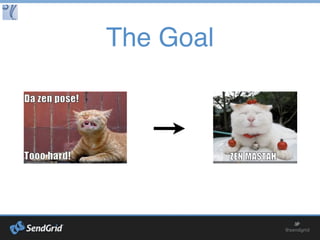
The Goal
Summary
Frameworks
Techniques
Tools
References
Frameworks: RPM
Specific and Measurable
Results
Motivate yourself with
Purpose
Create a Massive action plan
with specific actions
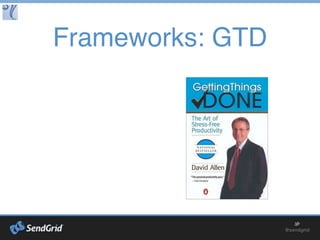
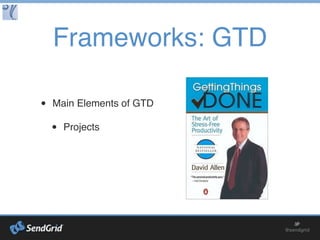
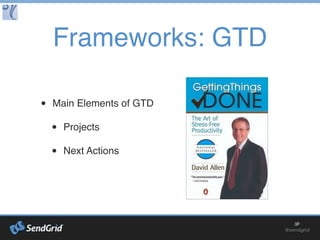
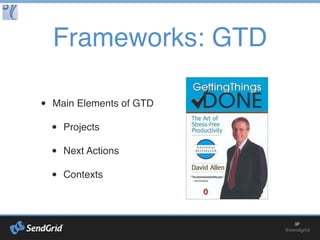
Frameworks: GTD
Main Elements of GTD
Projects
Next Actions
Contexts
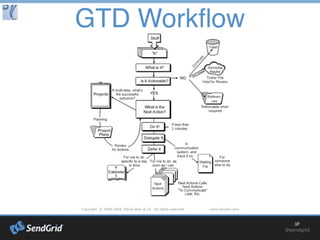
GTD Workflow
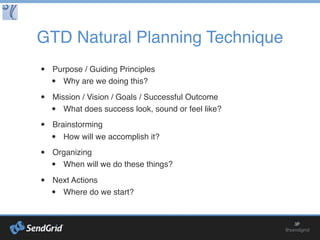
GTD Natural Planning Technique
Purpose / Guiding Principles
Why are we doing this?
Mission / Vision / Goals / Successful Outcome
What does success look, sound or feel like?
Brainstorming
How will we accomplish it?
Organizing
When will we do these things?
Next Actions
Where do we start?
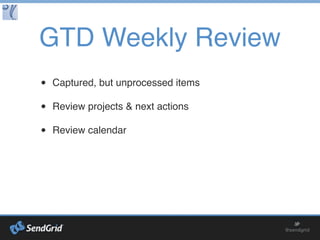
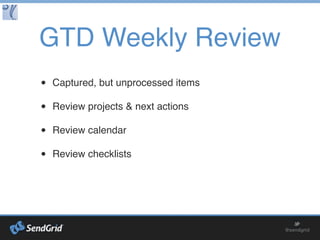
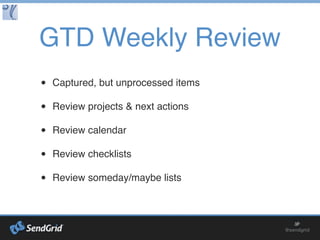
GTD Weekly Review
Captured, but unprocessed items
Review projects & next actions
Review calendar
Review checklists
Review someday/maybe lists
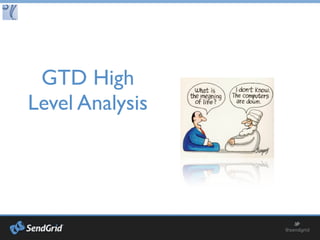
GTD High
Level Analysis
Areas of Responsibility
1 - 2 year goals
3 - 5 year vision
Life purpose
Frameworks:
Getting
Results the
Agile Way
3 outcomes for
the year
the month
the week
the day
Agile Work/Life Balance
Define Hotspots
e.g. Career, Family, Health, Personal Growth
Set minimums for each Hotspots
e.g. 3 hours of exercise time per week
Monday Vision, Daily Outcomes, Friday Reflection
Frameworks:
18 Minutes
Day Begins: (5 Minutes)
Set Plan for the Day
Throughout: (1 Minute / Hour)
Refocus
Day Ends: (5 Minutes) Review
Techniques:
Pomodoro
decide on the task to be done & estimate the # of Pomodoros
set the pomodoro (timer) to 25 minutes
work on the task until the timer rings; record with an x
take a short break (5 minutes)
every four "pomodoros" take a longer break (15–20 minutes)
Techniques: Digital
Truth Dashboard
It’s the Dashboard to rule all Dashboards
Central point of all your “stuff”
Either link to resources or describe where
they are
This dashboard should be easy to use and
available most anywhere
Automate it if possible using RSS & APIs
Techniques: Zone
Hideouts
Schedule appointments with yourself
Noise canceling headphones + music
Signage
The “Hacker Brow”
Growl and/or grunt
Not this zone!
Techniques:
Checklists
Daily routines (morning/night)
Weekly routines
Monthly routines
Anything you will do more
than once
Create checklists as you work
Techniques:
Templates
New Projects
Think scaffolds
Perfect, then automate
Techniques:
Outsourcing
99Designs.com / LogoBids.com
eLance.com / Guru.com / oDesk.com / Workana.com
CraigsList.com
TemplateMonster.com / Genesis Themes
4 Hour Workweek by Tim Ferriss
Jack Bicer - http://www.septium.com/10tips.pdf
Techniques:
Hackathons
Find partners / Barter services
Upgrade your skills
Practice and sharpen existing skills
Directories:
HackerLeague.org/hackathons
TechZulu.com/events
SoCalTech.com/calendar
SiliconBeachLA.com/events-2/calendar
SDTechScene.org
Tools
AlternativeTo.net
Tools: Feedly
News/Information Filter
Sync with apps (Reeder)
Not just for blogs
Use folders to segregate & focus
Tools: Email
GMail
Filters
SendGrid
Incoming Parsing
Event triggers
Tools: Mind Maps
MindNode Pro / XMind
mind mapping
brainstorming
Tools: Screen
Capture
Jing / Snagit
Skitch
Tools: Text Snippets
TextExpander / Active Words
avoid typing common items
faster than a clipboard or text file
Tools: Google Apps
docs for quick collaborative sharing
sites for a centralized dashboard
calendar for shared time management
google hangouts for quick video meetings
google talk for IM
gmail for easy implementation of inbox zero
Tools: Social Media
filtered news via lists
alternative to RSS
networking
Tools: Social
Bookmarking
Delicious / Pinboard
global bookmarking
crowd validated reference
Tools: Readers
Instapaper / Readit Later / Pocket
defer your reading, offline
Kindle / iBooks / GoodReader
/ Audible / Downcast
read or listen on the go
Tools: Notes
Evernote / Onebox / OneNote
everything box across all platforms
multimedia notes + OCR
offline access
Tools: Storage
Dropbox / Box.net / Google Drive
easy synchronized storage
keep your larger files at bay
automated backup
email large attachments
Tools: Security
1Password / RoboForm / Keepass / LastPass
save time and be secure
don’t use the same password everywhere
Tools: Launchers
Launchbar / AppRocket
fast application launcher and file finder
stop dealing with clicking icons
Tools: Meetings
Join.me / Google Hangouts / OpenTok + Twilio API
free and easy screen sharing and conference calls
save commute time
Tools: Todos/Tasks
Omnifocus / Toodledo
GTD implementation
See what you want, when you want
Pivotal Tracker / Assembla / Asana
Agile implementation
A structure for practicing agile
Great for collaboration
Tools: Hardware
Laptop / Desktop
Mac out your SSD & RAM
Keyboard / Input Device
Tablet
Smart Phone
Continued Learning
thinkingserious.com
asianefficiency.com
timemanagementninja.com
lifehack.org
news.ycombinator.com
dzone.com
stackoverflow.com
github.com
Continued Learning
Getting Things Done, Ready for Anything, Making it All Work
18 Minutes: Find Your Focus
ReWork, Getting Real
Do the Work, The War of Art
Upgrade Your Life: The Lifehacker Guide to Working
Smarter, Faster, Better
Creating Flow with OmniFocus
Safari Bookshelf Online
Continued Learning
Back to Work
The Big Web Show
Mac Power Users
Mixergy
GTD Study Group
*iTunes U
Your Niche
Key Takeaways
Be action oriented towards measurable specific goals
Find how to achieve zone time more often
Move towards balance
Create a custom system and iterate often
“You can have it all.
You just can’t have it all at once.”
- Oprah Winfrey
Thanks!
If you have any questions,
reach out, I’m happy to help!
elmer.thomas@sendgrid.com
@thinkingserious

Personal Productivity for Developers

Editor's Notes

  • #2 ## Personal Productivity for Developers Getting in the zone is harder to do these days with the infinite sources of distractions that are readily available. In this talk, I’ll give you a framework, tools and actionable tips to help you become more efficient, both in work and play. I will draw on my experiences as a family man, college student, developer, business owner, employee and manager using techniques I’ve learned reading countless books and articles in the area of “Productivity” and “Self Improvement”. The end goal is for you to have the focused time needed to do the things that you are passionate about, whether that be writing awesome software or spending more time with friends and family. ## Bio: Elmer Thomas Elmer is formally trained as a Computer & Electrical Engineer with a B.S. in Computer Engineering and a Masters in Electrical Engineering (Focus was on Control Systems, specifically with GPS navigation systems) at the Univeristy of California, Riverside. Afterwards, he added a few mentors, then some sales and marketing skills to his repertoire and co-founded several companies, including AboveTheLimit.com , ThemBid.com and L ogoBids.com . He then began at SendGrid as a Web Development Manager (along with the many hats early SendGrid'ers wore), then moved to a Product Development role. Currently, Elmer is SendGrid's Hacker in Residence. His mission is to help SendGrid live up to its slogan: "Email Delivery. Simplified" by improving the lives of developers, both internally and externally. He is known in social media circles as ThinkingSerious.
  • #4 Frameworks (RPM, GTD, Agile, 18 Minutes) Techniques (Pomodoro, Checklists, Outsourcing, Getting in the Zone) Tools (Apps, Services, etc.) References (Continued Learning, Podcasts, Blogs, Books, etc.)
  • #5 Started by Tony Robbins Used to be called OPA (Outcome, Purpose, Actions)
  • #6 A project is two or more next actions to achieve an outcome. A next action is actionable. Write them like you are assigning it to someone else. Context is generally a physical location or set of tools needed to execute a next action
  • #7 Walk through examples: 1. Item less than 2 minutes: respond to an email 2. Item to be delegated: request for information known by someone else 3. Item to be done later: wash the dishes 4. Item to be made into a project: create a monthly report 5. Item that is someday/maybe: a magazine article to read 6. Reference item: a list of resources for a particular app
  • #8 The GTD way of project planning Expansion of the RPM method Use this as a checklist/template
  • #9 This is the key to making sure the system works for you
  • #10 Perform monthly, quarterly, yearly Goals: lose weight, increase savings, buy a house Vision: career change, start a business Life purpose: service
  • #11 A system based on producing results rather than activities.
  • #13 http://blogs.hbr.org/2009/07/an-18minute-plan-for-managing
  • #14 5 steps Vitamin-R allows for arbitrary times and allows you to hide distraction
  • #15 Google Sites or Evernote is good for this. Or Mindmap. Needs to be able to easily link. Also, check out http://www.cyfe.com (hat tip to Diego for the suggestion: https://twitter.com /demege )
  • #17 Daily routine examples: dump trash, check emails, monitor systems, exercise Weekly routines: clean your car, inventory supplies, review reports Monthly routines: higher level goal planning
  • #18 Example: have a Natural Planning Model Template
  • #21 Alternatives to the apps I recommend
  • #22 Monitor tasks assigned to you or others. Monitor keywords. Segregate the content for increased focus.
  • #23 Filter anything that you should not have seen at that moment. Schedule a regular time to review those emails with label:unread Take marketing emails and parse out the relevant deals and send as a batched list When a particular link is clicked, text yourself
  • #24 Brainstorming, planning and as a dashboard. Notes (while reading a book, watching a presentation)
  • #25 Makes bug reporting and QA so much easier
  • #26 Date/time stamping Signatures Code blocks (insertion tool) Address, phone number Common replies to emails . and lowerUpper convention
  • #28 Monitor industry and competitor keywords Follow key customers/competitors Follow groups of friends/associates/industry professionals Get feedback - be sure to engage and give feedback first
  • #29 Organize your web based research Augment your dashboard, create reference/asset folders
  • #30 Take advantage of menial tasks, waiting in line, stuck in traffic
  • #31 Receipts, business cards, organize photos, events Great research tool
  • #33 Command-\ trick Generates strong passwords
  • #34 Access clipboard, calculator, search
  • #35 Hang out works across platforms. Mention OpenTok & Twilio API
  • #37 Gestures Tablet: lean back consumption, focused creation
  • #38 Blogs / Websites
  • #39 Books
  • #40 Podcasts