

























Performance in business terms
Agenda Introduction
 Basic terminology and concepts
 Case study
 Performance stats and examples
 5 minute performance benchmark
 Business case
 Q&A
Web Performance
Basic terminology and concepts
8www.strangeloopnetworks.com
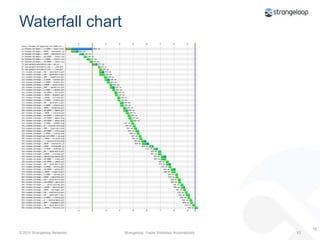
Waterfall chart10
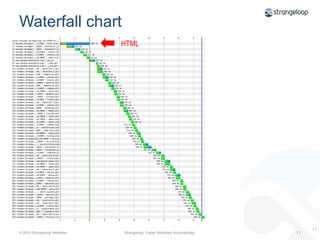
Waterfall chartHTML11
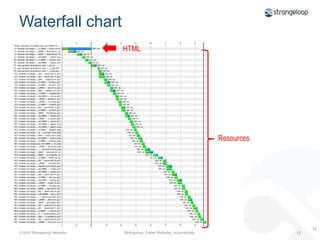
Waterfall chartHTMLResources12
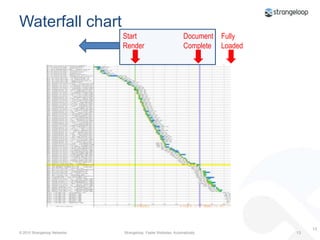
Waterfall chartStart RenderDocument CompleteFullyLoaded13
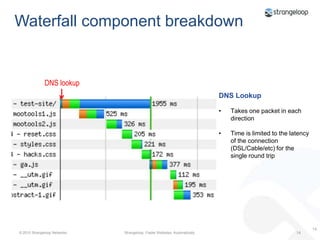
Waterfall component breakdownDNS lookupDNS LookupTakes one packet in each direction
Time is limited to the latency of the connection (DSL/Cable/etc) for the single round trip14
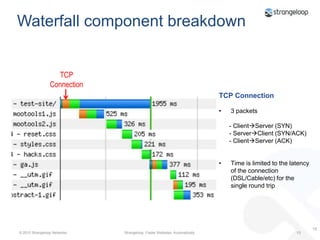
Waterfall component breakdownTCP ConnectionTCP Connection3 packets      - ClientServer (SYN)      - ServerClient (SYN/ACK)      - ClientServer (ACK)Time is limited to the latency of the connection (DSL/Cable/etc) for the single round trip15
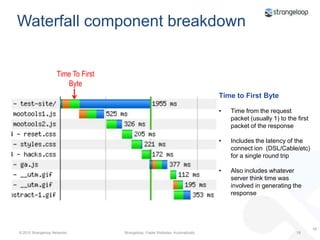
Waterfall component breakdownTime To First ByteTime to First ByteTime from the request packet (usually 1) to the first packet of the response
Includes the latency of the connect ion  (DSL/Cable/etc) for a single round trip
Also includes whatever server think time was involved in generating the response16
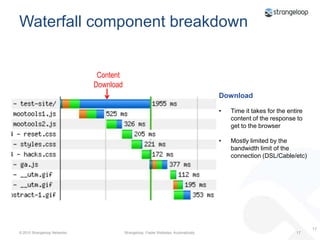
Waterfall component breakdownContent DownloadDownloadTime it takes for the entire content of the response to get to the browser
Mostly limited by the bandwidth limit of the connection (DSL/Cable/etc)17
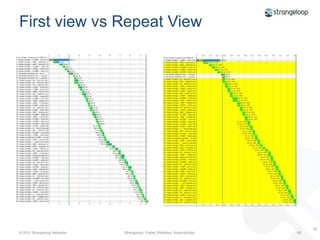
First view vs Repeat View18
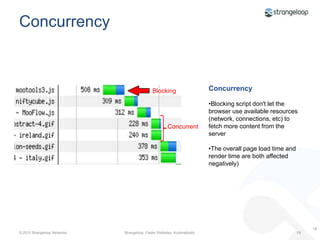
ConcurrencyConcurrencyBlocking script don't let the browser use available resources (network, connections, etc) to fetch more content from the server
The overall page load time and render time are both affected negatively)BlockingConcurrent19
Case Study: Automation in action
Methodology
Let’s Automate
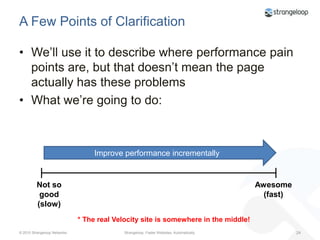
A Few Points of ClarificationWe’ll use it to describe where performance pain points are, but that doesn’t mean the page actually has these problemsWhat we’re going to do:Improve performance incrementallyNot so good(slow)Awesome(fast)* The real Velocity site is somewhere in the middle!
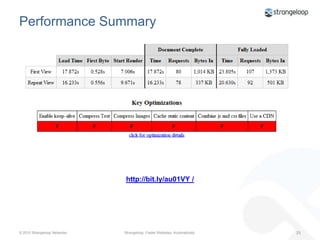
Performance Summaryhttp://bit.ly/au01VY /
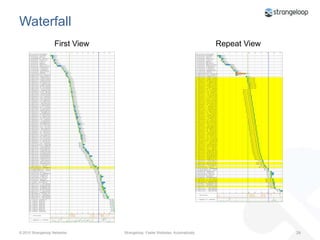
WaterfallFirst ViewRepeat View
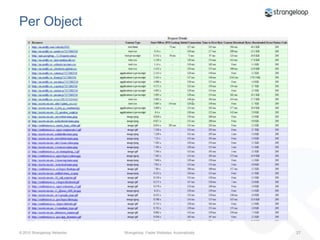
Per Object
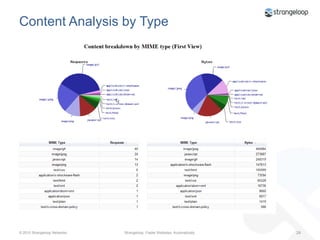
Content Analysis by Type
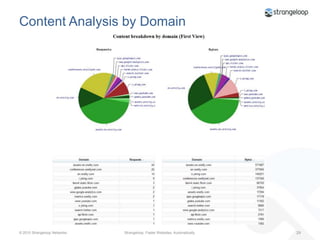
Content Analysis by Domain
Show Me Where It HurtsProblem Analysis
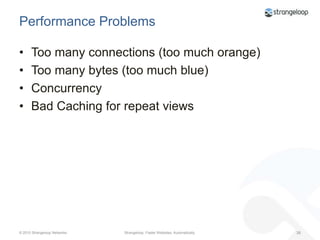
Performance ProblemsToo many connections (too much orange)
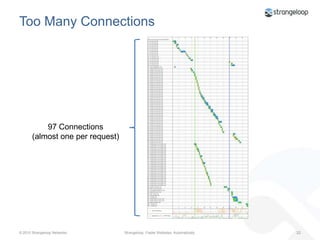
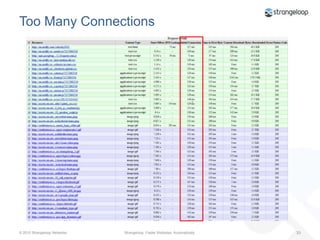
Too Many Connections97 Connections(almost one per request)
Too Many Connections
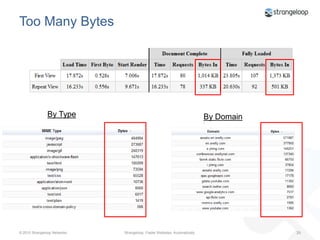
Performance ProblemsToo many connections (too much orange)Too many bytes (too much blue)
Too Many BytesBy TypeBy Domain
Performance ProblemsToo many connections (too much orange)Too many bytes (too much blue)Concurrency
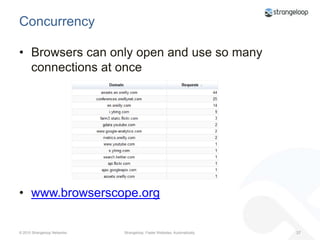
ConcurrencyBrowsers can only open and use so many connections at oncewww.browserscope.org
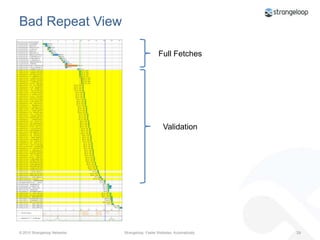
Performance ProblemsToo many connections (too much orange)Too many bytes (too much blue)ConcurrencyBad Caching for repeat views
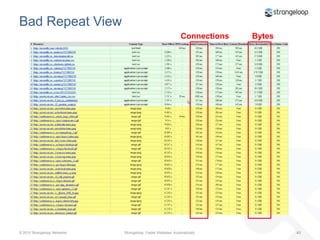
Bad Repeat ViewFull FetchesValidation
Bad Repeat ViewConnectionsBytes
Performance ProblemsToo many connections (too much orange)Too many bytes (too much blue)ConcurrencyBad Caching for repeat viewsNo CDN (the greens are too big)
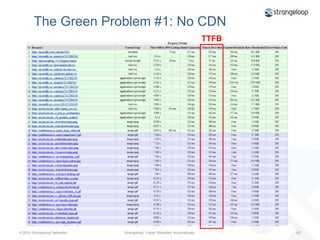
    The Green Problem #1: No CDNTTFB
Performance ProblemsToo many connections (too much orange)Too many bytes (too much blue)ConcurrencyBad Caching for repeat viewsNo CDN (the greens are too big)Too Many Roundtrips (too many greens)
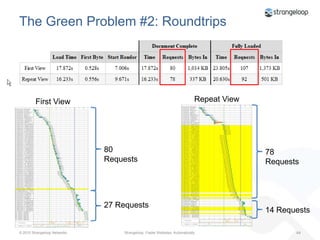
The Green Problem #2: RoundtripsRepeat ViewFirst View80 Requests78 Requests27 Requests14 Requests
The Green Problem #2: RoundtripsEvery fetch still pays the HTTP overhead penalty  TTFB is still a problemExacerbated by concurrency issuesGetting worse as number of objects per page growsGenerally, the hardest problem to solve
Performance ProblemsToo many connectionsToo many bytes (too much blue)ConcurrencyBad Caching for repeat viewsNo CDN (the greens are too big)Too Many Roundtrips (too many greens)Others
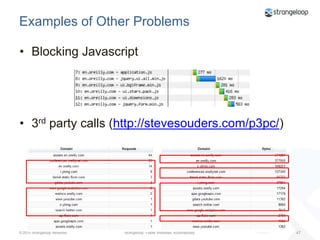
Examples of Other ProblemsBlocking Javascript3rd party calls (http://stevesouders.com/p3pc/)
Before and after: Keep-alives & compressionhttp://www.youtube.com/watch?v=KPYBF41yiFw
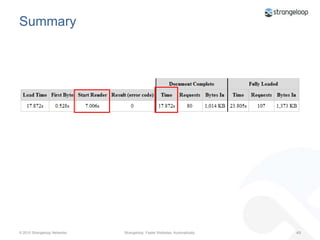
Summary
Let’s Fix It!!
Set-Up
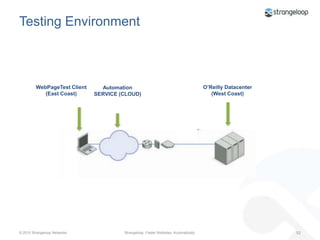
Testing EnvironmentWebPageTest Client(East Coast)O’Reilly Datacenter (West Coast)Automation SERVICE (CLOUD)
Acceleration Methodology
Stepwise AccelerationStart from the beginning and fix the easy stuffStep by step acceleration of the pageApply techniques/methods/etc and see the resultTry to make it as fast as possible
Step 1: Low Hanging Fruit
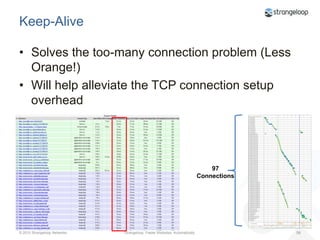
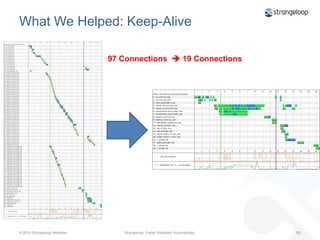
Keep-AliveSolves the too-many connection problem (Less Orange!)Will help alleviate the TCP connection setup overhead97 Connections
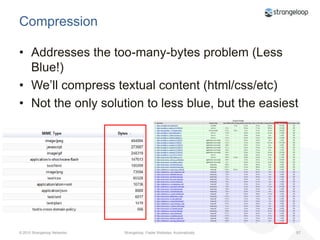
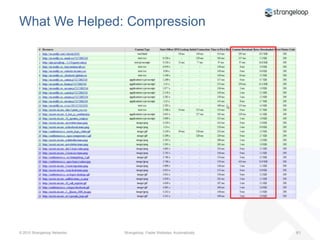
CompressionAddresses the too-many-bytes problem (Less Blue!)We’ll compress textual content (html/css/etc)Not the only solution to less blue, but the easiest
WebPageTesthttp://bit.ly/cKkjGz
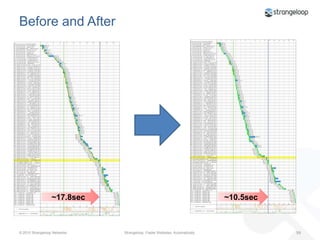
Before and After~17.8sec~10.5sec
What We Helped: Keep-Alive97 Connections   19 Connections
What We Helped: Compression
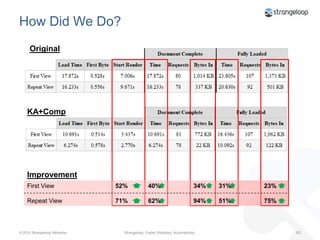
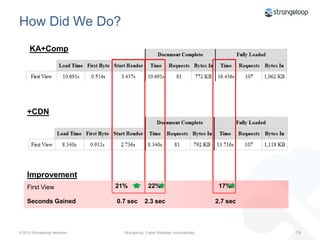
How Did We Do?OriginalKA+CompImprovementFirst View Repeat View52%71%34%94%31%51%23%75%40%62%
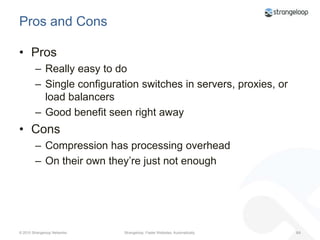
Pros and ConsProsReally easy to doSingle configuration switches in servers, proxies, or load balancersGood benefit seen right awayConsCompression has processing overheadOn their own they’re just not enough
Step 2: Repeat View Problem
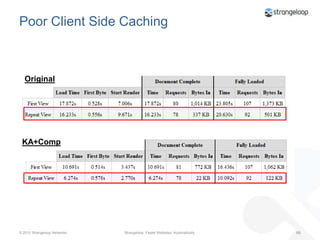
Poor Client Side CachingOriginalKA+Comp
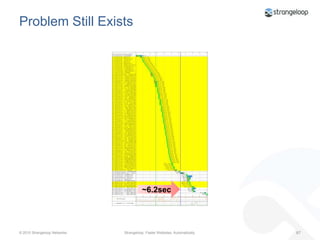
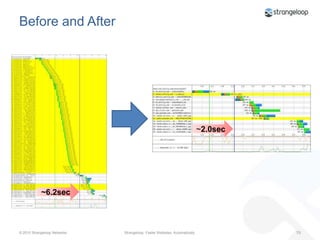
Problem Still Exists~6.2sec
How Do We Get Better CachingRFC 2616, Section 13Caching headers should be used on static (non-changing) objects, so they can be cached browser-side And by intermediate caching proxiesValidators are not enough
WebPageTesthttp://bit.ly/aCP3iX
Before and After~2.0sec~6.2sec
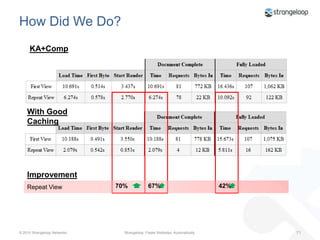
How Did We Do?KA+CompWith Good CachingImprovementRepeat View70%42%67%
Pros and ConsProsGood caching can have a major performance impact on repeat visits to a pageSometimes it’s easy to doBrowsers generally pay attention (although interpretation may vary slightly)ConsThe spec appears scaryInvalidation and stale content
Step 3: CDN
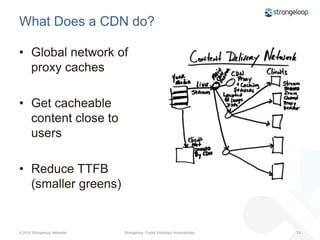
What Does a CDN do?Global network of proxy cachesGet cacheable content close to usersReduce TTFB (smaller greens)
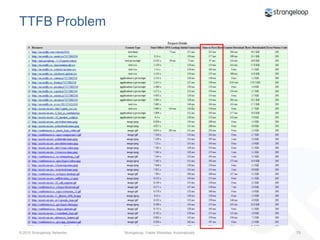
TTFB Problem
WebPageTesthttp://bit.ly/a9ZJcF
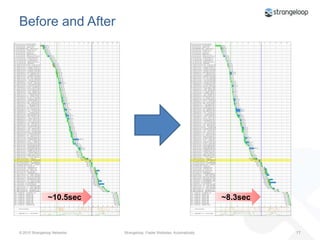
Before and After~8.3sec~10.5sec
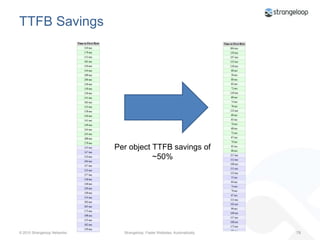
TTFB SavingsPer object TTFB savings of ~50%
How Did We Do?KA+Comp+CDNImprovementFirst View21%17%22%0.7 sec2.3 sec2.7 secSeconds Gained
Before and after: Adding a CDNhttp://www.youtube.com/watch?v=BR5hO5rL8lE
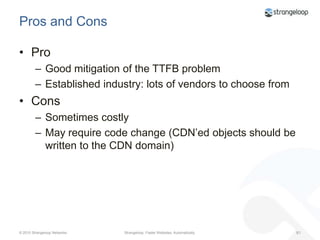
Pros and ConsProGood mitigation of the TTFB problemEstablished industry: lots of vendors to choose fromConsSometimes costlyMay require code change (CDN’ed objects should be written to the CDN domain)
Step 4: Steroids- the Hard Stuff
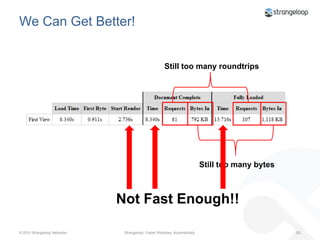
We Can Get Better!Still too many roundtripsStill too many bytesNot Fast Enough!!
What to do Next?Reduce RoundtripsCombine imagesCombine JavaScriptCombine CSSReduce Payload even moreMinify CSS and JavaScriptAdd Image CompressionIncrease ConcurrencyAdd a couple of domains to the mix
WebPageTesthttp://bit.ly/bbT3v4
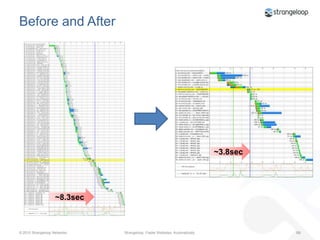
Before and After~3.8sec~8.3sec
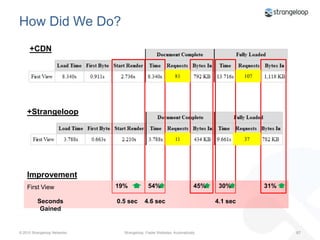
How Did We Do?+CDN81107+Strangeloop1137ImprovementFirst View19%30%54%45%31%0.5 sec4.6 sec4.1 secSeconds Gained
Before and after: The final, fastest versionhttp://www.youtube.com/watch?v=IPn0T1UacIA
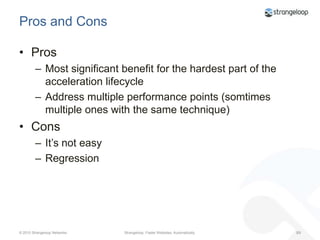
Pros and ConsProsMost significant benefit for the hardest part of the acceleration lifecycleAddress multiple performance points (somtimes multiple ones with the same technique)ConsIt’s not easyRegression
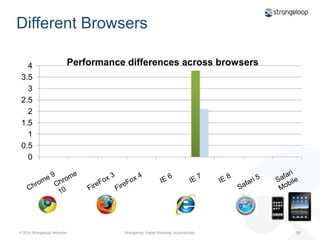
Different BrowsersSafari MobileChrome 10IE 7IE 8IE 6FireFox 4Chrome 9FireFox 3Safari 5
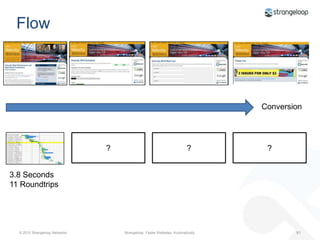
FlowConversion???3.8 Seconds11 Roundtrips
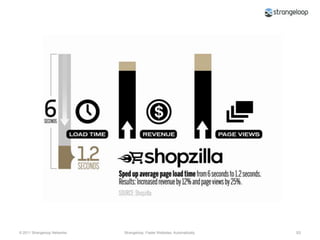
“These stats don’t apply to me.”
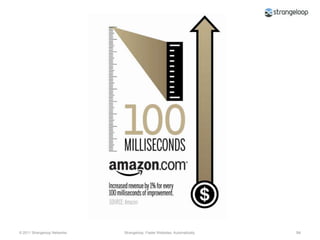
“These stats don’t apply to me either.”
How to perform a 5-minute speed/revenue benefit analysis of your site
Step 1Perform WebPagetests in IE7 and IE8. Calculate the load time difference as a percentage.
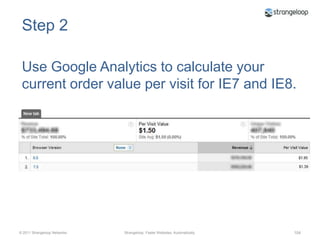
Step 2Use Google Analytics to calculate your current order value per visit for IE7 and IE8.
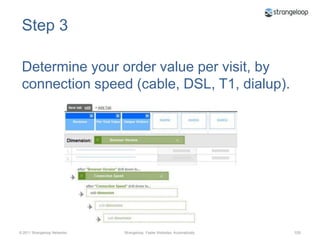
Step 3Determine your order value per visit, by connection speed (cable, DSL, T1, dialup).
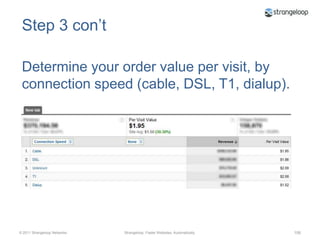
Step 3 con’tDetermine your order value per visit, by connection speed (cable, DSL, T1, dialup).
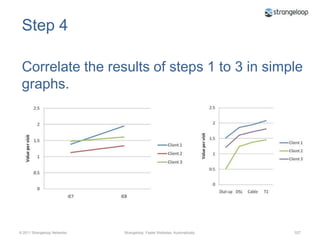
Step 4Correlate the results of steps 1 to 3 in simple graphs.
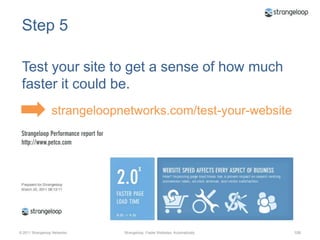
Step 5Test your site to get a sense of how much faster it could be.strangeloopnetworks.com/test-your-website
Step 6Compare these gains to your graphs from step 4. What lift can you anticipate in value per visit?
CaveatsCorrelation does not imply causation. Browser and connection speed might imply something about the buyer (i.e. s/he is more affluent) that is unrelated to the effects of speed.
But this trend seems to hold true in the real world.
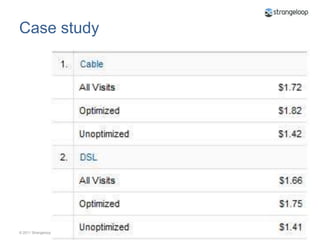
Case study

Performance in business terms

Editor's Notes

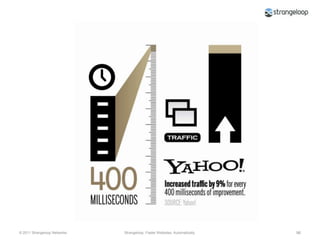
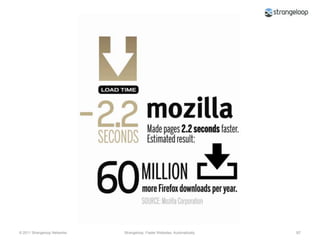
  • #2 If you’re here, you’re a performance convert. But one of your biggest problems may be trying to explain the urgency of performance to non-techies in your company… and getting higher-ups to commit to long-term investing in performance. Sure, there are lots of high-profile stories of how speeding up pages has been successful for mega-sites…
  • #99 I talk to a lot of execs, and I hear this a lot. I get why. It’s difficult for mortal companies to see themselves in relation to ecommerce mega-giants thatmake billions of dollars a year and have teams of in-house performance engineers to do their bidding.
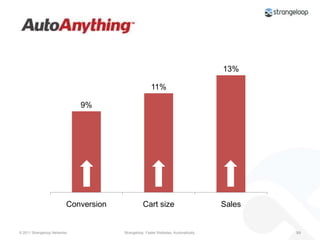
  • #100 Again, performed 50/50 test to see the impact of faster pages on performance:Conversions increased by 9%Cartsize by 11%Sales by 13%
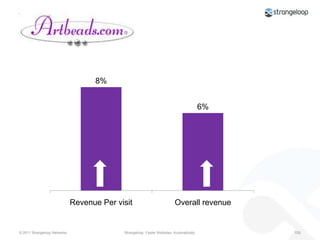
  • #101 Again, 50/50 test of the site after implementing the Site Optimizer service. Wetracked three metrics among both test groups: revenue per visitor, revenue per visit, and overall revenue. The goal was a baseline increase of 2.5% across all three metrics. The accelerated site dramatically outperformed this goal:Revenue per visit +8%Overall revenue +6%
  • #102 I talk to a lot of execs, and I hear this a lot. I get why. It’s difficult for mortal companies to see themselves in relation to ecommerce mega-giants thatmake billions of dollars a year and have teams of in-house performance engineers to do their bidding.
  • #103 The obvious answer is to just implement Site Optimizer, speed things up, then check out conversion rate changes using a segmentation test, but this isn’t an option for everyone. So we developed a hack. It lets you use two tools you’re probably already familiar with – Google Analytics and WebPagetest – to slice your own data a bunch of different ways, and create decent proxies for performance.
  • #104 Last fall, we performed a study which showed that IE8 is about 25% faster than IE7 across almost 200 websites. Based on this, we felt that browser version is a solid performance proxy for exploring conversion behaviour. Reference original case study: “The first thing we did was perform a Webpagetest in IE7 and IE8. We found that his site was 30% faster in IE8.”
  • #107 Explore different connection speeds within IE8. First, perform Webpagetests on the different connection speeds, and then compare them to the results in Google Analytics.If you’re using Google Analytics, I think the easiest way to get this data is with a custom report that looks something like this. (reference Google Analytics screen grab)From case study: “Again we found a remarkable relationship between connection speed and order value. On average, online shoppers using T1 connections spent about 11% more than shoppers with DSL connections. And shoppers with T1 connections spent roughly 32% more than those using dialup.”
  • #111 To pass any hardcore statistical muster, a much more in-depth regression test would need to occur. But these early proof points are enough to convince many non-believers that performance matters and they should invest in it.
  • #112 In a real-world application of this approach, with all variables accounted for, the optimized site still outperformed the unoptimized site.
  • #113 From case study:Before I released this hack into the wild, I needed to apply this methodology to one last test to determine if it had any validity in the real world. I took a Strangeloop customer who had been through a rigorous month-long 50/50 test. In this particular case, with all other variables accounted for, the optimized site outperformed the unoptimized site. On average, order value for the optimized site was 20% greater than for the unoptimized site
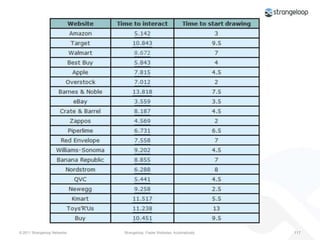
  • #117 This is what you need to start with.You may have your own variation on this. What’s the best way of showing this?
  • #118 With a table?This is a table showing the load time and start render time for the top 20 ecommerce sites of the 2009 holiday shopping season. There’s some interesting data here, but if you were a performance newbie, you wouldn’t know it.Tables show that you’ve done your homework and tabulated your data. Okayin the appendix of a performance report, but they’re not goingto light fires under any butts.
  • #119 Better…Side by side comparison graphic. (It’s easy to create using Webpagetest’s visual comparison feature. First, run your side-by-side test, then click the “Export filmstrip as an image” text link on the bottom of the results page.)You can see how your site loads, frame by frame, compared to your competitors.Interesting, but requires a bit of scrutiny to understand.Good to include in a competitive analysis section of your performance audit, but not a showstopper.
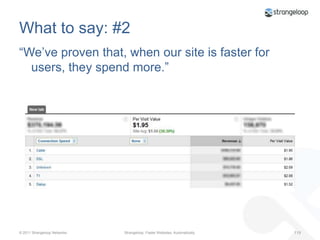
  • #120 This is when you share the findings of your 5-minute speed/benefit analysis. It can be as simple as Google Analytics screenshots like this.
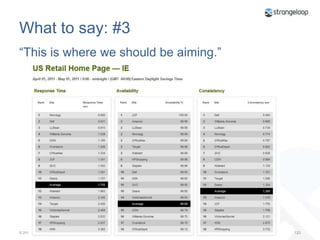
  • #121 After you’ve grabbed attention, then start providing big-picture context.Use concrete benchmarks to create goals… and introduce competitiveness.You can get this data from companies like Gomez, which updates benchmarks every week.This index may focus on larger companies, but these numbers are relevant to all companies. Here’s why…
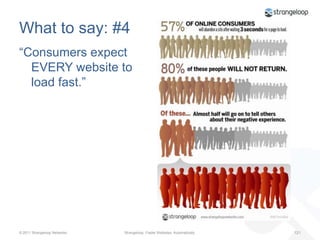
  • #122 Users don’t care if your company is large or small. They expect all sites to load fast.
  • #123 Twitter @joshuabixby