Personalised	
  paths	
  through	
  digital	
  
library	
  collec4ons
Kate Fernie, MDR Partners (Consulting) Ltd

eCult Dialogue Day, 19th September 2013, Dubrovnik
PATHS: project basics
•  A STREP funded under the FP7 programme
•  36 month project - 1/1/2011 to 31/12/2013
•  6 partners in 5 countries
• 

University of Sheffield

• 

Universidad del Pais Vasco

• 

i-sieve technologies Ltd

• 

Asplan Viak Internet Ltd

• 

MDR Partners

• 

(Alinari 24 Ora Spa)

http://www.paths-project.eu
Introduction
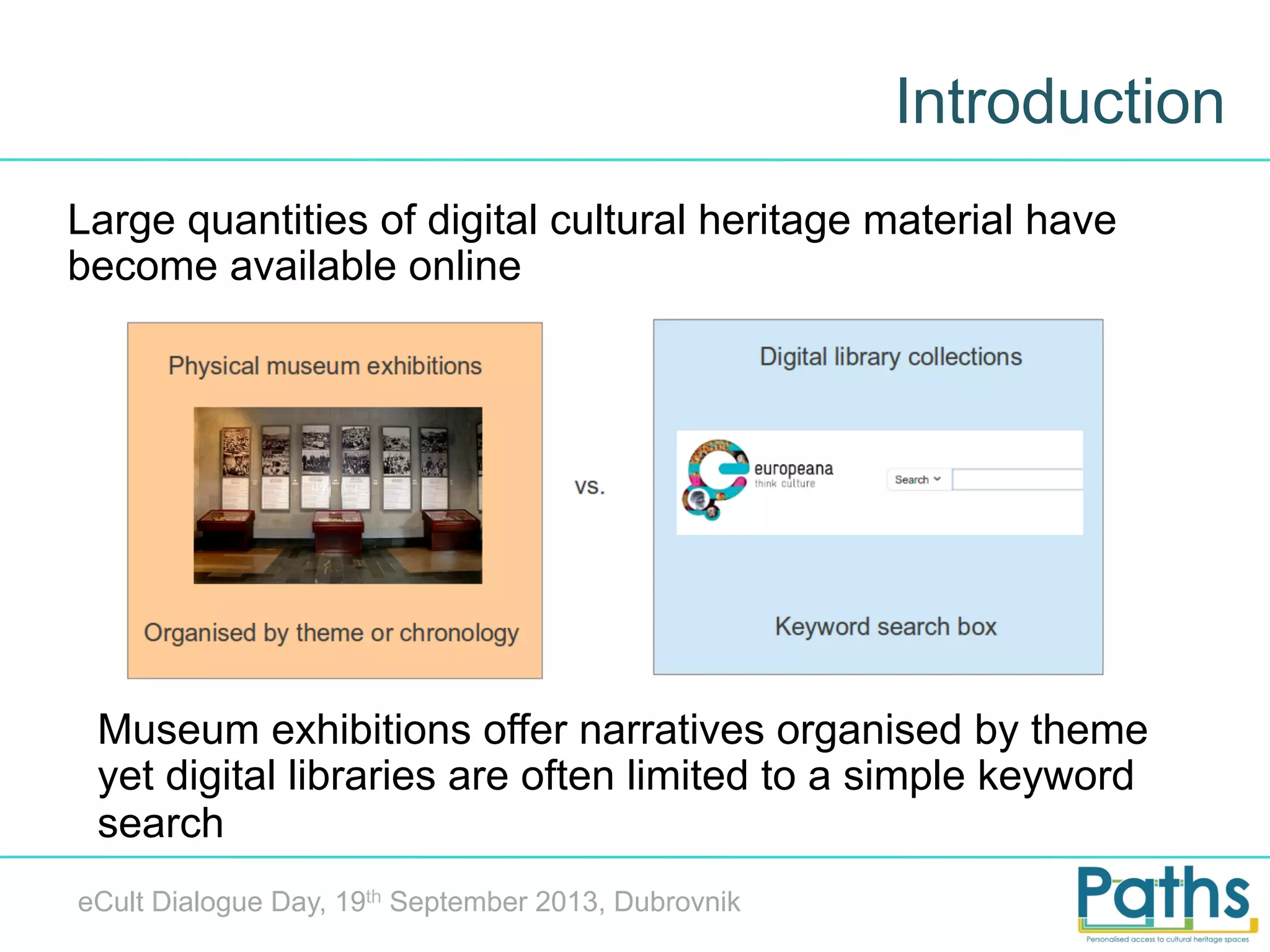
Large quantities of digital cultural heritage material have
become available online

Museum exhibitions offer narratives organised by theme
yet digital libraries are often limited to a simple keyword
search
eCult Dialogue Day, 19th September 2013, Dubrovnik
Introducing paths
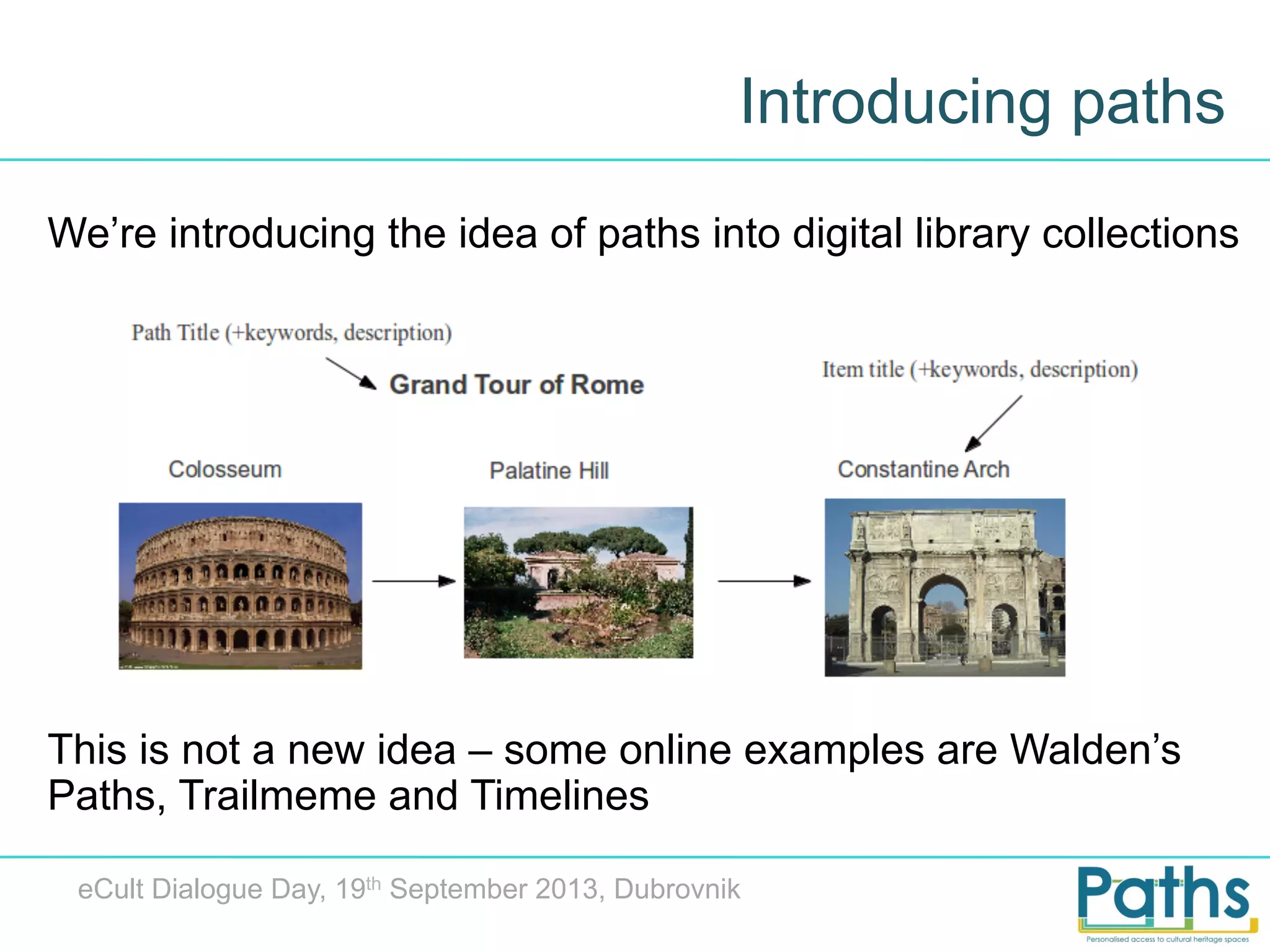
We’re introducing the idea of paths into digital library collections

This is not a new idea – some online examples are Walden’s
Paths, Trailmeme and Timelines
eCult Dialogue Day, 19th September 2013, Dubrovnik
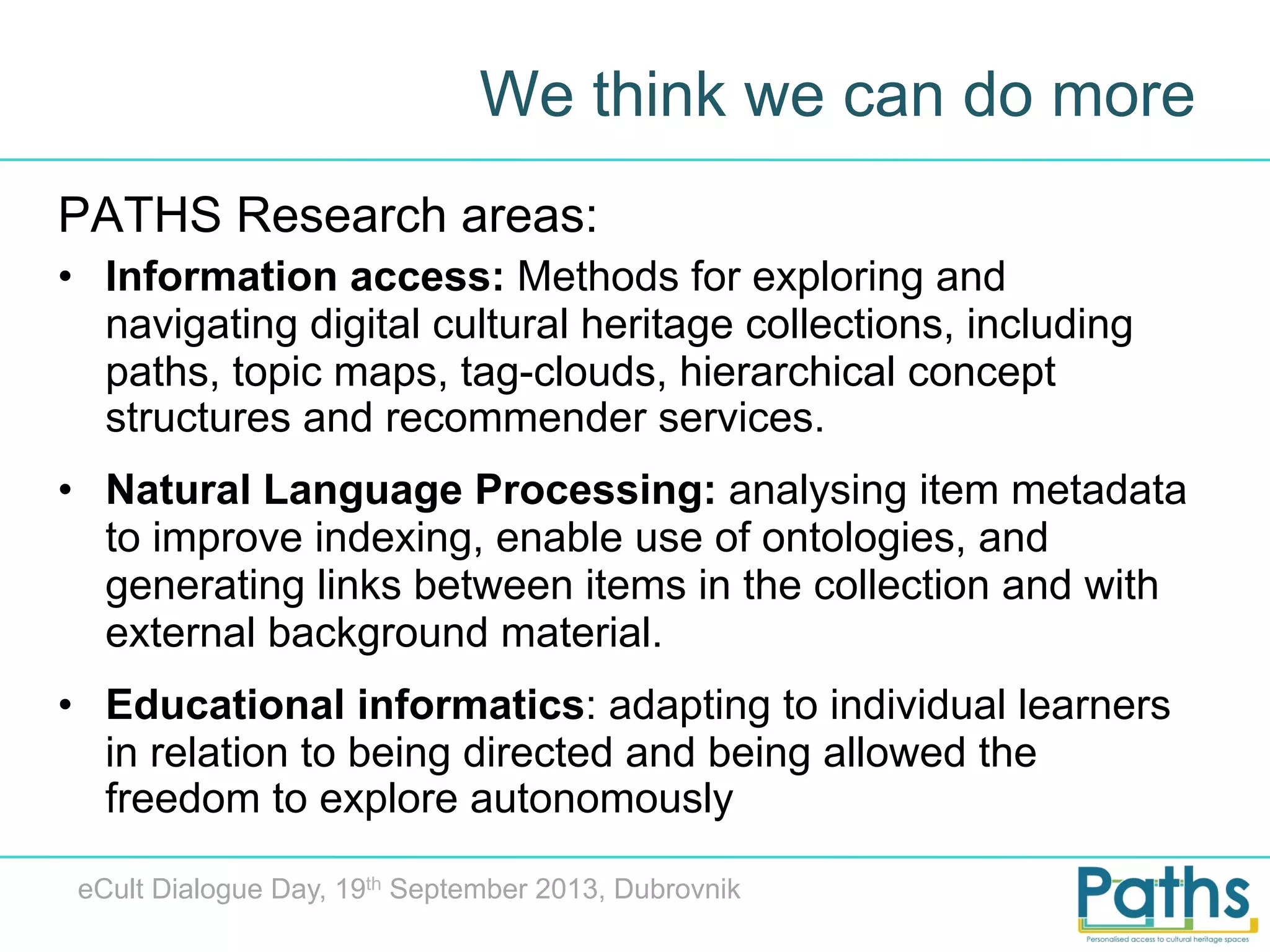
We think we can do more
PATHS Research areas:
•  Information access: Methods for exploring and
navigating digital cultural heritage collections, including
paths, topic maps, tag-clouds, hierarchical concept
structures and recommender services.
•  Natural Language Processing: analysing item metadata
to improve indexing, enable use of ontologies, and
generating links between items in the collection and with
external background material.
•  Educational informatics: adapting to individual learners
in relation to being directed and being allowed the
freedom to explore autonomously
eCult Dialogue Day, 19th September 2013, Dubrovnik
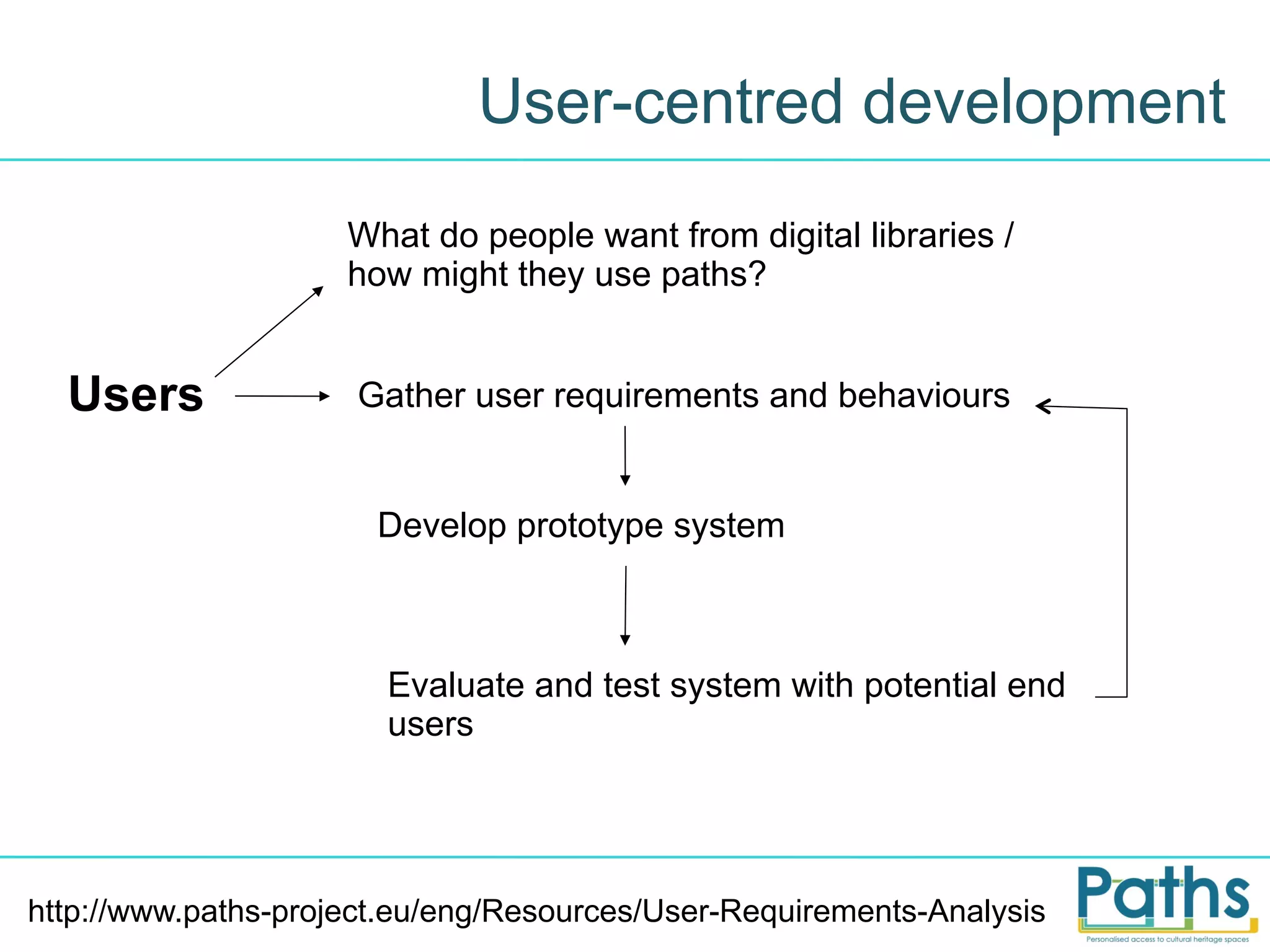
User-centred development
What do people want from digital libraries /
how might they use paths?

Users

Gather user requirements and behaviours

Develop prototype system

Evaluate and test system with potential end
users

http://www.paths-project.eu/eng/Resources/User-Requirements-Analysis
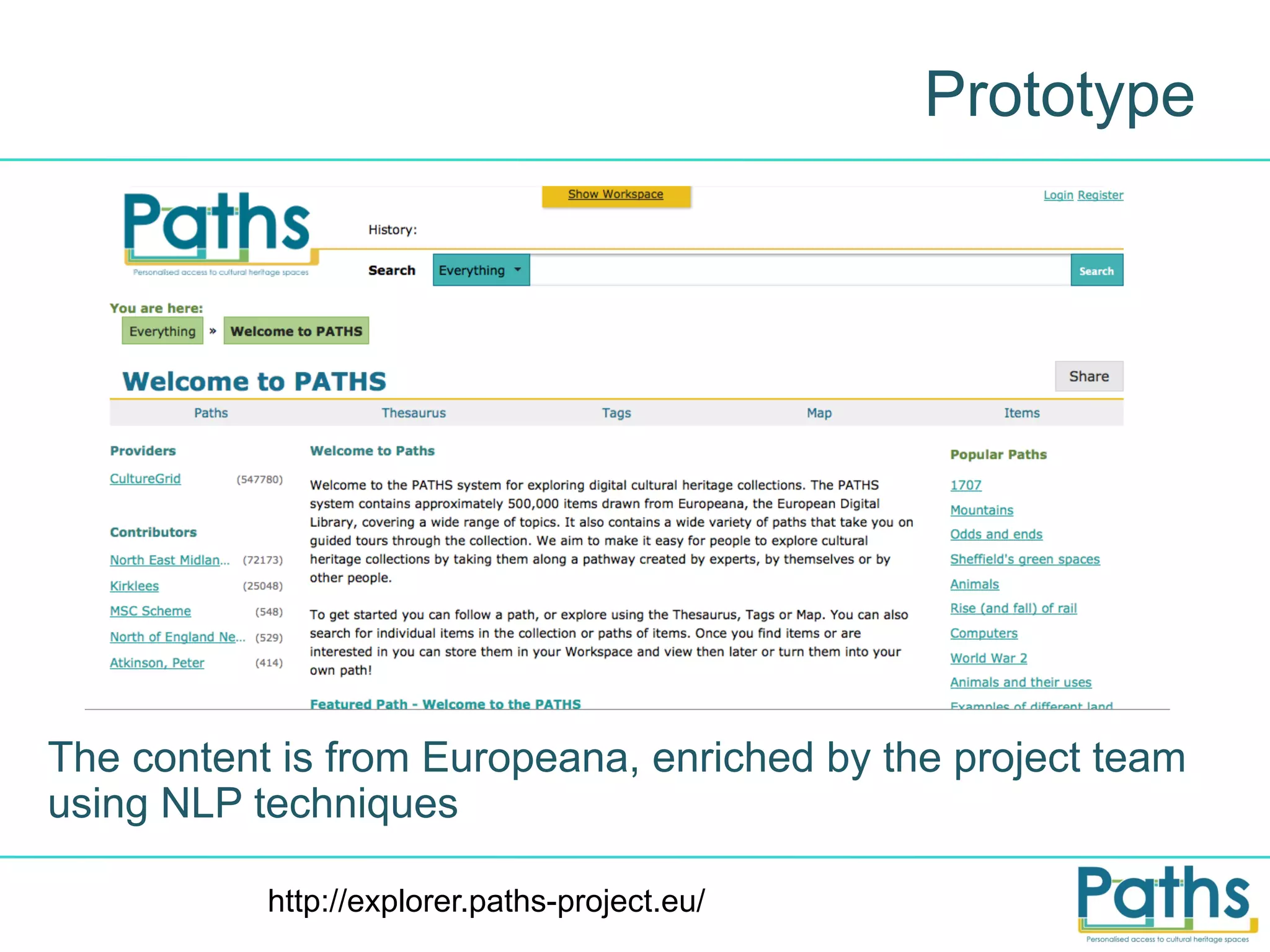
Prototype

The content is from Europeana, enriched by the project team
using NLP techniques
http://explorer.paths-project.eu/
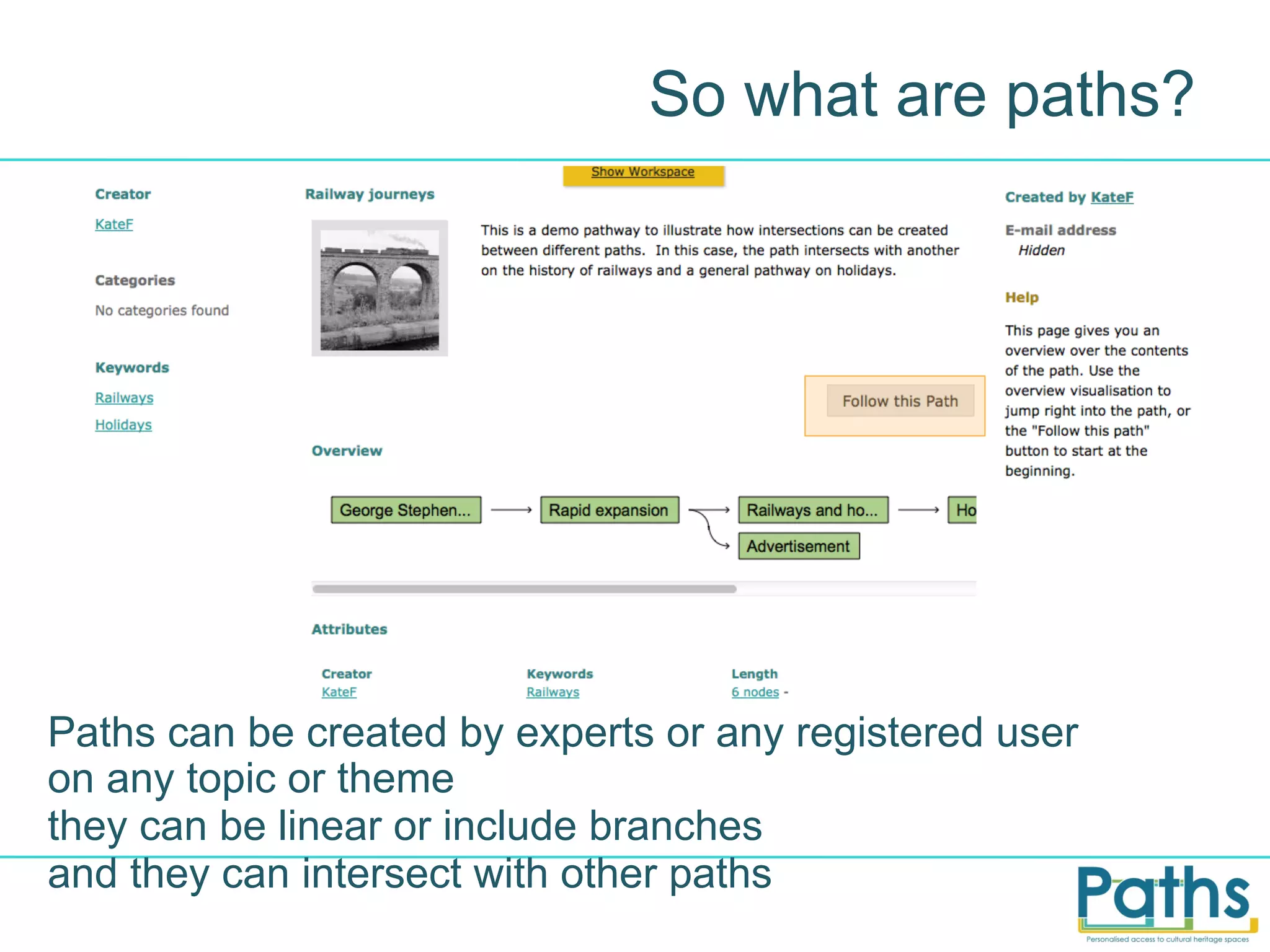
So what are paths?

Paths can be created by experts or any registered user
on any topic or theme
they can be linear or include branches
and they can intersect with other paths
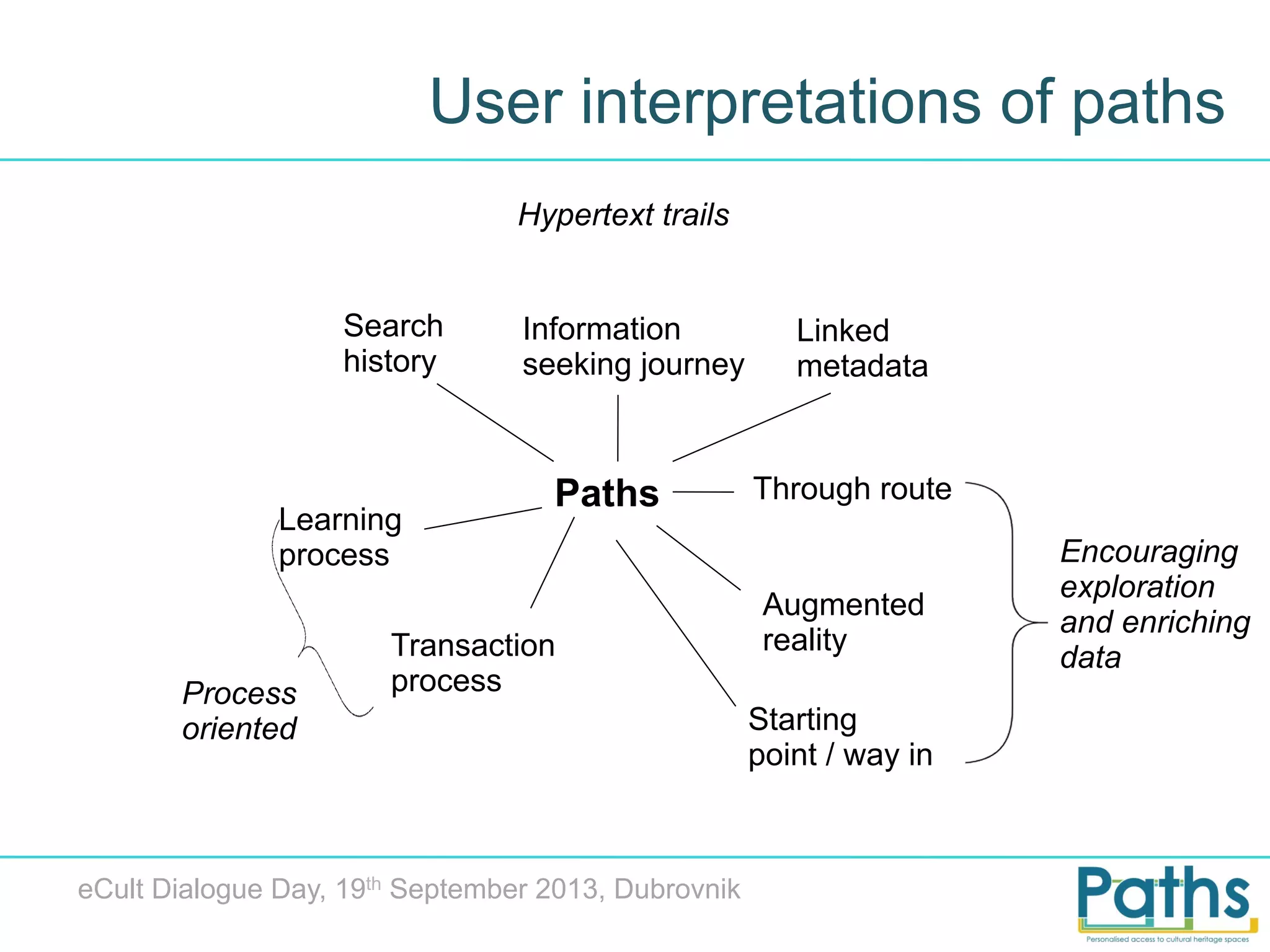
User interpretations of paths
Hypertext trails
Search
history

Learning
process

Process
oriented

Information
seeking journey

Paths

Transaction
process

eCult Dialogue Day, 19th September 2013, Dubrovnik

Linked
metadata

Through route

Augmented
reality
Starting
point / way in

Encouraging
exploration
and enriching
data
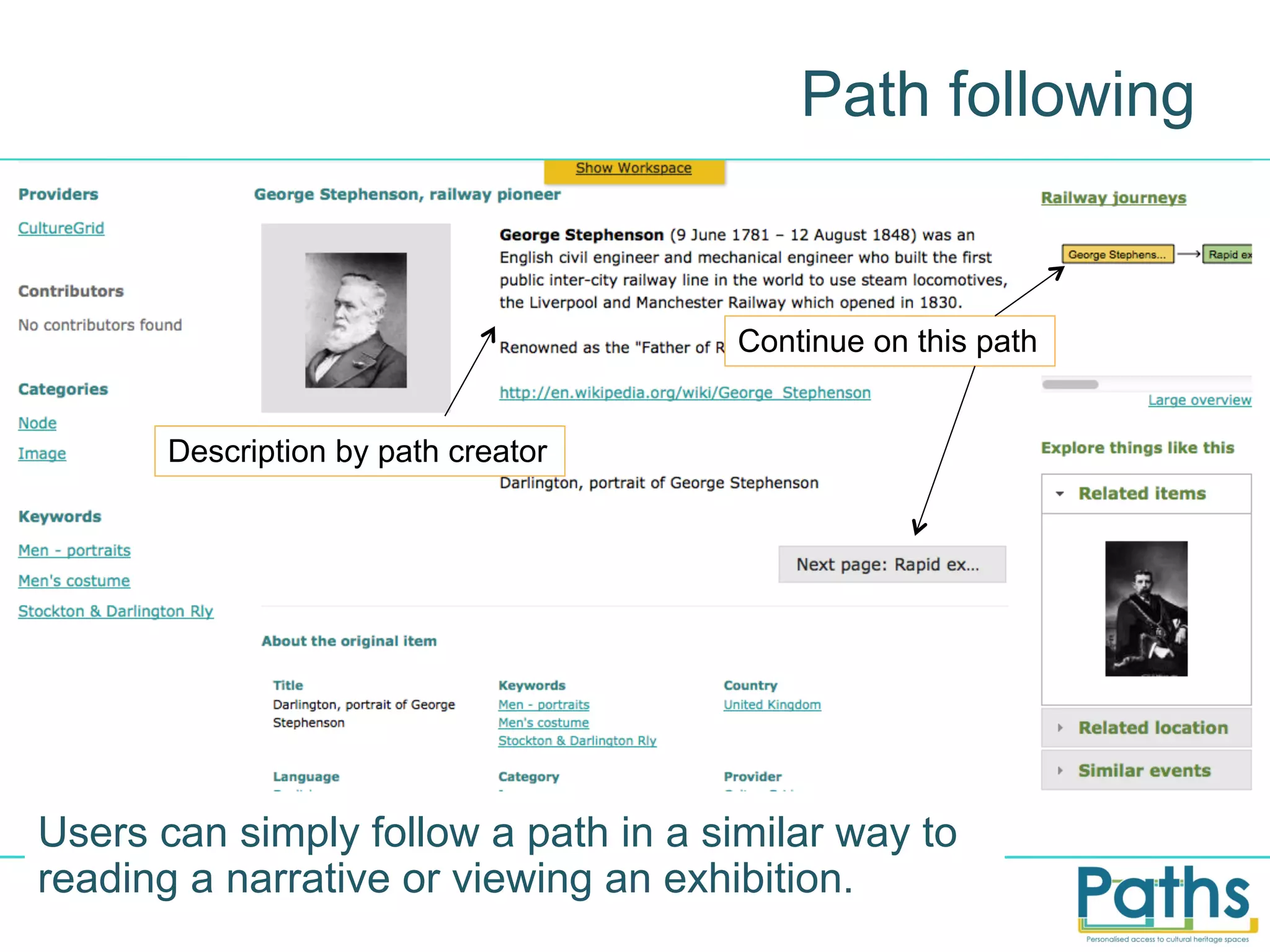
Path following

Continue on this path
Description by path creator

Users can simply follow a path in a similar way to
reading a narrative or viewing an exhibition.
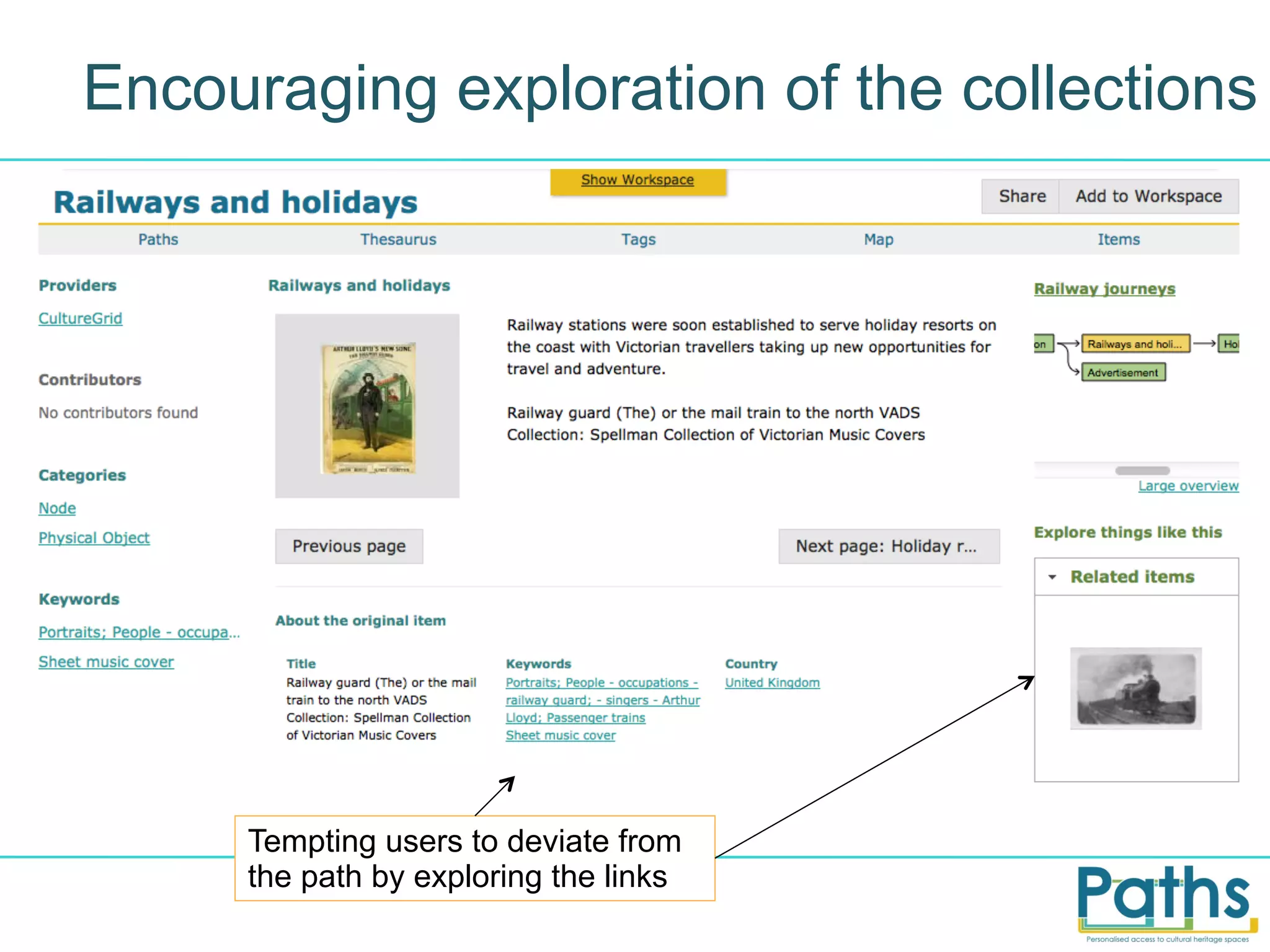
Encouraging exploration of the collections

Tempting users to deviate from
the path by exploring the links
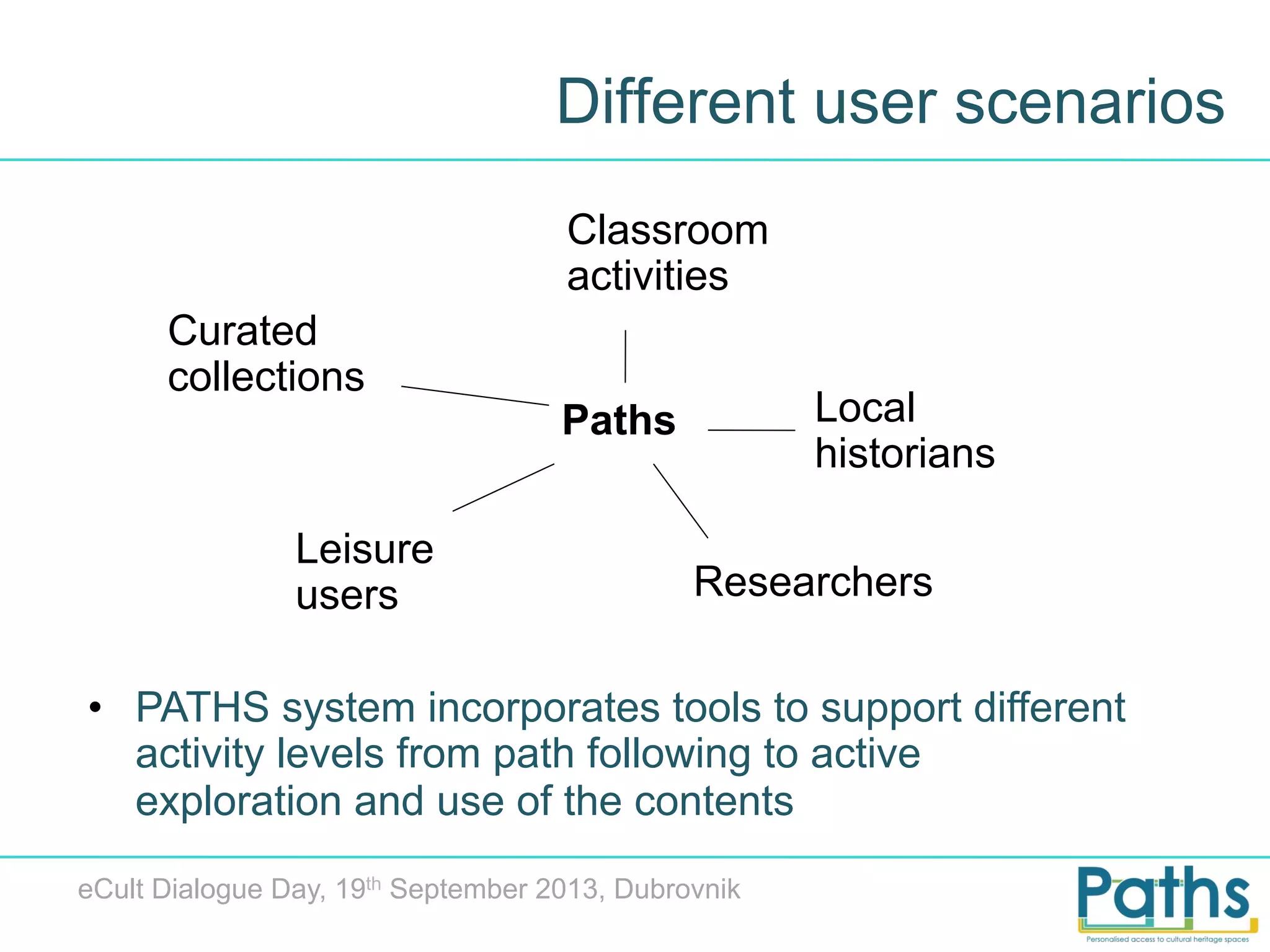
Different user scenarios
Classroom
activities
Curated
collections

Leisure
users

Local
historians

Paths

Researchers

•  PATHS system incorporates tools to support different
activity levels from path following to active
exploration and use of the contents
eCult Dialogue Day, 19th September 2013, Dubrovnik
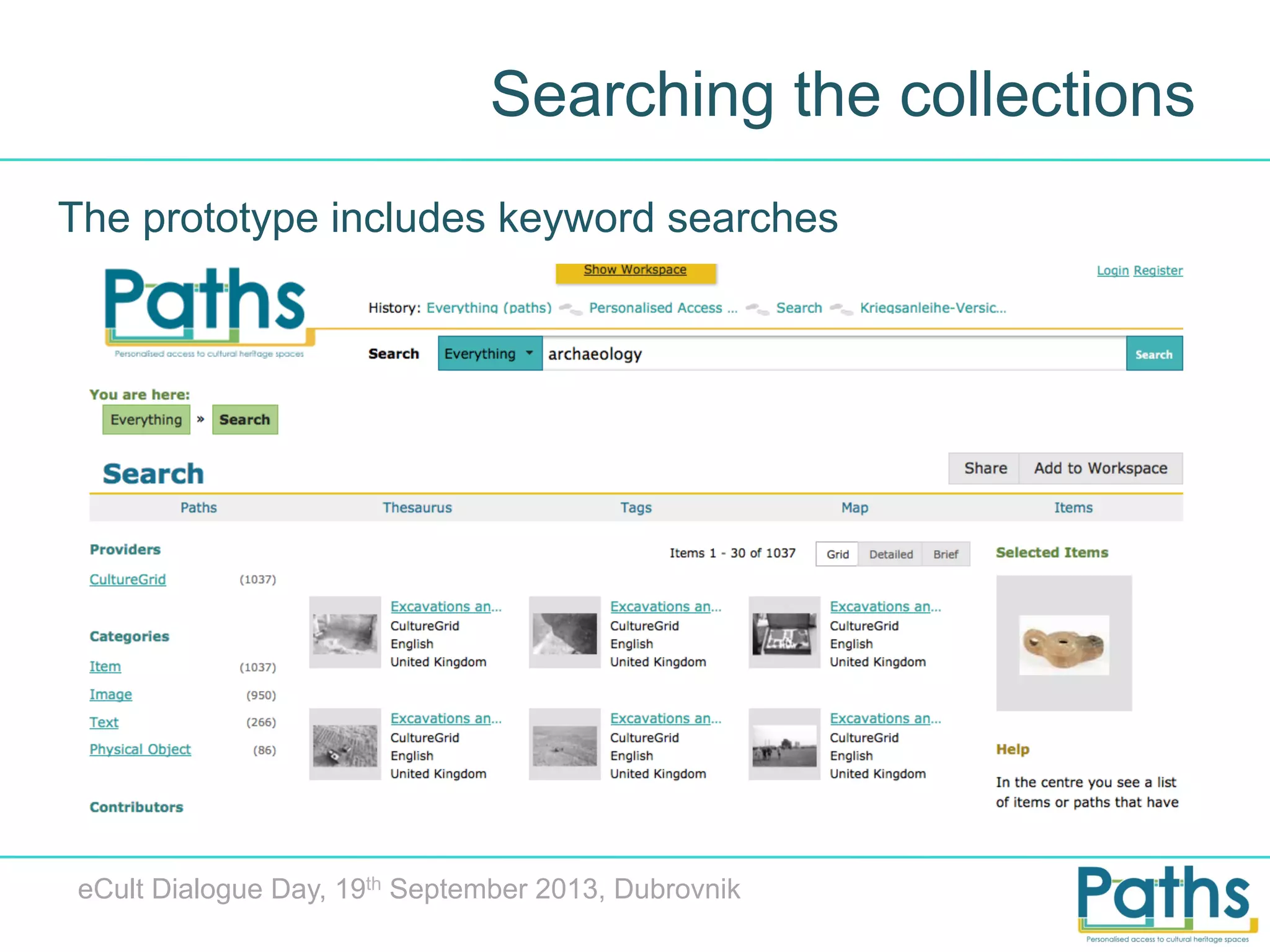
Searching the collections
The prototype includes keyword searches

eCult Dialogue Day, 19th September 2013, Dubrovnik
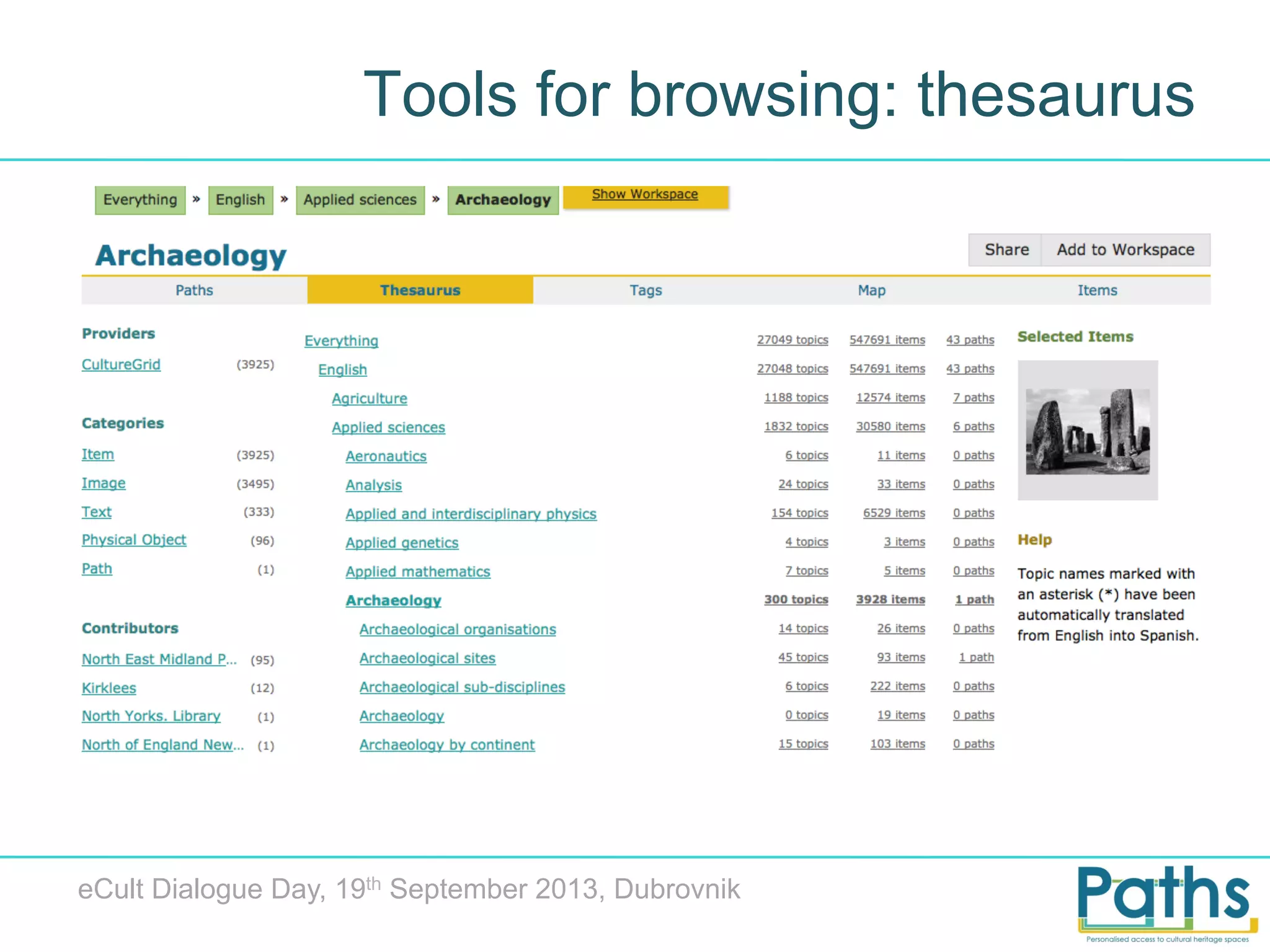
Tools for browsing: thesaurus

eCult Dialogue Day, 19th September 2013, Dubrovnik
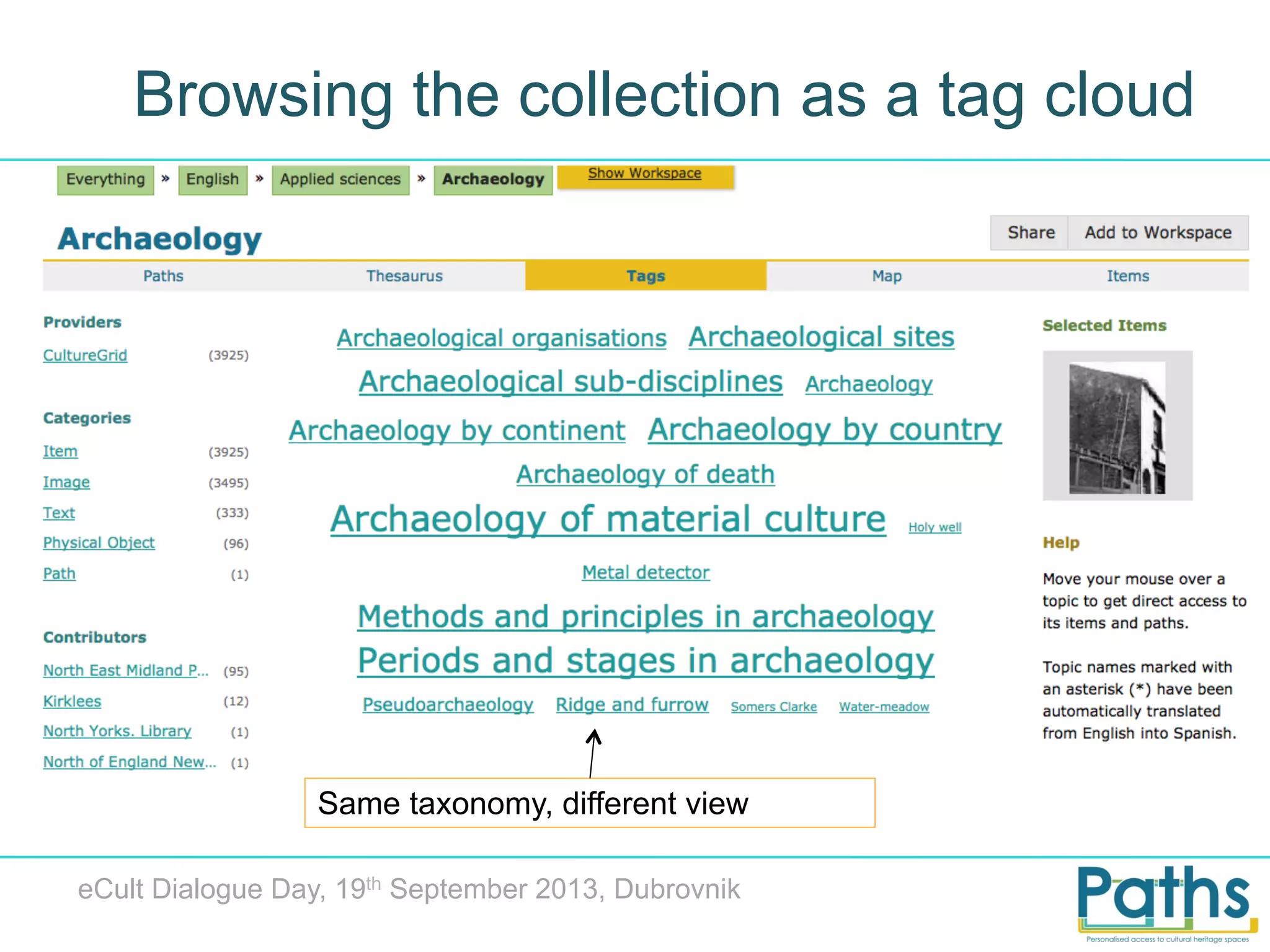
Browsing the collection as a tag cloud

Same taxonomy, different view
eCult Dialogue Day, 19th September 2013, Dubrovnik
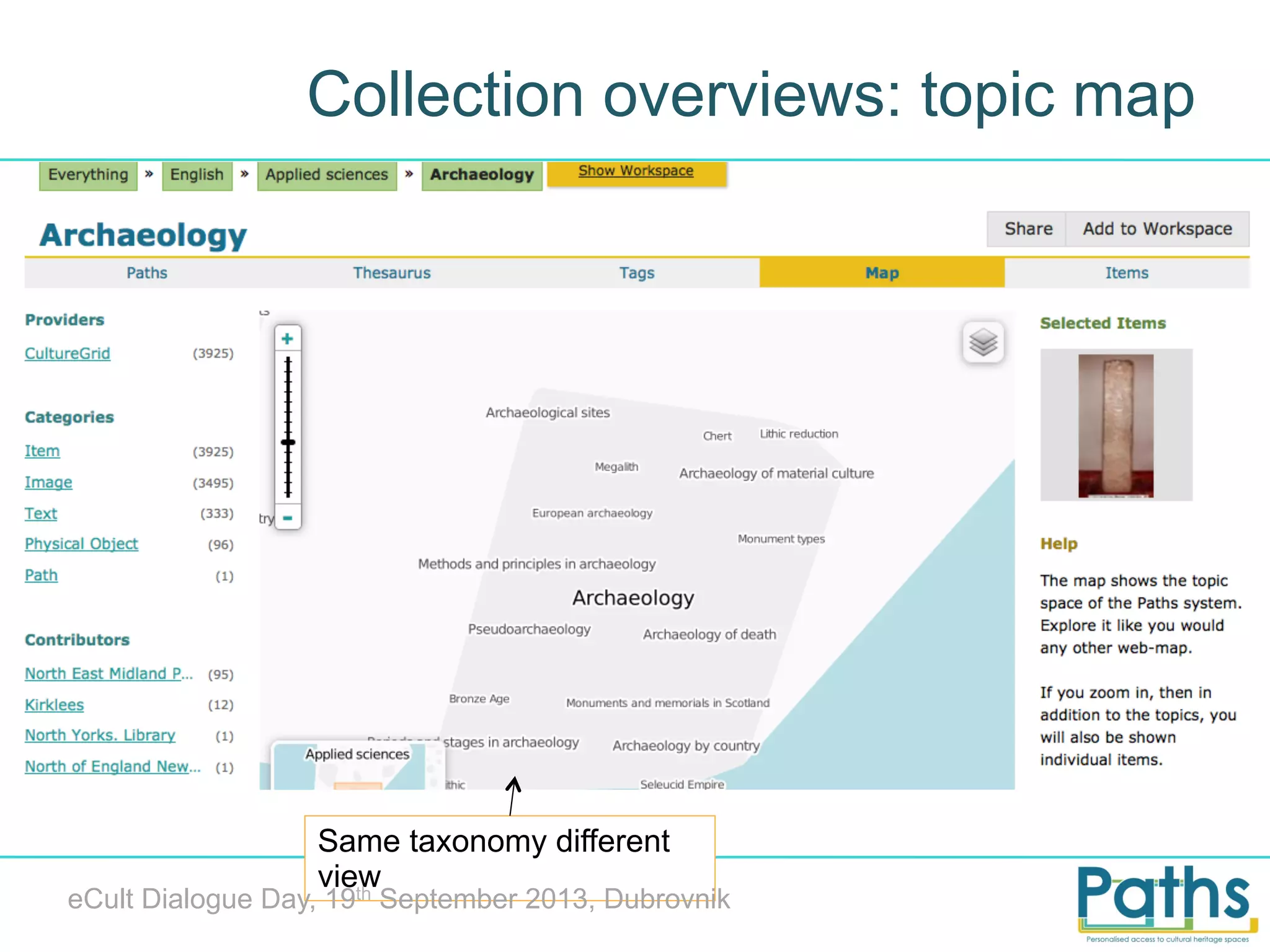
Collection overviews: topic map

Same taxonomy different
view
th

eCult Dialogue Day, 19 September 2013, Dubrovnik
User study
“Imagine you are a student who has been asked to
create a path as part of a university assignment. You
have been asked to use primary source materials to
create a mini online exhibition suitable for a target
group within the general public and/or school visitor
categories. Your goal is to introduce a historical or artfocussed topic in a popular, accessible way, and to
encourage further use and exploration of cultural
heritage resources.”

eCult Dialogue Day, 19th September 2013, Dubrovnik
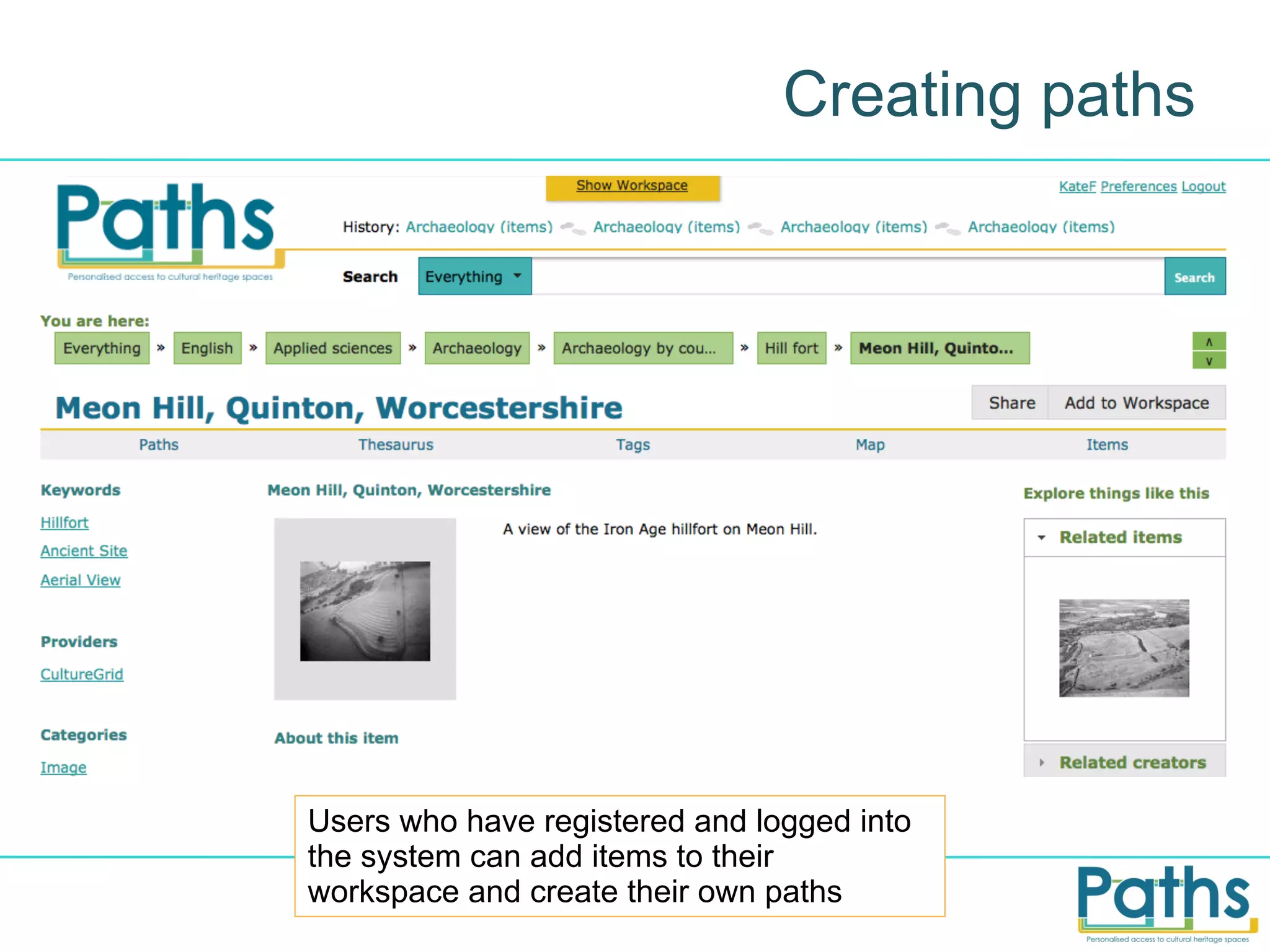
Creating paths

Users who have registered and logged into
the system can add items to their
workspace and create their own paths
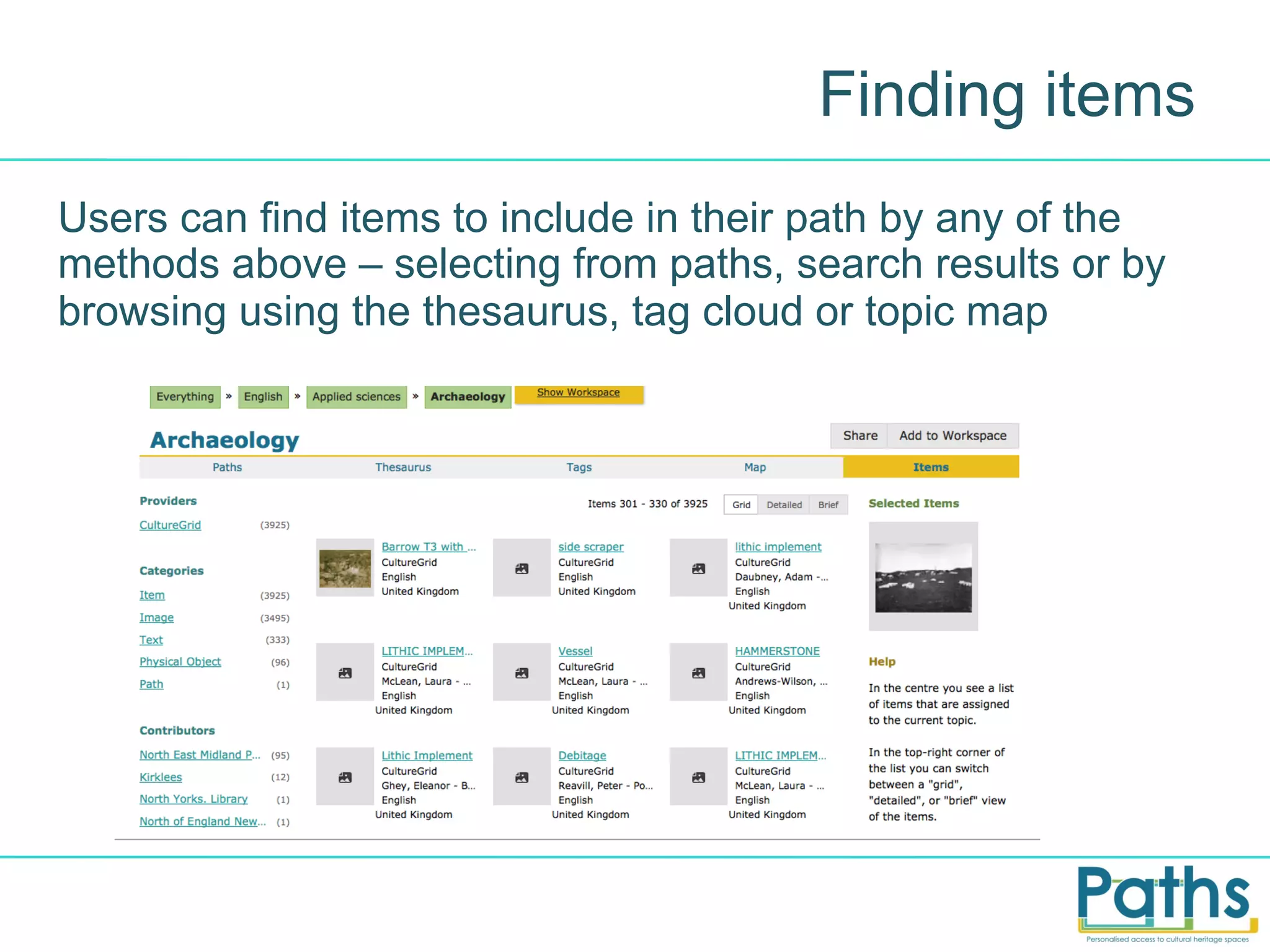
Finding items
Users can find items to include in their path by any of the
methods above – selecting from paths, search results or by
browsing using the thesaurus, tag cloud or topic map
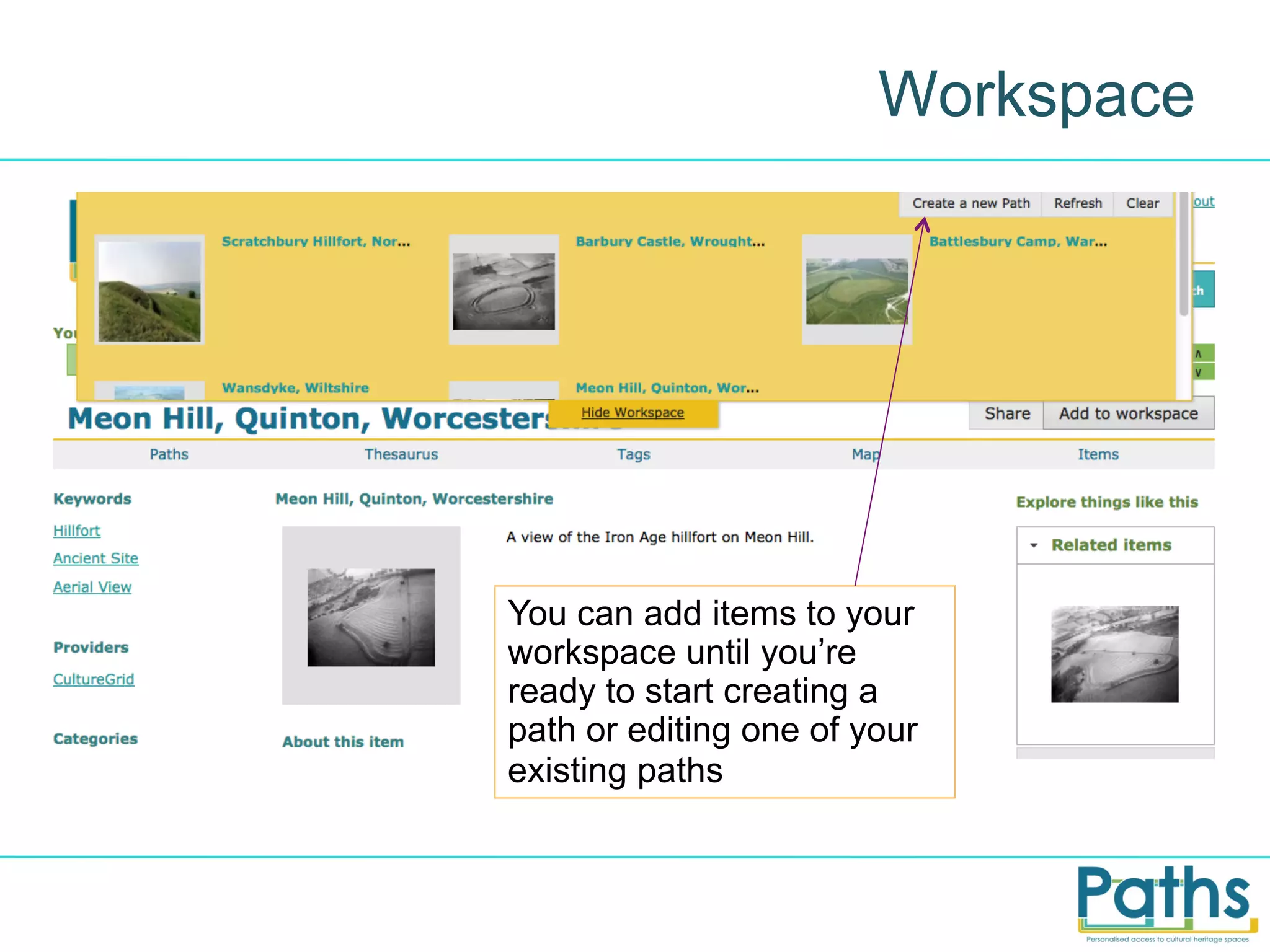
Workspace

You can add items to your
workspace until you’re
ready to start creating a
path or editing one of your
existing paths
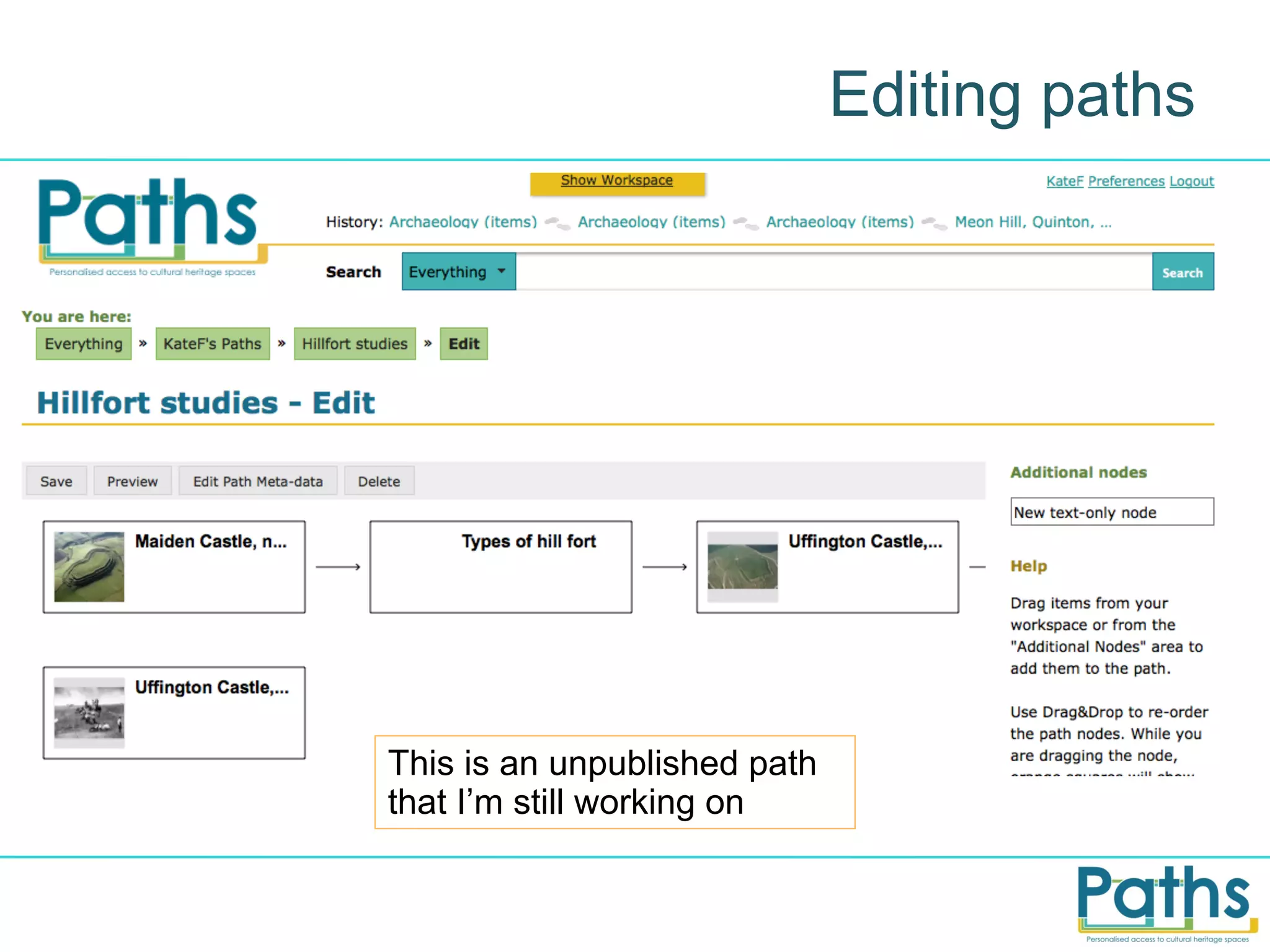
Editing paths

This is an unpublished path
that I’m still working on
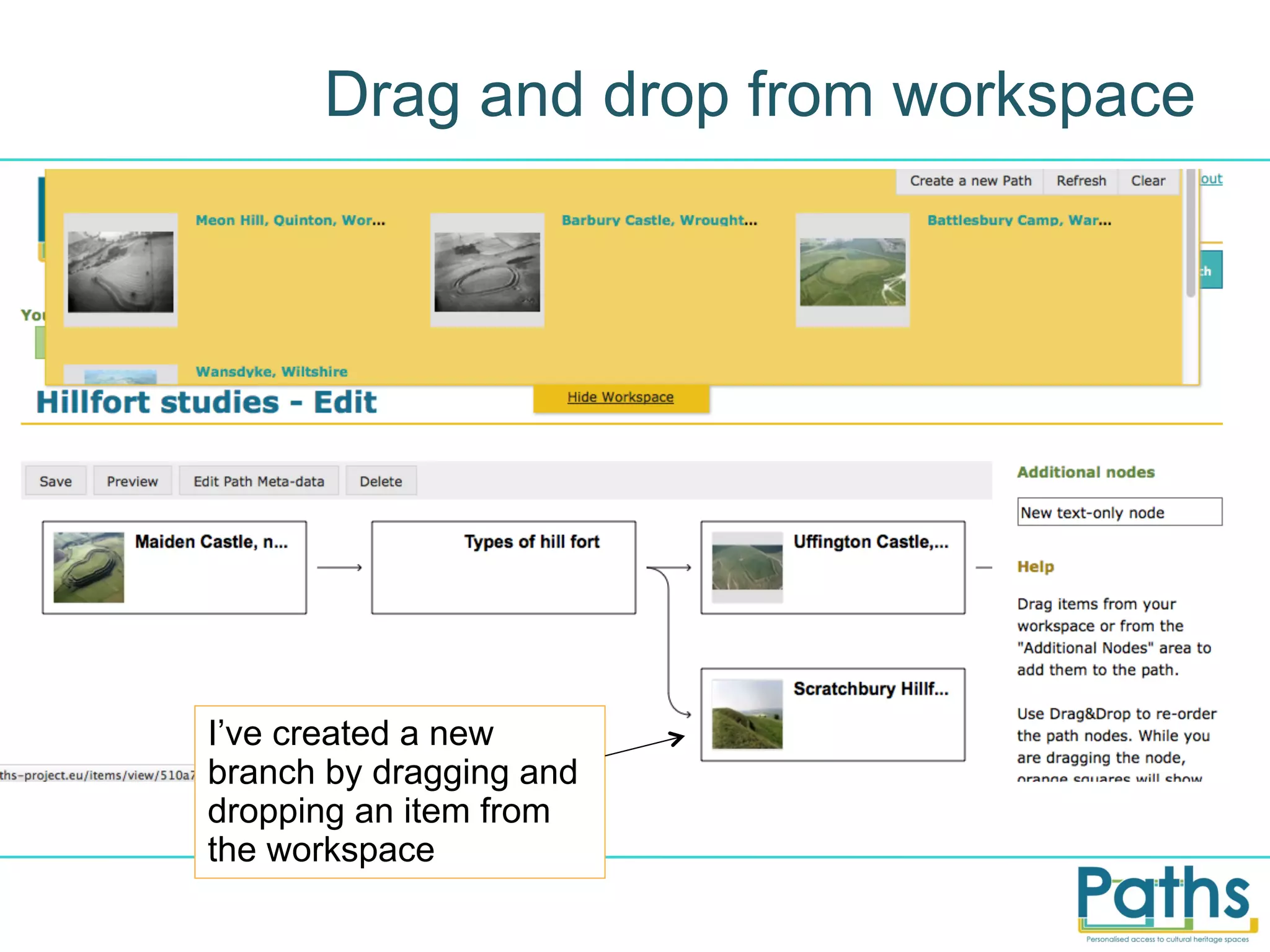
Drag and drop from workspace

I’ve created a new
branch by dragging and
dropping an item from
the workspace
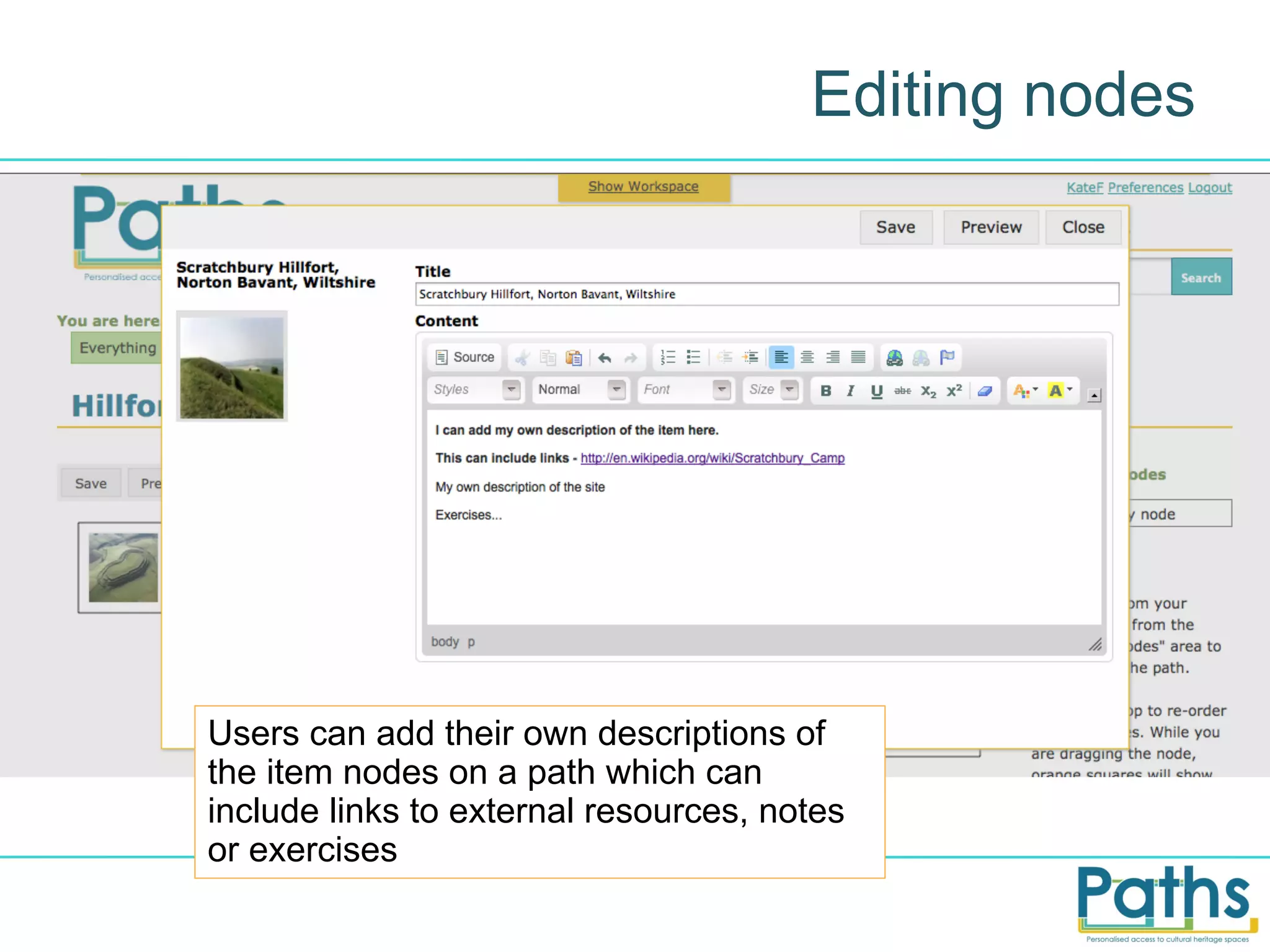
Editing nodes

Users can add their own descriptions of
the item nodes on a path which can
include links to external resources, notes
or exercises
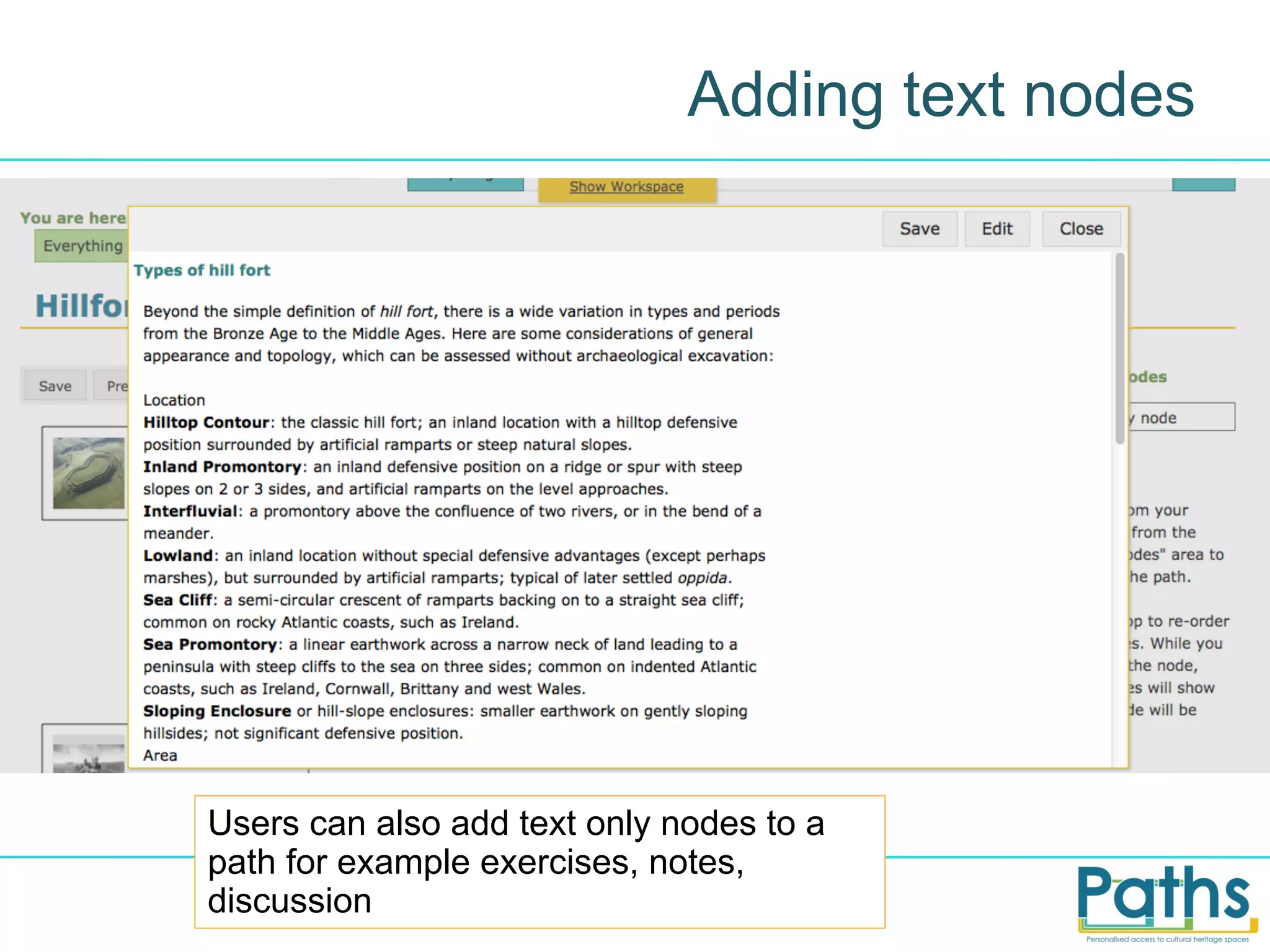
Adding text nodes

Users can also add text only nodes to a
path for example exercises, notes,
discussion
User evaluation
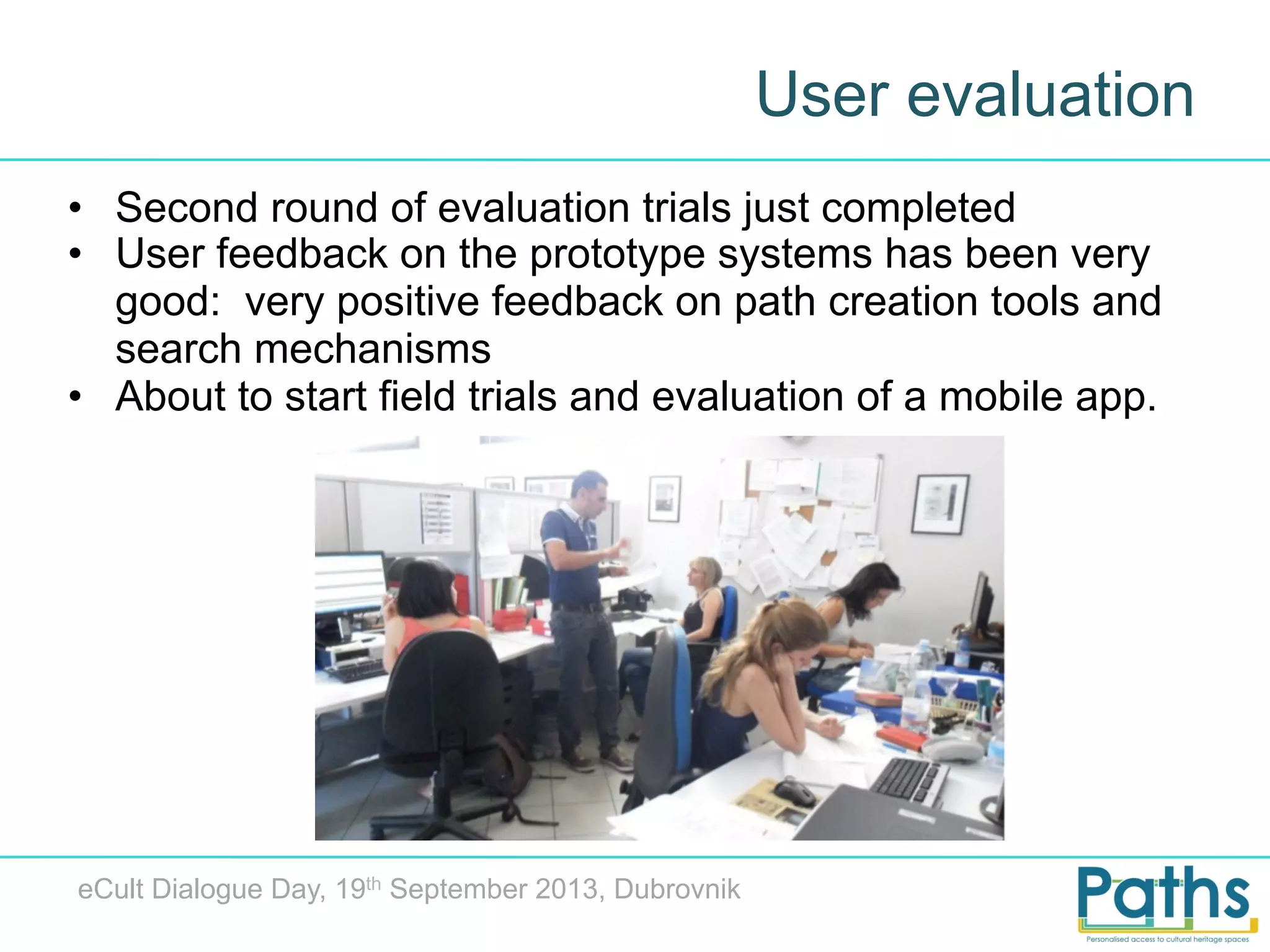
•  Second round of evaluation trials just completed
•  User feedback on the prototype systems has been very
good: very positive feedback on path creation tools and
search mechanisms
•  About to start field trials and evaluation of a mobile app.

eCult Dialogue Day, 19th September 2013, Dubrovnik
Technology and exploitation
•  PATHS has a flexible modular architecture consisting
of web-services, data storage and end-user interfaces
•  Natural language processing of the metadata
allows search capabilities to be enhanced
•  Web services support users, path creation and
editing, querying, interacting with topic
hierarchies and a recommender service
•  Components intended to be suitable for
implementation in any digital library system
•  Market study and exploitation this autumn

eCult Dialogue Day, 19th September 2013, Dubrovnik
Thanks for your attention!

kate.fernie@mdrpartners.com

http://www.paths-project.eu
Twitter @PATHS_project

eCult Dialogue Day, 19th September 2013, Dubrovnik

PATHS at the eCult dialogue day 2013

  • 1.
    Personalised  paths  through  digital   library  collec4ons Kate Fernie, MDR Partners (Consulting) Ltd eCult Dialogue Day, 19th September 2013, Dubrovnik
  • 2.
    PATHS: project basics • A STREP funded under the FP7 programme •  36 month project - 1/1/2011 to 31/12/2013 •  6 partners in 5 countries •  University of Sheffield •  Universidad del Pais Vasco •  i-sieve technologies Ltd •  Asplan Viak Internet Ltd •  MDR Partners •  (Alinari 24 Ora Spa) http://www.paths-project.eu
  • 3.
    Introduction Large quantities ofdigital cultural heritage material have become available online Museum exhibitions offer narratives organised by theme yet digital libraries are often limited to a simple keyword search eCult Dialogue Day, 19th September 2013, Dubrovnik
  • 4.
    Introducing paths We’re introducingthe idea of paths into digital library collections This is not a new idea – some online examples are Walden’s Paths, Trailmeme and Timelines eCult Dialogue Day, 19th September 2013, Dubrovnik
  • 5.
    We think wecan do more PATHS Research areas: •  Information access: Methods for exploring and navigating digital cultural heritage collections, including paths, topic maps, tag-clouds, hierarchical concept structures and recommender services. •  Natural Language Processing: analysing item metadata to improve indexing, enable use of ontologies, and generating links between items in the collection and with external background material. •  Educational informatics: adapting to individual learners in relation to being directed and being allowed the freedom to explore autonomously eCult Dialogue Day, 19th September 2013, Dubrovnik
  • 6.
    User-centred development What dopeople want from digital libraries / how might they use paths? Users Gather user requirements and behaviours Develop prototype system Evaluate and test system with potential end users http://www.paths-project.eu/eng/Resources/User-Requirements-Analysis
  • 7.
    Prototype The content isfrom Europeana, enriched by the project team using NLP techniques http://explorer.paths-project.eu/
  • 8.
    So what arepaths? Paths can be created by experts or any registered user on any topic or theme they can be linear or include branches and they can intersect with other paths
  • 9.
    User interpretations ofpaths Hypertext trails Search history Learning process Process oriented Information seeking journey Paths Transaction process eCult Dialogue Day, 19th September 2013, Dubrovnik Linked metadata Through route Augmented reality Starting point / way in Encouraging exploration and enriching data
  • 10.
    Path following Continue onthis path Description by path creator Users can simply follow a path in a similar way to reading a narrative or viewing an exhibition.
  • 11.
    Encouraging exploration ofthe collections Tempting users to deviate from the path by exploring the links
  • 12.
    Different user scenarios Classroom activities Curated collections Leisure users Local historians Paths Researchers • PATHS system incorporates tools to support different activity levels from path following to active exploration and use of the contents eCult Dialogue Day, 19th September 2013, Dubrovnik
  • 13.
    Searching the collections Theprototype includes keyword searches eCult Dialogue Day, 19th September 2013, Dubrovnik
  • 14.
    Tools for browsing:thesaurus eCult Dialogue Day, 19th September 2013, Dubrovnik
  • 15.
    Browsing the collectionas a tag cloud Same taxonomy, different view eCult Dialogue Day, 19th September 2013, Dubrovnik
  • 16.
    Collection overviews: topicmap Same taxonomy different view th eCult Dialogue Day, 19 September 2013, Dubrovnik
  • 17.
    User study “Imagine youare a student who has been asked to create a path as part of a university assignment. You have been asked to use primary source materials to create a mini online exhibition suitable for a target group within the general public and/or school visitor categories. Your goal is to introduce a historical or artfocussed topic in a popular, accessible way, and to encourage further use and exploration of cultural heritage resources.” eCult Dialogue Day, 19th September 2013, Dubrovnik
  • 18.
    Creating paths Users whohave registered and logged into the system can add items to their workspace and create their own paths
  • 19.
    Finding items Users canfind items to include in their path by any of the methods above – selecting from paths, search results or by browsing using the thesaurus, tag cloud or topic map
  • 20.
    Workspace You can additems to your workspace until you’re ready to start creating a path or editing one of your existing paths
  • 21.
    Editing paths This isan unpublished path that I’m still working on
  • 22.
    Drag and dropfrom workspace I’ve created a new branch by dragging and dropping an item from the workspace
  • 23.
    Editing nodes Users canadd their own descriptions of the item nodes on a path which can include links to external resources, notes or exercises
  • 24.
    Adding text nodes Userscan also add text only nodes to a path for example exercises, notes, discussion
  • 25.
    User evaluation •  Secondround of evaluation trials just completed •  User feedback on the prototype systems has been very good: very positive feedback on path creation tools and search mechanisms •  About to start field trials and evaluation of a mobile app. eCult Dialogue Day, 19th September 2013, Dubrovnik
  • 26.
    Technology and exploitation • PATHS has a flexible modular architecture consisting of web-services, data storage and end-user interfaces •  Natural language processing of the metadata allows search capabilities to be enhanced •  Web services support users, path creation and editing, querying, interacting with topic hierarchies and a recommender service •  Components intended to be suitable for implementation in any digital library system •  Market study and exploitation this autumn eCult Dialogue Day, 19th September 2013, Dubrovnik
  • 27.
    Thanks for yourattention! kate.fernie@mdrpartners.com http://www.paths-project.eu Twitter @PATHS_project eCult Dialogue Day, 19th September 2013, Dubrovnik