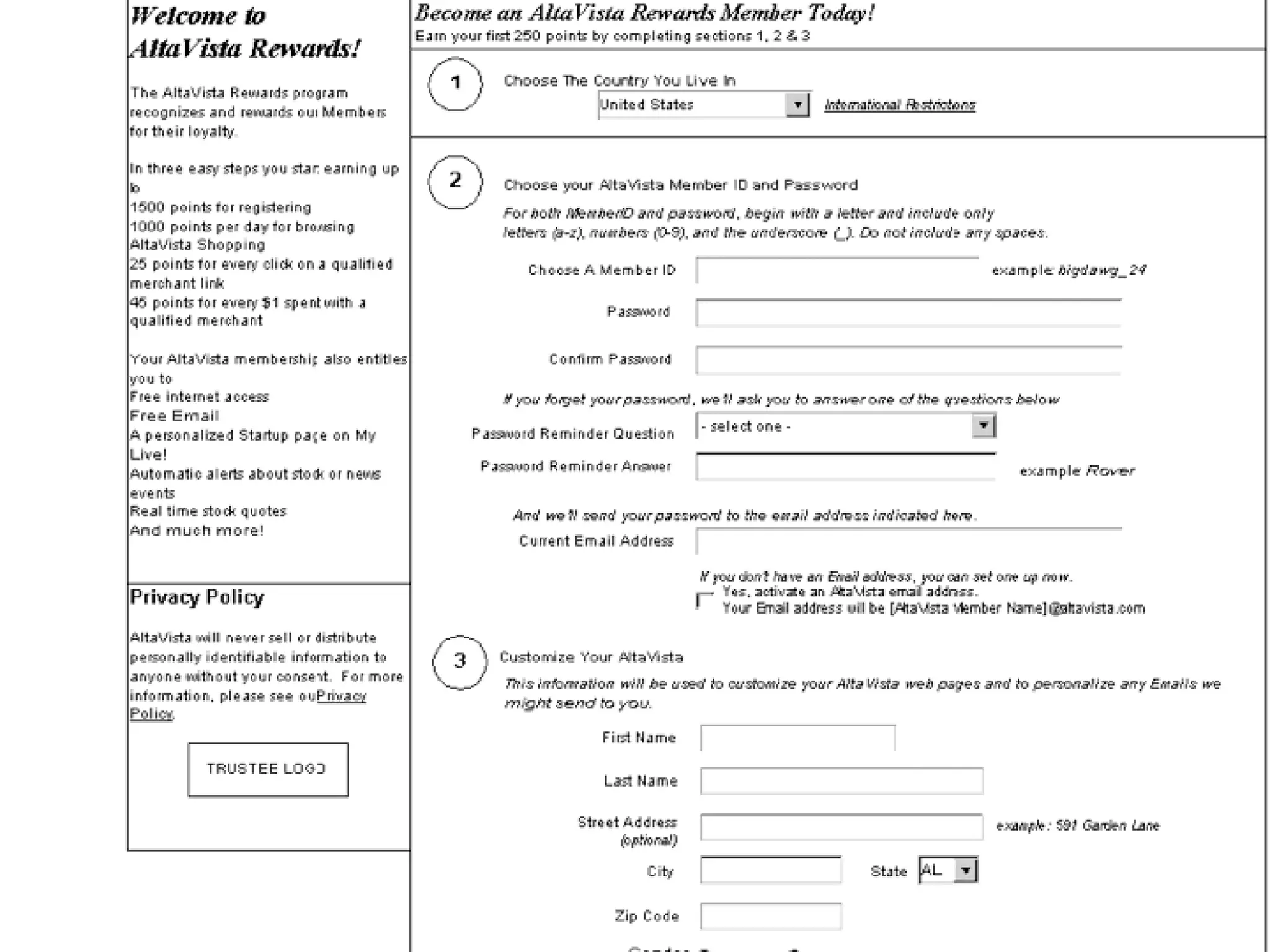
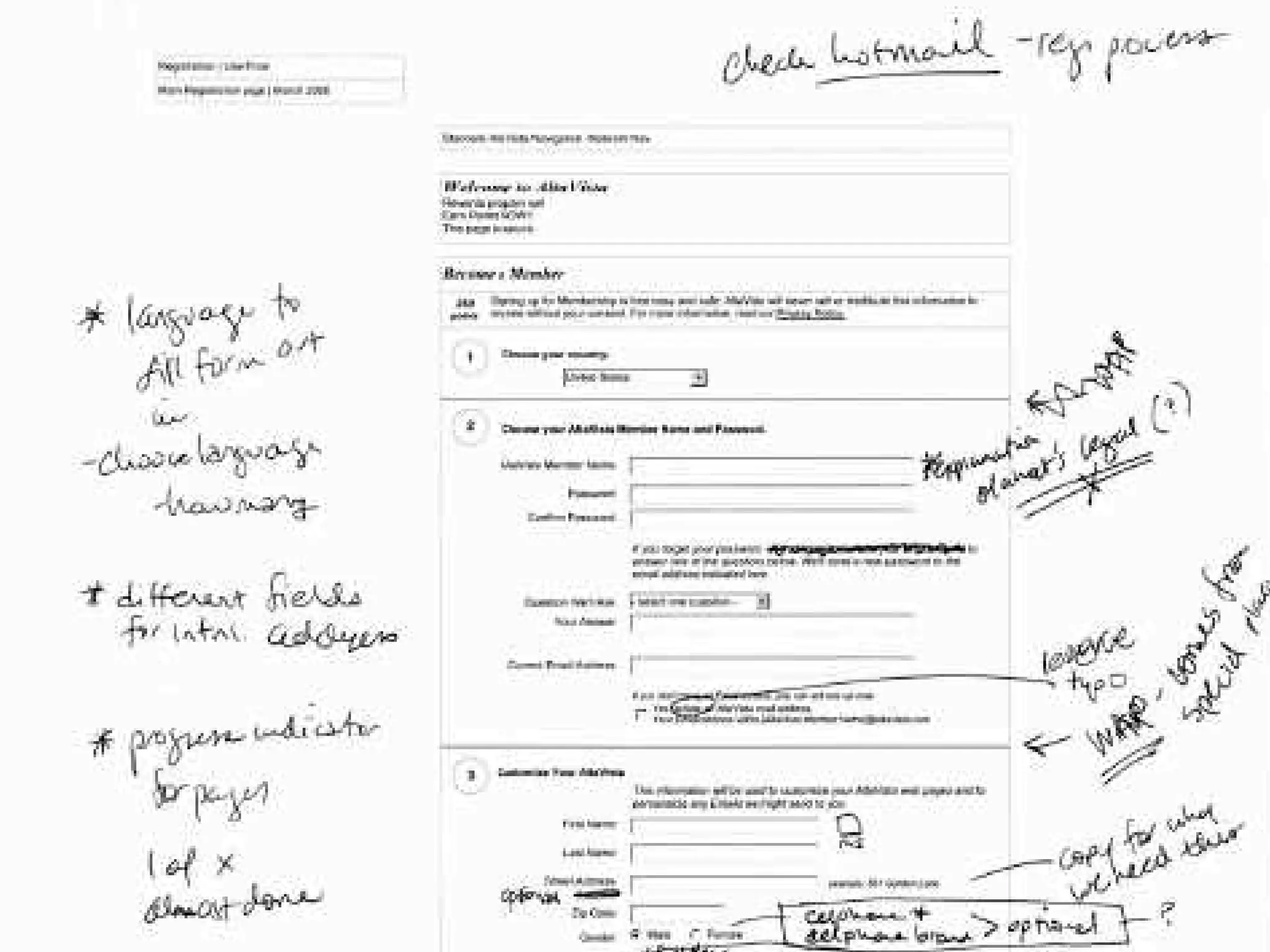
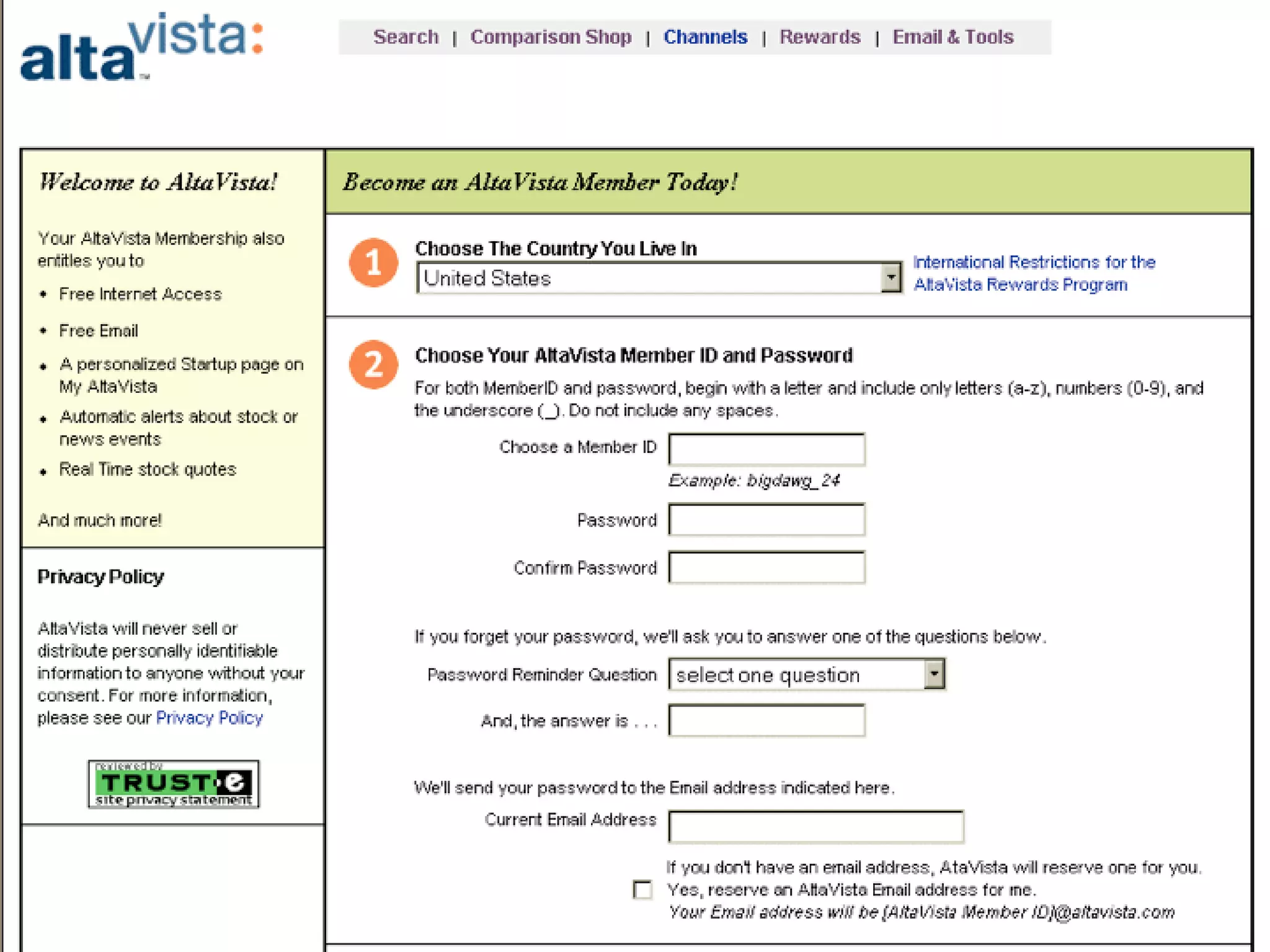



welcome to
USER INTERACTION DESIGN


                                     PAPER PROTOTYPING & WIREFRAMES
Lecturer
  Itamar Medeiros (Brazil)
  BA in Industrial Design;
  PgDip in Information Design;      1 /66


                                    USER INTERACTION DESIGN
Expertise
  Multimedia/Web Design,
  Photography, Information Design
  and Human-Computer Interaction.
LESSON 06:
PAPER PROTOTYPING & WIREFRAMES


                                          PAPER PROTOTYPING & WIREFRAMES
learning outcome


Students will understand principles of
   creating sensible, comprehensible,
                                         2 /66
   memorable, and convenient


                                         USER INTERACTION DESIGN
   organization of the content and the
   tasks to be performed on their
   interactive product.
LESSON 06:
PAPER PROTOTYPING & WIREFRAMES


                                            PAPER PROTOTYPING & WIREFRAMES
content


Students will learn the concept of
   Paper Prototyping and what are the
                                           3 /66
   most commonly used techniques for


                                           USER INTERACTION DESIGN
   developing user interface prototypes.
PAPER PROTOTYPING & WIREFRAMES


                                             PAPER PROTOTYPING & WIREFRAMES
One difficulty in designing interactive
  systems is that clients and users may
  not have a clear idea of what the
  system will look like when it is done.    4 /66


                                            USER INTERACTION DESIGN
Since interactive systems are novel in
   many situations, users may not realize
   the implications of design decisions.
PAPER PROTOTYPING & WIREFRAMES


                                             PAPER PROTOTYPING & WIREFRAMES
Unfortunately, it is difficult, costly, and
  time-consuming to make major
  changes to systems once those
  systems have been implemented.            5 /66


                                            USER INTERACTION DESIGN
PAPER PROTOTYPING & WIREFRAMES


                                           PAPER PROTOTYPING & WIREFRAMES
Even though this problem has not
  complete solution, some of the more
  serious difficulties can be avoided if,
  at an early stage, the customers and    6 /66
  users can be given a realistic


                                          USER INTERACTION DESIGN
  impression of what the final system
  will look like.

Such realistic impressions may be
  rendered by the use of prototypes*.
PAPER PROTOTYPING & WIREFRAMES
prototypes | 原型


                                           PAPER PROTOTYPING & WIREFRAMES
One of the first units manufactured of a
  product, which is tested so that the
  design can be changed if necessary
  before the product is manufactured      7 /66
  commercially


                                          USER INTERACTION DESIGN
一项生产商品的雏形,需要进行测
  试以对设计进行适当的调整。随
  后才将此产品投入商业生产
PAPER PROTOTYPING & WIREFRAMES


                                              PAPER PROTOTYPING & WIREFRAMES
Interaction Designers have soon realized
   that more important than allowing us to
   pre-visualize how the final system will
   look like, such prototypes must also      8 /66
   help us to review or test the


                                             USER INTERACTION DESIGN
   information/interaction flow of it.
PAPER PROTOTYPING & WIREFRAMES


                                                 PAPER PROTOTYPING & WIREFRAMES
One of the most celebrated techniques to
  create such paper prototypes – devised
  by information architects – it’s to create
  information architecture diagrams
  called Wireframes*.                          12/66


                                                USER INTERACTION DESIGN
PAPER PROTOTYPING & WIREFRAMES
wireframes | 线框


                                             PAPER PROTOTYPING & WIREFRAMES
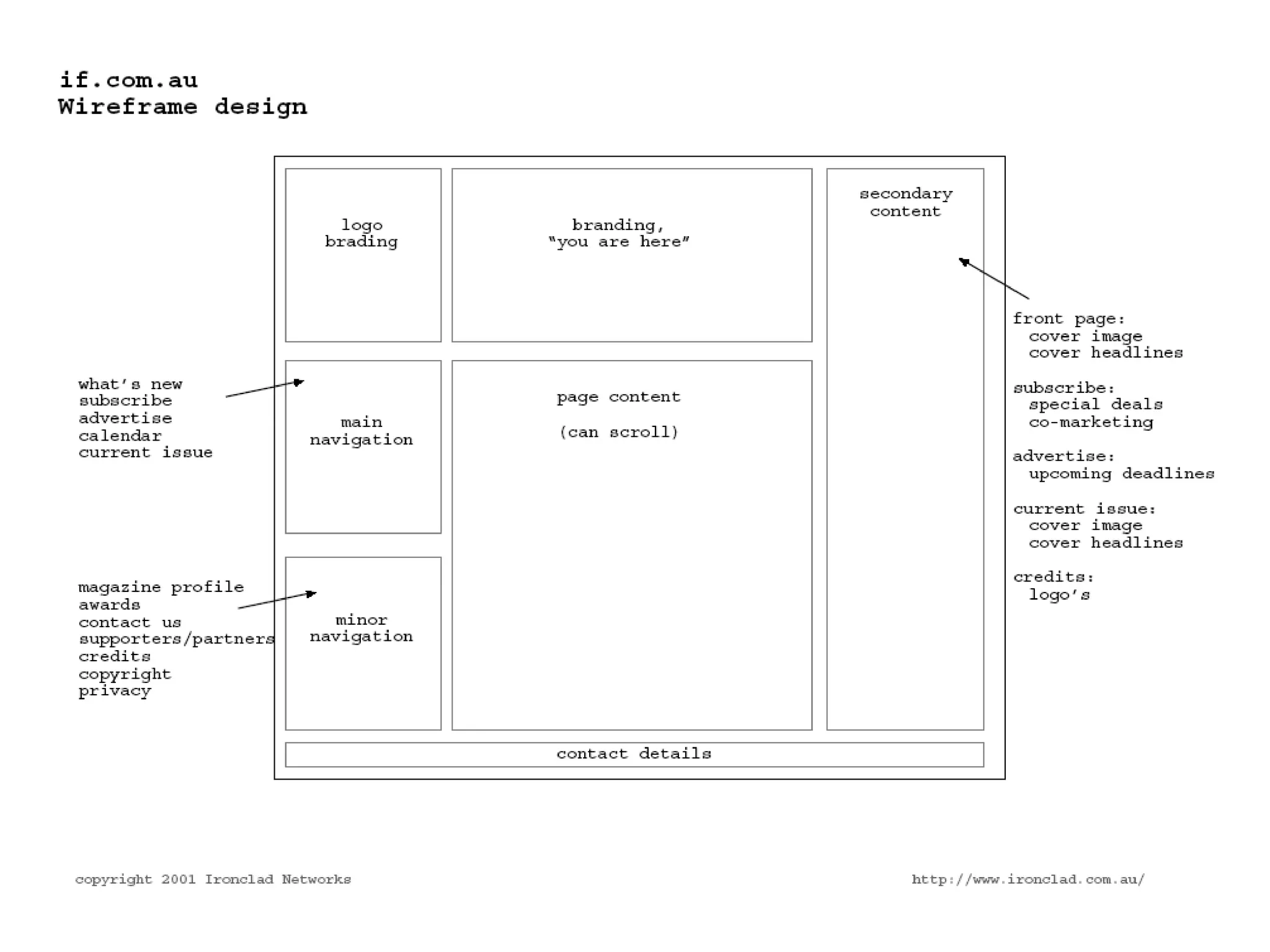
Wireframes are a basic grid system* used
  to suggest the layout and placement of
  fundamental design elements* in the
  interface design.
                                           13/66


基础的格子系统,用于在界面设计


                                            USER INTERACTION DESIGN
 中将基础的设计元素进行排版或
  放置
PAPER PROTOTYPING & WIREFRAMES
grid system | 格子系统


                                             PAPER PROTOTYPING & WIREFRAMES
The structural foundation that
  establishes alignment and hierarchy of
  the design elements on a layout.

在版面上创建设计元素位置及层次                            14/66


                                            USER INTERACTION DESIGN
 的结构基础。
PAPER PROTOTYPING & WIREFRAMES
design elements | 设计元素


                                              PAPER PROTOTYPING & WIREFRAMES
The elements which a designer can use
  in a layout -- such as text, images,
  symbols, colors, textures -- to compose
  a visual message.
                                            15/66


这些元素指的是在排版中设计师可


                                             USER INTERACTION DESIGN
 以使用的元素,如:文字,图
 片,记号,颜色,纹理等等,这
 些元素可以构成视觉信息。
WIREFRAMES
grid systems for interaction


                                               PAPER PROTOTYPING & WIREFRAMES
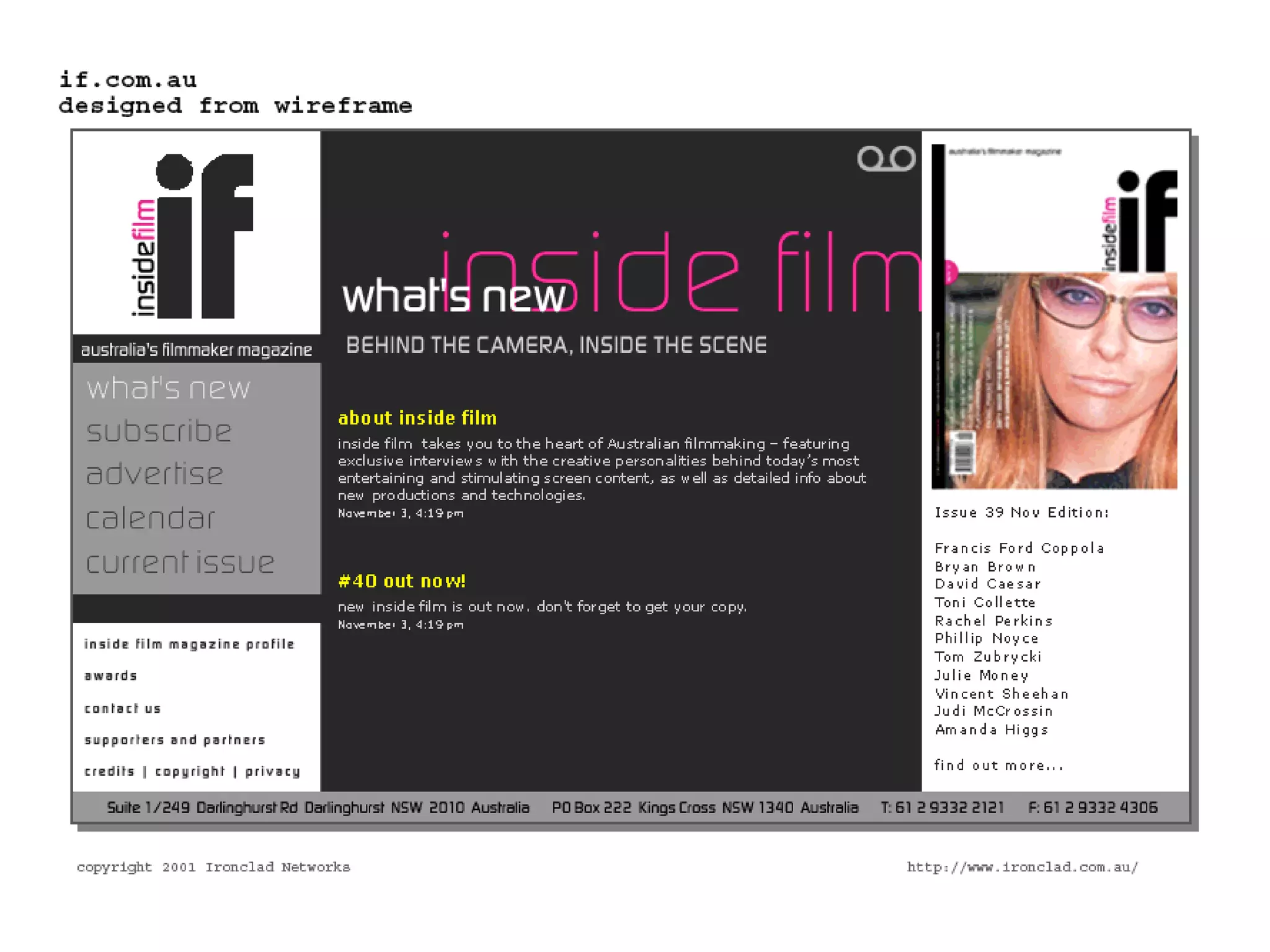
Because the only suggest the layout of the
  system, they must be completed before
  any artwork is developed.
                                             16/66


                                              USER INTERACTION DESIGN
WIREFRAMES
grid systems for interaction


                                                PAPER PROTOTYPING & WIREFRAMES
Let’s think of wireframes as grids systems
  that help us -- based on the information
  architecture of a given product -- create
  information hierarchy that allow us
  layout both the content and the             17/66


  navigation of an interactive system.


                                               USER INTERACTION DESIGN
WIREFRAMES
grid systems & visual organization


                                           PAPER PROTOTYPING & WIREFRAMES
When completed correctly they will
  provide a visual reference upon
  which to structure each part of an
  interactive system.
                                         18/66


They also allow for the development of


                                          USER INTERACTION DESIGN
  variations of a layout to maintain
  design consistency* throughout the
  system.
WIREFRAMES
consistency | 一致性


                                              PAPER PROTOTYPING & WIREFRAMES
The conscious effort the designer makes to
  create a coherent system that ties all
  the design elements of a layout.
视觉一致性质的是设计师通过其努                             19/66


 力将版面中所有的设计元素组成


                                             USER INTERACTION DESIGN
 一个整体的系统。
WIREFRAMES
consistency | 一致性


                                             PAPER PROTOTYPING & WIREFRAMES
The consistent appearance, placement,
  and meaning of important design
  elements helps users know what to
  expect from the interface, and make it
  easier for them to interpret and         20/66


  respond to new interaction situations


                                            USER INTERACTION DESIGN
  as they arise.
一致的外表,排列,重要设计元素的意
 义可以帮助了解在这些界面中可以获
 取什么。并使得用户在遇到新的交互
 式情况时可以更好的理解并做出反
 应。
WIREFRAMES
grid systems for interaction


                                                PAPER PROTOTYPING & WIREFRAMES
Let’s think of wireframes as grids systems
  that help us -- based on the information
  architecture of a given product -- create
  information hierarchy that allow us
  layout both the content and the             21/66


  navigation of an interactive system.


                                               USER INTERACTION DESIGN
VISUAL ORGANIZATION
principles of perception


                                             PAPER PROTOTYPING & WIREFRAMES
Whenever we attempt to make sense of
 information visually, we first observe
 similarities and differences in what we
 are seeing.                               24/66


                                            USER INTERACTION DESIGN
These relationships allow us to not only
  distinguish objects but to give them
  meaning.
VISUAL ORGANIZATION
principles of perception


                                                PAPER PROTOTYPING & WIREFRAMES
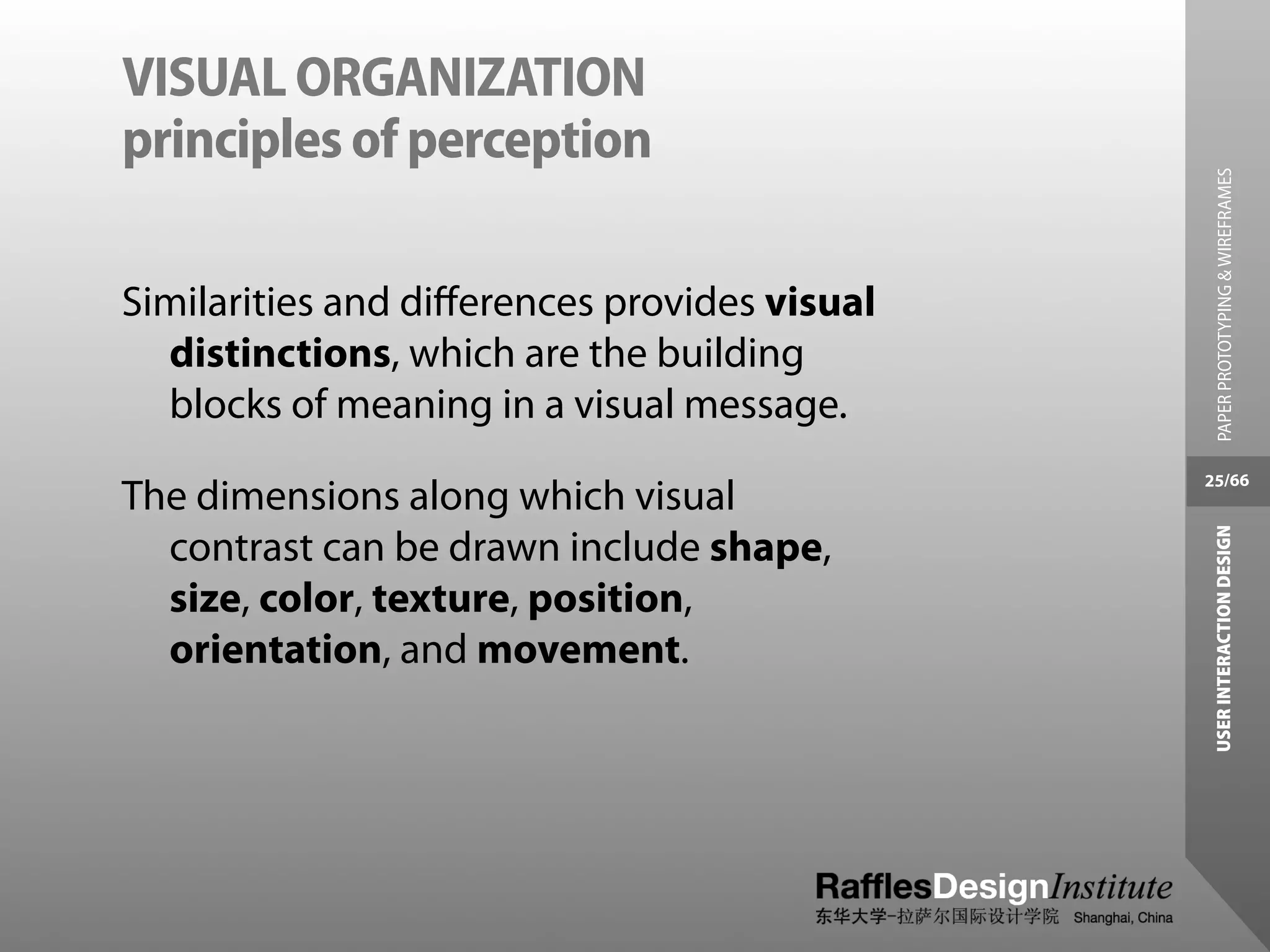
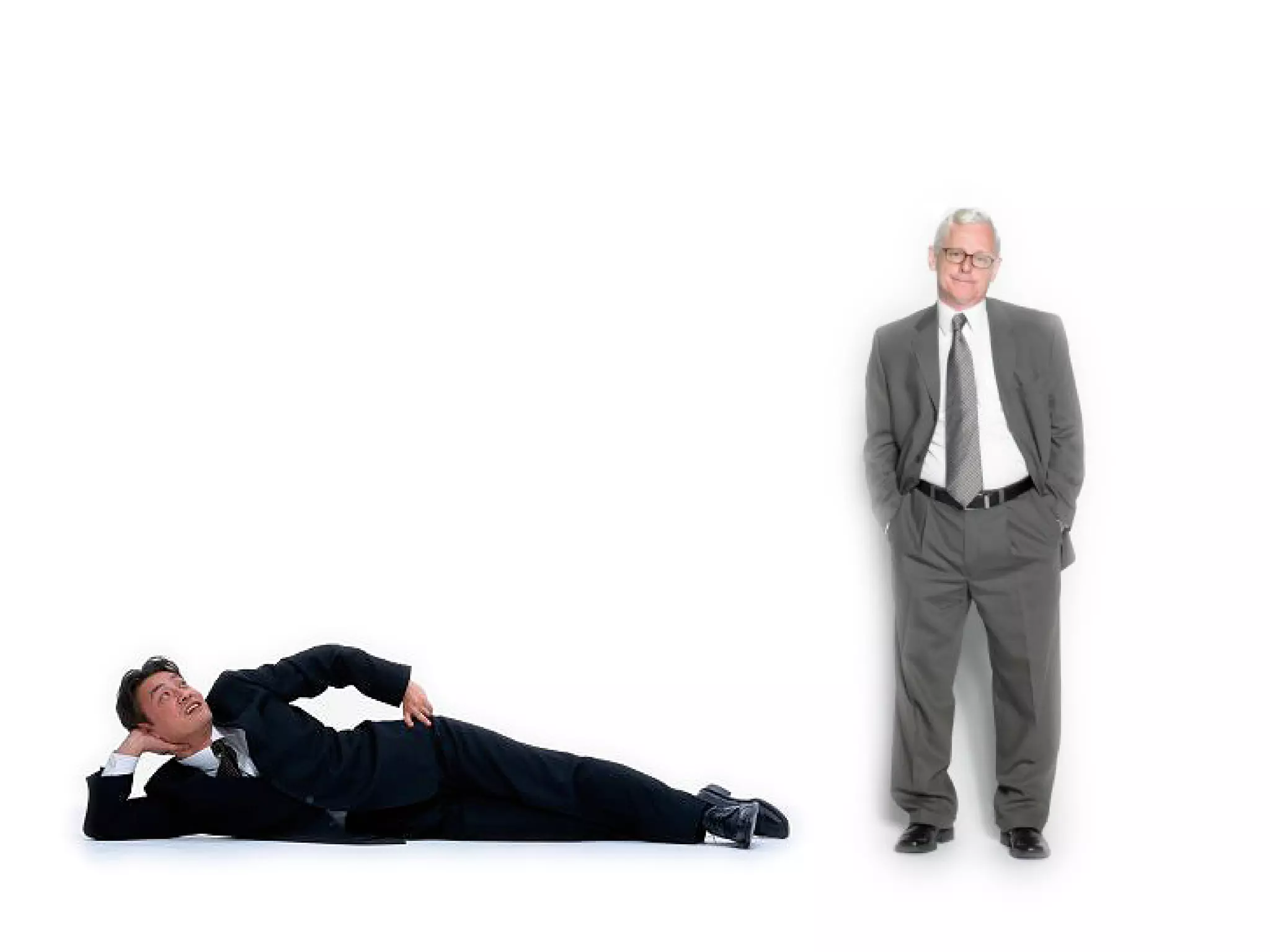
Similarities and differences provides visual
  distinctions, which are the building
  blocks of meaning in a visual message.
                                              25/66
The dimensions along which visual


                                               USER INTERACTION DESIGN
  contrast can be drawn include shape,
  size, color, texture, position,
  orientation, and movement.
PRINCIPLES OF PERCEPTION
visual relationships


                                            PAPER PROTOTYPING & WIREFRAMES
The principles of perception give us
  valuable insight into how we visually
  group information.
                                          30/66


                                           USER INTERACTION DESIGN
PRINCIPLES OF PERCEPTION
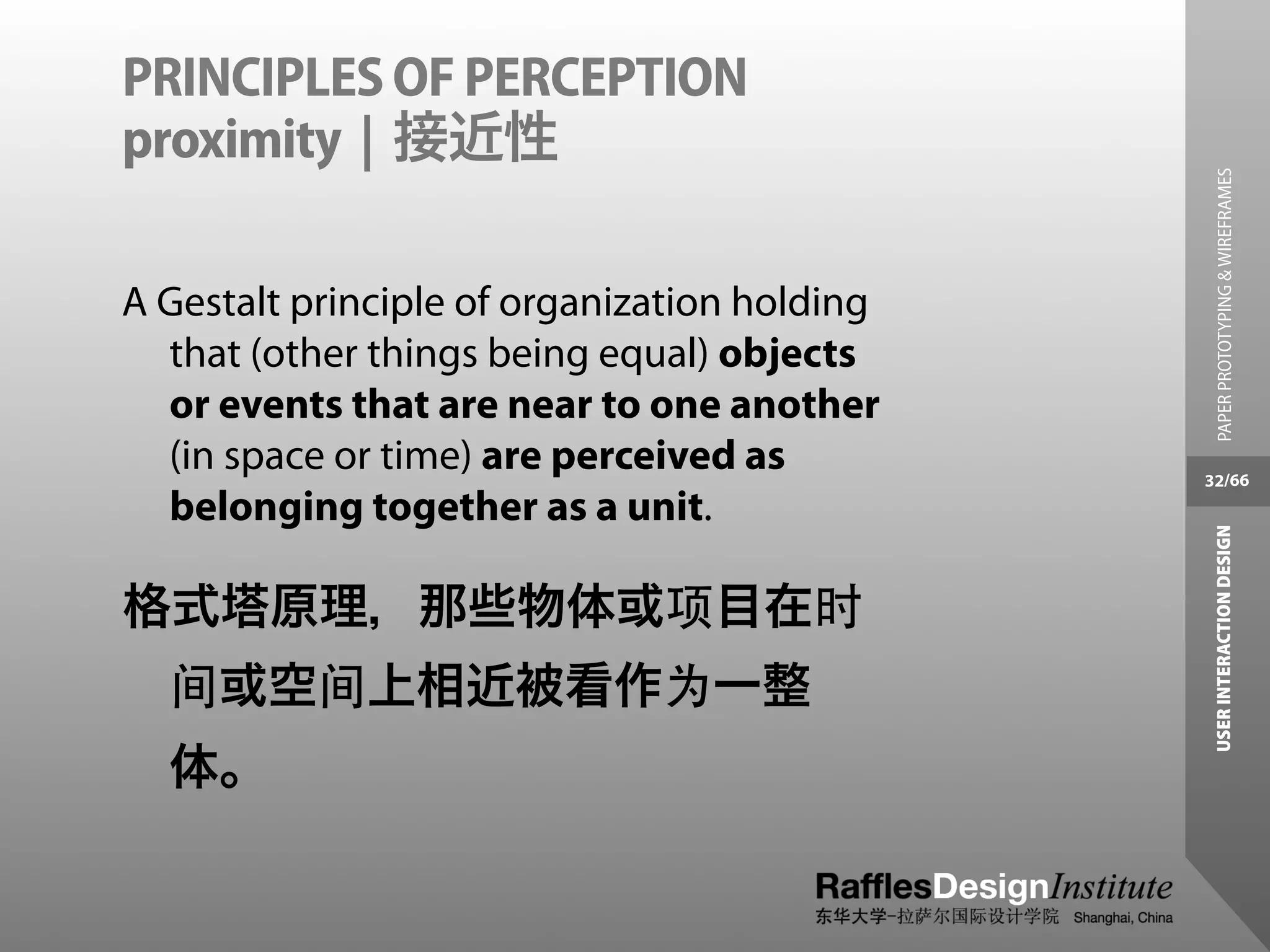
proximity | 接近性


                                                PAPER PROTOTYPING & WIREFRAMES
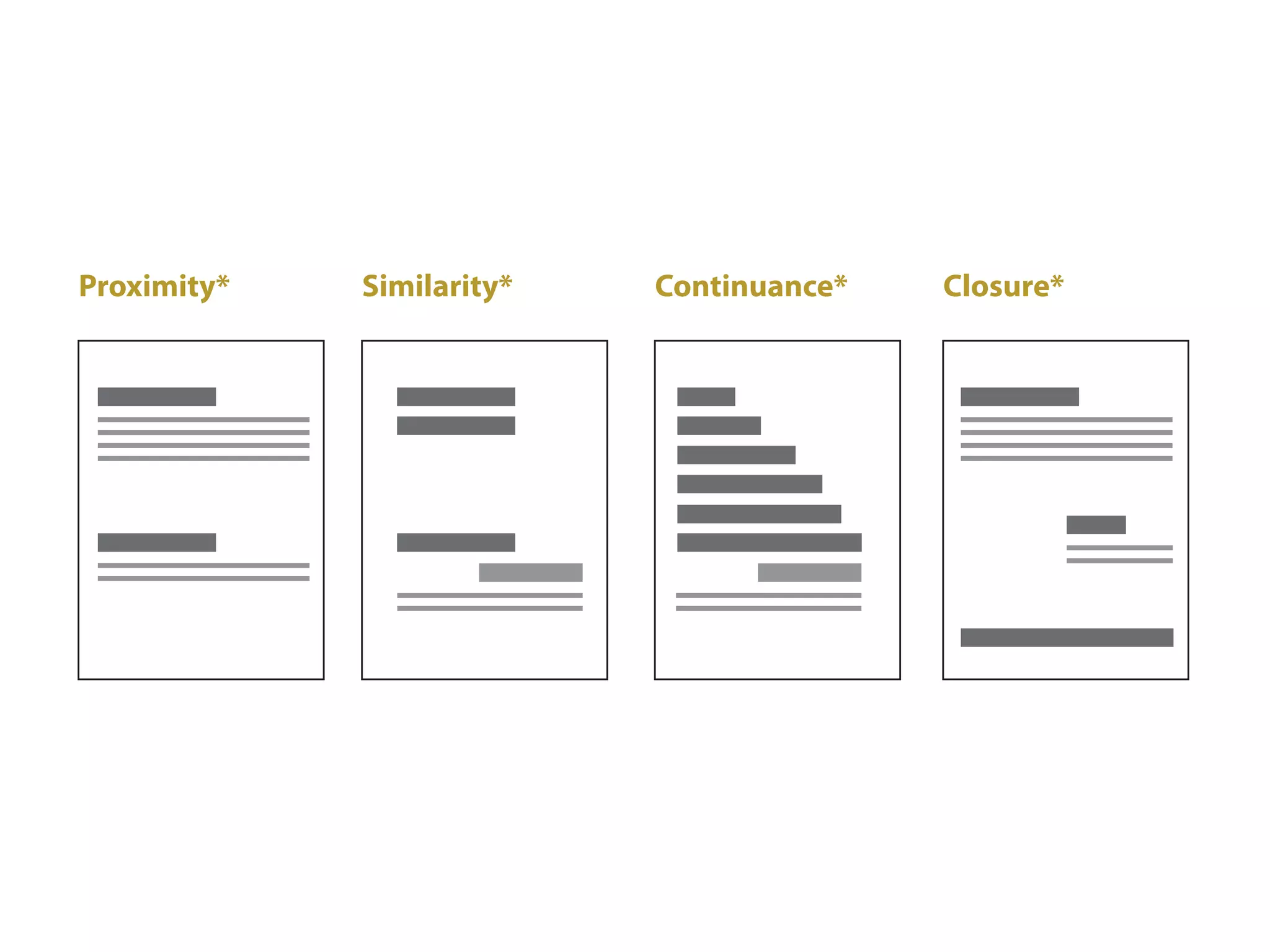
A Gestalt principle of organization holding
  that (other things being equal) objects
  or events that are near to one another
  (in space or time) are perceived as         32/66
  belonging together as a unit.


                                               USER INTERACTION DESIGN
格式塔原理,那些物体或项目在时
  间或空间上相近被看作为一整
  体。
PRINCIPLES OF PERCEPTION
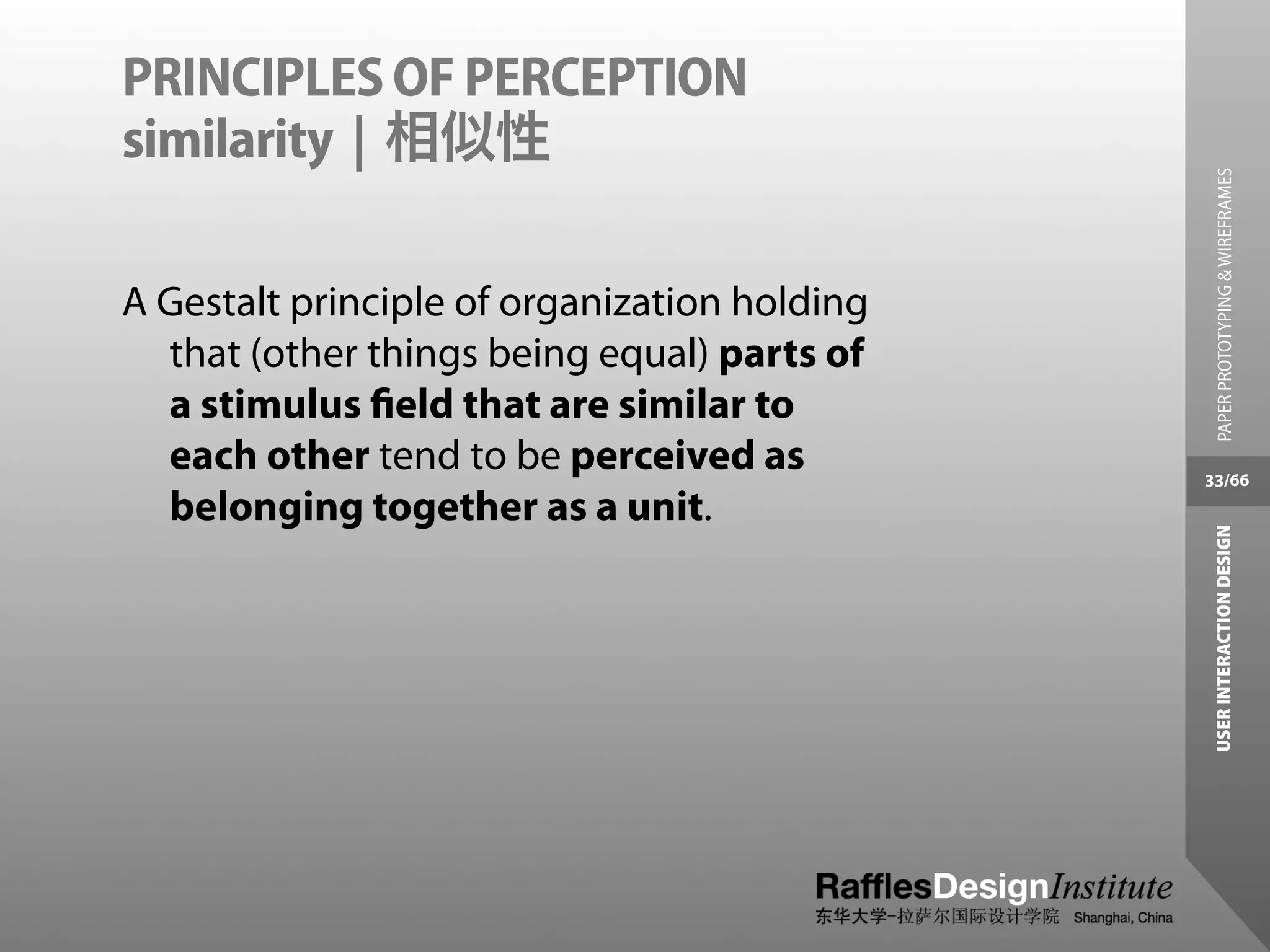
similarity | 相似性


                                                PAPER PROTOTYPING & WIREFRAMES
A Gestalt principle of organization holding
  that (other things being equal) parts of
  a stimulus field that are similar to
  each other tend to be perceived as          33/66
  belonging together as a unit.


                                               USER INTERACTION DESIGN
PRINCIPLES OF PERCEPTION
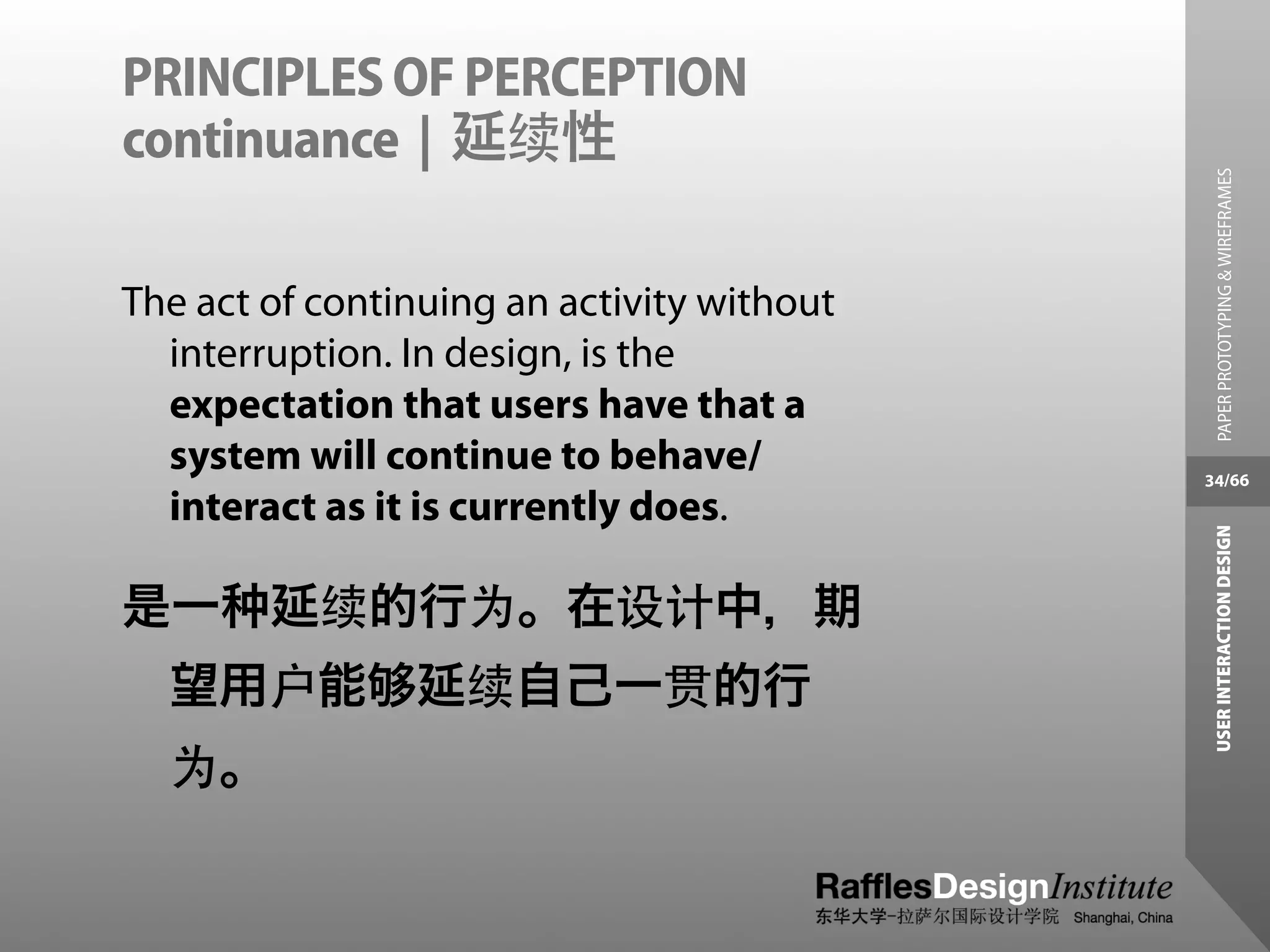
continuance | 延续性


                                              PAPER PROTOTYPING & WIREFRAMES
The act of continuing an activity without
  interruption. In design, is the
  expectation that users have that a
  system will continue to behave/           34/66
  interact as it is currently does.


                                             USER INTERACTION DESIGN
是一      延续的行为。在设计中,期
  望用户能          延续自己一贯的行
  为。
PRINCIPLES OF PERCEPTION
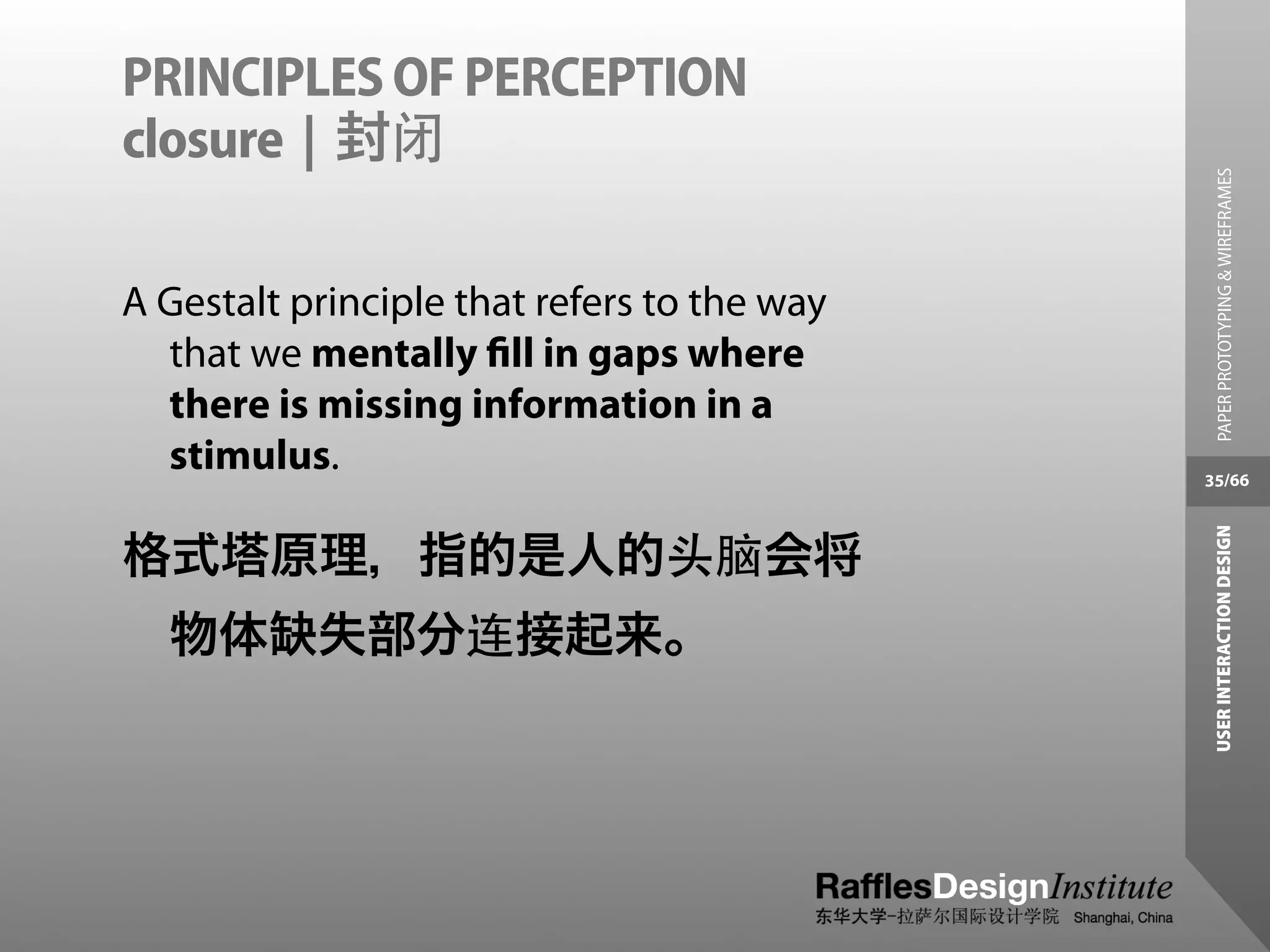
closure | 封闭


                                               PAPER PROTOTYPING & WIREFRAMES
A Gestalt principle that refers to the way
  that we mentally fill in gaps where
  there is missing information in a
  stimulus.                                  35/66


                                              USER INTERACTION DESIGN
格式塔原理,指的是人的头脑会将
  物体缺失部分连接起来。
PRINCIPLES OF PERCEPTION
visual relationships


                                               PAPER PROTOTYPING & WIREFRAMES
If we want to be able to communicate a
    specific message, we need to
    understand the psychological
    manner in which we group visual          36/66
    information.


                                              USER INTERACTION DESIGN
We need to know how to use visual
  relationships to our advantage -- we
  need to know what makes things
  different -- creating visual hierarchies.
VISUAL HIERARCHY


                                                 PAPER PROTOTYPING & WIREFRAMES
To build effective visual hierarchies, we use
   visual relationships to add more or less
   visual weight to page elements and
   thereby establish a pattern of              37/66
   movement through the layout.


                                                USER INTERACTION DESIGN
Manipulating the attributes of
  scale, contrast and proportion helps
  us establish that hierarchy.
VISUAL HIERARCHY


                                               PAPER PROTOTYPING & WIREFRAMES
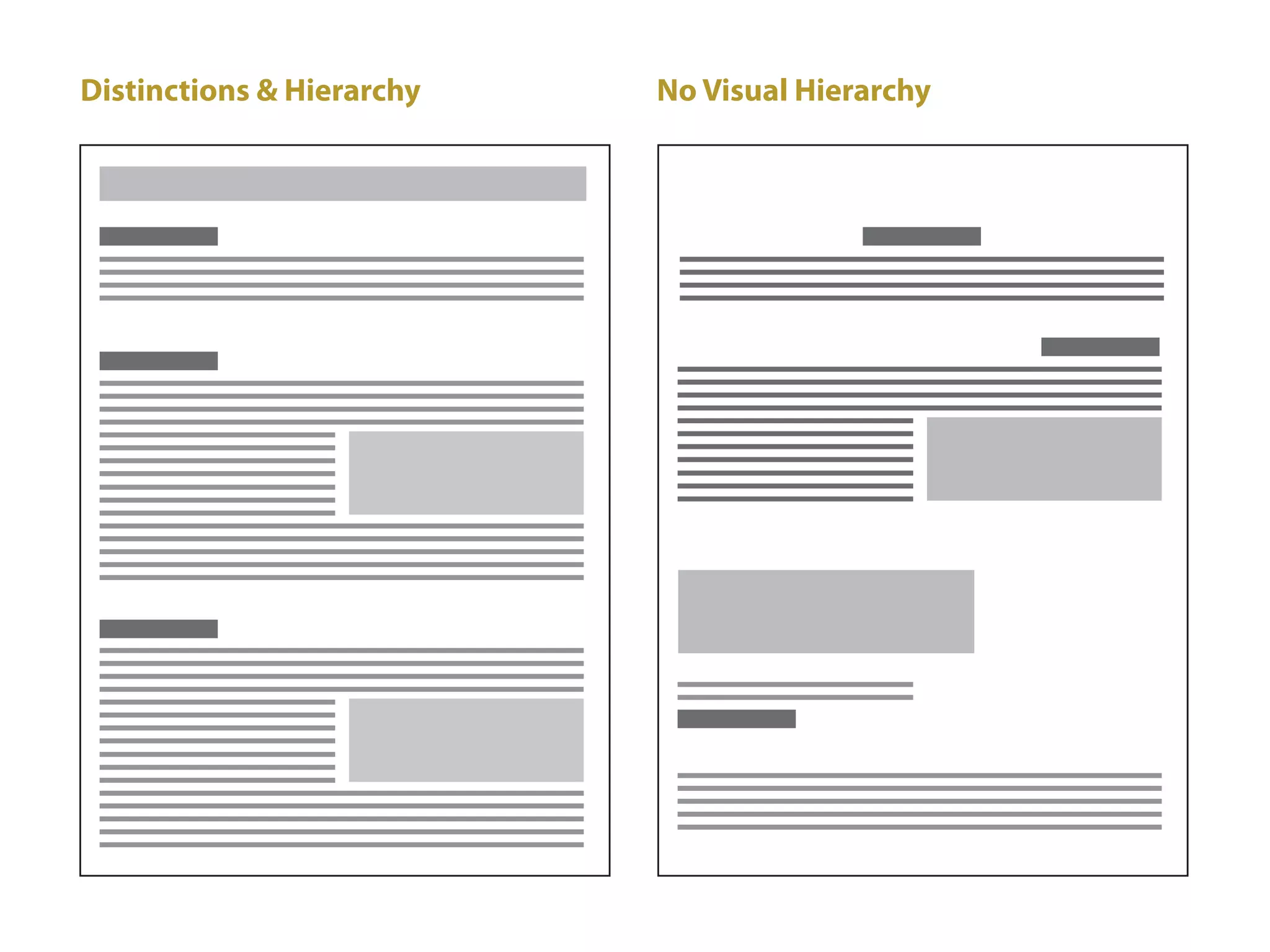
A balanced hierarchy provides not only a
   clear path for recognizing and
   understanding information, it also
   helps unify the disparate elements        38/66
   within a page layout into a cohesive


                                              USER INTERACTION DESIGN
   whole.

This creates a sense of order and balance.
  Without visual hierarchy, page
  elements compete for attention, and
  as a result, none of them win.
VISUAL HIERARCHY
grid system for information architecture


                                             PAPER PROTOTYPING & WIREFRAMES
Any given interactive system is composed
  of many distinct elements. Navigation
  menus (possibly several layers deep),
  contact information, search boxes,       40/66
  system identifiers, and shopping carts


                                            USER INTERACTION DESIGN
  are just a few.
VISUAL HIERARCHY
grid system for information architecture


                                              PAPER PROTOTYPING & WIREFRAMES
The visual organization of an interactive
  system can communicate valuable
  information about the similarities and
  differences between elements and their     41/66
  relative importance.


                                             USER INTERACTION DESIGN
VISUAL HIERARCHY
grid system for information architecture


                                             PAPER PROTOTYPING & WIREFRAMES
Once your audience understands the
  significance of your page elements,
  they can apply that knowledge to the
  rest of the system.                      42/66


                                            USER INTERACTION DESIGN
VISUAL HIERARCHY
grid system elements


                                               PAPER PROTOTYPING & WIREFRAMES
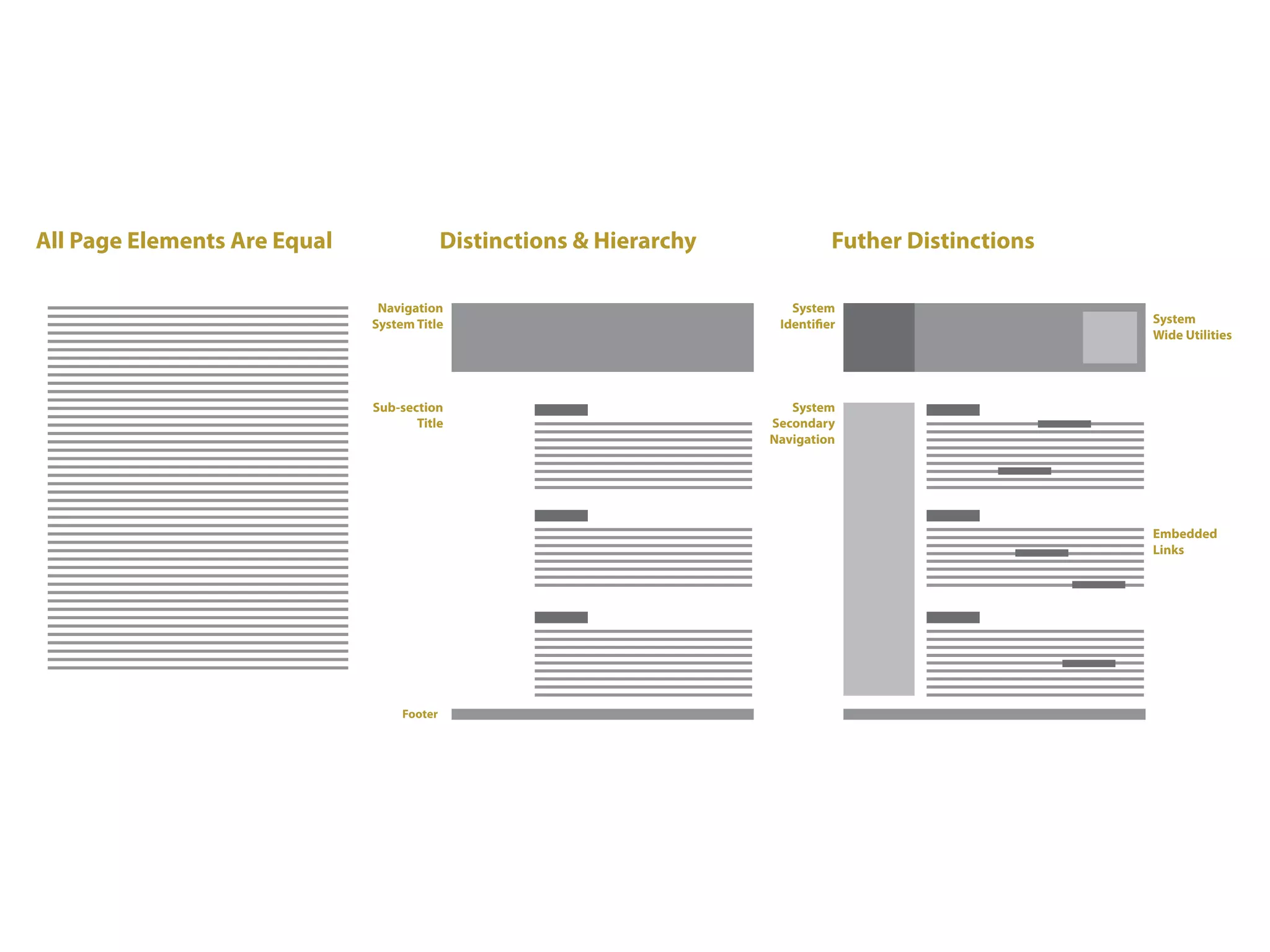
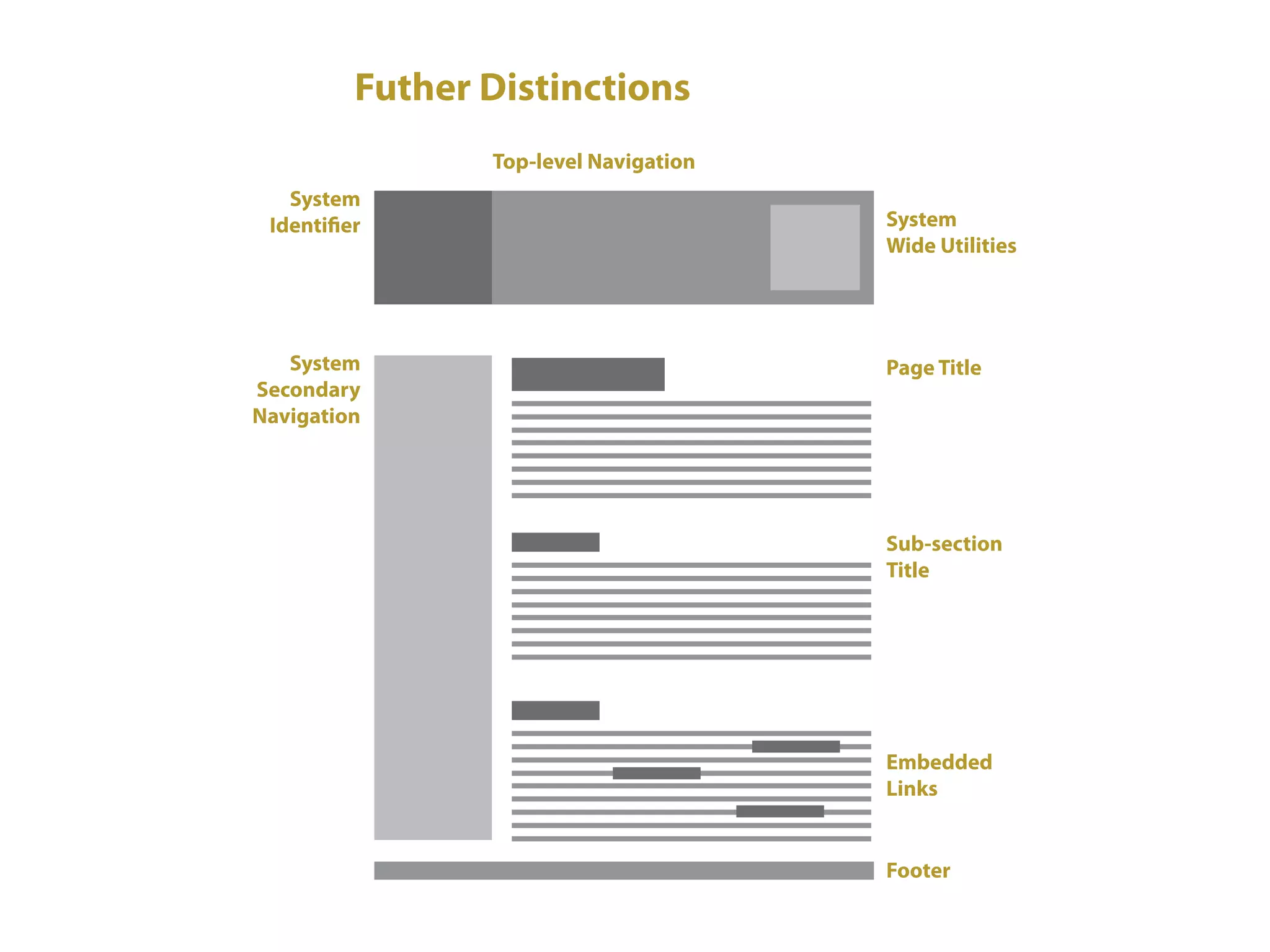
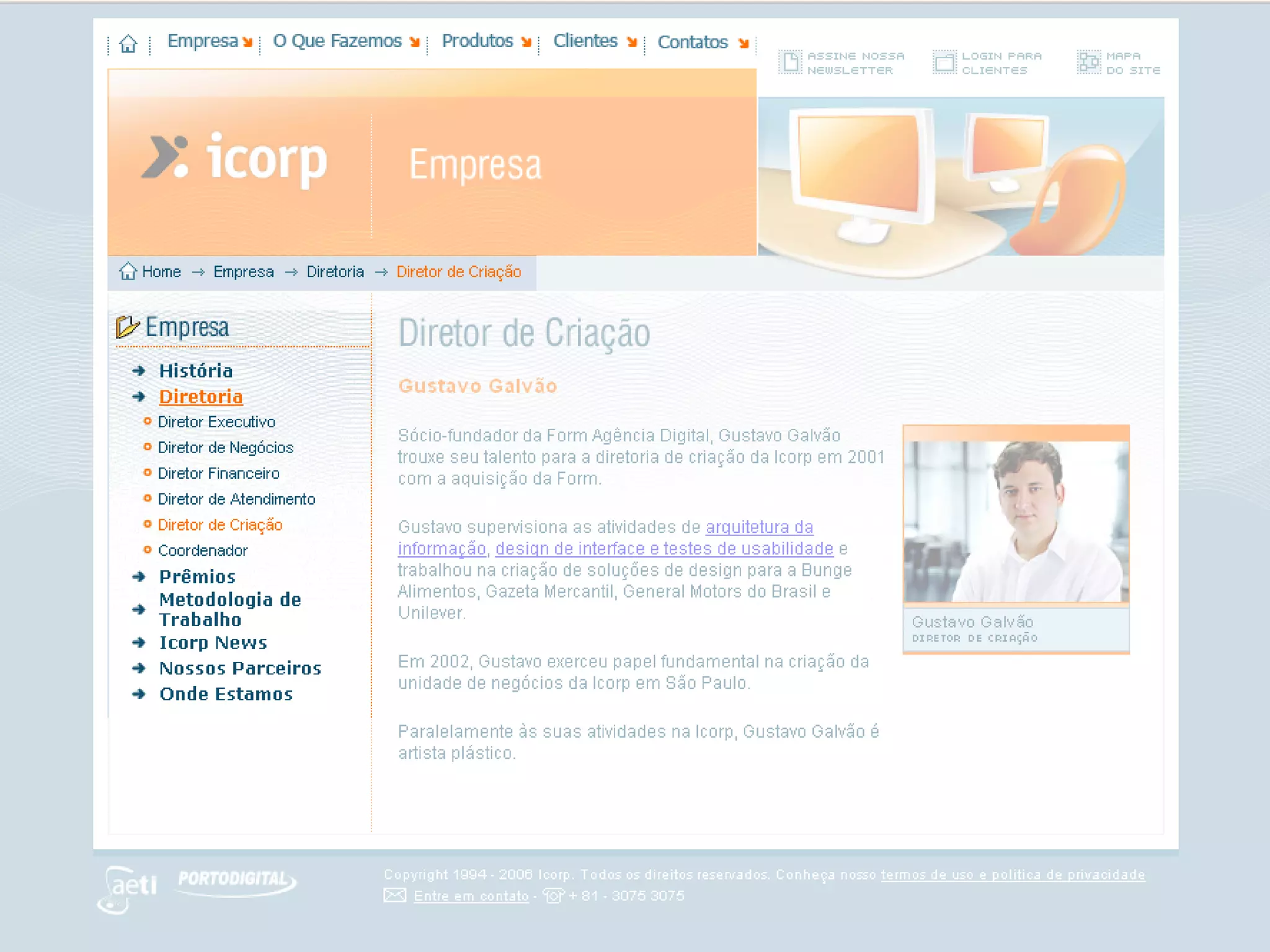
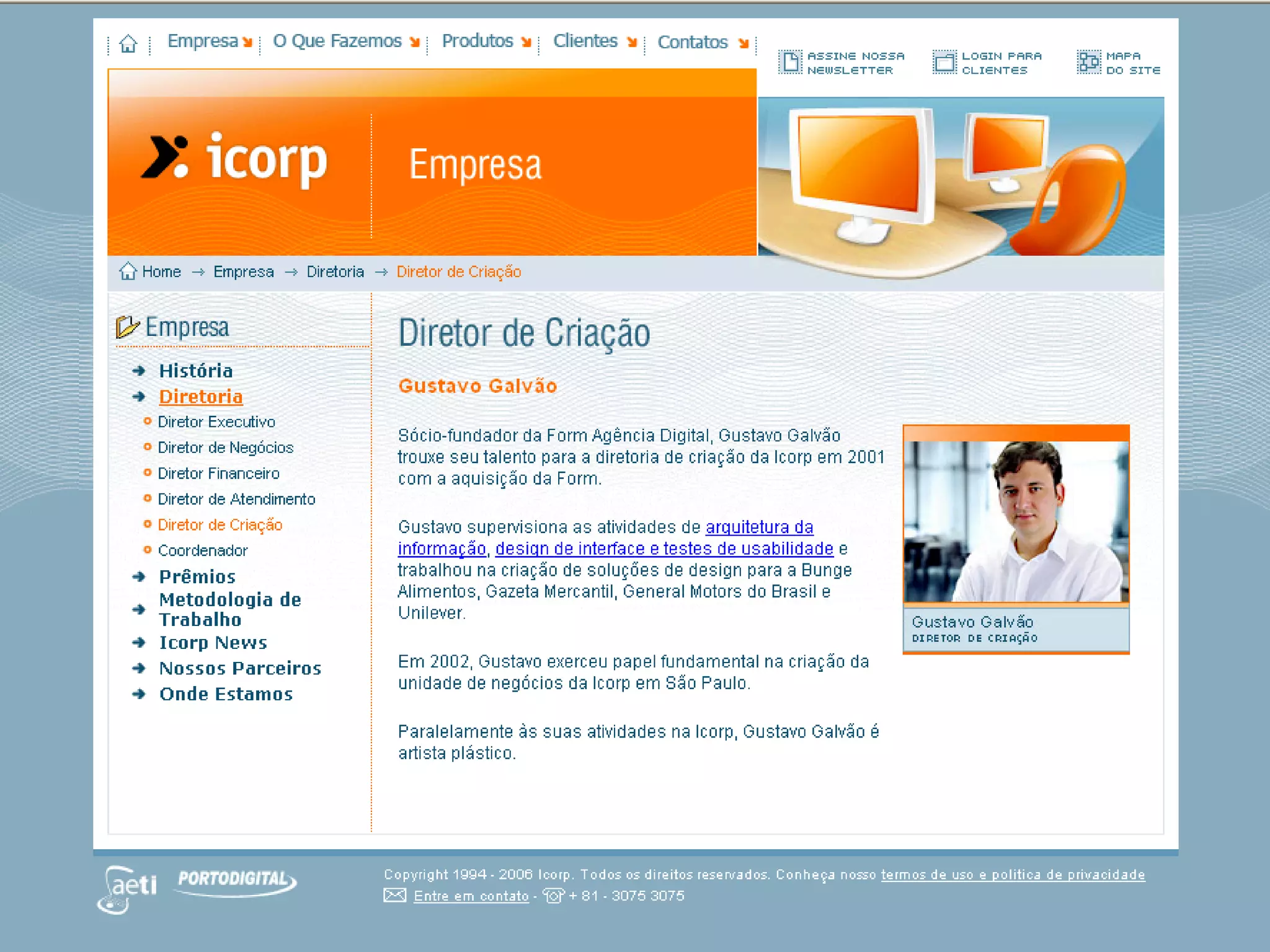
Generally, the hierarchy of an interactive
  system is based on distinctions between
  the content, navigation, and
  supporting information on a page.          44/66
  Within each of these sections further


                                              USER INTERACTION DESIGN
  distinctions can also be made.

A general system hierarchy (from highest
   to lowest importance) may look like the
   following:
VISUAL HIERARCHY
grid system elements


                         PAPER PROTOTYPING & WIREFRAMES
Content

Navigation

Supporting Elements    45/66


                        USER INTERACTION DESIGN
GRID SYSTEM ELEMENTS
content/navigation/supporting elements


                                                             PAPER PROTOTYPING & WIREFRAMES
Content
  Page title
  Subsection title
  Embedded links                                           47/66
  Supplementary information (captions, references, etc.)


                                                            USER INTERACTION DESIGN
GRID SYSTEM ELEMENTS
content/navigation/supporting elements


                                           PAPER PROTOTYPING & WIREFRAMES
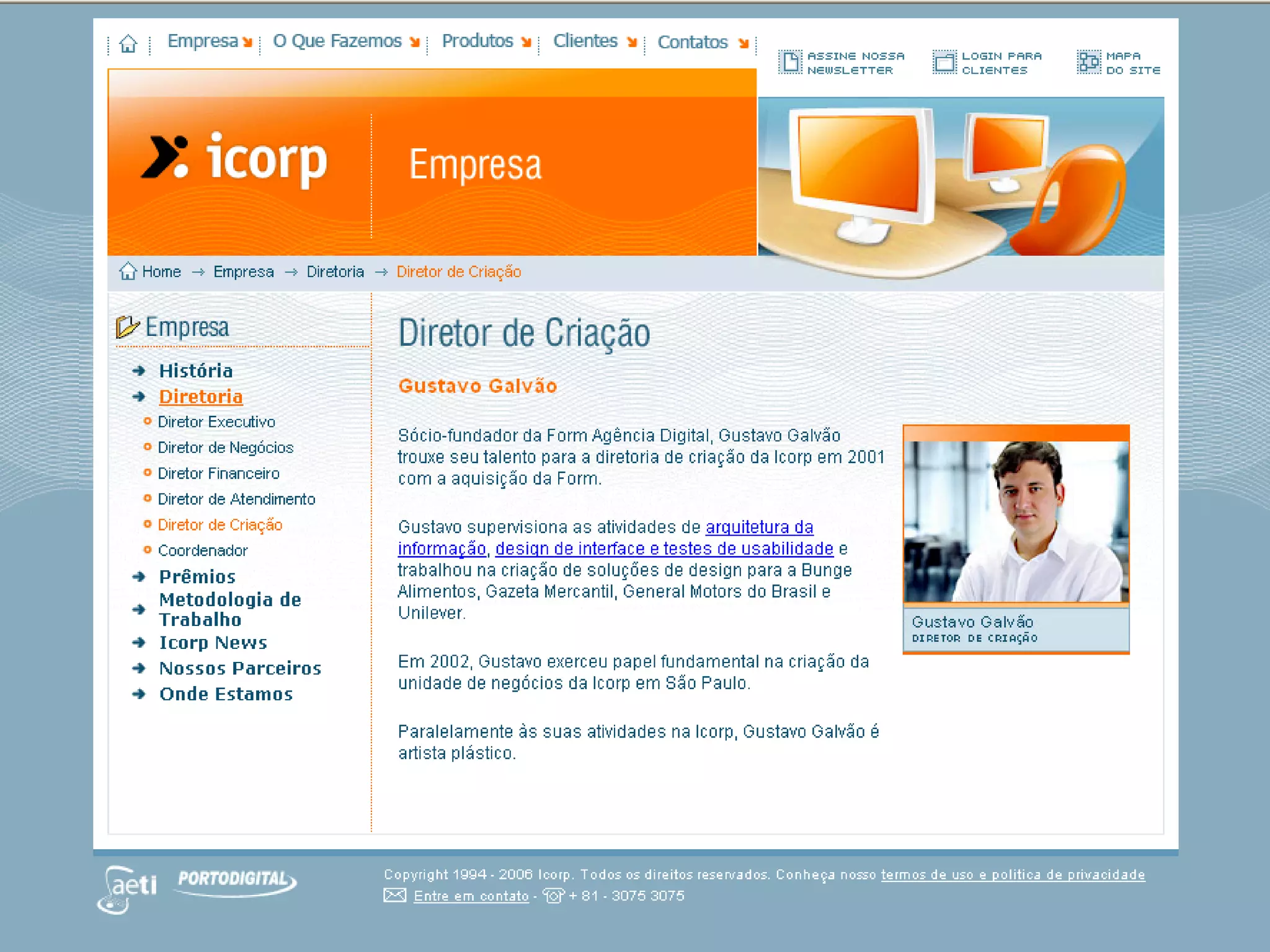
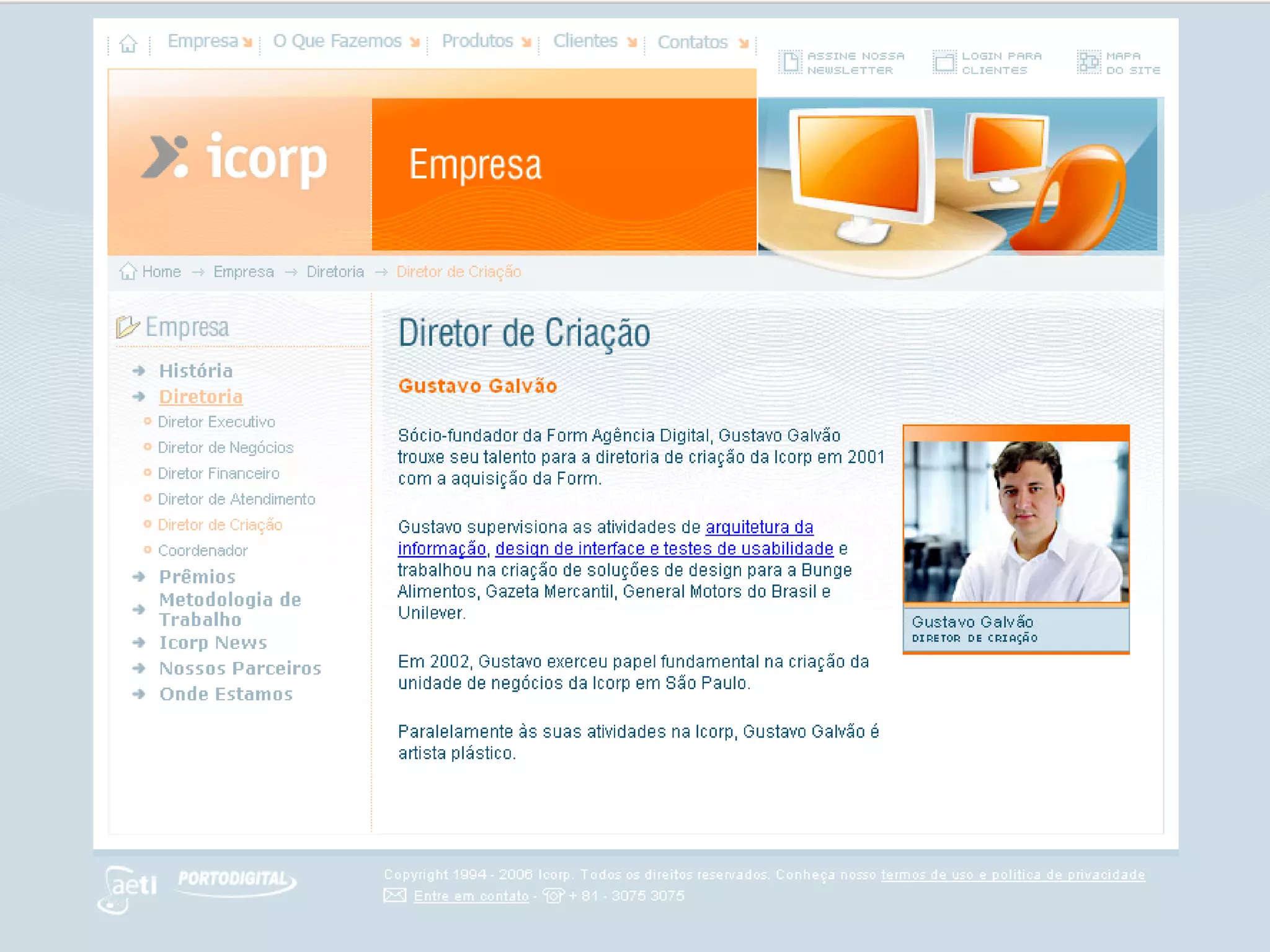
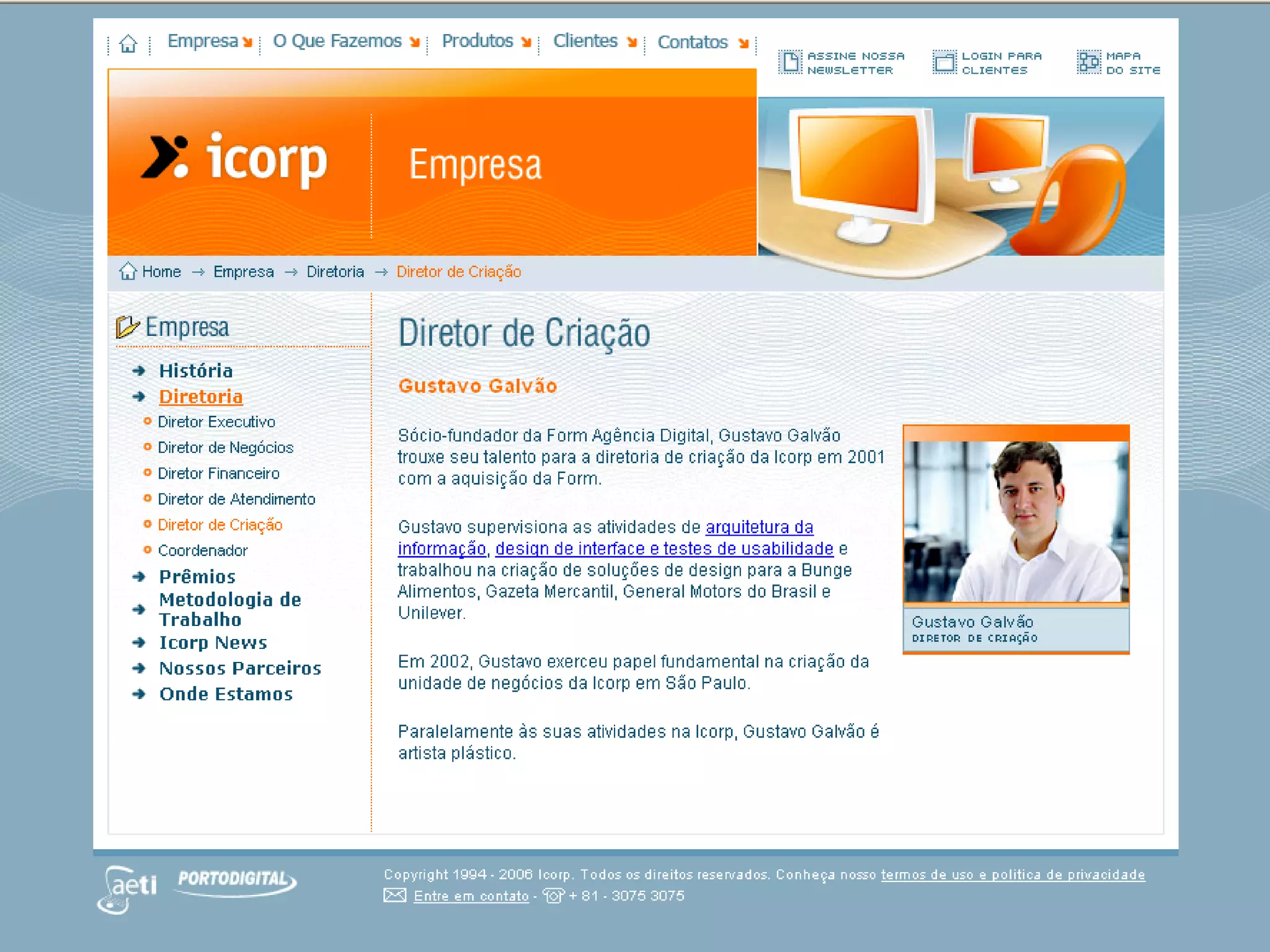
Navigation
  Location indicator
  Top-level navigation options
  Sub-navigation options                 50/66
  Trace route (breadcrumbs)


                                          USER INTERACTION DESIGN
GRID SYSTEM ELEMENTS
content/navigation/supporting elements


                                                              PAPER PROTOTYPING & WIREFRAMES
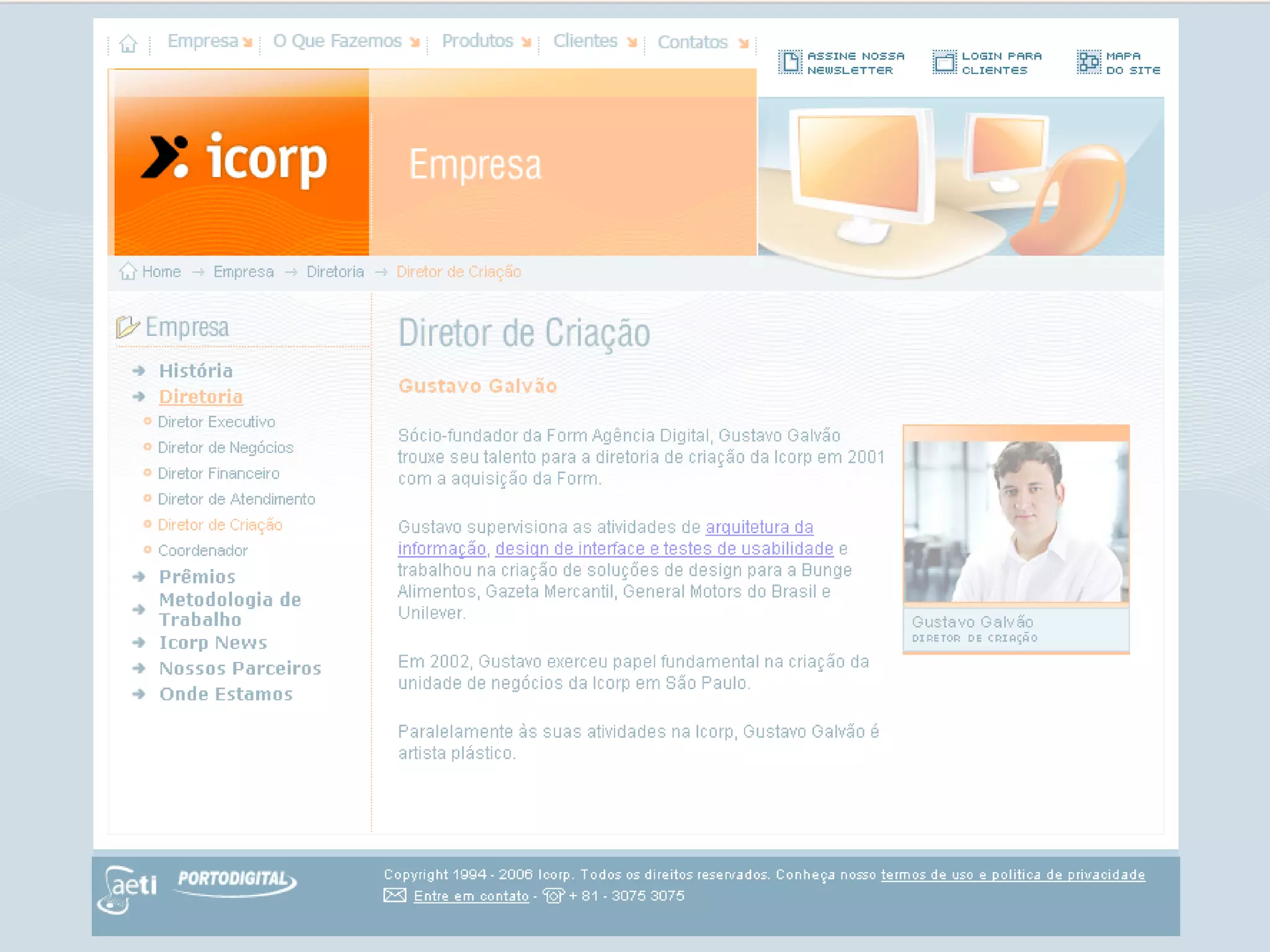
Supporting elements
  Site identifier
  Site-wide utilities (shopping cart, site map, etc.)
  Footer information (privacy policy, contact info, etc.)   53/66


                                                             USER INTERACTION DESIGN
GRID SYSTEM ELEMENTS
wireframes


                                              PAPER PROTOTYPING & WIREFRAMES
Visual hierarchy can provide users with a
   sense of where they are within an
   interactive system, to direct their
   attention (to special offers, for         56/66
   example), to suggest distinct choices,


                                             USER INTERACTION DESIGN
   to explain new elements, and so on.

Keep this in mind while designing your
  system’s wireframes.
WIREFRAMES
for which pages should wireframes


                                              PAPER PROTOTYPING & WIREFRAMES
be created for?
Any page that requires client approval or
  represent major subsection of the
  system and require a distinct layout
  and functionality. These pages may        57/66
  include but not limited to:


                                             USER INTERACTION DESIGN
   Home page;
   Major portal pages to sub-sites;
   Template pages to grouped content;
   Discussion forums;
   Search results page;
   404 Error page;
ACTIVITY #7:
studying commercial website wireframes


                                           PAPER PROTOTYPING & WIREFRAMES
For each of the websites below:
  http://cn.news.yahoo.com/
  http://www.netdiver.net/
  http://www.mediainspiration.com
  http://www.wired.com/                  58/66


                                          USER INTERACTION DESIGN
Make sketches of wireframes where the
  following information architecture
  elements can be allocated:
ACTIVITY #7:
studying commercial website wireframes


                                                                        PAPER PROTOTYPING & WIREFRAMES
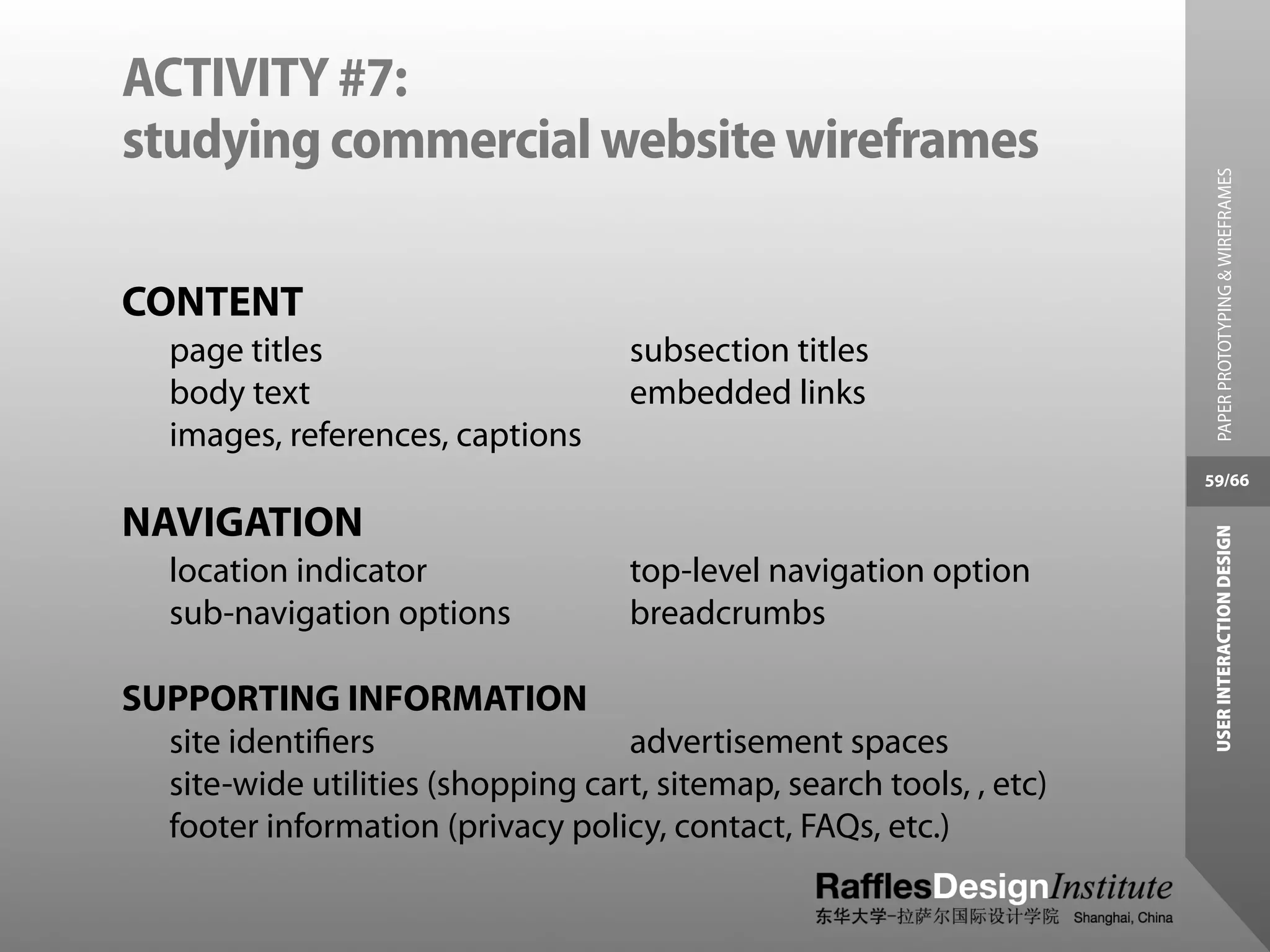
CONTENT
   page titles                      subsection titles
   body text                        embedded links
   images, references, captions
                                                                      59/66

NAVIGATION


                                                                       USER INTERACTION DESIGN
   location indicator               top-level navigation option
   sub-navigation options           breadcrumbs

SUPPORTING INFORMATION
  site identifiers                  advertisement spaces
  site-wide utilities (shopping cart, sitemap, search tools, , etc)
  footer information (privacy policy, contact, FAQs, etc.)
WIREFRAMES
pros


                                              PAPER PROTOTYPING & WIREFRAMES
Demonstrates a interactive system concept
  quickly, allowing clients to react to
  content placement and rendering;
                                            60/66
Can provide guidance to visual designers


                                             USER INTERACTION DESIGN
  with respect to information priorities;

Allows for usability testing early in the
   project life-cycle;
WIREFRAMES
pros


                                               PAPER PROTOTYPING & WIREFRAMES
Can elaborate on a singular vision for the
  interactive system;

Can facilitate collaboration between
                                             61/66
  design team and information


                                              USER INTERACTION DESIGN
  architects;

Is easy for clients to understand.
WIREFRAMES
cons


                                            PAPER PROTOTYPING & WIREFRAMES
Hinders creativity and innovation by
  imposing (real or imagined) limits on
  design team;
                                          62/66
Distracts client from tasks at hand:


                                           USER INTERACTION DESIGN
  evaluating page priorities,
  understanding information
  relationships;
WIREFRAMES
cons


                                             PAPER PROTOTYPING & WIREFRAMES
Does not consider color, typography, and
  other brand identity elements;

Does not provide accurate usability
                                           63/66
  testing results;


                                            USER INTERACTION DESIGN
Relies on other documentation to
  provide a complete picture;
ASSIGNMENT #2 [GROUPS]:
information architecture document


                                                PAPER PROTOTYPING & WIREFRAMES
due to week 09
Groups must prepare 20 (twenty) minutes
  presentation -- at least 12 (twelve)
  slides -- in which they will present, in
  English, the information architecture       64/66
  document of their product.


                                               USER INTERACTION DESIGN
The presentation must include a complete
  navigation flow diagram (a site map)
  and -- no less -- than 3 (three) different
  wireframes.
HOMEWORK [ INDIVIDUAL ]
sketchbook


                                                        PAPER PROTOTYPING & WIREFRAMES
1. Choose 5 (five) words marked with asterisks
   (*) you’ve seen in this class and create 5 (five)
   posters -- one for each word -- on separate
   pages of your sketchbook;                          65/66


                                                       USER INTERACTION DESIGN
2. Each poster must include:
   -The word chosen, with its English definition;
   -3 (three) pictures;
   -2 (two) websites;
   -Your comments/impressions of the definition.
tags
                                                               HOMEWORK [ INDIVIDUAL ]


USER INTERACTION DESIGN           PAPER PROTOTYPING & WIREFRAMES
                          66/66

Paper Prototyping and Wireframes

  • 1.
    welcome to USER INTERACTIONDESIGN PAPER PROTOTYPING & WIREFRAMES Lecturer Itamar Medeiros (Brazil) BA in Industrial Design; PgDip in Information Design; 1 /66 USER INTERACTION DESIGN Expertise Multimedia/Web Design, Photography, Information Design and Human-Computer Interaction.
  • 2.
    LESSON 06: PAPER PROTOTYPING& WIREFRAMES PAPER PROTOTYPING & WIREFRAMES learning outcome Students will understand principles of creating sensible, comprehensible, 2 /66 memorable, and convenient USER INTERACTION DESIGN organization of the content and the tasks to be performed on their interactive product.
  • 3.
    LESSON 06: PAPER PROTOTYPING& WIREFRAMES PAPER PROTOTYPING & WIREFRAMES content Students will learn the concept of Paper Prototyping and what are the 3 /66 most commonly used techniques for USER INTERACTION DESIGN developing user interface prototypes.
  • 4.
    PAPER PROTOTYPING &WIREFRAMES PAPER PROTOTYPING & WIREFRAMES One difficulty in designing interactive systems is that clients and users may not have a clear idea of what the system will look like when it is done. 4 /66 USER INTERACTION DESIGN Since interactive systems are novel in many situations, users may not realize the implications of design decisions.
  • 5.
    PAPER PROTOTYPING &WIREFRAMES PAPER PROTOTYPING & WIREFRAMES Unfortunately, it is difficult, costly, and time-consuming to make major changes to systems once those systems have been implemented. 5 /66 USER INTERACTION DESIGN
  • 6.
    PAPER PROTOTYPING &WIREFRAMES PAPER PROTOTYPING & WIREFRAMES Even though this problem has not complete solution, some of the more serious difficulties can be avoided if, at an early stage, the customers and 6 /66 users can be given a realistic USER INTERACTION DESIGN impression of what the final system will look like. Such realistic impressions may be rendered by the use of prototypes*.
  • 7.
    PAPER PROTOTYPING &WIREFRAMES prototypes | 原型 PAPER PROTOTYPING & WIREFRAMES One of the first units manufactured of a product, which is tested so that the design can be changed if necessary before the product is manufactured 7 /66 commercially USER INTERACTION DESIGN 一项生产商品的雏形,需要进行测 试以对设计进行适当的调整。随 后才将此产品投入商业生产
  • 8.
    PAPER PROTOTYPING &WIREFRAMES PAPER PROTOTYPING & WIREFRAMES Interaction Designers have soon realized that more important than allowing us to pre-visualize how the final system will look like, such prototypes must also 8 /66 help us to review or test the USER INTERACTION DESIGN information/interaction flow of it.
  • 12.
    PAPER PROTOTYPING &WIREFRAMES PAPER PROTOTYPING & WIREFRAMES One of the most celebrated techniques to create such paper prototypes – devised by information architects – it’s to create information architecture diagrams called Wireframes*. 12/66 USER INTERACTION DESIGN
  • 13.
    PAPER PROTOTYPING &WIREFRAMES wireframes | 线框 PAPER PROTOTYPING & WIREFRAMES Wireframes are a basic grid system* used to suggest the layout and placement of fundamental design elements* in the interface design. 13/66 基础的格子系统,用于在界面设计 USER INTERACTION DESIGN 中将基础的设计元素进行排版或 放置
  • 14.
    PAPER PROTOTYPING &WIREFRAMES grid system | 格子系统 PAPER PROTOTYPING & WIREFRAMES The structural foundation that establishes alignment and hierarchy of the design elements on a layout. 在版面上创建设计元素位置及层次 14/66 USER INTERACTION DESIGN 的结构基础。
  • 15.
    PAPER PROTOTYPING &WIREFRAMES design elements | 设计元素 PAPER PROTOTYPING & WIREFRAMES The elements which a designer can use in a layout -- such as text, images, symbols, colors, textures -- to compose a visual message. 15/66 这些元素指的是在排版中设计师可 USER INTERACTION DESIGN 以使用的元素,如:文字,图 片,记号,颜色,纹理等等,这 些元素可以构成视觉信息。
  • 16.
    WIREFRAMES grid systems forinteraction PAPER PROTOTYPING & WIREFRAMES Because the only suggest the layout of the system, they must be completed before any artwork is developed. 16/66 USER INTERACTION DESIGN
  • 17.
    WIREFRAMES grid systems forinteraction PAPER PROTOTYPING & WIREFRAMES Let’s think of wireframes as grids systems that help us -- based on the information architecture of a given product -- create information hierarchy that allow us layout both the content and the 17/66 navigation of an interactive system. USER INTERACTION DESIGN
  • 18.
    WIREFRAMES grid systems &visual organization PAPER PROTOTYPING & WIREFRAMES When completed correctly they will provide a visual reference upon which to structure each part of an interactive system. 18/66 They also allow for the development of USER INTERACTION DESIGN variations of a layout to maintain design consistency* throughout the system.
  • 19.
    WIREFRAMES consistency | 一致性 PAPER PROTOTYPING & WIREFRAMES The conscious effort the designer makes to create a coherent system that ties all the design elements of a layout. 视觉一致性质的是设计师通过其努 19/66 力将版面中所有的设计元素组成 USER INTERACTION DESIGN 一个整体的系统。
  • 20.
    WIREFRAMES consistency | 一致性 PAPER PROTOTYPING & WIREFRAMES The consistent appearance, placement, and meaning of important design elements helps users know what to expect from the interface, and make it easier for them to interpret and 20/66 respond to new interaction situations USER INTERACTION DESIGN as they arise. 一致的外表,排列,重要设计元素的意 义可以帮助了解在这些界面中可以获 取什么。并使得用户在遇到新的交互 式情况时可以更好的理解并做出反 应。
  • 21.
    WIREFRAMES grid systems forinteraction PAPER PROTOTYPING & WIREFRAMES Let’s think of wireframes as grids systems that help us -- based on the information architecture of a given product -- create information hierarchy that allow us layout both the content and the 21/66 navigation of an interactive system. USER INTERACTION DESIGN
  • 24.
    VISUAL ORGANIZATION principles ofperception PAPER PROTOTYPING & WIREFRAMES Whenever we attempt to make sense of information visually, we first observe similarities and differences in what we are seeing. 24/66 USER INTERACTION DESIGN These relationships allow us to not only distinguish objects but to give them meaning.
  • 25.
    VISUAL ORGANIZATION principles ofperception PAPER PROTOTYPING & WIREFRAMES Similarities and differences provides visual distinctions, which are the building blocks of meaning in a visual message. 25/66 The dimensions along which visual USER INTERACTION DESIGN contrast can be drawn include shape, size, color, texture, position, orientation, and movement.
  • 30.
    PRINCIPLES OF PERCEPTION visualrelationships PAPER PROTOTYPING & WIREFRAMES The principles of perception give us valuable insight into how we visually group information. 30/66 USER INTERACTION DESIGN
  • 32.
    PRINCIPLES OF PERCEPTION proximity| 接近性 PAPER PROTOTYPING & WIREFRAMES A Gestalt principle of organization holding that (other things being equal) objects or events that are near to one another (in space or time) are perceived as 32/66 belonging together as a unit. USER INTERACTION DESIGN 格式塔原理,那些物体或项目在时 间或空间上相近被看作为一整 体。
  • 33.
    PRINCIPLES OF PERCEPTION similarity| 相似性 PAPER PROTOTYPING & WIREFRAMES A Gestalt principle of organization holding that (other things being equal) parts of a stimulus field that are similar to each other tend to be perceived as 33/66 belonging together as a unit. USER INTERACTION DESIGN
  • 34.
    PRINCIPLES OF PERCEPTION continuance| 延续性 PAPER PROTOTYPING & WIREFRAMES The act of continuing an activity without interruption. In design, is the expectation that users have that a system will continue to behave/ 34/66 interact as it is currently does. USER INTERACTION DESIGN 是一 延续的行为。在设计中,期 望用户能 延续自己一贯的行 为。
  • 35.
    PRINCIPLES OF PERCEPTION closure| 封闭 PAPER PROTOTYPING & WIREFRAMES A Gestalt principle that refers to the way that we mentally fill in gaps where there is missing information in a stimulus. 35/66 USER INTERACTION DESIGN 格式塔原理,指的是人的头脑会将 物体缺失部分连接起来。
  • 36.
    PRINCIPLES OF PERCEPTION visualrelationships PAPER PROTOTYPING & WIREFRAMES If we want to be able to communicate a specific message, we need to understand the psychological manner in which we group visual 36/66 information. USER INTERACTION DESIGN We need to know how to use visual relationships to our advantage -- we need to know what makes things different -- creating visual hierarchies.
  • 37.
    VISUAL HIERARCHY PAPER PROTOTYPING & WIREFRAMES To build effective visual hierarchies, we use visual relationships to add more or less visual weight to page elements and thereby establish a pattern of 37/66 movement through the layout. USER INTERACTION DESIGN Manipulating the attributes of scale, contrast and proportion helps us establish that hierarchy.
  • 38.
    VISUAL HIERARCHY PAPER PROTOTYPING & WIREFRAMES A balanced hierarchy provides not only a clear path for recognizing and understanding information, it also helps unify the disparate elements 38/66 within a page layout into a cohesive USER INTERACTION DESIGN whole. This creates a sense of order and balance. Without visual hierarchy, page elements compete for attention, and as a result, none of them win.
  • 40.
    VISUAL HIERARCHY grid systemfor information architecture PAPER PROTOTYPING & WIREFRAMES Any given interactive system is composed of many distinct elements. Navigation menus (possibly several layers deep), contact information, search boxes, 40/66 system identifiers, and shopping carts USER INTERACTION DESIGN are just a few.
  • 41.
    VISUAL HIERARCHY grid systemfor information architecture PAPER PROTOTYPING & WIREFRAMES The visual organization of an interactive system can communicate valuable information about the similarities and differences between elements and their 41/66 relative importance. USER INTERACTION DESIGN
  • 42.
    VISUAL HIERARCHY grid systemfor information architecture PAPER PROTOTYPING & WIREFRAMES Once your audience understands the significance of your page elements, they can apply that knowledge to the rest of the system. 42/66 USER INTERACTION DESIGN
  • 44.
    VISUAL HIERARCHY grid systemelements PAPER PROTOTYPING & WIREFRAMES Generally, the hierarchy of an interactive system is based on distinctions between the content, navigation, and supporting information on a page. 44/66 Within each of these sections further USER INTERACTION DESIGN distinctions can also be made. A general system hierarchy (from highest to lowest importance) may look like the following:
  • 45.
    VISUAL HIERARCHY grid systemelements PAPER PROTOTYPING & WIREFRAMES Content Navigation Supporting Elements 45/66 USER INTERACTION DESIGN
  • 47.
    GRID SYSTEM ELEMENTS content/navigation/supportingelements PAPER PROTOTYPING & WIREFRAMES Content Page title Subsection title Embedded links 47/66 Supplementary information (captions, references, etc.) USER INTERACTION DESIGN
  • 50.
    GRID SYSTEM ELEMENTS content/navigation/supportingelements PAPER PROTOTYPING & WIREFRAMES Navigation Location indicator Top-level navigation options Sub-navigation options 50/66 Trace route (breadcrumbs) USER INTERACTION DESIGN
  • 53.
    GRID SYSTEM ELEMENTS content/navigation/supportingelements PAPER PROTOTYPING & WIREFRAMES Supporting elements Site identifier Site-wide utilities (shopping cart, site map, etc.) Footer information (privacy policy, contact info, etc.) 53/66 USER INTERACTION DESIGN
  • 56.
    GRID SYSTEM ELEMENTS wireframes PAPER PROTOTYPING & WIREFRAMES Visual hierarchy can provide users with a sense of where they are within an interactive system, to direct their attention (to special offers, for 56/66 example), to suggest distinct choices, USER INTERACTION DESIGN to explain new elements, and so on. Keep this in mind while designing your system’s wireframes.
  • 57.
    WIREFRAMES for which pagesshould wireframes PAPER PROTOTYPING & WIREFRAMES be created for? Any page that requires client approval or represent major subsection of the system and require a distinct layout and functionality. These pages may 57/66 include but not limited to: USER INTERACTION DESIGN Home page; Major portal pages to sub-sites; Template pages to grouped content; Discussion forums; Search results page; 404 Error page;
  • 58.
    ACTIVITY #7: studying commercialwebsite wireframes PAPER PROTOTYPING & WIREFRAMES For each of the websites below: http://cn.news.yahoo.com/ http://www.netdiver.net/ http://www.mediainspiration.com http://www.wired.com/ 58/66 USER INTERACTION DESIGN Make sketches of wireframes where the following information architecture elements can be allocated:
  • 59.
    ACTIVITY #7: studying commercialwebsite wireframes PAPER PROTOTYPING & WIREFRAMES CONTENT page titles subsection titles body text embedded links images, references, captions 59/66 NAVIGATION USER INTERACTION DESIGN location indicator top-level navigation option sub-navigation options breadcrumbs SUPPORTING INFORMATION site identifiers advertisement spaces site-wide utilities (shopping cart, sitemap, search tools, , etc) footer information (privacy policy, contact, FAQs, etc.)
  • 60.
    WIREFRAMES pros PAPER PROTOTYPING & WIREFRAMES Demonstrates a interactive system concept quickly, allowing clients to react to content placement and rendering; 60/66 Can provide guidance to visual designers USER INTERACTION DESIGN with respect to information priorities; Allows for usability testing early in the project life-cycle;
  • 61.
    WIREFRAMES pros PAPER PROTOTYPING & WIREFRAMES Can elaborate on a singular vision for the interactive system; Can facilitate collaboration between 61/66 design team and information USER INTERACTION DESIGN architects; Is easy for clients to understand.
  • 62.
    WIREFRAMES cons PAPER PROTOTYPING & WIREFRAMES Hinders creativity and innovation by imposing (real or imagined) limits on design team; 62/66 Distracts client from tasks at hand: USER INTERACTION DESIGN evaluating page priorities, understanding information relationships;
  • 63.
    WIREFRAMES cons PAPER PROTOTYPING & WIREFRAMES Does not consider color, typography, and other brand identity elements; Does not provide accurate usability 63/66 testing results; USER INTERACTION DESIGN Relies on other documentation to provide a complete picture;
  • 64.
    ASSIGNMENT #2 [GROUPS]: informationarchitecture document PAPER PROTOTYPING & WIREFRAMES due to week 09 Groups must prepare 20 (twenty) minutes presentation -- at least 12 (twelve) slides -- in which they will present, in English, the information architecture 64/66 document of their product. USER INTERACTION DESIGN The presentation must include a complete navigation flow diagram (a site map) and -- no less -- than 3 (three) different wireframes.
  • 65.
    HOMEWORK [ INDIVIDUAL] sketchbook PAPER PROTOTYPING & WIREFRAMES 1. Choose 5 (five) words marked with asterisks (*) you’ve seen in this class and create 5 (five) posters -- one for each word -- on separate pages of your sketchbook; 65/66 USER INTERACTION DESIGN 2. Each poster must include: -The word chosen, with its English definition; -3 (three) pictures; -2 (two) websites; -Your comments/impressions of the definition.
  • 66.
    tags HOMEWORK [ INDIVIDUAL ] USER INTERACTION DESIGN PAPER PROTOTYPING & WIREFRAMES 66/66