St George Preca College Paola Primary B
PD session
March 2016
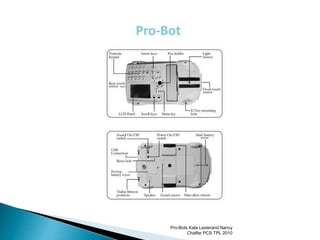
 Can be used simply by programming arrows
just like Bee Bot
 25 cm steps
 Accepts more complex commands
 Paths can be drawn using a pen attached to the
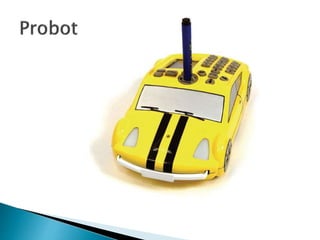
Probot
 Includes 4 sensors: Touch (Front & Rear), Light,
Sound
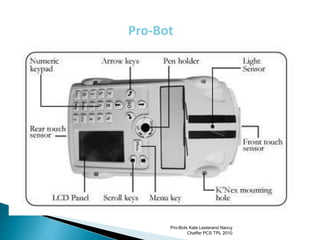
Pro-Bot
Pro-Bots Kate Lesterand Nancy
Chaffer PCS TPL 2010
Pro-Bot
Pro-Bots Kate Lesterand Nancy
Chaffer PCS TPL 2010
Can you make your
Probot travel in the
shape of a square?
 To make a square we entered:
 This can be simply entered as:
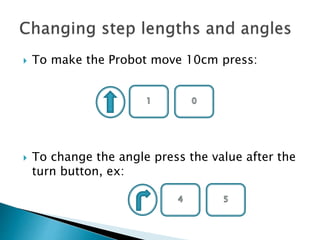
 To make the Probot move 10cm press:
 To change the angle press the value after the
turn button, ex:
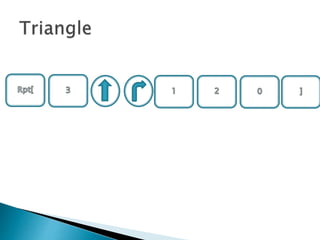
Can you make your
Probot draw a
triangle using a
loop?
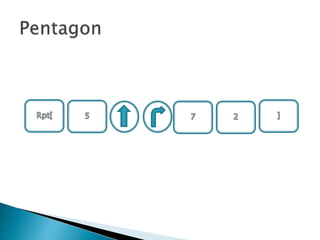
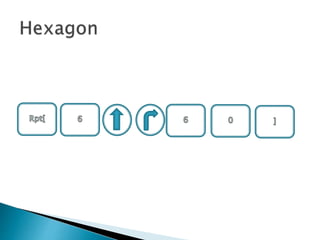
 Attach the pen to the
Probot and make it
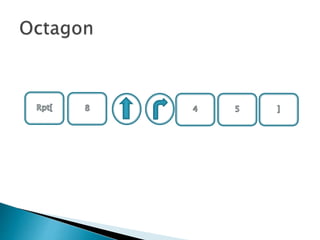
draw: a pentagon, a
hexagon and an
octagon.
 Built-in procedures
 Ex: Proc 38 can
draw a Hexagon!
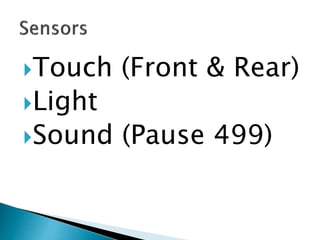
Touch (Front & Rear)
Light
Sound (Pause 499)
 6-Pointed Star
Rpt 6 [Fd 10, Rt 120, Fd 10, Lt 60]
 5-Pointed Star
Rpt 5 [Fd 10, Rt 132, Fd 10, Lt 60 ]
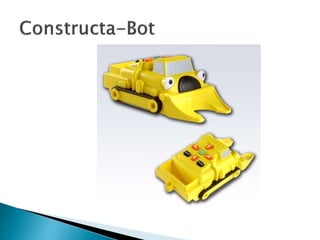
 Programmable floor robot
 Used for teaching control, directional
language and programming to young children
 Clear and bright buttons
 15cm steps, 90° turns
 Sounds and flashing eyes confirm child’s
instructions
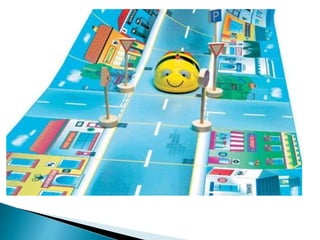
 Story telling/sequencing
 Treasure hunts
 Word games
 Spelling
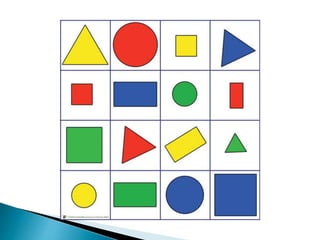
 Matching games: words and pictures
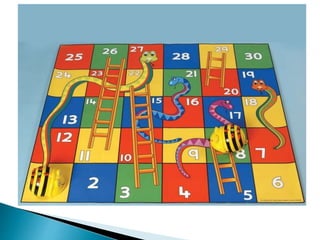
 Be creative - Create your own mats
for particular themes!
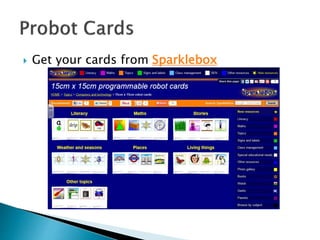
 Get your cards from Sparklebox
 Use with an interactive whiteboard
 View an A4 document
 Sharing work with the rest of the class
 For peer assessment activities
 Show books to the whole class
 Show-and-tell activities
 Take pictures and videos (+ audio)
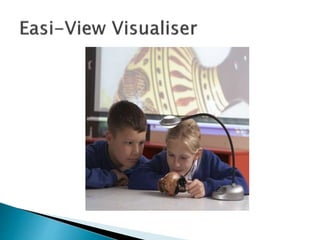
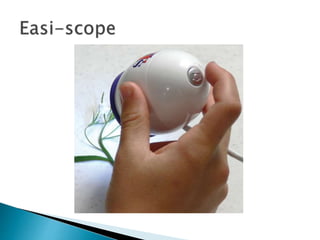
 plug and play device that can be attached
computer via USB
 includes its own LED lighting system.
 To use:
◦ hold the Easi-Scope over the object
◦ focus by turning the top
◦ take videos or still images using the single control
button
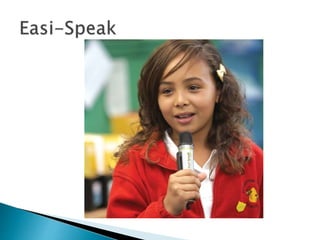
 Record children reading for self-assessment
Recording written work
 Take the mic to outings to record the
activities
 Reporter/vox pop tasks
 Record work for portfolios (in a quiet setting)
 Recordings can be transferred to PC

Paola pd (1)

  • 1.
    St George PrecaCollege Paola Primary B PD session March 2016
  • 3.
     Can beused simply by programming arrows just like Bee Bot  25 cm steps  Accepts more complex commands  Paths can be drawn using a pen attached to the Probot  Includes 4 sensors: Touch (Front & Rear), Light, Sound
  • 4.
    Pro-Bot Pro-Bots Kate LesterandNancy Chaffer PCS TPL 2010
  • 5.
    Pro-Bot Pro-Bots Kate LesterandNancy Chaffer PCS TPL 2010
  • 6.
    Can you makeyour Probot travel in the shape of a square?
  • 7.
     To makea square we entered:  This can be simply entered as:
  • 8.
     To makethe Probot move 10cm press:  To change the angle press the value after the turn button, ex:
  • 9.
    Can you makeyour Probot draw a triangle using a loop?
  • 11.
     Attach thepen to the Probot and make it draw: a pentagon, a hexagon and an octagon.
  • 15.
     Built-in procedures Ex: Proc 38 can draw a Hexagon!
  • 16.
    Touch (Front &Rear) Light Sound (Pause 499)
  • 17.
     6-Pointed Star Rpt6 [Fd 10, Rt 120, Fd 10, Lt 60]  5-Pointed Star Rpt 5 [Fd 10, Rt 132, Fd 10, Lt 60 ]
  • 19.
     Programmable floorrobot  Used for teaching control, directional language and programming to young children  Clear and bright buttons  15cm steps, 90° turns  Sounds and flashing eyes confirm child’s instructions
  • 23.
     Story telling/sequencing Treasure hunts  Word games  Spelling  Matching games: words and pictures  Be creative - Create your own mats for particular themes!
  • 24.
     Get yourcards from Sparklebox
  • 26.
     Use withan interactive whiteboard  View an A4 document  Sharing work with the rest of the class  For peer assessment activities  Show books to the whole class  Show-and-tell activities  Take pictures and videos (+ audio)
  • 28.
     plug andplay device that can be attached computer via USB  includes its own LED lighting system.  To use: ◦ hold the Easi-Scope over the object ◦ focus by turning the top ◦ take videos or still images using the single control button
  • 30.
     Record childrenreading for self-assessment Recording written work  Take the mic to outings to record the activities  Reporter/vox pop tasks  Record work for portfolios (in a quiet setting)  Recordings can be transferred to PC