How to report a bug?
There is only one rule in the world of testing:
There is no mercy.
Why you should care about good bug
explanation?
• save time for communication (e-mails, calls),
• less work for developers (they will do exactly what
you want),
• less stress in the project,
• bug will be fixed faster,
• PM will not get angry.
The name should contain short definition of a bug.
Example bug names:
1. Fonts are not rendering correctly on Internet
Explorer.
2.There is a big gap between main section and footer
3. Footer links have missing hover.
4. Article picture is overflowing the post content.
5.Dropdown field is too short.
The name can have short prefix describing location
or functionality related with the bug.
[TEMPLATE / FUNCTIONALITY]
Example bug names with prefixes:
1. [CONTACT FORM] Inputs have no left/right
paddings
2.[HOME PAGE] Slider doesn’t work
3. [ARTICLE DETAILS] Title has wrong color
4. [GALLERY PAGE] Photos are stretched
5.[PARTNER LIST] Logos are cut off on the bottom
The name can have short suffix describing situation
when bug appears.
[SITUATION]
Example bug names with suffixes:
1. [CONTACT FORM] Wrong message is displayed
when sending the form.
2.[PASSWORD RESET] Error 404 appears when
submitting the form.
3. [NEWS DETAILS] Underline is displayed when
mouseovering on the back button.
4. [COOKIE BAR] Notification doesn’t disappear after
clicking close button “x”.
Bug description should contain informations about
reproducing of the bug and suggestions for correct
behaviour.
Bug description should contain informations about:
• Detailed description: give as many details as possible. Using non-
technical language is perfectly fine but, please include the most important
information and keywords related to the bug.
• Media: don’t forget to add screenshot(s) or video.
• Link: where bug appears.
• Your Browser & OS version: you can use yourbrowser.is tool to make
sure.
• Steps to reproduce: step by step list how to reproduce bug.
• Actual result: how it works/looks now.
• Expected Result: how it should work/look.
• Login Data (if needed).
A picture is worth a thousand words.
Use JING for screenshots and screencasts, it’s a
great app and it’s totally free.

https://www.techsmith.com/jing.html
With JING you can:
• control the size of the screenshot area,
• easily add arrows, captions and shapes to your
screenshot,
• instantly share the screenshot with public link,
• paste a link of your screenshot (it’s automatically added to
your clipboard),
• keep the history of taken screenshots on your JING
account,
• you can even record short movies (screencasts).
EXAMPLE BUG REPORT
[MY ACCOUNT] Underline is displayed when mouseovering on the
Update button.
Description: We need to remove underline when mouseovering on Update button in
My Account section.
Link: http://test.com/my-account/
Browser / OS: Chrome 25, OSX Yosemite 10.10.2
Steps do reproduce:
1. Go to www.test.com
2. Login via login credentials
3. Navigate to My Account
4. Mouseover on Update button
Actual result: there is underline.
Expected Result: no underline.
Login Data: test@test.com / mysecretpass12
And just one last thing…
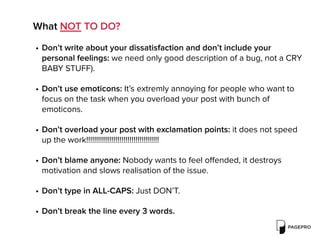
What NOT TO DO?
• Don’t write about your dissatisfaction and don’t include your
personal feelings: we need only good description of a bug, not a CRY
BABY STUFF).
• Don’t use emoticons: It’s extremly annoying for people who want to
focus on the task when you overload your post with bunch of
emoticons.
• Don’t overload your post with exclamation points: it does not speed
up the work!!!!!!!!!!!!!!!!!!!!!!!!!!!!!!!!!!!!!
• Don’t blame anyone: Nobody wants to feel offended, it destroys
motivation and slows realisation of the issue.
• Don’t type in ALL-CAPS: Just DON’T.
• Don’t break the line every 3 words.
Useful links:
• https://netguru.co/blog/how-to-describe-a-bug-well
• http://divante.co/blog/born-tester/
• http://www.techsmith.com/jing.html
• http://yourbrowser.is
Thank you!
Developing the web in the heart of Europe.

How to report a bug?

  • 1.
    How to reporta bug? There is only one rule in the world of testing: There is no mercy.
  • 2.
    Why you shouldcare about good bug explanation? • save time for communication (e-mails, calls), • less work for developers (they will do exactly what you want), • less stress in the project, • bug will be fixed faster, • PM will not get angry.
  • 3.
    The name shouldcontain short definition of a bug.
  • 4.
    Example bug names: 1.Fonts are not rendering correctly on Internet Explorer. 2.There is a big gap between main section and footer 3. Footer links have missing hover. 4. Article picture is overflowing the post content. 5.Dropdown field is too short.
  • 5.
    The name canhave short prefix describing location or functionality related with the bug. [TEMPLATE / FUNCTIONALITY]
  • 6.
    Example bug nameswith prefixes: 1. [CONTACT FORM] Inputs have no left/right paddings 2.[HOME PAGE] Slider doesn’t work 3. [ARTICLE DETAILS] Title has wrong color 4. [GALLERY PAGE] Photos are stretched 5.[PARTNER LIST] Logos are cut off on the bottom
  • 7.
    The name canhave short suffix describing situation when bug appears. [SITUATION]
  • 8.
    Example bug nameswith suffixes: 1. [CONTACT FORM] Wrong message is displayed when sending the form. 2.[PASSWORD RESET] Error 404 appears when submitting the form. 3. [NEWS DETAILS] Underline is displayed when mouseovering on the back button. 4. [COOKIE BAR] Notification doesn’t disappear after clicking close button “x”.
  • 9.
    Bug description shouldcontain informations about reproducing of the bug and suggestions for correct behaviour.
  • 10.
    Bug description shouldcontain informations about: • Detailed description: give as many details as possible. Using non- technical language is perfectly fine but, please include the most important information and keywords related to the bug. • Media: don’t forget to add screenshot(s) or video. • Link: where bug appears. • Your Browser & OS version: you can use yourbrowser.is tool to make sure. • Steps to reproduce: step by step list how to reproduce bug. • Actual result: how it works/looks now. • Expected Result: how it should work/look. • Login Data (if needed).
  • 11.
    A picture isworth a thousand words. Use JING for screenshots and screencasts, it’s a great app and it’s totally free.
 https://www.techsmith.com/jing.html
  • 12.
    With JING youcan: • control the size of the screenshot area, • easily add arrows, captions and shapes to your screenshot, • instantly share the screenshot with public link, • paste a link of your screenshot (it’s automatically added to your clipboard), • keep the history of taken screenshots on your JING account, • you can even record short movies (screencasts).
  • 13.
  • 14.
    [MY ACCOUNT] Underlineis displayed when mouseovering on the Update button. Description: We need to remove underline when mouseovering on Update button in My Account section. Link: http://test.com/my-account/ Browser / OS: Chrome 25, OSX Yosemite 10.10.2 Steps do reproduce: 1. Go to www.test.com 2. Login via login credentials 3. Navigate to My Account 4. Mouseover on Update button Actual result: there is underline. Expected Result: no underline. Login Data: test@test.com / mysecretpass12
  • 15.
    And just onelast thing…
  • 16.
    What NOT TODO? • Don’t write about your dissatisfaction and don’t include your personal feelings: we need only good description of a bug, not a CRY BABY STUFF). • Don’t use emoticons: It’s extremly annoying for people who want to focus on the task when you overload your post with bunch of emoticons. • Don’t overload your post with exclamation points: it does not speed up the work!!!!!!!!!!!!!!!!!!!!!!!!!!!!!!!!!!!!! • Don’t blame anyone: Nobody wants to feel offended, it destroys motivation and slows realisation of the issue. • Don’t type in ALL-CAPS: Just DON’T. • Don’t break the line every 3 words.
  • 17.
    Useful links: • https://netguru.co/blog/how-to-describe-a-bug-well •http://divante.co/blog/born-tester/ • http://www.techsmith.com/jing.html • http://yourbrowser.is
  • 18.
    Thank you! Developing theweb in the heart of Europe.