Packet Sniffing
 Packet sniffing in cybersecurity is the process of intercepting and
inspecting data packets as they travel across a network. It is used for
legitimate purposes like network troubleshooting and monitoring, but
can also be a malicious technique for stealing sensitive information
like passwords and account details. Tools called packet sniffers, or
network analyzers,
Working
Packet interception: Normally, a network device only processes packets
addressed to it. A packet sniffer puts the network interface card (NIC) into
"promiscuous mode," which allows it to capture all packets that pass by,
regardless of their intended destination.
Packet analysis: Once captured, the packets are analyzed to extract information.
This can include source and destination IP addresses, protocols used, and the
content of unencrypted data.
Types of Sniffing
• Passive sniffing: Captures data without interfering with the network. This is most
effective on older networks that use hubs, which broadcast all traffic to all ports.
• Active sniffing: Involves the attacker actively injecting data, such as
Address Resolution Protocol (ARP) packets, into the network to intercept traffic
that would not normally be sent to their device.
How to protect against it
• Encrypt data: Use HTTPS for websites and other encrypted protocols.
• Use security software: Install and update antivirus software and firewalls, which
can help detect and block threats.
• Stay informed: Be cautious of suspicious links and attachments that could lead to
a compromise.
Phishing
• Phishing is a cyberattack where attackers impersonate trusted sources to trick
individuals into revealing sensitive information, such as passwords and credit card
numbers, or downloading malware.
• These attacks are often conducted through fraudulent emails, text messages, or
fake websites
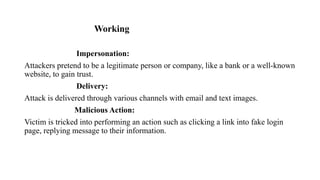
Working
Impersonation:
Attackers pretend to be a legitimate person or company, like a bank or a well-known
website, to gain trust.
Delivery:
Attack is delivered through various channels with email and text images.
Malicious Action:
Victim is tricked into performing an action such as clicking a link into fake login
page, replying message to their information.
Telnet and SSH
• SSH (Secure Shell) and Telnet are network protocols used for establishing remote
connections and controlling devices over a network.
• While both serve the purpose of remote access, they differ significantly in their
security features.
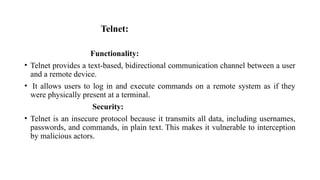
Telnet:
Functionality:
• Telnet provides a text-based, bidirectional communication channel between a user
and a remote device.
• It allows users to log in and execute commands on a remote system as if they
were physically present at a terminal.
Security:
• Telnet is an insecure protocol because it transmits all data, including usernames,
passwords, and commands, in plain text. This makes it vulnerable to interception
by malicious actors.
Usage
• Due to its lack of security, Telnet is generally considered obsolete for use over public or
untrusted networks.
Remote device management:
• System administrators use Telnet to configure and manage network devices like routers,
switches, and servers remotely.
Troubleshooting and testing:
• It can be used to test connectivity by connecting to a specific IP address and port on a remote
server to see if a service is responding.
SSH (Secure Shell):
Functionality:
• SSH provides a secure and encrypted channel for remote access, command
execution, and file transfer. It offers a command-line interface to remote systems,
enabling secure administration and management.
Security:
• SSH is designed with security in mind. It uses strong encryption algorithms to
protect data during transmission, preventing eavesdropping and tampering.
• It also incorporates authentication mechanisms, such as password and public-key
authentication, to verify the identity of both the client and the server.
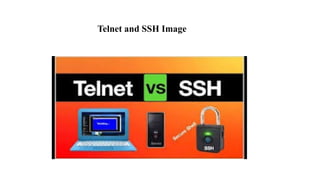
Telnet and SSH Image
Usage:
• SSH is the industry standard for secure remote access to servers, network devices,
and other systems over any network, including the internet.
• It is widely used by system administrators, developers, and anyone requiring
secure remote interaction with computers.
Port:
• SSH typically operates on TCP port 22, although this port can be configured to a
different value.

Packet Sniffing pdf for students yo study

  • 1.
    Packet Sniffing  Packetsniffing in cybersecurity is the process of intercepting and inspecting data packets as they travel across a network. It is used for legitimate purposes like network troubleshooting and monitoring, but can also be a malicious technique for stealing sensitive information like passwords and account details. Tools called packet sniffers, or network analyzers,
  • 2.
    Working Packet interception: Normally,a network device only processes packets addressed to it. A packet sniffer puts the network interface card (NIC) into "promiscuous mode," which allows it to capture all packets that pass by, regardless of their intended destination. Packet analysis: Once captured, the packets are analyzed to extract information. This can include source and destination IP addresses, protocols used, and the content of unencrypted data.
  • 3.
    Types of Sniffing •Passive sniffing: Captures data without interfering with the network. This is most effective on older networks that use hubs, which broadcast all traffic to all ports. • Active sniffing: Involves the attacker actively injecting data, such as Address Resolution Protocol (ARP) packets, into the network to intercept traffic that would not normally be sent to their device.
  • 4.
    How to protectagainst it • Encrypt data: Use HTTPS for websites and other encrypted protocols. • Use security software: Install and update antivirus software and firewalls, which can help detect and block threats. • Stay informed: Be cautious of suspicious links and attachments that could lead to a compromise.
  • 5.
    Phishing • Phishing isa cyberattack where attackers impersonate trusted sources to trick individuals into revealing sensitive information, such as passwords and credit card numbers, or downloading malware. • These attacks are often conducted through fraudulent emails, text messages, or fake websites
  • 6.
    Working Impersonation: Attackers pretend tobe a legitimate person or company, like a bank or a well-known website, to gain trust. Delivery: Attack is delivered through various channels with email and text images. Malicious Action: Victim is tricked into performing an action such as clicking a link into fake login page, replying message to their information.
  • 7.
    Telnet and SSH •SSH (Secure Shell) and Telnet are network protocols used for establishing remote connections and controlling devices over a network. • While both serve the purpose of remote access, they differ significantly in their security features.
  • 8.
    Telnet: Functionality: • Telnet providesa text-based, bidirectional communication channel between a user and a remote device. • It allows users to log in and execute commands on a remote system as if they were physically present at a terminal. Security: • Telnet is an insecure protocol because it transmits all data, including usernames, passwords, and commands, in plain text. This makes it vulnerable to interception by malicious actors.
  • 9.
    Usage • Due toits lack of security, Telnet is generally considered obsolete for use over public or untrusted networks. Remote device management: • System administrators use Telnet to configure and manage network devices like routers, switches, and servers remotely. Troubleshooting and testing: • It can be used to test connectivity by connecting to a specific IP address and port on a remote server to see if a service is responding.
  • 10.
    SSH (Secure Shell): Functionality: •SSH provides a secure and encrypted channel for remote access, command execution, and file transfer. It offers a command-line interface to remote systems, enabling secure administration and management. Security: • SSH is designed with security in mind. It uses strong encryption algorithms to protect data during transmission, preventing eavesdropping and tampering. • It also incorporates authentication mechanisms, such as password and public-key authentication, to verify the identity of both the client and the server.
  • 11.
  • 12.
    Usage: • SSH isthe industry standard for secure remote access to servers, network devices, and other systems over any network, including the internet. • It is widely used by system administrators, developers, and anyone requiring secure remote interaction with computers. Port: • SSH typically operates on TCP port 22, although this port can be configured to a different value.