Download to read offline
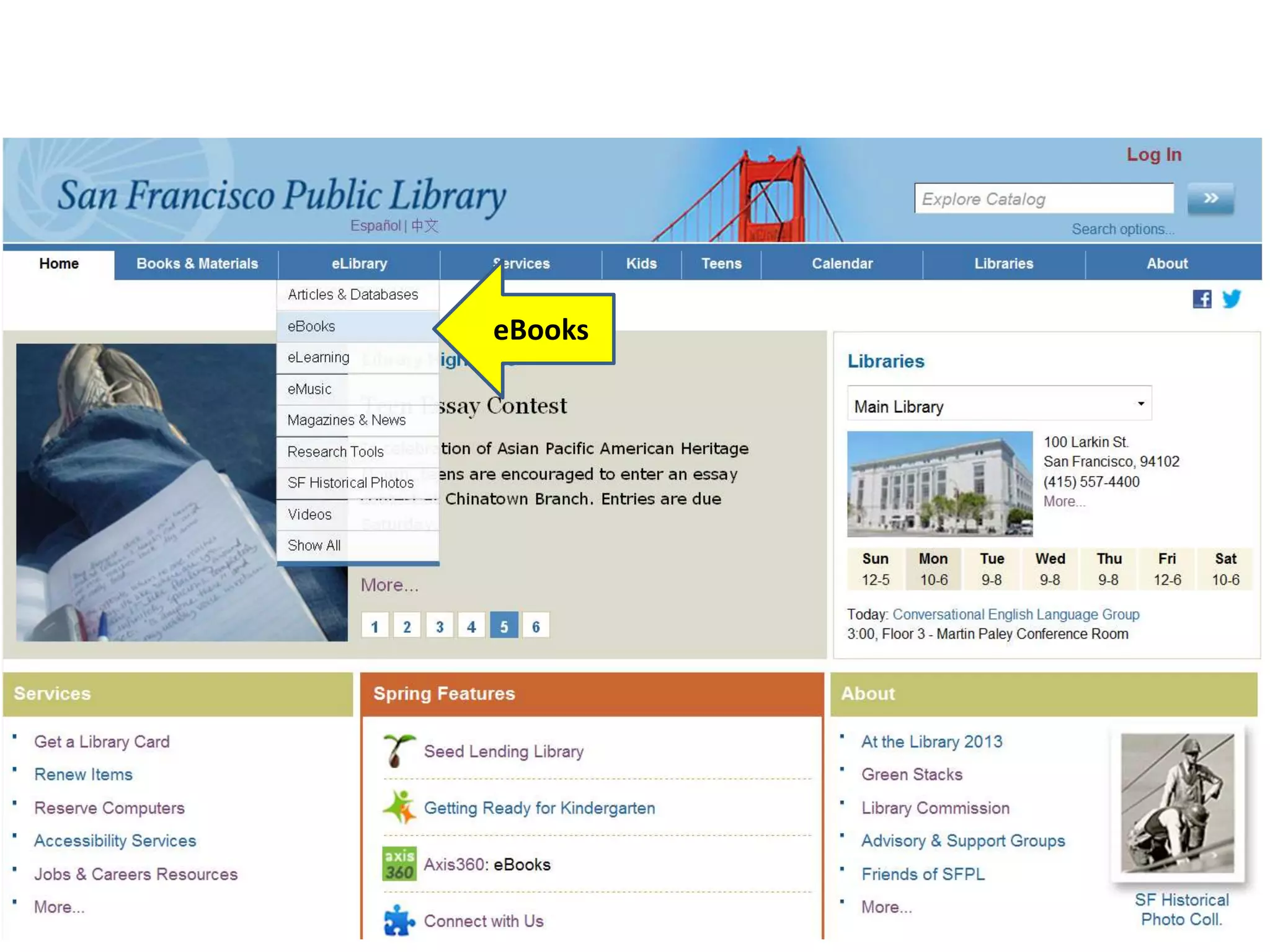
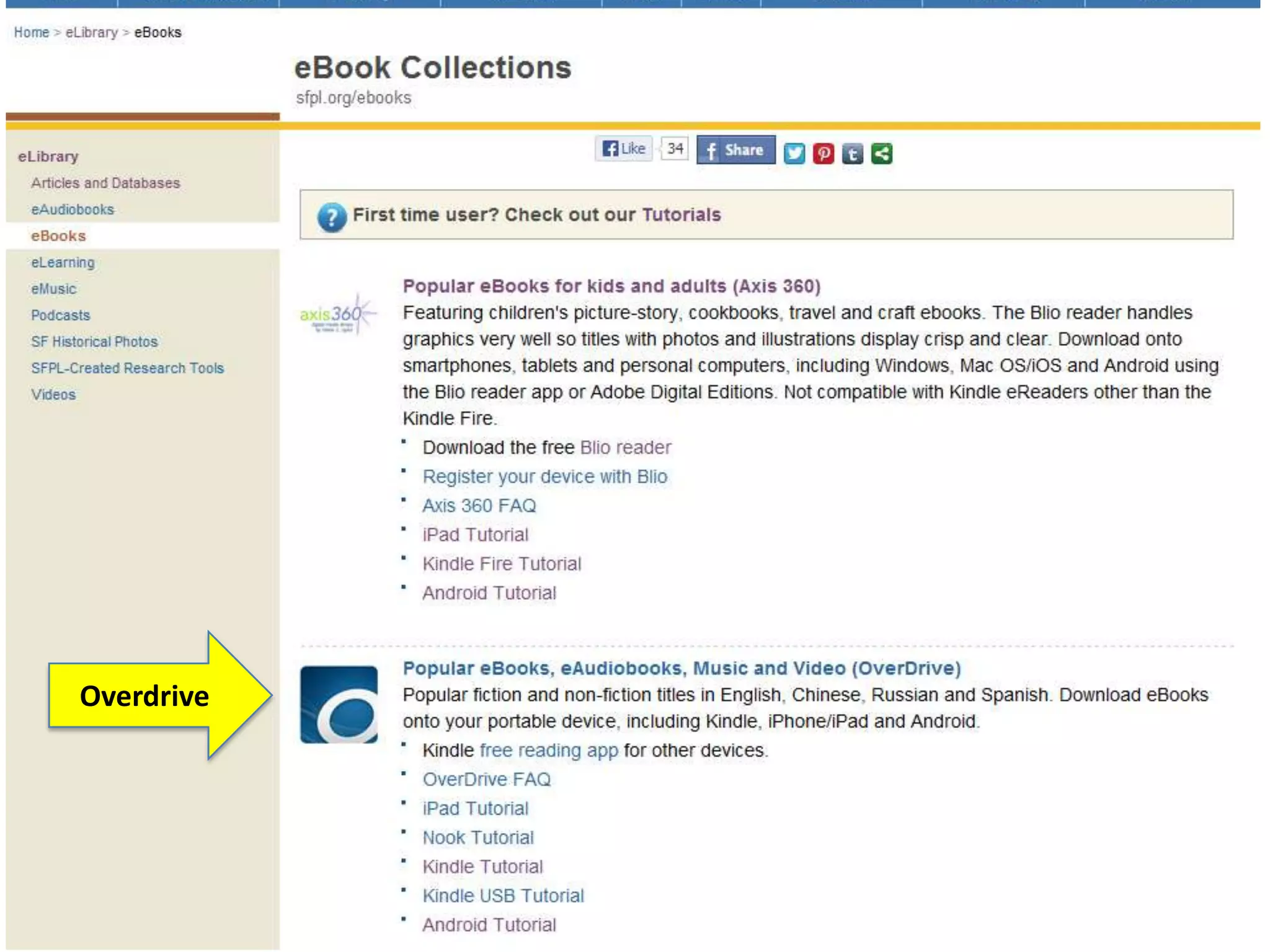
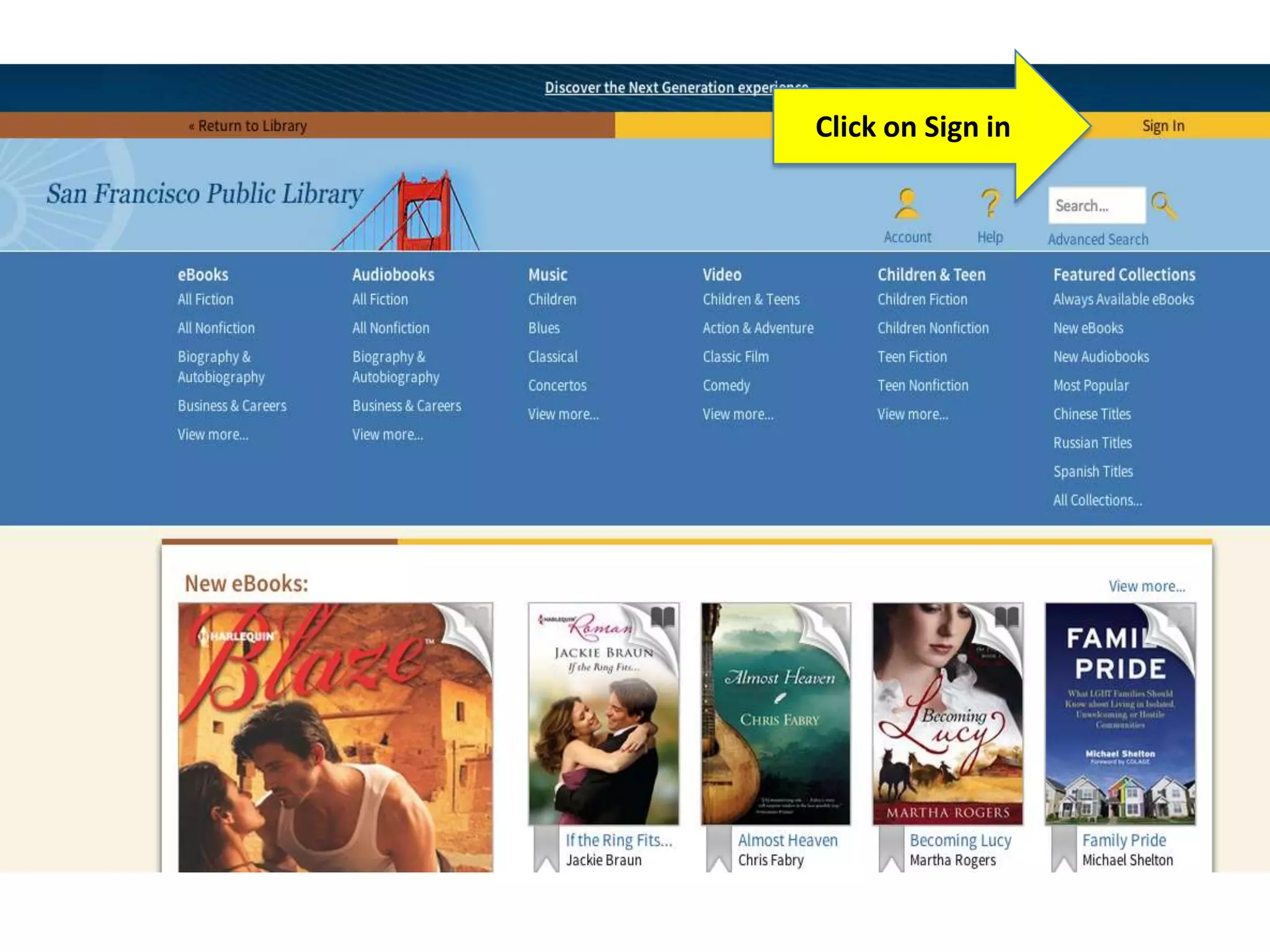
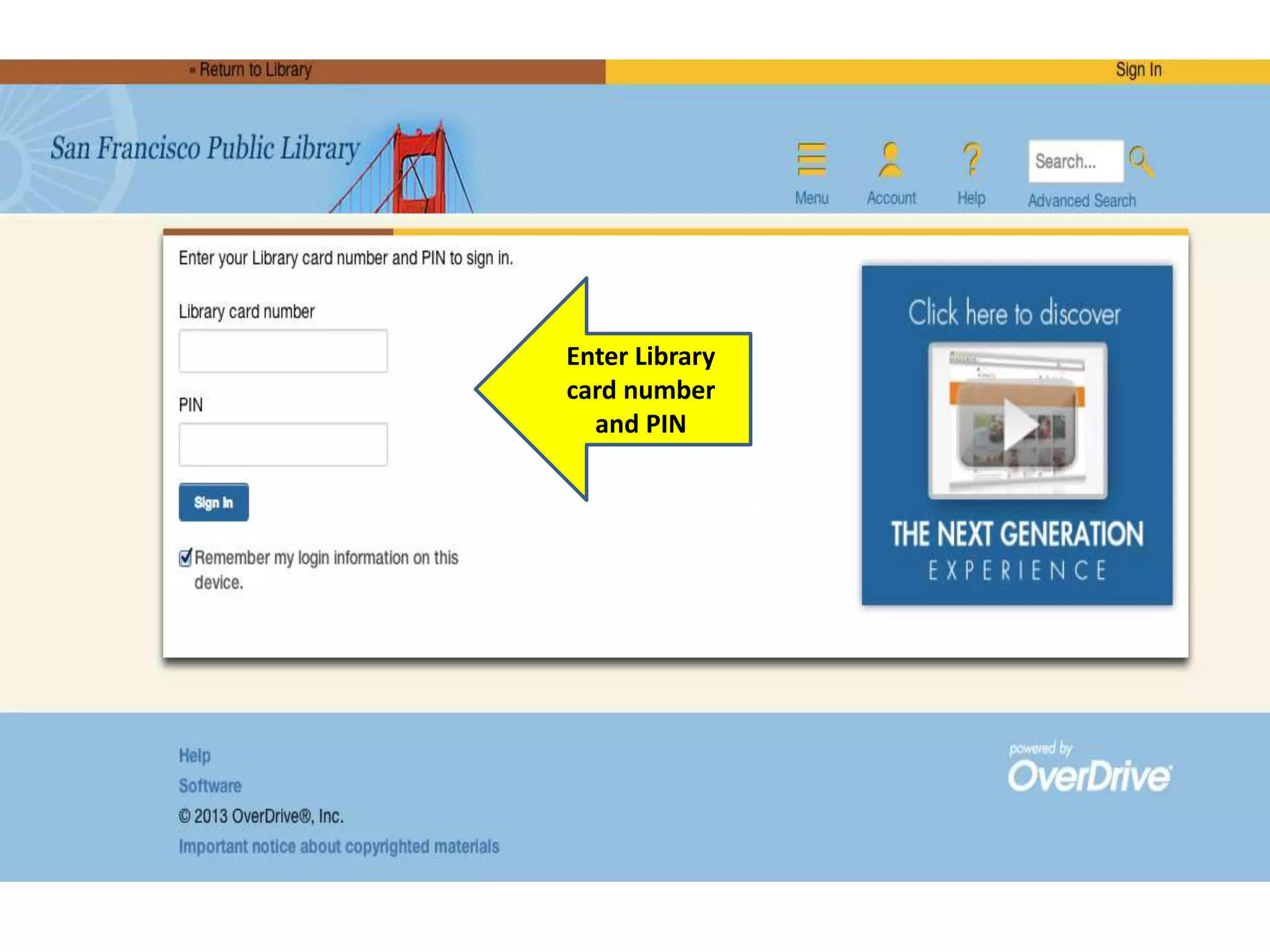
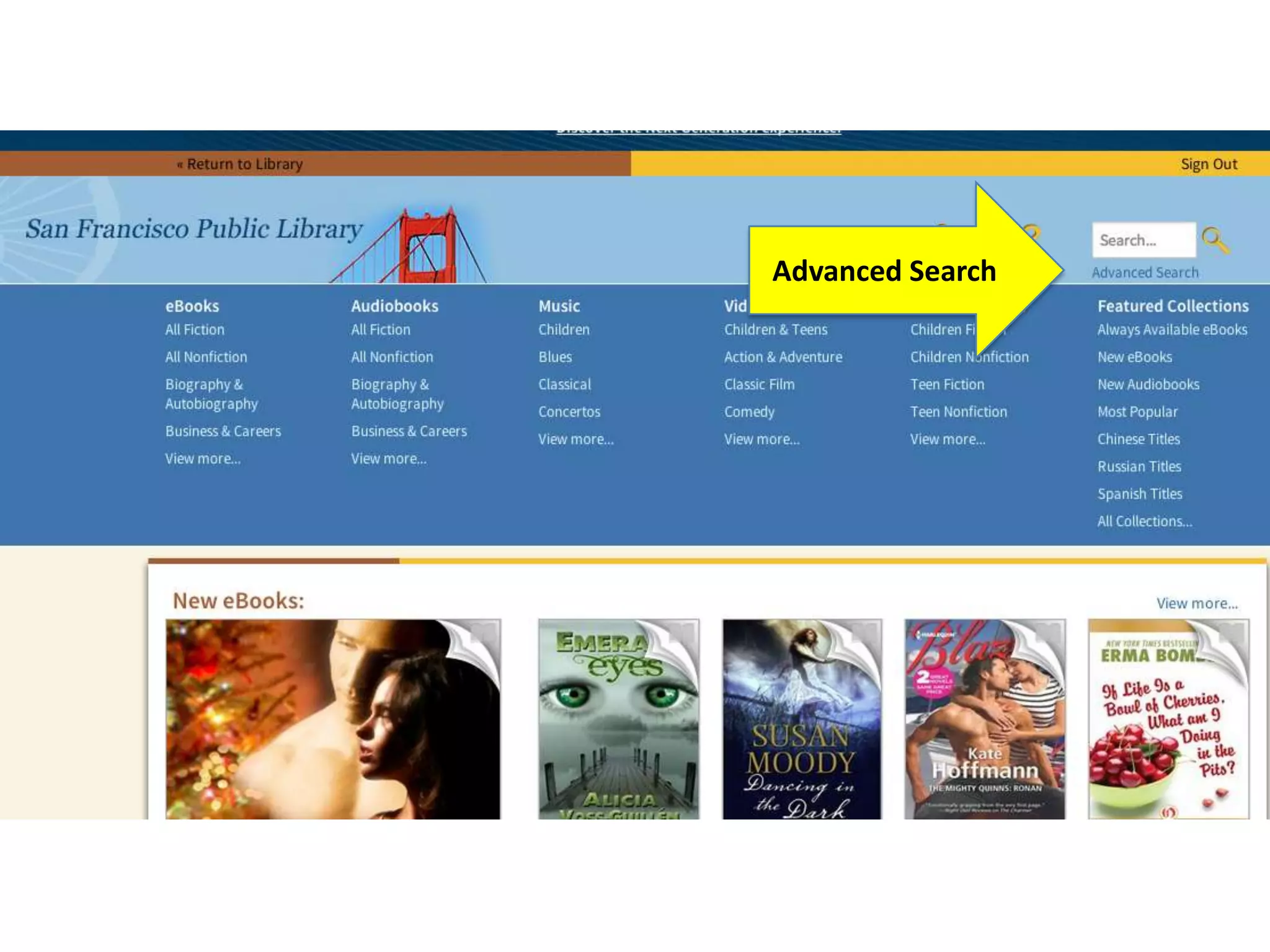
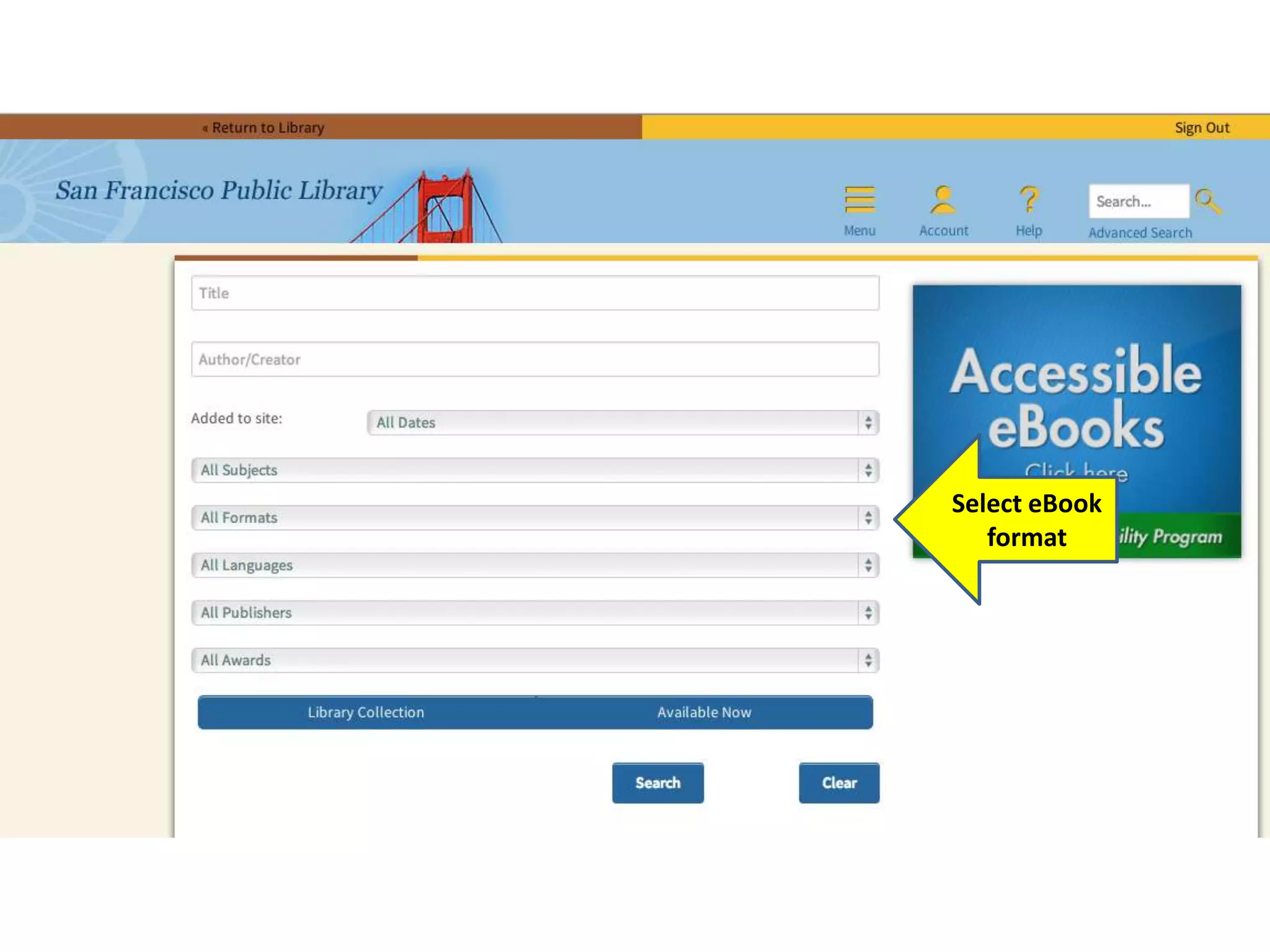
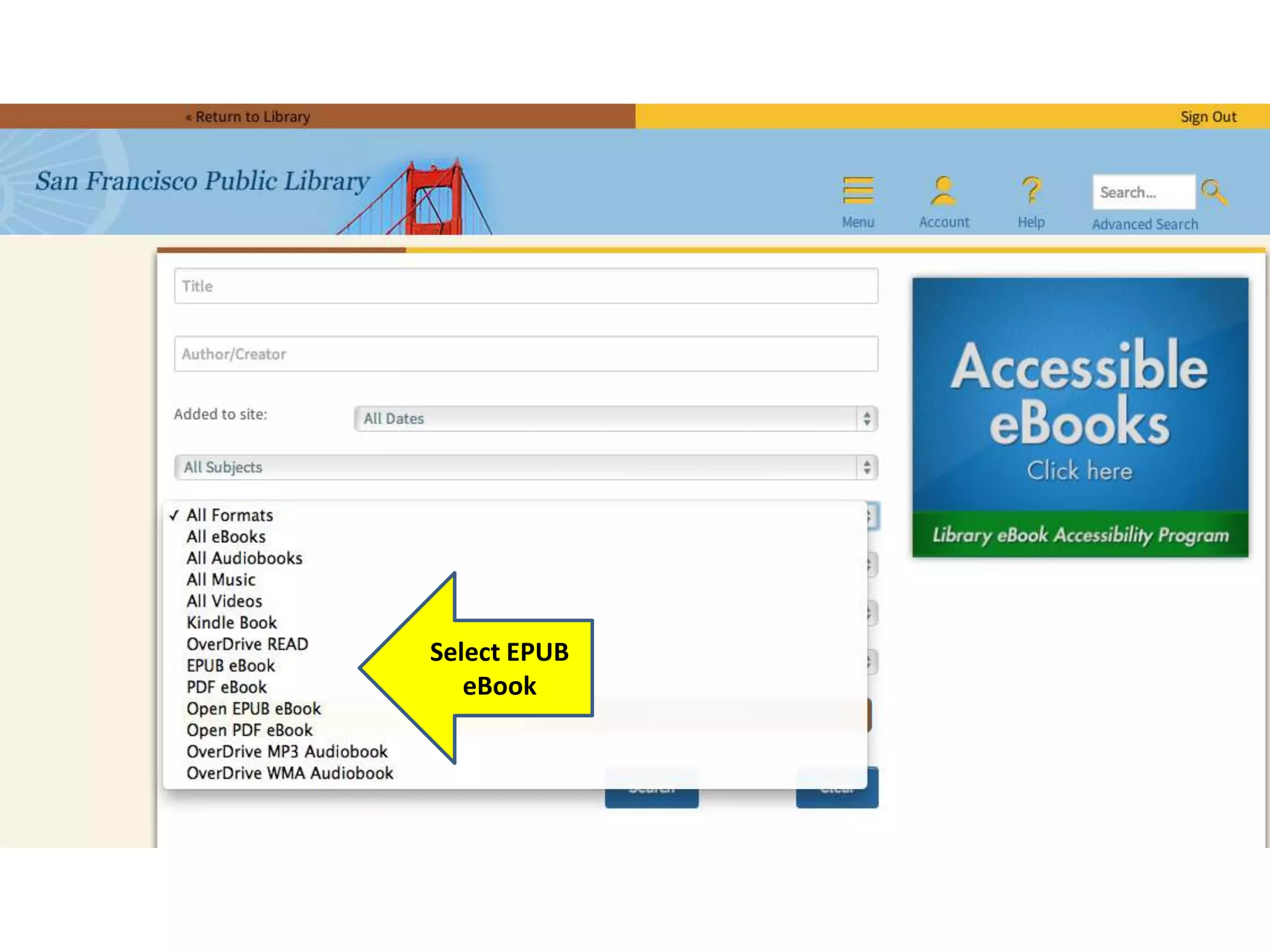
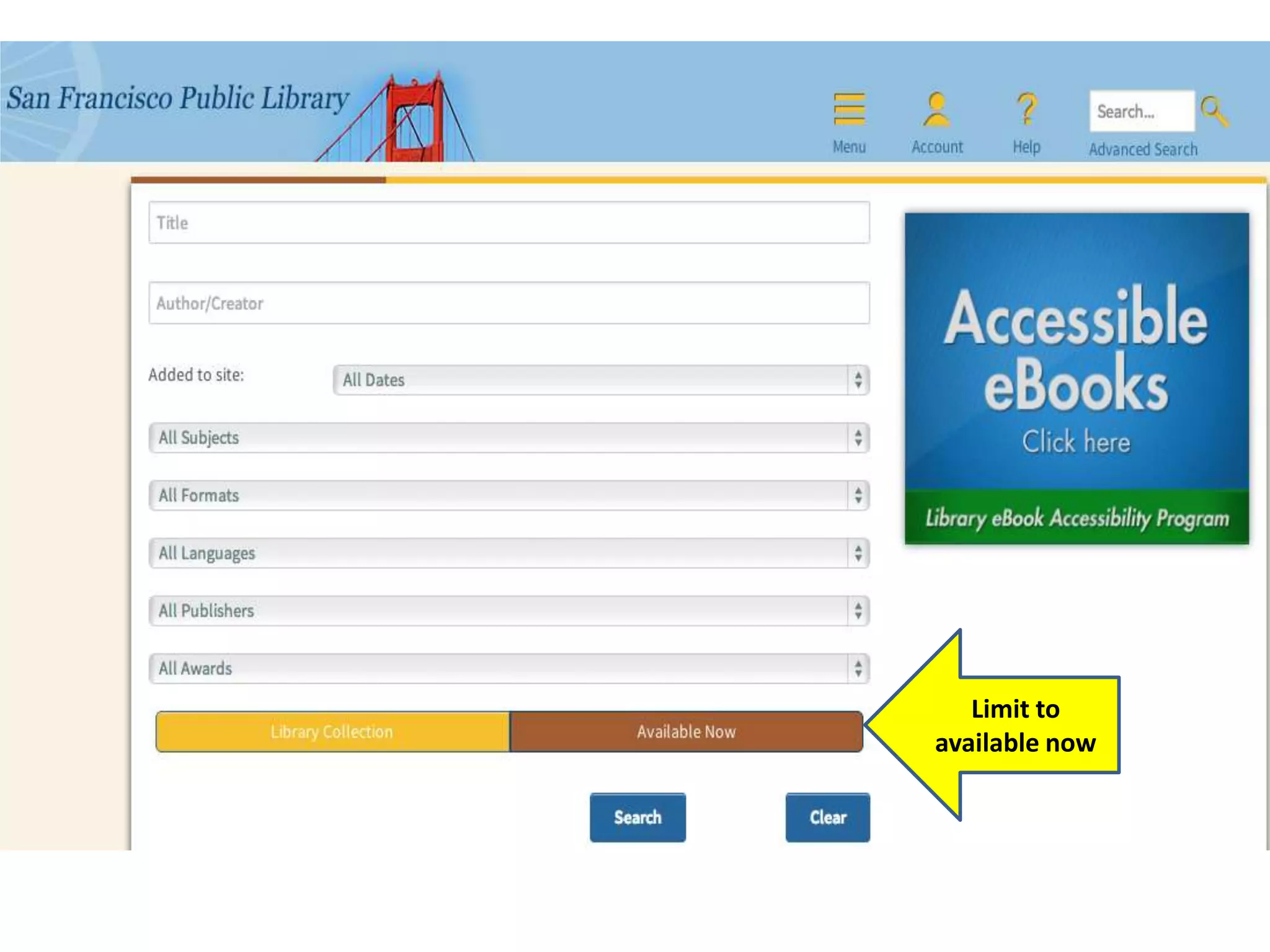
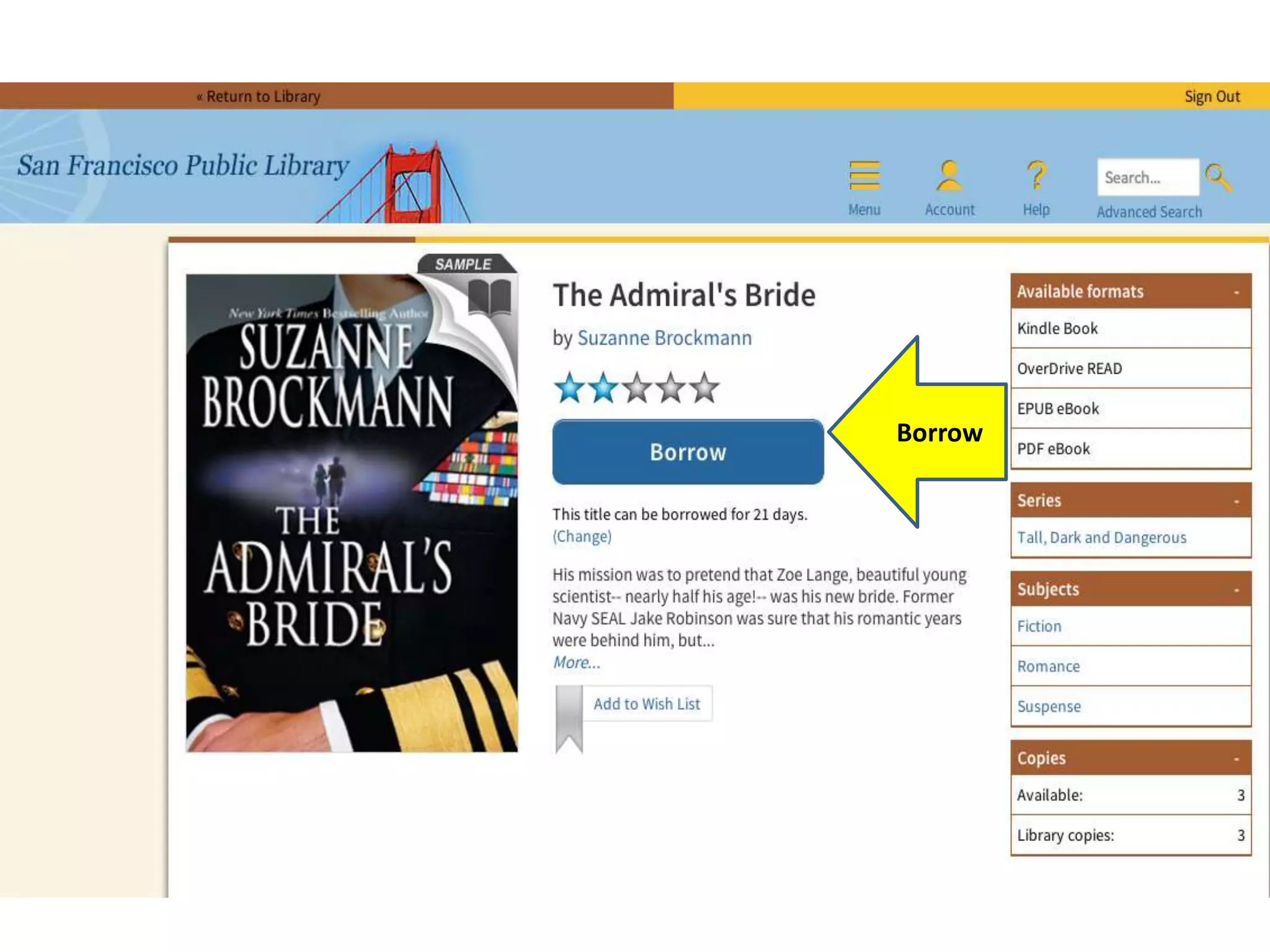
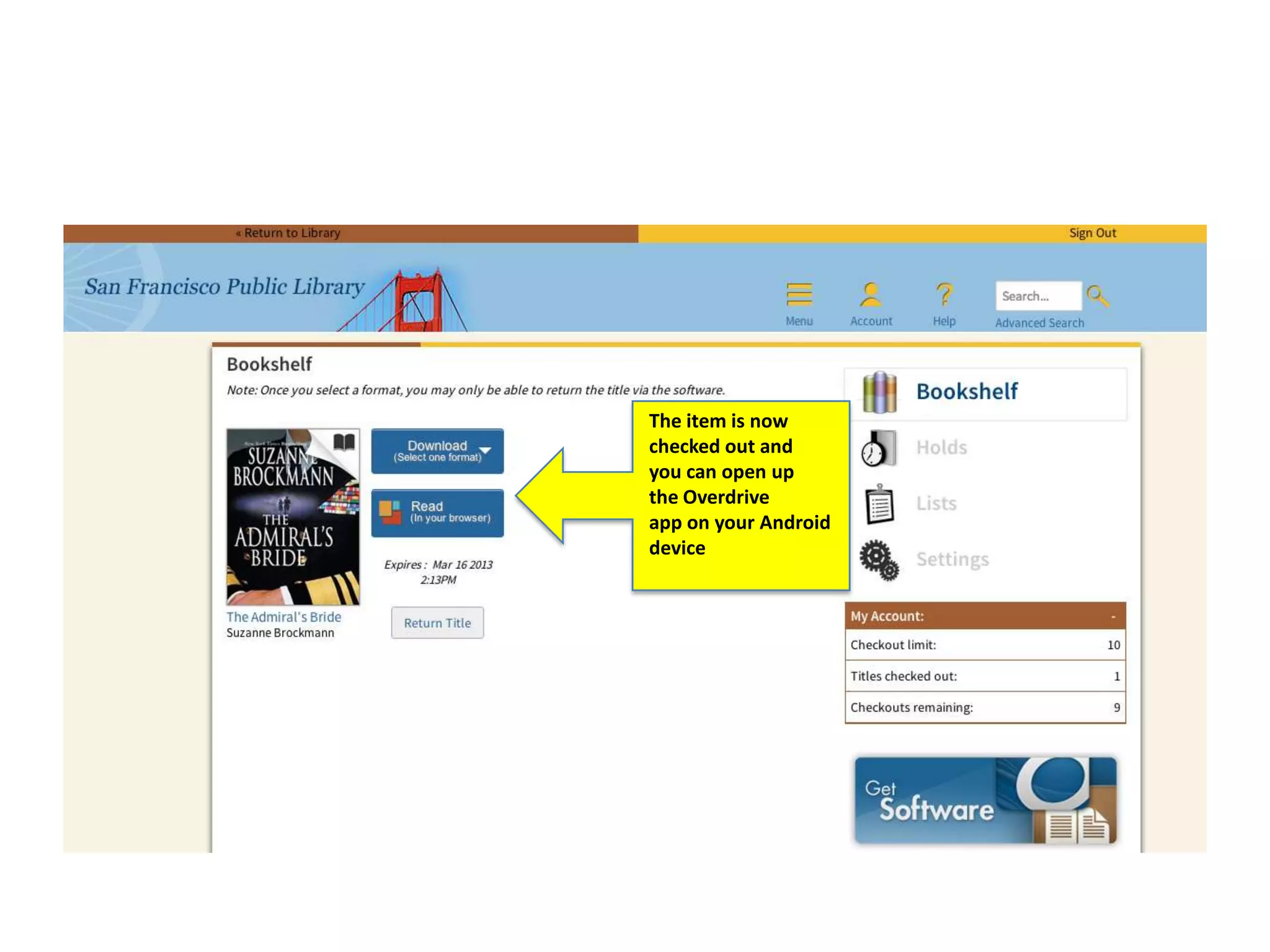
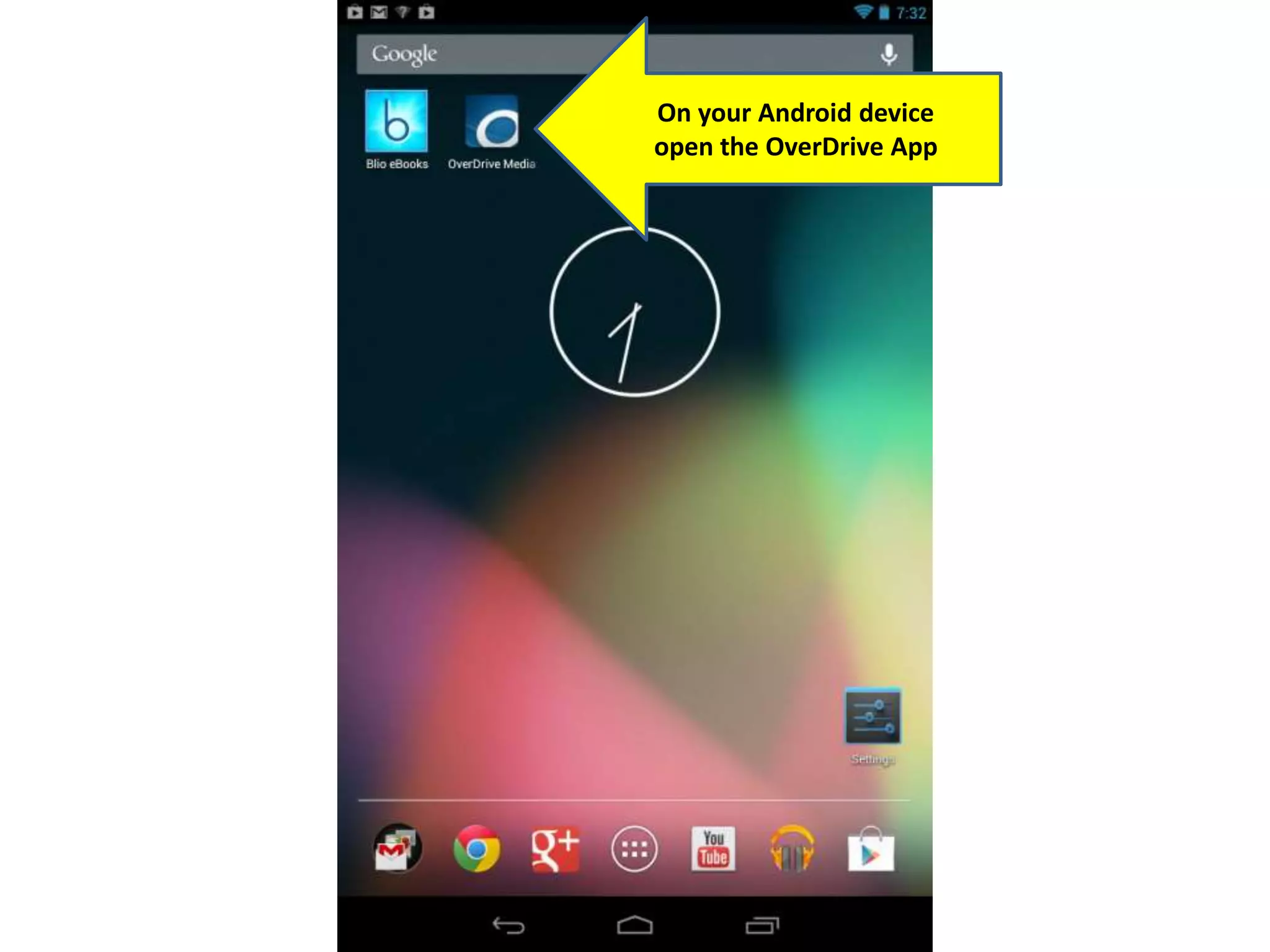
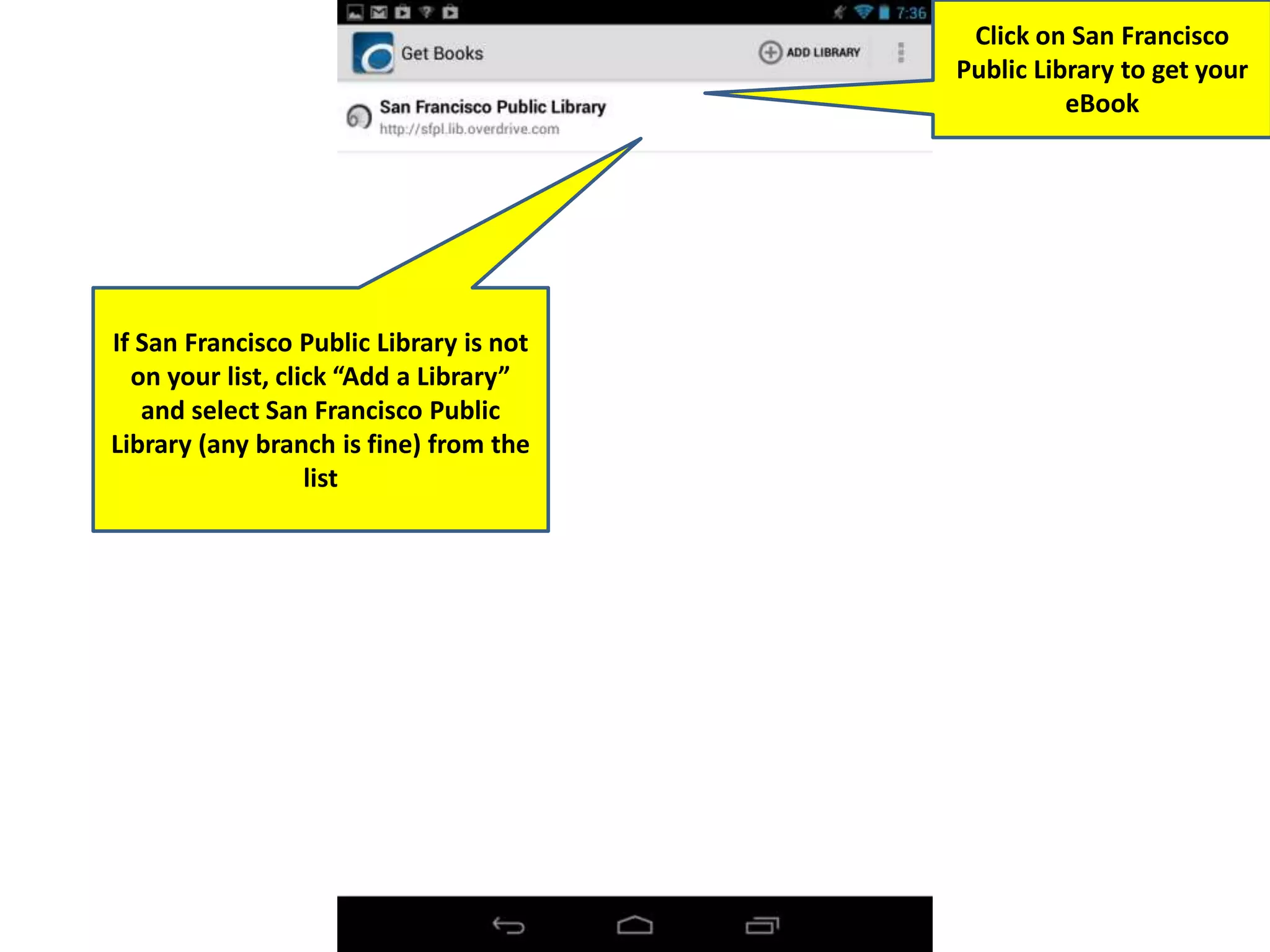
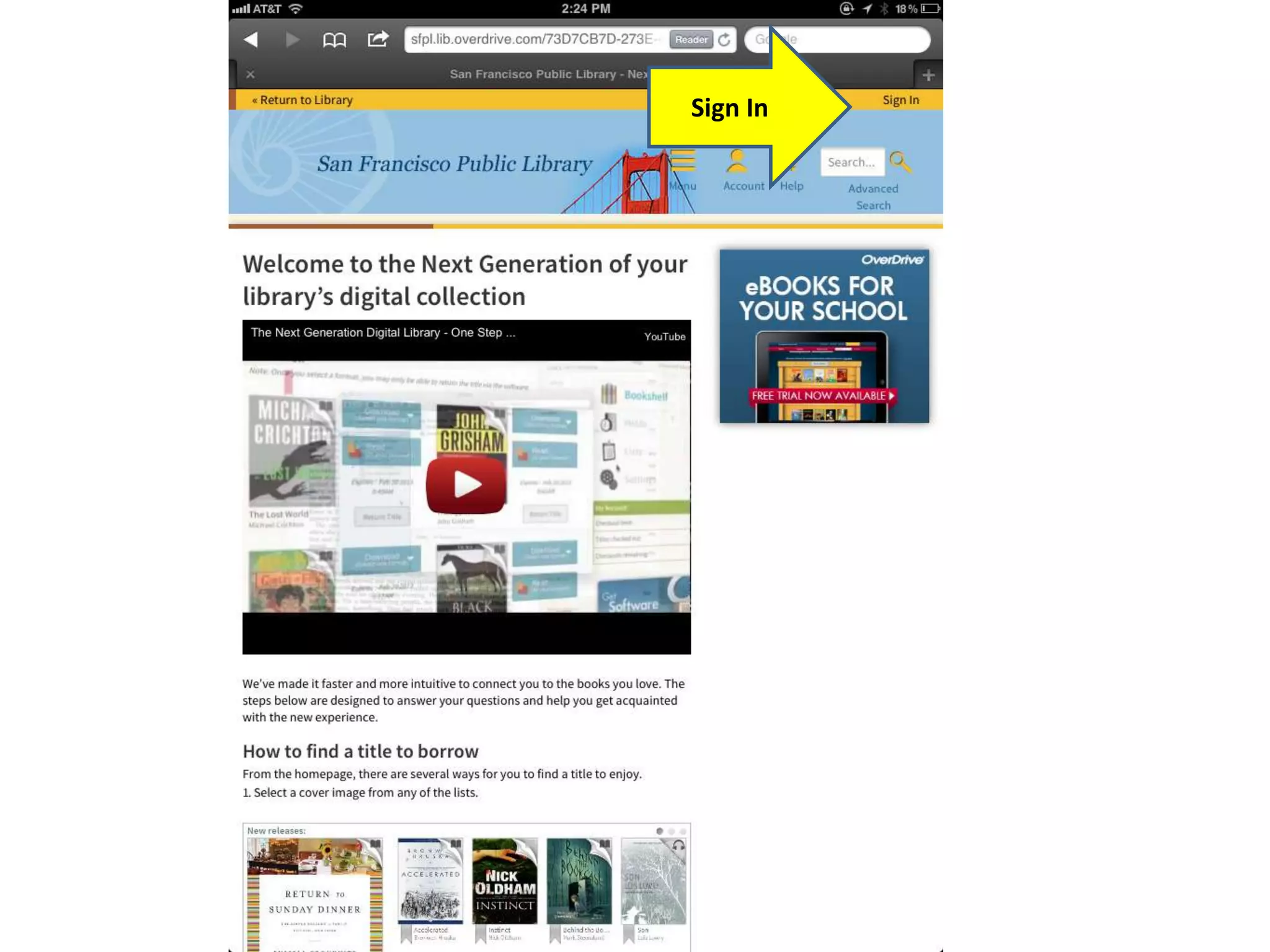
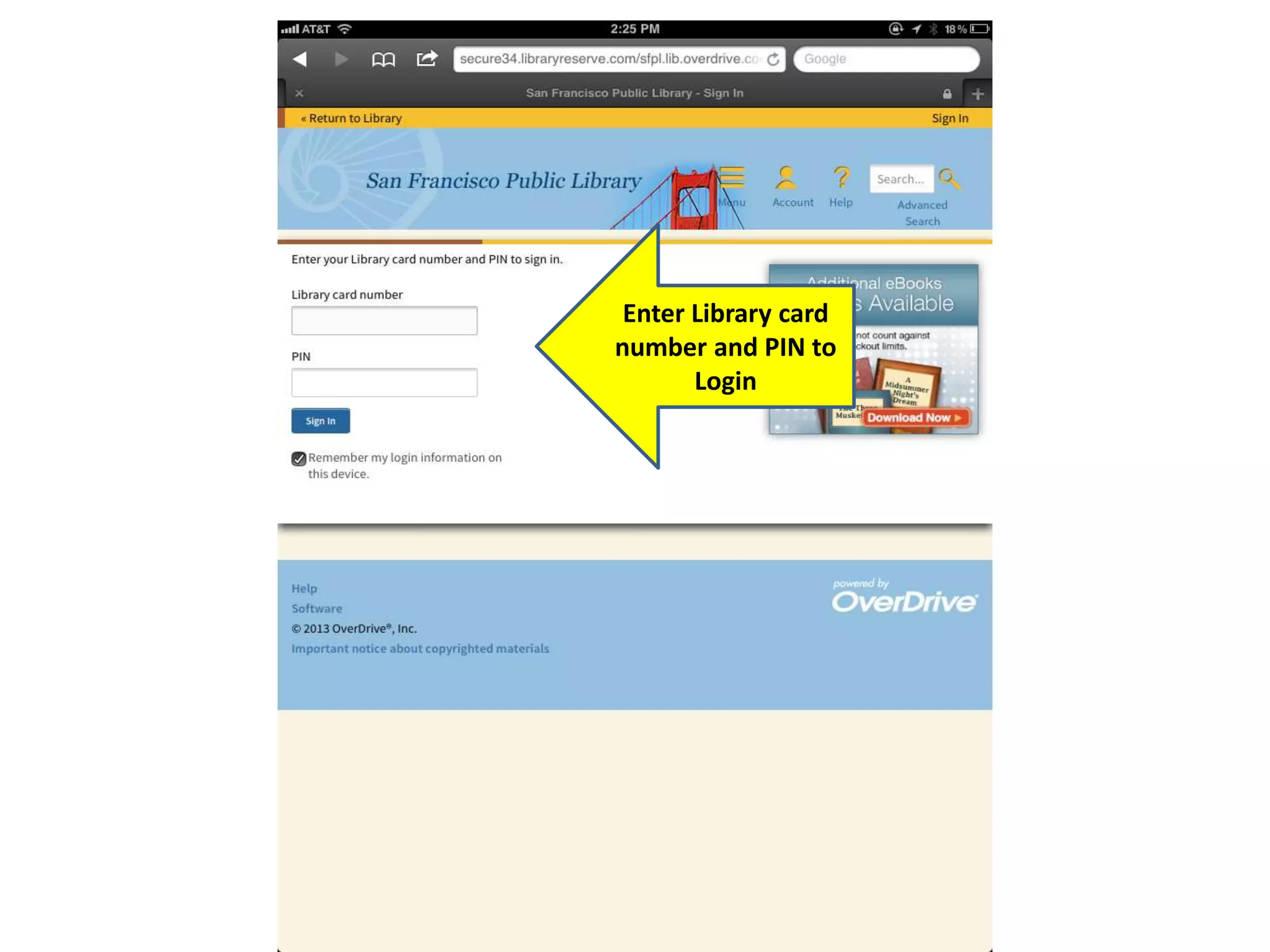
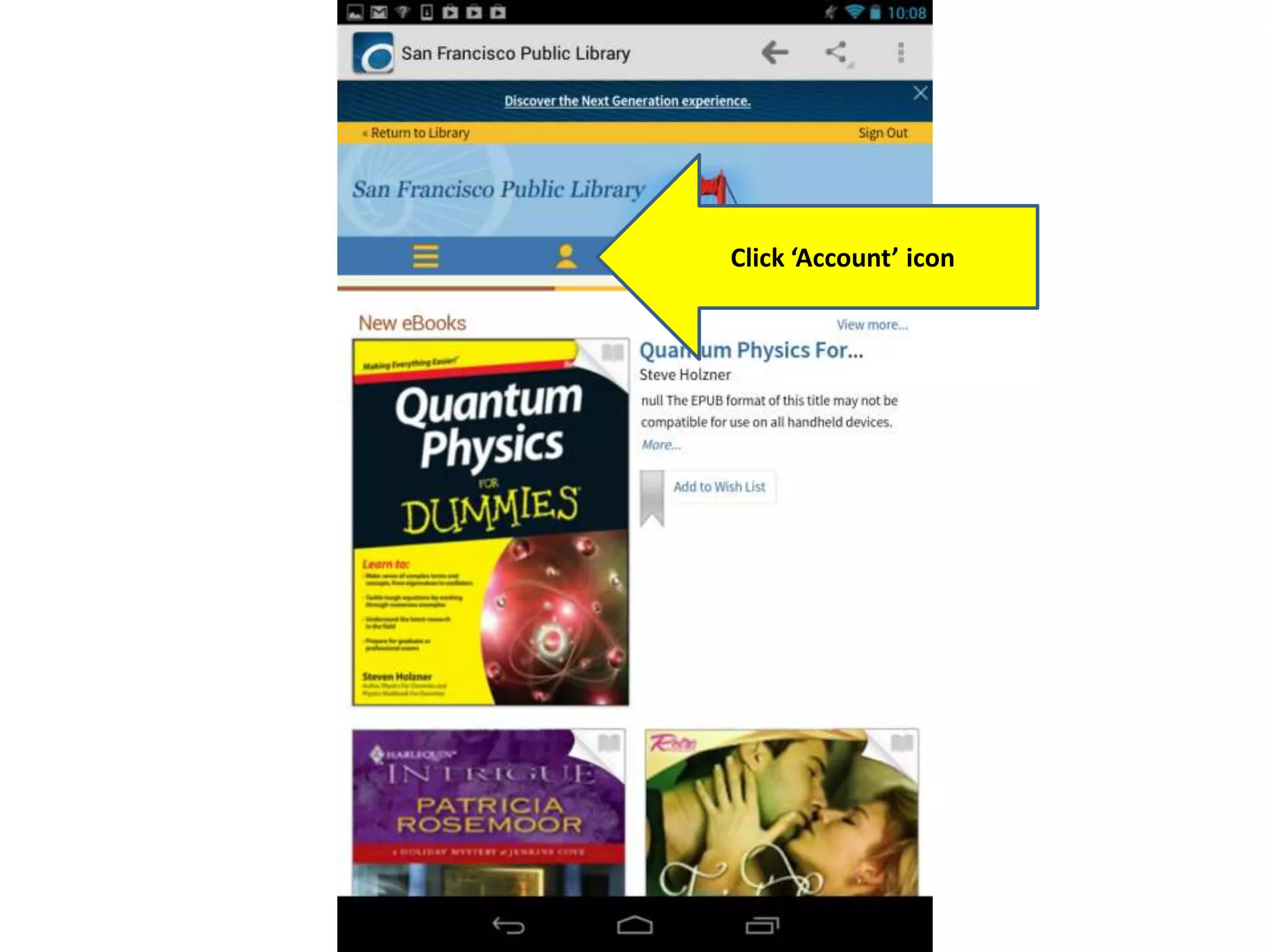
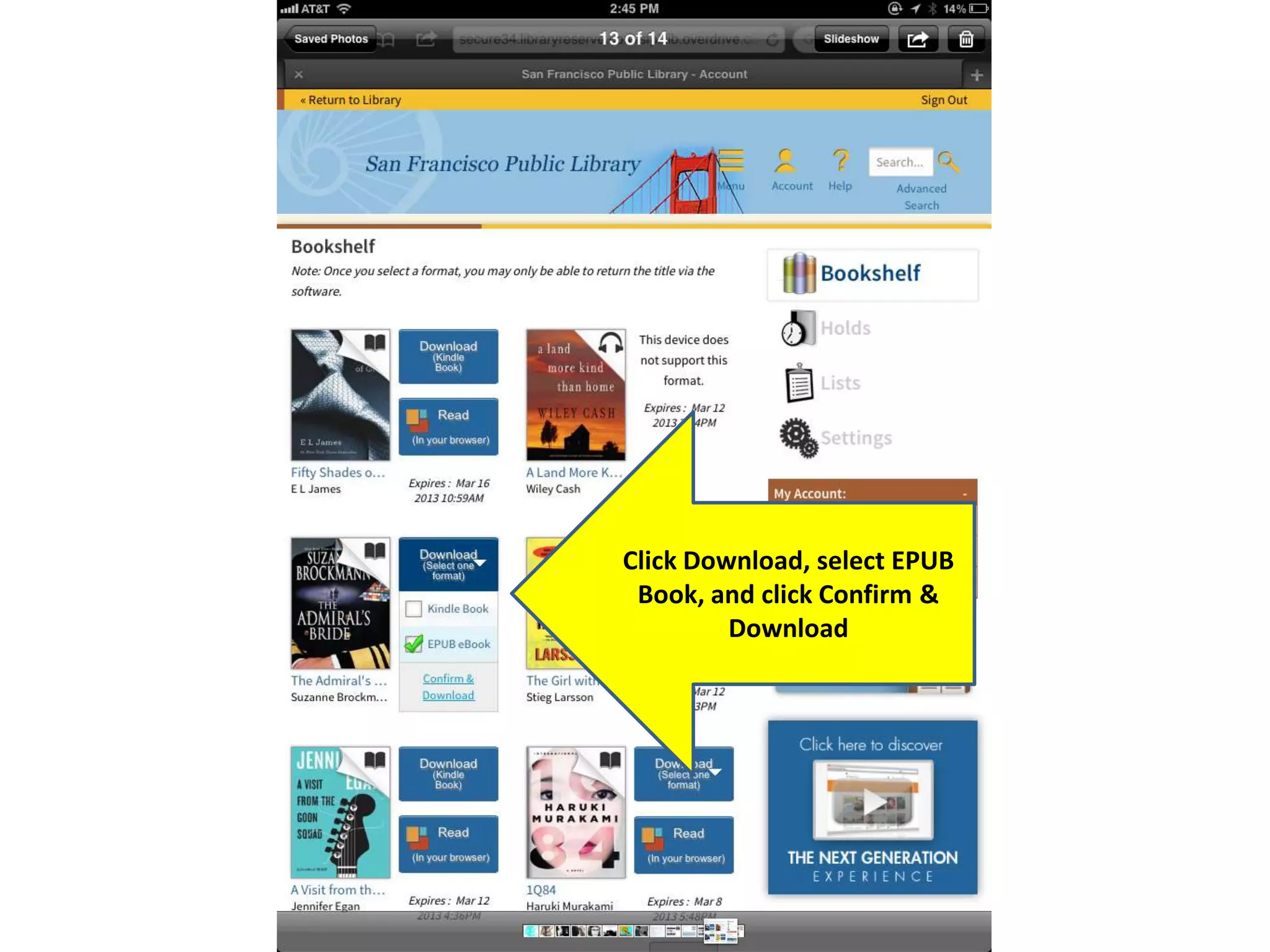
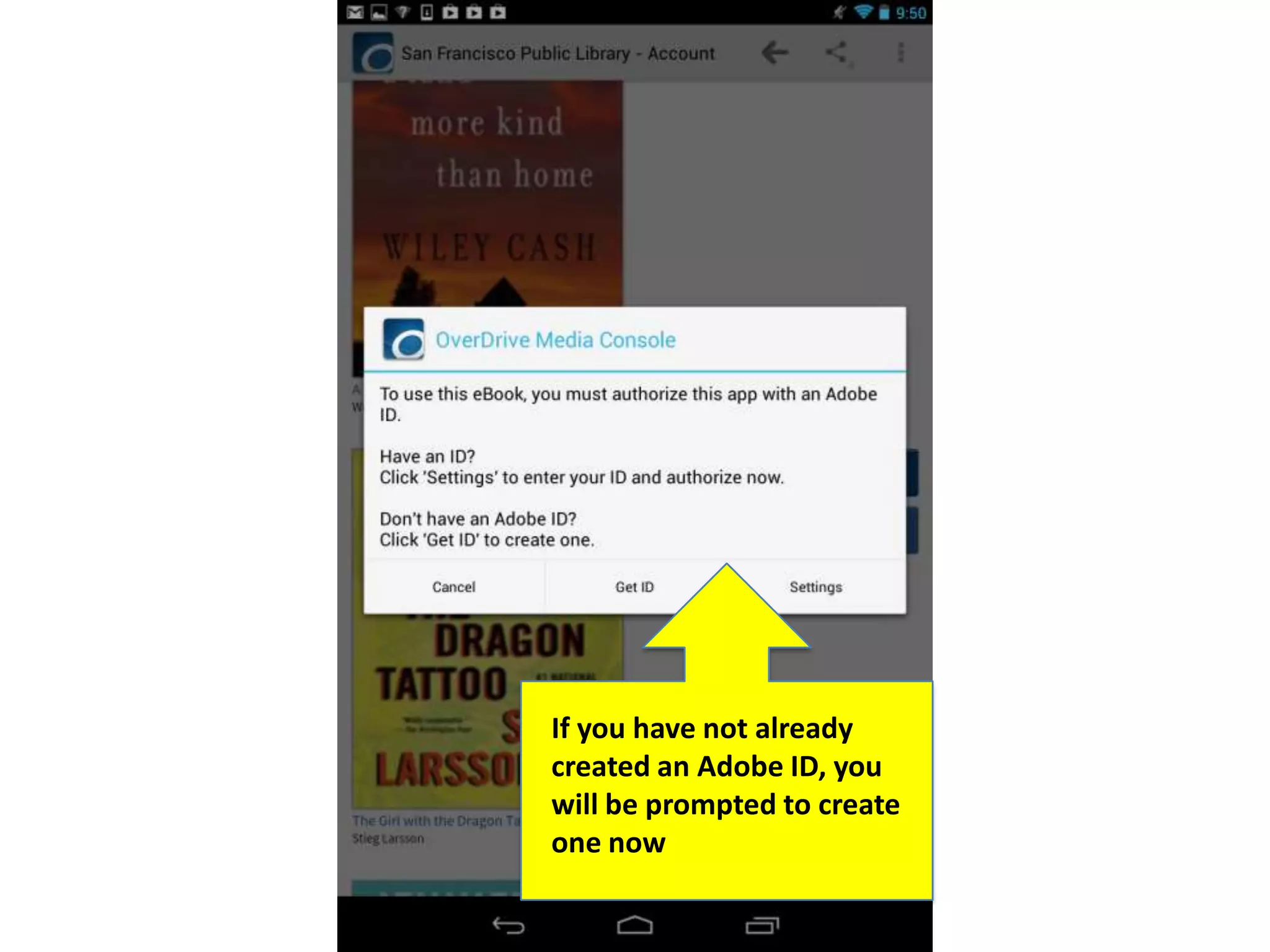
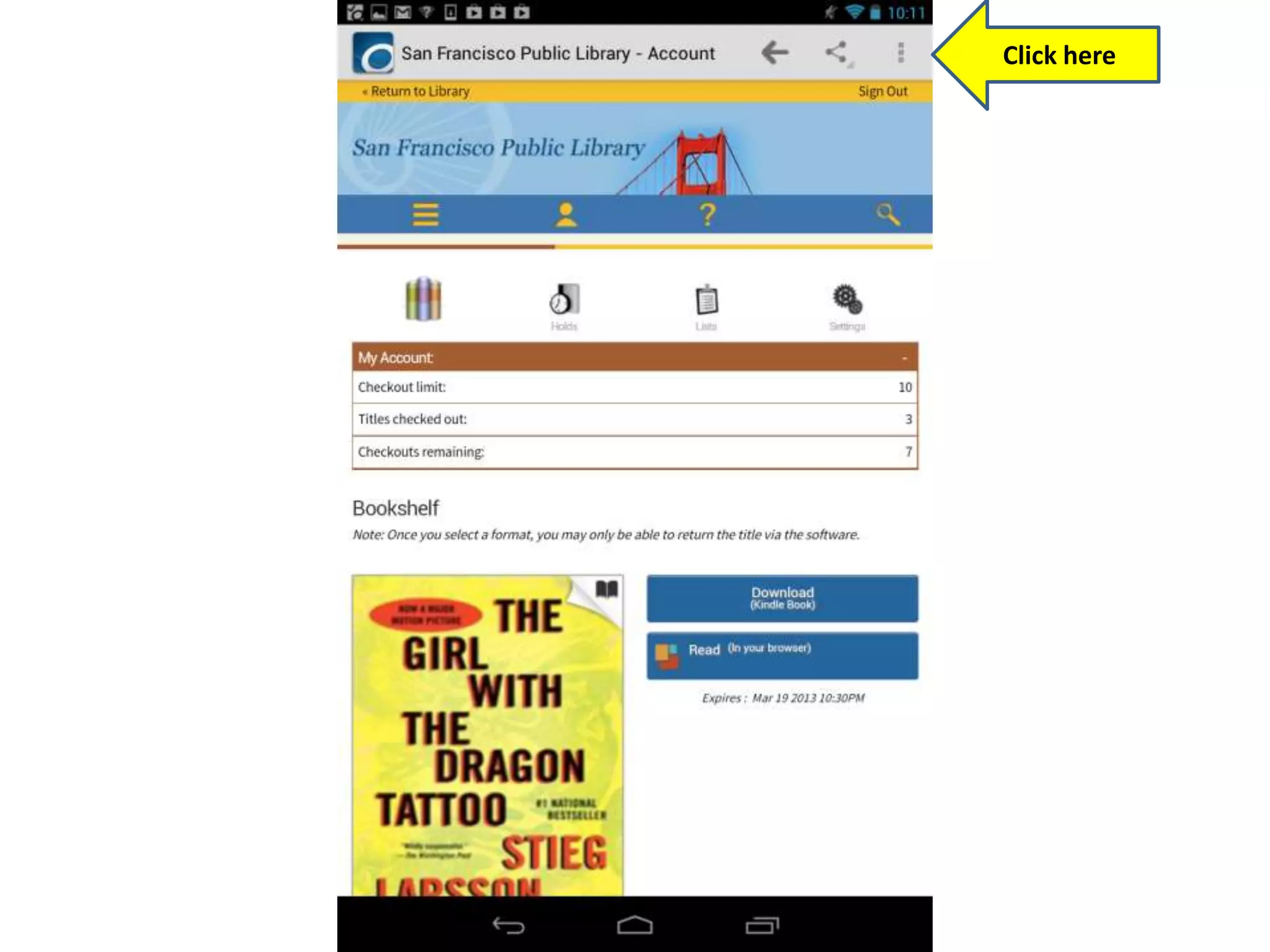
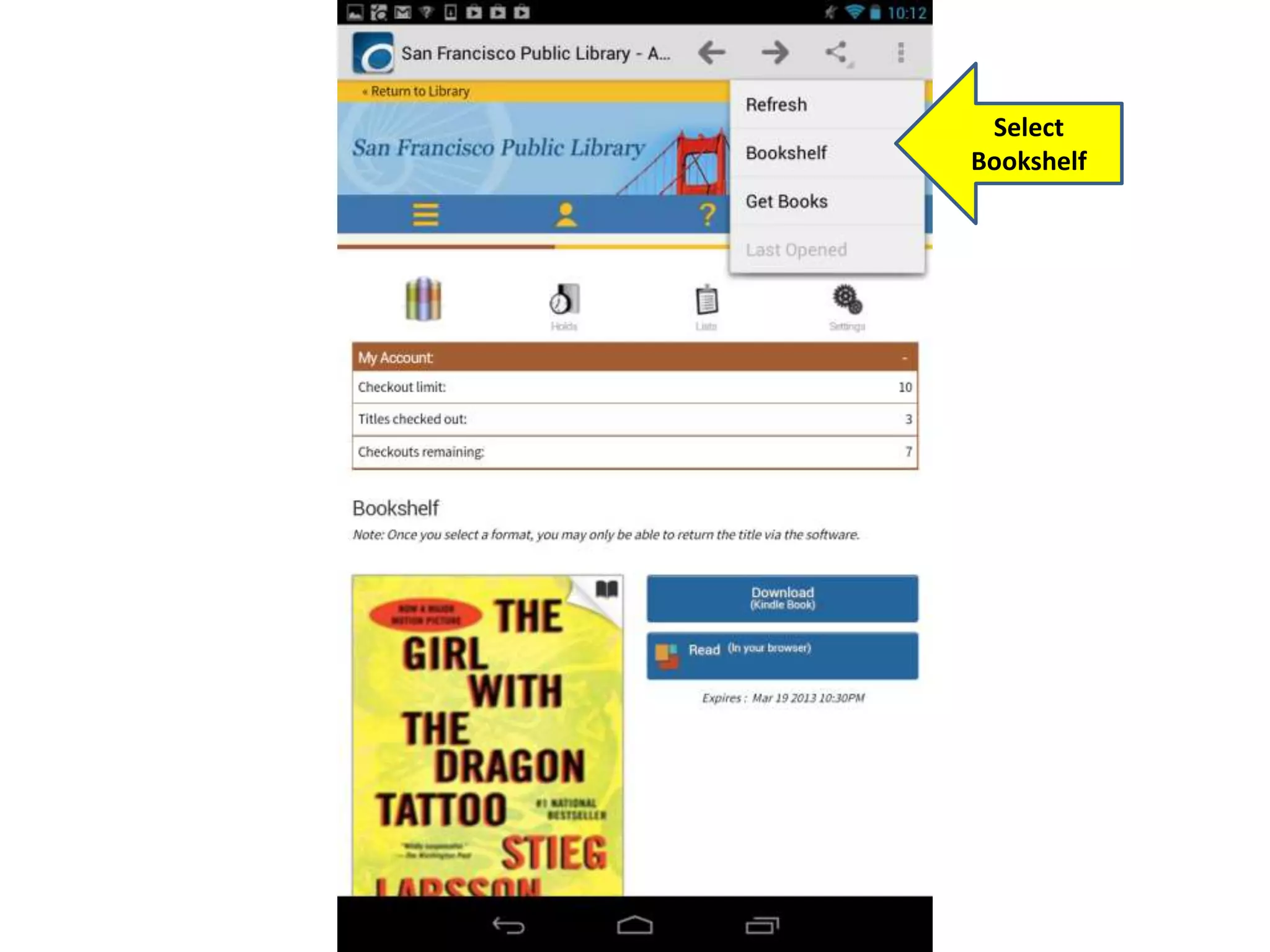
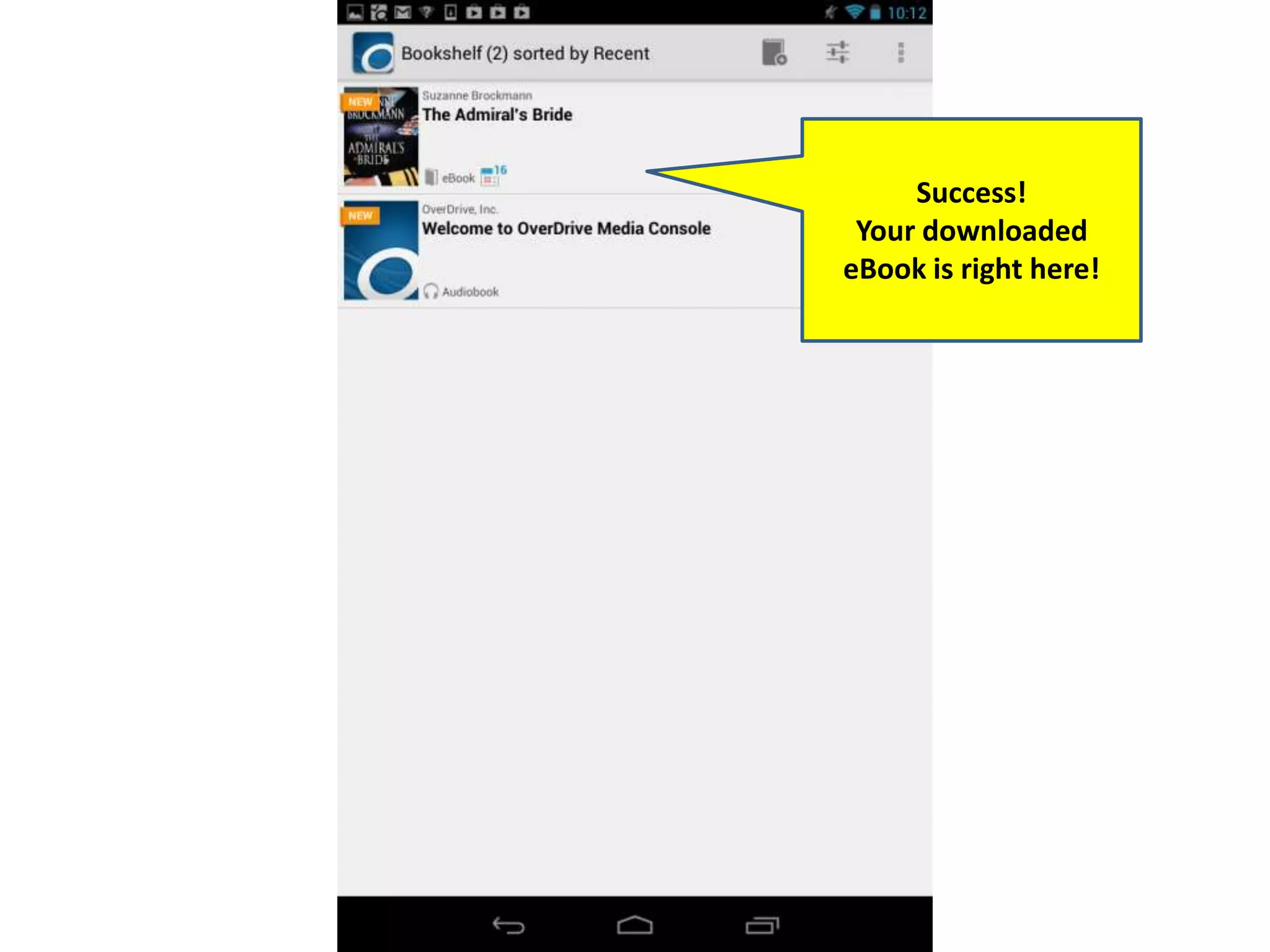
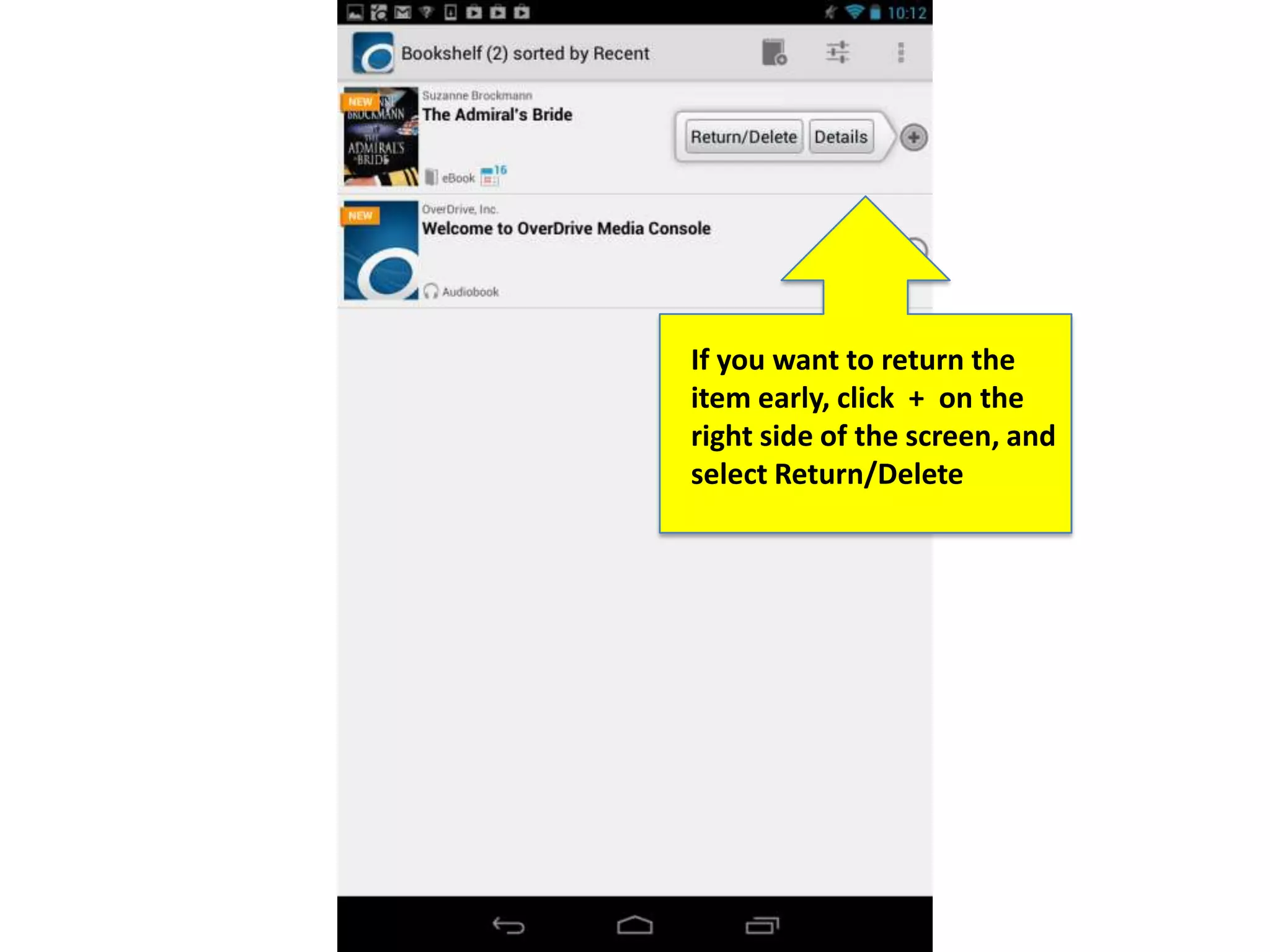

This document provides instructions for borrowing eBooks from the San Francisco Public Library using the Overdrive app on Android devices. It outlines the steps to sign into the Overdrive app, search for and borrow an available eBook in EPUB format, download it to the Overdrive app on an Android device, and optionally return the eBook early.


![E-Brary Bookshelves [ENG]](https://cdn.slidesharecdn.com/ss_thumbnails/ebrarybookshelves-090320060811-phpapp01-thumbnail.jpg?width=640&height=640&fit=bounds)


![[YMC] Nội san Sức trẻ số 35](https://cdn.slidesharecdn.com/ss_thumbnails/s-e1-bb-a9c-tre-35-130518002311-phpapp02-thumbnail.jpg?width=640&height=640&fit=bounds)


