/
Denish Patel
Sr. Database Architect
} Sr. Database Architect @ Medallia
} Previously:
◦ DB Engineer@ WithMe
◦ Lead Database Architect @ OmniTI
} Expertise in PostgreSQL , Oracle, MySQL, NoSQL
} Contact : denish.j.patel@gmail.com or
dpatel@medallia.com
} Twitter: @DenishPatel
} Blog: http://www.pateldenish.com
} Postgres Slack Channel (https://postgres-
slack.herokuapp.com/)
1
§ What is WAL?
§ Postgres Replication History
§ How you setup replication now?
§ What’s missing ?
§ Why replication slots?
§ Demo
I’m NOT going to discuss …
§ SLONY or other 3rd party replication tools
§ 3rd party replication management tools
2
} Roll-forward recovery aka REDO
} flushed to disk to guarantee commit durability
} sequential writes
} lower cost than flushing page cache
} Allows us to do cool things
– Crash recovery
– Binary backups
– Point-In Time Recovery
– Replication
3
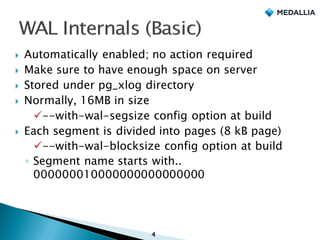
} Automatically enabled; no action required
} Make sure to have enough space on server
} Stored under pg_xlog directory
} Normally, 16MB in size
ü--with-wal-segsize config option at build
} Each segment is divided into pages (8 kB page)
ü--with-wal-blocksize config option at build
◦ Segment name starts with..
000000010000000000000000
4
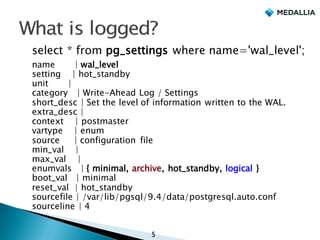
select * from pg_settings where name='wal_level';
name | wal_level
setting | hot_standby
unit |
category | Write-Ahead Log / Settings
short_desc | Set the level of information written to the WAL.
extra_desc |
context | postmaster
vartype | enum
source | configuration file
min_val |
max_val |
enumvals | { minimal, archive, hot_standby, logical }
boot_val | minimal
reset_val | hot_standby
sourcefile | /var/lib/pgsql/9.4/data/postgresql.auto.conf
sourceline | 4
5
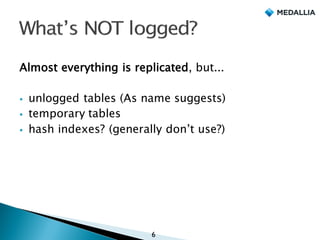
Almost everything is replicated, but...
§ unlogged tables (As name suggests)
§ temporary tables
§ hash indexes? (generally don’t use?)
6
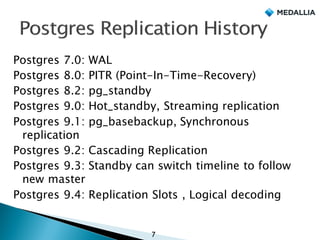
Postgres 7.0: WAL
Postgres 8.0: PITR (Point-In-Time-Recovery)
Postgres 8.2: pg_standby
Postgres 9.0: Hot_standby, Streaming replication
Postgres 9.1: pg_basebackup, Synchronous
replication
Postgres 9.2: Cascading Replication
Postgres 9.3: Standby can switch timeline to follow
new master
Postgres 9.4: Replication Slots , Logical decoding
7
initdb
8
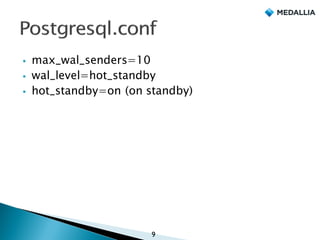
§ max_wal_senders=10
§ wal_level=hot_standby
§ hot_standby=on (on standby)
9
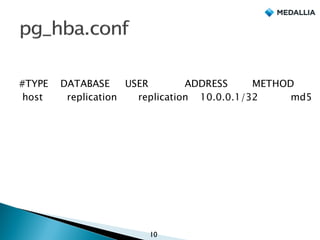
#TYPE DATABASE USER ADDRESS METHOD
host replication replication 10.0.0.1/32 md5
10
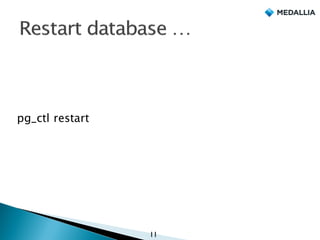
pg_ctl restart
11
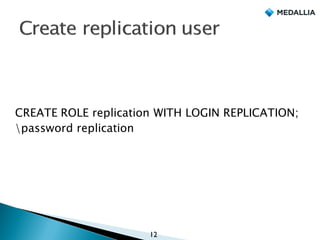
CREATE ROLE replication WITH LOGIN REPLICATION;
password replication
12
§ Take file system level backups
§ What tools you are using for backups?
13
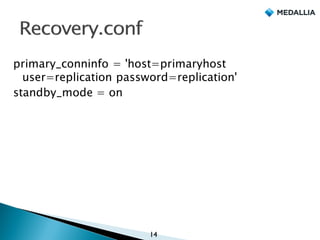
primary_conninfo = 'host=primaryhost
user=replication password=replication'
standby_mode = on
14
pg_ctl start
15
Have you configured archiving?
16
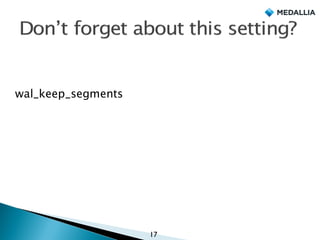
wal_keep_segments
17
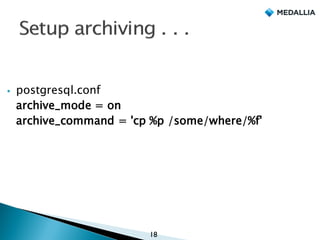
§ postgresql.conf
archive_mode = on
archive_command = 'cp %p /some/where/%f'
18
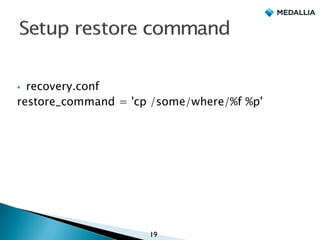
§ recovery.conf
restore_command = 'cp /some/where/%f %p'
19
§ local or remote copy
§ Scp
§ Rsync
§ NFS
§ pg_archivecleanup
20
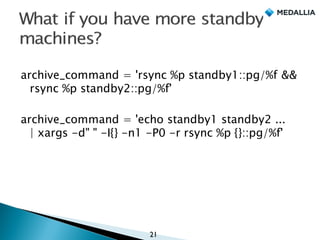
archive_command = 'rsync %p standby1::pg/%f &&
rsync %p standby2::pg/%f'
archive_command = 'echo standby1 standby2 ...
| xargs -d" " -I{} -n1 -P0 -r rsync %p {}::pg/%f'
21
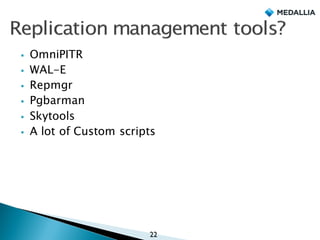
§ OmniPITR
§ WAL-E
§ Repmgr
§ Pgbarman
§ Skytools
§ A lot of Custom scripts
22
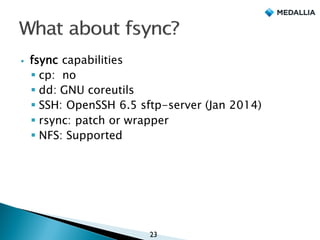
§ fsync capabilities
§ cp: no
§ dd: GNU coreutils
§ SSH: OpenSSH 6.5 sftp-server (Jan 2014)
§ rsync: patch or wrapper
§ NFS: Supported
23
24
max_replication_slots = 8
25
SELECT * FROM
pg_create_physical_replication_slot('name');
26
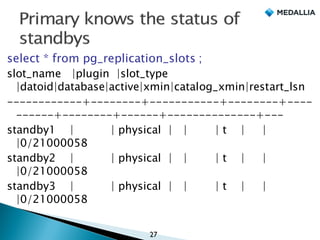
select * from pg_replication_slots ;
slot_name |plugin |slot_type
|datoid|database|active|xmin|catalog_xmin|restart_lsn
------------+--------+-----------+--------+----
------+--------+------+--------------+---
standby1 | | physical | | | t | |
|0/21000058
standby2 | | physical | | | t | |
|0/21000058
standby3 | | physical | | | t | |
|0/21000058
27
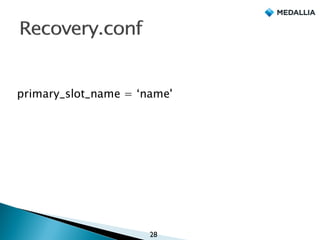
primary_slot_name = ‘name'
28
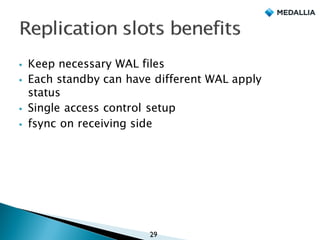
§ Keep necessary WAL files
§ Each standby can have different WAL apply
status
§ Single access control setup
§ fsync on receiving side
29
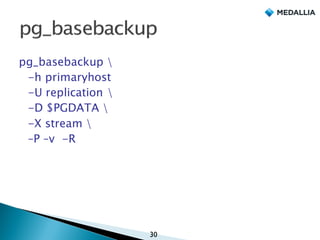
pg_basebackup 
-h primaryhost
-U replication 
-D $PGDATA 
-X stream 
–P –v -R
30
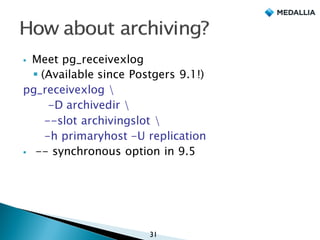
§ Meet pg_receivexlog
§ (Available since Postgers 9.1!)
pg_receivexlog 
-D archivedir 
--slot archivingslot 
-h primaryhost -U replication
§ -- synchronous option in 9.5
31
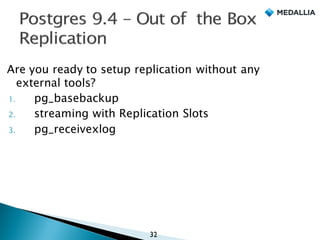
Are you ready to setup replication without any
external tools?
1. pg_basebackup
2. streaming with Replication Slots
3. pg_receivexlog
32
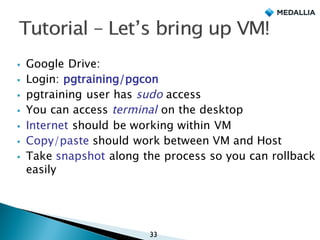
§ Google Drive:
§ Login: pgtraining/pgcon
§ pgtraining user has sudo access
§ You can access terminal on the desktop
§ Internet should be working within VM
§ Copy/paste should work between VM and Host
§ Take snapshot along the process so you can rollback
easily
33
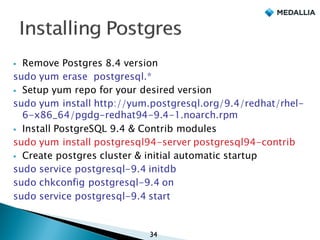
§ Remove Postgres 8.4 version
sudo yum erase postgresql.*
§ Setup yum repo for your desired version
sudo yum install http://yum.postgresql.org/9.4/redhat/rhel-
6-x86_64/pgdg-redhat94-9.4-1.noarch.rpm
§ Install PostgreSQL 9.4 & Contrib modules
sudo yum install postgresql94-server postgresql94-contrib
§ Create postgres cluster & initial automatic startup
sudo service postgresql-9.4 initdb
sudo chkconfig postgresql-9.4 on
sudo service postgresql-9.4 start
34
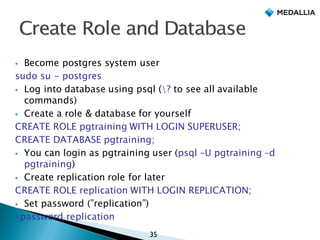
§ Become postgres system user
sudo su - postgres
§ Log into database using psql (? to see all available
commands)
§ Create a role & database for yourself
CREATE ROLE pgtraining WITH LOGIN SUPERUSER;
CREATE DATABASE pgtraining;
§ You can login as pgtraining user (psql –U pgtraining –d
pgtraining)
§ Create replication role for later
CREATE ROLE replication WITH LOGIN REPLICATION;
§ Set password (”replication”)
password replication
35
§ http://www.postgresql.org/docs/9.4/static/auth-
pg-hba-conf.html
§ Find location of hba_file
postgres=# show hba_file;
§ Add following entry for replication user
§ Try to avoid trust authentication
§ [pgtraining@localhost ~]$ sudo vi
/var/lib/pgsql/9.4/data/pg_hba.conf
host replication replication 127.0.0.1/32
md5
36
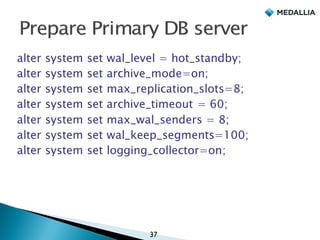
alter system set wal_level = hot_standby;
alter system set archive_mode=on;
alter system set max_replication_slots=8;
alter system set archive_timeout = 60;
alter system set max_wal_senders = 8;
alter system set wal_keep_segments=100;
alter system set logging_collector=on;
37
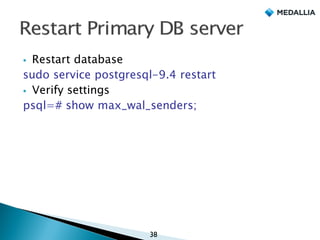
§ Restart database
sudo service postgresql-9.4 restart
§ Verify settings
psql=# show max_wal_senders;
38
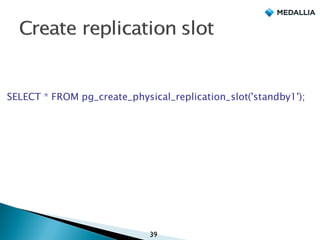
SELECT * FROM pg_create_physical_replication_slot('standby1');
39
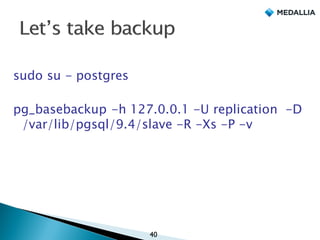
sudo su - postgres
pg_basebackup -h 127.0.0.1 -U replication -D
/var/lib/pgsql/9.4/slave -R -Xs -P -v
40
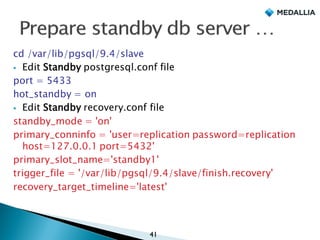
cd /var/lib/pgsql/9.4/slave
§ Edit Standby postgresql.conf file
port = 5433
hot_standby = on
§ Edit Standby recovery.conf file
standby_mode = 'on'
primary_conninfo = 'user=replication password=replication
host=127.0.0.1 port=5432'
primary_slot_name='standby1'
trigger_file = '/var/lib/pgsql/9.4/slave/finish.recovery'
recovery_target_timeline='latest'
41
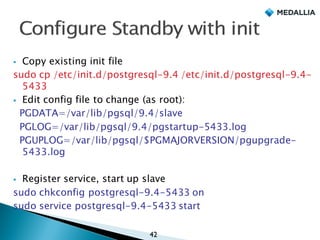
§ Copy existing init file
sudo cp /etc/init.d/postgresql-9.4 /etc/init.d/postgresql-9.4-
5433
§ Edit config file to change (as root):
PGDATA=/var/lib/pgsql/9.4/slave
PGLOG=/var/lib/pgsql/9.4/pgstartup-5433.log
PGUPLOG=/var/lib/pgsql/$PGMAJORVERSION/pgupgrade-
5433.log
§ Register service, start up slave
sudo chkconfig postgresql-9.4-5433 on
sudo service postgresql-9.4-5433 start
42
pgtraining=# select * from pg_stat_replication;
-[ RECORD 1 ]----+------------------------------
pid | 3260
usesysid | 24576
usename | replication
application_name | walreceiver
client_addr | 127.0.0.1
client_hostname |
client_port | 53206
backend_start | 2015-06-08 14:47:50.057326-04
backend_xmin |
state | streaming
sent_location | 0/240000B8
write_location | 0/240000B8
flush_location | 0/240000B8
replay_location | 0/240000B8
sync_priority | 0
sync_state | async
43
pgtraining=# select * from pg_replication_slots;
-[ RECORD 1 ]+-----------
slot_name | standby1
plugin |
slot_type | physical
datoid |
database |
active | t
xmin |
catalog_xmin |
restart_lsn | 0/270000EC
44
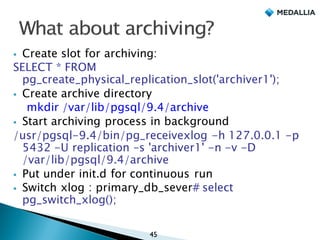
§ Create slot for archiving:
SELECT * FROM
pg_create_physical_replication_slot('archiver1');
§ Create archive directory
mkdir /var/lib/pgsql/9.4/archive
§ Start archiving process in background
/usr/pgsql-9.4/bin/pg_receivexlog -h 127.0.0.1 -p
5432 -U replication –s 'archiver1' -n -v -D
/var/lib/pgsql/9.4/archive
§ Put under init.d for continuous run
§ Switch xlog : primary_db_sever# select
pg_switch_xlog();
45
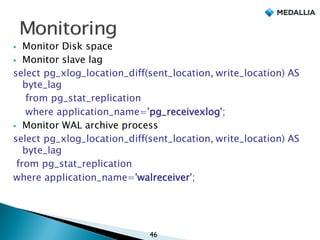
§ Monitor Disk space
§ Monitor slave lag
select pg_xlog_location_diff(sent_location, write_location) AS
byte_lag
from pg_stat_replication
where application_name='pg_receivexlog';
§ Monitor WAL archive process
select pg_xlog_location_diff(sent_location, write_location) AS
byte_lag
from pg_stat_replication
where application_name='walreceiver';
46
} Number of pg_xlogs on master
} Monitor pg_recievexlog process
} Make sure archive location has new files
} pg_basebackup log files for successful backup…
look for “pg_basebackup: base backup
completed”
47
§ Conference committee
§ Peter Eisentraut
§ You!!
48
} http://www.medallia.com/careers/
} http://www.medallia.com/open-positions/
◦ Ops Engineers
◦ Automation Engineers
◦ Manager Engineering
◦ SRE
◦ Many more …
50
Denish.j.patel@gmail.com or dpatel@medallia.com
Twitter: DenishPatel
49
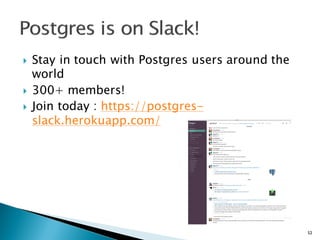
} Stay in touch with Postgres users around the
world
} 300+ members!
} Join today : https://postgres-
slack.herokuapp.com/
52

Out of the Box Replication in Postgres 9.4(PgConfUS)

  • 1.
  • 2.
    } Sr. DatabaseArchitect @ Medallia } Previously: ◦ DB Engineer@ WithMe ◦ Lead Database Architect @ OmniTI } Expertise in PostgreSQL , Oracle, MySQL, NoSQL } Contact : denish.j.patel@gmail.com or dpatel@medallia.com } Twitter: @DenishPatel } Blog: http://www.pateldenish.com } Postgres Slack Channel (https://postgres- slack.herokuapp.com/) 1
  • 3.
    § What isWAL? § Postgres Replication History § How you setup replication now? § What’s missing ? § Why replication slots? § Demo I’m NOT going to discuss … § SLONY or other 3rd party replication tools § 3rd party replication management tools 2
  • 4.
    } Roll-forward recoveryaka REDO } flushed to disk to guarantee commit durability } sequential writes } lower cost than flushing page cache } Allows us to do cool things – Crash recovery – Binary backups – Point-In Time Recovery – Replication 3
  • 5.
    } Automatically enabled;no action required } Make sure to have enough space on server } Stored under pg_xlog directory } Normally, 16MB in size ü--with-wal-segsize config option at build } Each segment is divided into pages (8 kB page) ü--with-wal-blocksize config option at build ◦ Segment name starts with.. 000000010000000000000000 4
  • 6.
    select * frompg_settings where name='wal_level'; name | wal_level setting | hot_standby unit | category | Write-Ahead Log / Settings short_desc | Set the level of information written to the WAL. extra_desc | context | postmaster vartype | enum source | configuration file min_val | max_val | enumvals | { minimal, archive, hot_standby, logical } boot_val | minimal reset_val | hot_standby sourcefile | /var/lib/pgsql/9.4/data/postgresql.auto.conf sourceline | 4 5
  • 7.
    Almost everything isreplicated, but... § unlogged tables (As name suggests) § temporary tables § hash indexes? (generally don’t use?) 6
  • 8.
    Postgres 7.0: WAL Postgres8.0: PITR (Point-In-Time-Recovery) Postgres 8.2: pg_standby Postgres 9.0: Hot_standby, Streaming replication Postgres 9.1: pg_basebackup, Synchronous replication Postgres 9.2: Cascading Replication Postgres 9.3: Standby can switch timeline to follow new master Postgres 9.4: Replication Slots , Logical decoding 7
  • 9.
  • 10.
  • 11.
    #TYPE DATABASE USERADDRESS METHOD host replication replication 10.0.0.1/32 md5 10
  • 12.
  • 13.
    CREATE ROLE replicationWITH LOGIN REPLICATION; password replication 12
  • 14.
    § Take filesystem level backups § What tools you are using for backups? 13
  • 15.
    primary_conninfo = 'host=primaryhost user=replicationpassword=replication' standby_mode = on 14
  • 16.
  • 17.
    Have you configuredarchiving? 16
  • 18.
  • 19.
    § postgresql.conf archive_mode =on archive_command = 'cp %p /some/where/%f' 18
  • 20.
    § recovery.conf restore_command ='cp /some/where/%f %p' 19
  • 21.
    § local orremote copy § Scp § Rsync § NFS § pg_archivecleanup 20
  • 22.
    archive_command = 'rsync%p standby1::pg/%f && rsync %p standby2::pg/%f' archive_command = 'echo standby1 standby2 ... | xargs -d" " -I{} -n1 -P0 -r rsync %p {}::pg/%f' 21
  • 23.
    § OmniPITR § WAL-E §Repmgr § Pgbarman § Skytools § A lot of Custom scripts 22
  • 24.
    § fsync capabilities §cp: no § dd: GNU coreutils § SSH: OpenSSH 6.5 sftp-server (Jan 2014) § rsync: patch or wrapper § NFS: Supported 23
  • 25.
  • 26.
  • 27.
  • 28.
    select * frompg_replication_slots ; slot_name |plugin |slot_type |datoid|database|active|xmin|catalog_xmin|restart_lsn ------------+--------+-----------+--------+---- ------+--------+------+--------------+--- standby1 | | physical | | | t | | |0/21000058 standby2 | | physical | | | t | | |0/21000058 standby3 | | physical | | | t | | |0/21000058 27
  • 29.
  • 30.
    § Keep necessaryWAL files § Each standby can have different WAL apply status § Single access control setup § fsync on receiving side 29
  • 31.
    pg_basebackup -h primaryhost -Ureplication -D $PGDATA -X stream –P –v -R 30
  • 32.
    § Meet pg_receivexlog §(Available since Postgers 9.1!) pg_receivexlog -D archivedir --slot archivingslot -h primaryhost -U replication § -- synchronous option in 9.5 31
  • 33.
    Are you readyto setup replication without any external tools? 1. pg_basebackup 2. streaming with Replication Slots 3. pg_receivexlog 32
  • 34.
    § Google Drive: §Login: pgtraining/pgcon § pgtraining user has sudo access § You can access terminal on the desktop § Internet should be working within VM § Copy/paste should work between VM and Host § Take snapshot along the process so you can rollback easily 33
  • 35.
    § Remove Postgres8.4 version sudo yum erase postgresql.* § Setup yum repo for your desired version sudo yum install http://yum.postgresql.org/9.4/redhat/rhel- 6-x86_64/pgdg-redhat94-9.4-1.noarch.rpm § Install PostgreSQL 9.4 & Contrib modules sudo yum install postgresql94-server postgresql94-contrib § Create postgres cluster & initial automatic startup sudo service postgresql-9.4 initdb sudo chkconfig postgresql-9.4 on sudo service postgresql-9.4 start 34
  • 36.
    § Become postgressystem user sudo su - postgres § Log into database using psql (? to see all available commands) § Create a role & database for yourself CREATE ROLE pgtraining WITH LOGIN SUPERUSER; CREATE DATABASE pgtraining; § You can login as pgtraining user (psql –U pgtraining –d pgtraining) § Create replication role for later CREATE ROLE replication WITH LOGIN REPLICATION; § Set password (”replication”) password replication 35
  • 37.
    § http://www.postgresql.org/docs/9.4/static/auth- pg-hba-conf.html § Findlocation of hba_file postgres=# show hba_file; § Add following entry for replication user § Try to avoid trust authentication § [pgtraining@localhost ~]$ sudo vi /var/lib/pgsql/9.4/data/pg_hba.conf host replication replication 127.0.0.1/32 md5 36
  • 38.
    alter system setwal_level = hot_standby; alter system set archive_mode=on; alter system set max_replication_slots=8; alter system set archive_timeout = 60; alter system set max_wal_senders = 8; alter system set wal_keep_segments=100; alter system set logging_collector=on; 37
  • 39.
    § Restart database sudoservice postgresql-9.4 restart § Verify settings psql=# show max_wal_senders; 38
  • 40.
    SELECT * FROMpg_create_physical_replication_slot('standby1'); 39
  • 41.
    sudo su -postgres pg_basebackup -h 127.0.0.1 -U replication -D /var/lib/pgsql/9.4/slave -R -Xs -P -v 40
  • 42.
    cd /var/lib/pgsql/9.4/slave § EditStandby postgresql.conf file port = 5433 hot_standby = on § Edit Standby recovery.conf file standby_mode = 'on' primary_conninfo = 'user=replication password=replication host=127.0.0.1 port=5432' primary_slot_name='standby1' trigger_file = '/var/lib/pgsql/9.4/slave/finish.recovery' recovery_target_timeline='latest' 41
  • 43.
    § Copy existinginit file sudo cp /etc/init.d/postgresql-9.4 /etc/init.d/postgresql-9.4- 5433 § Edit config file to change (as root): PGDATA=/var/lib/pgsql/9.4/slave PGLOG=/var/lib/pgsql/9.4/pgstartup-5433.log PGUPLOG=/var/lib/pgsql/$PGMAJORVERSION/pgupgrade- 5433.log § Register service, start up slave sudo chkconfig postgresql-9.4-5433 on sudo service postgresql-9.4-5433 start 42
  • 44.
    pgtraining=# select *from pg_stat_replication; -[ RECORD 1 ]----+------------------------------ pid | 3260 usesysid | 24576 usename | replication application_name | walreceiver client_addr | 127.0.0.1 client_hostname | client_port | 53206 backend_start | 2015-06-08 14:47:50.057326-04 backend_xmin | state | streaming sent_location | 0/240000B8 write_location | 0/240000B8 flush_location | 0/240000B8 replay_location | 0/240000B8 sync_priority | 0 sync_state | async 43
  • 45.
    pgtraining=# select *from pg_replication_slots; -[ RECORD 1 ]+----------- slot_name | standby1 plugin | slot_type | physical datoid | database | active | t xmin | catalog_xmin | restart_lsn | 0/270000EC 44
  • 46.
    § Create slotfor archiving: SELECT * FROM pg_create_physical_replication_slot('archiver1'); § Create archive directory mkdir /var/lib/pgsql/9.4/archive § Start archiving process in background /usr/pgsql-9.4/bin/pg_receivexlog -h 127.0.0.1 -p 5432 -U replication –s 'archiver1' -n -v -D /var/lib/pgsql/9.4/archive § Put under init.d for continuous run § Switch xlog : primary_db_sever# select pg_switch_xlog(); 45
  • 47.
    § Monitor Diskspace § Monitor slave lag select pg_xlog_location_diff(sent_location, write_location) AS byte_lag from pg_stat_replication where application_name='pg_receivexlog'; § Monitor WAL archive process select pg_xlog_location_diff(sent_location, write_location) AS byte_lag from pg_stat_replication where application_name='walreceiver'; 46
  • 48.
    } Number ofpg_xlogs on master } Monitor pg_recievexlog process } Make sure archive location has new files } pg_basebackup log files for successful backup… look for “pg_basebackup: base backup completed” 47
  • 49.
    § Conference committee §Peter Eisentraut § You!! 48
  • 50.
    } http://www.medallia.com/careers/ } http://www.medallia.com/open-positions/ ◦Ops Engineers ◦ Automation Engineers ◦ Manager Engineering ◦ SRE ◦ Many more … 50
  • 51.
  • 52.
    } Stay intouch with Postgres users around the world } 300+ members! } Join today : https://postgres- slack.herokuapp.com/ 52