Howard Crow Program Manager SharePoint Portal Server OFC331 Organizing Sites And Topics With SharePoint Portal Server  20mg
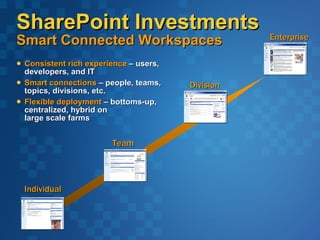
SharePoint Investments Smart Connected Workspaces Consistent rich experience  – users, developers, and IT Smart connections  – people, teams, topics, divisions, etc. Flexible deployment  – bottoms-up, centralized, hybrid on  large scale farms Individual Enterprise Division Team
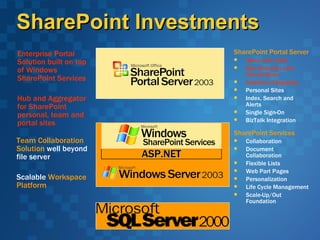
SharePoint Investments Team Collaboration Solution  well beyond file server Scalable  Workspace Platform SharePoint Services Collaboration Document Collaboration Flexible Lists Web Part Pages Personalization Life Cycle Management Scale-Up/Out Foundation Enterprise Portal Solution built on top of Windows SharePoint Services Hub and Aggregator for SharePoint personal, team and portal sites SharePoint Portal Server News and Links Site Directory and Connections Audience Targeting  Personal Sites Index, Search and Alerts Single Sign-On BizTalk Integration ASP.NET
Organizing Information Evolution SharePoint Portal Server 2001 Dashboard & Web Part Based Sites Category Hierarchy Publishing Model News & Links “Applications” Customer Feedback Publishing & Organization Applications  Scaleable .NET Based Site Framework Deep Customization & Personalization
Rich Publishing And Organization Applications Topics, News, And Sites
Topics Managed Space for subject matter expert Community based submission model Discussions, Documents, tasks and other lists Inline Editing Grouped and Ordered links Add people as expert contacts Security managed at Topic level Save from Microsoft Office 2003 or post from SharePoint Site
News Publishing Embargo & Expiration Rich Text editing  One-step Approval Cycle Audience targeting Inline Editing Extended with Lists and Microsoft Office InfoPath 2003 Forms Libraries
Site Registry Web Site White Pages  Pivotable list of sites Extensible Meta Data & Topics Search scoped to registered site content Self Service SharePoint Site Creation Users create their own sites Full site content searching (approved) Parent Portal Connections Existing Site Registration Full site content searching (approved) File shares, HTTPS, Extranet/Intranet sites
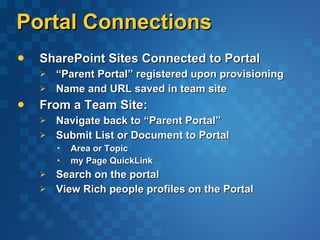
Portal Connections SharePoint Sites Connected to Portal “ Parent Portal” registered upon provisioning Name and URL saved in team site From a Team Site: Navigate back to “Parent Portal” Submit List or Document to Portal Area or Topic my Page QuickLink Search on the portal View Rich people profiles on the Portal
Topic, News, And Sites demo
Scaleable Portal Site Architecture .NET Portal
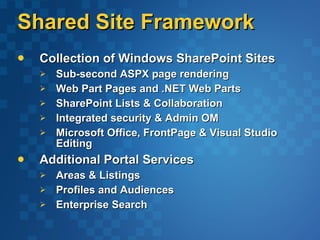
Shared Site Framework Collection of Windows SharePoint Sites Sub-second ASPX page rendering Web Part Pages and .NET Web Parts SharePoint Lists & Collaboration Integrated security & Admin OM Microsoft Office, FrontPage & Visual Studio Editing Additional Portal Services Areas & Listings Profiles and Audiences Enterprise Search
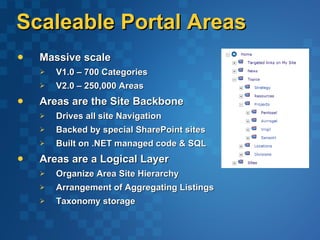
Scaleable Portal Areas Massive scale V1.0 – 700 Categories V2.0 – 250,000 Areas Areas are the Site Backbone Drives all site Navigation  Backed by special SharePoint sites Built on .NET managed code & SQL Areas are a Logical Layer Organize Area Site Hierarchy Arrangement of Aggregating Listings Taxonomy storage
Portal Listings Aggregate and Organize Content Audience Targeting Approval Model Can Contain Content Deep crawled by search Managed for individual area or entire site Programmable SOAP Managed Code
Search Integration Unified Browsing and Searching Navigation scoped searching “ Search in this Topic” All area web contents are crawled Topics as Search Results Can be excluded Security is honored Items as Search Results Tagged with Topic Full-text crawl Joined with Item title and description Topic Assistant suggestions
Scaleable .NET Portal Architecture demo
Customizing And Personalizing The Portal Top 6 Tasks
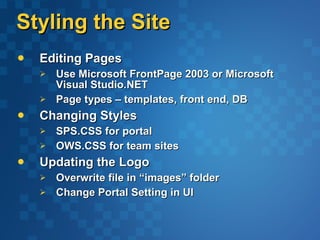
Styling the Site Editing Pages Use Microsoft FrontPage 2003 or Microsoft Visual Studio.NET Page types – templates, front end, DB  Changing Styles SPS.CSS for portal OWS.CSS for team sites Updating the Logo Overwrite file in “images” folder Change Portal Setting in UI
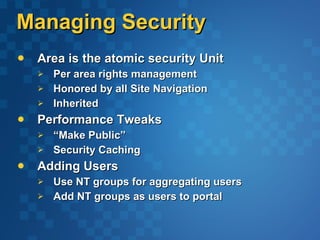
Managing Security Area is the atomic security Unit Per area rights management Honored by all Site Navigation Inherited Performance Tweaks “ Make Public” Security Caching Adding Users Use NT groups for aggregating users Add NT groups as users to portal
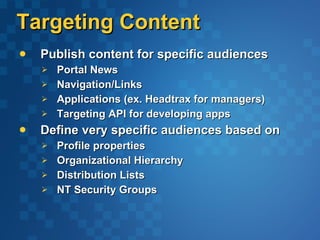
Targeting Content Publish content for specific audiences  Portal News Navigation/Links Applications (ex. Headtrax for managers) Targeting API for developing apps  Define very specific audiences based on Profile properties Organizational Hierarchy Distribution Lists NT Security Groups
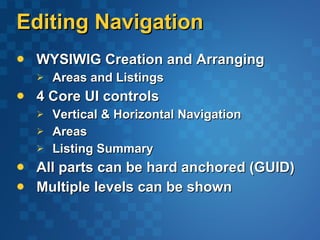
Editing Navigation WYSIWIG Creation and Arranging Areas and Listings 4 Core UI controls Vertical & Horizontal Navigation Areas Listing Summary All parts can be hard anchored (GUID) Multiple levels can be shown
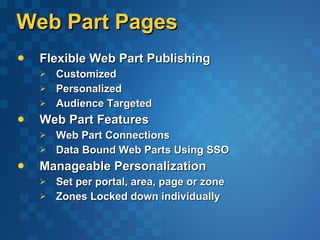
Web Part Pages Flexible Web Part Publishing Customized Personalized Audience Targeted Web Part Features Web Part Connections Data Bound Web Parts Using SSO Manageable Personalization  Set per portal, area, page or zone Zones Locked down individually
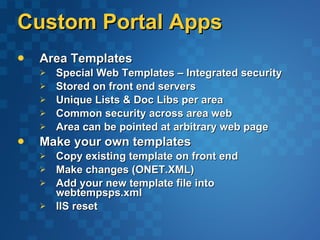
Custom Portal Apps Area Templates Special Web Templates – Integrated security Stored on front end servers  Unique Lists & Doc Libs per area  Common security across area web  Area can be pointed at arbitrary web page Make your own templates  Copy existing template on front end  Make changes (ONET.XML)  Add your new template file into webtempsps.xml IIS reset
Customizing And Personalizing The Portal demo
SharePoint Products and Technologies At TechEd Ask the Experts  Partner Booths and Theater SharePoint Development and Deployment sessions – check the CommNet 6 Hands on Labs Introduction to SharePoint Portal Server 2003  Managing SharePoint Portal Server 2003 Content and Navigation  SharePoint Portal Server 2003 People and Personalization  Using Windows SharePoint Services with Office 2003    Using FrontPage 2003 to Customize SharePoint  Creating Web Parts for SharePoint
SharePoint Resources Evaluate Windows SharePoint Services and SharePoint Portal Server 2003 Betas  http://www.microsoft.com/sharepoint Download technical documentation and Software Development Kits from our Developer Center  http://msdn.microsoft.com Find and contribute Web Parts and templates to the Web Component Directory   http://www.microsoft.com/sharepoint/webparts   Visit our community websites  http://www.microsoft.com/sharepoint/community/
Questions?
© 2002 Microsoft Corporation. All rights reserved. This presentation is for informational purposes only. Microsoft makes no warranties, express or implied, in this summary.

Organizing sites and topics with share point portal server

  • 1.
    Howard Crow ProgramManager SharePoint Portal Server OFC331 Organizing Sites And Topics With SharePoint Portal Server 20mg
  • 2.
    SharePoint Investments SmartConnected Workspaces Consistent rich experience – users, developers, and IT Smart connections – people, teams, topics, divisions, etc. Flexible deployment – bottoms-up, centralized, hybrid on large scale farms Individual Enterprise Division Team
  • 3.
    SharePoint Investments TeamCollaboration Solution well beyond file server Scalable Workspace Platform SharePoint Services Collaboration Document Collaboration Flexible Lists Web Part Pages Personalization Life Cycle Management Scale-Up/Out Foundation Enterprise Portal Solution built on top of Windows SharePoint Services Hub and Aggregator for SharePoint personal, team and portal sites SharePoint Portal Server News and Links Site Directory and Connections Audience Targeting Personal Sites Index, Search and Alerts Single Sign-On BizTalk Integration ASP.NET
  • 4.
    Organizing Information EvolutionSharePoint Portal Server 2001 Dashboard & Web Part Based Sites Category Hierarchy Publishing Model News & Links “Applications” Customer Feedback Publishing & Organization Applications Scaleable .NET Based Site Framework Deep Customization & Personalization
  • 5.
    Rich Publishing AndOrganization Applications Topics, News, And Sites
  • 6.
    Topics Managed Spacefor subject matter expert Community based submission model Discussions, Documents, tasks and other lists Inline Editing Grouped and Ordered links Add people as expert contacts Security managed at Topic level Save from Microsoft Office 2003 or post from SharePoint Site
  • 7.
    News Publishing Embargo& Expiration Rich Text editing One-step Approval Cycle Audience targeting Inline Editing Extended with Lists and Microsoft Office InfoPath 2003 Forms Libraries
  • 8.
    Site Registry WebSite White Pages Pivotable list of sites Extensible Meta Data & Topics Search scoped to registered site content Self Service SharePoint Site Creation Users create their own sites Full site content searching (approved) Parent Portal Connections Existing Site Registration Full site content searching (approved) File shares, HTTPS, Extranet/Intranet sites
  • 9.
    Portal Connections SharePointSites Connected to Portal “ Parent Portal” registered upon provisioning Name and URL saved in team site From a Team Site: Navigate back to “Parent Portal” Submit List or Document to Portal Area or Topic my Page QuickLink Search on the portal View Rich people profiles on the Portal
  • 10.
    Topic, News, AndSites demo
  • 11.
    Scaleable Portal SiteArchitecture .NET Portal
  • 12.
    Shared Site FrameworkCollection of Windows SharePoint Sites Sub-second ASPX page rendering Web Part Pages and .NET Web Parts SharePoint Lists & Collaboration Integrated security & Admin OM Microsoft Office, FrontPage & Visual Studio Editing Additional Portal Services Areas & Listings Profiles and Audiences Enterprise Search
  • 13.
    Scaleable Portal AreasMassive scale V1.0 – 700 Categories V2.0 – 250,000 Areas Areas are the Site Backbone Drives all site Navigation Backed by special SharePoint sites Built on .NET managed code & SQL Areas are a Logical Layer Organize Area Site Hierarchy Arrangement of Aggregating Listings Taxonomy storage
  • 14.
    Portal Listings Aggregateand Organize Content Audience Targeting Approval Model Can Contain Content Deep crawled by search Managed for individual area or entire site Programmable SOAP Managed Code
  • 15.
    Search Integration UnifiedBrowsing and Searching Navigation scoped searching “ Search in this Topic” All area web contents are crawled Topics as Search Results Can be excluded Security is honored Items as Search Results Tagged with Topic Full-text crawl Joined with Item title and description Topic Assistant suggestions
  • 16.
    Scaleable .NET PortalArchitecture demo
  • 17.
    Customizing And PersonalizingThe Portal Top 6 Tasks
  • 18.
    Styling the SiteEditing Pages Use Microsoft FrontPage 2003 or Microsoft Visual Studio.NET Page types – templates, front end, DB Changing Styles SPS.CSS for portal OWS.CSS for team sites Updating the Logo Overwrite file in “images” folder Change Portal Setting in UI
  • 19.
    Managing Security Areais the atomic security Unit Per area rights management Honored by all Site Navigation Inherited Performance Tweaks “ Make Public” Security Caching Adding Users Use NT groups for aggregating users Add NT groups as users to portal
  • 20.
    Targeting Content Publishcontent for specific audiences Portal News Navigation/Links Applications (ex. Headtrax for managers) Targeting API for developing apps Define very specific audiences based on Profile properties Organizational Hierarchy Distribution Lists NT Security Groups
  • 21.
    Editing Navigation WYSIWIGCreation and Arranging Areas and Listings 4 Core UI controls Vertical & Horizontal Navigation Areas Listing Summary All parts can be hard anchored (GUID) Multiple levels can be shown
  • 22.
    Web Part PagesFlexible Web Part Publishing Customized Personalized Audience Targeted Web Part Features Web Part Connections Data Bound Web Parts Using SSO Manageable Personalization Set per portal, area, page or zone Zones Locked down individually
  • 23.
    Custom Portal AppsArea Templates Special Web Templates – Integrated security Stored on front end servers Unique Lists & Doc Libs per area Common security across area web Area can be pointed at arbitrary web page Make your own templates Copy existing template on front end Make changes (ONET.XML) Add your new template file into webtempsps.xml IIS reset
  • 24.
  • 25.
    SharePoint Products andTechnologies At TechEd Ask the Experts Partner Booths and Theater SharePoint Development and Deployment sessions – check the CommNet 6 Hands on Labs Introduction to SharePoint Portal Server 2003 Managing SharePoint Portal Server 2003 Content and Navigation SharePoint Portal Server 2003 People and Personalization Using Windows SharePoint Services with Office 2003   Using FrontPage 2003 to Customize SharePoint Creating Web Parts for SharePoint
  • 26.
    SharePoint Resources EvaluateWindows SharePoint Services and SharePoint Portal Server 2003 Betas http://www.microsoft.com/sharepoint Download technical documentation and Software Development Kits from our Developer Center http://msdn.microsoft.com Find and contribute Web Parts and templates to the Web Component Directory   http://www.microsoft.com/sharepoint/webparts Visit our community websites http://www.microsoft.com/sharepoint/community/
  • 27.
  • 28.
    © 2002 MicrosoftCorporation. All rights reserved. This presentation is for informational purposes only. Microsoft makes no warranties, express or implied, in this summary.