Oracle ProjectCinema Ticket System
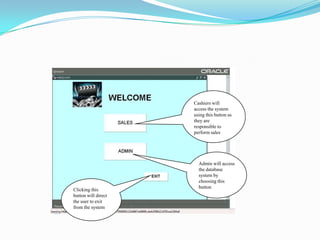
Cashiers will access the system using this button as they are responsible to perform salesAdmin will access the database system by choosing this buttonClicking this button will direct the user to exit from the system
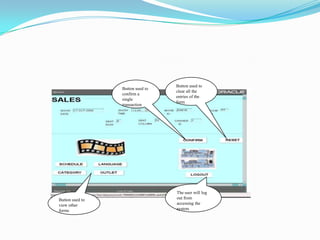
Button used to clear all the entries of the formButton used to confirm a single transactionThe user will log out from accessing the systemButton used to view other forms
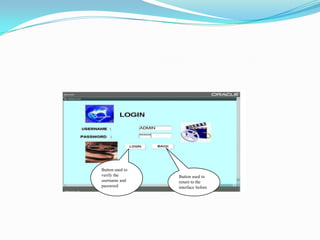
Button used to verify the username and passwordButton used to return to the interface before
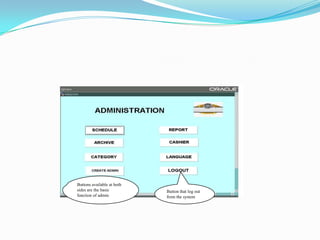
Buttons available at both sides are the basic function of adminButton that log out from the system
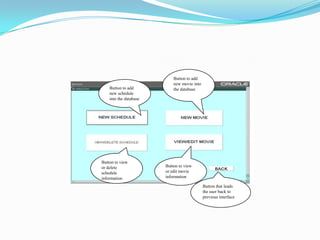
Button to add new movie into the databaseButton to add new schedule into the databaseButton to view or delete schedule informationButton to view or edit movie informationButton that leads the user back to previous interface
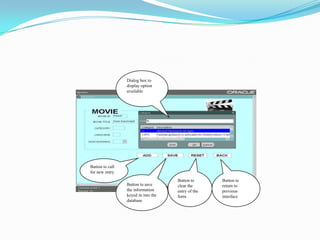
Dialog box to display option availableButton to call for new entryButton to clear the entry of the formButton to return to previous interfaceButton to save the information keyed in into the database
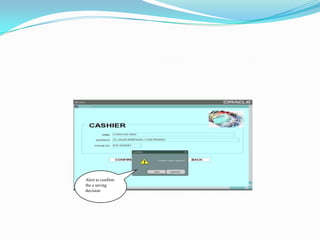
Alert to confirm the a saving decision
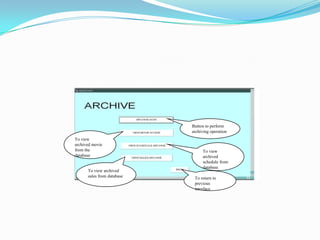
Button to perform archiving operationTo view archived movie from the databaseTo view archived schedule from databaseTo view archived sales from databaseTo return to previous interface
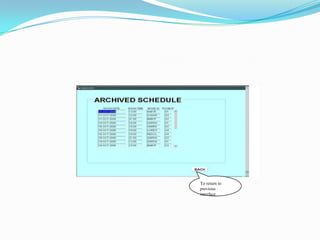
To return to previous interface
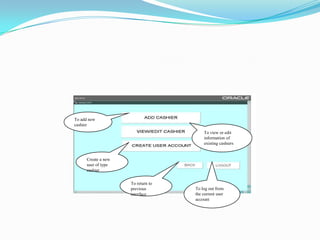
To add new cashierTo view or edit information of existing cashiersCreate a new user of type cashierTo return to previous interfaceTo log out from the current user account
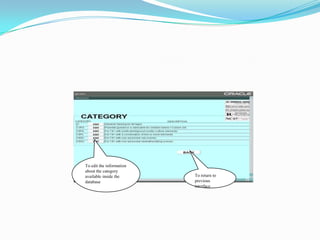
To edit the information about the category available inside the databaseTo return to previous interface
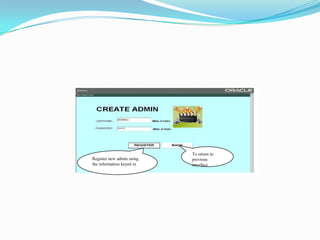
To return to previous interfaceRegister new admin using the information keyed in
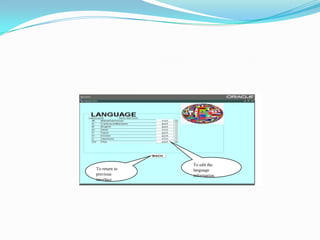
To edit the language informationTo return to previous interface
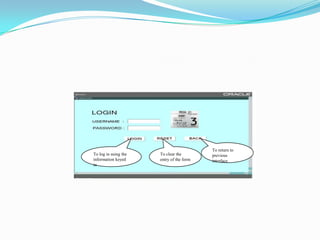
To return to previous interfaceTo clear the entry of the formTo log in using the information keyed in
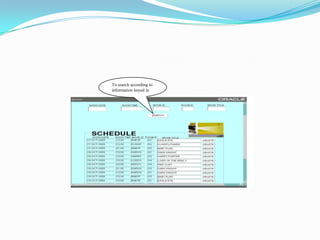
To search according to information keyed in
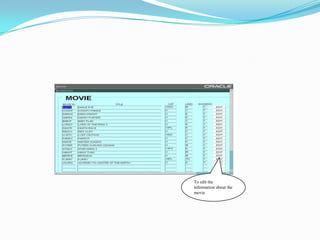
To edit the information about the movie
Oracle Project
Oracle Project
Oracle Project
Oracle Project
Oracle Project

Oracle Project

  • 1.
  • 2.
    Cashiers will accessthe system using this button as they are responsible to perform salesAdmin will access the database system by choosing this buttonClicking this button will direct the user to exit from the system
  • 3.
    Button used toclear all the entries of the formButton used to confirm a single transactionThe user will log out from accessing the systemButton used to view other forms
  • 4.
    Button used toverify the username and passwordButton used to return to the interface before
  • 5.
    Buttons available atboth sides are the basic function of adminButton that log out from the system
  • 6.
    Button to addnew movie into the databaseButton to add new schedule into the databaseButton to view or delete schedule informationButton to view or edit movie informationButton that leads the user back to previous interface
  • 7.
    Dialog box todisplay option availableButton to call for new entryButton to clear the entry of the formButton to return to previous interfaceButton to save the information keyed in into the database
  • 8.
    Alert to confirmthe a saving decision
  • 9.
    Button to performarchiving operationTo view archived movie from the databaseTo view archived schedule from databaseTo view archived sales from databaseTo return to previous interface
  • 10.
    To return toprevious interface
  • 11.
    To add newcashierTo view or edit information of existing cashiersCreate a new user of type cashierTo return to previous interfaceTo log out from the current user account
  • 12.
    To edit theinformation about the category available inside the databaseTo return to previous interface
  • 13.
    To return toprevious interfaceRegister new admin using the information keyed in
  • 14.
    To edit thelanguage informationTo return to previous interface
  • 15.
    To return toprevious interfaceTo clear the entry of the formTo log in using the information keyed in
  • 16.
    To search accordingto information keyed in
  • 17.
    To edit theinformation about the movie