Girls RuleJungah AnAngela Dela RosaMaria PerminovaPhase 2
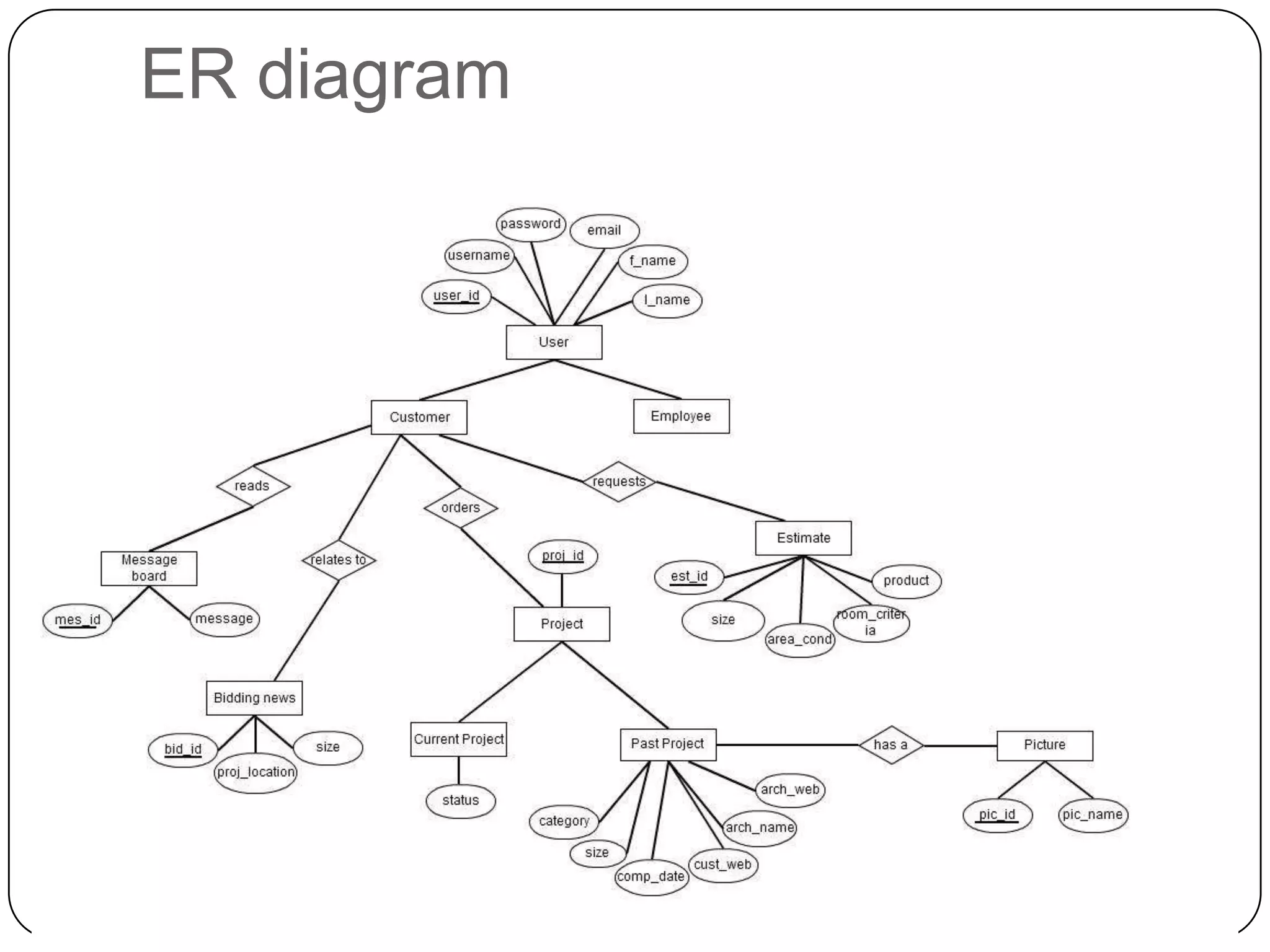
ER diagram
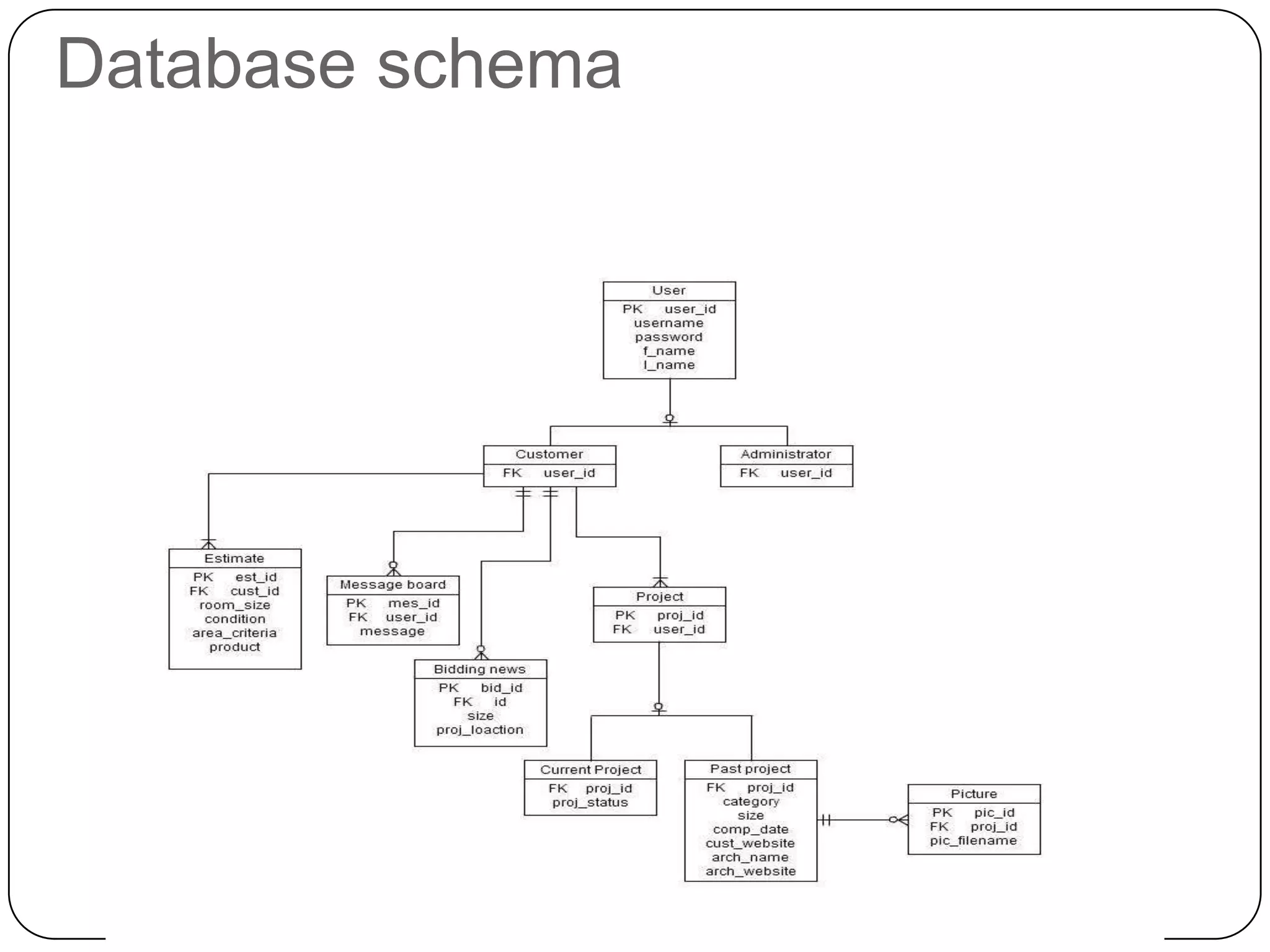
Database schema
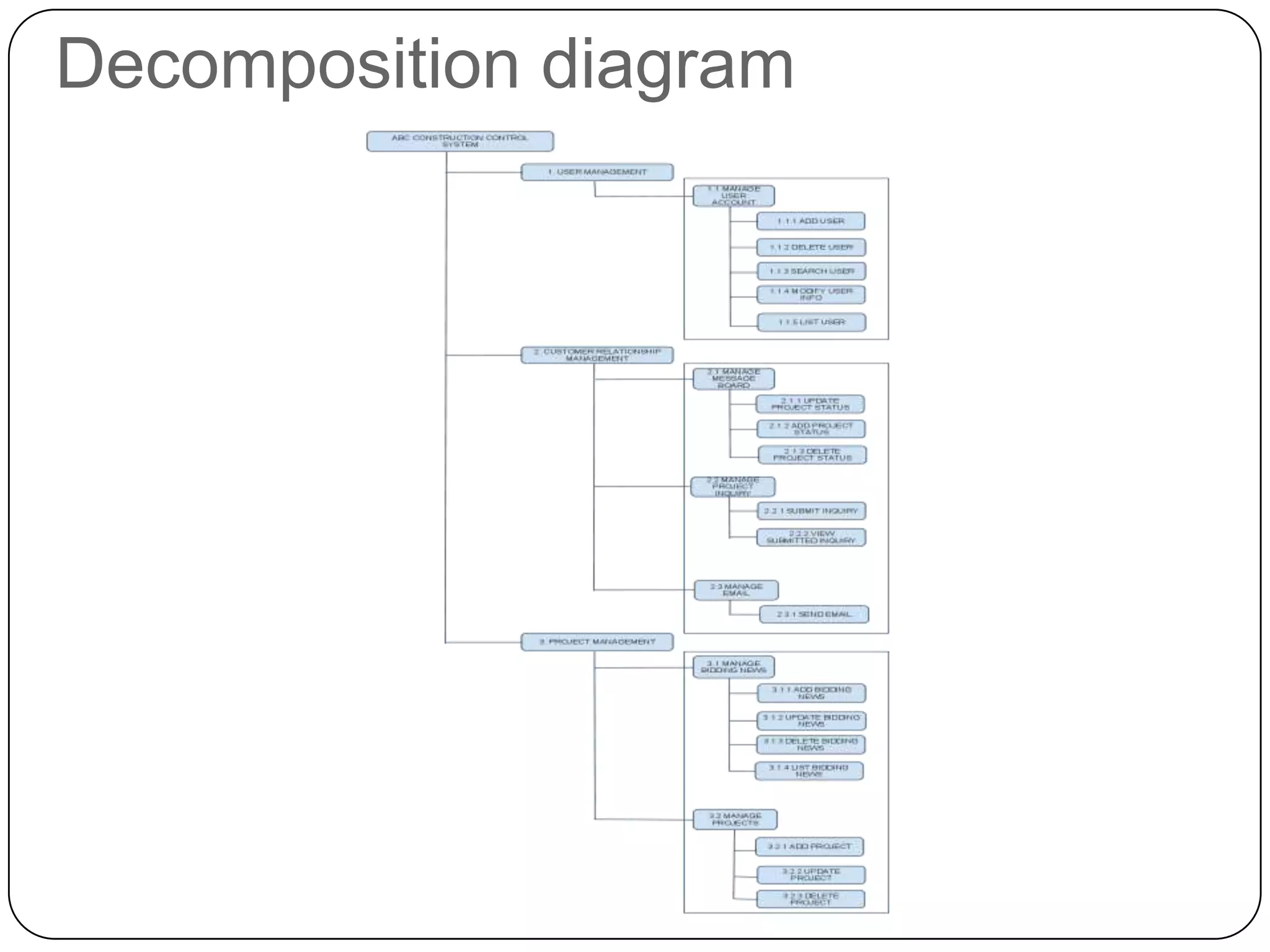
Decomposition diagram
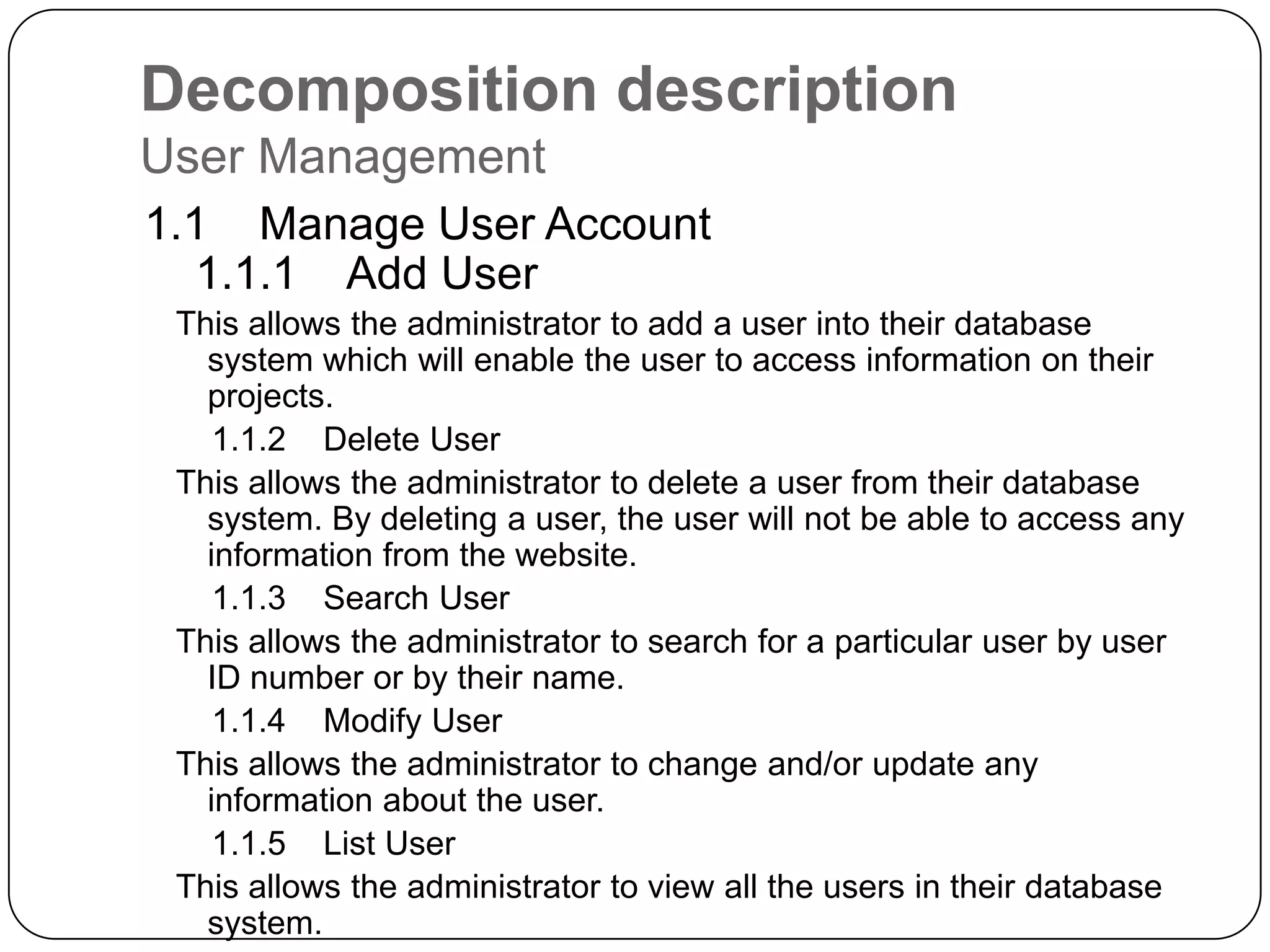
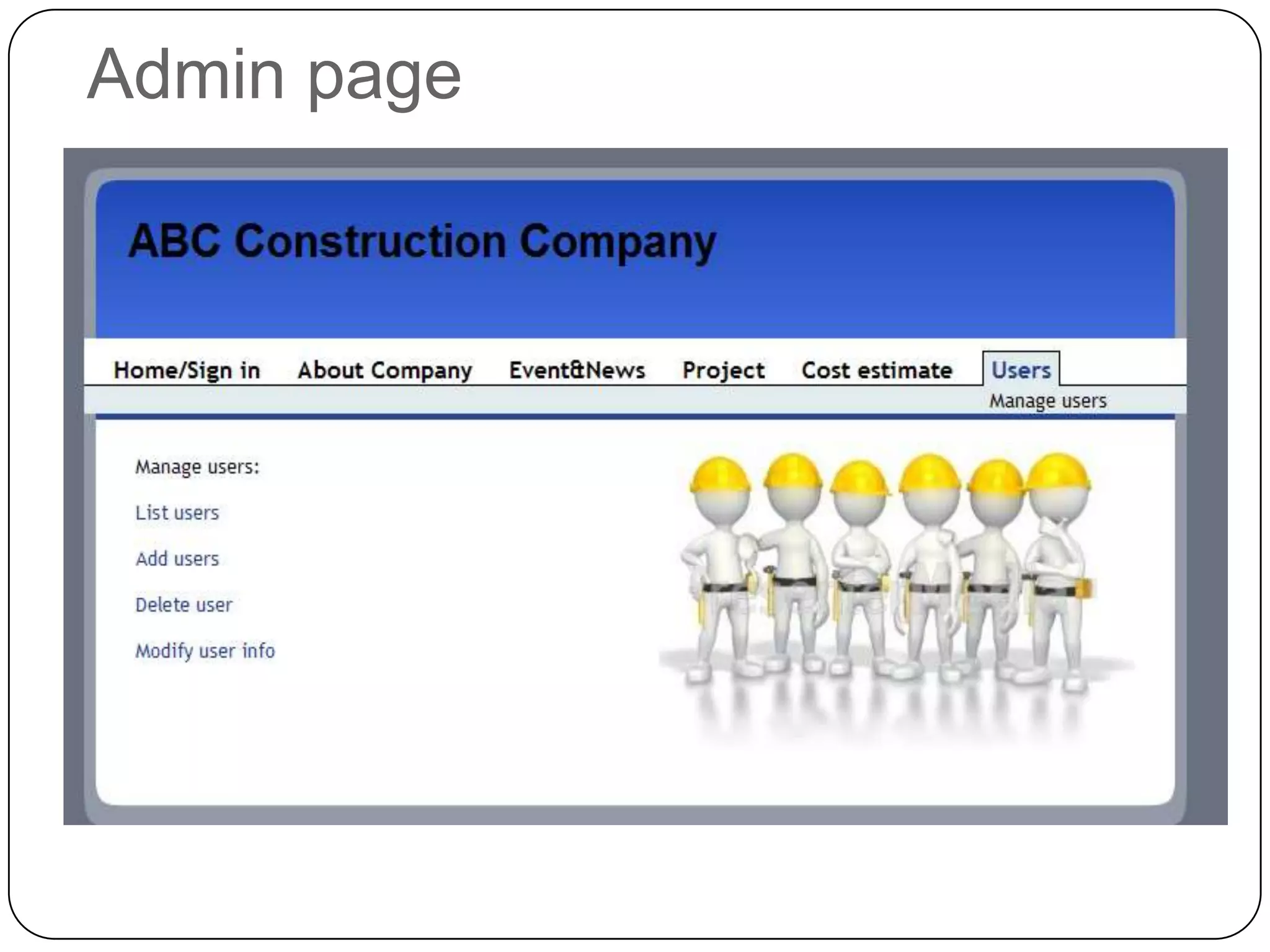
Decomposition descriptionUser Management    1.1    Manage User Account        1.1.1    Add UserThis allows the administrator to add a user into their database system which will enable the user to access information on their projects.        1.1.2    Delete UserThis allows the administrator to delete a user from their database system. By deleting a user, the user will not be able to access any information from the website.        1.1.3    Search UserThis allows the administrator to search for a particular user by user ID number or by their name.        1.1.4    Modify UserThis allows the administrator to change and/or update any information about the user.         1.1.5    List UserThis allows the administrator to view all the users in their database system.
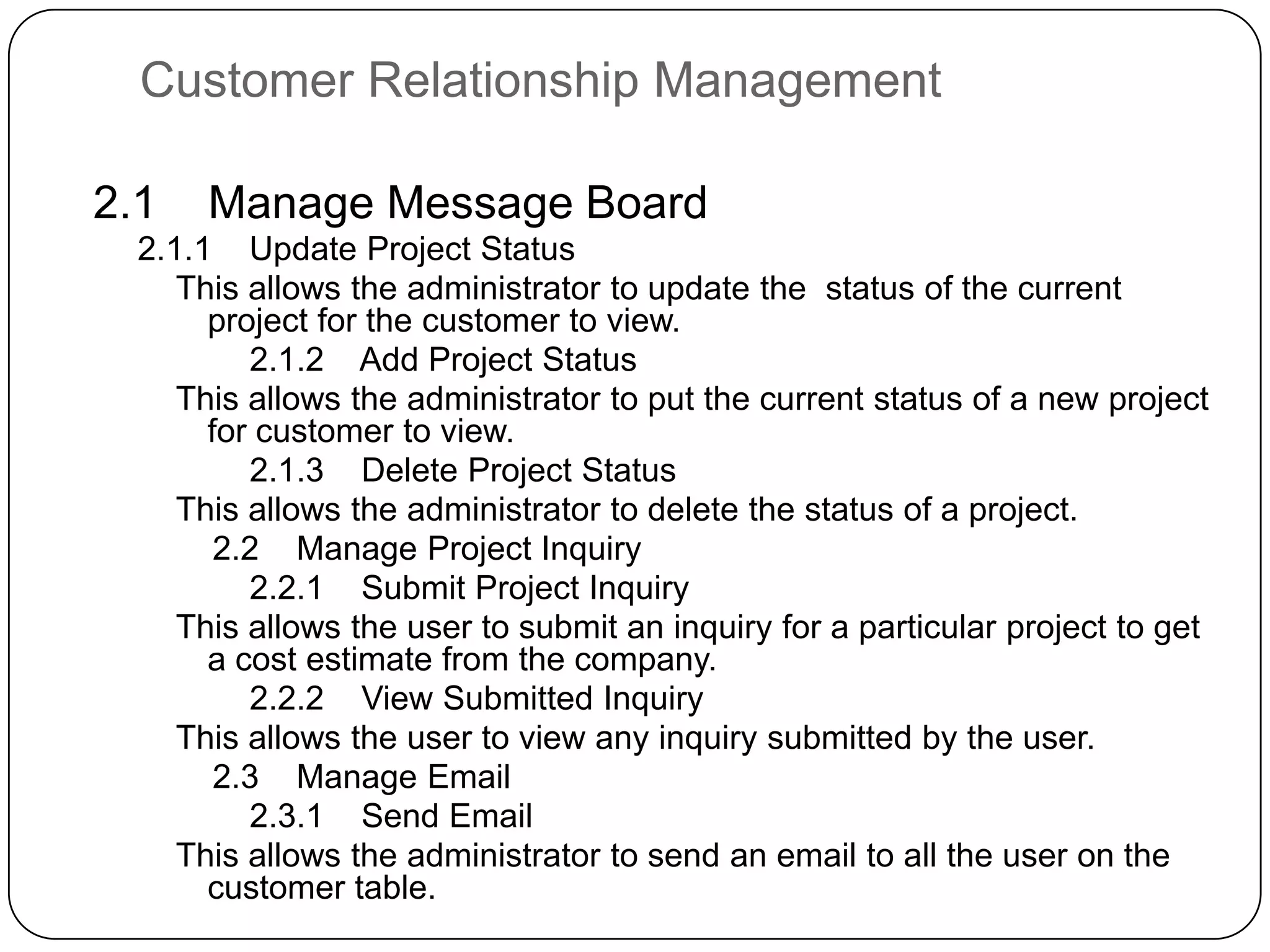
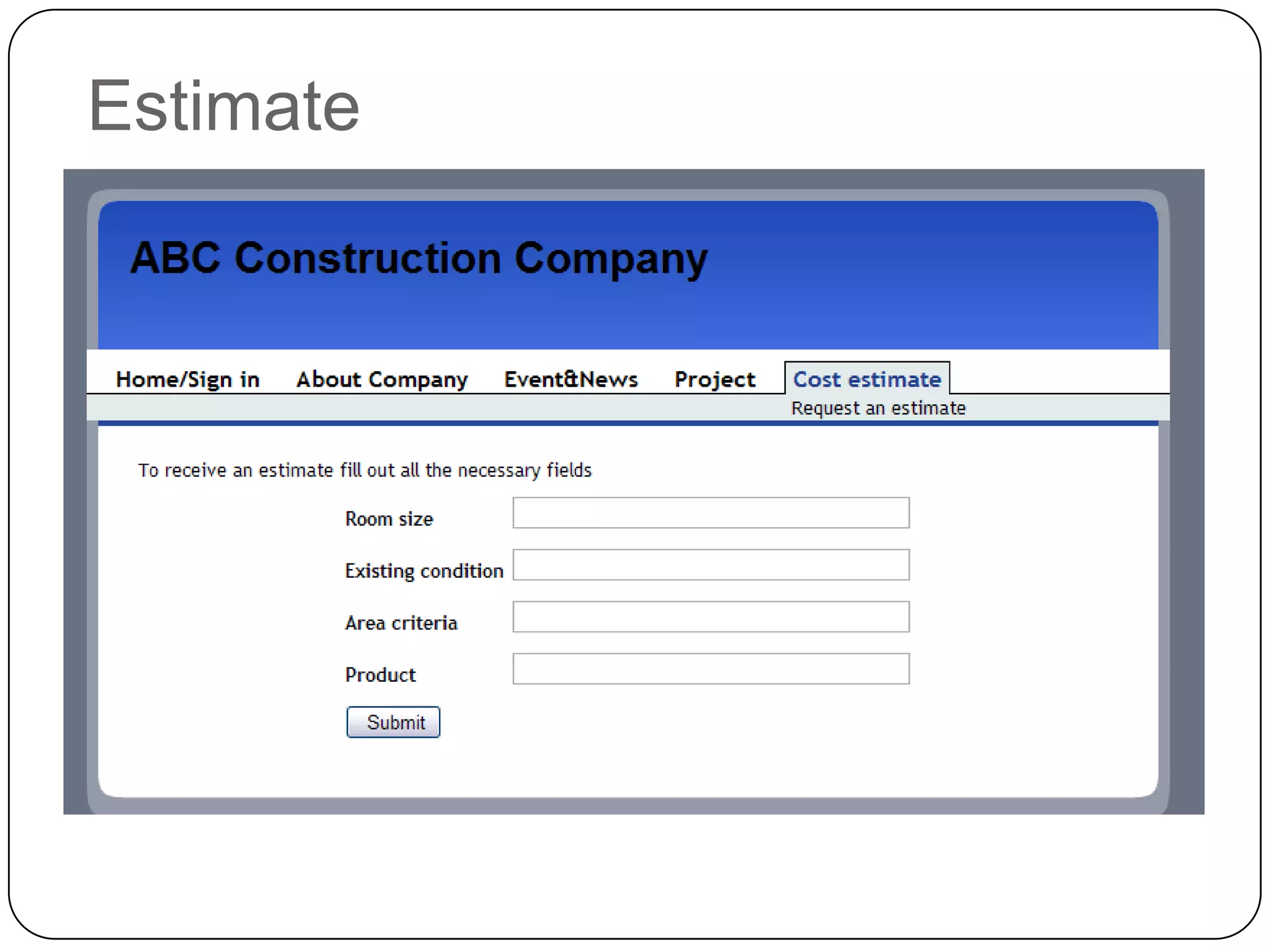
Customer Relationship Management2.1    Manage Message Board    2.1.1    Update Project StatusThis allows the administrator to update the  status of the current project for the customer to view.        2.1.2    Add Project StatusThis allows the administrator to put the current status of a new project for customer to view.        2.1.3    Delete Project StatusThis allows the administrator to delete the status of a project.    2.2    Manage Project Inquiry        2.2.1    Submit Project InquiryThis allows the user to submit an inquiry for a particular project to get a cost estimate from the company.        2.2.2    View Submitted InquiryThis allows the user to view any inquiry submitted by the user.    2.3    Manage Email        2.3.1    Send EmailThis allows the administrator to send an email to all the user on the customer table.
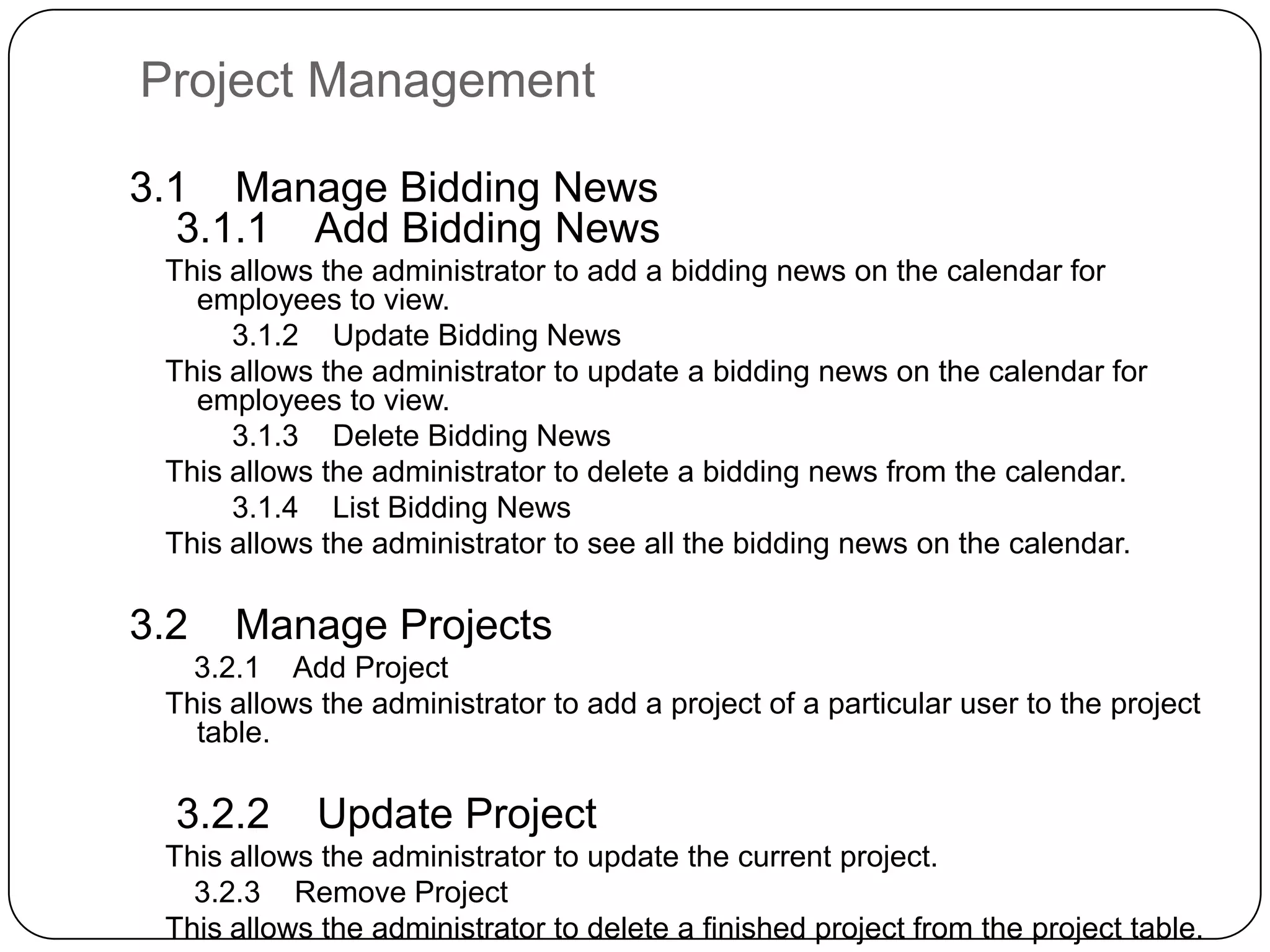
Project Management    3.1    Manage Bidding News        3.1.1    Add Bidding NewsThis allows the administrator to add a bidding news on the calendar for employees to view.        3.1.2    Update Bidding NewsThis allows the administrator to update a bidding news on the calendar for employees to view.        3.1.3    Delete Bidding NewsThis allows the administrator to delete a bidding news from the calendar.        3.1.4    List Bidding NewsThis allows the administrator to see all the bidding news on the calendar.    3.2    Manage Projects        3.2.1    Add ProjectThis allows the administrator to add a project of a particular user to the project table.        3.2.2    Update Project This allows the administrator to update the current project.        3.2.3    Remove ProjectThis allows the administrator to delete a finished project from the project table.
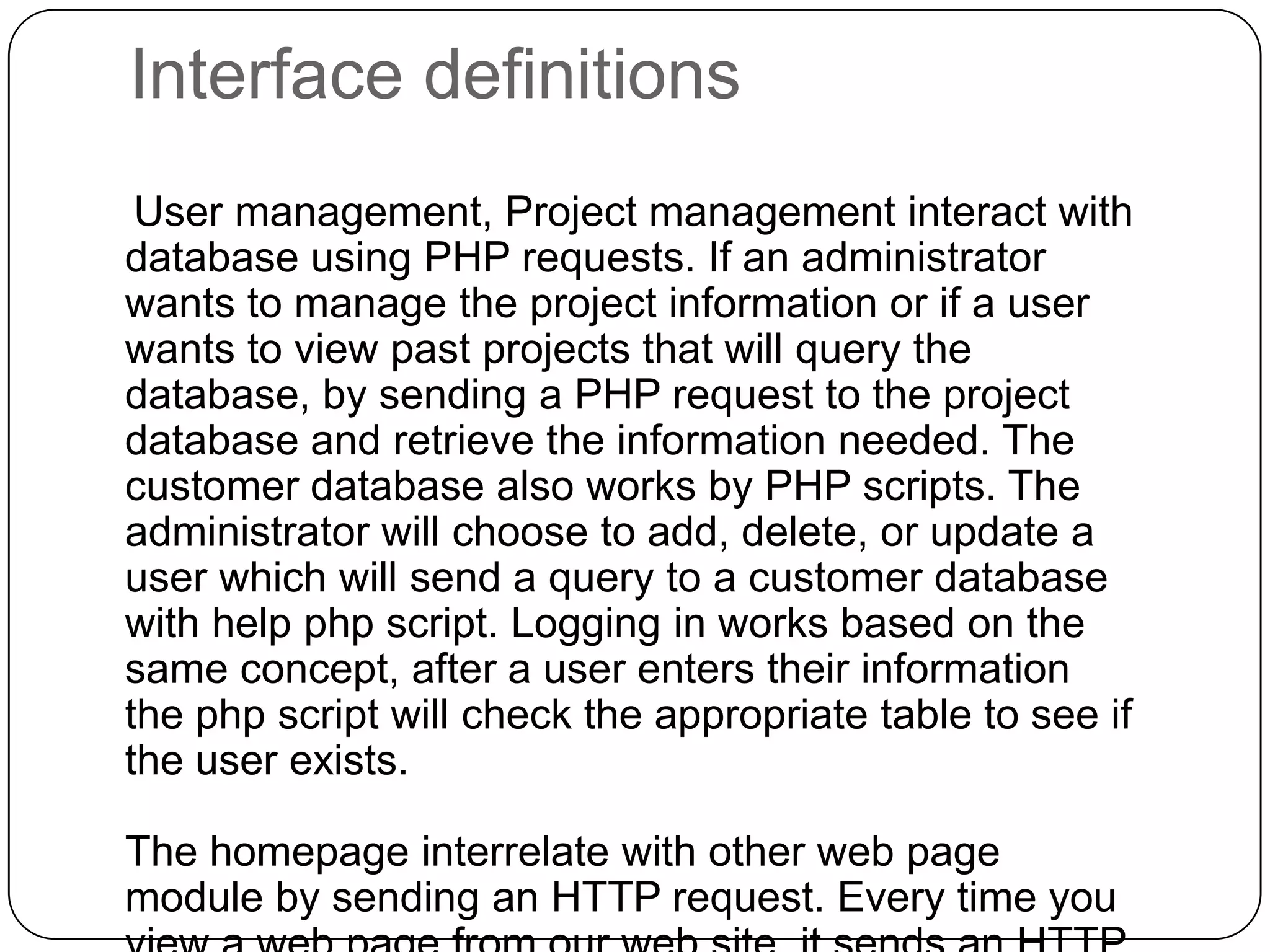
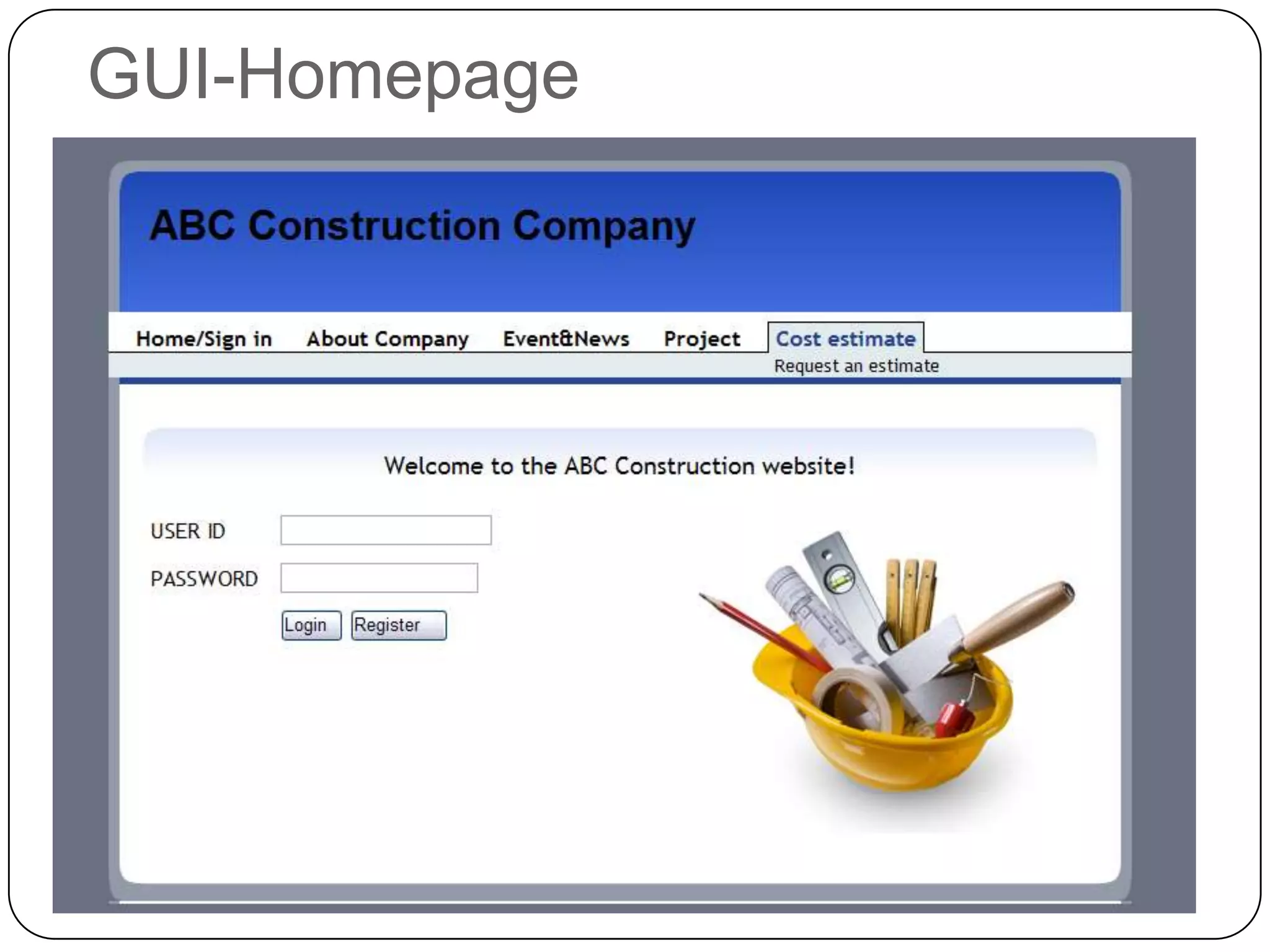
Interface definitions    User management, Project management interact with database using PHP requests. If an administrator wants to manage the project information or if a user wants to view past projects that will query the database, by sending a PHP request to the project database and retrieve the information needed. The customer database also works by PHP scripts. The administrator will choose to add, delete, or update a user which will send a query to a customer database with help php script. Logging in works based on the same concept, after a user enters their information the php script will check the appropriate table to see if the user exists.The homepage interrelate with other web page module by sending an HTTP request. Every time you view a web page from our web site, it sends an HTTP request to open a particular page requested.
GUI-Homepage
Admin page
Estimate
Certificates
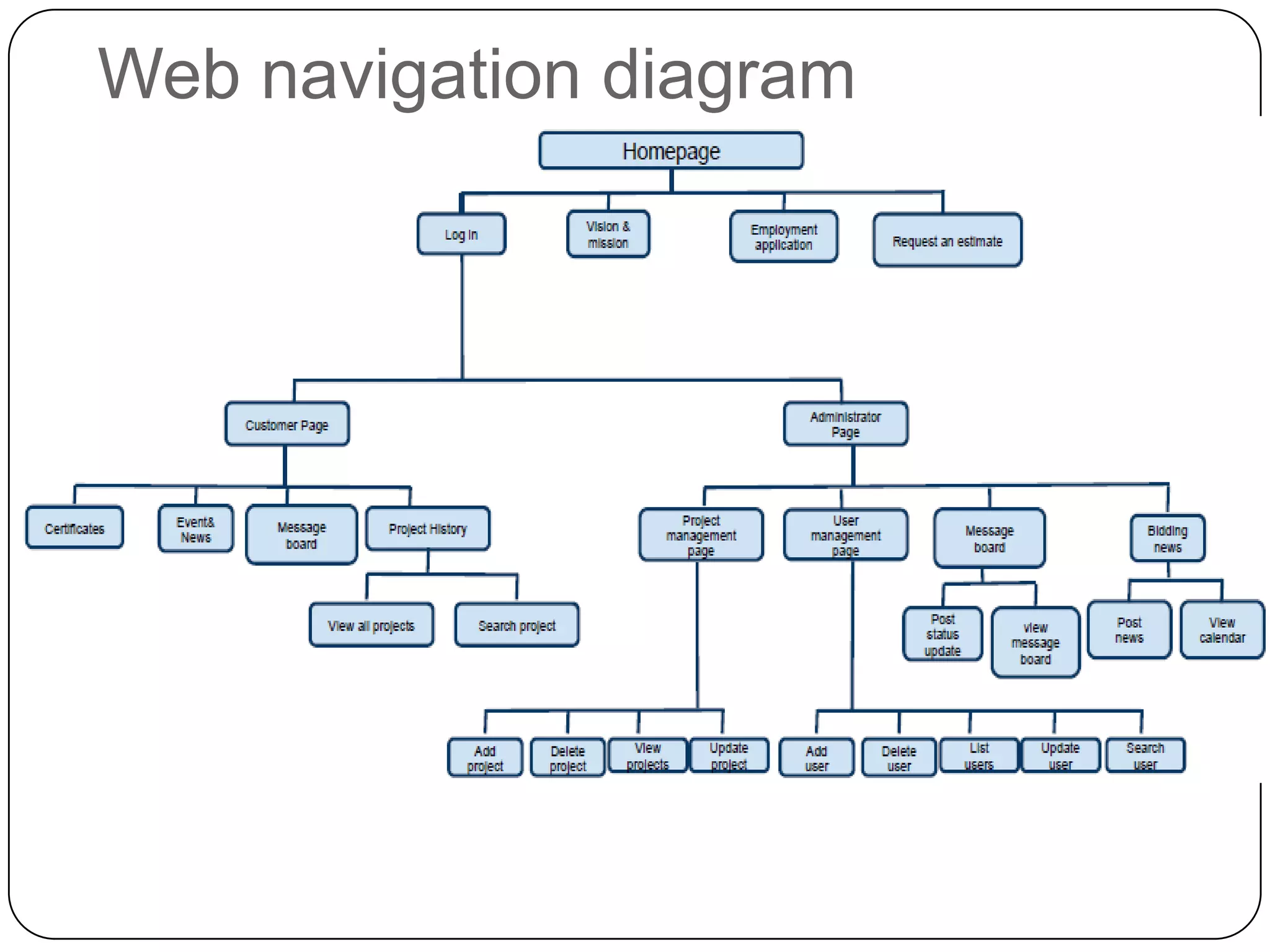
Web navigation diagram

Phase 2

  • 1.
    Girls RuleJungah AnAngelaDela RosaMaria PerminovaPhase 2
  • 2.
  • 3.
  • 4.
  • 5.
    Decomposition descriptionUser Management   1.1    Manage User Account        1.1.1    Add UserThis allows the administrator to add a user into their database system which will enable the user to access information on their projects.        1.1.2    Delete UserThis allows the administrator to delete a user from their database system. By deleting a user, the user will not be able to access any information from the website.        1.1.3    Search UserThis allows the administrator to search for a particular user by user ID number or by their name.        1.1.4    Modify UserThis allows the administrator to change and/or update any information about the user.         1.1.5    List UserThis allows the administrator to view all the users in their database system.
  • 6.
    Customer Relationship Management2.1   Manage Message Board    2.1.1    Update Project StatusThis allows the administrator to update the  status of the current project for the customer to view.        2.1.2    Add Project StatusThis allows the administrator to put the current status of a new project for customer to view.        2.1.3    Delete Project StatusThis allows the administrator to delete the status of a project.    2.2    Manage Project Inquiry        2.2.1    Submit Project InquiryThis allows the user to submit an inquiry for a particular project to get a cost estimate from the company.        2.2.2    View Submitted InquiryThis allows the user to view any inquiry submitted by the user.    2.3    Manage Email        2.3.1    Send EmailThis allows the administrator to send an email to all the user on the customer table.
  • 7.
    Project Management    3.1   Manage Bidding News        3.1.1    Add Bidding NewsThis allows the administrator to add a bidding news on the calendar for employees to view.        3.1.2    Update Bidding NewsThis allows the administrator to update a bidding news on the calendar for employees to view.        3.1.3    Delete Bidding NewsThis allows the administrator to delete a bidding news from the calendar.        3.1.4    List Bidding NewsThis allows the administrator to see all the bidding news on the calendar.    3.2    Manage Projects        3.2.1    Add ProjectThis allows the administrator to add a project of a particular user to the project table.        3.2.2    Update Project This allows the administrator to update the current project.        3.2.3    Remove ProjectThis allows the administrator to delete a finished project from the project table.
  • 8.
    Interface definitions User management, Project management interact with database using PHP requests. If an administrator wants to manage the project information or if a user wants to view past projects that will query the database, by sending a PHP request to the project database and retrieve the information needed. The customer database also works by PHP scripts. The administrator will choose to add, delete, or update a user which will send a query to a customer database with help php script. Logging in works based on the same concept, after a user enters their information the php script will check the appropriate table to see if the user exists.The homepage interrelate with other web page module by sending an HTTP request. Every time you view a web page from our web site, it sends an HTTP request to open a particular page requested.
  • 9.
  • 10.
  • 11.
  • 12.
  • 13.