Oracle BI ApplicationsImplementationand CustomizationforOracle EBS
TopicsIntroductionInstallation: Required Software & IntegrationETL using DACDAC ComponentsBI Applications – CustomizationsIntegrating BI Applications with EBS
Introduction
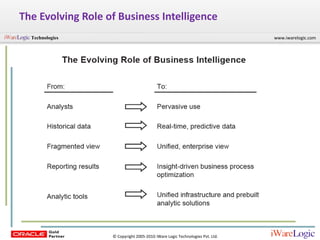
The Evolving Role of Business Intelligence
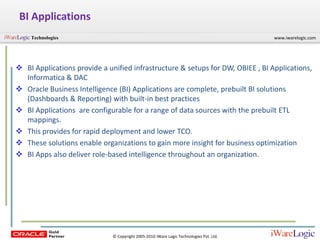
BI ApplicationsBI Applications provide a unified infrastructure & setups for DW, OBIEE , BI Applications, Informatica & DAC
Oracle Business Intelligence (BI) Applications are complete, prebuilt BI solutions (Dashboards & Reporting) with built-in best practices
BI Applications  are configurable for a range of data sources with the prebuilt ETL mappings.
This provides for rapid deployment and lower TCO.
These solutions enable organizations to gain more insight for business optimization
BI Apps also deliver role-based intelligence throughout an organization.
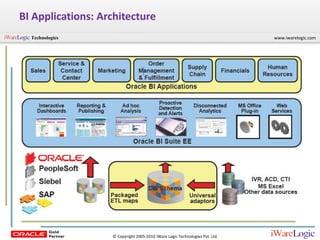
BI Applications: Architecture
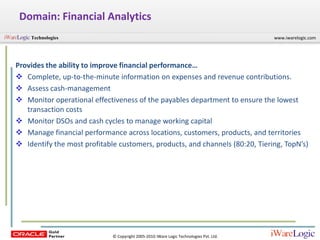
Domain: Financial AnalyticsProvides the ability to improve financial performance…Complete, up-to-the-minute information on expenses and revenue contributions.
Assess cash-management
Monitor operational effectiveness of the payables department to ensure the lowest transaction costs
Monitor DSOs and cash cycles to manage working capital
Manage financial performance across locations, customers, products, and territories
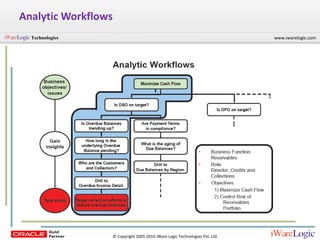
Identify the most profitable customers, products, and channels (80:20, Tiering, TopN’s)Analytic Workflows
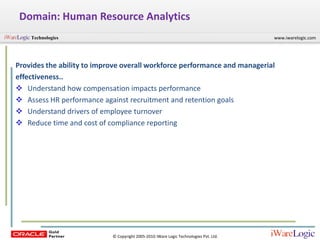
Domain: Human Resource AnalyticsProvides the ability to improve overall workforce performance and managerialeffectiveness..Understand how compensation impacts performance
Assess HR performance against recruitment and retention goals
Understand drivers of employee turnover
Reduce time and cost of compliance reportingInstallation and Configuration
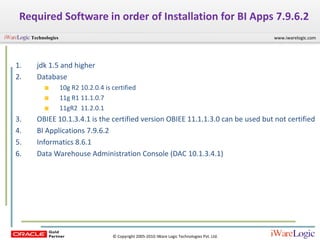
Required Software in order of Installation for BI Apps 7.9.6.2jdk 1.5 and higherDatabase10g R2 10.2.0.4 is certified11g R1 11.1.0.711gR2  11.2.0.1 OBIEE 10.1.3.4.1 is the certified version OBIEE 11.1.1.3.0 can be used but not certifiedBI Applications 7.9.6.2Informatics 8.6.1Data Warehouse Administration Console (DAC 10.1.3.4.1)
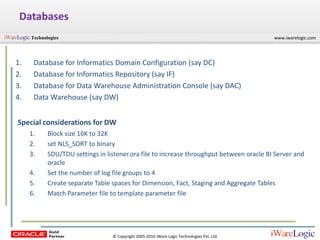
DatabasesDatabase for Informatics Domain Configuration (say DC)Database for Informatics Repository (say IF)Database for Data Warehouse Administration Console (say DAC)Data Warehouse (say DW)Special considerations for DWBlock size 16K to 32Kset NLS_SORT to binarySDU/TDU settings in listener.ora file to increase throughput between oracle BI Server and oracleSet the number of log file groups to 4Create separate Table spaces for Dimension, Fact, Staging and Aggregate TablesMatch Parameter file to template parameter file
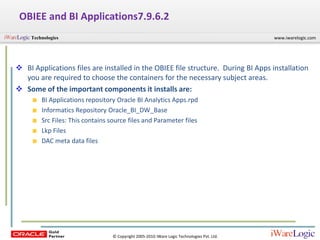
OBIEE and BI Applications7.9.6.2BI Applications files are installed in the OBIEE file structure.  During BI Apps installation you are required to choose the containers for the necessary subject areas.
Some of the important components it installs are:BI Applications repository Oracle BI Analytics Apps.rpdInformatics Repository Oracle_BI_DW_BaseSrc Files: This contains source files and Parameter filesLkp FilesDAC meta data files
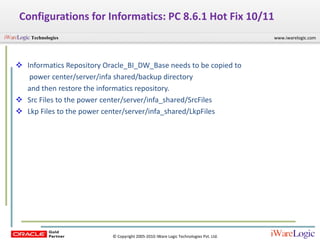
Configurations for Informatics: PC 8.6.1 Hot Fix 10/11Informatics Repository Oracle_BI_DW_Base needs to be copied to	 power center/server/infa shared/backup directory 	and then restore the informatics repository.Src Files to the power center/server/infa_shared/SrcFiles
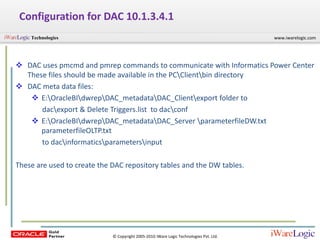
Lkp Files to the power center/server/infa_shared/LkpFilesConfiguration for DAC 10.1.3.4.1DAC uses pmcmd and pmrep commands to communicate with Informatics Power Center These files should be made available in the PC\Client\bin directory
DAC meta data files:
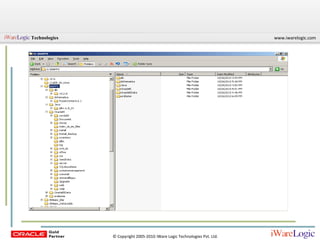
E:\OracleBI\dwrep\DAC_metadata\DAC_Client\export folder to 	        dac\export & Delete Triggers.list  to dac\confE:\OracleBI\dwrep\DAC_metadata\DAC_Server \parameterfileDW.txt parameterfileOLTP.txt 	        to dac\informatics\parameters\inputThese are used to create the DAC repository tables and the DW tables.
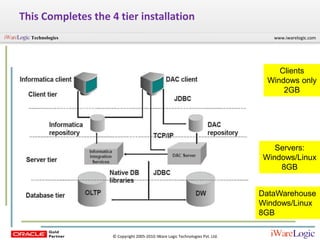
This Completes the 4 tier installationClientsWindows only2GBServers:Windows/Linux8GBDataWarehouseWindows/Linux8GB
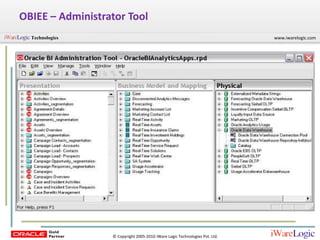
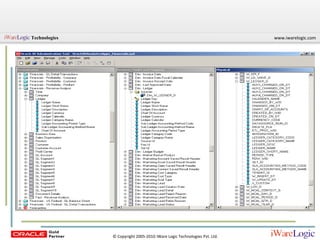
OBIEE – Administrator Tool
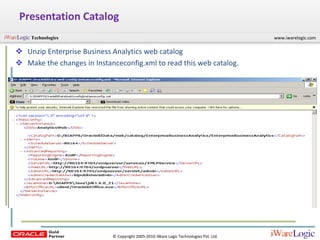
Presentation CatalogUnzip Enterprise Business Analytics web catalog
Make the changes in Instanceconfig.xml to read this web catalog.This completes the software installation and configuration
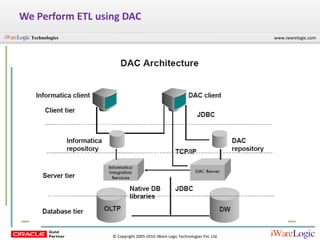
Now you are ready to load OLTP data to your Data Warehouse.Perform an ETL using DAC
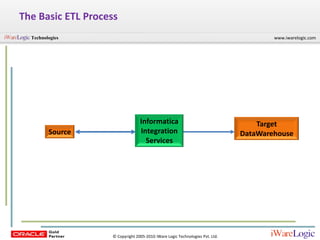
The Basic ETL ProcessInformatica Integration ServicesTarget DataWarehouseSource
We Perform ETL using DAC
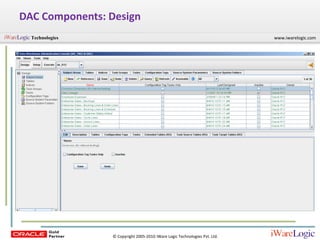
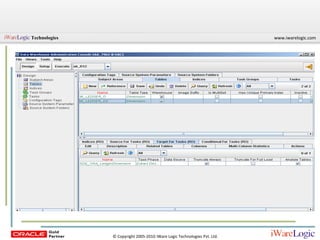
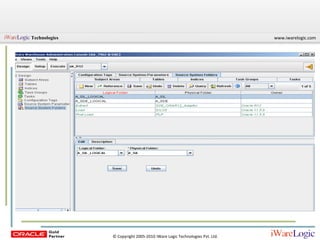
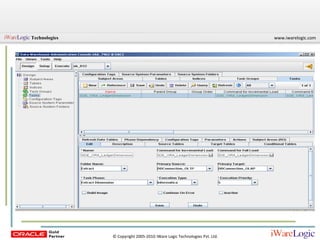
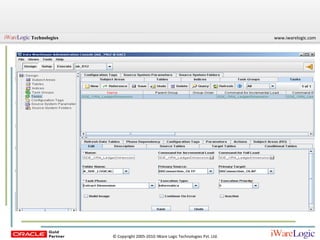
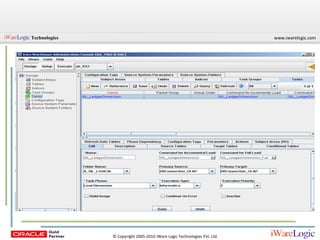
DAC Components: Design
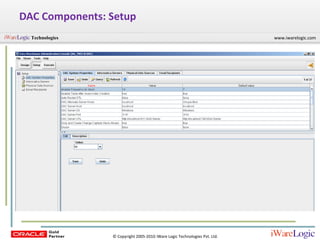
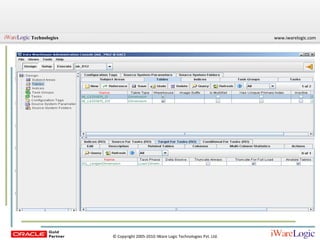
DAC Components: Setup
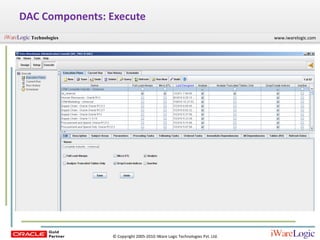
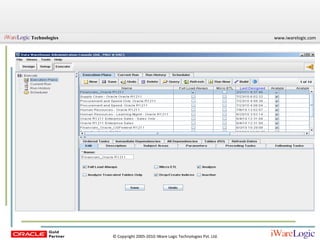
DAC Components: Execute
After the data load in the DW using DACBI Applications is ready to use!
BI Applications - Customizations
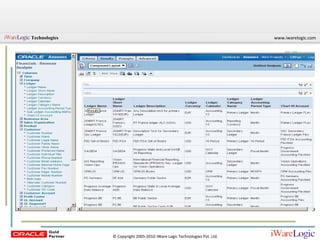
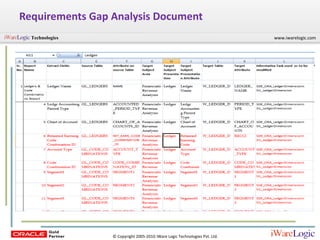
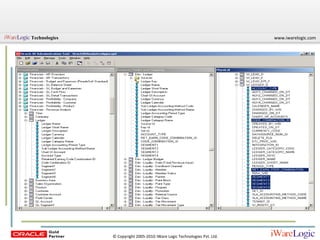
Requirements Gap Analysis Document
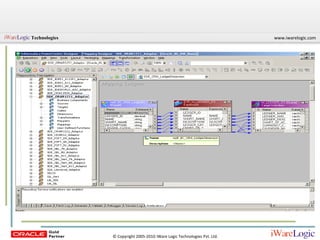
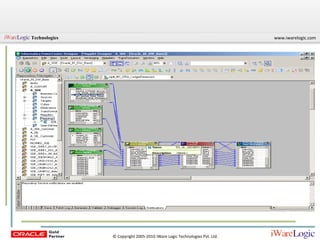
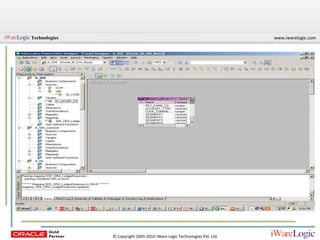
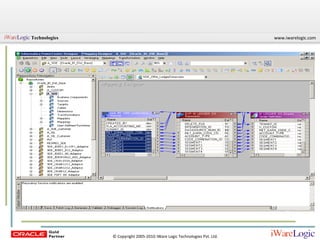
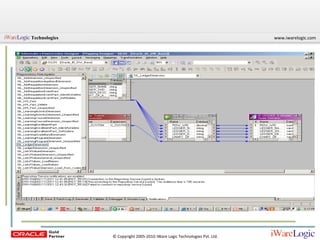
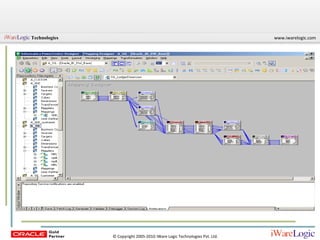
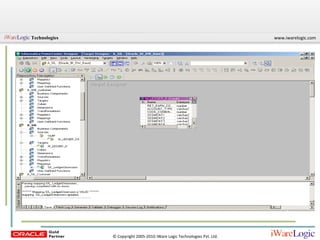
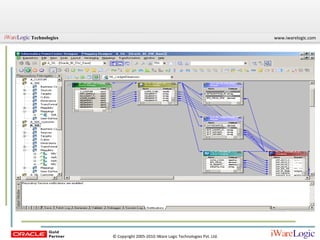
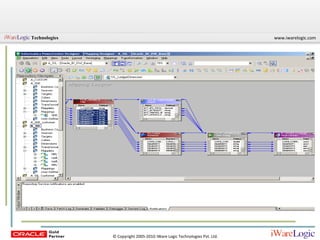
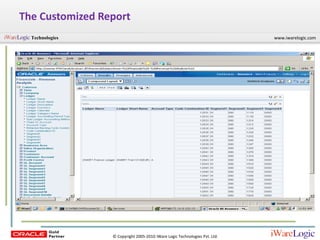
Summary of Customization Steps:The  subject area you are working on.Create a requirements gap analysis document Identify source and target attributes for the custom report in question.If target attribute is not available then it needs o be loaded.Identify the source attribute table, KFF or DFF.Identify the folder for your SDE and SIL MappingsIdentify your target table/tables.Identify Mappings related to your table. Get the complete picture of all the source and target tables Identify if the additional column is available in one of the source table or new source tables need to be imported.

ORACLE BI APPLICATIONS – IMPLEMENTATION & CUSTOMIZATION FOR ORACLE EBS

  • 1.
    Oracle BI ApplicationsImplementationandCustomizationforOracle EBS
  • 2.
    TopicsIntroductionInstallation: Required Software& IntegrationETL using DACDAC ComponentsBI Applications – CustomizationsIntegrating BI Applications with EBS
  • 3.
  • 4.
    The Evolving Roleof Business Intelligence
  • 5.
    BI ApplicationsBI Applicationsprovide a unified infrastructure & setups for DW, OBIEE , BI Applications, Informatica & DAC
  • 6.
    Oracle Business Intelligence(BI) Applications are complete, prebuilt BI solutions (Dashboards & Reporting) with built-in best practices
  • 7.
    BI Applications are configurable for a range of data sources with the prebuilt ETL mappings.
  • 8.
    This provides forrapid deployment and lower TCO.
  • 9.
    These solutions enableorganizations to gain more insight for business optimization
  • 10.
    BI Apps alsodeliver role-based intelligence throughout an organization.
  • 12.
  • 13.
    Domain: Financial AnalyticsProvidesthe ability to improve financial performance…Complete, up-to-the-minute information on expenses and revenue contributions.
  • 14.
  • 15.
    Monitor operational effectivenessof the payables department to ensure the lowest transaction costs
  • 16.
    Monitor DSOs andcash cycles to manage working capital
  • 17.
    Manage financial performanceacross locations, customers, products, and territories
  • 18.
    Identify the mostprofitable customers, products, and channels (80:20, Tiering, TopN’s)Analytic Workflows
  • 19.
    Domain: Human ResourceAnalyticsProvides the ability to improve overall workforce performance and managerialeffectiveness..Understand how compensation impacts performance
  • 20.
    Assess HR performanceagainst recruitment and retention goals
  • 21.
    Understand drivers ofemployee turnover
  • 22.
    Reduce time andcost of compliance reportingInstallation and Configuration
  • 23.
    Required Software inorder of Installation for BI Apps 7.9.6.2jdk 1.5 and higherDatabase10g R2 10.2.0.4 is certified11g R1 11.1.0.711gR2 11.2.0.1 OBIEE 10.1.3.4.1 is the certified version OBIEE 11.1.1.3.0 can be used but not certifiedBI Applications 7.9.6.2Informatics 8.6.1Data Warehouse Administration Console (DAC 10.1.3.4.1)
  • 24.
    DatabasesDatabase for InformaticsDomain Configuration (say DC)Database for Informatics Repository (say IF)Database for Data Warehouse Administration Console (say DAC)Data Warehouse (say DW)Special considerations for DWBlock size 16K to 32Kset NLS_SORT to binarySDU/TDU settings in listener.ora file to increase throughput between oracle BI Server and oracleSet the number of log file groups to 4Create separate Table spaces for Dimension, Fact, Staging and Aggregate TablesMatch Parameter file to template parameter file
  • 25.
    OBIEE and BIApplications7.9.6.2BI Applications files are installed in the OBIEE file structure. During BI Apps installation you are required to choose the containers for the necessary subject areas.
  • 26.
    Some of theimportant components it installs are:BI Applications repository Oracle BI Analytics Apps.rpdInformatics Repository Oracle_BI_DW_BaseSrc Files: This contains source files and Parameter filesLkp FilesDAC meta data files
  • 27.
    Configurations for Informatics:PC 8.6.1 Hot Fix 10/11Informatics Repository Oracle_BI_DW_Base needs to be copied to power center/server/infa shared/backup directory and then restore the informatics repository.Src Files to the power center/server/infa_shared/SrcFiles
  • 28.
    Lkp Files tothe power center/server/infa_shared/LkpFilesConfiguration for DAC 10.1.3.4.1DAC uses pmcmd and pmrep commands to communicate with Informatics Power Center These files should be made available in the PC\Client\bin directory
  • 29.
  • 30.
    E:\OracleBI\dwrep\DAC_metadata\DAC_Client\export folder to dac\export & Delete Triggers.list to dac\confE:\OracleBI\dwrep\DAC_metadata\DAC_Server \parameterfileDW.txt parameterfileOLTP.txt to dac\informatics\parameters\inputThese are used to create the DAC repository tables and the DW tables.
  • 31.
    This Completes the4 tier installationClientsWindows only2GBServers:Windows/Linux8GBDataWarehouseWindows/Linux8GB
  • 33.
  • 34.
    Presentation CatalogUnzip EnterpriseBusiness Analytics web catalog
  • 35.
    Make the changesin Instanceconfig.xml to read this web catalog.This completes the software installation and configuration
  • 36.
    Now you areready to load OLTP data to your Data Warehouse.Perform an ETL using DAC
  • 37.
    The Basic ETLProcessInformatica Integration ServicesTarget DataWarehouseSource
  • 38.
  • 39.
  • 40.
  • 41.
  • 42.
    After the dataload in the DW using DACBI Applications is ready to use!
  • 43.
    BI Applications -Customizations
  • 48.
  • 49.
    Summary of CustomizationSteps:The subject area you are working on.Create a requirements gap analysis document Identify source and target attributes for the custom report in question.If target attribute is not available then it needs o be loaded.Identify the source attribute table, KFF or DFF.Identify the folder for your SDE and SIL MappingsIdentify your target table/tables.Identify Mappings related to your table. Get the complete picture of all the source and target tables Identify if the additional column is available in one of the source table or new source tables need to be imported.