Operating system
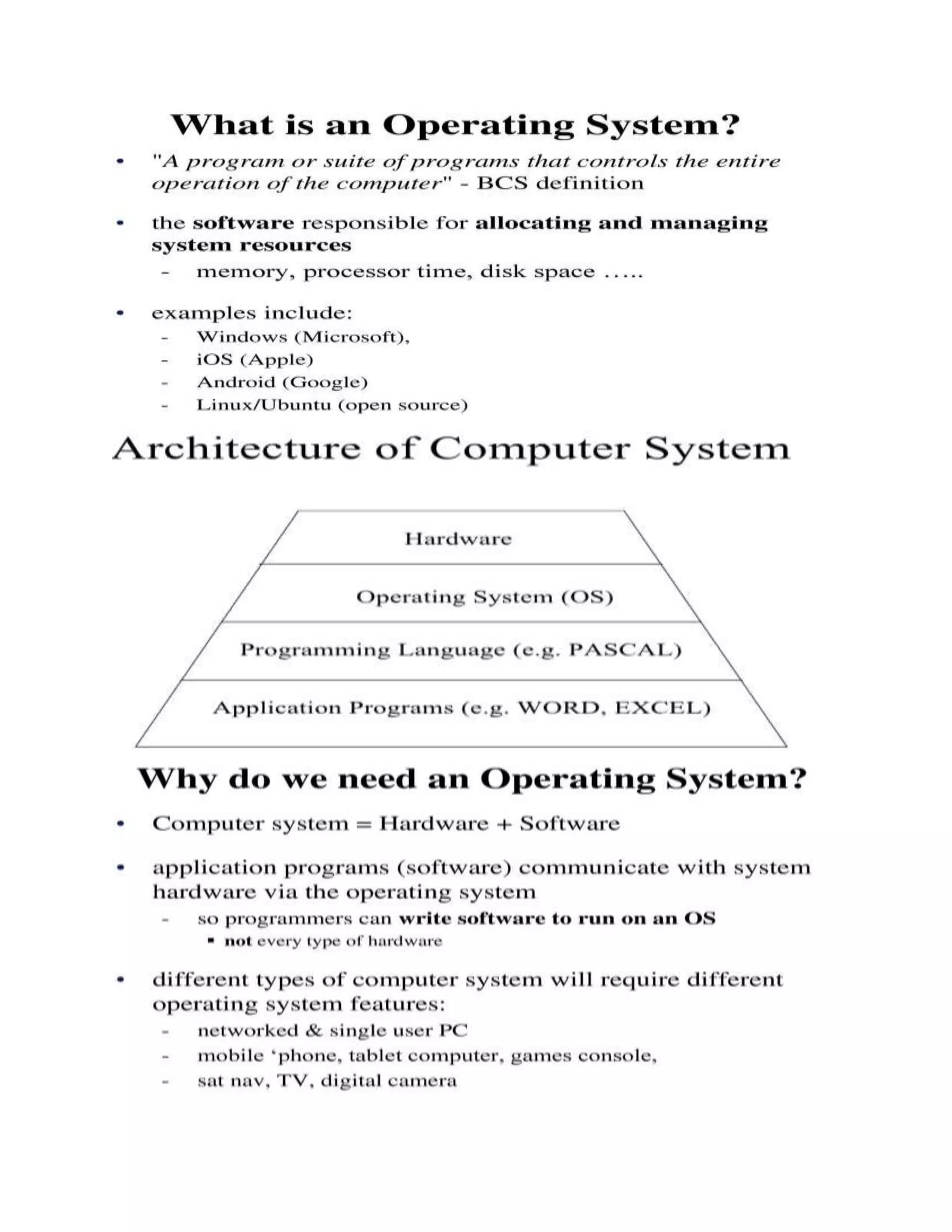
An operating system(OS) is a collection of software that manages computer hardware
resources and provides common services for computer programs. The operating system is a
vital component of the system software in a computer system. Application programs usually
require an operating systemto function.
o Operating System is a collection of programs which control the resources of a computer
system
o written in low-level languages (i.e. machine-dependent)
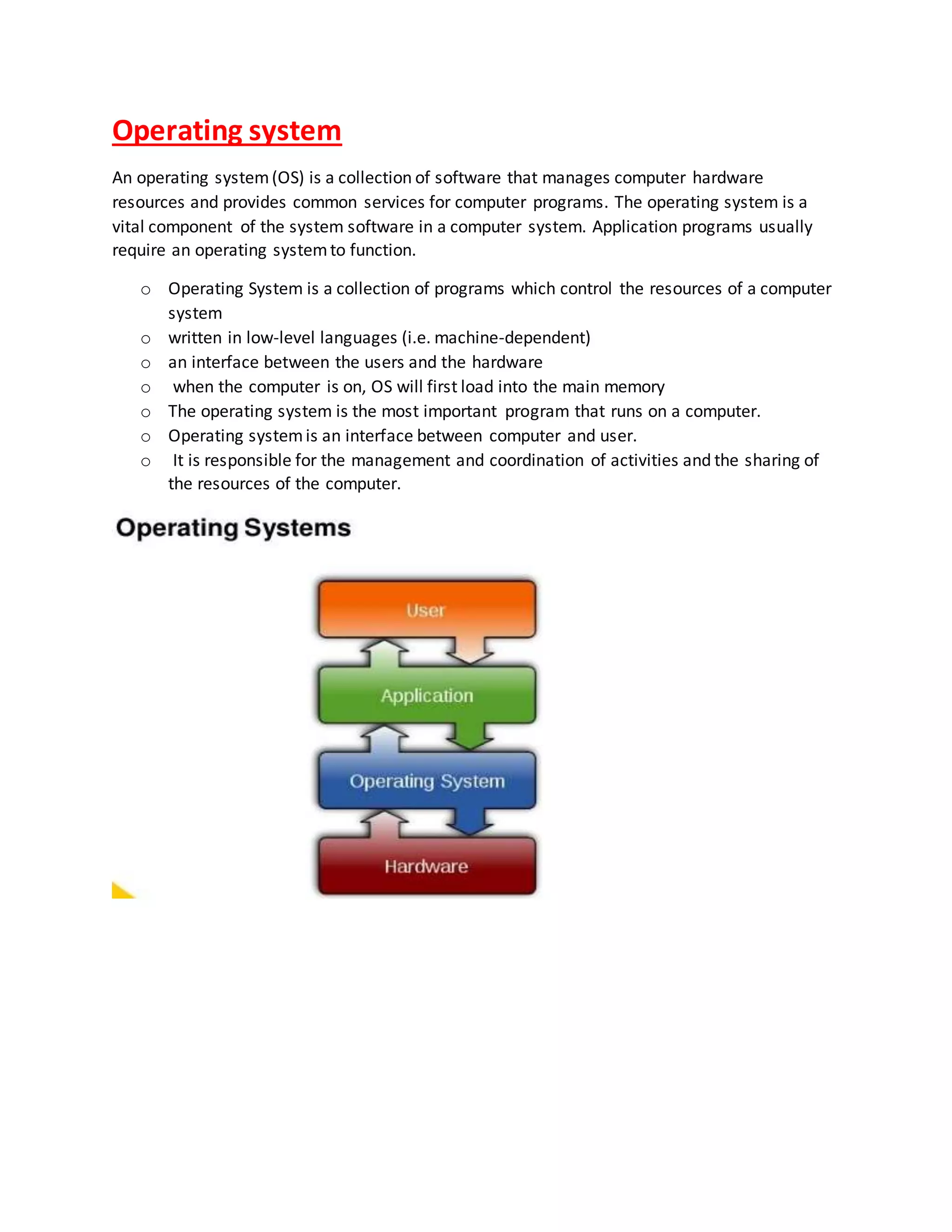
o an interface between the users and the hardware
o when the computer is on, OS will first load into the main memory
o The operating system is the most important program that runs on a computer.
o Operating systemis an interface between computer and user.
o It is responsible for the management and coordination of activities and the sharing of
the resources of the computer.
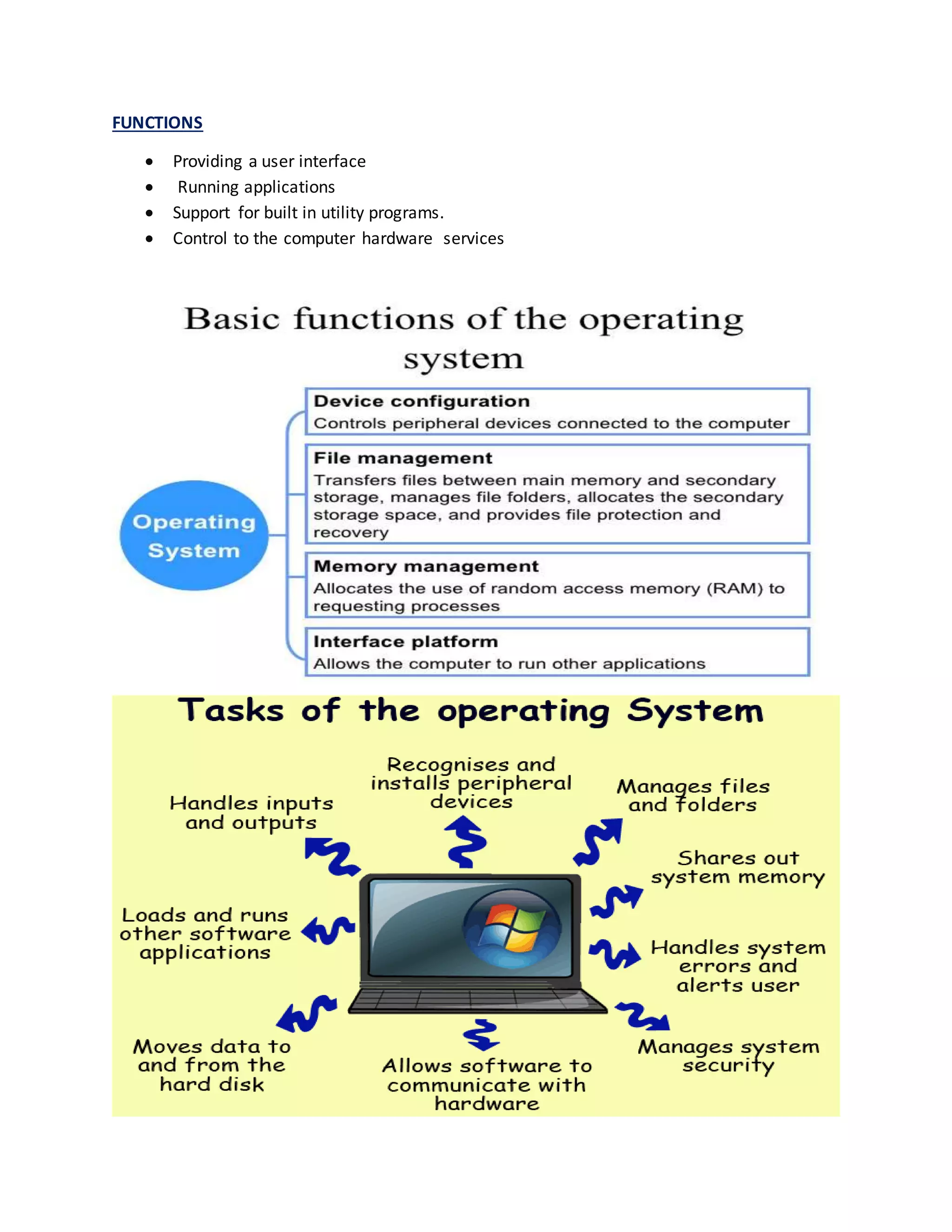
FUNCTIONS
 Providing a user interface
 Running applications
 Support for built in utility programs.
 Control to the computer hardware services
Resource Management
 The resource management function of an OS allocates computer resources such as CPU
time, main memory, secondary storage, and input and output devices for use.
Data Management
 The data management functions of an OS govern the input and output of data and their
location, storage, and retrieval.
 It also is responsible for storing and retrieving information on disk drives and for the
organization of that information on the drive.
Job Management
 The job management function of an OS prepares, schedules, controls, and monitors jobs
submitted for execution to ensure the most efficient processing.
 A job is a collection of one or more related programs and their data.
Operating System Standard Means of Communication between User and Computer
 The OS also establishes a standard means of communication between users and their
computer systems.
 It does this by providing a user interface and a standard set of commands that control the
hardware.
Other function of Operating System
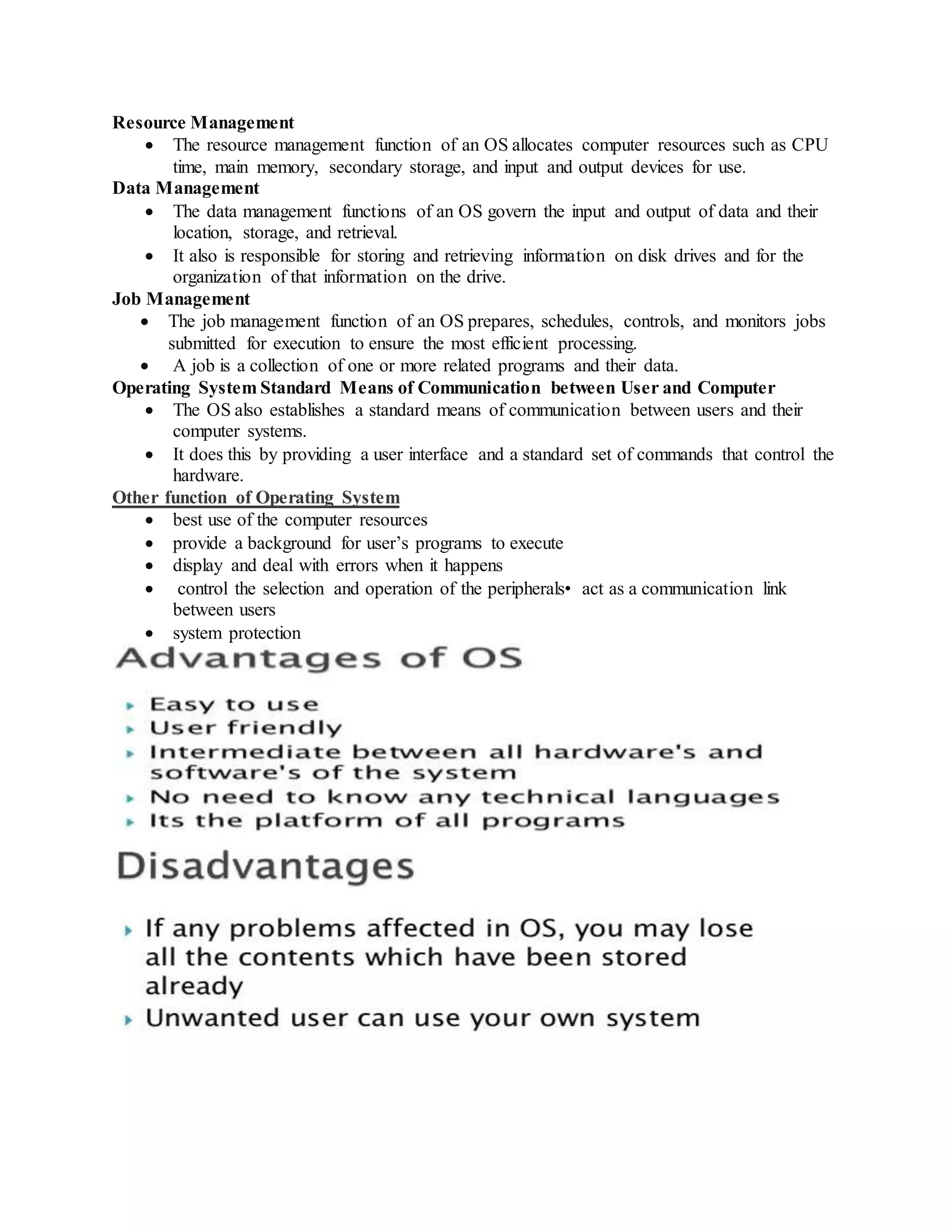
 best use of the computer resources
 provide a background for user’s programs to execute
 display and deal with errors when it happens
 control the selection and operation of the peripherals• act as a communication link
between users
 system protection
User Interface
 A program that controls a display for the user (usually on a computer monitor) and that
allows the user to interact with the system)
 The user interface allows the user to communicate with the operating system.
 The user interface provides means of:
 Input - allowing the users to manipulate a system
 Output - allowing the system to indicate the effects of the users' manipulation.
Types of User Interface
a) Command line interface
b) Graphical user interface
Command Line Interface (CLI)
 A command-line interacting with a interface is a mechanism for computer operating
system or software by typing commands to perform specific tasks.
 This method of instructing a computer to perform a given task is referred to as "entering"
a command.
 Accept input via keyboard only.
 Not suitable for beginners.
Examples of command: Command Description DIR To display list of files or folder COPY To
copy file or folder MD To make new folder CLS To clear screen Quit To quit
Graphical User Interface (GUI)
 Is a type of user interface which allows people to interact with computer with images
rather than text commands.
 Accept input via keyboard and pointing devices.
 Easy to learn.
Elements of Graphical User Interface
 Pointer
 Icons
 Desktop
 Windows
 Menus
Pointer
 A symbol that appears on the display screen and that you move to select objects and
commands.
 Usually, the pointer appears as a small angled arrow.
Icons
 Small pictures that represent commands, files, or windows.
Desktop
 The area on the display screen where icons are grouped is often referred to as the
desktop because the icons are intended to represent real objects on a real desktop.
Windows
 Used to divide the screen into different areas.
 In each window, you can run a different program or display a different file.
Menus
 Most graphical user interfaces let you execute commands by selecting a choice from a
menu.
 Two types of menu:
a) Pull-down menu
b) Pop-up menu
Examples of Operating System
 MS-DOS
 Windows
 Mac OS
 Linux
 Solaris
 Android
TYPES OF OPERATING SYSTEM
Operating system
Operating system
Operating system

Operating system

  • 1.
    Operating system An operatingsystem(OS) is a collection of software that manages computer hardware resources and provides common services for computer programs. The operating system is a vital component of the system software in a computer system. Application programs usually require an operating systemto function. o Operating System is a collection of programs which control the resources of a computer system o written in low-level languages (i.e. machine-dependent) o an interface between the users and the hardware o when the computer is on, OS will first load into the main memory o The operating system is the most important program that runs on a computer. o Operating systemis an interface between computer and user. o It is responsible for the management and coordination of activities and the sharing of the resources of the computer.
  • 3.
    FUNCTIONS  Providing auser interface  Running applications  Support for built in utility programs.  Control to the computer hardware services
  • 4.
    Resource Management  Theresource management function of an OS allocates computer resources such as CPU time, main memory, secondary storage, and input and output devices for use. Data Management  The data management functions of an OS govern the input and output of data and their location, storage, and retrieval.  It also is responsible for storing and retrieving information on disk drives and for the organization of that information on the drive. Job Management  The job management function of an OS prepares, schedules, controls, and monitors jobs submitted for execution to ensure the most efficient processing.  A job is a collection of one or more related programs and their data. Operating System Standard Means of Communication between User and Computer  The OS also establishes a standard means of communication between users and their computer systems.  It does this by providing a user interface and a standard set of commands that control the hardware. Other function of Operating System  best use of the computer resources  provide a background for user’s programs to execute  display and deal with errors when it happens  control the selection and operation of the peripherals• act as a communication link between users  system protection
  • 5.
    User Interface  Aprogram that controls a display for the user (usually on a computer monitor) and that allows the user to interact with the system)  The user interface allows the user to communicate with the operating system.  The user interface provides means of:  Input - allowing the users to manipulate a system  Output - allowing the system to indicate the effects of the users' manipulation. Types of User Interface a) Command line interface b) Graphical user interface Command Line Interface (CLI)  A command-line interacting with a interface is a mechanism for computer operating system or software by typing commands to perform specific tasks.  This method of instructing a computer to perform a given task is referred to as "entering" a command.  Accept input via keyboard only.  Not suitable for beginners. Examples of command: Command Description DIR To display list of files or folder COPY To copy file or folder MD To make new folder CLS To clear screen Quit To quit Graphical User Interface (GUI)  Is a type of user interface which allows people to interact with computer with images rather than text commands.  Accept input via keyboard and pointing devices.  Easy to learn. Elements of Graphical User Interface  Pointer  Icons  Desktop  Windows  Menus Pointer  A symbol that appears on the display screen and that you move to select objects and commands.  Usually, the pointer appears as a small angled arrow. Icons  Small pictures that represent commands, files, or windows. Desktop  The area on the display screen where icons are grouped is often referred to as the desktop because the icons are intended to represent real objects on a real desktop. Windows  Used to divide the screen into different areas.  In each window, you can run a different program or display a different file. Menus
  • 6.
     Most graphicaluser interfaces let you execute commands by selecting a choice from a menu.  Two types of menu: a) Pull-down menu b) Pop-up menu Examples of Operating System  MS-DOS  Windows  Mac OS  Linux  Solaris  Android TYPES OF OPERATING SYSTEM