About  Ubuntu : Ubuntu is operating system :its Long Term Support(LTS) :Easy to install popular models :its open source plat form :its contains web browser,office suite,media application :ununtu is graphical tools Its core application
To upgrade from Ubuntu 9.04 on a desktop system, press Alt+F2 and type in "update-manager -d" (without the quotes) into the command box.  Techincal overview The Ubuntu developers are moving quickly to bring you the latest and greatest software the Open Source Community has  to offer Upgrading from Ubuntu 9.04
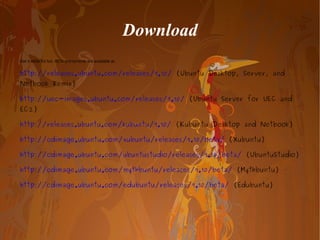
Download Get it while it's hot. ISOs and torrents are available at:  http://releases.ubuntu.com/releases/9.10/  (Ubuntu Desktop, Server, and Netbook Remix)  http://uec-images.ubuntu.com/releases/9.10/  (Ubuntu Server for UEC and EC2)  http://releases.ubuntu.com/kubuntu/9.10/  (Kubuntu Desktop and Netbook)  http://cdimage.ubuntu.com/xubuntu/releases/9.10/beta/  (Xubuntu)  http://cdimage.ubuntu.com/ubuntustudio/releases/9.10/beta/  (UbuntuStudio)  http://cdimage.ubuntu.com/mythbuntu/releases/9.10/beta/  (Mythbuntu)  http://cdimage.ubuntu.com/edubuntu/releases/9.10/beta/  (Edubuntu)
How to install Step by Step
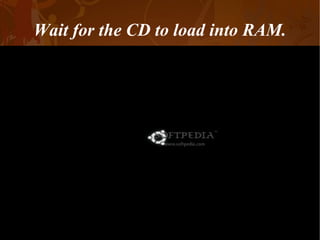
Wait for the CD to load into RAM.
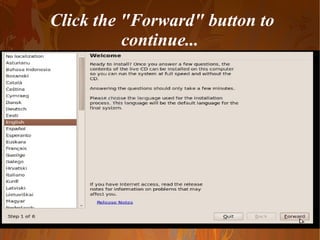
Click the "Forward" button to continue...
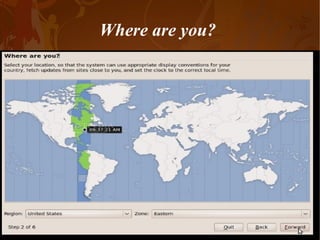
Where are you?
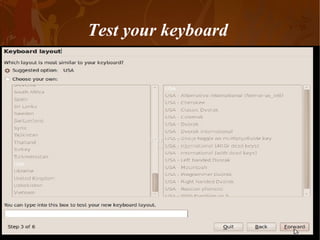
Test your keyboard
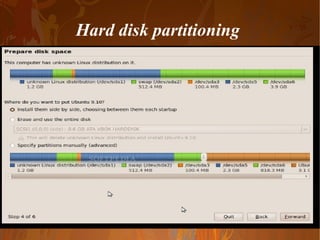
Hard disk partitioning
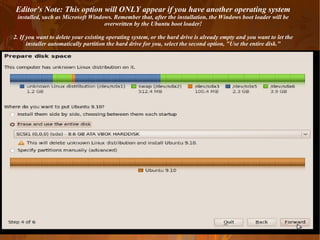
Editor's Note: This option will ONLY appear if you have another operating system  installed, such as Microsoft Windows. Remember that, after the installation, the Windows boot loader will be overwritten by the Ubuntu boot loader! 2. If you want to delete your existing operating system, or the hard drive is already empty and you want to let the installer automatically partition the hard drive for you, select the second option, "Use the entire disk."
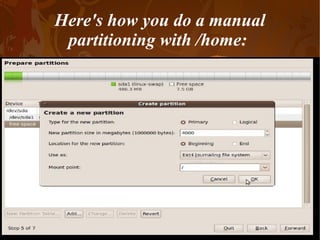
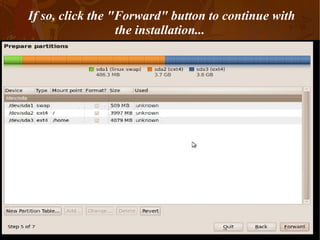
Here's how you do a manual partitioning with /home:
If so, click the "Forward" button to continue with the installation...
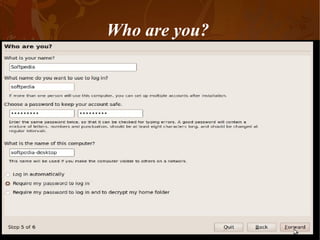
Who are you?
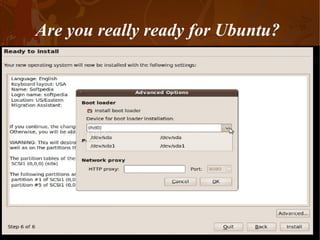
Are you really ready for Ubuntu?
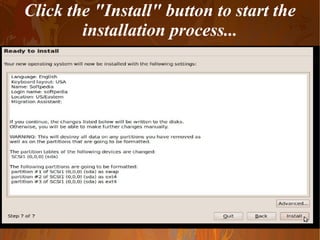
Click the "Install" button to start the installation process...
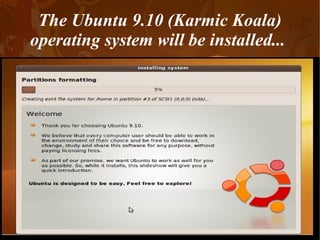
The Ubuntu 9.10 (Karmic Koala) operating system will be installed...
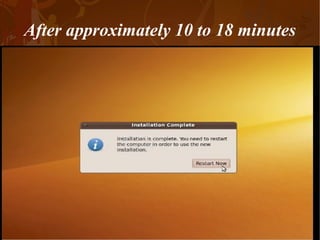
After approximately 10 to 18 minutes
The CD will be ejected;
 
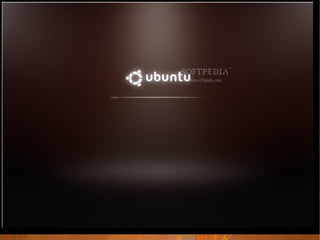
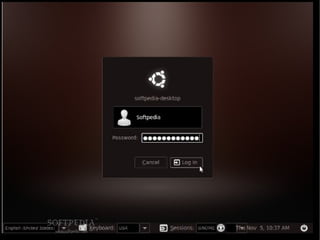
At the login screen
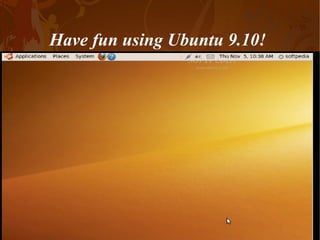
Have fun using Ubuntu 9.10!
By Urs Mush thanking you..........

step by step to install the ubuntu

  • 1.
    About Ubuntu: Ubuntu is operating system :its Long Term Support(LTS) :Easy to install popular models :its open source plat form :its contains web browser,office suite,media application :ununtu is graphical tools Its core application
  • 2.
    To upgrade fromUbuntu 9.04 on a desktop system, press Alt+F2 and type in "update-manager -d" (without the quotes) into the command box. Techincal overview The Ubuntu developers are moving quickly to bring you the latest and greatest software the Open Source Community has to offer Upgrading from Ubuntu 9.04
  • 3.
    Download Get itwhile it's hot. ISOs and torrents are available at: http://releases.ubuntu.com/releases/9.10/ (Ubuntu Desktop, Server, and Netbook Remix) http://uec-images.ubuntu.com/releases/9.10/ (Ubuntu Server for UEC and EC2) http://releases.ubuntu.com/kubuntu/9.10/ (Kubuntu Desktop and Netbook) http://cdimage.ubuntu.com/xubuntu/releases/9.10/beta/ (Xubuntu) http://cdimage.ubuntu.com/ubuntustudio/releases/9.10/beta/ (UbuntuStudio) http://cdimage.ubuntu.com/mythbuntu/releases/9.10/beta/ (Mythbuntu) http://cdimage.ubuntu.com/edubuntu/releases/9.10/beta/ (Edubuntu)
  • 4.
    How to installStep by Step
  • 5.
    Wait for theCD to load into RAM.
  • 6.
    Click the "Forward"button to continue...
  • 7.
  • 8.
  • 9.
  • 10.
    Editor's Note: Thisoption will ONLY appear if you have another operating system installed, such as Microsoft Windows. Remember that, after the installation, the Windows boot loader will be overwritten by the Ubuntu boot loader! 2. If you want to delete your existing operating system, or the hard drive is already empty and you want to let the installer automatically partition the hard drive for you, select the second option, "Use the entire disk."
  • 11.
    Here's how youdo a manual partitioning with /home:
  • 12.
    If so, clickthe "Forward" button to continue with the installation...
  • 13.
  • 14.
    Are you reallyready for Ubuntu?
  • 15.
    Click the "Install"button to start the installation process...
  • 16.
    The Ubuntu 9.10(Karmic Koala) operating system will be installed...
  • 17.
  • 18.
    The CD willbe ejected;
  • 19.
  • 20.
  • 21.
    Have fun usingUbuntu 9.10!
  • 22.
    By Urs Mushthanking you..........