SSL Brief Introduction
       2012-03-27 Eric
Outline

 The basic of SSL
 OpenSSL part1: Overview of the API
 OpenSSL part2: Echo client
 OpenSSL part3: Echo server
The basic of SSL

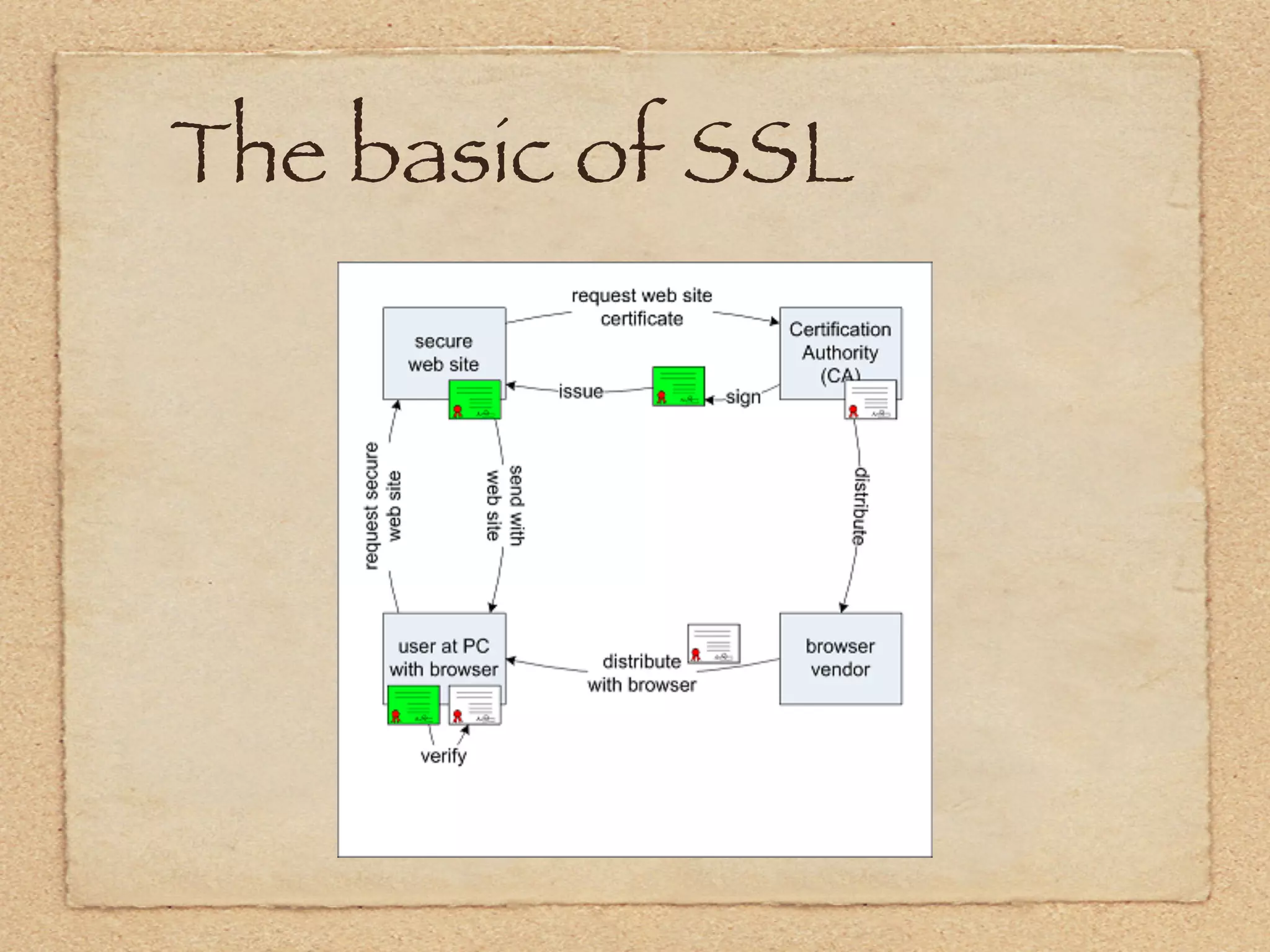
 SSL is an acronym that stands for
 Secure Sockets Layer.
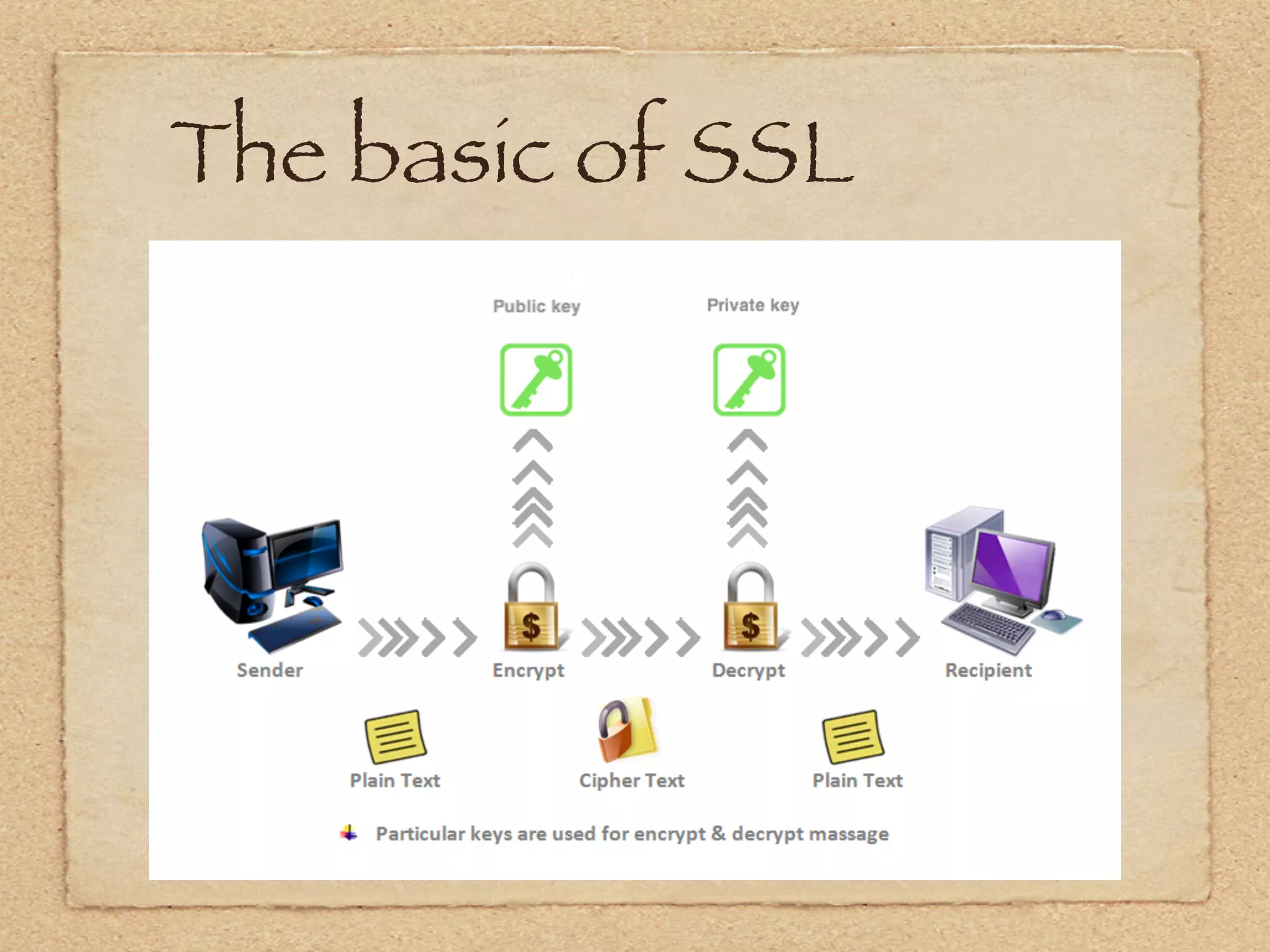
 The data is encrypted before it even
 leaves your computer, and is decrypted
 only once it reached its intended
 destination.
The basic of SSL
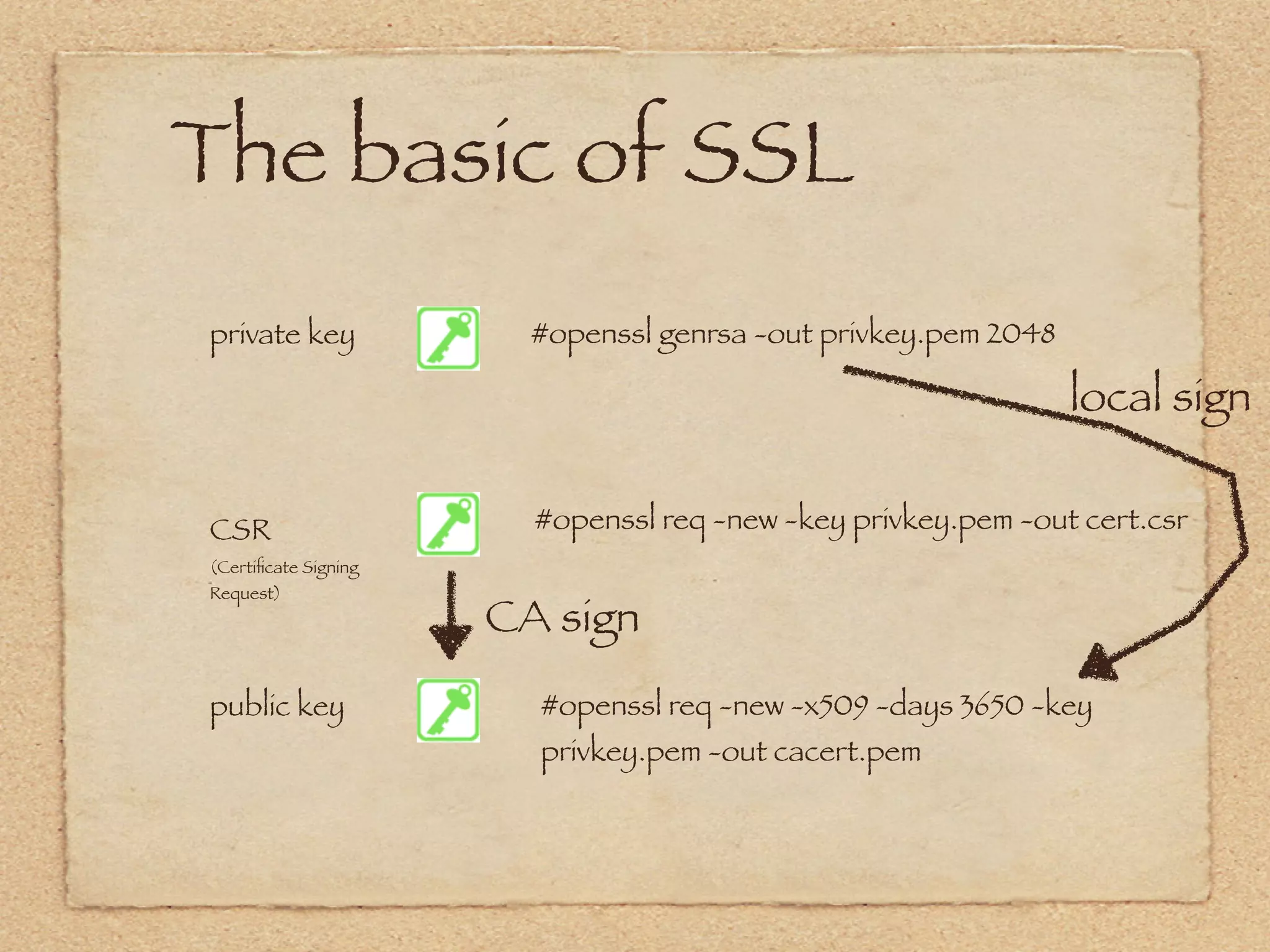
The basic of SSL
private key             #openssl genrsa -out privkey.pem 2048

                                                                local sign

CSR                     #openssl req -new -key privkey.pem -out cert.csr
(Certificate Signing
Request)
                      CA sign
public key              #openssl req -new -x509 -days 3650 -key
                        privkey.pem -out cacert.pem
The basic of SSL
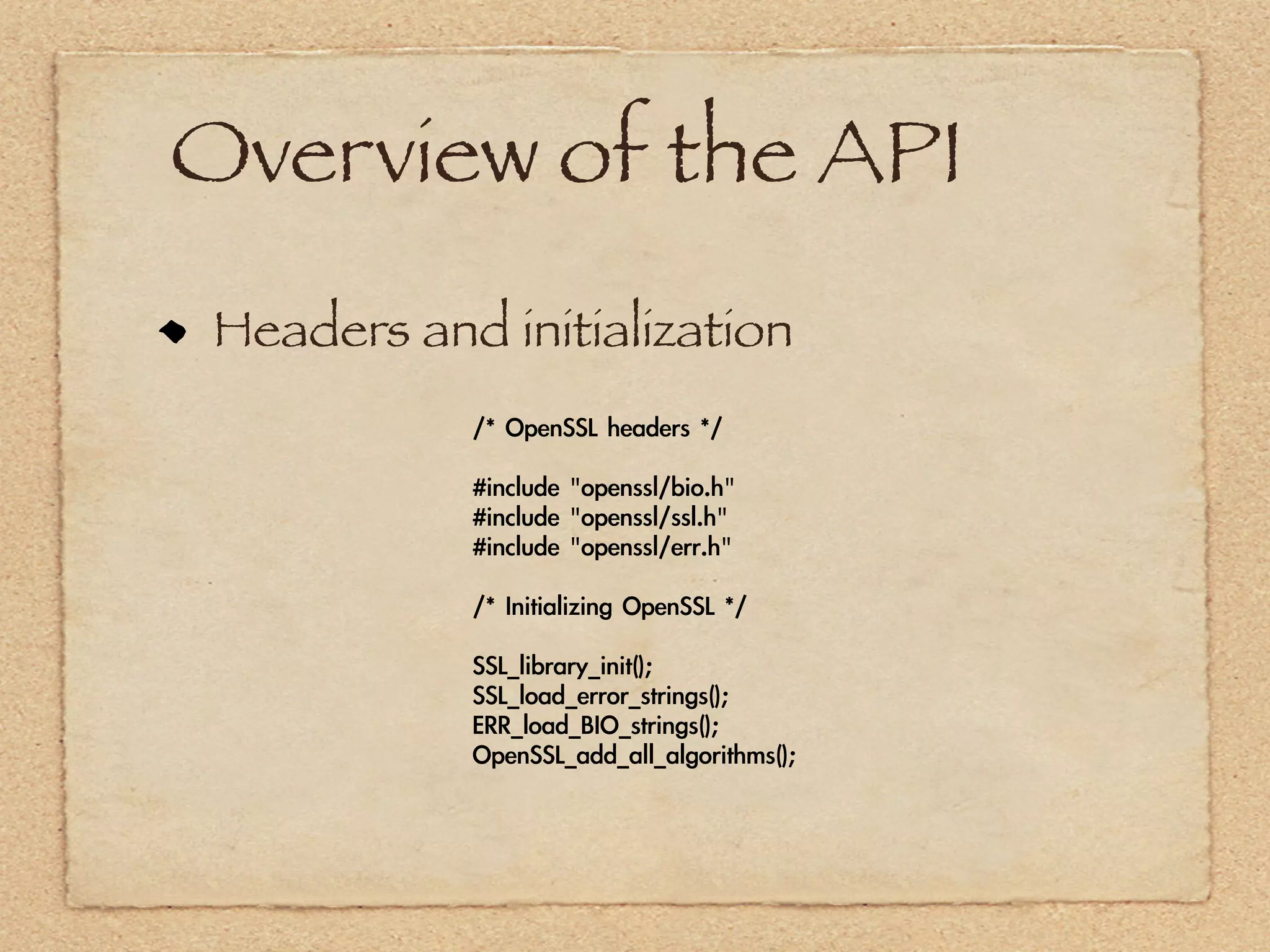
Overview of the API
 Headers and initialization
            /*	 OpenSSL	 headers	 */

            #include	 "openssl/bio.h"
            #include	 "openssl/ssl.h"
            #include	 "openssl/err.h"

            /*	 Initializing	 OpenSSL	 */

            SSL_library_init();
            SSL_load_error_strings();
            ERR_load_BIO_strings();
            OpenSSL_add_all_algorithms();
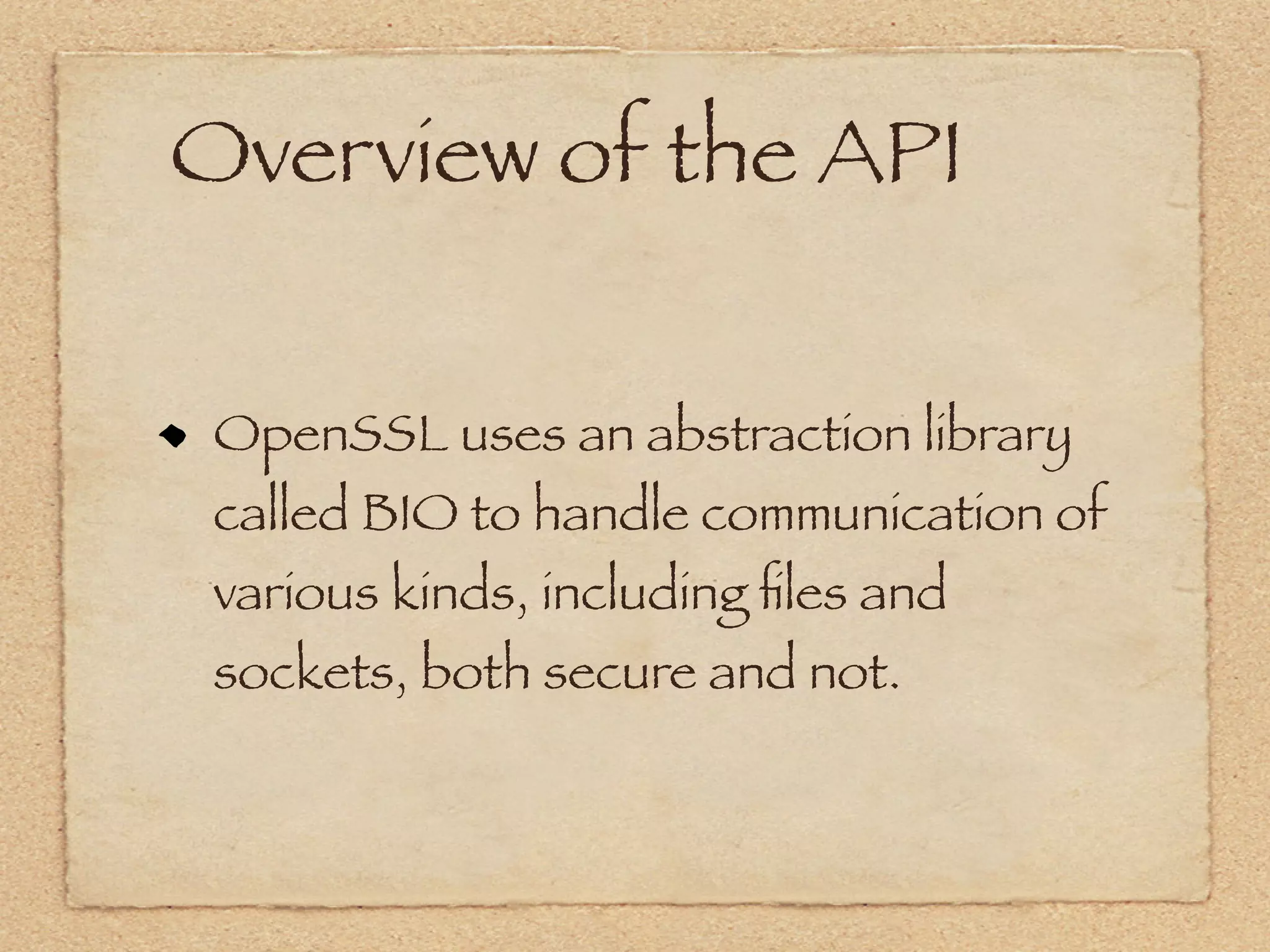
Overview of the API


 OpenSSL uses an abstraction library
 called BIO to handle communication of
 various kinds, including files and
 sockets, both secure and not.
Overview of the API
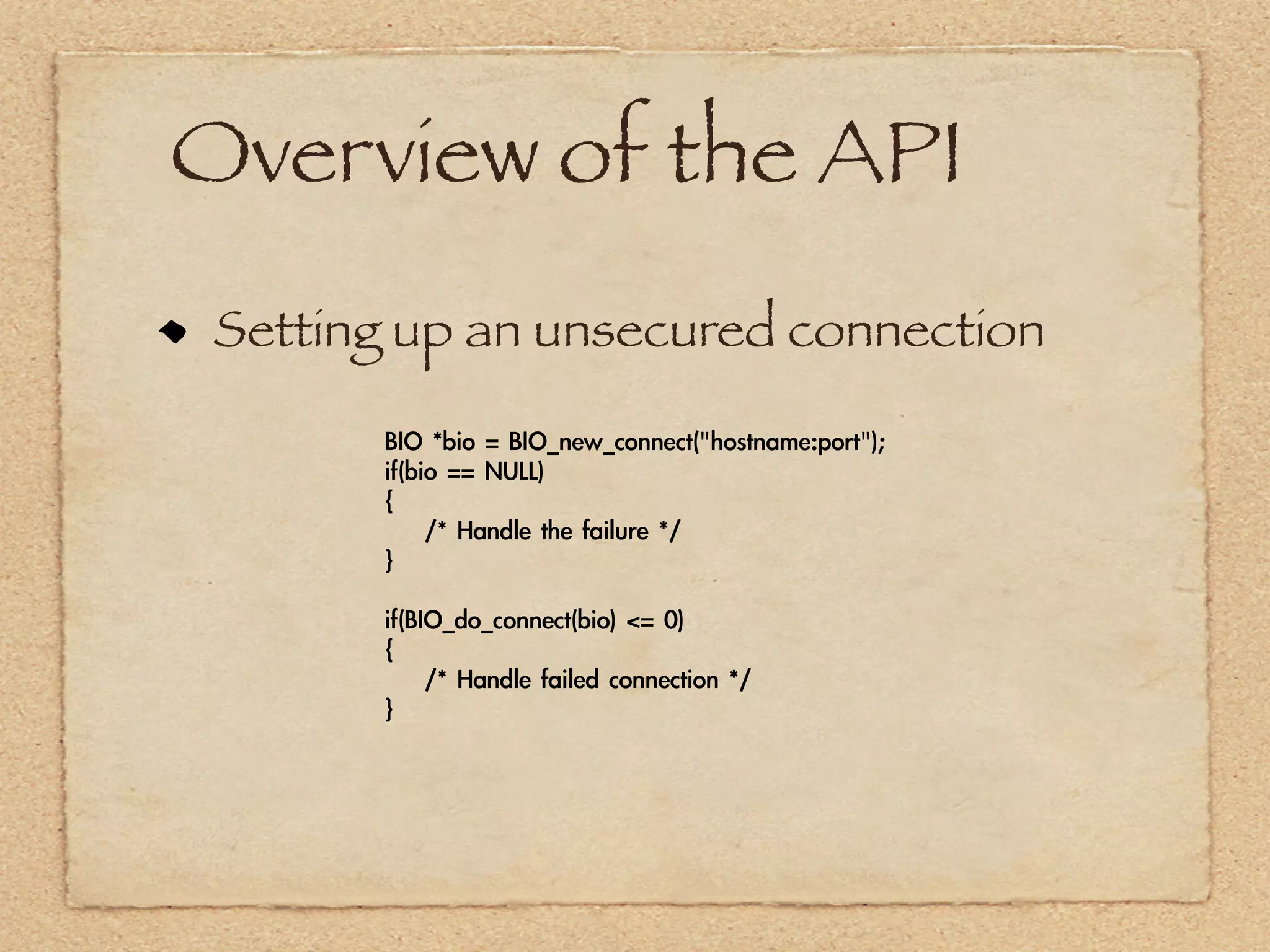
 Setting up an unsecured connection

       BIO	 *bio	 =	 BIO_new_connect("hostname:port");
       if(bio	 ==	 NULL)
       {
       	 	 	 	 /*	 Handle	 the	 failure	 */
       }

       if(BIO_do_connect(bio)	 <=	 0)
       {
       	 	 	 	 /*	 Handle	 failed	 connection	 */
       }
Overview of the API
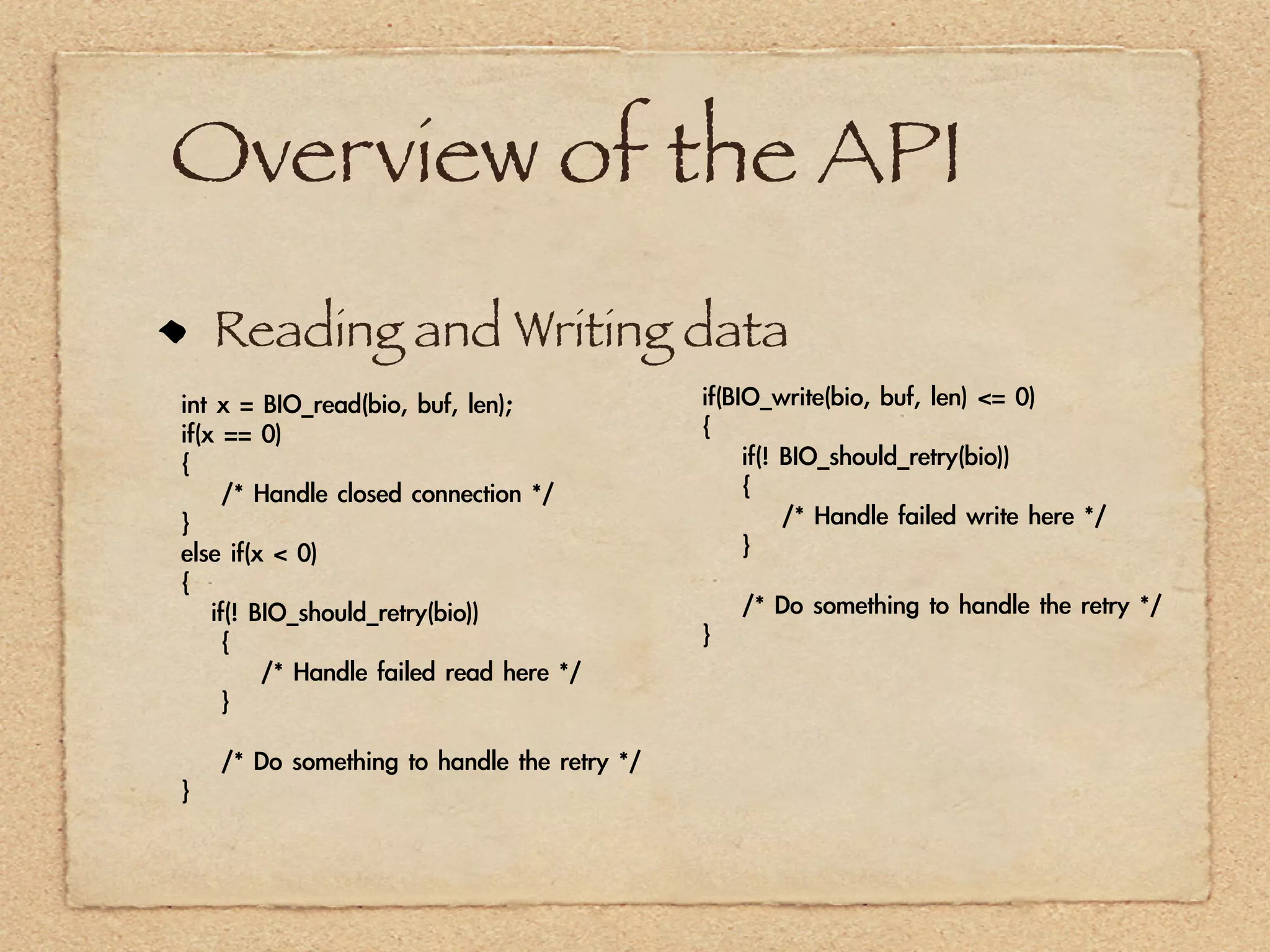
    Reading and Writing data
int	 x	 =	 BIO_read(bio,	 buf,	 len);                   if(BIO_write(bio,	 buf,	 len)	 <=	 0)
if(x	 ==	 0)                                            {
{                                                       	 	 	 	 if(!	 BIO_should_retry(bio))
	 	 	 	 /*	 Handle	 closed	 connection	 */              	 	 	 	 {
}                                                       	 	 	 	 	 	 	 	 /*	 Handle	 failed	 write	 here	 */
else	 if(x	 <	 0)                                       	 	 	 	 }
{
	 	 	 if(!	 BIO_should_retry(bio))                      	 	 	 	 /*	 Do	 something	 to	 handle	 the	 retry	 */
	 	 	 	 {                                               }
	 	 	 	 	 	 	 	 /*	 Handle	 failed	 read	 here	 */
	 	 	 	 }

	 	 	 	 /*	 Do	 something	 to	 handle	 the	 retry	 */
}
Overview of the API
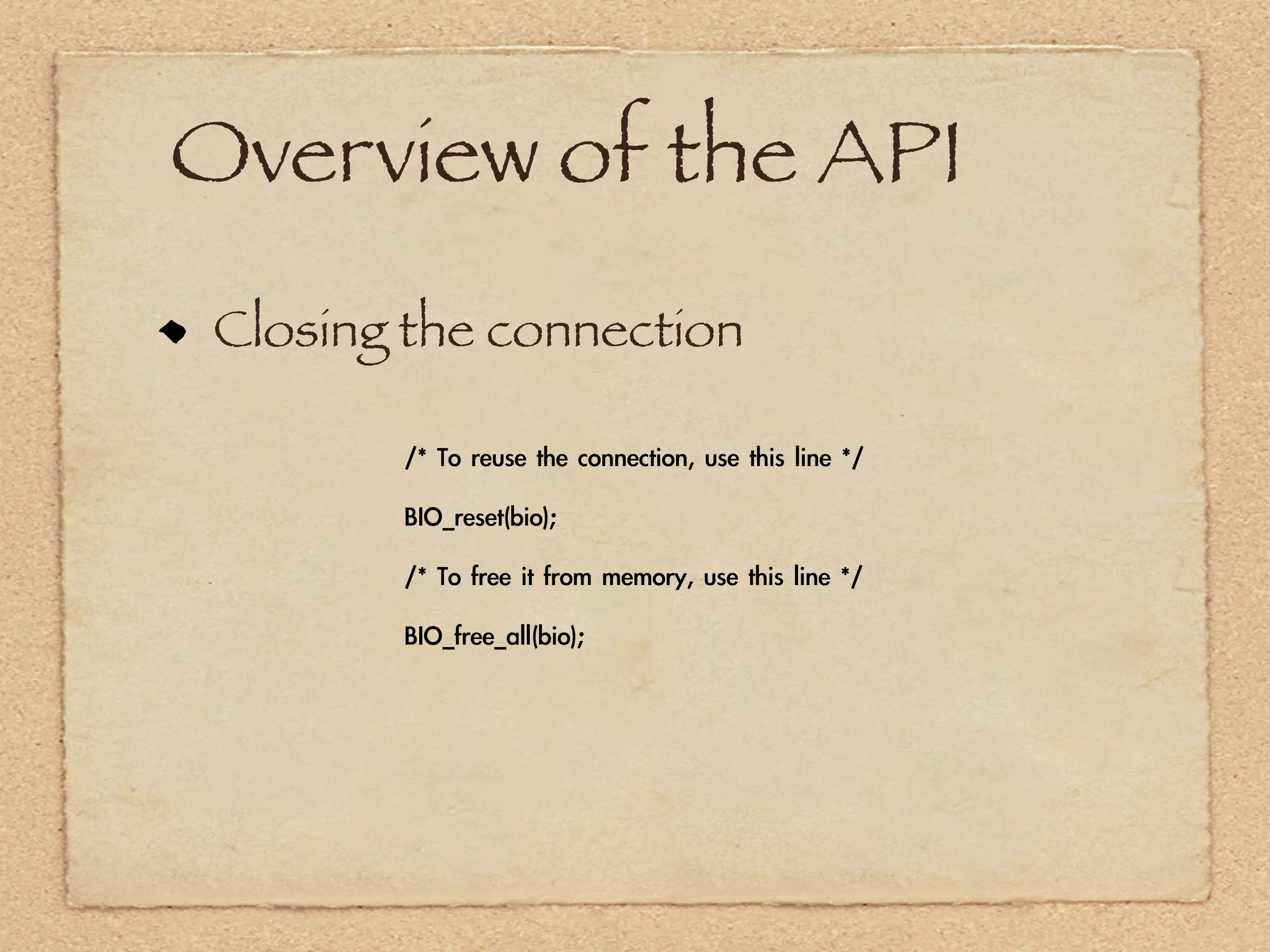
 Closing the connection

        /*	 To	 reuse	 the	 connection,	 use	 this	 line	 */

        BIO_reset(bio);

        /*	 To	 free	 it	 from	 memory,	 use	 this	 line	 */

        BIO_free_all(bio);
Overview of the API
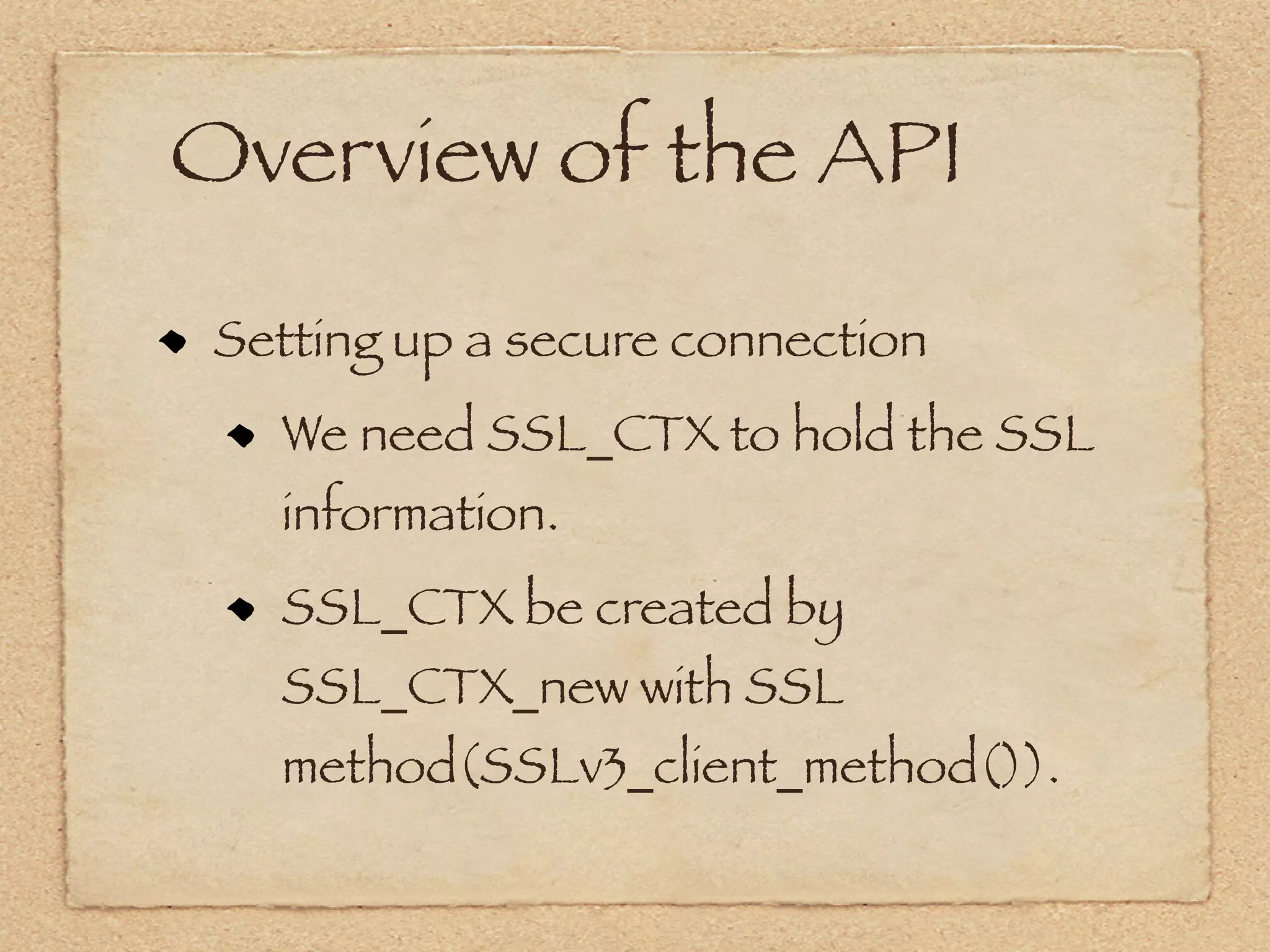
 Setting up a secure connection
   We need SSL_CTX to hold the SSL
   information.
   SSL_CTX be created by
   SSL_CTX_new with SSL
   method(SSLv3_client_method()).
Overview of the API
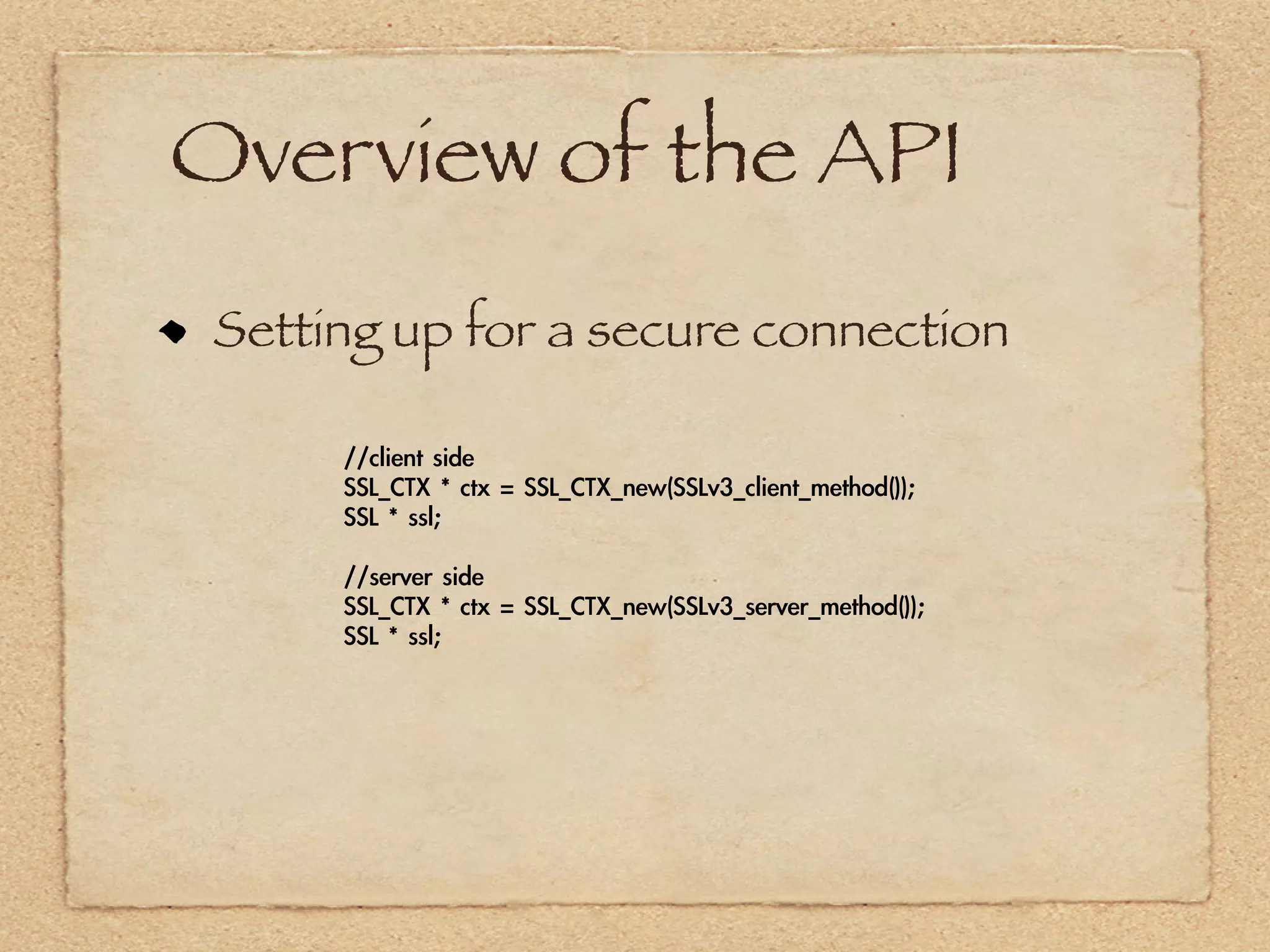
 Setting up for a secure connection

      //client	 side
      SSL_CTX	 *	 ctx	 =	 SSL_CTX_new(SSLv3_client_method());
      SSL	 *	 ssl;

      //server	 side
      SSL_CTX	 *	 ctx	 =	 SSL_CTX_new(SSLv3_server_method());
      SSL	 *	 ssl;
Overview of the API
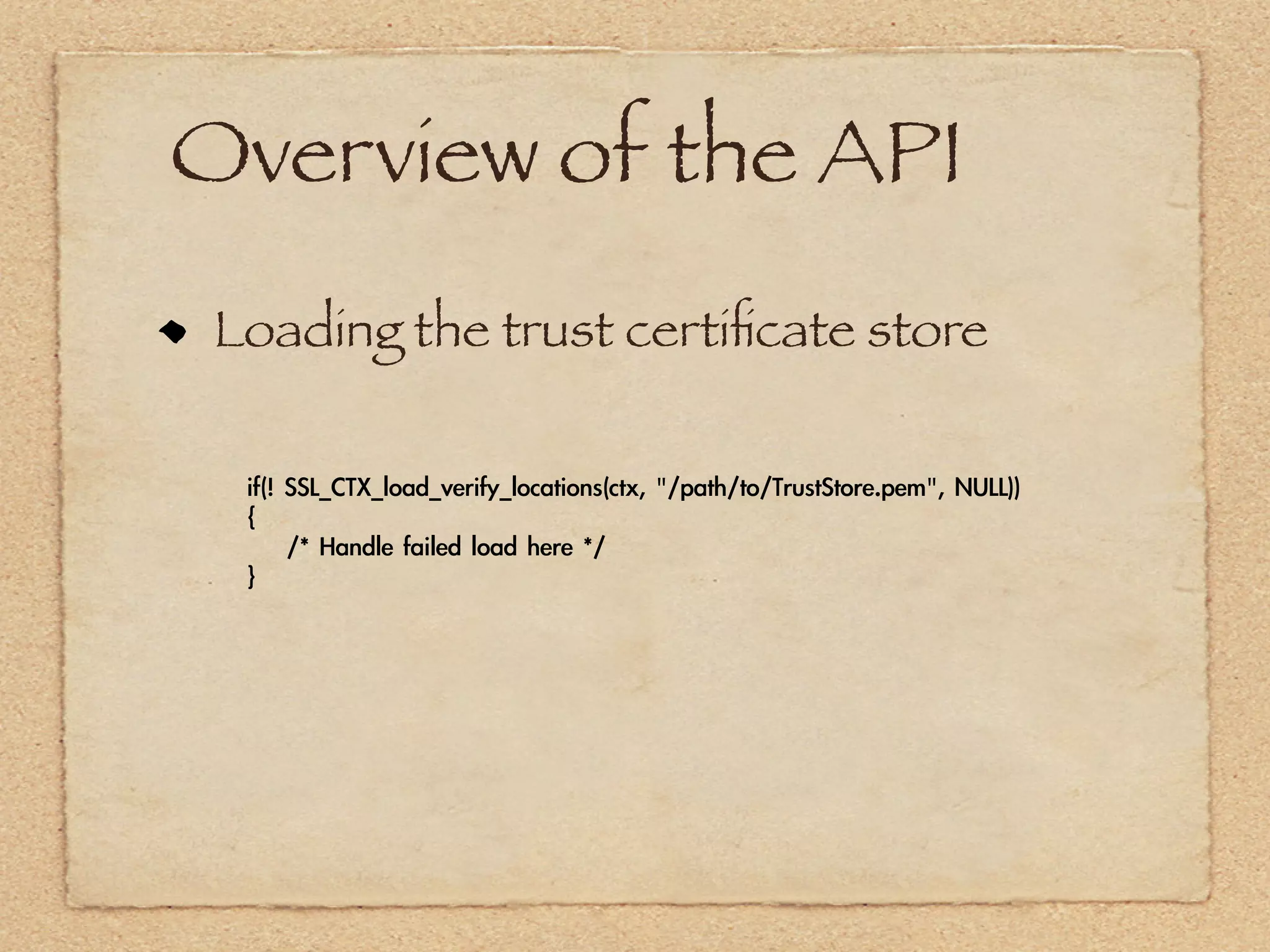
 Loading the trust certificate store

  if(!	 SSL_CTX_load_verify_locations(ctx,	 "/path/to/TrustStore.pem",	 NULL))
  {
  	 	 	 	 /*	 Handle	 failed	 load	 here	 */
  }
Overview of the API
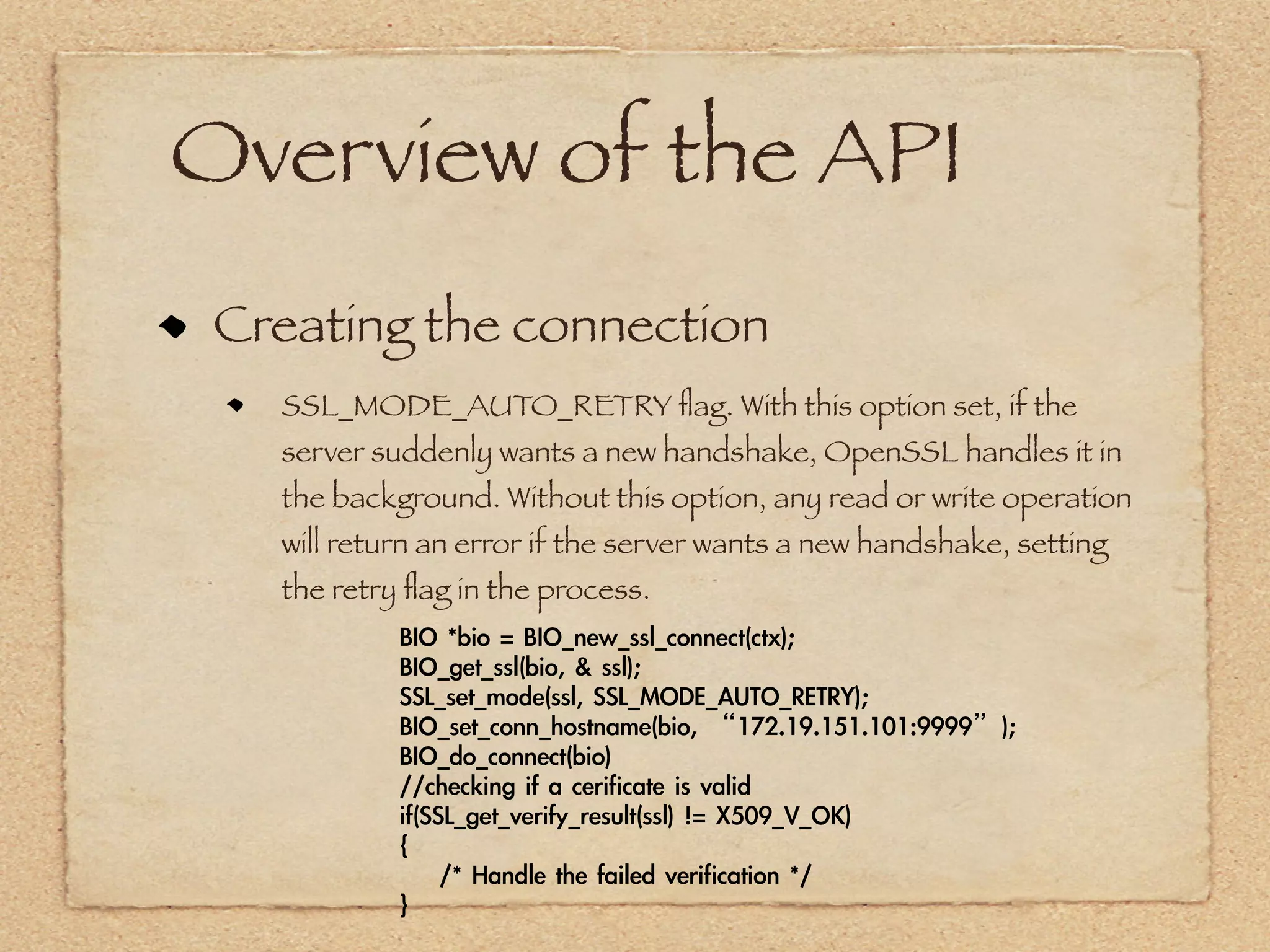
 Creating the connection
   SSL_MODE_AUTO_RETRY flag. With this option set, if the
   server suddenly wants a new handshake, OpenSSL handles it in
   the background. Without this option, any read or write operation
   will return an error if the server wants a new handshake, setting
   the retry flag in the process.
            BIO	 *bio	 =	 BIO_new_ssl_connect(ctx);
            BIO_get_ssl(bio,	 &	 ssl);
            SSL_set_mode(ssl,	 SSL_MODE_AUTO_RETRY);
            BIO_set_conn_hostname(bio,	 “172.19.151.101:9999”);
            BIO_do_connect(bio)
            //checking	 if	 a	 cerificate	 is	 valid
            if(SSL_get_verify_result(ssl)	 !=	 X509_V_OK)
            {
            	 	 	 	 /*	 Handle	 the	 failed	 verification	 */
            }
Overview of the API
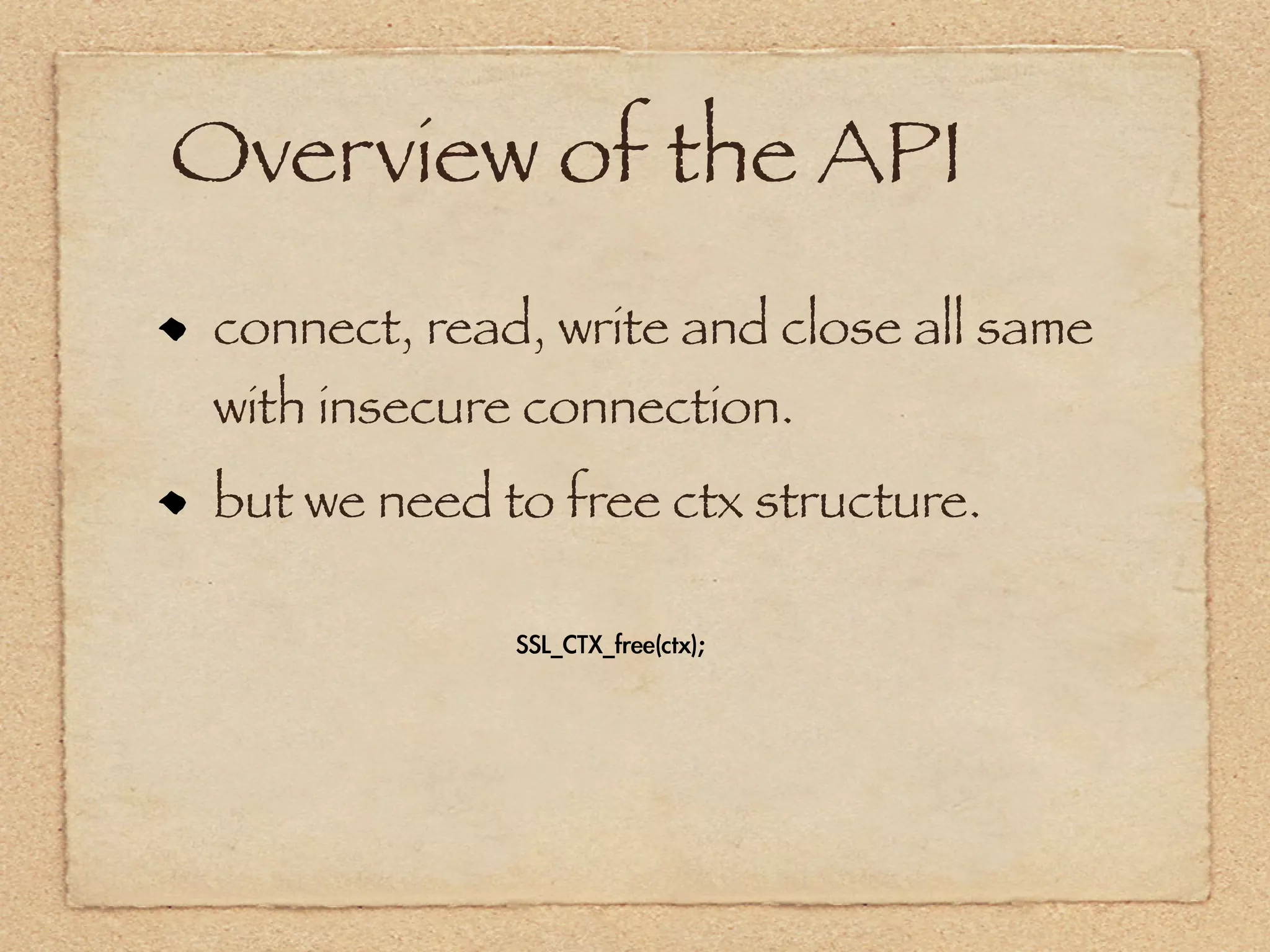
 connect, read, write and close all same
 with insecure connection.
 but we need to free ctx structure.

              SSL_CTX_free(ctx);
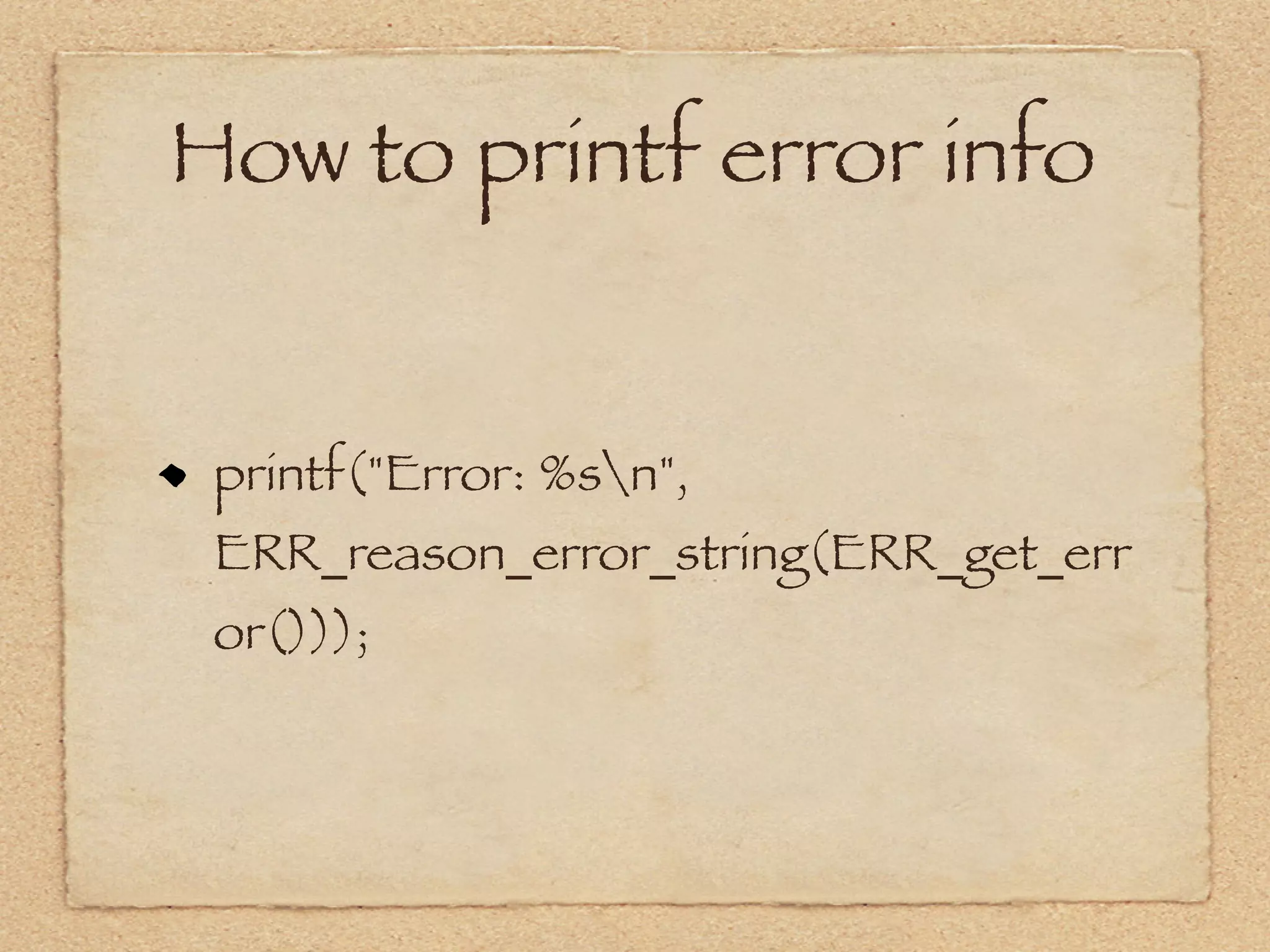
How to printf error info


 printf("Error: %sn",
 ERR_reason_error_string(ERR_get_err
 or()));
Echo client


 See sample code~
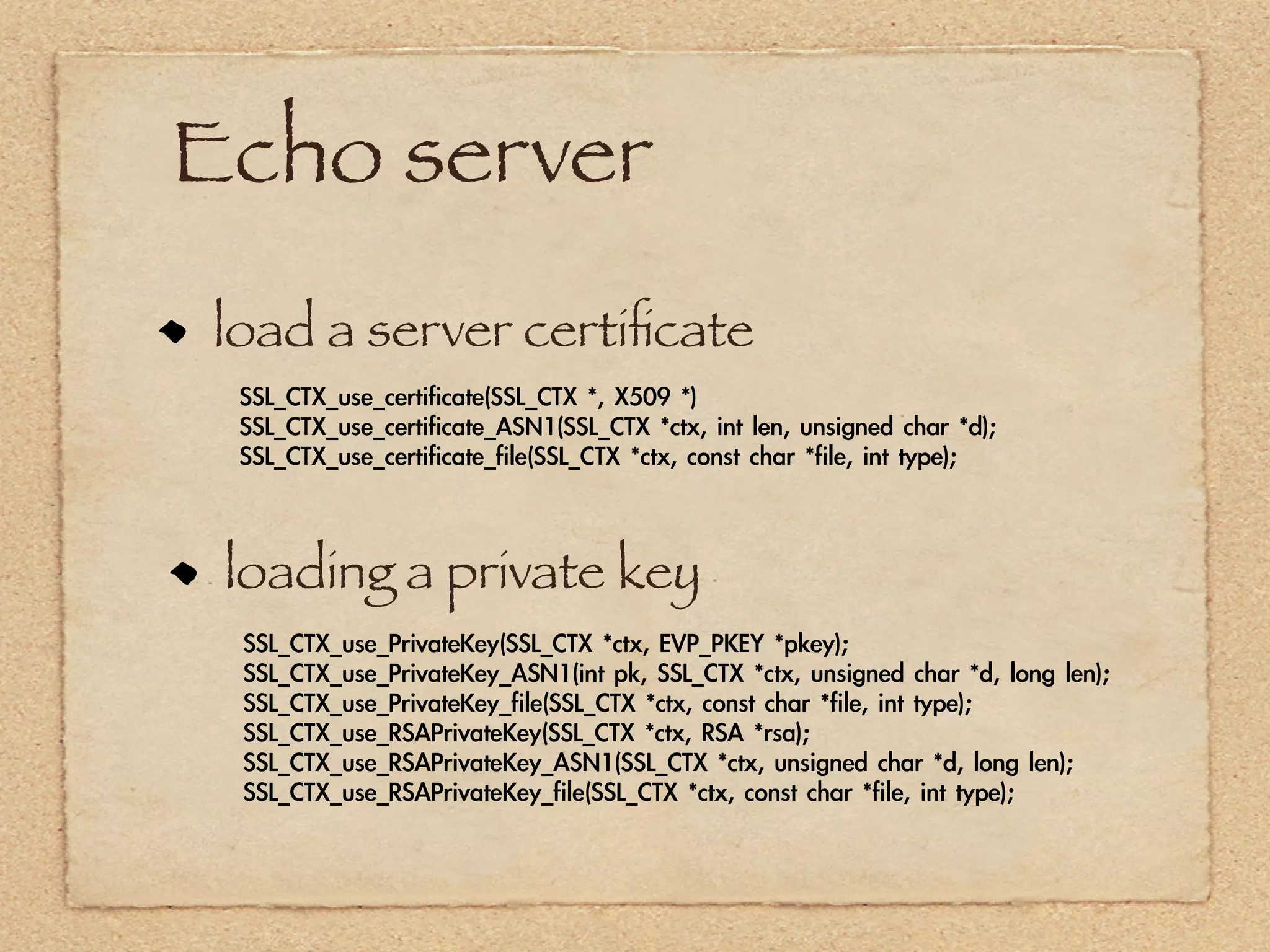
Echo server
load a server certificate
 SSL_CTX_use_certificate(SSL_CTX	 *,	 X509	 *)
 SSL_CTX_use_certificate_ASN1(SSL_CTX	 *ctx,	 int	 len,	 unsigned	 char	 *d);
 SSL_CTX_use_certificate_file(SSL_CTX	 *ctx,	 const	 char	 *file,	 int	 type);


 loading a private key
 SSL_CTX_use_PrivateKey(SSL_CTX	 *ctx,	 EVP_PKEY	 *pkey);
 SSL_CTX_use_PrivateKey_ASN1(int	 pk,	 SSL_CTX	 *ctx,	 unsigned	 char	 *d,	 long	 len);
 SSL_CTX_use_PrivateKey_file(SSL_CTX	 *ctx,	 const	 char	 *file,	 int	 type);
 SSL_CTX_use_RSAPrivateKey(SSL_CTX	 *ctx,	 RSA	 *rsa);
 SSL_CTX_use_RSAPrivateKey_ASN1(SSL_CTX	 *ctx,	 unsigned	 char	 *d,	 long	 len);
 SSL_CTX_use_RSAPrivateKey_file(SSL_CTX	 *ctx,	 const	 char	 *file,	 int	 type);
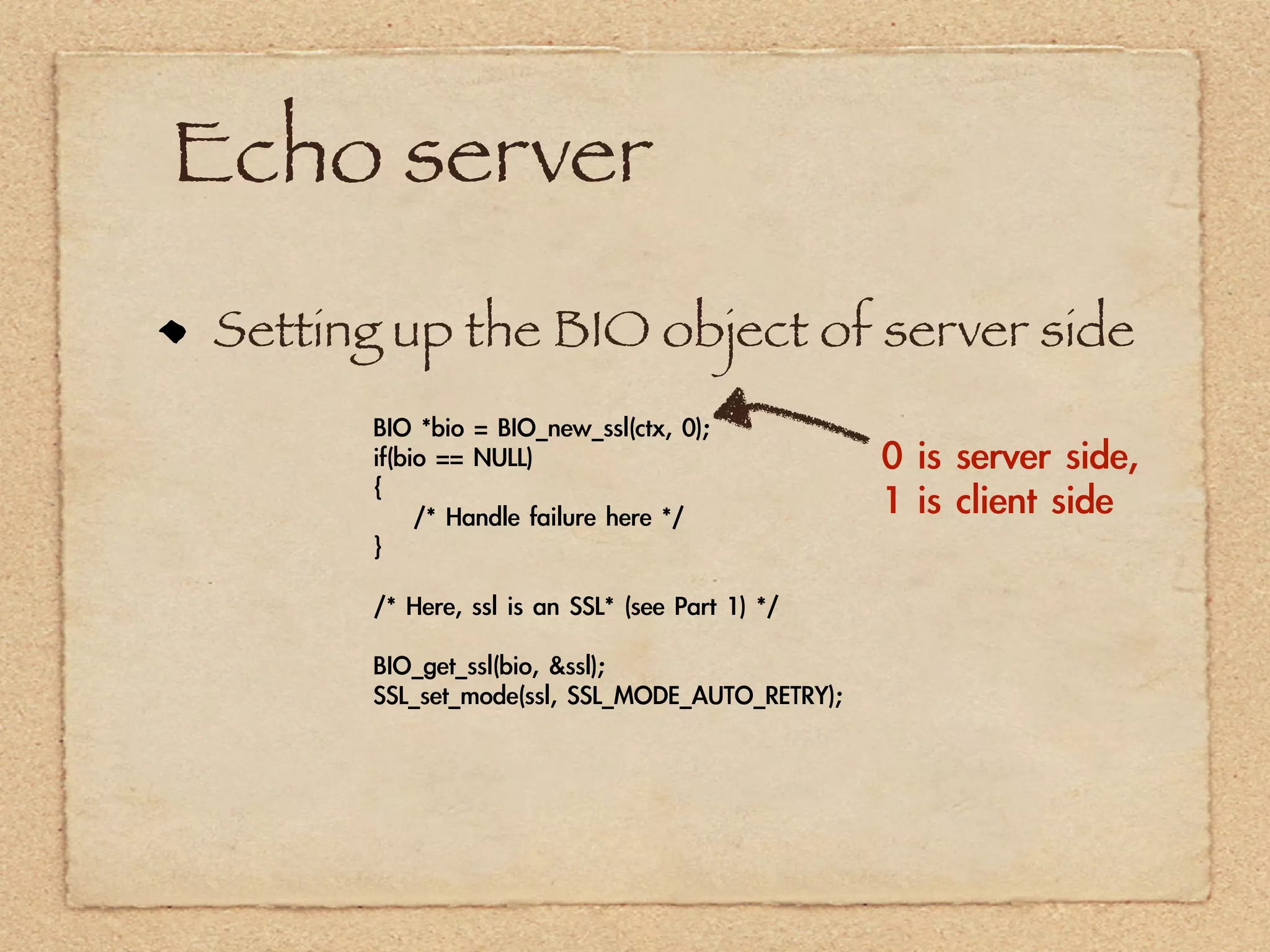
Echo server
Setting up the BIO object of server side
      BIO	 *bio	 =	 BIO_new_ssl(ctx,	 0);
      if(bio	 ==	 NULL)                                  0	 is	 server	 side,	 
      {
      	 	 	 	 /*	 Handle	 failure	 here	 */              1	 is	 client	 side
      }

      /*	 Here,	 ssl	 is	 an	 SSL*	 (see	 Part	 1)	 */

      BIO_get_ssl(bio,	 &ssl);
      SSL_set_mode(ssl,	 SSL_MODE_AUTO_RETRY);
Echo server
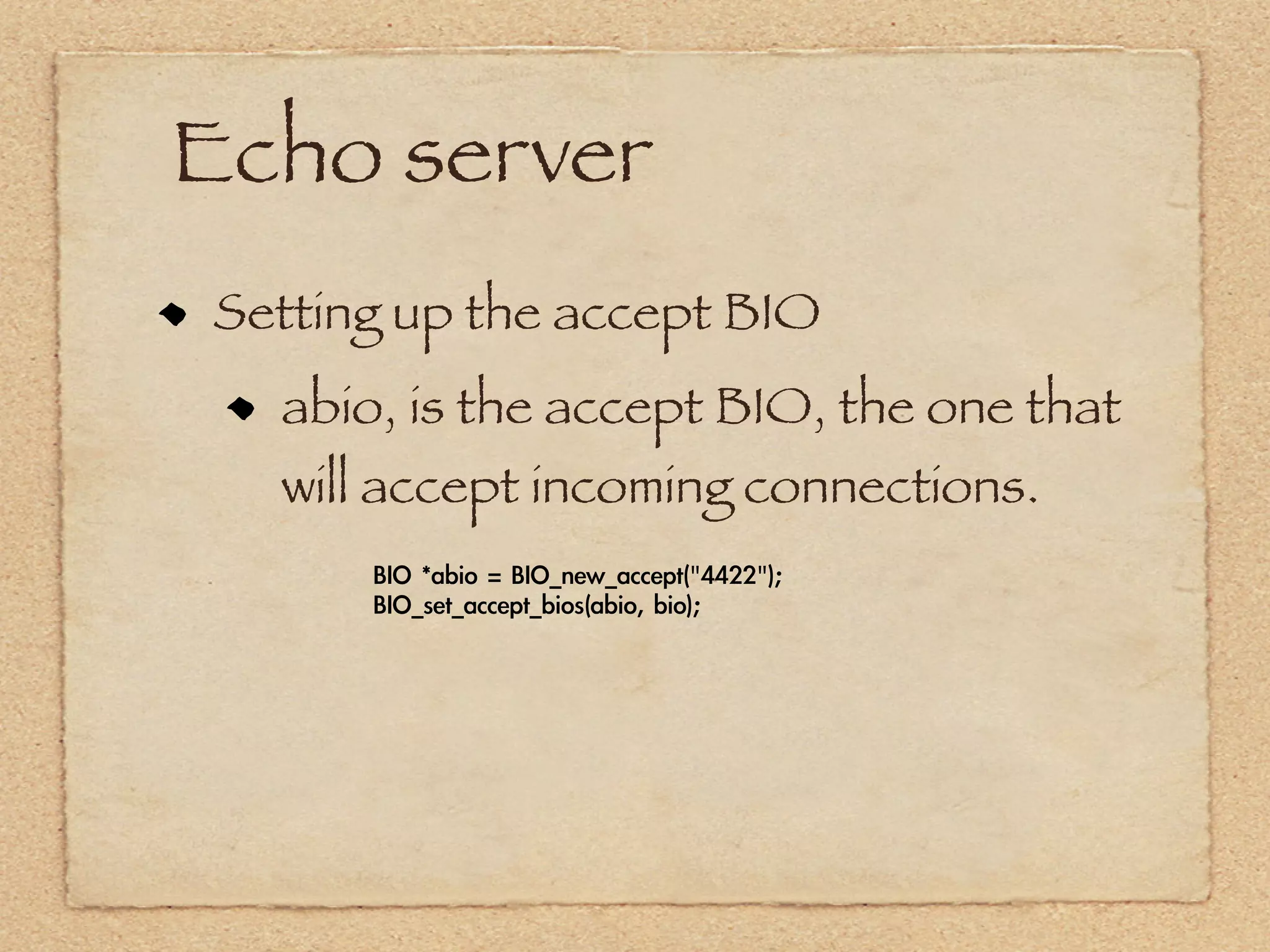
Setting up the accept BIO
  abio, is the accept BIO, the one that
  will accept incoming connections.
      BIO	 *abio	 =	 BIO_new_accept("4422");
      BIO_set_accept_bios(abio,	 bio);
Echo server
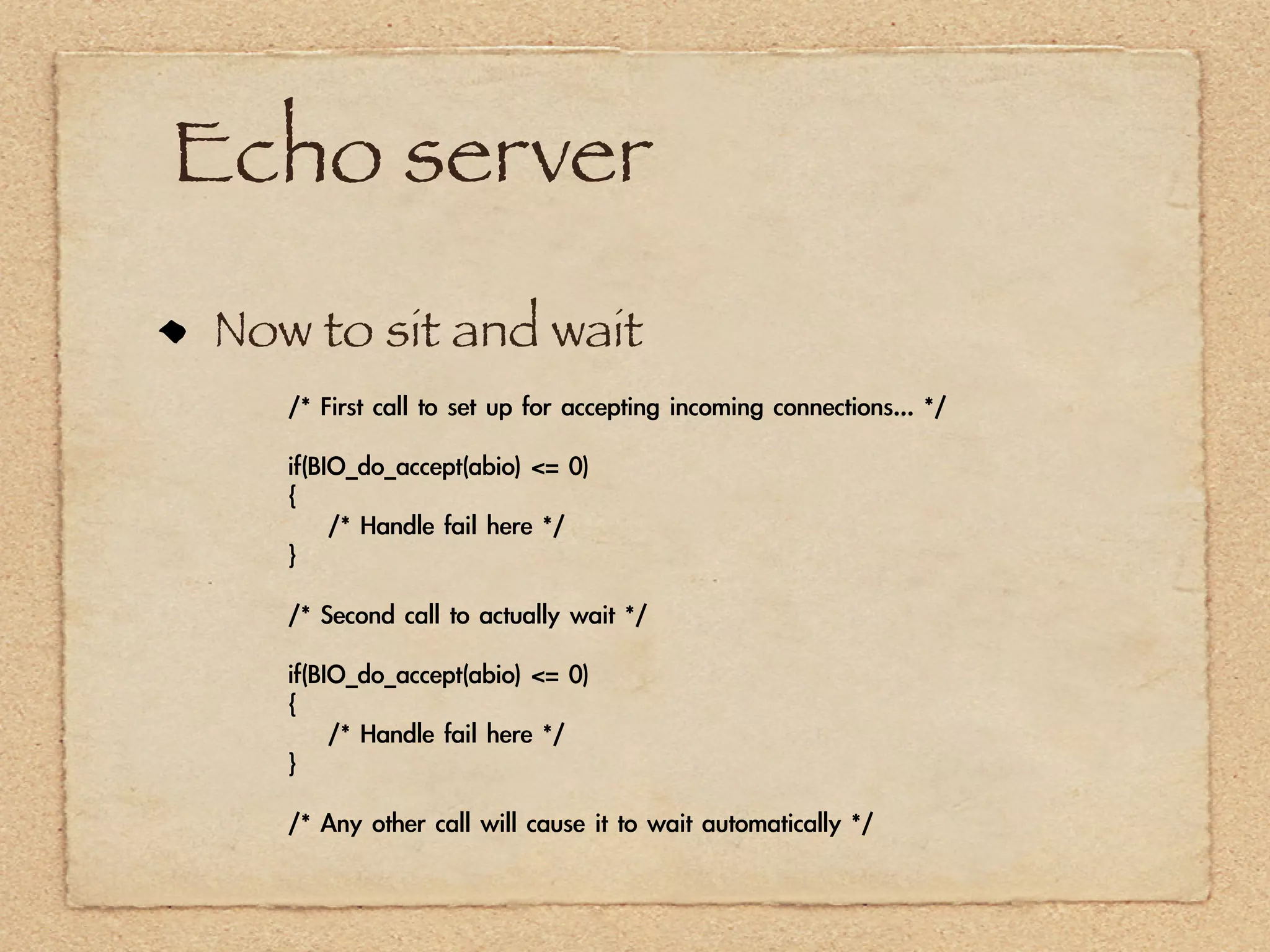
Now to sit and wait
   /*	 First	 call	 to	 set	 up	 for	 accepting	 incoming	 connections...	 */

   if(BIO_do_accept(abio)	 <=	 0)
   {
   	 	 	 	 /*	 Handle	 fail	 here	 */
   }

   /*	 Second	 call	 to	 actually	 wait	 */

   if(BIO_do_accept(abio)	 <=	 0)
   {
   	 	 	 	 /*	 Handle	 fail	 here	 */
   }

   /*	 Any	 other	 call	 will	 cause	 it	 to	 wait	 automatically	 */
Echo server
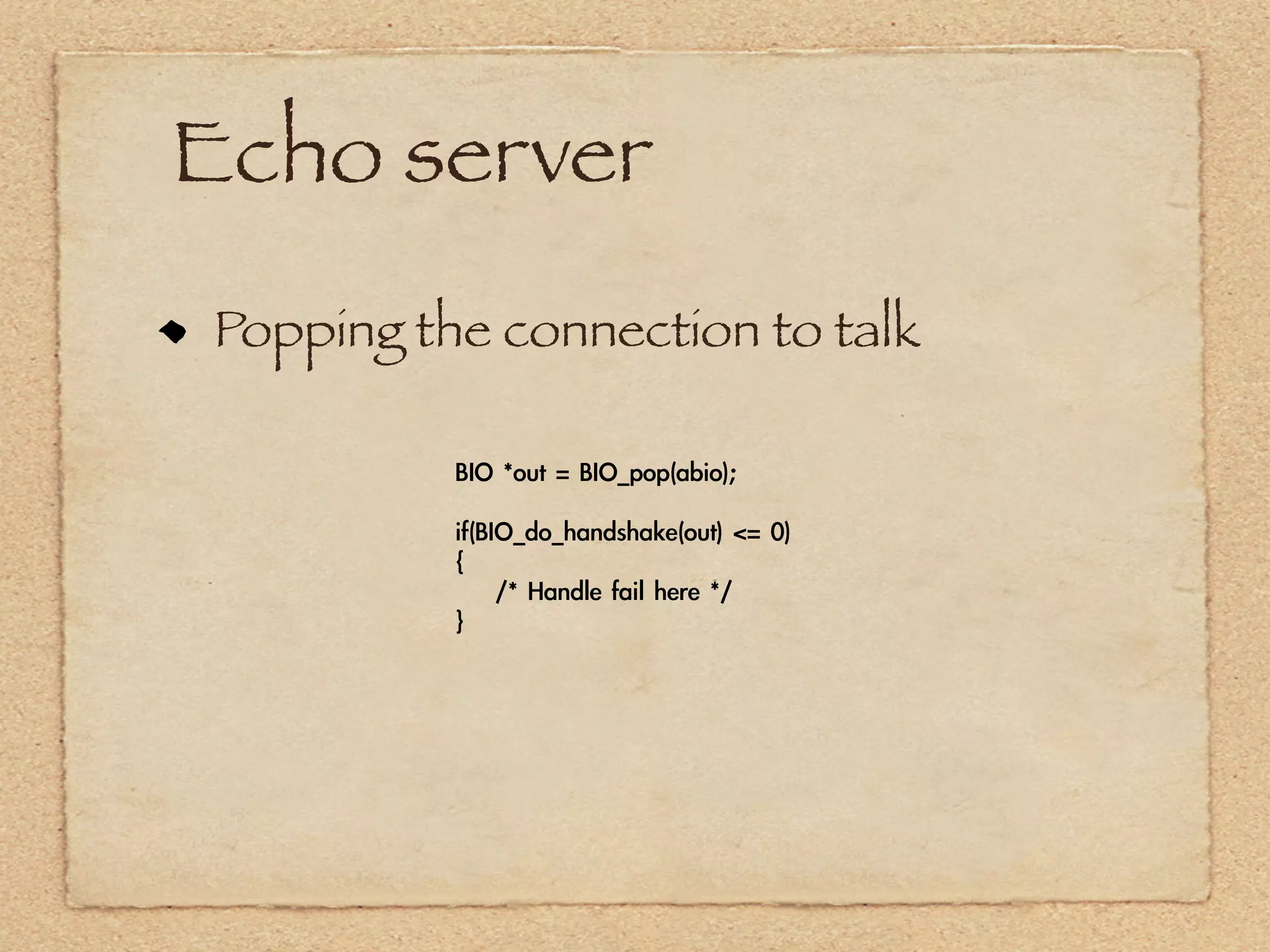
Popping the connection to talk

          BIO	 *out	 =	 BIO_pop(abio);

          if(BIO_do_handshake(out)	 <=	 0)
          {
          	 	 	 	 /*	 Handle	 fail	 here	 */
          }
Echo server

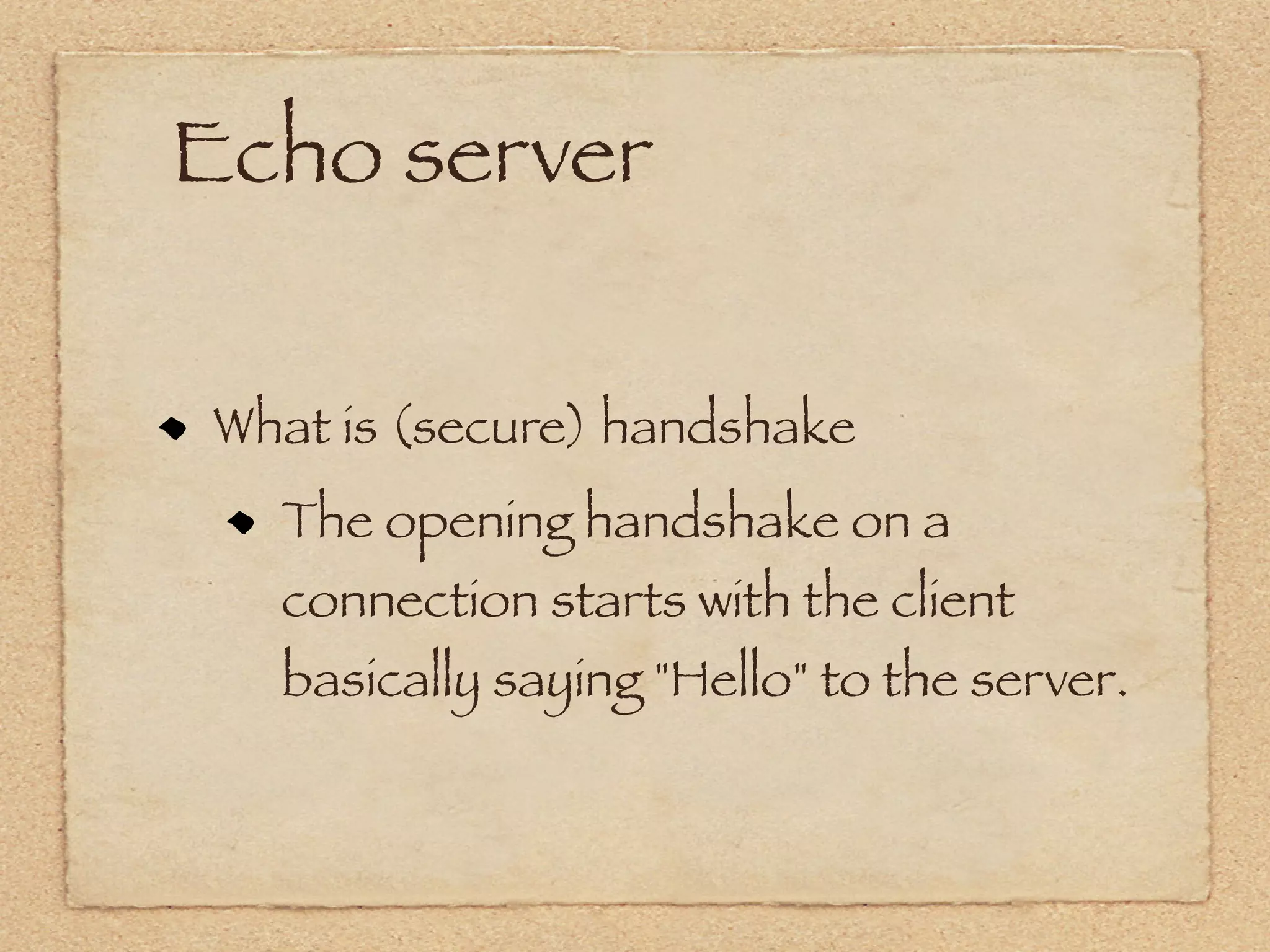
What is (secure) handshake
  The opening handshake on a
  connection starts with the client
  basically saying "Hello" to the server.
Echo server

The hello message -- which is what it's
called in the specification
   SSL version number
   Randomly generated data
   Cipher settings(encryption algorithm)
   Anything else needed for communication
Echo server


The server responds back with its own
hello message containing the server's
security parameters, the same type of
information as the client provided.
Echo server


See sample code~
Thanks a lot.
Home work today


implement SSL client and say hello to
my SSLSever.
implement SSL Server.

Openssl

  • 1.
    SSL Brief Introduction 2012-03-27 Eric
  • 2.
    Outline The basicof SSL OpenSSL part1: Overview of the API OpenSSL part2: Echo client OpenSSL part3: Echo server
  • 3.
    The basic ofSSL SSL is an acronym that stands for Secure Sockets Layer. The data is encrypted before it even leaves your computer, and is decrypted only once it reached its intended destination.
  • 4.
  • 5.
    The basic ofSSL private key #openssl genrsa -out privkey.pem 2048 local sign CSR #openssl req -new -key privkey.pem -out cert.csr (Certificate Signing Request) CA sign public key #openssl req -new -x509 -days 3650 -key privkey.pem -out cacert.pem
  • 6.
  • 7.
    Overview of theAPI Headers and initialization /* OpenSSL headers */ #include "openssl/bio.h" #include "openssl/ssl.h" #include "openssl/err.h" /* Initializing OpenSSL */ SSL_library_init(); SSL_load_error_strings(); ERR_load_BIO_strings(); OpenSSL_add_all_algorithms();
  • 8.
    Overview of theAPI OpenSSL uses an abstraction library called BIO to handle communication of various kinds, including files and sockets, both secure and not.
  • 9.
    Overview of theAPI Setting up an unsecured connection BIO *bio = BIO_new_connect("hostname:port"); if(bio == NULL) { /* Handle the failure */ } if(BIO_do_connect(bio) <= 0) { /* Handle failed connection */ }
  • 10.
    Overview of theAPI Reading and Writing data int x = BIO_read(bio, buf, len); if(BIO_write(bio, buf, len) <= 0) if(x == 0) { { if(! BIO_should_retry(bio)) /* Handle closed connection */ { } /* Handle failed write here */ else if(x < 0) } { if(! BIO_should_retry(bio)) /* Do something to handle the retry */ { } /* Handle failed read here */ } /* Do something to handle the retry */ }
  • 11.
    Overview of theAPI Closing the connection /* To reuse the connection, use this line */ BIO_reset(bio); /* To free it from memory, use this line */ BIO_free_all(bio);
  • 12.
    Overview of theAPI Setting up a secure connection We need SSL_CTX to hold the SSL information. SSL_CTX be created by SSL_CTX_new with SSL method(SSLv3_client_method()).
  • 13.
    Overview of theAPI Setting up for a secure connection //client side SSL_CTX * ctx = SSL_CTX_new(SSLv3_client_method()); SSL * ssl; //server side SSL_CTX * ctx = SSL_CTX_new(SSLv3_server_method()); SSL * ssl;
  • 14.
    Overview of theAPI Loading the trust certificate store if(! SSL_CTX_load_verify_locations(ctx, "/path/to/TrustStore.pem", NULL)) { /* Handle failed load here */ }
  • 15.
    Overview of theAPI Creating the connection SSL_MODE_AUTO_RETRY flag. With this option set, if the server suddenly wants a new handshake, OpenSSL handles it in the background. Without this option, any read or write operation will return an error if the server wants a new handshake, setting the retry flag in the process. BIO *bio = BIO_new_ssl_connect(ctx); BIO_get_ssl(bio, & ssl); SSL_set_mode(ssl, SSL_MODE_AUTO_RETRY); BIO_set_conn_hostname(bio, “172.19.151.101:9999”); BIO_do_connect(bio) //checking if a cerificate is valid if(SSL_get_verify_result(ssl) != X509_V_OK) { /* Handle the failed verification */ }
  • 16.
    Overview of theAPI connect, read, write and close all same with insecure connection. but we need to free ctx structure. SSL_CTX_free(ctx);
  • 17.
    How to printferror info printf("Error: %sn", ERR_reason_error_string(ERR_get_err or()));
  • 18.
    Echo client Seesample code~
  • 19.
    Echo server load aserver certificate SSL_CTX_use_certificate(SSL_CTX *, X509 *) SSL_CTX_use_certificate_ASN1(SSL_CTX *ctx, int len, unsigned char *d); SSL_CTX_use_certificate_file(SSL_CTX *ctx, const char *file, int type); loading a private key SSL_CTX_use_PrivateKey(SSL_CTX *ctx, EVP_PKEY *pkey); SSL_CTX_use_PrivateKey_ASN1(int pk, SSL_CTX *ctx, unsigned char *d, long len); SSL_CTX_use_PrivateKey_file(SSL_CTX *ctx, const char *file, int type); SSL_CTX_use_RSAPrivateKey(SSL_CTX *ctx, RSA *rsa); SSL_CTX_use_RSAPrivateKey_ASN1(SSL_CTX *ctx, unsigned char *d, long len); SSL_CTX_use_RSAPrivateKey_file(SSL_CTX *ctx, const char *file, int type);
  • 20.
    Echo server Setting upthe BIO object of server side BIO *bio = BIO_new_ssl(ctx, 0); if(bio == NULL) 0 is server side, { /* Handle failure here */ 1 is client side } /* Here, ssl is an SSL* (see Part 1) */ BIO_get_ssl(bio, &ssl); SSL_set_mode(ssl, SSL_MODE_AUTO_RETRY);
  • 21.
    Echo server Setting upthe accept BIO abio, is the accept BIO, the one that will accept incoming connections. BIO *abio = BIO_new_accept("4422"); BIO_set_accept_bios(abio, bio);
  • 22.
    Echo server Now tosit and wait /* First call to set up for accepting incoming connections... */ if(BIO_do_accept(abio) <= 0) { /* Handle fail here */ } /* Second call to actually wait */ if(BIO_do_accept(abio) <= 0) { /* Handle fail here */ } /* Any other call will cause it to wait automatically */
  • 23.
    Echo server Popping theconnection to talk BIO *out = BIO_pop(abio); if(BIO_do_handshake(out) <= 0) { /* Handle fail here */ }
  • 24.
    Echo server What is(secure) handshake The opening handshake on a connection starts with the client basically saying "Hello" to the server.
  • 25.
    Echo server The hellomessage -- which is what it's called in the specification SSL version number Randomly generated data Cipher settings(encryption algorithm) Anything else needed for communication
  • 26.
    Echo server The serverresponds back with its own hello message containing the server's security parameters, the same type of information as the client provided.
  • 27.
  • 28.
  • 29.
    Home work today implementSSL client and say hello to my SSLSever. implement SSL Server.