Embracing Open-Source Software How Using Open-Source  and  Free Software Can Help Your Library Improve Services and Cut Costs Jim Peterson, Technology Coordinator Goodnight Memorial Library Franklin, KY
What is Open Source Software? Open source does not necessarily mean free! Open source means source code is available for you to view, modify & redistribute and is usually free Usually paid support is offered Online support is usually free and available via forums, IRC channels and e-mail Free software means you can get it for free, usually no support offered whatsoever Not necessarily open source Freeware is a known vector for viruses and other malware! Be wary!
What you MUST consider before choosing open source software! Technical Expertise Is there a geek on staff or do you need to buy one? Usually not as easy as installing iTunes on Windows Will need to be comfortable with working from the command line Ongoing costs ALA report from 2008 w/case studies Usually no initial cost to download/install, training is similar in cost & scope.
More to consider... Mergers and Acquisitions Research the prospective provider's business model, potential for buyout, tech support satisfaction LibLime (Koha support) recently acquired by  PTFS Happens to proprietary folks, but research can mitigate the possibility of a project-killing takeover Total Cost of Ownership Licensing – software is biggest expense on desktops Support & Maintenance – talk to other libraries Ease of use/training costs/system requirements
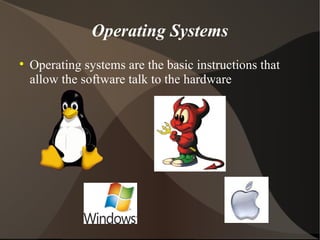
Operating Systems Operating systems are the basic instructions that allow the software talk to the hardware
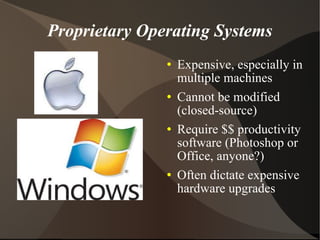
Proprietary Operating Systems Expensive, especially in multiple machines Cannot be modified (closed-source) Require $$ productivity software (Photoshop or Office, anyone?) Often dictate expensive hardware upgrades
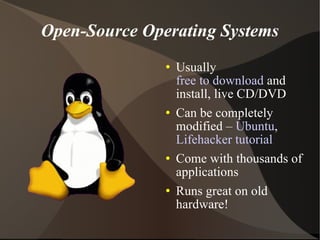
Open-Source Operating Systems Usually  free to download  and install, live CD/DVD Can be completely modified –  Ubuntu ,  Lifehacker tutorial Come with thousands of applications Runs great on old hardware!
Open-Source Operating Systems
Open-Source Photo Editors The Gimp  – Photoshop alternative – cross-platform F-Spot Photo manager  – great for management of photos & albums Google's Picasa  – cross platform, basic editor & photo management. Can be a “Cloud” service
OpenOffice Productivity Suite Drop-In alternative to Microsoft Office No license fees Will open, save, create and interact with MS Word documents, PowerPoint, and most Excel spreadsheets Conforms to International Standards
Free Website & Network Monitoring Woopra – Web site traffic monitoring Groundwork Open Source Community Edition – Network & asset monitor Nagios – Network & asset monitor
Open Source ILS
Links to Open Source Projects Distrowatch  – Learn about Linux distributions How to Choose a Desktop Linux Distribution  – PCWorld article OpenOffice  – Office suite The Gimp  – Creative suite for photos & graphics Groundwork  – Network & server monitoring Woopra  – Web site statistics & monitoring XChat  – IRC Interface for chatting online Ultimate Gamers ed.  – Live DVD w/games
Open Source Projects Evernote  – Searchable on-line notepad. Open Source in a new light  – IBM report about open source software use in 2010 Microsoft Office vs. OpenOffice.org  – article comparing the two office suites PC World Guide to Today's To 10 Linux Distributions 58 Open Source Replacements for Sm. Bus. Software  – article from Datamation
Jim Peterson, Technology Coordinator Goodnight Memorial Library Franklin, KY Email   [email_address] (270) 586-8397 Library website   www.gmpl.org Library Facebook Jim's Facebook Jim's  Library Technology Blog Jim on Twitter

Open sourcelibrary

  • 1.
    Embracing Open-Source SoftwareHow Using Open-Source and Free Software Can Help Your Library Improve Services and Cut Costs Jim Peterson, Technology Coordinator Goodnight Memorial Library Franklin, KY
  • 2.
    What is OpenSource Software? Open source does not necessarily mean free! Open source means source code is available for you to view, modify & redistribute and is usually free Usually paid support is offered Online support is usually free and available via forums, IRC channels and e-mail Free software means you can get it for free, usually no support offered whatsoever Not necessarily open source Freeware is a known vector for viruses and other malware! Be wary!
  • 3.
    What you MUSTconsider before choosing open source software! Technical Expertise Is there a geek on staff or do you need to buy one? Usually not as easy as installing iTunes on Windows Will need to be comfortable with working from the command line Ongoing costs ALA report from 2008 w/case studies Usually no initial cost to download/install, training is similar in cost & scope.
  • 4.
    More to consider...Mergers and Acquisitions Research the prospective provider's business model, potential for buyout, tech support satisfaction LibLime (Koha support) recently acquired by PTFS Happens to proprietary folks, but research can mitigate the possibility of a project-killing takeover Total Cost of Ownership Licensing – software is biggest expense on desktops Support & Maintenance – talk to other libraries Ease of use/training costs/system requirements
  • 5.
    Operating Systems Operatingsystems are the basic instructions that allow the software talk to the hardware
  • 6.
    Proprietary Operating SystemsExpensive, especially in multiple machines Cannot be modified (closed-source) Require $$ productivity software (Photoshop or Office, anyone?) Often dictate expensive hardware upgrades
  • 7.
    Open-Source Operating SystemsUsually free to download and install, live CD/DVD Can be completely modified – Ubuntu , Lifehacker tutorial Come with thousands of applications Runs great on old hardware!
  • 8.
  • 9.
    Open-Source Photo EditorsThe Gimp – Photoshop alternative – cross-platform F-Spot Photo manager – great for management of photos & albums Google's Picasa – cross platform, basic editor & photo management. Can be a “Cloud” service
  • 10.
    OpenOffice Productivity SuiteDrop-In alternative to Microsoft Office No license fees Will open, save, create and interact with MS Word documents, PowerPoint, and most Excel spreadsheets Conforms to International Standards
  • 11.
    Free Website &Network Monitoring Woopra – Web site traffic monitoring Groundwork Open Source Community Edition – Network & asset monitor Nagios – Network & asset monitor
  • 12.
  • 13.
    Links to OpenSource Projects Distrowatch – Learn about Linux distributions How to Choose a Desktop Linux Distribution – PCWorld article OpenOffice – Office suite The Gimp – Creative suite for photos & graphics Groundwork – Network & server monitoring Woopra – Web site statistics & monitoring XChat – IRC Interface for chatting online Ultimate Gamers ed. – Live DVD w/games
  • 14.
    Open Source ProjectsEvernote – Searchable on-line notepad. Open Source in a new light – IBM report about open source software use in 2010 Microsoft Office vs. OpenOffice.org – article comparing the two office suites PC World Guide to Today's To 10 Linux Distributions 58 Open Source Replacements for Sm. Bus. Software – article from Datamation
  • 15.
    Jim Peterson, TechnologyCoordinator Goodnight Memorial Library Franklin, KY Email [email_address] (270) 586-8397 Library website www.gmpl.org Library Facebook Jim's Facebook Jim's Library Technology Blog Jim on Twitter