Packaging
Your data:
 Accessible, Manageable, and Secure

   Start 12:10
                                 Jack Davis
                                                PM
                        Windows/DevX/AppX/Packaging
Managing Application Content
 Applications today commonly work
 using multiple content streams:
   Text and markup
   Images, pictures, audio, and video
   User settings
   Application states

 App developer’s dilemma:
   “How do I store, access, and manage app data
    that’s contained in multiple content steams?”
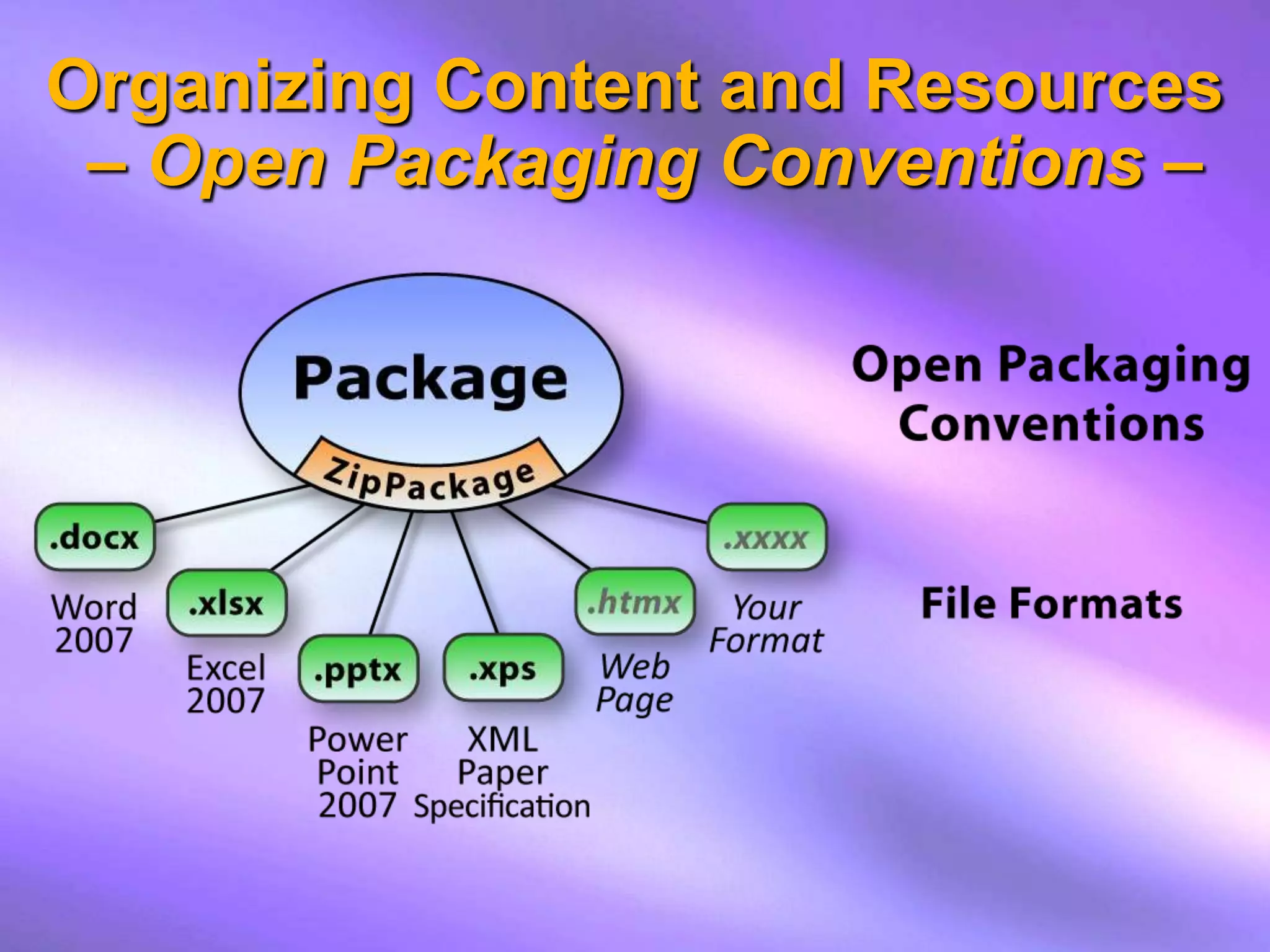
Organizing Content and Resources
                         - previously -

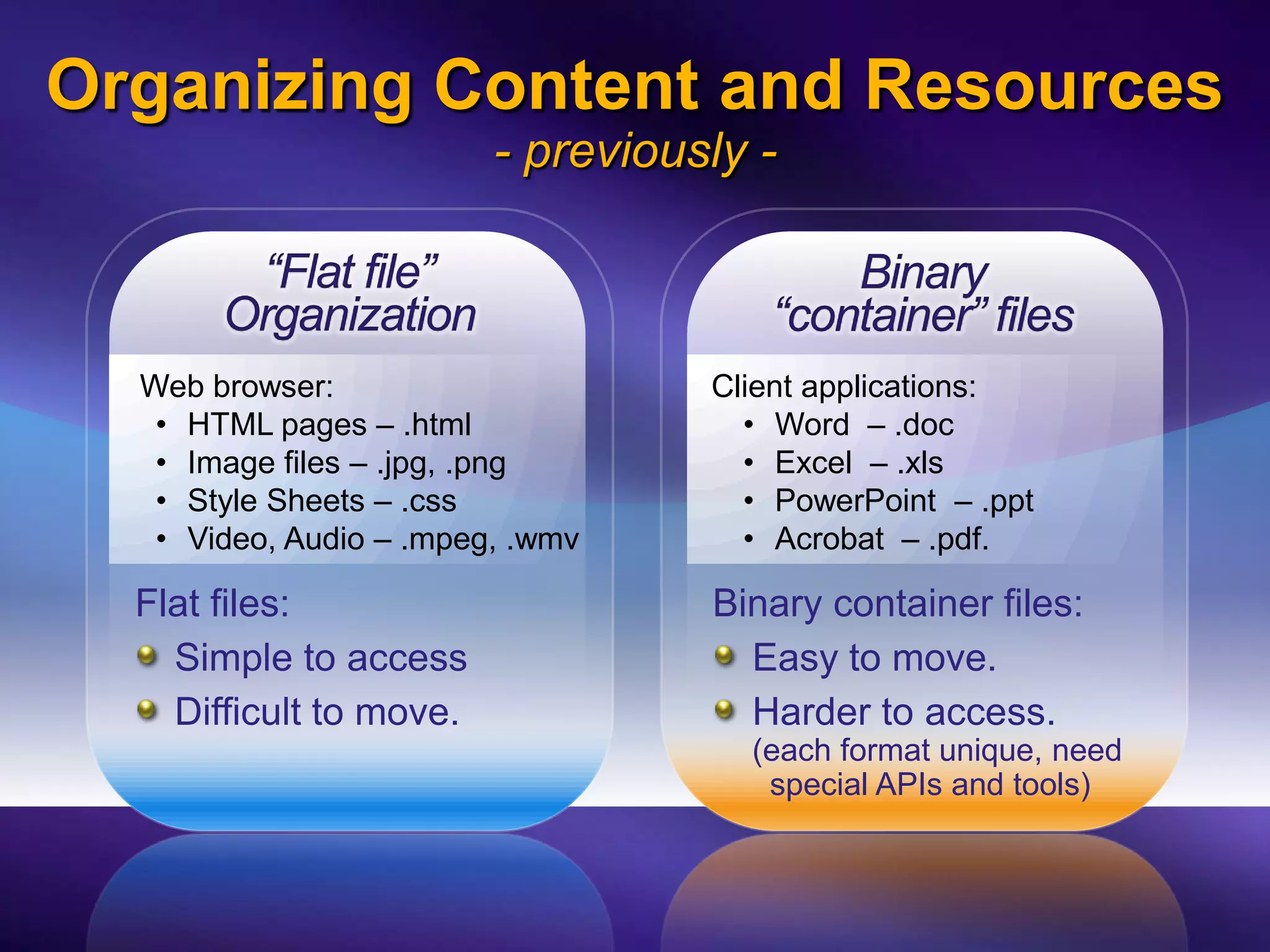
        “Flat file”                       Binary
       Organization                   “container” files
  Web browser:                     Client applications:
   • HTML pages – .html              • Word – .doc
   • Image files – .jpg, .png        • Excel – .xls
   • Style Sheets – .css             • PowerPoint – .ppt
   • Video, Audio – .mpeg, .wmv      • Acrobat – .pdf.

  Flat files:                      Binary container files:
    Simple to access                 Easy to move.
    Difficult to move.               Harder to access.
                                     (each format unique, need
                                      special APIs and tools)
“Packaging”
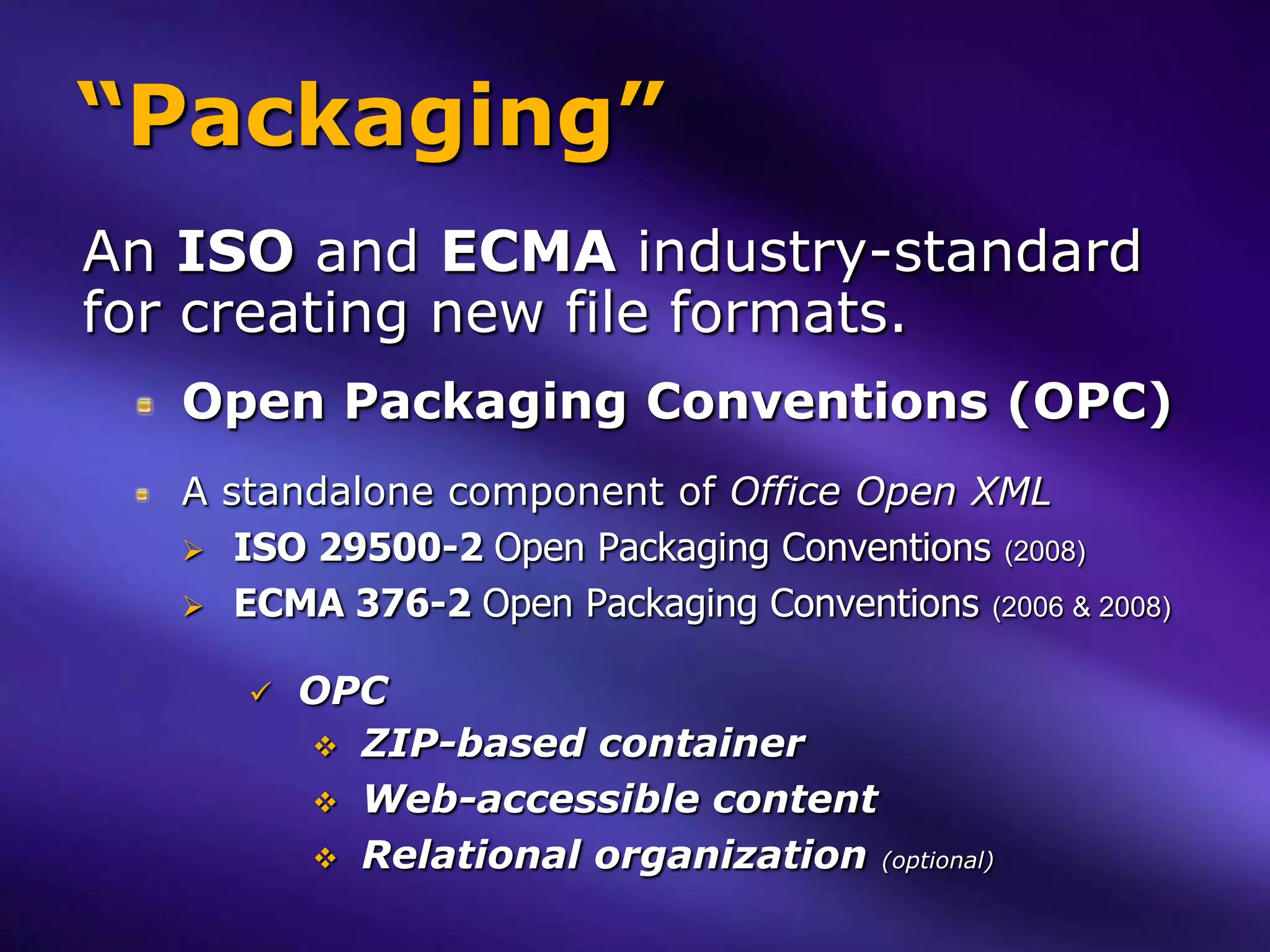
An ISO and ECMA industry-standard
for creating new file formats.
   Open Packaging Conventions (OPC)
   A standalone component of Office Open XML
    ISO 29500-2 Open Packaging Conventions (2008)
    ECMA 376-2 Open Packaging Conventions (2006 & 2008)


         OPC
           ZIP-based container
           Web-accessible content
           Relational organization (optional)
Organizing Content and Resources
 – Open Packaging Conventions –
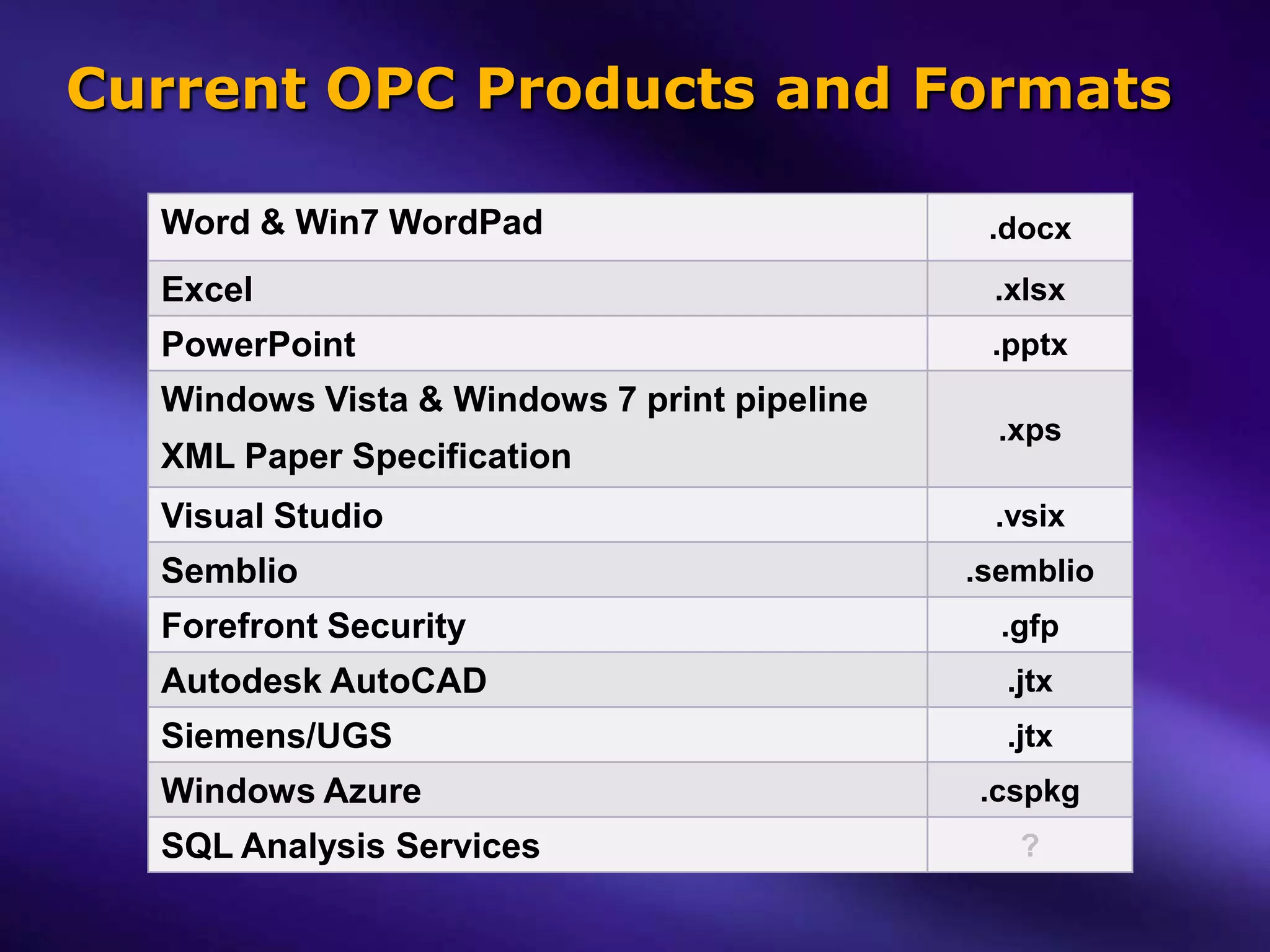
Current OPC Products and Formats

  Word & Win7 WordPad                         .docx
  Excel                                       .xlsx
  PowerPoint                                  .pptx
  Windows Vista & Windows 7 print pipeline
                                               .xps
  XML Paper Specification
  Visual Studio                               .vsix
  Semblio                                    .semblio
  Forefront Security                           .gfp
  Autodesk AutoCAD                             .jtx
  Siemens/UGS                                  .jtx
  Windows Azure                              .cspkg
  SQL Analysis Services                         ?
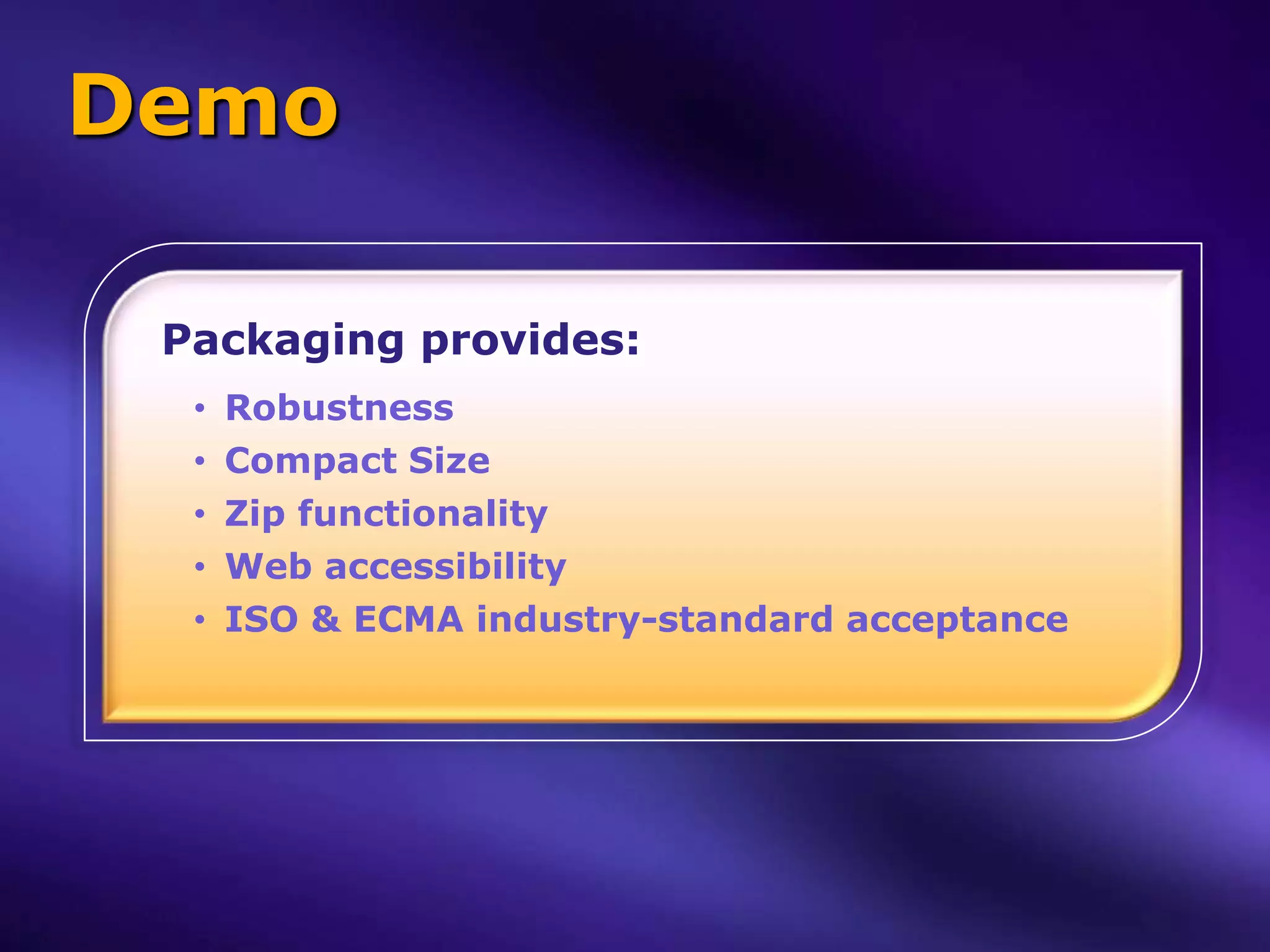
Demo

 Packaging provides:
  •   Robustness
  •   Compact Size
  •   Zip functionality
  •   Web accessibility
  •   ISO & ECMA industry-standard acceptance
Packaging “Min Bar”
  Every OPC-based format is a ZIP file!

 The reverse is not necessarily true:
  Not every ZIP file is an OPC package.

 OPC adds two min requirements to Zip:
   All parts (files) in a package must be
   web-accessible:
       Names of all stored parts (files) must be URI/URL-compliant.

   Packages must contain a [Content_Types].xml
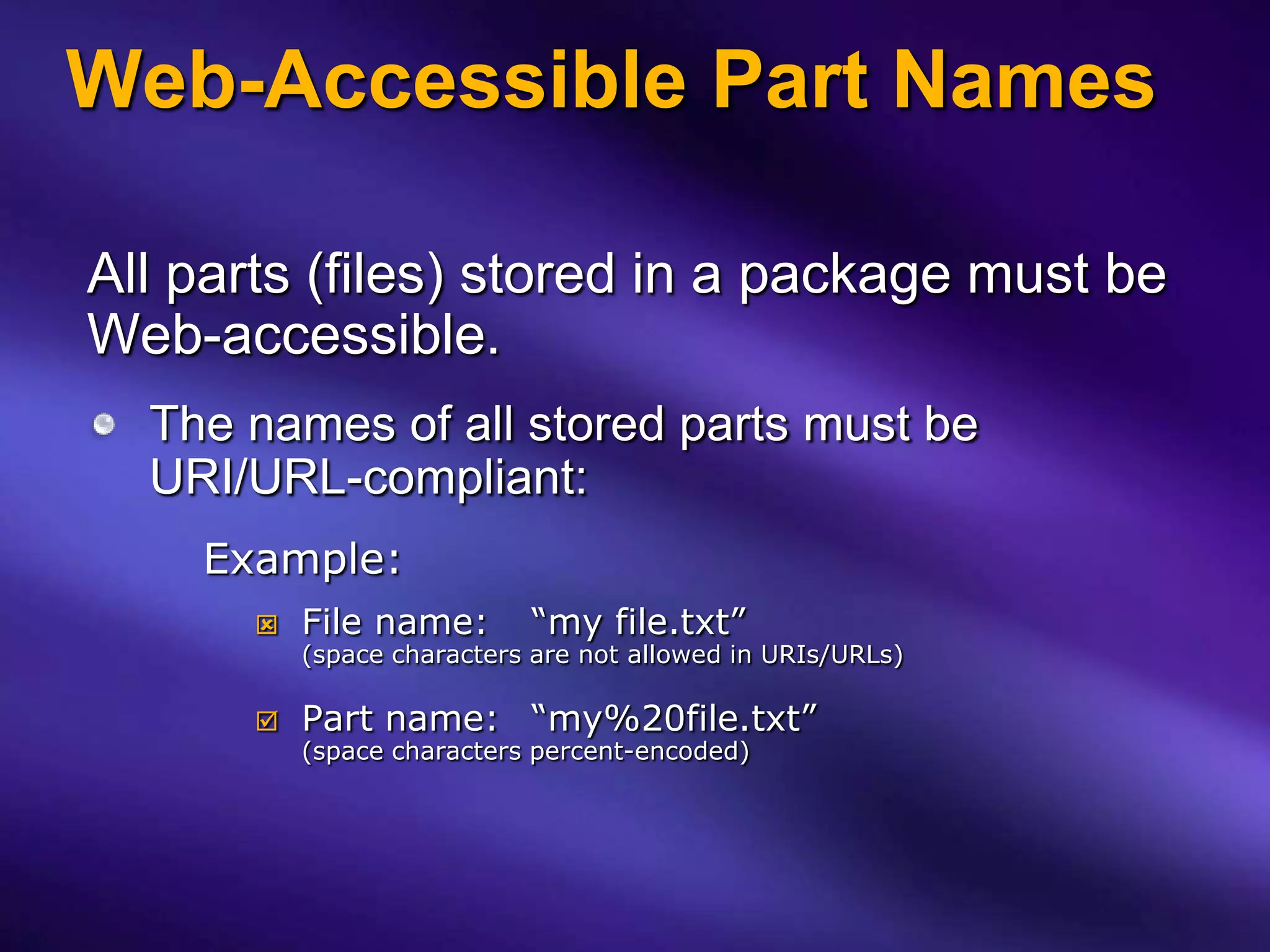
Web-Accessible Part Names

All parts (files) stored in a package must be
Web-accessible.
  The names of all stored parts must be
  URI/URL-compliant:
    Example:
          File name:       “my file.txt”
           (space characters are not allowed in URIs/URLs)

          Part name: “my%20file.txt”
           (space characters percent-encoded)
[Content_Types].xml
Every part (file) stored in a package has a
MIME-style media type.
[Content_Types].xml markup is simple:
   Default: associates a generic file "Extension" to a specified
   "ContentType".
   Override: associates a specific "PartName" to a specified
   "ContentType" (overrides any Default extension association).

<?xml version="1.0" encoding="utf-8" ?>
<Types xmlns="http://schemas.openxmlformats.org/package/2006/content-types">
 <Default Extension="htm" ContentType="text/html" />
 <Default Extension="css" ContentType="text/css" />
 <Default Extension="png" ContentType="image/png" />
 <Default Extension="jpg" ContentType="image/jpeg" />
 <Default Extension="mp3" ContentType="audio/mpeg3" />
 <Default Extension="xml" ContentType="application/xml" />
 <Override PartName="/docProps/core.xml"
    ContentType="application/vnd.openxmlformats-package.core-properties+xml" />
</Types>
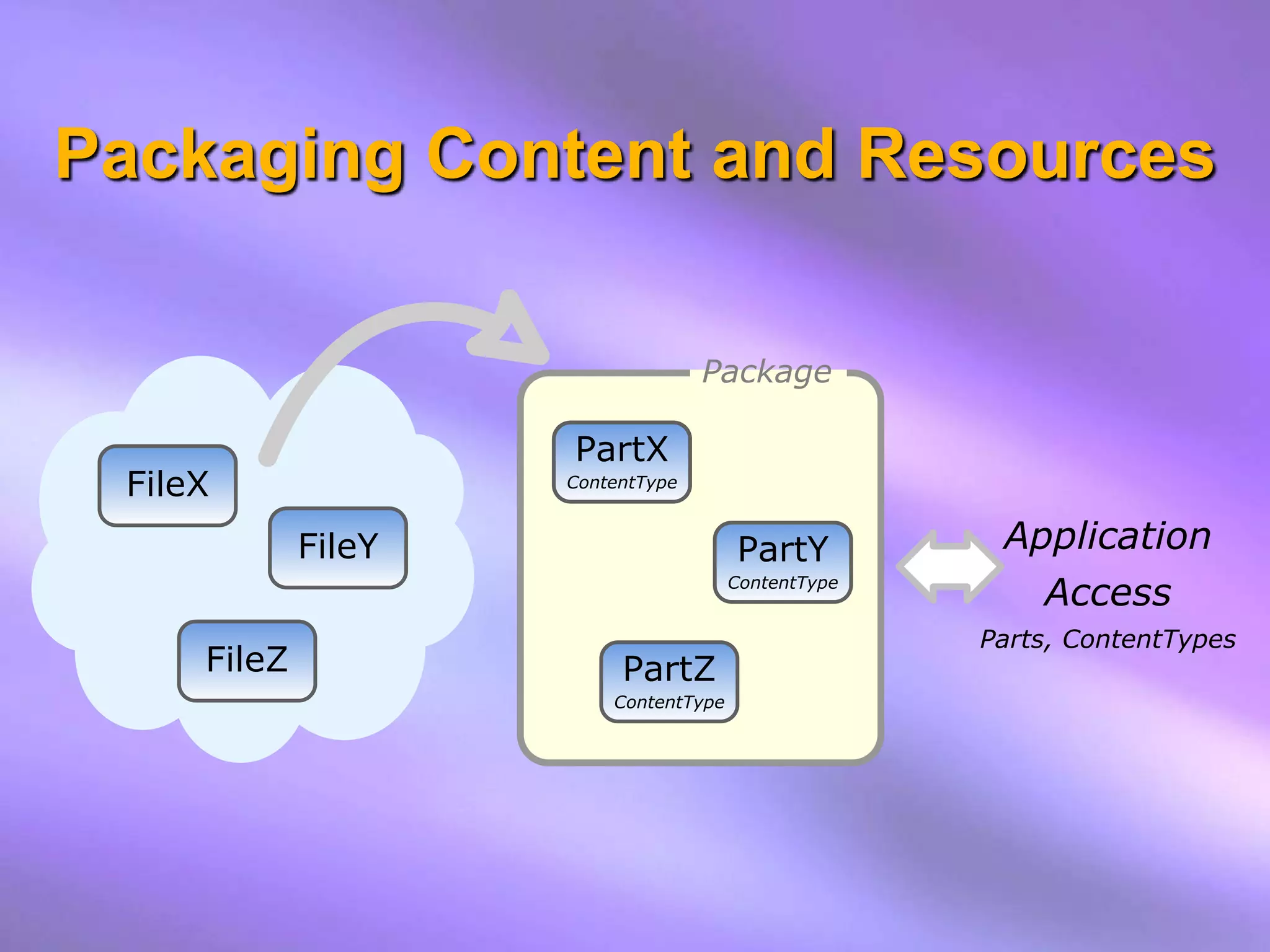
Packaging Content and Resources

                                   Package

                     PartX
 FileX               ContentType


             FileY                     PartY          Application
                                       ContentType
                                                        Access
                                                     Parts, ContentTypes
     FileZ                PartZ
                         ContentType
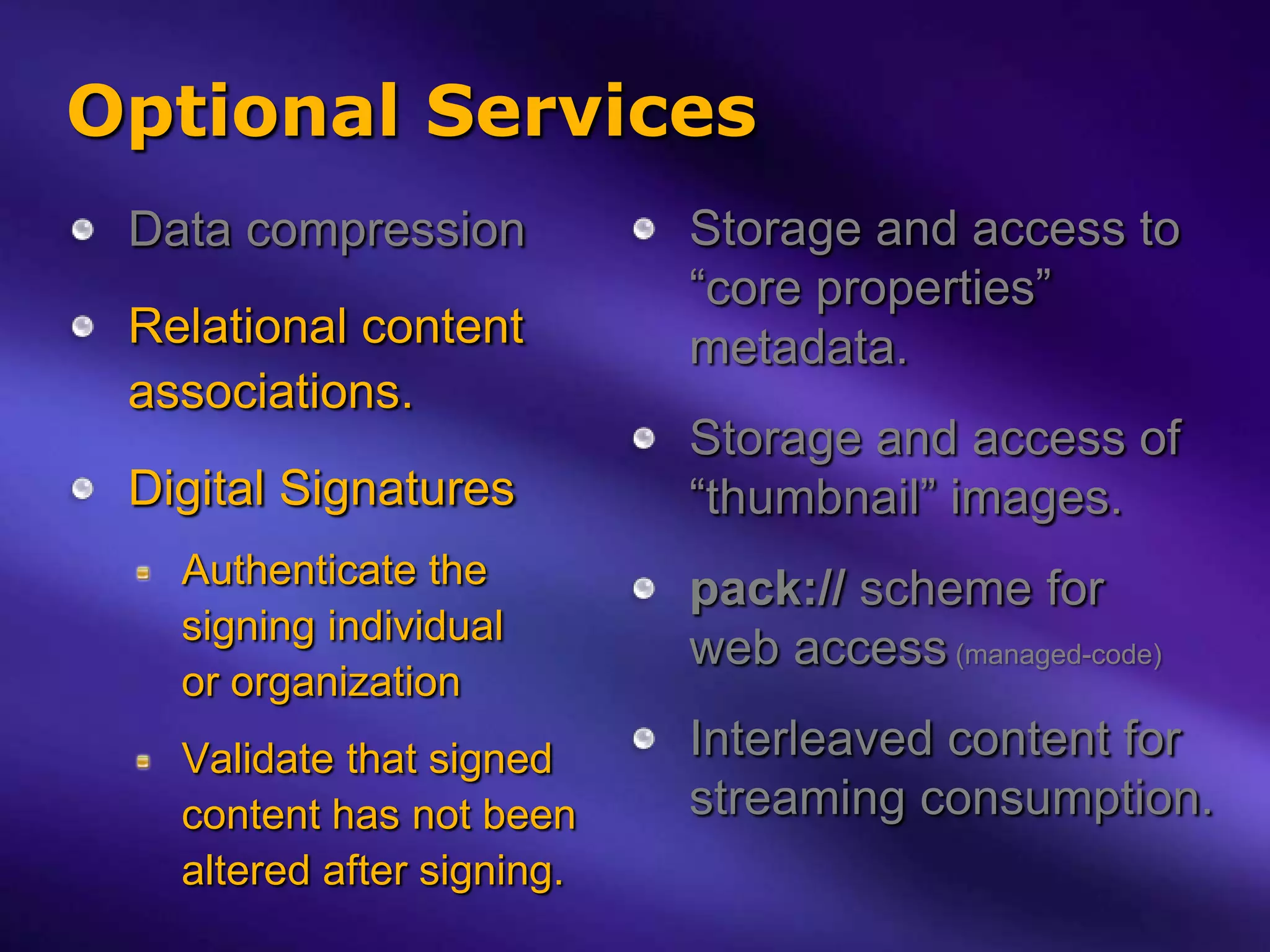
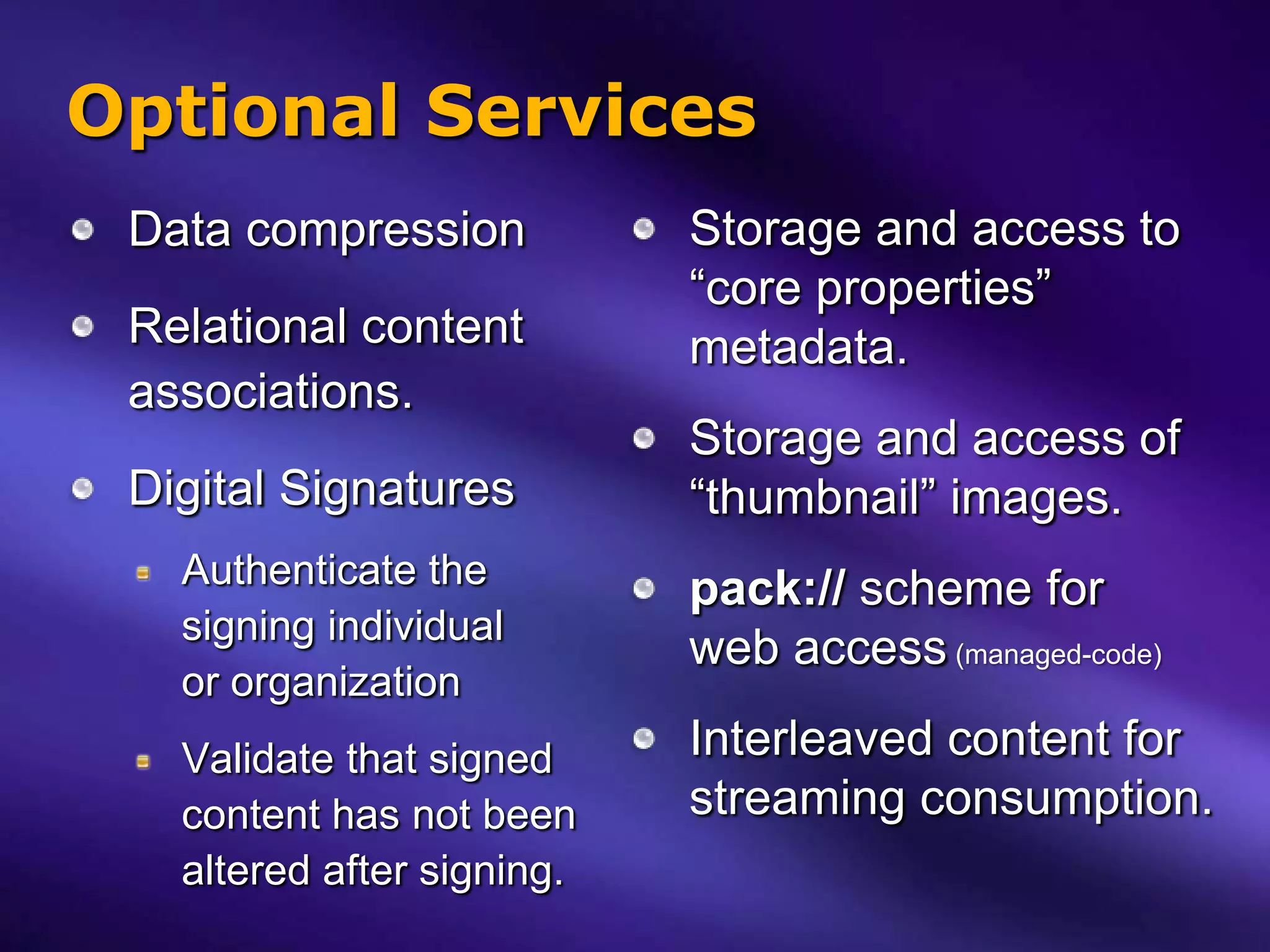
Optional Services
 Data compression           Storage and access to
                            “core properties”
 Relational content         metadata.
 associations.
                            Storage and access of
 Digital Signatures         “thumbnail” images.
   Authenticate the         pack:// scheme for
   signing individual
                            web access (managed-code)
   or organization
   Validate that signed     Interleaved content for
   content has not been     streaming consumption.
   altered after signing.
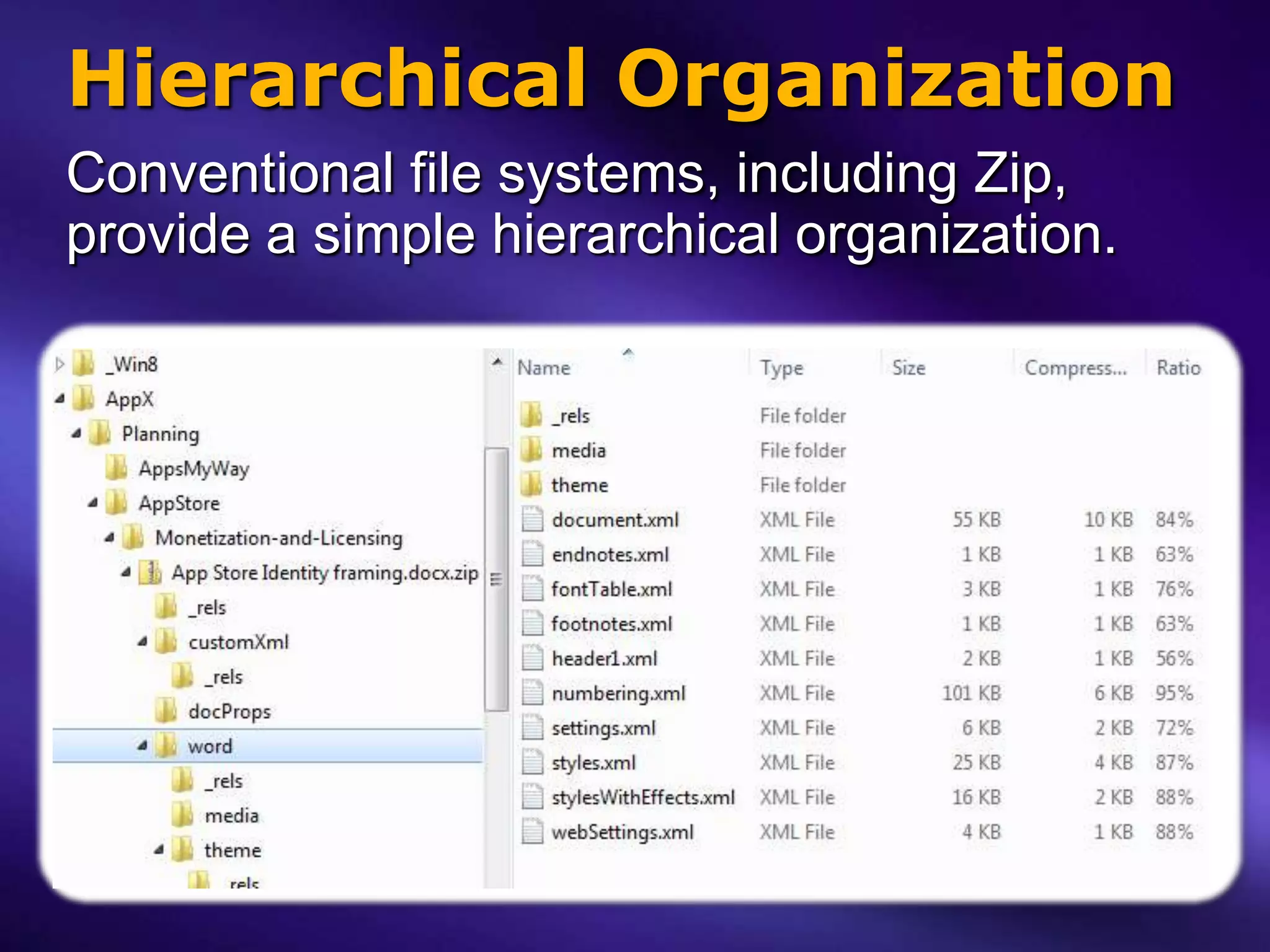
Hierarchical Organization
Conventional file systems, including Zip,
provide a simple hierarchical organization.
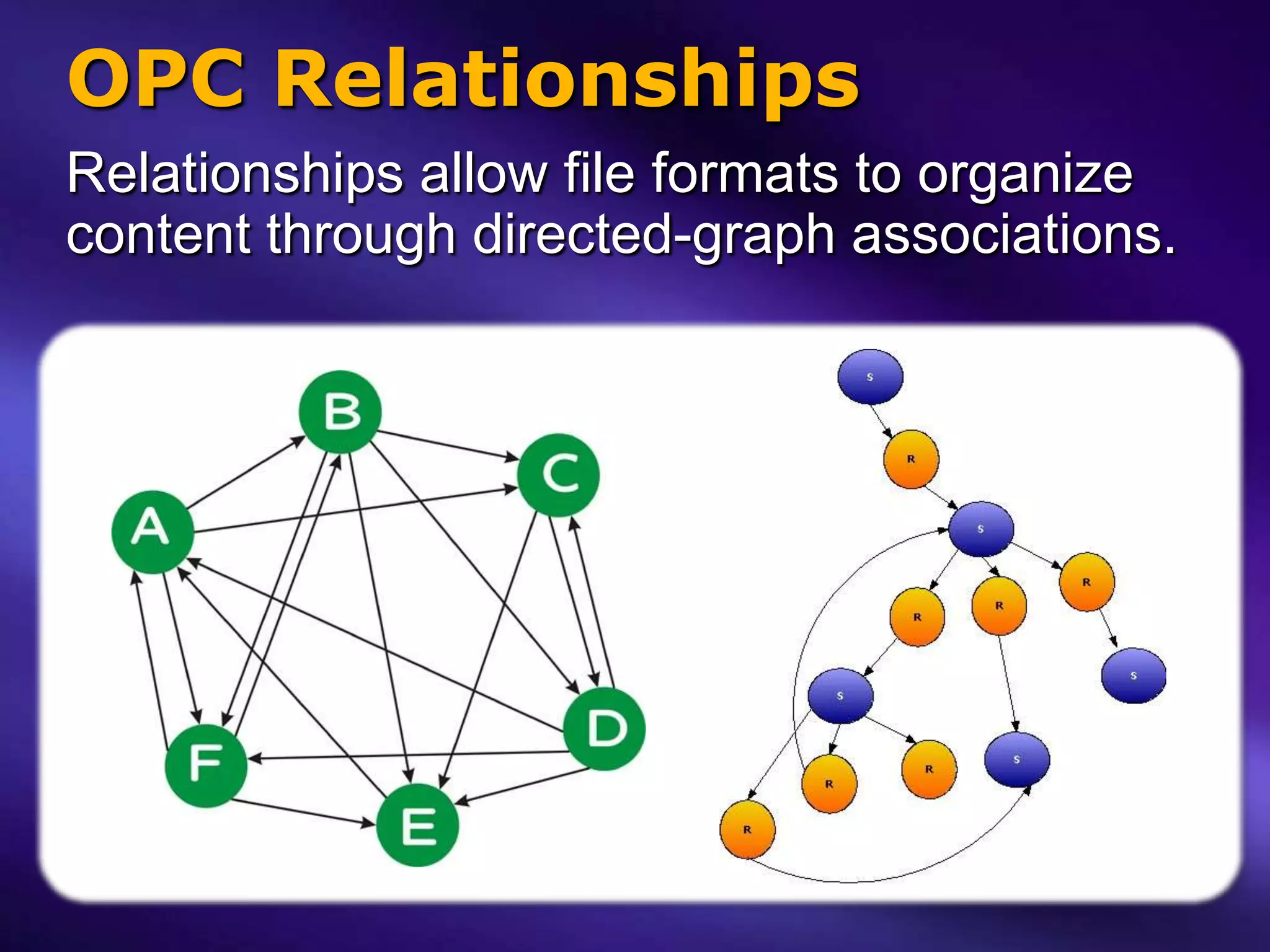
OPC Relationships
Relationships allow file formats to organize
content through directed-graph associations.
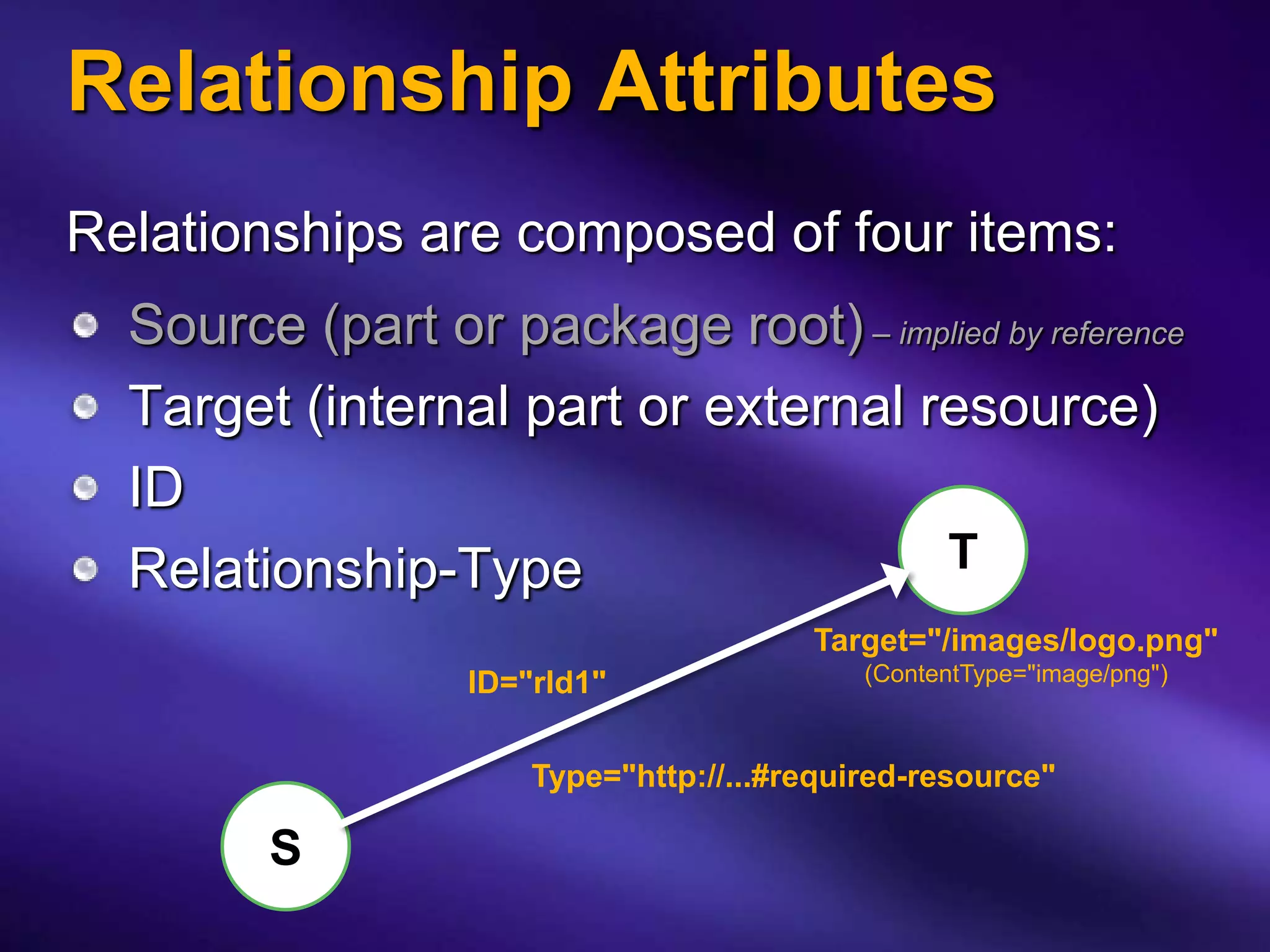
Relationship Attributes
Relationships are composed of four items:
  Source (part or package root) – implied by reference
  Target (internal part or external resource)
  ID
  Relationship-Type                  T
                                        Target="/images/logo.png"
                  ID="rId1"                 (ContentType="image/png")


                      Type="http://...#required-resource"

        S
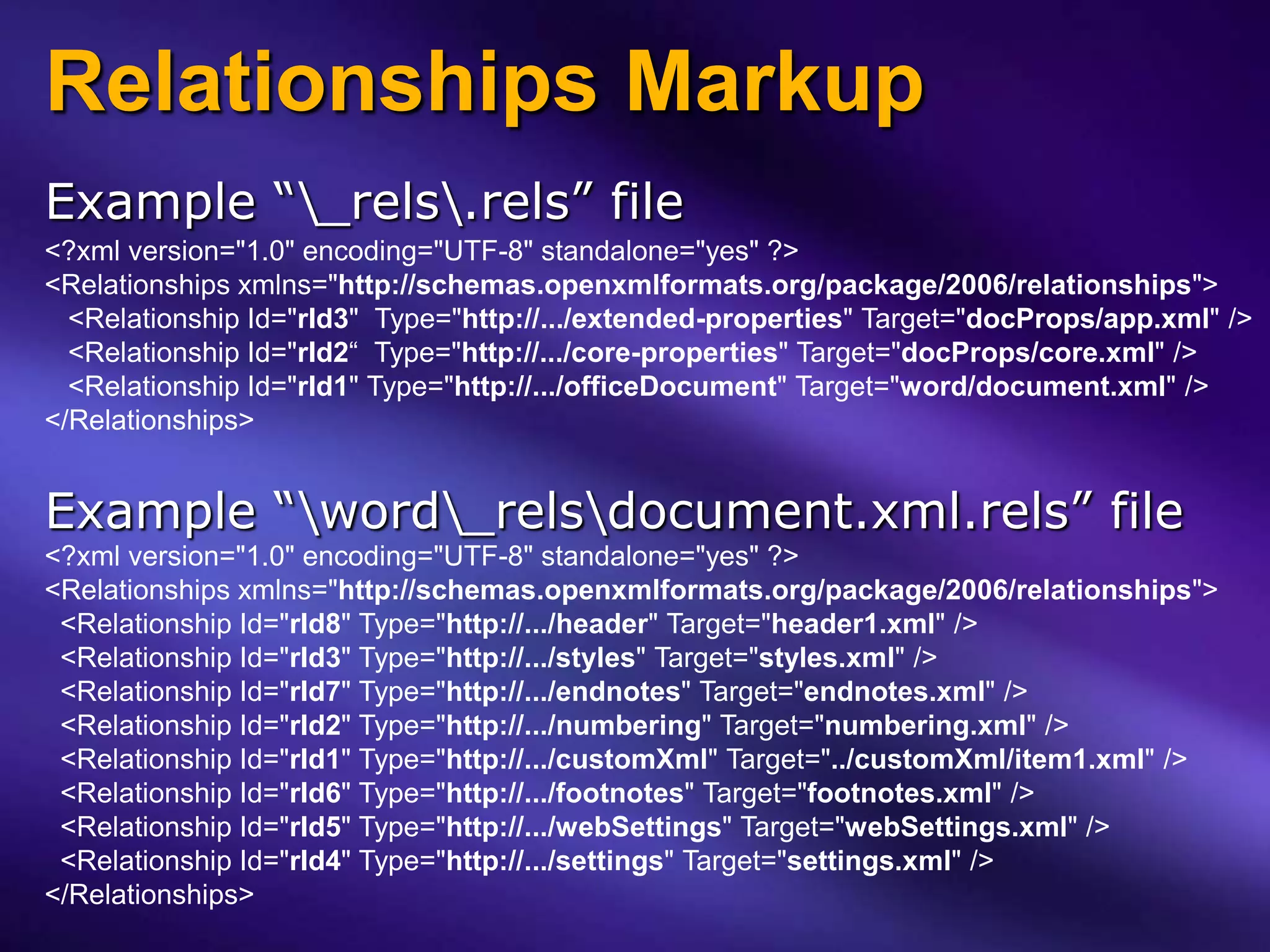
Relationships Markup
Example “_rels.rels” file
<?xml version="1.0" encoding="UTF-8" standalone="yes" ?>
<Relationships xmlns="http://schemas.openxmlformats.org/package/2006/relationships">
  <Relationship Id="rId3" Type="http://.../extended-properties" Target="docProps/app.xml" />
  <Relationship Id="rId2“ Type="http://.../core-properties" Target="docProps/core.xml" />
  <Relationship Id="rId1" Type="http://.../officeDocument" Target="word/document.xml" />
</Relationships>


Example “word_relsdocument.xml.rels” file
<?xml version="1.0" encoding="UTF-8" standalone="yes" ?>
<Relationships xmlns="http://schemas.openxmlformats.org/package/2006/relationships">
 <Relationship Id="rId8" Type="http://.../header" Target="header1.xml" />
 <Relationship Id="rId3" Type="http://.../styles" Target="styles.xml" />
 <Relationship Id="rId7" Type="http://.../endnotes" Target="endnotes.xml" />
 <Relationship Id="rId2" Type="http://.../numbering" Target="numbering.xml" />
 <Relationship Id="rId1" Type="http://.../customXml" Target="../customXml/item1.xml" />
 <Relationship Id="rId6" Type="http://.../footnotes" Target="footnotes.xml" />
 <Relationship Id="rId5" Type="http://.../webSettings" Target="webSettings.xml" />
 <Relationship Id="rId4" Type="http://.../settings" Target="settings.xml" />
</Relationships>
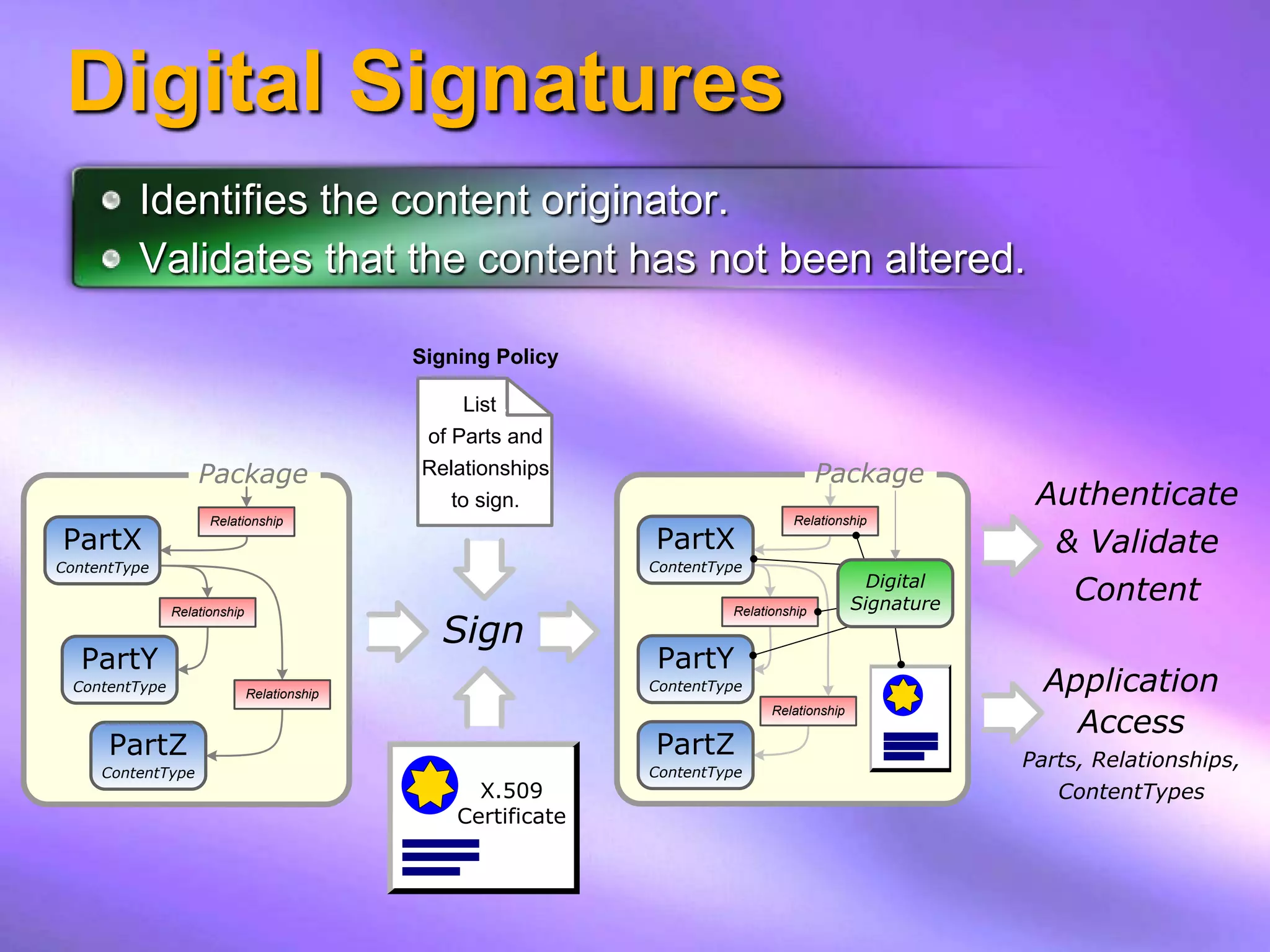
Digital Signatures
         Identifies the content originator.
         Validates that the content has not been altered.

                                              Signing Policy

                                                  List .
                                               of Parts and
                    Package                   Relationships                             Package
                                                 to sign.                                                  Authenticate
                      Relationship                                                Relationship
PartX                                                           PartX                                       & Validate
 MIME=…
ContentType                                                      MIME=…
                                                                ContentType
                                                                                                Digital
                                                                                              Signature
                                                                                                             Content
                                                Sign
                Relationship                                             Relationship


  PartY                                                         PartY
  ContentType                  Relationship
                                                                ContentType                                 Application
                                                                                                              Access
                                                                               Relationship


      PartZ                                                     PartZ                                     Parts, Relationships,
     ContentType                                                ContentType
                                                    X.509                                                    ContentTypes
                                                  Certificate
Optional Services
 Data compression           Storage and access to
                            “core properties”
 Relational content         metadata.
 associations.
                            Storage and access of
 Digital Signatures         “thumbnail” images.
   Authenticate the         pack:// scheme for
   signing individual
                            web access (managed-code)
   or organization
   Validate that signed     Interleaved content for
   content has not been     streaming consumption.
   altered after signing.
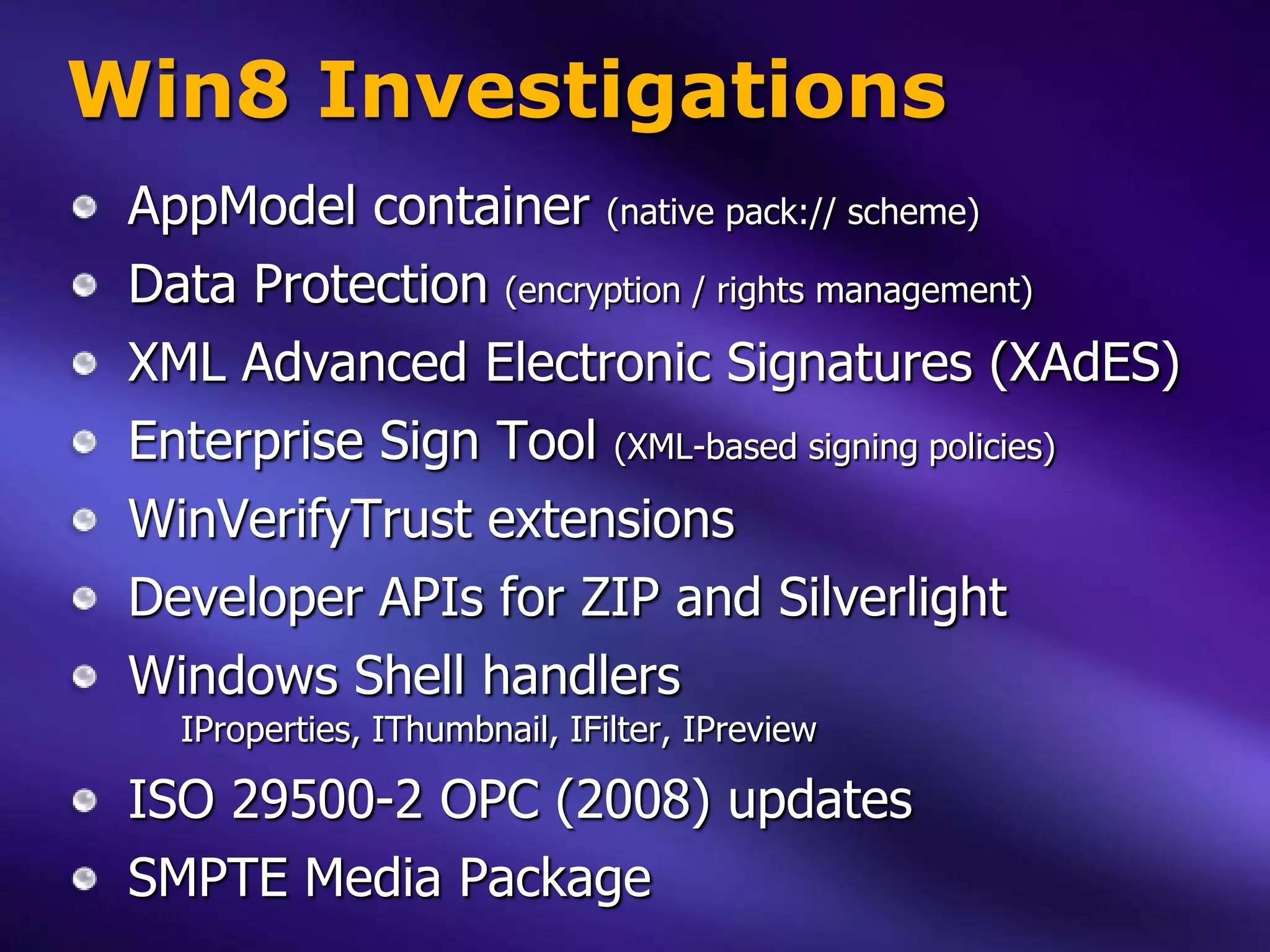
Win8 Investigations
 AppModel container (native pack:// scheme)
 Data Protection (encryption / rights management)
 XML Advanced Electronic Signatures (XAdES)
 Enterprise Sign Tool (XML-based signing policies)
 WinVerifyTrust extensions
 Developer APIs for ZIP and Silverlight
 Windows Shell handlers
   IProperties, IThumbnail, IFilter, IPreview

 ISO 29500-2 OPC (2008) updates
 SMPTE Media Package
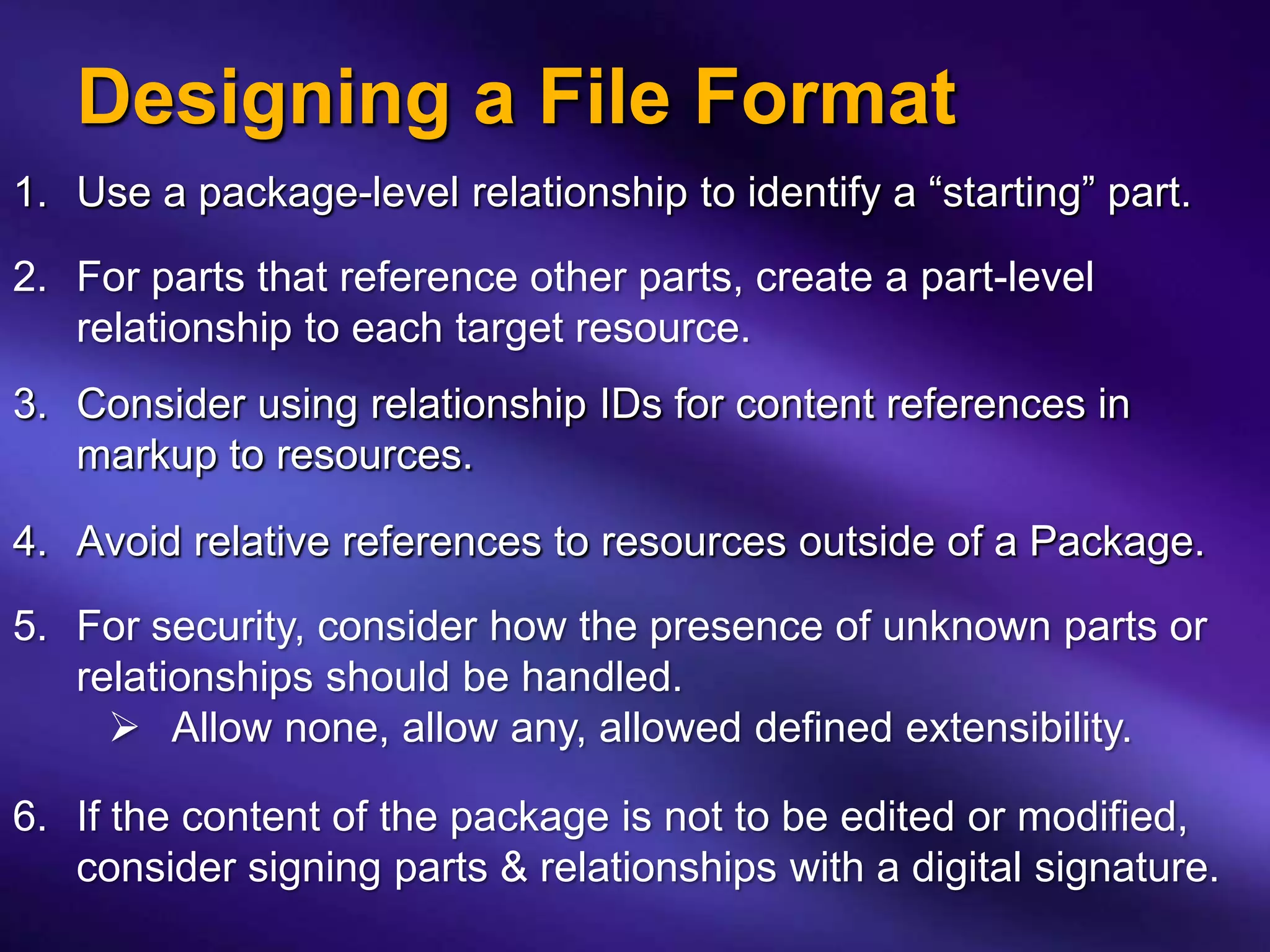
Designing a File Format
1. Use a package-level relationship to identify a “starting” part.

2. For parts that reference other parts, create a part-level
   relationship to each target resource.
3. Consider using relationship IDs for content references in
   markup to resources.

4. Avoid relative references to resources outside of a Package.
5. For security, consider how the presence of unknown parts or
   relationships should be handled.
      Allow none, allow any, allowed defined extensibility.

6. If the content of the package is not to be edited or modified,
   consider signing parts & relationships with a digital signature.
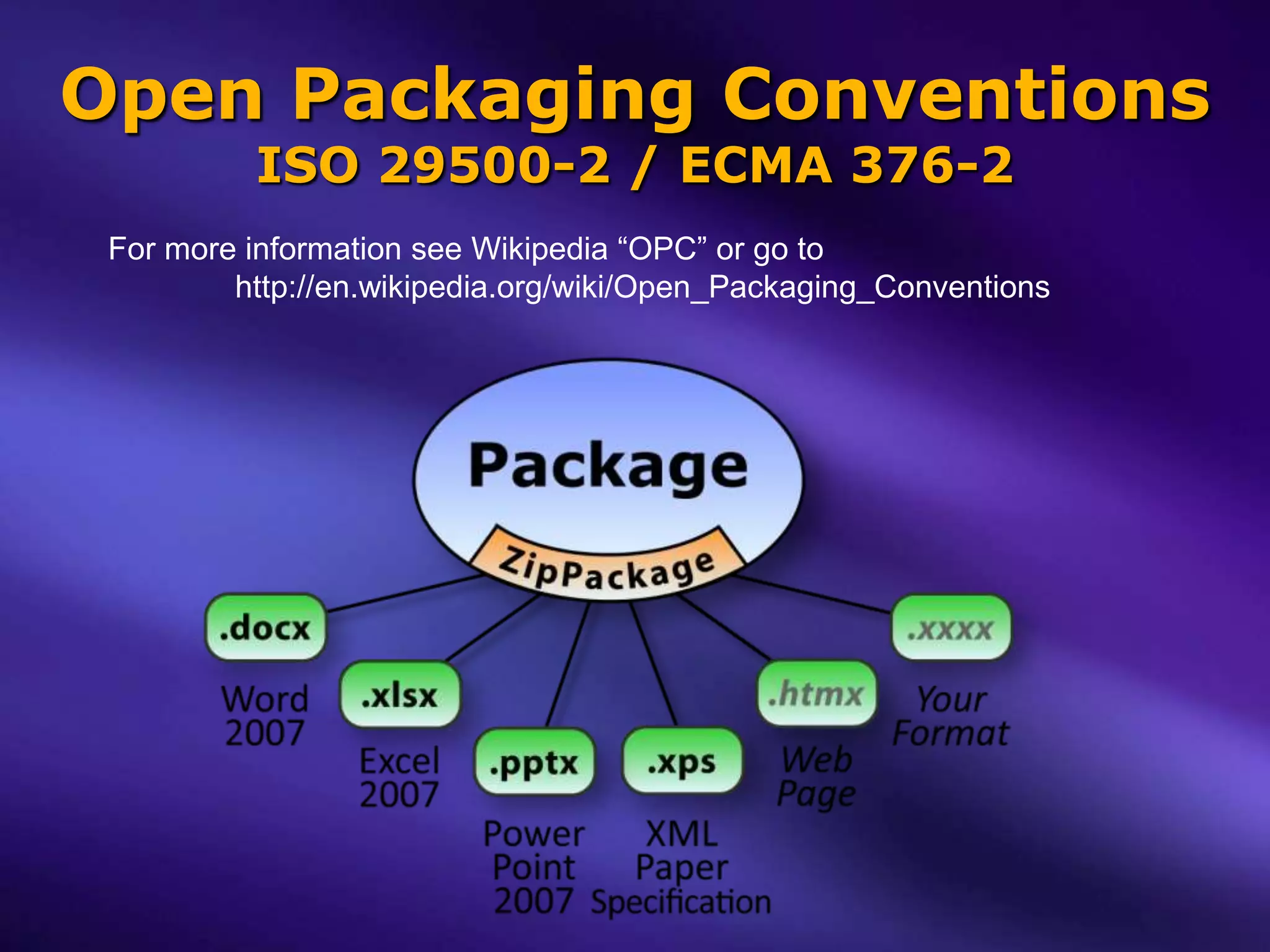
Open Packaging Conventions
          ISO 29500-2 / ECMA 376-2
 For more information see Wikipedia “OPC” or go to
         http://en.wikipedia.org/wiki/Open_Packaging_Conventions
Open Packaging Conventions - Your Data: Accessible, Manageable, and Secure

Open Packaging Conventions - Your Data: Accessible, Manageable, and Secure

  • 1.
    Packaging Your data: Accessible,Manageable, and Secure Start 12:10 Jack Davis PM Windows/DevX/AppX/Packaging
  • 2.
    Managing Application Content Applications today commonly work using multiple content streams: Text and markup Images, pictures, audio, and video User settings Application states App developer’s dilemma: “How do I store, access, and manage app data that’s contained in multiple content steams?”
  • 3.
    Organizing Content andResources - previously - “Flat file” Binary Organization “container” files Web browser: Client applications: • HTML pages – .html • Word – .doc • Image files – .jpg, .png • Excel – .xls • Style Sheets – .css • PowerPoint – .ppt • Video, Audio – .mpeg, .wmv • Acrobat – .pdf. Flat files: Binary container files: Simple to access Easy to move. Difficult to move. Harder to access. (each format unique, need special APIs and tools)
  • 4.
    “Packaging” An ISO andECMA industry-standard for creating new file formats. Open Packaging Conventions (OPC) A standalone component of Office Open XML  ISO 29500-2 Open Packaging Conventions (2008)  ECMA 376-2 Open Packaging Conventions (2006 & 2008)  OPC  ZIP-based container  Web-accessible content  Relational organization (optional)
  • 5.
    Organizing Content andResources – Open Packaging Conventions –
  • 6.
    Current OPC Productsand Formats Word & Win7 WordPad .docx Excel .xlsx PowerPoint .pptx Windows Vista & Windows 7 print pipeline .xps XML Paper Specification Visual Studio .vsix Semblio .semblio Forefront Security .gfp Autodesk AutoCAD .jtx Siemens/UGS .jtx Windows Azure .cspkg SQL Analysis Services ?
  • 7.
    Demo Packaging provides: • Robustness • Compact Size • Zip functionality • Web accessibility • ISO & ECMA industry-standard acceptance
  • 8.
    Packaging “Min Bar” Every OPC-based format is a ZIP file! The reverse is not necessarily true: Not every ZIP file is an OPC package.  OPC adds two min requirements to Zip: All parts (files) in a package must be web-accessible:  Names of all stored parts (files) must be URI/URL-compliant. Packages must contain a [Content_Types].xml
  • 9.
    Web-Accessible Part Names Allparts (files) stored in a package must be Web-accessible. The names of all stored parts must be URI/URL-compliant: Example:  File name: “my file.txt” (space characters are not allowed in URIs/URLs)  Part name: “my%20file.txt” (space characters percent-encoded)
  • 10.
    [Content_Types].xml Every part (file)stored in a package has a MIME-style media type. [Content_Types].xml markup is simple: Default: associates a generic file "Extension" to a specified "ContentType". Override: associates a specific "PartName" to a specified "ContentType" (overrides any Default extension association). <?xml version="1.0" encoding="utf-8" ?> <Types xmlns="http://schemas.openxmlformats.org/package/2006/content-types"> <Default Extension="htm" ContentType="text/html" /> <Default Extension="css" ContentType="text/css" /> <Default Extension="png" ContentType="image/png" /> <Default Extension="jpg" ContentType="image/jpeg" /> <Default Extension="mp3" ContentType="audio/mpeg3" /> <Default Extension="xml" ContentType="application/xml" /> <Override PartName="/docProps/core.xml" ContentType="application/vnd.openxmlformats-package.core-properties+xml" /> </Types>
  • 11.
    Packaging Content andResources Package PartX FileX ContentType FileY PartY Application ContentType Access Parts, ContentTypes FileZ PartZ ContentType
  • 12.
    Optional Services Datacompression Storage and access to “core properties” Relational content metadata. associations. Storage and access of Digital Signatures “thumbnail” images. Authenticate the pack:// scheme for signing individual web access (managed-code) or organization Validate that signed Interleaved content for content has not been streaming consumption. altered after signing.
  • 13.
    Hierarchical Organization Conventional filesystems, including Zip, provide a simple hierarchical organization.
  • 14.
    OPC Relationships Relationships allowfile formats to organize content through directed-graph associations.
  • 15.
    Relationship Attributes Relationships arecomposed of four items: Source (part or package root) – implied by reference Target (internal part or external resource) ID Relationship-Type T Target="/images/logo.png" ID="rId1" (ContentType="image/png") Type="http://...#required-resource" S
  • 16.
    Relationships Markup Example “_rels.rels”file <?xml version="1.0" encoding="UTF-8" standalone="yes" ?> <Relationships xmlns="http://schemas.openxmlformats.org/package/2006/relationships"> <Relationship Id="rId3" Type="http://.../extended-properties" Target="docProps/app.xml" /> <Relationship Id="rId2“ Type="http://.../core-properties" Target="docProps/core.xml" /> <Relationship Id="rId1" Type="http://.../officeDocument" Target="word/document.xml" /> </Relationships> Example “word_relsdocument.xml.rels” file <?xml version="1.0" encoding="UTF-8" standalone="yes" ?> <Relationships xmlns="http://schemas.openxmlformats.org/package/2006/relationships"> <Relationship Id="rId8" Type="http://.../header" Target="header1.xml" /> <Relationship Id="rId3" Type="http://.../styles" Target="styles.xml" /> <Relationship Id="rId7" Type="http://.../endnotes" Target="endnotes.xml" /> <Relationship Id="rId2" Type="http://.../numbering" Target="numbering.xml" /> <Relationship Id="rId1" Type="http://.../customXml" Target="../customXml/item1.xml" /> <Relationship Id="rId6" Type="http://.../footnotes" Target="footnotes.xml" /> <Relationship Id="rId5" Type="http://.../webSettings" Target="webSettings.xml" /> <Relationship Id="rId4" Type="http://.../settings" Target="settings.xml" /> </Relationships>
  • 17.
    Digital Signatures Identifies the content originator. Validates that the content has not been altered. Signing Policy List . of Parts and Package Relationships Package to sign. Authenticate Relationship Relationship PartX PartX & Validate MIME=… ContentType MIME=… ContentType Digital Signature Content Sign Relationship Relationship PartY PartY ContentType Relationship ContentType Application Access Relationship PartZ PartZ Parts, Relationships, ContentType ContentType X.509 ContentTypes Certificate
  • 18.
    Optional Services Datacompression Storage and access to “core properties” Relational content metadata. associations. Storage and access of Digital Signatures “thumbnail” images. Authenticate the pack:// scheme for signing individual web access (managed-code) or organization Validate that signed Interleaved content for content has not been streaming consumption. altered after signing.
  • 19.
    Win8 Investigations AppModelcontainer (native pack:// scheme) Data Protection (encryption / rights management) XML Advanced Electronic Signatures (XAdES) Enterprise Sign Tool (XML-based signing policies) WinVerifyTrust extensions Developer APIs for ZIP and Silverlight Windows Shell handlers IProperties, IThumbnail, IFilter, IPreview ISO 29500-2 OPC (2008) updates SMPTE Media Package
  • 20.
    Designing a FileFormat 1. Use a package-level relationship to identify a “starting” part. 2. For parts that reference other parts, create a part-level relationship to each target resource. 3. Consider using relationship IDs for content references in markup to resources. 4. Avoid relative references to resources outside of a Package. 5. For security, consider how the presence of unknown parts or relationships should be handled.  Allow none, allow any, allowed defined extensibility. 6. If the content of the package is not to be edited or modified, consider signing parts & relationships with a digital signature.
  • 21.
    Open Packaging Conventions ISO 29500-2 / ECMA 376-2 For more information see Wikipedia “OPC” or go to http://en.wikipedia.org/wiki/Open_Packaging_Conventions

Editor's Notes

  • #4 Other types of binary container files Java - .jarOpenDocument - .odf
  • #5 OPC is not a file format in itself – it is a technology for creating new file formats that share a common foundation.
  • #11 IANA MIME media typeshttp://www.iana.org/assignments/media-types/ The MIME-style media content type identifies the type of data the part contains.MIME media types reduce ambiguities associated with duplications in 2-, 3-, and 4-character filename extensions.
  • #17 Values for the Relationship “Type”s are defined by the file format and typically express “how” the relationship used. OPC Relationships XML schema is basically simple and easily human-readable: o Only two element types □ A Relationships element that nests one or more Relationship elements. o Each Relationship has three basic attributes: □ “Id” - A unique identifier that can be used to reference the relationship from the XML of the source part. □ “Type” - Expresses the intent of &quot;how&quot; the relationship &quot;target&quot; is used (e.g. &quot;settings&quot;, &quot;styles&quot;, etc.) - Commonly expressed in a form similar to a schema namespace. □ “Target” - URI to the target part or external resource that&apos;s associated with the relationship.
  • #18 “\\_rels\\.rels” file contains the relationships markup for package-level relationships.“\\word\\_rels\\document.xml.rels” contains the relationships markup for the part “\\word\\document.xml”.OPC Relationships XML schema is basically simple and easily human-readable: o Only two element types □ A “Relationships” (plural) element that nests one or more “Relationship” elements. o Each Relationship has three basic attributes: □ &quot;Id“ - A unique identifier that can be used to reference the relationship from the XML of the source part. □ &quot;Type“ - Expresses the intent of &quot;how&quot; the relationship &quot;target&quot; is used (e.g. &quot;required-resource&quot;, &quot;settings&quot;, &quot;styles&quot;, etc.) - Commonly expressed in a form similar to a schema namespace. □ &quot;Target“ - URI to the target part or external resource that&apos;s associated with the relationship.