LoLita Fair  CIS516
Beyond Ping... Bring your IT line with your Business by creating  Business Centric Views Guarantee and Prove availability with  Service Level Dashboards Configure once and share your  Device and Interface Templates, or download shared templates created by others Visualize your WAN as a physical entity with the completely web based  Map Maker Know the real-time health of your networks, systems, business  services or infrastructure  At-a-Glance OpManager The Complete Enterprise Network Management Software
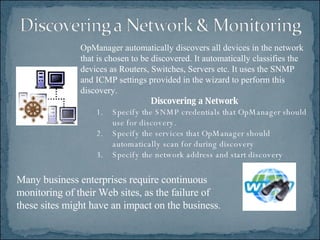
Many business enterprises require continuous monitoring of their Web sites, as the failure of these sites might have an impact on the business.  OpManager automatically discovers all devices in the network that is chosen to be discovered. It automatically classifies the devices as Routers, Switches, Servers etc. It uses the SNMP and ICMP settings provided in the wizard to perform this discovery.  Discovering a Network Specify the SNMP credentials that OpManager should use for discovery.  Specify the services that OpManager should automatically scan for during discovery  Specify the network address and start discovery
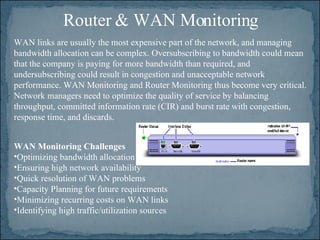
Router & WAN Monitoring WAN Monitoring Challenges   Optimizing bandwidth allocation  Ensuring high network availability  Quick resolution of WAN problems  Capacity Planning for future requirements  Minimizing recurring costs on WAN links  Identifying high traffic/utilization sources WAN links are usually the most expensive part of the network, and managing bandwidth allocation can be complex. Oversubscribing to bandwidth could mean that the company is paying for more bandwidth than required, and undersubscribing could result in congestion and unacceptable network performance. WAN Monitoring and Router Monitoring thus become very critical. Network managers need to optimize the quality of service by balancing throughput, committed information rate (CIR) and burst rate with congestion, response time, and discards.
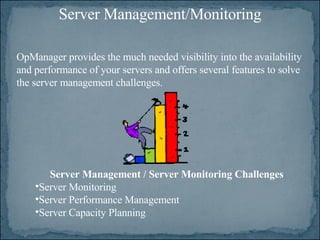
Server Management/Monitoring OpManager provides the much needed visibility into the availability and performance of your servers and offers several features to solve the server management challenges.  Server Management / Server Monitoring Challenges Server Monitoring  Server Performance Management  Server Capacity Planning
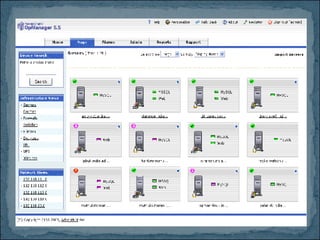
Server Management Features Server monitoring is one of the base components of Server Management and the critical nature of servers require someone or something to constantly monitor the status of the managed servers.  OpManager easily automates this tedious job and detects server problems as soon as they occur.  OpManager provides detailed availability graphs and daily, weekly, monthly and quarterly availability reports of your servers.  OpManager’s reporting functionality also provides you with a detailed availability report of all your devices.
 
OpManager allows you to configure e-mail (and SMS) alerts to get notified when an alarm is raised in your network.  By default, OpManager sends the mail to the mail server specified in the e-mail notification profile.  You can select the fault conditions for which you want to be notified. Configuring Primary and Secondary Mail Server Settings  Creating a reusable e-mail alert profile.   Associating the e-mail alert profile to several devices.  Configuring Email Alerts in OpManager
Using OpManager, thresholds can be set so that an alarm is generated when the status of a device crosses a certain limit.  This way, OpManager helps monitor the device’s health and detect degradation much before the device fails, thereby enabling proactive device management.  Thresholds are configured for pro-active network monitoring. OpManager will alert you much ahead of an impending fault.  Thresholds can be configured for various monitored parameters on a device like CPU, Memory, Interface Traffic, Server Temperature etc.  Thresholds are specified in the Device Templates to apply them globally to the devices of the same type.  Configuring Thresholds
You can monitor Windows Event Logs using OpManager and configure to generate alarms when critical events are logged.  OpManager uses WMI to fetch the details of these logs and hence you need to provide the logon details of a user with administrative privilege to connect to the Windows machine. Monitoring Windows Event Logs
Creating Business Views In addition to Networks views and Infrastructure views, OpManager allows you to create your own views to group the devices of your interest and manage them from one place.  This will be required when you want to manage the devices under each geographical location from one place.  This is also helpful if you want to restrict the access to devices to users.

Op Manager7

  • 1.
  • 2.
    Beyond Ping... Bringyour IT line with your Business by creating Business Centric Views Guarantee and Prove availability with Service Level Dashboards Configure once and share your Device and Interface Templates, or download shared templates created by others Visualize your WAN as a physical entity with the completely web based Map Maker Know the real-time health of your networks, systems, business services or infrastructure At-a-Glance OpManager The Complete Enterprise Network Management Software
  • 3.
    Many business enterprisesrequire continuous monitoring of their Web sites, as the failure of these sites might have an impact on the business. OpManager automatically discovers all devices in the network that is chosen to be discovered. It automatically classifies the devices as Routers, Switches, Servers etc. It uses the SNMP and ICMP settings provided in the wizard to perform this discovery. Discovering a Network Specify the SNMP credentials that OpManager should use for discovery. Specify the services that OpManager should automatically scan for during discovery Specify the network address and start discovery
  • 4.
    Router & WANMonitoring WAN Monitoring Challenges Optimizing bandwidth allocation Ensuring high network availability Quick resolution of WAN problems Capacity Planning for future requirements Minimizing recurring costs on WAN links Identifying high traffic/utilization sources WAN links are usually the most expensive part of the network, and managing bandwidth allocation can be complex. Oversubscribing to bandwidth could mean that the company is paying for more bandwidth than required, and undersubscribing could result in congestion and unacceptable network performance. WAN Monitoring and Router Monitoring thus become very critical. Network managers need to optimize the quality of service by balancing throughput, committed information rate (CIR) and burst rate with congestion, response time, and discards.
  • 5.
    Server Management/Monitoring OpManagerprovides the much needed visibility into the availability and performance of your servers and offers several features to solve the server management challenges. Server Management / Server Monitoring Challenges Server Monitoring Server Performance Management Server Capacity Planning
  • 6.
    Server Management FeaturesServer monitoring is one of the base components of Server Management and the critical nature of servers require someone or something to constantly monitor the status of the managed servers. OpManager easily automates this tedious job and detects server problems as soon as they occur. OpManager provides detailed availability graphs and daily, weekly, monthly and quarterly availability reports of your servers. OpManager’s reporting functionality also provides you with a detailed availability report of all your devices.
  • 7.
  • 8.
    OpManager allows youto configure e-mail (and SMS) alerts to get notified when an alarm is raised in your network. By default, OpManager sends the mail to the mail server specified in the e-mail notification profile. You can select the fault conditions for which you want to be notified. Configuring Primary and Secondary Mail Server Settings Creating a reusable e-mail alert profile.  Associating the e-mail alert profile to several devices. Configuring Email Alerts in OpManager
  • 9.
    Using OpManager, thresholdscan be set so that an alarm is generated when the status of a device crosses a certain limit. This way, OpManager helps monitor the device’s health and detect degradation much before the device fails, thereby enabling proactive device management. Thresholds are configured for pro-active network monitoring. OpManager will alert you much ahead of an impending fault. Thresholds can be configured for various monitored parameters on a device like CPU, Memory, Interface Traffic, Server Temperature etc. Thresholds are specified in the Device Templates to apply them globally to the devices of the same type. Configuring Thresholds
  • 10.
    You can monitorWindows Event Logs using OpManager and configure to generate alarms when critical events are logged. OpManager uses WMI to fetch the details of these logs and hence you need to provide the logon details of a user with administrative privilege to connect to the Windows machine. Monitoring Windows Event Logs
  • 11.
    Creating Business ViewsIn addition to Networks views and Infrastructure views, OpManager allows you to create your own views to group the devices of your interest and manage them from one place. This will be required when you want to manage the devices under each geographical location from one place. This is also helpful if you want to restrict the access to devices to users.