Online Fundraising 101

      Stacy Clinton
      July 15, 2009
Today’s discussion
• Overview of different approaches to
  raising money on the web
• Maximize your website
• Free/low-cost online resources
• Goal: provide a basic understanding of the
  options and a set of tools to get started in
  online fundraising
Some stats
  • Reasons people visit nonprofit sites are:
          – news and events (40%)
          – to stay informed about the cause the organization
            addresses (40%)
          – Almost one in five (18%) website visitors are there
            specifically to make a financial contribution*
  • Younger generations are very comfortable
    online, especially in social media
  • The number of people over 70 years old online
    increased 60% in the past year**

*from “Trends in Constituent Satisfaction with Nonprofit Websites” report by ForeSee Results 2009
** from “Generations Online in 2009” by Fox & Jones, Pew Internet & American Life Project
Raising money on the web
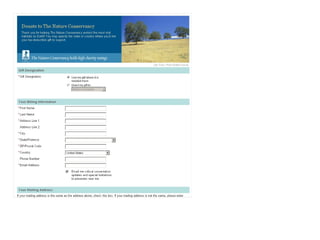
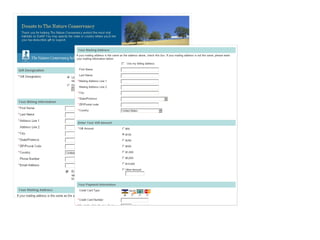
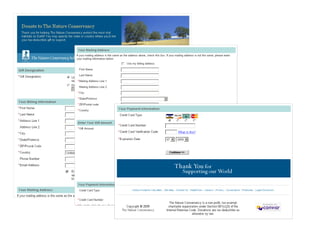
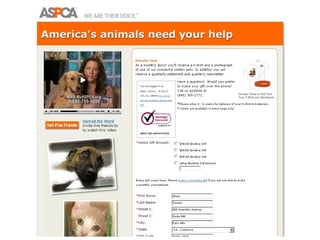
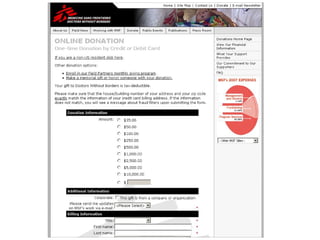
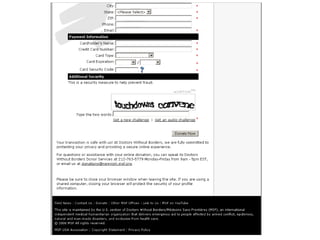
• Donation Forms – many possibilities
    – Guidestar/Network for Good,
      Google Checkout, Amazon Checkout, PayPal,
      Convio, Blackbaud
•   Trust plays a role
•   Only ask for information you need
•   Include opt-in language
•   Thank donors throughout the process
Raising money on the web
• Consider:
  – Cost per transaction
  – Data security
  – What donor information will you be able to
    collect?
  – Will the donation form allow an opt-in?
  – Does the donation form allow tribute giving or
    designations?
  – Are you able to brand the form with your
    design?
Raising money on the web
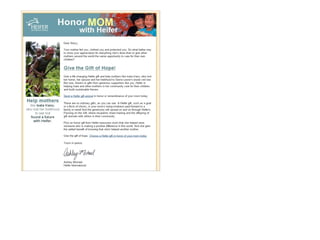
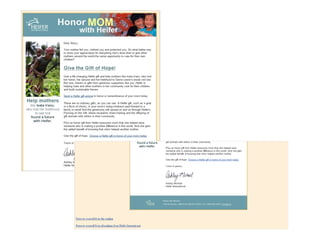
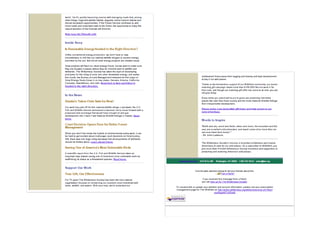
• Email Campaigns
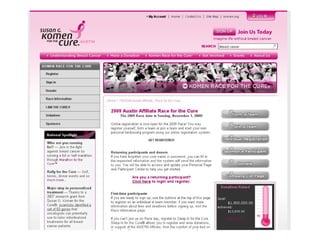
• Fundraising events with an online
  component
• Tribute pages
Raising money on the web
• Thank your online donors
• Keep connection with them via email
  communications
  – Create a series of messages to reinforce
    relationship and bring them closer
  – Make sure the messages match their
    expectations
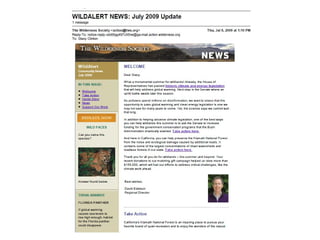
Not Just a Donation Button
• “Donate Now” button is just the first step
• Your website and communications should
  build trust, reinforce your mission and
  educate how a donation will make a
  difference.
Maximize your website
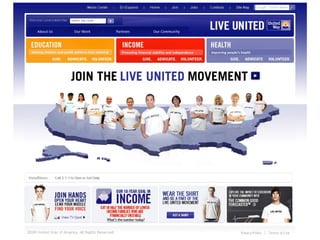
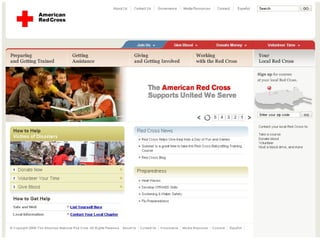
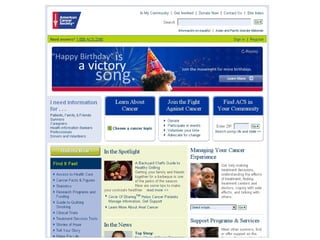
• Donation button – must be easy to find
• Content that engages visitors quickly
  – 5 second rule
  – Taglines
• Show visitors how their donation helps
• Each page should have a goal
  –   Click to read more
  –   Email signup
  –   Donate
  –   Etc.
Maximize your website
• Know your donors!
• Create content for them, not for you
• Provide easy pathways for them to find the
  information they seek
• Keep content short and relevant
  – Cut it in half, then cut it in half again
• Tell stories, show success
Maximize your website
• Make sure potential constituents can find
  you online:
  – Search Engine Optimization
  – Keywords
  – Landing pages
  – Links from other websites
• Google Grants
• Google Analytics
Build Your List
• Offer email newsletter signups on every
  page, in the same place
• Make the offer relevant and interesting to
  the donor
• Don’t require too much information on the
  form (eliminate barriers)
• Make sure the communications you
  promise at sign-up match what you deliver
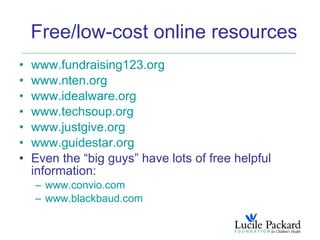
Free/low-cost online resources
•   www.fundraising123.org
•   www.nten.org
•   www.idealware.org
•   www.techsoup.org
•   www.justgive.org
•   www.guidestar.org
•   Even the “big guys” have lots of free helpful
    information:
    – www.convio.com
    – www.blackbaud.com
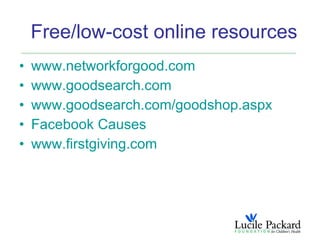
Free/low-cost online resources
•   www.networkforgood.com
•   www.goodsearch.com
•   www.goodsearch.com/goodshop.aspx
•   Facebook Causes
•   www.firstgiving.com
A word about “social”
• Facebook, Twitter, LinkedIn, etc.
  – Have specific plan, incremental goals
  – Not always a slam dunk for fundraising
  – A good way to reach constituents and have a
    conversation with them, strengthen
    relationships
  – Require significant staff resources to provide
    timely updates and immediate responses that
    users expect
Thank you!
      Questions?
stacy.clinton@lpfch.org
     650.724.2786

Online Fundraising 101

  • 1.
    Online Fundraising 101 Stacy Clinton July 15, 2009
  • 2.
    Today’s discussion • Overviewof different approaches to raising money on the web • Maximize your website • Free/low-cost online resources • Goal: provide a basic understanding of the options and a set of tools to get started in online fundraising
  • 3.
    Some stats • Reasons people visit nonprofit sites are: – news and events (40%) – to stay informed about the cause the organization addresses (40%) – Almost one in five (18%) website visitors are there specifically to make a financial contribution* • Younger generations are very comfortable online, especially in social media • The number of people over 70 years old online increased 60% in the past year** *from “Trends in Constituent Satisfaction with Nonprofit Websites” report by ForeSee Results 2009 ** from “Generations Online in 2009” by Fox & Jones, Pew Internet & American Life Project
  • 4.
    Raising money onthe web • Donation Forms – many possibilities – Guidestar/Network for Good, Google Checkout, Amazon Checkout, PayPal, Convio, Blackbaud • Trust plays a role • Only ask for information you need • Include opt-in language • Thank donors throughout the process
  • 8.
    Raising money onthe web • Consider: – Cost per transaction – Data security – What donor information will you be able to collect? – Will the donation form allow an opt-in? – Does the donation form allow tribute giving or designations? – Are you able to brand the form with your design?
  • 9.
    Raising money onthe web • Email Campaigns • Fundraising events with an online component • Tribute pages
  • 15.
    Raising money onthe web • Thank your online donors • Keep connection with them via email communications – Create a series of messages to reinforce relationship and bring them closer – Make sure the messages match their expectations
  • 16.
    Not Just aDonation Button • “Donate Now” button is just the first step • Your website and communications should build trust, reinforce your mission and educate how a donation will make a difference.
  • 17.
    Maximize your website •Donation button – must be easy to find • Content that engages visitors quickly – 5 second rule – Taglines • Show visitors how their donation helps • Each page should have a goal – Click to read more – Email signup – Donate – Etc.
  • 18.
    Maximize your website •Know your donors! • Create content for them, not for you • Provide easy pathways for them to find the information they seek • Keep content short and relevant – Cut it in half, then cut it in half again • Tell stories, show success
  • 29.
    Maximize your website •Make sure potential constituents can find you online: – Search Engine Optimization – Keywords – Landing pages – Links from other websites • Google Grants • Google Analytics
  • 30.
    Build Your List •Offer email newsletter signups on every page, in the same place • Make the offer relevant and interesting to the donor • Don’t require too much information on the form (eliminate barriers) • Make sure the communications you promise at sign-up match what you deliver
  • 33.
    Free/low-cost online resources • www.fundraising123.org • www.nten.org • www.idealware.org • www.techsoup.org • www.justgive.org • www.guidestar.org • Even the “big guys” have lots of free helpful information: – www.convio.com – www.blackbaud.com
  • 34.
    Free/low-cost online resources • www.networkforgood.com • www.goodsearch.com • www.goodsearch.com/goodshop.aspx • Facebook Causes • www.firstgiving.com
  • 35.
    A word about“social” • Facebook, Twitter, LinkedIn, etc. – Have specific plan, incremental goals – Not always a slam dunk for fundraising – A good way to reach constituents and have a conversation with them, strengthen relationships – Require significant staff resources to provide timely updates and immediate responses that users expect
  • 36.
    Thank you! Questions? stacy.clinton@lpfch.org 650.724.2786