Sensitivity: Internal
Octopus Deploy &
Docker
Pedro Sousa @psousa75
DevScope
Where I Work
Systems Engineer
What I Do
@psousa75
pedro.sousa@devscope.net
Where To Find Me
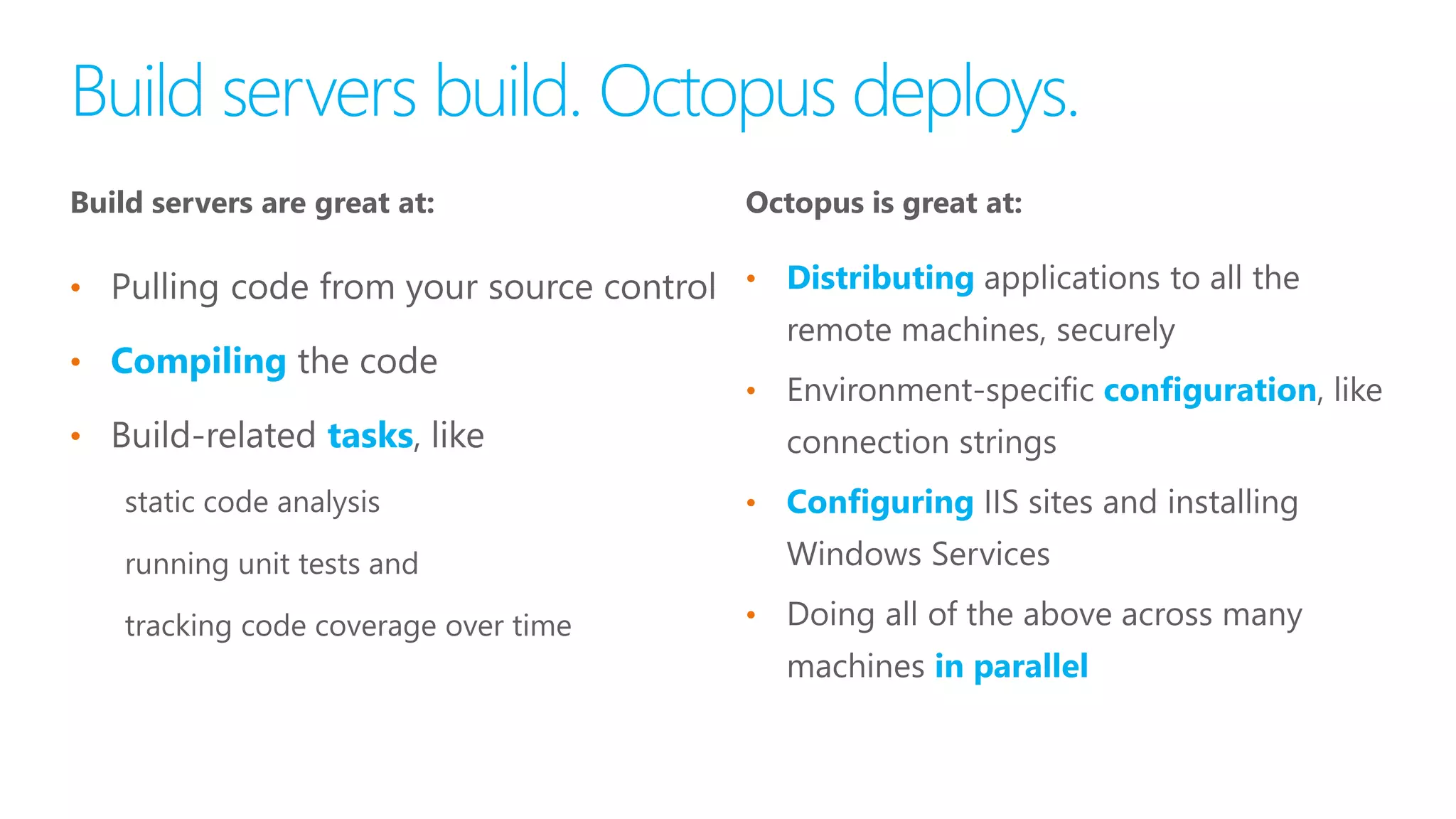
Build servers are great at:
•
•
•
•
•
•
•
Octopus is great at:
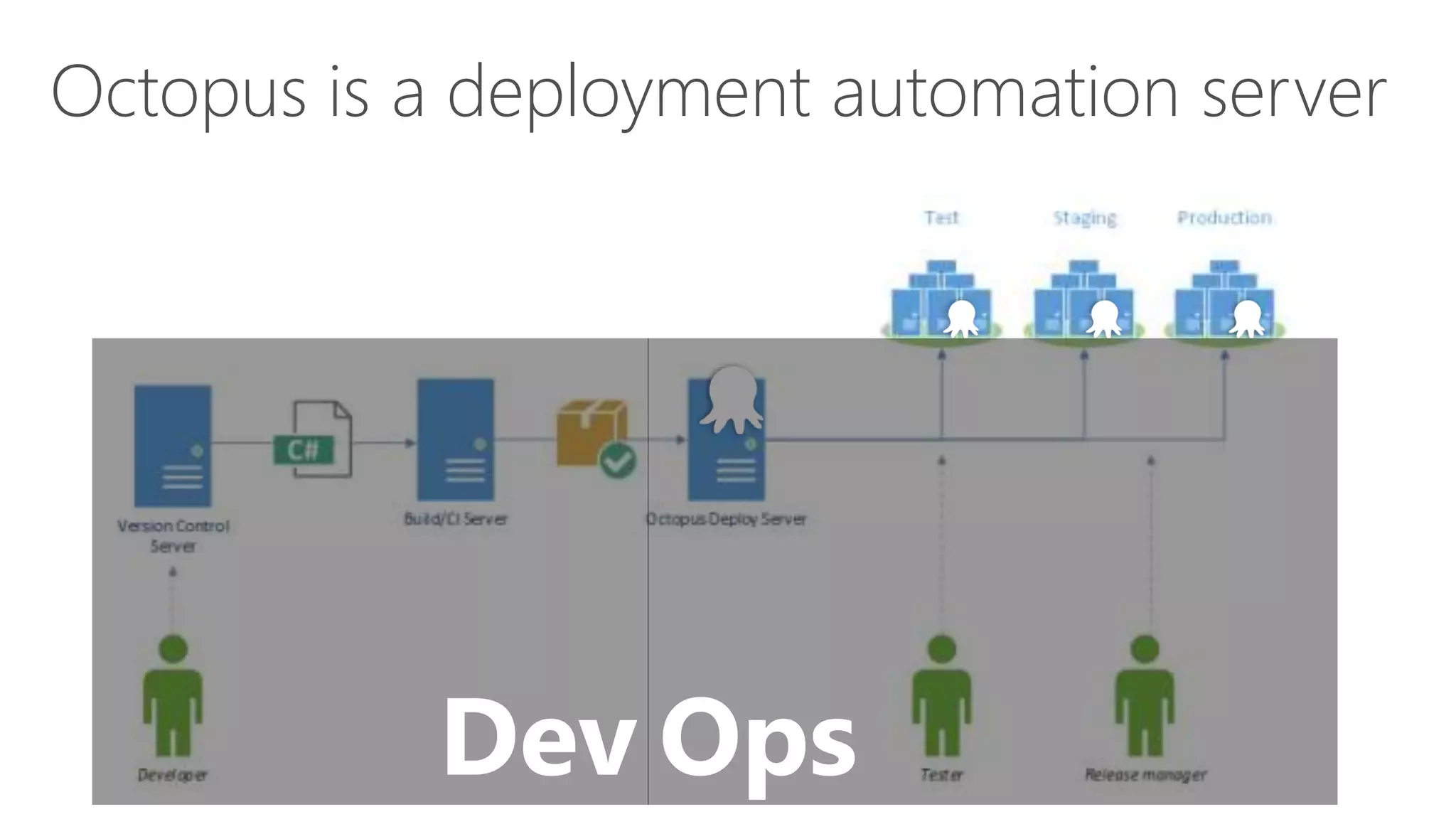
Dev
Octopus is a deployment automation server
Ops
•
•
•
•
•
•
•
•
•
•
•
•
•
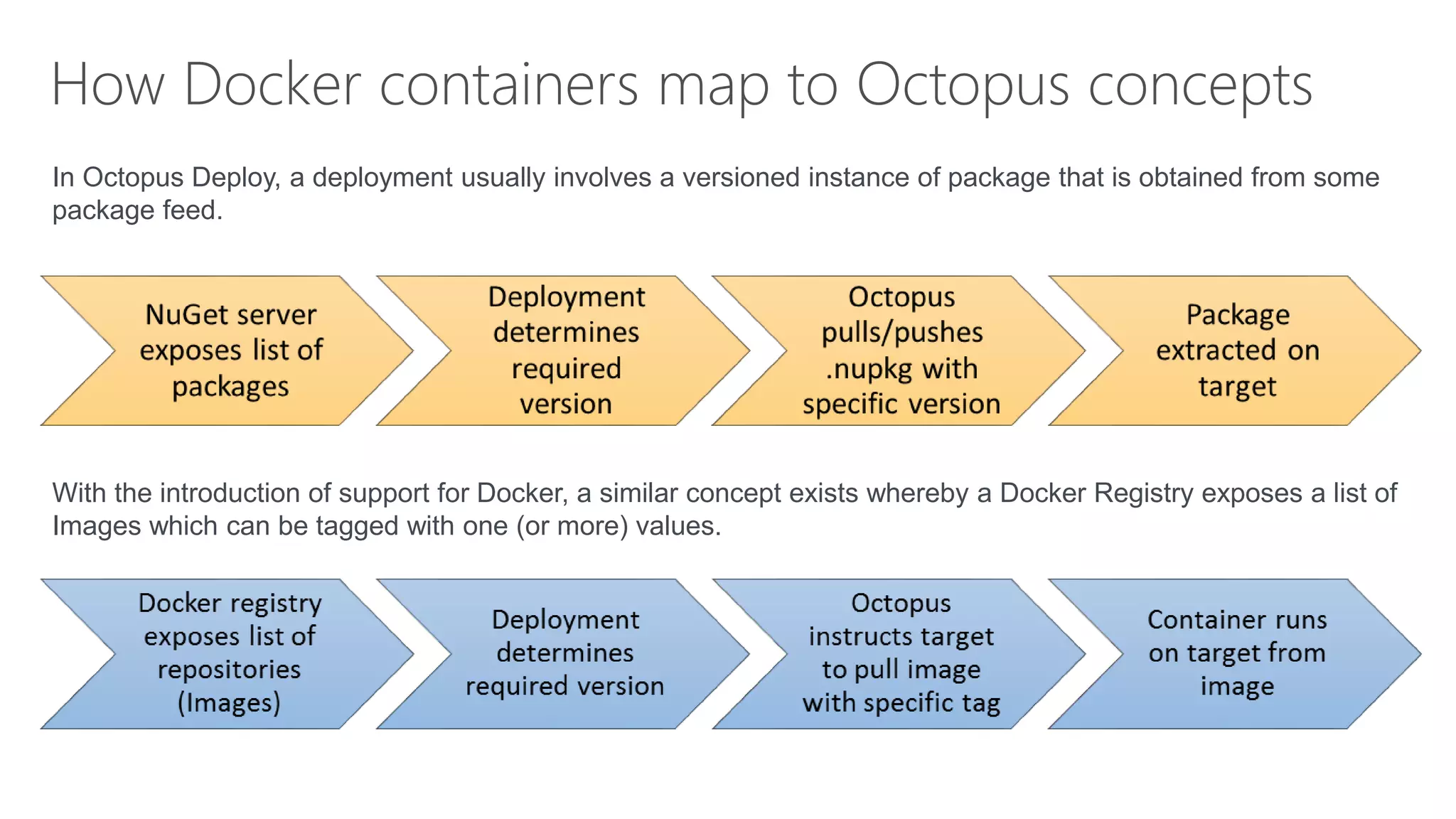
How Docker containers map to Octopus concepts
In Octopus Deploy, a deployment usually involves a versioned instance of package that is obtained from some
package feed.
With the introduction of support for Docker, a similar concept exists whereby a Docker Registry exposes a list of
Images which can be tagged with one (or more) values.
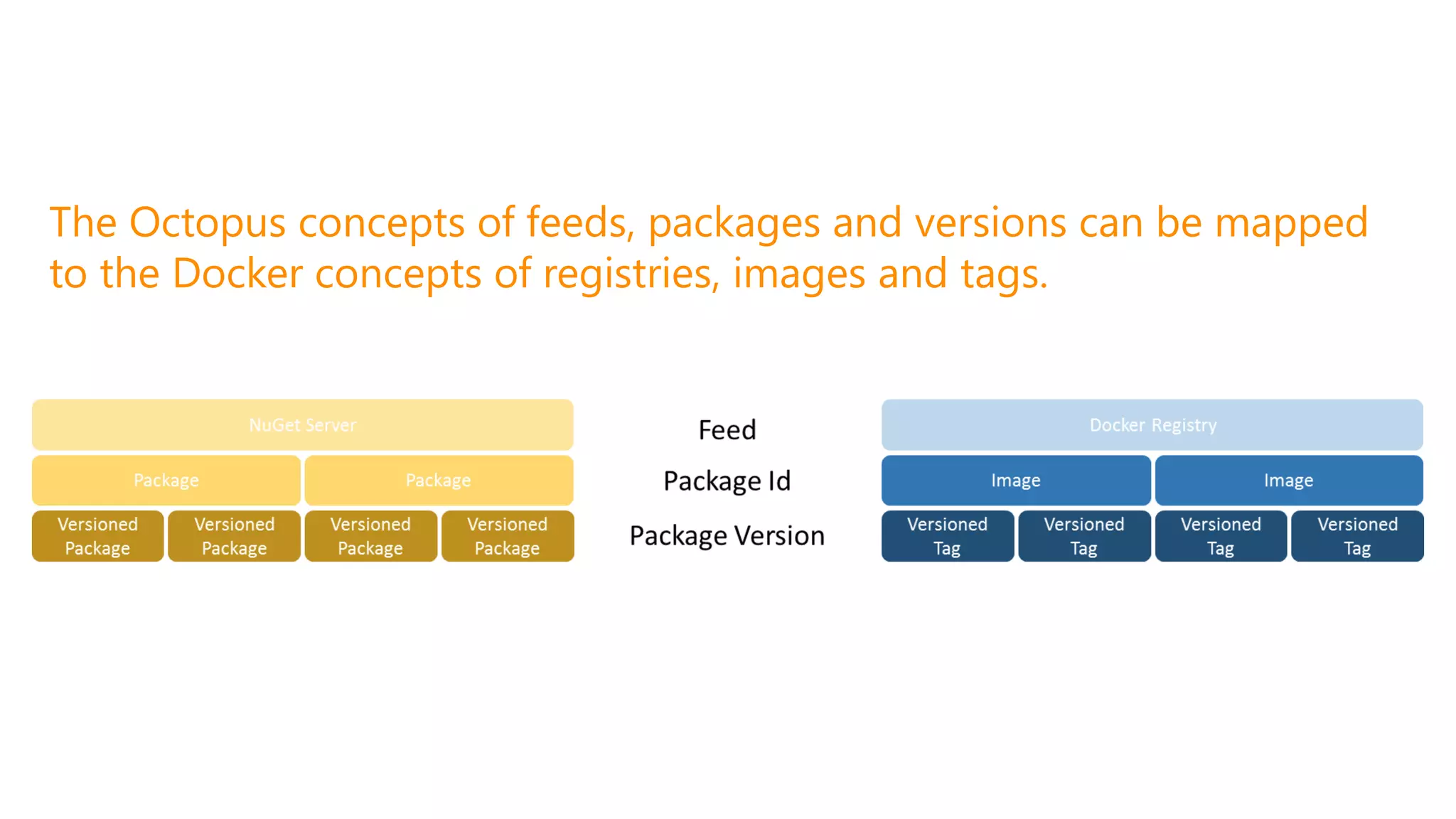
The Octopus concepts of feeds, packages and versions can be mapped
to the Docker concepts of registries, images and tags.
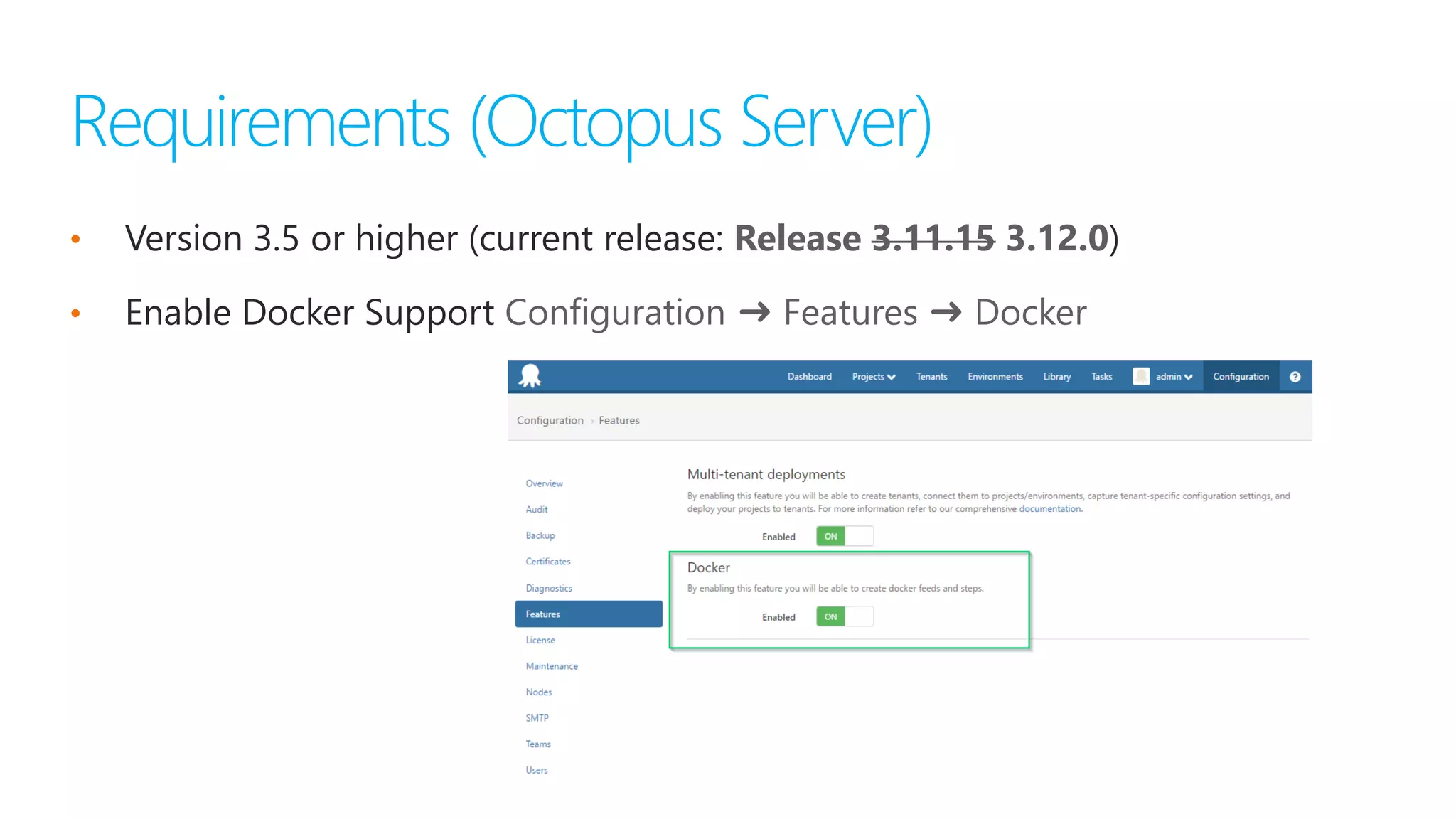
• Version 3.5 or higher (current release: )
• Enable Docker Support
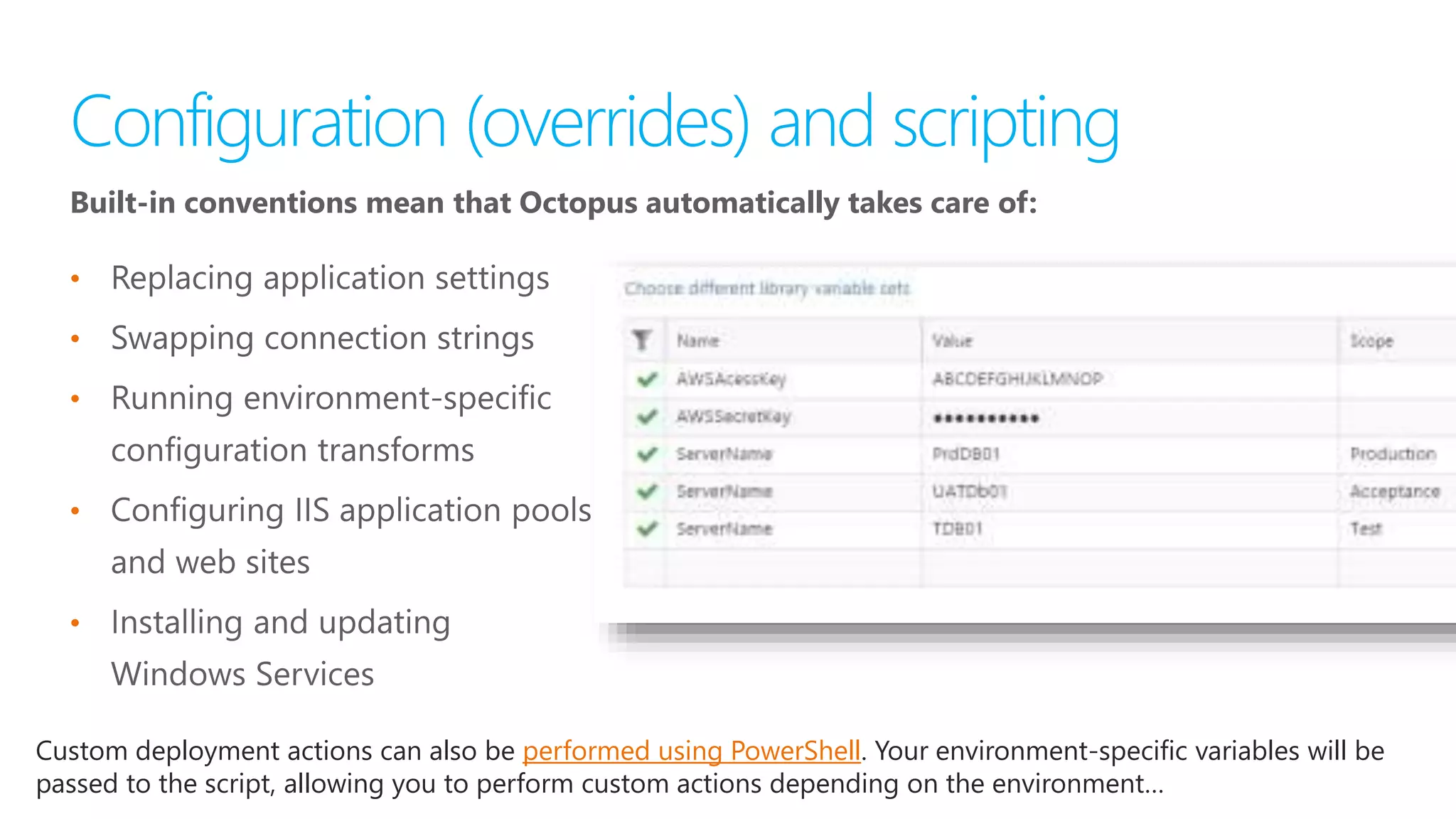
Built-in conventions mean that Octopus automatically takes care of:
•
•
•
•
•
Custom deployment actions can also be performed using PowerShell. Your environment-specific variables will be
passed to the script, allowing you to perform custom actions depending on the environment…
#MSOSCAMP
Octopus Deploy and Docker

Octopus Deploy and Docker

Editor's Notes

  • #7 Just like build servers made build automation easy, Octopus Deploy exists to make deployment automation easy. Over the last four years, Octopus Deploy has quickly become the most popular .NET deployment server. Octopus takes over where your build server finishes. The build server builds the code and runs tests, while Octopus takes care of deployment. Octopus has deep integration with JetBrains TeamCity and Microsoft Team Foundation Server, and has a command line application for creating and deploying releases that can be integrated with any build server. Octopus also comes with a comprehensive REST API and a .NET client library; anything that can be done through the UI can be done through the API. In fact, we built the UI and all of the integrations on top of that REST API.
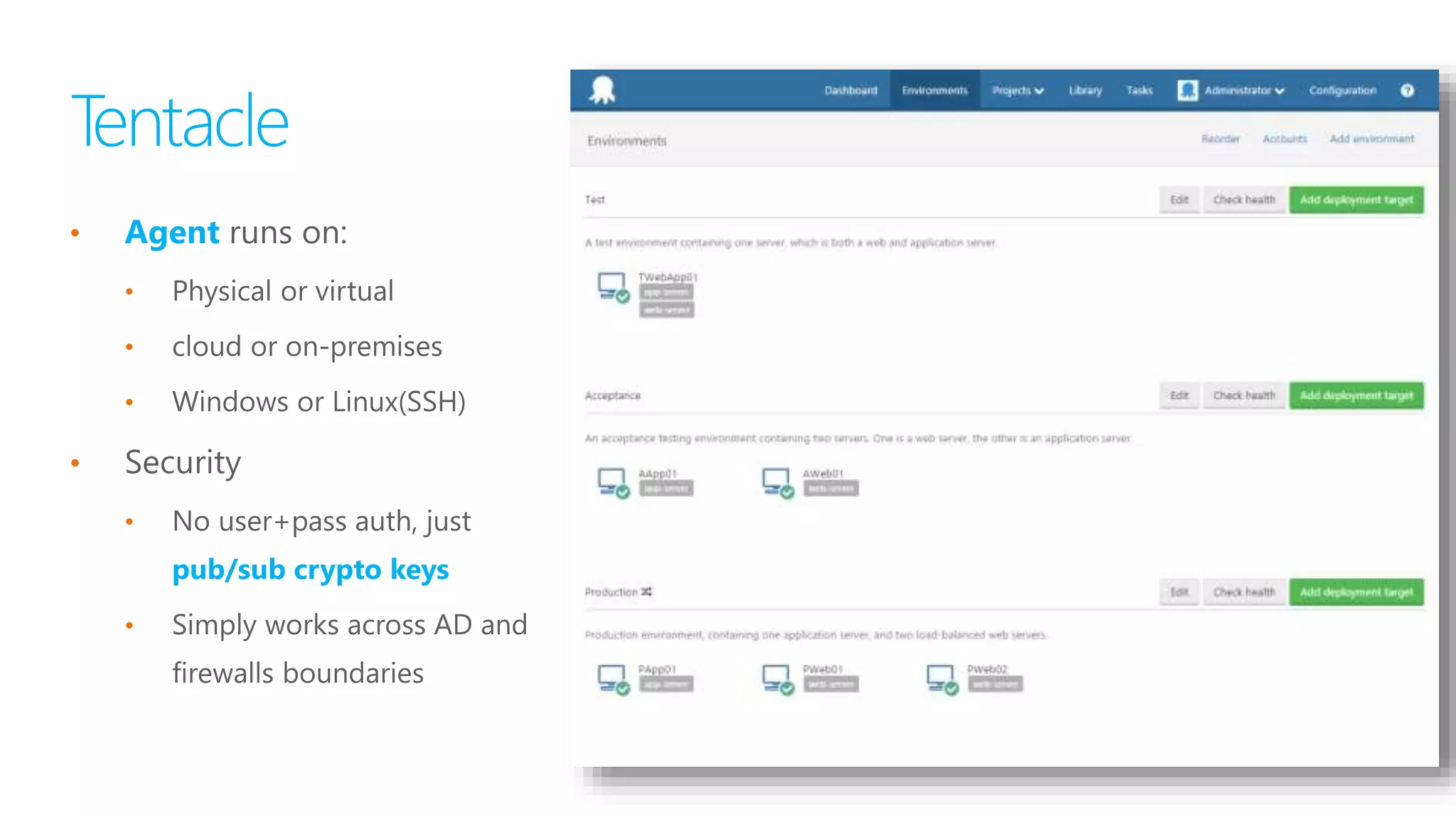
  • #9 Deploy on-premises or to the cloud, securely Deploy applications to physical or virtual machines that are hosted on-premises or in the cloud. A lightweight agent service called Tentacle is installed onto the machines that you plan to deploy to. Our easy installation wizard makes it easy to connect Tentacles to the Octopus server, and you can rest easily at night: the connection is secured using public/private key cryptography. No passwords required, no need for servers to be on the same Active Directory domain. Octopus also has special support for Windows Azure cloud services, Windows Azure web apps and web jobs, and deploying to Linux servers via SSH.
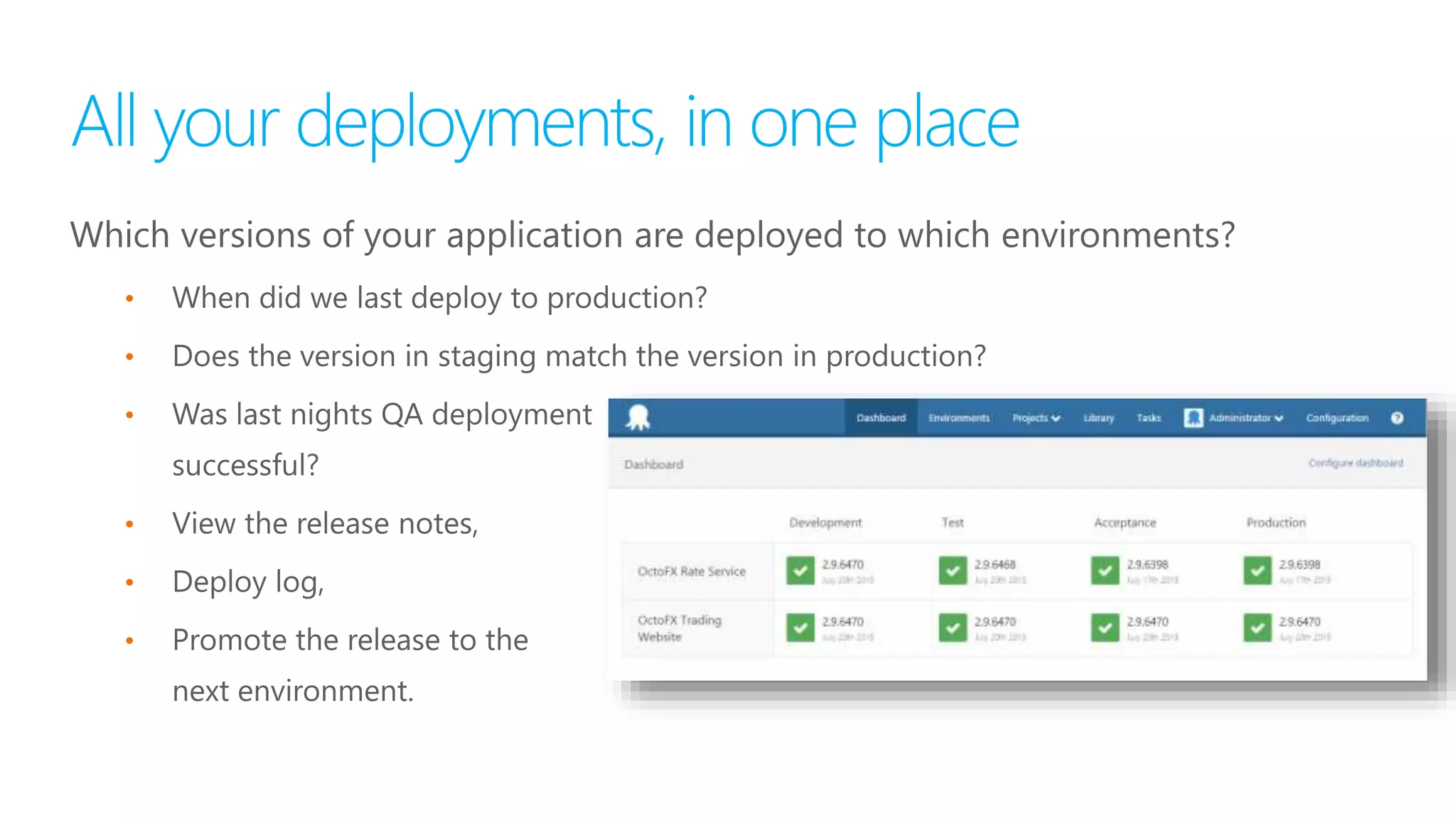
  • #11 In Octopus Deploy, a deployment usually involves a versioned instance of package that is obtained from some package feed. Prior to 3.5.0, this was typically modeled by defining a NuGet server (e.g. MyGet, TeamCity) as the package repository, which exposes a list of named packages to be deployed. Each instance of this package existed as a versioned .nupkg file which would be obtained by the target at deployment time and extracted. With the introduction of support for Docker, a similar concept exists whereby a Docker Registry (e.g. DockerHub, Artifactory) exposes a list of Images (unfortunately in Docker terminology these are known as repositories) which can be tagged with one (or more) values. By treating and interpreting the tags as version descriptions for a given Image, a Docker deployment can map to a similar versioned process flow.
  • #12 The Octopus concepts of feeds, packages and versions can be mapped to the Docker concepts of registries, images and tags. There is a slight caveat to this similarity since Octopus does not currently intend to self-host a Docker registry in the server, so there there is no Docker equivalent of the built-in feed. Also the targets currently need to have access to the repository to pull down images as there is no push process from the Octopus Server.
  • #15 And it's not just limited to the Microsoft stack; Octopus is also brilliant for deploying applications built with open source frameworks like NServiceBus and MassTransit, Nancy, and TopShelf.
  • #16 Configuration and scripting No two environments are ever the same. Use variables to scope different settings to different environments. Built-in conventions mean that Octopus automatically takes care of: Replacing application settings Swapping connection strings Running environment-specific configuration transforms Configuring IIS application pools and web sites Installing and updating Windows Services Custom deployment actions can also be performed using PowerShell. Your environment-specific variables will be passed to the script, allowing you to perform custom actions depending on the environment or machine being deployed to.
  • #17 Environment Octopus Configuration -> Features Add Docker Support Library -> External Feeds Add feed Feed Type: Docker Container Registry Name URL Environments Accounts SSH Username/password SSH Key Pairs Add environment Add deployment targets Library -> Lifecycles Add Phases Associate Environments Project Deployment Process Channels Associate Lifecycle Process Releases