Object Oriented Programming: 14
Output Formatting using
Manipulators
Prof Neeraj Bhargava
Vaibhav Khanna
Department of Computer Science
School of Engineering and Systems Sciences
Maharshi Dayanand Saraswati University Ajmer
2
Output and Formatting Output
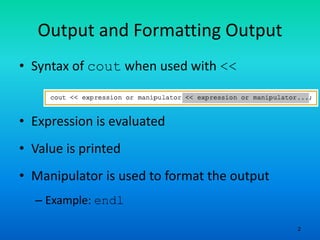
• Syntax of cout when used with <<
• Expression is evaluated
• Value is printed
• Manipulator is used to format the output
– Example: endl
3
setprecision Manipulator
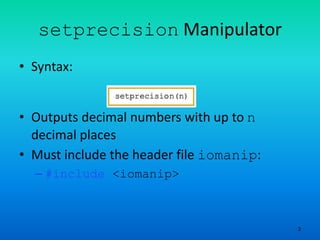
• Syntax:
• Outputs decimal numbers with up to n
decimal places
• Must include the header file iomanip:
– #include <iomanip>
4
fixed Manipulator
• fixed outputs floating-point numbers in a
fixed decimal format
– Example: cout << fixed;
– Disable by using the stream member function
unsetf
• Example: cout.unsetf(ios::fixed);
• The manipulator scientific is used to
output floating-point numbers in scientific
format
5
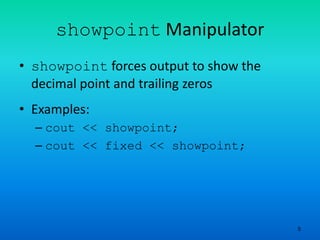
showpoint Manipulator
• showpoint forces output to show the
decimal point and trailing zeros
• Examples:
– cout << showpoint;
– cout << fixed << showpoint;
6
setw
• Outputs the value of an expression in
specific columns
– cout << setw(5) << x << endl;
• If number of columns exceeds the number
of columns required by the expression
– Output of the expression is right-justified
– Unused columns to the left are filled with
spaces
• Must include the header file iomanip
7
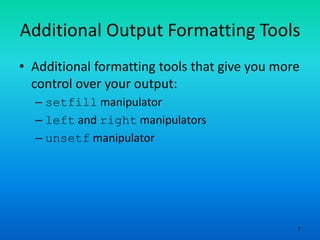
Additional Output Formatting Tools
• Additional formatting tools that give you more
control over your output:
– setfill manipulator
– left and right manipulators
– unsetf manipulator
8
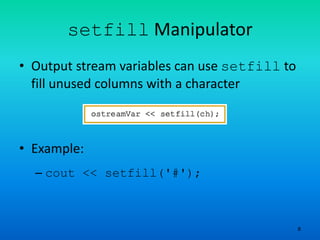
setfill Manipulator
• Output stream variables can use setfill to
fill unused columns with a character
• Example:
– cout << setfill('#');
9
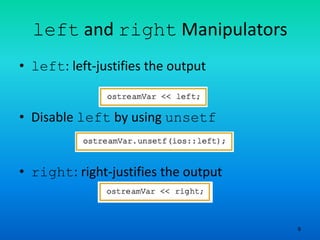
left and right Manipulators
• left: left-justifies the output
• Disable left by using unsetf
• right: right-justifies the output
10
Types of Manipulators
• Two types of manipulators:
– With parameters
– Without parameters
• Parameterized: require iomanip header
– setprecision, setw, and setfill
• Nonparameterized: require iostream
header
– endl, fixed, showpoint, left, and flush
11
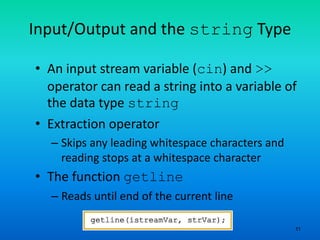
Input/Output and the string Type
• An input stream variable (cin) and >>
operator can read a string into a variable of
the data type string
• Extraction operator
– Skips any leading whitespace characters and
reading stops at a whitespace character
• The function getline
– Reads until end of the current line
12
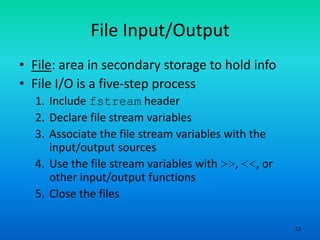
File Input/Output
• File: area in secondary storage to hold info
• File I/O is a five-step process
1. Include fstream header
2. Declare file stream variables
3. Associate the file stream variables with the
input/output sources
4. Use the file stream variables with >>, <<, or
other input/output functions
5. Close the files
Assignment
• Explain the formatting of Output using
manipulators in C++

Object oriented programming 14 output formatting using manipulators

  • 1.
    Object Oriented Programming:14 Output Formatting using Manipulators Prof Neeraj Bhargava Vaibhav Khanna Department of Computer Science School of Engineering and Systems Sciences Maharshi Dayanand Saraswati University Ajmer
  • 2.
    2 Output and FormattingOutput • Syntax of cout when used with << • Expression is evaluated • Value is printed • Manipulator is used to format the output – Example: endl
  • 3.
    3 setprecision Manipulator • Syntax: •Outputs decimal numbers with up to n decimal places • Must include the header file iomanip: – #include <iomanip>
  • 4.
    4 fixed Manipulator • fixedoutputs floating-point numbers in a fixed decimal format – Example: cout << fixed; – Disable by using the stream member function unsetf • Example: cout.unsetf(ios::fixed); • The manipulator scientific is used to output floating-point numbers in scientific format
  • 5.
    5 showpoint Manipulator • showpointforces output to show the decimal point and trailing zeros • Examples: – cout << showpoint; – cout << fixed << showpoint;
  • 6.
    6 setw • Outputs thevalue of an expression in specific columns – cout << setw(5) << x << endl; • If number of columns exceeds the number of columns required by the expression – Output of the expression is right-justified – Unused columns to the left are filled with spaces • Must include the header file iomanip
  • 7.
    7 Additional Output FormattingTools • Additional formatting tools that give you more control over your output: – setfill manipulator – left and right manipulators – unsetf manipulator
  • 8.
    8 setfill Manipulator • Outputstream variables can use setfill to fill unused columns with a character • Example: – cout << setfill('#');
  • 9.
    9 left and rightManipulators • left: left-justifies the output • Disable left by using unsetf • right: right-justifies the output
  • 10.
    10 Types of Manipulators •Two types of manipulators: – With parameters – Without parameters • Parameterized: require iomanip header – setprecision, setw, and setfill • Nonparameterized: require iostream header – endl, fixed, showpoint, left, and flush
  • 11.
    11 Input/Output and thestring Type • An input stream variable (cin) and >> operator can read a string into a variable of the data type string • Extraction operator – Skips any leading whitespace characters and reading stops at a whitespace character • The function getline – Reads until end of the current line
  • 12.
    12 File Input/Output • File:area in secondary storage to hold info • File I/O is a five-step process 1. Include fstream header 2. Declare file stream variables 3. Associate the file stream variables with the input/output sources 4. Use the file stream variables with >>, <<, or other input/output functions 5. Close the files
  • 13.
    Assignment • Explain theformatting of Output using manipulators in C++