Connect SharePoint Framework solutions to APIs
secured with Azure AD
Authenticationisdifficult
rencore.com
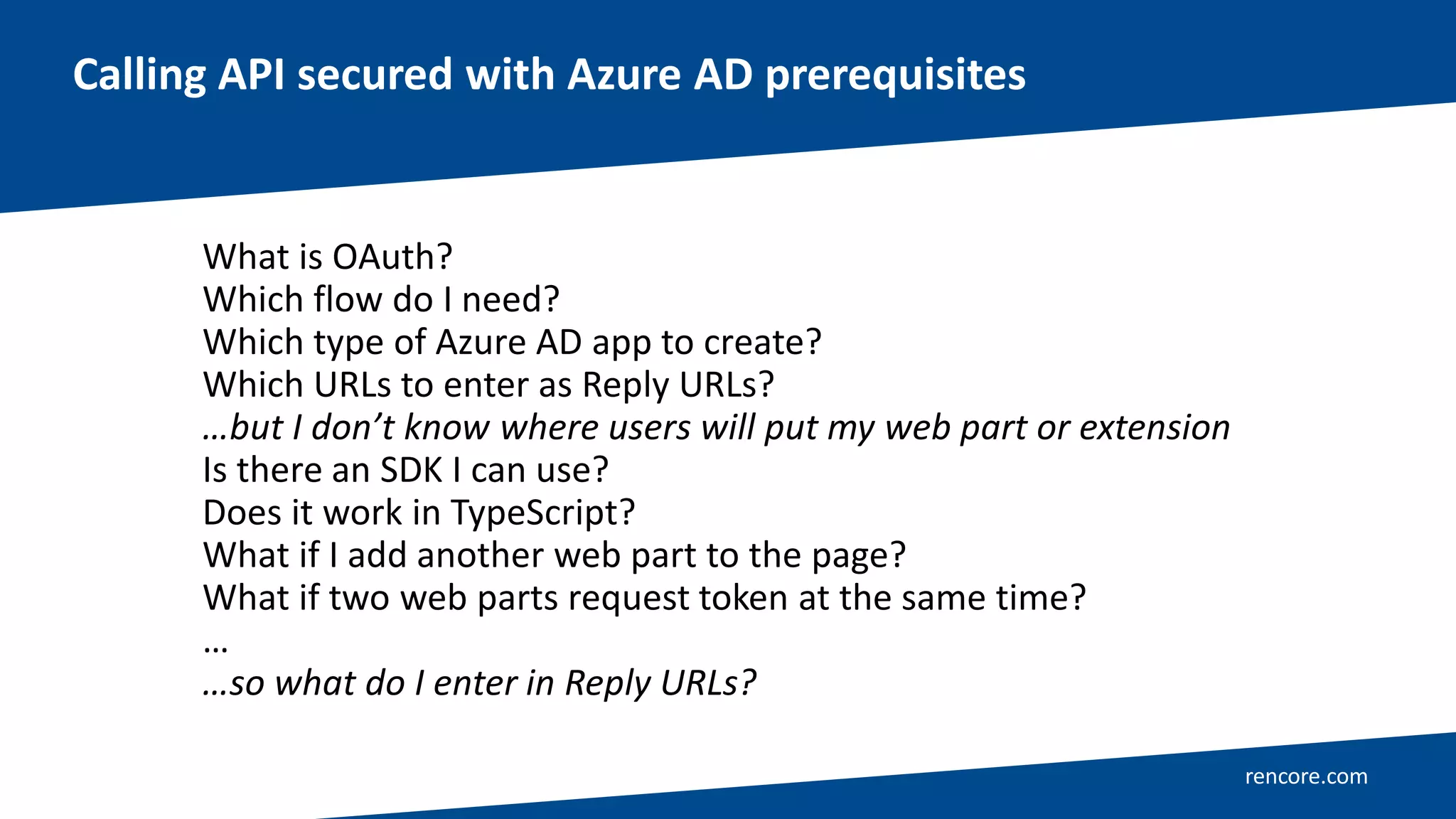
Calling API secured with Azure AD prerequisites
What is OAuth?
Which flow do I need?
Which type of Azure AD app to create?
Which URLs to enter as Reply URLs?
…but I don’t know where users will put my web part or extension
Is there an SDK I can use?
Does it work in TypeScript?
What if I add another web part to the page?
What if two web parts request token at the same time?
…
…so what do I enter in Reply URLs?
AadHttpClient 👍
rencore.com
Calling API secured with Azure AD prerequisites
What is OAuth?
Which flow do I need?
Which type of Azure AD app to create?
Which URLs to enter as Reply URLs?
…but I don’t know where users will put my web part or extension
Is there an SDK I can use?
Does it work in TypeScript?
What if I add another web part to the page?
What if two web parts request token at the same time?
…
…so what do I enter in Reply URLs?
It.Just.Works.
rencore.com
Connect to Azure AD-secured
APIs from SPFx without
headaches
Demo
rencore.com
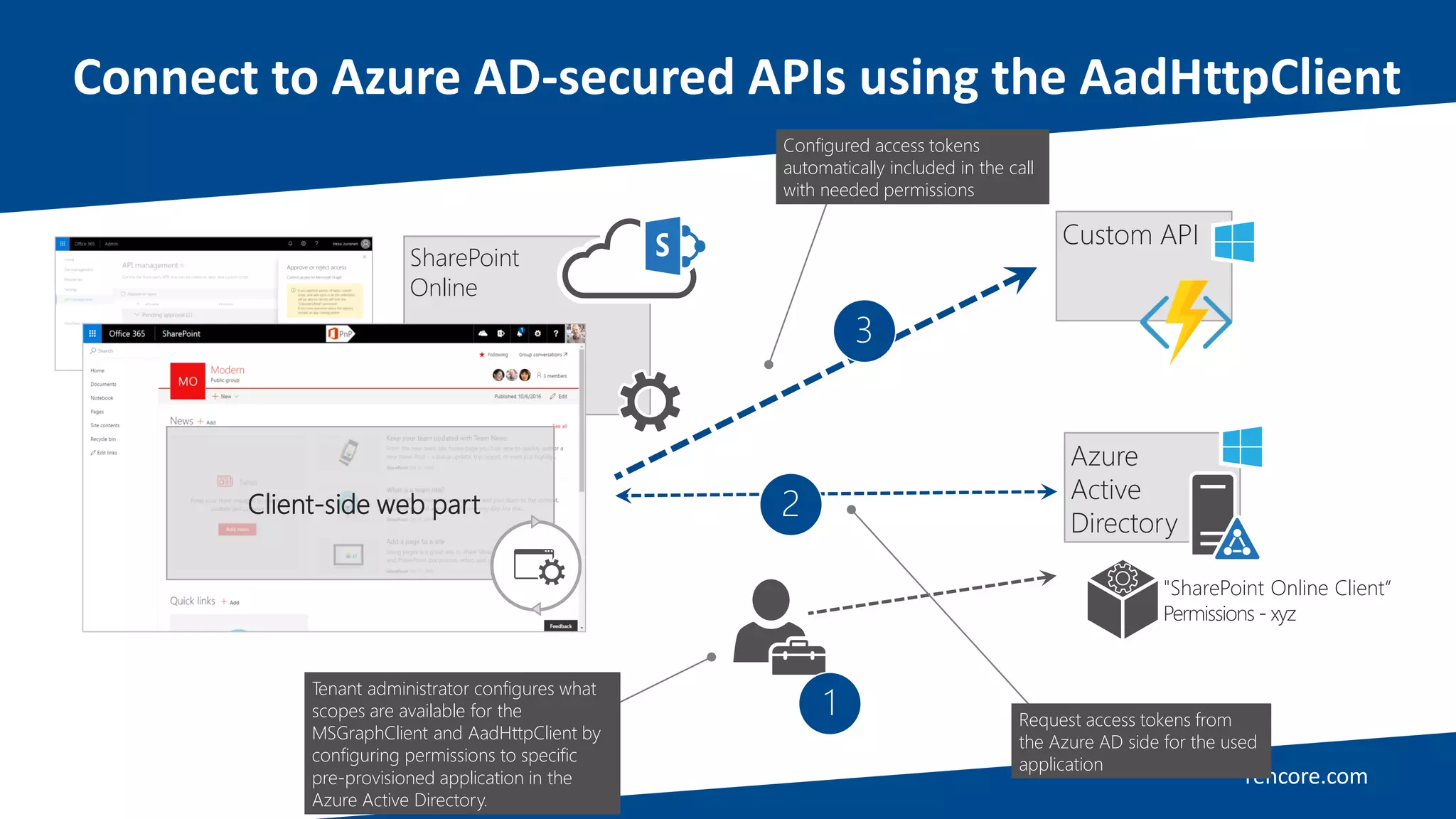
Connect to Azure AD-secured APIs using the AadHttpClient
SharePoint
Online
Client-side web part
Azure
Active
Directory
"SharePoint Online Client“
Permissions - xyz
Tenant administrator configures what
scopes are available for the
MSGraphClient and AadHttpClient by
configuring permissions to specific
pre-provisioned application in the
Azure Active Directory.
1
3
2
Configured access tokens
automatically included in the call
with needed permissions
Request access tokens from
the Azure AD side for the used
application
Custom API
rencore.com
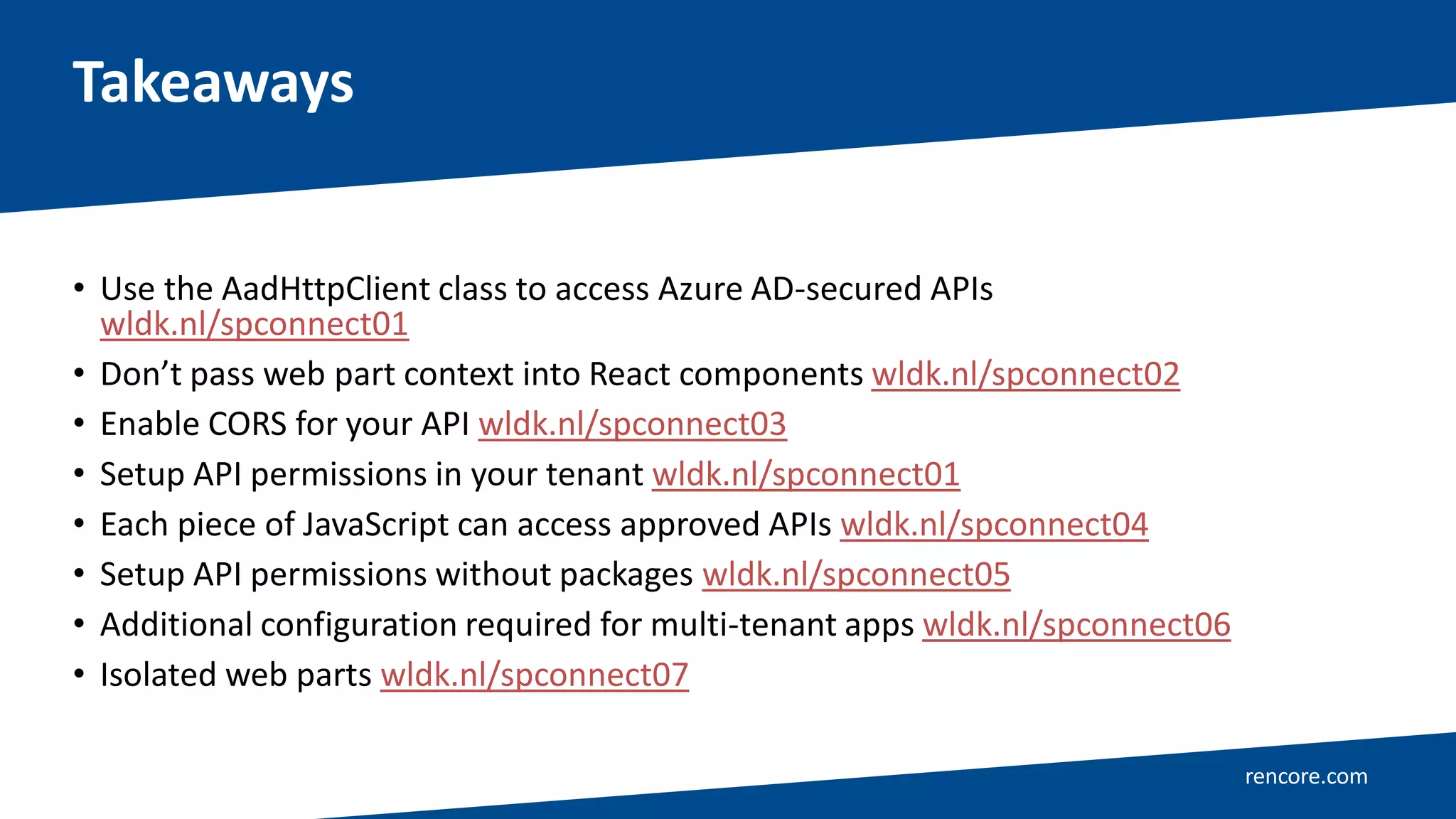
• Use the AadHttpClient class to access Azure AD-secured APIs
wldk.nl/spconnect01
• Don’t pass web part context into React components wldk.nl/spconnect02
• Enable CORS for your API wldk.nl/spconnect03
• Setup API permissions in your tenant wldk.nl/spconnect01
• Each piece of JavaScript can access approved APIs wldk.nl/spconnect04
• Setup API permissions without packages wldk.nl/spconnect05
• Additional configuration required for multi-tenant apps wldk.nl/spconnect06
• Isolated web parts wldk.nl/spconnect07
Takeaways
Waldek Mastykarz
Head of Product
SharePoint MVP
https://blog.mastykarz.nl
@waldekm
Secure. Modernize. Empower.
O365Con18 - Connect SharePoint Framework Solutions to API's secured with Azure AD - Waldek Mastykarz

O365Con18 - Connect SharePoint Framework Solutions to API's secured with Azure AD - Waldek Mastykarz

  • 2.
    Connect SharePoint Frameworksolutions to APIs secured with Azure AD
  • 3.
  • 4.
    rencore.com Calling API securedwith Azure AD prerequisites What is OAuth? Which flow do I need? Which type of Azure AD app to create? Which URLs to enter as Reply URLs? …but I don’t know where users will put my web part or extension Is there an SDK I can use? Does it work in TypeScript? What if I add another web part to the page? What if two web parts request token at the same time? … …so what do I enter in Reply URLs?
  • 5.
  • 6.
    rencore.com Calling API securedwith Azure AD prerequisites What is OAuth? Which flow do I need? Which type of Azure AD app to create? Which URLs to enter as Reply URLs? …but I don’t know where users will put my web part or extension Is there an SDK I can use? Does it work in TypeScript? What if I add another web part to the page? What if two web parts request token at the same time? … …so what do I enter in Reply URLs?
  • 7.
  • 8.
    rencore.com Connect to AzureAD-secured APIs from SPFx without headaches Demo
  • 9.
    rencore.com Connect to AzureAD-secured APIs using the AadHttpClient SharePoint Online Client-side web part Azure Active Directory "SharePoint Online Client“ Permissions - xyz Tenant administrator configures what scopes are available for the MSGraphClient and AadHttpClient by configuring permissions to specific pre-provisioned application in the Azure Active Directory. 1 3 2 Configured access tokens automatically included in the call with needed permissions Request access tokens from the Azure AD side for the used application Custom API
  • 10.
    rencore.com • Use theAadHttpClient class to access Azure AD-secured APIs wldk.nl/spconnect01 • Don’t pass web part context into React components wldk.nl/spconnect02 • Enable CORS for your API wldk.nl/spconnect03 • Setup API permissions in your tenant wldk.nl/spconnect01 • Each piece of JavaScript can access approved APIs wldk.nl/spconnect04 • Setup API permissions without packages wldk.nl/spconnect05 • Additional configuration required for multi-tenant apps wldk.nl/spconnect06 • Isolated web parts wldk.nl/spconnect07 Takeaways
  • 11.
    Waldek Mastykarz Head ofProduct SharePoint MVP https://blog.mastykarz.nl @waldekm
  • 12.