



Who Are You and What Do You Want?
Working with OAuth in SharePoint, O365 &
Azure
@eshupps sharepointcowboywww.sharepointcowboy.com
slideshare.net/eshupps linkedin.com/in/eshupps
Eric Shupps
SharePoint Server MVP
Introduction
Agenda
Fundamentals
Application
Implementation
INTRODUCTION
authorization
•
•
•
•
•
•
•
•
•
Fundamentals
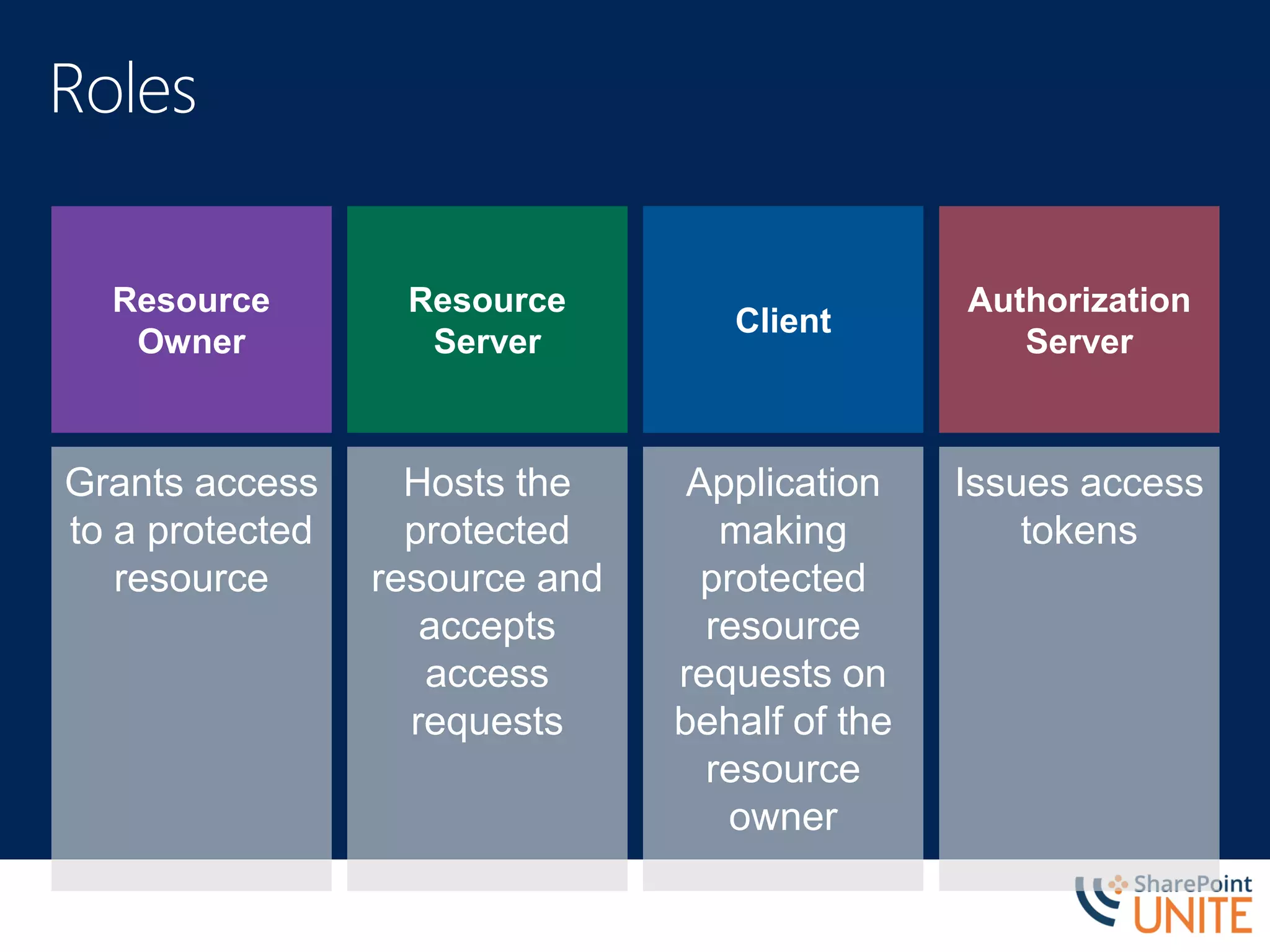
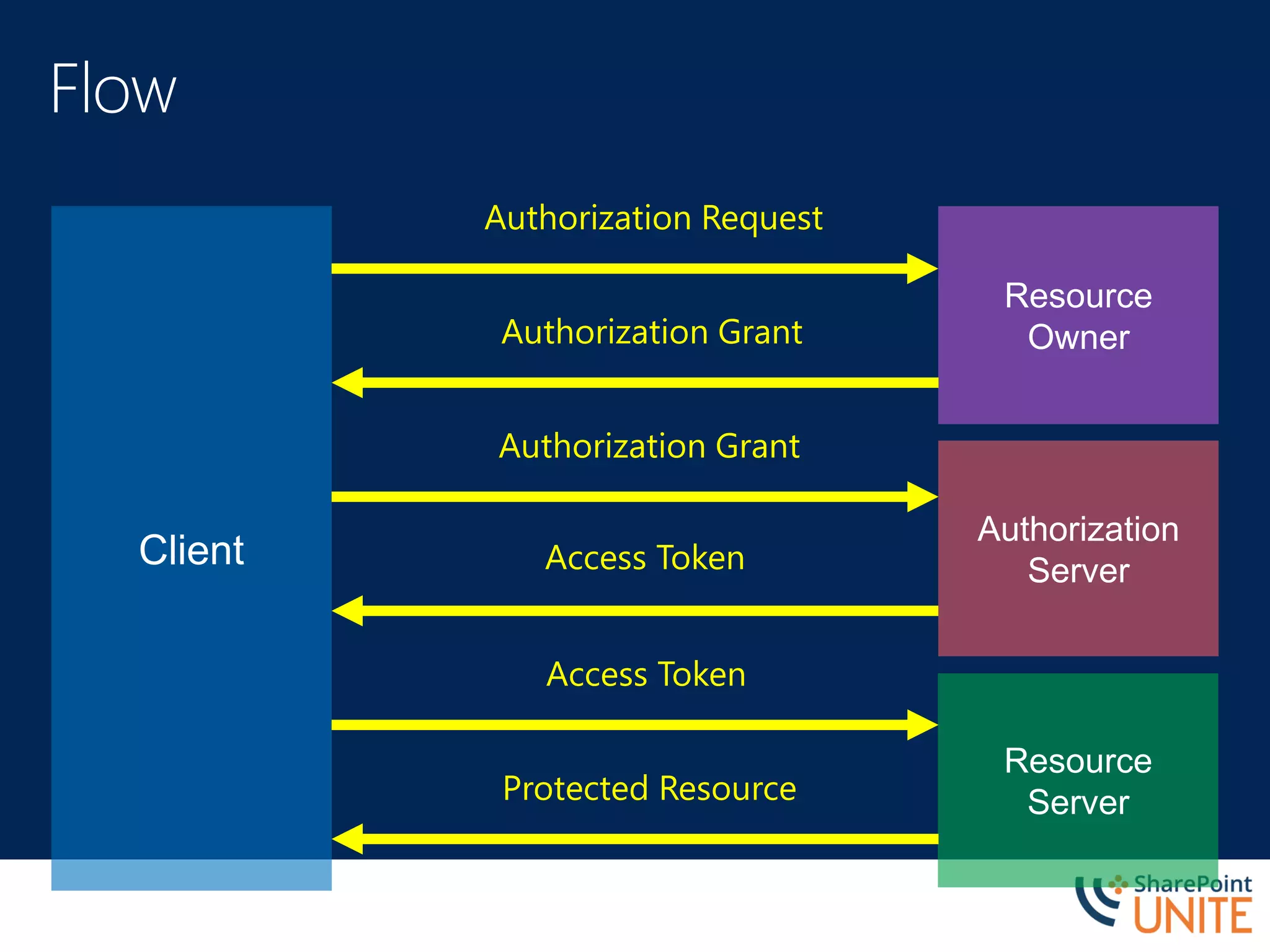
Resource
Owner
Grants access
to a protected
resource
Resource
Server
Hosts the
protected
resource and
accepts
access
requests
Client
Application
making
protected
resource
requests on
behalf of the
resource
owner
Authorization
Server
Issues access
tokens
Client
Resource
Owner
Authorization
Server
Resource
Server
Authorization Request
Authorization Grant
Authorization Grant
Access Token
Access Token
Protected Resource
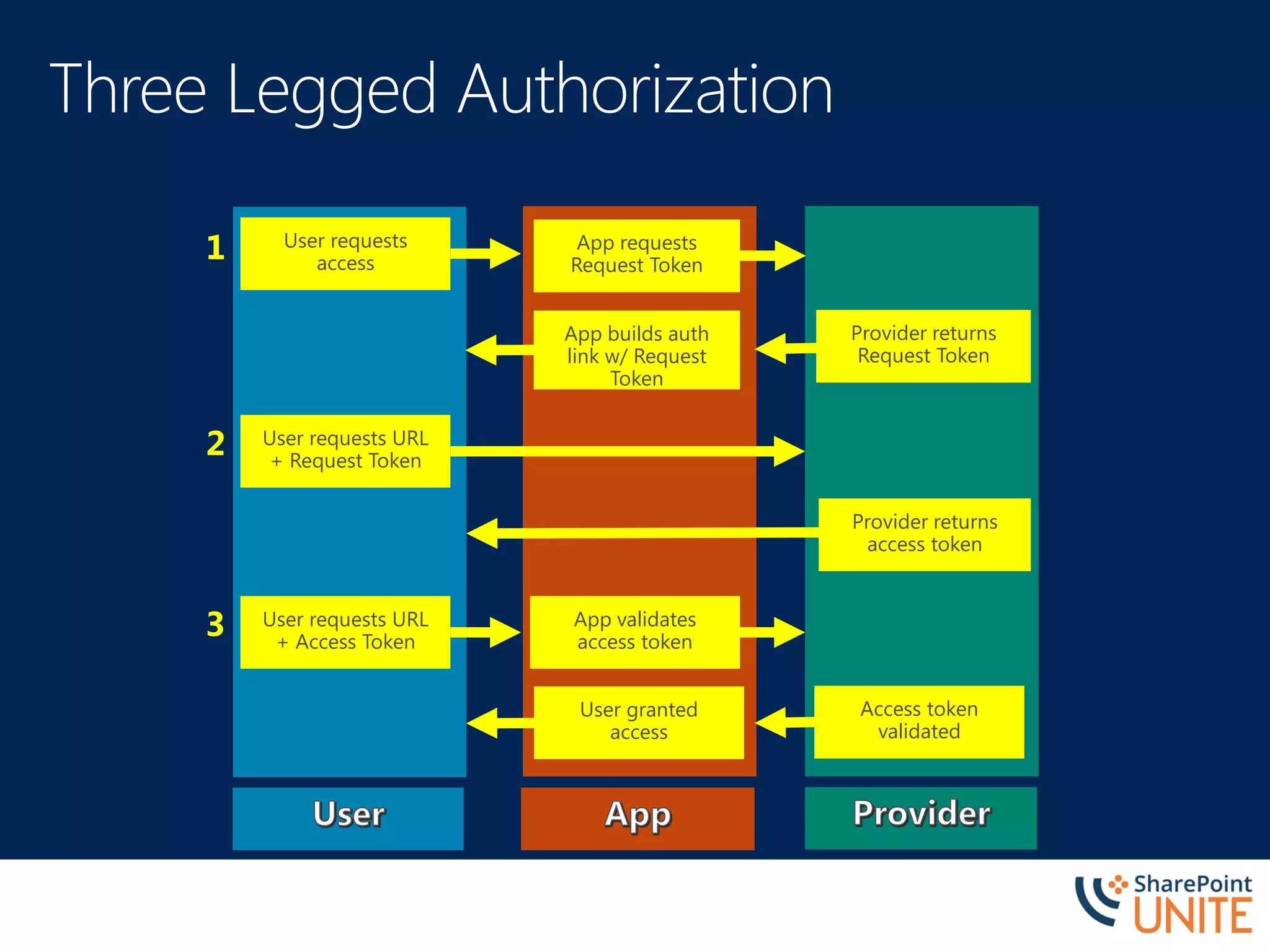
User requests
access
App requests
Request Token
Provider returns
Request Token
App builds auth
link w/ Request
Token
User requests URL
+ Request Token
Provider returns
access token
User requests URL
+ Access Token
App validates
access token
Access token
validated
User granted
access
1
2
3
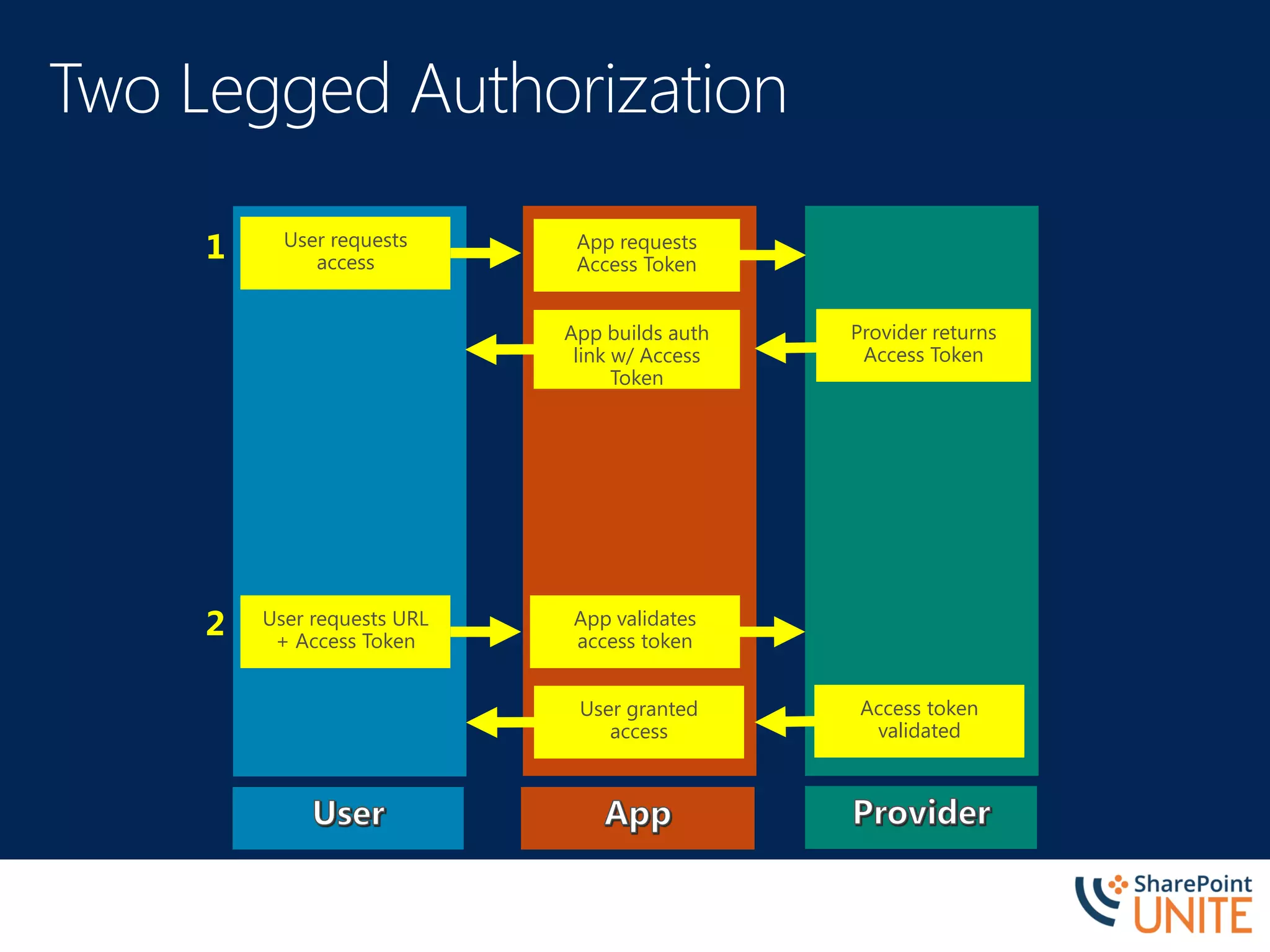
User requests
access
App requests
Access Token
Provider returns
Access Token
App builds auth
link w/ Access
Token
User requests URL
+ Access Token
App validates
access token
Access token
validated
User granted
access
1
2
Implementation
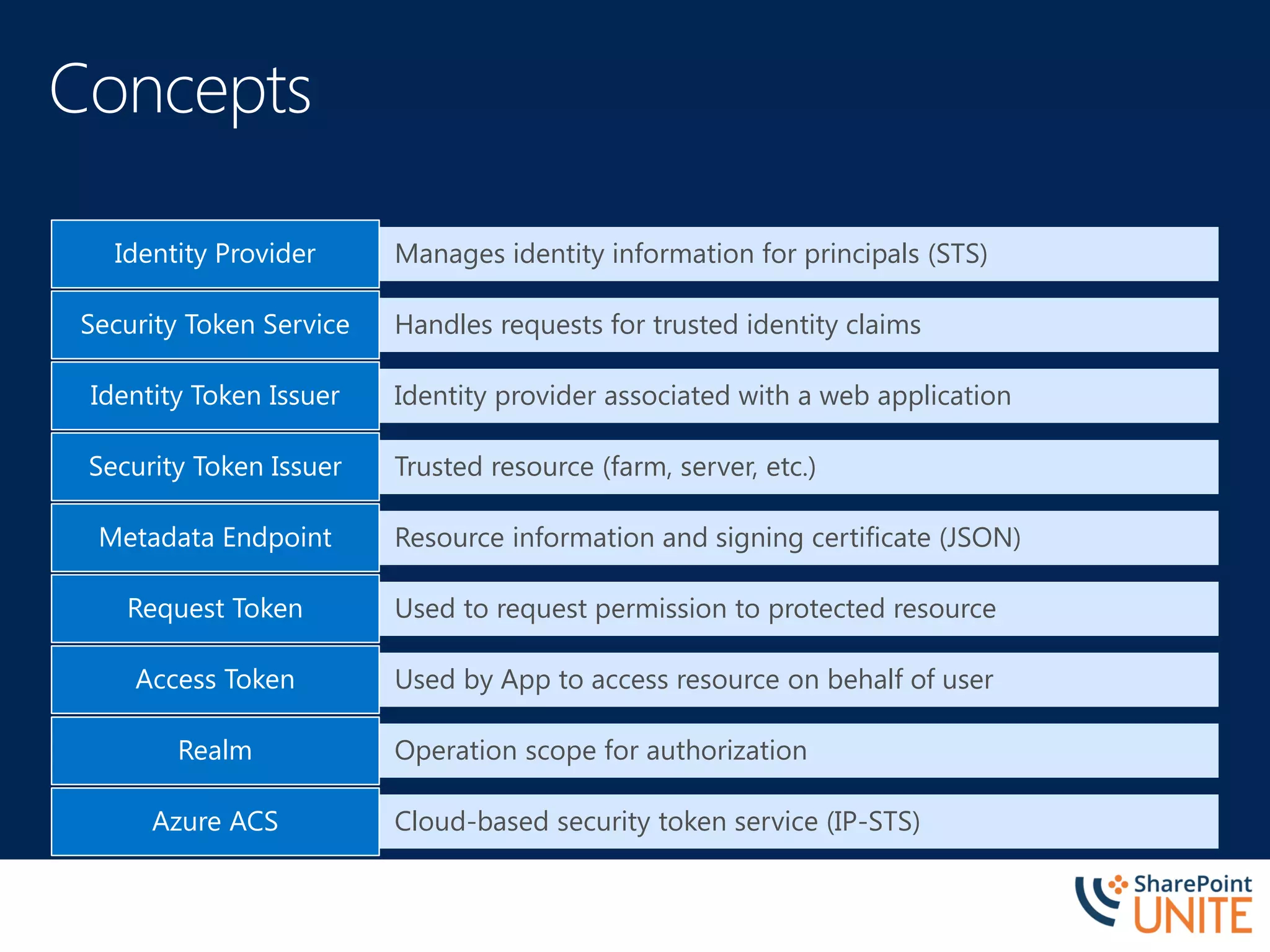
Manages identity information for principals (STS)Identity Provider
Handles requests for trusted identity claimsSecurity Token Service
Identity provider associated with a web applicationIdentity Token Issuer
Trusted resource (farm, server, etc.)Security Token Issuer
Resource information and signing certificate (JSON)Metadata Endpoint
Used to request permission to protected resourceRequest Token
Used by App to access resource on behalf of userAccess Token
Operation scope for authorizationRealm
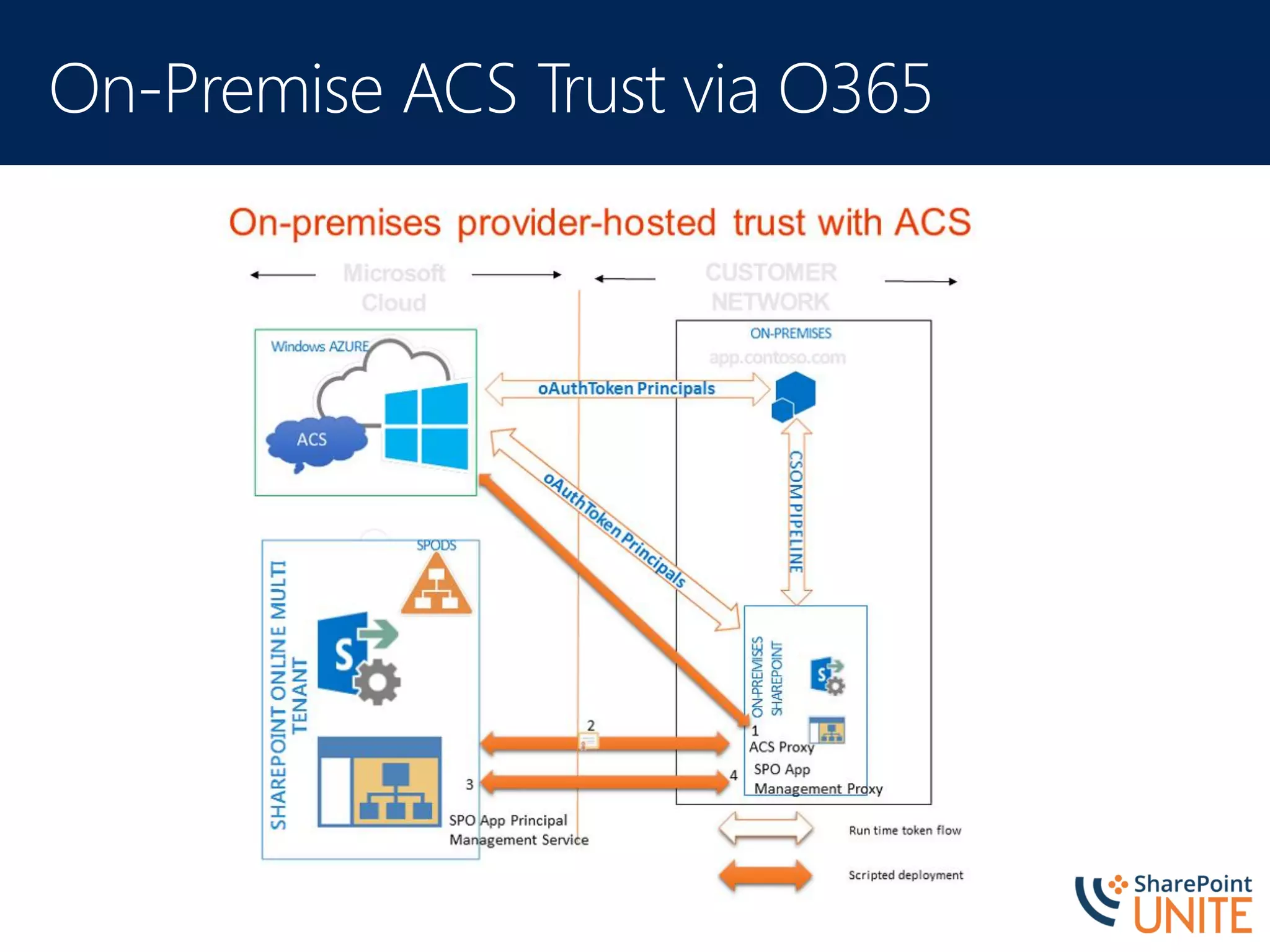
Cloud-based security token service (IP-STS)Azure ACS
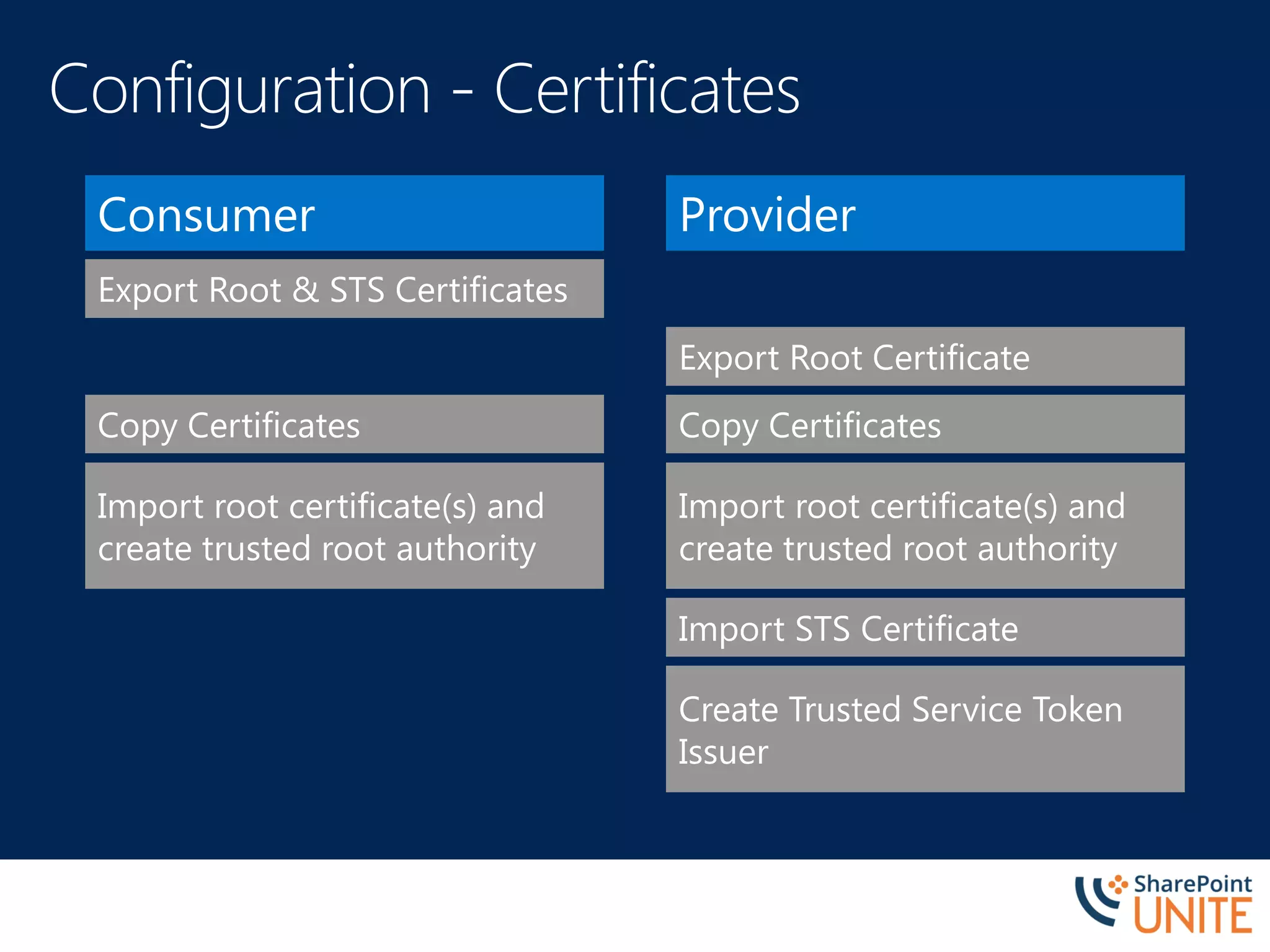
Consumer
Export Root & STS Certificates
Copy Certificates
Import root certificate(s) and
create trusted root authority
Provider
Export Root Certificate
Copy Certificates
Import STS Certificate
Create Trusted Service Token
Issuer
Import root certificate(s) and
create trusted root authority
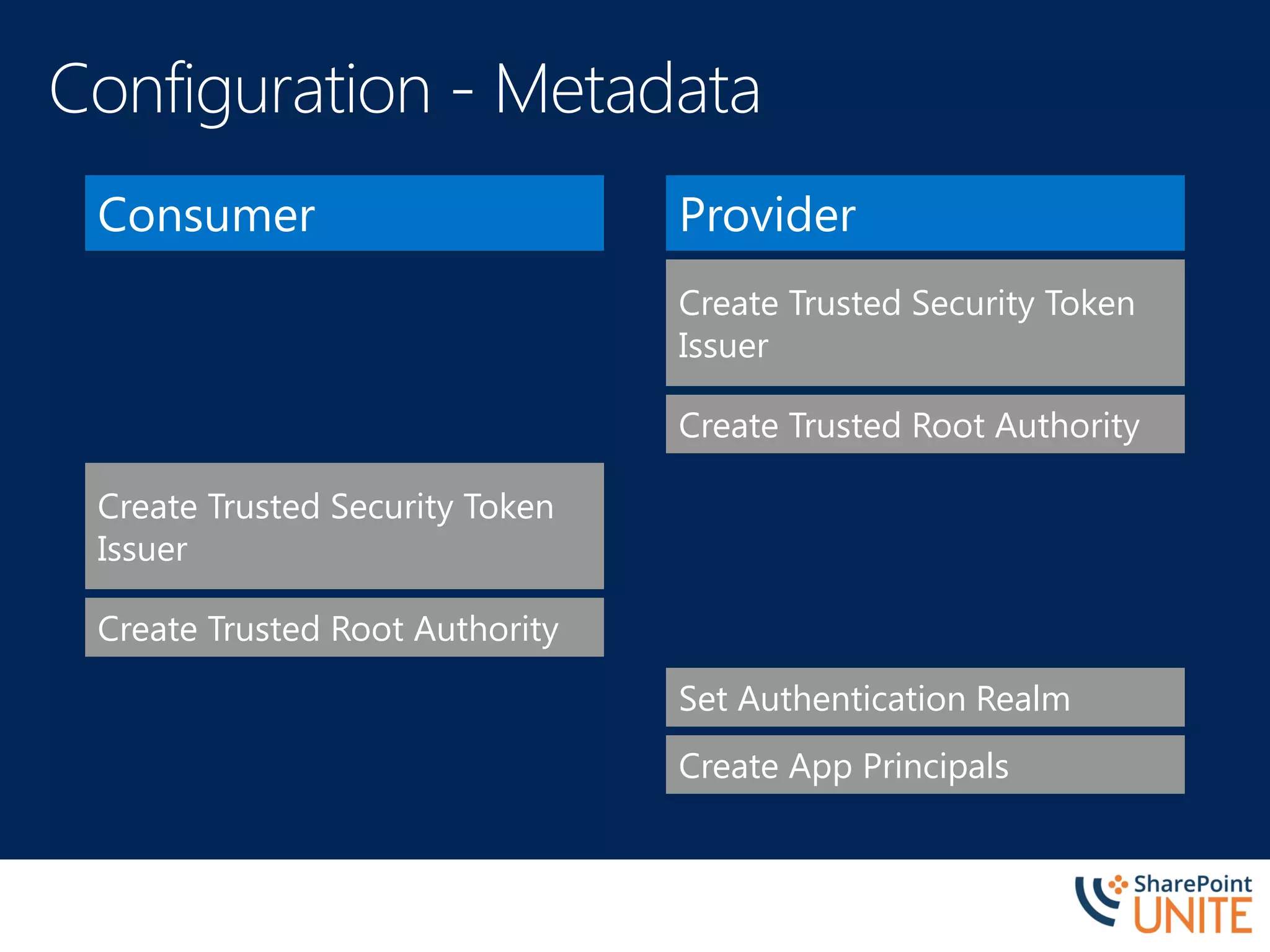
Consumer Provider
Create Trusted Root Authority
Set Authentication Realm
Create Trusted Security Token
Issuer
Create App Principals
Create Trusted Root Authority
Create Trusted Security Token
Issuer
Application
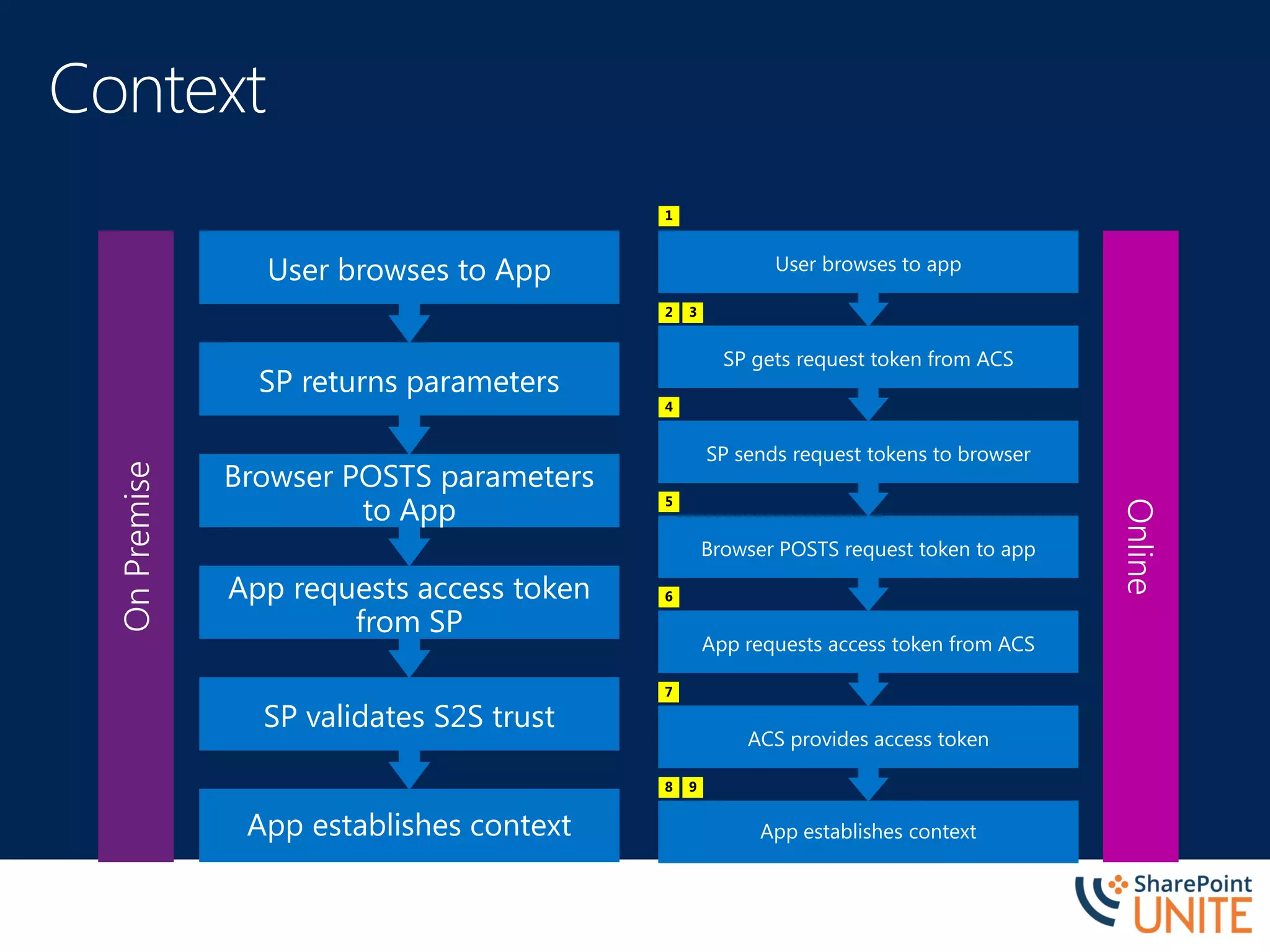
App establishes context
SP validates S2S trust
App requests access token
from SP
Browser POSTS parameters
to App
SP returns parameters
User browses to App
OnPremise
App establishes context
ACS provides access token
App requests access token from ACS
Browser POSTS request token to app
SP sends request tokens to browser
SP gets request token from ACS
User browses to app
Online
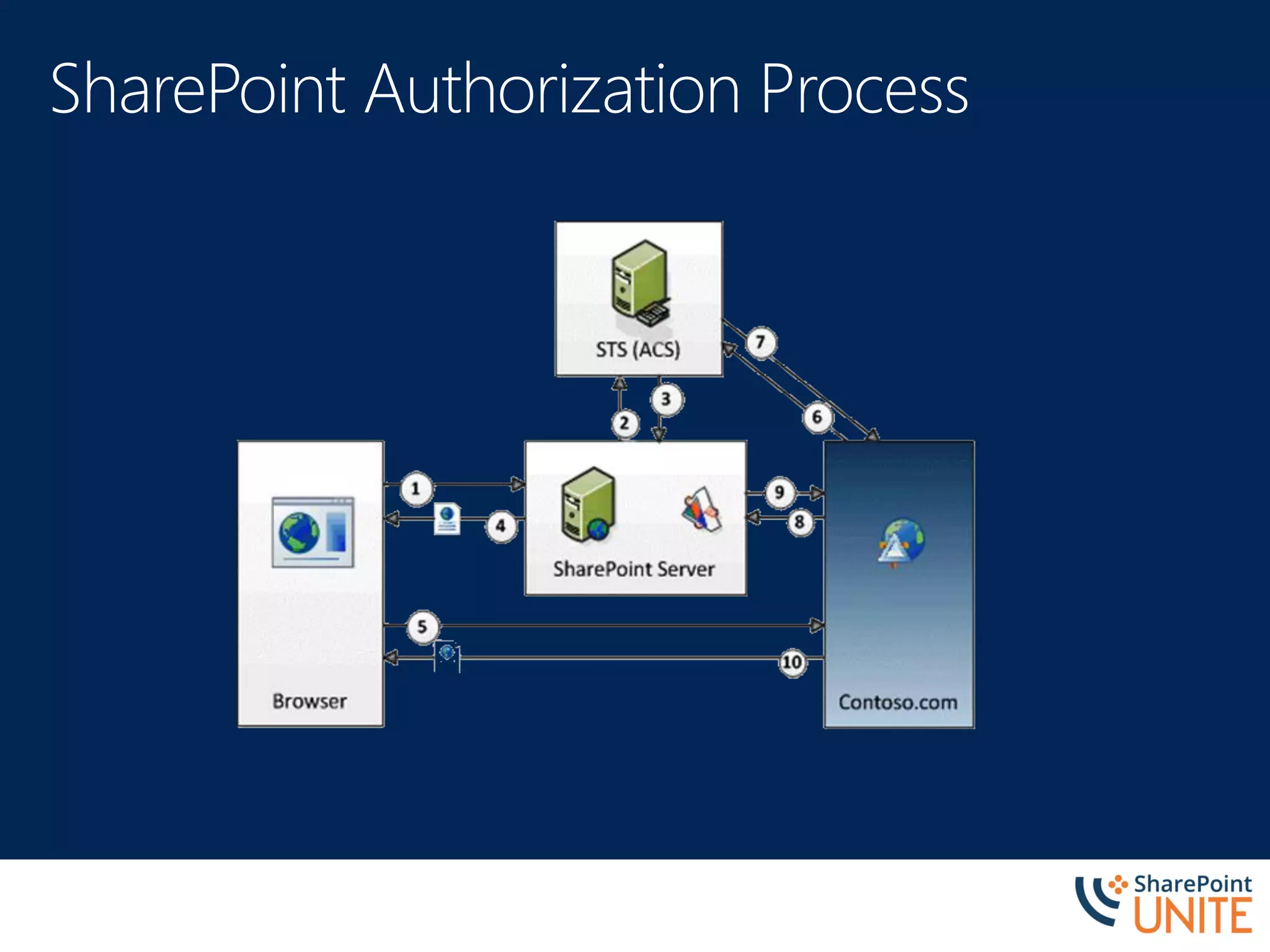
1
2 3
4
5
6
7
8 9
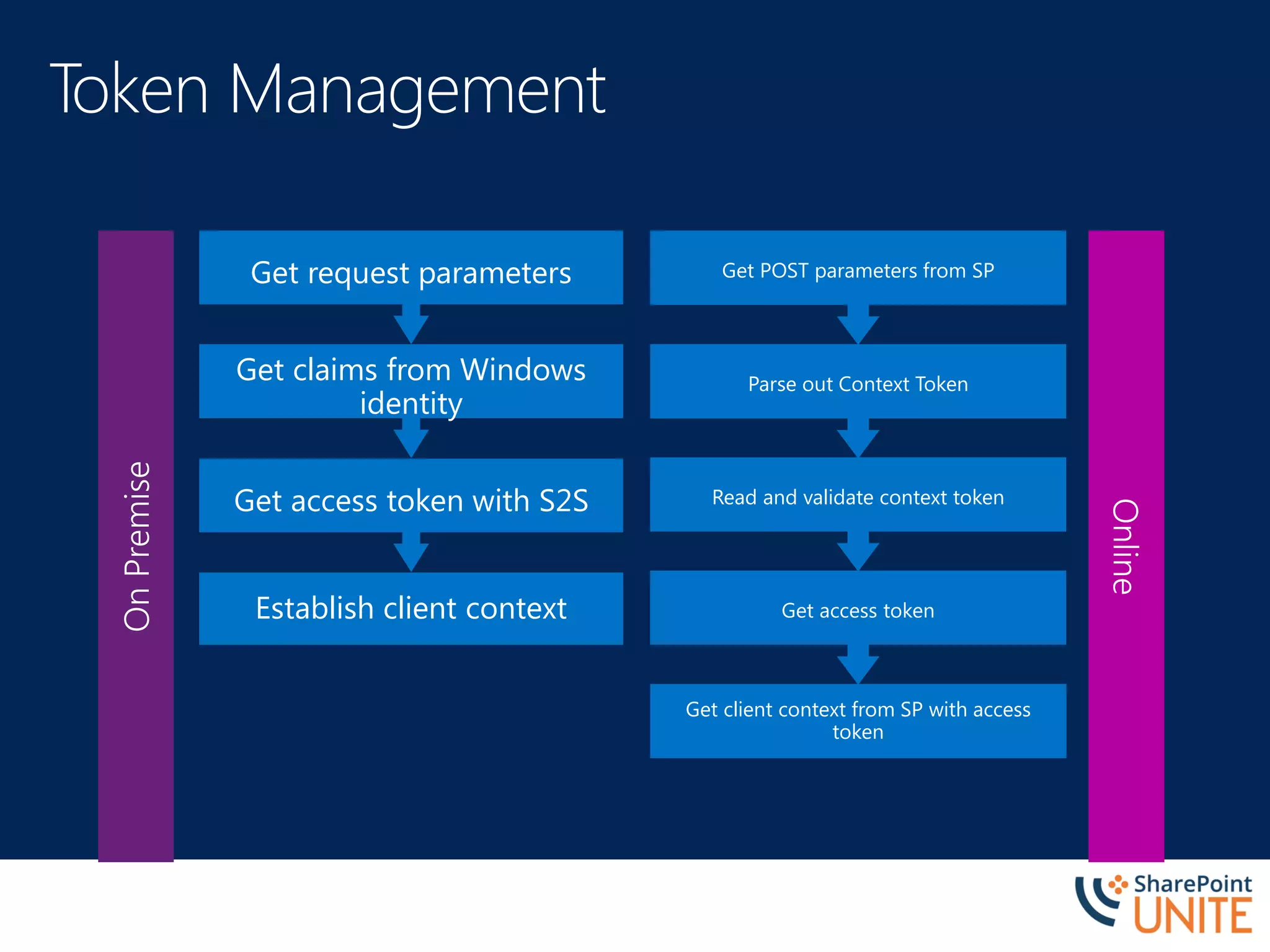
OnPremise
Online
Establish client context
Get access token with S2S
Get claims from Windows
identity
Get request parameters
Get client context from SP with access
token
Get access token
Read and validate context token
Parse out Context Token
Get POST parameters from SP
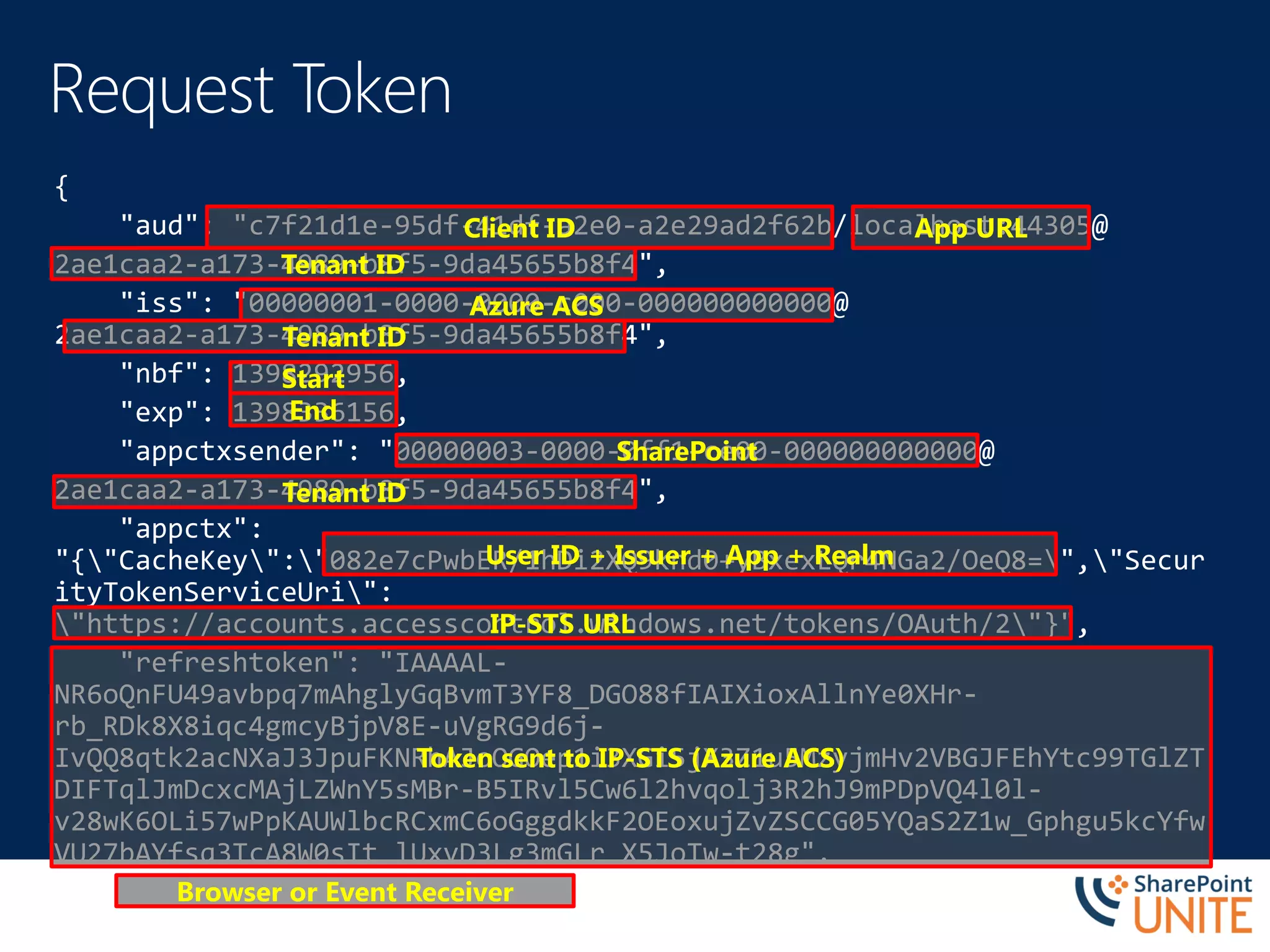
Client ID App URL
Tenant ID
Tenant ID
Azure ACS
Start
End
SharePoint
Tenant ID
User ID + Issuer + App + Realm
IP-STS URL
Browser or Event Receiver
Token sent to IP-STS (Azure ACS)
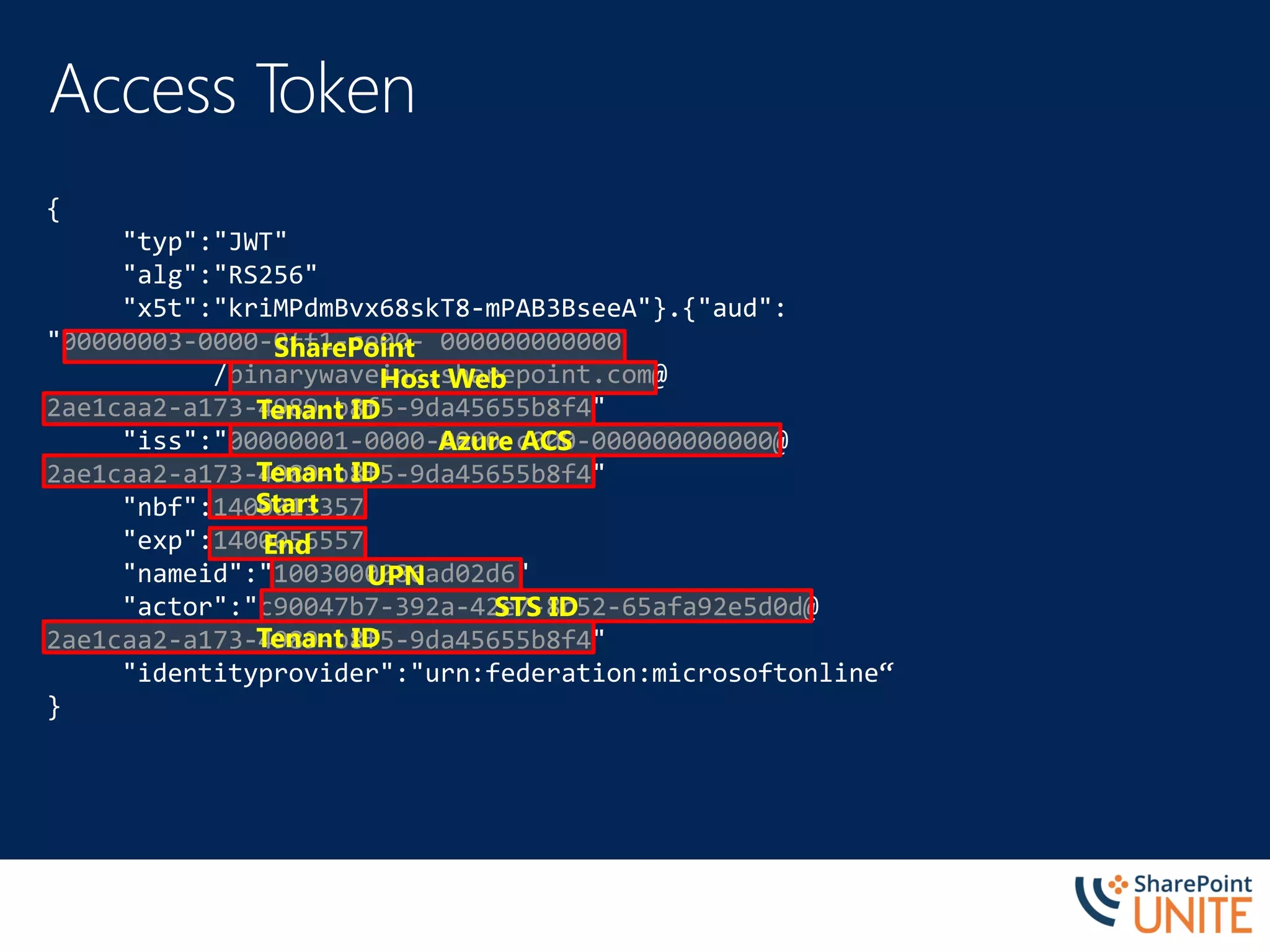
{
"typ":"JWT"
"alg":"RS256"
"x5t":"kriMPdmBvx68skT8-mPAB3BseeA"}.{"aud":
"00000003-0000-0ff1-ce00- 000000000000
/binarywaveinc.sharepoint.com@
2ae1caa2-a173-4989-b8f5-9da45655b8f4"
"iss":"00000001-0000-0000-c000-000000000000@
2ae1caa2-a173-4989-b8f5-9da45655b8f4"
"nbf":1400013357
"exp":1400056557
"nameid":"1003000086ad02d6"
"actor":"c90047b7-392a-42e7-8c52-65afa92e5d0d@
2ae1caa2-a173-4989-b8f5-9da45655b8f4"
"identityprovider":"urn:federation:microsoftonline“
}
SharePoint
Host Web
Tenant ID
Start
Azure ACS
Tenant ID
End
Tenant ID
UPN
STS ID
•
•
•
•
•
Description Link
OAuth Working Group http://oauth.net/
OAuth Resource Guide http://bit.ly/14CWPNb
Authorization and authentication for apps in SharePoint 2013 http://bit.ly/16f8WFh
Setting up an OAuth trust between farms in SharePoint 2013 http://bit.ly/12Yr7e3
Plan for server-to-server authentication in SharePoint 2013 http://bit.ly/1chAgFl
What’s new in authentication for SharePoint 2013 http://bit.ly/1e6KaYv
Creating High-Trust apps with S2S http://bit.ly/18RL8uL
Using O365 to Authorize On-Premise Apps http://bit.ly/1fvv1Bo

SPUnite17 Who Are You and What Do You Want