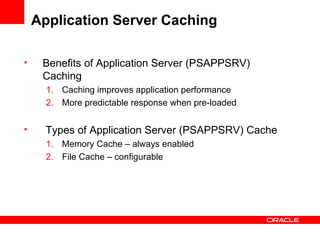
Application Server Caching  Benefits of Application Server (PSAPPSRV) Caching Caching improves application performance  More predictable response when pre-loaded Types of Application Server (PSAPPSRV) Cache Memory Cache – always enabled File Cache – configurable
PSAPPSRV Cache Settings ServerCacheMode [0] - non-shared cache   cache files in  $PS_HOME\appserv\domain\CACHE\PSAPPSRV_n [1] - shared cache  revert to non-shared if cache not pre-loaded during boot cache files in PS_HOME\appserv\domain\CACHE\SHARE EnableServerCaching [0] – none,  [1] – most objects,  [2] – all objects CacheBaseDir - base file cache directory for domain can be configured
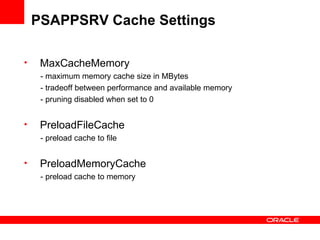
PSAPPSRV Cache Settings MaxCacheMemory - maximum memory cache size in MBytes - tradeoff between performance and available memory - pruning disabled when set to 0 PreloadFileCache  - preload cache to file PreloadMemoryCache - preload cache to memory
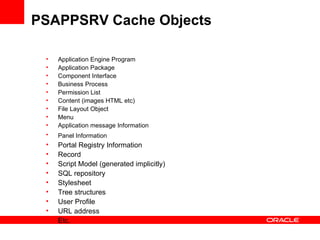
PSAPPSRV Cache Objects Application Engine Program Application Package Component Interface Business Process Permission List  Content (images HTML etc) File Layout Object Menu Application message Information  Panel Information   Portal Registry Information Record Script Model (generated implicitly) SQL repository Stylesheet Tree structures User Profile URL address Etc.
PSAPPSRV File Cache Mode:  Non-Shared
PSAPPSRV File Cache Mode:  Non-shared  (default) One cache directory per PSAPPSRV process in a domain Cache files may be pre-loaded using loadcache program Invalid cache will be updated  More space required for cache files Cache Directory:  $PS_HOME\appserv\domain\CACHE\PSAPPSRV_n ** File cache items are not portable to different O/S.
PSAPPSRV File Cache Mode:  Shared
PSAPPSRV File Cache Mode:  Shared One cache directory for all PSAPPSRV processes in a domain Cache must be preloaded Invalid cache will not be updated  Run loadcache to update cache files Cache Directory:  $PS_HOME\appserv\domain\CACHE\SHARE ** File cache items are not portable to different O/S.
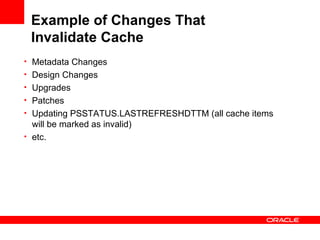
Example of Changes That  Invalidate Cache Metadata Changes Design Changes Upgrades Patches Updating PSSTATUS.LASTREFRESHDTTM (all cache items will be marked as invalid) etc.
LoadCache Program AE program use for preloading cache for the Application Server Run LoadCache program at least once for shared file cache implementation. Factors affecting Loadcache run time: number of active languages size of the database performance of the machine
Improving LoadCache Run Time Incremental Load  ** Load staging directory with cache before  running the LoadCache program.   Reduce the number of active languages  Run Loadcache program in parallel
LoadCache:  Incremental Load  Incremental load is a built-in LoadCache feature Loadcache only updates changed/missing objects LoadCache can use any existing cache files Default target folder:  $PS_HOME/appserv/prcs/<domain>/CACHE/CACHE/STAGE/stage
LoadCache:  Incremental Load  Procedure: Use cache files from a previous LoadCache run or existing application server cache files Copy them to the target folder for LoadCache and run the Loadcache program
LoadCache:  Reduce the number    of Active Languages Loadcache run time increased with additional languages Cache file sized increased with additional languages Methods for checking active languages: PeopleTools > Utilities > International > Languages in PIA select from the PSLANGUAGES table in the database (where installed = 1) Considerations for inactivating additional languages : make sure you only activate the languages you use base language cannot be inactivated
LoadCache:  Parallel Processing LoadCache creates cache files for 50 object types Default behavior is to load the files for each object type serially To enable parallel processing, must clone LoadCache program and change the following delivered LoadCache code:    &array_MgrName = CreateArray (&quot;ACM&quot;, &quot;AEM&quot;, &quot;AES&quot;, &quot;APM&quot;, &quot;ATM&quot;, &quot;BCM&quot;, &quot;BPM&quot;, &quot;CHDM&quot;, &quot;CLM&quot;, &quot;CRM&quot;, &quot;ENTM&quot;, &quot;ERSTM&quot;, &quot;FDM&quot;, &quot;FLM&quot;, &quot;GTM&quot;, &quot;IOM&quot;, &quot;MDM&quot;, &quot;MNDM&quot;, &quot;MPM&quot;, &quot;MSDM&quot;, &quot;MSG&quot;, &quot;NTM&quot;, &quot;PBM&quot;, &quot;PCM&quot;, &quot;PDM&quot;, &quot;PGM&quot;, &quot;PRDM&quot;, &quot;PRSM&quot;, &quot;PRUF&quot;, &quot;PRUH&quot;, &quot;PSD&quot;, &quot;PSJ&quot;, &quot;PSR&quot;, &quot;PSS&quot;, &quot;PST&quot;, &quot;RDM&quot;, &quot;RSM&quot;, &quot;RSTM&quot;, &quot;SCM&quot;, &quot;SPTM&quot;, &quot;SRM&quot;, &quot;SSM&quot;, &quot;SUDM&quot;, &quot;TSM&quot;, &quot;UPM&quot;, &quot;URL&quot;, &quot;VAM&quot;, &quot;XTM&quot;); &ret = PreloadCache(&array_MgrName, &dirPath, /* purge existing cache = */ False);
LoadCache:  Parallel Processing Procedure : Open the LoadCache AE program in App Designer Clone the LoadCache AE program and the AE PeopleCode Modify the manager name array so each clone of the LoadCache program would only load the cache files for certain object types Run these AE programs in parallel from the command line, or by using a Process Scheduler jobset.
LoadCache:  Parallel Processing CONSIDERATIONS:   Available server resource  Modifications to LoadCache program are necessary Implicitly generated cache files Redundant files Copying of cache files from multiple folders
LoadCache Summary Incremental load is least intrusive and could provide the biggest savings Disabling unused languages would shorten LoadCache runtime Parallelizing/splitting the LoadCache program offers a more flexible way of preloading cache files, but more preparation/maintenance is necessary
New in PeopleTools 8.48 PreloadFileCache and PreloadMemoryCache Involves creating a project containing commonly used components and then referring to these projects in the the psappsrv.cfg the parameters are commented out by default
PreloadFileCache / PreloadMemoryCache you can set the parameters to reference separate projects these projects will be stored in the database, like any other Peoplesoft project.  the projects can be copied, exported etc. across databases and platforms.
Creating the Preload Projects First, select the components that you want to preload: PeopleTools > Utilities > Administration > Select Pre-load Components
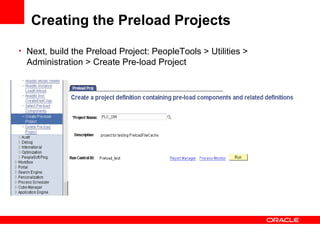
Creating the Preload Projects Next, build the Preload Project: PeopleTools > Utilities > Administration > Create Pre-load Project
Creating the Preload Projects In general, it is recommended to create a large project for the PreloadFileCache setting and a small subset of components for the PreloadMemoryCache project.  The optimum selections for the projects will require tuning and testing at your site.
PreloadFileCache intended to be used for a new domain, where the file cache is not yet built the domain starts a PSAPPSRV process, builds the file cache for the specified components and dependant records, and shuts down
PreloadFileCache PSAdmin then copies this cache file to the cache folder of the other appservers(the max configured for the domain), so that all the appservers will have the preloaded cache file available at startup
PreloadFileCache if the cache files are already present, the appserver will do an incremental load to add/update definitions to the cache files if PreloadFileCache is invoked and the ‘project name’ entry in psappsrv.cfg is empty, the appserver will exit indicating that the project is not found to preload the cache.
PreloadMemoryCache intended to be used during a server process recycle since the preloading of memory cache could increase the boot up time for the server, this feature is disabled during the server boot up
PreloadMemoryCache when an appserver process recycles, it loads memory cache based on the project specified by the PreloadMemoryCache parameter there is a timeout (or limit) of 60 seconds for PreloadMemoryCache - it preloads as many definitions as possible before the timeout
PreloadFileCache/PreloadMemoryCache FAQs 1. How do I find out the component name where that am using? A: From the browser window while you are in the PIA page in question, press Control+J to get the Component Name. 2. How do I get the list of all PeopleSoft Components? A: The components were called panel groups in older PeopleTools.  Use this SQL statements to get the list: select * from PSPNLGRPDEFN
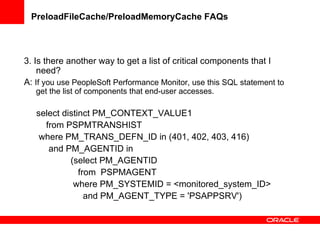
PreloadFileCache/PreloadMemoryCache FAQs 3. Is there another way to get a list of critical components that I need? A:  If you use PeopleSoft Performance Monitor, use this SQL statement to get the list of components that end-user accesses.  select distinct PM_CONTEXT_VALUE1  from PSPMTRANSHIST  where PM_TRANS_DEFN_ID in (401, 402, 403, 416)  and PM_AGENTID in  (select PM_AGENTID  from  PSPMAGENT  where PM_SYSTEMID = <monitored_system_ID>  and PM_AGENT_TYPE = 'PSAPPSRV')

Performance Load Cache

  • 1.
    Application Server Caching Benefits of Application Server (PSAPPSRV) Caching Caching improves application performance More predictable response when pre-loaded Types of Application Server (PSAPPSRV) Cache Memory Cache – always enabled File Cache – configurable
  • 2.
    PSAPPSRV Cache SettingsServerCacheMode [0] - non-shared cache cache files in $PS_HOME\appserv\domain\CACHE\PSAPPSRV_n [1] - shared cache revert to non-shared if cache not pre-loaded during boot cache files in PS_HOME\appserv\domain\CACHE\SHARE EnableServerCaching [0] – none, [1] – most objects, [2] – all objects CacheBaseDir - base file cache directory for domain can be configured
  • 3.
    PSAPPSRV Cache SettingsMaxCacheMemory - maximum memory cache size in MBytes - tradeoff between performance and available memory - pruning disabled when set to 0 PreloadFileCache - preload cache to file PreloadMemoryCache - preload cache to memory
  • 4.
    PSAPPSRV Cache ObjectsApplication Engine Program Application Package Component Interface Business Process Permission List Content (images HTML etc) File Layout Object Menu Application message Information Panel Information Portal Registry Information Record Script Model (generated implicitly) SQL repository Stylesheet Tree structures User Profile URL address Etc.
  • 5.
    PSAPPSRV File CacheMode: Non-Shared
  • 6.
    PSAPPSRV File CacheMode: Non-shared (default) One cache directory per PSAPPSRV process in a domain Cache files may be pre-loaded using loadcache program Invalid cache will be updated More space required for cache files Cache Directory: $PS_HOME\appserv\domain\CACHE\PSAPPSRV_n ** File cache items are not portable to different O/S.
  • 7.
    PSAPPSRV File CacheMode: Shared
  • 8.
    PSAPPSRV File CacheMode: Shared One cache directory for all PSAPPSRV processes in a domain Cache must be preloaded Invalid cache will not be updated Run loadcache to update cache files Cache Directory: $PS_HOME\appserv\domain\CACHE\SHARE ** File cache items are not portable to different O/S.
  • 9.
    Example of ChangesThat Invalidate Cache Metadata Changes Design Changes Upgrades Patches Updating PSSTATUS.LASTREFRESHDTTM (all cache items will be marked as invalid) etc.
  • 10.
    LoadCache Program AEprogram use for preloading cache for the Application Server Run LoadCache program at least once for shared file cache implementation. Factors affecting Loadcache run time: number of active languages size of the database performance of the machine
  • 11.
    Improving LoadCache RunTime Incremental Load ** Load staging directory with cache before running the LoadCache program. Reduce the number of active languages Run Loadcache program in parallel
  • 12.
    LoadCache: IncrementalLoad Incremental load is a built-in LoadCache feature Loadcache only updates changed/missing objects LoadCache can use any existing cache files Default target folder: $PS_HOME/appserv/prcs/<domain>/CACHE/CACHE/STAGE/stage
  • 13.
    LoadCache: IncrementalLoad Procedure: Use cache files from a previous LoadCache run or existing application server cache files Copy them to the target folder for LoadCache and run the Loadcache program
  • 14.
    LoadCache: Reducethe number of Active Languages Loadcache run time increased with additional languages Cache file sized increased with additional languages Methods for checking active languages: PeopleTools > Utilities > International > Languages in PIA select from the PSLANGUAGES table in the database (where installed = 1) Considerations for inactivating additional languages : make sure you only activate the languages you use base language cannot be inactivated
  • 15.
    LoadCache: ParallelProcessing LoadCache creates cache files for 50 object types Default behavior is to load the files for each object type serially To enable parallel processing, must clone LoadCache program and change the following delivered LoadCache code:   &array_MgrName = CreateArray (&quot;ACM&quot;, &quot;AEM&quot;, &quot;AES&quot;, &quot;APM&quot;, &quot;ATM&quot;, &quot;BCM&quot;, &quot;BPM&quot;, &quot;CHDM&quot;, &quot;CLM&quot;, &quot;CRM&quot;, &quot;ENTM&quot;, &quot;ERSTM&quot;, &quot;FDM&quot;, &quot;FLM&quot;, &quot;GTM&quot;, &quot;IOM&quot;, &quot;MDM&quot;, &quot;MNDM&quot;, &quot;MPM&quot;, &quot;MSDM&quot;, &quot;MSG&quot;, &quot;NTM&quot;, &quot;PBM&quot;, &quot;PCM&quot;, &quot;PDM&quot;, &quot;PGM&quot;, &quot;PRDM&quot;, &quot;PRSM&quot;, &quot;PRUF&quot;, &quot;PRUH&quot;, &quot;PSD&quot;, &quot;PSJ&quot;, &quot;PSR&quot;, &quot;PSS&quot;, &quot;PST&quot;, &quot;RDM&quot;, &quot;RSM&quot;, &quot;RSTM&quot;, &quot;SCM&quot;, &quot;SPTM&quot;, &quot;SRM&quot;, &quot;SSM&quot;, &quot;SUDM&quot;, &quot;TSM&quot;, &quot;UPM&quot;, &quot;URL&quot;, &quot;VAM&quot;, &quot;XTM&quot;); &ret = PreloadCache(&array_MgrName, &dirPath, /* purge existing cache = */ False);
  • 16.
    LoadCache: ParallelProcessing Procedure : Open the LoadCache AE program in App Designer Clone the LoadCache AE program and the AE PeopleCode Modify the manager name array so each clone of the LoadCache program would only load the cache files for certain object types Run these AE programs in parallel from the command line, or by using a Process Scheduler jobset.
  • 17.
    LoadCache: ParallelProcessing CONSIDERATIONS: Available server resource Modifications to LoadCache program are necessary Implicitly generated cache files Redundant files Copying of cache files from multiple folders
  • 18.
    LoadCache Summary Incrementalload is least intrusive and could provide the biggest savings Disabling unused languages would shorten LoadCache runtime Parallelizing/splitting the LoadCache program offers a more flexible way of preloading cache files, but more preparation/maintenance is necessary
  • 19.
    New in PeopleTools8.48 PreloadFileCache and PreloadMemoryCache Involves creating a project containing commonly used components and then referring to these projects in the the psappsrv.cfg the parameters are commented out by default
  • 20.
    PreloadFileCache / PreloadMemoryCacheyou can set the parameters to reference separate projects these projects will be stored in the database, like any other Peoplesoft project. the projects can be copied, exported etc. across databases and platforms.
  • 21.
    Creating the PreloadProjects First, select the components that you want to preload: PeopleTools > Utilities > Administration > Select Pre-load Components
  • 22.
    Creating the PreloadProjects Next, build the Preload Project: PeopleTools > Utilities > Administration > Create Pre-load Project
  • 23.
    Creating the PreloadProjects In general, it is recommended to create a large project for the PreloadFileCache setting and a small subset of components for the PreloadMemoryCache project. The optimum selections for the projects will require tuning and testing at your site.
  • 24.
    PreloadFileCache intended tobe used for a new domain, where the file cache is not yet built the domain starts a PSAPPSRV process, builds the file cache for the specified components and dependant records, and shuts down
  • 25.
    PreloadFileCache PSAdmin thencopies this cache file to the cache folder of the other appservers(the max configured for the domain), so that all the appservers will have the preloaded cache file available at startup
  • 26.
    PreloadFileCache if thecache files are already present, the appserver will do an incremental load to add/update definitions to the cache files if PreloadFileCache is invoked and the ‘project name’ entry in psappsrv.cfg is empty, the appserver will exit indicating that the project is not found to preload the cache.
  • 27.
    PreloadMemoryCache intended tobe used during a server process recycle since the preloading of memory cache could increase the boot up time for the server, this feature is disabled during the server boot up
  • 28.
    PreloadMemoryCache when anappserver process recycles, it loads memory cache based on the project specified by the PreloadMemoryCache parameter there is a timeout (or limit) of 60 seconds for PreloadMemoryCache - it preloads as many definitions as possible before the timeout
  • 29.
    PreloadFileCache/PreloadMemoryCache FAQs 1.How do I find out the component name where that am using? A: From the browser window while you are in the PIA page in question, press Control+J to get the Component Name. 2. How do I get the list of all PeopleSoft Components? A: The components were called panel groups in older PeopleTools. Use this SQL statements to get the list: select * from PSPNLGRPDEFN
  • 30.
    PreloadFileCache/PreloadMemoryCache FAQs 3.Is there another way to get a list of critical components that I need? A: If you use PeopleSoft Performance Monitor, use this SQL statement to get the list of components that end-user accesses. select distinct PM_CONTEXT_VALUE1 from PSPMTRANSHIST where PM_TRANS_DEFN_ID in (401, 402, 403, 416) and PM_AGENTID in (select PM_AGENTID from PSPMAGENT where PM_SYSTEMID = <monitored_system_ID> and PM_AGENT_TYPE = 'PSAPPSRV')