

NVIDIA VGPU SIZING &
COMMON MISTAKES
Lee Bushen – Senior Solution Architect
Professional Visualization – Virtualization
2
AGENDA
• Testing Density – Common mistakes
• Starting Points – Sample vGPU sizing for Office
Worker workloads
• Useful Tools for sizing
• Convincing the boss
Considerations for Virtual GPU deployments
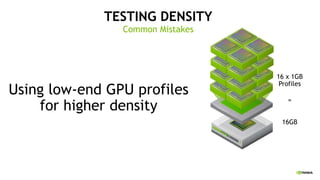
TESTING DENSITY
Common Mistakes
Using low-end GPU profiles
for higher density
16 x 1GB
Profiles
16GB
=
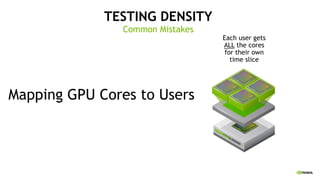
TESTING DENSITY
Common Mistakes
Mapping GPU Cores to Users
Each user gets
ALL the cores
for their own
time slice
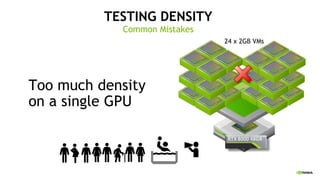
TESTING DENSITY
Common Mistakes
Too much density
on a single GPU
24 x 2GB VMs
TESTING DENSITY
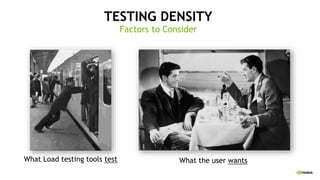
What Load testing tools test
Factors to Consider
What the user wants
TESTING DENSITY
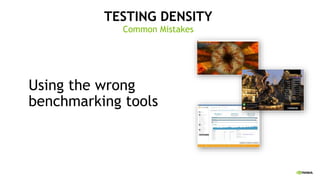
Common Mistakes
Using the wrong
benchmarking tools
TESTING DENSITY
Common Mistakes
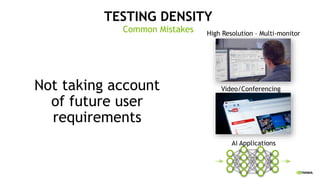
Not taking account
of future user
requirements
Ai Applications
High Resolution – Multi-monitor
Video/Conferencing
TESTING DENSITY
Common Mistakes
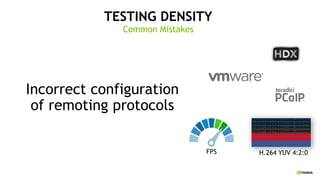
Incorrect configuration
of remoting protocols
FPS H.264 YUV 4:2:0
TESTING DENSITY
Common Mistakes
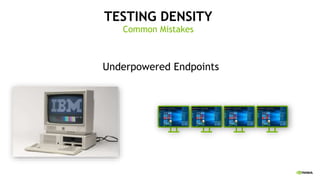
Underpowered Endpoints
TESTING DENSITY
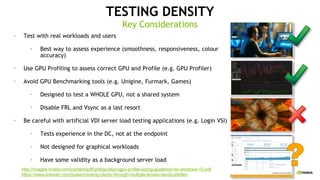
• Test with real workloads and users
• Best way to assess experience (smoothness, responsiveness, colour
accuracy)
• Use GPU Profiling to assess correct GPU and Profile (e.g. GPU Profiler)
• Avoid GPU Benchmarking tools (e.g. Unigine, Furmark, Games)
• Designed to test a WHOLE GPU, not a shared system
• Disable FRL and Vsync as a last resort
• Be careful with artificial VDI server load testing applications (e.g. Login VSI)
• Tests experience in the DC, not at the endpoint
• Not designed for graphical workloads
• Have some validity as a background server load
Key Considerations
http://images.nvidia.com/content/pdf/grid/guides/vgpu-profile-sizing-guidance-for-windows-10.pdf
https://www.linkedin.com/pulse/creating-clarity-through-multiple-lenses-david-pfahler/
AGENDA
• Testing Density – Common mistakes
• Starting Points – Sample vGPU sizing for Office
Worker workloads
• Useful Tools for sizing
• Convincing the boss
Considerations for Virtual GPU deployments
RECOMMENDED START POINT
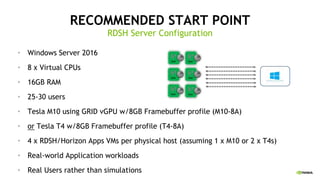
• Windows Server 2016
• 8 x Virtual CPUs
• 16GB RAM
• 25-30 users
• Tesla M10 using GRID vGPU w/8GB Framebuffer profile (M10-8A)
• or Tesla T4 w/8GB Framebuffer profile (T4-8A)
• 4 x RDSH/Horizon Apps VMs per physical host (assuming 1 x M10 or 2 x T4s)
• Real-world Application workloads
• Real Users rather than simulations
RDSH Server Configuration
RECOMMENDED START POINT
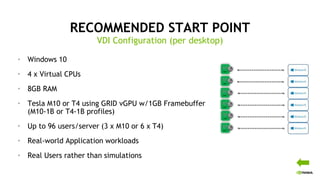
• Windows 10
• 4 x Virtual CPUs
• 8GB RAM
• Tesla M10 or T4 using GRID vGPU w/1GB Framebuffer
(M10-1B or T4-1B profiles)
• Up to 96 users/server (3 x M10 or 6 x T4)
• Real-world Application workloads
• Real Users rather than simulations
VDI Configuration (per desktop)
AGENDA
• Testing Density – Common mistakes
• Starting Points – Sample vGPU sizing for Office
Worker workloads
• Useful Tools for sizing
• Convincing the boss
Considerations for Virtual GPU deployments
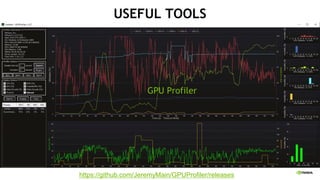
USEFUL TOOLS
https://github.com/JeremyMain/GPUProfiler/releases
GPU Profiler
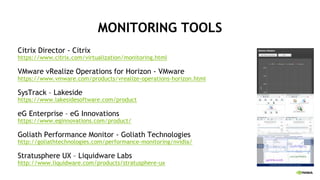
MONITORING TOOLS
Citrix Director - Citrix
https://www.citrix.com/virtualization/monitoring.html
VMware vRealize Operations for Horizon - VMware
https://www.vmware.com/products/vrealize-operations-horizon.html
SysTrack – Lakeside
https://www.lakesidesoftware.com/product
eG Enterprise – eG Innovations
https://www.eginnovations.com/product/
Goliath Performance Monitor - Goliath Technologies
http://goliathtechnologies.com/performance-monitoring/nvidia/
Stratusphere UX – Liquidware Labs
http://www.liquidware.com/products/stratusphere-ux
USEFUL TOOLS
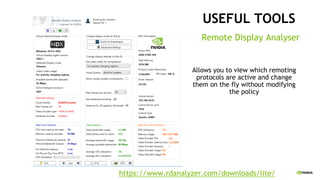
https://www.rdanalyzer.com/downloads/lite/
Remote Display Analyser
Allows you to view which remoting
protocols are active and change
them on the fly without modifying
the policy
AGENDA
• Testing Density – Common mistakes
• Starting Points – Sample vGPU sizing for Office
Worker workloads
• Useful Tools for sizing
• Convincing the boss
Considerations for Virtual GPU deployments
CONVINCING THE BOSS
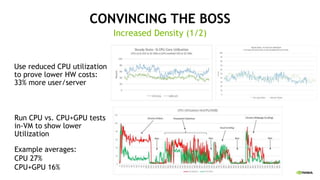
Use reduced CPU utilization
to prove lower HW costs:
33% more user/server
Increased Density (1/2)
Run CPU vs. CPU+GPU tests
in-VM to show lower
Utilization
Example averages:
CPU 27%
CPU+GPU 16%
CONVINCING THE BOSS
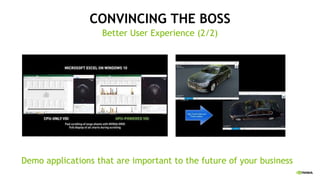
Better User Experience (2/2)
Demo applications that are important to the future of your business
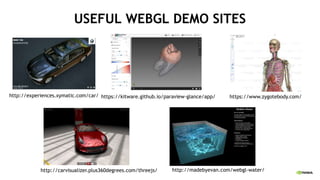
USEFUL WEBGL DEMO SITES
http://experiences.xymatic.com/car/ https://kitware.github.io/paraview-glance/app/ https://www.zygotebody.com/
http://carvisualizer.plus360degrees.com/threejs/ http://madebyevan.com/webgl-water/
MUST READ LINKS
Planning
Main vGPU Documentation
Is your HW Compatible?
Is your software compatible?
Which License?
Get 90 day Evaluation Licenses
vGPU Software Download (NVIDIA
Licensing Portal)
Windows 10 Sizing Guide
Implementation
Deployment Guides for Citrix/VMware
License Server Install Docs
GPU Profiler & Remote Display Analyser
tools
Bedtime Reading
Rise of the Knowledge worker
IDC Report
Citrix Protocols and GPU
Quantifying the Impact of GPU
More GPU Videos
http://bit.ly/gputalk

NVIDIA vGPU Talk – Sizing and Common Mistakes

  • 1.
    NVIDIA VGPU SIZING& COMMON MISTAKES Lee Bushen – Senior Solution Architect Professional Visualization – Virtualization
  • 2.
    2 AGENDA • Testing Density– Common mistakes • Starting Points – Sample vGPU sizing for Office Worker workloads • Useful Tools for sizing • Convincing the boss Considerations for Virtual GPU deployments
  • 3.
    TESTING DENSITY Common Mistakes Usinglow-end GPU profiles for higher density 16 x 1GB Profiles 16GB =
  • 4.
    TESTING DENSITY Common Mistakes MappingGPU Cores to Users Each user gets ALL the cores for their own time slice
  • 5.
    TESTING DENSITY Common Mistakes Toomuch density on a single GPU 24 x 2GB VMs
  • 6.
    TESTING DENSITY What Loadtesting tools test Factors to Consider What the user wants
  • 7.
    TESTING DENSITY Common Mistakes Usingthe wrong benchmarking tools
  • 8.
    TESTING DENSITY Common Mistakes Nottaking account of future user requirements Ai Applications High Resolution – Multi-monitor Video/Conferencing
  • 9.
    TESTING DENSITY Common Mistakes Incorrectconfiguration of remoting protocols FPS H.264 YUV 4:2:0
  • 10.
  • 11.
    TESTING DENSITY • Testwith real workloads and users • Best way to assess experience (smoothness, responsiveness, colour accuracy) • Use GPU Profiling to assess correct GPU and Profile (e.g. GPU Profiler) • Avoid GPU Benchmarking tools (e.g. Unigine, Furmark, Games) • Designed to test a WHOLE GPU, not a shared system • Disable FRL and Vsync as a last resort • Be careful with artificial VDI server load testing applications (e.g. Login VSI) • Tests experience in the DC, not at the endpoint • Not designed for graphical workloads • Have some validity as a background server load Key Considerations http://images.nvidia.com/content/pdf/grid/guides/vgpu-profile-sizing-guidance-for-windows-10.pdf https://www.linkedin.com/pulse/creating-clarity-through-multiple-lenses-david-pfahler/
  • 12.
    AGENDA • Testing Density– Common mistakes • Starting Points – Sample vGPU sizing for Office Worker workloads • Useful Tools for sizing • Convincing the boss Considerations for Virtual GPU deployments
  • 13.
    RECOMMENDED START POINT •Windows Server 2016 • 8 x Virtual CPUs • 16GB RAM • 25-30 users • Tesla M10 using GRID vGPU w/8GB Framebuffer profile (M10-8A) • or Tesla T4 w/8GB Framebuffer profile (T4-8A) • 4 x RDSH/Horizon Apps VMs per physical host (assuming 1 x M10 or 2 x T4s) • Real-world Application workloads • Real Users rather than simulations RDSH Server Configuration
  • 14.
    RECOMMENDED START POINT •Windows 10 • 4 x Virtual CPUs • 8GB RAM • Tesla M10 or T4 using GRID vGPU w/1GB Framebuffer (M10-1B or T4-1B profiles) • Up to 96 users/server (3 x M10 or 6 x T4) • Real-world Application workloads • Real Users rather than simulations VDI Configuration (per desktop)
  • 15.
    AGENDA • Testing Density– Common mistakes • Starting Points – Sample vGPU sizing for Office Worker workloads • Useful Tools for sizing • Convincing the boss Considerations for Virtual GPU deployments
  • 16.
  • 17.
    MONITORING TOOLS Citrix Director- Citrix https://www.citrix.com/virtualization/monitoring.html VMware vRealize Operations for Horizon - VMware https://www.vmware.com/products/vrealize-operations-horizon.html SysTrack – Lakeside https://www.lakesidesoftware.com/product eG Enterprise – eG Innovations https://www.eginnovations.com/product/ Goliath Performance Monitor - Goliath Technologies http://goliathtechnologies.com/performance-monitoring/nvidia/ Stratusphere UX – Liquidware Labs http://www.liquidware.com/products/stratusphere-ux
  • 18.
    USEFUL TOOLS https://www.rdanalyzer.com/downloads/lite/ Remote DisplayAnalyser Allows you to view which remoting protocols are active and change them on the fly without modifying the policy
  • 19.
    AGENDA • Testing Density– Common mistakes • Starting Points – Sample vGPU sizing for Office Worker workloads • Useful Tools for sizing • Convincing the boss Considerations for Virtual GPU deployments
  • 20.
    CONVINCING THE BOSS Usereduced CPU utilization to prove lower HW costs: 33% more user/server Increased Density (1/2) Run CPU vs. CPU+GPU tests in-VM to show lower Utilization Example averages: CPU 27% CPU+GPU 16%
  • 21.
    CONVINCING THE BOSS BetterUser Experience (2/2) Demo applications that are important to the future of your business
  • 22.
    USEFUL WEBGL DEMOSITES http://experiences.xymatic.com/car/ https://kitware.github.io/paraview-glance/app/ https://www.zygotebody.com/ http://carvisualizer.plus360degrees.com/threejs/ http://madebyevan.com/webgl-water/
  • 23.
    MUST READ LINKS Planning MainvGPU Documentation Is your HW Compatible? Is your software compatible? Which License? Get 90 day Evaluation Licenses vGPU Software Download (NVIDIA Licensing Portal) Windows 10 Sizing Guide Implementation Deployment Guides for Citrix/VMware License Server Install Docs GPU Profiler & Remote Display Analyser tools Bedtime Reading Rise of the Knowledge worker IDC Report Citrix Protocols and GPU Quantifying the Impact of GPU
  • 24.