What is NumPy?
NumPy is a Python library used for working with arrays.
It also has functions for working in the domain of linear
algebra and matrices.
NumPy was created in 2005 by Travis Oliphant. It is an
open source project and you can use it freely.
NumPy stands for Numerical Python.
3.
Why Use NumPy?
In Python we have lists that serve the purpose of arrays, but they
are slow to process.
NumPy aims to provide an array object that is up to 50x faster than
traditional Python lists.
The array object in NumPy is called ndarray, it provides a lot of
supporting functions that make working with ndarray very easy.
Arrays are very frequently used in data science, where speed and
resources are very important.
4.
Why is NumPyFaster Than Lists?
NumPy arrays are stored at one continuous place in
memory, unlike lists, so processes can access and
manipulate them very efficiently.
This behaviour is called locality of reference in computer
science.
This is the main reason why NumPy is faster than lists.
Also it is optimized to work with latest CPU architectures.
5.
Installation of NumPy
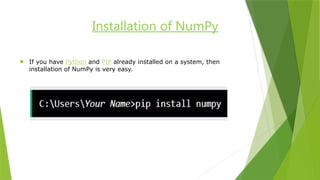
If you have Python and PIP already installed on a system, then
installation of NumPy is very easy.
6.
Import NumPy
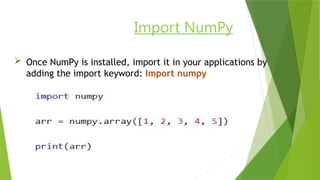
OnceNumPy is installed, import it in your applications by
adding the import keyword: Import numpy
7.
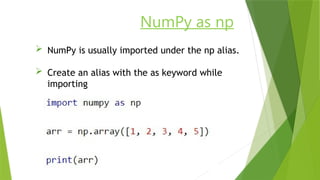
NumPy as np
NumPy is usually imported under the np alias.
Create an alias with the as keyword while
importing
What is Pandas?
Pandas is a Python library used for working with data sets.
It has functions for analyzing, cleaning, exploring, and
manipulating data.
The name "Pandas" has a reference to both "Panel Data",
and "Python Data Analysis" and was created by Wes
McKinney in 2008.
10.
Why Use Pandas?
Pandas allow us to analyze big data and make
conclusions based on statistical theories.
Pandas can clean messy data sets, and make them
readable and relevant.
Relevant data is very important in data science.
11.
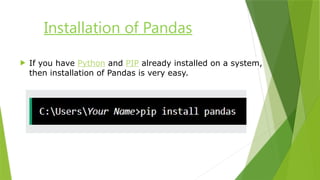
Installation of Pandas
If you have Python and PIP already installed on a system,
then installation of Pandas is very easy.
12.
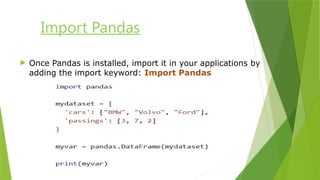
Import Pandas
OncePandas is installed, import it in your applications by
adding the import keyword: Import Pandas
13.
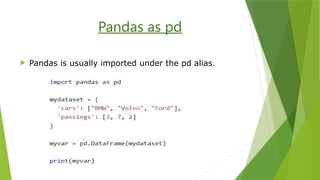
Pandas as pd
Pandas is usually imported under the pd alias.






![Getting Started with Apache Spark: Big Data Made Simple [Free Meetup]](https://cdn.slidesharecdn.com/ss_thumbnails/apachesparkgettingstarted-260203175547-8361bcc3-thumbnail.jpg?width=640&height=640&fit=bounds)


