Using and evaluating
           cost effective online tools

Courtney Johnston
Boost New Media
for National Services Te Paerangi
courtney@boost.co.nz
www.boost.co.nz
twitter: @boostnewmedia | @auchmill
blog: www.boost.co.nz/blog


                                         1
Workshop objectives

• Understanding the pros and cons of different tools
• Understanding the time commitments required for
  different activities
• Learning strategies to identify your needs, set up
  projects & campaigns, evaluate and report on your
  work
• Sharing experiences, asking questions, strengthening
  your network


                                               2
Workshop timetable: morning
Part 1: 9am - 10am
•   Introductions and scene-setting

Morning tea: 10am
Part 2: 10.30am - 12pm
•   Which tools to use for what
•   Time commitments
•   Ways to manage your time
•   Example fest!

Lunch: 12pm - 12.45pm


                                      3
Workshop timetable: afternoon
Part 3: 12.45pm - 2.45pm
•    Planning a social media campaign or channel
•    Creating policies
•    Evaluation and reporting
•    Promotion

Afternoon tea: 2.45pm-3.15pm
Part 4: 3.15pm - 4pm(ish)
•    Planning activity and report back


                                                   4
National Services Te Paerangi

     National Services Te Paerangi works with
museums, galleries, iwi, and related organisations
to enhance museum services and support these to
              become self-sustaining.


        www.nationalservices.tepapa.govt.nz
How we help


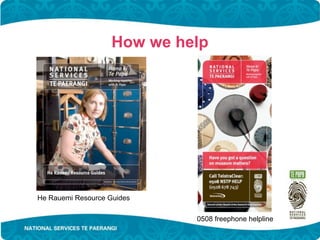
He Rauemi Resource Guides

                             0508 freephone helpline
Training and professional development


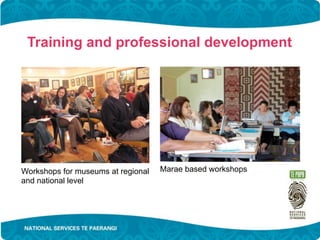
Workshops for museums at regional   Marae based workshops
and national level
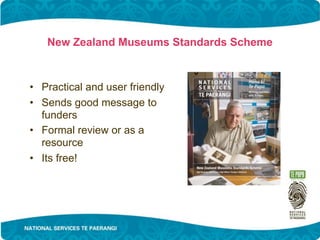
New Zealand Museums Standards Scheme


• Practical and user friendly
• Sends good message to
  funders
• Formal review or as a
  resource
• Its free!
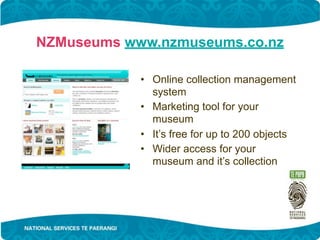
NZMuseums www.nzmuseums.co.nz

            • Online collection management
              system
            • Marketing tool for your
              museum
            • It’s free for up to 200 objects
            • Wider access for your
              museum and it’s collection
Introductions & scene-setting
• Who are you (in real life and online)?
• What tools are you currently using?
• What are you hoping to get out of today?


                                         10
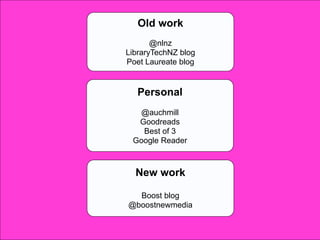
Old work
       @nlnz
LibraryTechNZ blog
Poet Laureate blog


   Personal
  @auchmill
  Goodreads
   Best of 3
 Google Reader


  New work

  Boost blog
@boostnewmedia

                     11
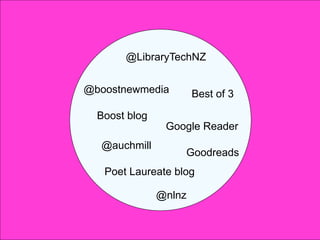
@LibraryTechNZ


@boostnewmedia         Best of 3

  Boost blog
                Google Reader
  @auchmill
                   Goodreads
   Poet Laureate blog

               @nlnz

                                   12
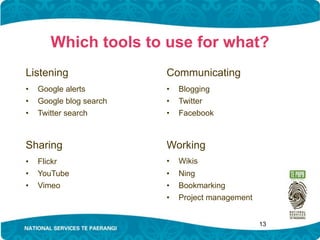
Which tools to use for what?
Listening                Communicating
•   Google alerts        •   Blogging
•   Google blog search   •   Twitter
•   Twitter search       •   Facebook


Sharing                  Working
•   Flickr               •   Wikis
•   YouTube              •   Ning
•   Vimeo                •   Bookmarking
                         •   Project management


                                                  13
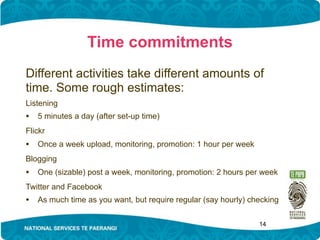
Time commitments
Different activities take different amounts of
time. Some rough estimates:
Listening
• 5 minutes a day (after set-up time)
Flickr
• Once a week upload, monitoring, promotion: 1 hour per week
Blogging
• One (sizable) post a week, monitoring, promotion: 2 hours per week
Twitter and Facebook
• As much time as you want, but require regular (say hourly) checking

                                                               14
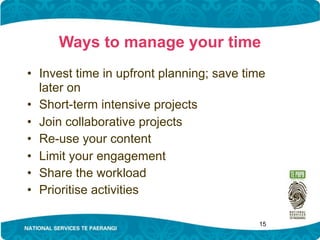
Ways to manage your time
• Invest time in upfront planning; save time
  later on
• Short-term intensive projects
• Join collaborative projects
• Re-use your content
• Limit your engagement
• Share the workload
• Prioritise activities

                                          15
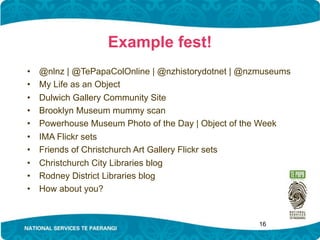
Example fest!
•   @nlnz | @TePapaColOnline | @nzhistorydotnet | @nzmuseums
•   My Life as an Object
•   Dulwich Gallery Community Site
•   Brooklyn Museum mummy scan
•   Powerhouse Museum Photo of the Day | Object of the Week
•   IMA Flickr sets
•   Friends of Christchurch Art Gallery Flickr sets
•   Christchurch City Libraries blog
•   Rodney District Libraries blog
•   How about you?


                                                    16
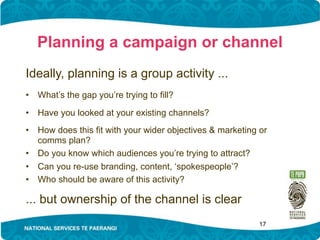
Planning a campaign or channel
Ideally, planning is a group activity ...
•   What’s the gap you’re trying to fill?

•   Have you looked at your existing channels?
•   How does this fit with your wider objectives & marketing or
    comms plan?
•   Do you know which audiences you’re trying to attract?
•   Can you re-use branding, content, ‘spokespeople’?
•   Who should be aware of this activity?

... but ownership of the channel is clear
                                                             17
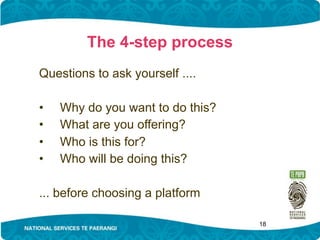
The 4-step process
Questions to ask yourself ....

•   Why do you want to do this?
•   What are you offering?
•   Who is this for?
•   Who will be doing this?

... before choosing a platform

                                  18
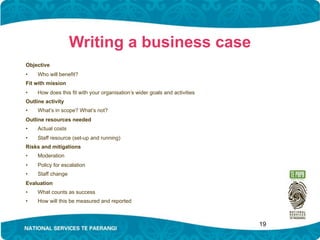
Writing a business case
Objective
•    Who will benefit?
Fit with mission
•    How does this fit with your organisation’s wider goals and activities
Outline activity
•    What’s in scope? What’s not?
Outline resources needed
•    Actual costs
•    Staff resource (set-up and running)
Risks and mitigations
•    Moderation
•    Policy for escalation
•    Staff change
Evaluation
•    What counts as success
•    How will this be measured and reported


                                                                             19
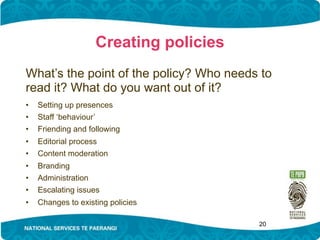
Creating policies
What’s the point of the policy? Who needs to
read it? What do you want out of it?
•   Setting up presences
•   Staff ‘behaviour’
•   Friending and following
•   Editorial process
•   Content moderation
•   Branding
•   Administration
•   Escalating issues
•   Changes to existing policies

                                         20
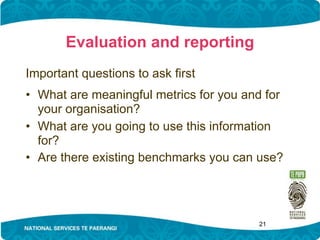
Evaluation and reporting
Important questions to ask first
• What are meaningful metrics for you and for
  your organisation?
• What are you going to use this information
  for?
• Are there existing benchmarks you can use?


                                        21
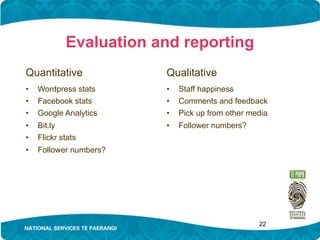
Evaluation and reporting
Quantitative            Qualitative
•   Wordpress stats     •   Staff happiness
•   Facebook stats      •   Comments and feedback
•   Google Analytics    •   Pick up from other media
•   Bit.ly              •   Follower numbers?
•   Flickr stats
•   Follower numbers?


                                                 22
23
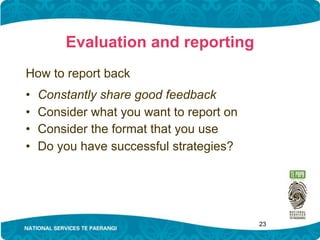
Evaluation and reporting
How to report back
•   Constantly share good feedback
•   Consider what you want to report on
•   Consider the format that you use
•   Do you have successful strategies?


                                          24
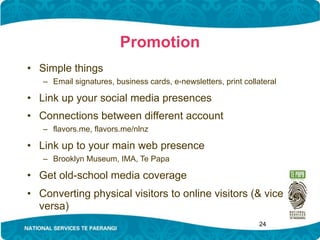
Promotion
• Simple things
   – Email signatures, business cards, e-newsletters, print collateral

• Link up your social media presences
• Connections between different account
   – flavors.me, flavors.me/nlnz

• Link up to your main web presence
   – Brooklyn Museum, IMA, Te Papa

• Get old-school media coverage
• Converting physical visitors to online visitors (& vice
  versa)
                                                                 25
Planning activity & report back
... or, are there things we just want to talk
    about more?


                                          26

NSTP social media workshop

  • 1.
    Using and evaluating cost effective online tools Courtney Johnston Boost New Media for National Services Te Paerangi courtney@boost.co.nz www.boost.co.nz twitter: @boostnewmedia | @auchmill blog: www.boost.co.nz/blog 1
  • 2.
    Workshop objectives • Understandingthe pros and cons of different tools • Understanding the time commitments required for different activities • Learning strategies to identify your needs, set up projects & campaigns, evaluate and report on your work • Sharing experiences, asking questions, strengthening your network 2
  • 3.
    Workshop timetable: morning Part1: 9am - 10am • Introductions and scene-setting Morning tea: 10am Part 2: 10.30am - 12pm • Which tools to use for what • Time commitments • Ways to manage your time • Example fest! Lunch: 12pm - 12.45pm 3
  • 4.
    Workshop timetable: afternoon Part3: 12.45pm - 2.45pm • Planning a social media campaign or channel • Creating policies • Evaluation and reporting • Promotion Afternoon tea: 2.45pm-3.15pm Part 4: 3.15pm - 4pm(ish) • Planning activity and report back 4
  • 5.
    National Services TePaerangi National Services Te Paerangi works with museums, galleries, iwi, and related organisations to enhance museum services and support these to become self-sustaining. www.nationalservices.tepapa.govt.nz
  • 6.
    How we help HeRauemi Resource Guides 0508 freephone helpline
  • 7.
    Training and professionaldevelopment Workshops for museums at regional Marae based workshops and national level
  • 8.
    New Zealand MuseumsStandards Scheme • Practical and user friendly • Sends good message to funders • Formal review or as a resource • Its free!
  • 9.
    NZMuseums www.nzmuseums.co.nz • Online collection management system • Marketing tool for your museum • It’s free for up to 200 objects • Wider access for your museum and it’s collection
  • 10.
    Introductions & scene-setting •Who are you (in real life and online)? • What tools are you currently using? • What are you hoping to get out of today? 10
  • 11.
    Old work @nlnz LibraryTechNZ blog Poet Laureate blog Personal @auchmill Goodreads Best of 3 Google Reader New work Boost blog @boostnewmedia 11
  • 12.
    @LibraryTechNZ @boostnewmedia Best of 3 Boost blog Google Reader @auchmill Goodreads Poet Laureate blog @nlnz 12
  • 13.
    Which tools touse for what? Listening Communicating • Google alerts • Blogging • Google blog search • Twitter • Twitter search • Facebook Sharing Working • Flickr • Wikis • YouTube • Ning • Vimeo • Bookmarking • Project management 13
  • 14.
    Time commitments Different activitiestake different amounts of time. Some rough estimates: Listening • 5 minutes a day (after set-up time) Flickr • Once a week upload, monitoring, promotion: 1 hour per week Blogging • One (sizable) post a week, monitoring, promotion: 2 hours per week Twitter and Facebook • As much time as you want, but require regular (say hourly) checking 14
  • 15.
    Ways to manageyour time • Invest time in upfront planning; save time later on • Short-term intensive projects • Join collaborative projects • Re-use your content • Limit your engagement • Share the workload • Prioritise activities 15
  • 16.
    Example fest! • @nlnz | @TePapaColOnline | @nzhistorydotnet | @nzmuseums • My Life as an Object • Dulwich Gallery Community Site • Brooklyn Museum mummy scan • Powerhouse Museum Photo of the Day | Object of the Week • IMA Flickr sets • Friends of Christchurch Art Gallery Flickr sets • Christchurch City Libraries blog • Rodney District Libraries blog • How about you? 16
  • 17.
    Planning a campaignor channel Ideally, planning is a group activity ... • What’s the gap you’re trying to fill? • Have you looked at your existing channels? • How does this fit with your wider objectives & marketing or comms plan? • Do you know which audiences you’re trying to attract? • Can you re-use branding, content, ‘spokespeople’? • Who should be aware of this activity? ... but ownership of the channel is clear 17
  • 18.
    The 4-step process Questionsto ask yourself .... • Why do you want to do this? • What are you offering? • Who is this for? • Who will be doing this? ... before choosing a platform 18
  • 19.
    Writing a businesscase Objective • Who will benefit? Fit with mission • How does this fit with your organisation’s wider goals and activities Outline activity • What’s in scope? What’s not? Outline resources needed • Actual costs • Staff resource (set-up and running) Risks and mitigations • Moderation • Policy for escalation • Staff change Evaluation • What counts as success • How will this be measured and reported 19
  • 20.
    Creating policies What’s thepoint of the policy? Who needs to read it? What do you want out of it? • Setting up presences • Staff ‘behaviour’ • Friending and following • Editorial process • Content moderation • Branding • Administration • Escalating issues • Changes to existing policies 20
  • 21.
    Evaluation and reporting Importantquestions to ask first • What are meaningful metrics for you and for your organisation? • What are you going to use this information for? • Are there existing benchmarks you can use? 21
  • 22.
    Evaluation and reporting Quantitative Qualitative • Wordpress stats • Staff happiness • Facebook stats • Comments and feedback • Google Analytics • Pick up from other media • Bit.ly • Follower numbers? • Flickr stats • Follower numbers? 22
  • 23.
  • 24.
    Evaluation and reporting Howto report back • Constantly share good feedback • Consider what you want to report on • Consider the format that you use • Do you have successful strategies? 24
  • 25.
    Promotion • Simple things – Email signatures, business cards, e-newsletters, print collateral • Link up your social media presences • Connections between different account – flavors.me, flavors.me/nlnz • Link up to your main web presence – Brooklyn Museum, IMA, Te Papa • Get old-school media coverage • Converting physical visitors to online visitors (& vice versa) 25
  • 26.
    Planning activity &report back ... or, are there things we just want to talk about more? 26

Editor's Notes

  • #6 NSTP is a unit within Te Papa. Their mission is to strengthen the museum sector by providing practical and strategic help to museums and iwi throughout Aotearoa New Zealand. As part of the government act the Te Papa board has the function: To cooperate with and assist other New Zealand museums in establishing a national service, and of providing appropriate support to other institutions and organisations holding objects or collections of national importance. The team has 8 staff, 5 who are permanently based at Te Papa and 3 Development Officers who work in the field providing face to face support and feeding back to the team the needs of the sector.
  • #7 NSTP offers support, advice, and practical assistance on museum matters such as: governance, management, and planning care of collections and taonga exhibitions and other public services relationships with communities customer service. Their services and programmes include: the New Zealand Museums Standards Scheme Ngā Kaupapa Whaimana a Ngā Whare Taonga o Aotearoa   He Rauemi Resource Guides practical training opportunities Development Officer service a freephone helpline: 0508 NSTP HELP (0508 678 743) professional development opportunities research on mātauranga Māori and the development of cultural centres presentations by national and international subject experts on-site support. Grants – Helping Hands Grants, Museum and Iwi Development Grants
  • #8 NSTP is committed to building the skills of all museum personnel, and improving opportunities for professional development. Their services and programmes cover all aspects of museum practice, and they provide training at both regional and national levels. Through consultation they identify the training needs of individual museums, and groups of museums. They provide a range of professional development and training opportunities, ranging from entry level to advanced. Workshops are held on marae and in museums to meet the varying needs of New Zealand’s museums and iwi. They also have a Museum Internship Graduate Programme and Museum Internship and Secondment Programme
  • #9 The New Zealand Museums Standards Scheme Ngä Kaupapa Whaimana a Ngä Whare Taonga o Aotearoa supports both large and small museums to reach higher levels of professionalism. Practical and user-friendly, the Standards Scheme manual assists museums to review their practices against a set of standards. Museums can see where they’re doing well, and identify areas for improvement. Participating in the Standards Scheme also sends a message to current or potential funders that a museum is committed to best practice and continuous improvement. The manual is a free tool for museums to use in the way that suits them best. For example: In a formal review process, museum personnel review their own practices against the standards in the manual, then we arrange for peer reviewers to visit and carry out a review. This service is offered to museums at no charge. Informally, museum personnel use the manual as a resource guide for operating and governing their museum. For a free copy of the Standards Scheme manual or to register or find out more about the Scheme, contact us – details are at the back of this brochure. Iwi can use the manual for guidance in the long-term care of taonga, and in safeguarding their heritage for the future.