MongoDB
MANSERI Ikram
3CS – SIQ
GDG Algiers Co-manager.
Di_manseri@esi.dz
MongoDB is a Document-
Oriented NoSQL DBMS
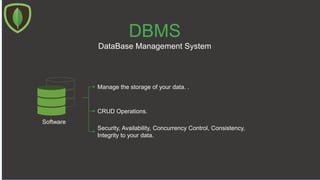
DBMS
DataBase Management System
Software
Manage the storage of your data. .
CRUD Operations.
Security, Availability, Concurrency Control, Consistency,
Integrity to your data.
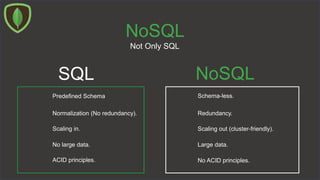
NoSQL
Not Only SQL
SQL NoSQL
Schema-less.Predefined Schema
Redundancy.Normalization (No redundancy).
Scaling out (cluster-friendly).Scaling in.
ACID principles. No ACID principles.
No large data. Large data.
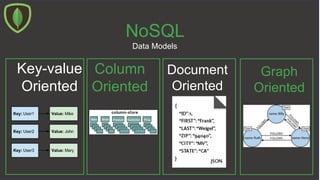
NoSQL
Data Models
Key-value
Oriented
Column
Oriented
Document
Oriented
Graph
Oriented
Document
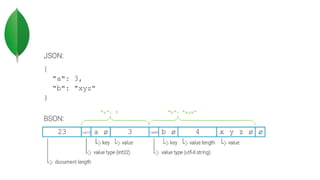
BSON – Binary JSON.
{
"_id": " 34058 ",
"first_name" : "Ikram",
"last_name": "MANSERI",
"PreferredColors" : ["Black", "White"],
"address" : {"street": 2 , "city" : "Birkhadem"}
}
Fast Scannability
Data Types
Bsonspec.org
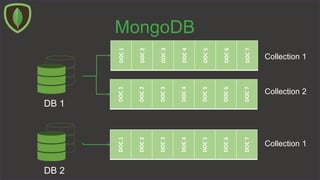
MongoDB
DB 1
DB 2
DOC1
DOC2
DOC3
DOC4
DOC5
DOC6
DOC7
DOC1
DOC2
DOC3
DOC4
DOC5
DOC6
DOC7
DOC1
DOC2
DOC3
DOC4
DOC5
DOC6
DOC7
Collection 1
Collection 2
Collection 1
MongoDB
Schooling
DOC1
DOC2
DOC3
DOC4
DOC5
DOC6
DOC7
Students
{
"_id": " 34058 ",
"first_name" : "Ikram",
"last_name": "MANSERI",
"PreferredColors" : ["Black", "White"],
"address" : {"street": 2 , "city" : "Birkhadem"}
}
{
"_id": " 34059 ",
"first_name" : " Akram",
"last_name": " Beli",
"PreferredColors" : [« Brown", "White"],
"address" : {"street": 3 , "city" : "Birkhadem"}
" Parents_situations " : " divorced " }
Hands on !
- Initiate a connexion to MongoDB server.
- CRUD Operations in MongoDB.
Hands on !
Start mongoDB instance (listener) :
> mongod --port 27017 --dbpath C:datadb
Start mongoDB session :
> mongo
Visualize your databases:
> show dbs
Create new database called « scolarity » :
> use schooling
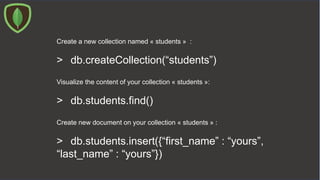
Create a new collection named « students » :
> db.createCollection(“students”)
Visualize the content of your collection « students »:
> db.students.find()
Create new document on your collection « students » :
> db.students.insert({“first_name” : “yours”,
“last_name” : “yours”})
Visualize the content of your collection « students »:
> db.students.find().pretty()
Insert multiple documents at once in your collection « students » :
> db.students.insert([{“first_name” : “yours”,
“last_name” : “yours”},
{“first_name”: “Amine”, “last_name” : “Ali”, “age”
: 45}])
Hands off !
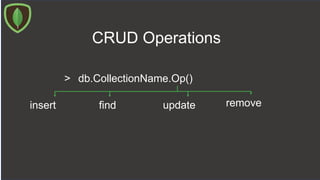
CRUD Operations
> db.CollectionName.Op()
findinsert removeupdate
CRUD Operations
> db.CollectionName.insert ({doc} / [{},{}],
…{writeConcern: {doc},
…ordered: true/false }
)
CRUD Operations
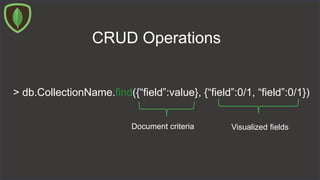
> db.CollectionName.find({“field”:value}, {“field”:0/1, “field”:0/1})
Document criteria Visualized fields
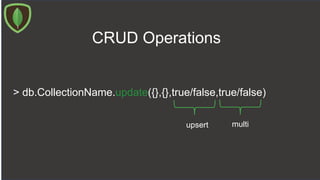
CRUD Operations
> db.CollectionName.update({},{},true/false,true/false)
upsert multi
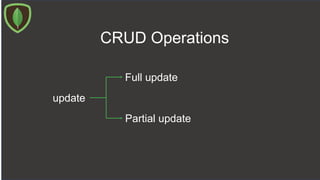
CRUD Operations
update
Full update
Partial update
Di_manseri@esi.dz
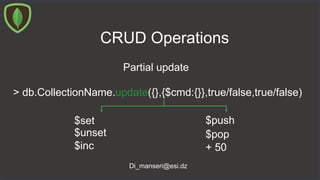
CRUD Operations
Partial update
> db.CollectionName.update({},{$cmd:{}},true/false,true/false)
$set
$unset
$inc
$push
$pop
+ 50
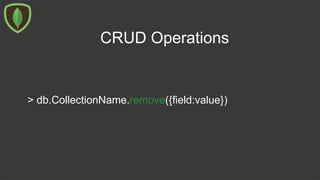
CRUD Operations
> db.CollectionName.remove({field:value})
> mongoimport -c products -d prd --file Products.json
Hands on !
CRUD Operations
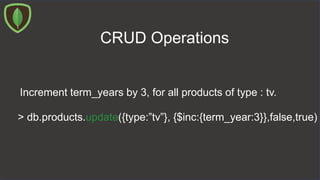
Increment term_years by 3, for all products of type : tv.
> db.products.update({type:”tv”}, {$inc:{term_year:3}},false,true)
CRUD Operations
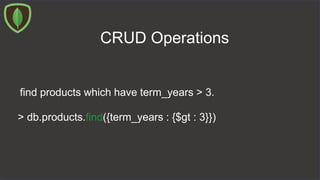
find products which have term_years > 3.
> db.products.find({term_years : {$gt : 3}})
CRUD Operations
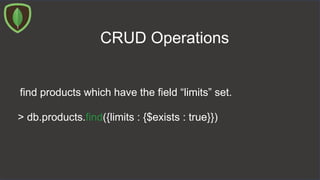
find products which have the field “limits” set.
> db.products.find({limits : {$exists : true}})
CRUD Operations
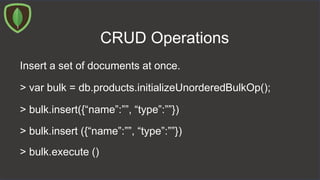
Insert a set of documents at once.
> var bulk = db.products.initializeUnorderedBulkOp();
> bulk.insert({“name”:””, “type”:””})
> bulk.insert ({“name”:””, “type”:””})
> bulk.execute ()
Hands off !
Great stuff about MongoDB
Different type of Indexes.
Replication.
Sharding.
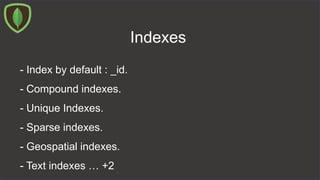
Indexes
- Index by default : _id.
- Compound indexes.
- Unique Indexes.
- Sparse indexes.
- Geospatial indexes.
- Text indexes … +2
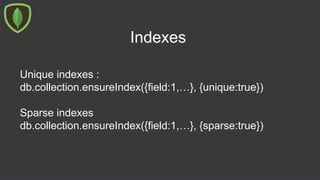
Indexes
Unique indexes :
db.collection.ensureIndex({field:1,…}, {unique:true})
Sparse indexes
db.collection.ensureIndex({field:1,…}, {sparse:true})
db.collection.ensureIndex({loc:”2dsphere”})
Geospatial indexes
db.collection.find({loc: {$near : {
geometry : {
{type : “Point”, coordinates : [2,3]},
spherique : true }
}
})
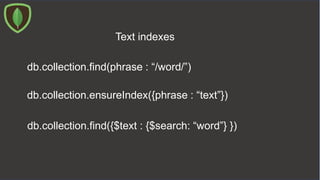
db.collection.find(phrase : “/word/”)
Text indexes
db.collection.ensureIndex({phrase : “text”})
db.collection.find({$text : {$search: “word”} })
Drop indexes
db.collection.dropIndexes()
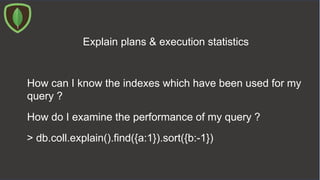
Explain plans & execution statistics
How do I examine the performance of my query ?
How can I know the indexes which have been used for my
query ?
> db.coll.explain().find({a:1}).sort({b:-1})
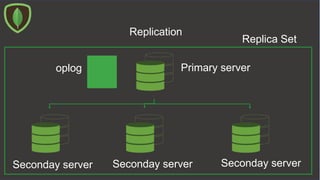
Replication
Primary server
Seconday serverSeconday serverSeconday server
oplog
Replica Set
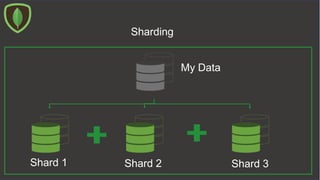
Sharding
My Data
Shard 3Shard 2Shard 1
Thank you!
MANSERI Ikram
3CS – SIQ
GDG Algiers Co-manager.
Di_manseri@esi.dz
MANSERI Ikram
3CS – SIQ
GDG Algiers Co-manager.
Di_manseri@esi.dz

NoSQL with MongoDB

Editor's Notes

  • #4  security, avalaibility, disaster recovery, integrity, Concurrency control, consistency.
  • #5 Easy to scale !
  • #8  Fast scannability : to skip fields that aren’t relevant to the request Data types : date data types (in Bson, not in JSON), BinData (like an image, UUID). Object_ID : JSON types : boolean, null, int, string, arrays, nested doc.
  • #12 Speak about system databases.
  • #17 Ordered = true (by default), all or nothing. Ordered = false, it can insert few of them. Write concern : add some constraintes to the request.
  • #20 Full update, delete and insert Partial Update : only modify.
  • #29 without indexes : iterate over all the documents that appear in the collection Btree indexes
  • #30  Sparse : when we want to create an index over a field, which has a lot of null values
  • #31 Geospecial indexes : for app who have some notions of Geospacial locality, supports 2 and 3 dimensional queries. For example, it can response to the query: the nearest coffee shop. Loc : [log, lat]
  • #33 For example to search a word on a field that contains a phrase. We can define a text index over that field.
  • #36 4 members, Replication factor = 4 Automatic failover : If the primary server goes down, another server will be elected to become the new primary server Writes are on the primary, reads may occure on secondaries = slaves . Every node has a priority, the node with the highest priority will be the primary node. ArbiterOnly : is a node dedicated to vote, it cannot vote for itself and it doesn’t have data on it. If priority = 0, the node would never be primary. Reasons behind replication : high availability and data safety (disaster recovery).
  • #37 partitions