Node-webkit
An magic of Make desktop app from your Web app.
양욱진 (Ukjin Yang)
http://hazard.kr
ukjinplant@msn.com
https://github.com/composite
프리랜서 개발자는 어떻게 웁니까? 프프 하고 웁니다.
Node-webkit
an app runtime based on Chromium and node.js.
1
2
3
4
5
6
7
8
9
10
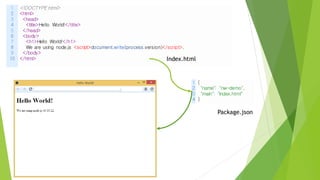
<!DOCTYPE html>
<html>
<head>
<title>Hello World!</title>
</head>
<body>
<h1>Hello World!</h1>
We are using node.js <script>document.write(process.version)</script>.
</body>
</html>
1
2
3
4
{
"name": "nw-demo",
"main": "index.html"
}
Index.html
Package.json
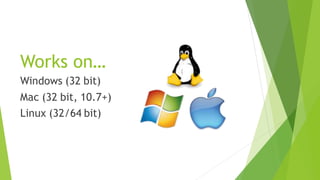
Works on…
Windows (32 bit)
Mac (32 bit, 10.7+)
Linux (32/64 bit)
Node-webkit Background
 Created by Roger Wang. Supported by Intel Open Source Technology Center.
 Open sourced at github on Dec’ 7 2011.
 11,184 Stars, 1,007 Watches, 1,197 Forks.
 Keep going updates, many communications, more showcases.
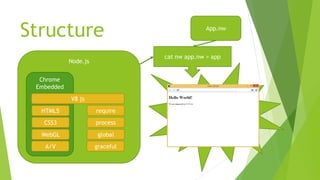
Structure
Node.js
Chrome
Embedded
require
process
global
graceful
HTML5
CSS3
WebGL
A/V
V8 js
App.nw
cat nw app.nw > app
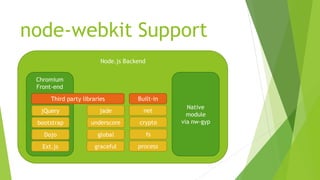
node-webkit Support
Node.js Backend
Chromium
Front-end
jade
underscore
global
graceful
jQuery
bootstrap
Dojo
Ext.js
Third party libraries
Native
module
via nw-gyp
net
crypto
fs
process
Built-in
Node-webkit built-in UI features
 Frameless window
 In-app Menu
 File dialogs
 Tray
 Kiosk mode
 Shell execute
 Basic window functions (minimize, maximize, etc.)
 Transparent window not supported perfectly yet.
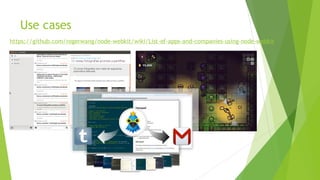
Use cases
https://github.com/rogerwang/node-webkit/wiki/List-of-apps-and-companies-using-node-webkit
How to make a my app?
3 step easy develop a your app.
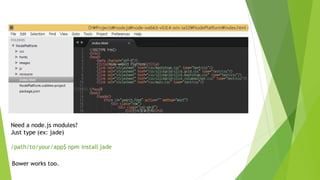
1. Make your web app
Just make like a web site.
Need a node.js modules?
Just type (ex: jade)
/path/to/your/app$ npm install jade
Bower works too.
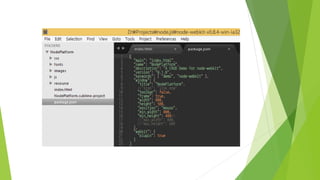
2. package.json
You must make this file for define your node-webkit app.
3. RUN your app!
Node-webkit will cast a magic of make desktop app from your web app.
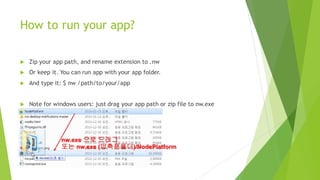
How to run your app?
 Zip your app path, and rename extension to .nw
 Or keep it. You can run app with your app folder.
 And type it: $ nw /path/to/your/app
 Note for windows users: just drag your app path or zip file into nw.exe
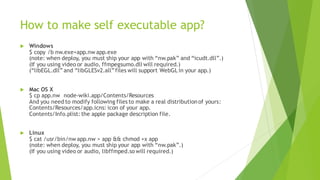
How to make self executable app?
 Windows
$ copy /b nw.exe+app.nw app.exe
(note: when deploy, you must ship your app with “nw.pak” and “icudt.dll”.)
(If you using video or audio, ffmpegsumo.dll will required.)
(“libEGL.dll” and “libGLESv2.all”files will support WebGLin your app.)
 Mac OS X
$ cp app.nw node-wiki.app/Contents/Resources
And you need to modify following files to make a real distributionof yours:
Contents/Resources/app.icns: icon of your app.
Contents/Info.plist: the apple package description file.
 Linux
$ cat /usr/bin/nw app.nw > app && chmod +x app
(note: when deploy, you must ship your app with “nw.pak”.)
(If you using video or audio, libffmped.so will required.)
Embed native module with nw-gyp
 Same as node-gyp, but you need install nw-gyp.
$ npm install -g nw-gyp
binding.gyp: {
"targets": [
{
"target_name": "foo",
"sources": [ "foo.cc" ]
}
]
}
$ nw-gyp configure --target=0.8.5 # nw version
$ nw-gyp build
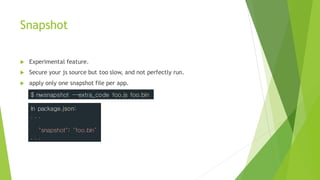
Snapshot
 Experimental feature.
 Secure your js source but too slow, and not perfectly run.
 apply only one snapshot file per app.
$ nwsnapshot --extra_code foo.js foo.bin
In package.json:
. . .
"snapshot": "foo.bin“
. . .
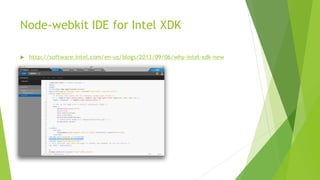
Node-webkit IDE feature on Intel XDK
 http://software.intel.com/en-us/blogs/2013/09/06/why-intel-xdk-new
Other node.js webkit frameworks
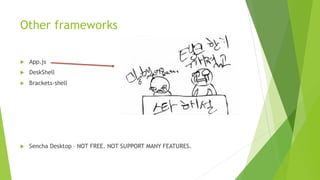
 App.js
 DeskShell
 Brackets-shell
 Sencha Desktop – NOT FREE. NOT SUPPORT MANY FEATURES.
Demo time
W.. What?
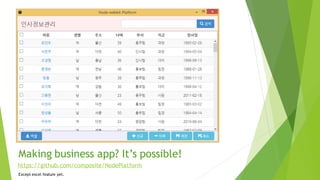
Making business app? It’s possible!
exclude excel feature yet.
https://github.com/composite/NodePlatform
Any questions?
I have NO idea.
Tank you.
Yes. that’s just a spelling error here. But I’ll not fix because I’m a ANGRY DEVELOPER!
끇
Click image to view a author image.

node-webkit : Make a magic from your a desktop app to desktop app!