Node.js
•Node.js is anopen source server environment.
•Node.js allows you to run JavaScript on the
server.
•Node.js runs on various platforms (Windows,
Linux, Unix, Mac OS X, etc.)
3.
Run a localserver in order to
start using node.js in the
browser and do server side tasks
4.
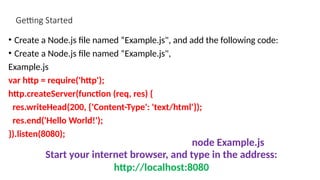
Getting Started
• Createa Node.js file named “Example.js", and add the following code:
• Create a Node.js file named “Example.js",
Example.js
var http = require('http');
http.createServer(function (req, res) {
res.writeHead(200, {'Content-Type': 'text/html'});
res.end('Hello World!');
}).listen(8080);
node Example.js
Start your internet browser, and type in the address:
http://localhost:8080
5.
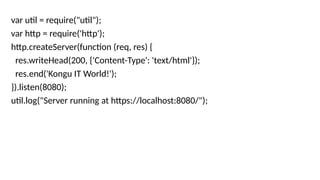
var util =require("util");
var http = require('http');
http.createServer(function (req, res) {
res.writeHead(200, {'Content-Type': 'text/html'});
res.end('Kongu IT World!');
}).listen(8080);
util.log("Server running at https://localhost:8080/");
6.
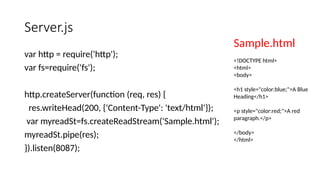
Server.js
var http =require('http');
var fs=require('fs');
http.createServer(function (req, res) {
res.writeHead(200, {'Content-Type': 'text/html'});
var myreadSt=fs.createReadStream('Sample.html');
myreadSt.pipe(res);
}).listen(8087);
Sample.html
<!DOCTYPE html>
<html>
<body>
<h1 style="color:blue;">A Blue
Heading</h1>
<p style="color:red;">A red
paragraph.</p>
</body>
</html>
7.
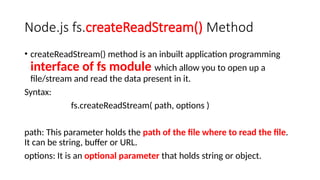
Node.js fs.createReadStream() Method
•createReadStream() method is an inbuilt application programming
interface of fs module which allow you to open up a
file/stream and read the data present in it.
Syntax:
fs.createReadStream( path, options )
path: This parameter holds the path of the file where to read the file.
It can be string, buffer or URL.
options: It is an optional parameter that holds string or object.
8.
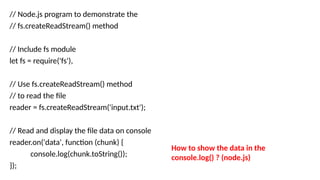
// Node.js programto demonstrate the
// fs.createReadStream() method
// Include fs module
let fs = require('fs'),
// Use fs.createReadStream() method
// to read the file
reader = fs.createReadStream('input.txt');
// Read and display the file data on console
reader.on('data', function (chunk) {
console.log(chunk.toString());
});
How to show the data in the
console.log() ? (node.js)
9.
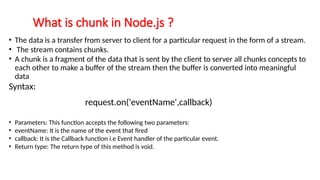
• The datais a transfer from server to client for a particular request in the form of a stream.
• The stream contains chunks.
• A chunk is a fragment of the data that is sent by the client to server all chunks concepts to
each other to make a buffer of the stream then the buffer is converted into meaningful
data
Syntax:
request.on('eventName',callback)
• Parameters: This function accepts the following two parameters:
• eventName: It is the name of the event that fired
• callback: It is the Callback function i.e Event handler of the particular event.
• Return type: The return type of this method is void.
What is chunk in Node.js ?
http=require('http');
url=require('url');
querystring = require('querystring’);
functiononRequest(req,res){
var path = url.parse(req.url).pathname;
var query =url.parse(req.url).query;
var no1 =querystring.parse(query)["n1"];
var no2=querystring.parse(query)["n2"];
var sum=parseInt(no1)+parseInt(no2);
console.log(sum);
res.write("The result is "+" " + sum);
res.end();
}
http.createServer(onRequest).listen(4001);
console.log('Server has Started.......');
Server.js/ Server
side
12.
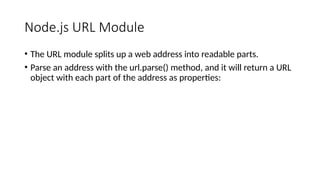
Node.js URL Module
•The URL module splits up a web address into readable parts.
• Parse an address with the url.parse() method, and it will return a URL
object with each part of the address as properties:
13.
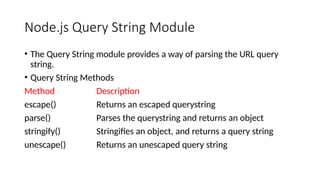
Node.js Query StringModule
• The Query String module provides a way of parsing the URL query
string.
• Query String Methods
Method Description
escape() Returns an escaped querystring
parse() Parses the querystring and returns an object
stringify() Stringifies an object, and returns a query string
unescape() Returns an unescaped query string
14.
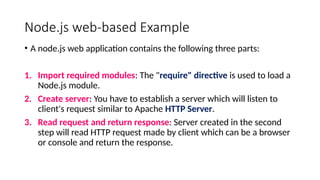
Node.js web-based Example
•A node.js web application contains the following three parts:
1. Import required modules: The "require" directive is used to load a
Node.js module.
2. Create server: You have to establish a server which will listen to
client's request similar to Apache HTTP Server.
3. Read request and return response: Server created in the second
step will read HTTP request made by client which can be a browser
or console and return the response.
15.
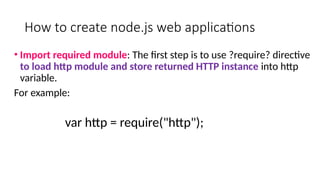
How to createnode.js web applications
• Import required module: The first step is to use ?require? directive
to load http module and store returned HTTP instance into http
variable.
For example:
var http = require("http");
16.
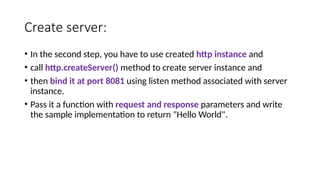
Create server:
• Inthe second step, you have to use created http instance and
• call http.createServer() method to create server instance and
• then bind it at port 8081 using listen method associated with server
instance.
• Pass it a function with request and response parameters and write
the sample implementation to return "Hello World".
17.
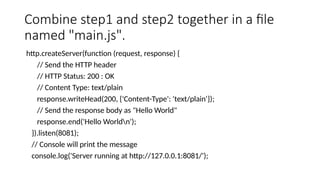
Combine step1 andstep2 together in a file
named "main.js".
http.createServer(function (request, response) {
// Send the HTTP header
// HTTP Status: 200 : OK
// Content Type: text/plain
response.writeHead(200, {'Content-Type': 'text/plain'});
// Send the response body as "Hello World"
response.end('Hello Worldn');
}).listen(8081);
// Console will print the message
console.log('Server running at http://127.0.0.1:8081/');
18.
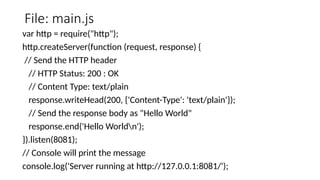
File: main.js
var http= require("http");
http.createServer(function (request, response) {
// Send the HTTP header
// HTTP Status: 200 : OK
// Content Type: text/plain
response.writeHead(200, {'Content-Type': 'text/plain'});
// Send the response body as "Hello World"
response.end('Hello Worldn');
}).listen(8081);
// Console will print the message
console.log('Server running at http://127.0.0.1:8081/');
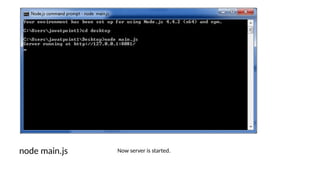
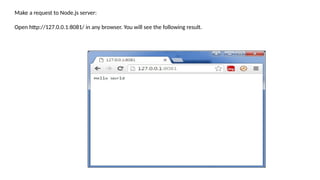
Make a requestto Node.js server:
Open http://127.0.0.1:8081/ in any browser. You will see the following result.
21.
Node.js File System(FS)
• Node File System (fs) module can be imported using following syntax:
Syntax:
var fs = require("fs")
The createReadStream() method is an inbuilt application programming interface of
fs module which allow you to open up a file/stream and read the data present in it.
Syntax:
fs.createReadStream( path, options )
path: This parameter holds the path of the file where to read the file. It can be
string, buffer or URL.
options: It is an optional parameter that holds string or object.
22.
// Node.js programto demonstrate the
// fs.createReadStream() method
// Include fs module
let fs = require('fs'),
// Use fs.createReadStream() method
// to read the file
reader = fs.createReadStream('input.txt');
// Read and display the file data on console
reader.on('data', function (chunk) {
console.log(chunk.toString());
});
23.
With html file
consthttp = require('http')
const fs = require('fs')
const server = http.createServer((req, res) => {
res.writeHead(200, { 'content-type': 'text/html' })
fs.createReadStream('index.html').pipe(res)
})
server.listen(process.env.PORT || 3000)
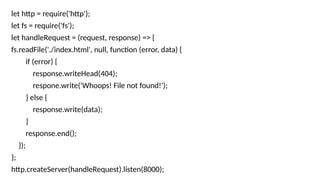
24.
let http =require('http');
let fs = require('fs');
let handleRequest = (request, response) => {
fs.readFile('./index.html', null, function (error, data) {
if (error) {
response.writeHead(404);
respone.write('Whoops! File not found!');
} else {
response.write(data);
}
response.end();
});
};
http.createServer(handleRequest).listen(8000);
![http=require('http');
url=require('url');
querystring = require('querystring’);
function onRequest(req,res){
var path = url.parse(req.url).pathname;
var query =url.parse(req.url).query;
var no1 =querystring.parse(query)["n1"];
var no2=querystring.parse(query)["n2"];
var sum=parseInt(no1)+parseInt(no2);
console.log(sum);
res.write("The result is "+" " + sum);
res.end();
}
http.createServer(onRequest).listen(4001);
console.log('Server has Started.......');
Server.js/ Server
side](https://image.slidesharecdn.com/serversetupapplication-250325131456-067e4da8/85/Node-js-web-based-Example-Run-a-local-server-in-order-to-start-using-node-js-in-the-browser-and-do-server-side-tasks-11-320.jpg)