learningCentral
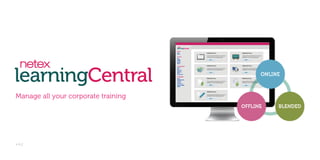
Manage all your corporate training

v 4.2
An LMS for all learning scenarios:
online, offline and blended
Why choose Netex learningCentral?
Completely compatible
Certified for AICC, SCORM 1.2, SCORM 2004 and Tin Can API
standards.You can use any type of e-learning content without any
problems.

Pay for what you really need
No complications. Hire your licence only for the required period of time,
paying just per active user.

Support and quality guarantee
Online support and customer service. Updates, review of incidents and
patches. If you wish, you can configure customised service levels specific for
your corporation.
Netex learningCentral is a multi-channel
platform which builds blended learning
scenarios. Combine trainer led tools and online
activities in real time.
Freedom and flexibility

Easy to use

Design your training strategy globally. Time
zone and multi-language settings facilitate the
confluence of students insessions, even if they
are geographically dispersed.

Netex learningCentral guarantees a good
experience and high usability and satisfaction
levels. Different portals for administrators,
trainers, tutors and students have been
implemented for the purpose.

Compatible with Tin Can API

Easy implementation

Compatibility with Tin Can API standard
allows recording and tracking of more
activities than those traditionally admitted by
SCORM.

Once the service is hired, you will have
access to the platform within minutes. With
just an Internet connection and a browser,
you will be able to work comfortably in the
Cloud from minute one.

Get a fully customised interface aligned with your
corporate image.
Netex learningCentral offers an modern and attractive design whichcan
be customised with the colours, identifiers and images of your
corporation.
Features

Activities repository
Different types of activities you will be able to use in your courses and training plans.

Training plans and courses
Training plans

Long term training planning - group courses
and activities together.

SCORM, AICC, Tin Can

Links

Courses

Content compatible with
e-learning standards in the
market.

Links to external websites.

Sessions

Exams

Video

Combine activities of different types together
to create courses.

Split students into groups to perform their
activities.

Online exams created with
any tool compatible with
SCORM.

Videos in MP4, OGG or
MOV format.

Web conference

Exercises

Training itineraries

Created through the establishment of
prerequisites between activities.

Several enrolment modalities

Web conference with one
or several trainers in a
virtual room.

Activities in which students
have to complete an exercise
by delivering one or several
files to a trainer,

Forums and messages

Files

Classroom

Upload to the platform any
file on which you need to
register students’ access.

Activities led by one or
several on-site trainers.

Auto-enrolment, student enrolment request
or direct enrolment by the administrator.

There are different tools available in the
courses so students can communicate and
collaborate with each other.
Physical and virtual classrooms

Notifications

Manage classroom bookings to facilitate their use and control in training processes. Use physical
classrooms — both internal and external — for on-site training, and virtual classrooms for
blended training.

When there is an event of interest in the platform, the system sends automatic email
notifications to users.

Management of users
Management of users profiles.
Management of the organisational structure through groups.
Assignment of roles and permissions, both individually and collectively.

Configuration
Visualisation of statistics and general status of the platform.
Configuration of the students and trainers homepage.

Communication
Suggestions

Satisfactions surveys and polls

Users can send their opinions and comments
to training managers.

Sessions can have associated surveys, which
allow to assess the satisfaction level of
performed training. Besides, training
managers can find out users opinions quickly
through polls.

Announcements
Communication to users about the news
from training managers on the training sector.

Library
Documents available to be downloaded by
users.

Configuration of the platform layout: logos, colours, name, etc.
Configuration of the notification system.
Configuration of extended information applied to users, groups, activities, courses and
training plans.
Configuration of the category tree which structures training.

Reports
Automatic generation of tracking, general and
detailed reports. All reports are available in PDF
and Excel formats.
Modalities

In-House: installed in your servers.

SaaS: Software as a Service

The platform is installed inside your data centre, so the server you provide will have
to meet the required technical features.

The tool is used directly as a cloud service through a web address.

The customer is responsible for the security of data and content stored in the
platform.

Even though it is in the Cloud, access, data and content are subject to
comprehensive protection and security measures.

The platform is licensed on annual or biannual basis.

Support service is included in the price as established by our standard Service Level
Agreement.
Authorised contacts

2

Access to online support portal

Included

Support via email

Included

Support via telephone

Lunes-Viernes (8AM – 8PM, CET/CEST)

Quarterly review of incidents

Included

Minor updates and patches

Included

Incident response times
First response

1 hour

Blocking incidents

8 working hours

Non-blocking incidents

16 working hours

Guaranteed service availability

99,9%

Users concurrency

10% of active users

Languages

Spanish and English

* It is possible to define customised service levels.
* You can use new versions of the tool automatically and free of charge.

Payment of a licence per user registered within the platform is required.
It is recommended only in cases of connectivity or data restrictions.
Technical requirements
Browser

Cookies
JavaScript
Screen resolution
Bandwidth

Audio and video
communication
(virtual classrooms)
Screen sharing
(virtual classrooms)

Internet Explorer 7+
Firefox 3.0+
Chrome 5.0.375.99+
Safari 4.0+
Enabled
Active
1024x768 or higher
512 Kbps for generic use of the virtual classroom and audio sharing.
1 MB for generic use of the virtual classroom and audio/video sharing.
>1 MB for generic use of the virtual classroom, audio/video and screen sharing.
Webcam (for video streaming)
Microphone (for audio streaming)
Speakers (it is recommended the use of headphones with an integrated
microphone).
Java enabled on browser.
JRE 1.6+

Security
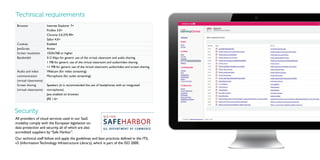
All providers of cloud services used in our SaaS
modality comply with the European legislation on
data protection and security, all of which are also
accredited suppliers by “Safe Harbor”.
Our technical staff follow and apply the guidelines and best practices defined in the ITIL
v3 (Information Technology Infrastructure Library), which is part of the ISO 2000.

4

25

26

27
4

15

16

17

18

19

2

Additional services
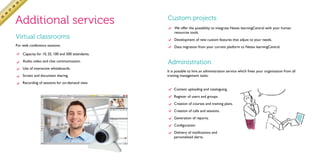
Virtual classrooms
For web conference sessions:

Custom projects
We offer the possibility to integrate Netex learningCentral with your human
resources tools.
Development of new custom features that adjust to your needs.
Data migration from your current platform to Netex learningCentral.

Capacity for 10, 25, 100 and 500 attendants.
Audio, video and chat communication.
Use of interactive whiteboards.
Screen and document sharing.

Administration
It is possible to hire an administration service which frees your organisation from all
training management tasks:

Recording of sessions for on-demand view.
Content uploading and cataloguing.
Register of users and groups.
Creation of courses and training plans.
Creation of calls and sessions.
Generation of reports.
Configuration.
Delivery of notifications and
personalised alerts.
learningCentral
UK | SPAIN | MEXICO | INDIA
+44 (0)7796 138049 • sales@netexlearning.com
www.netexlearning.com/en

Netex learningCentral | A LMS to manage all your corporate training [EN]

  • 1.
    learningCentral Manage all yourcorporate training v 4.2
  • 2.
    An LMS forall learning scenarios: online, offline and blended Why choose Netex learningCentral? Completely compatible Certified for AICC, SCORM 1.2, SCORM 2004 and Tin Can API standards.You can use any type of e-learning content without any problems. Pay for what you really need No complications. Hire your licence only for the required period of time, paying just per active user. Support and quality guarantee Online support and customer service. Updates, review of incidents and patches. If you wish, you can configure customised service levels specific for your corporation.
  • 3.
    Netex learningCentral isa multi-channel platform which builds blended learning scenarios. Combine trainer led tools and online activities in real time. Freedom and flexibility Easy to use Design your training strategy globally. Time zone and multi-language settings facilitate the confluence of students insessions, even if they are geographically dispersed. Netex learningCentral guarantees a good experience and high usability and satisfaction levels. Different portals for administrators, trainers, tutors and students have been implemented for the purpose. Compatible with Tin Can API Easy implementation Compatibility with Tin Can API standard allows recording and tracking of more activities than those traditionally admitted by SCORM. Once the service is hired, you will have access to the platform within minutes. With just an Internet connection and a browser, you will be able to work comfortably in the Cloud from minute one. Get a fully customised interface aligned with your corporate image. Netex learningCentral offers an modern and attractive design whichcan be customised with the colours, identifiers and images of your corporation.
  • 4.
    Features Activities repository Different typesof activities you will be able to use in your courses and training plans. Training plans and courses Training plans Long term training planning - group courses and activities together. SCORM, AICC, Tin Can Links Courses Content compatible with e-learning standards in the market. Links to external websites. Sessions Exams Video Combine activities of different types together to create courses. Split students into groups to perform their activities. Online exams created with any tool compatible with SCORM. Videos in MP4, OGG or MOV format. Web conference Exercises Training itineraries Created through the establishment of prerequisites between activities. Several enrolment modalities Web conference with one or several trainers in a virtual room. Activities in which students have to complete an exercise by delivering one or several files to a trainer, Forums and messages Files Classroom Upload to the platform any file on which you need to register students’ access. Activities led by one or several on-site trainers. Auto-enrolment, student enrolment request or direct enrolment by the administrator. There are different tools available in the courses so students can communicate and collaborate with each other.
  • 5.
    Physical and virtualclassrooms Notifications Manage classroom bookings to facilitate their use and control in training processes. Use physical classrooms — both internal and external — for on-site training, and virtual classrooms for blended training. When there is an event of interest in the platform, the system sends automatic email notifications to users. Management of users Management of users profiles. Management of the organisational structure through groups. Assignment of roles and permissions, both individually and collectively. Configuration Visualisation of statistics and general status of the platform. Configuration of the students and trainers homepage. Communication Suggestions Satisfactions surveys and polls Users can send their opinions and comments to training managers. Sessions can have associated surveys, which allow to assess the satisfaction level of performed training. Besides, training managers can find out users opinions quickly through polls. Announcements Communication to users about the news from training managers on the training sector. Library Documents available to be downloaded by users. Configuration of the platform layout: logos, colours, name, etc. Configuration of the notification system. Configuration of extended information applied to users, groups, activities, courses and training plans. Configuration of the category tree which structures training. Reports Automatic generation of tracking, general and detailed reports. All reports are available in PDF and Excel formats.
  • 6.
    Modalities In-House: installed inyour servers. SaaS: Software as a Service The platform is installed inside your data centre, so the server you provide will have to meet the required technical features. The tool is used directly as a cloud service through a web address. The customer is responsible for the security of data and content stored in the platform. Even though it is in the Cloud, access, data and content are subject to comprehensive protection and security measures. The platform is licensed on annual or biannual basis. Support service is included in the price as established by our standard Service Level Agreement. Authorised contacts 2 Access to online support portal Included Support via email Included Support via telephone Lunes-Viernes (8AM – 8PM, CET/CEST) Quarterly review of incidents Included Minor updates and patches Included Incident response times First response 1 hour Blocking incidents 8 working hours Non-blocking incidents 16 working hours Guaranteed service availability 99,9% Users concurrency 10% of active users Languages Spanish and English * It is possible to define customised service levels. * You can use new versions of the tool automatically and free of charge. Payment of a licence per user registered within the platform is required. It is recommended only in cases of connectivity or data restrictions.
  • 7.
    Technical requirements Browser Cookies JavaScript Screen resolution Bandwidth Audioand video communication (virtual classrooms) Screen sharing (virtual classrooms) Internet Explorer 7+ Firefox 3.0+ Chrome 5.0.375.99+ Safari 4.0+ Enabled Active 1024x768 or higher 512 Kbps for generic use of the virtual classroom and audio sharing. 1 MB for generic use of the virtual classroom and audio/video sharing. >1 MB for generic use of the virtual classroom, audio/video and screen sharing. Webcam (for video streaming) Microphone (for audio streaming) Speakers (it is recommended the use of headphones with an integrated microphone). Java enabled on browser. JRE 1.6+ Security All providers of cloud services used in our SaaS modality comply with the European legislation on data protection and security, all of which are also accredited suppliers by “Safe Harbor”. Our technical staff follow and apply the guidelines and best practices defined in the ITIL v3 (Information Technology Infrastructure Library), which is part of the ISO 2000. 4 25 26 27
  • 8.
    4 15 16 17 18 19 2 Additional services Virtual classrooms Forweb conference sessions: Custom projects We offer the possibility to integrate Netex learningCentral with your human resources tools. Development of new custom features that adjust to your needs. Data migration from your current platform to Netex learningCentral. Capacity for 10, 25, 100 and 500 attendants. Audio, video and chat communication. Use of interactive whiteboards. Screen and document sharing. Administration It is possible to hire an administration service which frees your organisation from all training management tasks: Recording of sessions for on-demand view. Content uploading and cataloguing. Register of users and groups. Creation of courses and training plans. Creation of calls and sessions. Generation of reports. Configuration. Delivery of notifications and personalised alerts.
  • 9.
    learningCentral UK | SPAIN| MEXICO | INDIA +44 (0)7796 138049 • sales@netexlearning.com www.netexlearning.com/en