Network Threat
Hunter Training
Level 1
Thank you to our sponsors!
2
You'll need the class VMs
3
You only need one of these!
They are all the same, just tweaked for different platforms
Hash is SHA256
VirtualBox
https://thunt-level1.s3.amazonaws.com/vbox-thunt-L1-202308.zip
5CF82AAEA859F9297CB33569BCFDC5023CAB87E78BD7605C82844D65BB41B899
Generic OVF
https://thunt-level1.s3.amazonaws.com/ovf-thunt-L1-202308.zip
D210F54CDC3E425E10C8FF66AE7F9B1EF0AC5924CE6A5543E1DDDC765252F992
VMware Workstation
https://thunt-level1.s3.amazonaws.com/vmware-thunt-L1-202308.zip
57E63852D10BC3C0D9F5B86E369FEFA555D8BF6B6ADA5D31A3E175F9B5109144
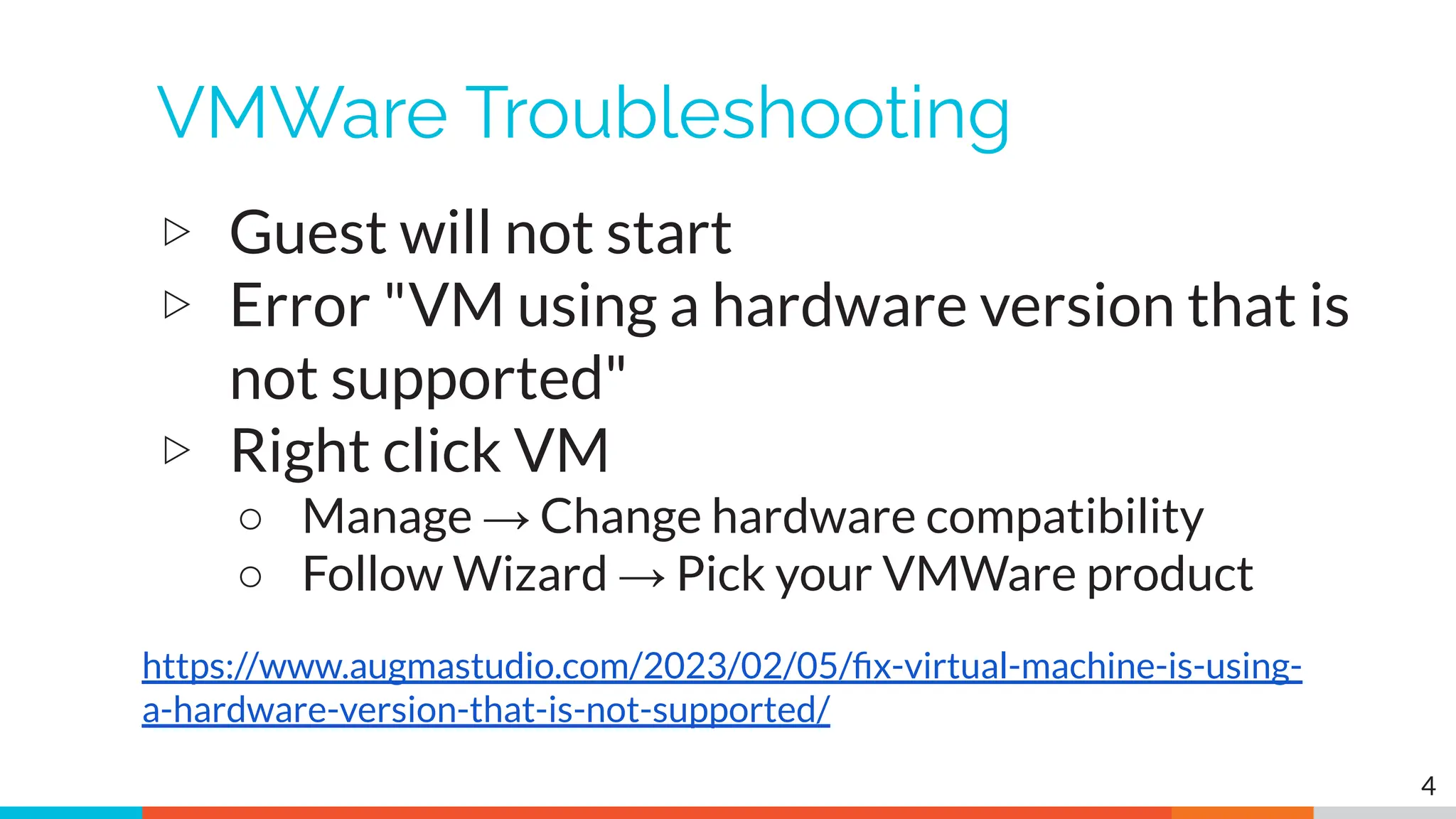
VMWare Troubleshooting
▷ Guest will not start
▷ Error "VM using a hardware version that is
not supported"
▷ Right click VM
○ Manage → Change hardware compatibility
○ Follow Wizard → Pick your VMWare product
4
https://www.augmastudio.com/2023/02/05/fix-virtual-machine-is-using-
a-hardware-version-that-is-not-supported/
VMWare troubleshooting (2)
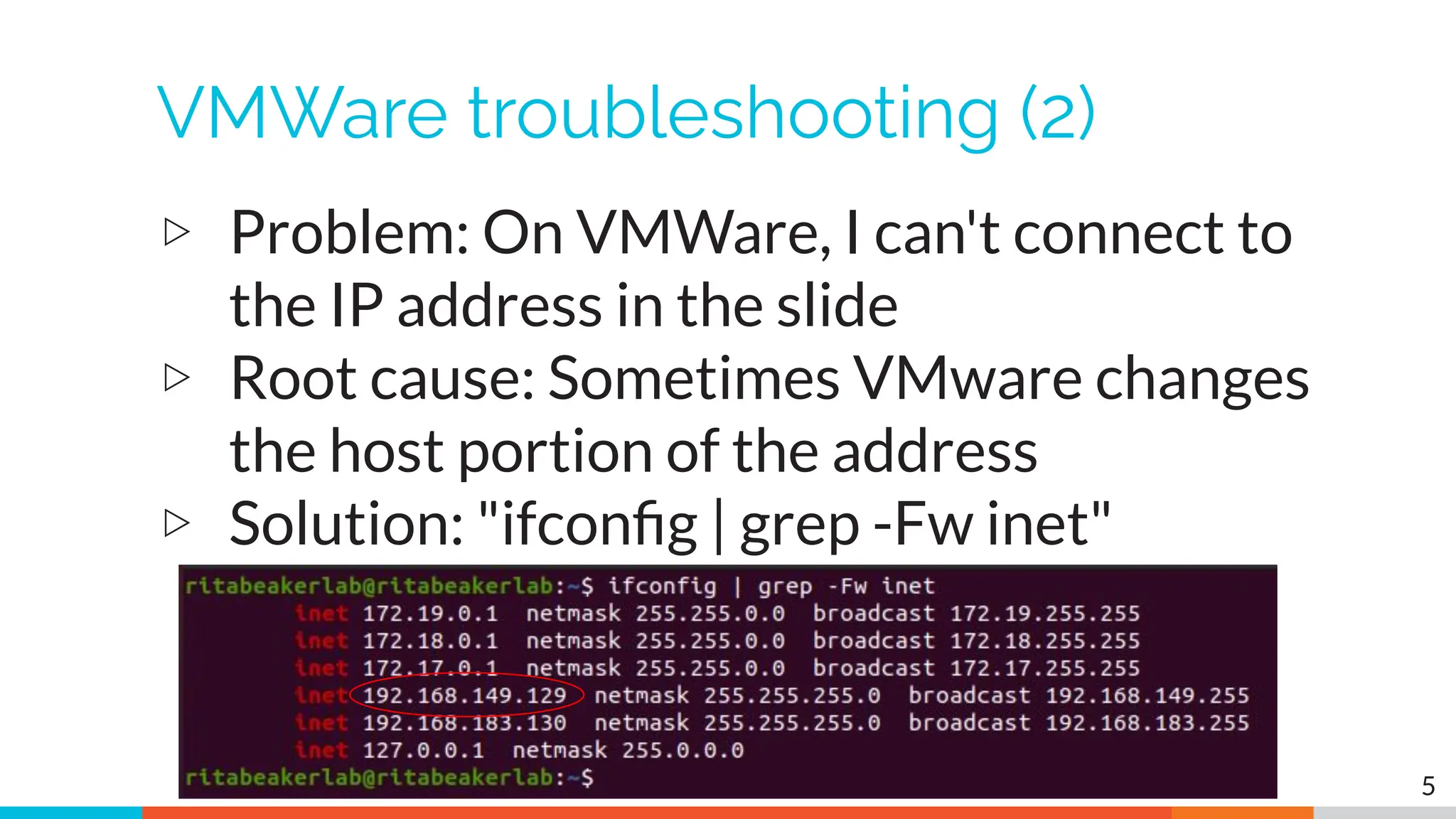
▷ Problem: On VMWare, I can't connect to
the IP address in the slide
▷ Root cause: Sometimes VMware changes
the host portion of the address
▷ Solution: "ifconfig | grep -Fw inet"
5
VMWare generic problems
▷ VMWare loves to consume memory
▷ VMWare loves to consume vCPUs
▷ Feed the beast!
▷ This seems to fix a lot of problems
6
VirtualBox troubleshooting
▷ Can't connect to VM from host
▷ Solution: Enable port forwarding
▷ Should already be done but sometimes this
setting gets lost at import
7
https://www.activecountermeasures.com/port-forwarding-with-virtualbox/
VMWare/VirtualBox host access
▷ VMWare VM accessed via IP address
○ Originally set to 192.168.149.128
○ Example: ssh threat@192.168.149.128
○ Point host browser at https://192.168.149.128
▷ VirtualBox VM accessed via loopback
○ You must setup port forwarding & reboot!
○ Example: ssh threat@127.0.0.1:10022
○ Point host browser at https://127.0.0.1:10443
8
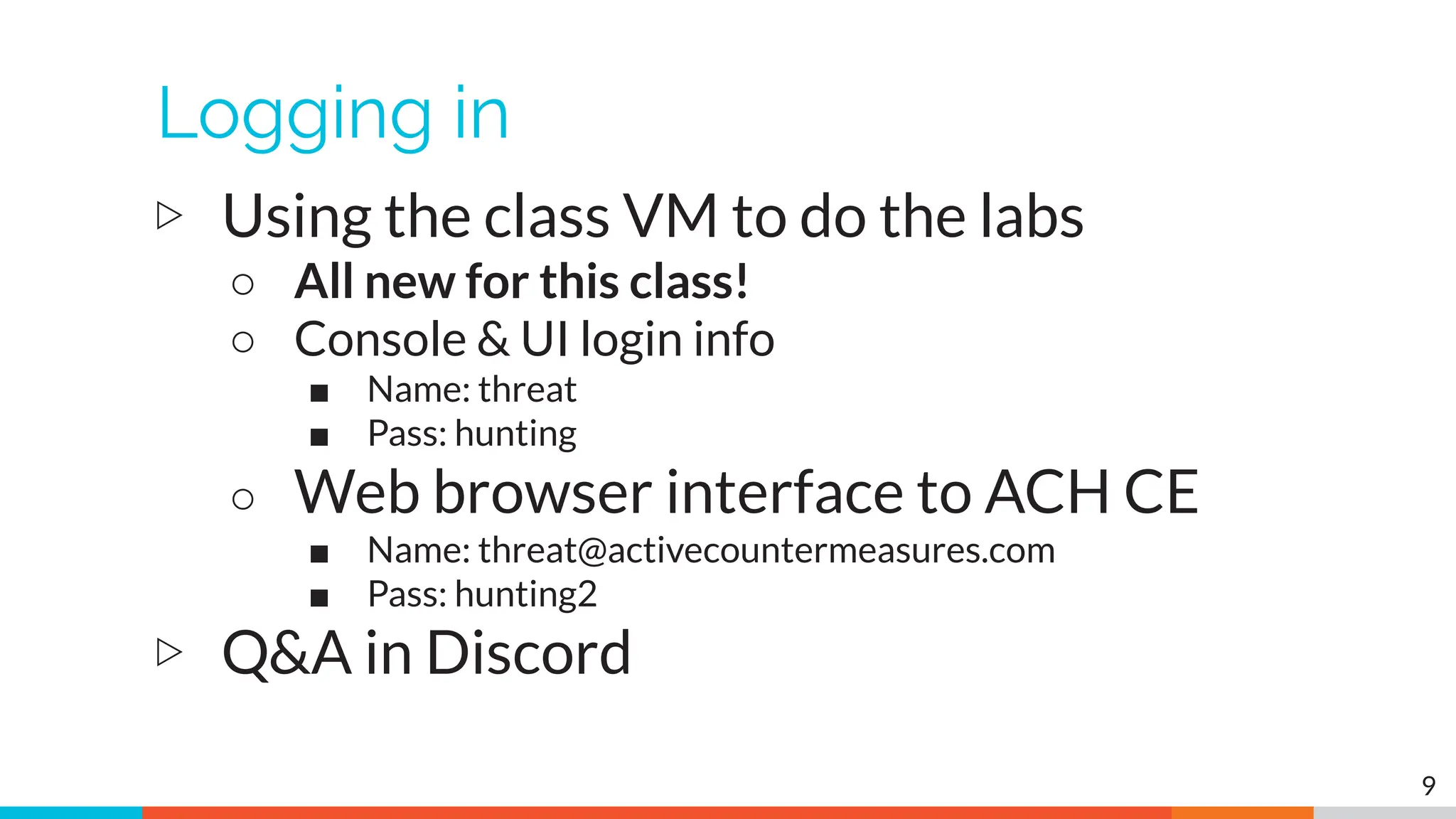
Logging in
▷ Using the class VM to do the labs
○ All new for this class!
○ Console & UI login info
■ Name: threat
■ Pass: hunting
○ Web browser interface to ACH CE
■ Name: threat@activecountermeasures.com
■ Pass: hunting2
▷ Q&A in Discord
9
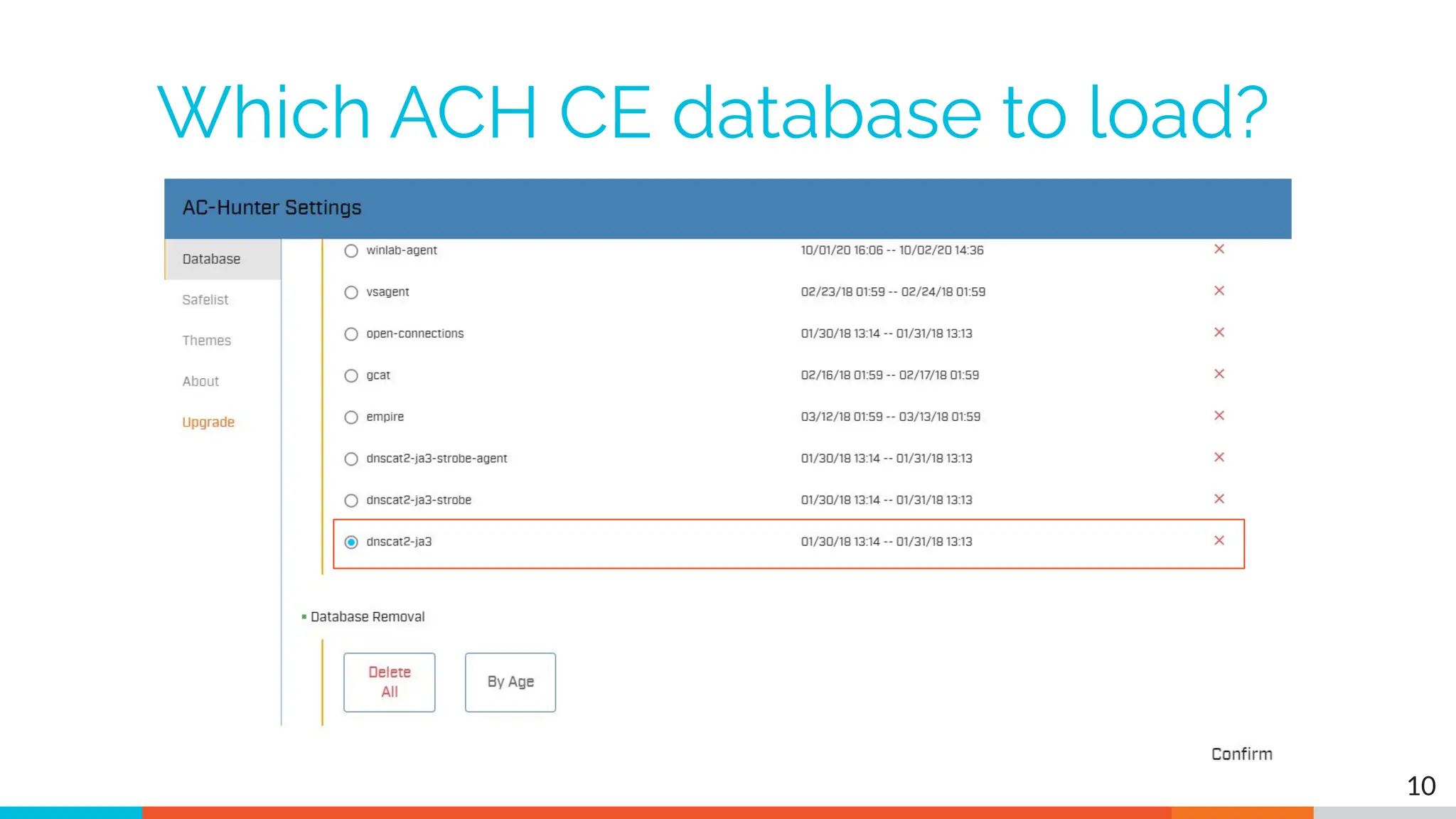
Which ACH CE database to load?
10
11
<shameless_plugs>
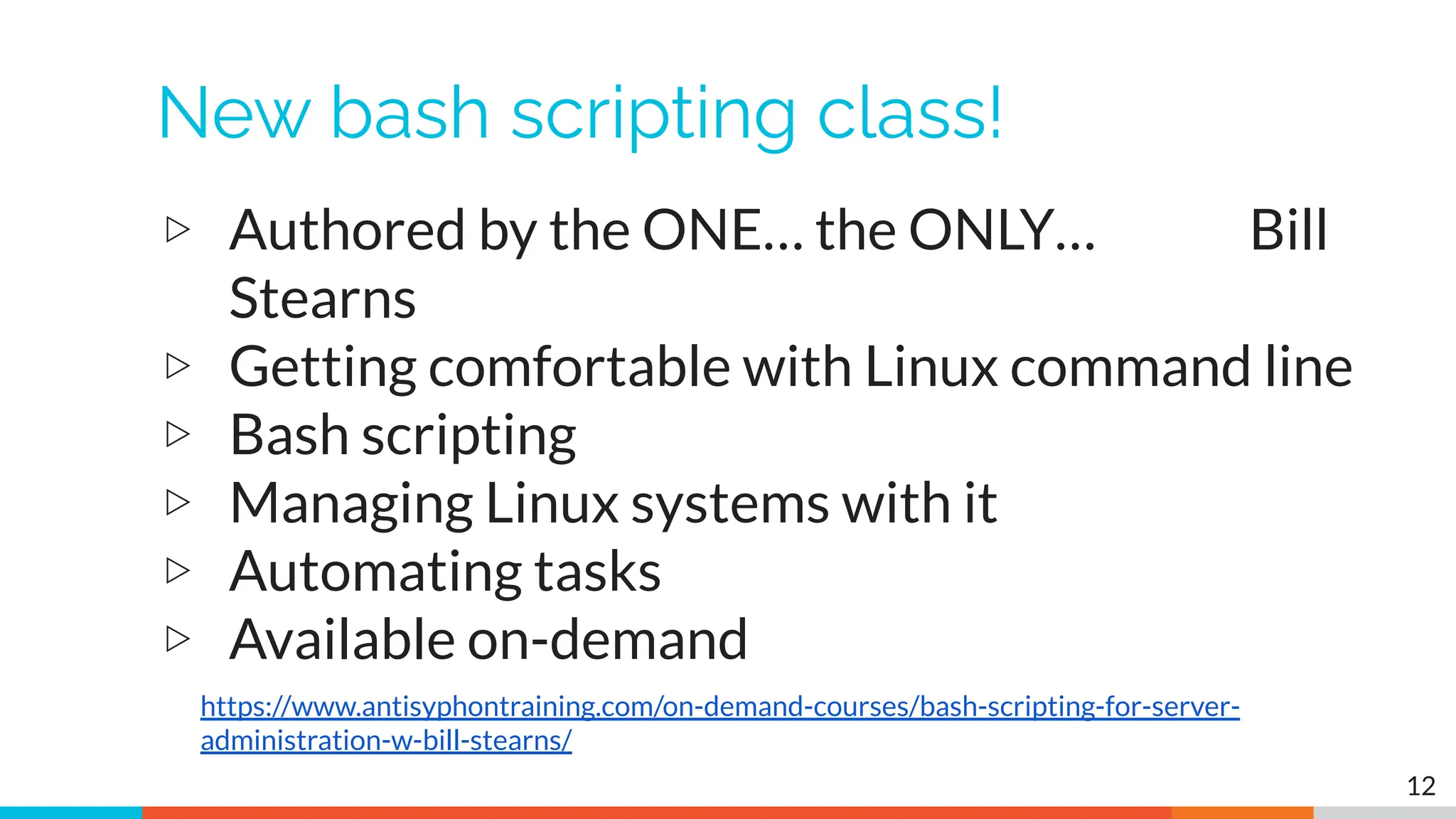
New bash scripting class!
▷ Authored by the ONE… the ONLY… Bill
Stearns
▷ Getting comfortable with Linux command line
▷ Bash scripting
▷ Managing Linux systems with it
▷ Automating tasks
▷ Available on-demand
12
https://www.antisyphontraining.com/on-demand-courses/bash-scripting-for-server-
administration-w-bill-stearns/
My upcoming classes
● Advanced threat hunting
○ Mostly hands on labs - Aug 24th & 25th
○ https://www.antisyphontraining.com/event/advanced-network-thr
eat-hunting/2023-08-24/
● Intro to packet decoding
○ IP from a security perspective - Oct 31st through Nov 3rd
○ https://www.antisyphontraining.com/event/getting-started-in-pac
ket-decoding/2023-10-31/
● Next level 1 Threat Hunting class
○ Oct 3rd
○ https://www.activecountermeasures.com/hunt-training/
13
Upcoming Events
▷ Wild West Hackin' Fest!
▷ Two days of training
○ Oct 17-18
▷ Followed by two days of talks
○ Oct 19-20
▷ In person or virtual
○ Come say "Hi" at the ACM booth
▷ Lots of presos and hands-on workshops
14
https://wildwesthackinfest.com/
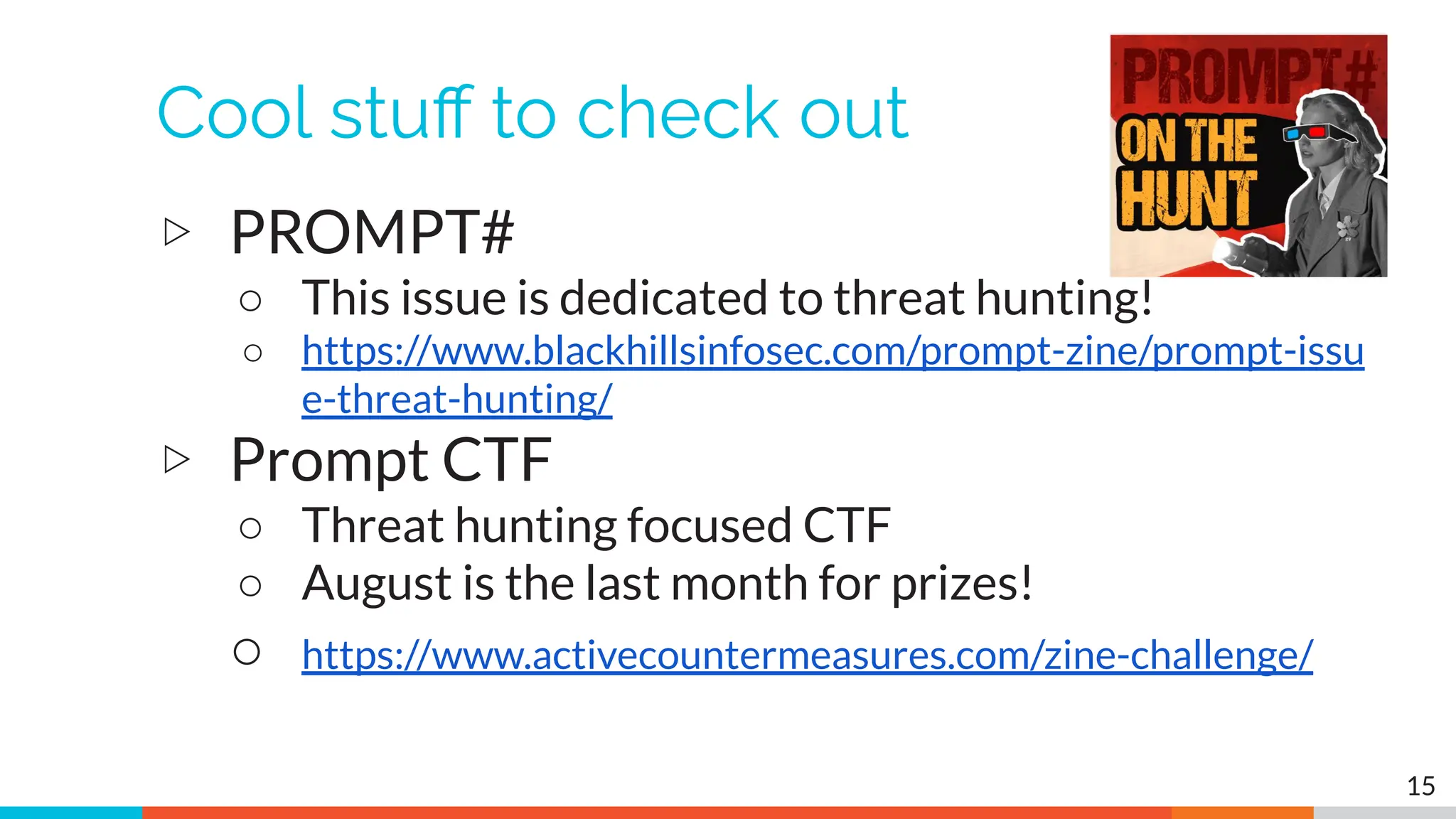
Cool stuff to check out
▷ PROMPT#
○ This issue is dedicated to threat hunting!
○ https://www.blackhillsinfosec.com/prompt-zine/prompt-issu
e-threat-hunting/
▷ Prompt CTF
○ Threat hunting focused CTF
○ August is the last month for prizes!
○ https://www.activecountermeasures.com/zine-challenge/
15
16
</shameless_plugs>
Logistics
▷ 10 minute break at top of each hour
▷ 20 minute break at 3 hour point
▷ Use the Discord channel for discussion
○ #acm-webcast-chat channel
▷ The team is monitoring for your questions
17
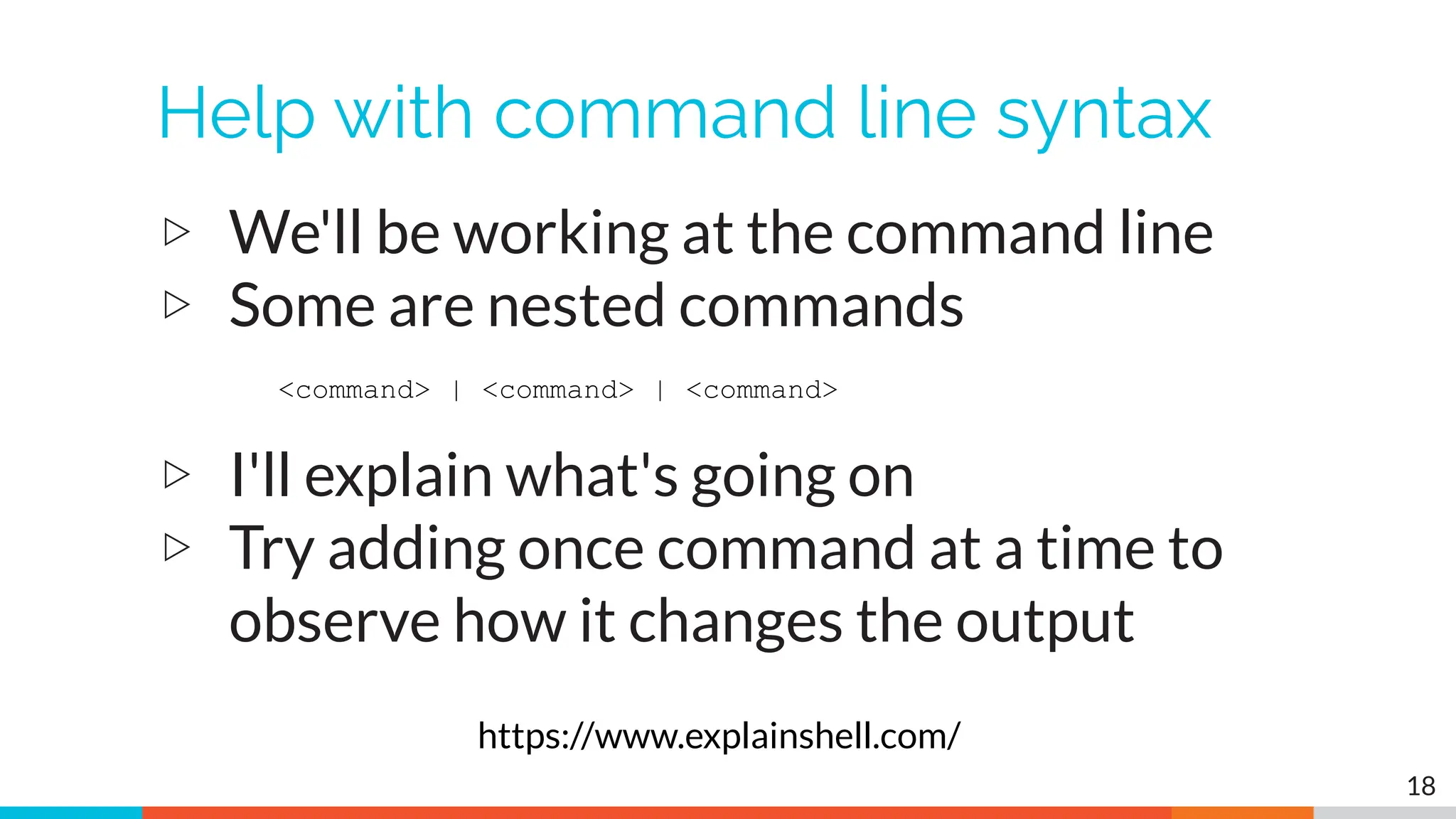
Help with command line syntax
▷ We'll be working at the command line
▷ Some are nested commands
▷ I'll explain what's going on
▷ Try adding once command at a time to
observe how it changes the output
18
<command> | <command> | <command>
https://www.explainshell.com/
Goals for this class
▷ Define "cyber threat hunting"
▷ Identify how to perform a threat hunt
▷ Define and identify connection persistency
▷ Learn how to investigate endpoints
▷ Hands on lab time running down real C2
channels seen in the wild
19
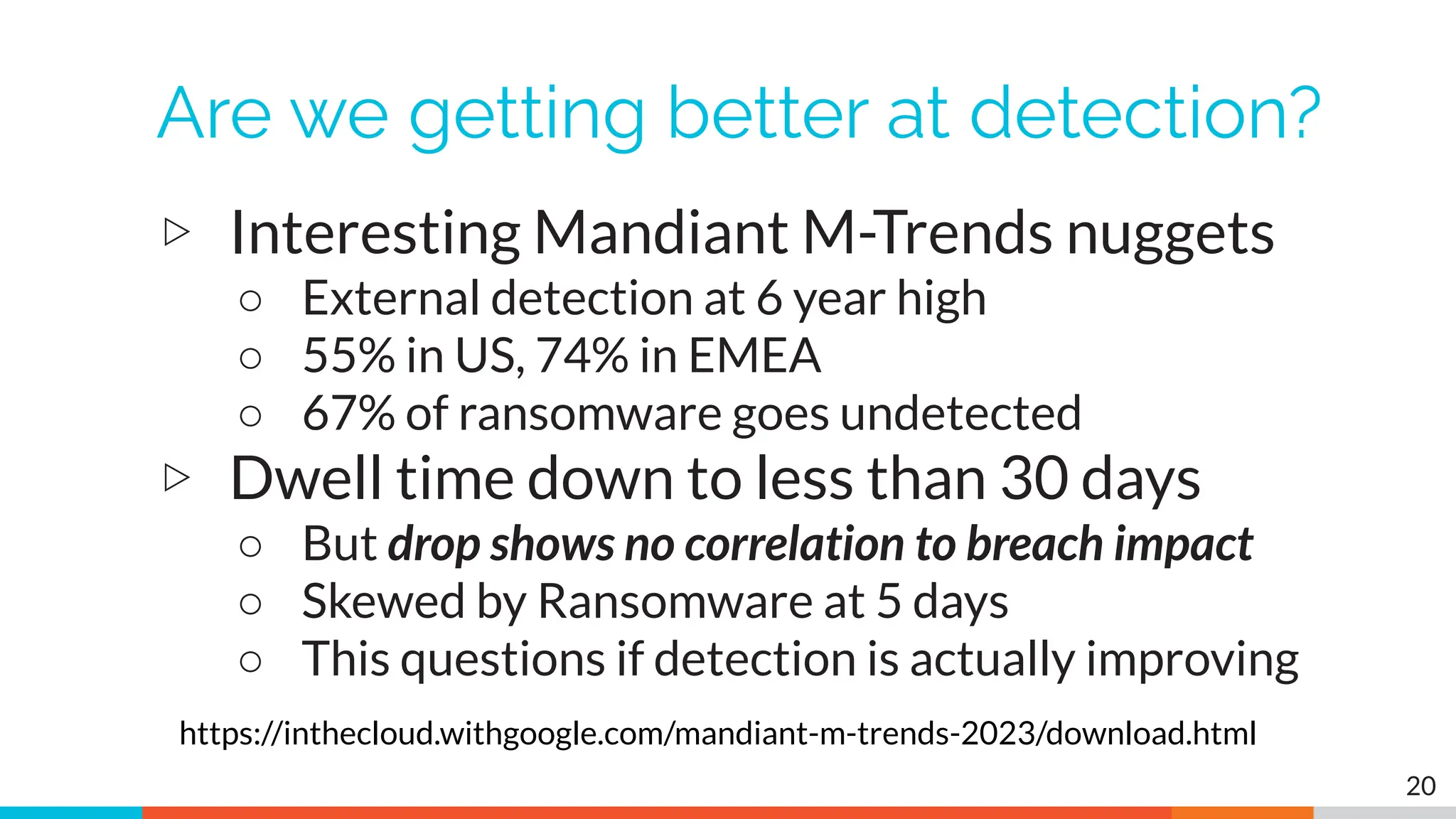
Are we getting better at detection?
▷ Interesting Mandiant M-Trends nuggets
○ External detection at 6 year high
○ 55% in US, 74% in EMEA
○ 67% of ransomware goes undetected
▷ Dwell time down to less than 30 days
○ But drop shows no correlation to breach impact
○ Skewed by Ransomware at 5 days
○ This questions if detection is actually improving
20
https://inthecloud.withgoogle.com/mandiant-m-trends-2023/download.html
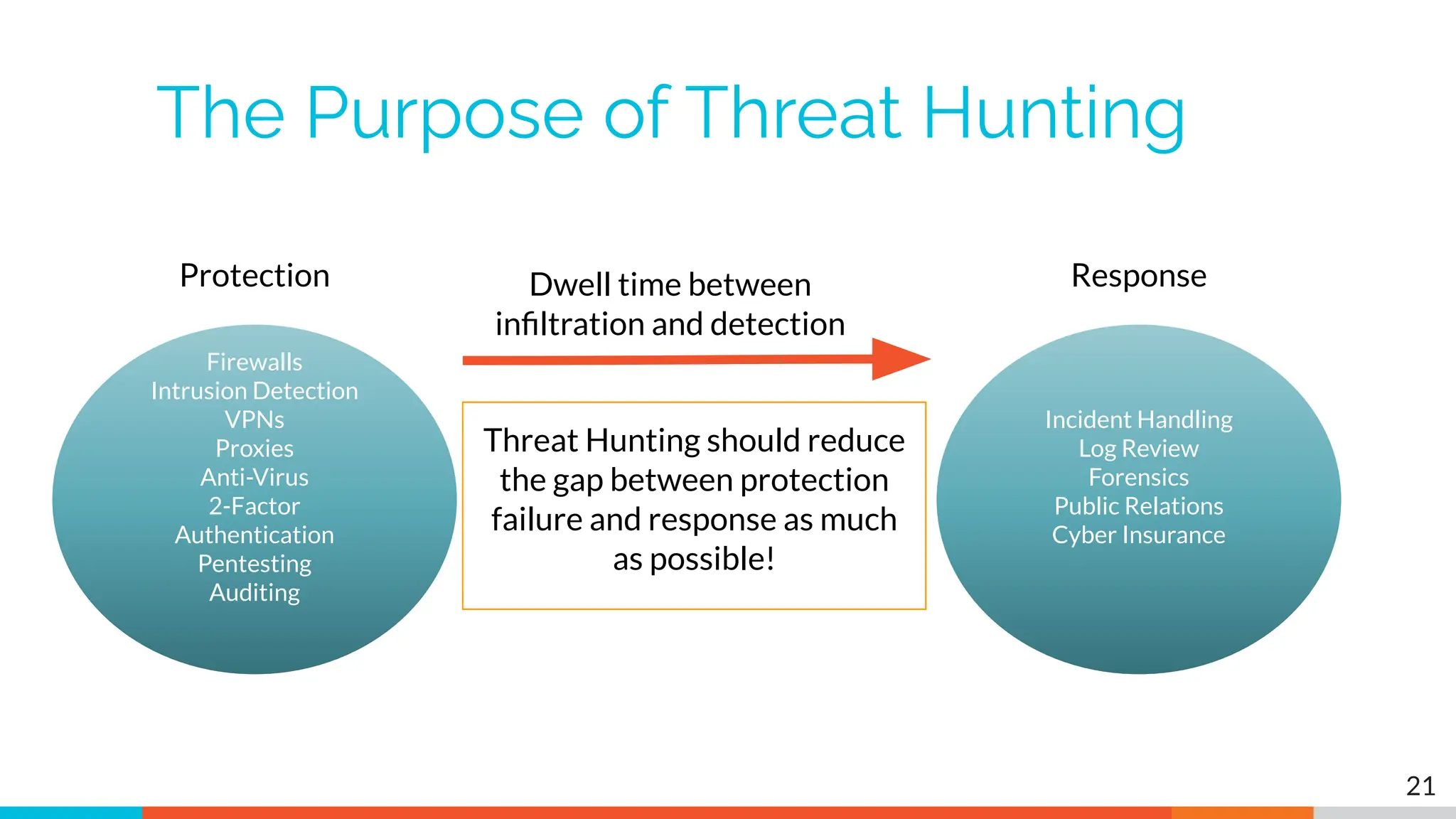
The Purpose of Threat Hunting
Firewalls
Intrusion Detection
VPNs
Proxies
Anti-Virus
2-Factor
Authentication
Pentesting
Auditing
Threat Hunting should reduce
the gap between protection
failure and response as much
as possible!
Protection
Incident Handling
Log Review
Forensics
Public Relations
Cyber Insurance
Dwell time between
infiltration and detection
Response
21
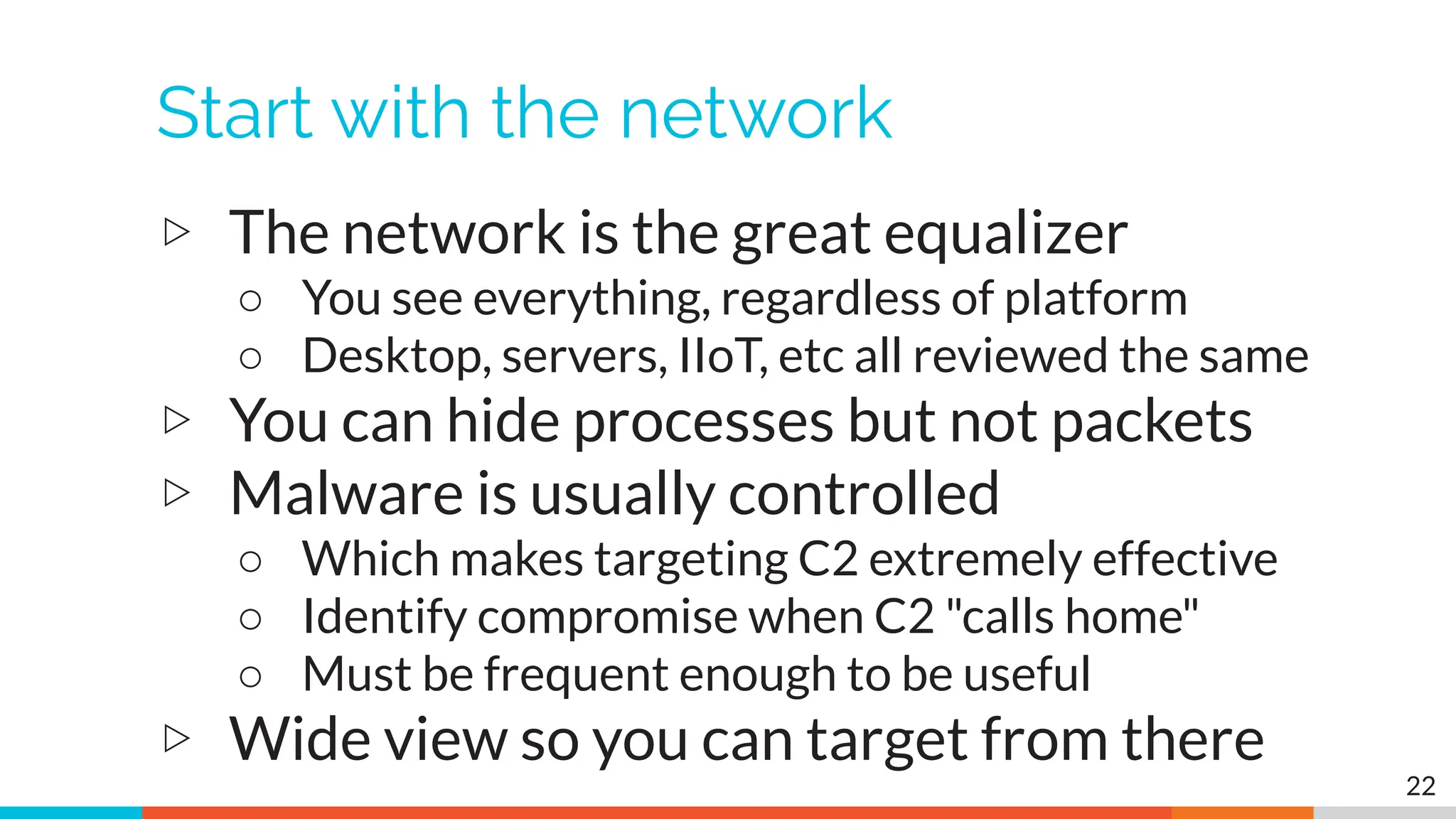
Start with the network
▷ The network is the great equalizer
○ You see everything, regardless of platform
○ Desktop, servers, IIoT, etc all reviewed the same
▷ You can hide processes but not packets
▷ Malware is usually controlled
○ Which makes targeting C2 extremely effective
○ Identify compromise when C2 "calls home"
○ Must be frequent enough to be useful
▷ Wide view so you can target from there
22
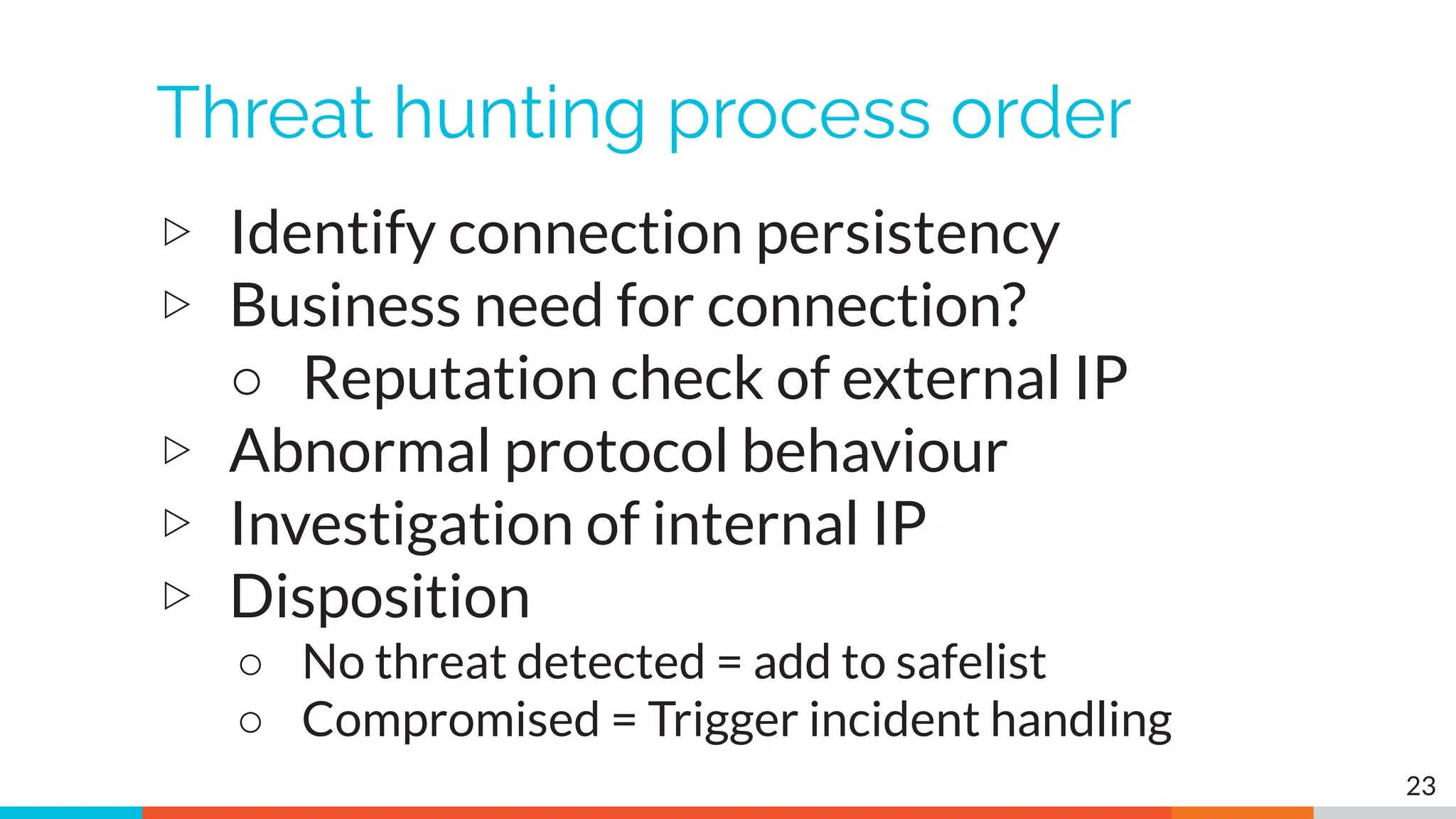
Threat hunting process order
▷ Identify connection persistency
▷ Business need for connection?
○ Reputation check of external IP
▷ Abnormal protocol behaviour
▷ Investigation of internal IP
▷ Disposition
○ No threat detected = add to safelist
○ Compromised = Trigger incident handling
23
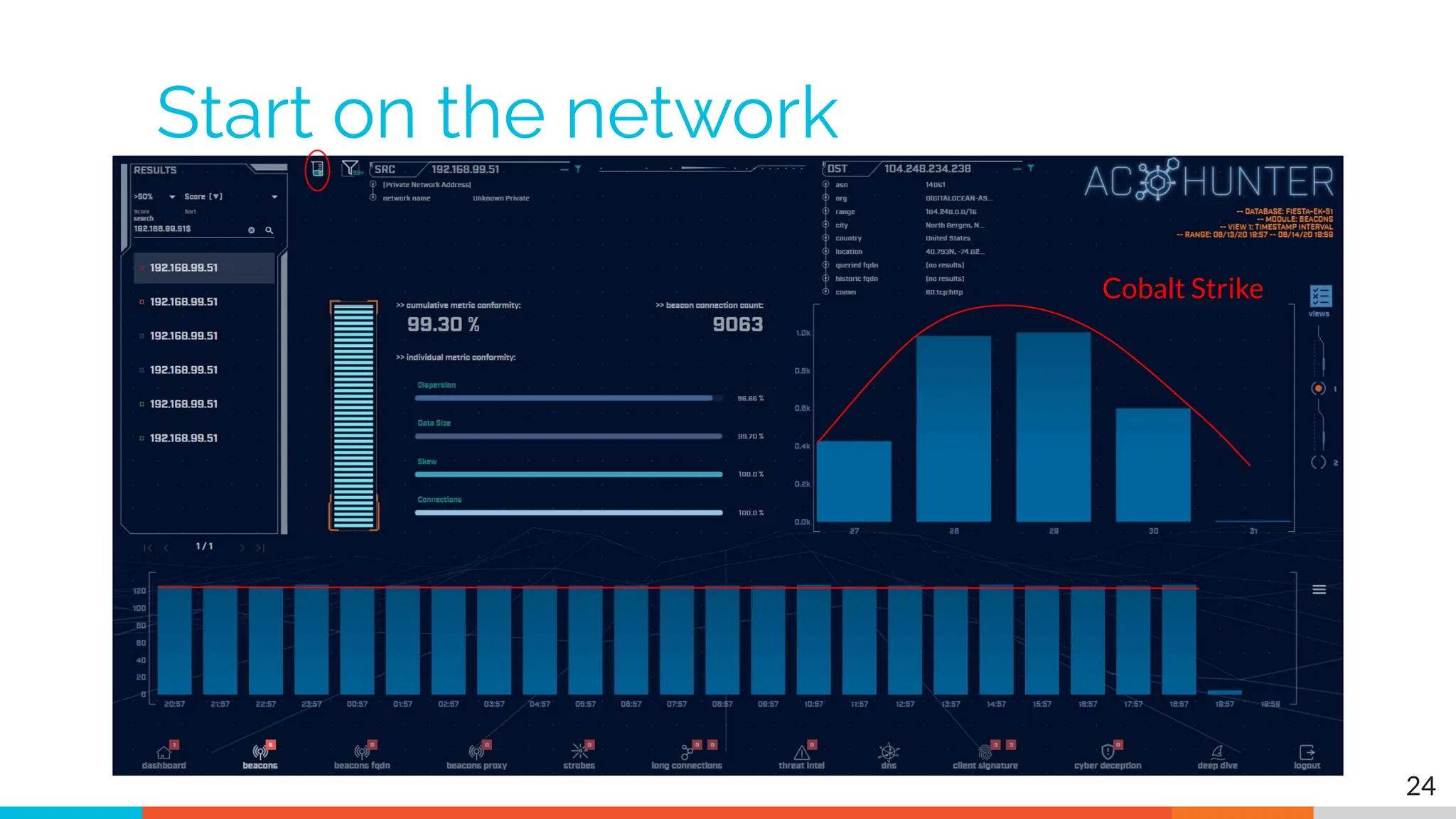
Start on the network
24
Cobalt Strike
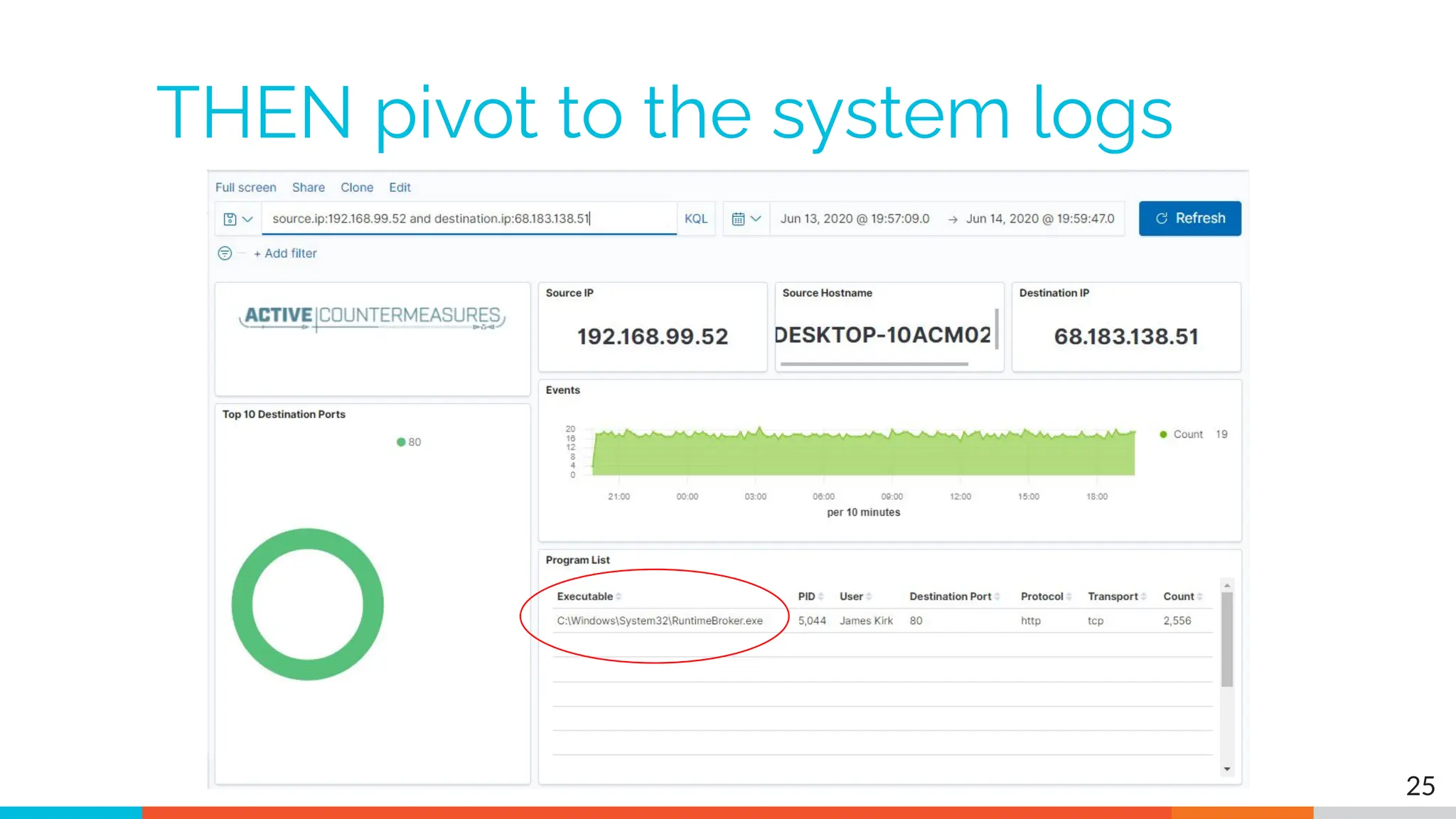
THEN pivot to the system logs
25
Don't cross "the passive/active line"
▷ All threat hunting activity should be
undetectable to an adversary
▷ Passive in nature
○ Review packets
○ Review SIEM logs
▷ If active techniques are required, we must
trigger incident response first
○ Example: Isolating the suspect host
○ Example: Running commands on suspect host 26
C2 Detection Techniques
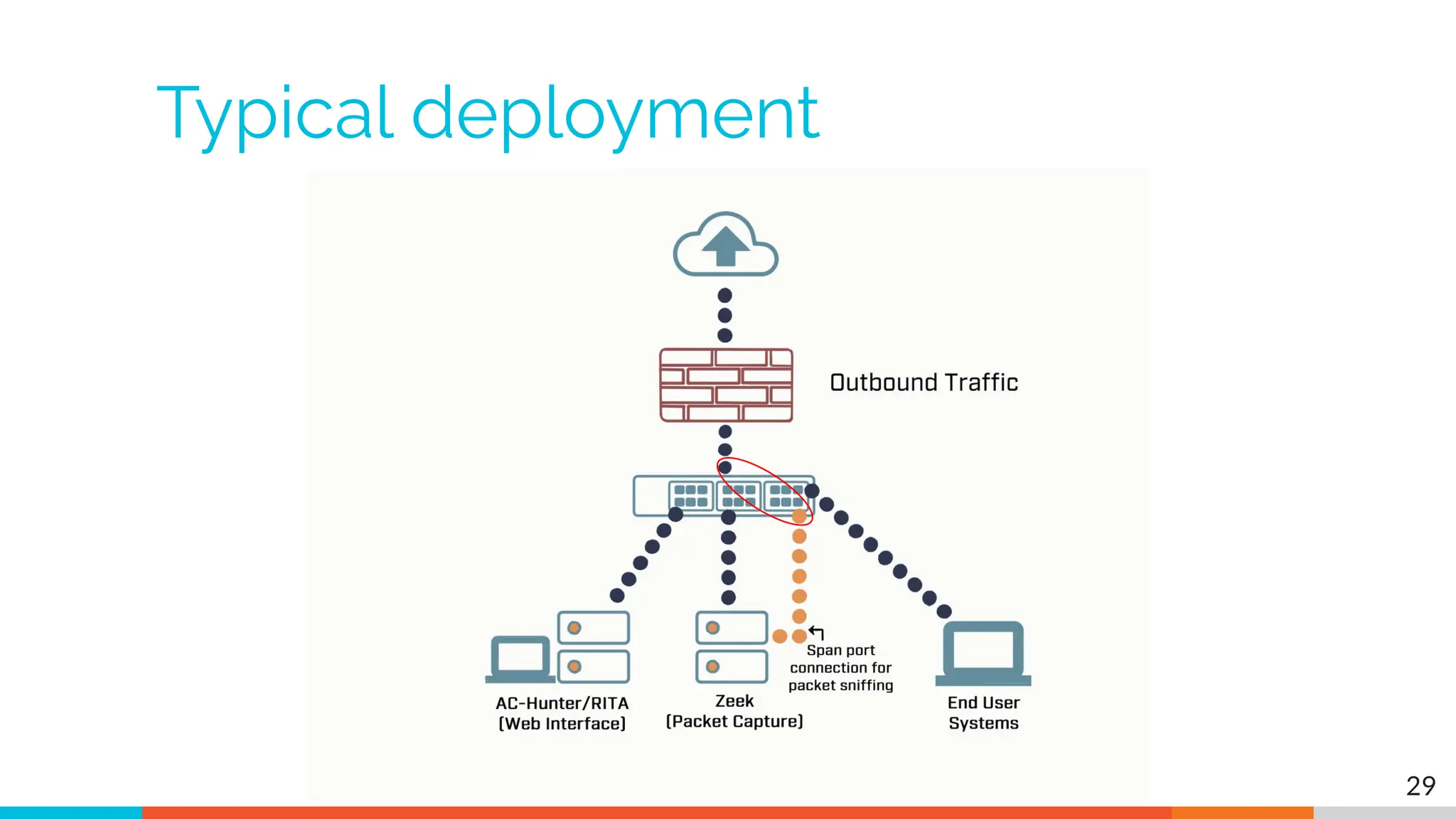
Where to Start
▷ Traffic to and from the Internet
○ Monitor internal interface of firewall
▷ Packet captures or Zeek data
▷ Analyze in large time blocks
○ More data = better fidelity
○ Minimum of 12 hours, 24 is ideal
▷ Analyze communications in pairs
○ Every outbound session passing the firewall
○ Ignore internal to internal (high false positive)
28
Typical deployment
29
Does targeting C2 have blind spots?
▷ Attackers motivated by gain
○ Information
○ Control of resources
▷ Sometimes "gain" does not require C2
○ Just looking to destroy the target
○ Equivalent to dropping a cyber bomb
○ We are talking nation state at this level
▷ NotPetya
○ Worm with no C2 designed to seek and destroy
30
Start by checking persistency
▷ Focus on persistent connections
○ Internal system in constantly initiating
connections with an outside "system"
○ Long connections
○ Beacons
▷ Persistent connections should have an
identifiable business need
○ More on this later
31
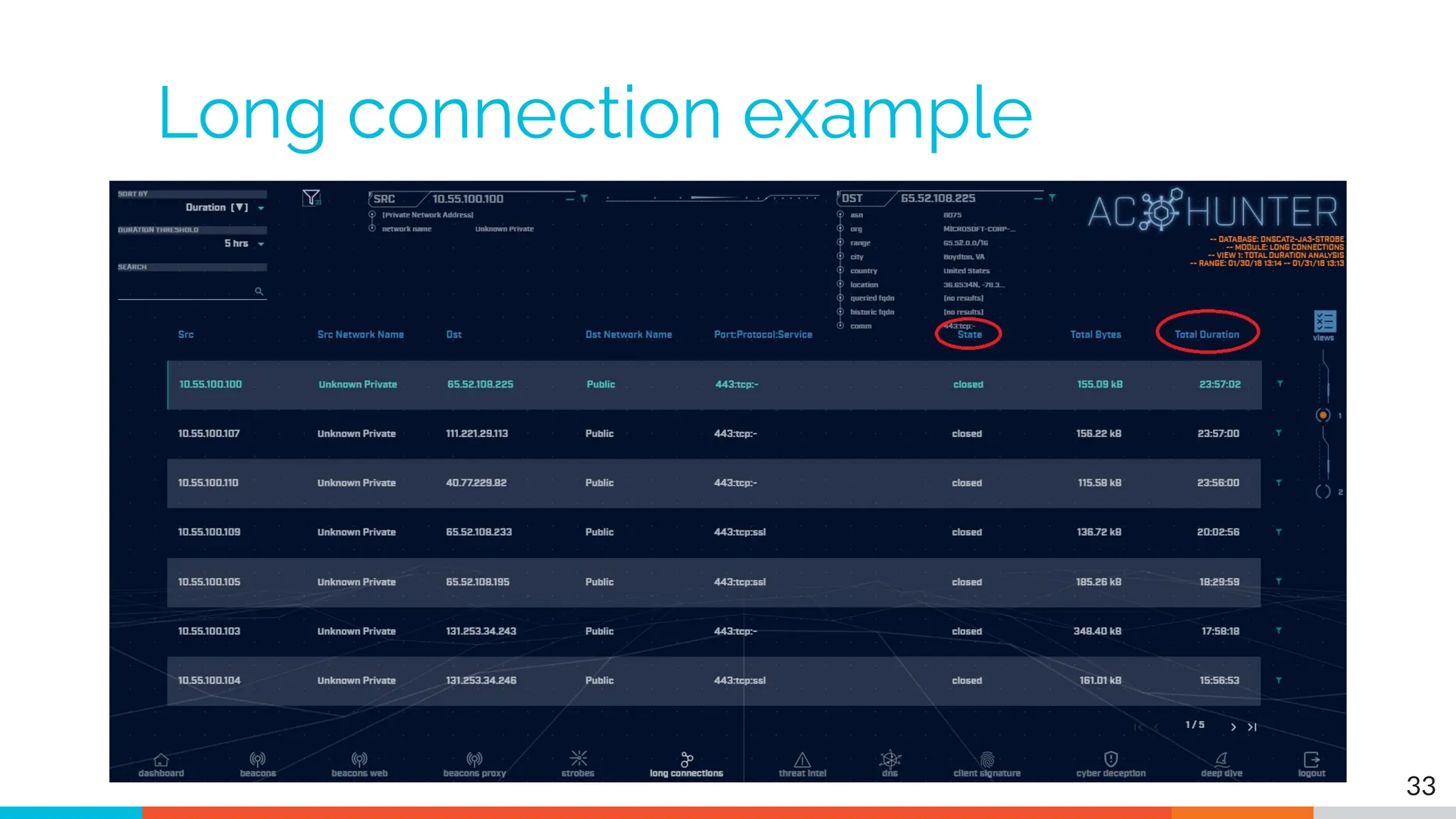
Long connections
▷ You are looking for:
▷ Total time for each connection
○ Which ones have gone on the longest?
▷ Cumulative time for all pair connections
○ Total amount of time the pair has been in contact
▷ Can be useful to ignore ports or protocols
○ C2 can change channels
32
Long connection example
33
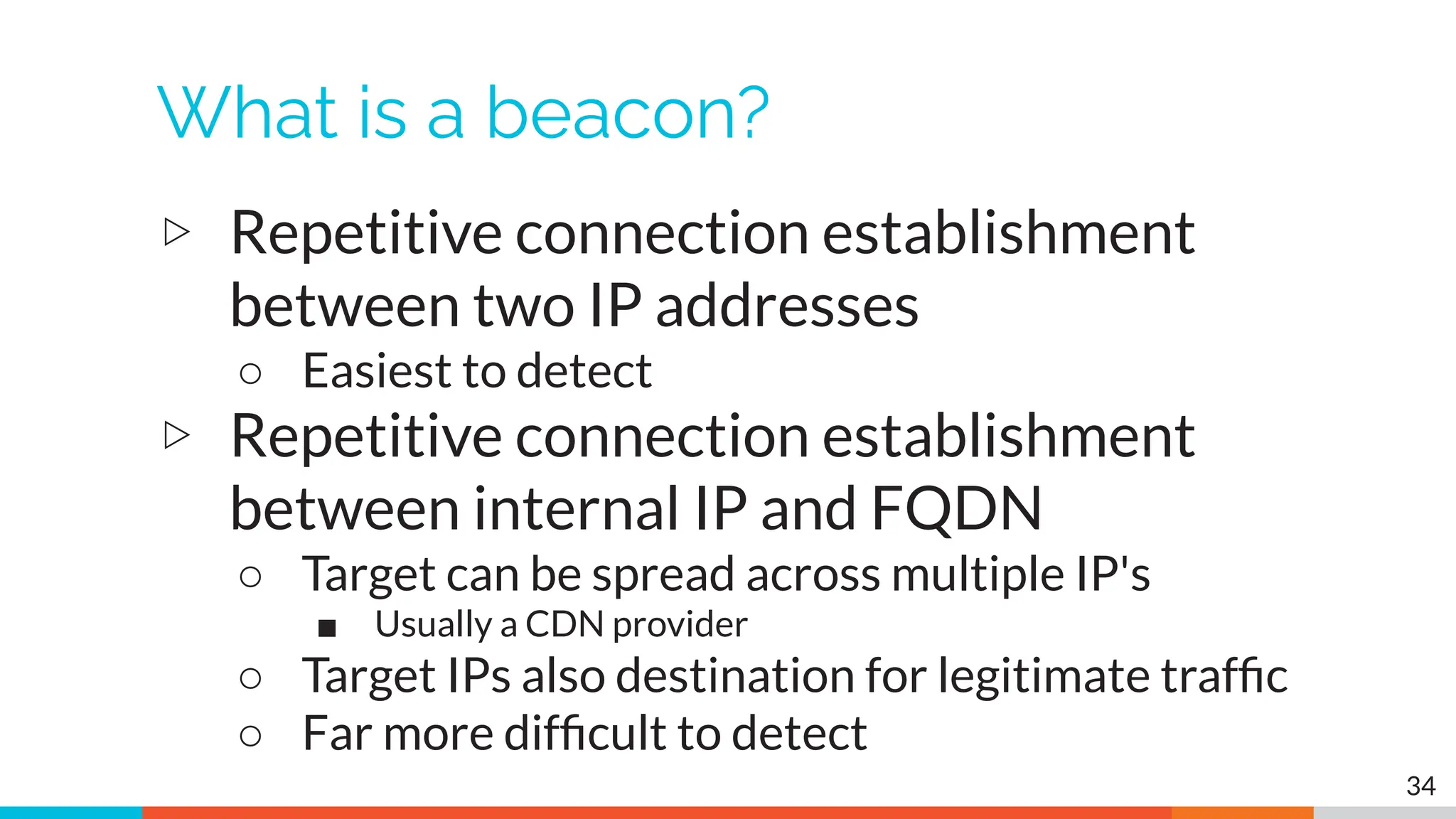
What is a beacon?
▷ Repetitive connection establishment
between two IP addresses
○ Easiest to detect
▷ Repetitive connection establishment
between internal IP and FQDN
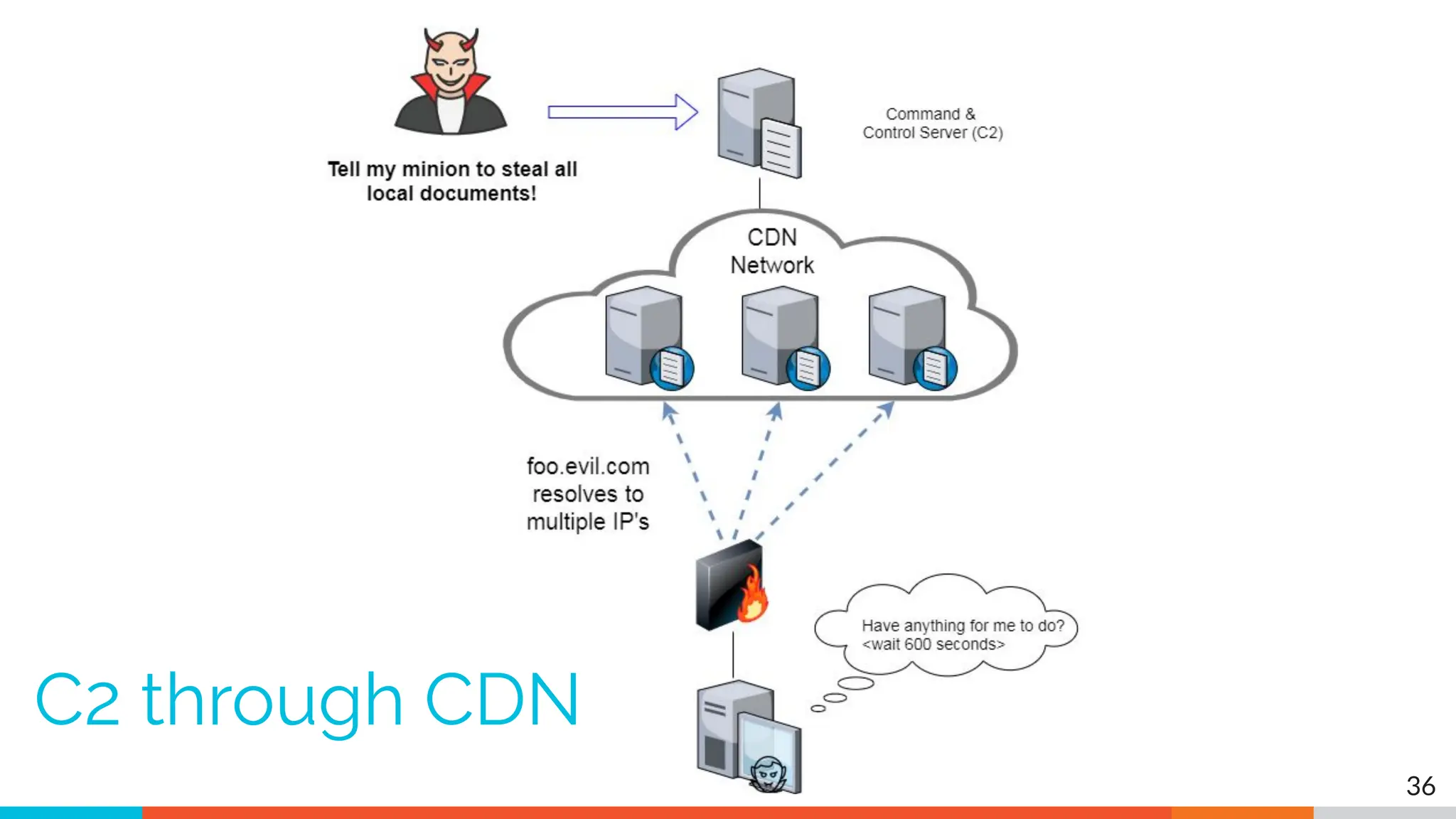
○ Target can be spread across multiple IP's
■ Usually a CDN provider
○ Target IPs also destination for legitimate traffic
○ Far more difficult to detect
34
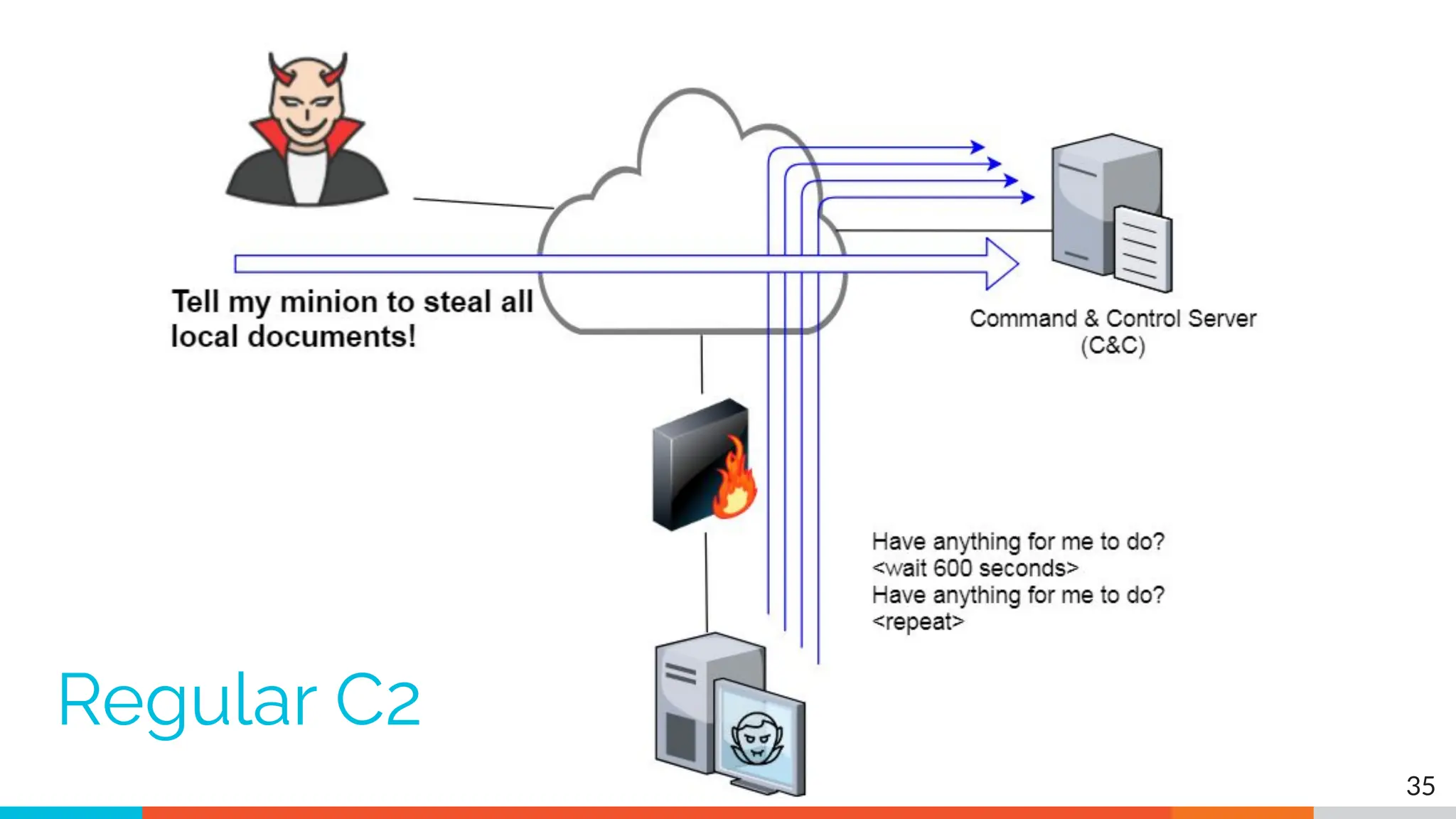
35
Regular C2
36
C2 through CDN
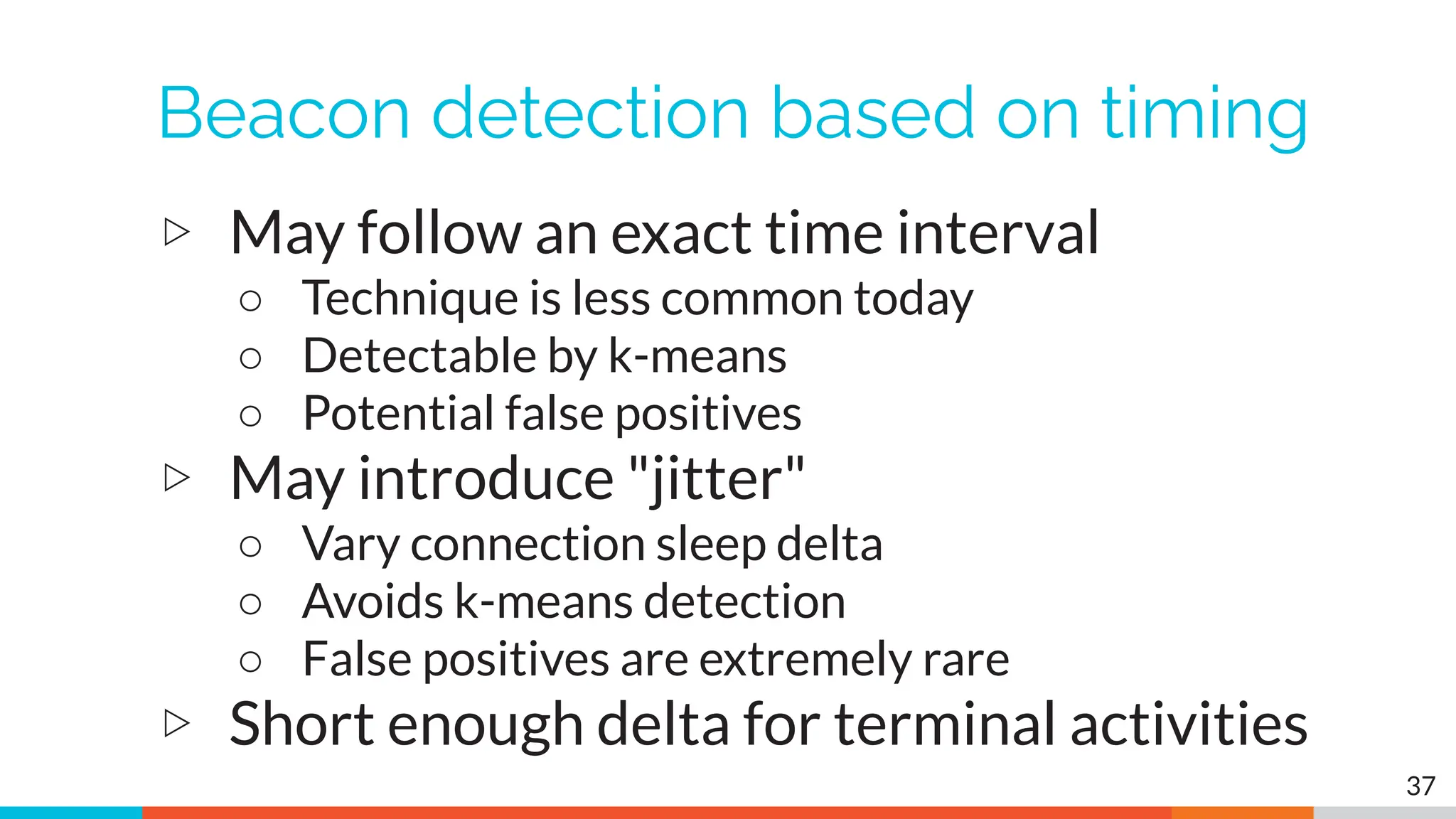
Beacon detection based on timing
▷ May follow an exact time interval
○ Technique is less common today
○ Detectable by k-means
○ Potential false positives
▷ May introduce "jitter"
○ Vary connection sleep delta
○ Avoids k-means detection
○ False positives are extremely rare
▷ Short enough delta for terminal activities
37
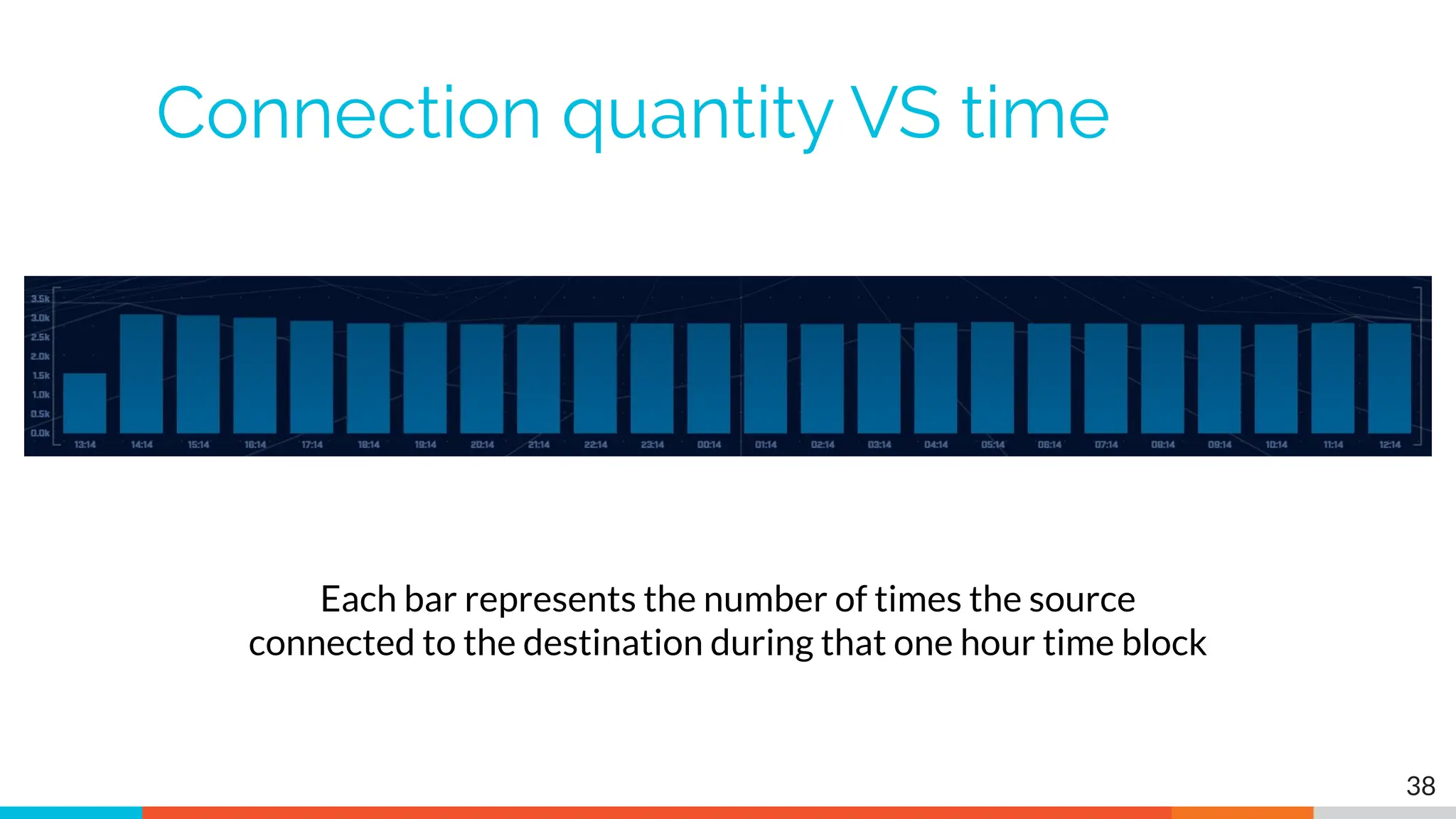
Connection quantity VS time
38
Each bar represents the number of times the source
connected to the destination during that one hour time block
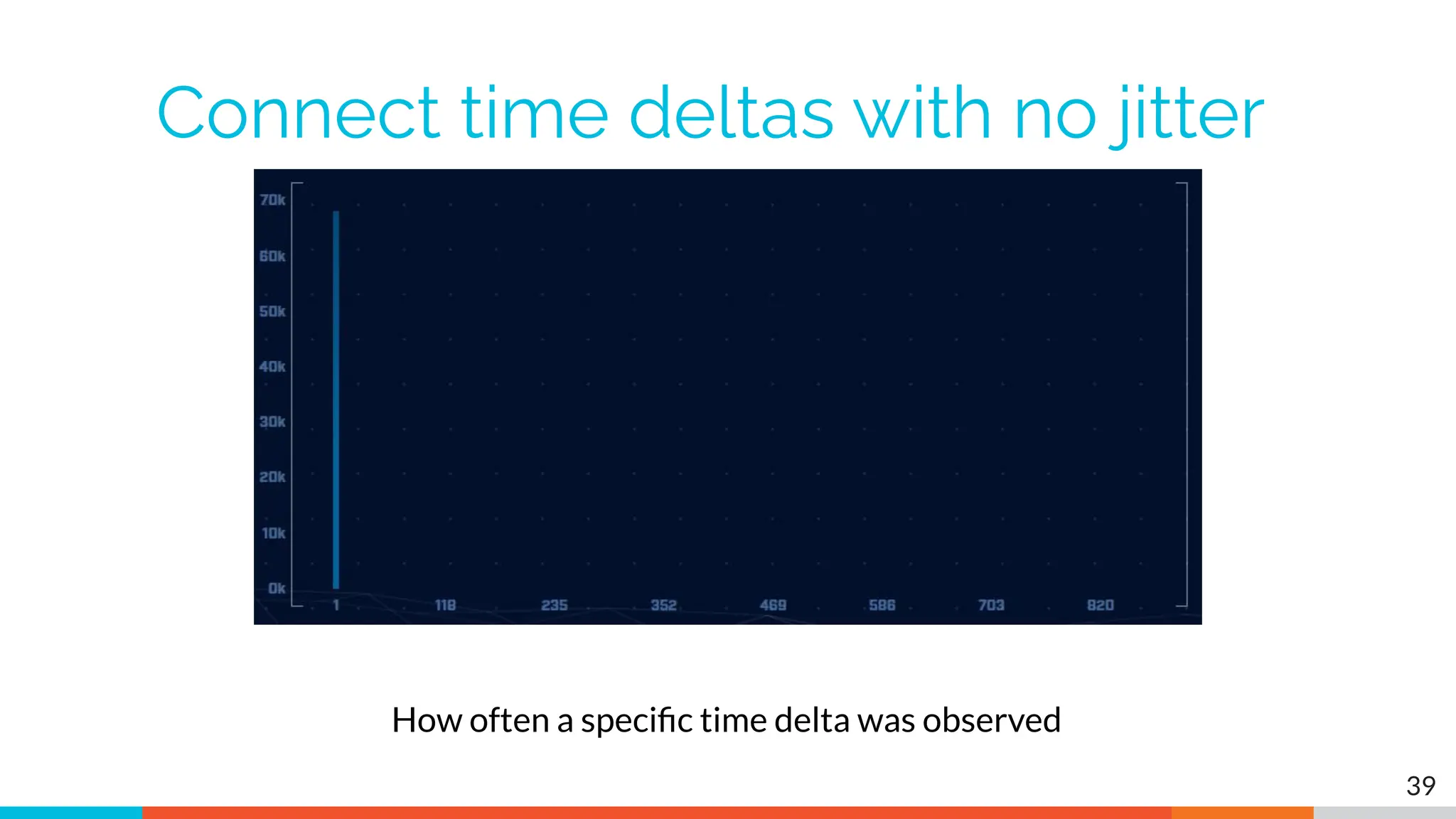
Connect time deltas with no jitter
39
How often a specific time delta was observed
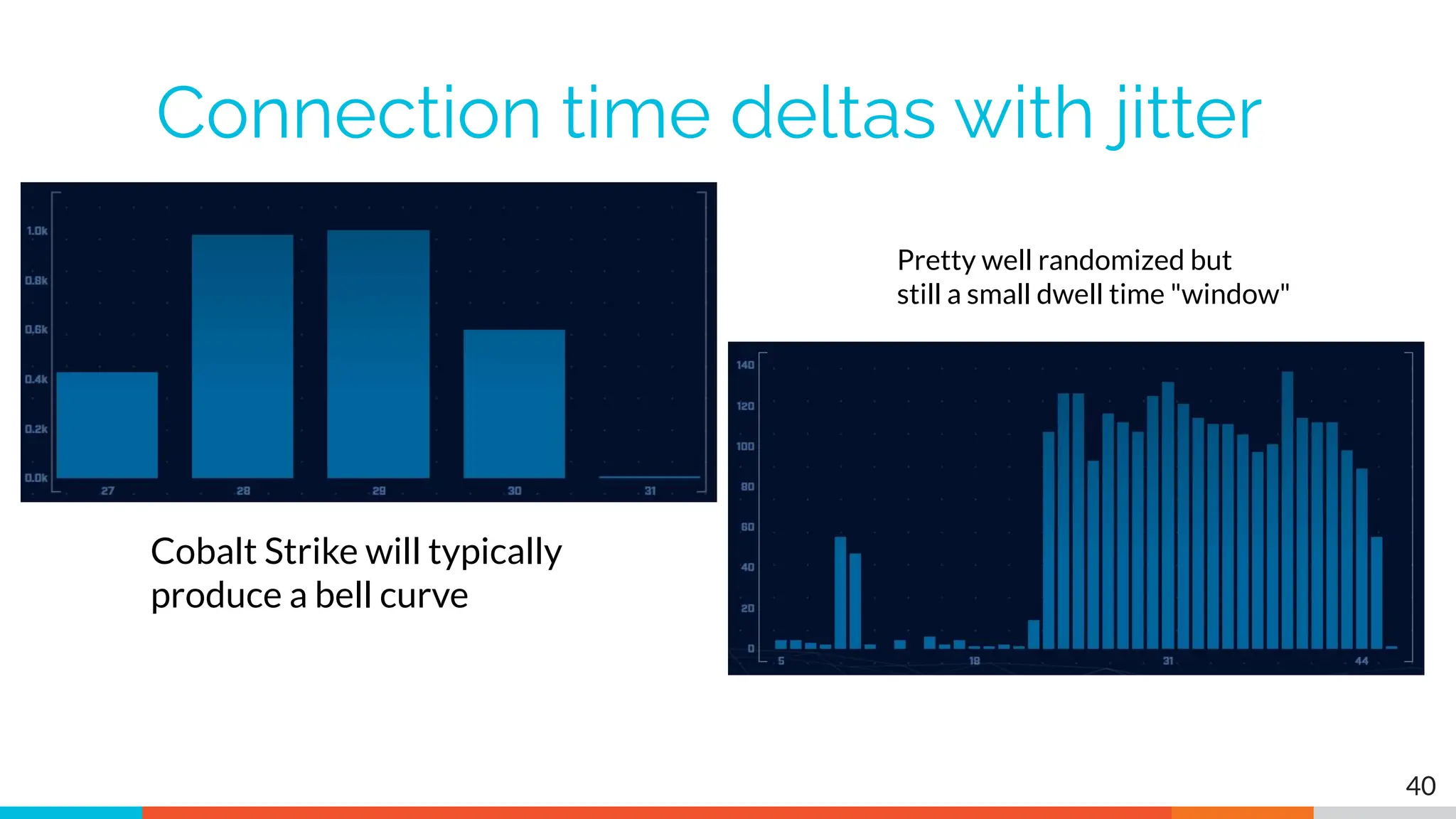
Connection time deltas with jitter
40
Cobalt Strike will typically
produce a bell curve
Pretty well randomized but
still a small dwell time "window"
Detection based on session size
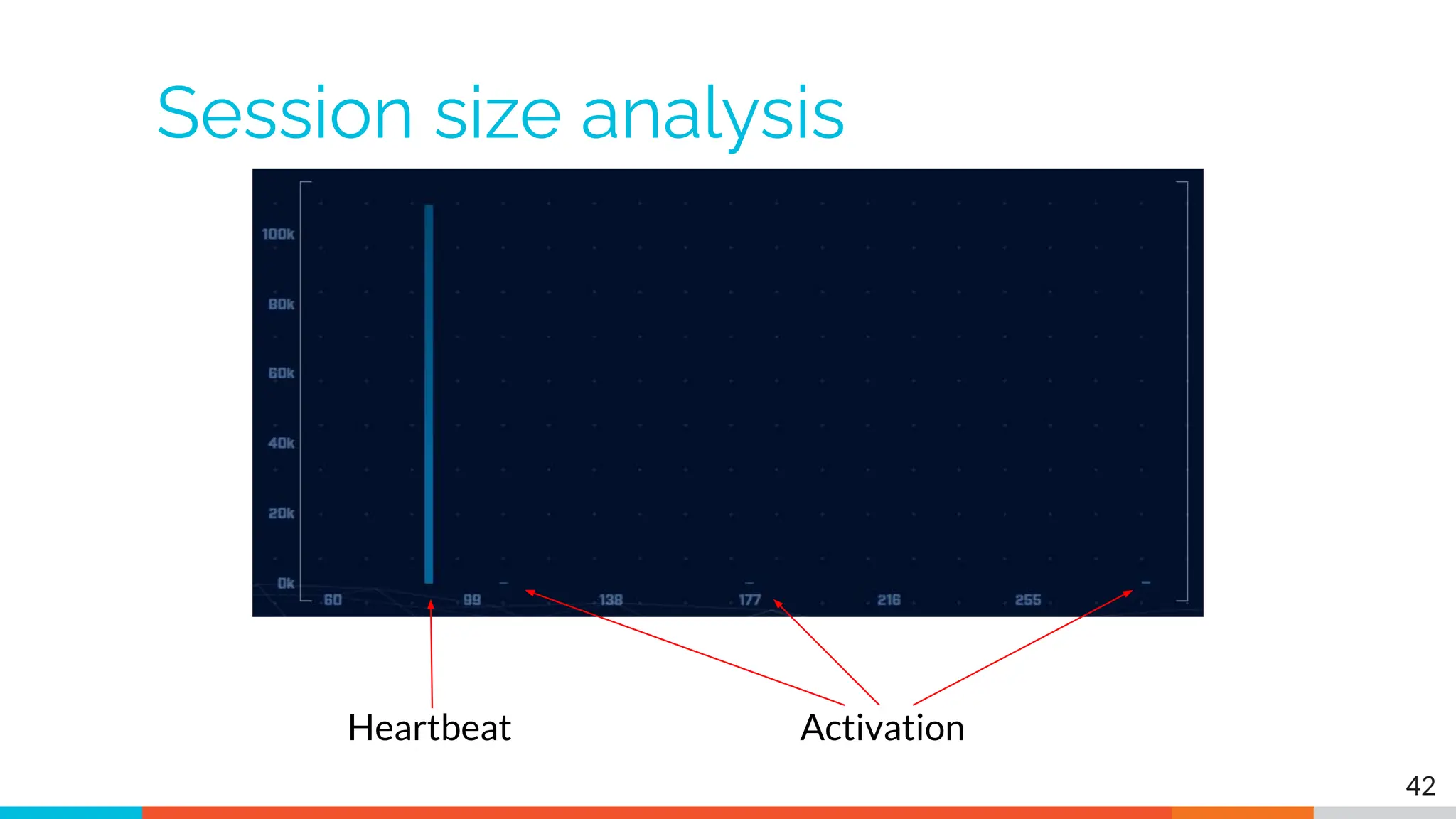
▷ Focuses on detection of the heartbeat
○ Useful for C2 over social media
▷ Variations from the heartbeat indicate
activation of C2 channel
▷ Session size can help reveal info regarding
commands being issued
▷ Possible to randomly pad but this is
extremely rare
41
Session size analysis
42
Heartbeat Activation
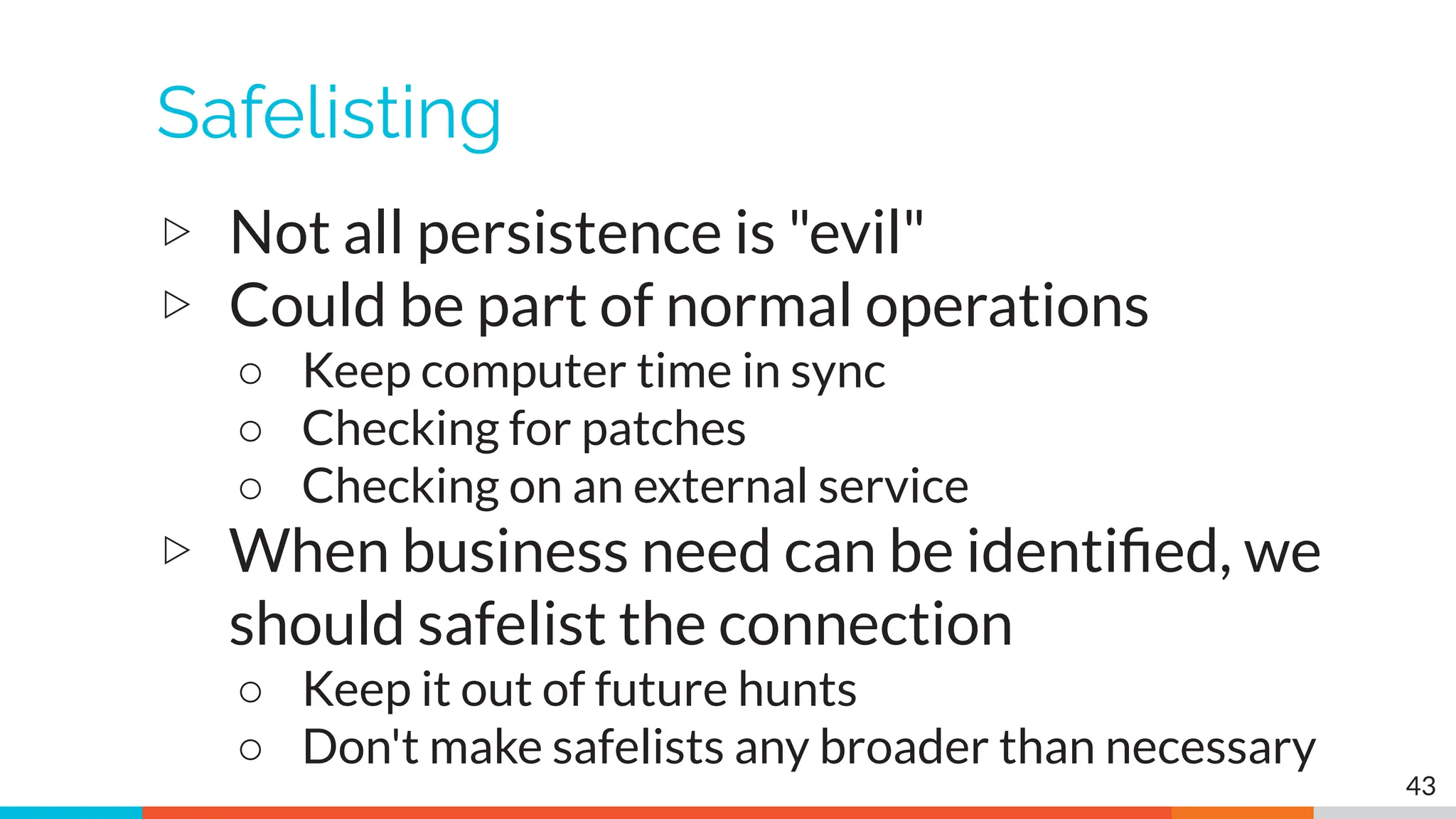
Safelisting
▷ Not all persistence is "evil"
▷ Could be part of normal operations
○ Keep computer time in sync
○ Checking for patches
○ Checking on an external service
▷ When business need can be identified, we
should safelist the connection
○ Keep it out of future hunts
○ Don't make safelists any broader than necessary
43
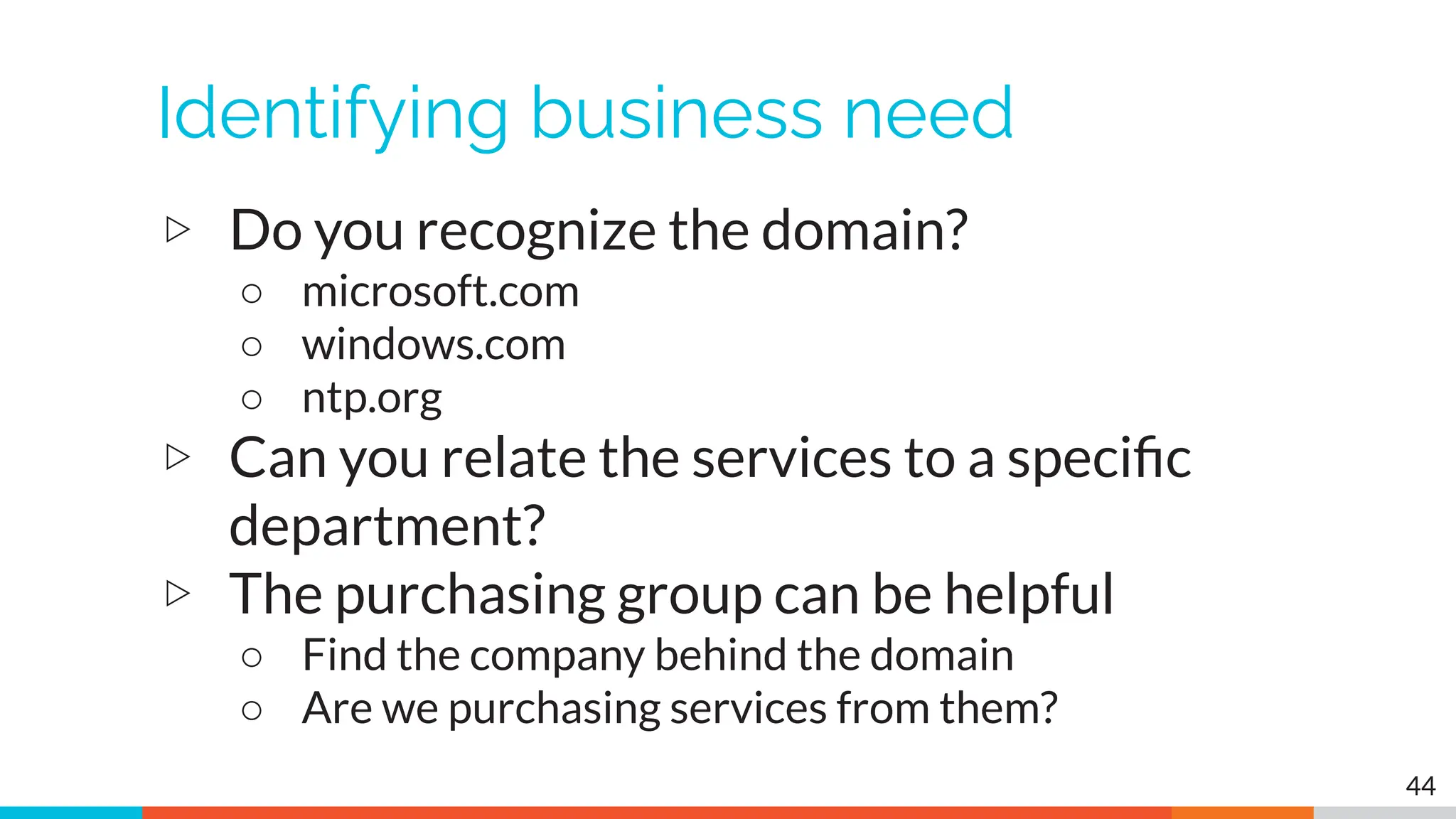
Identifying business need
▷ Do you recognize the domain?
○ microsoft.com
○ windows.com
○ ntp.org
▷ Can you relate the services to a specific
department?
▷ The purchasing group can be helpful
○ Find the company behind the domain
○ Are we purchasing services from them?
44
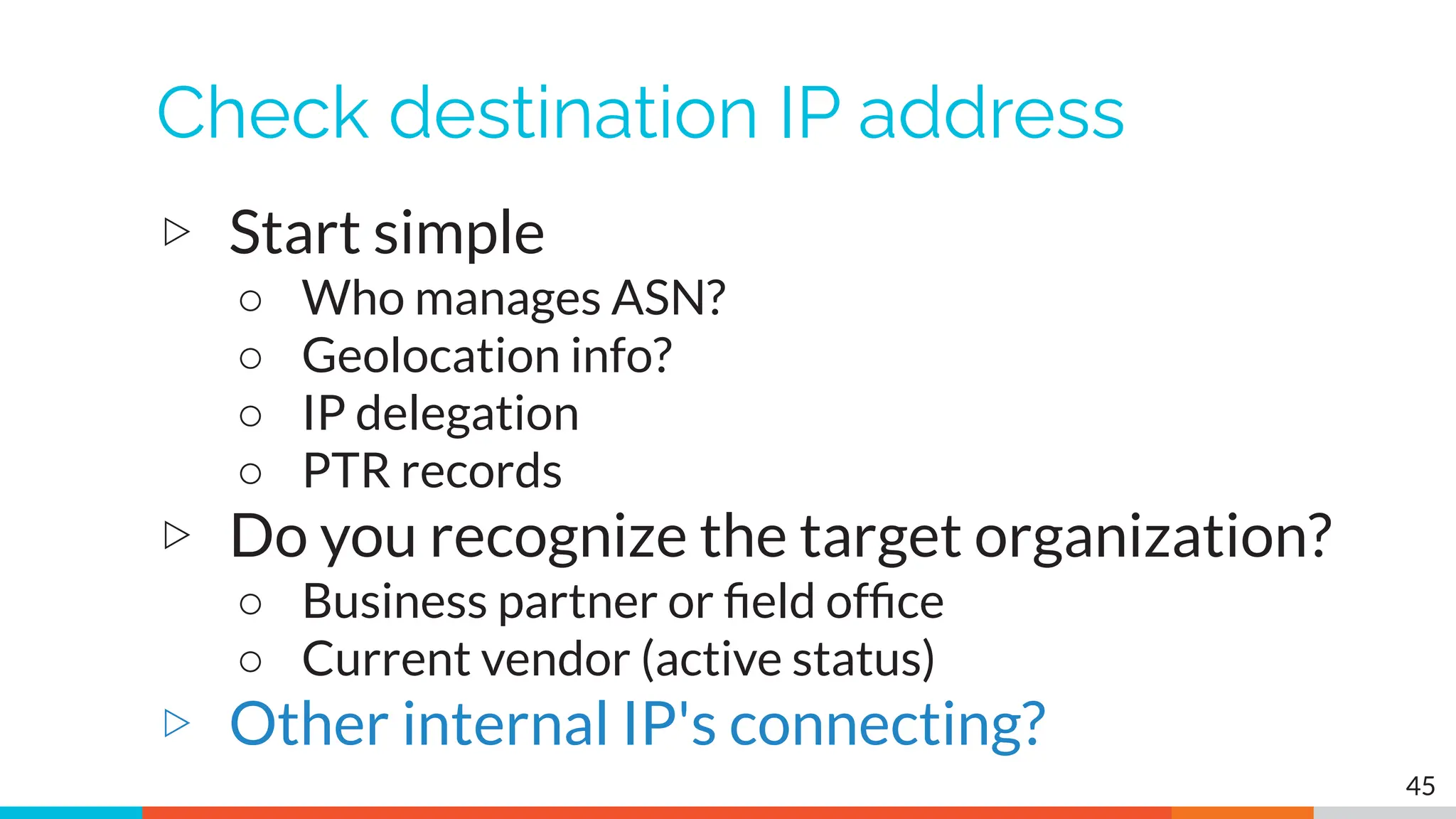
Check destination IP address
▷ Start simple
○ Who manages ASN?
○ Geolocation info?
○ IP delegation
○ PTR records
▷ Do you recognize the target organization?
○ Business partner or field office
○ Current vendor (active status)
▷ Other internal IP's connecting?
45
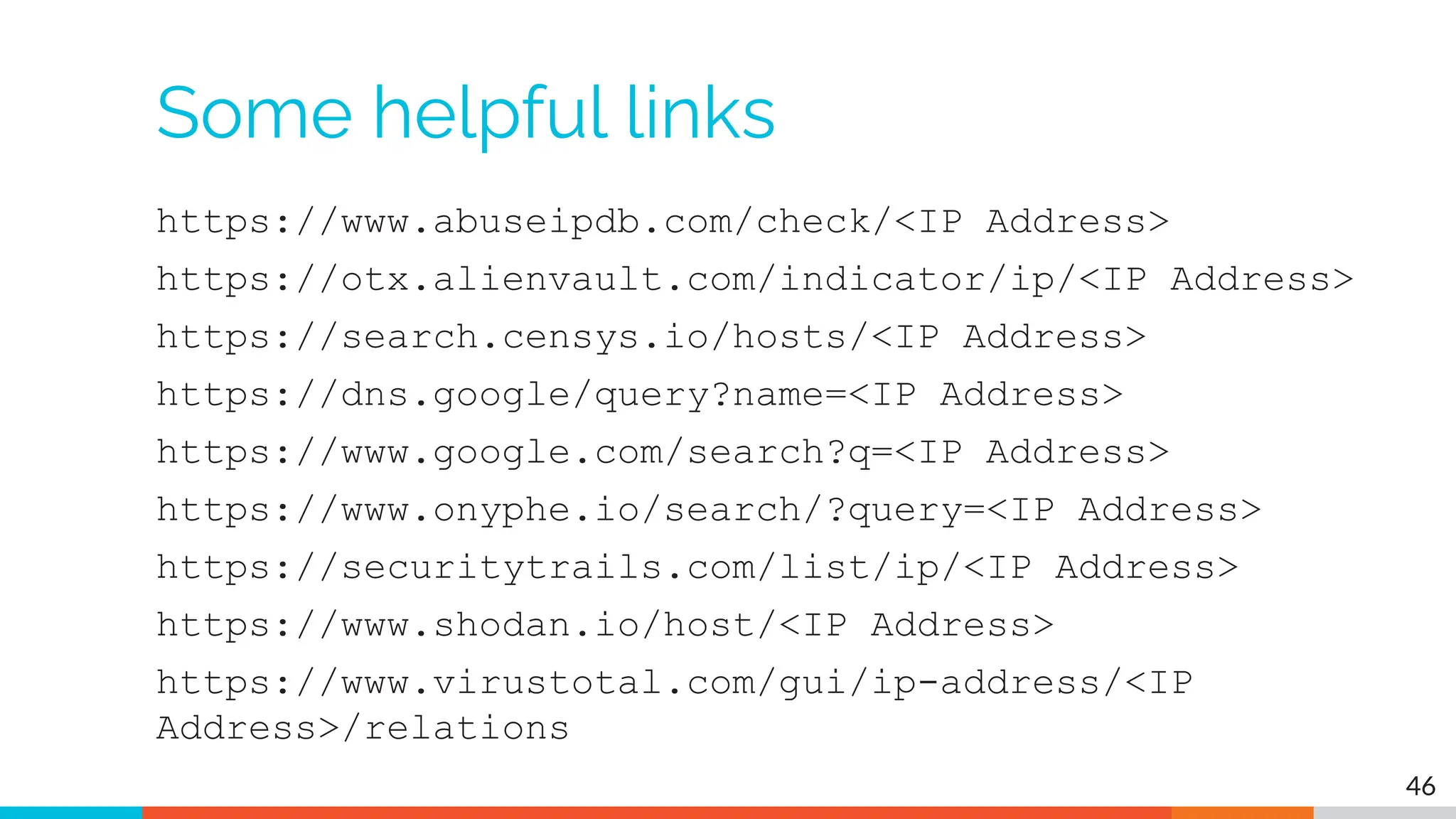
Some helpful links
https://www.abuseipdb.com/check/<IP Address>
https://otx.alienvault.com/indicator/ip/<IP Address>
https://search.censys.io/hosts/<IP Address>
https://dns.google/query?name=<IP Address>
https://www.google.com/search?q=<IP Address>
https://www.onyphe.io/search/?query=<IP Address>
https://securitytrails.com/list/ip/<IP Address>
https://www.shodan.io/host/<IP Address>
https://www.virustotal.com/gui/ip-address/<IP
Address>/relations
46
C2 Detection Techniques
Part 2
What next?
▷ You've identified connection persistence
▷ You can't identify a business need
▷ Next steps
○ Protocol analysis
○ Reputation check of external target
○ Investigate internal IP address
48
Unexpected app or port usage
▷ There should be a business need for all
outbound protocols
▷ Research non-standard or unknown ports
○ TCP/5222 (Chrome remote desktop)
○ TCP/5800 & 590X (VNC)
○ TCP/502 (Modbus)
49
Unknown app on standard port
▷ C2 wants to tunnel out of environment
○ Pick a port likely to be permitted outbound
○ Does not always worry about protocol compliance
▷ Check standard ports for unexpected apps
○ Indication of tunneling
▷ Different than app on non-standard port
○ This is sometimes done as "a feature"
○ Example: SSH listening on TCP/2222
50
Zeek decodes many apps
▷ Detect over 50 applications
○ HTTP, DNS, SIP, MYSQL, RDP, NTLM, etc. etc.
▷ Fairly easy to add new ones
○ Example: HL7 if you are in healthcare
▷ Checks all analyzers for each port
▷ Does not assume WKP = application
51
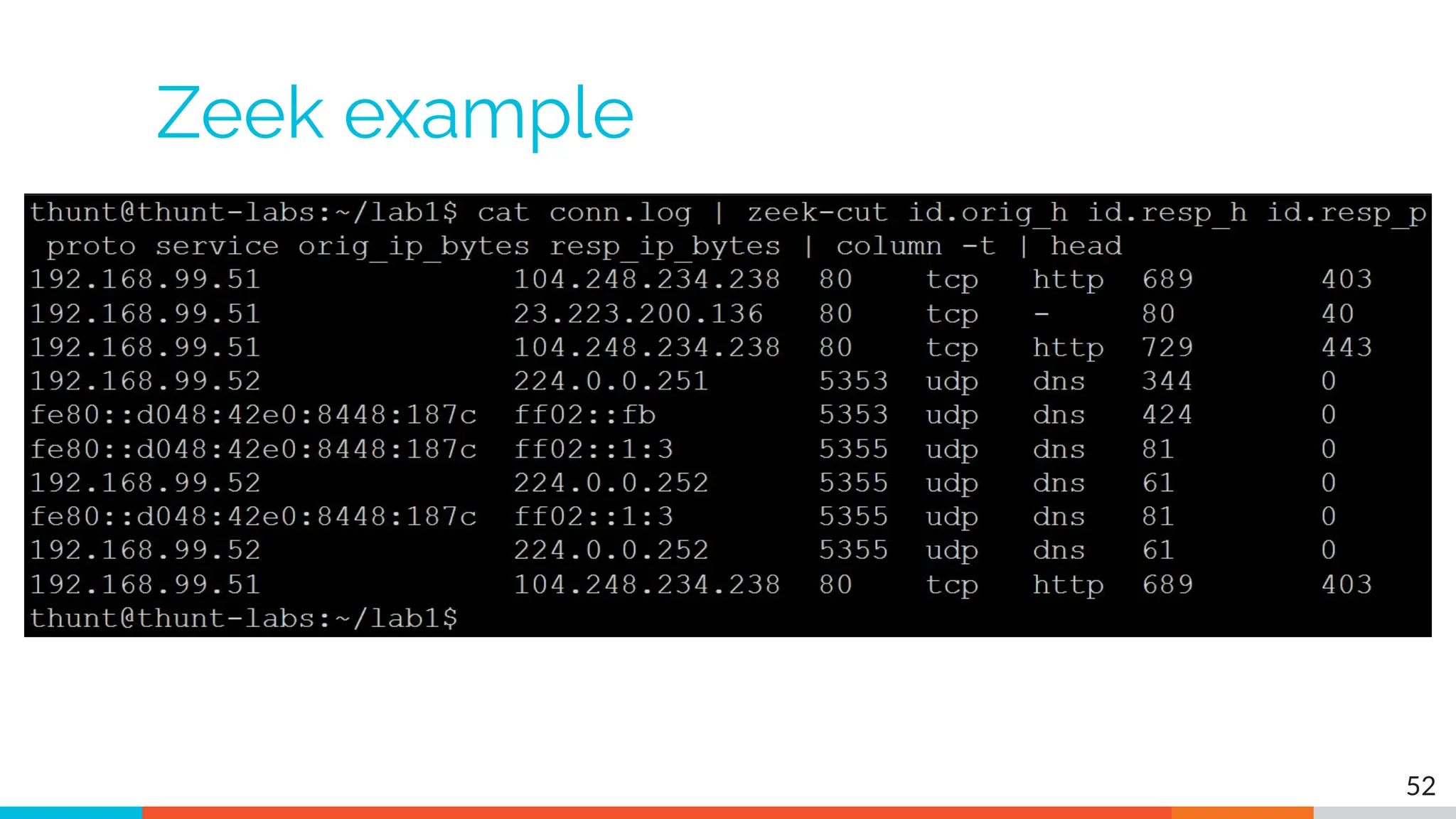
Zeek example
52
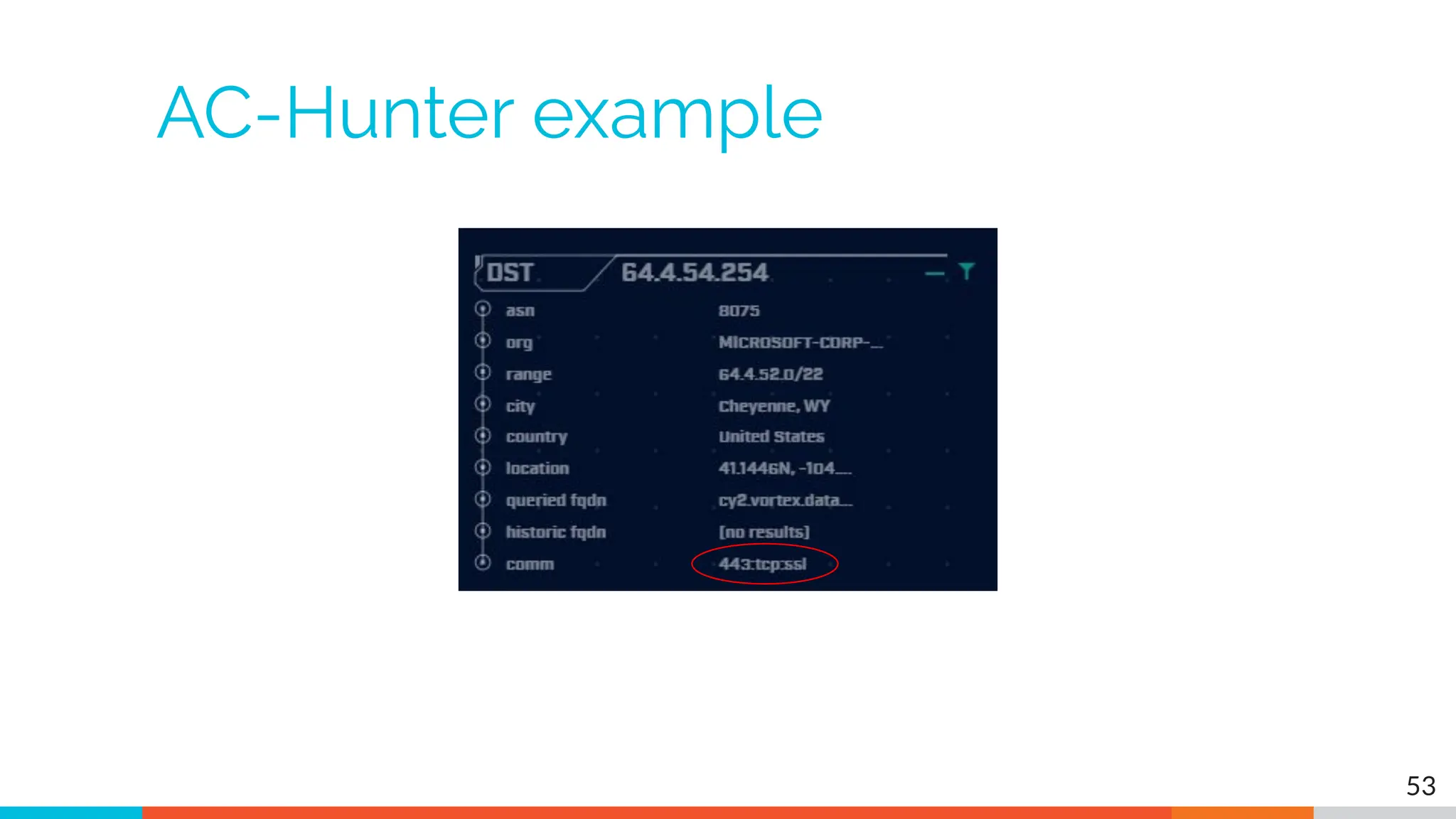
AC-Hunter example
53
Unexpected protocol use
▷ Attackers may bend but not break rules
▷ This can result in:
○ Full protocol compliance
○ Abnormal behaviour
▷ Need to understand "normal"
○ For the protocol
○ For your environment
54
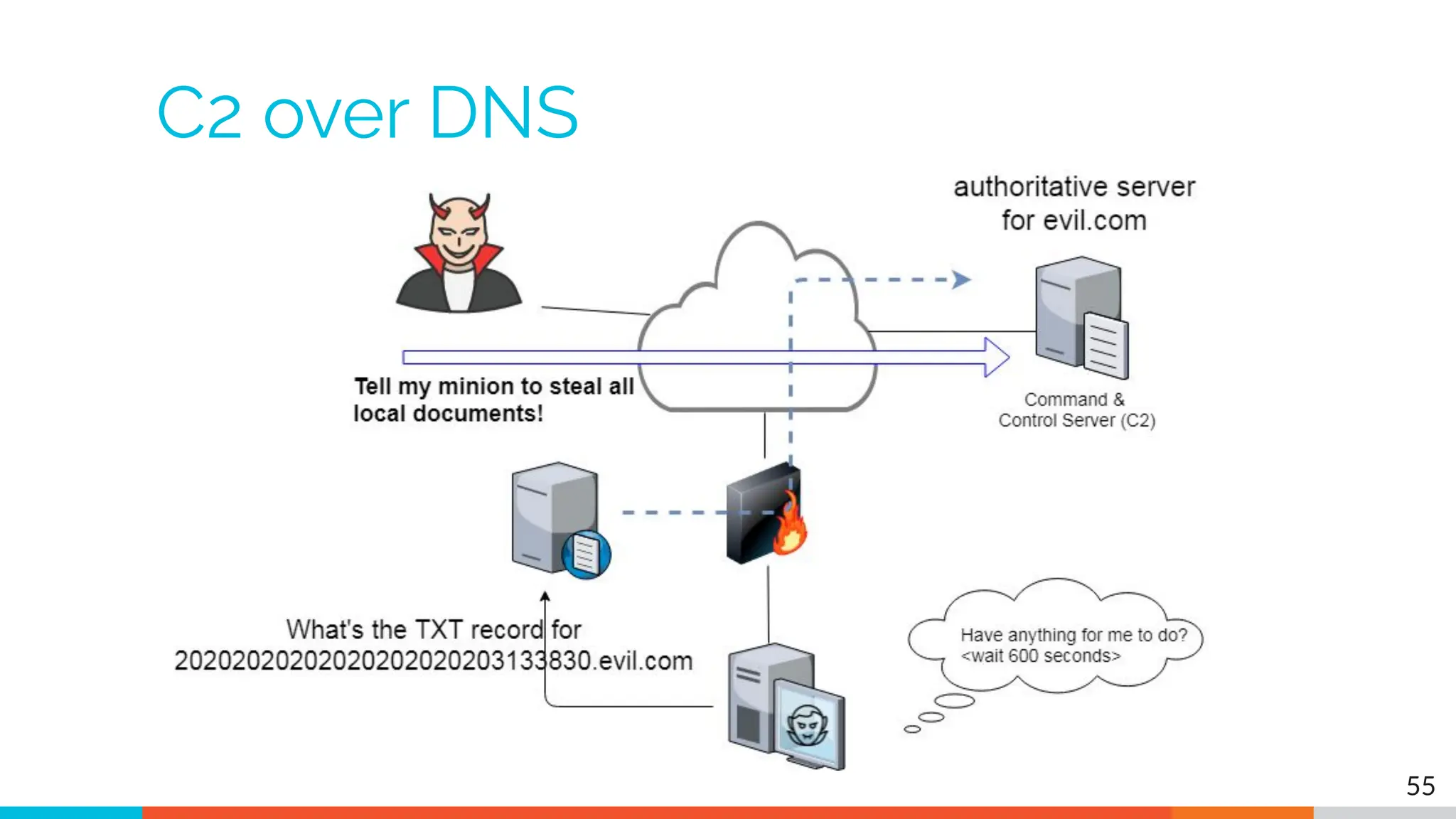
C2 over DNS
55
Example: Too many FQDNs
▷ How many FQDNs do domains expose?
○ Most is < 10
○ Recognizable Internet based vendors 200 - 600
■ Microsoft
■ Akamai
■ Google
■ Amazon
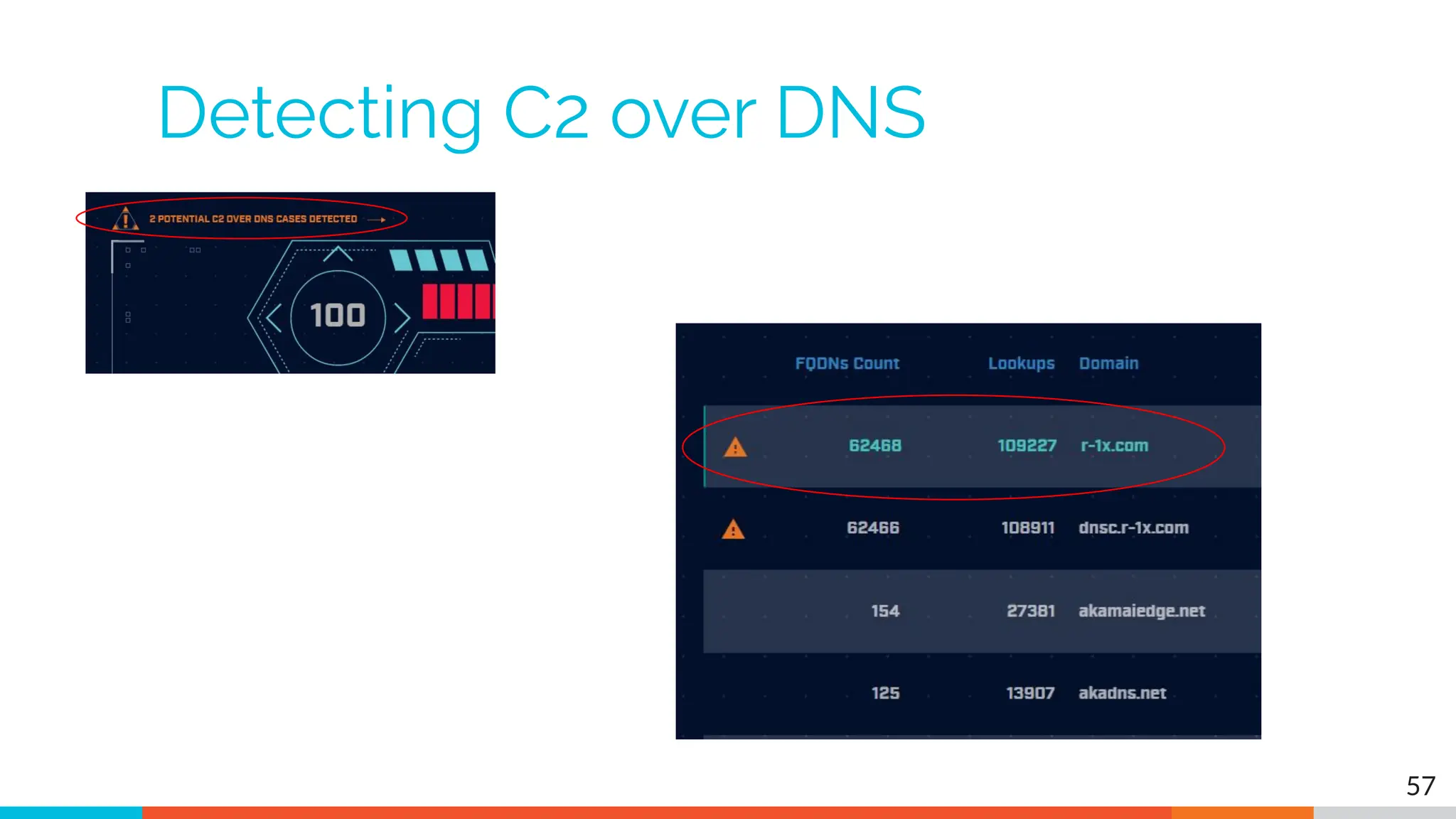
▷ Greater than 1,000 is suspicious
▷ Could be an indication of C2 traffic
56
Detecting C2 over DNS
57
Bonus checks on DNS
▷ Check domains with a lot of FQDNs
▷ Get a list of the IPs returned
▷ Compare against traffic patterns
○ Are internal hosts visiting this domain?
○ Is it just your name servers?
▷ Unique trait of C2 over DNS
○ Lots or FQDN queries
○ But no one ever connects to these systems
58
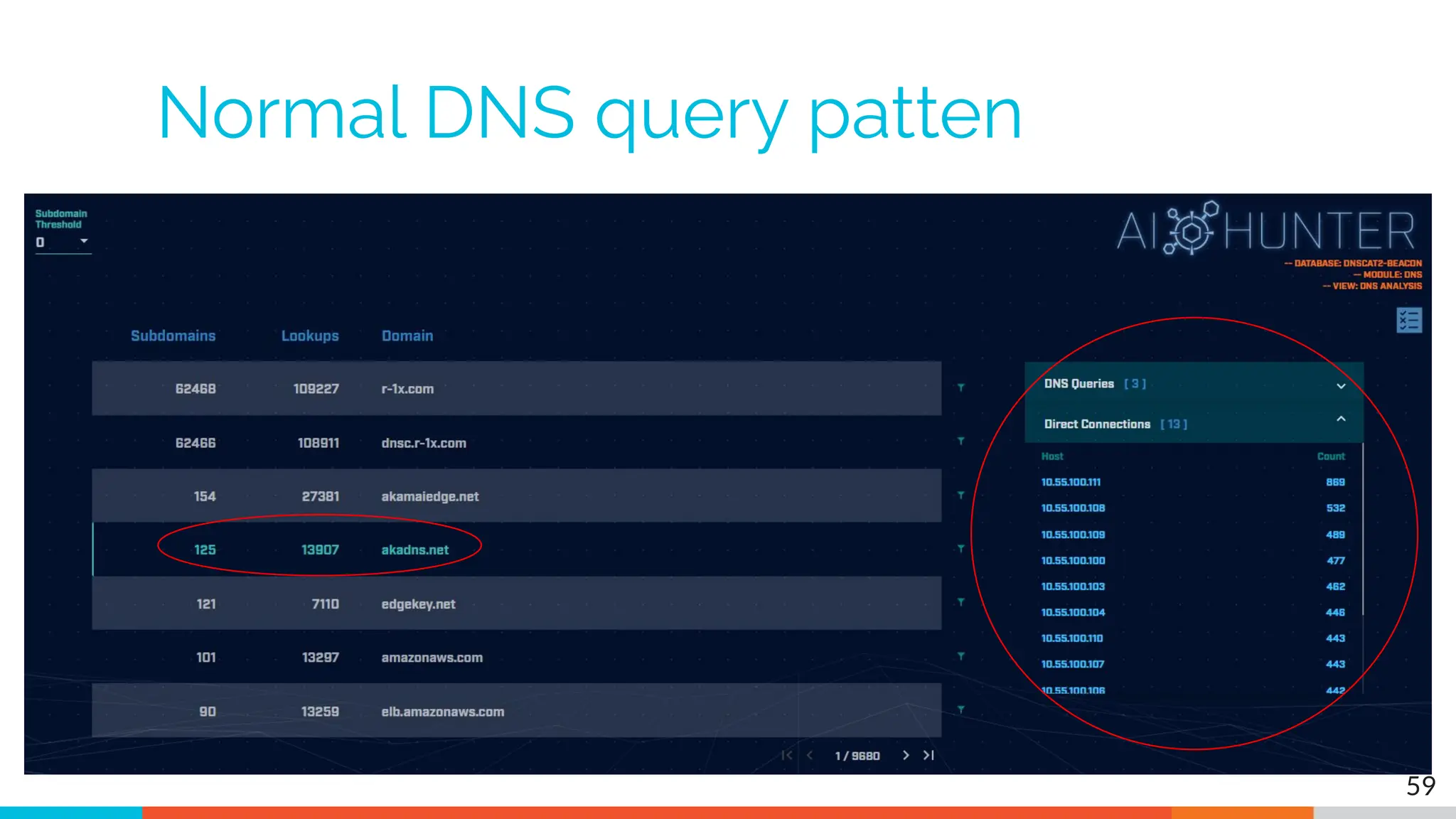
Normal DNS query patten
59
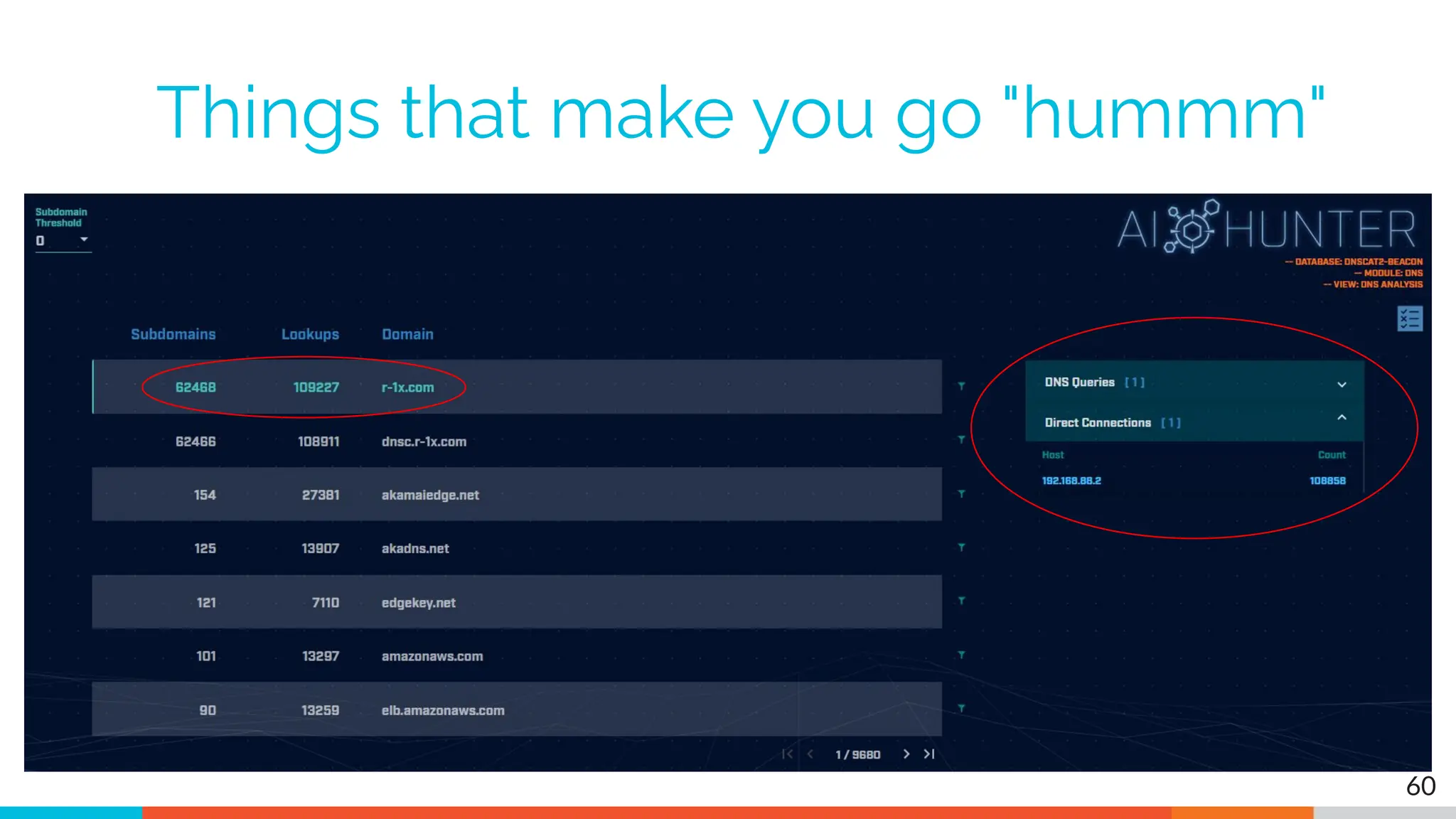
Things that make you go "hummm"
60
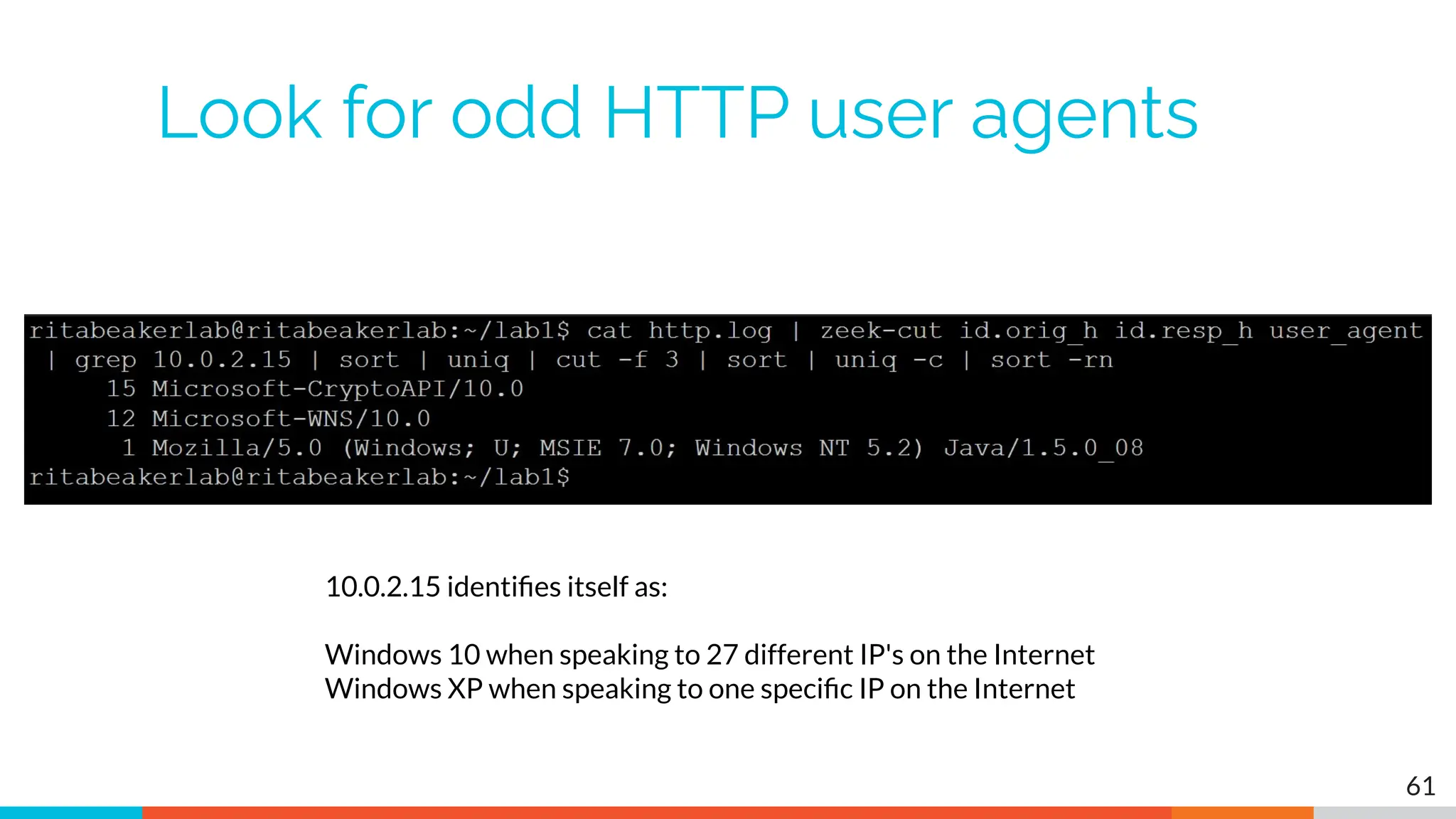
Look for odd HTTP user agents
61
10.0.2.15 identifies itself as:
Windows 10 when speaking to 27 different IP's on the Internet
Windows XP when speaking to one specific IP on the Internet
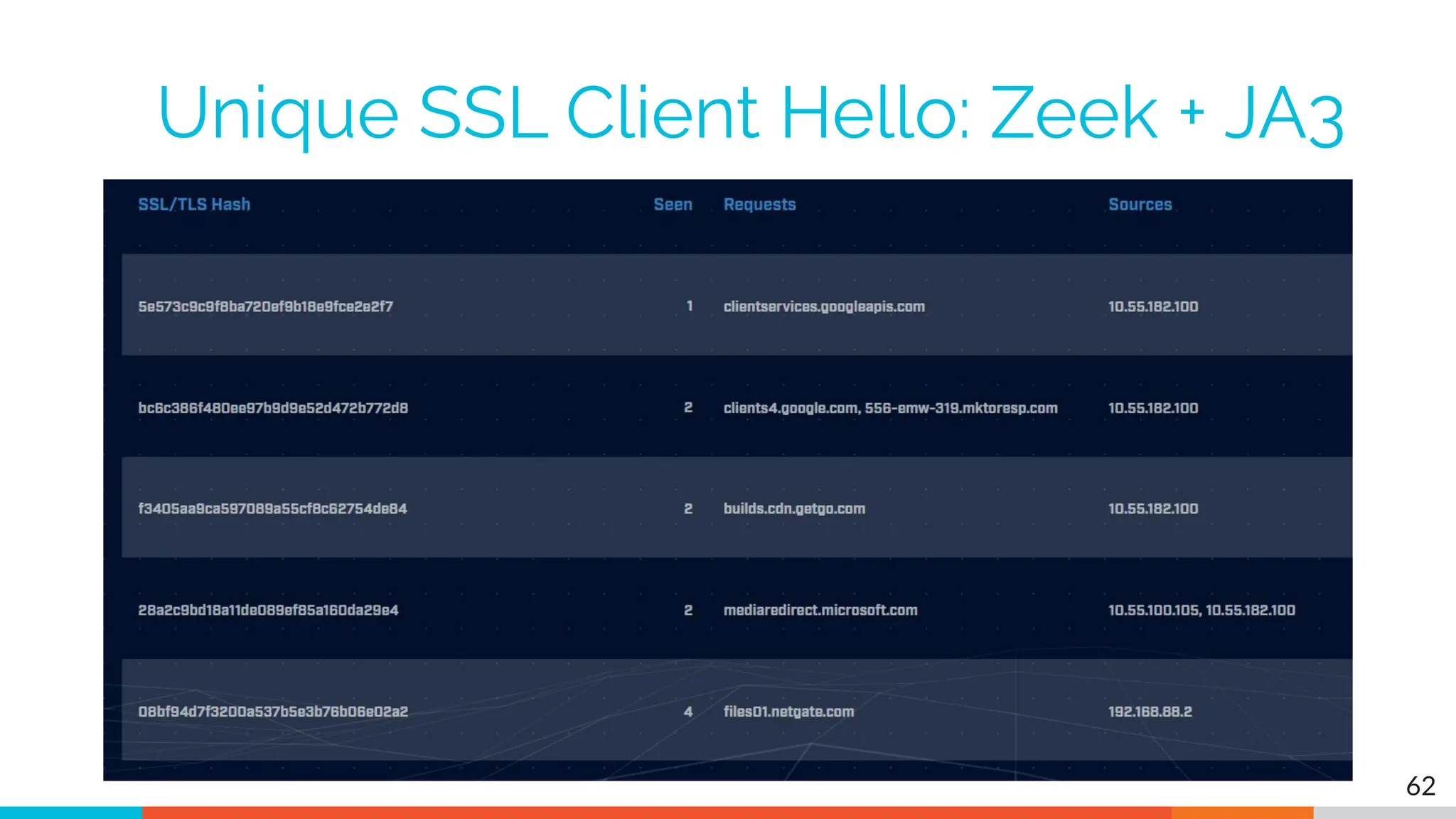
Unique SSL Client Hello: Zeek + JA3
62
Internal system
▷ Info available varies greatly between orgs
▷ Inventory management systems
▷ Security tools like Carbon Black
▷ OS projects like BeaKer
▷ Internal security scans
▷ DHCP logs
▷ Login events
▷ Passive fingerprinting
63
Leverage internal host logging
▷ Network shows suspicious traffic patterns
▷ Use this data to pivot to host logs
▷ Filter your logs based on:
○ Suspect internal host
○ Timeframe being analyzed
▷ Anything stand out as unique or odd?
64
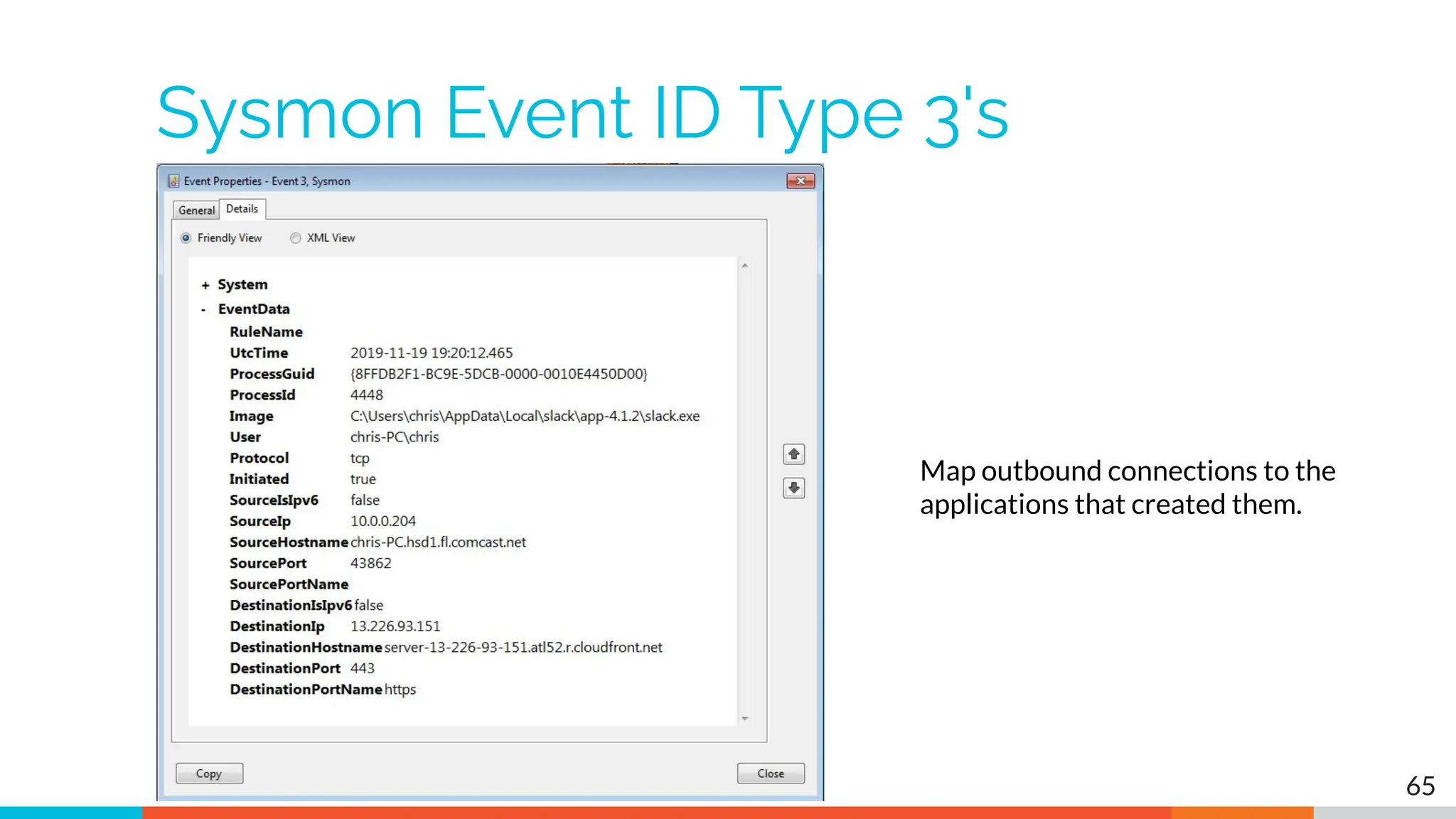
Sysmon Event ID Type 3's
Map outbound connections to the
applications that created them.
65
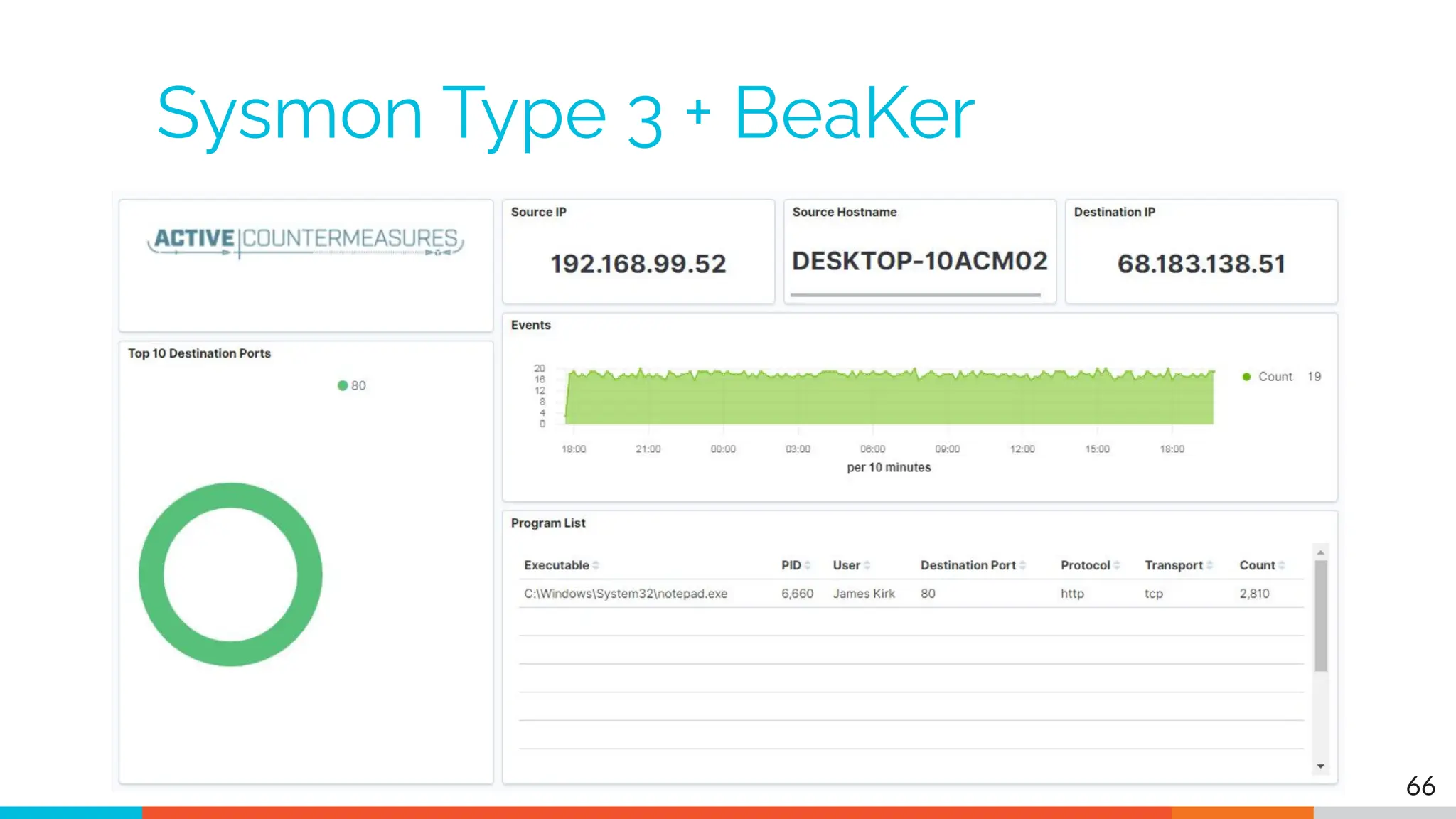
Sysmon Type 3 + BeaKer
66
But I have no system logs!
▷ Good time to start collecting them
▷ Full packet captures from system
▷ Apply additional network tools to collect
more data
▷ Just remember, no detectable actions until
we trigger incident response mode!
67
What next?
▷ Disposition session
○ "I think it's safe" = add to safelist
○ "I think we've detected a compromise" = Incident
response mode
▷ Remember to leave no footprints
○ All actions undetectable to potential adversaries
○ Passive activities only
▷ Incident response may include active tasks
68
Network Threat
Hunting Tools
tcpdump
▷ What's it good for?
○ Lightweight packet capturing tool
○ Cross platform support (windump on Windows)
▷ When to use it
○ Audit trail of all traffic
○ Can also filter to see only specific traffic
○ Can be fully automated
▷ Where to get it
https://www.tcpdump.org/
70
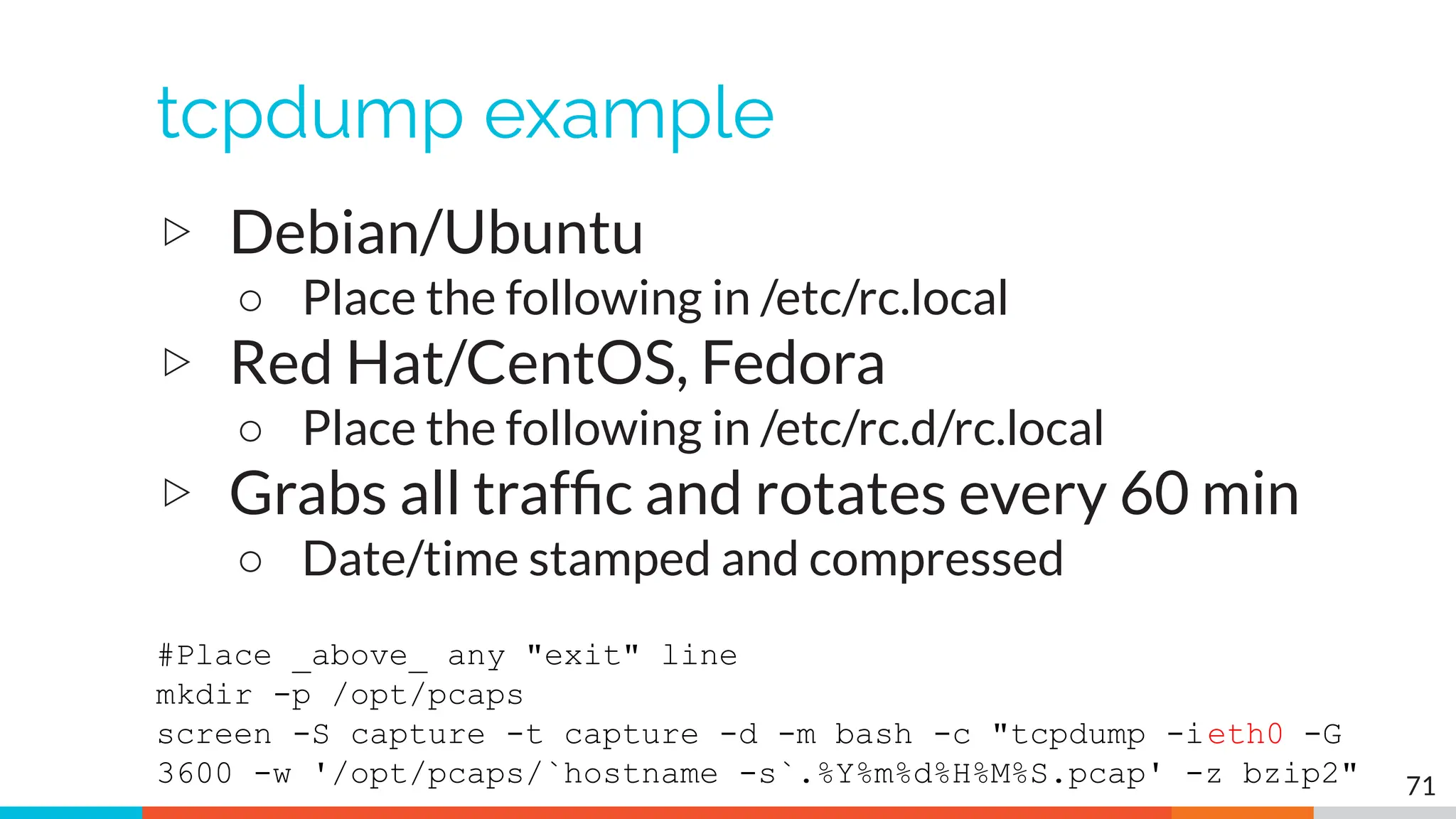
tcpdump example
▷ Debian/Ubuntu
○ Place the following in /etc/rc.local
▷ Red Hat/CentOS, Fedora
○ Place the following in /etc/rc.d/rc.local
▷ Grabs all traffic and rotates every 60 min
○ Date/time stamped and compressed
#Place _above_ any "exit" line
mkdir -p /opt/pcaps
screen -S capture -t capture -d -m bash -c "tcpdump -ieth0 -G
3600 -w '/opt/pcaps/`hostname -s`.%Y%m%d%H%M%S.pcap' -z bzip2" 71
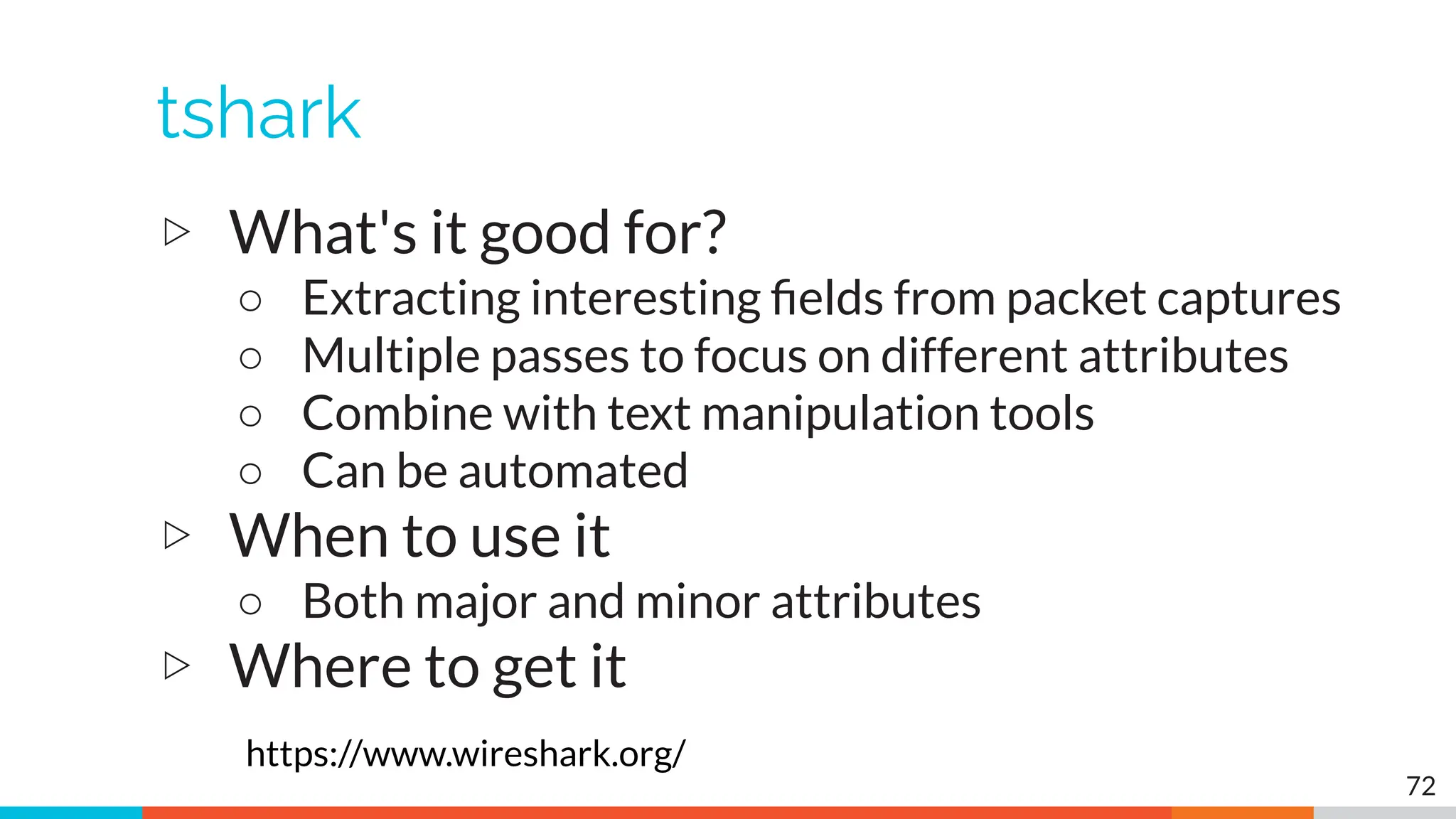
tshark
▷ What's it good for?
○ Extracting interesting fields from packet captures
○ Multiple passes to focus on different attributes
○ Combine with text manipulation tools
○ Can be automated
▷ When to use it
○ Both major and minor attributes
▷ Where to get it
https://www.wireshark.org/
72
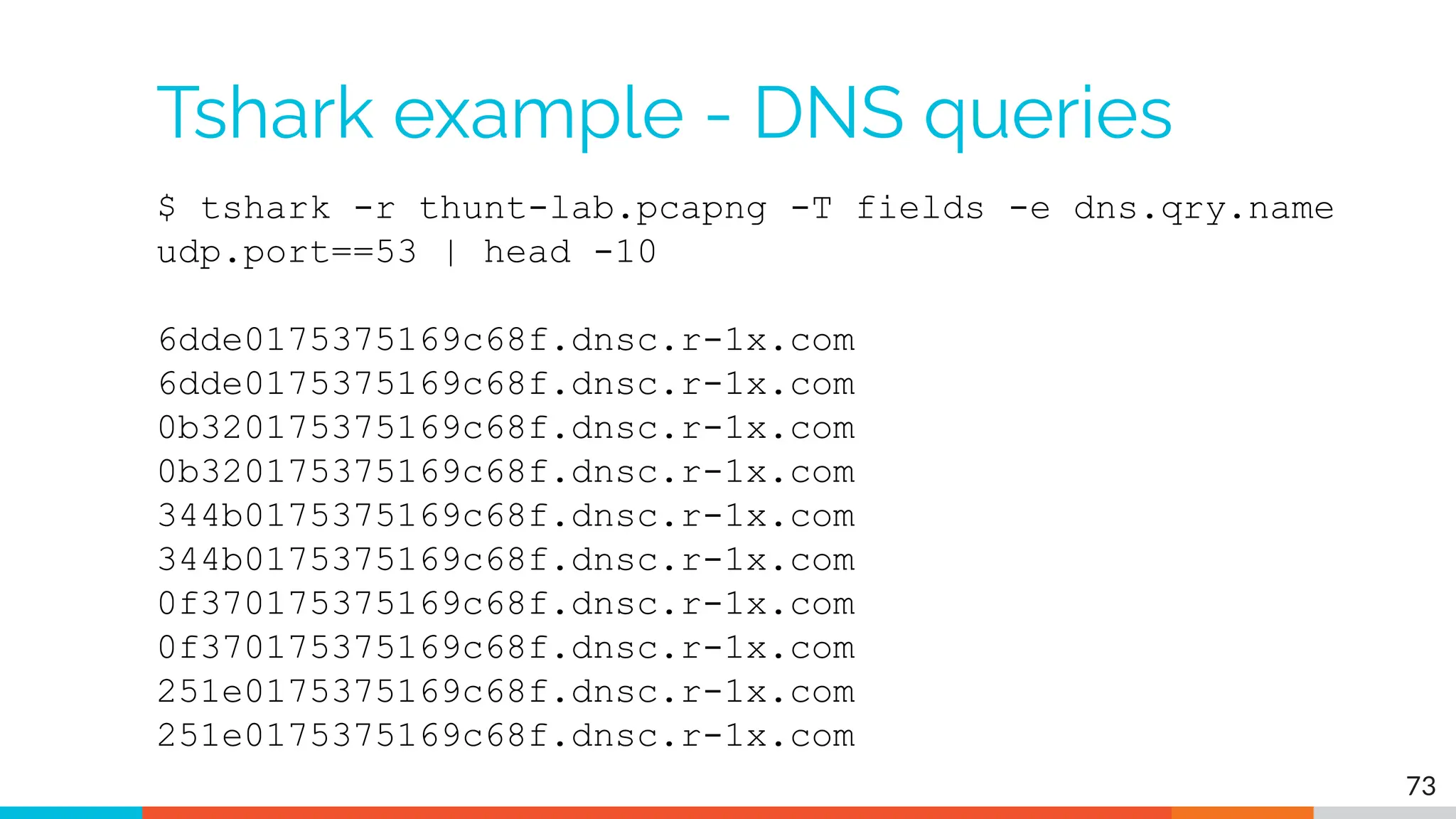
Tshark example - DNS queries
$ tshark -r thunt-lab.pcapng -T fields -e dns.qry.name
udp.port==53 | head -10
6dde0175375169c68f.dnsc.r-1x.com
0b320175375169c68f.dnsc.r-1x.com
344b0175375169c68f.dnsc.r-1x.com
0f370175375169c68f.dnsc.r-1x.com
251e0175375169c68f.dnsc.r-1x.com
73
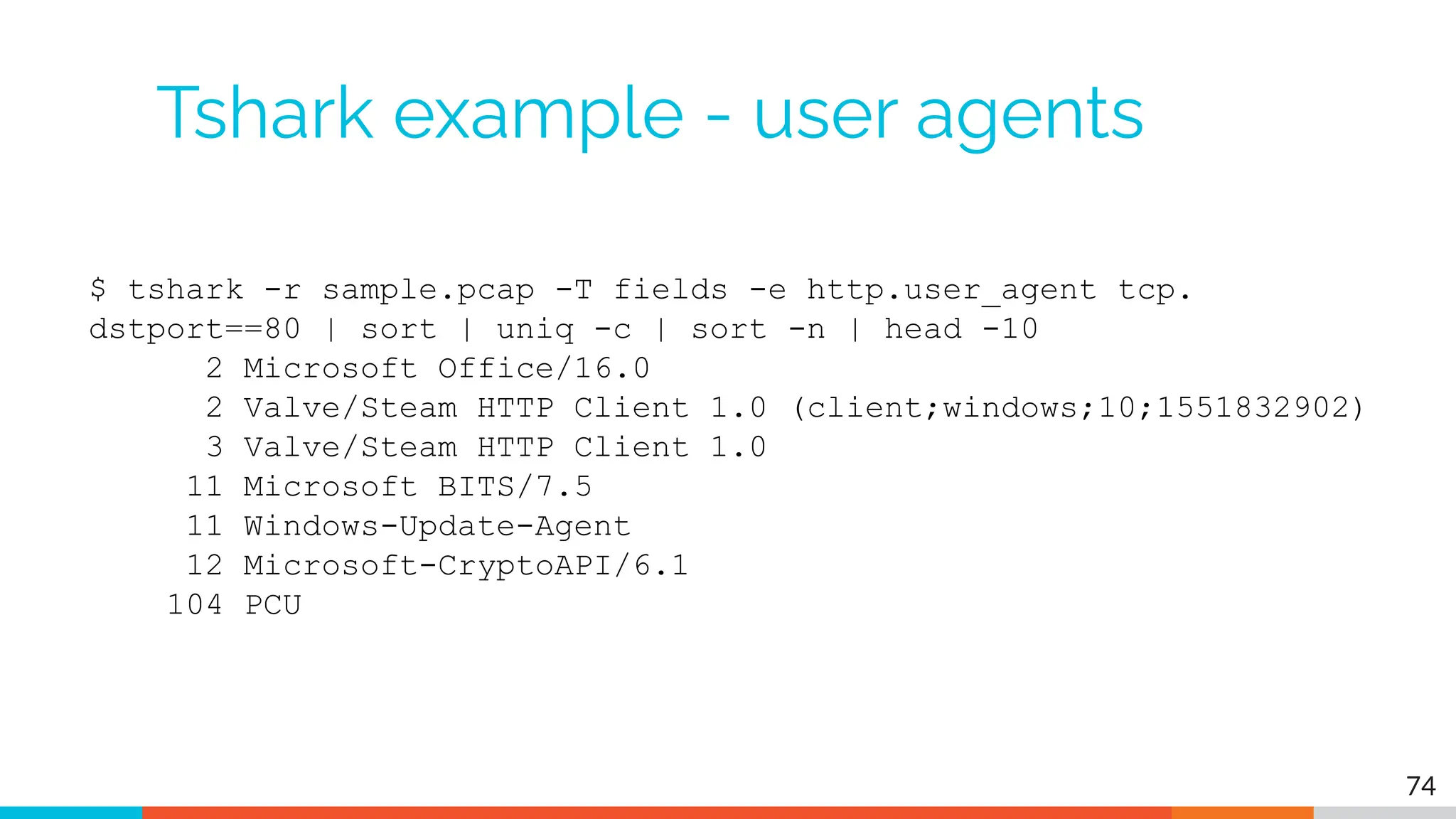
Tshark example - user agents
$ tshark -r sample.pcap -T fields -e http.user_agent tcp.
dstport==80 | sort | uniq -c | sort -n | head -10
2 Microsoft Office/16.0
2 Valve/Steam HTTP Client 1.0 (client;windows;10;1551832902)
3 Valve/Steam HTTP Client 1.0
11 Microsoft BITS/7.5
11 Windows-Update-Agent
12 Microsoft-CryptoAPI/6.1
104 PCU
74
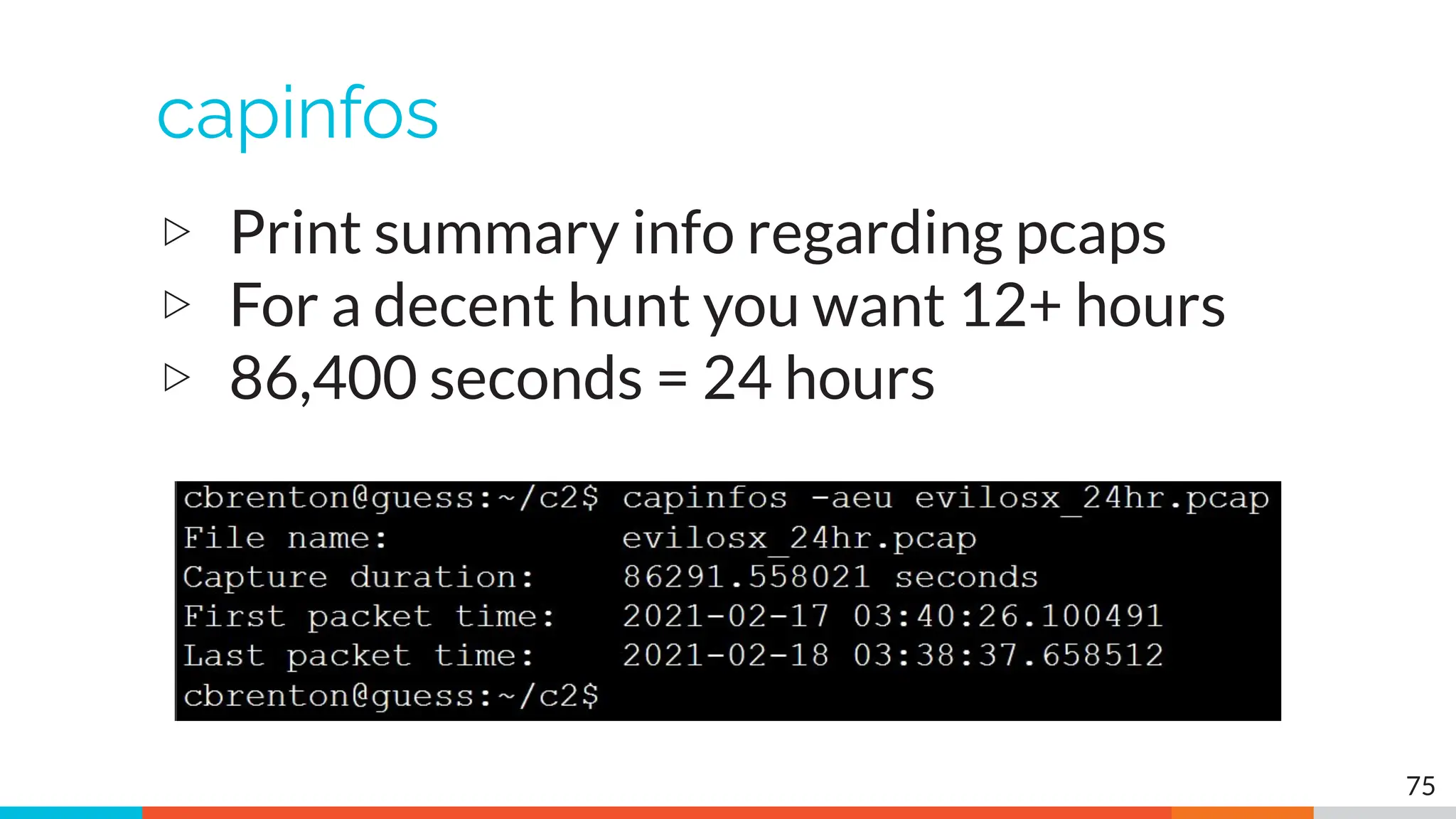
capinfos
▷ Print summary info regarding pcaps
▷ For a decent hunt you want 12+ hours
▷ 86,400 seconds = 24 hours
75
Wireshark
▷ What's it good for?
○ Packet analysis with guardrails
○ Stream level summaries
▷ When to use it
○ As part of a manual analysis
○ When steps cannot be automated
▷ Where to get it
https://www.wireshark.org/
76
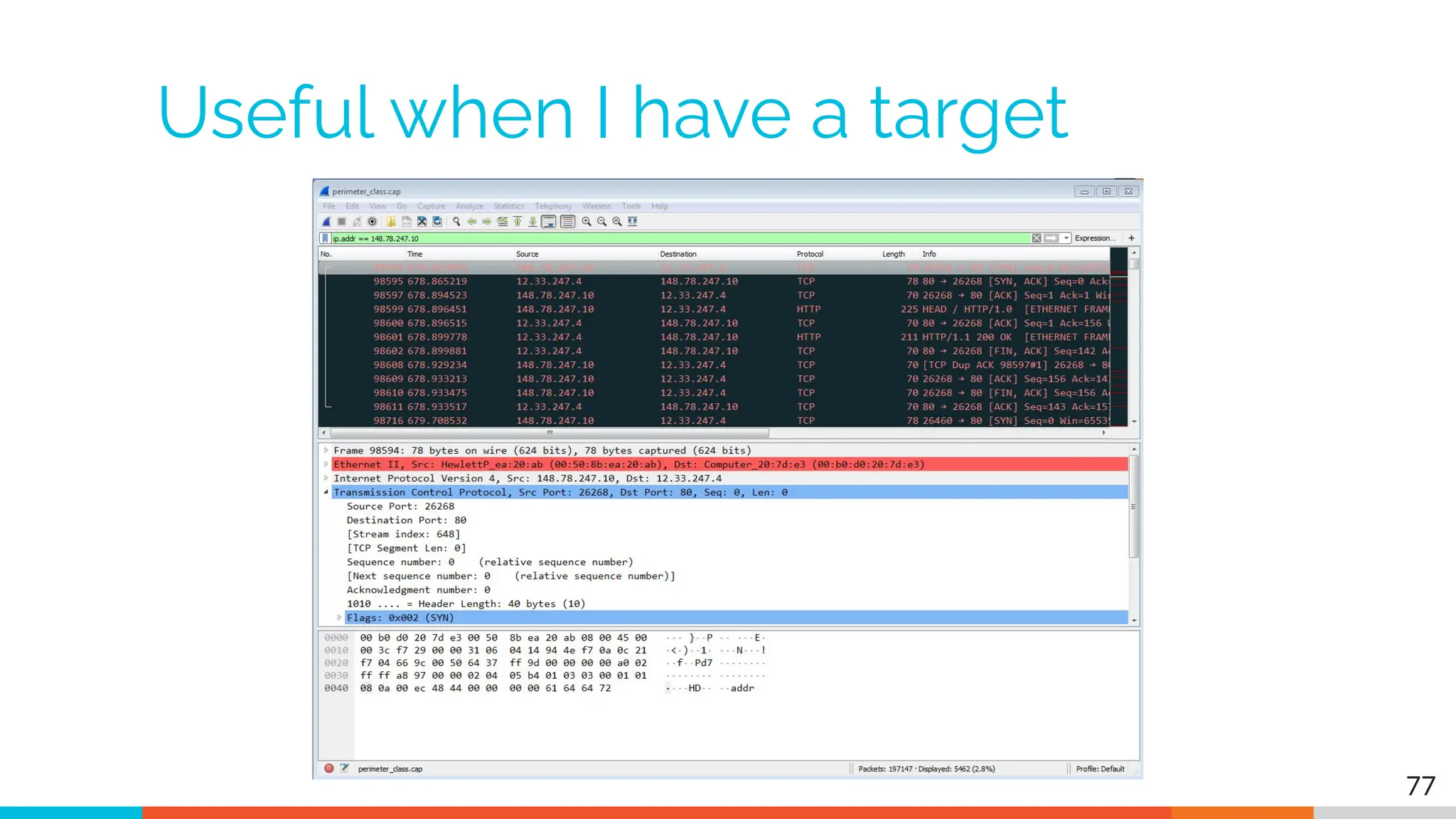
Useful when I have a target
77
Zeek
▷ Network recorder
▷ What's it good for?
○ Near real time analysis (1+ hour latency)
○ More storage friendly than pcaps
▷ When to use it
○ When you need to scale
○ When you know what attributes to review
▷ Where to get it
https://www.zeek.org/
sudo apt -y install zeek 78
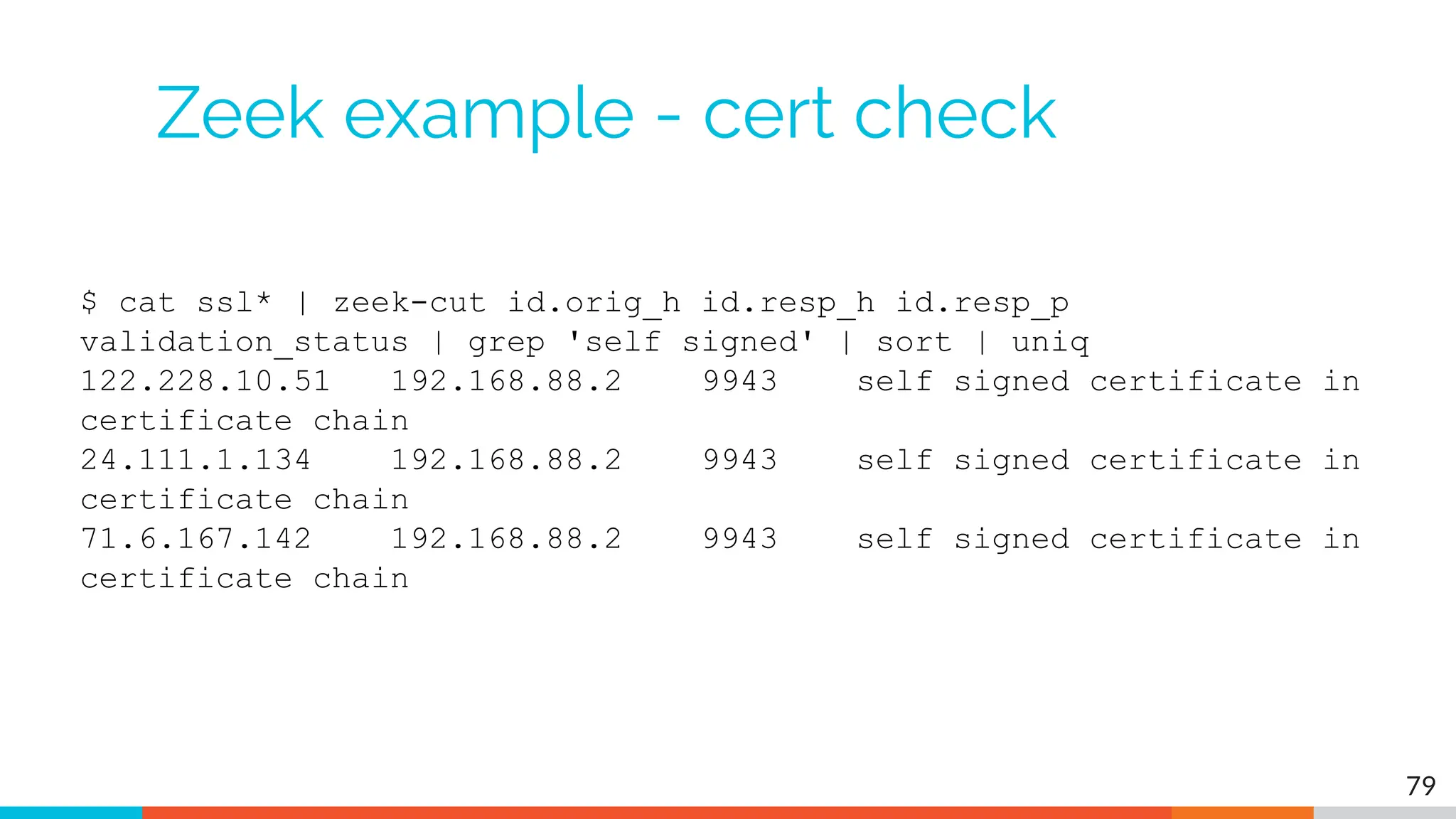
Zeek example - cert check
$ cat ssl* | zeek-cut id.orig_h id.resp_h id.resp_p
validation_status | grep 'self signed' | sort | uniq
122.228.10.51 192.168.88.2 9943 self signed certificate in
certificate chain
24.111.1.134 192.168.88.2 9943 self signed certificate in
certificate chain
71.6.167.142 192.168.88.2 9943 self signed certificate in
certificate chain
79
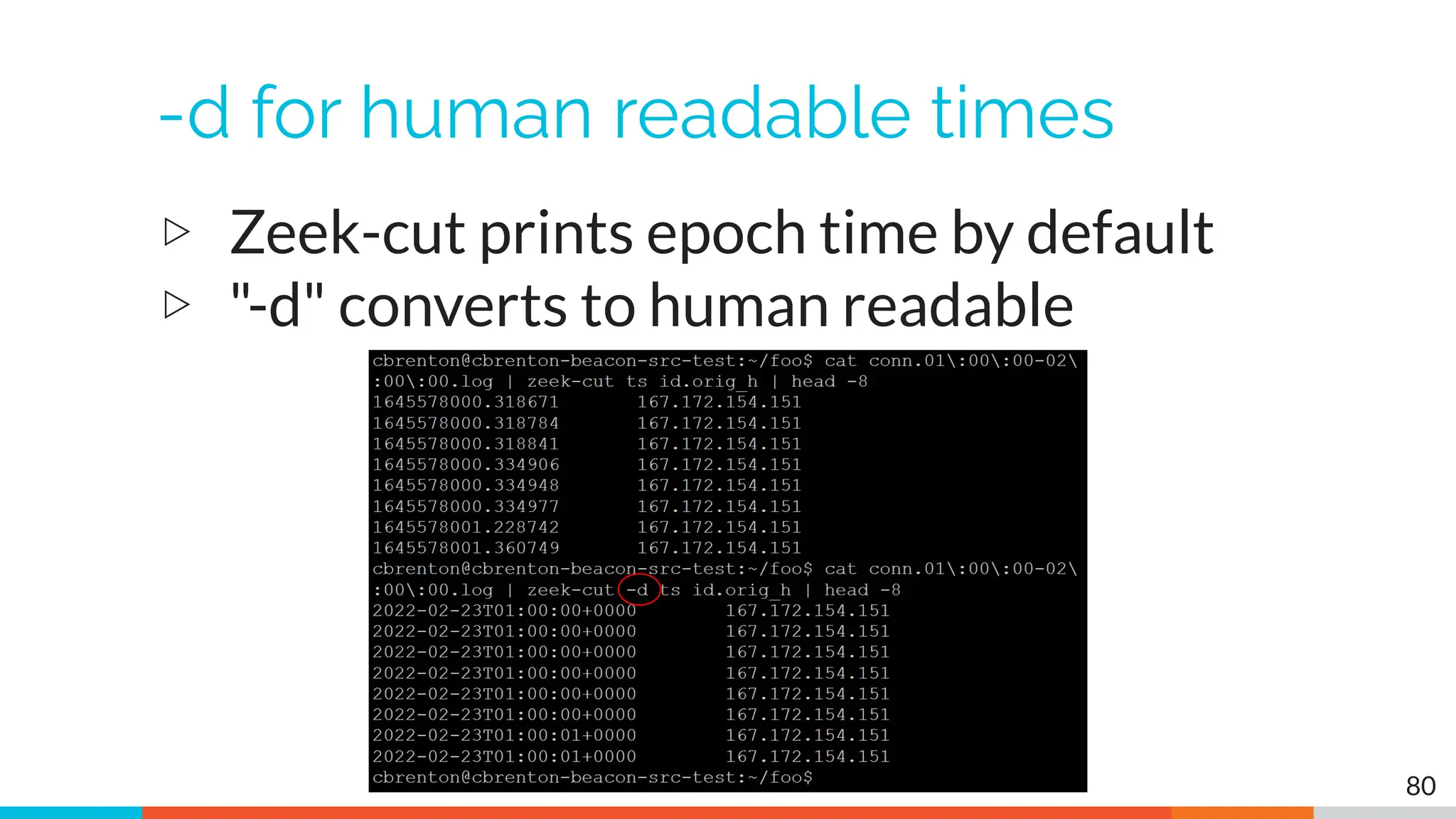
-d for human readable times
▷ Zeek-cut prints epoch time by default
▷ "-d" converts to human readable
80
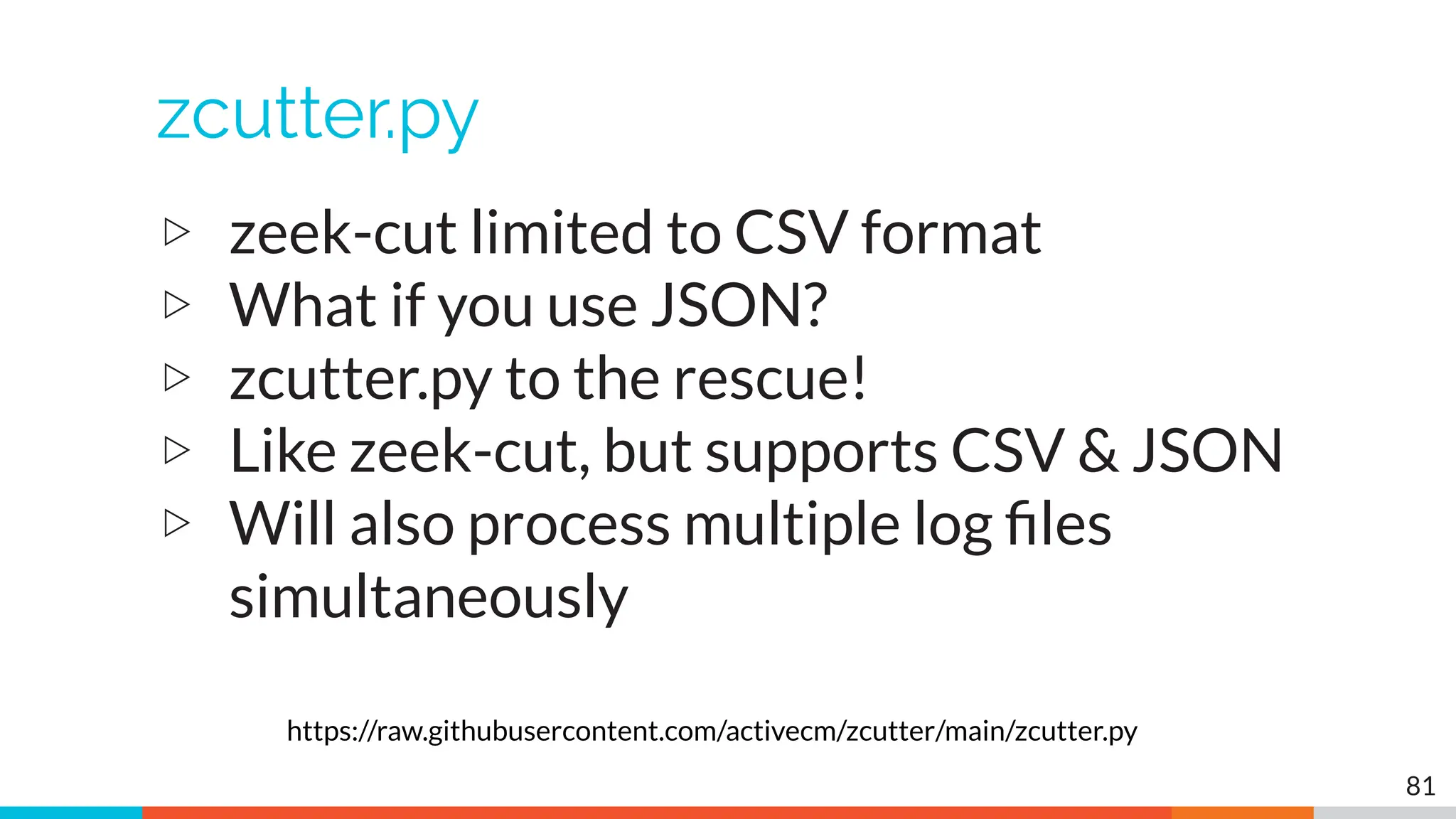
zcutter.py
▷ zeek-cut limited to CSV format
▷ What if you use JSON?
▷ zcutter.py to the rescue!
▷ Like zeek-cut, but supports CSV & JSON
▷ Will also process multiple log files
simultaneously
81
https://raw.githubusercontent.com/activecm/zcutter/main/zcutter.py
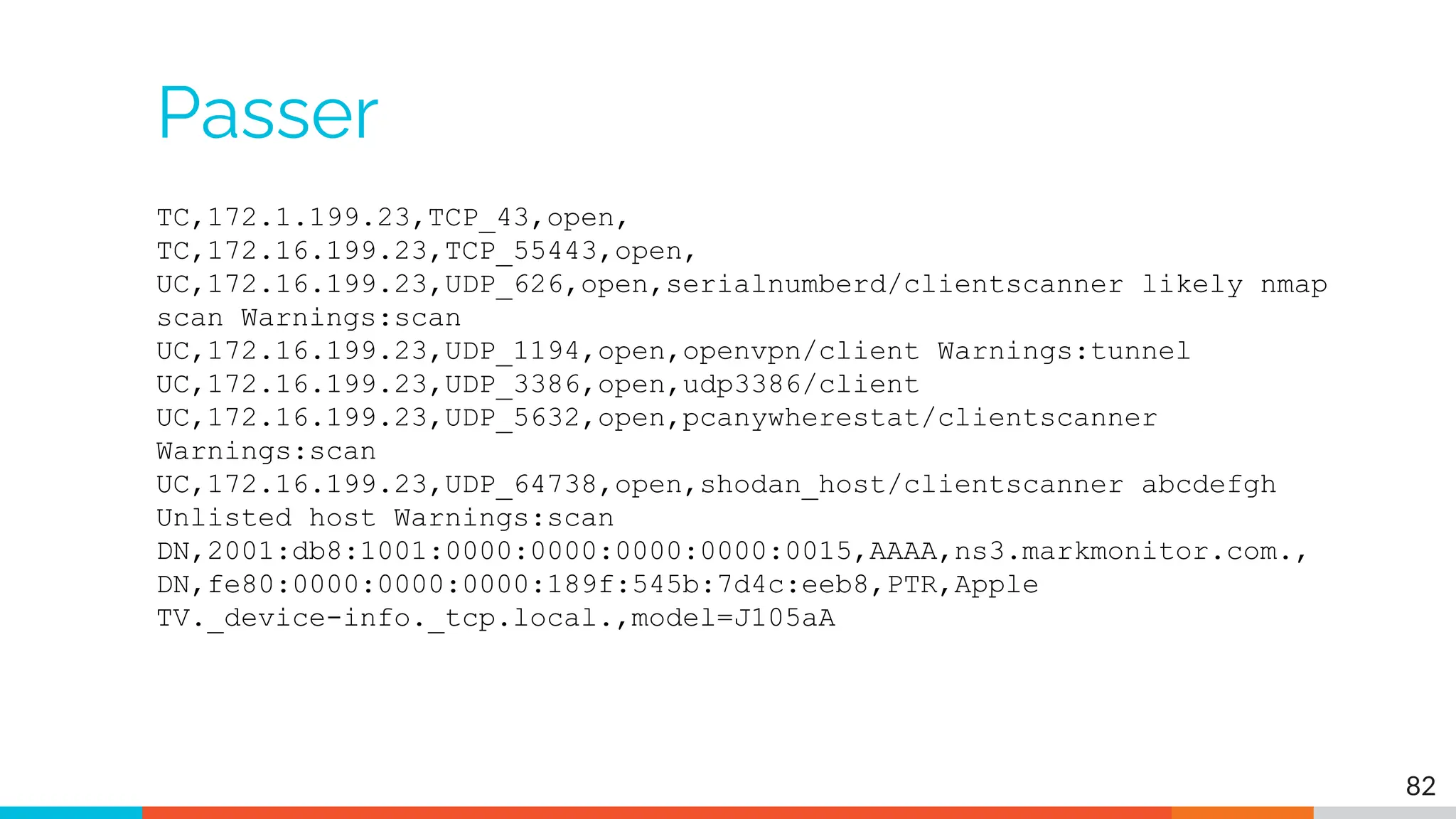
Passer
TC,172.1.199.23,TCP_43,open,
TC,172.16.199.23,TCP_55443,open,
UC,172.16.199.23,UDP_626,open,serialnumberd/clientscanner likely nmap
scan Warnings:scan
UC,172.16.199.23,UDP_1194,open,openvpn/client Warnings:tunnel
UC,172.16.199.23,UDP_3386,open,udp3386/client
UC,172.16.199.23,UDP_5632,open,pcanywherestat/clientscanner
Warnings:scan
UC,172.16.199.23,UDP_64738,open,shodan_host/clientscanner abcdefgh
Unlisted host Warnings:scan
DN,2001:db8:1001:0000:0000:0000:0000:0015,AAAA,ns3.markmonitor.com.,
DN,fe80:0000:0000:0000:189f:545b:7d4c:eeb8,PTR,Apple
TV._device-info._tcp.local.,model=J105aA
82
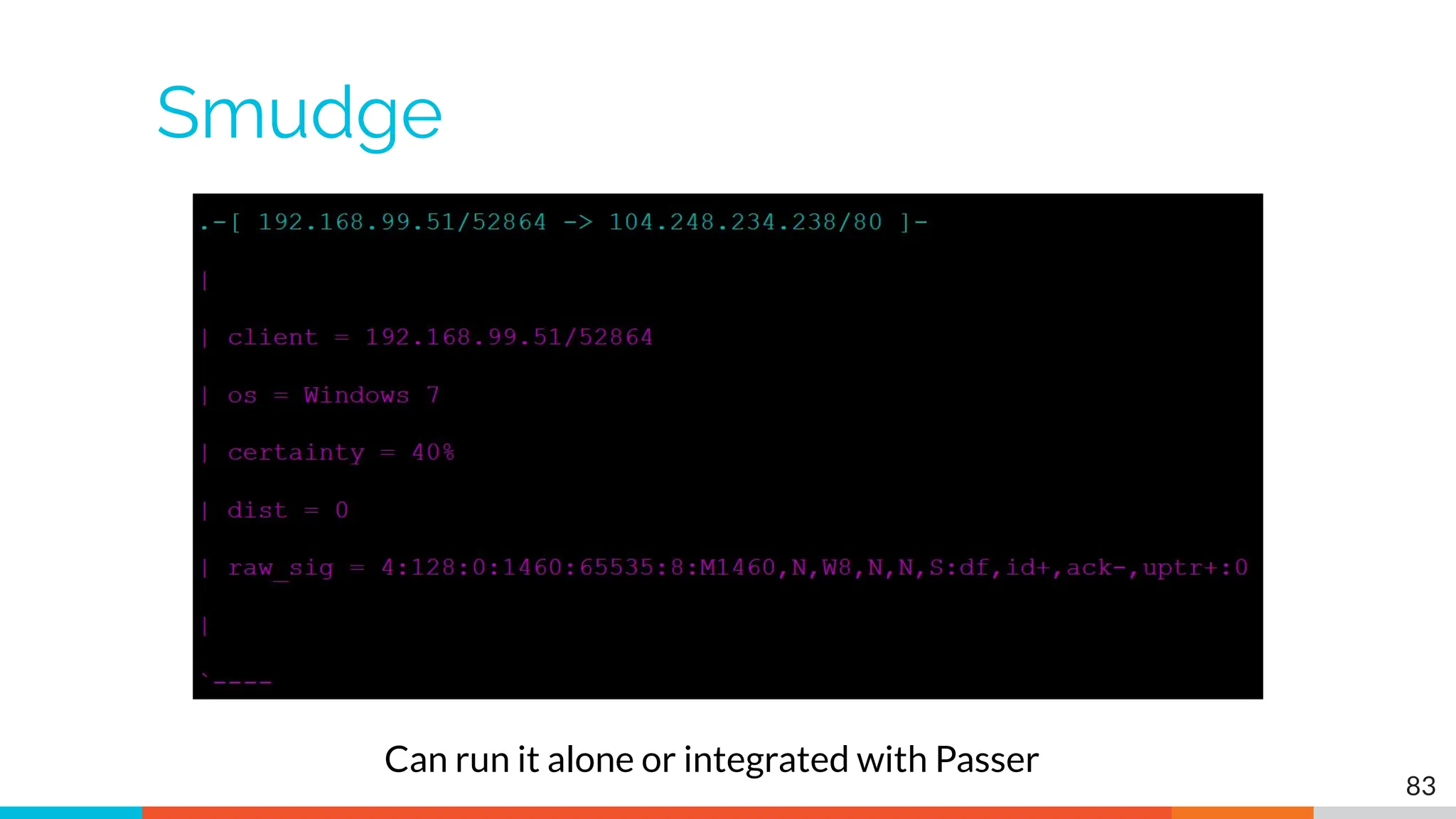
Smudge
83
Can run it alone or integrated with Passer
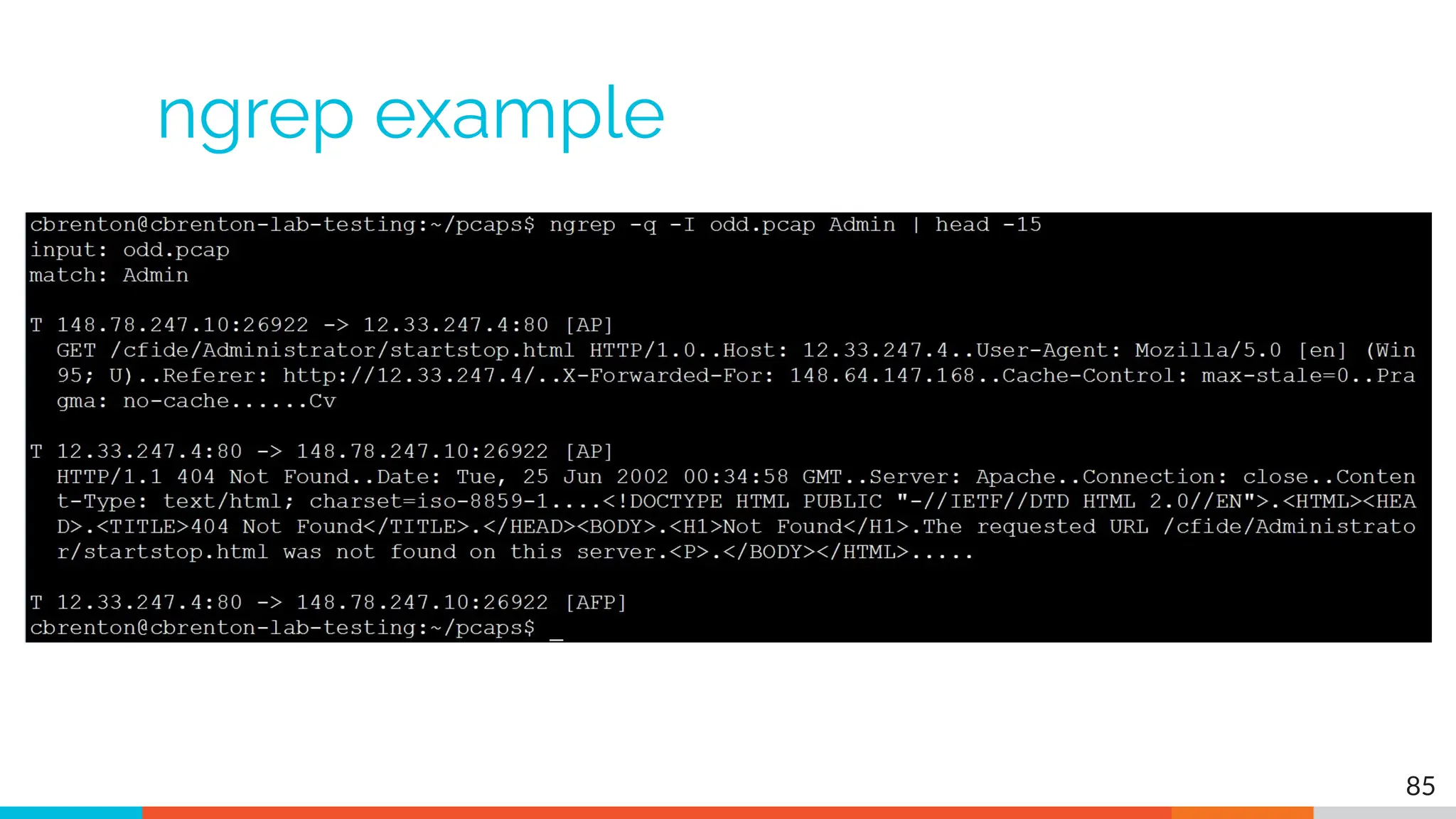
ngrep
▷ Pattern match on passing packets
▷ Like "grep" for network traffic
▷ Useful for quick checks
○ NIDS with signature better choice for long term
▷ Useful switches
○ "-q" = Don't print "#" for non-matches
○ "-I" = Read a pcap file
84
https://github.com/jpr5/ngrep
sudo apt install ngrep
ngrep example
85
RITA
▷ What's it good for?
○ Beacon & long conn at scale
○ Some secondary attributes
▷ When to use it
○ Can better organize Zeek data
○ Good when you are comfortable scripting
○ Will scale but can be time consuming
▷ Where to get it
https://github.com/activecm/rita
86
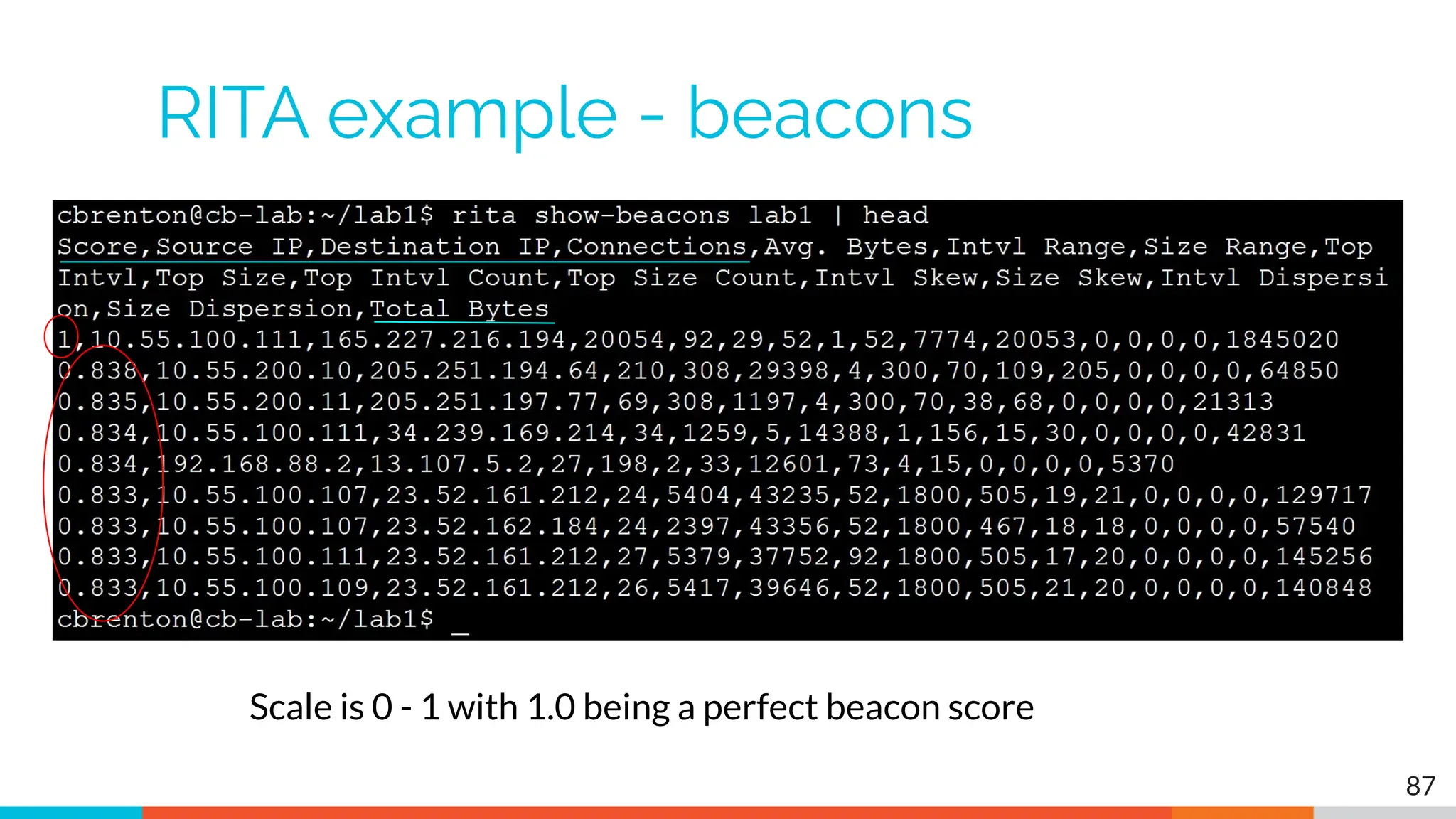
RITA example - beacons
Scale is 0 - 1 with 1.0 being a perfect beacon score
87
RITA can also check
▷ Beacons based on HTTP/host or TLS/SNI
▷ Beacons based on FQDN
▷ Beacons through SOCKS server
▷ Long connections
▷ Still open (not yet logged) connections
▷ C2 over DNS
▷ Matches against your threat intel list
88
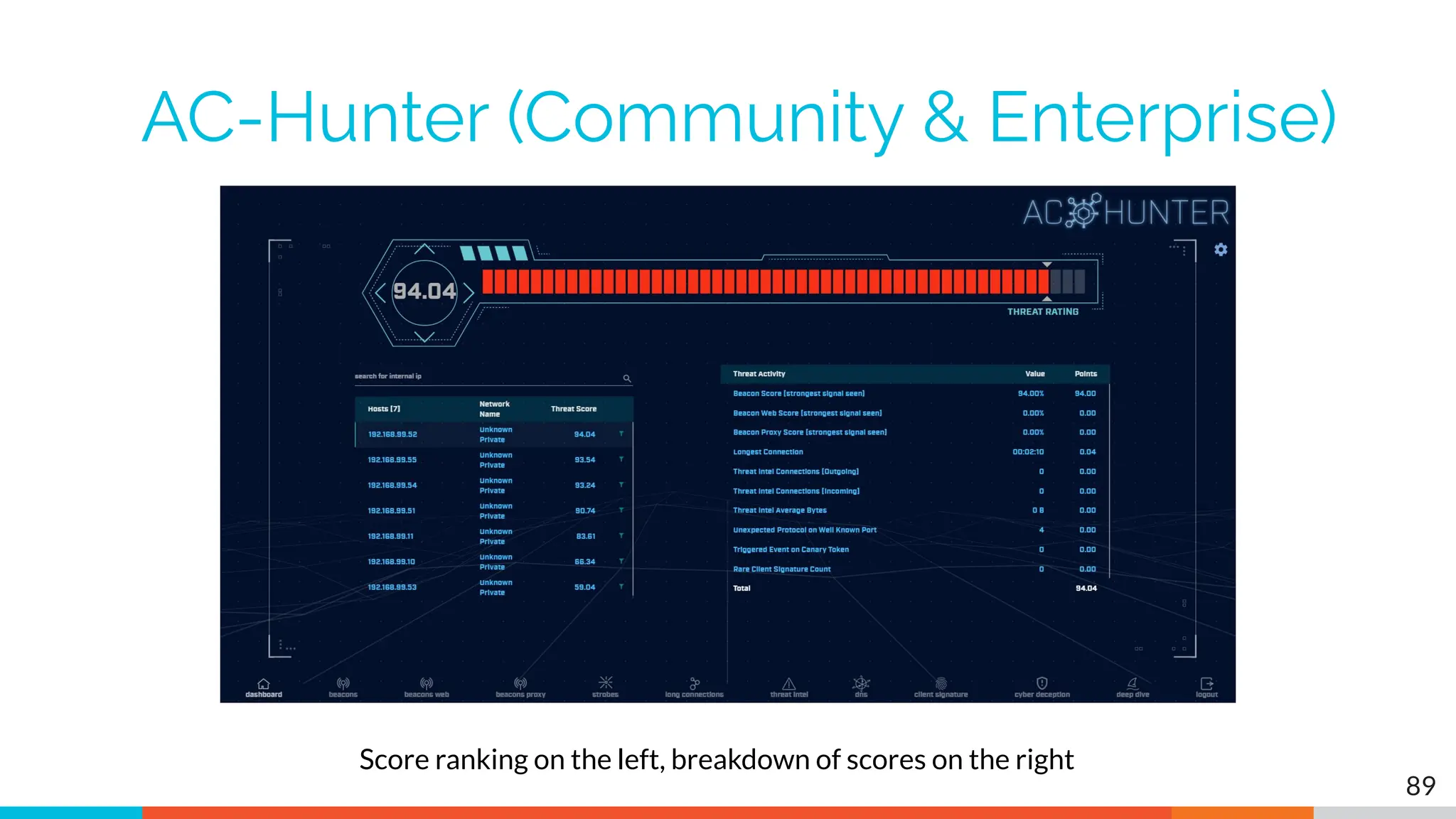
AC-Hunter (Community & Enterprise)
89
Score ranking on the left, breakdown of scores on the right
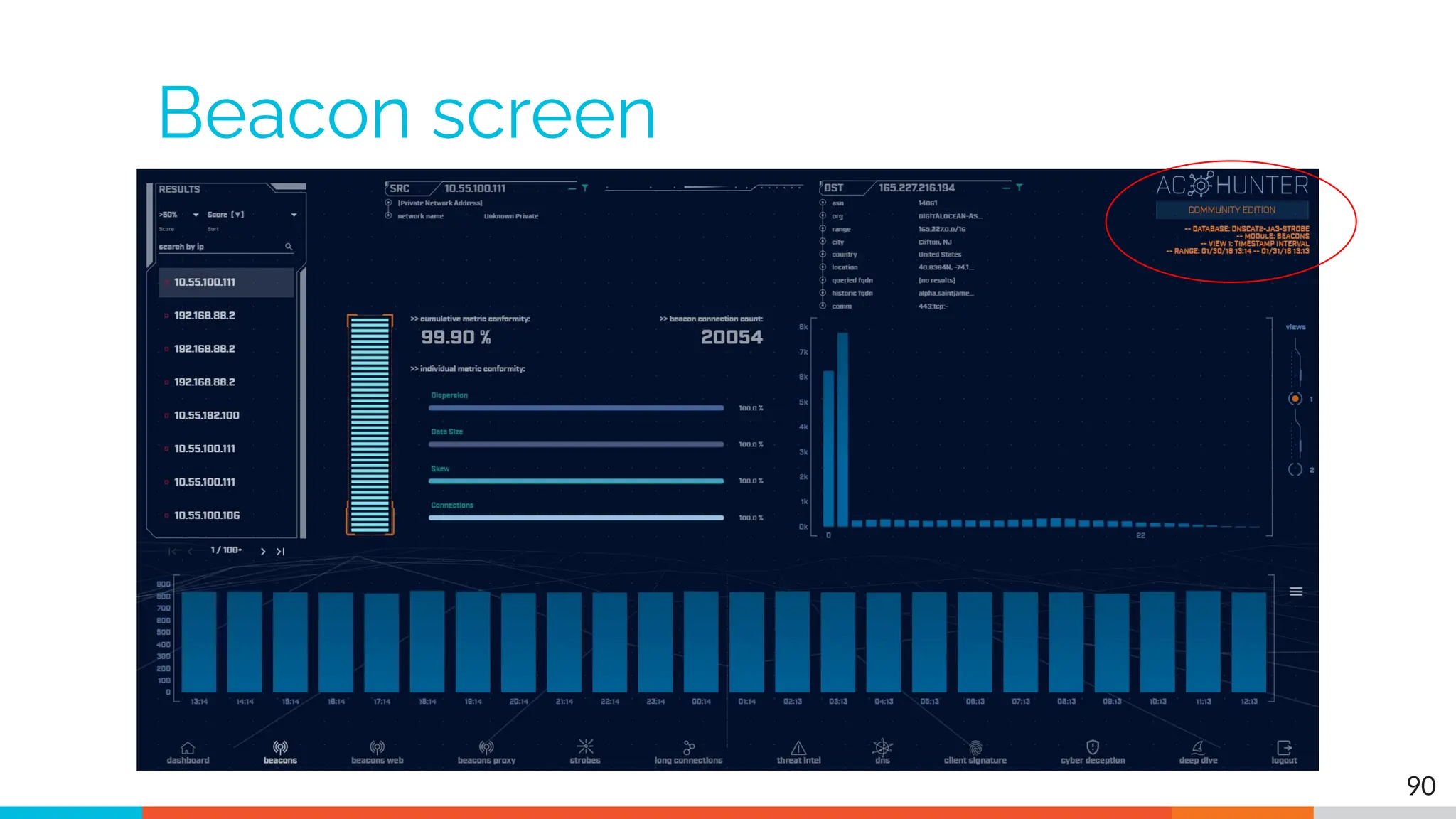
Beacon screen
90
Beacon analysis - 24 hour graph
91
Multiple hours showing the same number of connections
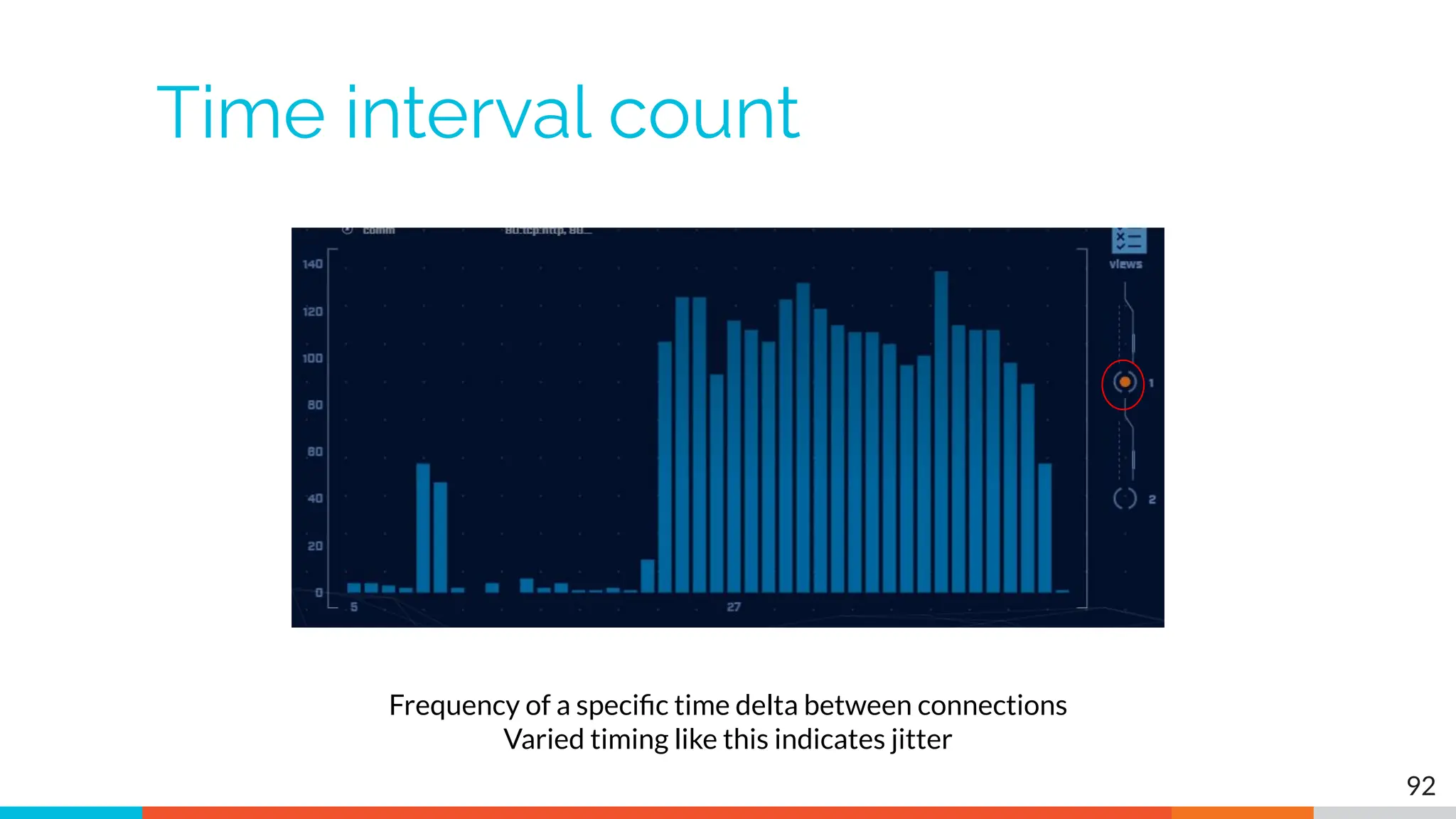
Time interval count
92
Frequency of a specific time delta between connections
Varied timing like this indicates jitter
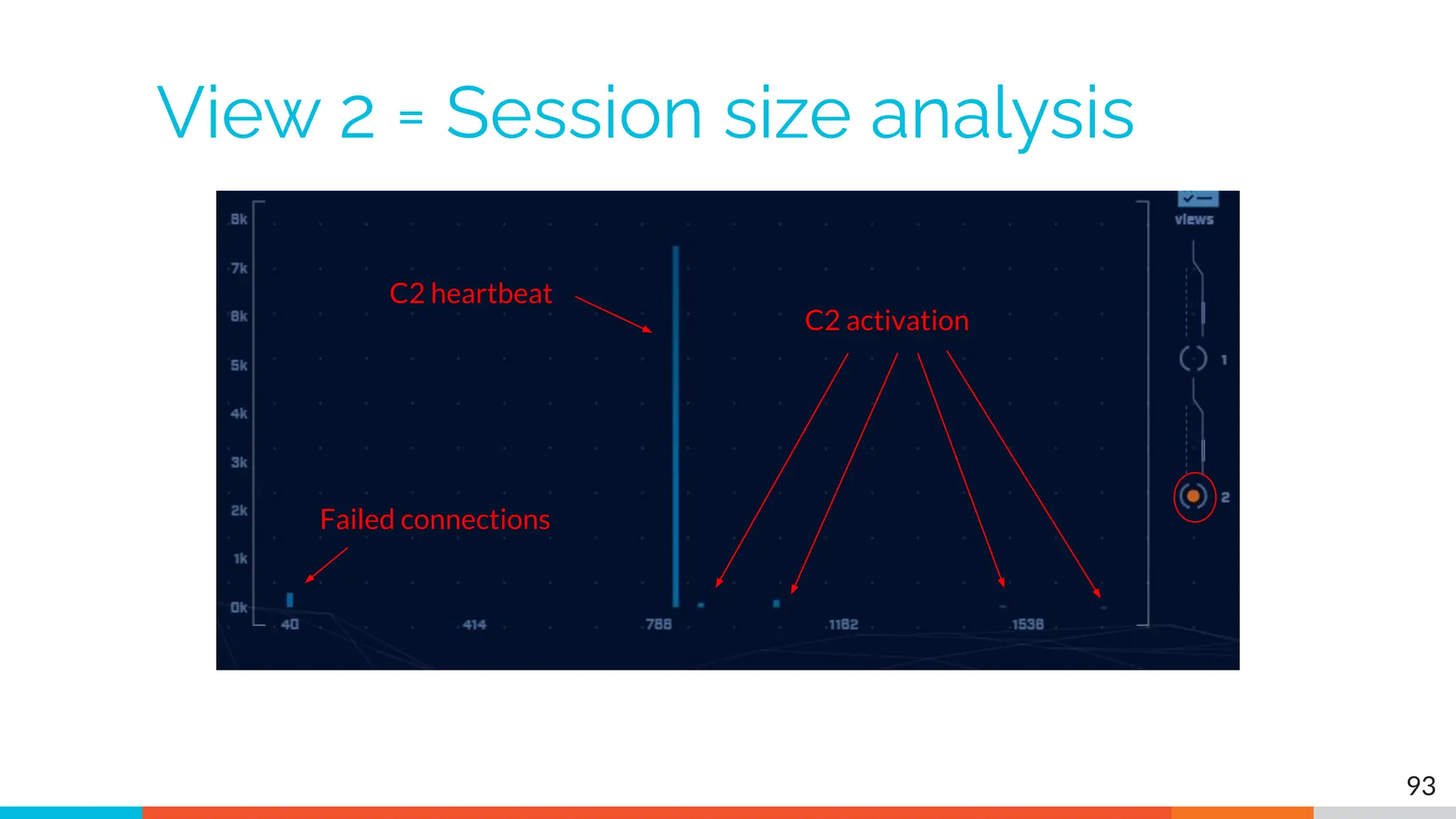
View 2 = Session size analysis
93
Failed connections
C2 heartbeat
C2 activation
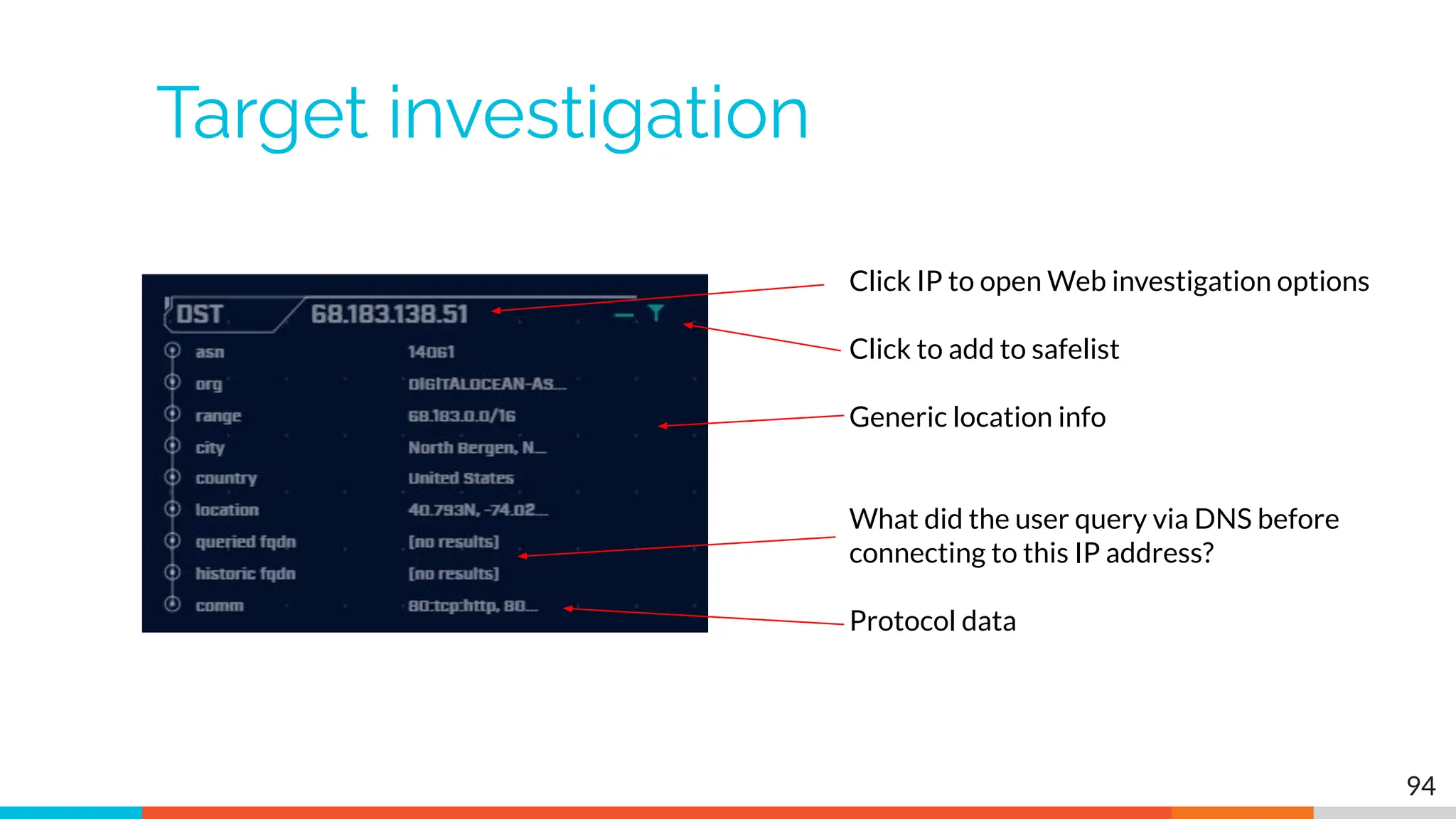
Target investigation
94
Click IP to open Web investigation options
Click to add to safelist
Generic location info
What did the user query via DNS before
connecting to this IP address?
Protocol data
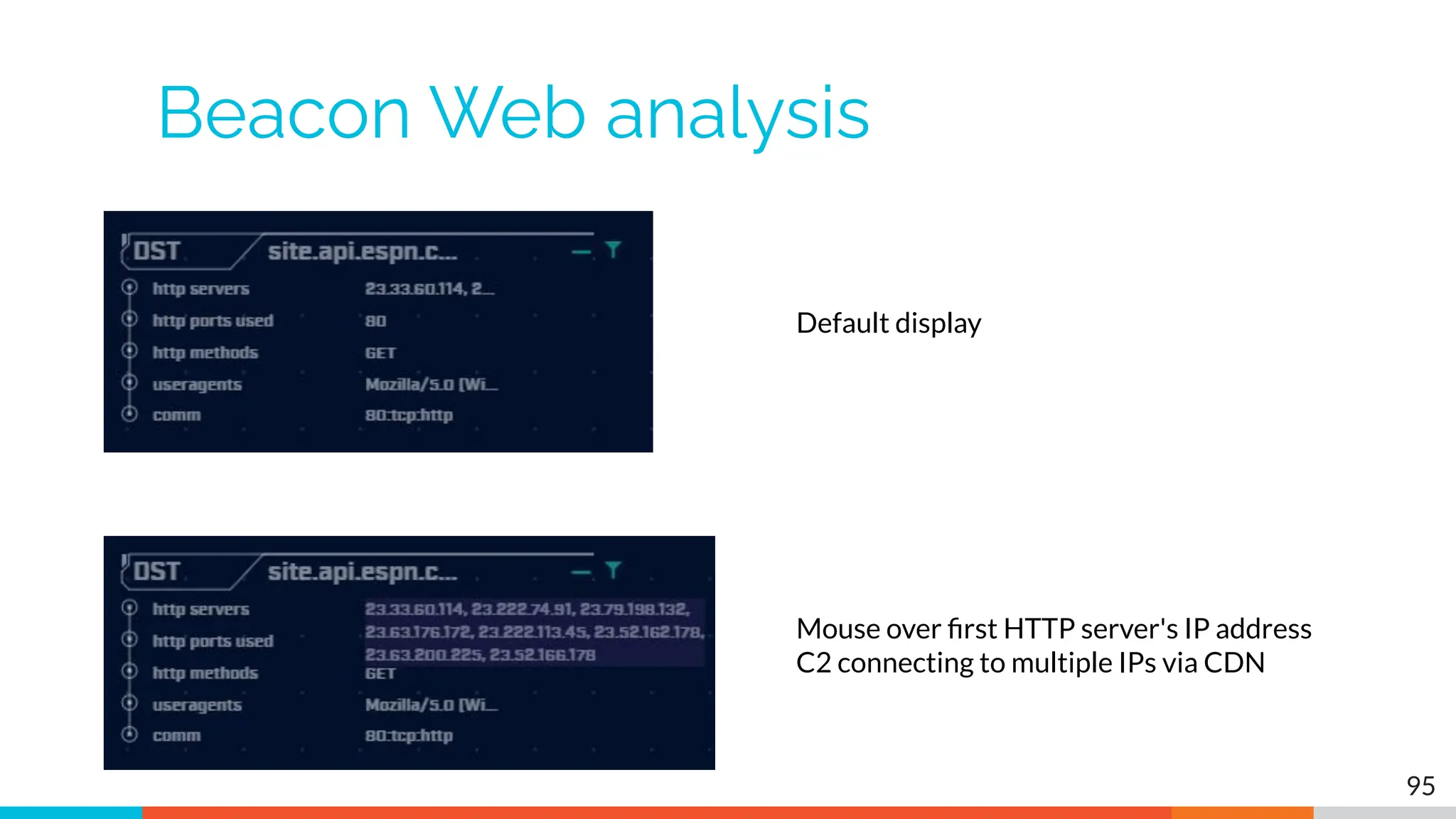
Beacon Web analysis
95
Default display
Mouse over first HTTP server's IP address
C2 connecting to multiple IPs via CDN
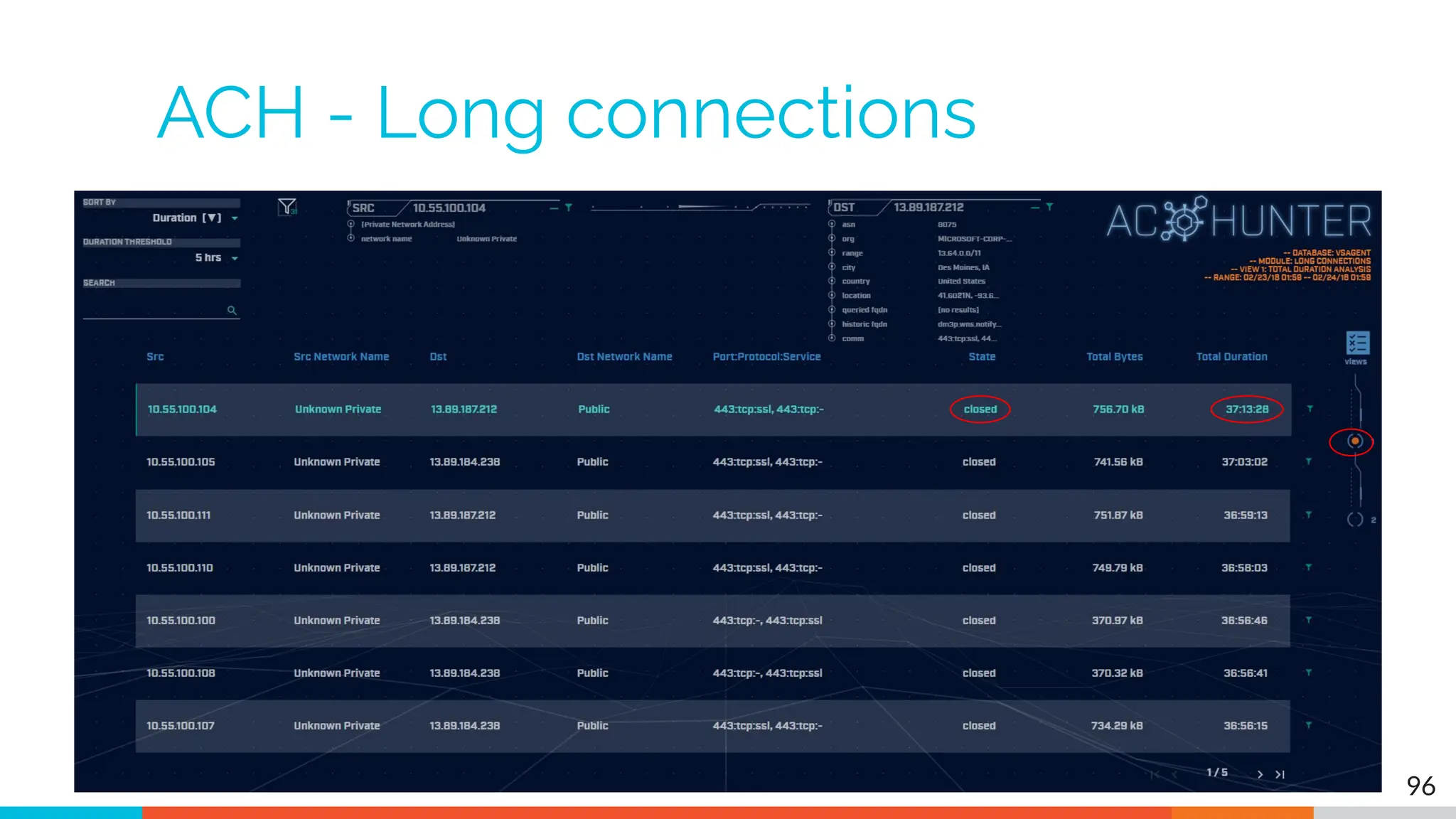
ACH - Long connections
96
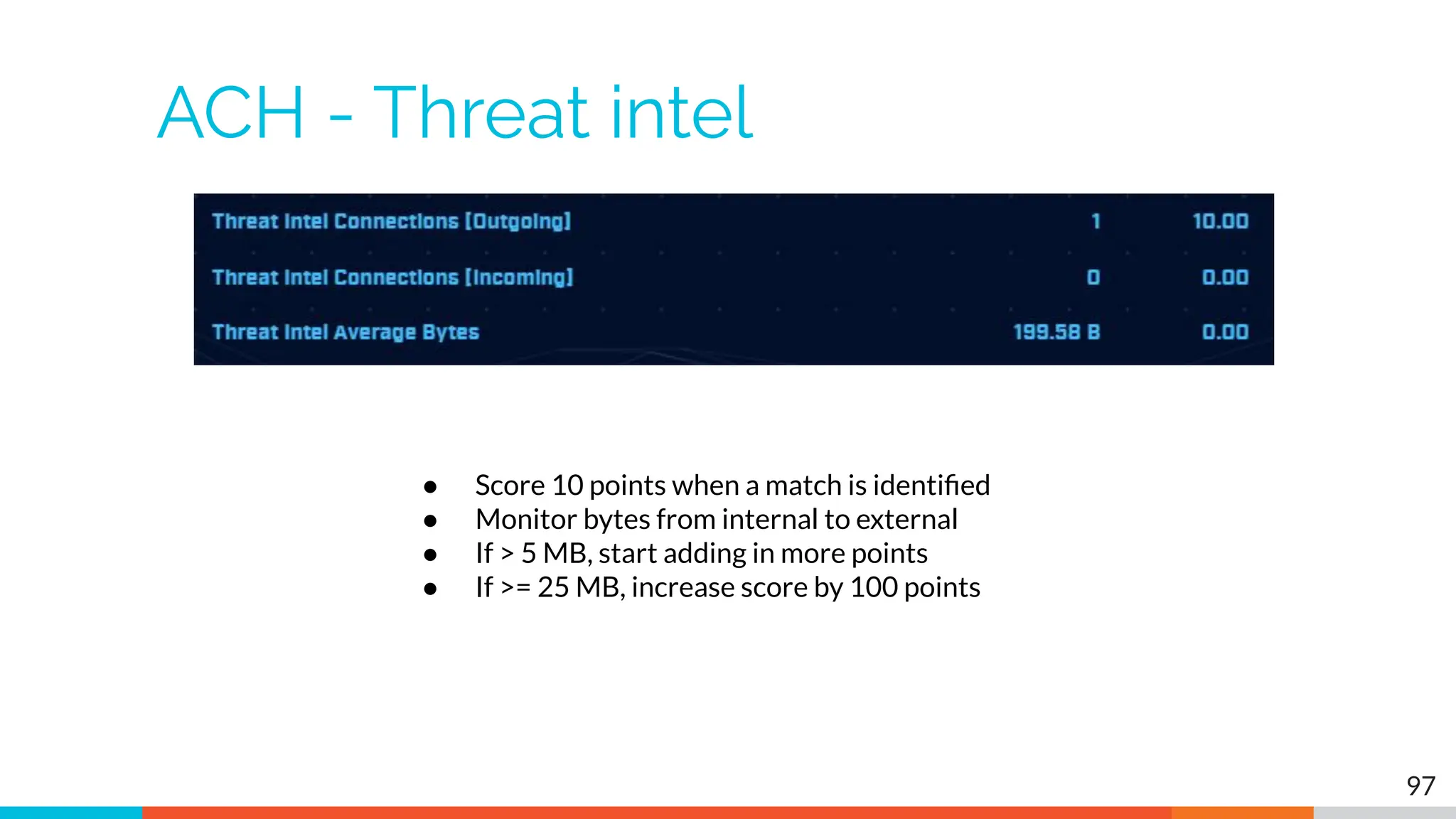
ACH - Threat intel
97
● Score 10 points when a match is identified
● Monitor bytes from internal to external
● If > 5 MB, start adding in more points
● If >= 25 MB, increase score by 100 points
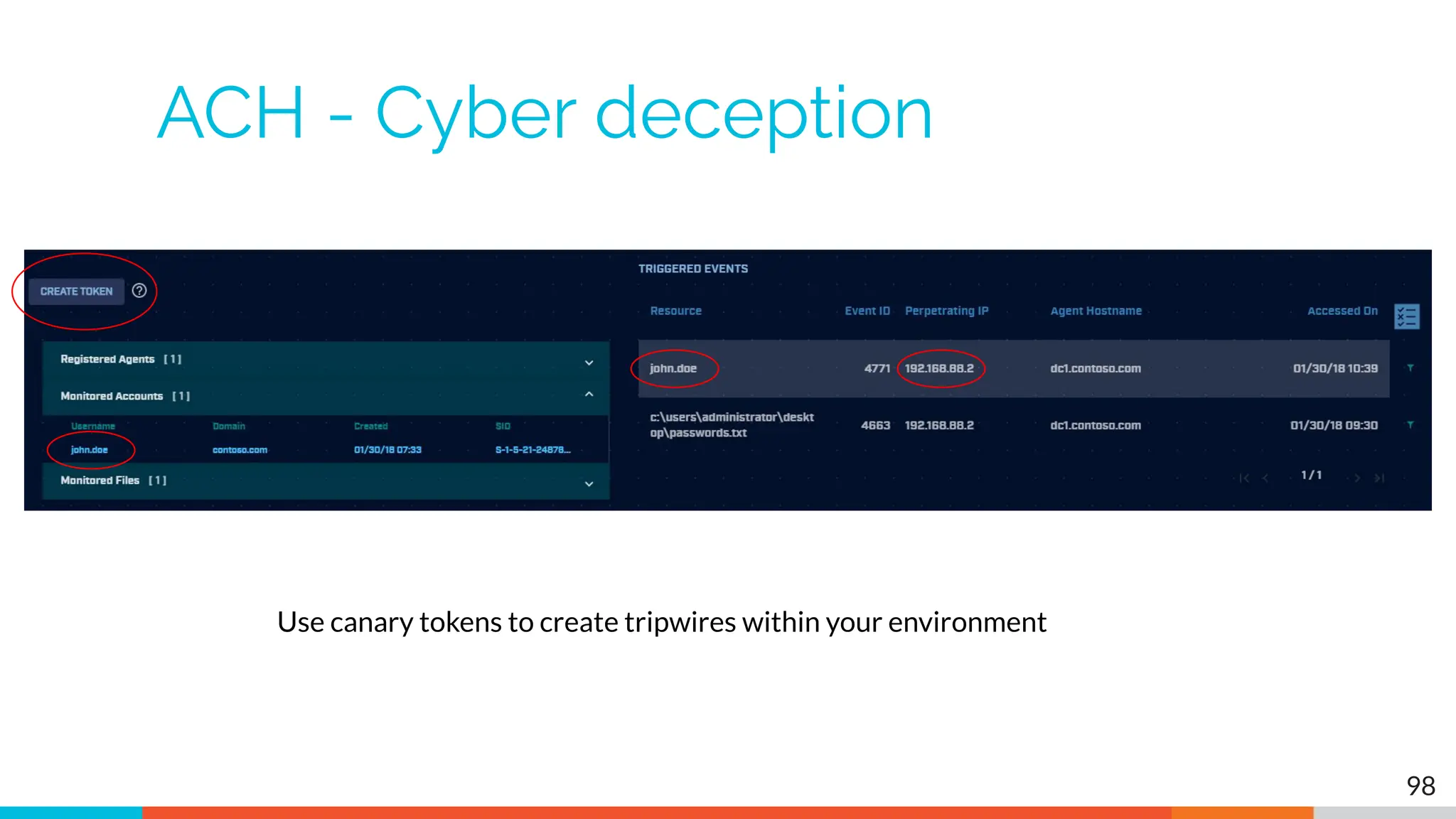
ACH - Cyber deception
98
Use canary tokens to create tripwires within your environment
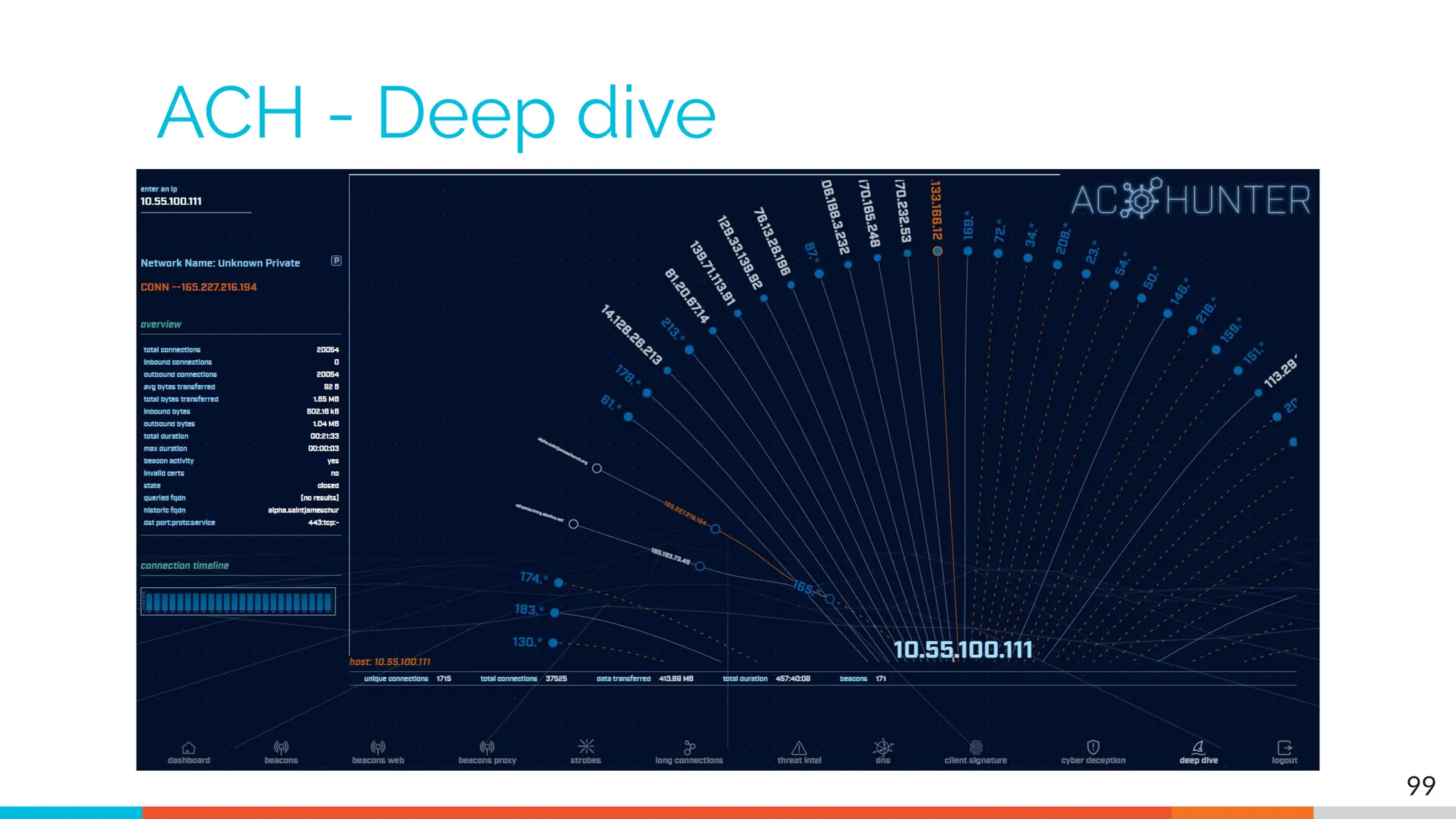
ACH - Deep dive
99
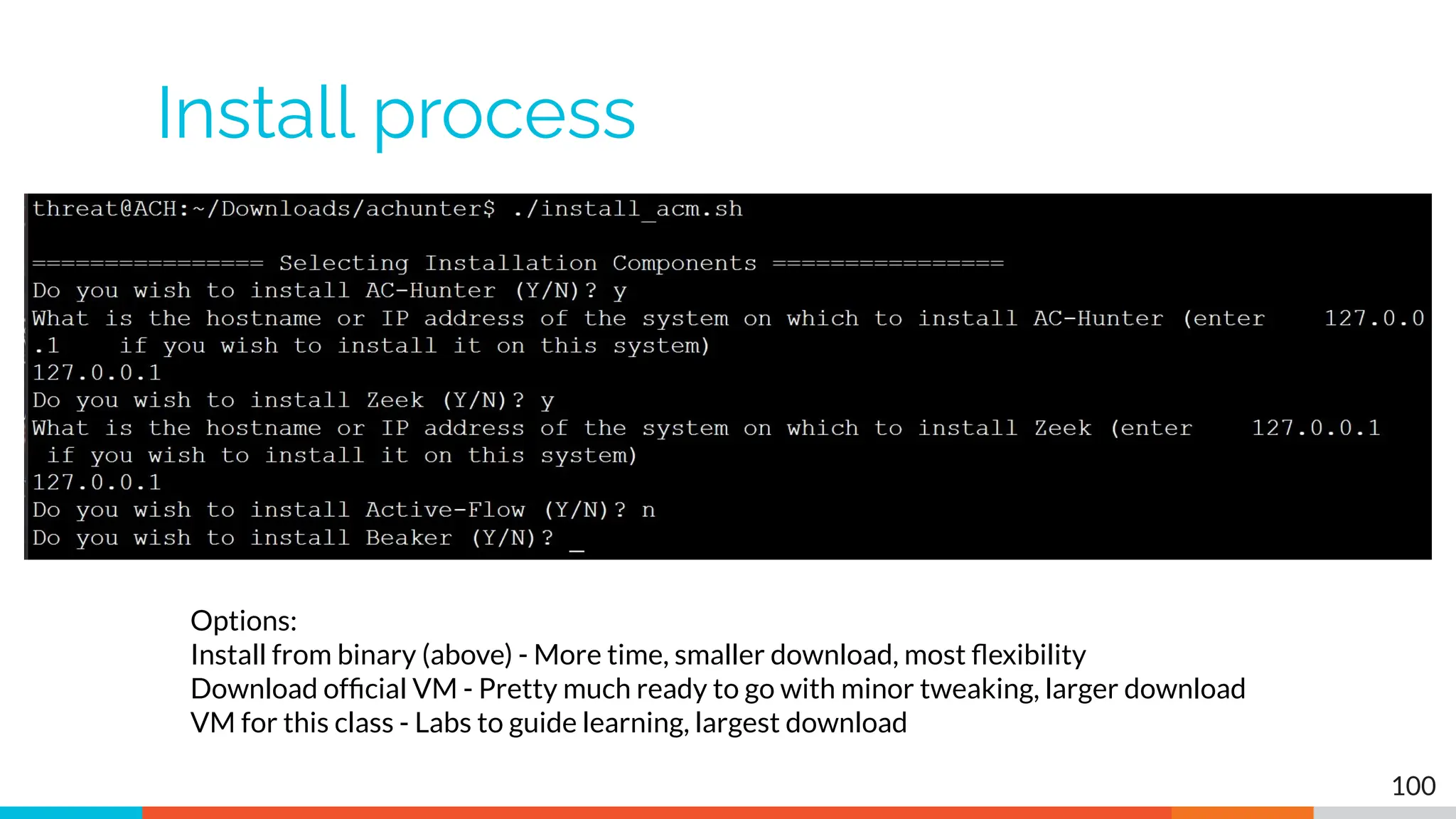
Install process
100
Options:
Install from binary (above) - More time, smaller download, most flexibility
Download official VM - Pretty much ready to go with minor tweaking, larger download
VM for this class - Labs to guide learning, largest download
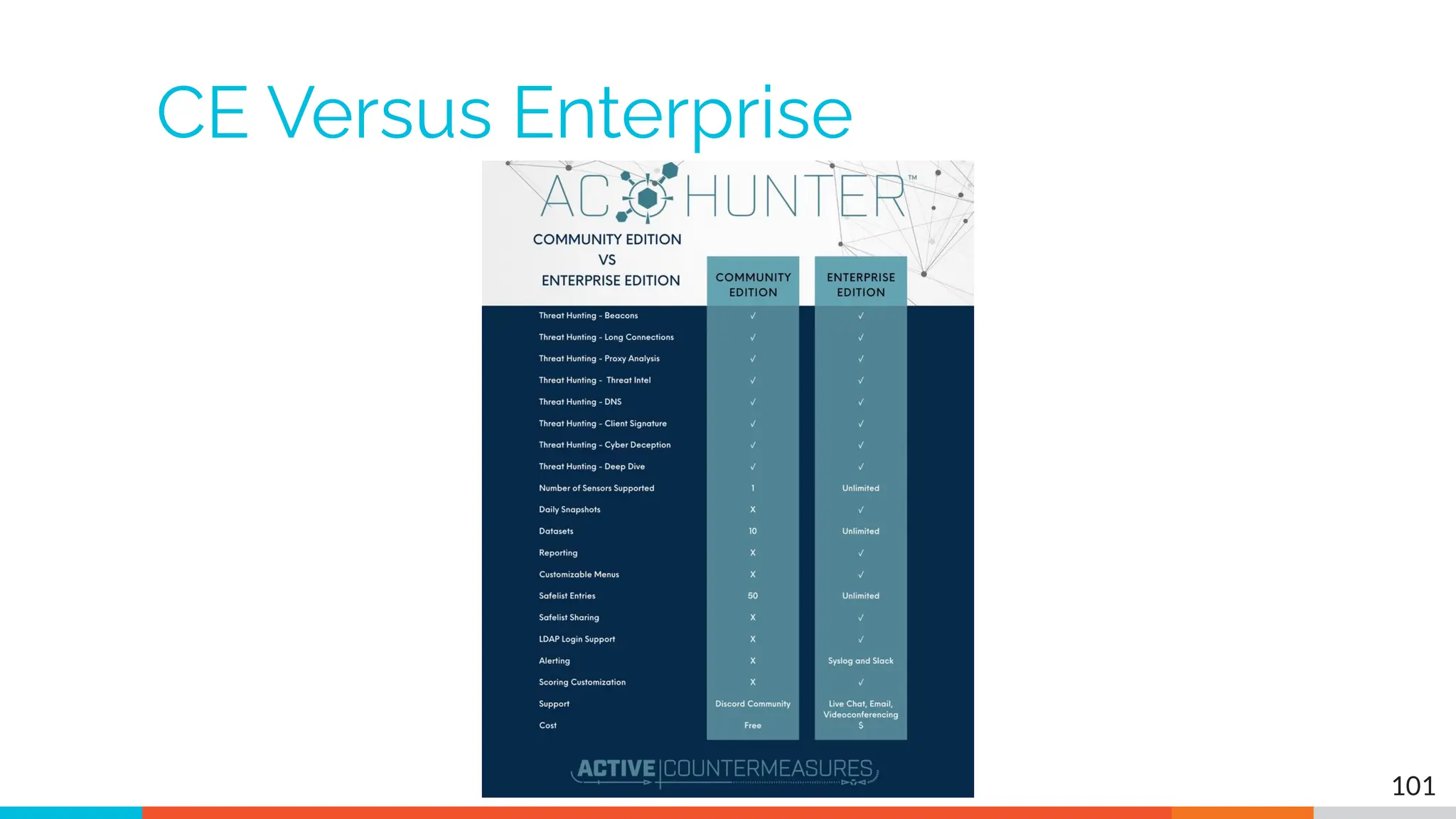
CE Versus Enterprise
101
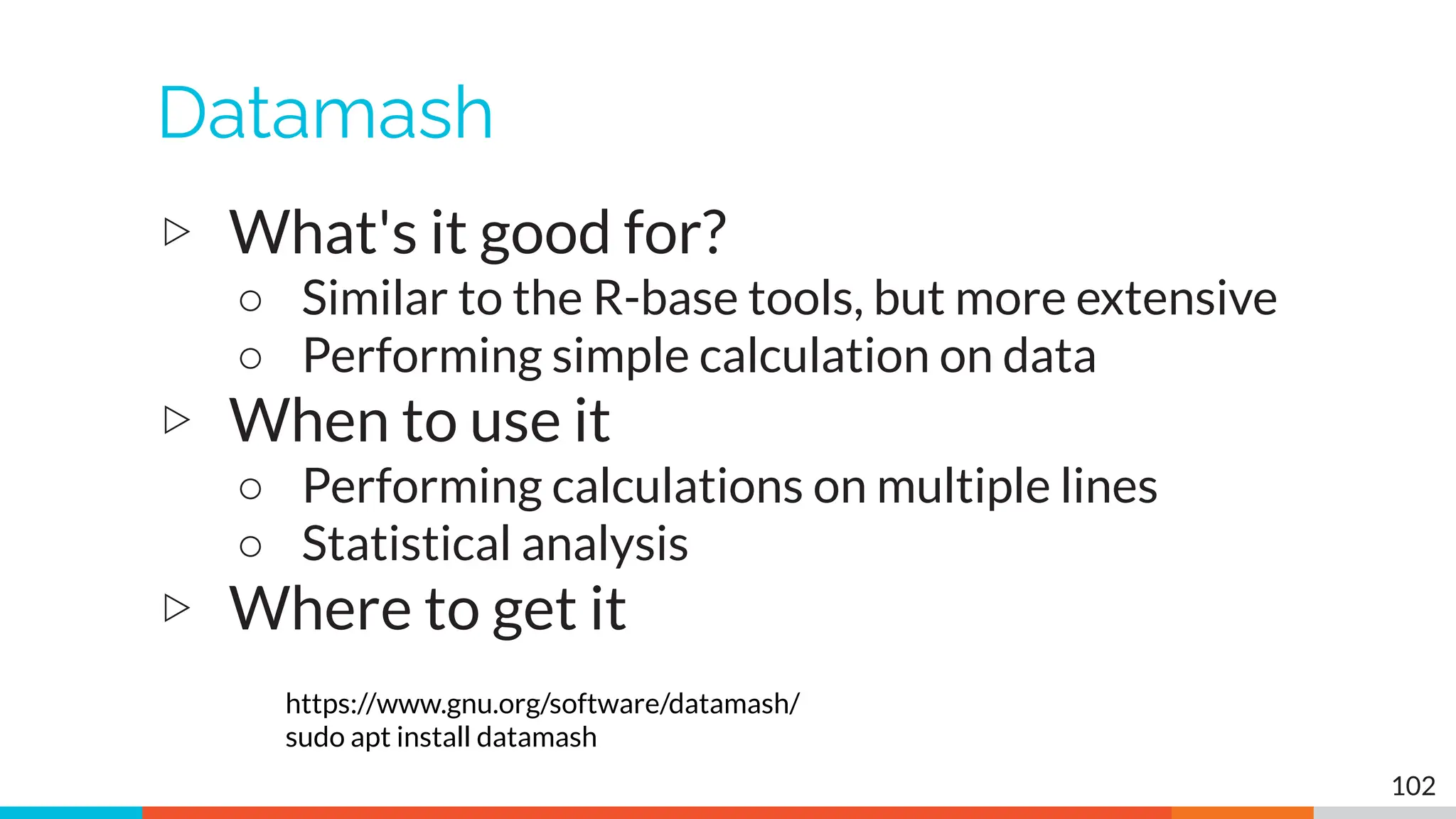
Datamash
▷ What's it good for?
○ Similar to the R-base tools, but more extensive
○ Performing simple calculation on data
▷ When to use it
○ Performing calculations on multiple lines
○ Statistical analysis
▷ Where to get it
https://www.gnu.org/software/datamash/
sudo apt install datamash
102
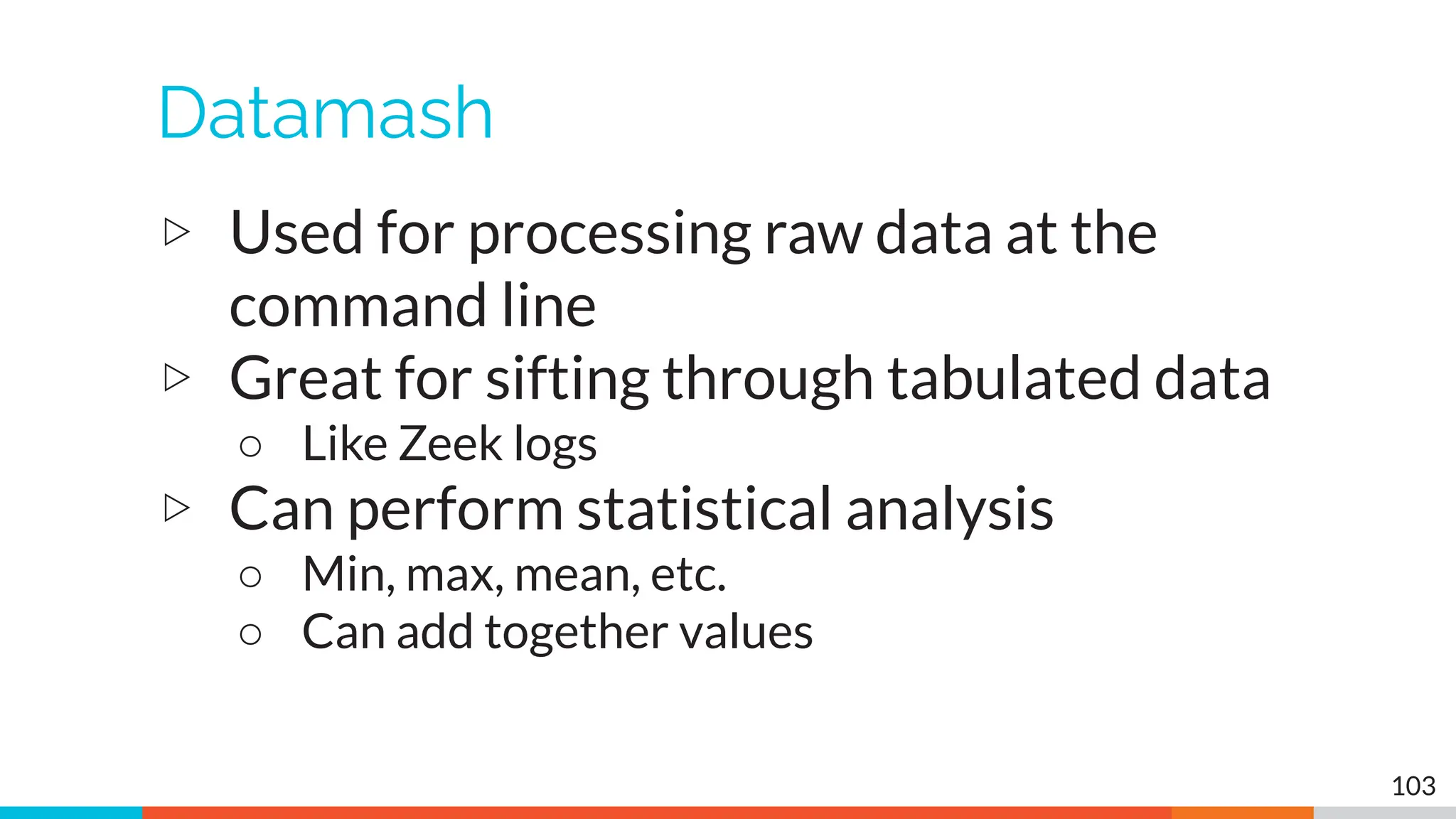
Datamash
▷ Used for processing raw data at the
command line
▷ Great for sifting through tabulated data
○ Like Zeek logs
▷ Can perform statistical analysis
○ Min, max, mean, etc.
○ Can add together values
103
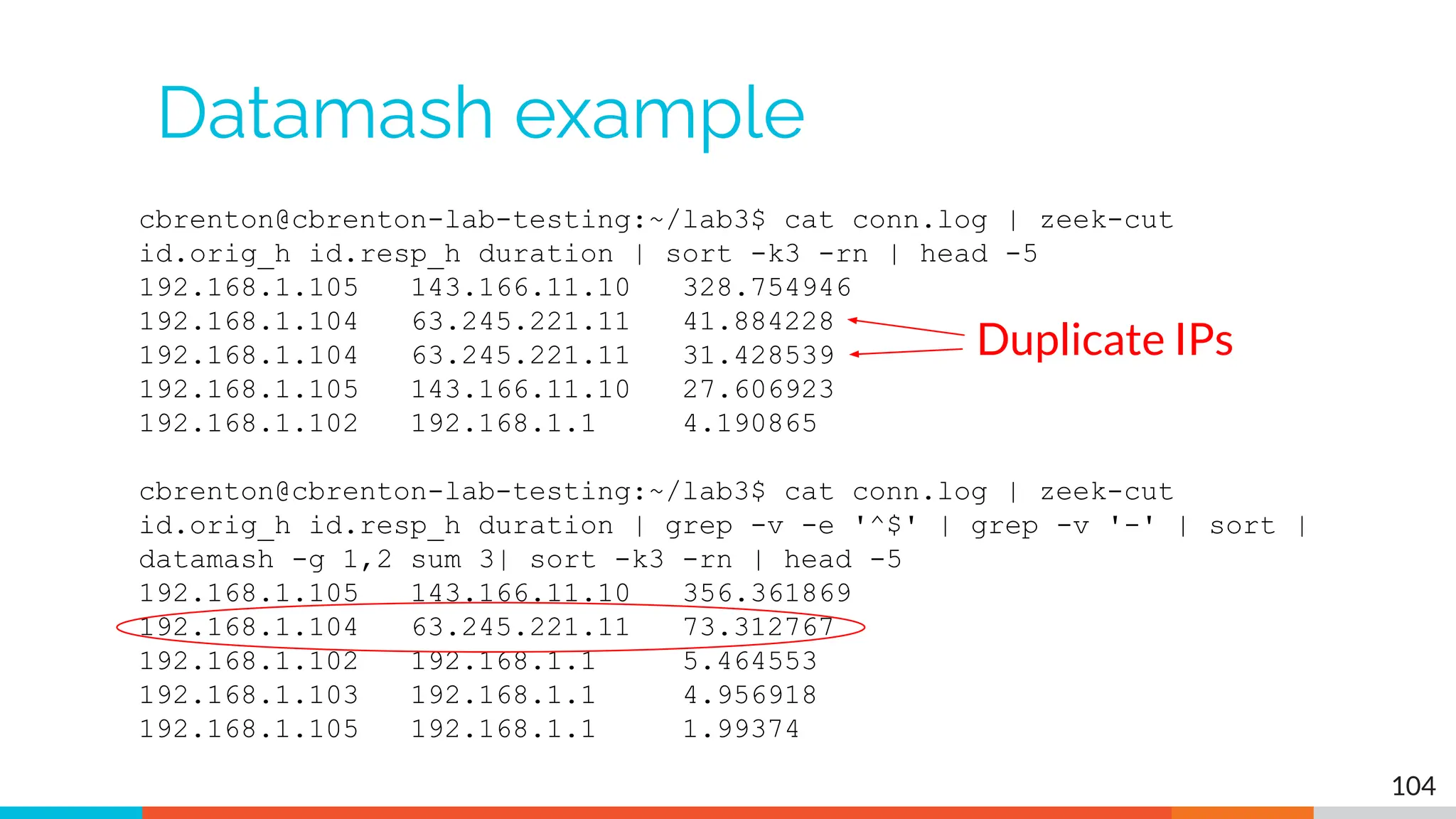
cbrenton@cbrenton-lab-testing:~/lab3$ cat conn.log | zeek-cut
id.orig_h id.resp_h duration | sort -k3 -rn | head -5
192.168.1.105 143.166.11.10 328.754946
192.168.1.104 63.245.221.11 41.884228
192.168.1.104 63.245.221.11 31.428539
192.168.1.105 143.166.11.10 27.606923
192.168.1.102 192.168.1.1 4.190865
cbrenton@cbrenton-lab-testing:~/lab3$ cat conn.log | zeek-cut
id.orig_h id.resp_h duration | grep -v -e '^$' | grep -v '-' | sort |
datamash -g 1,2 sum 3| sort -k3 -rn | head -5
192.168.1.105 143.166.11.10 356.361869
192.168.1.104 63.245.221.11 73.312767
192.168.1.102 192.168.1.1 5.464553
192.168.1.103 192.168.1.1 4.956918
192.168.1.105 192.168.1.1 1.99374
Datamash example
104
Duplicate IPs
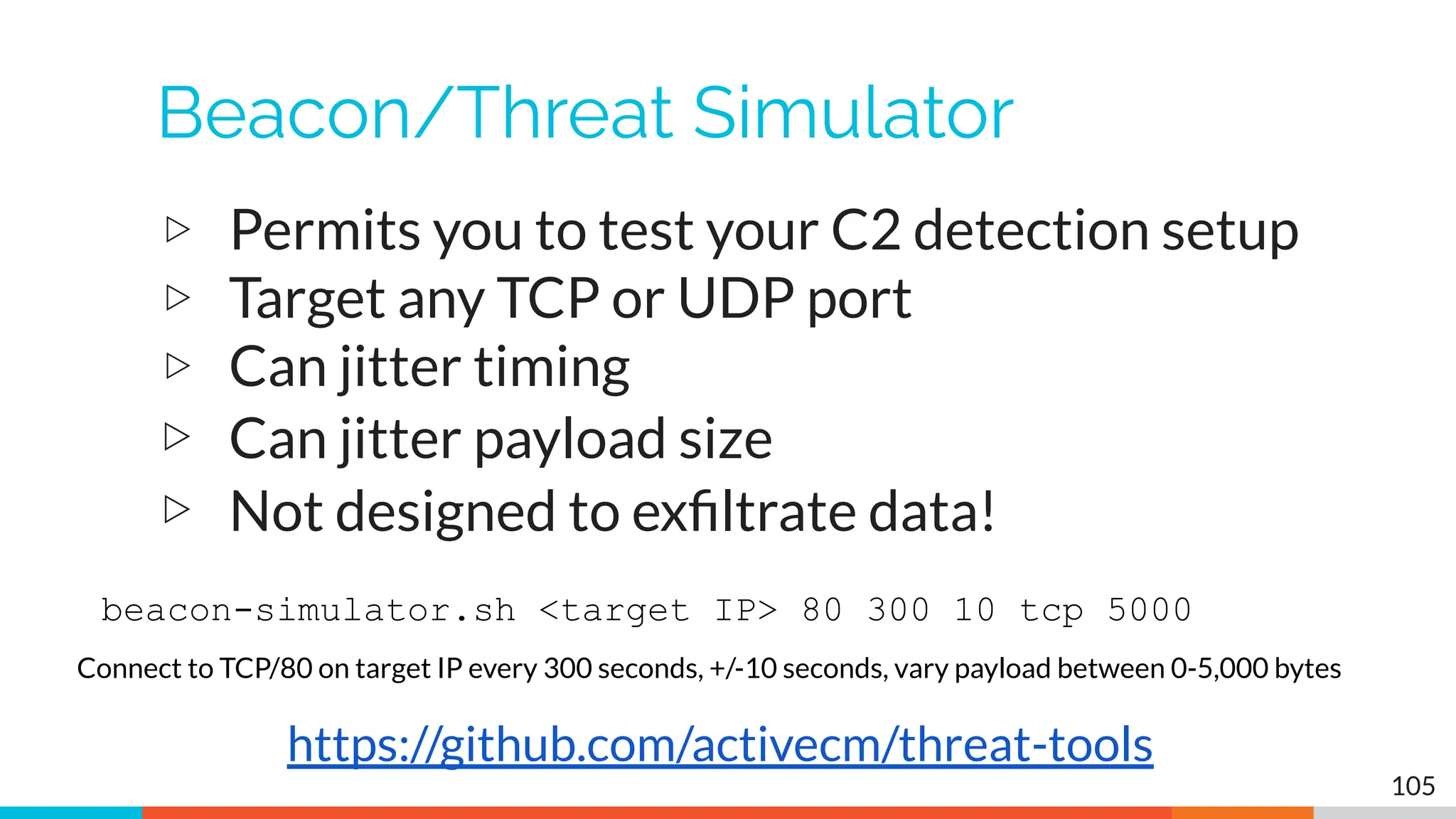
Beacon/Threat Simulator
▷ Permits you to test your C2 detection setup
▷ Target any TCP or UDP port
▷ Can jitter timing
▷ Can jitter payload size
▷ Not designed to exfiltrate data!
105
https://github.com/activecm/threat-tools
beacon-simulator.sh <target IP> 80 300 10 tcp 5000
Connect to TCP/80 on target IP every 300 seconds, +/-10 seconds, vary payload between 0-5,000 bytes
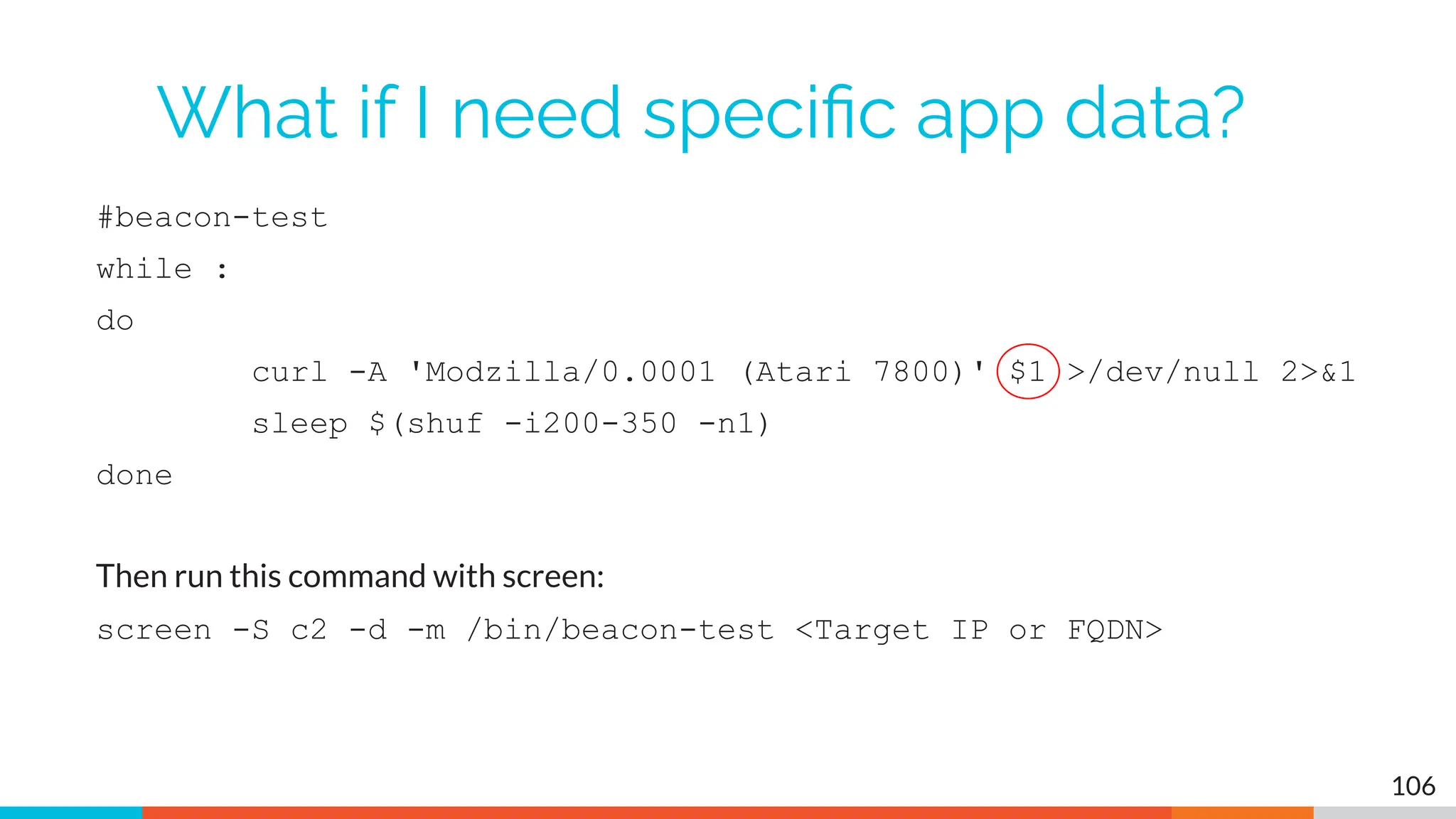
What if I need specific app data?
#beacon-test
while :
do
curl -A 'Modzilla/0.0001 (Atari 7800)' $1 >/dev/null 2>&1
sleep $(shuf -i200-350 -n1)
done
Then run this command with screen:
screen -S c2 -d -m /bin/beacon-test <Target IP or FQDN>
106
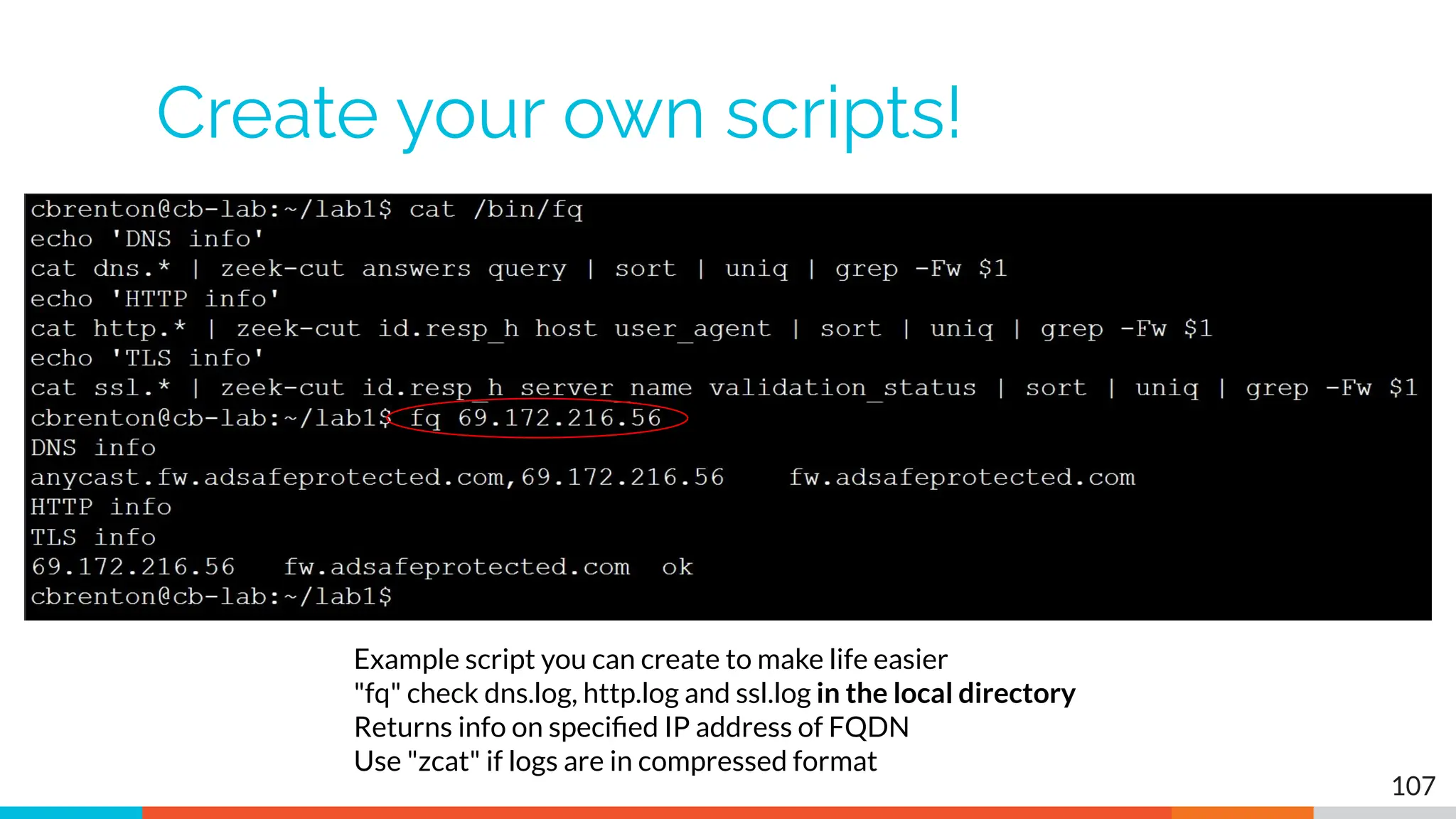
Create your own scripts!
107
Example script you can create to make life easier
"fq" check dns.log, http.log and ssl.log in the local directory
Returns info on specified IP address of FQDN
Use "zcat" if logs are in compressed format
C2 Labs & Walkthroughs
What We Will Cover
▷ This section is mostly hands on labs
▷ Implement what you have learned
▷ Two formats:
○ Guided walkthrough - Just follow along
○ Labs - Try to solve the problem on your own
○ Labs have a "hints" page if you get stuck
▷ Walkthroughs stress familiarization
▷ Labs used to cement your knowledge
○ Hints provided if needed 109
Reminder
▷ Class VM
○ SSH login - threat
○ SSH pass - hunting
○ Web login - threat@activecountermeasures.com
○ Web pass - hunting2
110
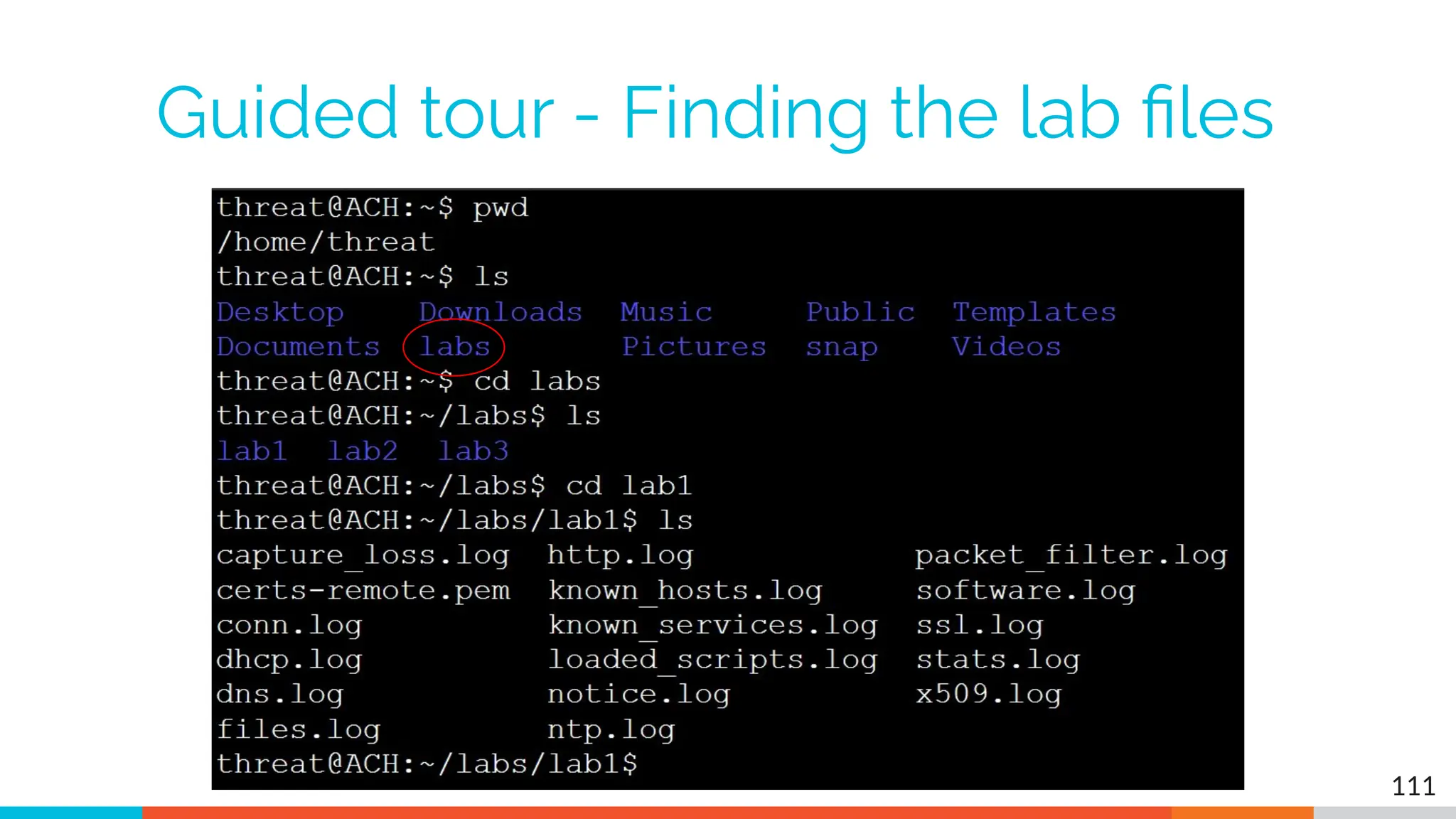
Guided tour - Finding the lab files
111
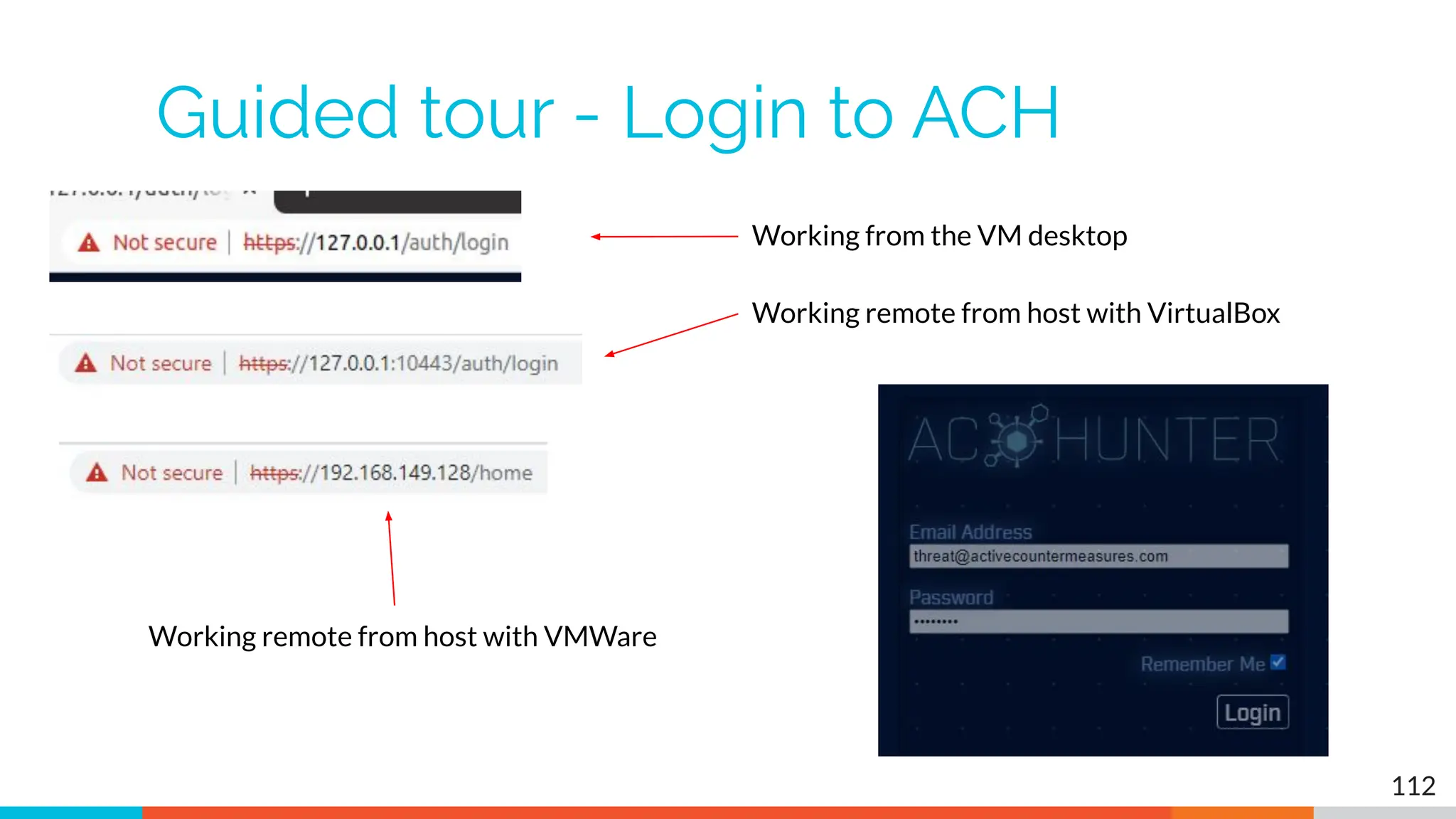
Guided tour - Login to ACH
112
Working from the VM desktop
Working remote from host with VirtualBox
Working remote from host with VMWare
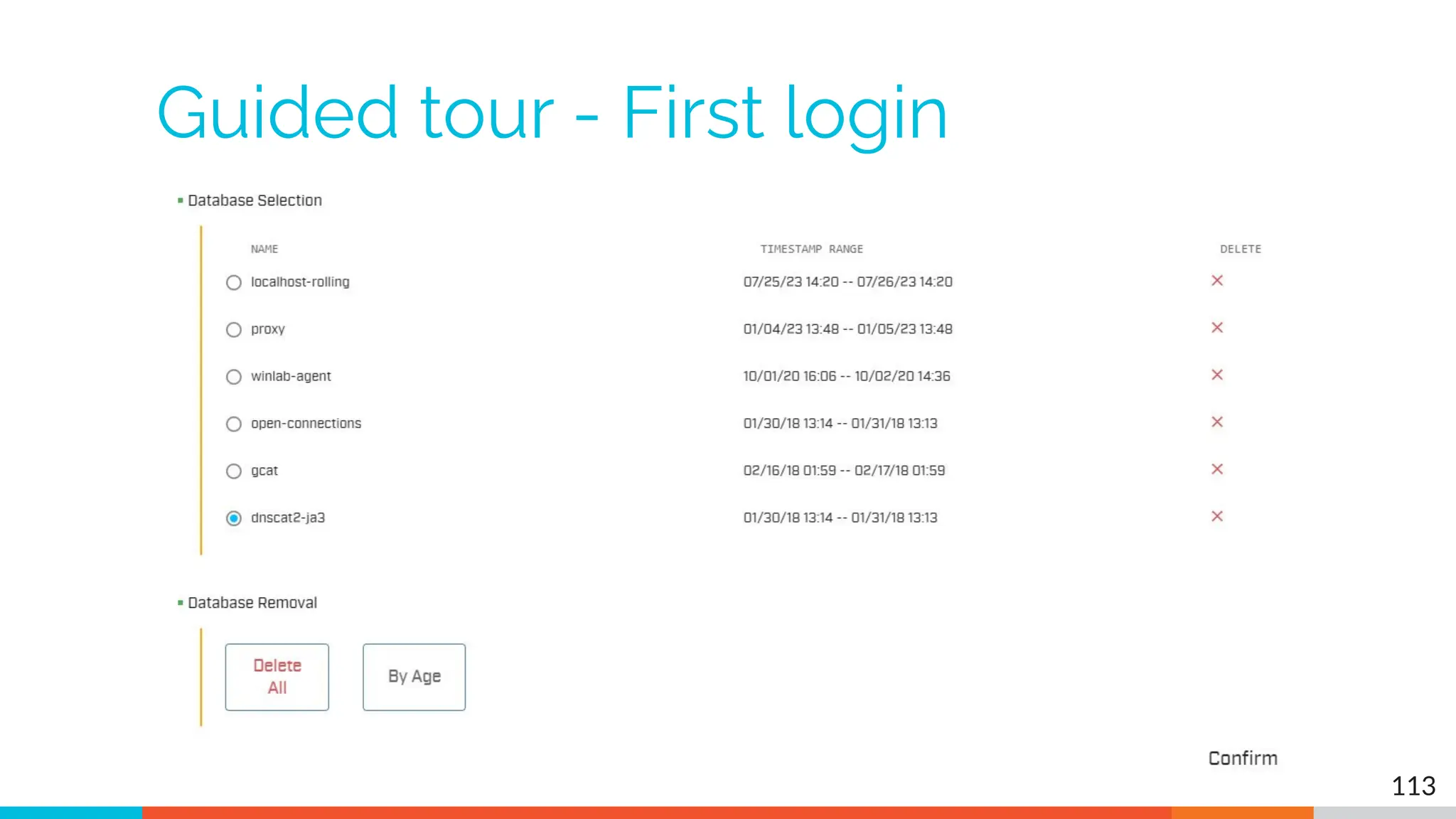
Guided tour - First login
113
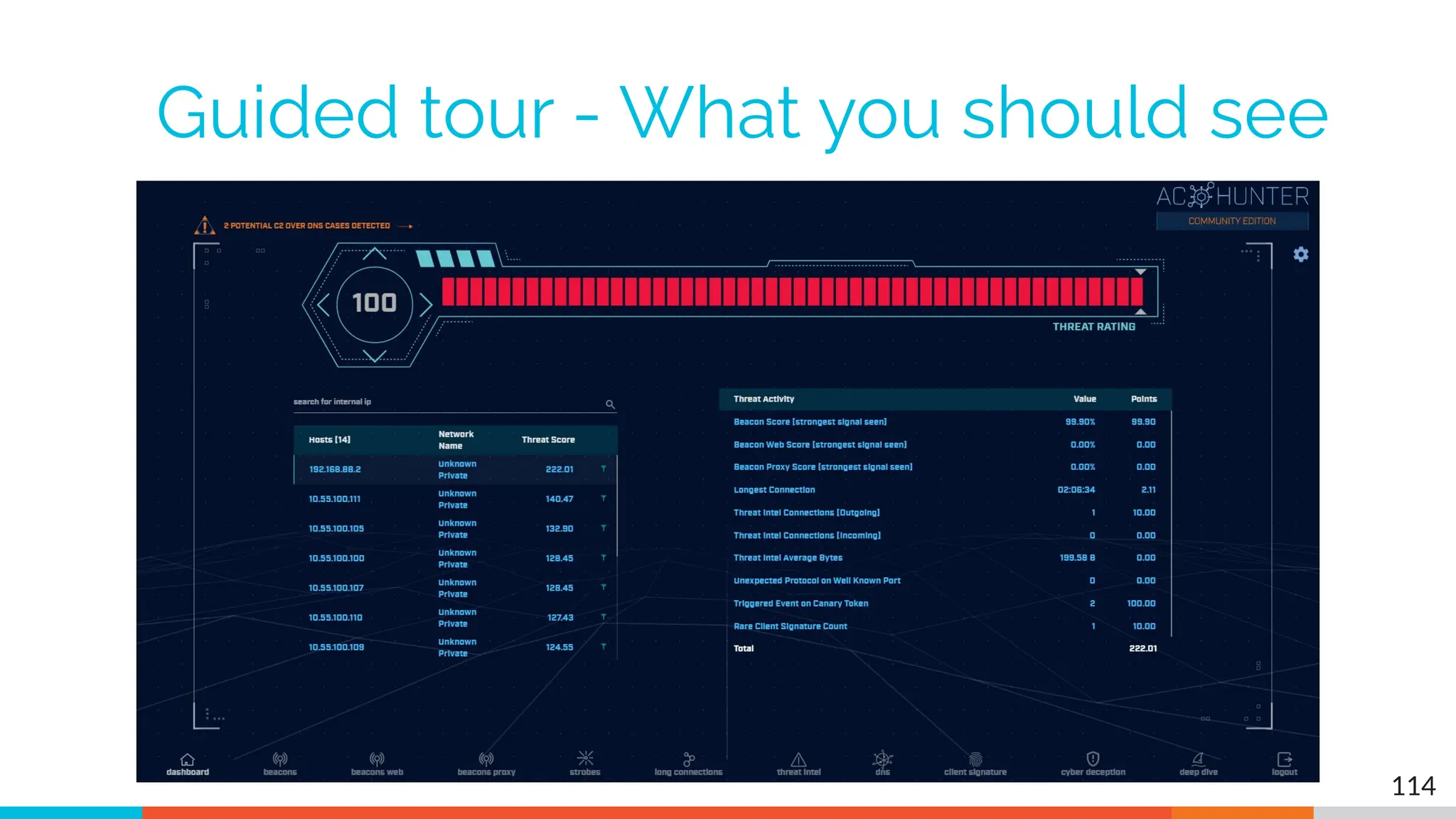
Guided tour - What you should see
114
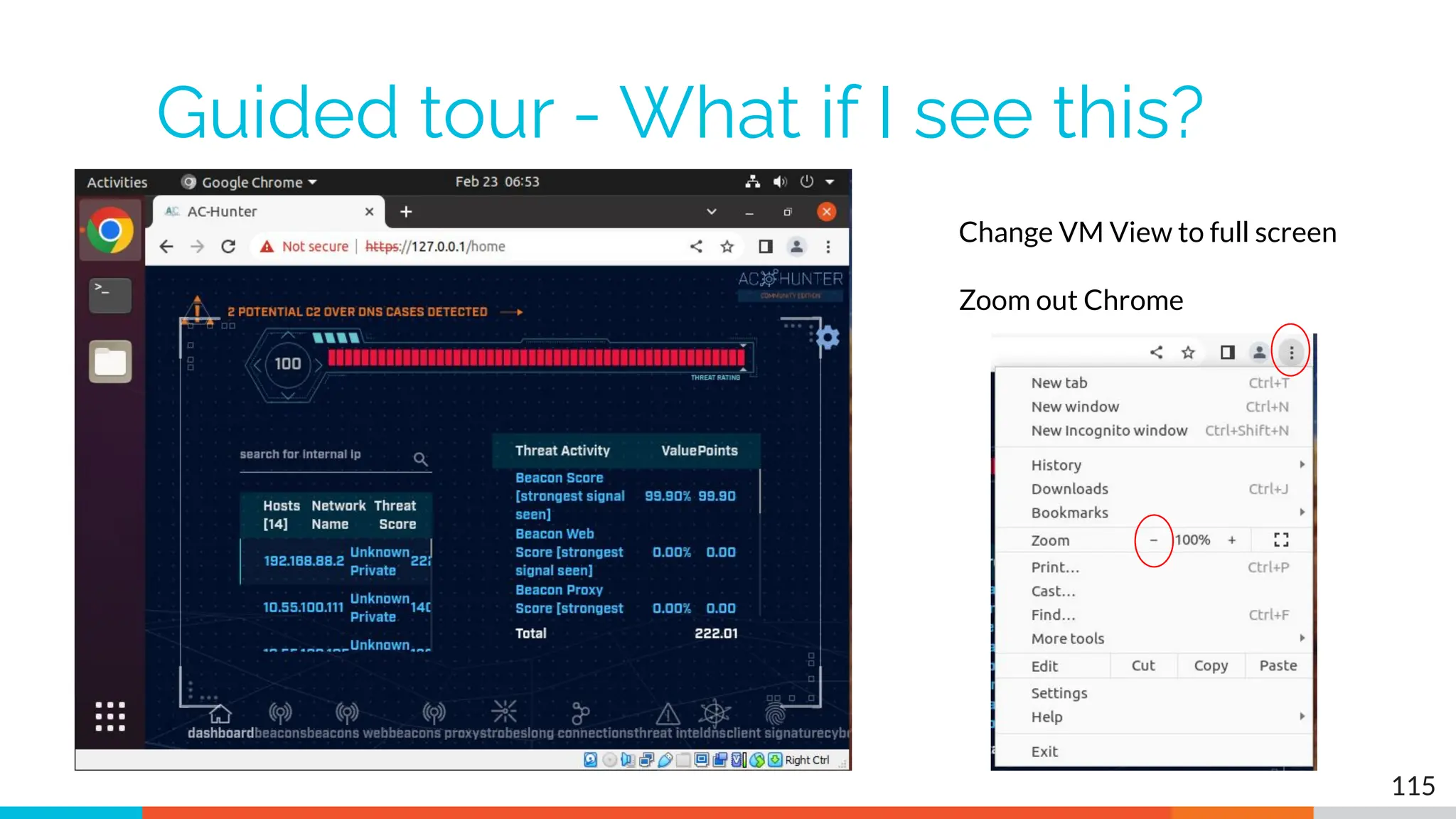
Guided tour - What if I see this?
115
Change VM View to full screen
Zoom out Chrome
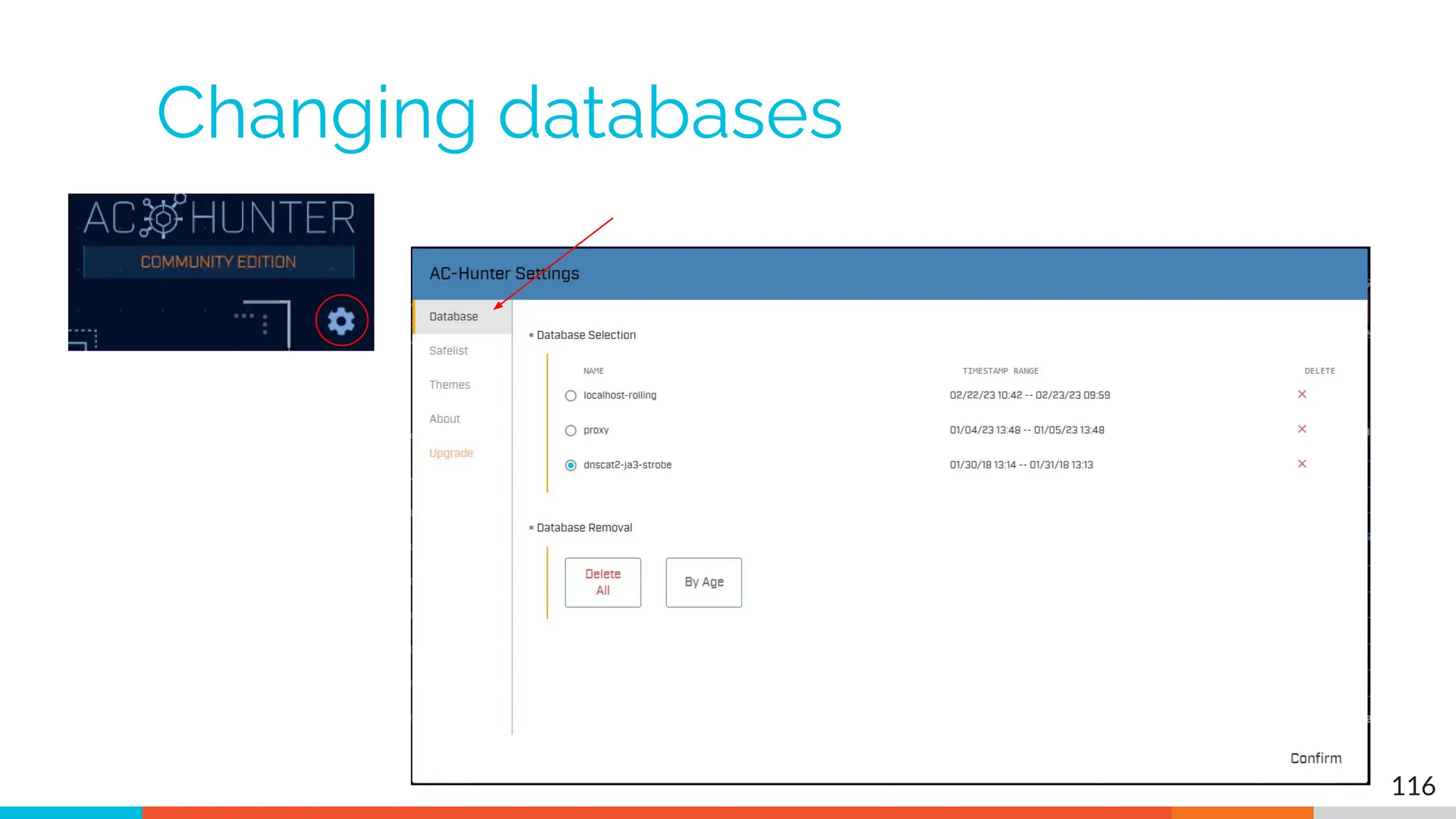
Changing databases
116
Let's add a safelist entry
▷ Used when legit business need is identified
▷ Keep the entry from showing up in hunts
▷ Applied across all databases
▷ Does not delete data!
○ Hides from view
○ Hides from scoring
▷ Remove entry and data returns
117
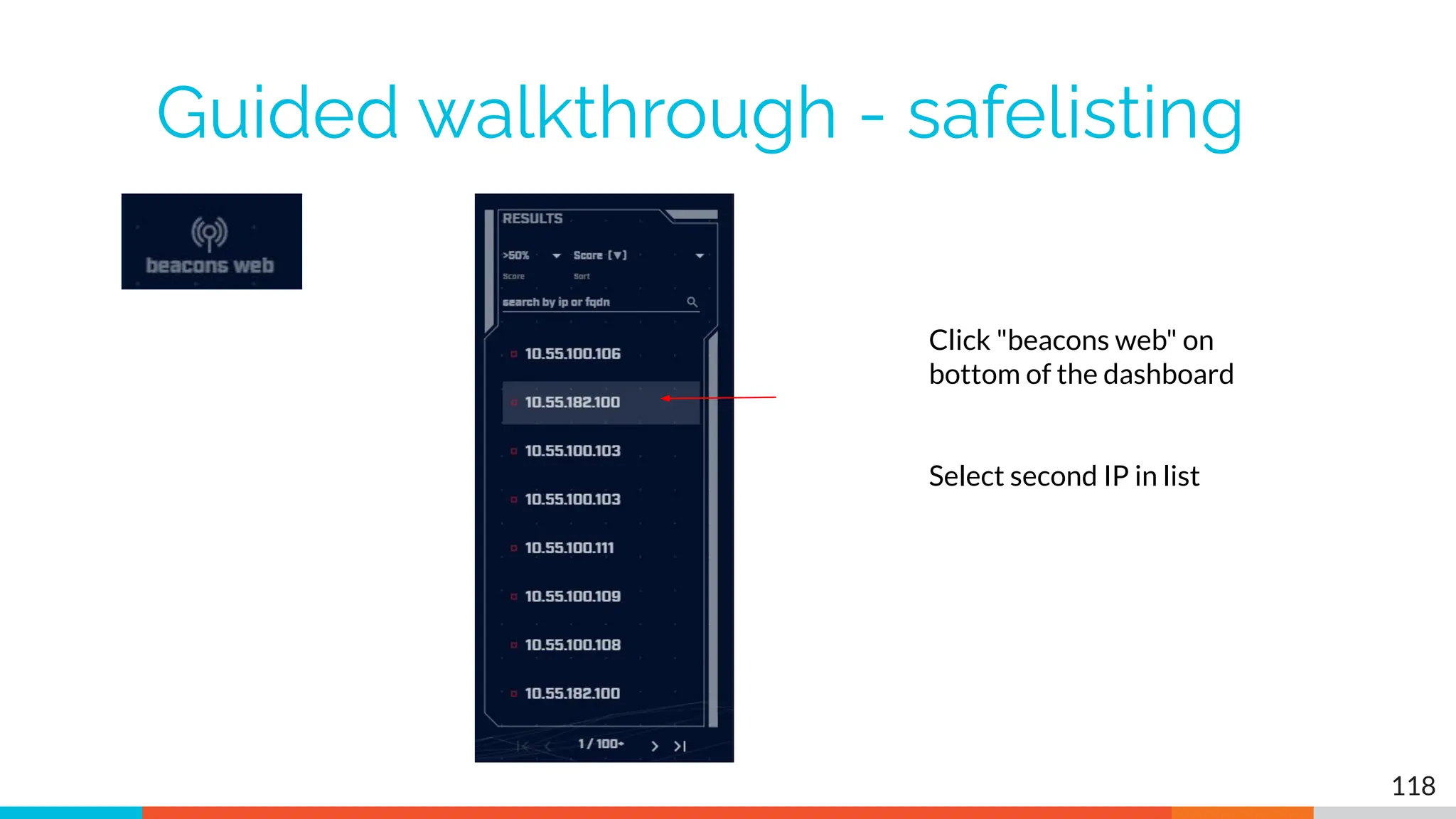
Guided walkthrough - safelisting
118
Click "beacons web" on
bottom of the dashboard
Select second IP in list
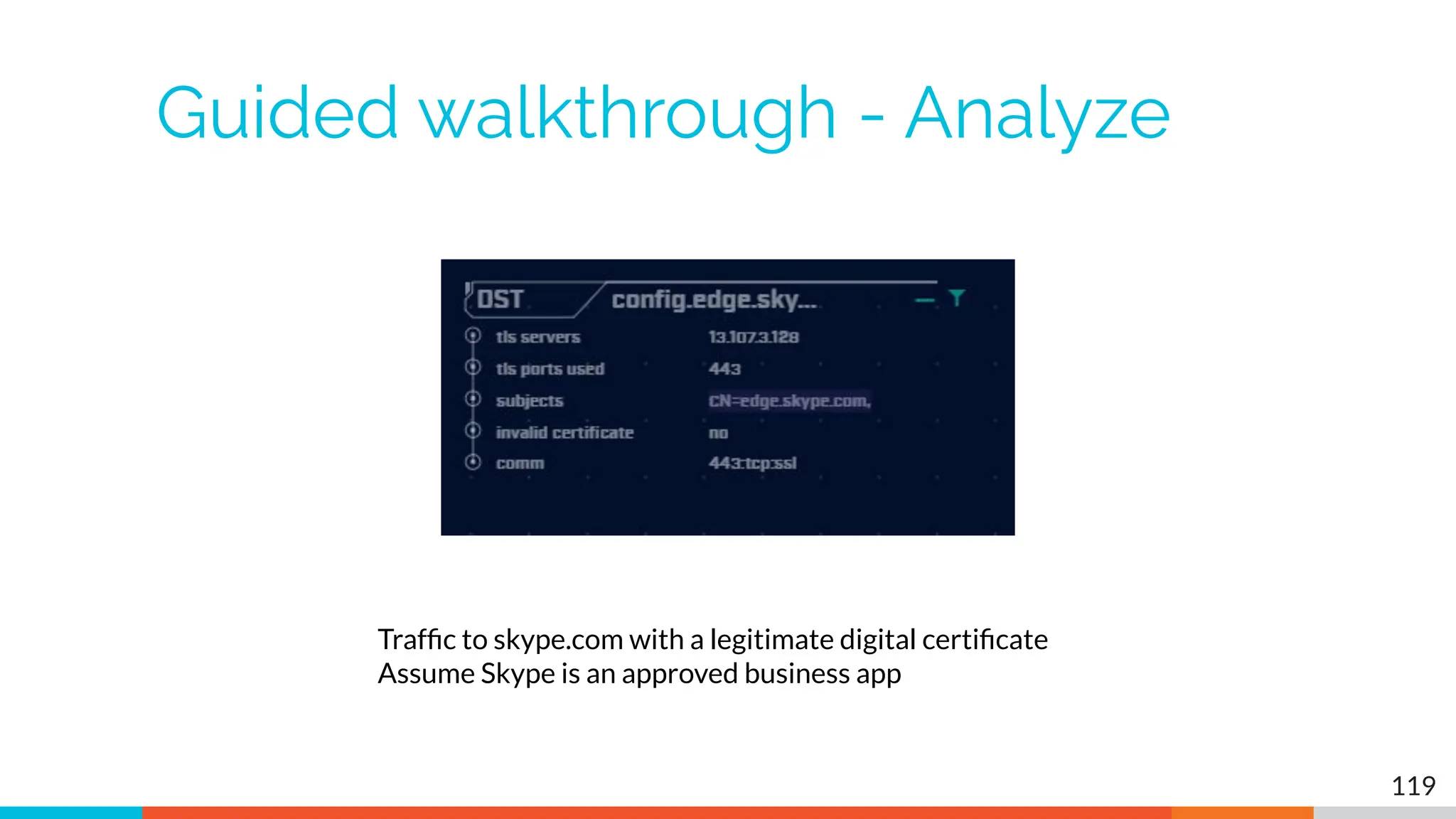
Guided walkthrough - Analyze
119
Traffic to skype.com with a legitimate digital certificate
Assume Skype is an approved business app
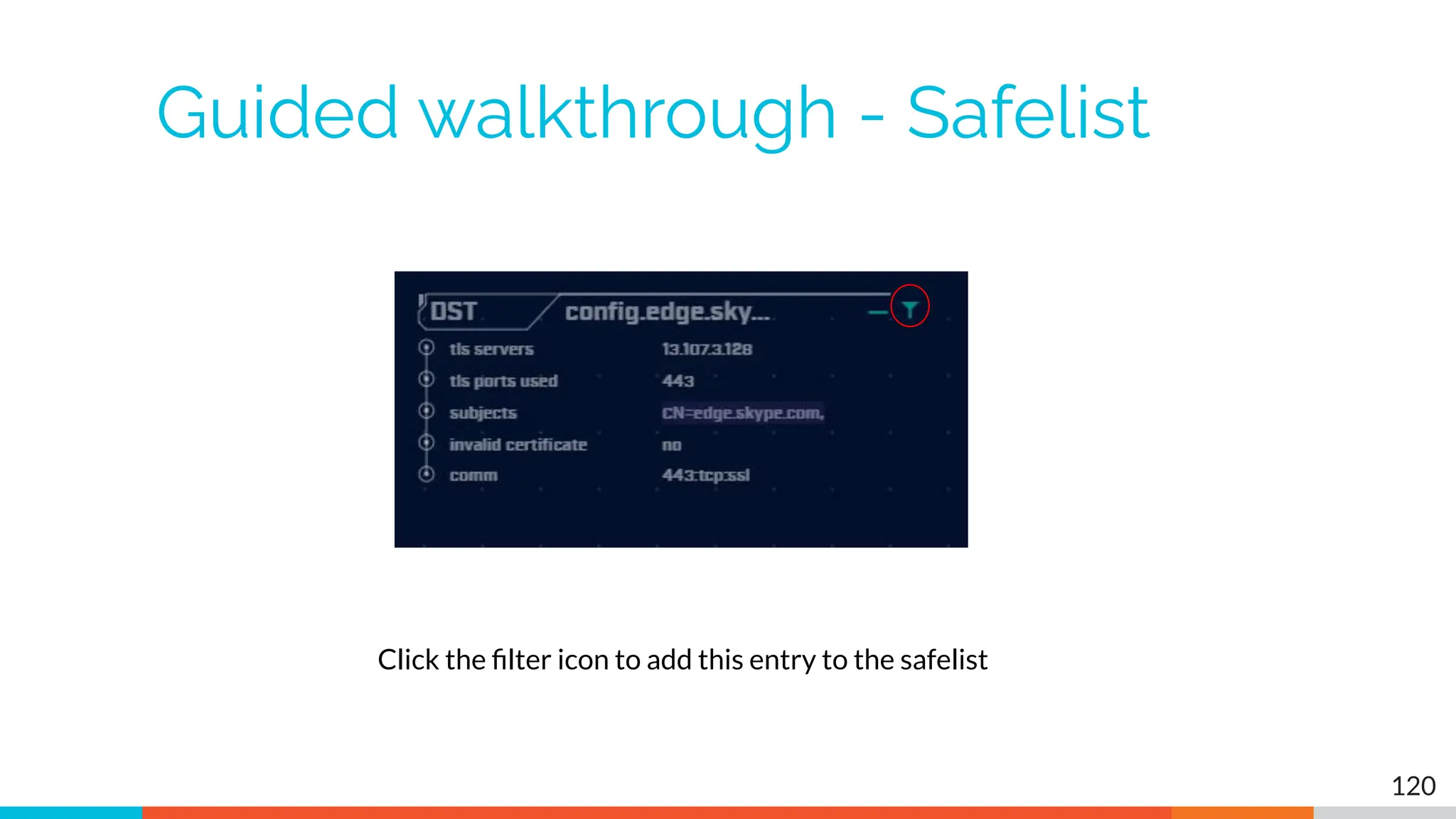
Guided walkthrough - Safelist
120
Click the filter icon to add this entry to the safelist
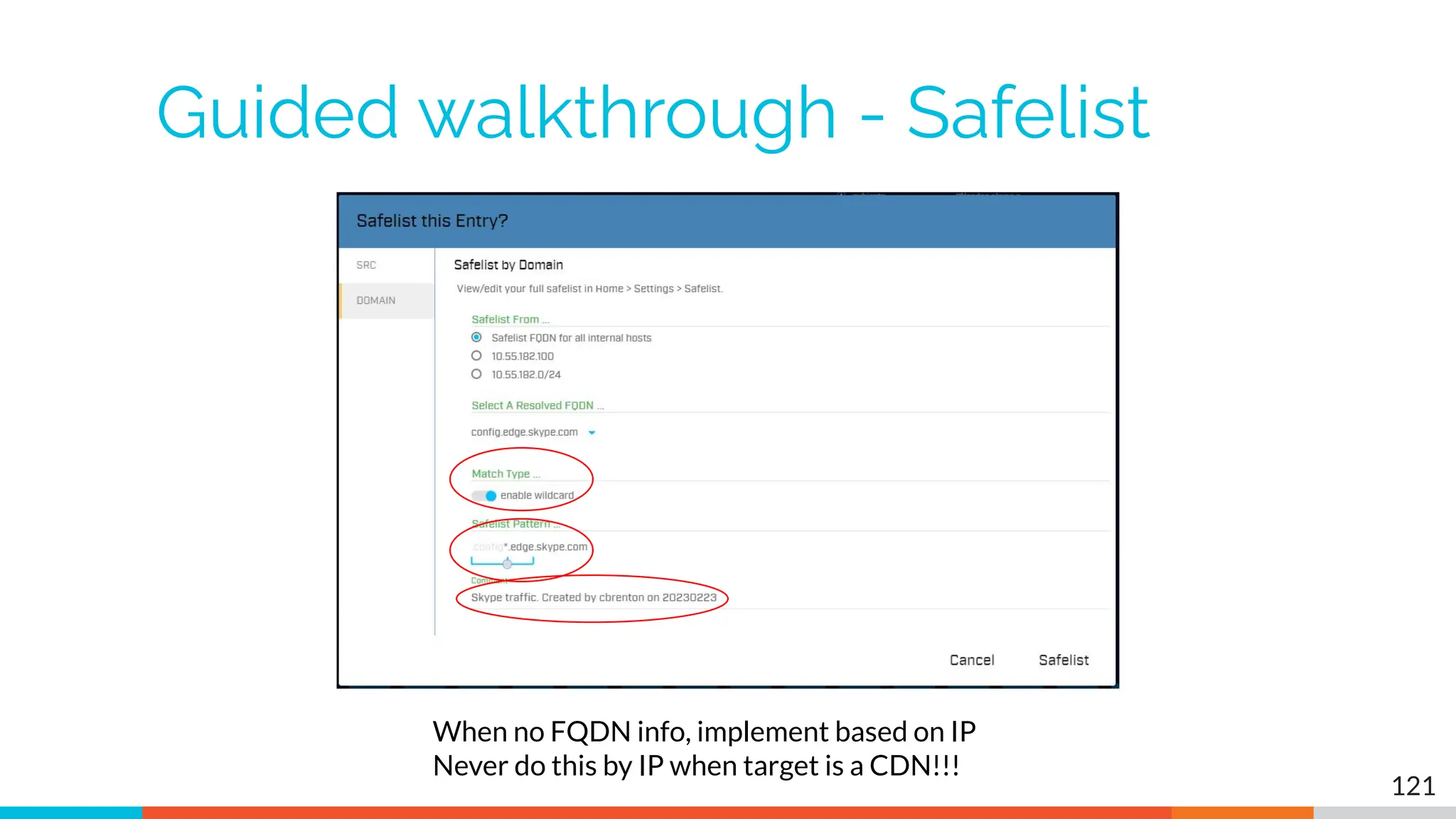
Guided walkthrough - Safelist
121
When no FQDN info, implement based on IP
Never do this by IP when target is a CDN!!!
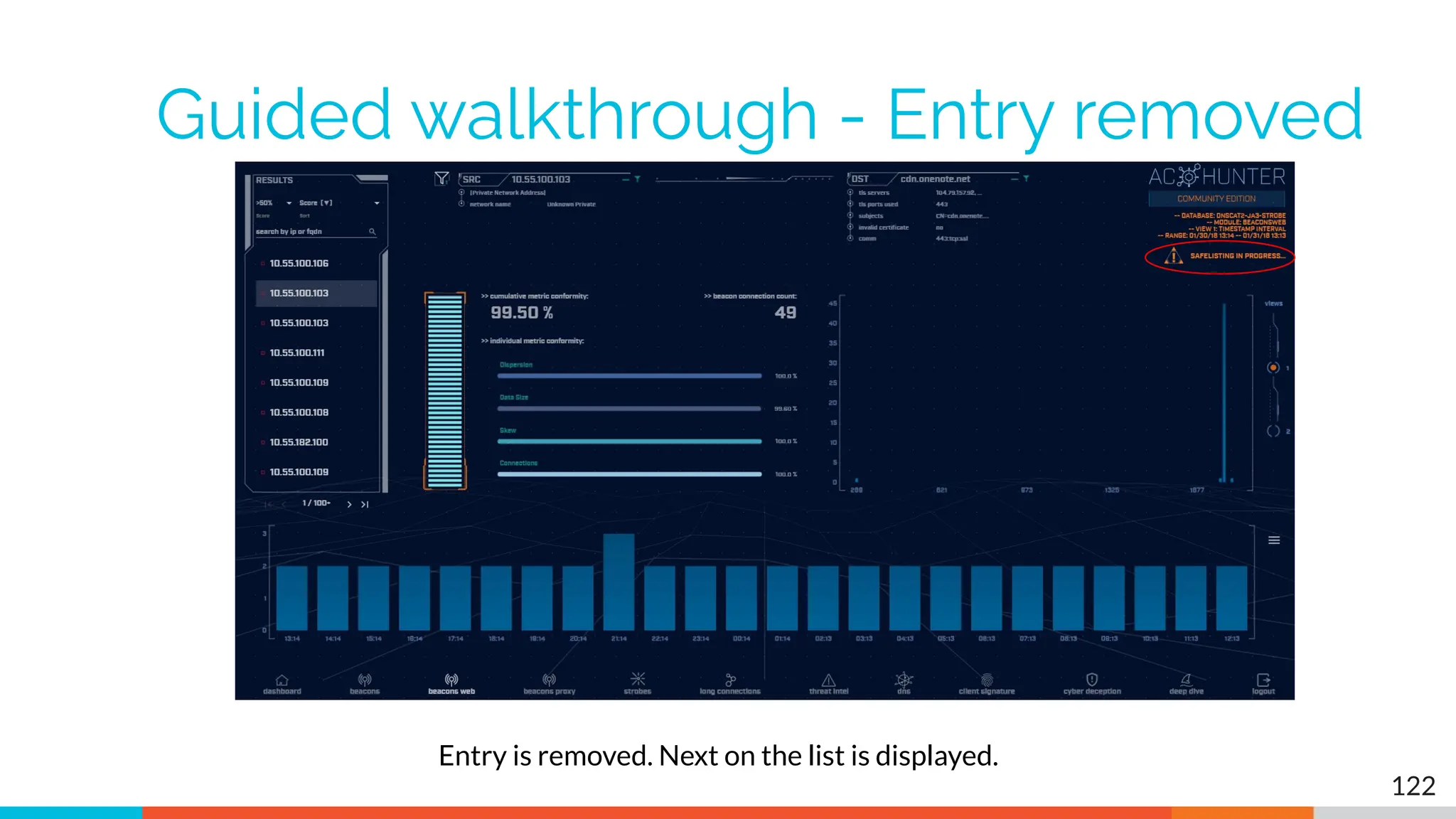
Guided walkthrough - Entry removed
122
Entry is removed. Next on the list is displayed.
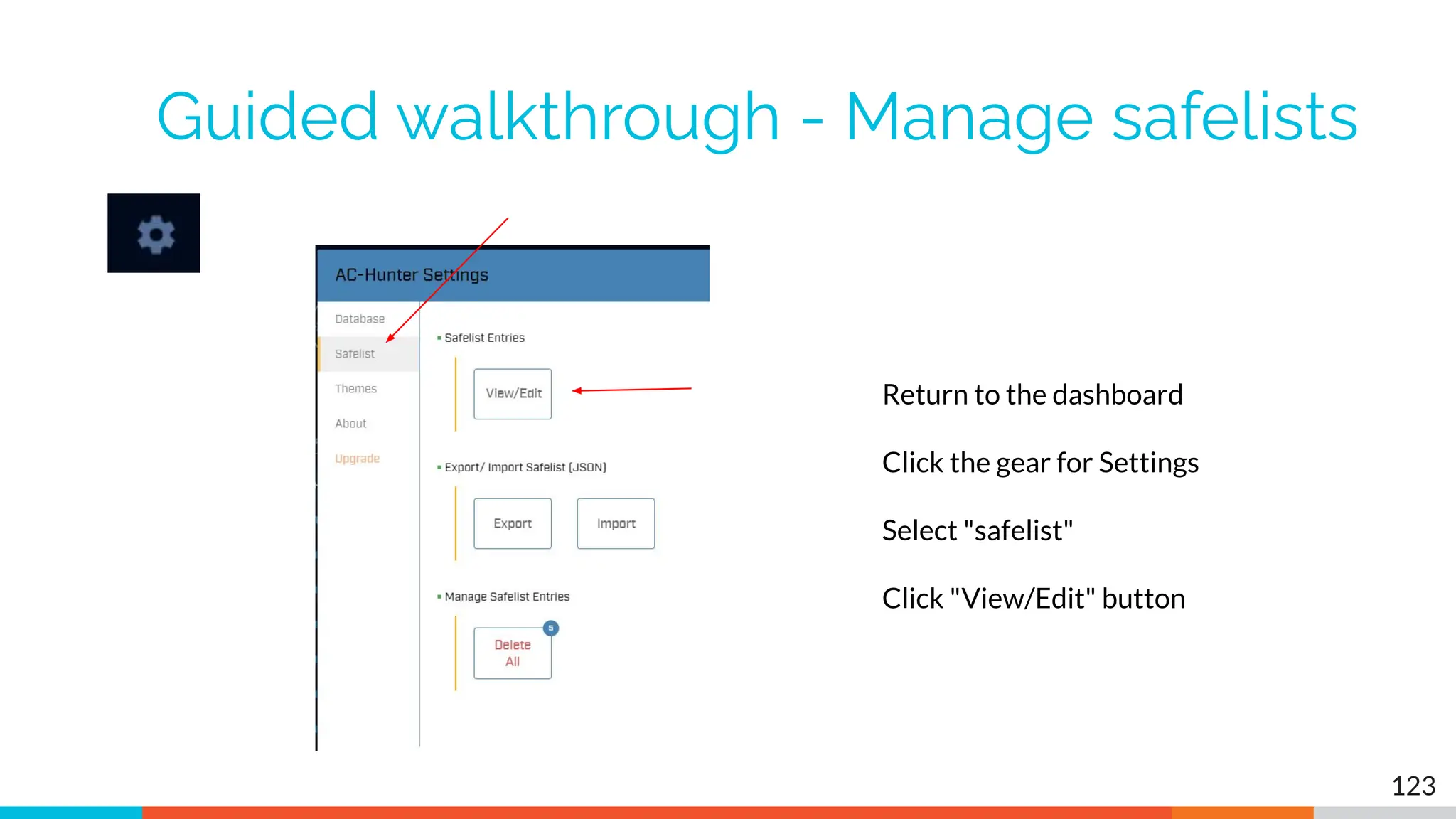
Guided walkthrough - Manage safelists
123
Return to the dashboard
Click the gear for Settings
Select "safelist"
Click "View/Edit" button
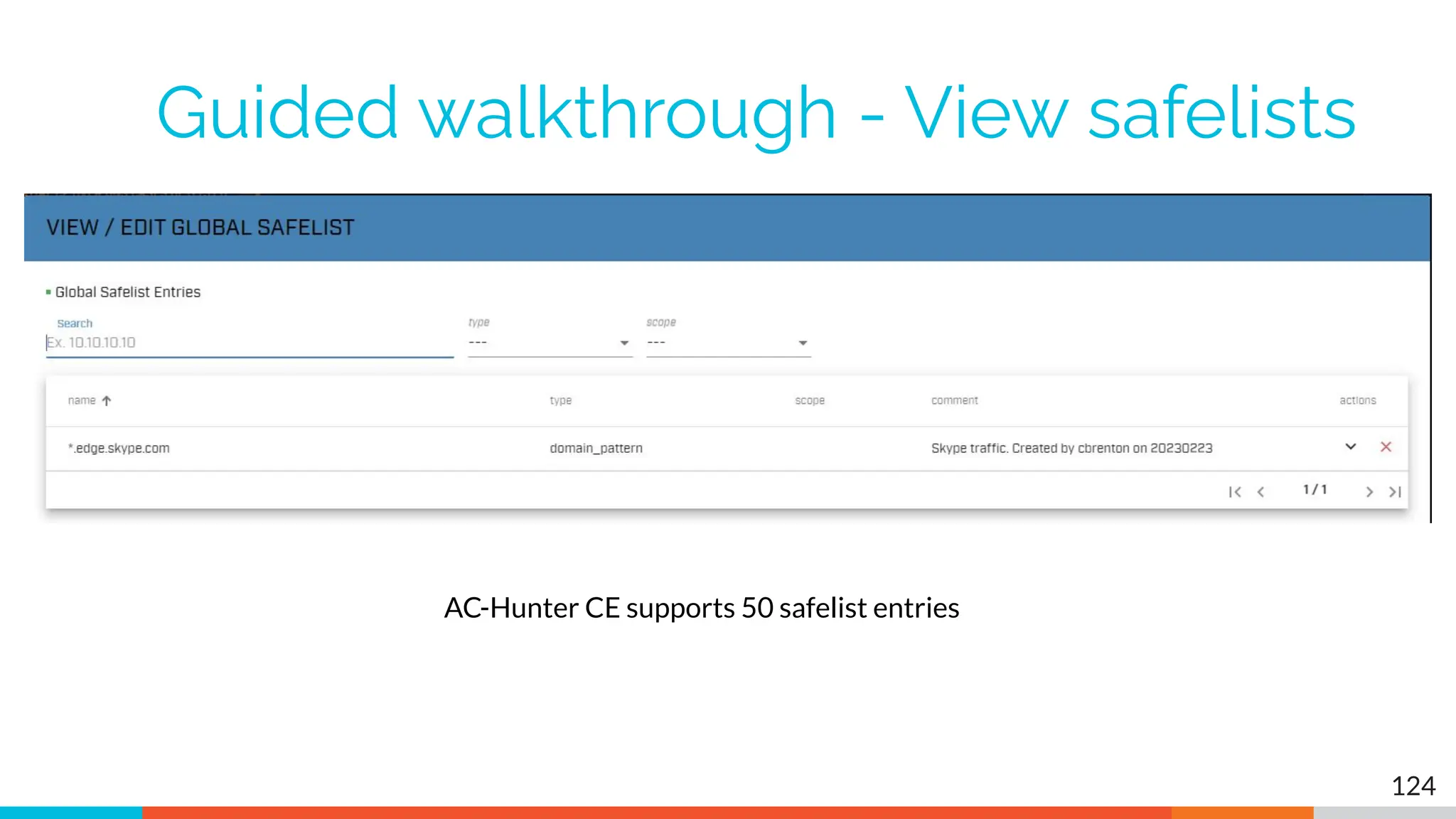
Guided walkthrough - View safelists
124
AC-Hunter CE supports 50 safelist entries
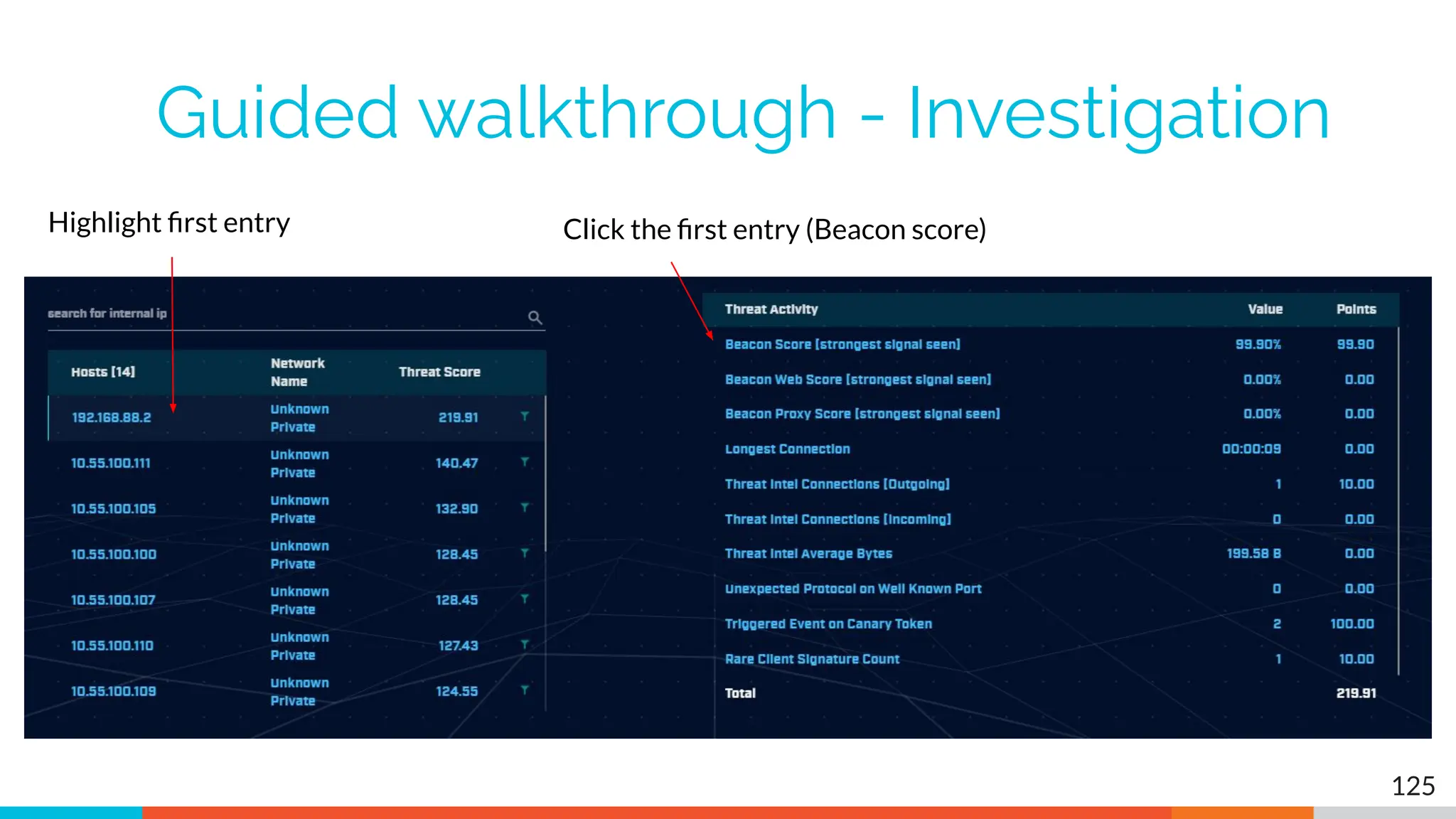
Guided walkthrough - Investigation
125
Highlight first entry Click the first entry (Beacon score)
Guided walkthrough - Investigation
126
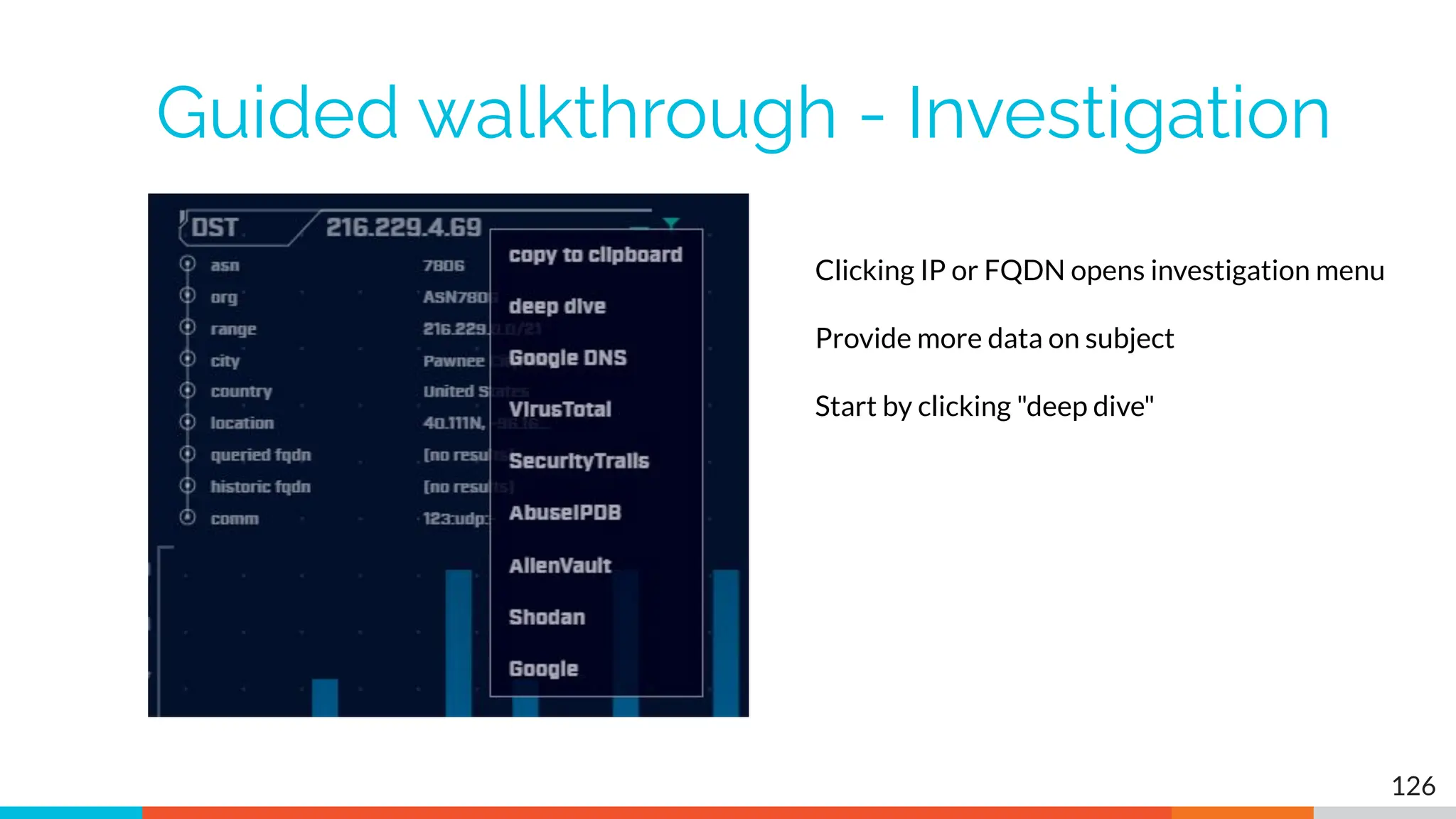
Clicking IP or FQDN opens investigation menu
Provide more data on subject
Start by clicking "deep dive"
Guided walkthrough - deep dive
127
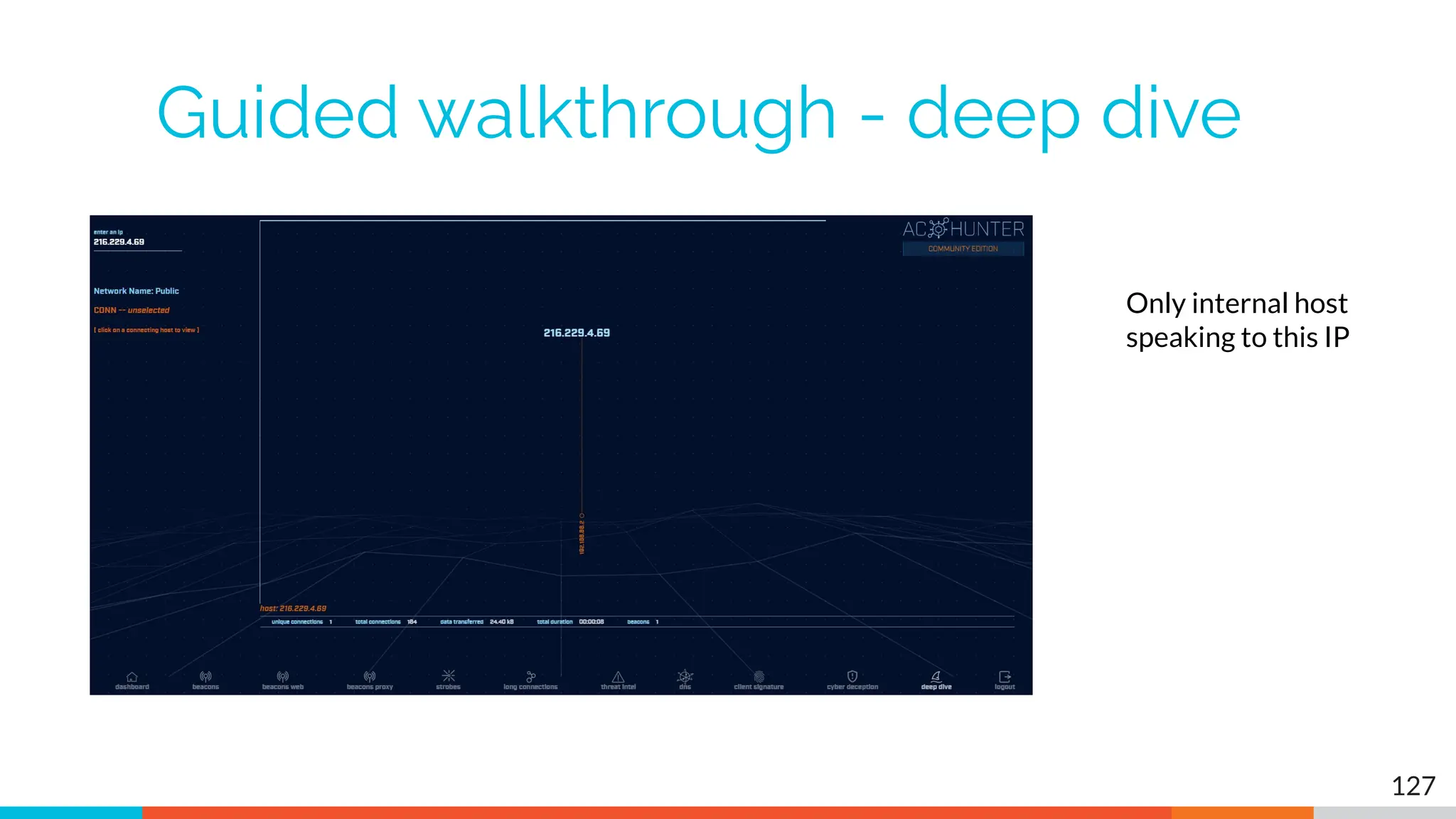
Only internal host
speaking to this IP
Guided walkthrough - more data
128
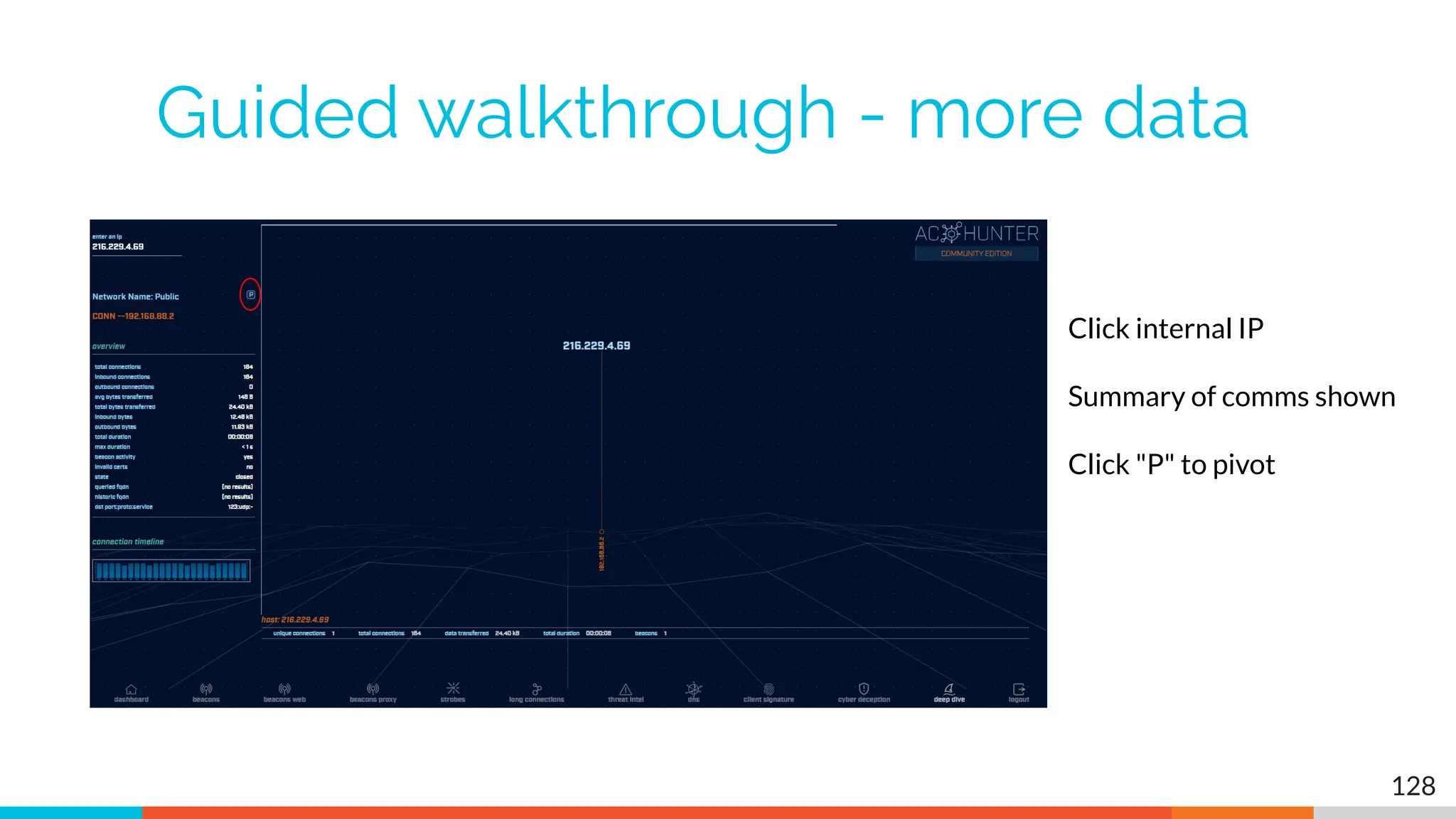
Click internal IP
Summary of comms shown
Click "P" to pivot
Guided walkthrough - pivot
129
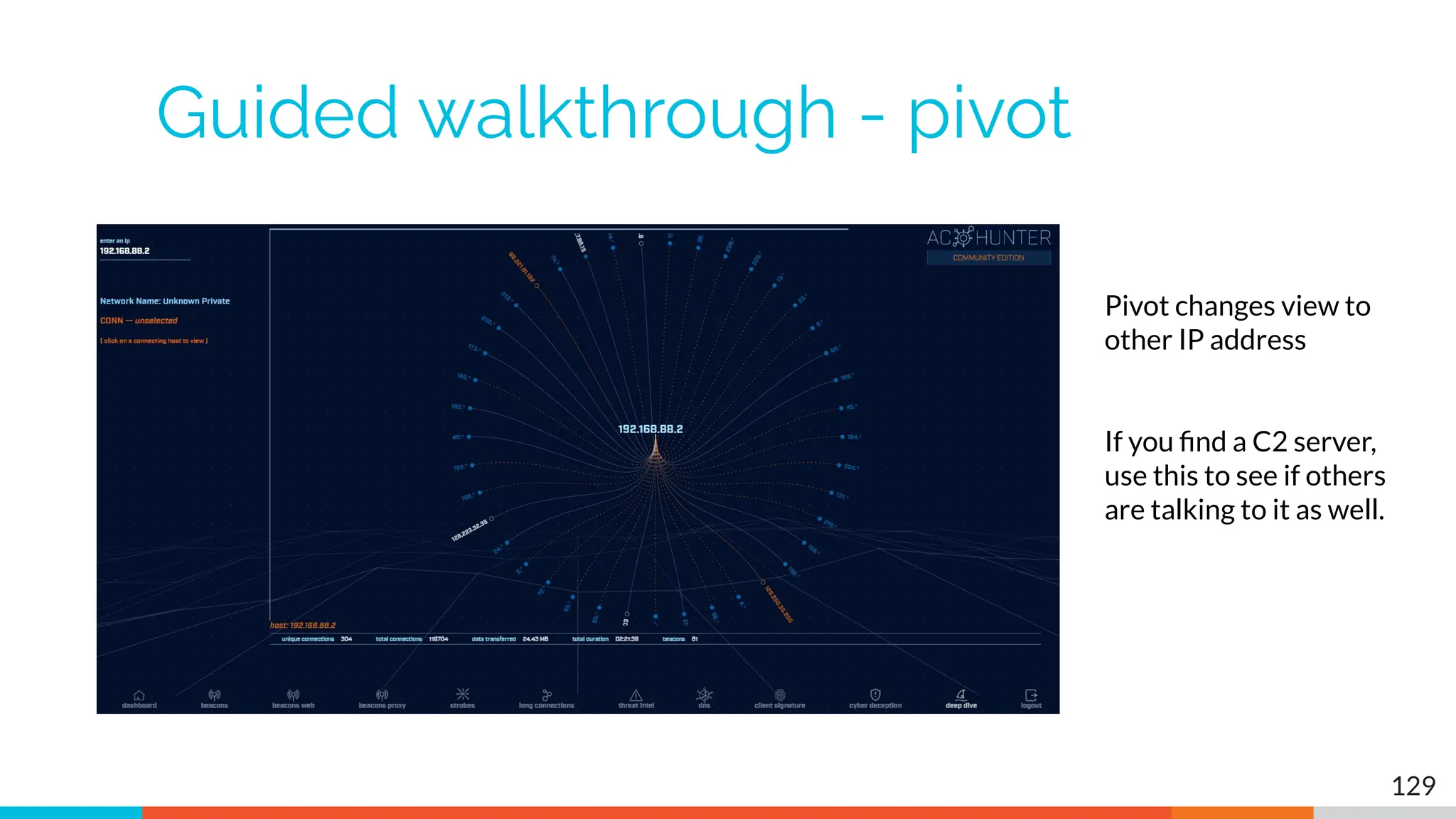
Pivot changes view to
other IP address
If you find a C2 server,
use this to see if others
are talking to it as well.
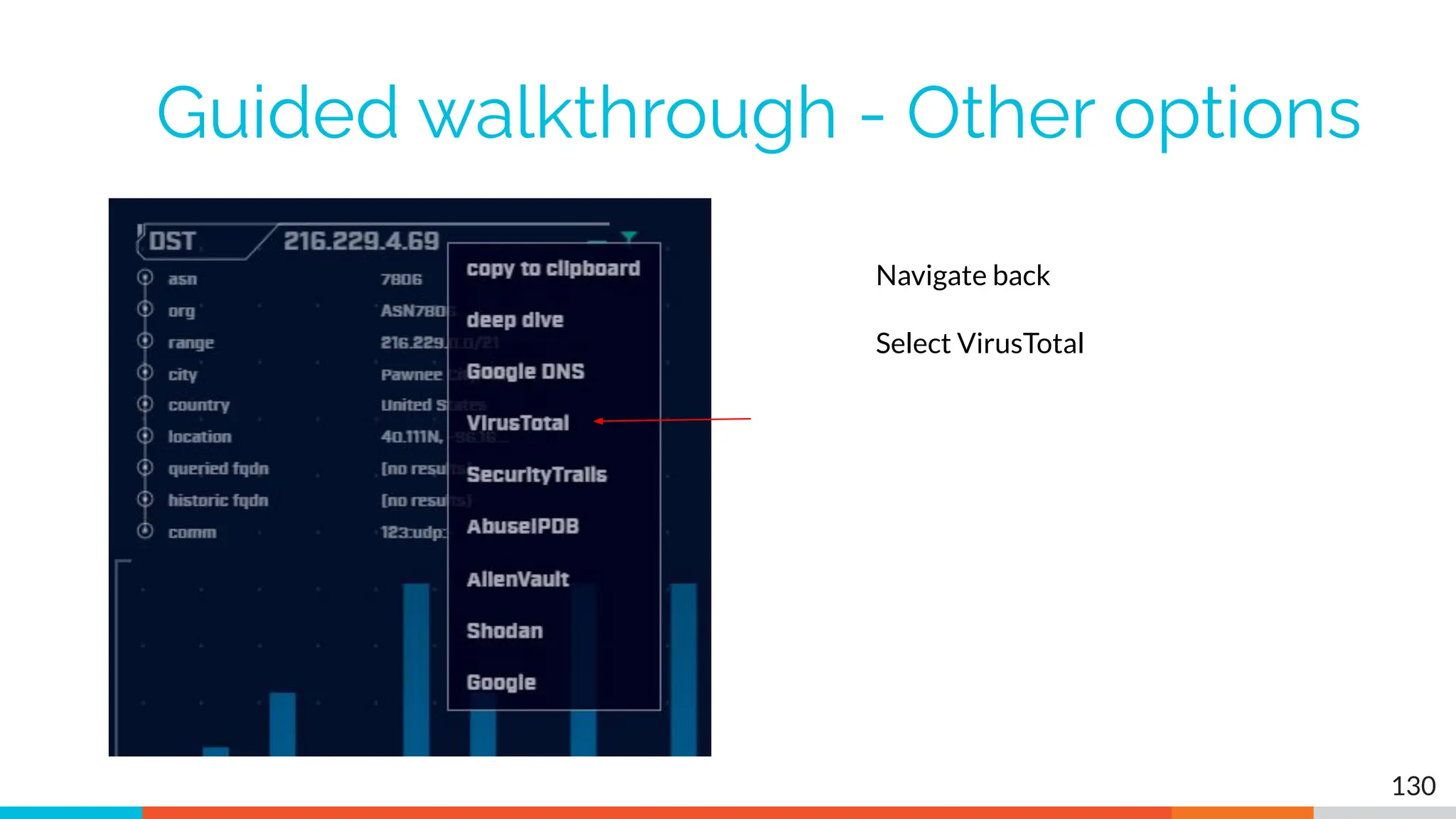
Guided walkthrough - Other options
130
Navigate back
Select VirusTotal
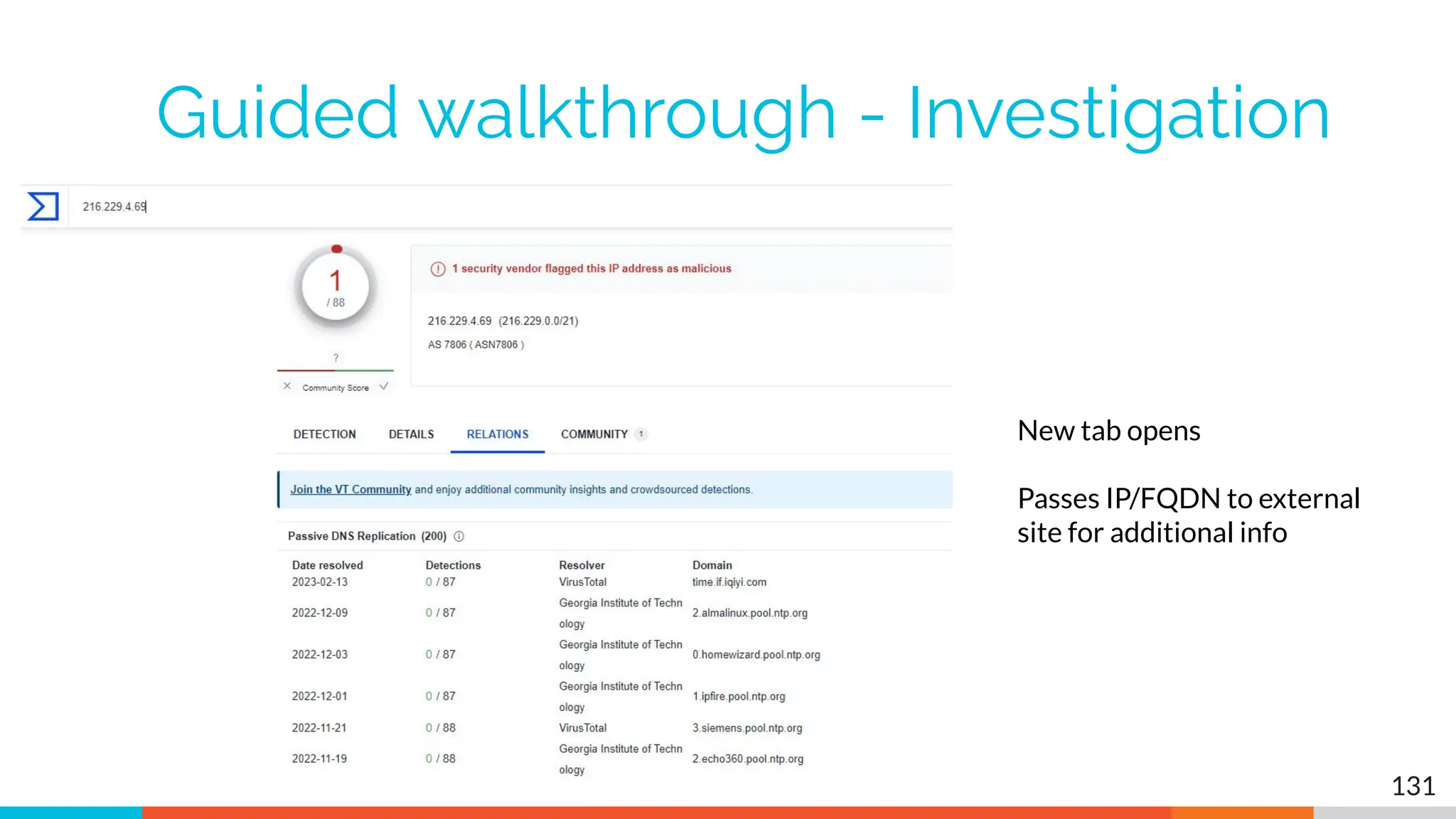
Guided walkthrough - Investigation
131
New tab opens
Passes IP/FQDN to external
site for additional info
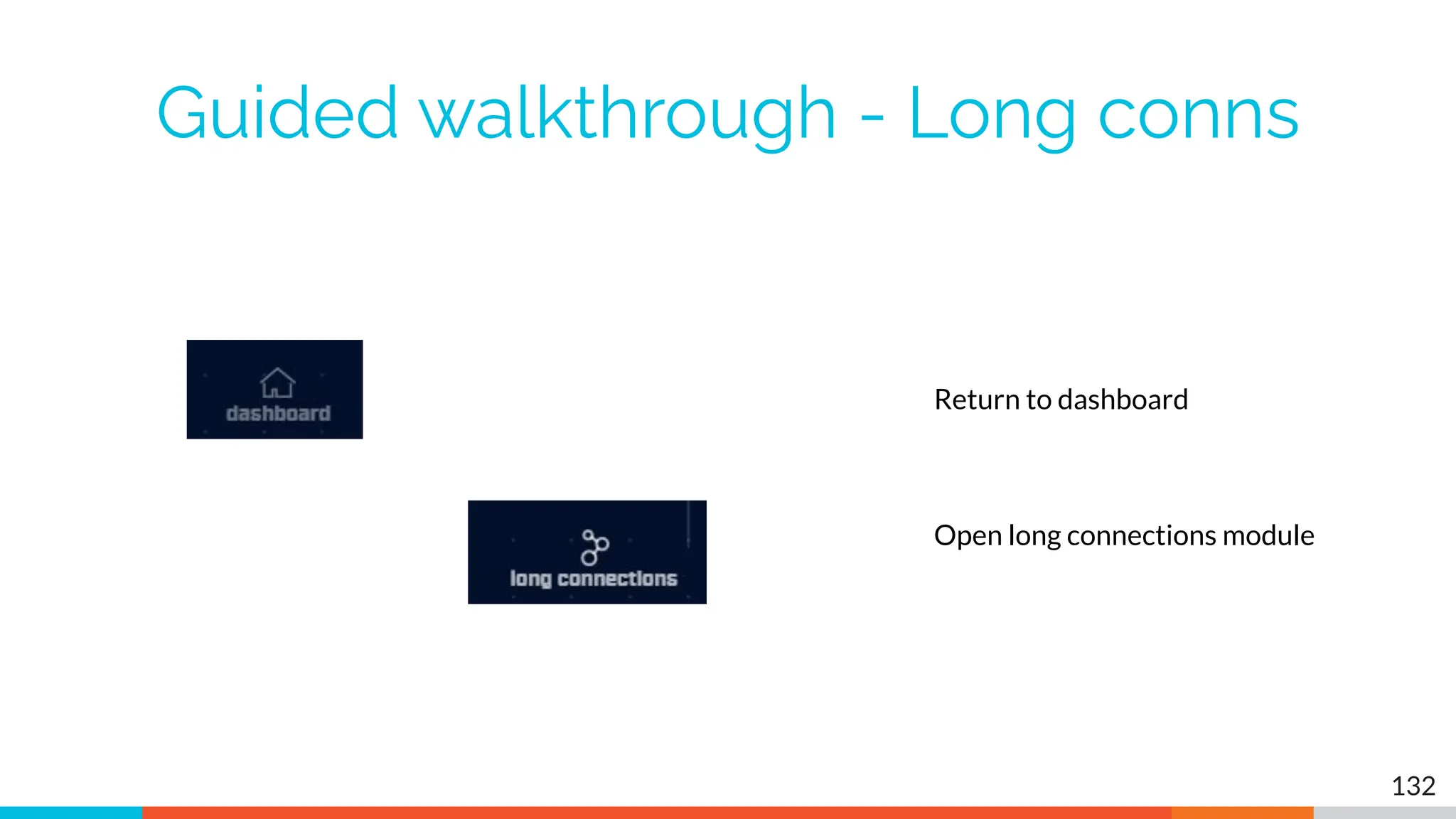
Guided walkthrough - Long conns
132
Return to dashboard
Open long connections module
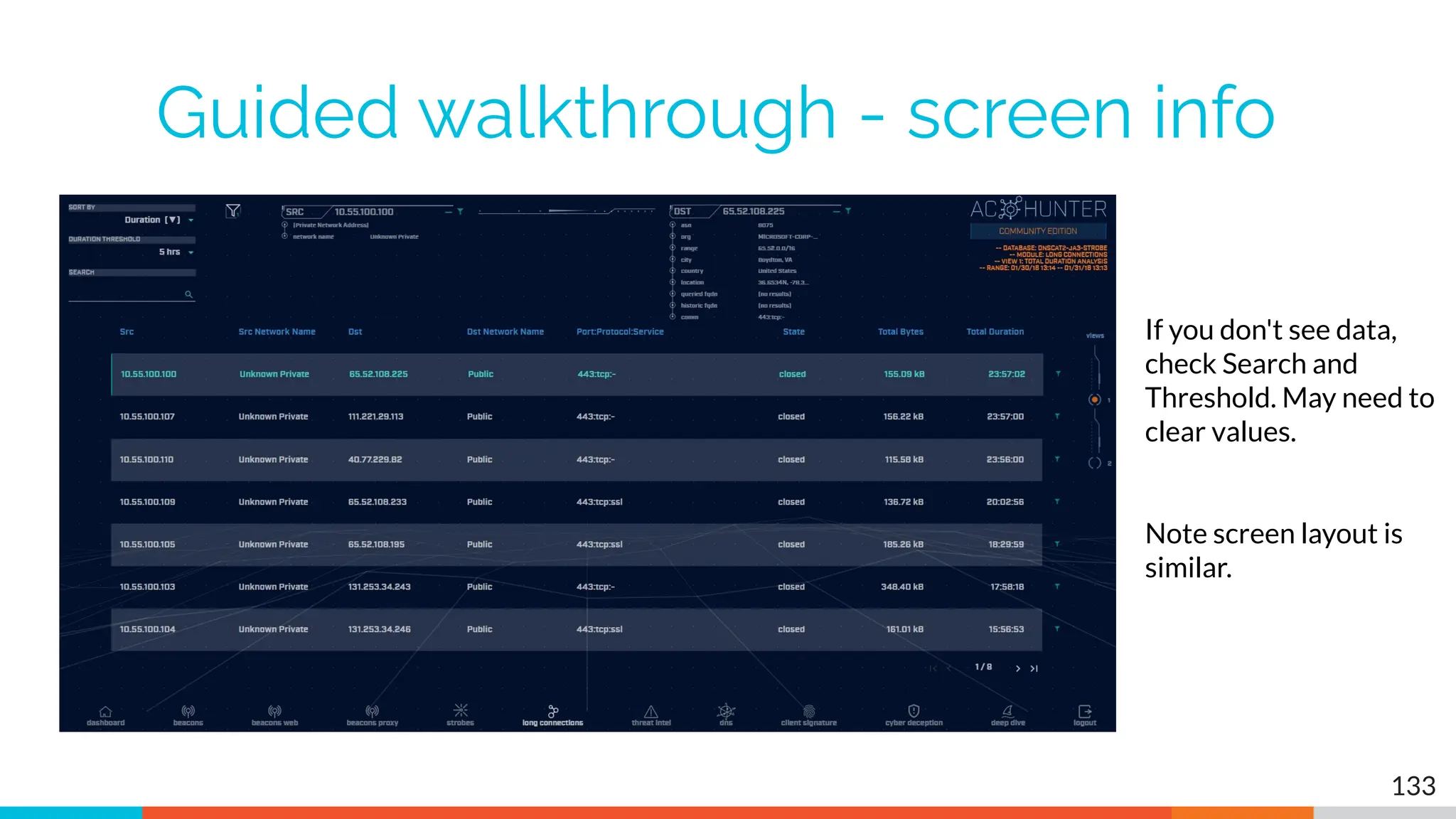
Guided walkthrough - screen info
133
If you don't see data,
check Search and
Threshold. May need to
clear values.
Note screen layout is
similar.
Guided walkthrough - data import
▷ Follow along to import the data
▷ We have Zeek logs we want to analyze
▷ Let's get them imported in to ACH CE
▷ We'll use RITA to do the import
○ Yes, RITA is "under the hood"
134
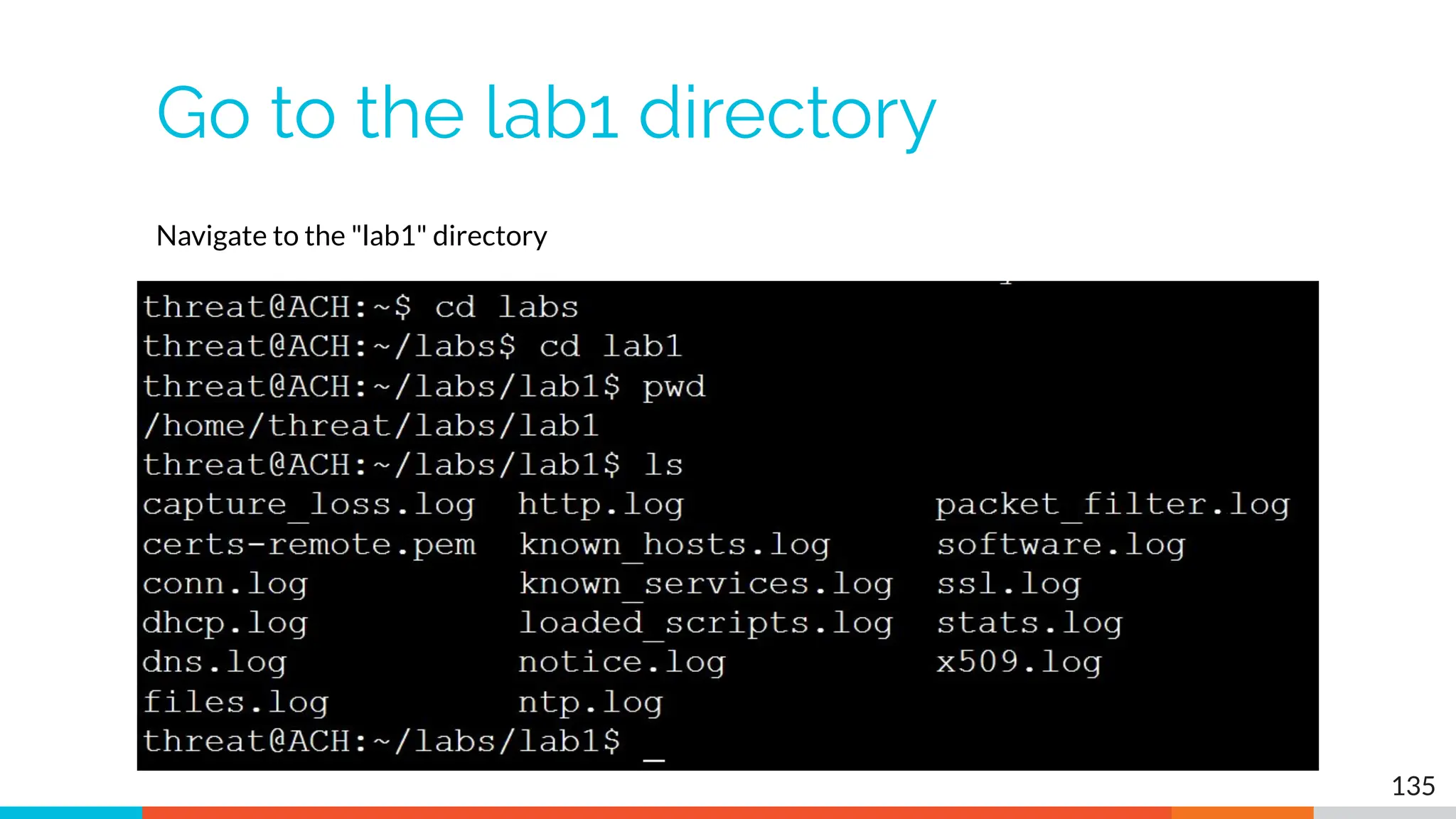
Go to the lab1 directory
135
Navigate to the "lab1" directory
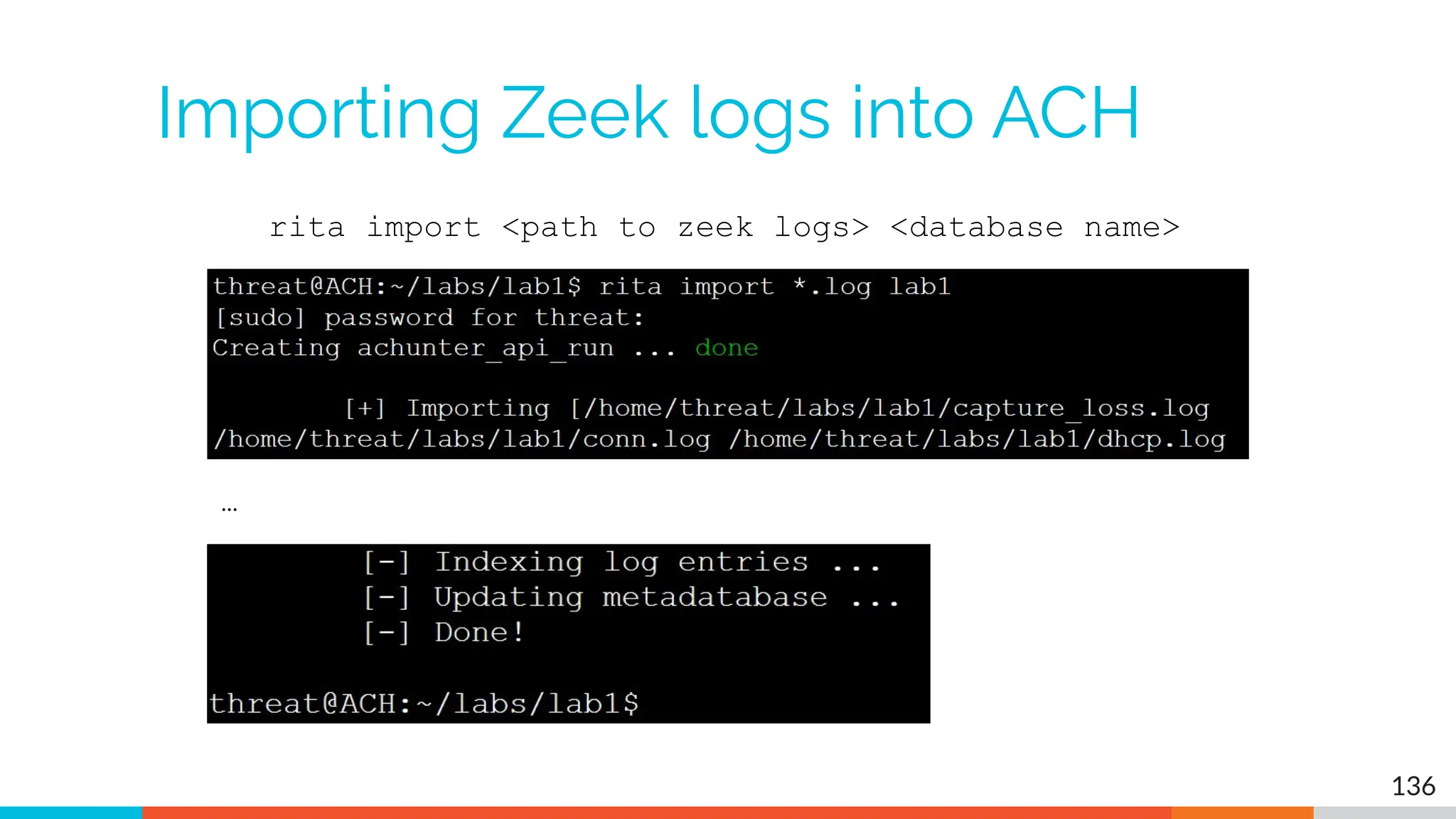
Importing Zeek logs into ACH
136
rita import <path to zeek logs> <database name>
…
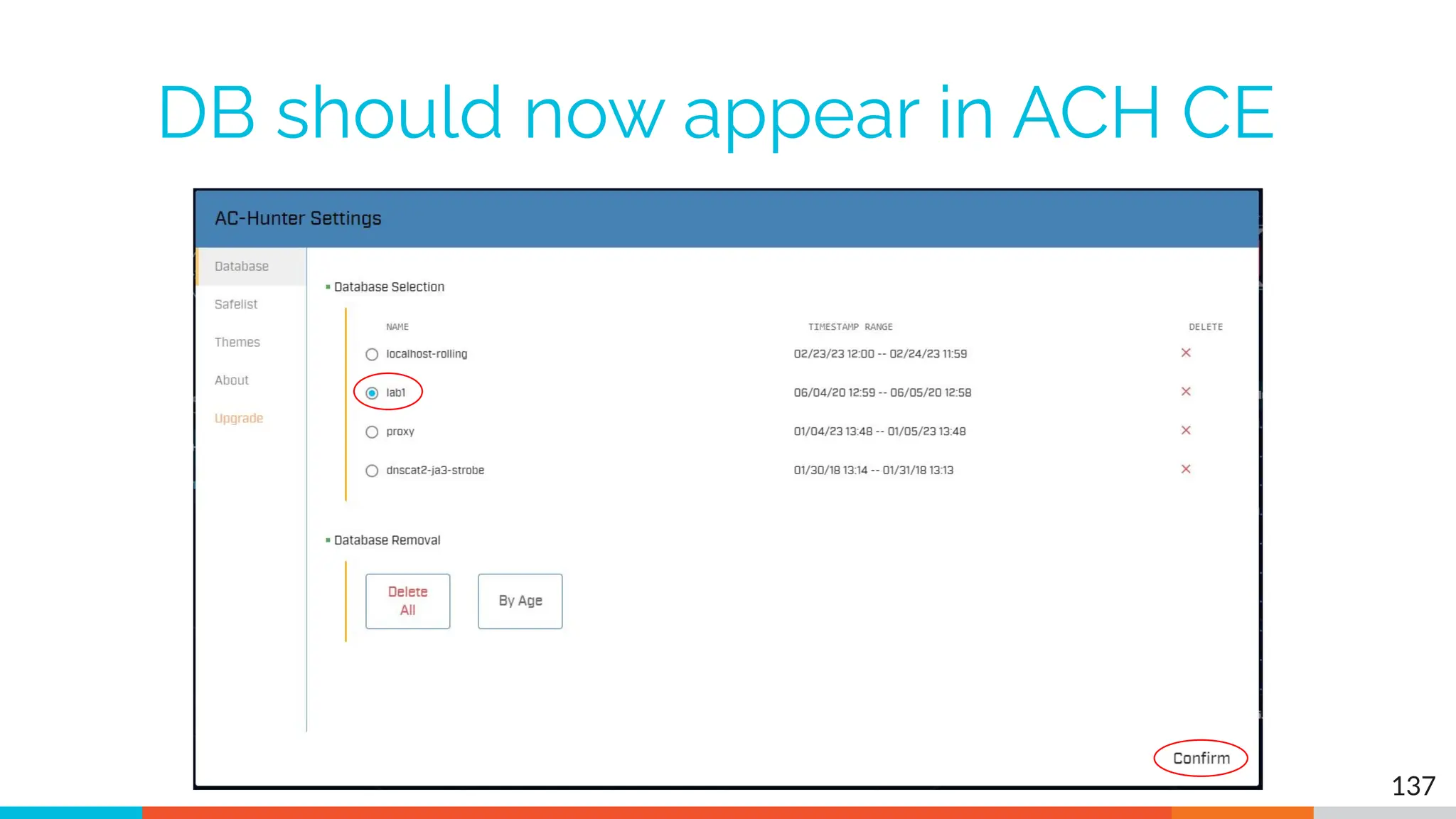
DB should now appear in ACH CE
137
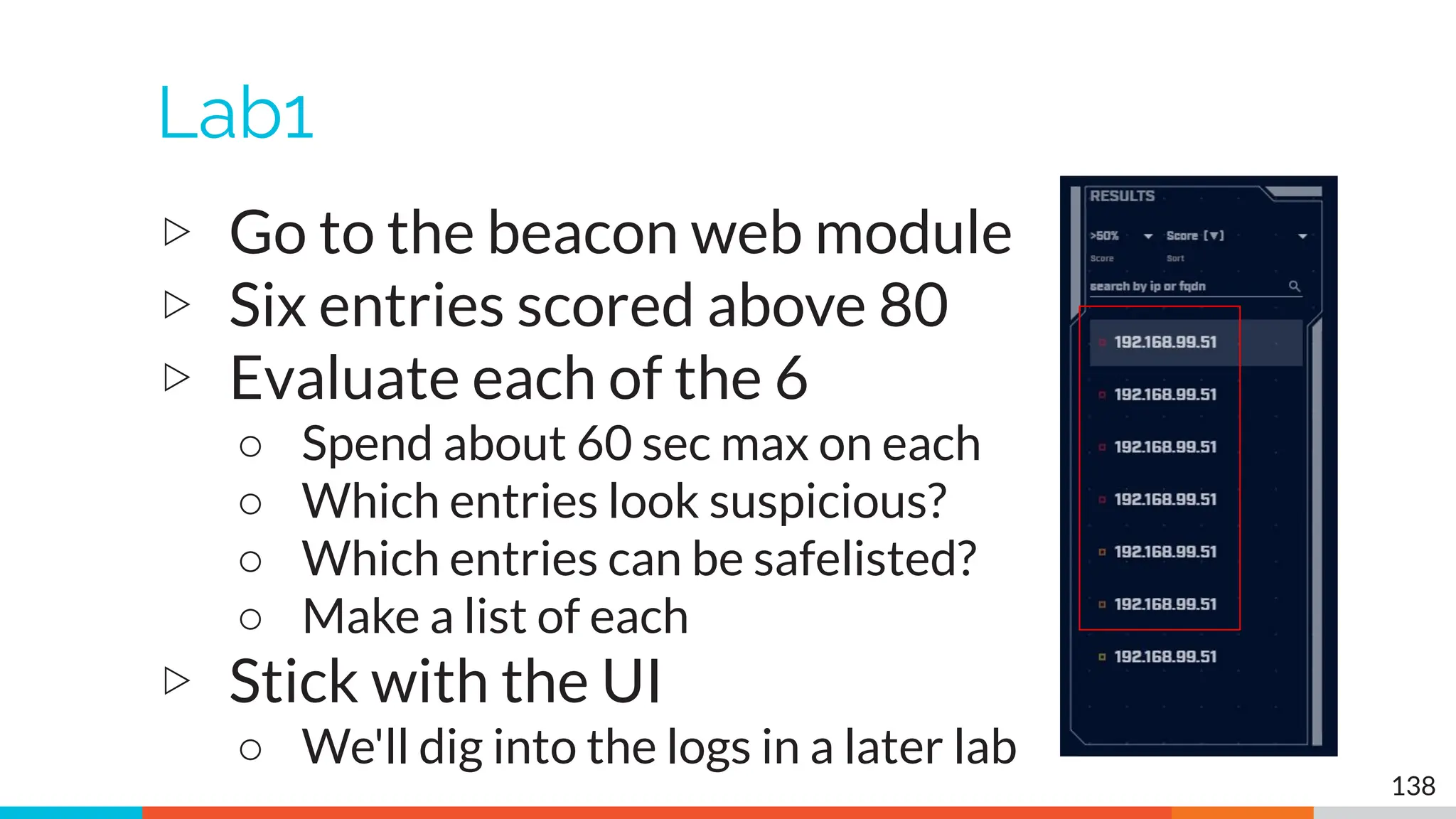
Lab1
▷ Go to the beacon web module
▷ Six entries scored above 80
▷ Evaluate each of the 6
○ Spend about 60 sec max on each
○ Which entries look suspicious?
○ Which entries can be safelisted?
○ Make a list of each
▷ Stick with the UI
○ We'll dig into the logs in a later lab
138
Hints
▷ Go for the easiest ones first
▷ If you can decide in less than a minute,
make a note and move to the next one
▷ Circle back to the hard ones after you've
gone through everything
139
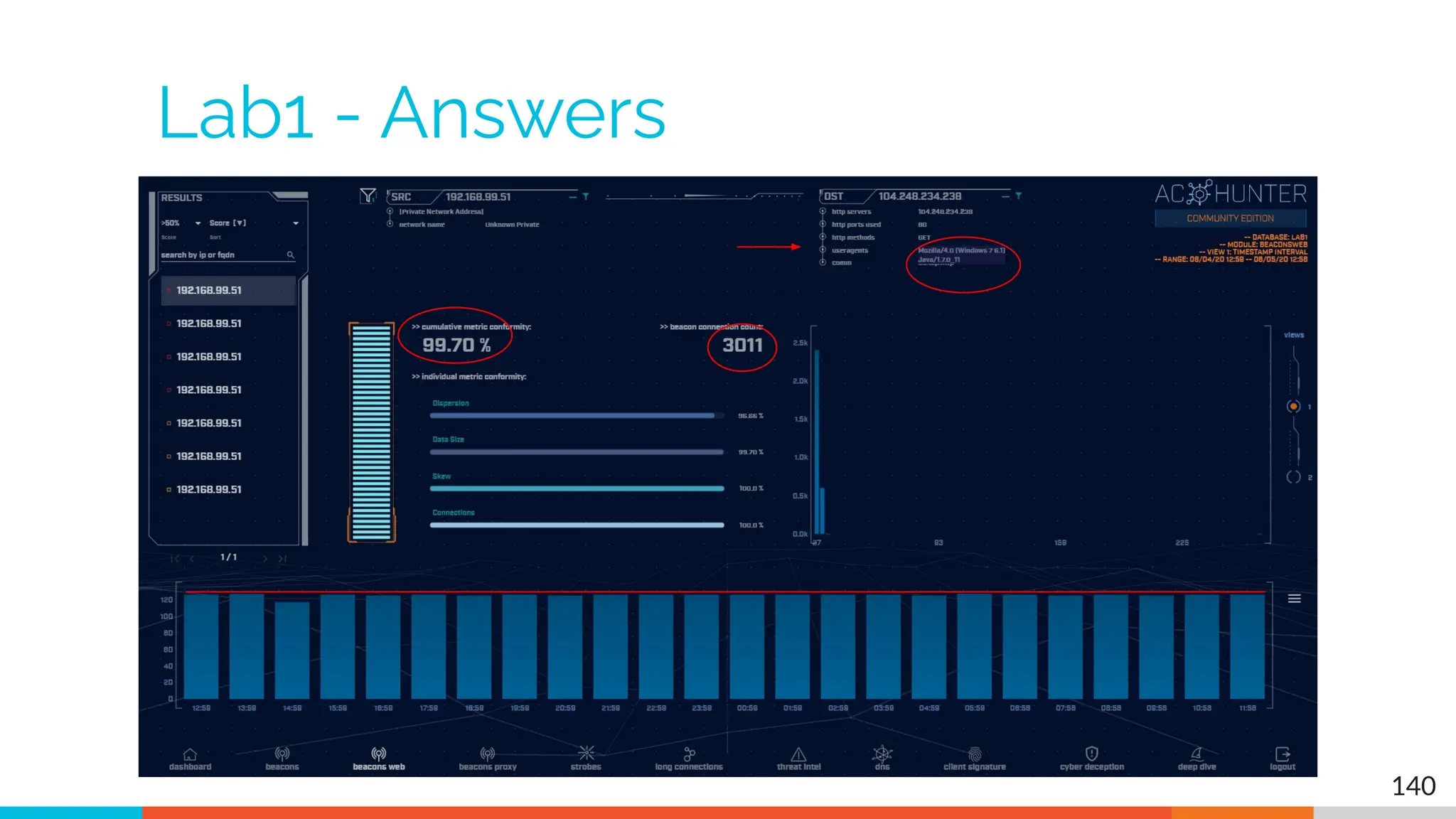
Lab1 - Answers
140
Lab1 answers - First entry
▷ Refer to previous slide
▷ Very high beacon score
▷ Lots of conns over 24 hours (3,011)
▷ Histogram is pretty flat
▷ User agent identifies as Windows 7
○ Could be legit but seems kind of old
▷ No host string
○ Should identify FQDN of Web server
▷ Well come back to this one
141
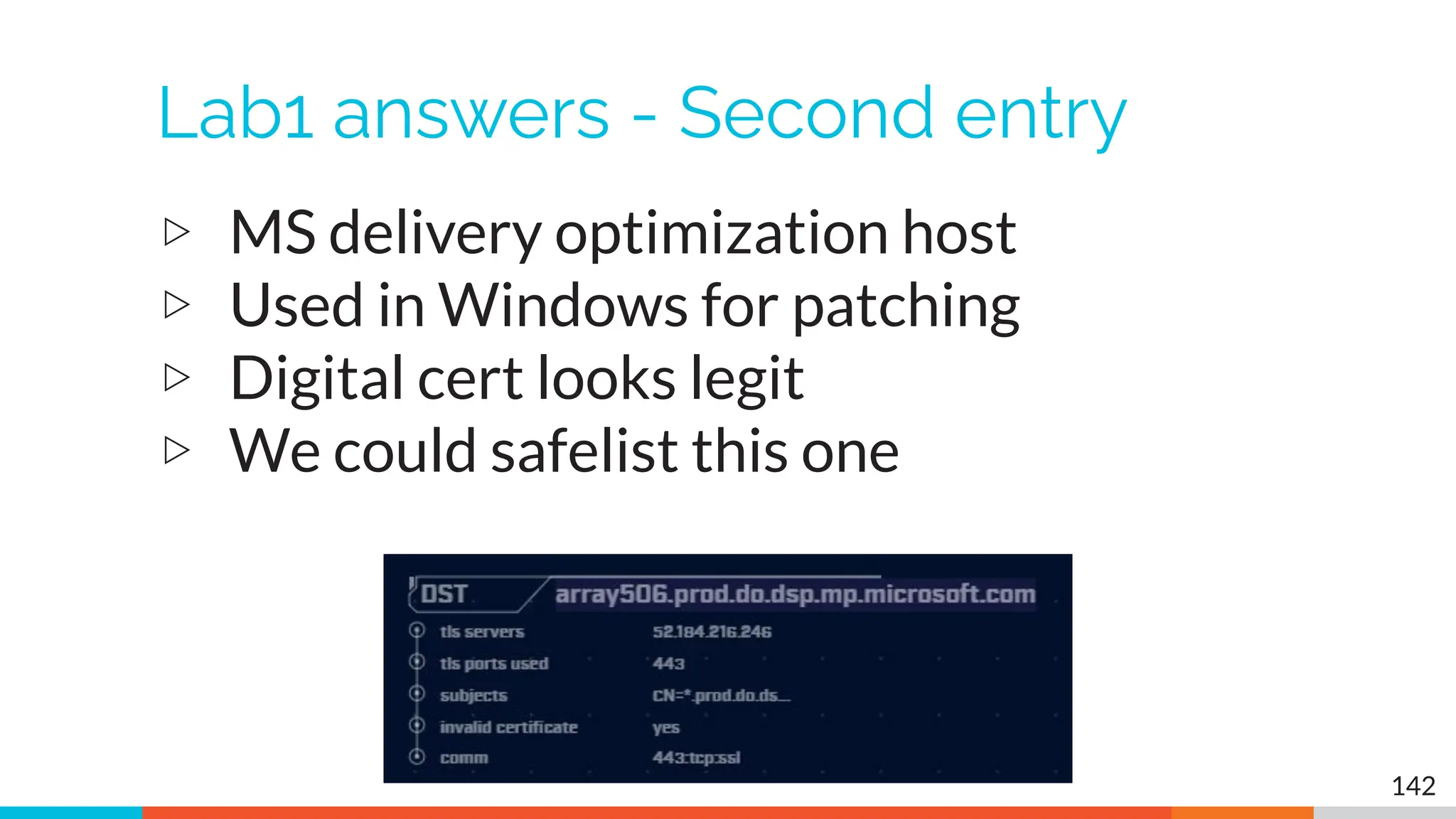
Lab1 answers - Second entry
▷ MS delivery optimization host
▷ Used in Windows for patching
▷ Digital cert looks legit
▷ We could safelist this one
142
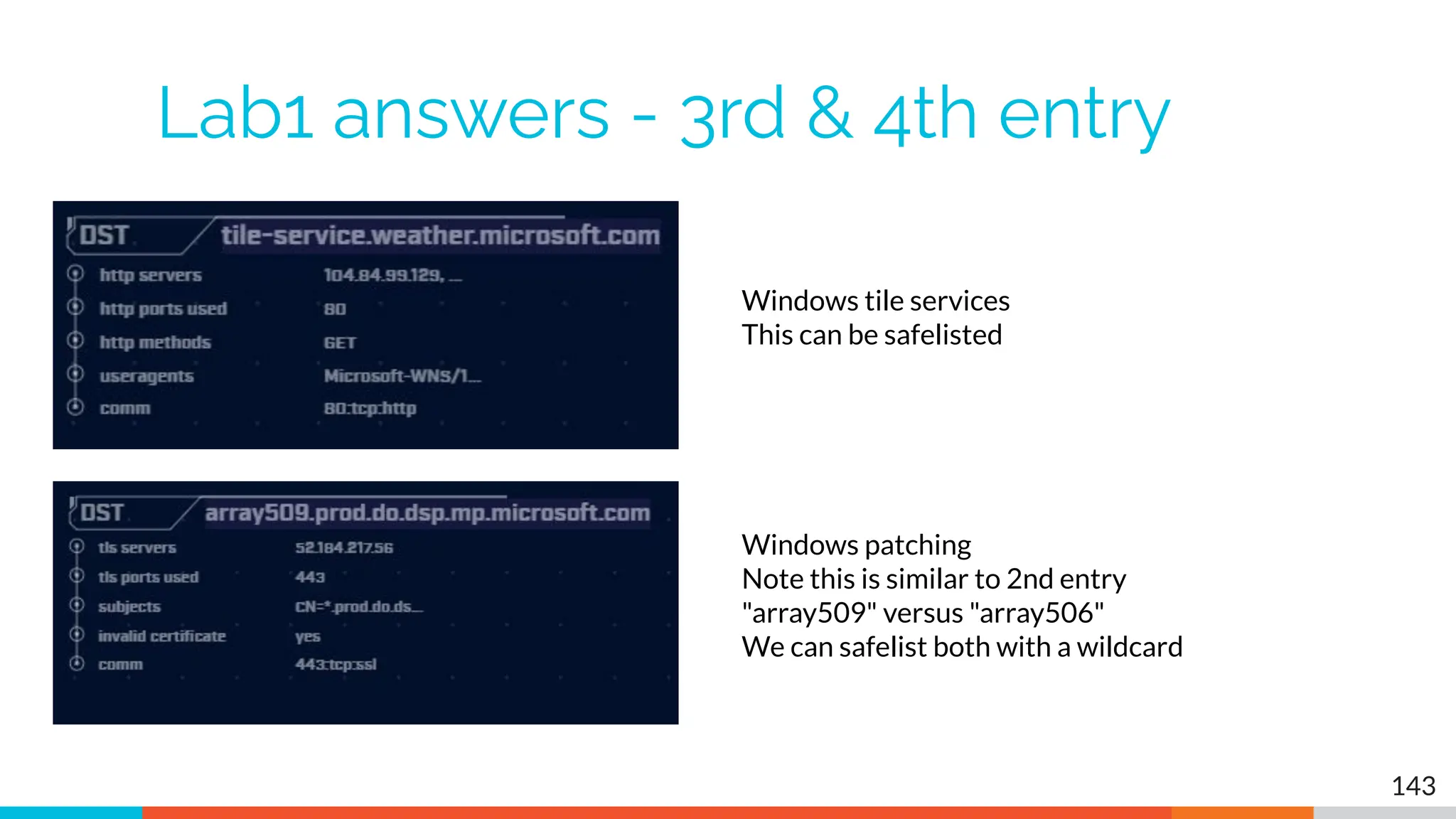
Lab1 answers - 3rd & 4th entry
143
Windows tile services
This can be safelisted
Windows patching
Note this is similar to 2nd entry
"array509" versus "array506"
We can safelist both with a wildcard
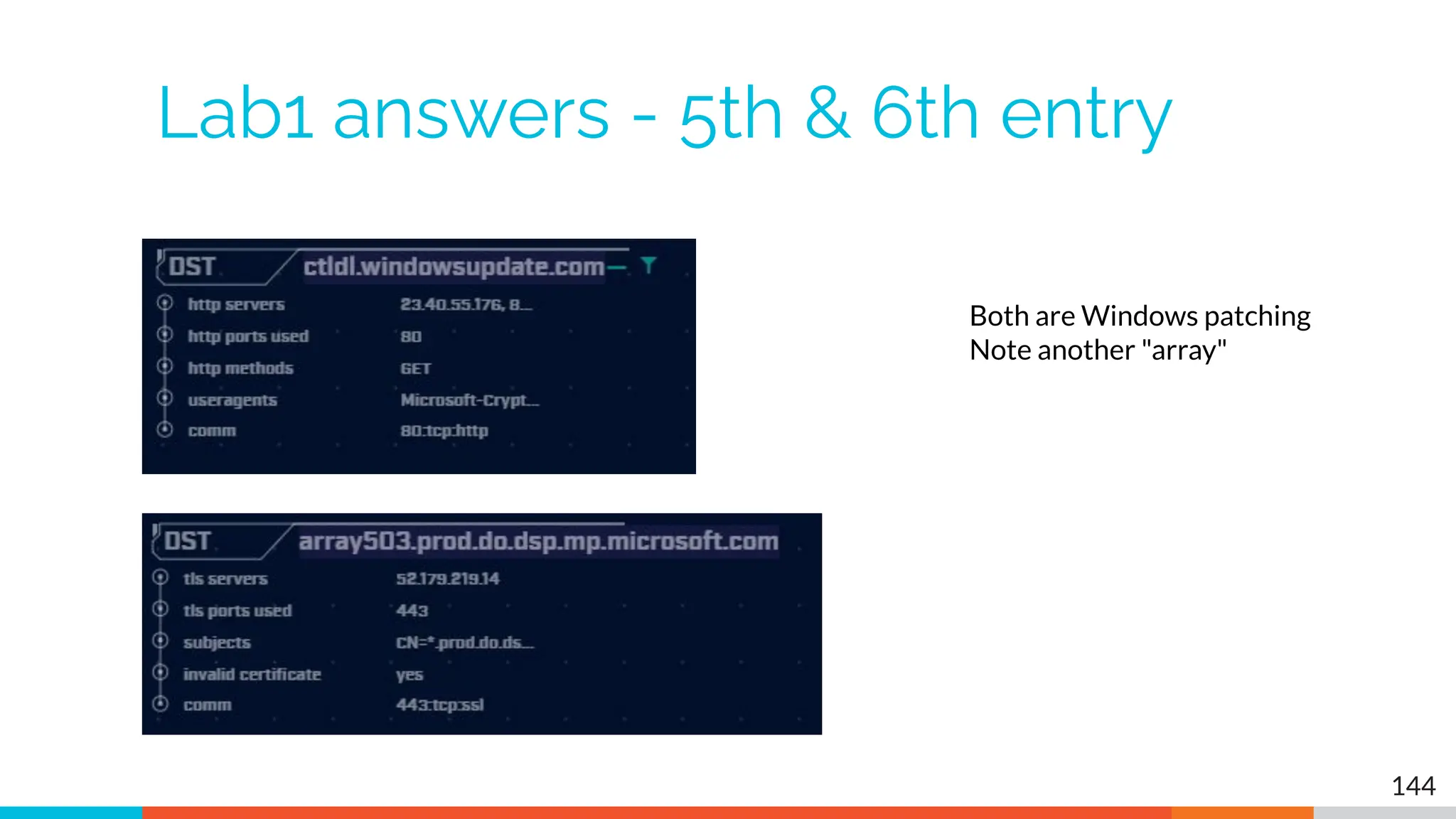
Lab1 answers - 5th & 6th entry
144
Both are Windows patching
Note another "array"
Next lab - Create safelist entries
▷ First entry looks suspicious
○ We will cycle back to it
▷ The rest look legit
○ Windows patching
○ Windows desktop tile services
▷ Let's safelist these last 5 entries
▷ Try this on your own
145
Lab hints
▷ Consolidate with wildcards
▷ You only need 3 safelist entries to cover all
five targets
▷ Safelisting by FQDN is preferred
○ Updates when IP changes
○ Track through CDNs as required
146
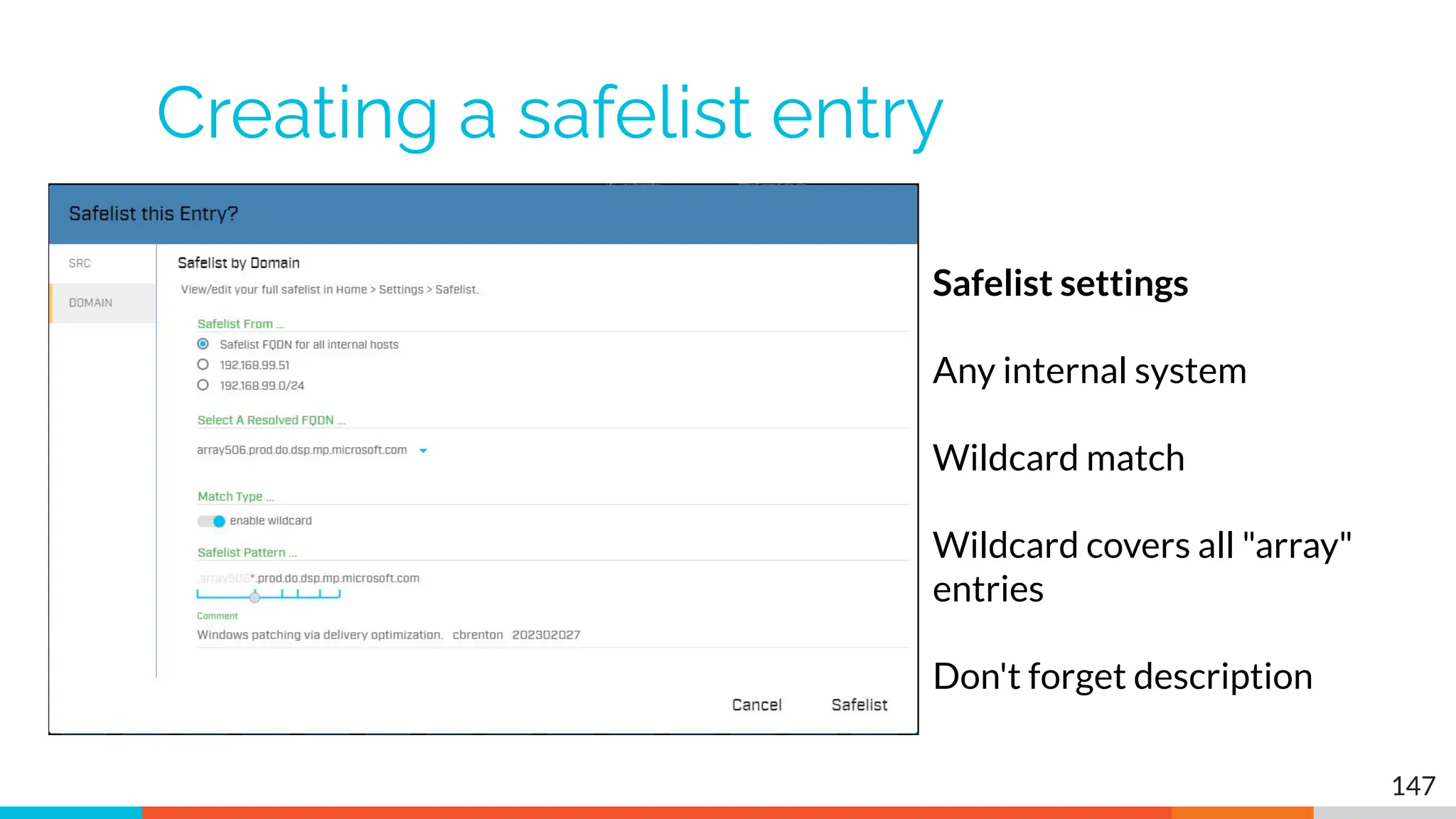
Creating a safelist entry
147
Safelist settings
Any internal system
Wildcard match
Wildcard covers all "array"
entries
Don't forget description
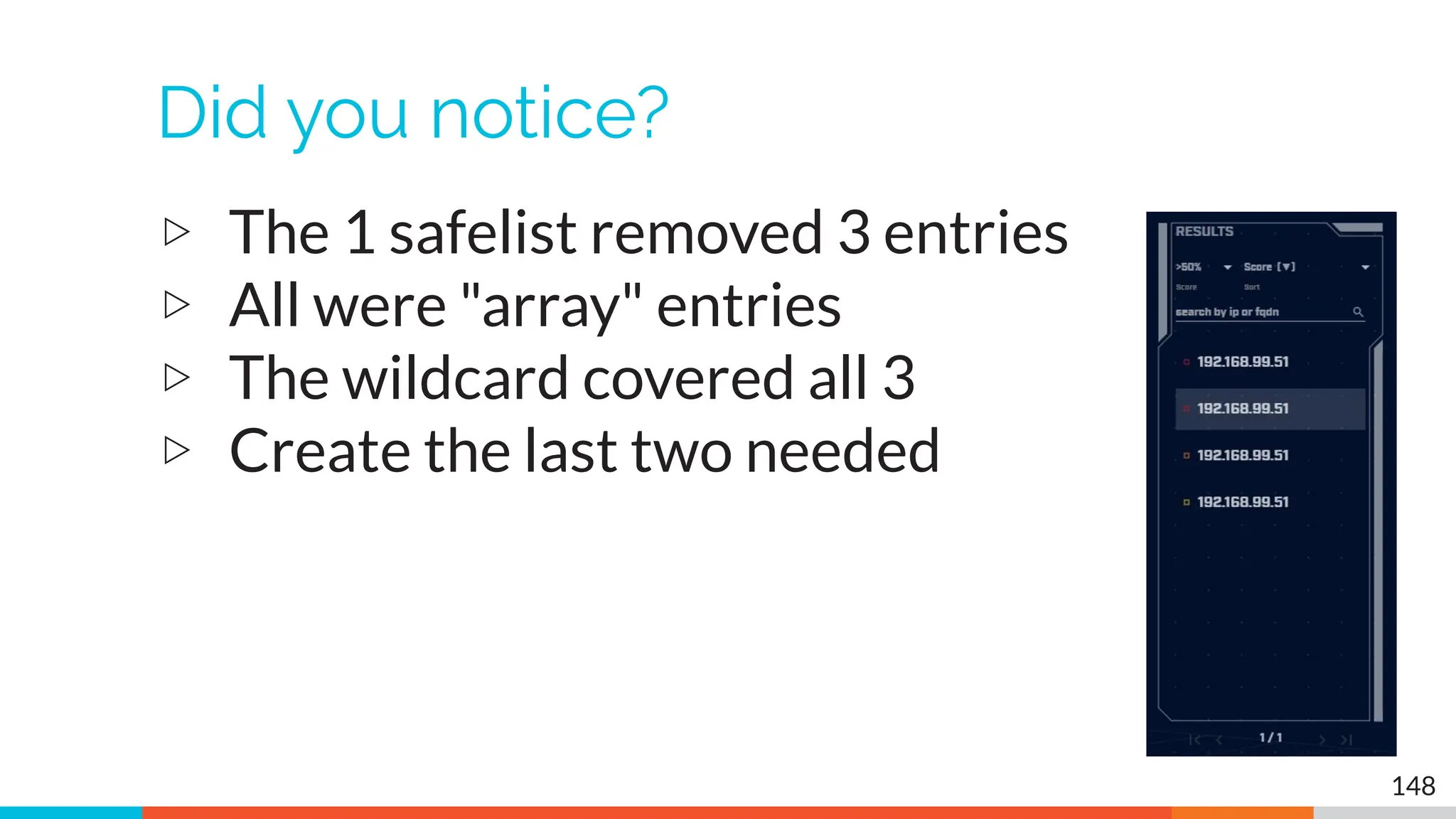
Did you notice?
▷ The 1 safelist removed 3 entries
▷ All were "array" entries
▷ The wildcard covered all 3
▷ Create the last two needed
148
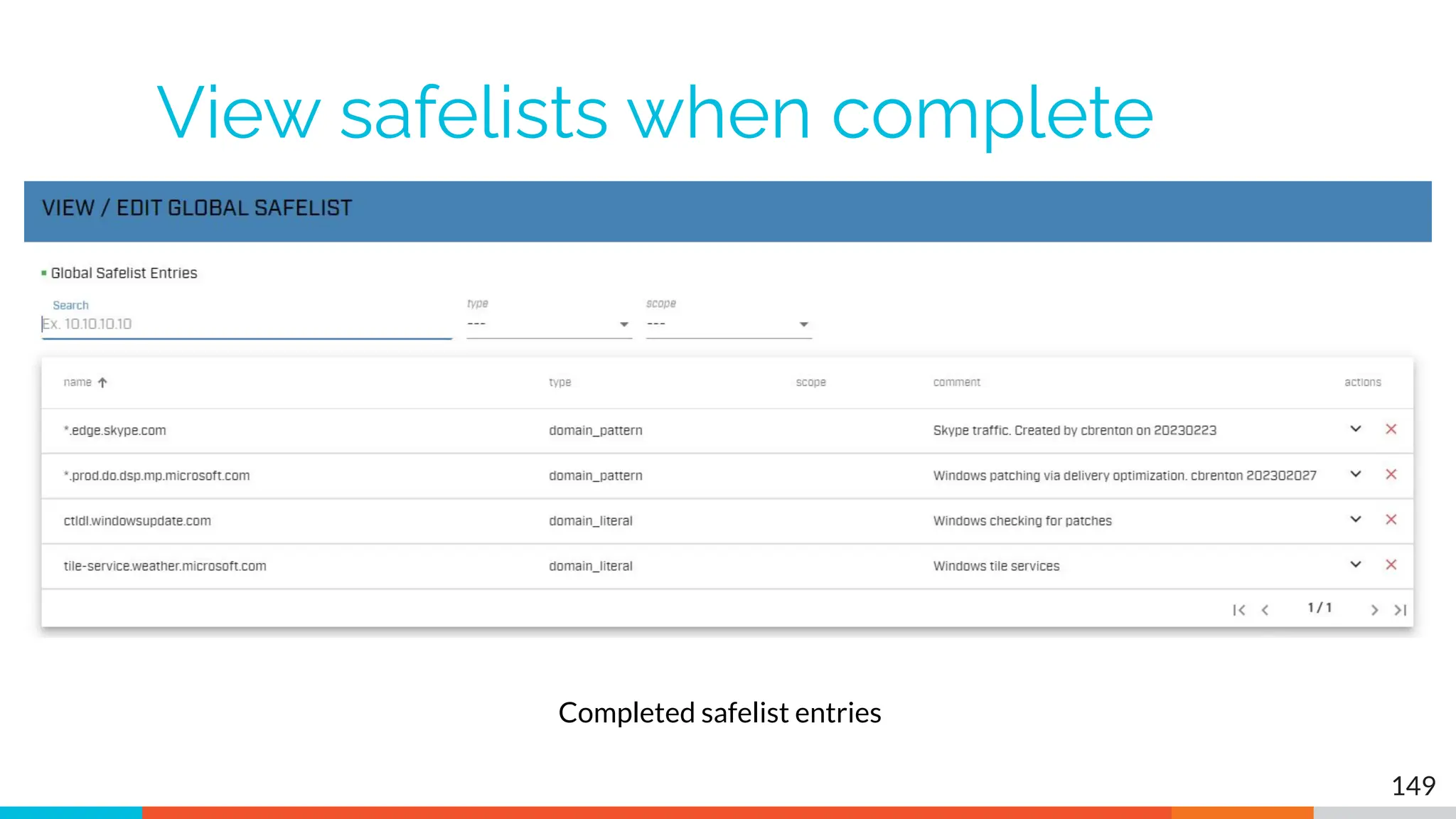
View safelists when complete
149
Completed safelist entries
Next lab!
▷ Still working with "lab1" dataset
▷ Go to "long connections module"
▷ Evaluate connections lasting > 5 hours
▷ Spend 60 seconds max on each
▷ Identify
○ Which look suspect and need further
investigation?
○ Which can be safelisted?
150
Hints
▷ Only two entries to work with
▷ Don't forget clicking an IP brings up the
investigation menu
▷ What is known about the external IP?
▷ Could this host serve a legitimate business
purpose?
151
Answers - Some basic info
▷ NO FQDN entry identified for either IP
▷ "comm" does not identify protocol
▷ ACH stores this data for 24 hours
○ FQDN queried via DNS
○ App protocol during initial negotiation
▷ After 24 hours, both labeled as unknown
▷ We would need to go back through the
Zeek data to when the conn started
152
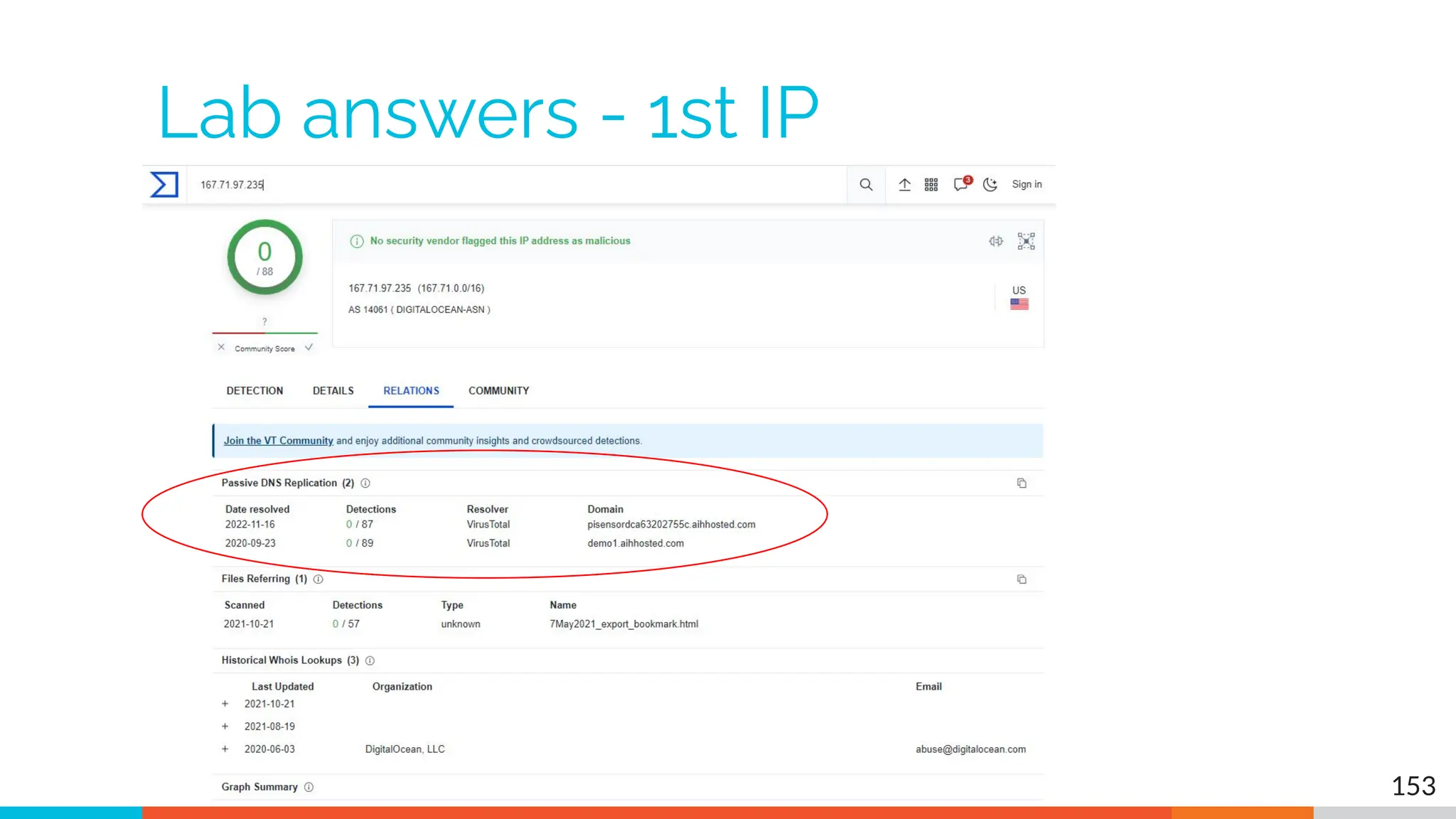
Lab answers - 1st IP
153
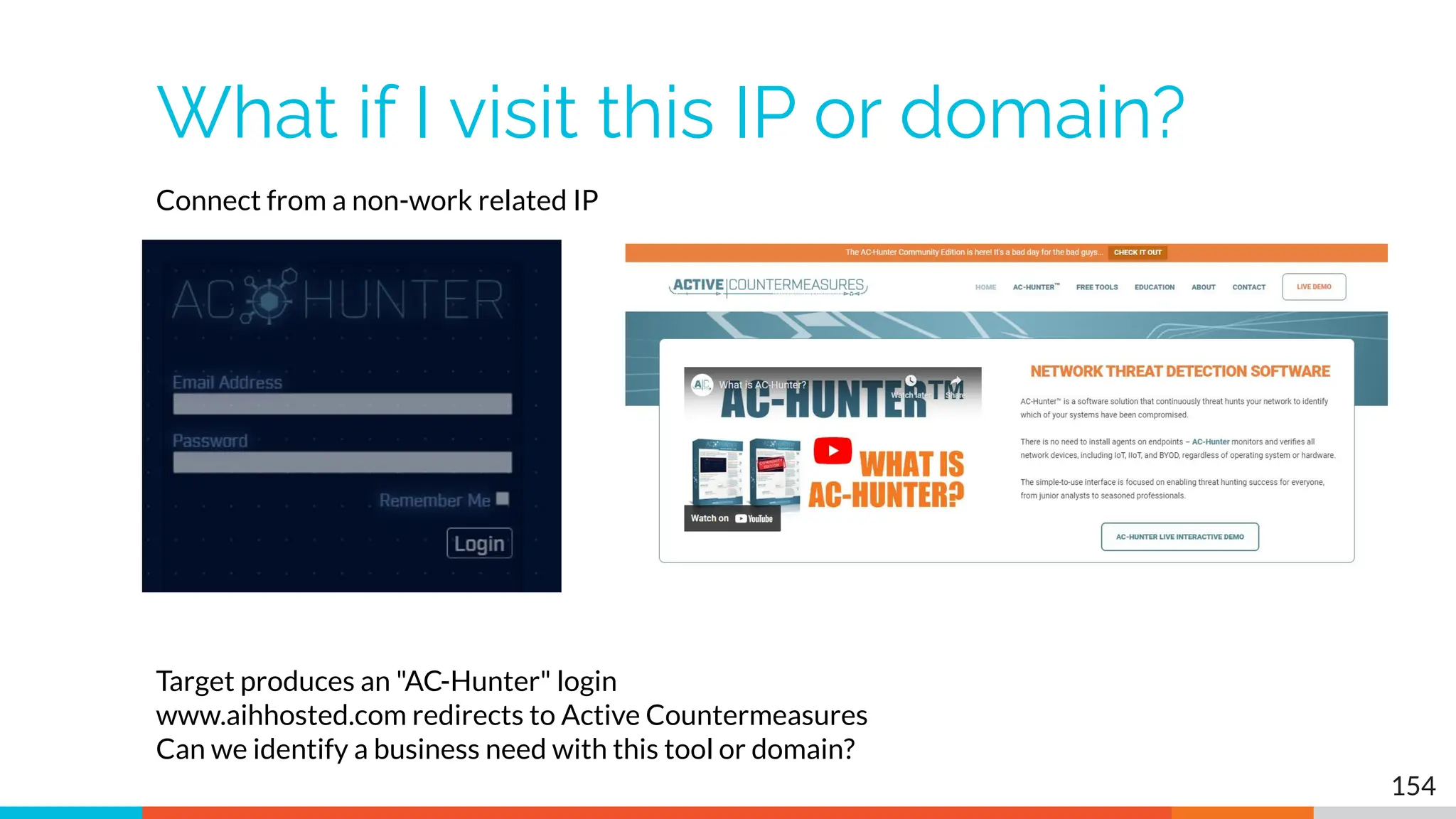
What if I visit this IP or domain?
154
Connect from a non-work related IP
Target produces an "AC-Hunter" login
www.aihhosted.com redirects to Active Countermeasures
Can we identify a business need with this tool or domain?
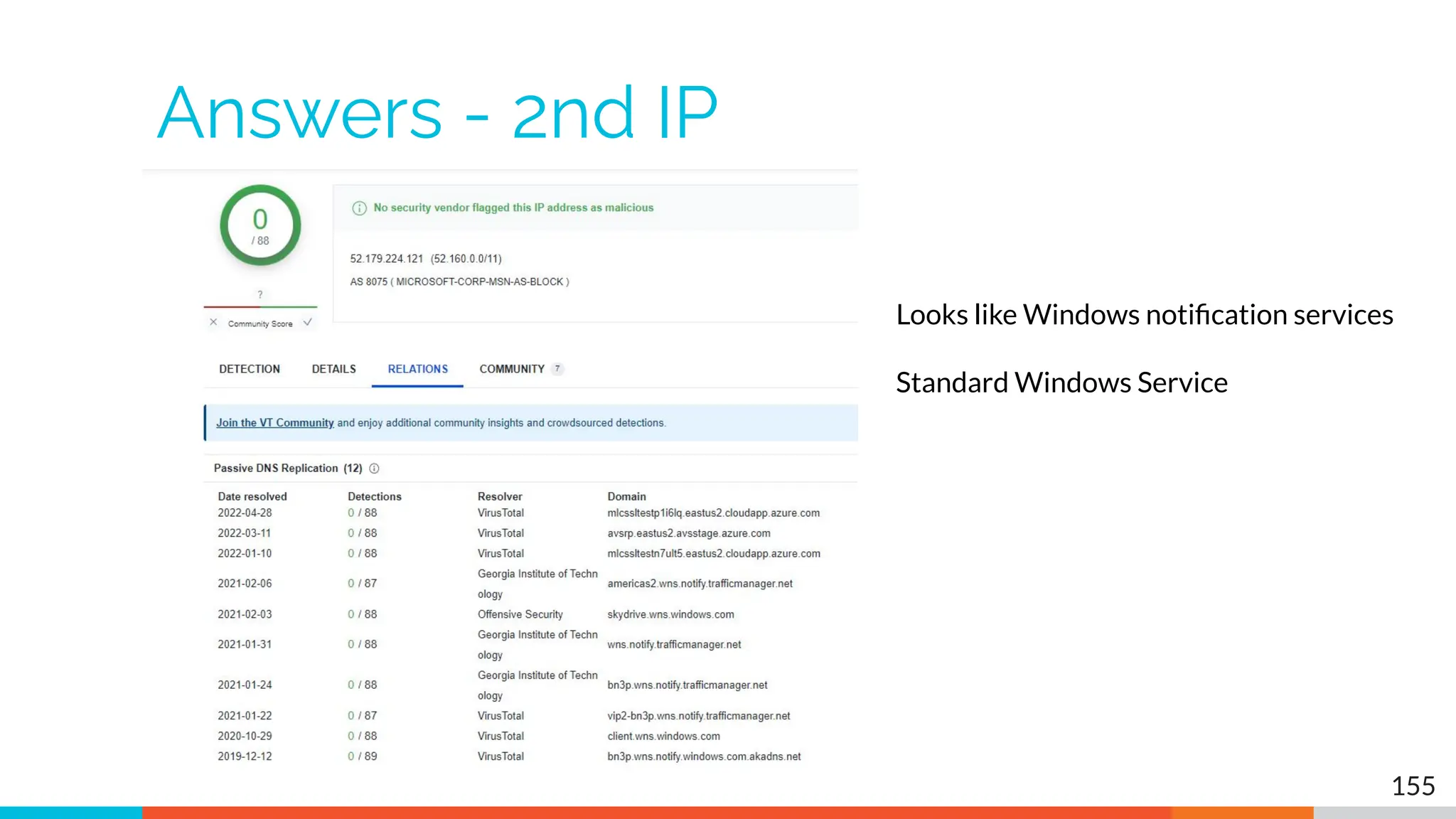
Answers - 2nd IP
155
Looks like Windows notification services
Standard Windows Service
Answers - Sanity check
▷ 1 suspect beacon
▷ 5 beacons with a business need
▷ 1 long conn that's probably OK
○ demo1.aihhosted.com
▷ 1 long conn that can be safelisted
○ Windows Notification Service
○ Safelist the destination IP address
▷ That just leaves the first beacon
156
Another lab - Deep dive on beacon
▷ The IP 104.248.234.238 is suspect
▷ Let's deep dive on this connection
▷ What can we learn about this IP?
▷ Anything odd about the session?
▷ If you are running the VM:
○ Additional data in Zeek logs
○ Anything useful?
▷ Determine if comms are suspect or not
157
Hints
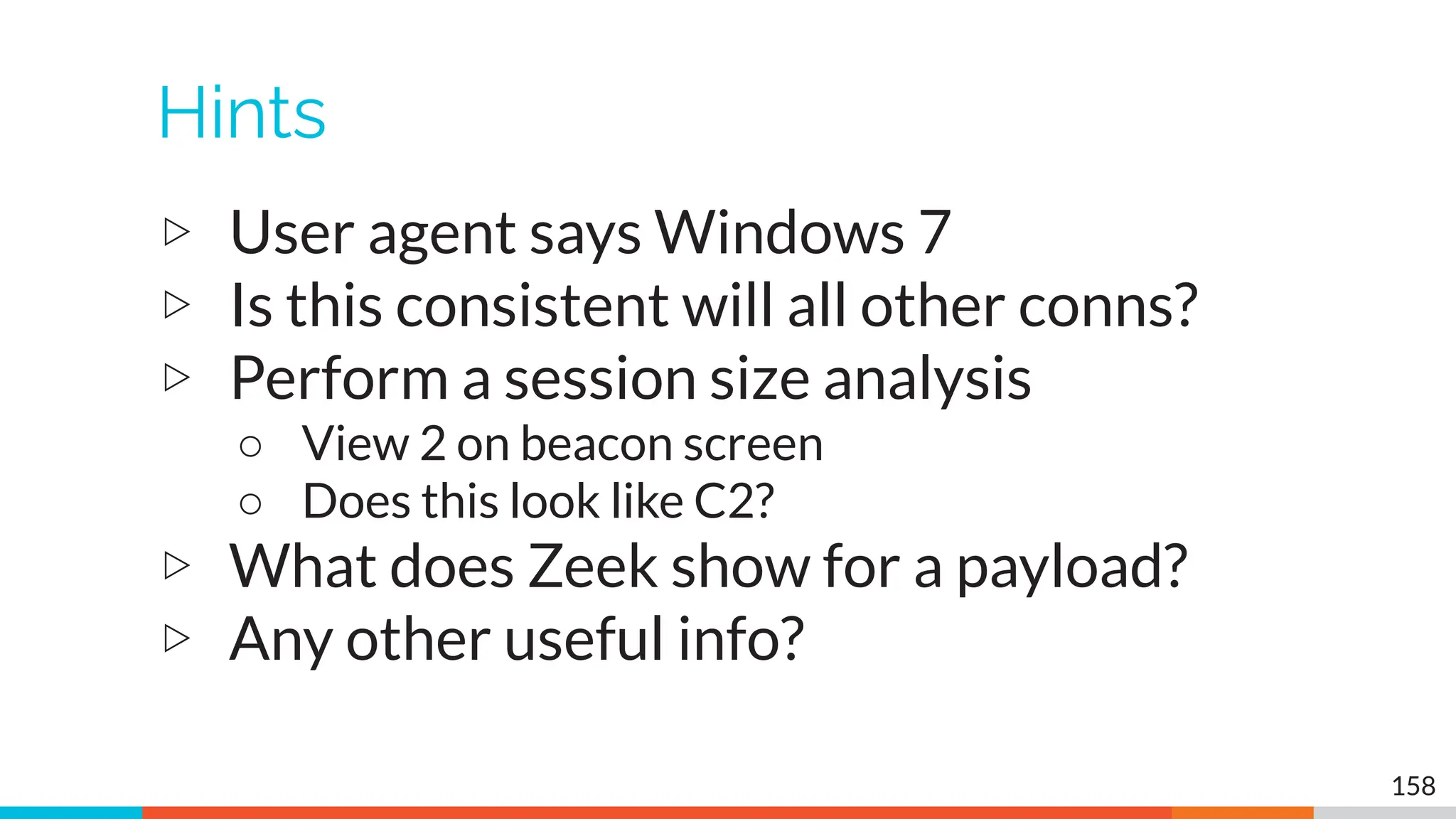
▷ User agent says Windows 7
▷ Is this consistent will all other conns?
▷ Perform a session size analysis
○ View 2 on beacon screen
○ Does this look like C2?
▷ What does Zeek show for a payload?
▷ Any other useful info?
158
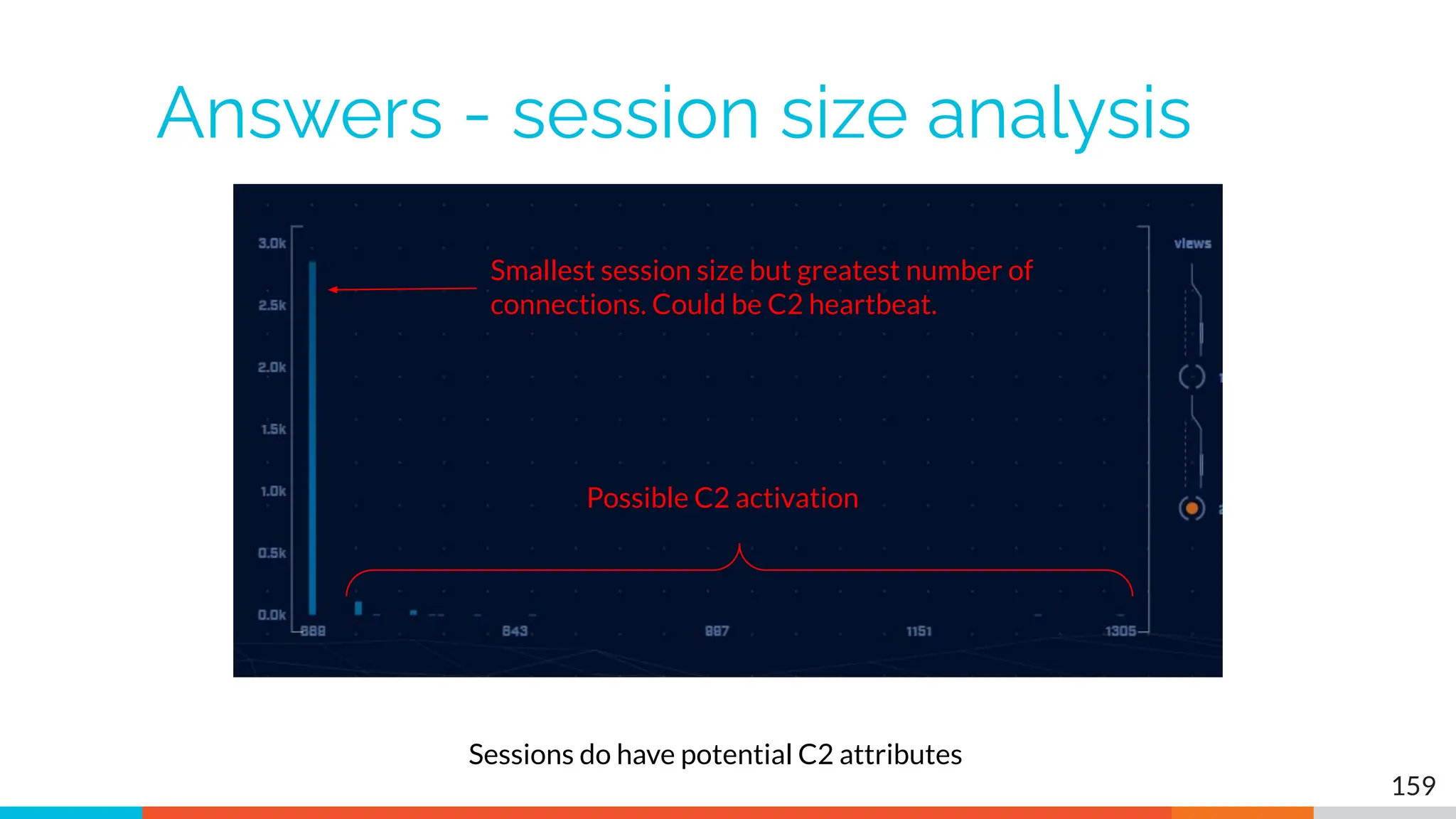
Answers - session size analysis
159
Sessions do have potential C2 attributes
Smallest session size but greatest number of
connections. Could be C2 heartbeat.
Possible C2 activation
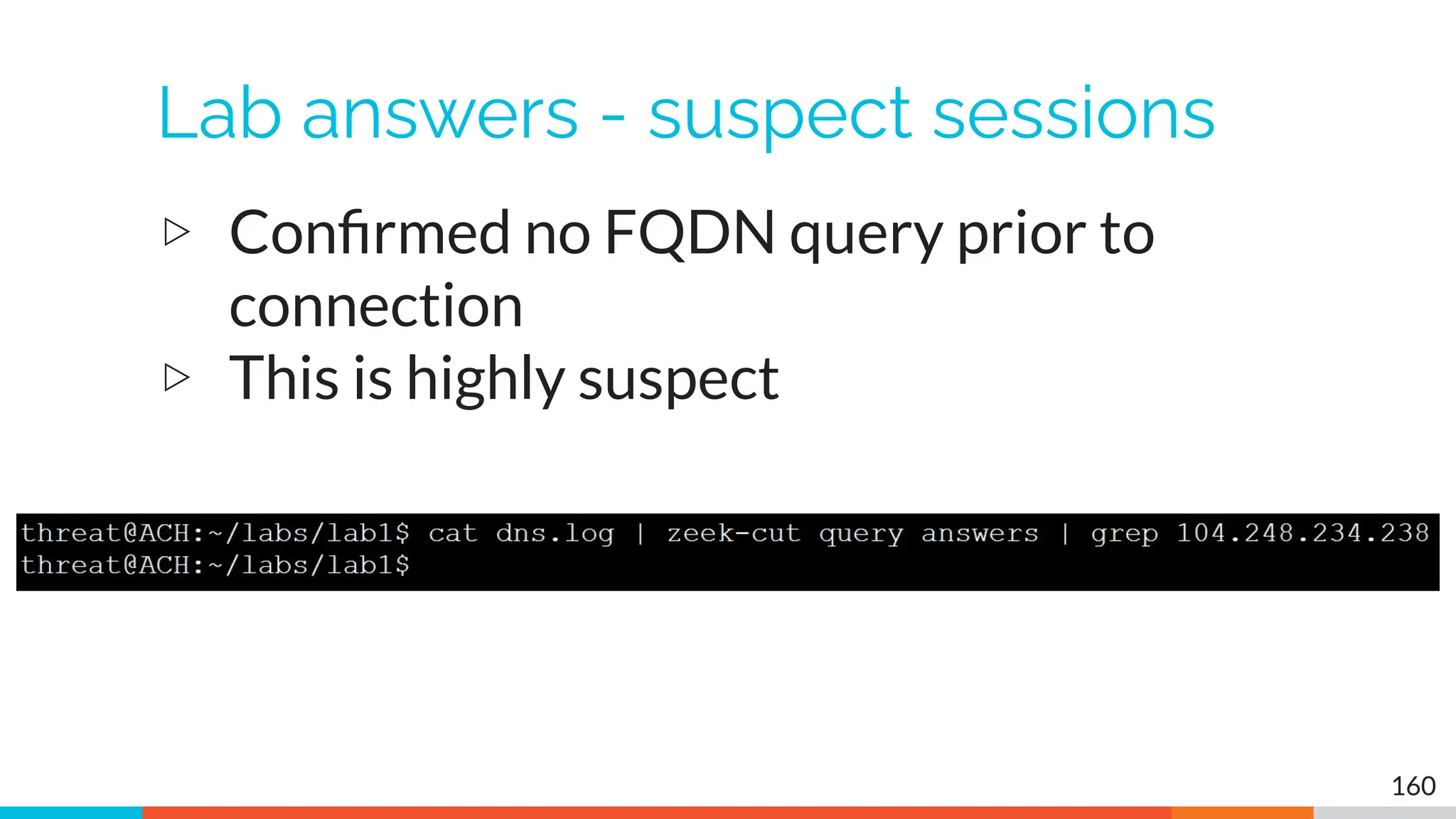
Lab answers - suspect sessions
▷ Confirmed no FQDN query prior to
connection
▷ This is highly suspect
160
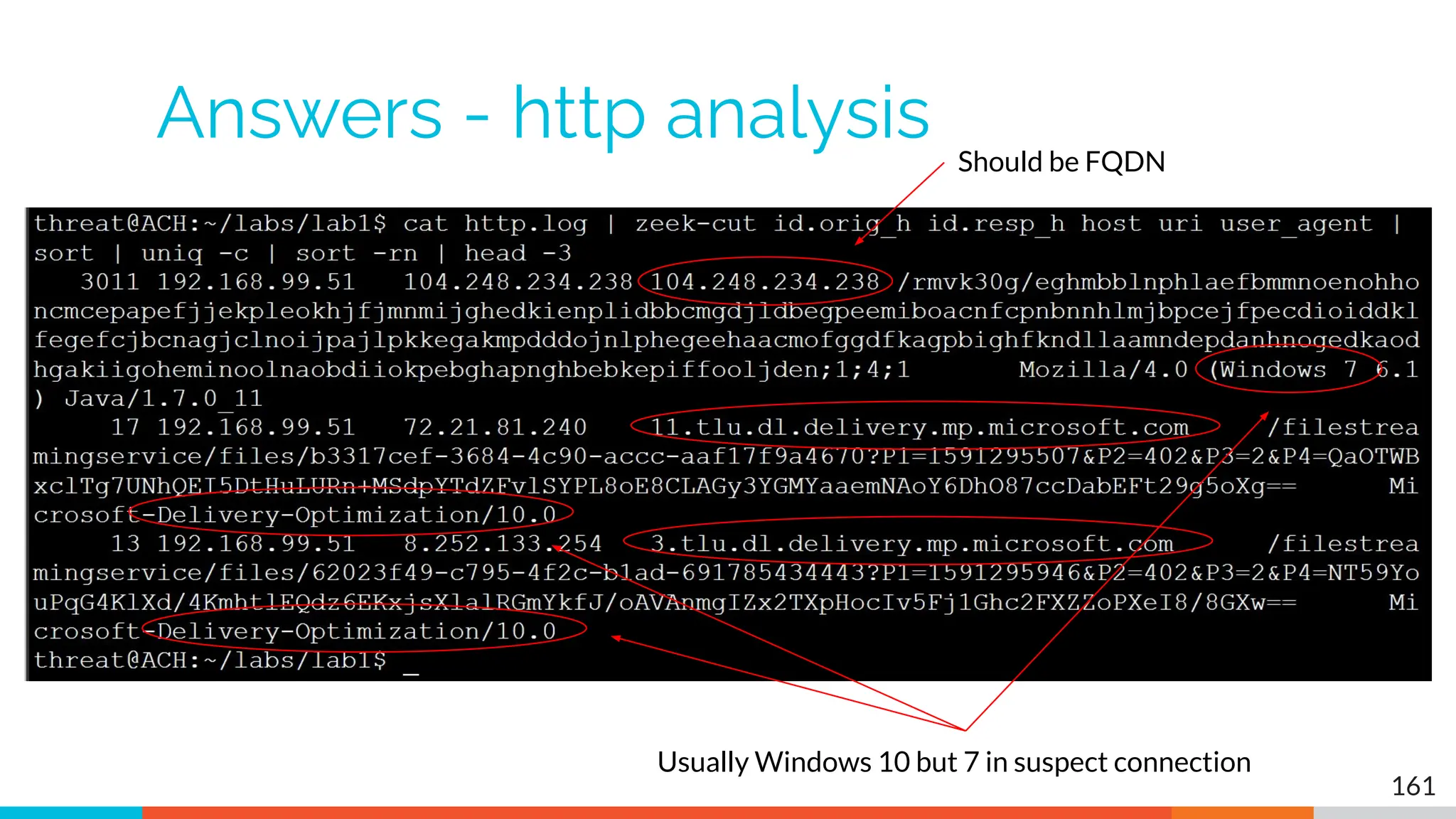
Answers - http analysis
161
Should be FQDN
Usually Windows 10 but 7 in suspect connection
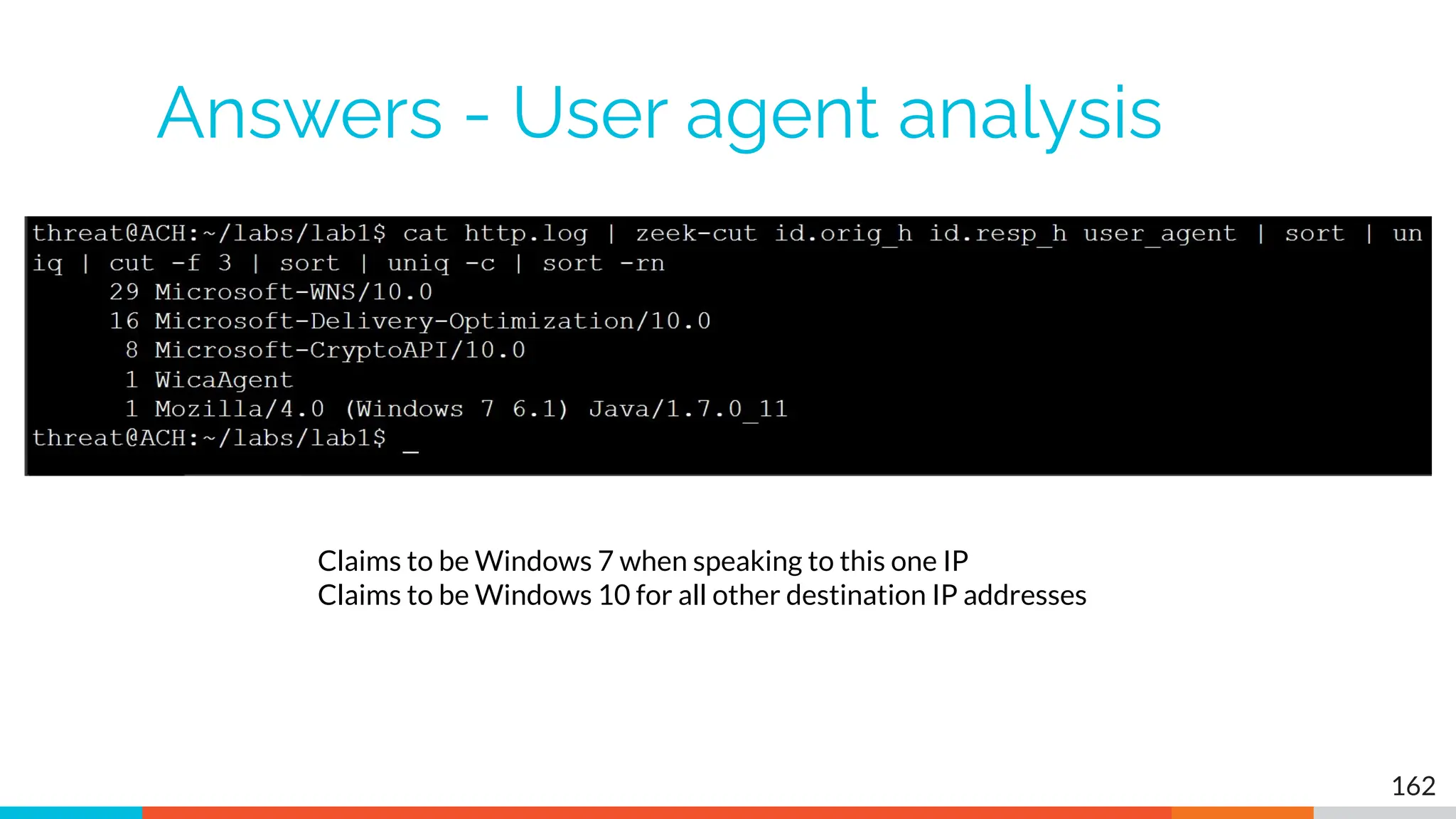
Answers - User agent analysis
162
Claims to be Windows 7 when speaking to this one IP
Claims to be Windows 10 for all other destination IP addresses
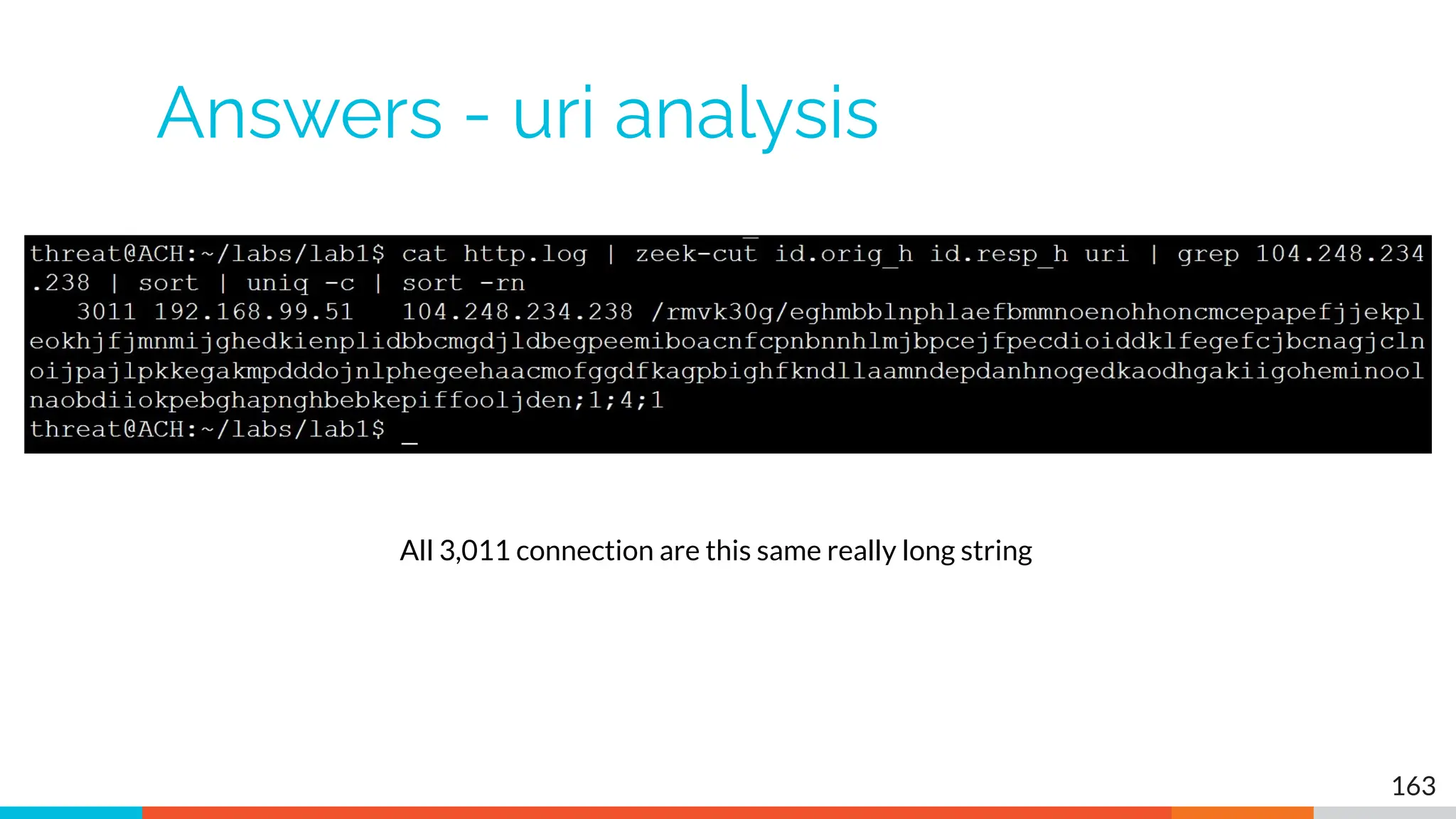
Answers - uri analysis
163
All 3,011 connection are this same really long string
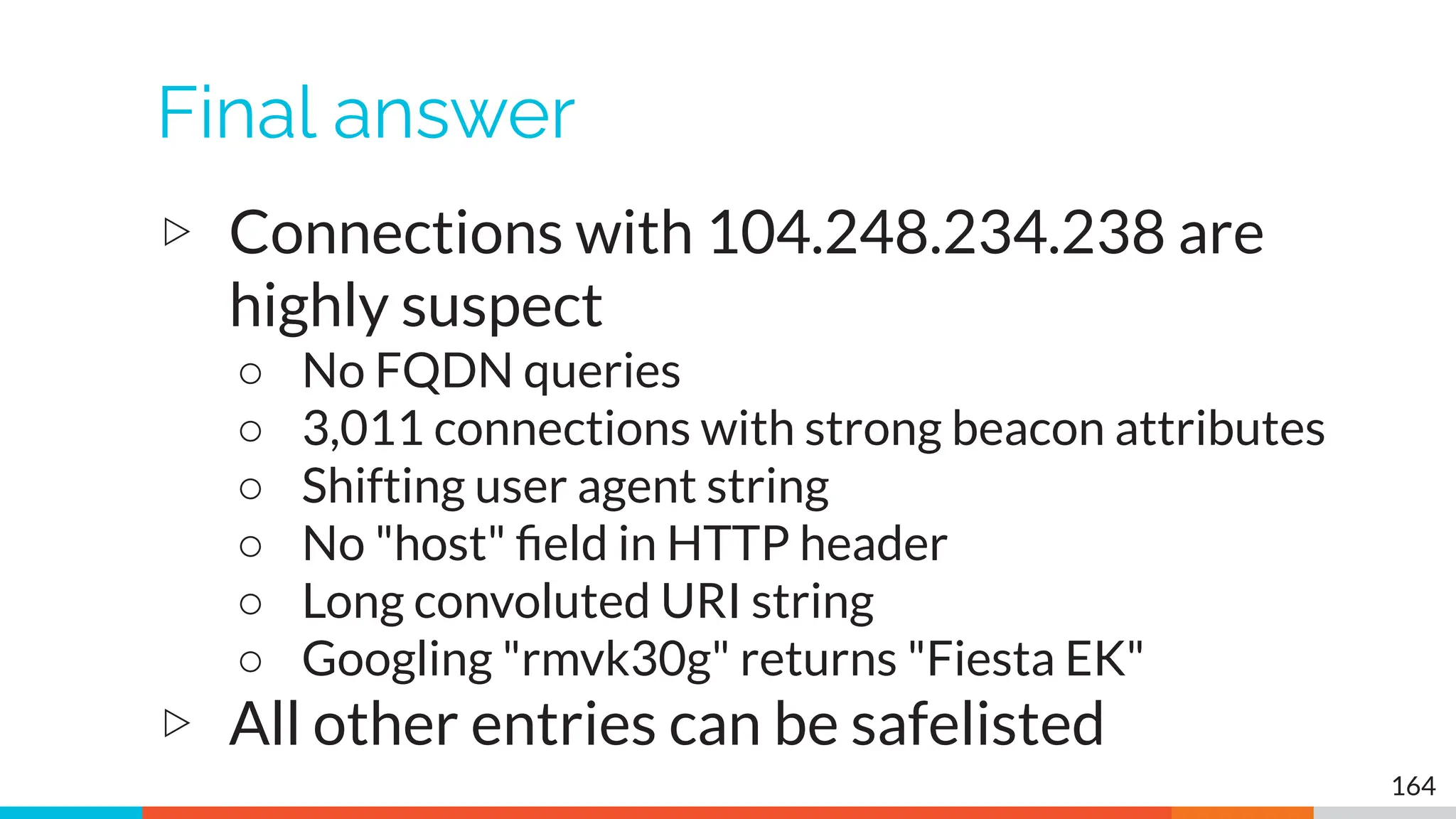
Final answer
▷ Connections with 104.248.234.238 are
highly suspect
○ No FQDN queries
○ 3,011 connections with strong beacon attributes
○ Shifting user agent string
○ No "host" field in HTTP header
○ Long convoluted URI string
○ Googling "rmvk30g" returns "Fiesta EK"
▷ All other entries can be safelisted
164
It's worth noting
▷ Capture contained 14,000+ connections
▷ Only one was "evil"
▷ We found it pretty quickly with ACH CE
165
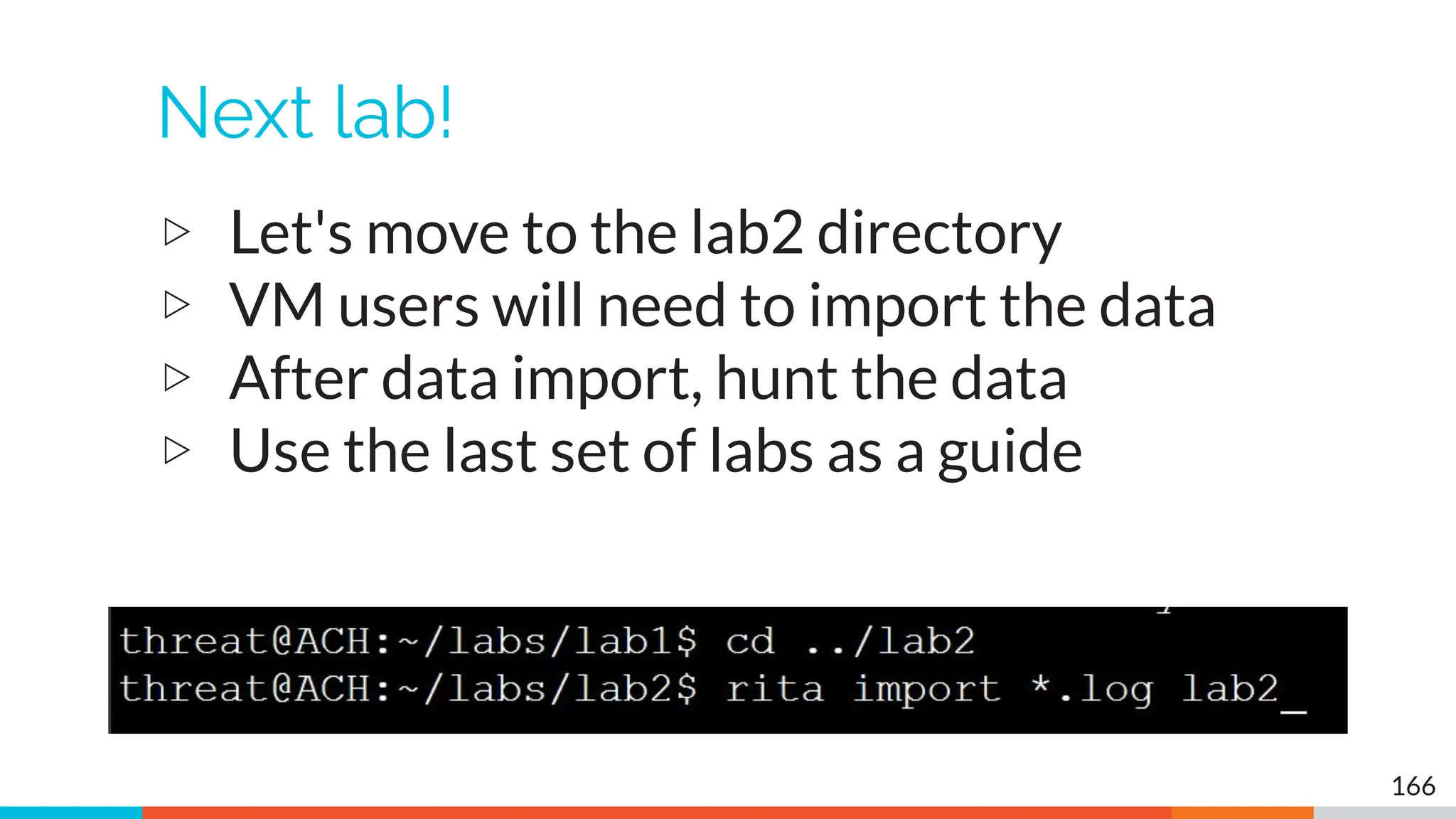
Next lab!
▷ Let's move to the lab2 directory
▷ VM users will need to import the data
▷ After data import, hunt the data
▷ Use the last set of labs as a guide
166
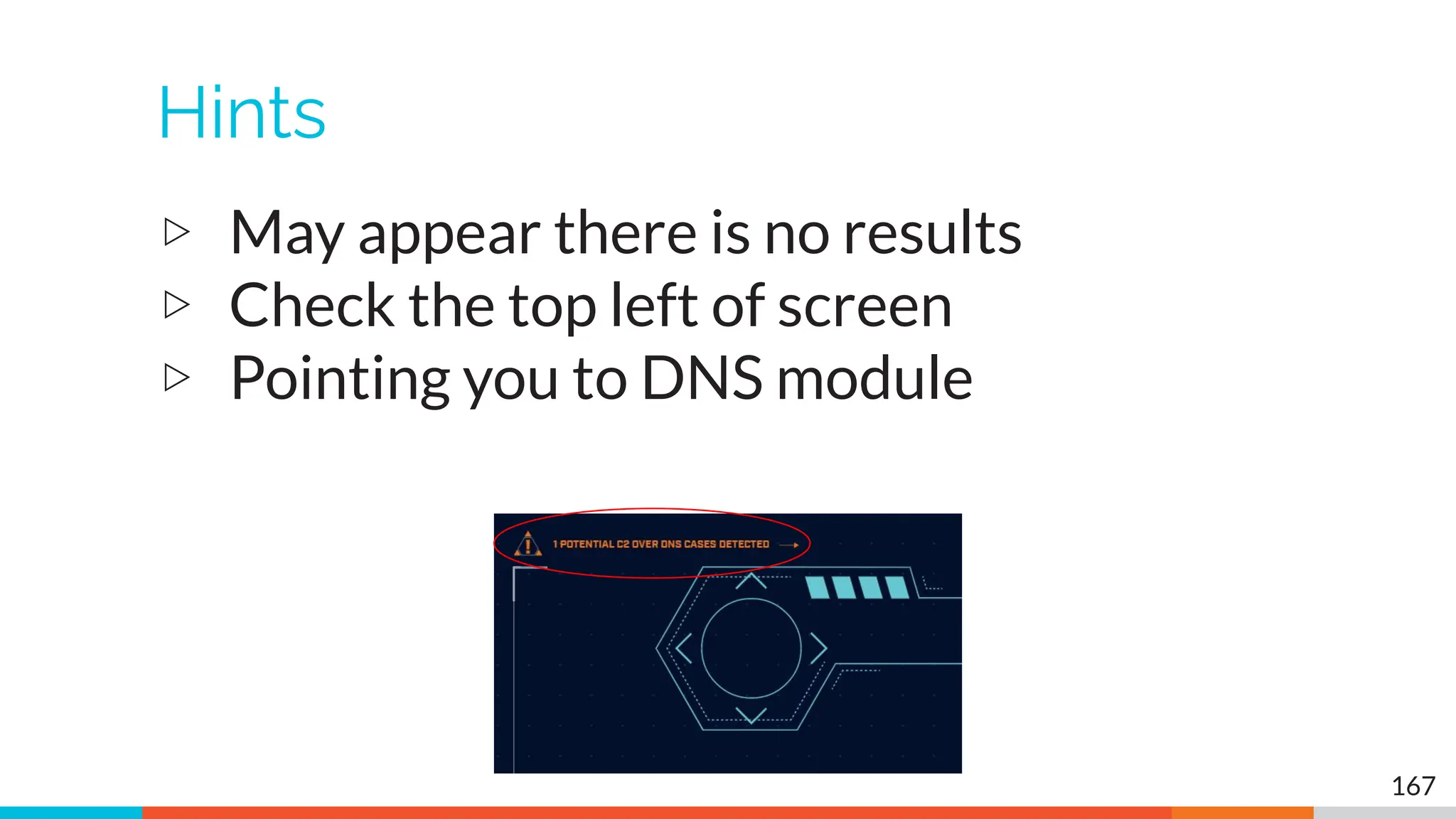
Hints
▷ May appear there is no results
▷ Check the top left of screen
▷ Pointing you to DNS module
167
Lab answers - C2 over DNS
▷ It looks like there is no data
▷ No individual IPs are listed
▷ Check top left of screen
▷ Indicates to check the DNS module
▷ C2 over DNS is presented differently
○ Source may be resolver, not infected client
○ Multiple src IPs if multiple resolvers are used
○ Results are consolidated for accuracy
168
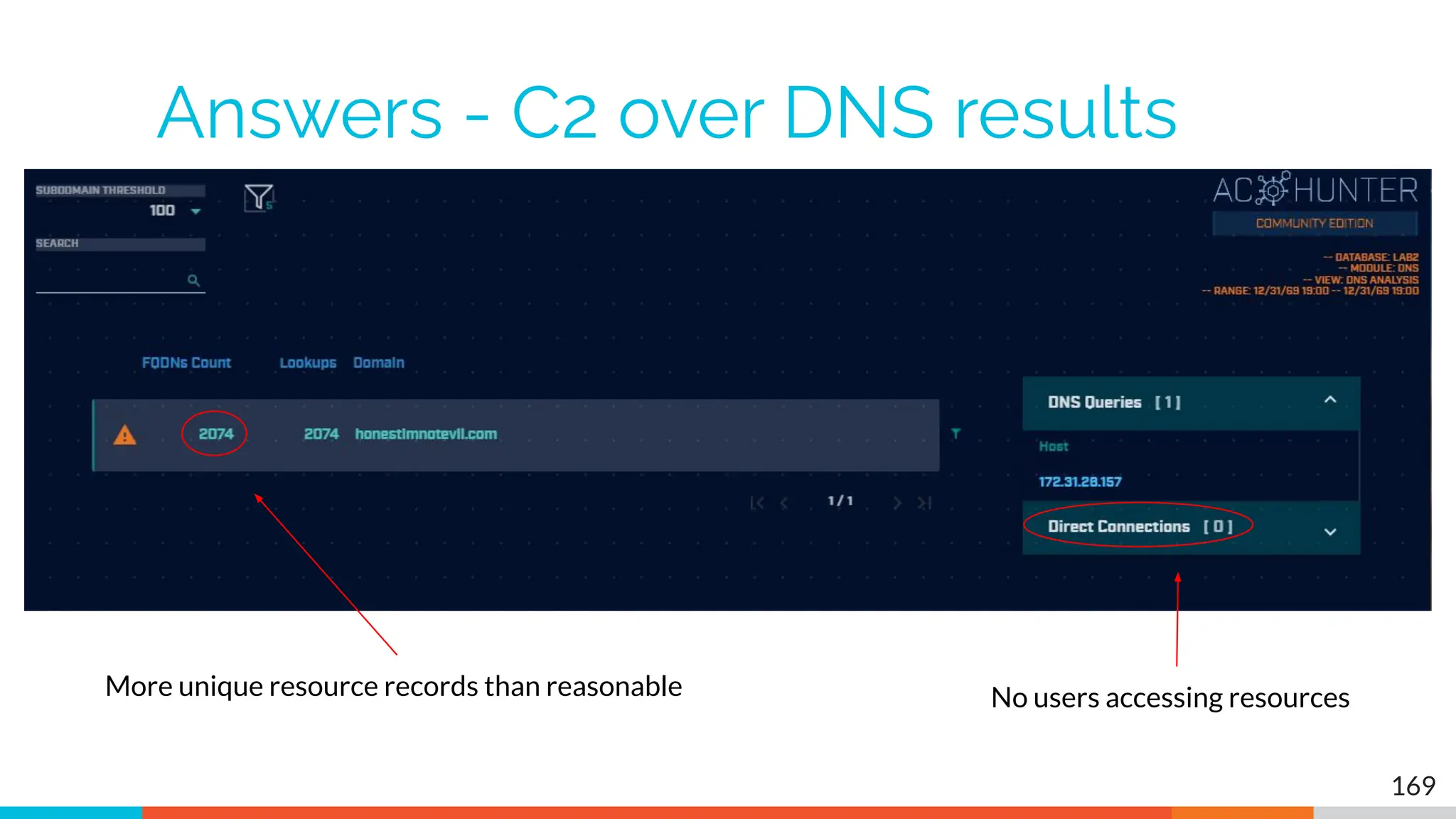
Answers - C2 over DNS results
169
More unique resource records than reasonable No users accessing resources
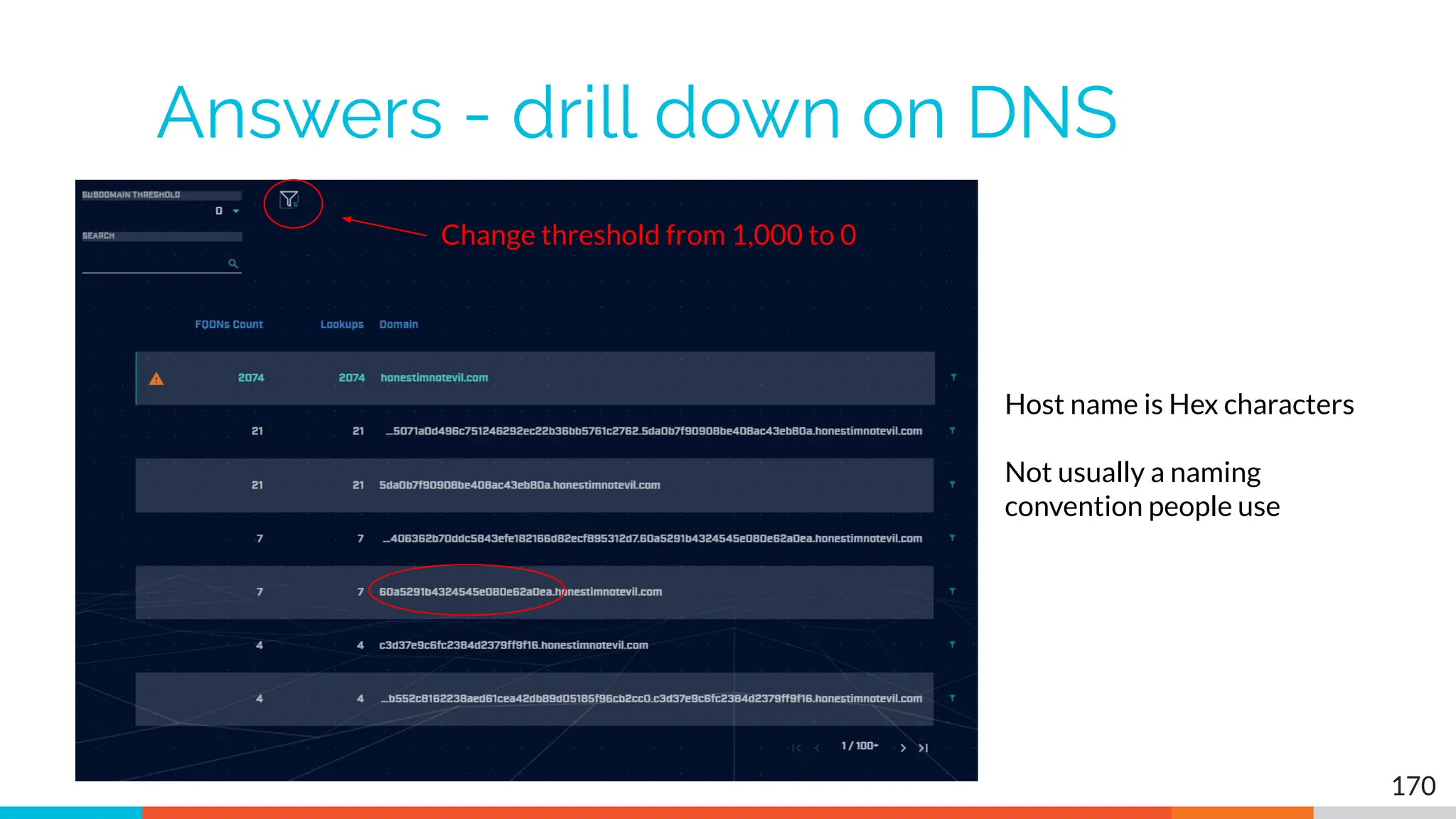
Answers - drill down on DNS
170
Change threshold from 1,000 to 0
Host name is Hex characters
Not usually a naming
convention people use
Answers - Final
▷ Potential C2 over DNS
▷ Need to check source IP
○ Is it a client system?
○ Is it a DNS resolver?
○ True source must be identified
▷ Looks like dnscat2
171
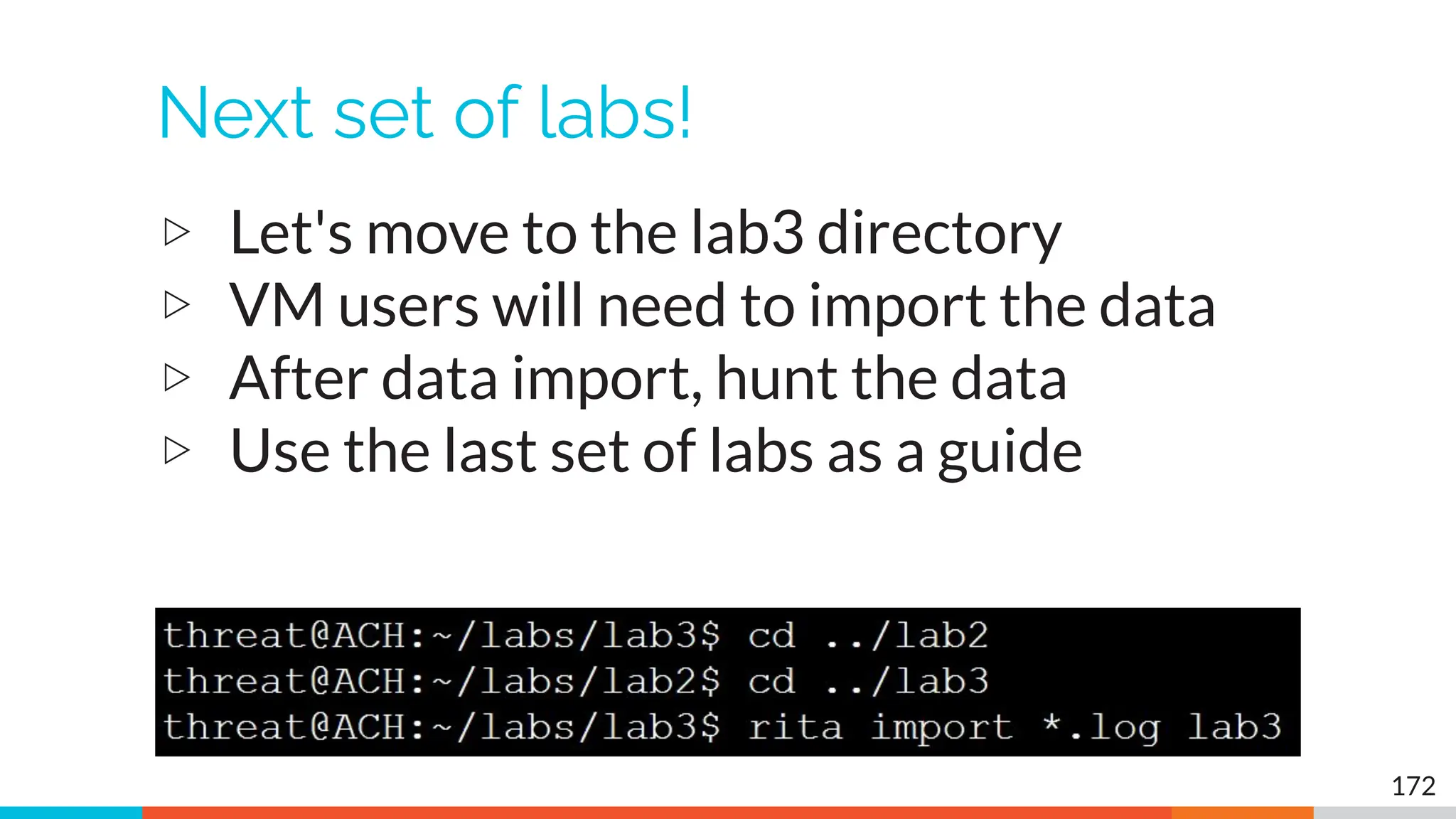
Next set of labs!
▷ Let's move to the lab3 directory
▷ VM users will need to import the data
▷ After data import, hunt the data
▷ Use the last set of labs as a guide
172
Hints
▷ Repeat the process we've been using
▷ Where do you see high scores on the
dashboard?
○ Investigate highest scores first
▷ Remember how we identified C2 beacons
173
Answers - Start with beacon web
174
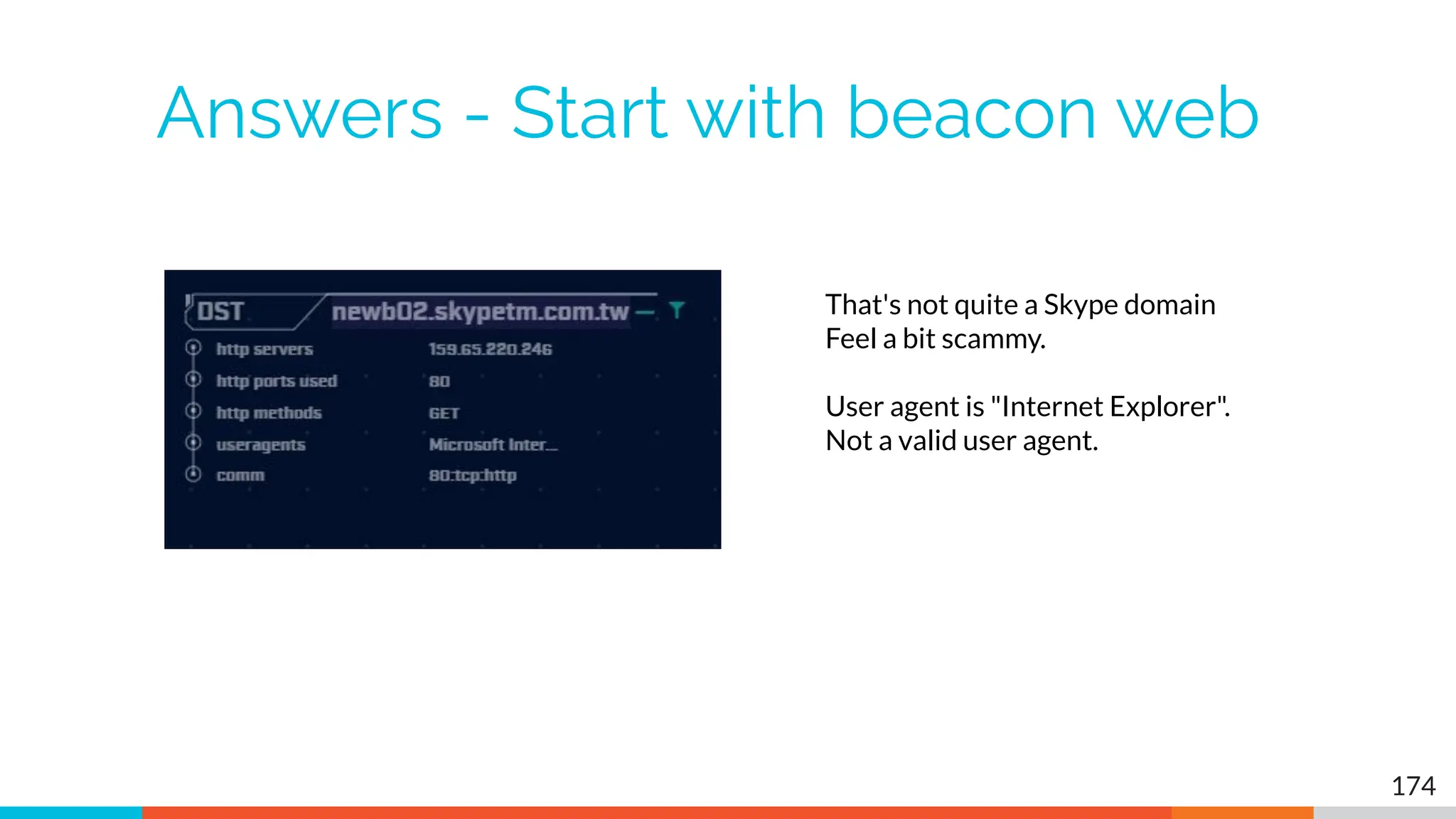
That's not quite a Skype domain
Feel a bit scammy.
User agent is "Internet Explorer".
Not a valid user agent.
Answers - Skype like FQDN
175
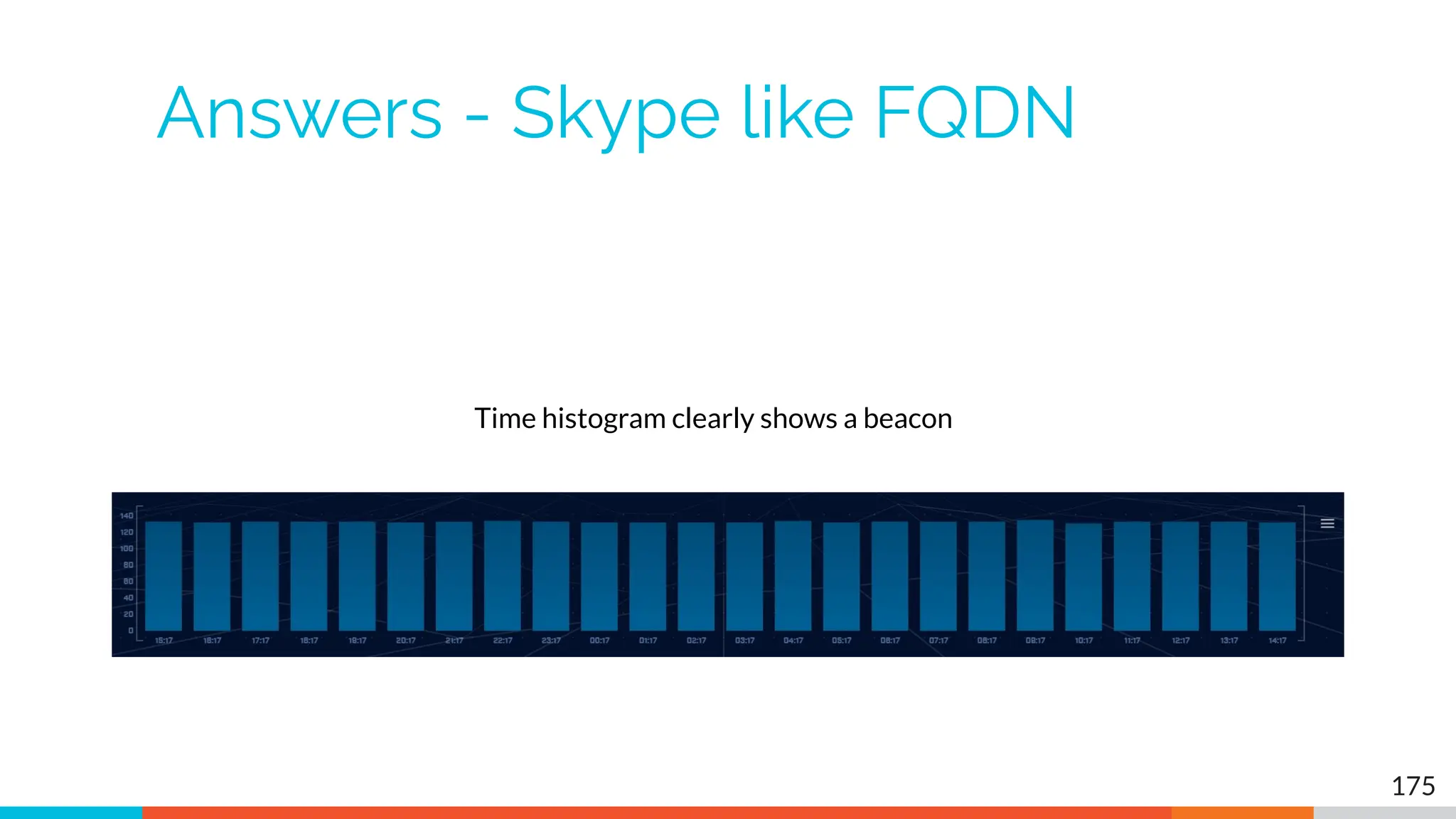
Time histogram clearly shows a beacon
Answers - jitter
176
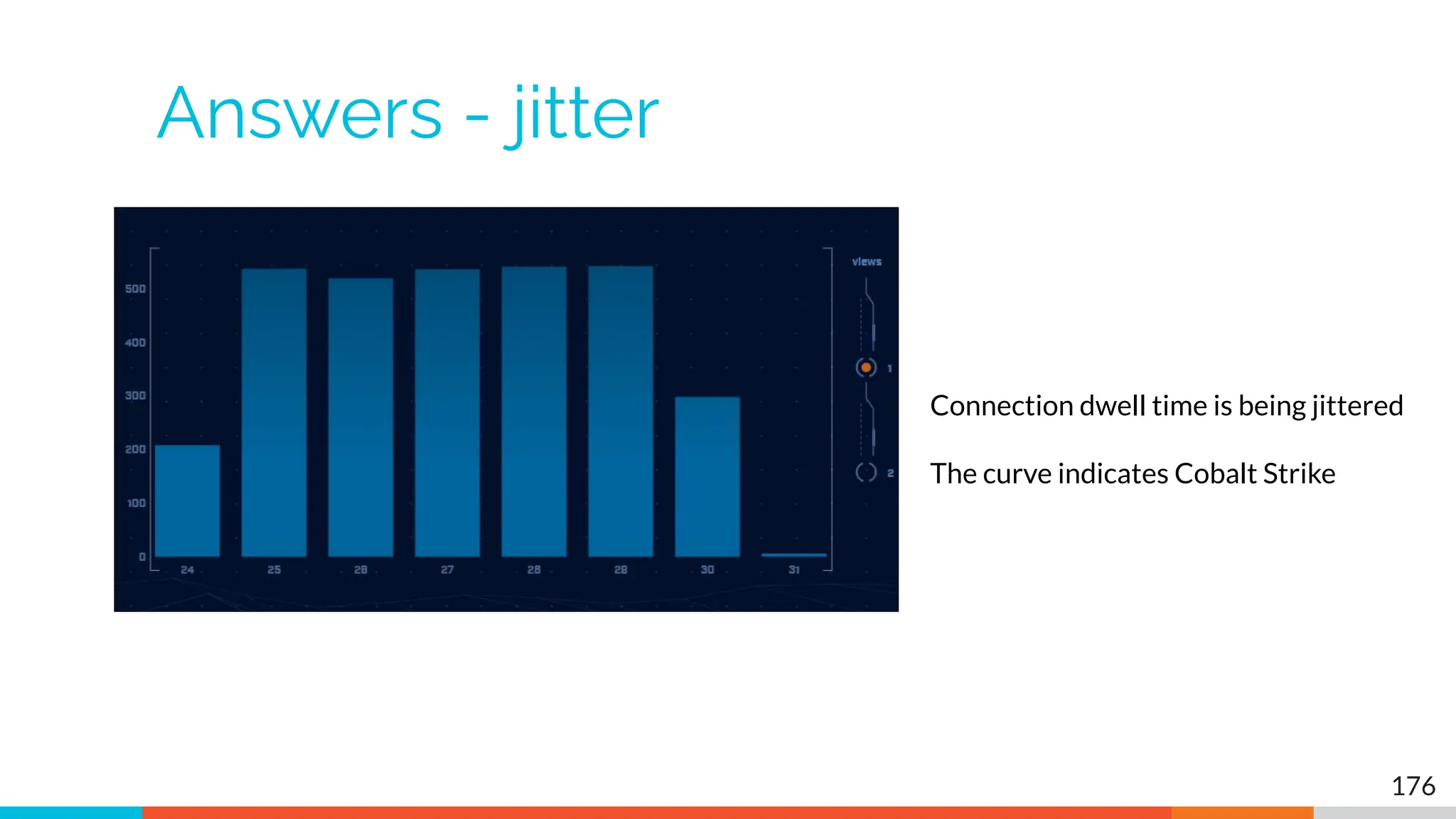
Connection dwell time is being jittered
The curve indicates Cobalt Strike
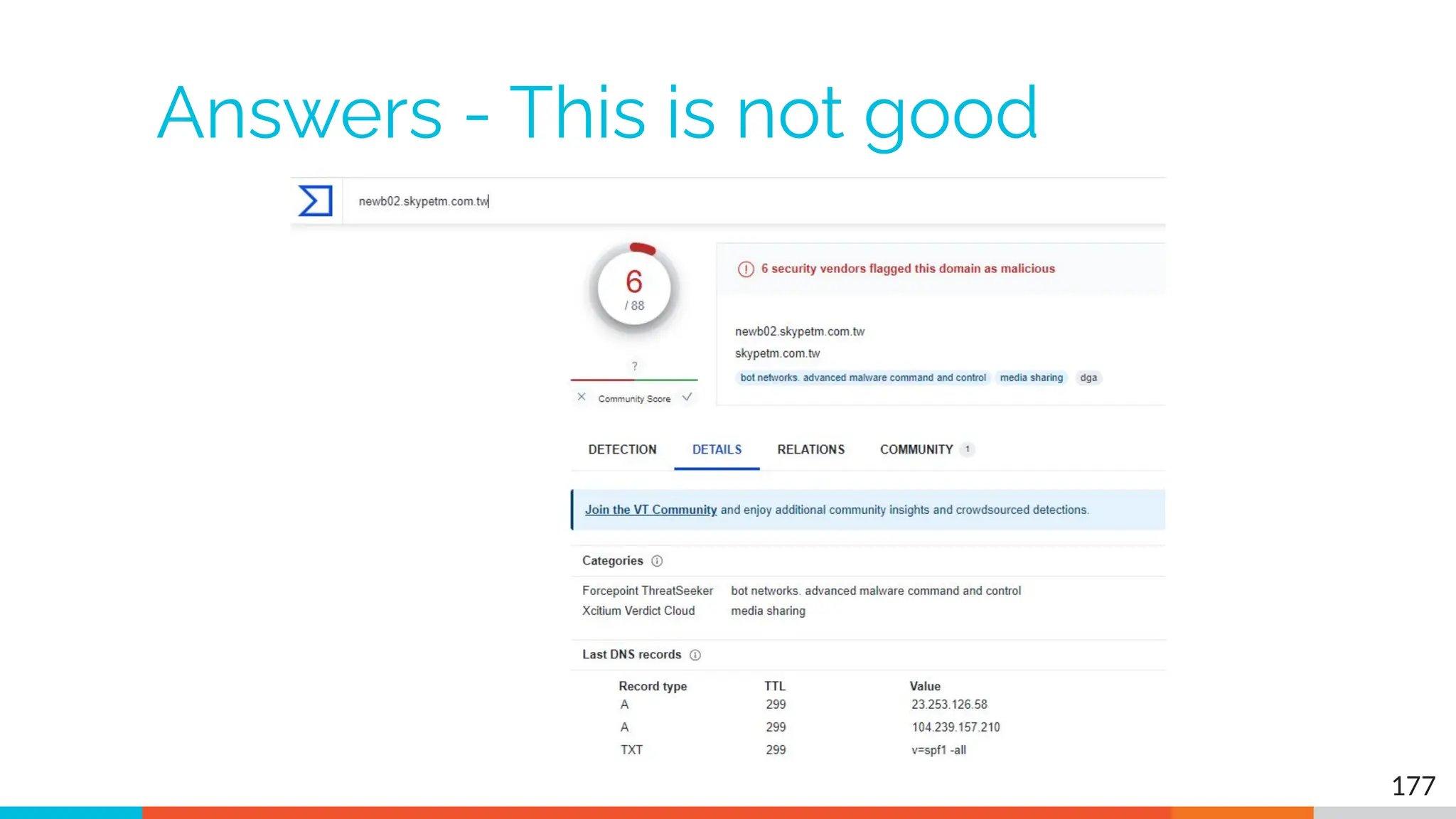
Answers - This is not good
177
Answers - Let's move on
▷ We clearly have an HTTP beacon
○ Histogram is flat
○ User agent looks bogus
○ FQDN looks bogus
▷ We have enough data to trigger an incident
response on our system
▷ Let's check for anything else
178
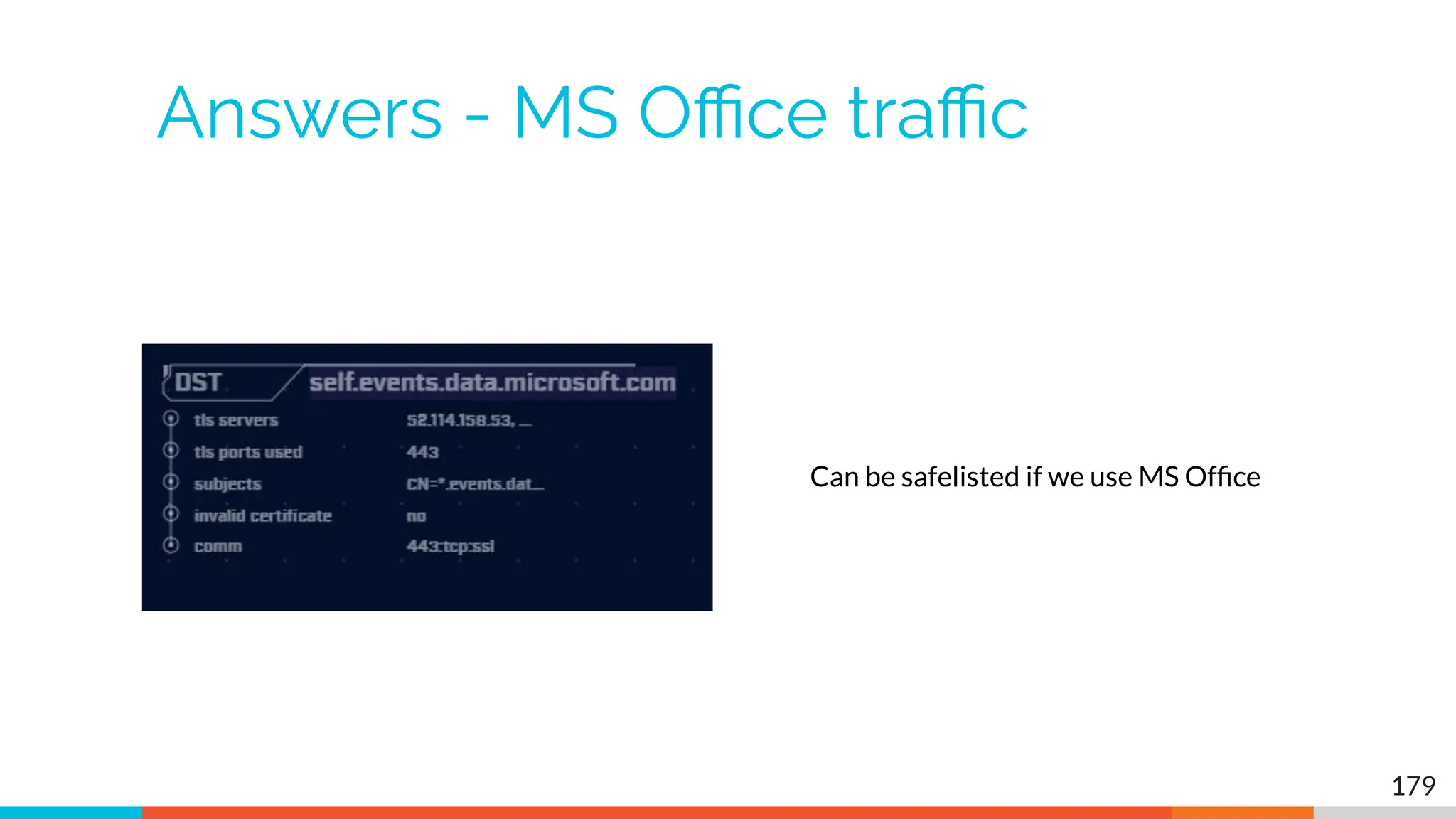
Answers - MS Office traffic
179
Can be safelisted if we use MS Office
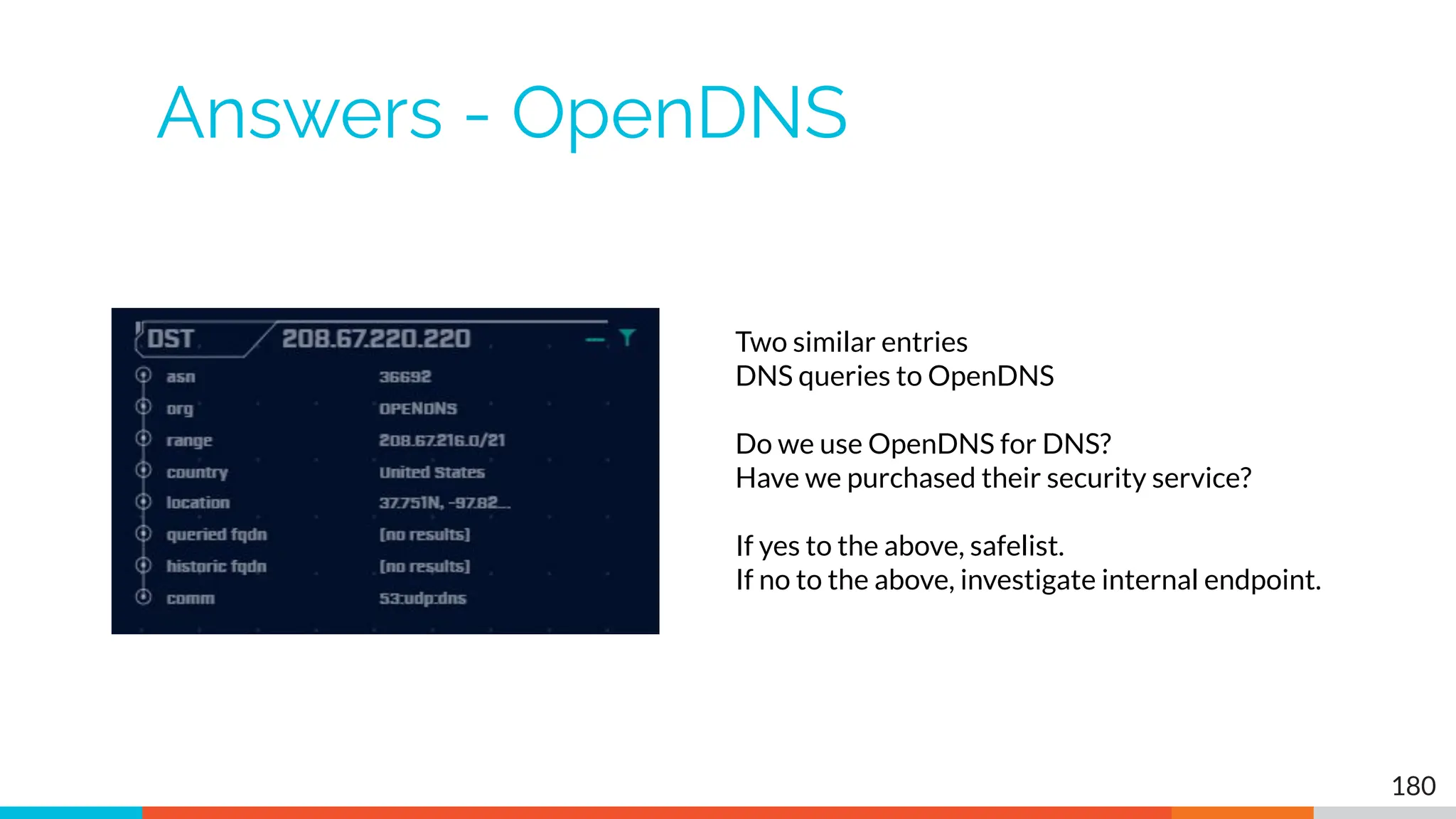
Answers - OpenDNS
180
Two similar entries
DNS queries to OpenDNS
Do we use OpenDNS for DNS?
Have we purchased their security service?
If yes to the above, safelist.
If no to the above, investigate internal endpoint.
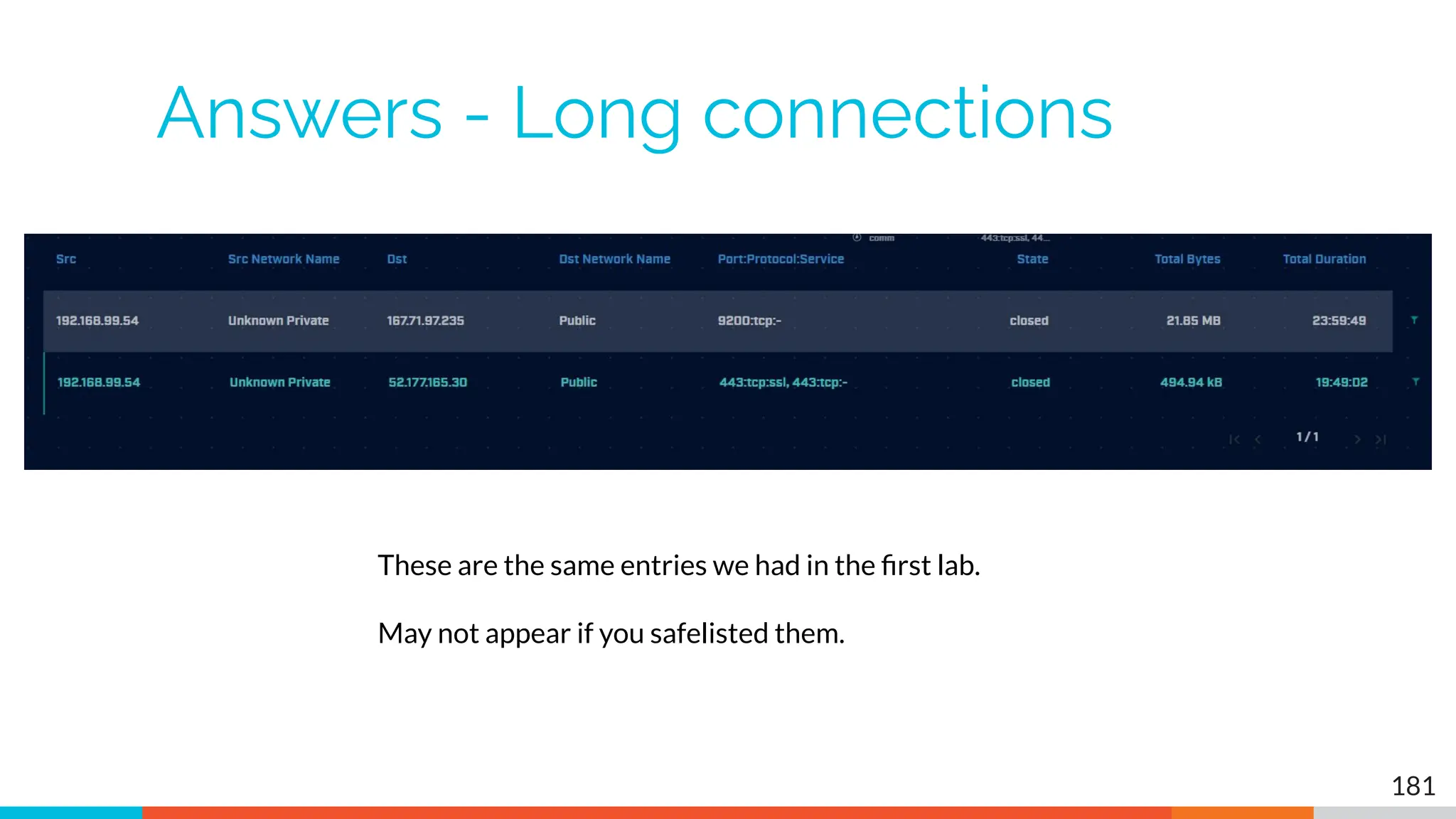
Answers - Long connections
181
These are the same entries we had in the first lab.
May not appear if you safelisted them.
If you want to keep practicing
▷ Check our malware of the day blog
▷ Skip to the bottom, download the 24 hour long
pcap file
▷ Process the pcap with Zeek
○ zeek -C -r <name of pcap> local
▷ Import into AC-Hunter
▷ When done check the blog for answers
○ Did you miss anything?
182
https://www.activecountermeasures.com/?s=malware+of+the+day
Interested in a demo?
▷ Enterprise version has a lot more features
▷ Type "demo" in Zoom chat (not Discord) to
learn more
▷ We'll be increasing the price on May 15th
▷ Contact us before then and we'll lock in
current price for 90 days
183
Closing thoughts
▷ Remember the process
○ Identify connection persistency
○ Identify business need if present
○ Investigate external IP
○ Investigate internal IP
▷ Disposition each IP
○ Pretty certain it's still pristine
○ Pretty certain it's compromised
▷ Don't cross the passive/active line
184
Thank you for attending!
▷ That you for sharing your valuable time
with us today
▷ We hope the cast has been helpful
▷ The team will monitor Discord for any last
minute question
185

Network Threat Hunting Training - 202308.pdf

  • 1.
  • 2.
    Thank you toour sponsors! 2
  • 3.
    You'll need theclass VMs 3 You only need one of these! They are all the same, just tweaked for different platforms Hash is SHA256 VirtualBox https://thunt-level1.s3.amazonaws.com/vbox-thunt-L1-202308.zip 5CF82AAEA859F9297CB33569BCFDC5023CAB87E78BD7605C82844D65BB41B899 Generic OVF https://thunt-level1.s3.amazonaws.com/ovf-thunt-L1-202308.zip D210F54CDC3E425E10C8FF66AE7F9B1EF0AC5924CE6A5543E1DDDC765252F992 VMware Workstation https://thunt-level1.s3.amazonaws.com/vmware-thunt-L1-202308.zip 57E63852D10BC3C0D9F5B86E369FEFA555D8BF6B6ADA5D31A3E175F9B5109144
  • 4.
    VMWare Troubleshooting ▷ Guestwill not start ▷ Error "VM using a hardware version that is not supported" ▷ Right click VM ○ Manage → Change hardware compatibility ○ Follow Wizard → Pick your VMWare product 4 https://www.augmastudio.com/2023/02/05/fix-virtual-machine-is-using- a-hardware-version-that-is-not-supported/
  • 5.
    VMWare troubleshooting (2) ▷Problem: On VMWare, I can't connect to the IP address in the slide ▷ Root cause: Sometimes VMware changes the host portion of the address ▷ Solution: "ifconfig | grep -Fw inet" 5
  • 6.
    VMWare generic problems ▷VMWare loves to consume memory ▷ VMWare loves to consume vCPUs ▷ Feed the beast! ▷ This seems to fix a lot of problems 6
  • 7.
    VirtualBox troubleshooting ▷ Can'tconnect to VM from host ▷ Solution: Enable port forwarding ▷ Should already be done but sometimes this setting gets lost at import 7 https://www.activecountermeasures.com/port-forwarding-with-virtualbox/
  • 8.
    VMWare/VirtualBox host access ▷VMWare VM accessed via IP address ○ Originally set to 192.168.149.128 ○ Example: ssh threat@192.168.149.128 ○ Point host browser at https://192.168.149.128 ▷ VirtualBox VM accessed via loopback ○ You must setup port forwarding & reboot! ○ Example: ssh threat@127.0.0.1:10022 ○ Point host browser at https://127.0.0.1:10443 8
  • 9.
    Logging in ▷ Usingthe class VM to do the labs ○ All new for this class! ○ Console & UI login info ■ Name: threat ■ Pass: hunting ○ Web browser interface to ACH CE ■ Name: threat@activecountermeasures.com ■ Pass: hunting2 ▷ Q&A in Discord 9
  • 10.
    Which ACH CEdatabase to load? 10
  • 11.
  • 12.
    New bash scriptingclass! ▷ Authored by the ONE… the ONLY… Bill Stearns ▷ Getting comfortable with Linux command line ▷ Bash scripting ▷ Managing Linux systems with it ▷ Automating tasks ▷ Available on-demand 12 https://www.antisyphontraining.com/on-demand-courses/bash-scripting-for-server- administration-w-bill-stearns/
  • 13.
    My upcoming classes ●Advanced threat hunting ○ Mostly hands on labs - Aug 24th & 25th ○ https://www.antisyphontraining.com/event/advanced-network-thr eat-hunting/2023-08-24/ ● Intro to packet decoding ○ IP from a security perspective - Oct 31st through Nov 3rd ○ https://www.antisyphontraining.com/event/getting-started-in-pac ket-decoding/2023-10-31/ ● Next level 1 Threat Hunting class ○ Oct 3rd ○ https://www.activecountermeasures.com/hunt-training/ 13
  • 14.
    Upcoming Events ▷ WildWest Hackin' Fest! ▷ Two days of training ○ Oct 17-18 ▷ Followed by two days of talks ○ Oct 19-20 ▷ In person or virtual ○ Come say "Hi" at the ACM booth ▷ Lots of presos and hands-on workshops 14 https://wildwesthackinfest.com/
  • 15.
    Cool stuff tocheck out ▷ PROMPT# ○ This issue is dedicated to threat hunting! ○ https://www.blackhillsinfosec.com/prompt-zine/prompt-issu e-threat-hunting/ ▷ Prompt CTF ○ Threat hunting focused CTF ○ August is the last month for prizes! ○ https://www.activecountermeasures.com/zine-challenge/ 15
  • 16.
  • 17.
    Logistics ▷ 10 minutebreak at top of each hour ▷ 20 minute break at 3 hour point ▷ Use the Discord channel for discussion ○ #acm-webcast-chat channel ▷ The team is monitoring for your questions 17
  • 18.
    Help with commandline syntax ▷ We'll be working at the command line ▷ Some are nested commands ▷ I'll explain what's going on ▷ Try adding once command at a time to observe how it changes the output 18 <command> | <command> | <command> https://www.explainshell.com/
  • 19.
    Goals for thisclass ▷ Define "cyber threat hunting" ▷ Identify how to perform a threat hunt ▷ Define and identify connection persistency ▷ Learn how to investigate endpoints ▷ Hands on lab time running down real C2 channels seen in the wild 19
  • 20.
    Are we gettingbetter at detection? ▷ Interesting Mandiant M-Trends nuggets ○ External detection at 6 year high ○ 55% in US, 74% in EMEA ○ 67% of ransomware goes undetected ▷ Dwell time down to less than 30 days ○ But drop shows no correlation to breach impact ○ Skewed by Ransomware at 5 days ○ This questions if detection is actually improving 20 https://inthecloud.withgoogle.com/mandiant-m-trends-2023/download.html
  • 21.
    The Purpose ofThreat Hunting Firewalls Intrusion Detection VPNs Proxies Anti-Virus 2-Factor Authentication Pentesting Auditing Threat Hunting should reduce the gap between protection failure and response as much as possible! Protection Incident Handling Log Review Forensics Public Relations Cyber Insurance Dwell time between infiltration and detection Response 21
  • 22.
    Start with thenetwork ▷ The network is the great equalizer ○ You see everything, regardless of platform ○ Desktop, servers, IIoT, etc all reviewed the same ▷ You can hide processes but not packets ▷ Malware is usually controlled ○ Which makes targeting C2 extremely effective ○ Identify compromise when C2 "calls home" ○ Must be frequent enough to be useful ▷ Wide view so you can target from there 22
  • 23.
    Threat hunting processorder ▷ Identify connection persistency ▷ Business need for connection? ○ Reputation check of external IP ▷ Abnormal protocol behaviour ▷ Investigation of internal IP ▷ Disposition ○ No threat detected = add to safelist ○ Compromised = Trigger incident handling 23
  • 24.
    Start on thenetwork 24 Cobalt Strike
  • 25.
    THEN pivot tothe system logs 25
  • 26.
    Don't cross "thepassive/active line" ▷ All threat hunting activity should be undetectable to an adversary ▷ Passive in nature ○ Review packets ○ Review SIEM logs ▷ If active techniques are required, we must trigger incident response first ○ Example: Isolating the suspect host ○ Example: Running commands on suspect host 26
  • 27.
  • 28.
    Where to Start ▷Traffic to and from the Internet ○ Monitor internal interface of firewall ▷ Packet captures or Zeek data ▷ Analyze in large time blocks ○ More data = better fidelity ○ Minimum of 12 hours, 24 is ideal ▷ Analyze communications in pairs ○ Every outbound session passing the firewall ○ Ignore internal to internal (high false positive) 28
  • 29.
  • 30.
    Does targeting C2have blind spots? ▷ Attackers motivated by gain ○ Information ○ Control of resources ▷ Sometimes "gain" does not require C2 ○ Just looking to destroy the target ○ Equivalent to dropping a cyber bomb ○ We are talking nation state at this level ▷ NotPetya ○ Worm with no C2 designed to seek and destroy 30
  • 31.
    Start by checkingpersistency ▷ Focus on persistent connections ○ Internal system in constantly initiating connections with an outside "system" ○ Long connections ○ Beacons ▷ Persistent connections should have an identifiable business need ○ More on this later 31
  • 32.
    Long connections ▷ Youare looking for: ▷ Total time for each connection ○ Which ones have gone on the longest? ▷ Cumulative time for all pair connections ○ Total amount of time the pair has been in contact ▷ Can be useful to ignore ports or protocols ○ C2 can change channels 32
  • 33.
  • 34.
    What is abeacon? ▷ Repetitive connection establishment between two IP addresses ○ Easiest to detect ▷ Repetitive connection establishment between internal IP and FQDN ○ Target can be spread across multiple IP's ■ Usually a CDN provider ○ Target IPs also destination for legitimate traffic ○ Far more difficult to detect 34
  • 35.
  • 36.
  • 37.
    Beacon detection basedon timing ▷ May follow an exact time interval ○ Technique is less common today ○ Detectable by k-means ○ Potential false positives ▷ May introduce "jitter" ○ Vary connection sleep delta ○ Avoids k-means detection ○ False positives are extremely rare ▷ Short enough delta for terminal activities 37
  • 38.
    Connection quantity VStime 38 Each bar represents the number of times the source connected to the destination during that one hour time block
  • 39.
    Connect time deltaswith no jitter 39 How often a specific time delta was observed
  • 40.
    Connection time deltaswith jitter 40 Cobalt Strike will typically produce a bell curve Pretty well randomized but still a small dwell time "window"
  • 41.
    Detection based onsession size ▷ Focuses on detection of the heartbeat ○ Useful for C2 over social media ▷ Variations from the heartbeat indicate activation of C2 channel ▷ Session size can help reveal info regarding commands being issued ▷ Possible to randomly pad but this is extremely rare 41
  • 42.
  • 43.
    Safelisting ▷ Not allpersistence is "evil" ▷ Could be part of normal operations ○ Keep computer time in sync ○ Checking for patches ○ Checking on an external service ▷ When business need can be identified, we should safelist the connection ○ Keep it out of future hunts ○ Don't make safelists any broader than necessary 43
  • 44.
    Identifying business need ▷Do you recognize the domain? ○ microsoft.com ○ windows.com ○ ntp.org ▷ Can you relate the services to a specific department? ▷ The purchasing group can be helpful ○ Find the company behind the domain ○ Are we purchasing services from them? 44
  • 45.
    Check destination IPaddress ▷ Start simple ○ Who manages ASN? ○ Geolocation info? ○ IP delegation ○ PTR records ▷ Do you recognize the target organization? ○ Business partner or field office ○ Current vendor (active status) ▷ Other internal IP's connecting? 45
  • 46.
    Some helpful links https://www.abuseipdb.com/check/<IPAddress> https://otx.alienvault.com/indicator/ip/<IP Address> https://search.censys.io/hosts/<IP Address> https://dns.google/query?name=<IP Address> https://www.google.com/search?q=<IP Address> https://www.onyphe.io/search/?query=<IP Address> https://securitytrails.com/list/ip/<IP Address> https://www.shodan.io/host/<IP Address> https://www.virustotal.com/gui/ip-address/<IP Address>/relations 46
  • 47.
  • 48.
    What next? ▷ You'veidentified connection persistence ▷ You can't identify a business need ▷ Next steps ○ Protocol analysis ○ Reputation check of external target ○ Investigate internal IP address 48
  • 49.
    Unexpected app orport usage ▷ There should be a business need for all outbound protocols ▷ Research non-standard or unknown ports ○ TCP/5222 (Chrome remote desktop) ○ TCP/5800 & 590X (VNC) ○ TCP/502 (Modbus) 49
  • 50.
    Unknown app onstandard port ▷ C2 wants to tunnel out of environment ○ Pick a port likely to be permitted outbound ○ Does not always worry about protocol compliance ▷ Check standard ports for unexpected apps ○ Indication of tunneling ▷ Different than app on non-standard port ○ This is sometimes done as "a feature" ○ Example: SSH listening on TCP/2222 50
  • 51.
    Zeek decodes manyapps ▷ Detect over 50 applications ○ HTTP, DNS, SIP, MYSQL, RDP, NTLM, etc. etc. ▷ Fairly easy to add new ones ○ Example: HL7 if you are in healthcare ▷ Checks all analyzers for each port ▷ Does not assume WKP = application 51
  • 52.
  • 53.
  • 54.
    Unexpected protocol use ▷Attackers may bend but not break rules ▷ This can result in: ○ Full protocol compliance ○ Abnormal behaviour ▷ Need to understand "normal" ○ For the protocol ○ For your environment 54
  • 55.
  • 56.
    Example: Too manyFQDNs ▷ How many FQDNs do domains expose? ○ Most is < 10 ○ Recognizable Internet based vendors 200 - 600 ■ Microsoft ■ Akamai ■ Google ■ Amazon ▷ Greater than 1,000 is suspicious ▷ Could be an indication of C2 traffic 56
  • 57.
  • 58.
    Bonus checks onDNS ▷ Check domains with a lot of FQDNs ▷ Get a list of the IPs returned ▷ Compare against traffic patterns ○ Are internal hosts visiting this domain? ○ Is it just your name servers? ▷ Unique trait of C2 over DNS ○ Lots or FQDN queries ○ But no one ever connects to these systems 58
  • 59.
  • 60.
    Things that makeyou go "hummm" 60
  • 61.
    Look for oddHTTP user agents 61 10.0.2.15 identifies itself as: Windows 10 when speaking to 27 different IP's on the Internet Windows XP when speaking to one specific IP on the Internet
  • 62.
    Unique SSL ClientHello: Zeek + JA3 62
  • 63.
    Internal system ▷ Infoavailable varies greatly between orgs ▷ Inventory management systems ▷ Security tools like Carbon Black ▷ OS projects like BeaKer ▷ Internal security scans ▷ DHCP logs ▷ Login events ▷ Passive fingerprinting 63
  • 64.
    Leverage internal hostlogging ▷ Network shows suspicious traffic patterns ▷ Use this data to pivot to host logs ▷ Filter your logs based on: ○ Suspect internal host ○ Timeframe being analyzed ▷ Anything stand out as unique or odd? 64
  • 65.
    Sysmon Event IDType 3's Map outbound connections to the applications that created them. 65
  • 66.
    Sysmon Type 3+ BeaKer 66
  • 67.
    But I haveno system logs! ▷ Good time to start collecting them ▷ Full packet captures from system ▷ Apply additional network tools to collect more data ▷ Just remember, no detectable actions until we trigger incident response mode! 67
  • 68.
    What next? ▷ Dispositionsession ○ "I think it's safe" = add to safelist ○ "I think we've detected a compromise" = Incident response mode ▷ Remember to leave no footprints ○ All actions undetectable to potential adversaries ○ Passive activities only ▷ Incident response may include active tasks 68
  • 69.
  • 70.
    tcpdump ▷ What's itgood for? ○ Lightweight packet capturing tool ○ Cross platform support (windump on Windows) ▷ When to use it ○ Audit trail of all traffic ○ Can also filter to see only specific traffic ○ Can be fully automated ▷ Where to get it https://www.tcpdump.org/ 70
  • 71.
    tcpdump example ▷ Debian/Ubuntu ○Place the following in /etc/rc.local ▷ Red Hat/CentOS, Fedora ○ Place the following in /etc/rc.d/rc.local ▷ Grabs all traffic and rotates every 60 min ○ Date/time stamped and compressed #Place _above_ any "exit" line mkdir -p /opt/pcaps screen -S capture -t capture -d -m bash -c "tcpdump -ieth0 -G 3600 -w '/opt/pcaps/`hostname -s`.%Y%m%d%H%M%S.pcap' -z bzip2" 71
  • 72.
    tshark ▷ What's itgood for? ○ Extracting interesting fields from packet captures ○ Multiple passes to focus on different attributes ○ Combine with text manipulation tools ○ Can be automated ▷ When to use it ○ Both major and minor attributes ▷ Where to get it https://www.wireshark.org/ 72
  • 73.
    Tshark example -DNS queries $ tshark -r thunt-lab.pcapng -T fields -e dns.qry.name udp.port==53 | head -10 6dde0175375169c68f.dnsc.r-1x.com 6dde0175375169c68f.dnsc.r-1x.com 0b320175375169c68f.dnsc.r-1x.com 0b320175375169c68f.dnsc.r-1x.com 344b0175375169c68f.dnsc.r-1x.com 344b0175375169c68f.dnsc.r-1x.com 0f370175375169c68f.dnsc.r-1x.com 0f370175375169c68f.dnsc.r-1x.com 251e0175375169c68f.dnsc.r-1x.com 251e0175375169c68f.dnsc.r-1x.com 73
  • 74.
    Tshark example -user agents $ tshark -r sample.pcap -T fields -e http.user_agent tcp. dstport==80 | sort | uniq -c | sort -n | head -10 2 Microsoft Office/16.0 2 Valve/Steam HTTP Client 1.0 (client;windows;10;1551832902) 3 Valve/Steam HTTP Client 1.0 11 Microsoft BITS/7.5 11 Windows-Update-Agent 12 Microsoft-CryptoAPI/6.1 104 PCU 74
  • 75.
    capinfos ▷ Print summaryinfo regarding pcaps ▷ For a decent hunt you want 12+ hours ▷ 86,400 seconds = 24 hours 75
  • 76.
    Wireshark ▷ What's itgood for? ○ Packet analysis with guardrails ○ Stream level summaries ▷ When to use it ○ As part of a manual analysis ○ When steps cannot be automated ▷ Where to get it https://www.wireshark.org/ 76
  • 77.
    Useful when Ihave a target 77
  • 78.
    Zeek ▷ Network recorder ▷What's it good for? ○ Near real time analysis (1+ hour latency) ○ More storage friendly than pcaps ▷ When to use it ○ When you need to scale ○ When you know what attributes to review ▷ Where to get it https://www.zeek.org/ sudo apt -y install zeek 78
  • 79.
    Zeek example -cert check $ cat ssl* | zeek-cut id.orig_h id.resp_h id.resp_p validation_status | grep 'self signed' | sort | uniq 122.228.10.51 192.168.88.2 9943 self signed certificate in certificate chain 24.111.1.134 192.168.88.2 9943 self signed certificate in certificate chain 71.6.167.142 192.168.88.2 9943 self signed certificate in certificate chain 79
  • 80.
    -d for humanreadable times ▷ Zeek-cut prints epoch time by default ▷ "-d" converts to human readable 80
  • 81.
    zcutter.py ▷ zeek-cut limitedto CSV format ▷ What if you use JSON? ▷ zcutter.py to the rescue! ▷ Like zeek-cut, but supports CSV & JSON ▷ Will also process multiple log files simultaneously 81 https://raw.githubusercontent.com/activecm/zcutter/main/zcutter.py
  • 82.
    Passer TC,172.1.199.23,TCP_43,open, TC,172.16.199.23,TCP_55443,open, UC,172.16.199.23,UDP_626,open,serialnumberd/clientscanner likely nmap scanWarnings:scan UC,172.16.199.23,UDP_1194,open,openvpn/client Warnings:tunnel UC,172.16.199.23,UDP_3386,open,udp3386/client UC,172.16.199.23,UDP_5632,open,pcanywherestat/clientscanner Warnings:scan UC,172.16.199.23,UDP_64738,open,shodan_host/clientscanner abcdefgh Unlisted host Warnings:scan DN,2001:db8:1001:0000:0000:0000:0000:0015,AAAA,ns3.markmonitor.com., DN,fe80:0000:0000:0000:189f:545b:7d4c:eeb8,PTR,Apple TV._device-info._tcp.local.,model=J105aA 82
  • 83.
    Smudge 83 Can run italone or integrated with Passer
  • 84.
    ngrep ▷ Pattern matchon passing packets ▷ Like "grep" for network traffic ▷ Useful for quick checks ○ NIDS with signature better choice for long term ▷ Useful switches ○ "-q" = Don't print "#" for non-matches ○ "-I" = Read a pcap file 84 https://github.com/jpr5/ngrep sudo apt install ngrep
  • 85.
  • 86.
    RITA ▷ What's itgood for? ○ Beacon & long conn at scale ○ Some secondary attributes ▷ When to use it ○ Can better organize Zeek data ○ Good when you are comfortable scripting ○ Will scale but can be time consuming ▷ Where to get it https://github.com/activecm/rita 86
  • 87.
    RITA example -beacons Scale is 0 - 1 with 1.0 being a perfect beacon score 87
  • 88.
    RITA can alsocheck ▷ Beacons based on HTTP/host or TLS/SNI ▷ Beacons based on FQDN ▷ Beacons through SOCKS server ▷ Long connections ▷ Still open (not yet logged) connections ▷ C2 over DNS ▷ Matches against your threat intel list 88
  • 89.
    AC-Hunter (Community &Enterprise) 89 Score ranking on the left, breakdown of scores on the right
  • 90.
  • 91.
    Beacon analysis -24 hour graph 91 Multiple hours showing the same number of connections
  • 92.
    Time interval count 92 Frequencyof a specific time delta between connections Varied timing like this indicates jitter
  • 93.
    View 2 =Session size analysis 93 Failed connections C2 heartbeat C2 activation
  • 94.
    Target investigation 94 Click IPto open Web investigation options Click to add to safelist Generic location info What did the user query via DNS before connecting to this IP address? Protocol data
  • 95.
    Beacon Web analysis 95 Defaultdisplay Mouse over first HTTP server's IP address C2 connecting to multiple IPs via CDN
  • 96.
    ACH - Longconnections 96
  • 97.
    ACH - Threatintel 97 ● Score 10 points when a match is identified ● Monitor bytes from internal to external ● If > 5 MB, start adding in more points ● If >= 25 MB, increase score by 100 points
  • 98.
    ACH - Cyberdeception 98 Use canary tokens to create tripwires within your environment
  • 99.
    ACH - Deepdive 99
  • 100.
    Install process 100 Options: Install frombinary (above) - More time, smaller download, most flexibility Download official VM - Pretty much ready to go with minor tweaking, larger download VM for this class - Labs to guide learning, largest download
  • 101.
  • 102.
    Datamash ▷ What's itgood for? ○ Similar to the R-base tools, but more extensive ○ Performing simple calculation on data ▷ When to use it ○ Performing calculations on multiple lines ○ Statistical analysis ▷ Where to get it https://www.gnu.org/software/datamash/ sudo apt install datamash 102
  • 103.
    Datamash ▷ Used forprocessing raw data at the command line ▷ Great for sifting through tabulated data ○ Like Zeek logs ▷ Can perform statistical analysis ○ Min, max, mean, etc. ○ Can add together values 103
  • 104.
    cbrenton@cbrenton-lab-testing:~/lab3$ cat conn.log| zeek-cut id.orig_h id.resp_h duration | sort -k3 -rn | head -5 192.168.1.105 143.166.11.10 328.754946 192.168.1.104 63.245.221.11 41.884228 192.168.1.104 63.245.221.11 31.428539 192.168.1.105 143.166.11.10 27.606923 192.168.1.102 192.168.1.1 4.190865 cbrenton@cbrenton-lab-testing:~/lab3$ cat conn.log | zeek-cut id.orig_h id.resp_h duration | grep -v -e '^$' | grep -v '-' | sort | datamash -g 1,2 sum 3| sort -k3 -rn | head -5 192.168.1.105 143.166.11.10 356.361869 192.168.1.104 63.245.221.11 73.312767 192.168.1.102 192.168.1.1 5.464553 192.168.1.103 192.168.1.1 4.956918 192.168.1.105 192.168.1.1 1.99374 Datamash example 104 Duplicate IPs
  • 105.
    Beacon/Threat Simulator ▷ Permitsyou to test your C2 detection setup ▷ Target any TCP or UDP port ▷ Can jitter timing ▷ Can jitter payload size ▷ Not designed to exfiltrate data! 105 https://github.com/activecm/threat-tools beacon-simulator.sh <target IP> 80 300 10 tcp 5000 Connect to TCP/80 on target IP every 300 seconds, +/-10 seconds, vary payload between 0-5,000 bytes
  • 106.
    What if Ineed specific app data? #beacon-test while : do curl -A 'Modzilla/0.0001 (Atari 7800)' $1 >/dev/null 2>&1 sleep $(shuf -i200-350 -n1) done Then run this command with screen: screen -S c2 -d -m /bin/beacon-test <Target IP or FQDN> 106
  • 107.
    Create your ownscripts! 107 Example script you can create to make life easier "fq" check dns.log, http.log and ssl.log in the local directory Returns info on specified IP address of FQDN Use "zcat" if logs are in compressed format
  • 108.
    C2 Labs &Walkthroughs
  • 109.
    What We WillCover ▷ This section is mostly hands on labs ▷ Implement what you have learned ▷ Two formats: ○ Guided walkthrough - Just follow along ○ Labs - Try to solve the problem on your own ○ Labs have a "hints" page if you get stuck ▷ Walkthroughs stress familiarization ▷ Labs used to cement your knowledge ○ Hints provided if needed 109
  • 110.
    Reminder ▷ Class VM ○SSH login - threat ○ SSH pass - hunting ○ Web login - threat@activecountermeasures.com ○ Web pass - hunting2 110
  • 111.
    Guided tour -Finding the lab files 111
  • 112.
    Guided tour -Login to ACH 112 Working from the VM desktop Working remote from host with VirtualBox Working remote from host with VMWare
  • 113.
    Guided tour -First login 113
  • 114.
    Guided tour -What you should see 114
  • 115.
    Guided tour -What if I see this? 115 Change VM View to full screen Zoom out Chrome
  • 116.
  • 117.
    Let's add asafelist entry ▷ Used when legit business need is identified ▷ Keep the entry from showing up in hunts ▷ Applied across all databases ▷ Does not delete data! ○ Hides from view ○ Hides from scoring ▷ Remove entry and data returns 117
  • 118.
    Guided walkthrough -safelisting 118 Click "beacons web" on bottom of the dashboard Select second IP in list
  • 119.
    Guided walkthrough -Analyze 119 Traffic to skype.com with a legitimate digital certificate Assume Skype is an approved business app
  • 120.
    Guided walkthrough -Safelist 120 Click the filter icon to add this entry to the safelist
  • 121.
    Guided walkthrough -Safelist 121 When no FQDN info, implement based on IP Never do this by IP when target is a CDN!!!
  • 122.
    Guided walkthrough -Entry removed 122 Entry is removed. Next on the list is displayed.
  • 123.
    Guided walkthrough -Manage safelists 123 Return to the dashboard Click the gear for Settings Select "safelist" Click "View/Edit" button
  • 124.
    Guided walkthrough -View safelists 124 AC-Hunter CE supports 50 safelist entries
  • 125.
    Guided walkthrough -Investigation 125 Highlight first entry Click the first entry (Beacon score)
  • 126.
    Guided walkthrough -Investigation 126 Clicking IP or FQDN opens investigation menu Provide more data on subject Start by clicking "deep dive"
  • 127.
    Guided walkthrough -deep dive 127 Only internal host speaking to this IP
  • 128.
    Guided walkthrough -more data 128 Click internal IP Summary of comms shown Click "P" to pivot
  • 129.
    Guided walkthrough -pivot 129 Pivot changes view to other IP address If you find a C2 server, use this to see if others are talking to it as well.
  • 130.
    Guided walkthrough -Other options 130 Navigate back Select VirusTotal
  • 131.
    Guided walkthrough -Investigation 131 New tab opens Passes IP/FQDN to external site for additional info
  • 132.
    Guided walkthrough -Long conns 132 Return to dashboard Open long connections module
  • 133.
    Guided walkthrough -screen info 133 If you don't see data, check Search and Threshold. May need to clear values. Note screen layout is similar.
  • 134.
    Guided walkthrough -data import ▷ Follow along to import the data ▷ We have Zeek logs we want to analyze ▷ Let's get them imported in to ACH CE ▷ We'll use RITA to do the import ○ Yes, RITA is "under the hood" 134
  • 135.
    Go to thelab1 directory 135 Navigate to the "lab1" directory
  • 136.
    Importing Zeek logsinto ACH 136 rita import <path to zeek logs> <database name> …
  • 137.
    DB should nowappear in ACH CE 137
  • 138.
    Lab1 ▷ Go tothe beacon web module ▷ Six entries scored above 80 ▷ Evaluate each of the 6 ○ Spend about 60 sec max on each ○ Which entries look suspicious? ○ Which entries can be safelisted? ○ Make a list of each ▷ Stick with the UI ○ We'll dig into the logs in a later lab 138
  • 139.
    Hints ▷ Go forthe easiest ones first ▷ If you can decide in less than a minute, make a note and move to the next one ▷ Circle back to the hard ones after you've gone through everything 139
  • 140.
  • 141.
    Lab1 answers -First entry ▷ Refer to previous slide ▷ Very high beacon score ▷ Lots of conns over 24 hours (3,011) ▷ Histogram is pretty flat ▷ User agent identifies as Windows 7 ○ Could be legit but seems kind of old ▷ No host string ○ Should identify FQDN of Web server ▷ Well come back to this one 141
  • 142.
    Lab1 answers -Second entry ▷ MS delivery optimization host ▷ Used in Windows for patching ▷ Digital cert looks legit ▷ We could safelist this one 142
  • 143.
    Lab1 answers -3rd & 4th entry 143 Windows tile services This can be safelisted Windows patching Note this is similar to 2nd entry "array509" versus "array506" We can safelist both with a wildcard
  • 144.
    Lab1 answers -5th & 6th entry 144 Both are Windows patching Note another "array"
  • 145.
    Next lab -Create safelist entries ▷ First entry looks suspicious ○ We will cycle back to it ▷ The rest look legit ○ Windows patching ○ Windows desktop tile services ▷ Let's safelist these last 5 entries ▷ Try this on your own 145
  • 146.
    Lab hints ▷ Consolidatewith wildcards ▷ You only need 3 safelist entries to cover all five targets ▷ Safelisting by FQDN is preferred ○ Updates when IP changes ○ Track through CDNs as required 146
  • 147.
    Creating a safelistentry 147 Safelist settings Any internal system Wildcard match Wildcard covers all "array" entries Don't forget description
  • 148.
    Did you notice? ▷The 1 safelist removed 3 entries ▷ All were "array" entries ▷ The wildcard covered all 3 ▷ Create the last two needed 148
  • 149.
    View safelists whencomplete 149 Completed safelist entries
  • 150.
    Next lab! ▷ Stillworking with "lab1" dataset ▷ Go to "long connections module" ▷ Evaluate connections lasting > 5 hours ▷ Spend 60 seconds max on each ▷ Identify ○ Which look suspect and need further investigation? ○ Which can be safelisted? 150
  • 151.
    Hints ▷ Only twoentries to work with ▷ Don't forget clicking an IP brings up the investigation menu ▷ What is known about the external IP? ▷ Could this host serve a legitimate business purpose? 151
  • 152.
    Answers - Somebasic info ▷ NO FQDN entry identified for either IP ▷ "comm" does not identify protocol ▷ ACH stores this data for 24 hours ○ FQDN queried via DNS ○ App protocol during initial negotiation ▷ After 24 hours, both labeled as unknown ▷ We would need to go back through the Zeek data to when the conn started 152
  • 153.
    Lab answers -1st IP 153
  • 154.
    What if Ivisit this IP or domain? 154 Connect from a non-work related IP Target produces an "AC-Hunter" login www.aihhosted.com redirects to Active Countermeasures Can we identify a business need with this tool or domain?
  • 155.
    Answers - 2ndIP 155 Looks like Windows notification services Standard Windows Service
  • 156.
    Answers - Sanitycheck ▷ 1 suspect beacon ▷ 5 beacons with a business need ▷ 1 long conn that's probably OK ○ demo1.aihhosted.com ▷ 1 long conn that can be safelisted ○ Windows Notification Service ○ Safelist the destination IP address ▷ That just leaves the first beacon 156
  • 157.
    Another lab -Deep dive on beacon ▷ The IP 104.248.234.238 is suspect ▷ Let's deep dive on this connection ▷ What can we learn about this IP? ▷ Anything odd about the session? ▷ If you are running the VM: ○ Additional data in Zeek logs ○ Anything useful? ▷ Determine if comms are suspect or not 157
  • 158.
    Hints ▷ User agentsays Windows 7 ▷ Is this consistent will all other conns? ▷ Perform a session size analysis ○ View 2 on beacon screen ○ Does this look like C2? ▷ What does Zeek show for a payload? ▷ Any other useful info? 158
  • 159.
    Answers - sessionsize analysis 159 Sessions do have potential C2 attributes Smallest session size but greatest number of connections. Could be C2 heartbeat. Possible C2 activation
  • 160.
    Lab answers -suspect sessions ▷ Confirmed no FQDN query prior to connection ▷ This is highly suspect 160
  • 161.
    Answers - httpanalysis 161 Should be FQDN Usually Windows 10 but 7 in suspect connection
  • 162.
    Answers - Useragent analysis 162 Claims to be Windows 7 when speaking to this one IP Claims to be Windows 10 for all other destination IP addresses
  • 163.
    Answers - urianalysis 163 All 3,011 connection are this same really long string
  • 164.
    Final answer ▷ Connectionswith 104.248.234.238 are highly suspect ○ No FQDN queries ○ 3,011 connections with strong beacon attributes ○ Shifting user agent string ○ No "host" field in HTTP header ○ Long convoluted URI string ○ Googling "rmvk30g" returns "Fiesta EK" ▷ All other entries can be safelisted 164
  • 165.
    It's worth noting ▷Capture contained 14,000+ connections ▷ Only one was "evil" ▷ We found it pretty quickly with ACH CE 165
  • 166.
    Next lab! ▷ Let'smove to the lab2 directory ▷ VM users will need to import the data ▷ After data import, hunt the data ▷ Use the last set of labs as a guide 166
  • 167.
    Hints ▷ May appearthere is no results ▷ Check the top left of screen ▷ Pointing you to DNS module 167
  • 168.
    Lab answers -C2 over DNS ▷ It looks like there is no data ▷ No individual IPs are listed ▷ Check top left of screen ▷ Indicates to check the DNS module ▷ C2 over DNS is presented differently ○ Source may be resolver, not infected client ○ Multiple src IPs if multiple resolvers are used ○ Results are consolidated for accuracy 168
  • 169.
    Answers - C2over DNS results 169 More unique resource records than reasonable No users accessing resources
  • 170.
    Answers - drilldown on DNS 170 Change threshold from 1,000 to 0 Host name is Hex characters Not usually a naming convention people use
  • 171.
    Answers - Final ▷Potential C2 over DNS ▷ Need to check source IP ○ Is it a client system? ○ Is it a DNS resolver? ○ True source must be identified ▷ Looks like dnscat2 171
  • 172.
    Next set oflabs! ▷ Let's move to the lab3 directory ▷ VM users will need to import the data ▷ After data import, hunt the data ▷ Use the last set of labs as a guide 172
  • 173.
    Hints ▷ Repeat theprocess we've been using ▷ Where do you see high scores on the dashboard? ○ Investigate highest scores first ▷ Remember how we identified C2 beacons 173
  • 174.
    Answers - Startwith beacon web 174 That's not quite a Skype domain Feel a bit scammy. User agent is "Internet Explorer". Not a valid user agent.
  • 175.
    Answers - Skypelike FQDN 175 Time histogram clearly shows a beacon
  • 176.
    Answers - jitter 176 Connectiondwell time is being jittered The curve indicates Cobalt Strike
  • 177.
    Answers - Thisis not good 177
  • 178.
    Answers - Let'smove on ▷ We clearly have an HTTP beacon ○ Histogram is flat ○ User agent looks bogus ○ FQDN looks bogus ▷ We have enough data to trigger an incident response on our system ▷ Let's check for anything else 178
  • 179.
    Answers - MSOffice traffic 179 Can be safelisted if we use MS Office
  • 180.
    Answers - OpenDNS 180 Twosimilar entries DNS queries to OpenDNS Do we use OpenDNS for DNS? Have we purchased their security service? If yes to the above, safelist. If no to the above, investigate internal endpoint.
  • 181.
    Answers - Longconnections 181 These are the same entries we had in the first lab. May not appear if you safelisted them.
  • 182.
    If you wantto keep practicing ▷ Check our malware of the day blog ▷ Skip to the bottom, download the 24 hour long pcap file ▷ Process the pcap with Zeek ○ zeek -C -r <name of pcap> local ▷ Import into AC-Hunter ▷ When done check the blog for answers ○ Did you miss anything? 182 https://www.activecountermeasures.com/?s=malware+of+the+day
  • 183.
    Interested in ademo? ▷ Enterprise version has a lot more features ▷ Type "demo" in Zoom chat (not Discord) to learn more ▷ We'll be increasing the price on May 15th ▷ Contact us before then and we'll lock in current price for 90 days 183
  • 184.
    Closing thoughts ▷ Rememberthe process ○ Identify connection persistency ○ Identify business need if present ○ Investigate external IP ○ Investigate internal IP ▷ Disposition each IP ○ Pretty certain it's still pristine ○ Pretty certain it's compromised ▷ Don't cross the passive/active line 184
  • 185.
    Thank you forattending! ▷ That you for sharing your valuable time with us today ▷ We hope the cast has been helpful ▷ The team will monitor Discord for any last minute question 185