Matan Goren QA Automation Tech Lead
Automations in a
Continuous Deployment
Environment
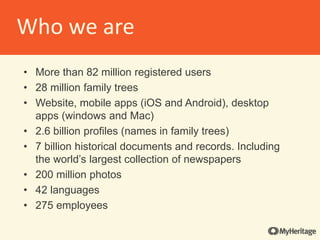
Who we are
• More than 82 million registered users
• 28 million family trees
• Website, mobile apps (iOS and Android), desktop
apps (windows and Mac)
• 2.6 billion profiles (names in family trees)
• 7 billion historical documents and records. Including
the world’s largest collection of newspapers
• 200 million photos
• 42 languages
• 275 employees
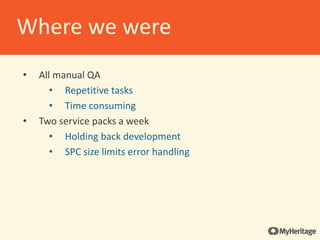
• All manual QA
• Repetitive tasks
• Time consuming
• Two service packs a week
• Holding back development
• SPC size limits error handling
Where we were
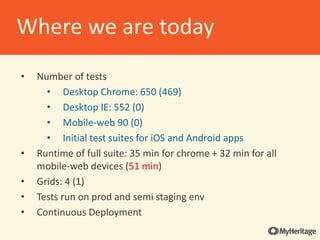
• Number of tests
• Desktop Chrome: 650 (469)
• Desktop IE: 552 (0)
• Mobile-web 90 (0)
• Initial test suites for iOS and Android apps
• Runtime of full suite: 35 min for chrome + 32 min for all
mobile-web devices (51 min)
• Grids: 4 (1)
• Tests run on prod and semi staging env
• Continuous Deployment
Where we are today
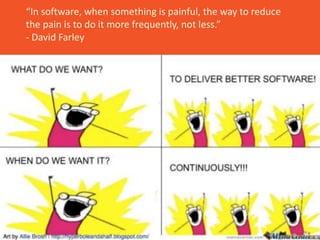
“In software, when something is painful, the way to reduce
the pain is to do it more frequently, not less.”
- David Farley
• We moved to CD a year ago
• On average we distribute code to production 25 times
per day
• Comes with challenges
• Automated tests on every code release
• Only minimal tests on each release
• Dev is responsible to run appropriate tests PRE-RELEASE
in staging
The CD mindset
• Risk reduction to production
• Small incremental changes are easier to monitor and
revert in necessary
• Has lower impact on the system
• Increasing R&D velocity
• Avoiding wasted time on merges and complex
coordination before dist
• Allow R&D and product to experiment and innovate
more frequently
RND Goals
• Provide a safety net
• Avoid the bottleneck of manual sanity testing
• Reliability
• No flaky tests
• No false failures
• QA E2E test should not be the new bottleneck
QA Goals
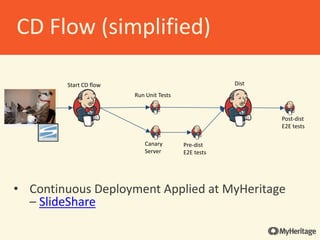
• Continuous Deployment Applied at MyHeritage
– SlideShare
Run Unit Tests
Canary
Server
Pre-dist
E2E tests
Dist
Post-dist
E2E tests
Start CD flow
CD Flow (simplified)
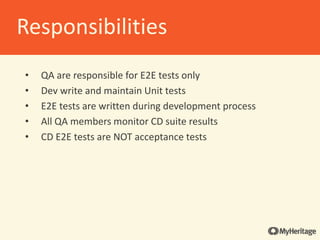
• QA are responsible for E2E tests only
• Dev write and maintain Unit tests
• E2E tests are written during development process
• All QA members monitor CD suite results
• CD E2E tests are NOT acceptance tests
Responsibilities
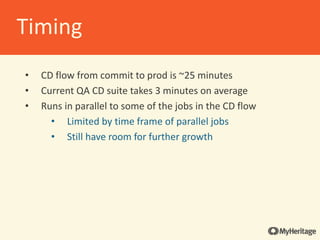
• CD flow from commit to prod is ~25 minutes
• Current QA CD suite takes 3 minutes on average
• Runs in parallel to some of the jobs in the CD flow
• Limited by time frame of parallel jobs
• Still have room for further growth
Timing
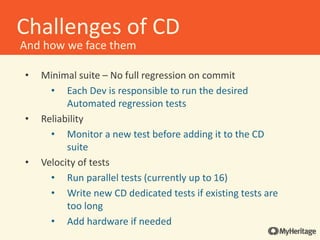
• Minimal suite – No full regression on commit
• Each Dev is responsible to run the desired
Automated regression tests
• Reliability
• Monitor a new test before adding it to the CD
suite
• Velocity of tests
• Run parallel tests (currently up to 16)
• Write new CD dedicated tests if existing tests are
too long
• Add hardware if needed
Challenges of CD
And how we face them
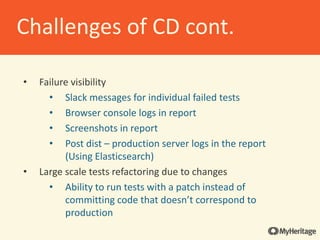
• Failure visibility
• Slack messages for individual failed tests
• Browser console logs in report
• Screenshots in report
• Post dist – production server logs in the report
(Using Elasticsearch)
• Large scale tests refactoring due to changes
• Ability to run tests with a patch instead of
committing code that doesn’t correspond to
production
Challenges of CD cont.
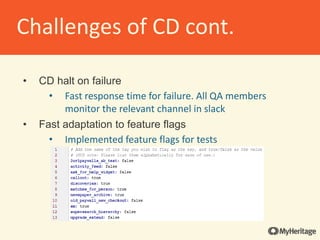
• CD halt on failure
• Fast response time for failure. All QA members
monitor the relevant channel in slack
• Fast adaptation to feature flags
• Implemented feature flags for tests
Challenges of CD cont.
• Handling AB tests
• All AB tests can be controlled with a cookie.
• All tests start with control-group variants set in the
cookies
• If needed, set a desired variant by replacing the
cookie.
Challenges of CD cont.
Gray Area for full image
“You don't have to be a genius or a visionary or
even a college graduate to be successful. You just
need a framework and a dream.”
- Michael Dell
• Ruby
• Cucumber.io
• Page-Object Gem
• Grid Grouper
• Cuke_Slicer gem
• Jenkins
• Watir-webdriver
• Selenium Grid/Grid Extras
• Appium
• Appium_lib
• Xcode simulator
Framework
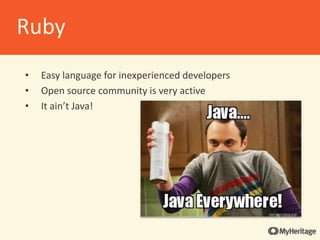
• Easy language for inexperienced developers
• Open source community is very active
• It ain’t Java!
Ruby
• Native to Ruby
• Cleaner than Selenium
• Adds methods not native to Selenium
• “Being able to select an element by a explicit
identifier” –watirmelon.com
Watir-webdriver
• Provides a simple interface to define and interact with
elements on a page
• Works with both Watir and Selenium
• Simple way of introducing OOP without a lot of technical
knowledge required
• Page factory module handles common page classes
action
Page-Object gem
• BDD tool
• Tests are written in plain English
• Makes for easy debugging
• Easy move from Manual test to automatic test
• Helps soften the introduction to programming
• “Top down” programming
• Write a step
• Define the step
• Make it work
• Pre and post test hooks
Cucumber.io
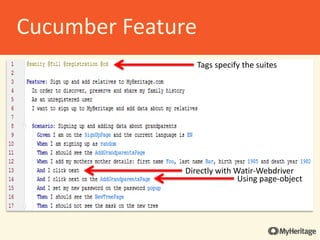
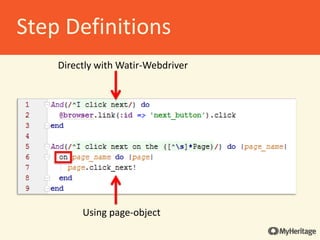
Directly with Watir-Webdriver
Using page-object
Tags specify the suites
Cucumber Feature
Directly with Watir-Webdriver
Using page-object
Step Definitions
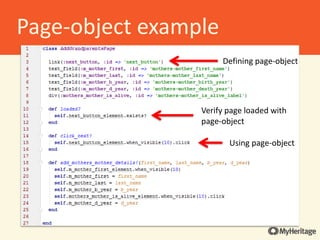
Using page-object
Defining page-object
Verify page loaded with
page-object
Page-object example
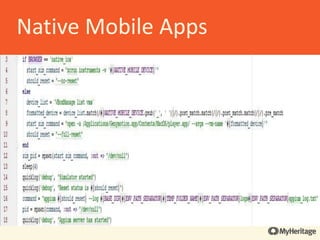
• Tests run nightly on the build or on demand
• Using two Mac minis as test machines
• Device parameters are passed from Jenkins (or
configuration if running locally)
• The apps are built on the tests machines and deployed
to the simulatoremulator
• Support for iOS and Android within existing infra
• iOS simulator, Android emulator and Appium server are
opened by command from within the code
Native Mobile Apps
• Support for iOS and Android within existing infra
Native Mobile Apps
• iOS simulator, Android emulator and Appium server are
opened by command from within the code
Native Mobile Apps
Native Mobile Test Flow
• Start E2E flow
• Build App
• Start test flow
• Open simulatoremulator
• Open Appium server
• Start Appium driver
• Perform test
• Close Appium driver
• Close Appium server
• Build Report
• Send slack notifications and emails
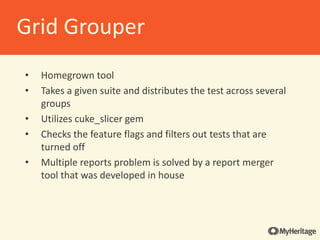
• Homegrown tool
• Takes a given suite and distributes the test across several
groups
• Utilizes cuke_slicer gem
• Checks the feature flags and filters out tests that are
turned off
• Multiple reports problem is solved by a report merger
tool that was developed in house
Grid Grouper
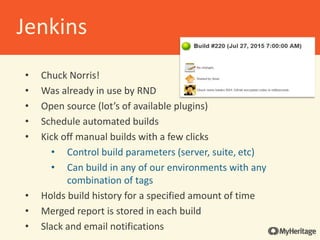
• Chuck Norris!
• Was already in use by RND
• Open source (lot’s of available plugins)
• Schedule automated builds
• Kick off manual builds with a few clicks
• Control build parameters (server, suite, etc)
• Can build in any of our environments with any
combination of tags
• Holds build history for a specified amount of time
• Merged report is stored in each build
• Slack and email notifications
Jenkins
• Comprised of Selenium Grid and Selenium-Grid-Extras
• Selenium-Grid-Extras makes the basic setup streamlined
• Gives extra features such as:
• Pulling in updated drivers for all browsers
• Also for Selenium itself
The Grids
• We have 4 grids
• Each grid has 4 VMs
• The VMs include 1 hub-node and 3 other nodes
• The hubs are Jenkins slaves
• Each node can run 4 parallel tests on Chrome
• One grid is dedicated to CD
• We can pull a grid “offline” for testing infra upgrades
• Ability to have multiple test runs in parallel on different
environments and tags
• Only runs through Jenkins
• Jenkins selects grids automatically based on
availability and run history
How we use the grids
“A challenge only becomes an obstacle when
you bow to it.”
- Ray A. Davis
• Maintaining production data integrity
• Reliance on pre-existing data
• Running on local staging env
• Identifying failure reasons
• Need a true BDD/TDD mindset
Challenges QA faces
Questions?
AA Milne
Thanks!
We are hiring

MyHeritage - QA Automations in a Continuous Deployment environment

  • 1.
    Matan Goren QAAutomation Tech Lead Automations in a Continuous Deployment Environment
  • 2.
    Who we are •More than 82 million registered users • 28 million family trees • Website, mobile apps (iOS and Android), desktop apps (windows and Mac) • 2.6 billion profiles (names in family trees) • 7 billion historical documents and records. Including the world’s largest collection of newspapers • 200 million photos • 42 languages • 275 employees
  • 3.
    • All manualQA • Repetitive tasks • Time consuming • Two service packs a week • Holding back development • SPC size limits error handling Where we were
  • 4.
    • Number oftests • Desktop Chrome: 650 (469) • Desktop IE: 552 (0) • Mobile-web 90 (0) • Initial test suites for iOS and Android apps • Runtime of full suite: 35 min for chrome + 32 min for all mobile-web devices (51 min) • Grids: 4 (1) • Tests run on prod and semi staging env • Continuous Deployment Where we are today
  • 5.
    “In software, whensomething is painful, the way to reduce the pain is to do it more frequently, not less.” - David Farley
  • 6.
    • We movedto CD a year ago • On average we distribute code to production 25 times per day • Comes with challenges • Automated tests on every code release • Only minimal tests on each release • Dev is responsible to run appropriate tests PRE-RELEASE in staging The CD mindset
  • 7.
    • Risk reductionto production • Small incremental changes are easier to monitor and revert in necessary • Has lower impact on the system • Increasing R&D velocity • Avoiding wasted time on merges and complex coordination before dist • Allow R&D and product to experiment and innovate more frequently RND Goals
  • 8.
    • Provide asafety net • Avoid the bottleneck of manual sanity testing • Reliability • No flaky tests • No false failures • QA E2E test should not be the new bottleneck QA Goals
  • 9.
    • Continuous DeploymentApplied at MyHeritage – SlideShare Run Unit Tests Canary Server Pre-dist E2E tests Dist Post-dist E2E tests Start CD flow CD Flow (simplified)
  • 10.
    • QA areresponsible for E2E tests only • Dev write and maintain Unit tests • E2E tests are written during development process • All QA members monitor CD suite results • CD E2E tests are NOT acceptance tests Responsibilities
  • 11.
    • CD flowfrom commit to prod is ~25 minutes • Current QA CD suite takes 3 minutes on average • Runs in parallel to some of the jobs in the CD flow • Limited by time frame of parallel jobs • Still have room for further growth Timing
  • 12.
    • Minimal suite– No full regression on commit • Each Dev is responsible to run the desired Automated regression tests • Reliability • Monitor a new test before adding it to the CD suite • Velocity of tests • Run parallel tests (currently up to 16) • Write new CD dedicated tests if existing tests are too long • Add hardware if needed Challenges of CD And how we face them
  • 13.
    • Failure visibility •Slack messages for individual failed tests • Browser console logs in report • Screenshots in report • Post dist – production server logs in the report (Using Elasticsearch) • Large scale tests refactoring due to changes • Ability to run tests with a patch instead of committing code that doesn’t correspond to production Challenges of CD cont.
  • 14.
    • CD halton failure • Fast response time for failure. All QA members monitor the relevant channel in slack • Fast adaptation to feature flags • Implemented feature flags for tests Challenges of CD cont.
  • 15.
    • Handling ABtests • All AB tests can be controlled with a cookie. • All tests start with control-group variants set in the cookies • If needed, set a desired variant by replacing the cookie. Challenges of CD cont.
  • 16.
    Gray Area forfull image “You don't have to be a genius or a visionary or even a college graduate to be successful. You just need a framework and a dream.” - Michael Dell
  • 17.
    • Ruby • Cucumber.io •Page-Object Gem • Grid Grouper • Cuke_Slicer gem • Jenkins • Watir-webdriver • Selenium Grid/Grid Extras • Appium • Appium_lib • Xcode simulator Framework
  • 18.
    • Easy languagefor inexperienced developers • Open source community is very active • It ain’t Java! Ruby
  • 19.
    • Native toRuby • Cleaner than Selenium • Adds methods not native to Selenium • “Being able to select an element by a explicit identifier” –watirmelon.com Watir-webdriver
  • 20.
    • Provides asimple interface to define and interact with elements on a page • Works with both Watir and Selenium • Simple way of introducing OOP without a lot of technical knowledge required • Page factory module handles common page classes action Page-Object gem
  • 21.
    • BDD tool •Tests are written in plain English • Makes for easy debugging • Easy move from Manual test to automatic test • Helps soften the introduction to programming • “Top down” programming • Write a step • Define the step • Make it work • Pre and post test hooks Cucumber.io
  • 22.
    Directly with Watir-Webdriver Usingpage-object Tags specify the suites Cucumber Feature
  • 23.
    Directly with Watir-Webdriver Usingpage-object Step Definitions
  • 24.
    Using page-object Defining page-object Verifypage loaded with page-object Page-object example
  • 25.
    • Tests runnightly on the build or on demand • Using two Mac minis as test machines • Device parameters are passed from Jenkins (or configuration if running locally) • The apps are built on the tests machines and deployed to the simulatoremulator • Support for iOS and Android within existing infra • iOS simulator, Android emulator and Appium server are opened by command from within the code Native Mobile Apps
  • 26.
    • Support foriOS and Android within existing infra Native Mobile Apps
  • 27.
    • iOS simulator,Android emulator and Appium server are opened by command from within the code Native Mobile Apps
  • 28.
    Native Mobile TestFlow • Start E2E flow • Build App • Start test flow • Open simulatoremulator • Open Appium server • Start Appium driver • Perform test • Close Appium driver • Close Appium server • Build Report • Send slack notifications and emails
  • 29.
    • Homegrown tool •Takes a given suite and distributes the test across several groups • Utilizes cuke_slicer gem • Checks the feature flags and filters out tests that are turned off • Multiple reports problem is solved by a report merger tool that was developed in house Grid Grouper
  • 30.
    • Chuck Norris! •Was already in use by RND • Open source (lot’s of available plugins) • Schedule automated builds • Kick off manual builds with a few clicks • Control build parameters (server, suite, etc) • Can build in any of our environments with any combination of tags • Holds build history for a specified amount of time • Merged report is stored in each build • Slack and email notifications Jenkins
  • 31.
    • Comprised ofSelenium Grid and Selenium-Grid-Extras • Selenium-Grid-Extras makes the basic setup streamlined • Gives extra features such as: • Pulling in updated drivers for all browsers • Also for Selenium itself The Grids
  • 32.
    • We have4 grids • Each grid has 4 VMs • The VMs include 1 hub-node and 3 other nodes • The hubs are Jenkins slaves • Each node can run 4 parallel tests on Chrome • One grid is dedicated to CD • We can pull a grid “offline” for testing infra upgrades • Ability to have multiple test runs in parallel on different environments and tags • Only runs through Jenkins • Jenkins selects grids automatically based on availability and run history How we use the grids
  • 33.
    “A challenge onlybecomes an obstacle when you bow to it.” - Ray A. Davis
  • 34.
    • Maintaining productiondata integrity • Reliance on pre-existing data • Running on local staging env • Identifying failure reasons • Need a true BDD/TDD mindset Challenges QA faces
  • 35.
  • 36.