Lecture 3 : Multi-touch technologies: Software, tracking and functions. By Jazmi Jamal
Twitter Have you twit today? Twitter :  toaBmd
Outline Introduction to software programming for multi-touch Gesture interaction MT engines or applications
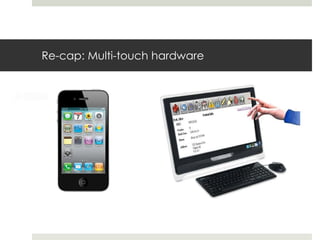
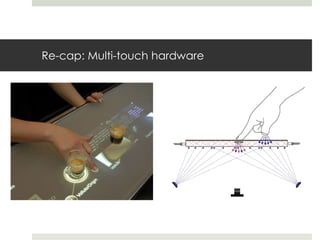
Re-cap: Multi-touch hardware
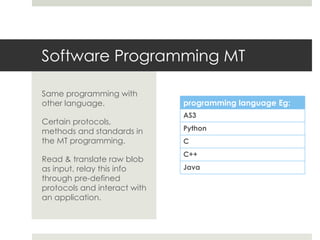
Software Programming MT Same programming with other language. Certain protocols, methods and standards in the MT programming. Read & translate raw blob as input, relay this info through pre-defined protocols and interact with an application. programming language Eg:  AS3 Python C C++ Java
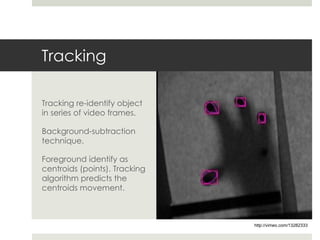
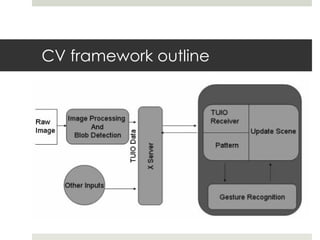
Tracking Tracking re-identify object in series of video frames. Background-subtraction technique. Foreground identify as centroids (points). Tracking algorithm predicts the centroids movement. http://vimeo.com/13282333
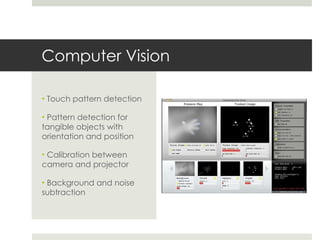
Computer Vision Touch pattern detection Pattern detection for tangible objects with orientation and position Calibration between camera and projector Background and noise subtraction
CV framework outline
… Gesture Interaction
Gesture Interaction “ Communication through gestures  has been one of the oldest form of interaction in human civilization owing to various  psychological reasons.” “ Thus a gesture based interface is a perfect candidate for  social and collaborative tasks  as well for applications involving an  artistic touch . The interface is physical, more visible and with  direct manipulation.”
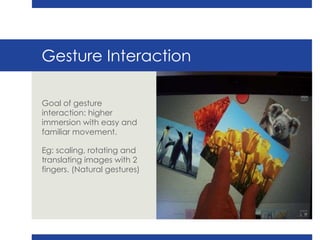
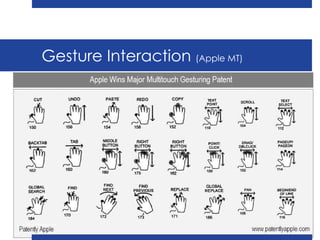
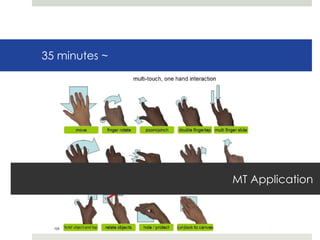
Gesture Interaction Goal of gesture interaction: higher immersion with easy and familiar movement. Eg: scaling, rotating and translating images with 2 fingers. (Natural gestures)
Gesture Interaction  (Apple MT)
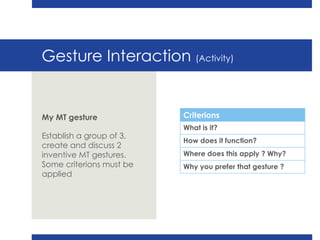
Gesture Interaction  (Activity) My MT gesture Establish a group of 3, create and discuss 2 inventive MT gestures. Some criterions must be applied  Criterions What is it? How does it function? Where does this apply ? Why? Why you prefer that gesture ?
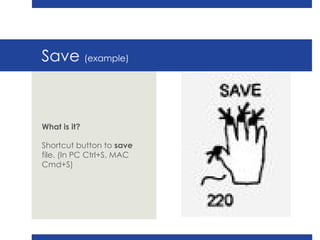
Save  (example) What is it? Shortcut button to  save  file. (In PC Ctrl+S, MAC Cmd+S)
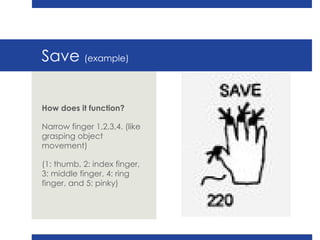
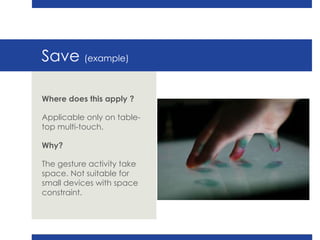
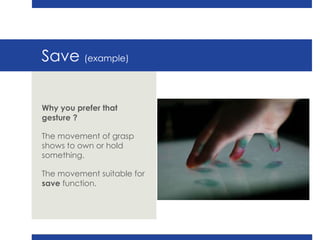
Save  (example) How does it function? Narrow finger 1,2,3,4. (like grasping object movement) (1: thumb, 2: index finger, 3: middle finger, 4: ring finger, and 5: pinky)
Save  (example) Where does this apply ? Applicable only on table-top multi-touch. Why? The gesture activity take space. Not suitable for small devices with space constraint.
Save  (example) Why you prefer that gesture ? The movement of grasp shows to own or hold something.  The movement suitable for  save  function.
35 minutes ~ MT Application
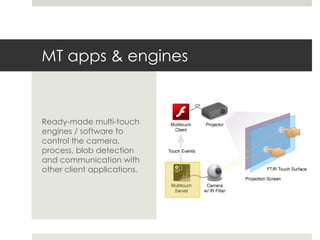
MT apps & engines Ready-made multi-touch engines / software to control the camera, process, blob detection and communication with other client applications.
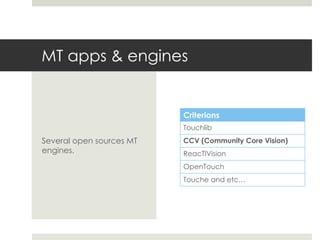
MT apps & engines Several open sources MT engines. Criterions Touchlib CCV (Community Core Vision) ReacTIVision OpenTouch Touche and etc…
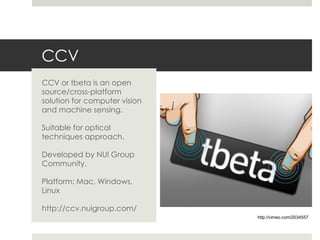
CCV CCV or tbeta is an open source/cross-platform solution for computer vision and machine sensing. Suitable for optical techniques approach. Developed by NUI Group Community. Platform: Mac, Windows, Linux http://ccv.nuigroup.com/ http://vimeo.com/2034557
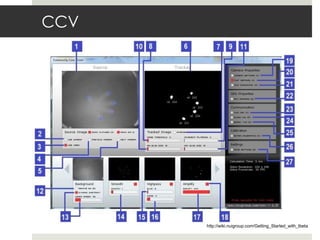
CCV http://wiki.nuigroup.com/Getting_Started_with_tbeta
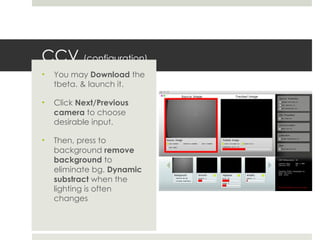
CCV  (configuration) You may  Download  the tbeta. & launch it. Click  Next/Previous camera  to choose desirable input. Then, press to background  remove background  to eliminate bg.  Dynamic substract  when the lighting is often changes
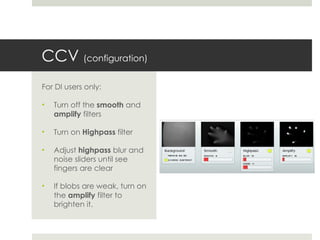
CCV  (configuration) For DI users only: Turn off the  smooth  and  amplify  filters Turn on  Highpass  filter Adjust  highpass  blur and noise sliders until see fingers are clear If blobs are weak, turn on the  amplify  filter to brighten it.
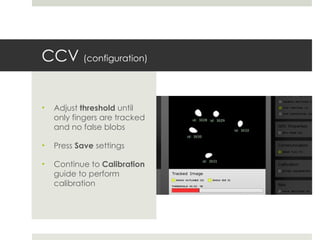
CCV  (configuration) Adjust  threshold  until only fingers are tracked and no false blobs Press  Save  settings Continue to  Calibration  guide to perform calibration
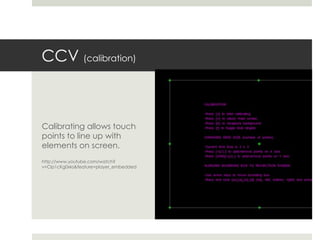
CCV  (calibration) Calibrating allows touch points to line up with elements on screen. http://www.youtube.com/watch?v=Clp1cKg0xks&feature=player_embedded
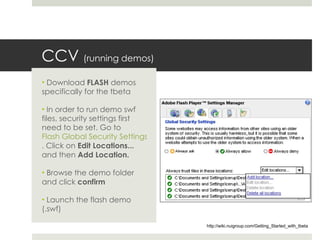
CCV  (running demos) Download  FLASH  demos specifically for the tbeta In order to run demo swf files, security settings first need to be set. Go to  Flash Global Security Settings . Click on  Edit Locations...  and then  Add Location.   Browse the demo folder and click  confirm Launch the flash demo (.swf) http://wiki.nuigroup.com/Getting_Started_with_tbeta
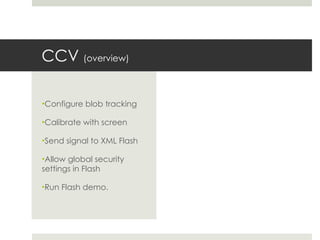
CCV  (overview) Configure blob tracking Calibrate with screen Send signal to XML Flash Allow global security settings in Flash Run Flash demo.
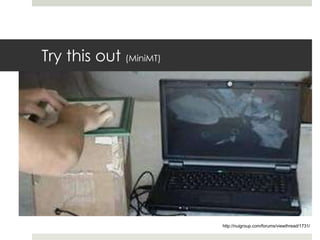
Try this out  (MiniMT) http://nuigroup.com/forums/viewthread/1731/
Need a break ? Group activity
Group activity Please twit and share 2 links regarding setup or process between CCV and Flash communication. Don’t forget to add this guy:  toaBmd Each group require to present and discuss the link that have been twitted.
35 minutes
Finish! Q&A session

Multi-Touch technologies: Software, tracking and functions

  • 1.
    Lecture 3 :Multi-touch technologies: Software, tracking and functions. By Jazmi Jamal
  • 2.
    Twitter Have youtwit today? Twitter : toaBmd
  • 3.
    Outline Introduction tosoftware programming for multi-touch Gesture interaction MT engines or applications
  • 4.
  • 5.
  • 6.
    Software Programming MTSame programming with other language. Certain protocols, methods and standards in the MT programming. Read & translate raw blob as input, relay this info through pre-defined protocols and interact with an application. programming language Eg: AS3 Python C C++ Java
  • 7.
    Tracking Tracking re-identifyobject in series of video frames. Background-subtraction technique. Foreground identify as centroids (points). Tracking algorithm predicts the centroids movement. http://vimeo.com/13282333
  • 8.
    Computer Vision Touchpattern detection Pattern detection for tangible objects with orientation and position Calibration between camera and projector Background and noise subtraction
  • 9.
  • 10.
  • 11.
    Gesture Interaction “Communication through gestures has been one of the oldest form of interaction in human civilization owing to various psychological reasons.” “ Thus a gesture based interface is a perfect candidate for social and collaborative tasks as well for applications involving an artistic touch . The interface is physical, more visible and with direct manipulation.”
  • 12.
    Gesture Interaction Goalof gesture interaction: higher immersion with easy and familiar movement. Eg: scaling, rotating and translating images with 2 fingers. (Natural gestures)
  • 13.
  • 14.
    Gesture Interaction (Activity) My MT gesture Establish a group of 3, create and discuss 2 inventive MT gestures. Some criterions must be applied Criterions What is it? How does it function? Where does this apply ? Why? Why you prefer that gesture ?
  • 15.
    Save (example)What is it? Shortcut button to save file. (In PC Ctrl+S, MAC Cmd+S)
  • 16.
    Save (example)How does it function? Narrow finger 1,2,3,4. (like grasping object movement) (1: thumb, 2: index finger, 3: middle finger, 4: ring finger, and 5: pinky)
  • 17.
    Save (example)Where does this apply ? Applicable only on table-top multi-touch. Why? The gesture activity take space. Not suitable for small devices with space constraint.
  • 18.
    Save (example)Why you prefer that gesture ? The movement of grasp shows to own or hold something. The movement suitable for save function.
  • 19.
    35 minutes ~MT Application
  • 20.
    MT apps &engines Ready-made multi-touch engines / software to control the camera, process, blob detection and communication with other client applications.
  • 21.
    MT apps &engines Several open sources MT engines. Criterions Touchlib CCV (Community Core Vision) ReacTIVision OpenTouch Touche and etc…
  • 22.
    CCV CCV ortbeta is an open source/cross-platform solution for computer vision and machine sensing. Suitable for optical techniques approach. Developed by NUI Group Community. Platform: Mac, Windows, Linux http://ccv.nuigroup.com/ http://vimeo.com/2034557
  • 23.
  • 24.
    CCV (configuration)You may Download the tbeta. & launch it. Click Next/Previous camera to choose desirable input. Then, press to background remove background to eliminate bg. Dynamic substract when the lighting is often changes
  • 25.
    CCV (configuration)For DI users only: Turn off the smooth and amplify filters Turn on Highpass filter Adjust highpass blur and noise sliders until see fingers are clear If blobs are weak, turn on the amplify filter to brighten it.
  • 26.
    CCV (configuration)Adjust threshold until only fingers are tracked and no false blobs Press Save settings Continue to Calibration guide to perform calibration
  • 27.
    CCV (calibration)Calibrating allows touch points to line up with elements on screen. http://www.youtube.com/watch?v=Clp1cKg0xks&feature=player_embedded
  • 28.
    CCV (runningdemos) Download FLASH demos specifically for the tbeta In order to run demo swf files, security settings first need to be set. Go to Flash Global Security Settings . Click on Edit Locations... and then Add Location. Browse the demo folder and click confirm Launch the flash demo (.swf) http://wiki.nuigroup.com/Getting_Started_with_tbeta
  • 29.
    CCV (overview)Configure blob tracking Calibrate with screen Send signal to XML Flash Allow global security settings in Flash Run Flash demo.
  • 30.
    Try this out (MiniMT) http://nuigroup.com/forums/viewthread/1731/
  • 31.
    Need a break? Group activity
  • 32.
    Group activity Pleasetwit and share 2 links regarding setup or process between CCV and Flash communication. Don’t forget to add this guy: toaBmd Each group require to present and discuss the link that have been twitted.
  • 33.
  • 34.