












MPI Meeting: Mastering LinkedIn as a strategic
business asset, to improve brand awareness and
increase sales
Philip Calvert, Founder of LifeTalk
@PhilipCalvert
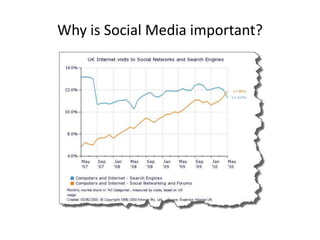
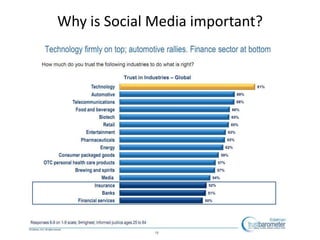
Why is Social Media important?
“We’re not going to use Social Media
because all our clients are
grandparents – and they aren’t
interested in all this nonsense.”
The average age of becoming a
grandparent in the UK is 47.
Daycare Trust Survey 2012
Do you know how your clients are
using the Internet?
Have you ever asked them?
“I’m not very good at technology”
…is no longer an excuse.
Make learning about the Internet part
of your personal and professional
development.
Reputation and
Image management
tools
Forget “Social Media”
Stop seeing your
website as the be
all and end all of
your online
presence.
Tell us something we don’t already know
Many businesses still struggle to get noticed
And...
The Internet is our first choice
as consumers
…we feel under threat from it.
Do Doctors feel under
threat from the Internet?
The problem with consumers
• They have too many choices
• You don’t stand out enough
• They don’t have enough time
• The Internet is seen as a shortcut
• You don’t stand out enough online
Differentiate
or Die!
Your Differentiation Plan
• In the industry
• In your community
• In your niche
Your most powerful differentiator is...
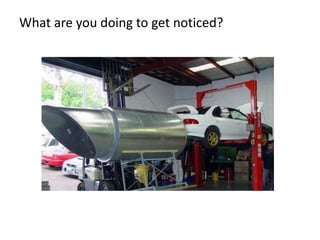
What are you doing to get noticed?
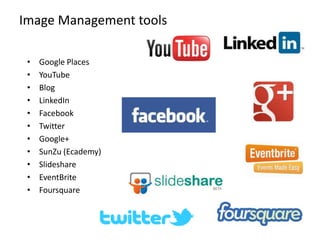
• Google Places
• YouTube
• Blog
• LinkedIn
• Facebook
• Twitter
• Google+
• SunZu (Ecademy)
• Slideshare
• EventBrite
• Foursquare
Image Management tools
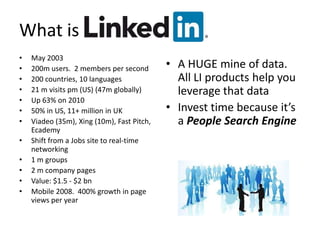
What is
• May 2003
• 200m users. 2 members per second
• 200 countries, 10 languages
• 21 m visits pm (US) (47m globally)
• Up 63% on 2010
• 50% in US, 11+ million in UK
• Viadeo (35m), Xing (10m), Fast Pitch,
Ecademy
• Shift from a Jobs site to real-time
networking
• 1 m groups
• 2 m company pages
• Value: $1.5 - $2 bn
• Mobile 2008. 400% growth in page
views per year
• A HUGE mine of data.
All LI products help you
leverage that data
• Invest time because it’s
a People Search Engine
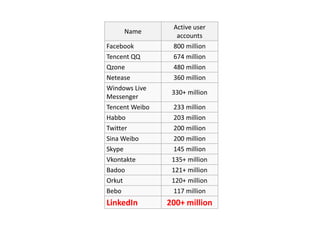
Name
Active user
accounts
Facebook 800 million
Tencent QQ 674 million
Qzone 480 million
Netease 360 million
Windows Live
Messenger
330+ million
Tencent Weibo 233 million
Habbo 203 million
Twitter 200 million
Sina Weibo 200 million
Skype 145 million
Vkontakte 135+ million
Badoo 121+ million
Orkut 120+ million
Bebo 117 million
LinkedIn 200+ million
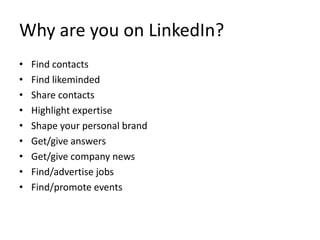
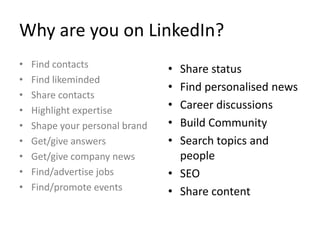
Why are you on LinkedIn?
• Find contacts
• Find likeminded
• Share contacts
• Highlight expertise
• Shape your personal brand
• Get/give answers
• Get/give company news
• Find/advertise jobs
• Find/promote events
Why are you on LinkedIn?
• Share status
• Find personalised news
• Career discussions
• Build Community
• Search topics and
people
• SEO
• Share content
• Find contacts
• Find likeminded
• Share contacts
• Highlight expertise
• Shape your personal brand
• Get/give answers
• Get/give company news
• Find/advertise jobs
• Find/promote events
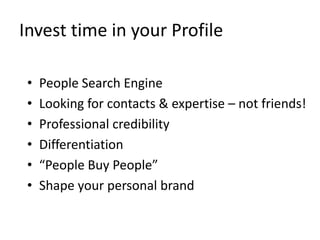
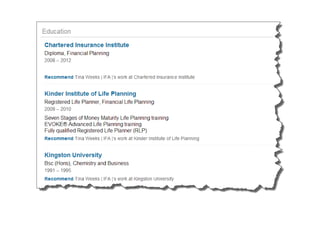
Invest time in your Profile
• People Search Engine
• Looking for contacts & expertise – not friends!
• Professional credibility
• Differentiation
• “People Buy People”
• Shape your personal brand
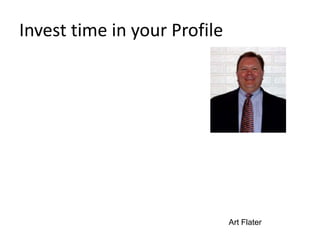
Invest time in your Profile
Art Flater
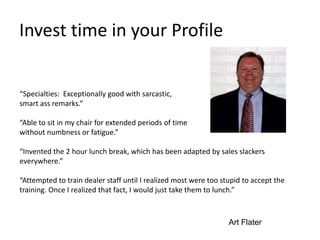
Invest time in your Profile
“Specialties: Exceptionally good with sarcastic,
smart ass remarks.”
“Able to sit in my chair for extended periods of time
without numbness or fatigue.”
“Invented the 2 hour lunch break, which has been adapted by sales slackers
everywhere.”
“Attempted to train dealer staff until I realized most were too stupid to accept the
training. Once I realized that fact, I would just take them to lunch.”
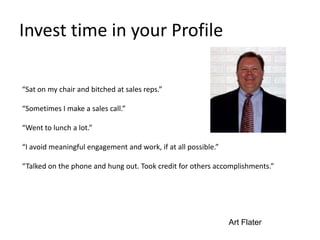
Art Flater
Invest time in your Profile
“Sat on my chair and bitched at sales reps.”
“Sometimes I make a sales call.”
“Went to lunch a lot.”
“I avoid meaningful engagement and work, if at all possible.”
“Talked on the phone and hung out. Took credit for others accomplishments.”
Art Flater
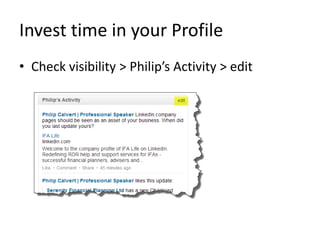
Invest time in your Profile
• Check visibility > Philip’s Activity > edit
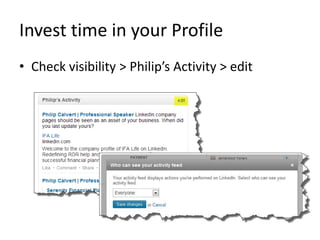
Invest time in your Profile
• Check visibility > Philip’s Activity > edit
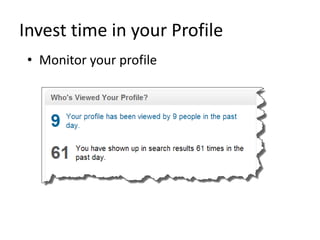
Invest time in your Profile
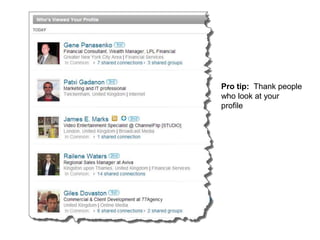
• Monitor your profile
Pro tip: Thank people
who look at your
profile
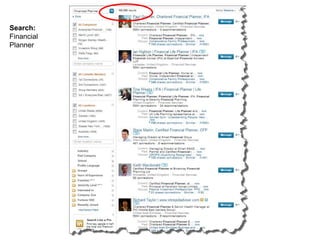
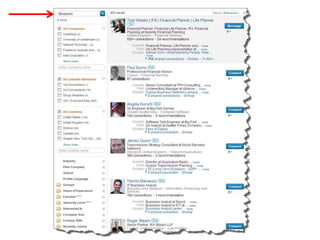
...as a Search Engine.
Search:
Financial
Planner
Profile
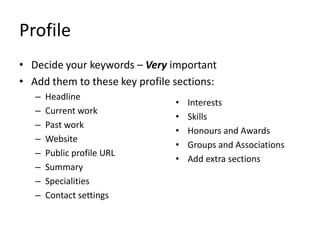
• Decide your keywords – Very important
• Add them to these key profile sections:
– Headline
– Current work
– Past work
– Website
– Public profile URL
– Summary
– Specialities
– Contact settings
• Interests
• Skills
• Honours and Awards
• Groups and Associations
• Add extra sections
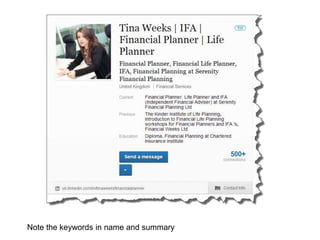
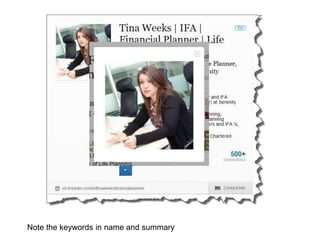
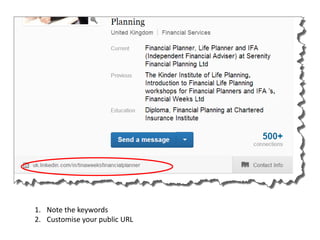
Note the keywords in name and summary
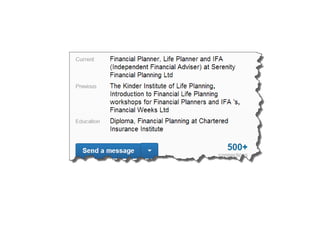
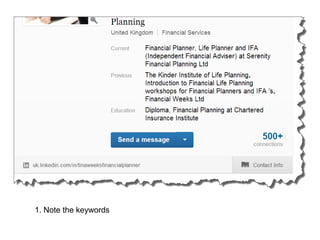
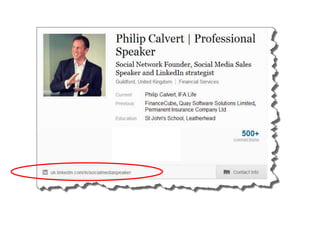
1. Note the keywords
2. Customise your public URL
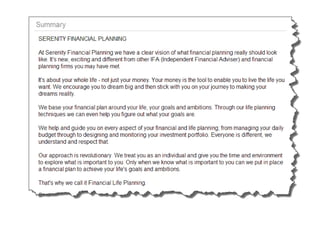
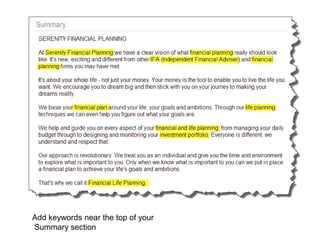
Add keywords near the top of your
Summary section
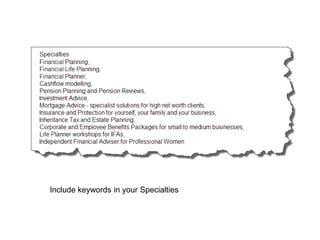
Include keywords in your Specialties
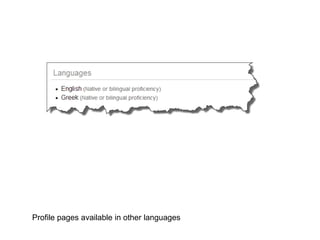
Profile pages available in other languages
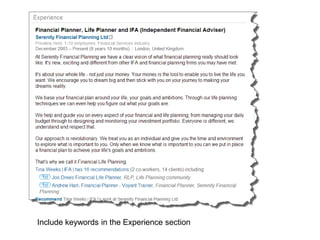
Include keywords in the Experience section
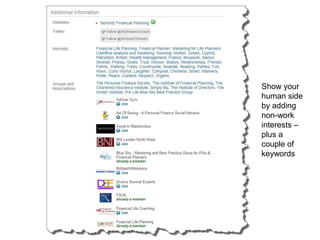
Show your
human side
by adding
non-work
interests –
plus a
couple of
keywords
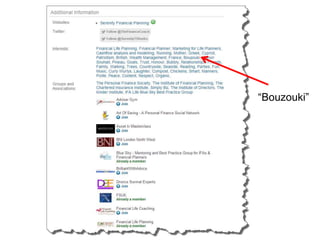
“Bouzouki”
Kickboxing
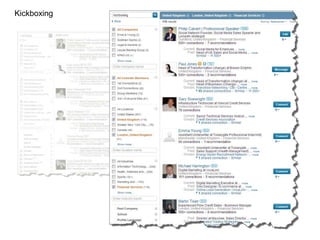
Kickboxing
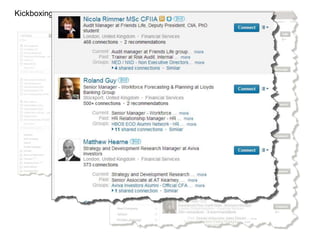
Kickboxing
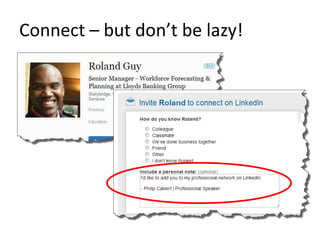
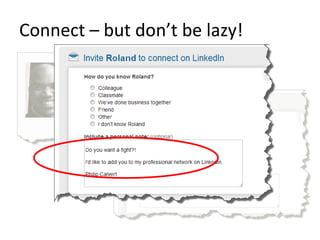
Connect – but don’t be lazy!
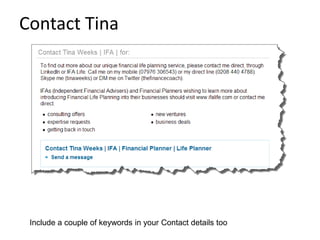
Contact Tina
Include a couple of keywords in your Contact details too
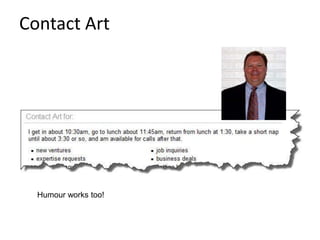
Contact Art
Humour works too!
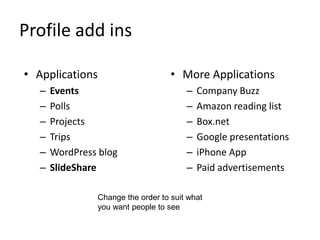
Profile add ins
• Applications
– Events
– Polls
– Projects
– Trips
– WordPress blog
– SlideShare
• More Applications
– Company Buzz
– Amazon reading list
– Box.net
– Google presentations
– iPhone App
– Paid advertisements
Change the order to suit what
you want people to see
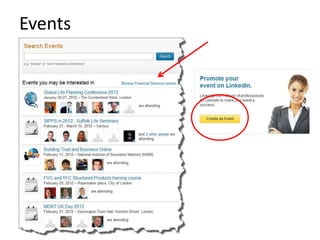
Events
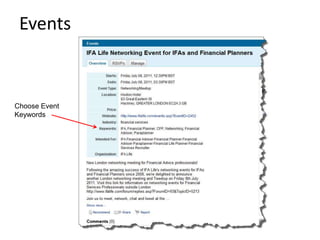
Events
Choose Event
Keywords
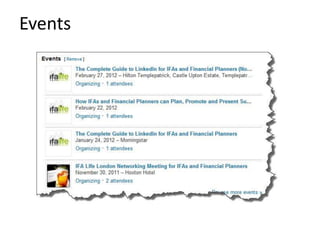
Events
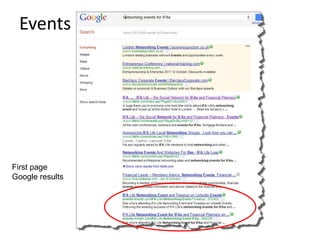
Events
First page
Google results
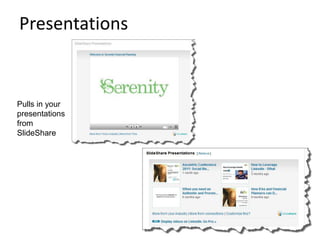
Pulls in your
presentations
from
SlideShare
Presentations
Skills
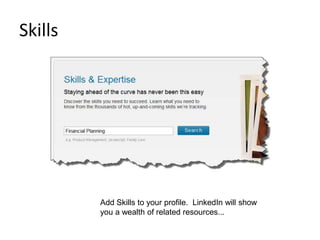
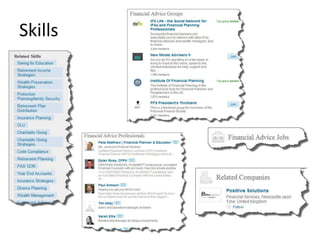
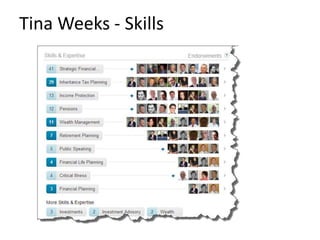
Add Skills to your profile. LinkedIn will show
you a wealth of related resources...
Skills
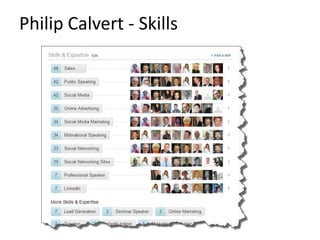
Philip Calvert - Skills
Tina Weeks - Skills
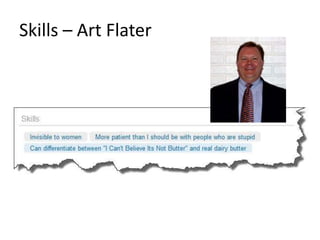
Skills – Art Flater
Profile add ins
• Applications
– Events
– Polls
– Projects
– Trips
– WordPress blog
– SlideShare
• More Applications
– Company Buzz
– Amazon reading list
– Box.net
– Google presentations
– iPhone /Android
Change the order to suit what
you want people to see
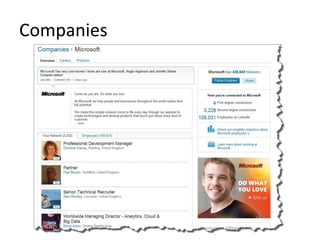
Companies
Companies
• Build followers by
– Adding value
– Engaging
– Informing
• They may never become customers...
• But are
– Your network
– Your advocates
Companies
• Promote your company page
– Phone
– Email
– Letters
– Business cards
– LinkedIn group
– Facebook etc
– Presentations
Companies
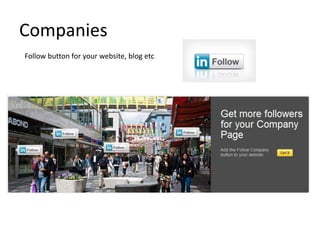
Follow button for your website, blog etc
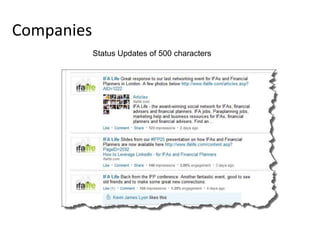
Companies
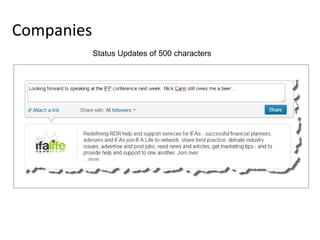
Status Updates of 500 characters
Companies
Status Updates of 500 characters
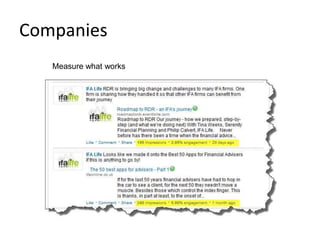
Companies
Measure what works
Companies
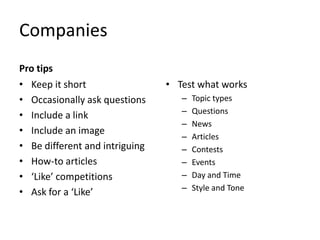
Pro tips
• Keep it short
• Occasionally ask questions
• Include a link
• Include an image
• Be different and intriguing
• How-to articles
• ‘Like’ competitions
• Ask for a ‘Like’
• Test what works
– Topic types
– Questions
– News
– Articles
– Contests
– Events
– Day and Time
– Style and Tone
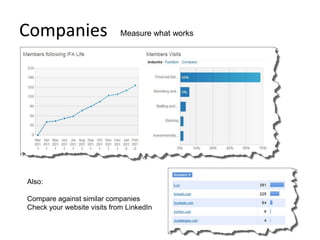
Companies Measure what works
Also:
Compare against similar companies
Check your website visits from LinkedIn
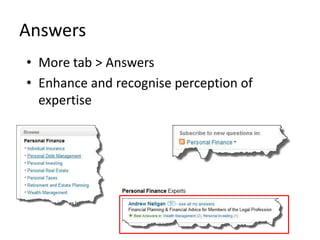
Answers
• More tab > Answers
• Enhance and recognise perception of
expertise
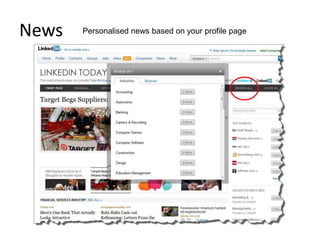
News Personalised news based on your profile page
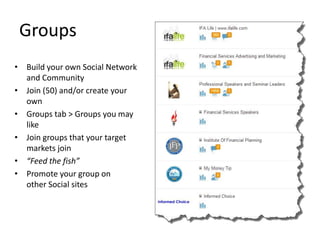
Groups
• Build your own Social Network
and Community
• Join (50) and/or create your
own
• Groups tab > Groups you may
like
• Join groups that your target
markets join
• “Feed the fish”
• Promote your group on
other Social sites
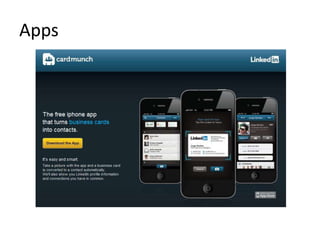
Apps
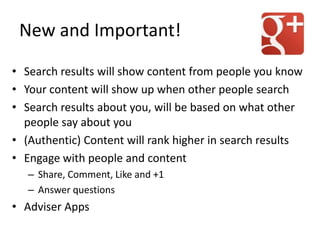
New and Important!
• Search results will show content from people you know
• Your content will show up when other people search
• Search results about you, will be based on what other
people say about you
• (Authentic) Content will rank higher in search results
• Engage with people and content
– Share, Comment, Like and +1
– Answer questions
• Adviser Apps
Apps
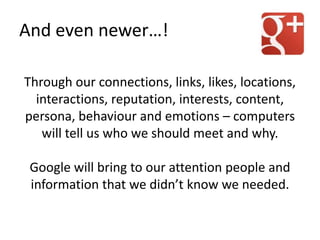
Through our connections, links, likes, locations,
interactions, reputation, interests, content,
persona, behaviour and emotions – computers
will tell us who we should meet and why.
Google will bring to our attention people and
information that we didn’t know we needed.
And even newer…!
Are you on board?
www.philipcalvert.com

MPI Meeting: Mastering LinkedIn as a strategic business asset, to improve brand awareness and increase sales

  • 1.
    MPI Meeting: MasteringLinkedIn as a strategic business asset, to improve brand awareness and increase sales Philip Calvert, Founder of LifeTalk @PhilipCalvert
  • 5.
    Why is SocialMedia important?
  • 6.
    Why is SocialMedia important?
  • 7.
    Why is SocialMedia important?
  • 9.
    “We’re not goingto use Social Media because all our clients are grandparents – and they aren’t interested in all this nonsense.” The average age of becoming a grandparent in the UK is 47. Daycare Trust Survey 2012
  • 10.
    Do you knowhow your clients are using the Internet? Have you ever asked them?
  • 11.
    “I’m not verygood at technology” …is no longer an excuse. Make learning about the Internet part of your personal and professional development.
  • 12.
  • 14.
    Stop seeing your websiteas the be all and end all of your online presence.
  • 15.
    Tell us somethingwe don’t already know
  • 16.
    Tell us somethingwe don’t already know
  • 17.
    Tell us somethingwe don’t already know
  • 18.
    Many businesses stillstruggle to get noticed And... The Internet is our first choice as consumers
  • 19.
    …we feel underthreat from it. Do Doctors feel under threat from the Internet?
  • 20.
    The problem withconsumers • They have too many choices • You don’t stand out enough • They don’t have enough time • The Internet is seen as a shortcut • You don’t stand out enough online
  • 21.
  • 22.
    Your Differentiation Plan •In the industry • In your community • In your niche Your most powerful differentiator is...
  • 24.
    What are youdoing to get noticed?
  • 25.
    • Google Places •YouTube • Blog • LinkedIn • Facebook • Twitter • Google+ • SunZu (Ecademy) • Slideshare • EventBrite • Foursquare Image Management tools
  • 27.
    What is • May2003 • 200m users. 2 members per second • 200 countries, 10 languages • 21 m visits pm (US) (47m globally) • Up 63% on 2010 • 50% in US, 11+ million in UK • Viadeo (35m), Xing (10m), Fast Pitch, Ecademy • Shift from a Jobs site to real-time networking • 1 m groups • 2 m company pages • Value: $1.5 - $2 bn • Mobile 2008. 400% growth in page views per year • A HUGE mine of data. All LI products help you leverage that data • Invest time because it’s a People Search Engine
  • 28.
    Name Active user accounts Facebook 800million Tencent QQ 674 million Qzone 480 million Netease 360 million Windows Live Messenger 330+ million Tencent Weibo 233 million Habbo 203 million Twitter 200 million Sina Weibo 200 million Skype 145 million Vkontakte 135+ million Badoo 121+ million Orkut 120+ million Bebo 117 million LinkedIn 200+ million
  • 29.
    Why are youon LinkedIn? • Find contacts • Find likeminded • Share contacts • Highlight expertise • Shape your personal brand • Get/give answers • Get/give company news • Find/advertise jobs • Find/promote events
  • 30.
    Why are youon LinkedIn? • Share status • Find personalised news • Career discussions • Build Community • Search topics and people • SEO • Share content • Find contacts • Find likeminded • Share contacts • Highlight expertise • Shape your personal brand • Get/give answers • Get/give company news • Find/advertise jobs • Find/promote events
  • 31.
    Invest time inyour Profile • People Search Engine • Looking for contacts & expertise – not friends! • Professional credibility • Differentiation • “People Buy People” • Shape your personal brand
  • 32.
    Invest time inyour Profile Art Flater
  • 33.
    Invest time inyour Profile “Specialties: Exceptionally good with sarcastic, smart ass remarks.” “Able to sit in my chair for extended periods of time without numbness or fatigue.” “Invented the 2 hour lunch break, which has been adapted by sales slackers everywhere.” “Attempted to train dealer staff until I realized most were too stupid to accept the training. Once I realized that fact, I would just take them to lunch.” Art Flater
  • 34.
    Invest time inyour Profile “Sat on my chair and bitched at sales reps.” “Sometimes I make a sales call.” “Went to lunch a lot.” “I avoid meaningful engagement and work, if at all possible.” “Talked on the phone and hung out. Took credit for others accomplishments.” Art Flater
  • 35.
    Invest time inyour Profile • Check visibility > Philip’s Activity > edit
  • 36.
    Invest time inyour Profile • Check visibility > Philip’s Activity > edit
  • 37.
    Invest time inyour Profile • Monitor your profile
  • 38.
    Pro tip: Thankpeople who look at your profile
  • 39.
  • 40.
  • 41.
    Profile • Decide yourkeywords – Very important • Add them to these key profile sections: – Headline – Current work – Past work – Website – Public profile URL – Summary – Specialities – Contact settings • Interests • Skills • Honours and Awards • Groups and Associations • Add extra sections
  • 42.
    Note the keywordsin name and summary
  • 43.
    Note the keywordsin name and summary
  • 45.
    1. Note thekeywords
  • 46.
    1. Note thekeywords 2. Customise your public URL
  • 49.
    Add keywords nearthe top of your Summary section
  • 50.
    Include keywords inyour Specialties
  • 51.
    Profile pages availablein other languages
  • 52.
    Include keywords inthe Experience section
  • 55.
    Show your human side byadding non-work interests – plus a couple of keywords
  • 56.
  • 58.
  • 59.
  • 60.
  • 61.
    Connect – butdon’t be lazy!
  • 62.
    Connect – butdon’t be lazy!
  • 63.
    Contact Tina Include acouple of keywords in your Contact details too
  • 64.
  • 65.
    Profile add ins •Applications – Events – Polls – Projects – Trips – WordPress blog – SlideShare • More Applications – Company Buzz – Amazon reading list – Box.net – Google presentations – iPhone App – Paid advertisements Change the order to suit what you want people to see
  • 66.
  • 67.
  • 68.
  • 69.
  • 70.
  • 71.
    Skills Add Skills toyour profile. LinkedIn will show you a wealth of related resources...
  • 72.
  • 73.
  • 74.
  • 75.
  • 76.
    Profile add ins •Applications – Events – Polls – Projects – Trips – WordPress blog – SlideShare • More Applications – Company Buzz – Amazon reading list – Box.net – Google presentations – iPhone /Android Change the order to suit what you want people to see
  • 77.
  • 78.
    Companies • Build followersby – Adding value – Engaging – Informing • They may never become customers... • But are – Your network – Your advocates
  • 79.
    Companies • Promote yourcompany page – Phone – Email – Letters – Business cards – LinkedIn group – Facebook etc – Presentations
  • 80.
    Companies Follow button foryour website, blog etc
  • 81.
  • 82.
  • 83.
  • 84.
    Companies Pro tips • Keepit short • Occasionally ask questions • Include a link • Include an image • Be different and intriguing • How-to articles • ‘Like’ competitions • Ask for a ‘Like’ • Test what works – Topic types – Questions – News – Articles – Contests – Events – Day and Time – Style and Tone
  • 85.
    Companies Measure whatworks Also: Compare against similar companies Check your website visits from LinkedIn
  • 86.
    Answers • More tab> Answers • Enhance and recognise perception of expertise
  • 87.
    News Personalised newsbased on your profile page
  • 88.
    Groups • Build yourown Social Network and Community • Join (50) and/or create your own • Groups tab > Groups you may like • Join groups that your target markets join • “Feed the fish” • Promote your group on other Social sites
  • 89.
  • 93.
    New and Important! •Search results will show content from people you know • Your content will show up when other people search • Search results about you, will be based on what other people say about you • (Authentic) Content will rank higher in search results • Engage with people and content – Share, Comment, Like and +1 – Answer questions • Adviser Apps
  • 95.
  • 96.
    Through our connections,links, likes, locations, interactions, reputation, interests, content, persona, behaviour and emotions – computers will tell us who we should meet and why. Google will bring to our attention people and information that we didn’t know we needed. And even newer…!
  • 98.
    Are you onboard?
  • 99.