Moving from
Jenkins1 to 2
Is Jenkins
Declarative Pipeline
ready for real
work?
hello!
I am Frits van der Holst
Twitter: @FritsvanderH
or
nl.linkedin.com/in/fritsvanderholst/
“Jenkins Declarative Pipeline is
simple right?
Just Throw some together..
✘ Pull From GIT
✘ Build Maven job
✘ Publish and done.
The few easy steps are on the next slides..
pipeline {
agent any
tools {
maven 'Maven 3.3.9'
jdk 'jdk8'
}
stages {
stage ('Initialize') {
steps {
sh '''
echo "PATH = ${PATH}"
echo "M2_HOME = ${M2_HOME}"
'''
}
}
stage ('Build') {
steps {
It's Simple!
No… this is not my story
How about doing real and more difficult work..
GUI config Jenkins
Scripted Pipeline example
node('test') {
// compute complete workspace path, from current node to the allocated disk
exws(extWorkspace) {
try {
// run tests in the same workspace that the project was built
sh 'mvn test'
} catch (e) {
// if any exception occurs, mark the build as failed
currentBuild.result = 'FAILURE'
throw e
} finally {
// perform workspace cleanup only if the build have passed
// if the build has failed, the workspace will be kept
cleanWs cleanWhenFailure: false
}
}
}
Declarative Pipeline example
pipeline {
agent any
stages {
stage('Example') {
steps {
echo 'Hello World'
}
}
}
post {
always {
echo 'I will always say Hello again!'
}
}
}
Jenkins 'old' User Interface
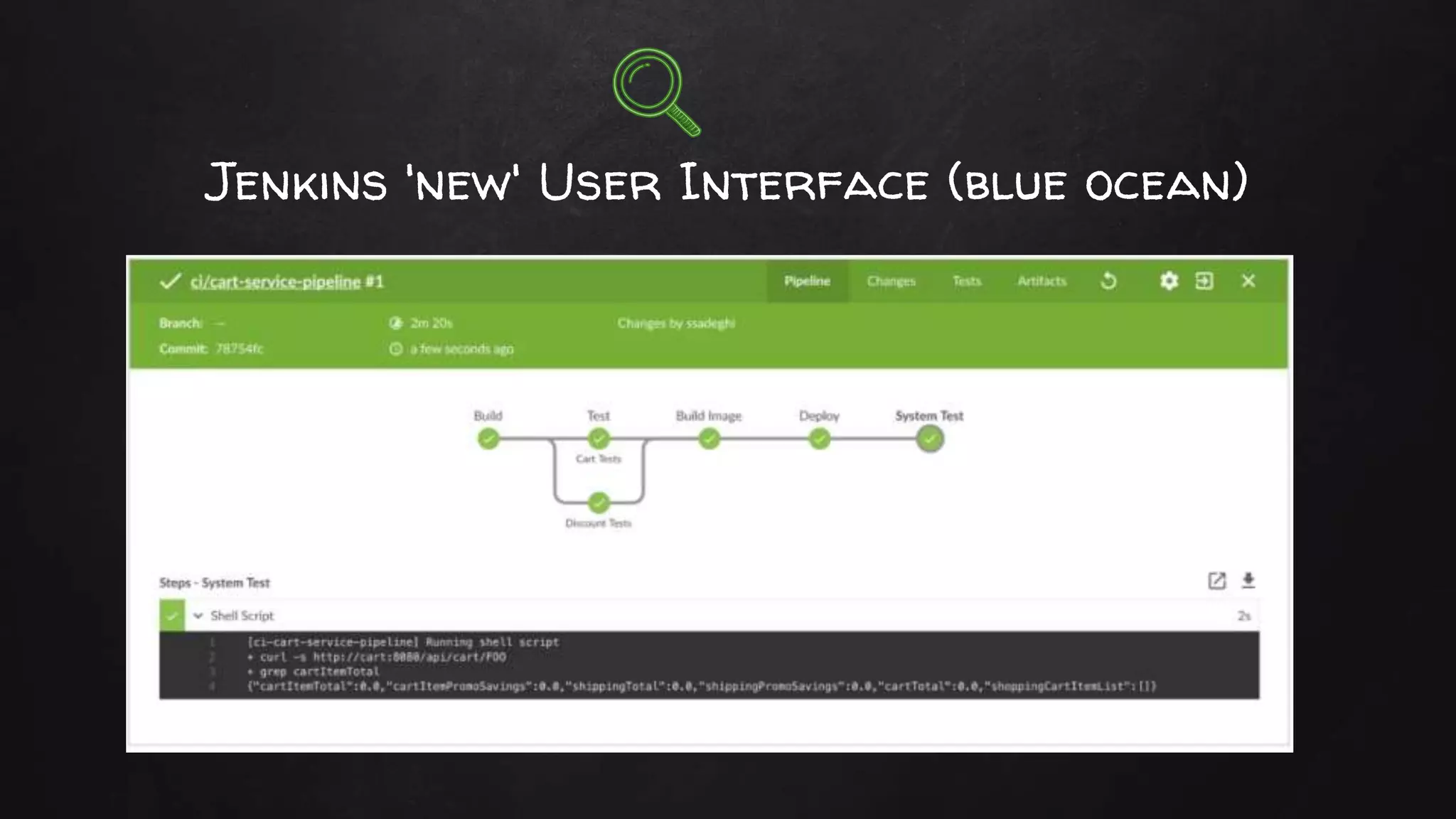
Jenkins 'new' User Interface (blue ocean)
Many Simple Examples
✘ Lots of simple small fragments of declarative pipeline @ the web
○ Usually java/maven based
○ And very small fragments
✘ but..
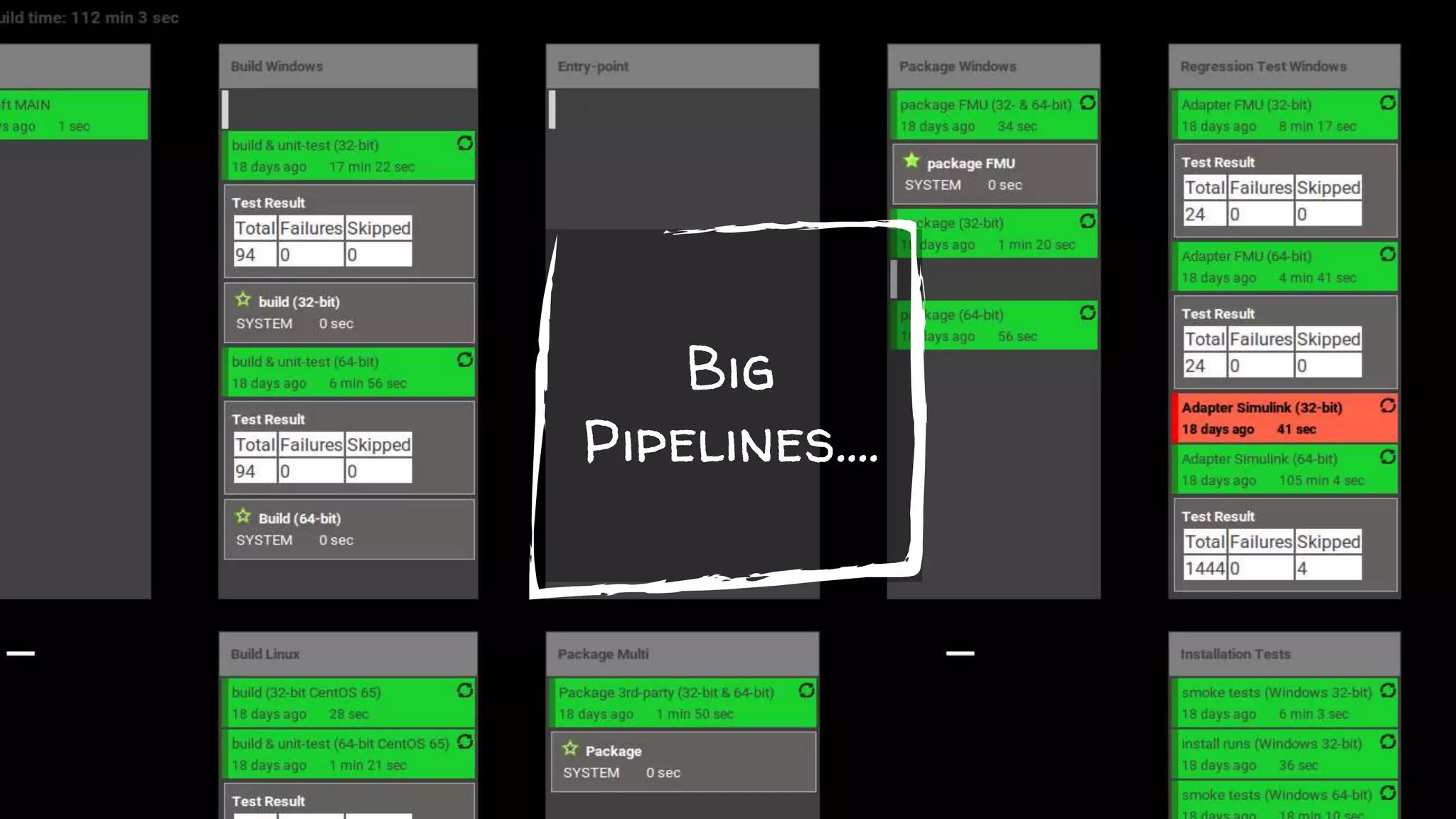
✘ Pipelines get big and complex very quickly
✘ Does Declarative Pipeline scale?
✘ Not all plugins support a pipeline scripting interface..
Legacy
Multi language
During my career I mostly bump into that...
👴
HP-UX
Windows XP
Open VMS
Windows 7
SuseProfessional 9.3
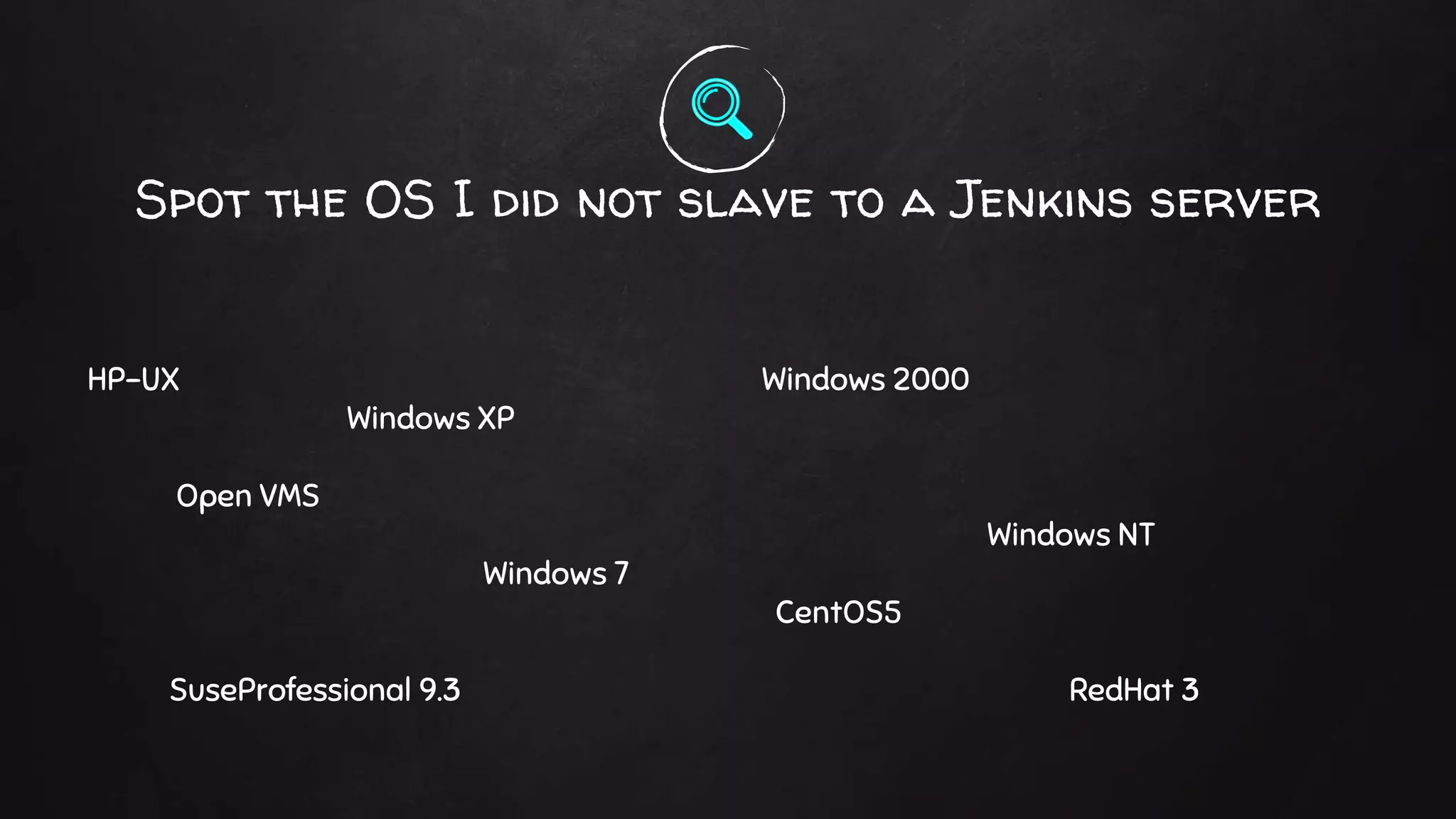
Spot the OS I did not slave to a Jenkins server
Windows 2000
Windows NT
CentOS5
RedHat 3
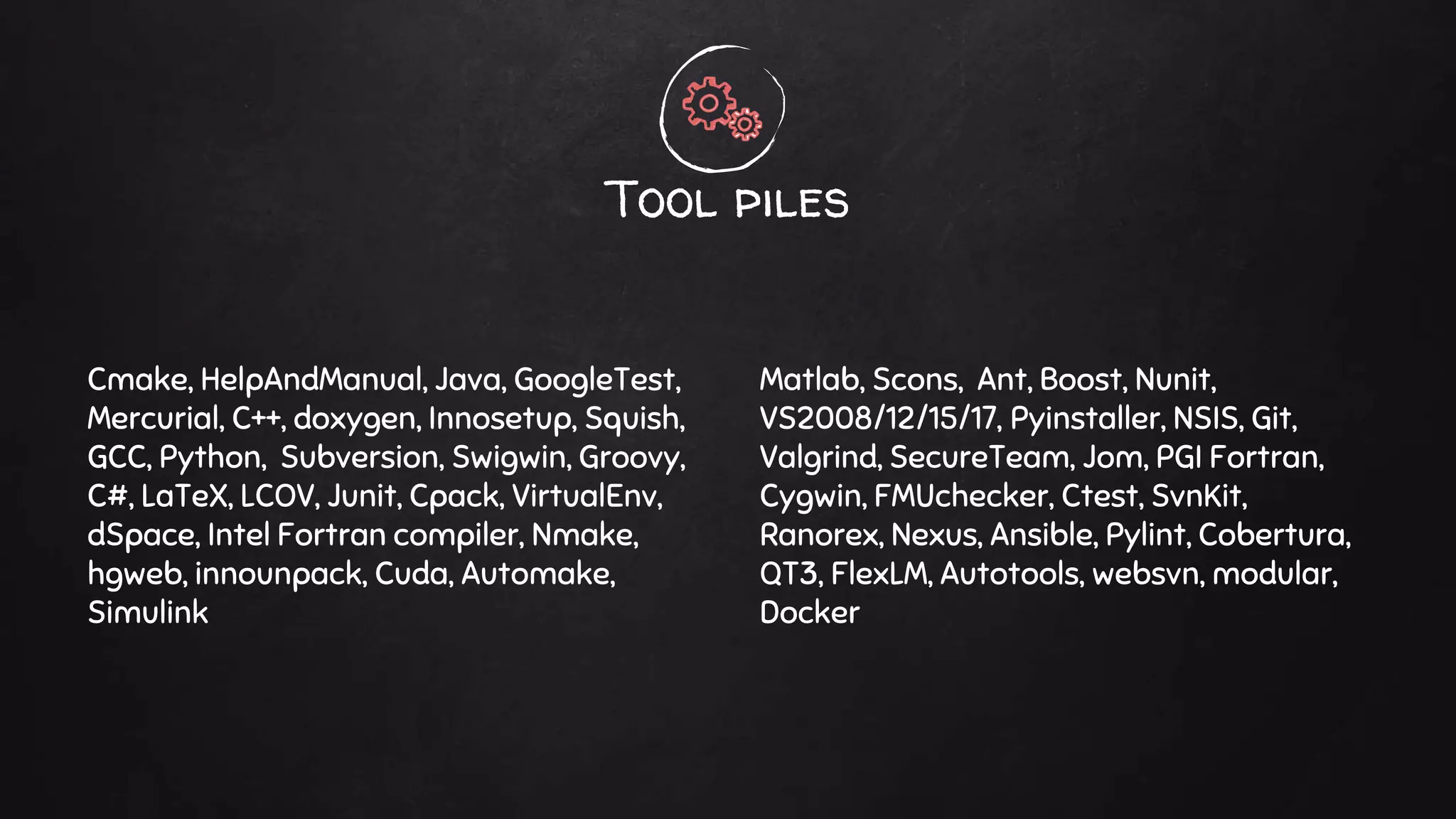
Cmake, HelpAndManual, Java, GoogleTest,
Mercurial, C++, doxygen, Innosetup, Squish,
GCC, Python, Subversion, Swigwin, Groovy,
C#, LaTeX, LCOV, Junit, Cpack, VirtualEnv,
dSpace, Intel Fortran compiler, Nmake,
hgweb, innounpack, Cuda, Automake,
Simulink
Tool piles
Matlab, Scons, Ant, Boost, Nunit,
VS2008/12/15/17, Pyinstaller, NSIS, Git,
Valgrind, SecureTeam, Jom, PGI Fortran,
Cygwin, FMUchecker, Ctest, SvnKit,
Ranorex, Nexus, Ansible, Pylint, Cobertura,
QT3, FlexLM, Autotools, websvn, modular,
Docker
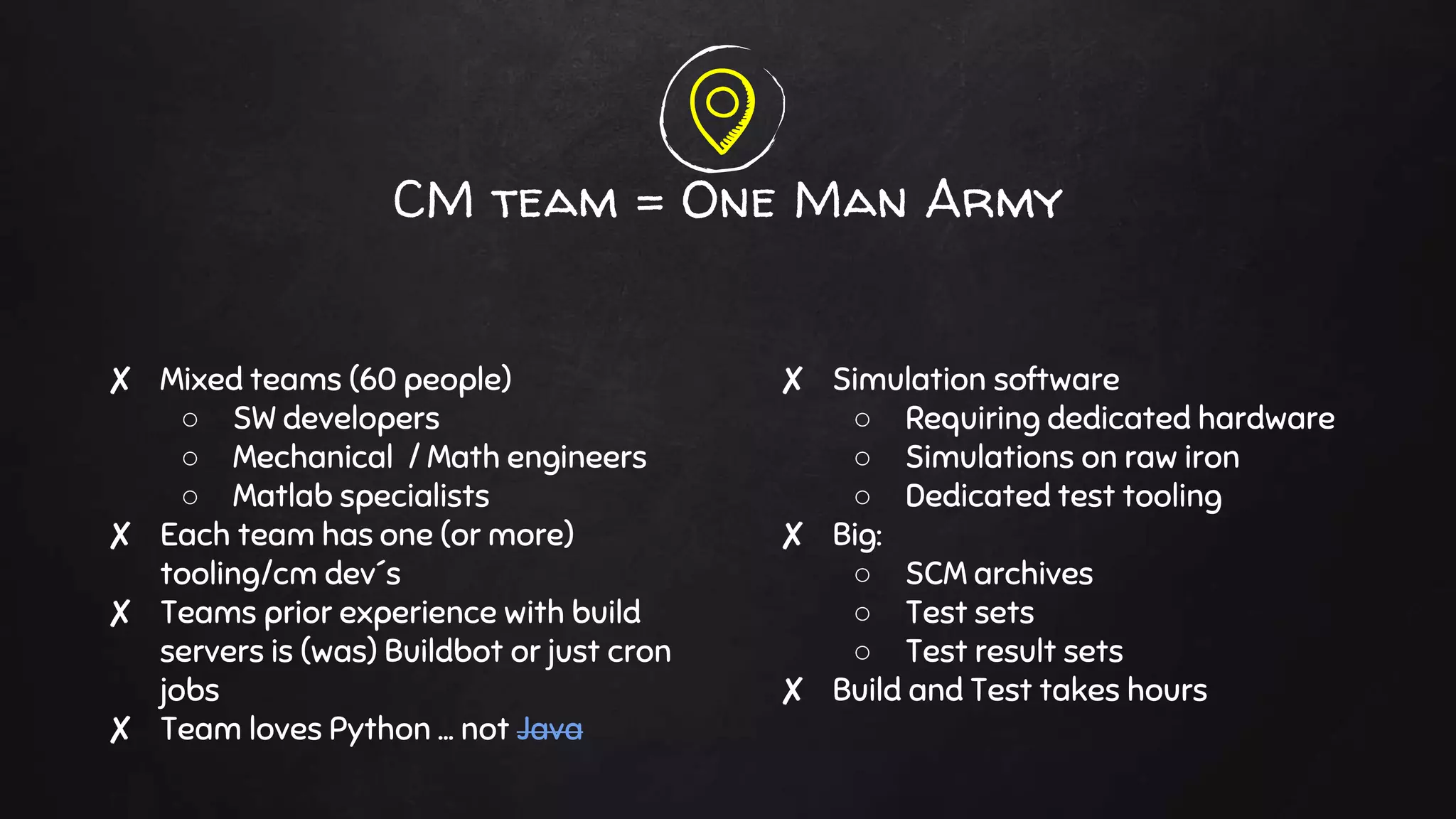
✘ Mixed teams (60 people)
○ SW developers
○ Mechanical / Math engineers
○ Matlab specialists
✘ Each team has one (or more)
tooling/cm dev´s
✘ Teams prior experience with build
servers is (was) Buildbot or just cron
jobs
✘ Team loves Python … not Java
CM team = One Man Army
✘ Simulation software
○ Requiring dedicated hardware
○ Simulations on raw iron
○ Dedicated test tooling
✘ Big:
○ SCM archives
○ Test sets
○ Test result sets
✘ Build and Test takes hours
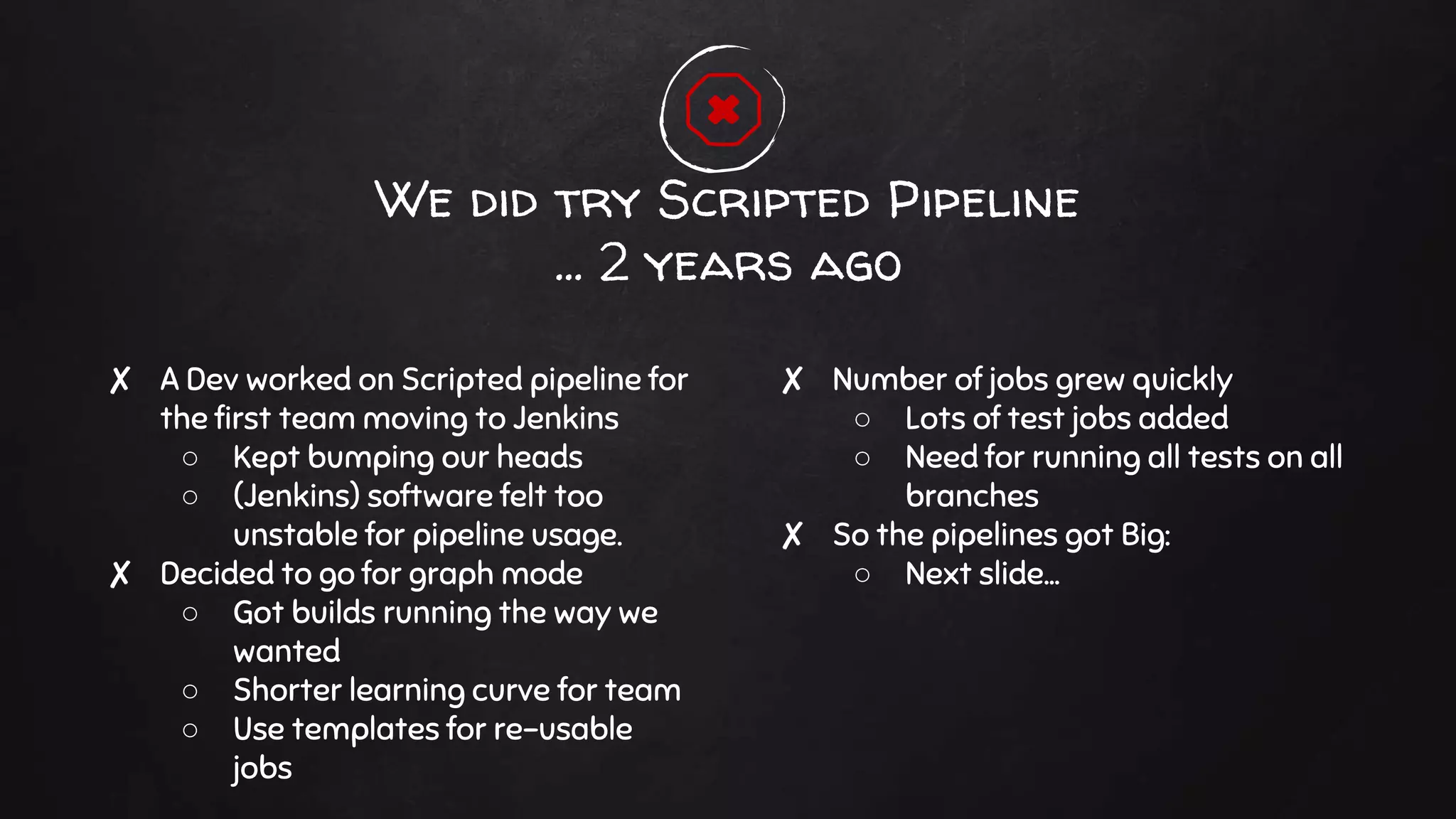
✘ A Dev worked on Scripted pipeline for
the first team moving to Jenkins
○ Kept bumping our heads
○ (Jenkins) software felt too
unstable for pipeline usage.
✘ Decided to go for graph mode
○ Got builds running the way we
wanted
○ Shorter learning curve for team
○ Use templates for re-usable
jobs
We did try Scripted Pipeline
… 2 years ago
✘ Number of jobs grew quickly
○ Lots of test jobs added
○ Need for running all tests on all
branches
✘ So the pipelines got Big:
○ Next slide...
Big
Pipelines….
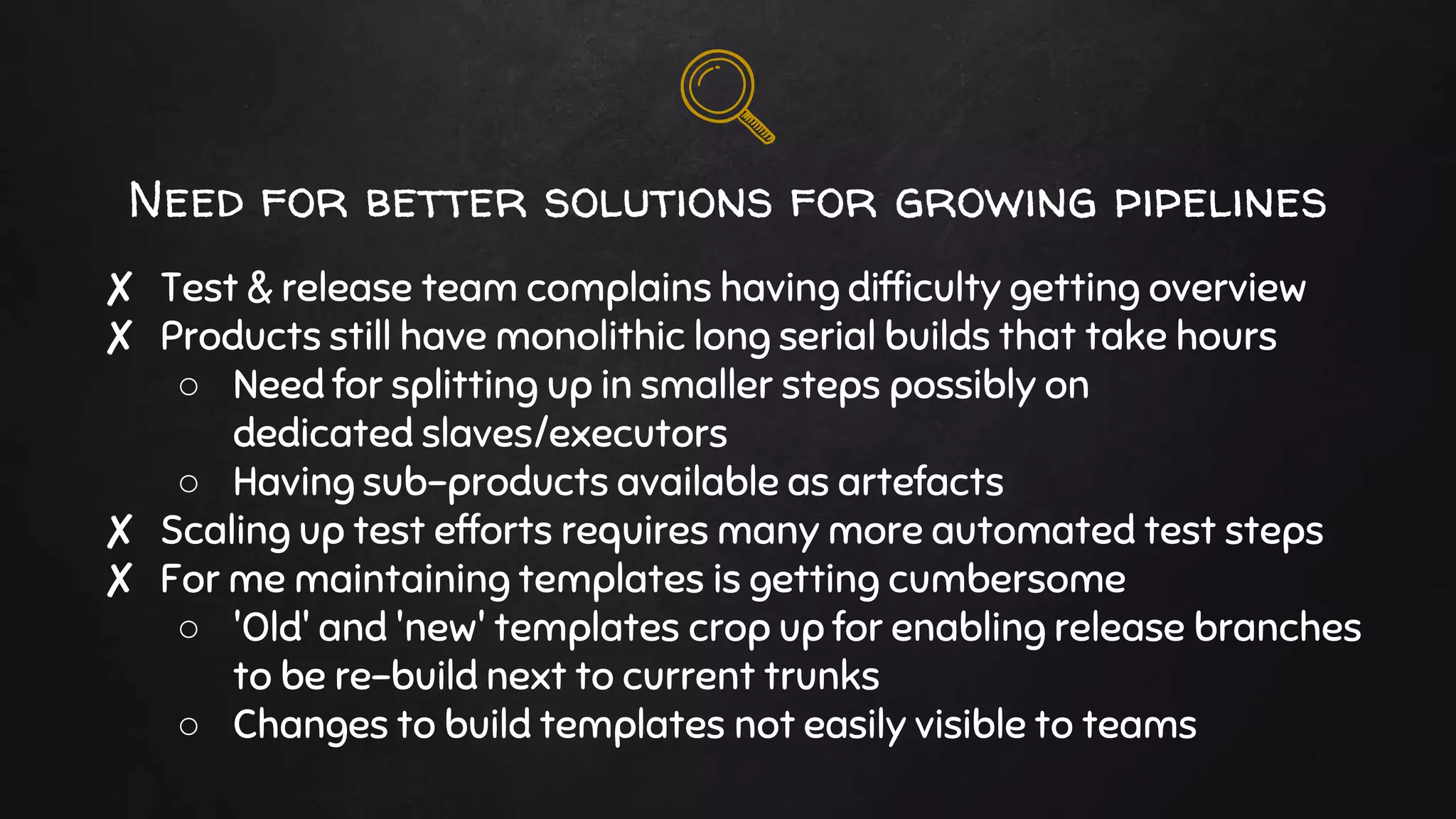
Need for better solutions for growing pipelines
✘ Test & release team complains having difficulty getting overview
✘ Products still have monolithic long serial builds that take hours
○ Need for splitting up in smaller steps possibly on
dedicated slaves/executors
○ Having sub-products available as artefacts
✘ Scaling up test efforts requires many more automated test steps
✘ For me maintaining templates is getting cumbersome
○ 'Old' and 'new' templates crop up for enabling release branches
to be re-build next to current trunks
○ Changes to build templates not easily visible to teams
Eyeing Declarative Pipeline
✘ Spring 2017 Cloudbees announced 1.0 Pipeline
○ Nice overview of pipeline using Blue Ocean interface
○ Cloudbees is pushing this as the main build declaration
interface
✘ Simpler syntax seems to appeal to the dev teams
○ Storing the jenkinsFile in code repository makes jenkins
definition part of the code (branch)
✘ Phase 1 Proof Of Concept rebuilding the build for one team in
Pipeline
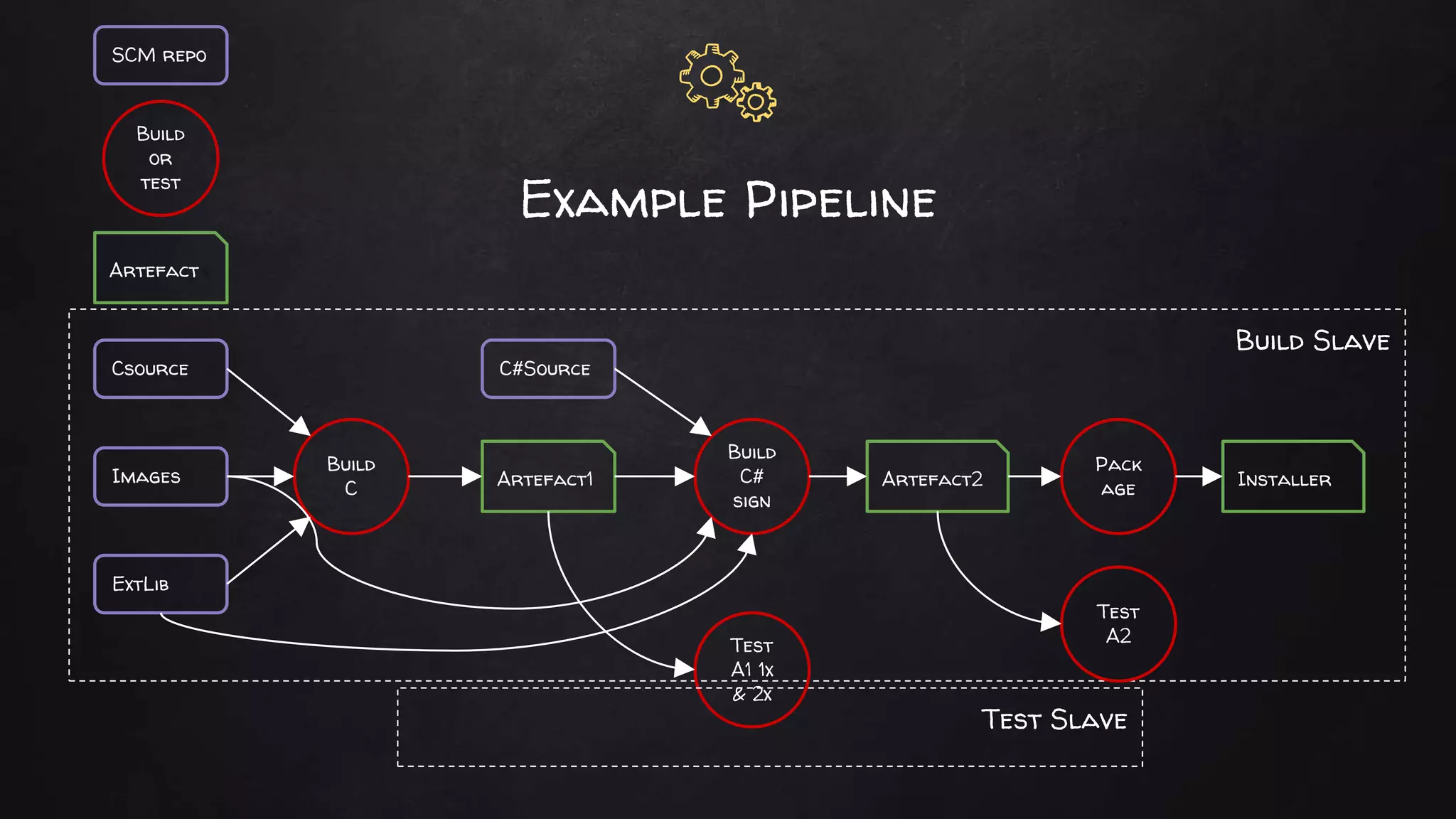
Build Slave
Example Pipeline
Csource
ExtLib
Images
C#Source
Build
C Artefact1
Build
C#
sign
Artefact2
Test
A1 1x
& 2x
Pack
age
Test
A2
Installer
Test Slave
SCM repo
Build
or
test
Artefact
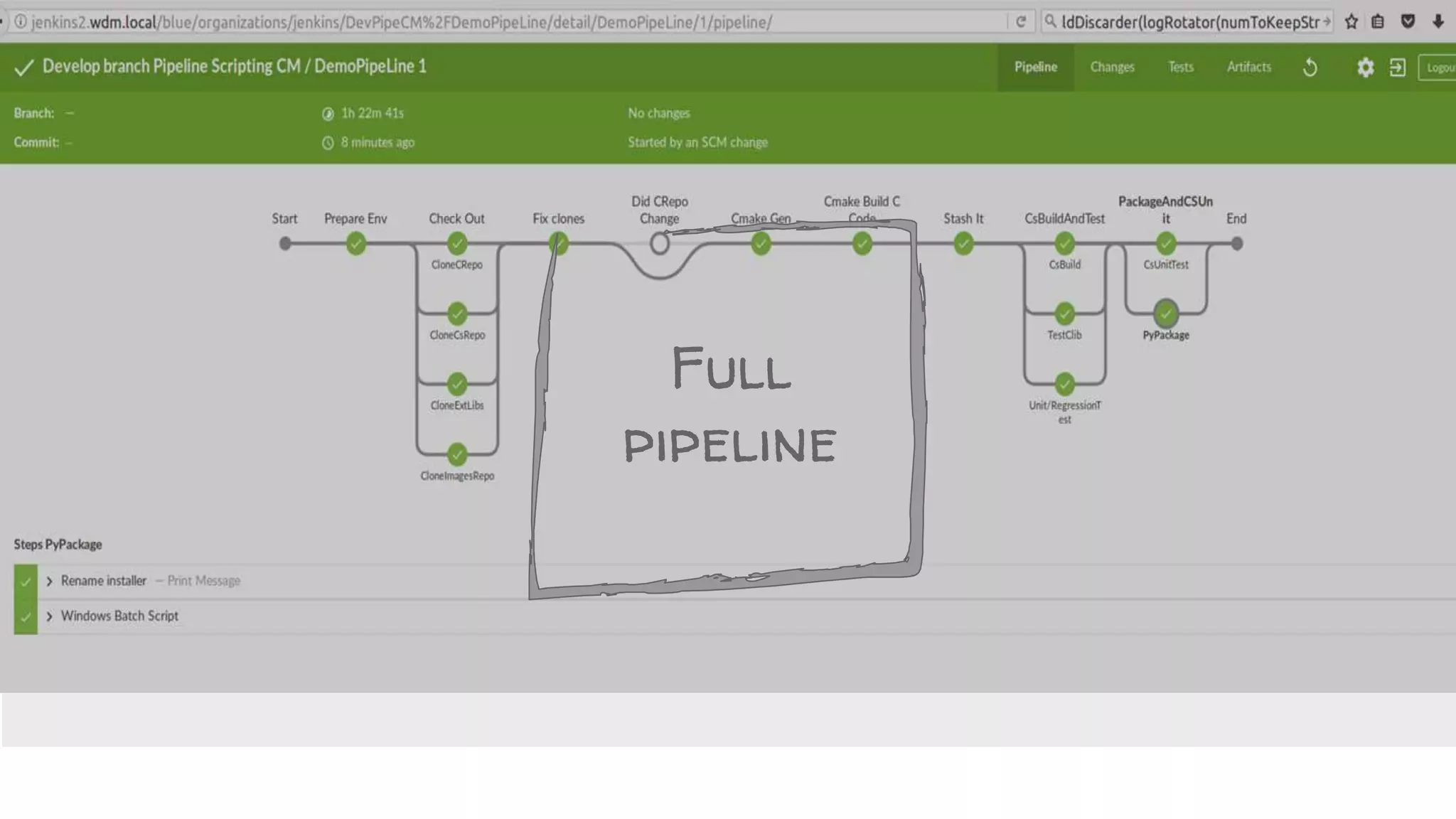
Full
pipeline
(Jenkins) Software used
✘ Jenkins Master 2.73 (Community Version)
✘ Pipeline Plugin 2.5
✘ Pipeline Declarative 1.2 (1.3.x just came out this week).
✘ Blue Ocean 2.3
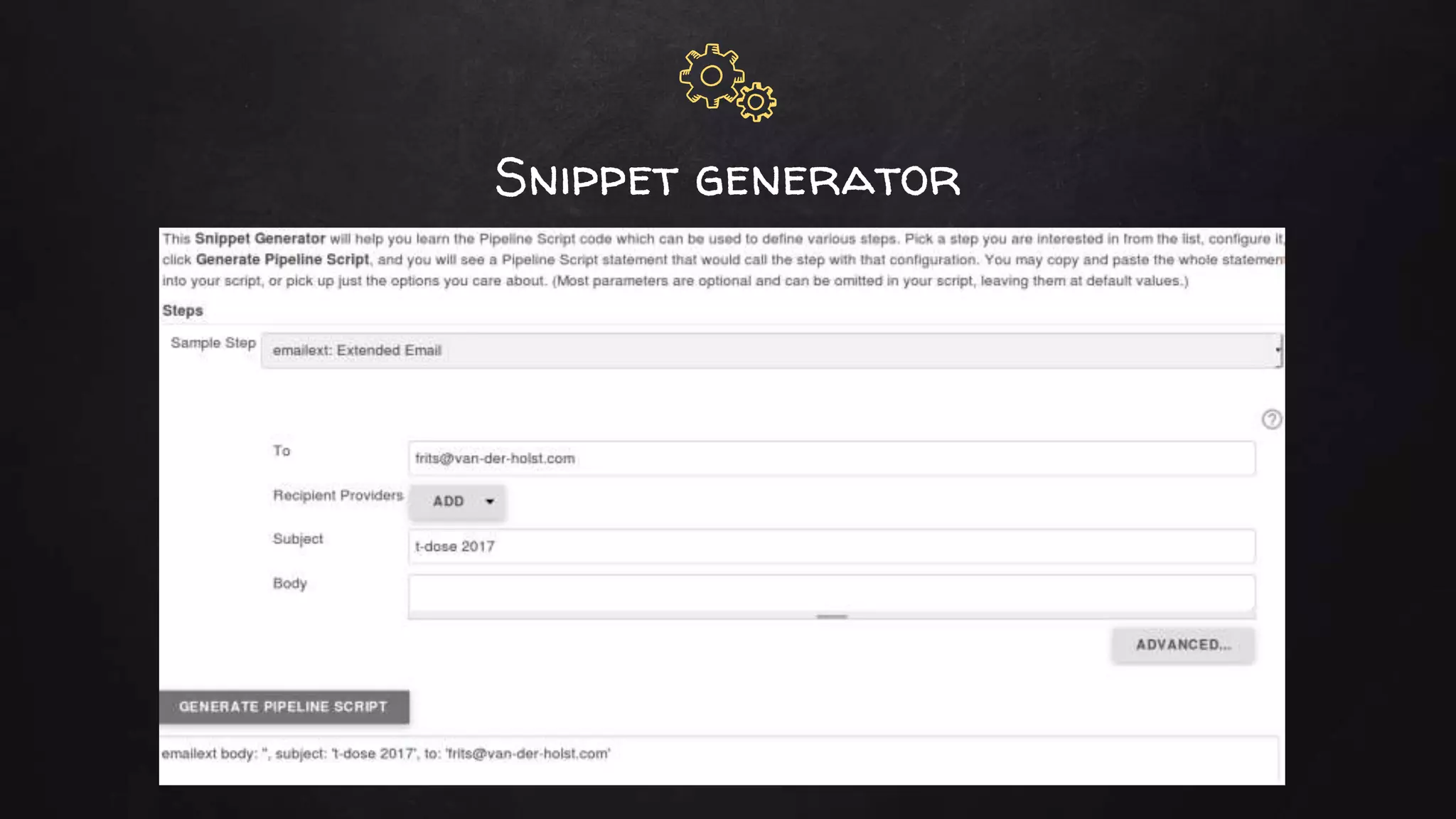
Snippet generator
Use case: Shorten build environment setup time
✘ The current (old) build system clones all 4 repo's one by one.
○ Setting up build env of 15 Gb took 30 to 40 minutes.
(250.000 files)
○ In my Jenkins 1.6 implementation I could save some time
○ Trying to do incremental builds when possible but clean
Builds are needed often.
✘ Using HG/Mercurial tricks and parallelization to the max
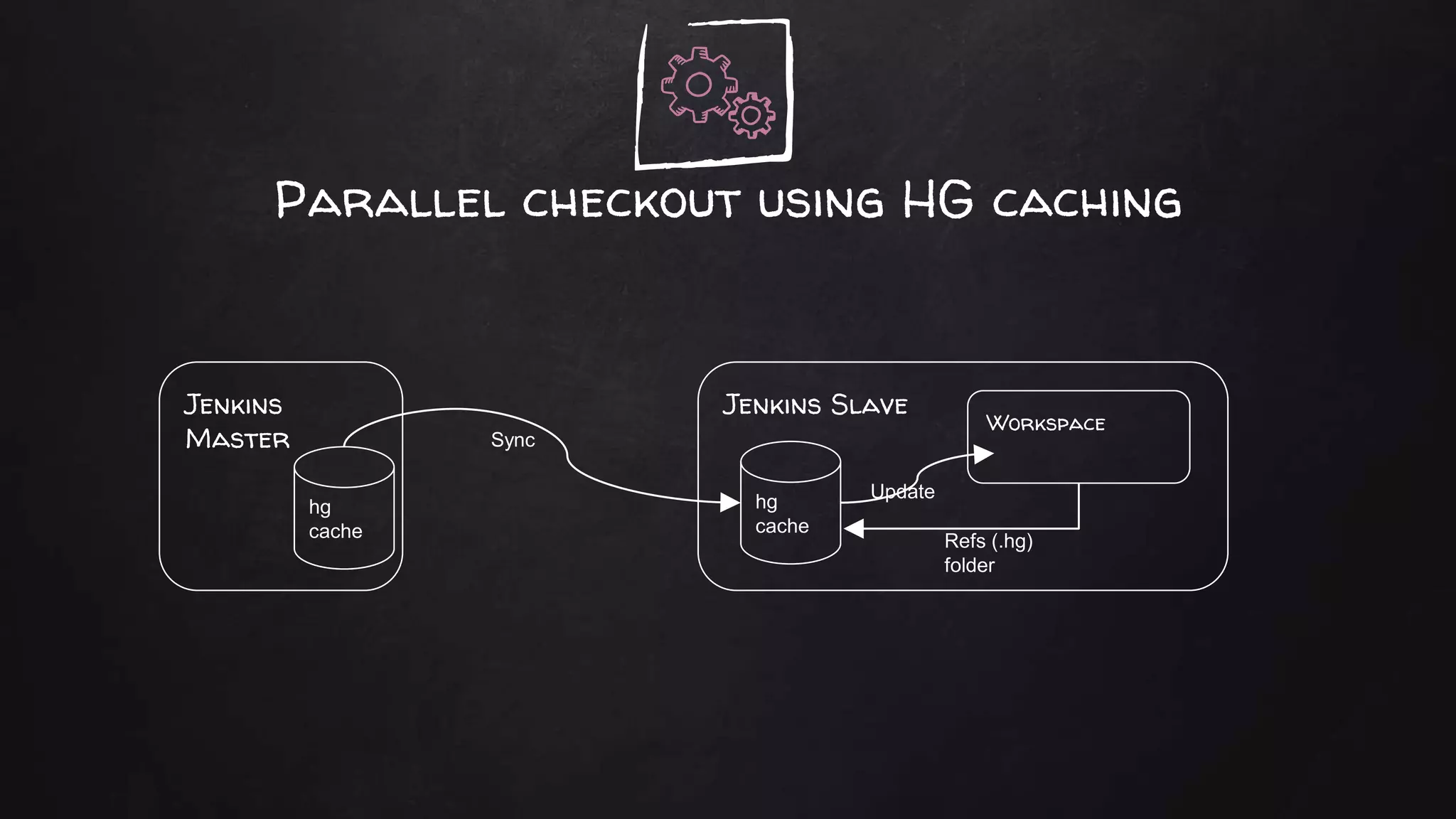
○ Turn on caching and sharing.
○ Start all clones parallel to each other (since HG is a single
threaded application.
✘ Brought full checkout time down do 5 mins.
Starting The Pipeline
#!/usr/bin/env groovy
pipeline {
// Agent definition for whole pipe. General vs14 Windows build slave.
agent {
label "Windows && x64 && ${GENERATOR}"
}
// General config for build, timestamps and console coloring.
options {
timestamps()
buildDiscarder(logRotator(daysToKeepStr:'90', artifactDaysToKeepStr:'20'))
}
// Poll SCM every 5 minutes every work day.
triggers {
pollSCM('H/5 * * * 1-5')
}
properties( buildDiscarder(logRotator(artifactDaysToKeepStr: '5', artifactNumToKeepStr: '', daysToKeepStr: '15', numToKeepStr: '')) ])
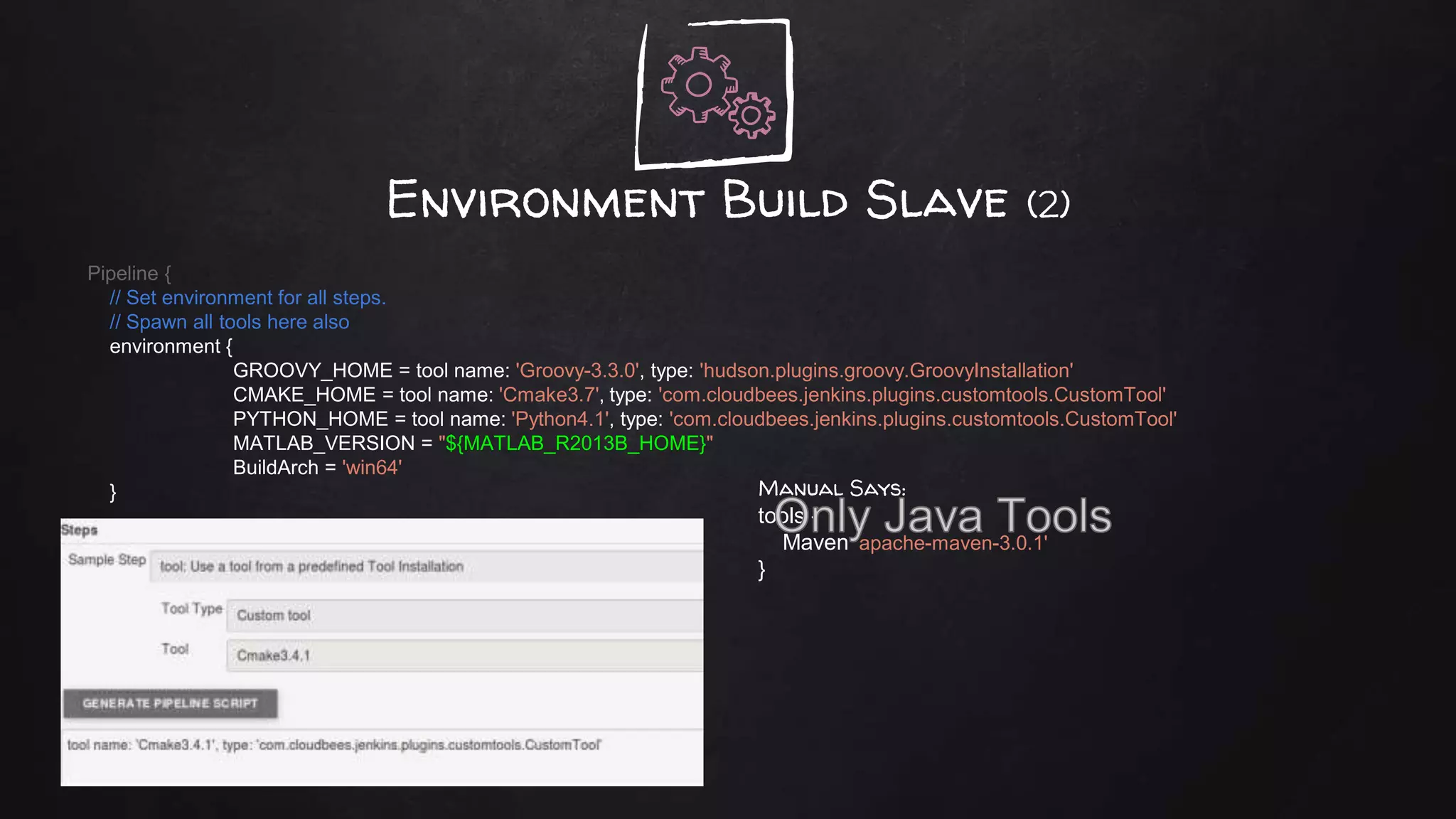
Environment Build Slave (2)
Pipeline {
// Set environment for all steps.
// Spawn all tools here also
environment {
GROOVY_HOME = tool name: 'Groovy-3.3.0', type: 'hudson.plugins.groovy.GroovyInstallation'
CMAKE_HOME = tool name: 'Cmake3.7', type: 'com.cloudbees.jenkins.plugins.customtools.CustomTool'
PYTHON_HOME = tool name: 'Python4.1', type: 'com.cloudbees.jenkins.plugins.customtools.CustomTool'
MATLAB_VERSION = "${MATLAB_R2013B_HOME}"
BuildArch = 'win64'
} Manual Says:
tools {
Maven 'apache-maven-3.0.1'
}
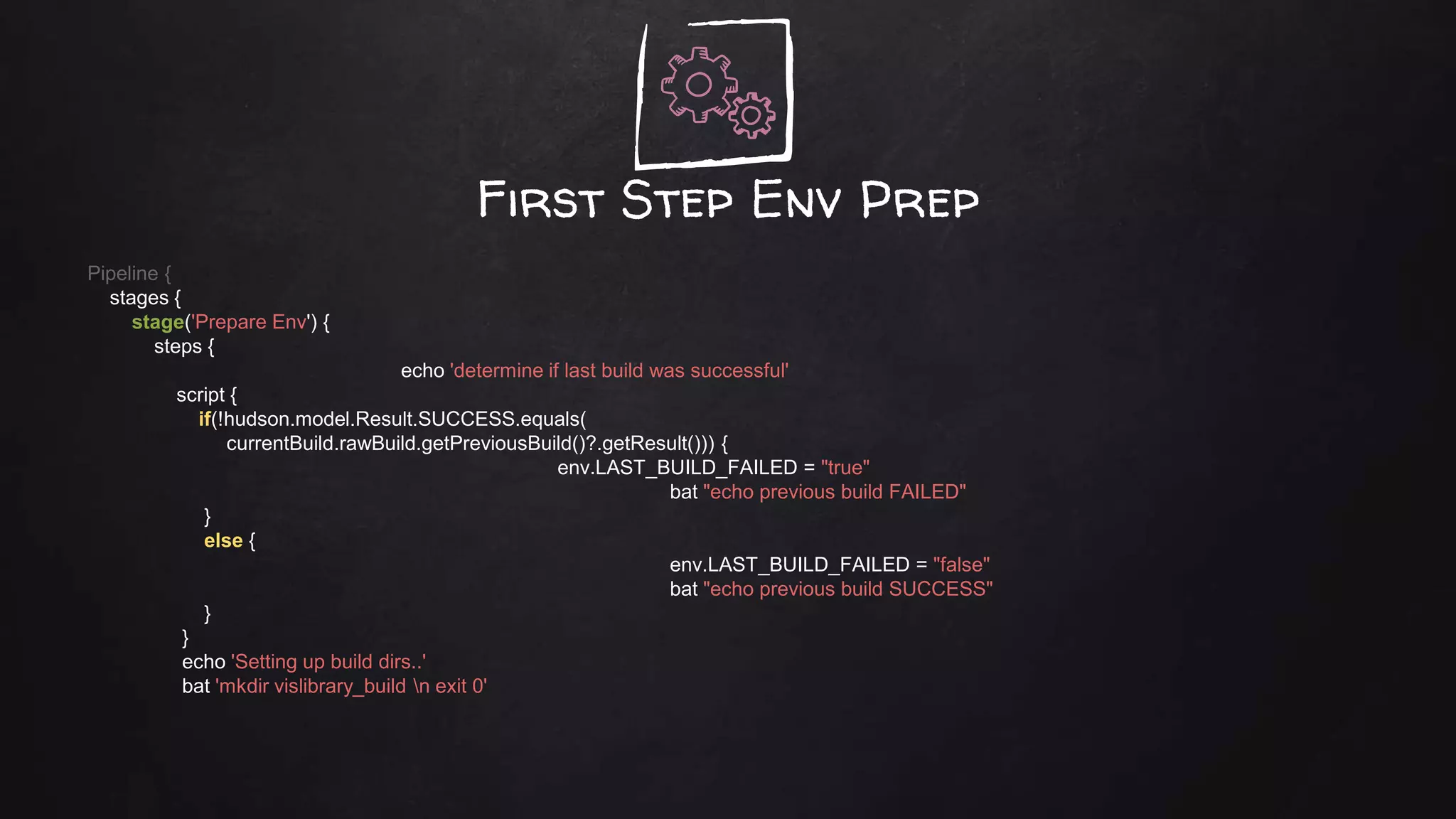
First Step Env Prep
Pipeline {
stages {
stage('Prepare Env') {
steps {
echo 'determine if last build was successful'
script {
if(!hudson.model.Result.SUCCESS.equals(
currentBuild.rawBuild.getPreviousBuild()?.getResult())) {
env.LAST_BUILD_FAILED = "true"
bat "echo previous build FAILED"
}
else {
env.LAST_BUILD_FAILED = "false"
bat "echo previous build SUCCESS"
}
}
echo 'Setting up build dirs..'
bat 'mkdir vislibrary_build n exit 0'
Parallel checkoutPipeline {
stages {
// Check out stage.. parallel checkout of all repo's.
stage('Check Out') {
parallel {
stage ("CloneCsRepo") {
steps {
echo 'Now let us check out C#Repo'
// Use sleep time preventing different HG threads grab same log file name
sleep 9
checkout changelog: true, poll: true, scm: [$class: 'MercurialSCM',
clean: true, credentialsId: '', installation: 'HG Multibranch',
source: "http://hg.wdm.local/hg/CsRepo/", subdir: 'CsRepo']
}
}
stage ("CloneCRepo") {
steps {
echo 'Now let us check out C Repo'
sleep 15
checkout changelog: true, poll: true,
Failed to parse ...Testing_Pipeline2_TMFC/builds/174/changelog2.xml: '<?xml version="1.0" encoding="UTF-8"?>
<changesets>
JENKINS-43176
Parallel checkout using HG caching
Jenkins
Master
hg
cache
Jenkins Slave
Workspace
hg
cache
Update
Sync
Refs (.hg)
folder
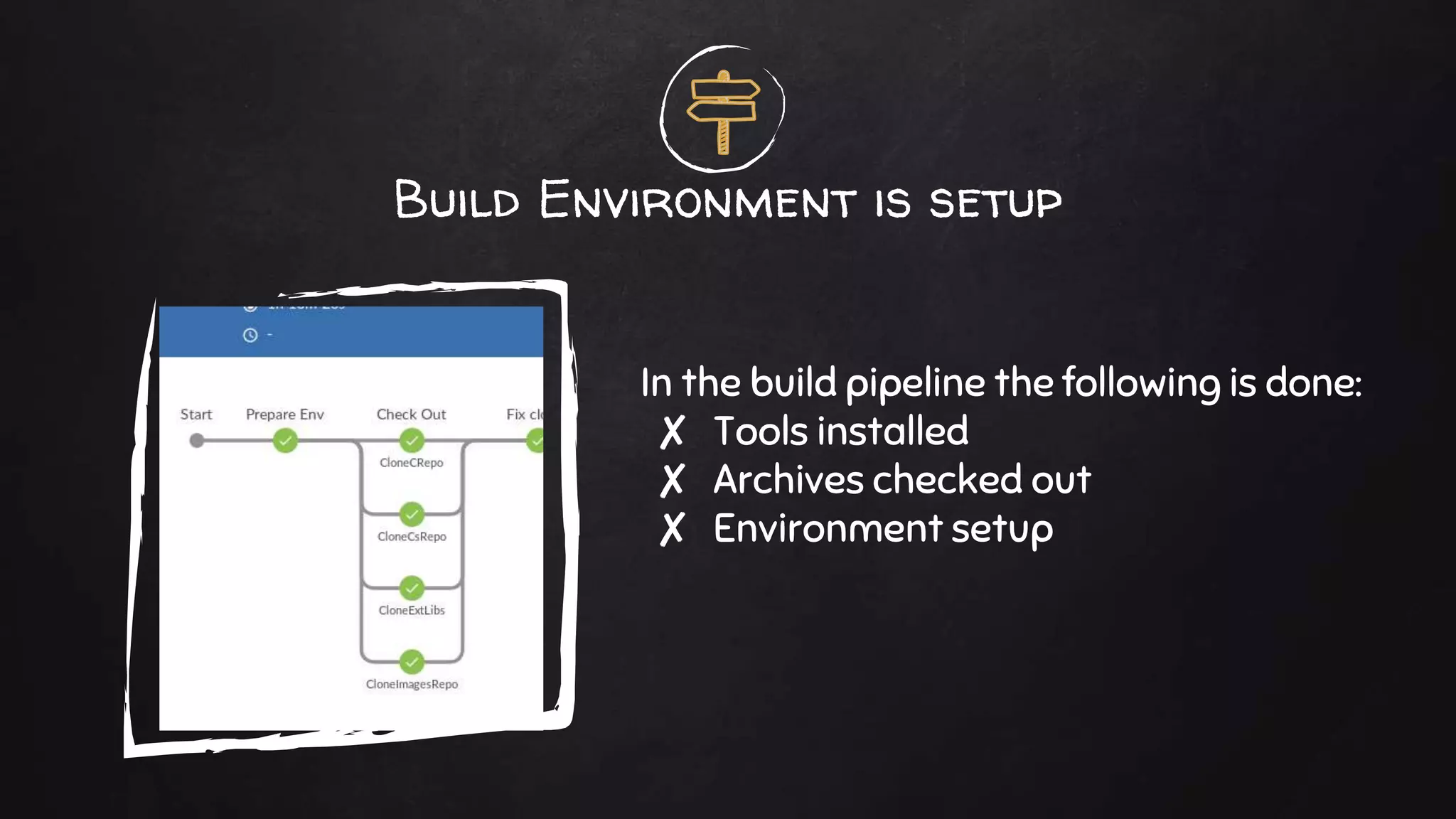
Build Environment is setup
In the build pipeline the following is done:
✘ Tools installed
✘ Archives checked out
✘ Environment setup
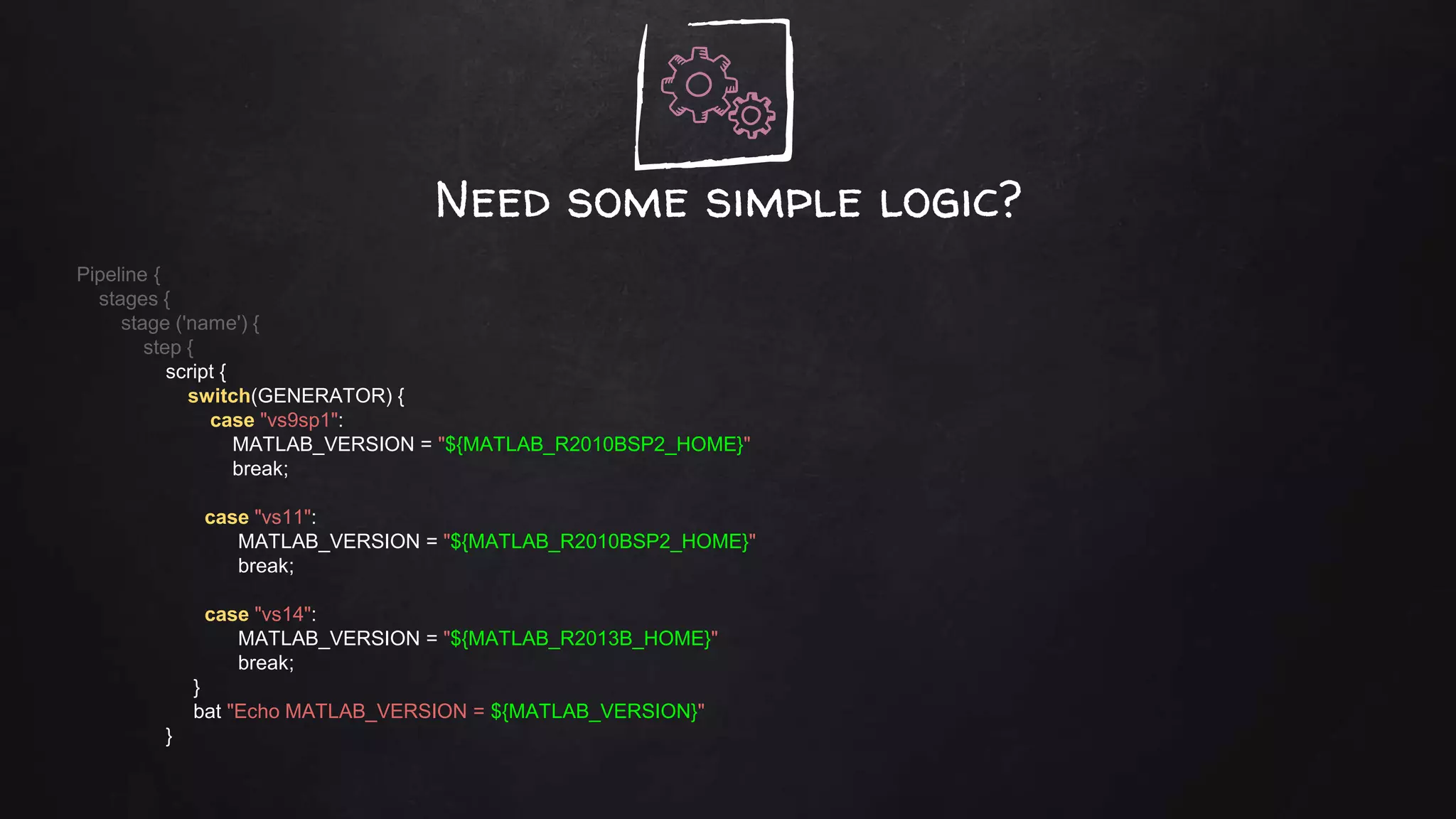
Need some simple logic?
Pipeline {
stages {
stage ('name') {
step {
script {
switch(GENERATOR) {
case "vs9sp1":
MATLAB_VERSION = "${MATLAB_R2010BSP2_HOME}"
break;
case "vs11":
MATLAB_VERSION = "${MATLAB_R2010BSP2_HOME}"
break;
case "vs14":
MATLAB_VERSION = "${MATLAB_R2013B_HOME}"
break;
}
bat "Echo MATLAB_VERSION = ${MATLAB_VERSION}"
}
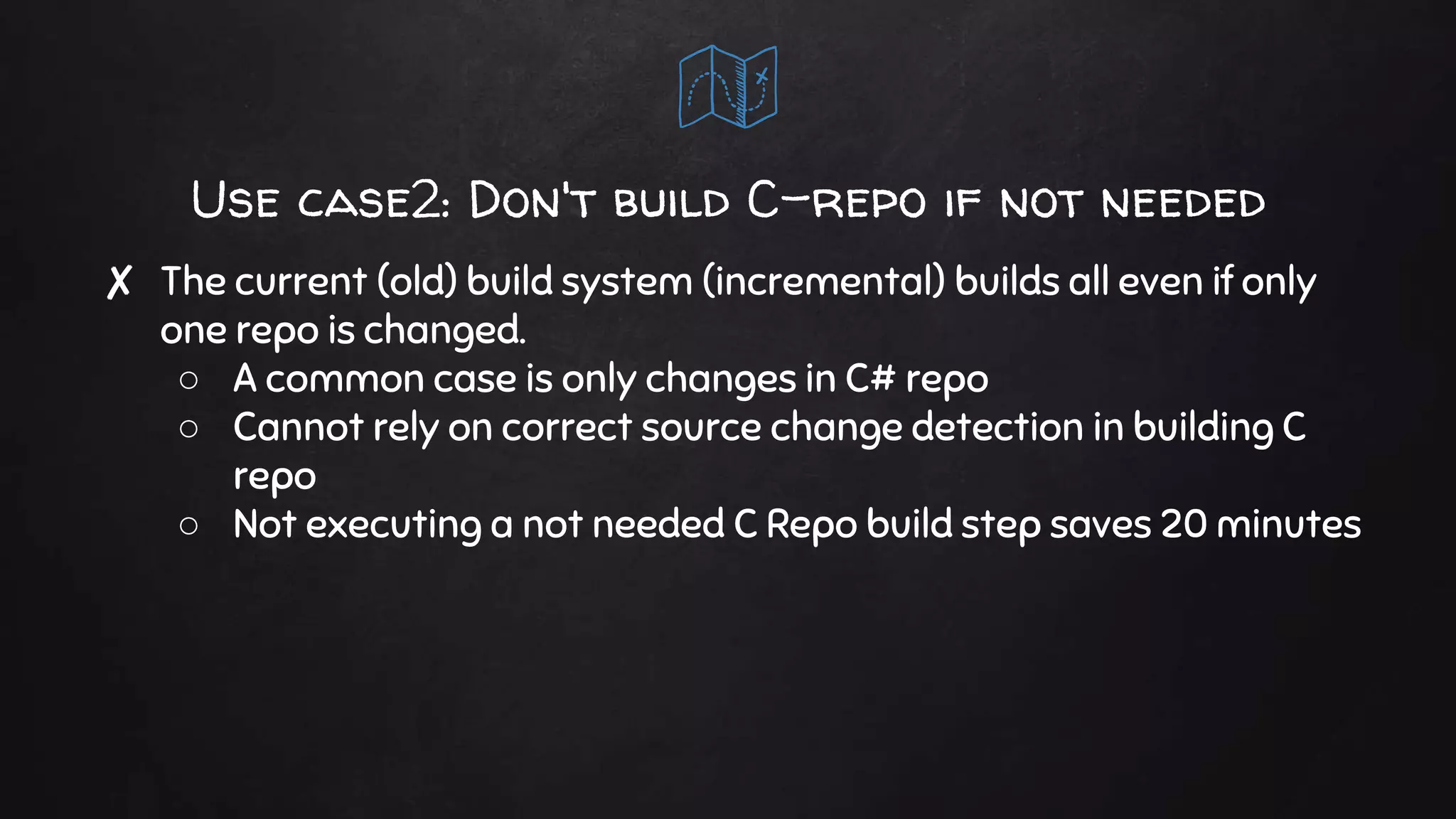
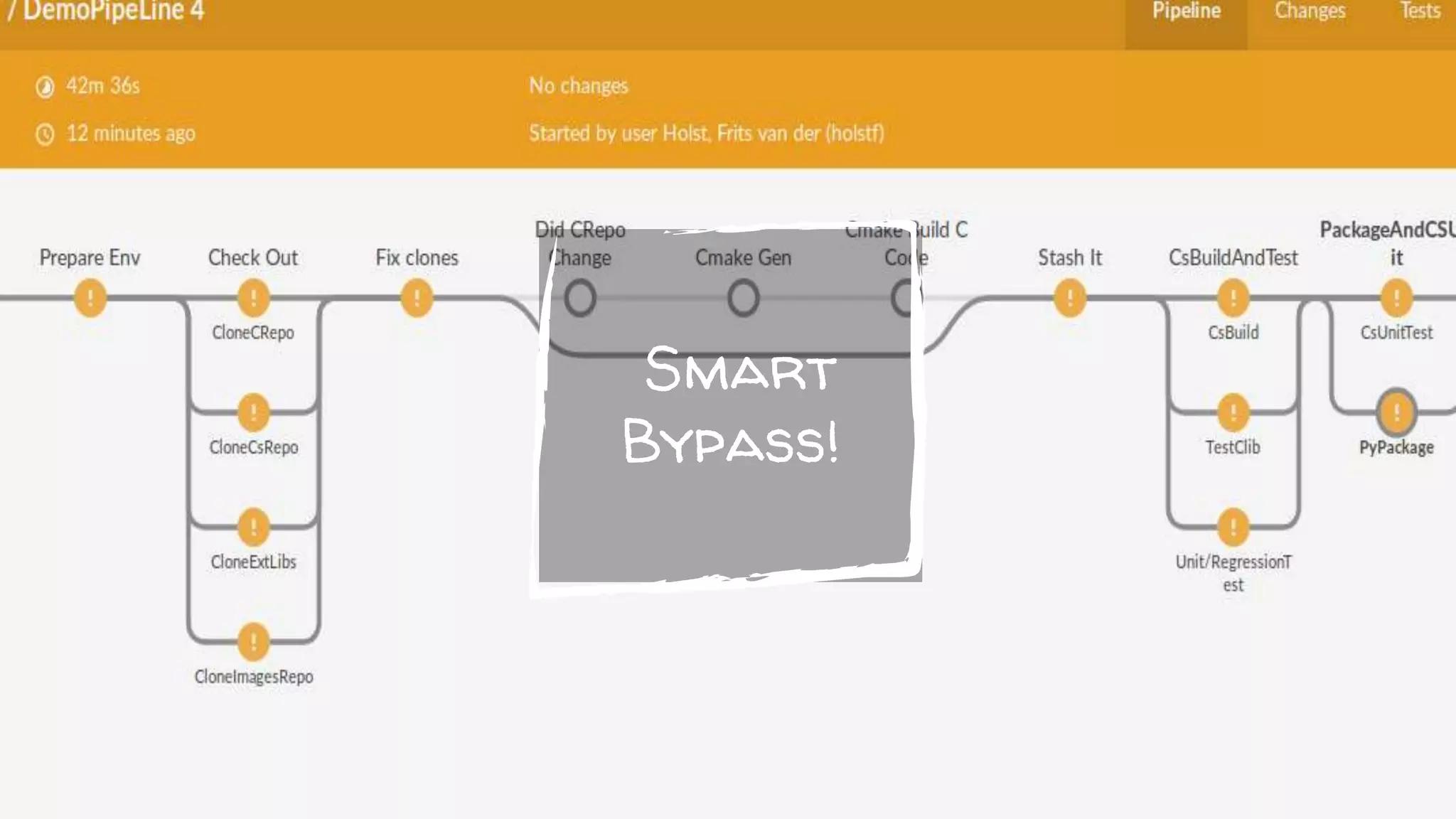
Use case2: Don't build C-repo if not needed
✘ The current (old) build system (incremental) builds all even if only
one repo is changed.
○ A common case is only changes in C# repo
○ Cannot rely on correct source change detection in building C
repo
○ Not executing a not needed C Repo build step saves 20 minutes
Smart
Bypass!
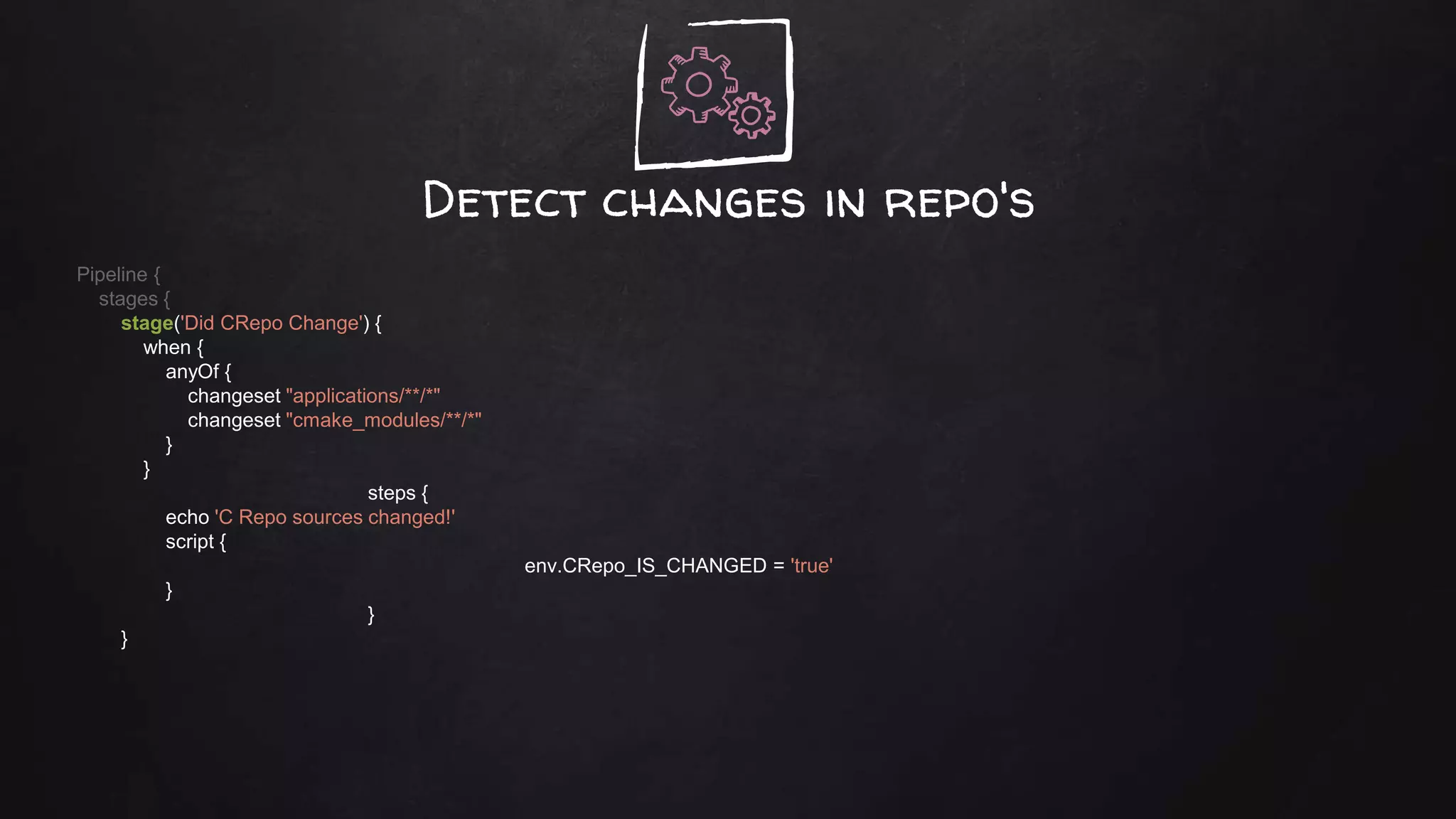
Detect changes in repo's
Pipeline {
stages {
stage('Did CRepo Change') {
when {
anyOf {
changeset "applications/**/*"
changeset "cmake_modules/**/*"
}
}
steps {
echo 'C Repo sources changed!'
script {
env.CRepo_IS_CHANGED = 'true'
}
}
}
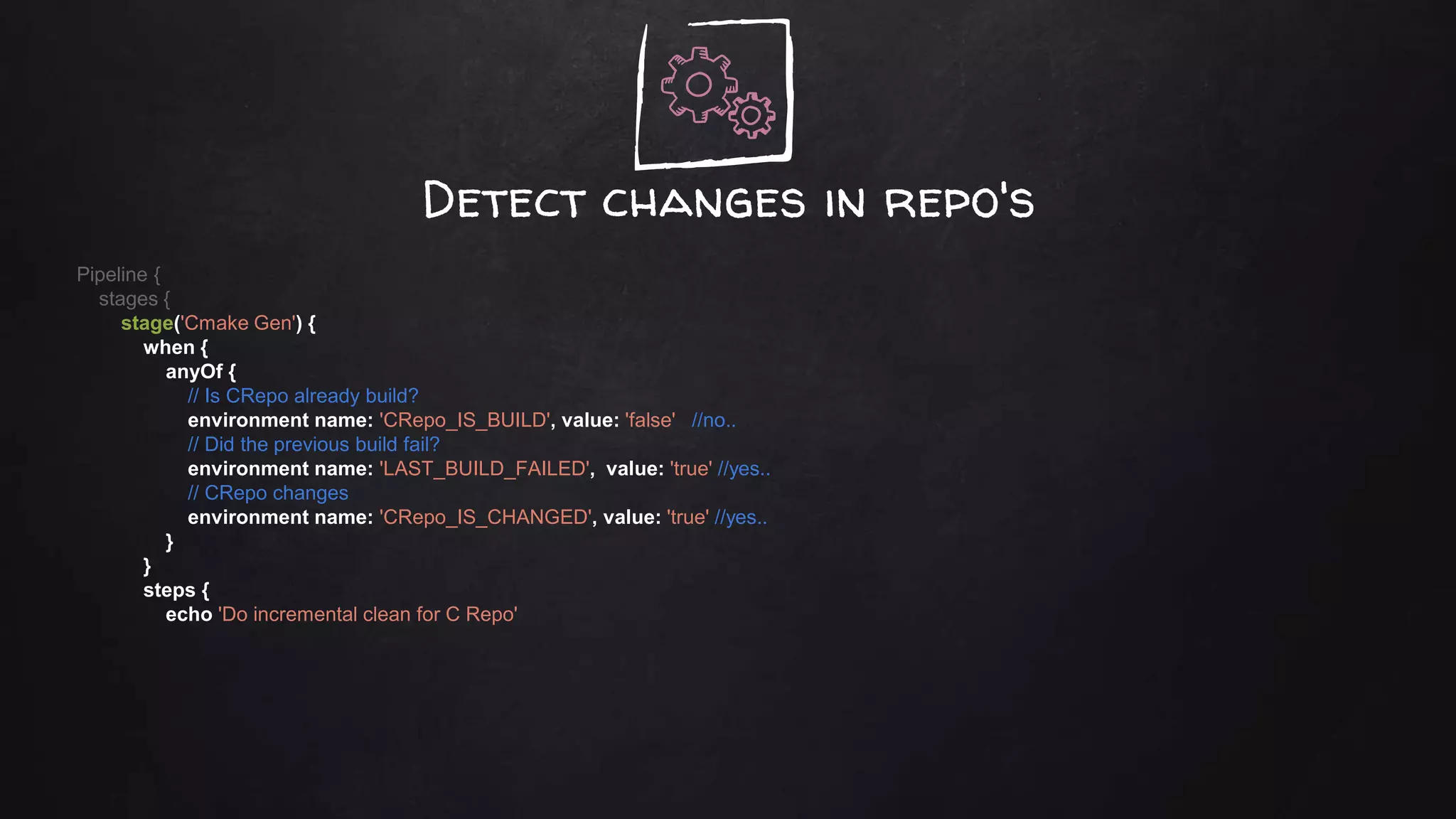
Detect changes in repo's
Pipeline {
stages {
stage('Cmake Gen') {
when {
anyOf {
// Is CRepo already build?
environment name: 'CRepo_IS_BUILD', value: 'false' //no..
// Did the previous build fail?
environment name: 'LAST_BUILD_FAILED', value: 'true' //yes..
// CRepo changes
environment name: 'CRepo_IS_CHANGED', value: 'true' //yes..
}
}
steps {
echo 'Do incremental clean for C Repo'
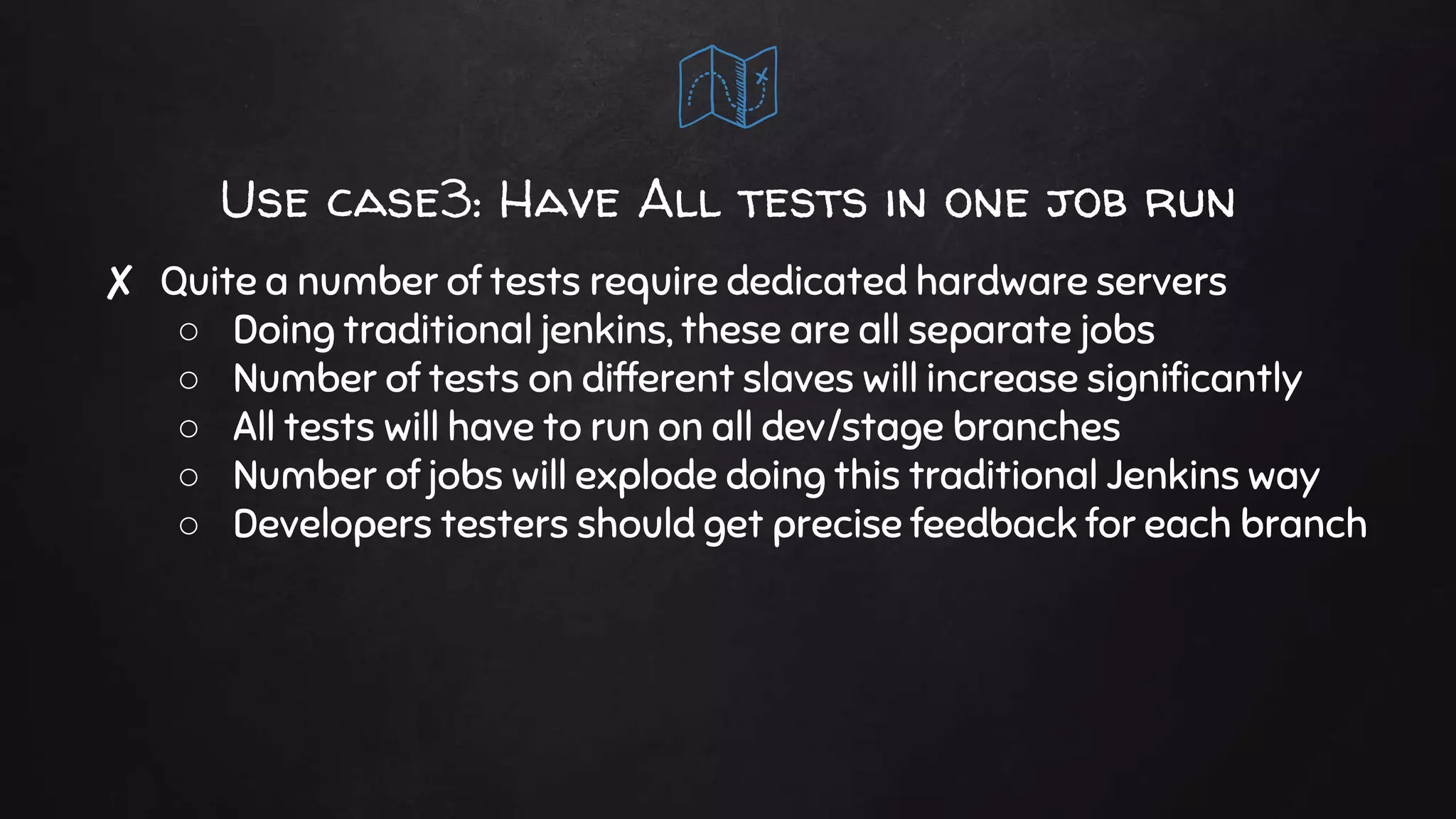
Use case3: Have All tests in one job run
✘ Quite a number of tests require dedicated hardware servers
○ Doing traditional jenkins, these are all separate jobs
○ Number of tests on different slaves will increase significantly
○ All tests will have to run on all dev/stage branches
○ Number of jobs will explode doing this traditional Jenkins way
○ Developers testers should get precise feedback for each branch
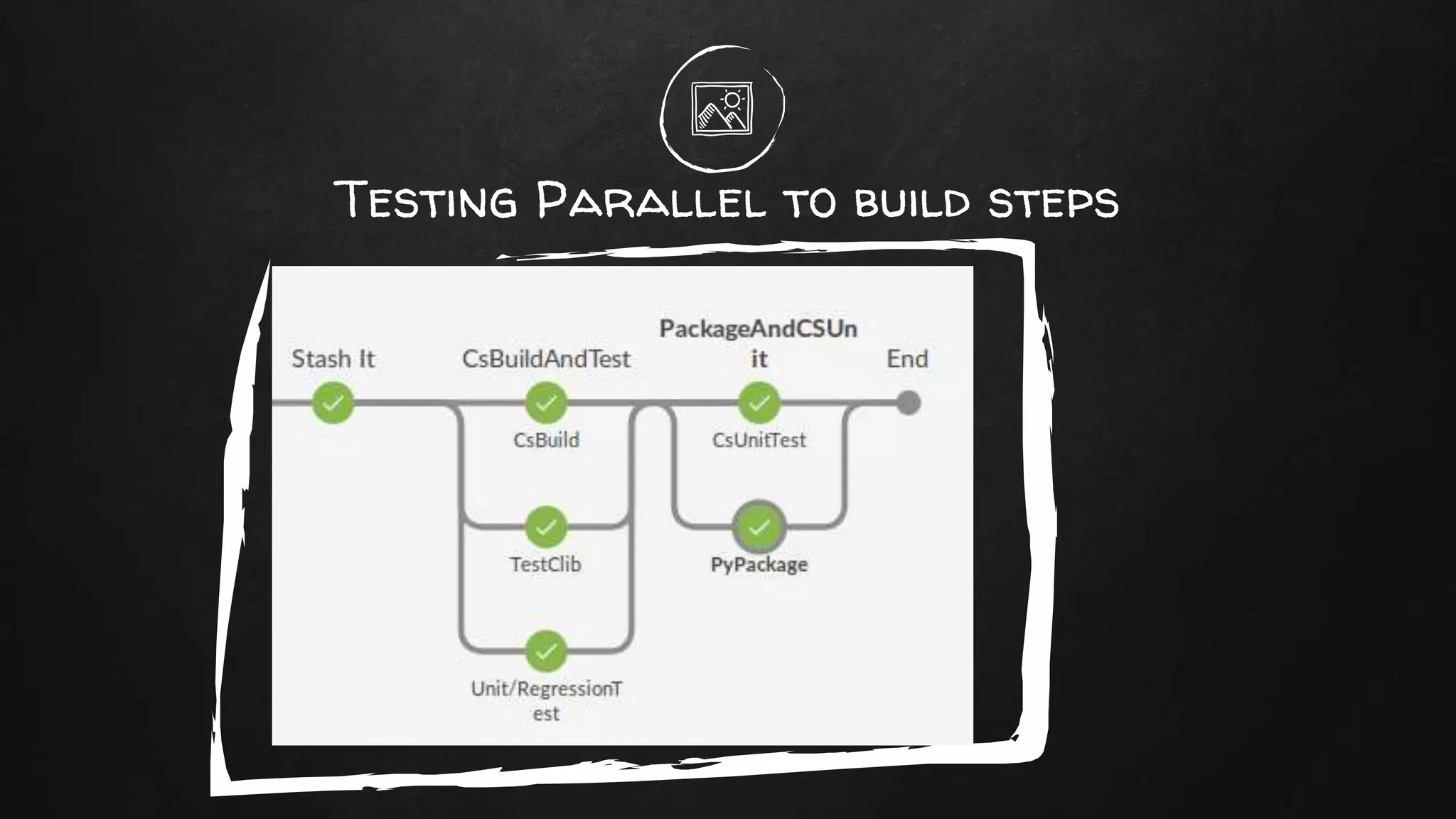
Testing Parallel to build steps
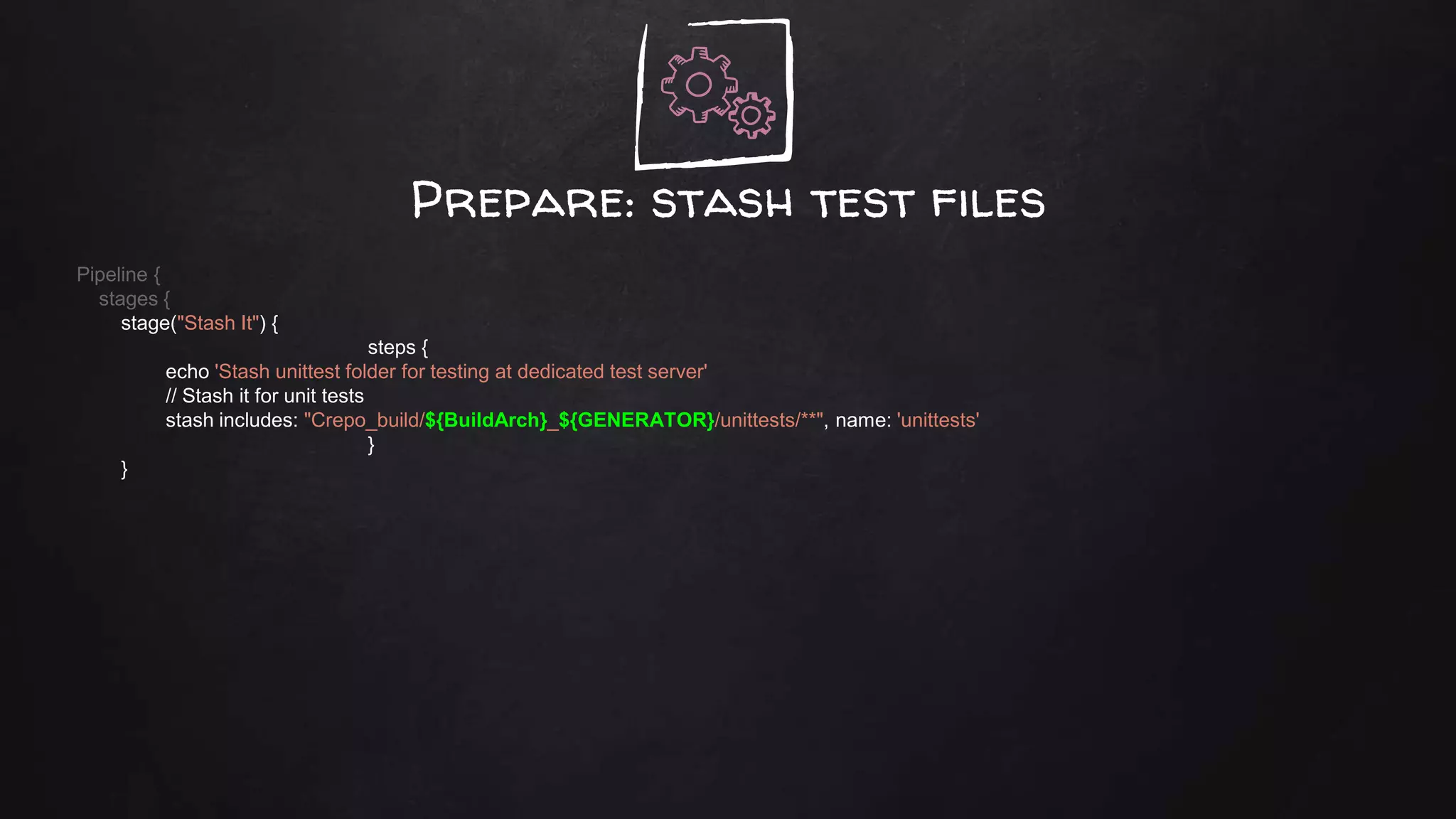
Prepare: stash test files
Pipeline {
stages {
stage("Stash It") {
steps {
echo 'Stash unittest folder for testing at dedicated test server'
// Stash it for unit tests
stash includes: "Crepo_build/${BuildArch}_${GENERATOR}/unittests/**", name: 'unittests'
}
}
Un-stash test files and testPipeline {
stages {
stage ("Unit/RegressionTest") {
agent {
node {
label 'Test && Nvidia'
customWorkspace 'c:/j'
}
}
environment {
NUNIT_DIR = "${WORKSPACE}/libsrepo/NUnit-2.6.3/bin"
}
steps {
// Remove folder from previous unit tests run.
cleanWs(patterns: [[pattern: '*results.xml', type: 'INCLUDE']] )
unstash 'unittests'
echo 'running unit tests with graphics card'
// Run the actual unit tests.
bat '''
call set TESTROOTPATH=%%WORKSPACE:=/%%
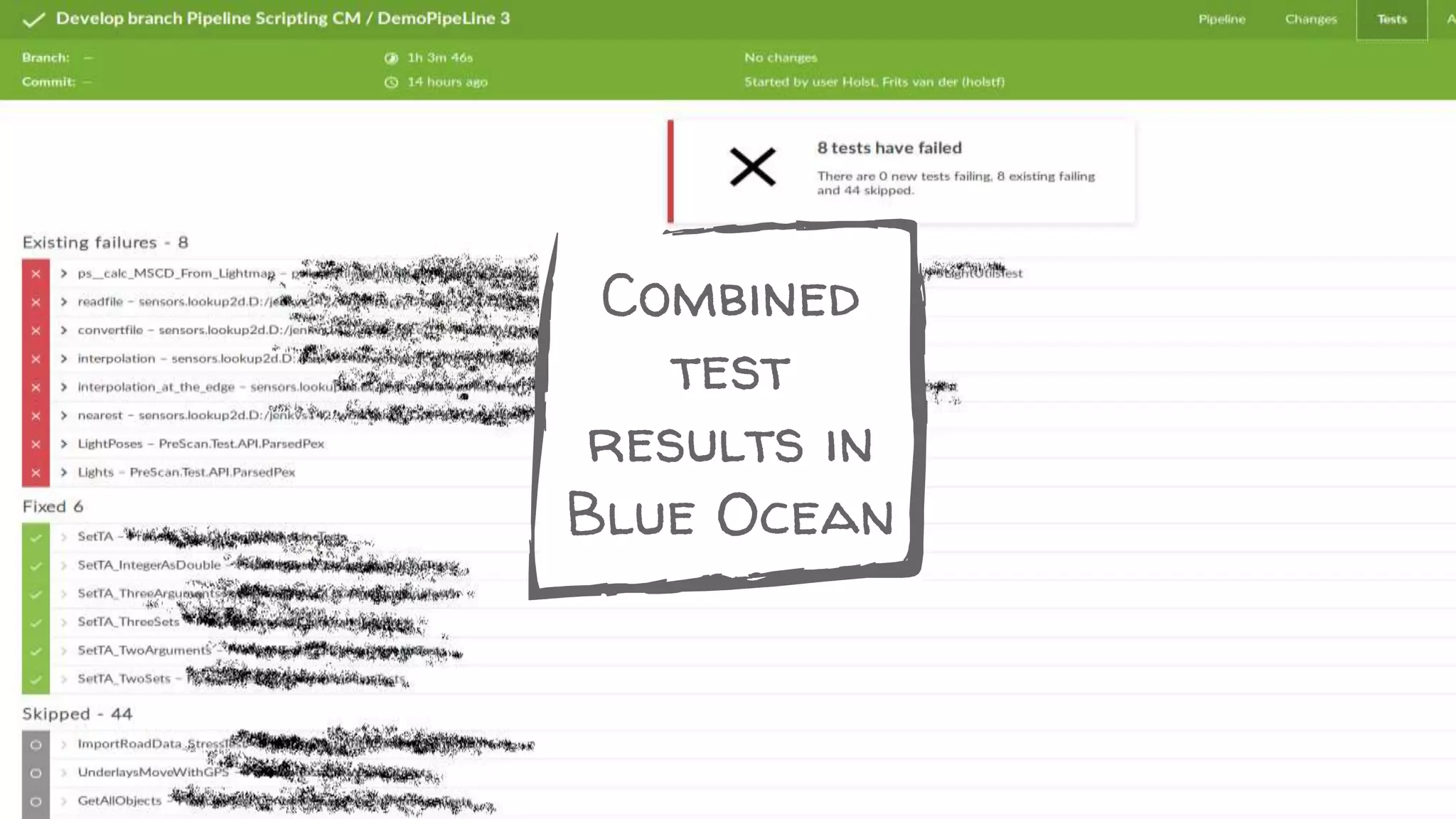
Process combined test resultsPipeline {
post {
always {
unstash 'boosttests'
unstash 'regressiontestresult'
step([$class: 'JUnitResultArchiver', testResults: '**/reports/unittest_results.xml'])
step([$class: 'XUnitBuilder', testTimeMargin: '3000', thresholdMode: 1,
thresholds: [[$class: 'FailedThreshold', failureThreshold: '50' unstableThreshold: '30'],
[$class: 'SkippedThreshold', failureThreshold: '100', unstableThreshold: '50']],
tools: [[$class: 'BoostTestJunitHudsonTestType', deleteOutputFiles: true, failIfNotNew: true,
pattern: "*results.xml", skipNoTestFiles: false, stopProcessingIfError: false] ]])
step([$class: 'AnalysisPublisher', canRunOnFailed: true, healthy: '', unHealthy: ''])
step([$class: 'CoberturaPublisher', coberturaReportFile: '**/reports/coverageResult.xml',
failUnhealthy: false, failUnstable: false, onlyStable: false, zoomCoverageChart: false]
}
success {
emailext attachLog: ,
body: "${JOB_NAME} - Build # ${BUILD_NUMBER} - SUCCESS!!: nn Check console output at ….
Combined
test
results in
Blue Ocean
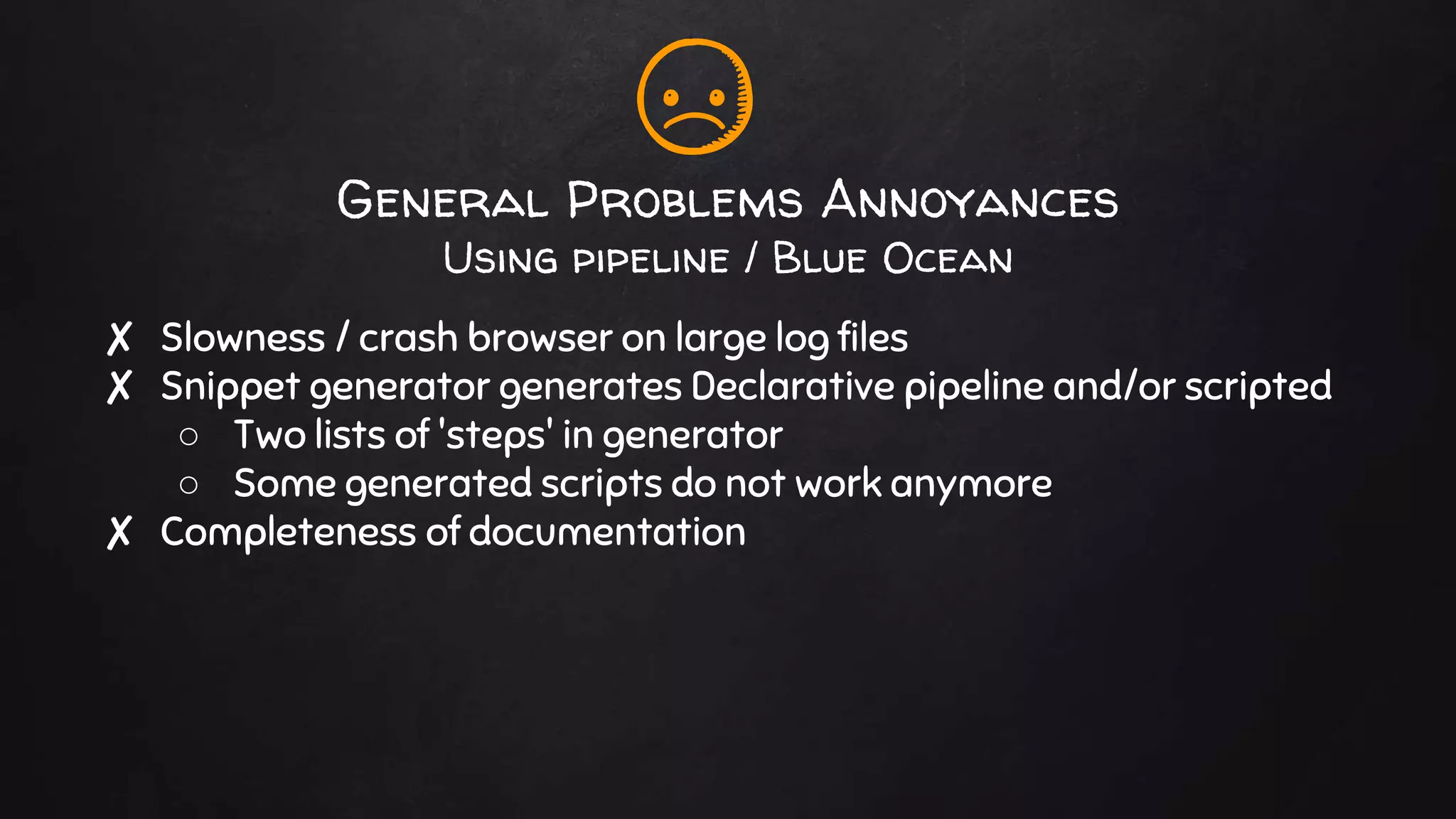
General Problems Annoyances
Using pipeline / Blue Ocean
✘ Slowness / crash browser on large log files
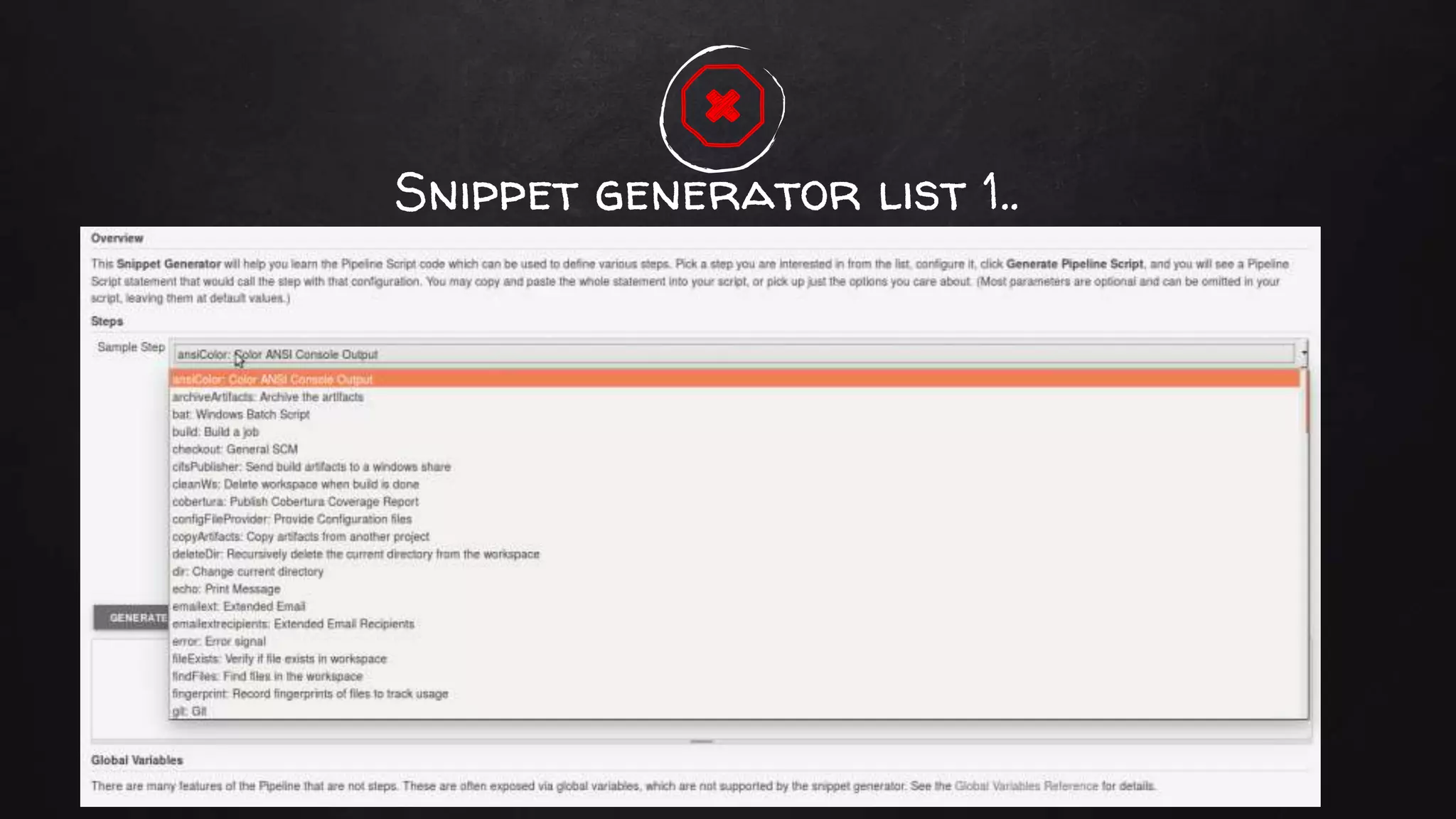
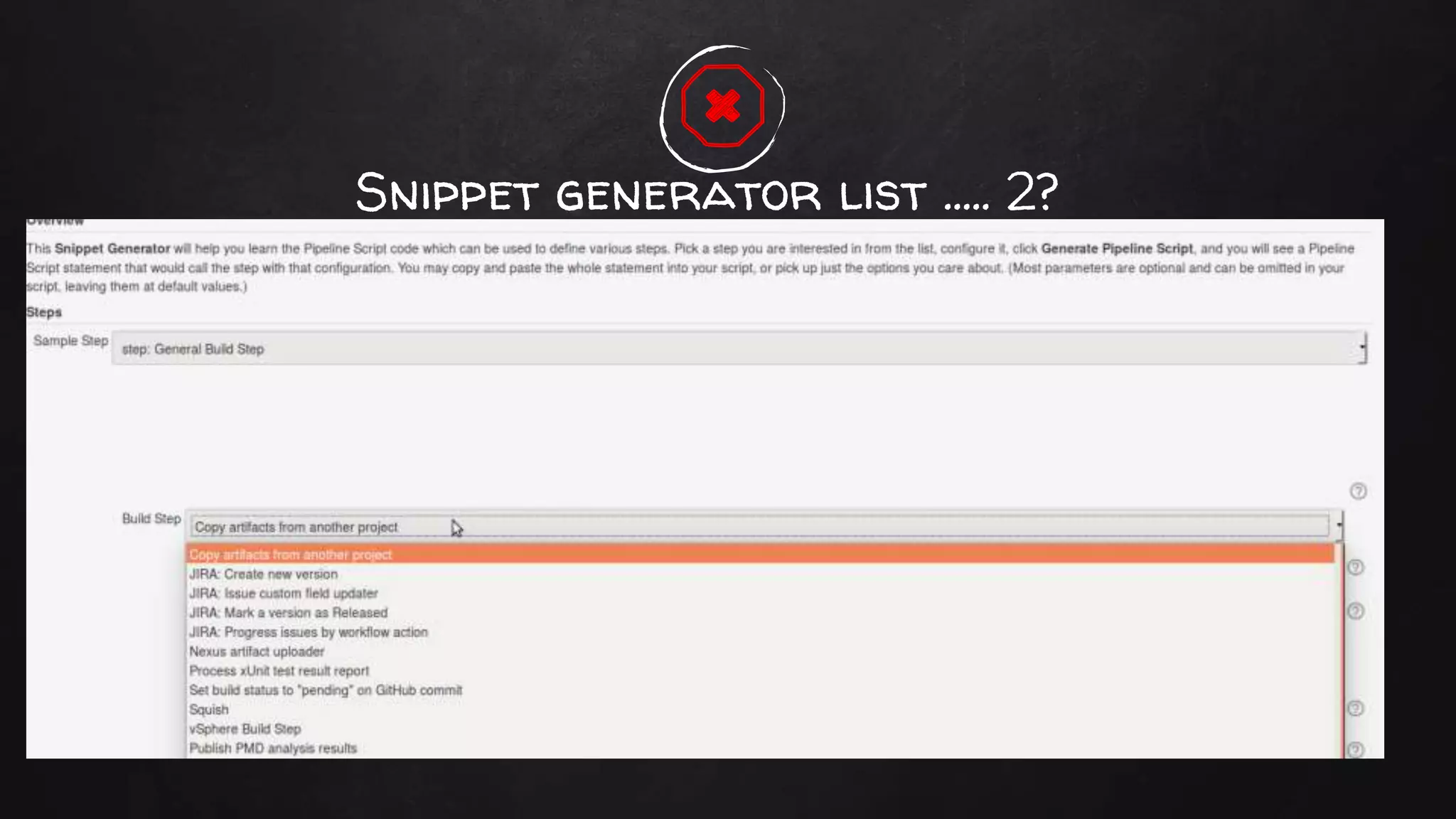
✘ Snippet generator generates Declarative pipeline and/or scripted
○ Two lists of 'steps' in generator
○ Some generated scripts do not work anymore
✘ Completeness of documentation
Blue Ocean and display of logs
Snippet generator list 1..
Snippet generator list ..... 2?
Conclusion
✘ Declarative pipeline is a much needed extension to Jenkins
✘ Functionality is stable
✘ Documentation spotty
✘ Blue Ocean interface is a great improvement
○ General slowness is worrying
✘ Cloudbees is continuing development
○ Approx every 2 to 3 months new functionality is released
✘ We should give CloudBees credit for releasing all this to the
community
thanks!
Any questions?
You can find me at
Twitter: @FritsvanderH
or
nl.linkedin.com/in/fritsvanderholst/
Credits
Special thanks to all the people who made and released
these awesome resources for free:
✘ Presentation template by SlidesCarnival
✘ Photographs by Unsplash

Moving from Jenkins 1 to 2 declarative pipeline adventures

  • 1.
  • 2.
  • 3.
    hello! I am Fritsvan der Holst Twitter: @FritsvanderH or nl.linkedin.com/in/fritsvanderholst/
  • 4.
  • 5.
    Just Throw sometogether.. ✘ Pull From GIT ✘ Build Maven job ✘ Publish and done. The few easy steps are on the next slides..
  • 6.
    pipeline { agent any tools{ maven 'Maven 3.3.9' jdk 'jdk8' } stages { stage ('Initialize') { steps { sh ''' echo "PATH = ${PATH}" echo "M2_HOME = ${M2_HOME}" ''' } } stage ('Build') { steps { It's Simple!
  • 7.
    No… this isnot my story How about doing real and more difficult work..
  • 8.
  • 9.
    Scripted Pipeline example node('test'){ // compute complete workspace path, from current node to the allocated disk exws(extWorkspace) { try { // run tests in the same workspace that the project was built sh 'mvn test' } catch (e) { // if any exception occurs, mark the build as failed currentBuild.result = 'FAILURE' throw e } finally { // perform workspace cleanup only if the build have passed // if the build has failed, the workspace will be kept cleanWs cleanWhenFailure: false } } }
  • 10.
    Declarative Pipeline example pipeline{ agent any stages { stage('Example') { steps { echo 'Hello World' } } } post { always { echo 'I will always say Hello again!' } } }
  • 11.
  • 12.
    Jenkins 'new' UserInterface (blue ocean)
  • 13.
    Many Simple Examples ✘Lots of simple small fragments of declarative pipeline @ the web ○ Usually java/maven based ○ And very small fragments ✘ but.. ✘ Pipelines get big and complex very quickly ✘ Does Declarative Pipeline scale? ✘ Not all plugins support a pipeline scripting interface..
  • 14.
    Legacy Multi language During mycareer I mostly bump into that... 👴
  • 15.
    HP-UX Windows XP Open VMS Windows7 SuseProfessional 9.3 Spot the OS I did not slave to a Jenkins server Windows 2000 Windows NT CentOS5 RedHat 3
  • 16.
    Cmake, HelpAndManual, Java,GoogleTest, Mercurial, C++, doxygen, Innosetup, Squish, GCC, Python, Subversion, Swigwin, Groovy, C#, LaTeX, LCOV, Junit, Cpack, VirtualEnv, dSpace, Intel Fortran compiler, Nmake, hgweb, innounpack, Cuda, Automake, Simulink Tool piles Matlab, Scons, Ant, Boost, Nunit, VS2008/12/15/17, Pyinstaller, NSIS, Git, Valgrind, SecureTeam, Jom, PGI Fortran, Cygwin, FMUchecker, Ctest, SvnKit, Ranorex, Nexus, Ansible, Pylint, Cobertura, QT3, FlexLM, Autotools, websvn, modular, Docker
  • 17.
    ✘ Mixed teams(60 people) ○ SW developers ○ Mechanical / Math engineers ○ Matlab specialists ✘ Each team has one (or more) tooling/cm dev´s ✘ Teams prior experience with build servers is (was) Buildbot or just cron jobs ✘ Team loves Python … not Java CM team = One Man Army ✘ Simulation software ○ Requiring dedicated hardware ○ Simulations on raw iron ○ Dedicated test tooling ✘ Big: ○ SCM archives ○ Test sets ○ Test result sets ✘ Build and Test takes hours
  • 18.
    ✘ A Devworked on Scripted pipeline for the first team moving to Jenkins ○ Kept bumping our heads ○ (Jenkins) software felt too unstable for pipeline usage. ✘ Decided to go for graph mode ○ Got builds running the way we wanted ○ Shorter learning curve for team ○ Use templates for re-usable jobs We did try Scripted Pipeline … 2 years ago ✘ Number of jobs grew quickly ○ Lots of test jobs added ○ Need for running all tests on all branches ✘ So the pipelines got Big: ○ Next slide...
  • 19.
  • 20.
    Need for bettersolutions for growing pipelines ✘ Test & release team complains having difficulty getting overview ✘ Products still have monolithic long serial builds that take hours ○ Need for splitting up in smaller steps possibly on dedicated slaves/executors ○ Having sub-products available as artefacts ✘ Scaling up test efforts requires many more automated test steps ✘ For me maintaining templates is getting cumbersome ○ 'Old' and 'new' templates crop up for enabling release branches to be re-build next to current trunks ○ Changes to build templates not easily visible to teams
  • 21.
    Eyeing Declarative Pipeline ✘Spring 2017 Cloudbees announced 1.0 Pipeline ○ Nice overview of pipeline using Blue Ocean interface ○ Cloudbees is pushing this as the main build declaration interface ✘ Simpler syntax seems to appeal to the dev teams ○ Storing the jenkinsFile in code repository makes jenkins definition part of the code (branch) ✘ Phase 1 Proof Of Concept rebuilding the build for one team in Pipeline
  • 22.
    Build Slave Example Pipeline Csource ExtLib Images C#Source Build CArtefact1 Build C# sign Artefact2 Test A1 1x & 2x Pack age Test A2 Installer Test Slave SCM repo Build or test Artefact
  • 23.
  • 24.
    (Jenkins) Software used ✘Jenkins Master 2.73 (Community Version) ✘ Pipeline Plugin 2.5 ✘ Pipeline Declarative 1.2 (1.3.x just came out this week). ✘ Blue Ocean 2.3
  • 25.
  • 26.
    Use case: Shortenbuild environment setup time ✘ The current (old) build system clones all 4 repo's one by one. ○ Setting up build env of 15 Gb took 30 to 40 minutes. (250.000 files) ○ In my Jenkins 1.6 implementation I could save some time ○ Trying to do incremental builds when possible but clean Builds are needed often. ✘ Using HG/Mercurial tricks and parallelization to the max ○ Turn on caching and sharing. ○ Start all clones parallel to each other (since HG is a single threaded application. ✘ Brought full checkout time down do 5 mins.
  • 27.
    Starting The Pipeline #!/usr/bin/envgroovy pipeline { // Agent definition for whole pipe. General vs14 Windows build slave. agent { label "Windows && x64 && ${GENERATOR}" } // General config for build, timestamps and console coloring. options { timestamps() buildDiscarder(logRotator(daysToKeepStr:'90', artifactDaysToKeepStr:'20')) } // Poll SCM every 5 minutes every work day. triggers { pollSCM('H/5 * * * 1-5') } properties( buildDiscarder(logRotator(artifactDaysToKeepStr: '5', artifactNumToKeepStr: '', daysToKeepStr: '15', numToKeepStr: '')) ])
  • 28.
    Environment Build Slave(2) Pipeline { // Set environment for all steps. // Spawn all tools here also environment { GROOVY_HOME = tool name: 'Groovy-3.3.0', type: 'hudson.plugins.groovy.GroovyInstallation' CMAKE_HOME = tool name: 'Cmake3.7', type: 'com.cloudbees.jenkins.plugins.customtools.CustomTool' PYTHON_HOME = tool name: 'Python4.1', type: 'com.cloudbees.jenkins.plugins.customtools.CustomTool' MATLAB_VERSION = "${MATLAB_R2013B_HOME}" BuildArch = 'win64' } Manual Says: tools { Maven 'apache-maven-3.0.1' }
  • 29.
    First Step EnvPrep Pipeline { stages { stage('Prepare Env') { steps { echo 'determine if last build was successful' script { if(!hudson.model.Result.SUCCESS.equals( currentBuild.rawBuild.getPreviousBuild()?.getResult())) { env.LAST_BUILD_FAILED = "true" bat "echo previous build FAILED" } else { env.LAST_BUILD_FAILED = "false" bat "echo previous build SUCCESS" } } echo 'Setting up build dirs..' bat 'mkdir vislibrary_build n exit 0'
  • 30.
    Parallel checkoutPipeline { stages{ // Check out stage.. parallel checkout of all repo's. stage('Check Out') { parallel { stage ("CloneCsRepo") { steps { echo 'Now let us check out C#Repo' // Use sleep time preventing different HG threads grab same log file name sleep 9 checkout changelog: true, poll: true, scm: [$class: 'MercurialSCM', clean: true, credentialsId: '', installation: 'HG Multibranch', source: "http://hg.wdm.local/hg/CsRepo/", subdir: 'CsRepo'] } } stage ("CloneCRepo") { steps { echo 'Now let us check out C Repo' sleep 15 checkout changelog: true, poll: true, Failed to parse ...Testing_Pipeline2_TMFC/builds/174/changelog2.xml: '<?xml version="1.0" encoding="UTF-8"?> <changesets> JENKINS-43176
  • 31.
    Parallel checkout usingHG caching Jenkins Master hg cache Jenkins Slave Workspace hg cache Update Sync Refs (.hg) folder
  • 32.
    Build Environment issetup In the build pipeline the following is done: ✘ Tools installed ✘ Archives checked out ✘ Environment setup
  • 33.
    Need some simplelogic? Pipeline { stages { stage ('name') { step { script { switch(GENERATOR) { case "vs9sp1": MATLAB_VERSION = "${MATLAB_R2010BSP2_HOME}" break; case "vs11": MATLAB_VERSION = "${MATLAB_R2010BSP2_HOME}" break; case "vs14": MATLAB_VERSION = "${MATLAB_R2013B_HOME}" break; } bat "Echo MATLAB_VERSION = ${MATLAB_VERSION}" }
  • 34.
    Use case2: Don'tbuild C-repo if not needed ✘ The current (old) build system (incremental) builds all even if only one repo is changed. ○ A common case is only changes in C# repo ○ Cannot rely on correct source change detection in building C repo ○ Not executing a not needed C Repo build step saves 20 minutes
  • 35.
  • 36.
    Detect changes inrepo's Pipeline { stages { stage('Did CRepo Change') { when { anyOf { changeset "applications/**/*" changeset "cmake_modules/**/*" } } steps { echo 'C Repo sources changed!' script { env.CRepo_IS_CHANGED = 'true' } } }
  • 37.
    Detect changes inrepo's Pipeline { stages { stage('Cmake Gen') { when { anyOf { // Is CRepo already build? environment name: 'CRepo_IS_BUILD', value: 'false' //no.. // Did the previous build fail? environment name: 'LAST_BUILD_FAILED', value: 'true' //yes.. // CRepo changes environment name: 'CRepo_IS_CHANGED', value: 'true' //yes.. } } steps { echo 'Do incremental clean for C Repo'
  • 38.
    Use case3: HaveAll tests in one job run ✘ Quite a number of tests require dedicated hardware servers ○ Doing traditional jenkins, these are all separate jobs ○ Number of tests on different slaves will increase significantly ○ All tests will have to run on all dev/stage branches ○ Number of jobs will explode doing this traditional Jenkins way ○ Developers testers should get precise feedback for each branch
  • 39.
  • 40.
    Prepare: stash testfiles Pipeline { stages { stage("Stash It") { steps { echo 'Stash unittest folder for testing at dedicated test server' // Stash it for unit tests stash includes: "Crepo_build/${BuildArch}_${GENERATOR}/unittests/**", name: 'unittests' } }
  • 41.
    Un-stash test filesand testPipeline { stages { stage ("Unit/RegressionTest") { agent { node { label 'Test && Nvidia' customWorkspace 'c:/j' } } environment { NUNIT_DIR = "${WORKSPACE}/libsrepo/NUnit-2.6.3/bin" } steps { // Remove folder from previous unit tests run. cleanWs(patterns: [[pattern: '*results.xml', type: 'INCLUDE']] ) unstash 'unittests' echo 'running unit tests with graphics card' // Run the actual unit tests. bat ''' call set TESTROOTPATH=%%WORKSPACE:=/%%
  • 42.
    Process combined testresultsPipeline { post { always { unstash 'boosttests' unstash 'regressiontestresult' step([$class: 'JUnitResultArchiver', testResults: '**/reports/unittest_results.xml']) step([$class: 'XUnitBuilder', testTimeMargin: '3000', thresholdMode: 1, thresholds: [[$class: 'FailedThreshold', failureThreshold: '50' unstableThreshold: '30'], [$class: 'SkippedThreshold', failureThreshold: '100', unstableThreshold: '50']], tools: [[$class: 'BoostTestJunitHudsonTestType', deleteOutputFiles: true, failIfNotNew: true, pattern: "*results.xml", skipNoTestFiles: false, stopProcessingIfError: false] ]]) step([$class: 'AnalysisPublisher', canRunOnFailed: true, healthy: '', unHealthy: '']) step([$class: 'CoberturaPublisher', coberturaReportFile: '**/reports/coverageResult.xml', failUnhealthy: false, failUnstable: false, onlyStable: false, zoomCoverageChart: false] } success { emailext attachLog: , body: "${JOB_NAME} - Build # ${BUILD_NUMBER} - SUCCESS!!: nn Check console output at ….
  • 43.
  • 44.
    General Problems Annoyances Usingpipeline / Blue Ocean ✘ Slowness / crash browser on large log files ✘ Snippet generator generates Declarative pipeline and/or scripted ○ Two lists of 'steps' in generator ○ Some generated scripts do not work anymore ✘ Completeness of documentation
  • 45.
    Blue Ocean anddisplay of logs
  • 46.
  • 47.
  • 48.
    Conclusion ✘ Declarative pipelineis a much needed extension to Jenkins ✘ Functionality is stable ✘ Documentation spotty ✘ Blue Ocean interface is a great improvement ○ General slowness is worrying ✘ Cloudbees is continuing development ○ Approx every 2 to 3 months new functionality is released ✘ We should give CloudBees credit for releasing all this to the community
  • 49.
    thanks! Any questions? You canfind me at Twitter: @FritsvanderH or nl.linkedin.com/in/fritsvanderholst/
  • 50.
    Credits Special thanks toall the people who made and released these awesome resources for free: ✘ Presentation template by SlidesCarnival ✘ Photographs by Unsplash

Editor's Notes

  • #9 Serialization Try catch Java / Groovy specifics.
  • #10 Serialization Try catch Java / Groovy specifics.
  • #23 Obviscated Based on a real pipeline. Tool version numbers.. names might be wrong
  • #27 File system is virtual
  • #29 Not added to Path!!
  • #30 Elevation!
  • #31 1.2 syntax
  • #32 1.2 syntax 13 Gb vs 26Gb
  • #34 Direct manipulation of env vars. No external groovy script running.
  • #36 1.2 pipeline Announced at Jw 2017 Does not work with paralell.
  • #41 More efficient than making zip's your self No unwanted artefacts anymore.
  • #42 Stash results
  • #43 Stash results