Codifying the Build and Release Process with a
Jenkins Pipeline Shared Library
Alvin Huang
Codifying the Build and Release
Process with a Jenkins Pipeline
Shared Library
Alvin Huang
DevOps Engineer, FireEye
Who Am I
• DevOps Engineer, GSI @ FireEye
• Twitter: @RealAlvinHuang, IRC: ahuang
• alvin.huang@fireeye.com
Agenda
• Overview of GSI
• The Great Migration
• Why Pipeline?
• Why Docker?
• Shared Library Examples
• How we did this
• Lessons Learned
• Benefits for the Future
Overview of GSI
• Unified global organization combining Mandiant, FireEye
iSIGHT Intelligence, and FireEye as a Service operations
• DevOps Goal: Make the feedback loop between
intelligence on the front lines to capabilities in software,
smaller
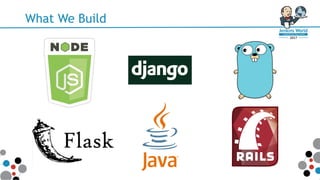
What We Build
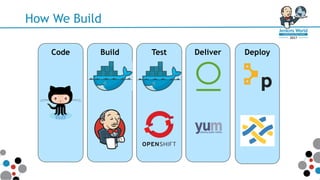
How We Build
Code TestBuild Deliver Deploy
The Great Migration
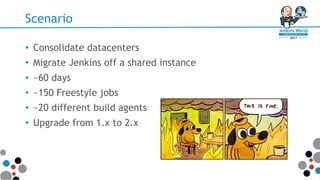
Scenario
• Consolidate datacenters
• Migrate Jenkins off a shared instance
• ~60 days
• ~150 Freestyle jobs
• ~20 different build agents
• Upgrade from 1.x to 2.x
Legacy Jenkins Jobs
• Jenkins primarily used to run tests and build RPMs
• SCP to publish RPMs to yum server
• Ad-hoc Github triggers
• No owner/SME for Jenkins
Goals
• Standardize and make consistent CI pipelines
• Jenkins SME = DevOps team
• Make new app onboarding easy
– Build abstraction that covers ~90% of jobs
• Jenkins jobs tracked in git
• Decouple tools from Jenkins/shell => Docker
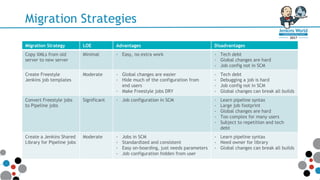
Migration Strategies
Migration Strategy LOE Advantages Disadvantages
Copy XMLs from old
server to new server
Minimal - Easy, no extra work - Tech debt
- Global changes are hard
- Job config not in SCM
Create Freestyle
Jenkins job templates
Moderate - Global changes are easier
- Hide much of the configuration from
end users
- Make Freestyle jobs DRY
- Tech debt
- Debugging a job is hard
- Job config not in SCM
- Global changes can break all builds
Convert Freestyle jobs
to Pipeline jobs
Significant - Job configuration in SCM - Learn pipeline syntax
- Large job footprint
- Global changes are hard
- Too complex for many users
- Subject to repetition and tech
debt
Create a Jenkins Shared
Library for Pipeline jobs
Moderate - Jobs in SCM
- Standardized and consistent
- Easy on-boarding, just needs parameters
- Job configuration hidden from user
- Learn pipeline syntax
- Need owner for library
- Global changes can break all builds
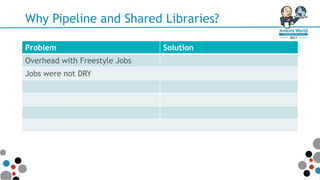
Why Pipeline and Shared Libraries?
Problem Solution
Overhead with Freestyle Jobs
Jobs were not DRY
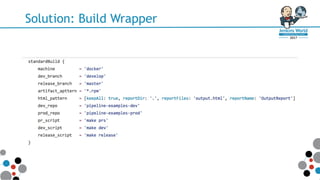
Solution: Build Wrapper
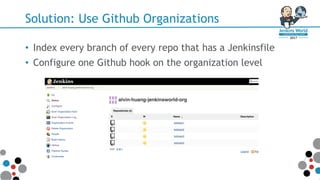
Solution: Use Github Organizations
• Index every branch of every repo that has a Jenkinsfile
• Configure one Github hook on the organization level
Why Pipeline and Shared Libraries?
Problem Solution
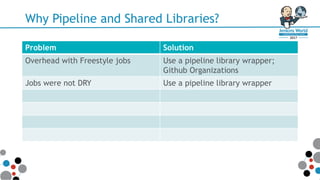
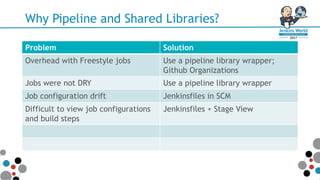
Overhead with Freestyle jobs Use a pipeline library wrapper;
Github Organizations
Jobs were not DRY Use a pipeline library wrapper
Why Pipeline and Shared Libraries?
Problem Solution
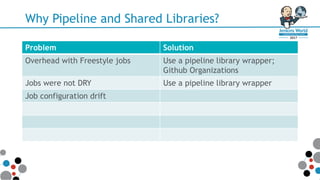
Overhead with Freestyle jobs Use a pipeline library wrapper;
Github Organizations
Jobs were not DRY Use a pipeline library wrapper
Job configuration drift
Why Pipeline and Shared Libraries?
Problem Solution
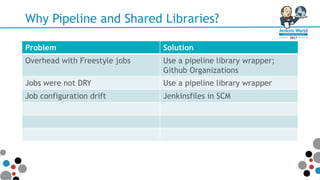
Overhead with Freestyle jobs Use a pipeline library wrapper;
Github Organizations
Jobs were not DRY Use a pipeline library wrapper
Job configuration drift Jenkinsfiles in SCM
Why Pipeline and Shared Libraries?
Problem Solution
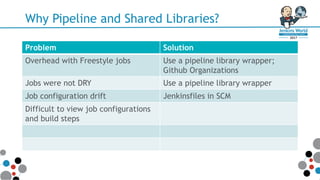
Overhead with Freestyle jobs Use a pipeline library wrapper;
Github Organizations
Jobs were not DRY Use a pipeline library wrapper
Job configuration drift Jenkinsfiles in SCM
Difficult to view job configurations
and build steps
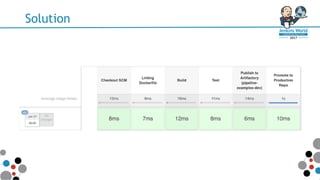
Solution
Why Pipeline and Shared Libraries?
Problem Solution
Overhead with Freestyle jobs Use a pipeline library wrapper;
Github Organizations
Jobs were not DRY Use a pipeline library wrapper
Job configuration drift Jenkinsfiles in SCM
Difficult to view job configurations
and build steps
Jenkinsfiles + Stage View
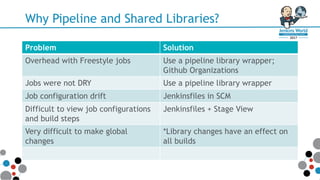
Why Pipeline and Shared Libraries?
Problem Solution
Overhead with Freestyle jobs Use a pipeline library wrapper;
Github Organizations
Jobs were not DRY Use a pipeline library wrapper
Job configuration drift Jenkinsfiles in SCM
Difficult to view job configurations
and build steps
Jenkinsfiles + Stage View
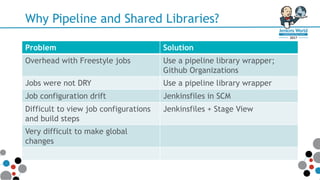
Very difficult to make global
changes
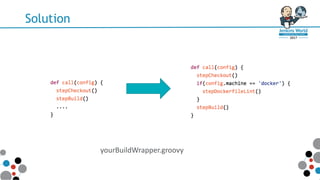
Solution
yourBuildWrapper.groovy
Why Pipeline and Shared Libraries?
Problem Solution
Overhead with Freestyle jobs Use a pipeline library wrapper;
Github Organizations
Jobs were not DRY Use a pipeline library wrapper
Job configuration drift Jenkinsfiles in SCM
Difficult to view job configurations
and build steps
Jenkinsfiles + Stage View
Very difficult to make global
changes
*Library changes have an effect on
all builds
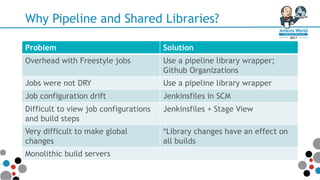
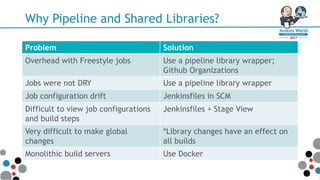
Why Pipeline and Shared Libraries?
Problem Solution
Overhead with Freestyle jobs Use a pipeline library wrapper;
Github Organizations
Jobs were not DRY Use a pipeline library wrapper
Job configuration drift Jenkinsfiles in SCM
Difficult to view job configurations
and build steps
Jenkinsfiles + Stage View
Very difficult to make global
changes
*Library changes have an effect on
all builds
Monolithic build servers
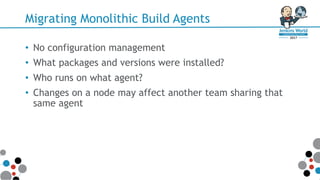
Migrating Monolithic Build Agents
• No configuration management
• What packages and versions were installed?
• Who runs on what agent?
• Changes on a node may affect another team sharing that
same agent
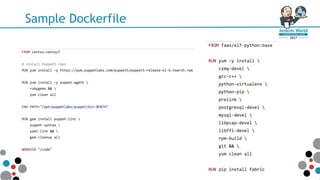
Solution to Monolithic Build Agents
Sample Dockerfile
Why Pipeline and Shared Libraries?
Problem Solution
Overhead with Freestyle jobs Use a pipeline library wrapper;
Github Organizations
Jobs were not DRY Use a pipeline library wrapper
Job configuration drift Jenkinsfiles in SCM
Difficult to view job configurations
and build steps
Jenkinsfiles + Stage View
Very difficult to make global
changes
*Library changes have an effect on
all builds
Monolithic build servers Use Docker
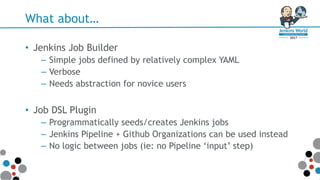
What about…
• Jenkins Job Builder
– Simple jobs defined by relatively complex YAML
– Verbose
– Needs abstraction for novice users
• Job DSL Plugin
– Programmatically seeds/creates Jenkins jobs
– Jenkins Pipeline + Github Organizations can be used instead
– No logic between jobs (ie: no Pipeline ‘input’ step)
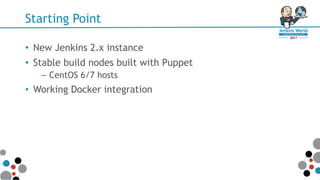
Starting Point
• New Jenkins 2.x instance
• Stable build nodes built with Puppet
– CentOS 6/7 hosts
• Working Docker integration
Before Pipeline
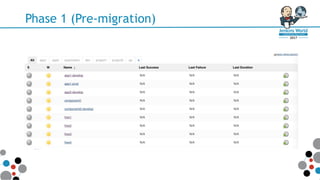
Phase 1 (Pre-migration)
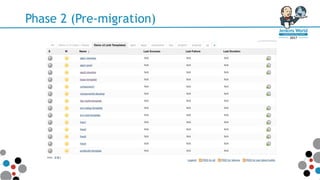
Phase 2 (Pre-migration)
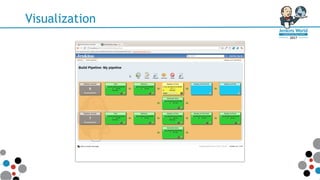
Visualization
The NEW World
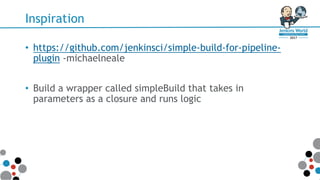
Inspiration
• https://github.com/jenkinsci/simple-build-for-pipeline-
plugin -michaelneale
• Build a wrapper called simpleBuild that takes in
parameters as a closure and runs logic
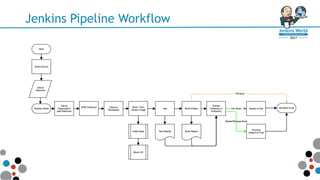
Jenkins Pipeline Workflow
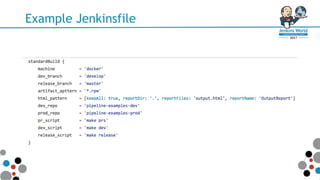
Example Jenkinsfile
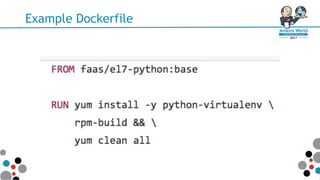
Example Dockerfile
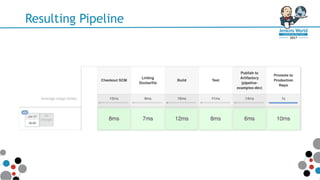
Resulting Pipeline
Demo
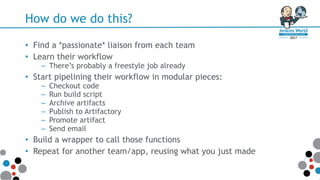
How do we do this?
• Find a *passionate* liaison from each team
• Learn their workflow
– There’s probably a freestyle job already
• Start pipelining their workflow in modular pieces:
– Checkout code
– Run build script
– Archive artifacts
– Publish to Artifactory
– Promote artifact
– Send email
• Build a wrapper to call those functions
• Repeat for another team/app, reusing what you just made
Reap the Benefits
• Give Devs/QA their time back
• Standardization of jobs and workflows
• Standardization of build and test environments
• Jenkins maintenance and resilience made easy by
decoupling tools
Lessons Learned
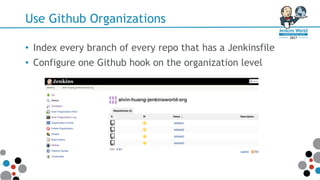
Use Github Organizations
• Index every branch of every repo that has a Jenkinsfile
• Configure one Github hook on the organization level
Make Steps Modular
• What does this step do?
– Does A ‘AND’ B; break it apart
• Namespace them
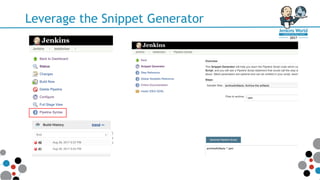
Leverage the Snippet Generator
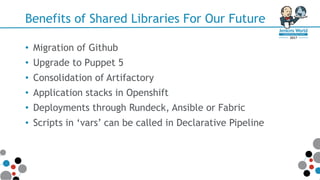
Benefits of Shared Libraries For Our Future
• Migration of Github
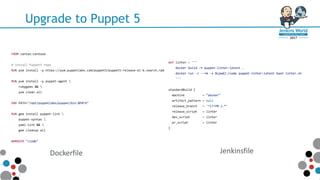
• Upgrade to Puppet 5
• Consolidation of Artifactory
• Application stacks in Openshift
• Deployments through Rundeck, Ansible or Fabric
• Scripts in ‘vars’ can be called in Declarative Pipeline
Upgrade to Puppet 5
Dockerfile Jenkinsfile
Go Forth and Pipeline!
Thanks!
• alvin.huang@fireeye.com | @RealAlvinHuang | ahuang
Codifying the Build and Release Process with a Jenkins Pipeline Shared Library

Codifying the Build and Release Process with a Jenkins Pipeline Shared Library

  • 1.
    Codifying the Buildand Release Process with a Jenkins Pipeline Shared Library Alvin Huang
  • 2.
    Codifying the Buildand Release Process with a Jenkins Pipeline Shared Library Alvin Huang DevOps Engineer, FireEye
  • 3.
    Who Am I •DevOps Engineer, GSI @ FireEye • Twitter: @RealAlvinHuang, IRC: ahuang • alvin.huang@fireeye.com
  • 4.
    Agenda • Overview ofGSI • The Great Migration • Why Pipeline? • Why Docker? • Shared Library Examples • How we did this • Lessons Learned • Benefits for the Future
  • 5.
    Overview of GSI •Unified global organization combining Mandiant, FireEye iSIGHT Intelligence, and FireEye as a Service operations • DevOps Goal: Make the feedback loop between intelligence on the front lines to capabilities in software, smaller
  • 6.
  • 7.
    How We Build CodeTestBuild Deliver Deploy
  • 8.
  • 9.
    Scenario • Consolidate datacenters •Migrate Jenkins off a shared instance • ~60 days • ~150 Freestyle jobs • ~20 different build agents • Upgrade from 1.x to 2.x
  • 10.
    Legacy Jenkins Jobs •Jenkins primarily used to run tests and build RPMs • SCP to publish RPMs to yum server • Ad-hoc Github triggers • No owner/SME for Jenkins
  • 11.
    Goals • Standardize andmake consistent CI pipelines • Jenkins SME = DevOps team • Make new app onboarding easy – Build abstraction that covers ~90% of jobs • Jenkins jobs tracked in git • Decouple tools from Jenkins/shell => Docker
  • 12.
    Migration Strategies Migration StrategyLOE Advantages Disadvantages Copy XMLs from old server to new server Minimal - Easy, no extra work - Tech debt - Global changes are hard - Job config not in SCM Create Freestyle Jenkins job templates Moderate - Global changes are easier - Hide much of the configuration from end users - Make Freestyle jobs DRY - Tech debt - Debugging a job is hard - Job config not in SCM - Global changes can break all builds Convert Freestyle jobs to Pipeline jobs Significant - Job configuration in SCM - Learn pipeline syntax - Large job footprint - Global changes are hard - Too complex for many users - Subject to repetition and tech debt Create a Jenkins Shared Library for Pipeline jobs Moderate - Jobs in SCM - Standardized and consistent - Easy on-boarding, just needs parameters - Job configuration hidden from user - Learn pipeline syntax - Need owner for library - Global changes can break all builds
  • 13.
    Why Pipeline andShared Libraries? Problem Solution Overhead with Freestyle Jobs Jobs were not DRY
  • 14.
  • 15.
    Solution: Use GithubOrganizations • Index every branch of every repo that has a Jenkinsfile • Configure one Github hook on the organization level
  • 16.
    Why Pipeline andShared Libraries? Problem Solution Overhead with Freestyle jobs Use a pipeline library wrapper; Github Organizations Jobs were not DRY Use a pipeline library wrapper
  • 17.
    Why Pipeline andShared Libraries? Problem Solution Overhead with Freestyle jobs Use a pipeline library wrapper; Github Organizations Jobs were not DRY Use a pipeline library wrapper Job configuration drift
  • 18.
    Why Pipeline andShared Libraries? Problem Solution Overhead with Freestyle jobs Use a pipeline library wrapper; Github Organizations Jobs were not DRY Use a pipeline library wrapper Job configuration drift Jenkinsfiles in SCM
  • 19.
    Why Pipeline andShared Libraries? Problem Solution Overhead with Freestyle jobs Use a pipeline library wrapper; Github Organizations Jobs were not DRY Use a pipeline library wrapper Job configuration drift Jenkinsfiles in SCM Difficult to view job configurations and build steps
  • 20.
  • 21.
    Why Pipeline andShared Libraries? Problem Solution Overhead with Freestyle jobs Use a pipeline library wrapper; Github Organizations Jobs were not DRY Use a pipeline library wrapper Job configuration drift Jenkinsfiles in SCM Difficult to view job configurations and build steps Jenkinsfiles + Stage View
  • 22.
    Why Pipeline andShared Libraries? Problem Solution Overhead with Freestyle jobs Use a pipeline library wrapper; Github Organizations Jobs were not DRY Use a pipeline library wrapper Job configuration drift Jenkinsfiles in SCM Difficult to view job configurations and build steps Jenkinsfiles + Stage View Very difficult to make global changes
  • 23.
  • 24.
    Why Pipeline andShared Libraries? Problem Solution Overhead with Freestyle jobs Use a pipeline library wrapper; Github Organizations Jobs were not DRY Use a pipeline library wrapper Job configuration drift Jenkinsfiles in SCM Difficult to view job configurations and build steps Jenkinsfiles + Stage View Very difficult to make global changes *Library changes have an effect on all builds
  • 25.
    Why Pipeline andShared Libraries? Problem Solution Overhead with Freestyle jobs Use a pipeline library wrapper; Github Organizations Jobs were not DRY Use a pipeline library wrapper Job configuration drift Jenkinsfiles in SCM Difficult to view job configurations and build steps Jenkinsfiles + Stage View Very difficult to make global changes *Library changes have an effect on all builds Monolithic build servers
  • 26.
    Migrating Monolithic BuildAgents • No configuration management • What packages and versions were installed? • Who runs on what agent? • Changes on a node may affect another team sharing that same agent
  • 27.
  • 28.
  • 29.
    Why Pipeline andShared Libraries? Problem Solution Overhead with Freestyle jobs Use a pipeline library wrapper; Github Organizations Jobs were not DRY Use a pipeline library wrapper Job configuration drift Jenkinsfiles in SCM Difficult to view job configurations and build steps Jenkinsfiles + Stage View Very difficult to make global changes *Library changes have an effect on all builds Monolithic build servers Use Docker
  • 30.
    What about… • JenkinsJob Builder – Simple jobs defined by relatively complex YAML – Verbose – Needs abstraction for novice users • Job DSL Plugin – Programmatically seeds/creates Jenkins jobs – Jenkins Pipeline + Github Organizations can be used instead – No logic between jobs (ie: no Pipeline ‘input’ step)
  • 31.
    Starting Point • NewJenkins 2.x instance • Stable build nodes built with Puppet – CentOS 6/7 hosts • Working Docker integration
  • 32.
  • 33.
  • 34.
  • 35.
  • 36.
  • 37.
    Inspiration • https://github.com/jenkinsci/simple-build-for-pipeline- plugin -michaelneale •Build a wrapper called simpleBuild that takes in parameters as a closure and runs logic
  • 38.
  • 39.
  • 40.
  • 41.
  • 42.
  • 43.
    How do wedo this? • Find a *passionate* liaison from each team • Learn their workflow – There’s probably a freestyle job already • Start pipelining their workflow in modular pieces: – Checkout code – Run build script – Archive artifacts – Publish to Artifactory – Promote artifact – Send email • Build a wrapper to call those functions • Repeat for another team/app, reusing what you just made
  • 44.
    Reap the Benefits •Give Devs/QA their time back • Standardization of jobs and workflows • Standardization of build and test environments • Jenkins maintenance and resilience made easy by decoupling tools
  • 45.
  • 46.
    Use Github Organizations •Index every branch of every repo that has a Jenkinsfile • Configure one Github hook on the organization level
  • 47.
    Make Steps Modular •What does this step do? – Does A ‘AND’ B; break it apart • Namespace them
  • 48.
  • 49.
    Benefits of SharedLibraries For Our Future • Migration of Github • Upgrade to Puppet 5 • Consolidation of Artifactory • Application stacks in Openshift • Deployments through Rundeck, Ansible or Fabric • Scripts in ‘vars’ can be called in Declarative Pipeline
  • 50.
    Upgrade to Puppet5 Dockerfile Jenkinsfile
  • 51.
    Go Forth andPipeline!
  • 52.
    Thanks! • alvin.huang@fireeye.com |@RealAlvinHuang | ahuang