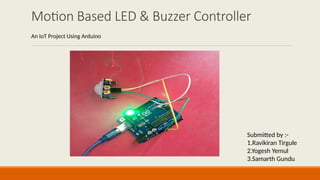
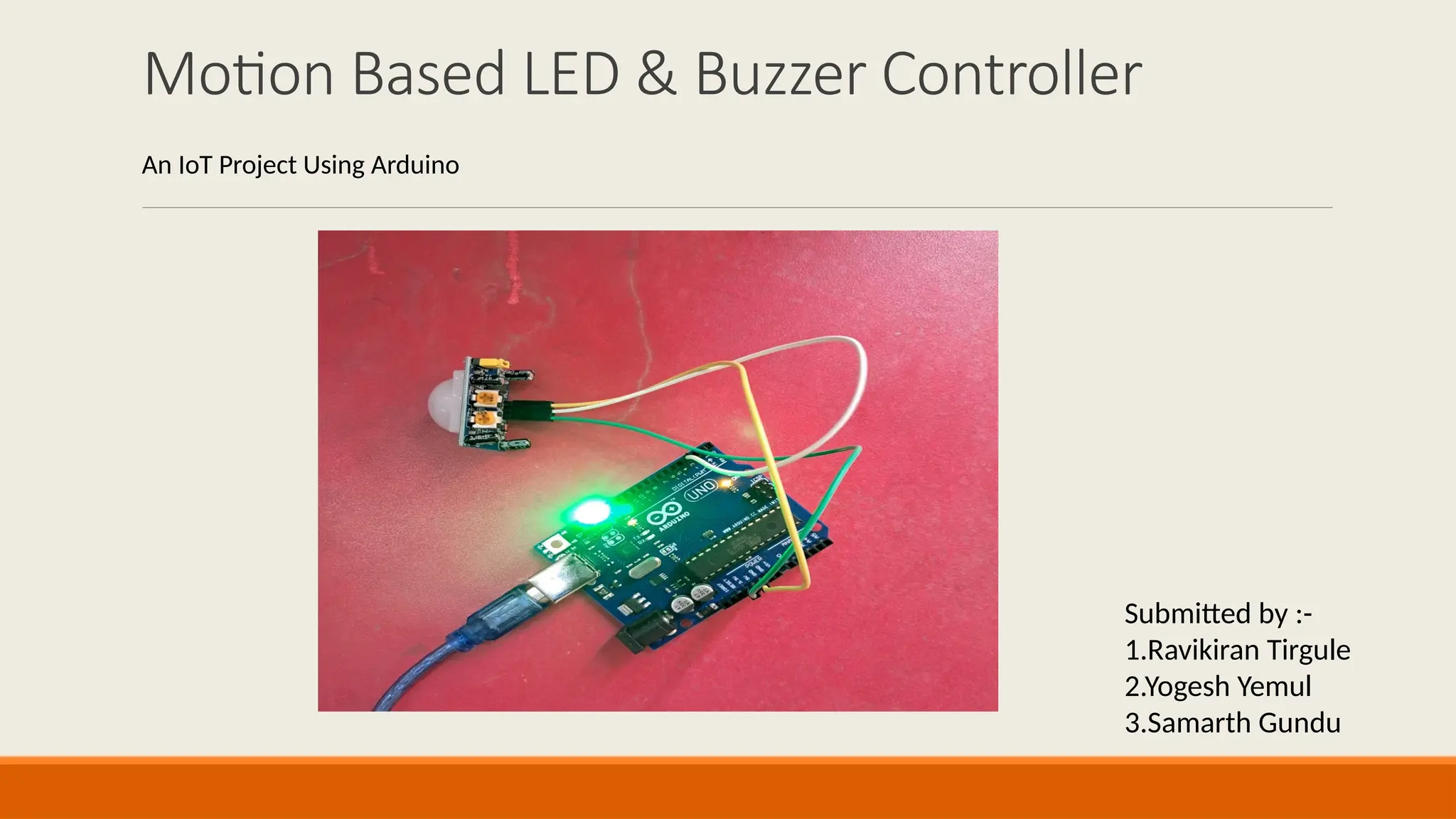
Motion Based LED & Buzzer Controller
Submitted by :-
1.Ravikiran Tirgule
2.Yogesh Yemul
3.Samarth Gundu
An IoT Project Using Arduino
Introduction
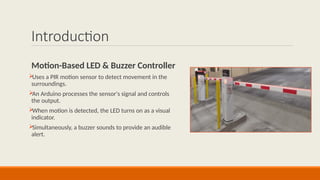
Motion-Based LED & Buzzer Controller

Uses a PIR motion sensor to detect movement in the
surroundings.

An Arduino processes the sensor's signal and controls
the output.

When motion is detected, the LED turns on as a visual
indicator.

Simultaneously, a buzzer sounds to provide an audible
alert.
Objective of the Project
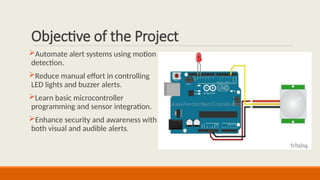
Automate alert systems using motion
detection.
Reduce manual effort in controlling
LED lights and buzzer alerts.
Learn basic microcontroller
programming and sensor integration.
Enhance security and awareness with
both visual and audible alerts.
Why This Project?
•Traditional lighting requires manual
switching.
• A motion-based system improves
energy efficiency and convenience.
• Helps in learning embedded systems
and IoT basics.
•Provides an affordable and scalable
lighting solution.
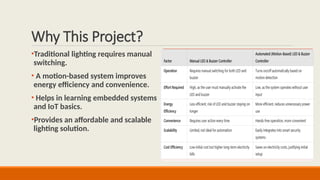
Factor Manual Toll Gate Automated Toll Gate
Time
Efficiency
Slow, requires human
intervention
Fast, automatic
detection and
operation
Accuracy Prone to human errors
High accuracy with
sensor-based detection
Cost Requires staff salary
Initial setup cost, but
lower operational cost
Security
Manual verification, potential
for errors
Can integrate RFID or
cameras for better
security
Scalability
Difficult to scale with more
lanes
Easily scalable with
additional sensors
User
Convenience
May require manual ticketing or
payment
Contactless, quick
access
Components Used
Arduino Uno – Microcontroller
for processing.
Ultrasonic Sensor (HC-SR04) –
Detects vehicles.
Servo Motor (SG90) – Lifts the
gate.
Breadboard & Jumper Wires –
Connect components.
Power Supply (Battery/USB) –
Powers the system.
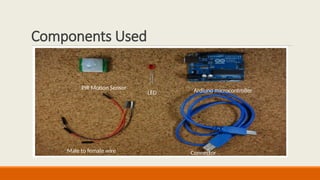
PIR Motion Sensor
LED Ardiuno microcontroller
Male to female wire Connector
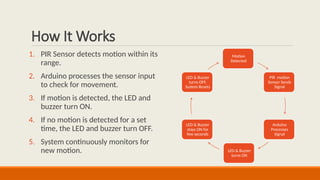
How It Works
1. PIR Sensor detects motion within its
range.
2. Arduino processes the sensor input
to check for movement.
3. If motion is detected, the LED and
buzzer turn ON.
4. If no motion is detected for a set
time, the LED and buzzer turn OFF.
5. System continuously monitors for
new motion.
Motion
Detected
PIR motion
Sensor Sends
Signal
Arduino
Processes
Signal
LED & Buzzer
turns ON
LED & Buzzer
stays ON for
few seconds
LED & Buzzer
turns OFF,
System Resets
Benefits & Applications
Benefits of Motion-Based LED and Buzzer Controller
Enhanced Security: Combines visual (LED) and auditory (buzzer) alerts for immediate awareness of motion.
Energy Efficiency: Activates devices only when motion is detected, minimizing power waste.
Dual Functionality: Serves both lighting and alert purposes in a single system.
Educational Value: Teaches sensor integration, coding, and IoT concepts with practical applications.
Applications of Motion-Based LED and Buzzer Controller
Security Systems: Triggers lights and alarms for intruder detection in homes or restricted areas.
Public Spaces: Alerts staff to movement in libraries, theaters, or storage rooms while lighting paths.
Industrial Safety: Warns workers with lights and sounds in hazardous zones when motion is detected.
Emergency Exits: Activates guiding lights and alarms during evacuations.
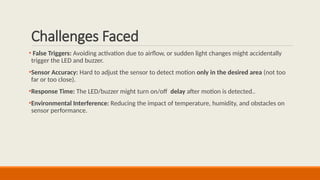
Challenges Faced
• False Triggers: Avoiding activation due to airflow, or sudden light changes might accidentally
trigger the LED and buzzer.
•Sensor Accuracy: Hard to adjust the sensor to detect motion only in the desired area (not too
far or too close).
•Response Time: The LED/buzzer might turn on/off delay after motion is detected..
•Environmental Interference: Reducing the impact of temperature, humidity, and obstacles on
sensor performance.
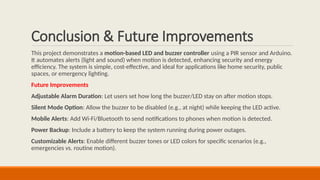
Conclusion & Future Improvements
This project demonstrates a motion-based LED and buzzer controller using a PIR sensor and Arduino.
It automates alerts (light and sound) when motion is detected, enhancing security and energy
efficiency. The system is simple, cost-effective, and ideal for applications like home security, public
spaces, or emergency lighting.
Future Improvements
Adjustable Alarm Duration: Let users set how long the buzzer/LED stay on after motion stops.
Silent Mode Option: Allow the buzzer to be disabled (e.g., at night) while keeping the LED active.
Mobile Alerts: Add Wi-Fi/Bluetooth to send notifications to phones when motion is detected.
Power Backup: Include a battery to keep the system running during power outages.
Customizable Alerts: Enable different buzzer tones or LED colors for specific scenarios (e.g.,
emergencies vs. routine motion).
motion_based_led_controller_python_iot _based _project.pptx

  • 1.
    Motion Based LED& Buzzer Controller Submitted by :- 1.Ravikiran Tirgule 2.Yogesh Yemul 3.Samarth Gundu An IoT Project Using Arduino
  • 2.
    Introduction Motion-Based LED &Buzzer Controller  Uses a PIR motion sensor to detect movement in the surroundings.  An Arduino processes the sensor's signal and controls the output.  When motion is detected, the LED turns on as a visual indicator.  Simultaneously, a buzzer sounds to provide an audible alert.
  • 3.
    Objective of theProject Automate alert systems using motion detection. Reduce manual effort in controlling LED lights and buzzer alerts. Learn basic microcontroller programming and sensor integration. Enhance security and awareness with both visual and audible alerts.
  • 4.
    Why This Project? •Traditionallighting requires manual switching. • A motion-based system improves energy efficiency and convenience. • Helps in learning embedded systems and IoT basics. •Provides an affordable and scalable lighting solution. Factor Manual Toll Gate Automated Toll Gate Time Efficiency Slow, requires human intervention Fast, automatic detection and operation Accuracy Prone to human errors High accuracy with sensor-based detection Cost Requires staff salary Initial setup cost, but lower operational cost Security Manual verification, potential for errors Can integrate RFID or cameras for better security Scalability Difficult to scale with more lanes Easily scalable with additional sensors User Convenience May require manual ticketing or payment Contactless, quick access
  • 5.
    Components Used Arduino Uno– Microcontroller for processing. Ultrasonic Sensor (HC-SR04) – Detects vehicles. Servo Motor (SG90) – Lifts the gate. Breadboard & Jumper Wires – Connect components. Power Supply (Battery/USB) – Powers the system. PIR Motion Sensor LED Ardiuno microcontroller Male to female wire Connector
  • 6.
    How It Works 1.PIR Sensor detects motion within its range. 2. Arduino processes the sensor input to check for movement. 3. If motion is detected, the LED and buzzer turn ON. 4. If no motion is detected for a set time, the LED and buzzer turn OFF. 5. System continuously monitors for new motion. Motion Detected PIR motion Sensor Sends Signal Arduino Processes Signal LED & Buzzer turns ON LED & Buzzer stays ON for few seconds LED & Buzzer turns OFF, System Resets
  • 7.
    Benefits & Applications Benefitsof Motion-Based LED and Buzzer Controller Enhanced Security: Combines visual (LED) and auditory (buzzer) alerts for immediate awareness of motion. Energy Efficiency: Activates devices only when motion is detected, minimizing power waste. Dual Functionality: Serves both lighting and alert purposes in a single system. Educational Value: Teaches sensor integration, coding, and IoT concepts with practical applications. Applications of Motion-Based LED and Buzzer Controller Security Systems: Triggers lights and alarms for intruder detection in homes or restricted areas. Public Spaces: Alerts staff to movement in libraries, theaters, or storage rooms while lighting paths. Industrial Safety: Warns workers with lights and sounds in hazardous zones when motion is detected. Emergency Exits: Activates guiding lights and alarms during evacuations.
  • 8.
    Challenges Faced • FalseTriggers: Avoiding activation due to airflow, or sudden light changes might accidentally trigger the LED and buzzer. •Sensor Accuracy: Hard to adjust the sensor to detect motion only in the desired area (not too far or too close). •Response Time: The LED/buzzer might turn on/off delay after motion is detected.. •Environmental Interference: Reducing the impact of temperature, humidity, and obstacles on sensor performance.
  • 9.
    Conclusion & FutureImprovements This project demonstrates a motion-based LED and buzzer controller using a PIR sensor and Arduino. It automates alerts (light and sound) when motion is detected, enhancing security and energy efficiency. The system is simple, cost-effective, and ideal for applications like home security, public spaces, or emergency lighting. Future Improvements Adjustable Alarm Duration: Let users set how long the buzzer/LED stay on after motion stops. Silent Mode Option: Allow the buzzer to be disabled (e.g., at night) while keeping the LED active. Mobile Alerts: Add Wi-Fi/Bluetooth to send notifications to phones when motion is detected. Power Backup: Include a battery to keep the system running during power outages. Customizable Alerts: Enable different buzzer tones or LED colors for specific scenarios (e.g., emergencies vs. routine motion).