Global standard LMS, Moodle has many functions . So that if you use Moodle efficiency or just file
server , is depending on the know-how of usage . This presentation was on elearning award forum
in Japan .
I hope you will love Moodle as We do .

Takeshi Matsuzaki
e-learning co., ltd.
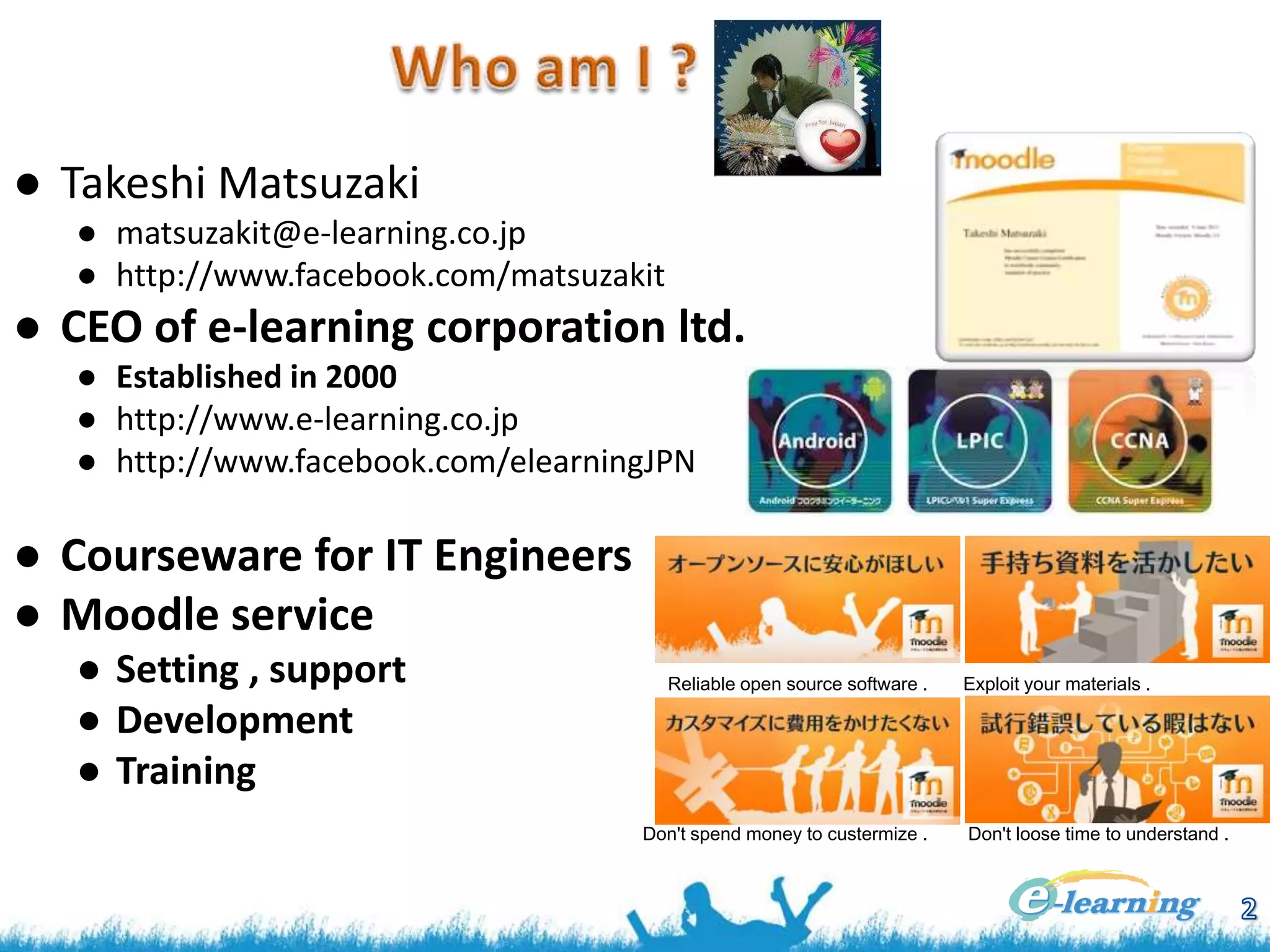
● Takeshi Matsuzaki
● matsuzakit@e-learning.co.jp
● http://www.facebook.com/matsuzakit

● CEO of e-learning corporation ltd.
● Established in 2000
● http://www.e-learning.co.jp
● http://www.facebook.com/elearningJPN

● Courseware for IT Engineers
● Moodle service
● Setting , support
● Development
● Training

Reliable open source software .

Don't spend money to custermize .

Exploit your materials .

Don't loose time to understand .
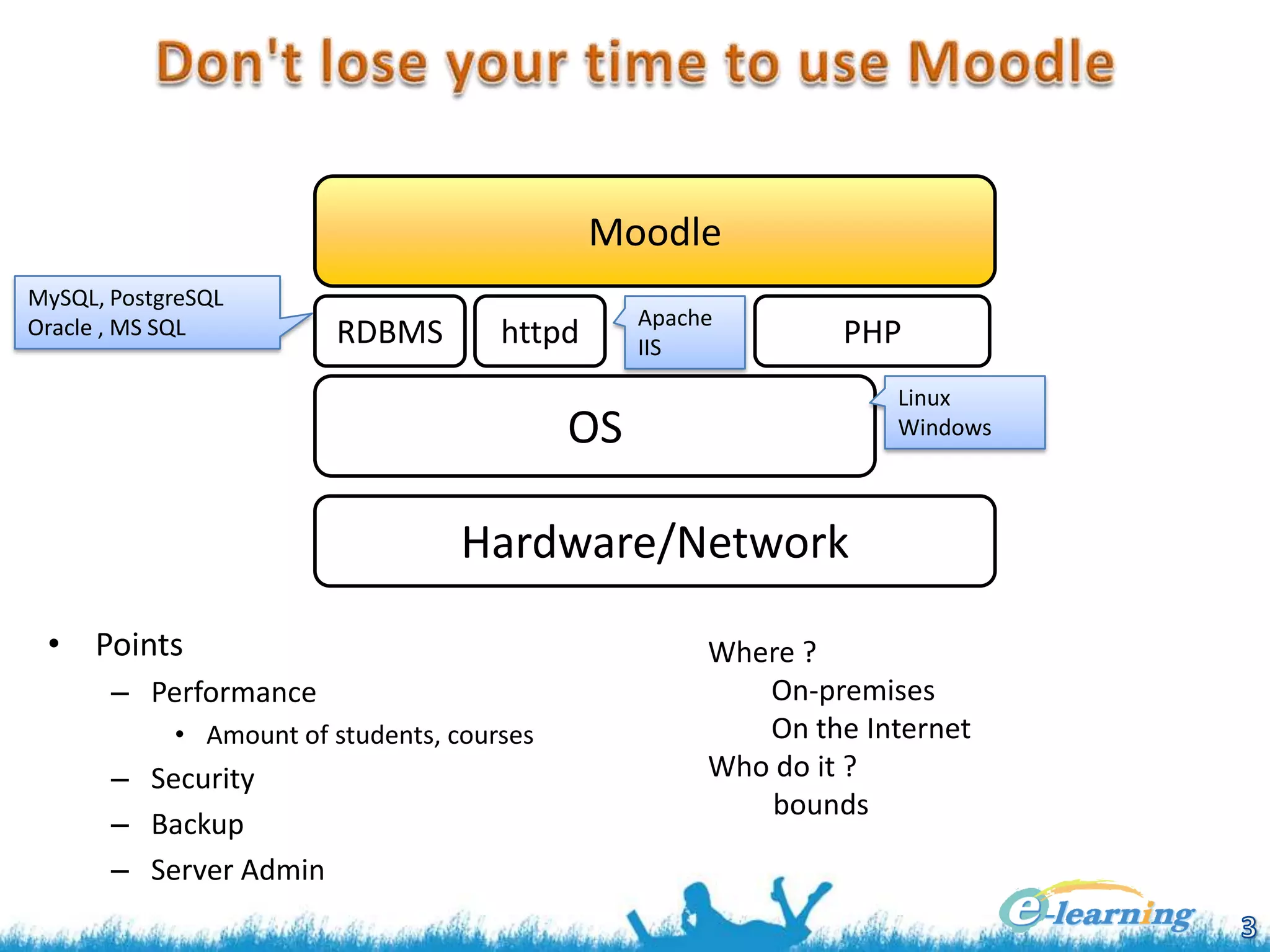
Moodle
MySQL, PostgreSQL
Oracle , MS SQL

RDBMS

httpd

Apache
IIS

PHP
Linux
Windows

OS
Hardware/Network
• Points
– Performance
• Amount of students, courses

– Security
– Backup
– Server Admin

Where ?
On-premises
On the Internet
Who do it ?
bounds
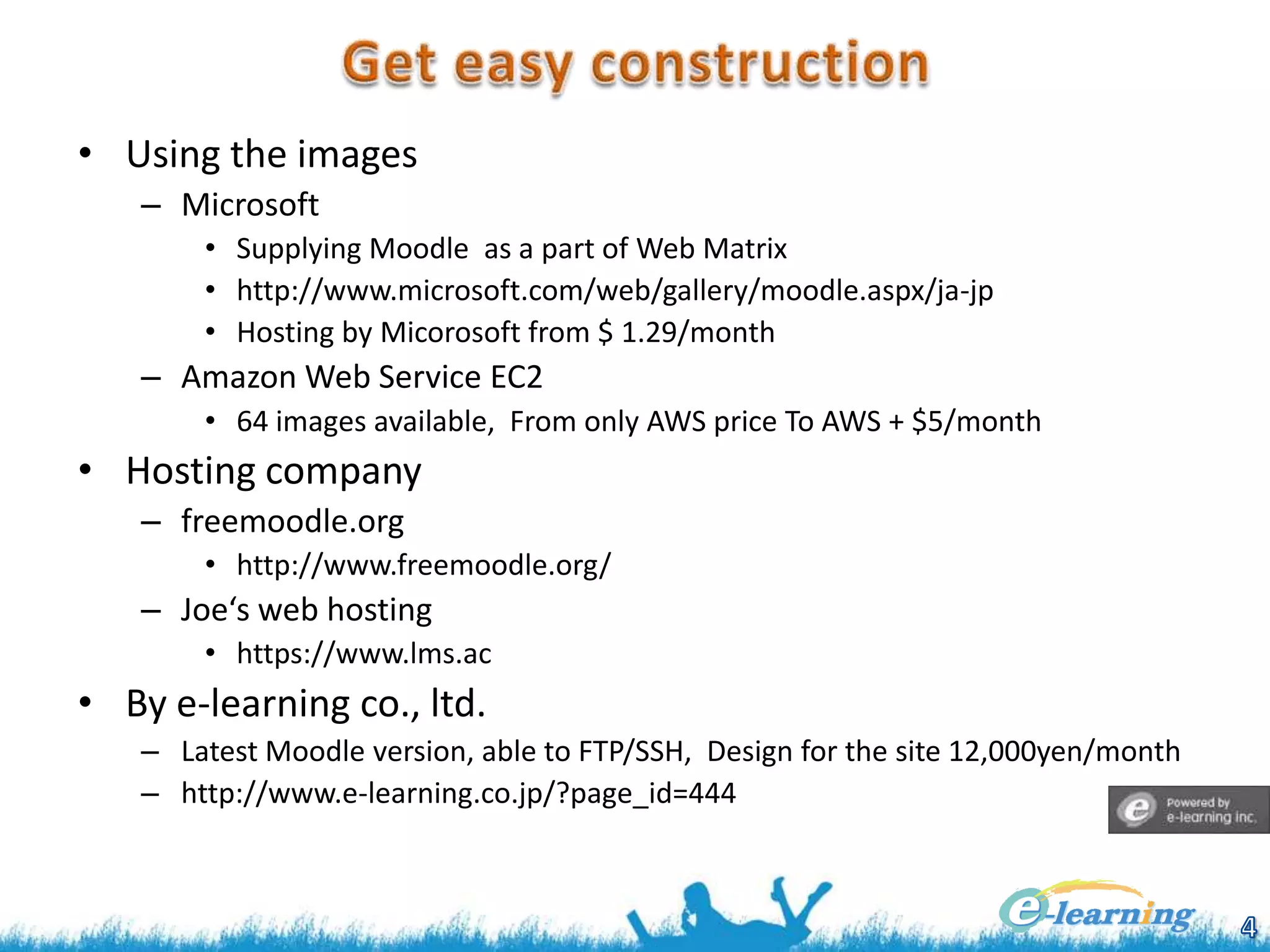
• Using the images
– Microsoft
• Supplying Moodle as a part of Web Matrix
• http://www.microsoft.com/web/gallery/moodle.aspx/ja-jp
• Hosting by Micorosoft from $ 1.29/month

– Amazon Web Service EC2
• 64 images available, From only AWS price To AWS + $5/month

• Hosting company
– freemoodle.org
• http://www.freemoodle.org/

– Joe‘s web hosting
• https://www.lms.ac

• By e-learning co., ltd.
– Latest Moodle version, able to FTP/SSH, Design for the site 12,000yen/month
– http://www.e-learning.co.jp/?page_id=444
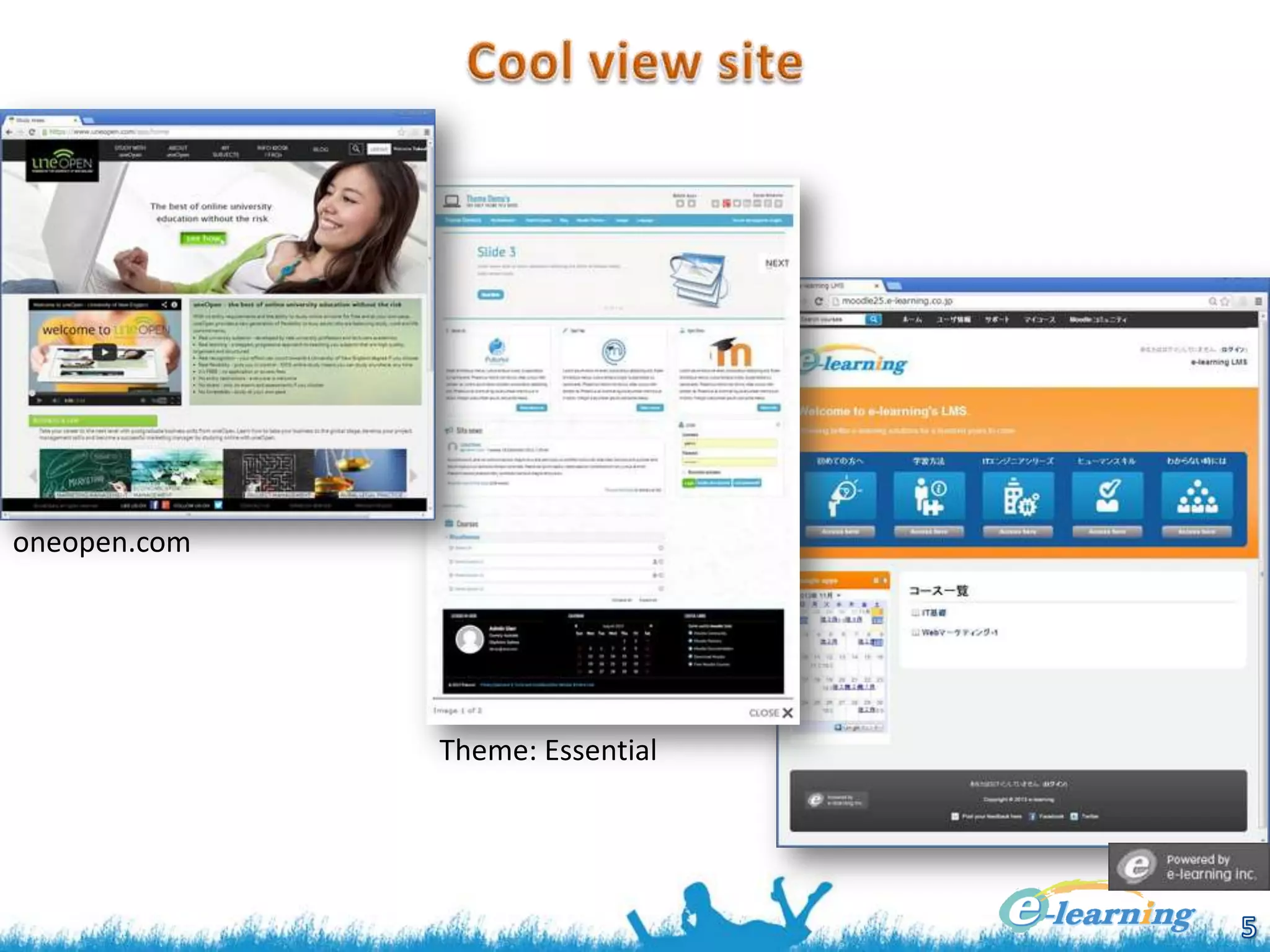
oneopen.com

Theme: Essential
• Hints by Moodle alone
– Adding only pulldown menu, it becomes cool
• Home / ► Site administration / ► Appearance / ► Themes / ► Theme settings
• Add title and URL In [Custom menu items] text box .
• Layered structure is possible .

– Customizing front page
• Home / ► Front page settings / ► Edit settings
• Write HTML code in Front page summary or we recommend to use an iframe .

• Theme
– Moodle has many themes as plugin .
• You can install the theme by downloaded as zip file to upload to your
moodle .
– Home / ► Site administration / ► Plugins / ► Install add-ons
– The plugins excluding theme may be hard to select [Plugin type ] . -> Refer zip’s
README.txt .
– Select theme, Home / ► Site administration / ► Appearance / ► Themes / ► Theme selector

• Boot Strap
– Developed by Twitter, responsible design by using HTML5, CSS3, jQuery .
– Moodle offers the base design ‘bootstrapbase’ and simple ‘Clean’ theme .

•

We, e-learning corp., offers Moodle custom themes .
• Many converting tools for PPT to flash, PPT to HTML5, but not
enough .
• Moodle offers the module ‘Book’ similar to PPT
– ‘Book’ offers continuity pages (html)
– ‘Book’ can read from some htmls together .
– Pages in a ‘Book’ is editable as html, so that you can insert several kind
of contents such as Youtube videos .

• Weak point of ‘Book’
– Anyone can copy ‘Book’ as characters .
– A bit slow behavior
– ‘Book’ from Powerpoint is not working without IE .
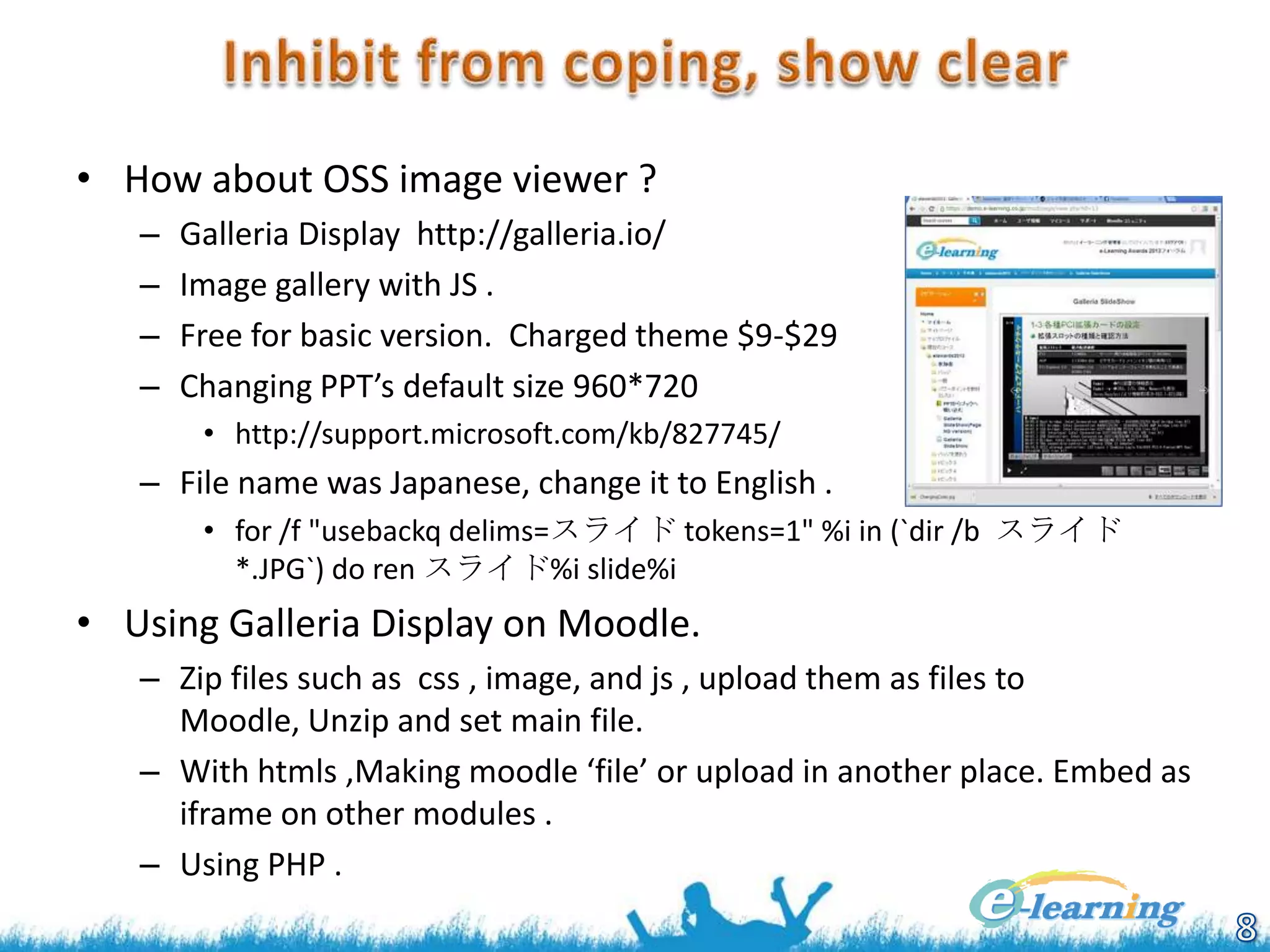
• How about OSS image viewer ?
–
–
–
–

Galleria Display http://galleria.io/
Image gallery with JS .
Free for basic version. Charged theme $9-$29
Changing PPT’s default size 960*720
• http://support.microsoft.com/kb/827745/

– File name was Japanese, change it to English .
• for /f "usebackq delims=スライド tokens=1" %i in (`dir /b スライド
*.JPG`) do ren スライド%i slide%i

• Using Galleria Display on Moodle.
– Zip files such as css , image, and js , upload them as files to
Moodle, Unzip and set main file.
– With htmls ,Making moodle ‘file’ or upload in another place. Embed as
iframe on other modules .
– Using PHP .
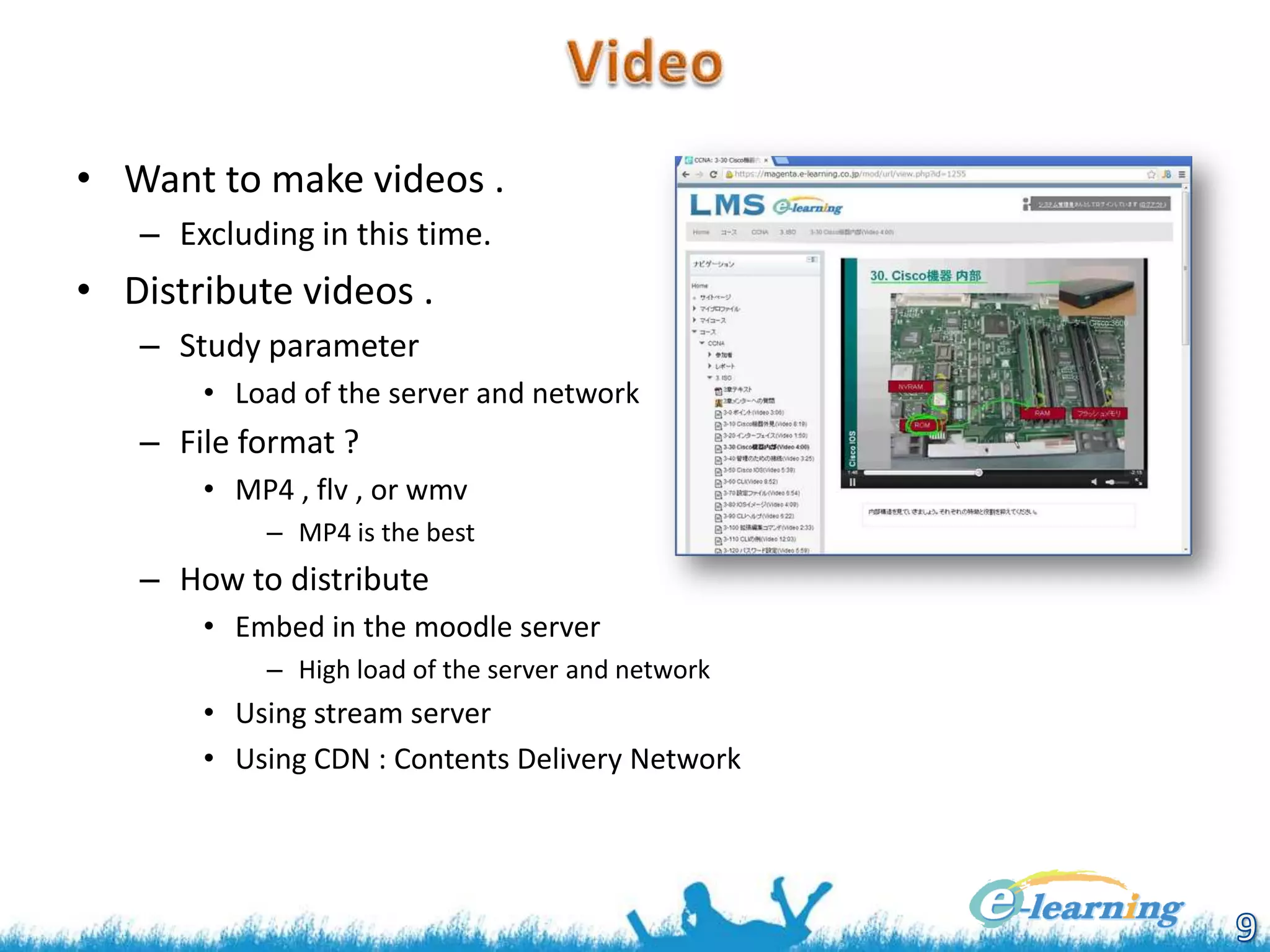
• Want to make videos .
– Excluding in this time.

• Distribute videos .
– Study parameter
• Load of the server and network

– File format ?
• MP4 , flv , or wmv
– MP4 is the best

– How to distribute
• Embed in the moodle server
– High load of the server and network

• Using stream server
• Using CDN : Contents Delivery Network
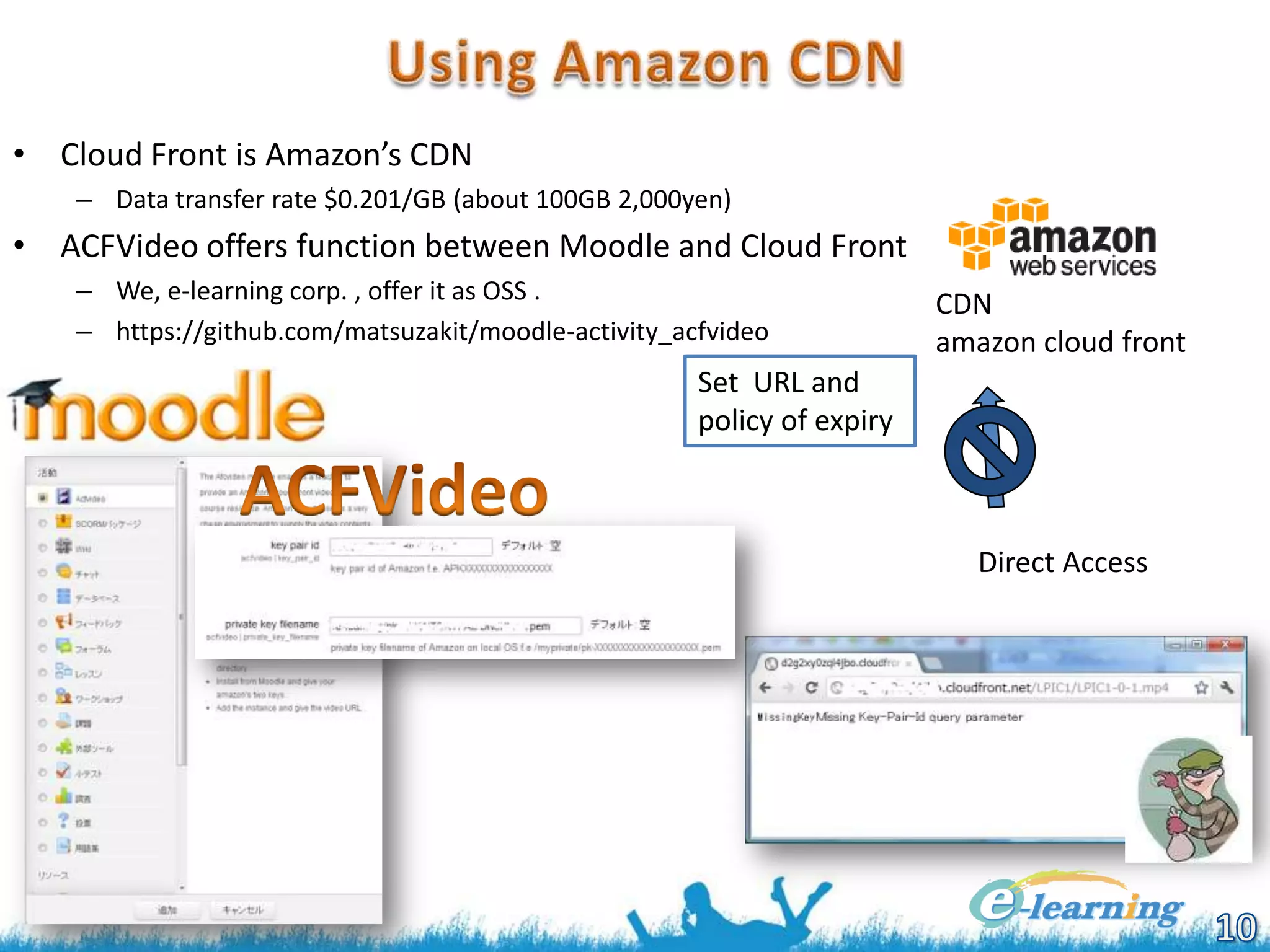
• Cloud Front is Amazon’s CDN
– Data transfer rate $0.201/GB (about 100GB 2,000yen)

• ACFVideo offers function between Moodle and Cloud Front
– We, e-learning corp. , offer it as OSS .
– https://github.com/matsuzakit/moodle-activity_acfvideo

CDN
amazon cloud front

Set URL and
policy of expiry

Direct Access
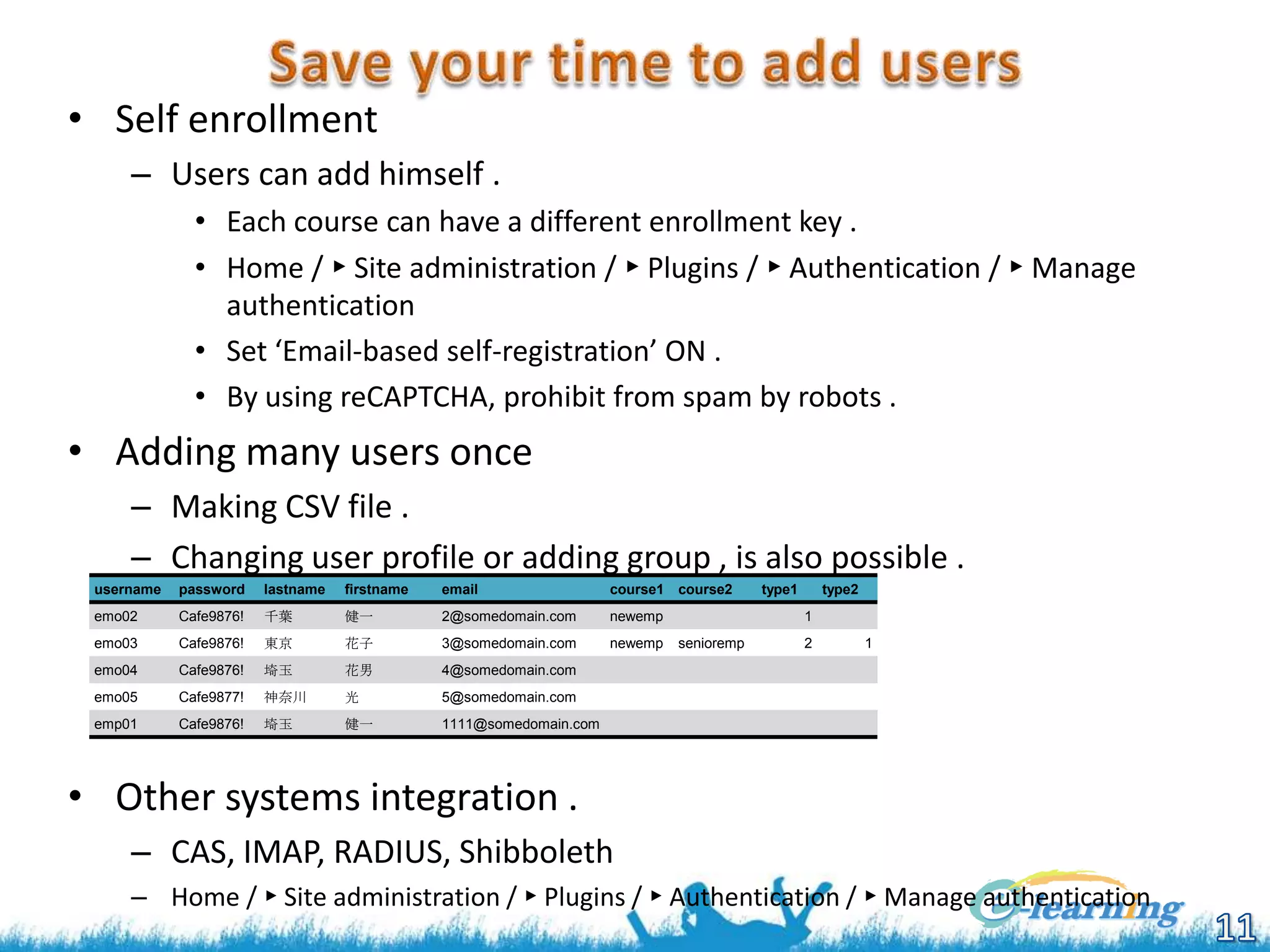
• Self enrollment
– Users can add himself .
• Each course can have a different enrollment key .
• Home / ► Site administration / ► Plugins / ► Authentication / ► Manage
authentication
• Set ‘Email-based self-registration’ ON .
• By using reCAPTCHA, prohibit from spam by robots .

• Adding many users once
– Making CSV file .
– Changing user profile or adding group , is also possible .
username

password

lastname

firstname

email

course1 course2

emo02

Cafe9876!

千葉

健一

2@somedomain.com

newemp

emo03

Cafe9876!

東京

花子

3@somedomain.com

newemp

emo04

Cafe9876!

埼玉

花男

4@somedomain.com

emo05

Cafe9877!

神奈川

光

5@somedomain.com

emp01

Cafe9876!

埼玉

健一

type1

type2

1111@somedomain.com

1

senioremp

2

1

• Other systems integration .
– CAS, IMAP, RADIUS, Shibboleth
– Home / ► Site administration / ► Plugins / ► Authentication / ► Manage authentication
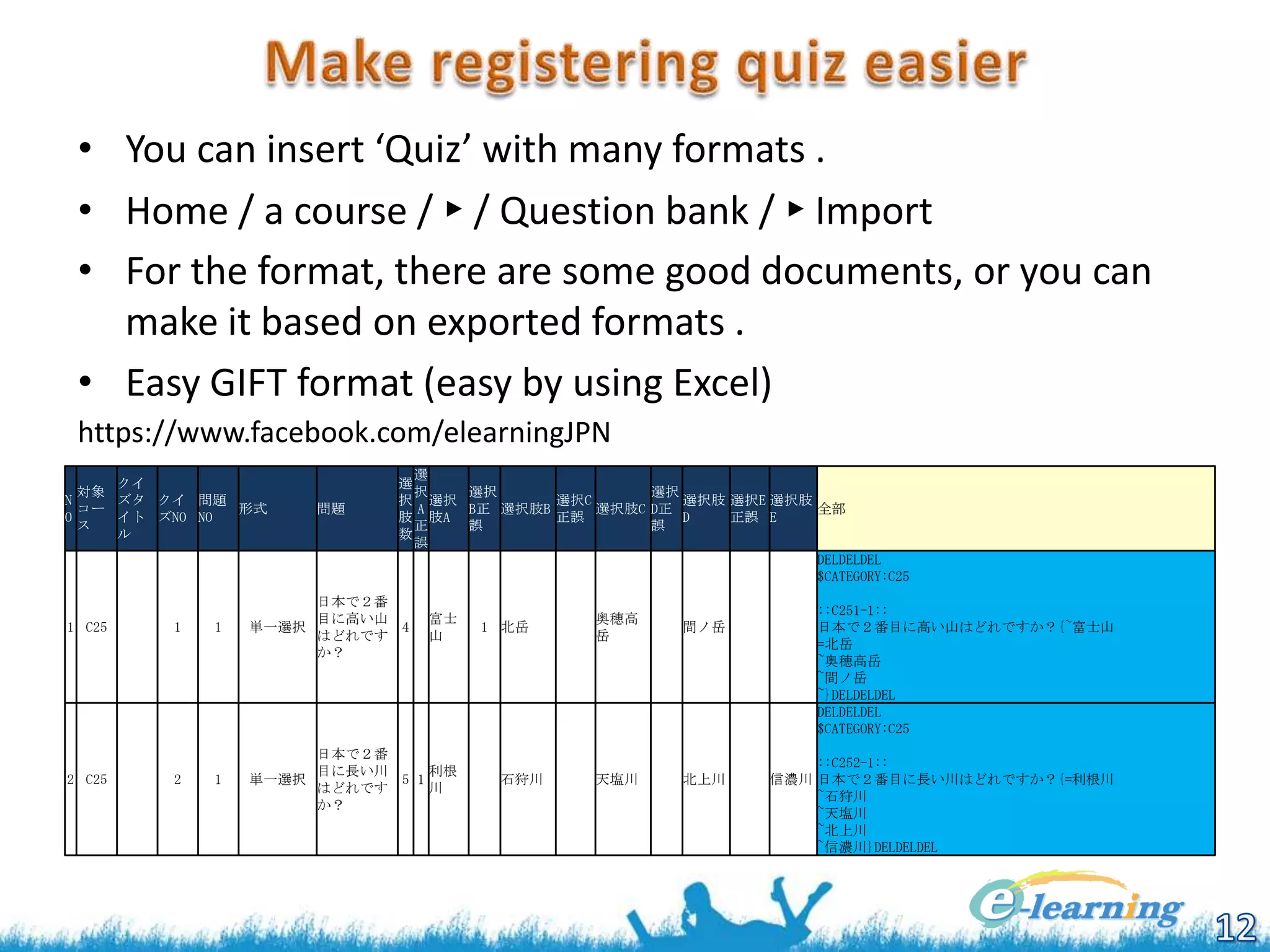
• You can insert ‘Quiz’ with many formats .
• Home / a course / ► / Question bank / ► Import
• For the format, there are some good documents, or you can
make it based on exported formats .
• Easy GIFT format (easy by using Excel)
https://www.facebook.com/elearningJPN
選
選
択
選択
選択
択 選択
選択C
選択肢 選択E 選択肢
A
B正 選択肢B
選択肢C D正
全部
肢 肢A
正誤
D
正誤 E
正
誤
誤
数
誤
DELDELDEL
$CATEGORY:C25

クイ
対象
N
ズタ クイ 問題
コー
形式
O
イト ズNO NO
ス
ル

問題

1 C25

日本で2番
目に高い山
4
はどれです
か?

2 C25

1

2

富士
山

1

単一選択

1

日本で2番
目に長い川
利根
単一選択
5 1
はどれです
川
か?

1 北岳

石狩川

奥穂高
岳

間ノ岳

天塩川

北上川

::C251-1::
日本で2番目に高い山はどれですか?{~富士山
=北岳
~奥穂高岳
~間ノ岳
~}DELDELDEL
DELDELDEL
$CATEGORY:C25
::C252-1::
信濃川 日本で2番目に長い川はどれですか?{=利根川
~石狩川
~天塩川
~北上川
~信濃川}DELDELDEL
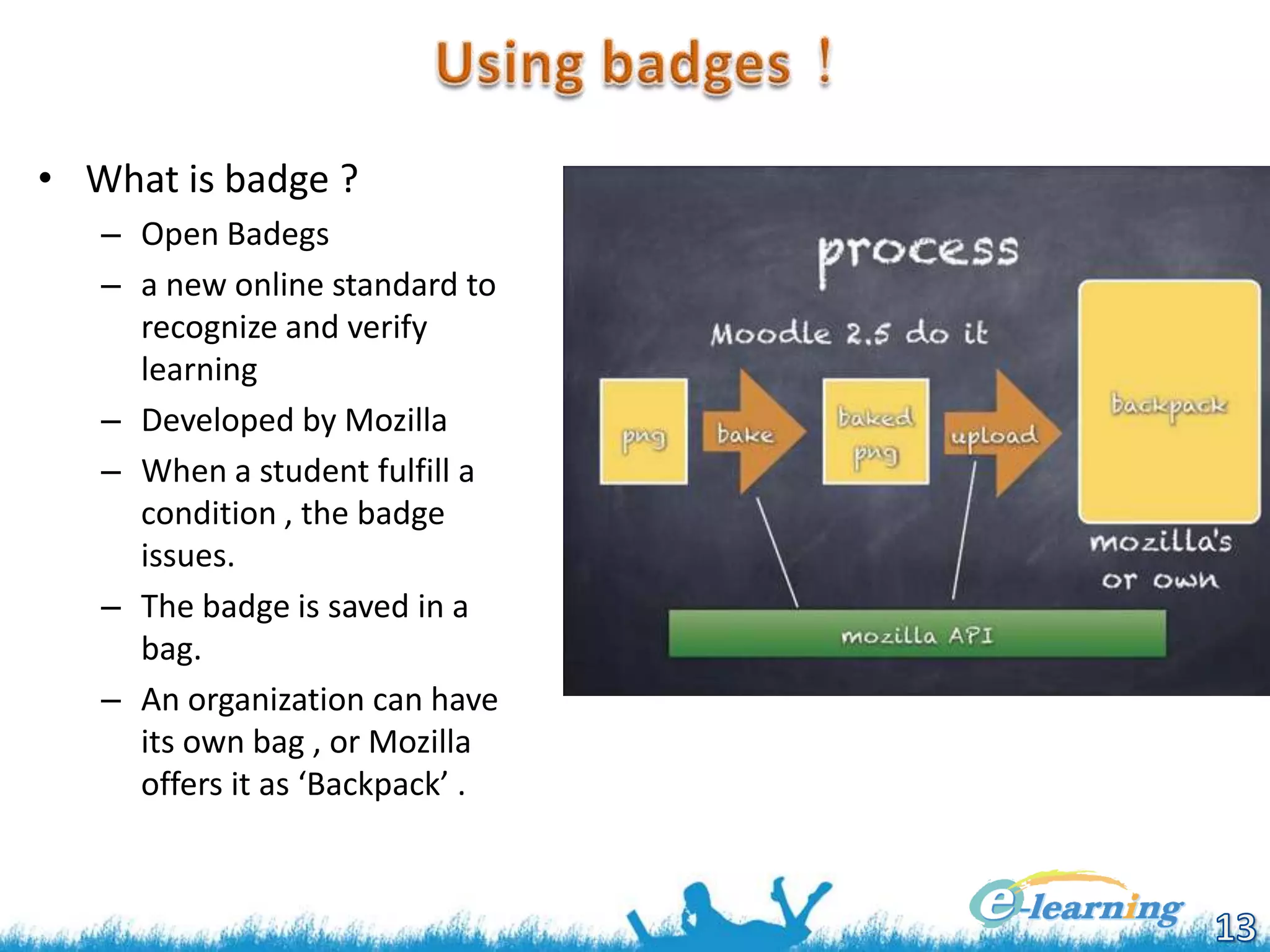
• What is badge ?
– Open Badegs
– a new online standard to
recognize and verify
learning
– Developed by Mozilla
– When a student fulfill a
condition , the badge
issues.
– The badge is saved in a
bag.
– An organization can have
its own bag , or Mozilla
offers it as ‘Backpack’ .
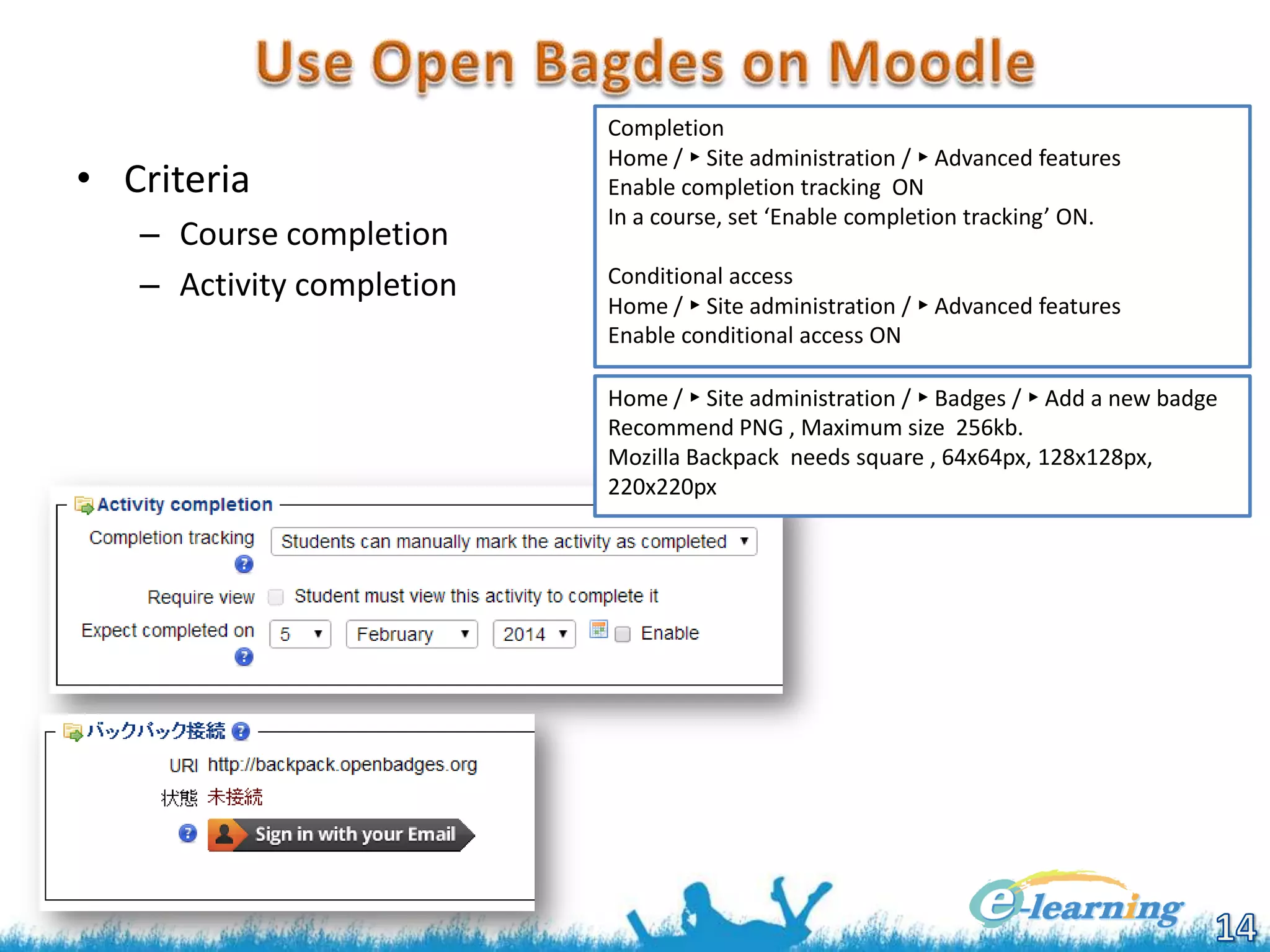
• Criteria
– Course completion
– Activity completion

Completion
Home / ► Site administration / ► Advanced features
Enable completion tracking ON
In a course, set ‘Enable completion tracking’ ON.
Conditional access
Home / ► Site administration / ► Advanced features
Enable conditional access ON
Home / ► Site administration / ► Badges / ► Add a new badge
Recommend PNG , Maximum size 256kb.
Mozilla Backpack needs square , 64x64px, 128x128px,
220x220px
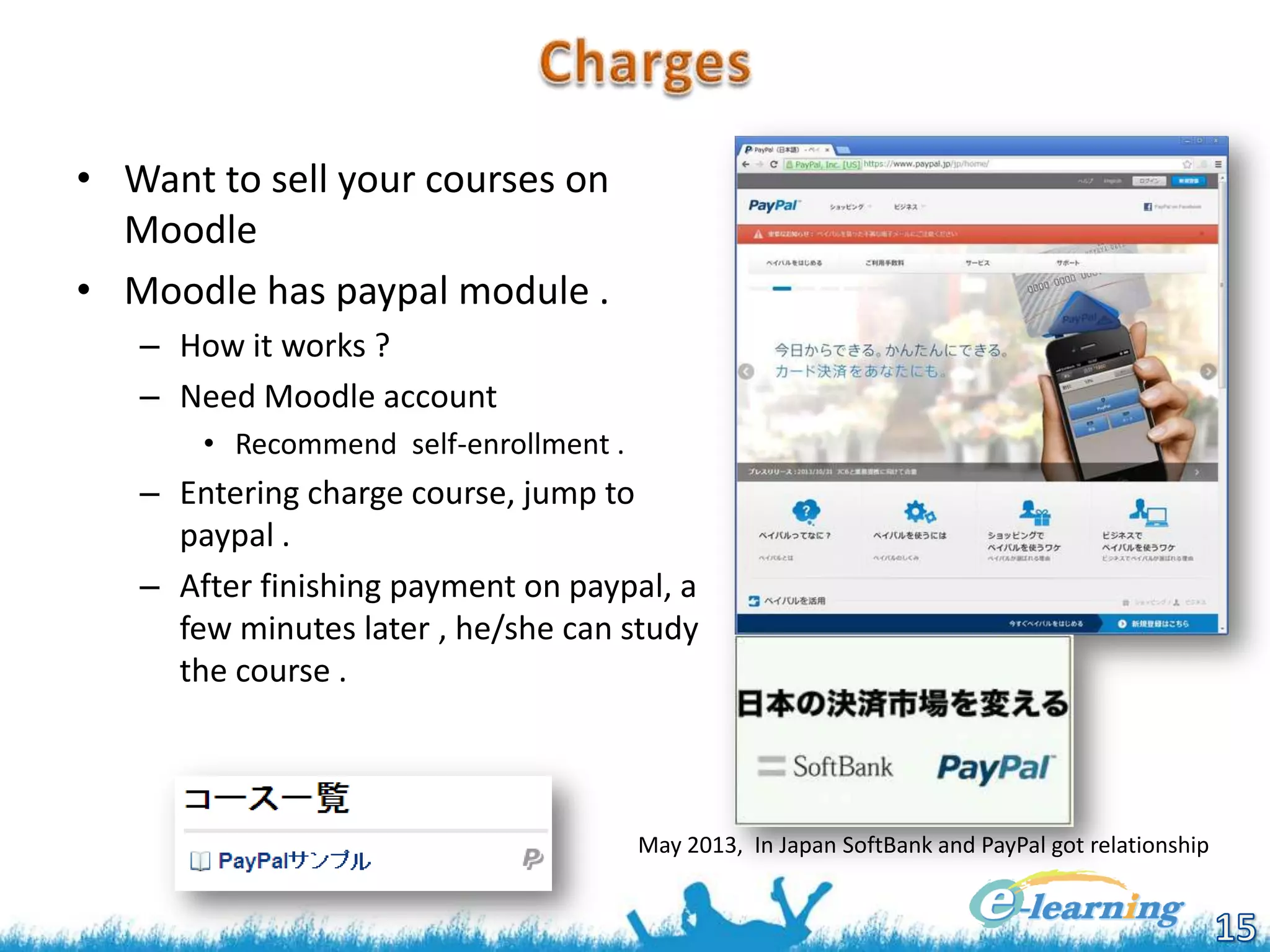
• Want to sell your courses on
Moodle
• Moodle has paypal module .
– How it works ?
– Need Moodle account
• Recommend self-enrollment .

– Entering charge course, jump to
paypal .
– After finishing payment on paypal, a
few minutes later , he/she can study
the course .

May 2013, In Japan SoftBank and PayPal got relationship
• On Moodle
– Enable on the site
•
•
•
•
•

Home / ► Site administration / ► Plugins / ► Enrolments / ► Manage enrol plugins
Set paypal and enable paypal .
Settings
Enter paypal’s mailaddress in ‘PayPal business email’ .
‘Allow PayPal enrolments’ YES

– Enable on the course
• Home / ► Courses / ► a course / ► Users / ► Enrolment methods
• ‘Add method’ PayPal
• Enrol cost

– Using sandbox
• config.php
• $CFG->usepaypalsandbox = true;
• You make virtual sellers and buyers on the sandbox , and testing .
– This Moodle plugin is called classic API , Paypal offers newer one, REST API .
• Changing character code
– To UTF-8

• On sandbox
• https://developer.paypal.com/
• Login as the ordinary paypal account
• From upper menu - Applications – Left menu -Sandbox accounts -[Enter
sandbox]
• When you are jumped to Non sandbox , Japanese site (maybe a kind of
bug), Enter this URL directory .
• https://www.sandbox.paypal.com/jp/cgi-bin/webscr?cmd=_account
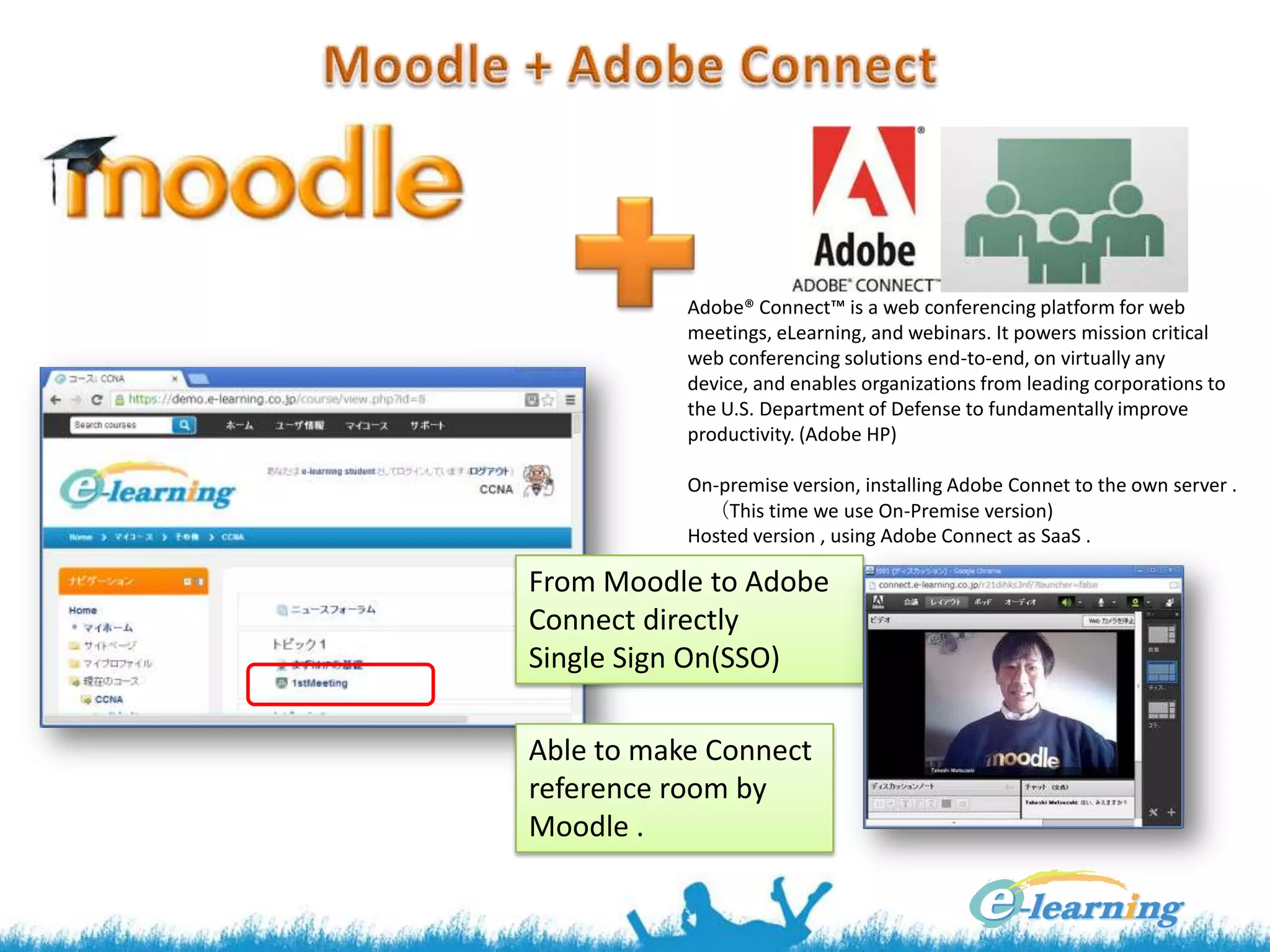
Adobe® Connect™ is a web conferencing platform for web
meetings, eLearning, and webinars. It powers mission critical
web conferencing solutions end-to-end, on virtually any
device, and enables organizations from leading corporations to
the U.S. Department of Defense to fundamentally improve
productivity. (Adobe HP)
On-premise version, installing Adobe Connet to the own server .
(This time we use On-Premise version)
Hosted version , using Adobe Connect as SaaS .

From Moodle to Adobe
Connect directly
Single Sign On(SSO)
Able to make Connect
reference room by
Moodle .
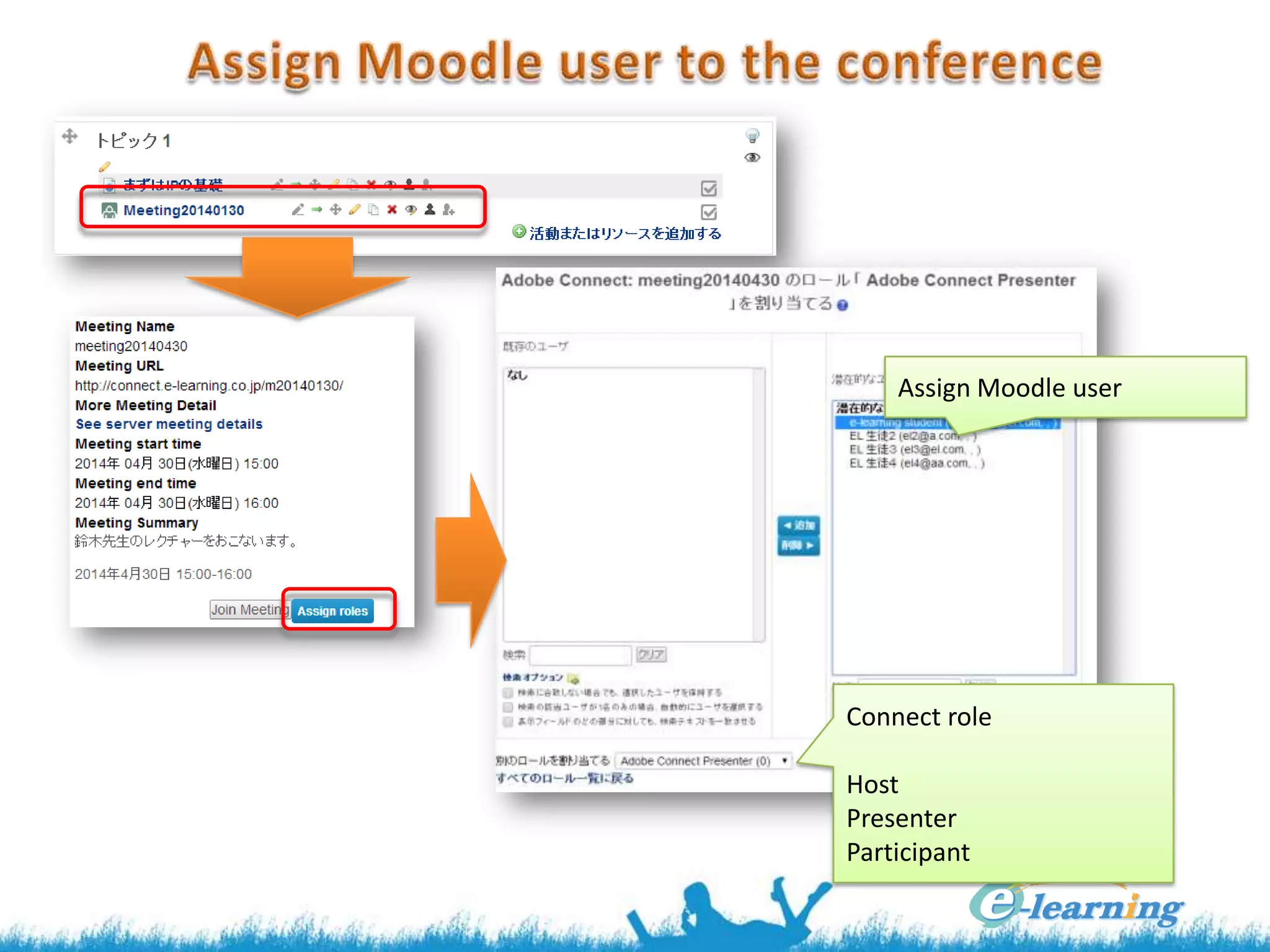
Assign Moodle user

Connect role
Host
Presenter
Participant
•

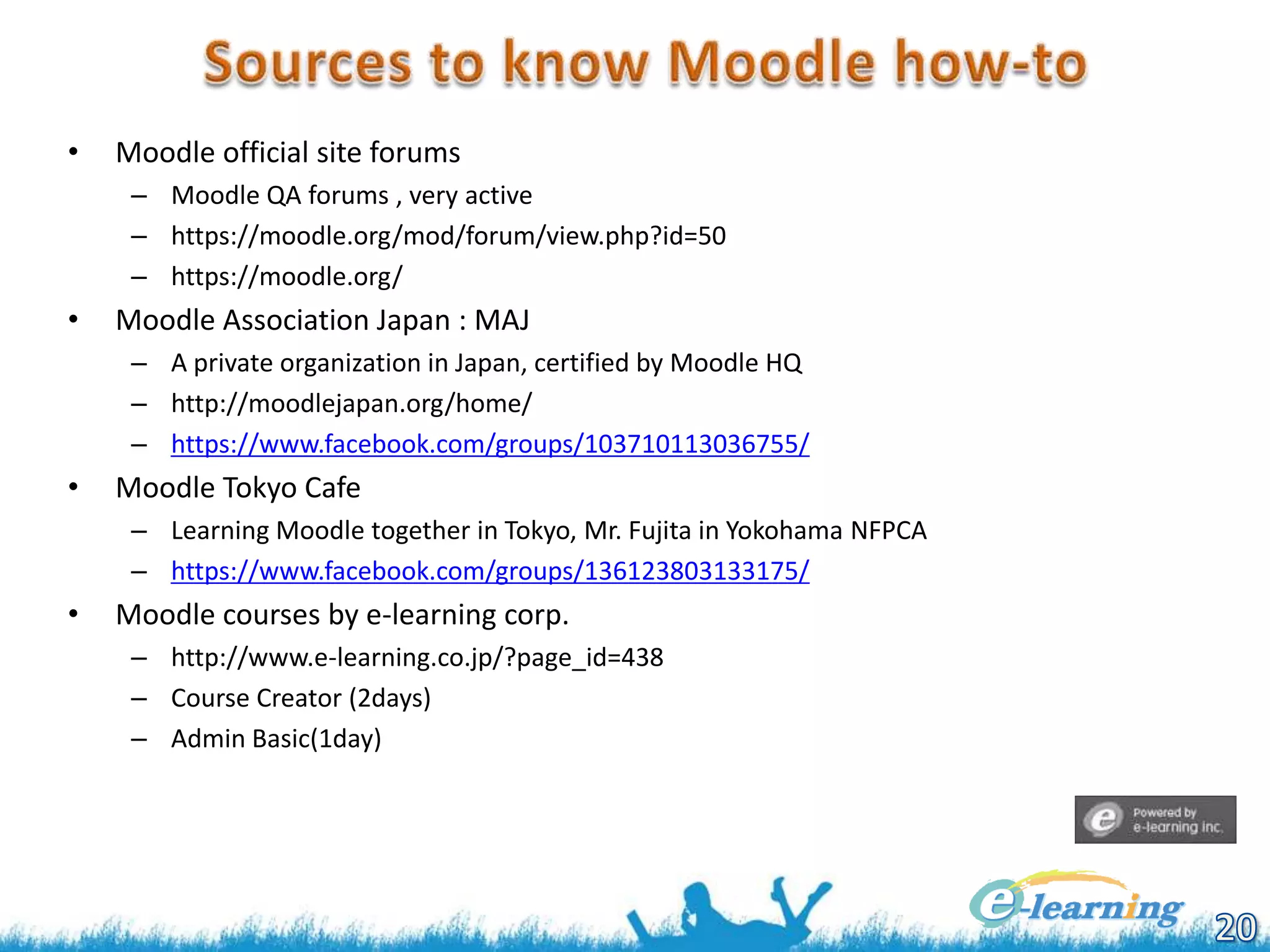
Moodle official site forums
– Moodle QA forums , very active
– https://moodle.org/mod/forum/view.php?id=50
– https://moodle.org/

•

Moodle Association Japan : MAJ
– A private organization in Japan, certified by Moodle HQ
– http://moodlejapan.org/home/
– https://www.facebook.com/groups/103710113036755/

•

Moodle Tokyo Cafe
– Learning Moodle together in Tokyo, Mr. Fujita in Yokohama NFPCA
– https://www.facebook.com/groups/136123803133175/

•

Moodle courses by e-learning corp.
– http://www.e-learning.co.jp/?page_id=438
– Course Creator (2days)
– Admin Basic(1day)

Moodle Moot Okinawa #365 'Tips for effective use of Moodle'

  • 1.
    Global standard LMS,Moodle has many functions . So that if you use Moodle efficiency or just file server , is depending on the know-how of usage . This presentation was on elearning award forum in Japan . I hope you will love Moodle as We do . Takeshi Matsuzaki e-learning co., ltd.
  • 2.
    ● Takeshi Matsuzaki ●matsuzakit@e-learning.co.jp ● http://www.facebook.com/matsuzakit ● CEO of e-learning corporation ltd. ● Established in 2000 ● http://www.e-learning.co.jp ● http://www.facebook.com/elearningJPN ● Courseware for IT Engineers ● Moodle service ● Setting , support ● Development ● Training Reliable open source software . Don't spend money to custermize . Exploit your materials . Don't loose time to understand .
  • 3.
    Moodle MySQL, PostgreSQL Oracle ,MS SQL RDBMS httpd Apache IIS PHP Linux Windows OS Hardware/Network • Points – Performance • Amount of students, courses – Security – Backup – Server Admin Where ? On-premises On the Internet Who do it ? bounds
  • 4.
    • Using theimages – Microsoft • Supplying Moodle as a part of Web Matrix • http://www.microsoft.com/web/gallery/moodle.aspx/ja-jp • Hosting by Micorosoft from $ 1.29/month – Amazon Web Service EC2 • 64 images available, From only AWS price To AWS + $5/month • Hosting company – freemoodle.org • http://www.freemoodle.org/ – Joe‘s web hosting • https://www.lms.ac • By e-learning co., ltd. – Latest Moodle version, able to FTP/SSH, Design for the site 12,000yen/month – http://www.e-learning.co.jp/?page_id=444
  • 5.
  • 6.
    • Hints byMoodle alone – Adding only pulldown menu, it becomes cool • Home / ► Site administration / ► Appearance / ► Themes / ► Theme settings • Add title and URL In [Custom menu items] text box . • Layered structure is possible . – Customizing front page • Home / ► Front page settings / ► Edit settings • Write HTML code in Front page summary or we recommend to use an iframe . • Theme – Moodle has many themes as plugin . • You can install the theme by downloaded as zip file to upload to your moodle . – Home / ► Site administration / ► Plugins / ► Install add-ons – The plugins excluding theme may be hard to select [Plugin type ] . -> Refer zip’s README.txt . – Select theme, Home / ► Site administration / ► Appearance / ► Themes / ► Theme selector • Boot Strap – Developed by Twitter, responsible design by using HTML5, CSS3, jQuery . – Moodle offers the base design ‘bootstrapbase’ and simple ‘Clean’ theme . • We, e-learning corp., offers Moodle custom themes .
  • 7.
    • Many convertingtools for PPT to flash, PPT to HTML5, but not enough . • Moodle offers the module ‘Book’ similar to PPT – ‘Book’ offers continuity pages (html) – ‘Book’ can read from some htmls together . – Pages in a ‘Book’ is editable as html, so that you can insert several kind of contents such as Youtube videos . • Weak point of ‘Book’ – Anyone can copy ‘Book’ as characters . – A bit slow behavior – ‘Book’ from Powerpoint is not working without IE .
  • 8.
    • How aboutOSS image viewer ? – – – – Galleria Display http://galleria.io/ Image gallery with JS . Free for basic version. Charged theme $9-$29 Changing PPT’s default size 960*720 • http://support.microsoft.com/kb/827745/ – File name was Japanese, change it to English . • for /f "usebackq delims=スライド tokens=1" %i in (`dir /b スライド *.JPG`) do ren スライド%i slide%i • Using Galleria Display on Moodle. – Zip files such as css , image, and js , upload them as files to Moodle, Unzip and set main file. – With htmls ,Making moodle ‘file’ or upload in another place. Embed as iframe on other modules . – Using PHP .
  • 9.
    • Want tomake videos . – Excluding in this time. • Distribute videos . – Study parameter • Load of the server and network – File format ? • MP4 , flv , or wmv – MP4 is the best – How to distribute • Embed in the moodle server – High load of the server and network • Using stream server • Using CDN : Contents Delivery Network
  • 10.
    • Cloud Frontis Amazon’s CDN – Data transfer rate $0.201/GB (about 100GB 2,000yen) • ACFVideo offers function between Moodle and Cloud Front – We, e-learning corp. , offer it as OSS . – https://github.com/matsuzakit/moodle-activity_acfvideo CDN amazon cloud front Set URL and policy of expiry Direct Access
  • 11.
    • Self enrollment –Users can add himself . • Each course can have a different enrollment key . • Home / ► Site administration / ► Plugins / ► Authentication / ► Manage authentication • Set ‘Email-based self-registration’ ON . • By using reCAPTCHA, prohibit from spam by robots . • Adding many users once – Making CSV file . – Changing user profile or adding group , is also possible . username password lastname firstname email course1 course2 emo02 Cafe9876! 千葉 健一 2@somedomain.com newemp emo03 Cafe9876! 東京 花子 3@somedomain.com newemp emo04 Cafe9876! 埼玉 花男 4@somedomain.com emo05 Cafe9877! 神奈川 光 5@somedomain.com emp01 Cafe9876! 埼玉 健一 type1 type2 1111@somedomain.com 1 senioremp 2 1 • Other systems integration . – CAS, IMAP, RADIUS, Shibboleth – Home / ► Site administration / ► Plugins / ► Authentication / ► Manage authentication
  • 12.
    • You caninsert ‘Quiz’ with many formats . • Home / a course / ► / Question bank / ► Import • For the format, there are some good documents, or you can make it based on exported formats . • Easy GIFT format (easy by using Excel) https://www.facebook.com/elearningJPN 選 選 択 選択 選択 択 選択 選択C 選択肢 選択E 選択肢 A B正 選択肢B 選択肢C D正 全部 肢 肢A 正誤 D 正誤 E 正 誤 誤 数 誤 DELDELDEL $CATEGORY:C25 クイ 対象 N ズタ クイ 問題 コー 形式 O イト ズNO NO ス ル 問題 1 C25 日本で2番 目に高い山 4 はどれです か? 2 C25 1 2 富士 山 1 単一選択 1 日本で2番 目に長い川 利根 単一選択 5 1 はどれです 川 か? 1 北岳 石狩川 奥穂高 岳 間ノ岳 天塩川 北上川 ::C251-1:: 日本で2番目に高い山はどれですか?{~富士山 =北岳 ~奥穂高岳 ~間ノ岳 ~}DELDELDEL DELDELDEL $CATEGORY:C25 ::C252-1:: 信濃川 日本で2番目に長い川はどれですか?{=利根川 ~石狩川 ~天塩川 ~北上川 ~信濃川}DELDELDEL
  • 13.
    • What isbadge ? – Open Badegs – a new online standard to recognize and verify learning – Developed by Mozilla – When a student fulfill a condition , the badge issues. – The badge is saved in a bag. – An organization can have its own bag , or Mozilla offers it as ‘Backpack’ .
  • 14.
    • Criteria – Coursecompletion – Activity completion Completion Home / ► Site administration / ► Advanced features Enable completion tracking ON In a course, set ‘Enable completion tracking’ ON. Conditional access Home / ► Site administration / ► Advanced features Enable conditional access ON Home / ► Site administration / ► Badges / ► Add a new badge Recommend PNG , Maximum size 256kb. Mozilla Backpack needs square , 64x64px, 128x128px, 220x220px
  • 15.
    • Want tosell your courses on Moodle • Moodle has paypal module . – How it works ? – Need Moodle account • Recommend self-enrollment . – Entering charge course, jump to paypal . – After finishing payment on paypal, a few minutes later , he/she can study the course . May 2013, In Japan SoftBank and PayPal got relationship
  • 16.
    • On Moodle –Enable on the site • • • • • Home / ► Site administration / ► Plugins / ► Enrolments / ► Manage enrol plugins Set paypal and enable paypal . Settings Enter paypal’s mailaddress in ‘PayPal business email’ . ‘Allow PayPal enrolments’ YES – Enable on the course • Home / ► Courses / ► a course / ► Users / ► Enrolment methods • ‘Add method’ PayPal • Enrol cost – Using sandbox • config.php • $CFG->usepaypalsandbox = true; • You make virtual sellers and buyers on the sandbox , and testing . – This Moodle plugin is called classic API , Paypal offers newer one, REST API .
  • 17.
    • Changing charactercode – To UTF-8 • On sandbox • https://developer.paypal.com/ • Login as the ordinary paypal account • From upper menu - Applications – Left menu -Sandbox accounts -[Enter sandbox] • When you are jumped to Non sandbox , Japanese site (maybe a kind of bug), Enter this URL directory . • https://www.sandbox.paypal.com/jp/cgi-bin/webscr?cmd=_account
  • 18.
    Adobe® Connect™ isa web conferencing platform for web meetings, eLearning, and webinars. It powers mission critical web conferencing solutions end-to-end, on virtually any device, and enables organizations from leading corporations to the U.S. Department of Defense to fundamentally improve productivity. (Adobe HP) On-premise version, installing Adobe Connet to the own server . (This time we use On-Premise version) Hosted version , using Adobe Connect as SaaS . From Moodle to Adobe Connect directly Single Sign On(SSO) Able to make Connect reference room by Moodle .
  • 19.
    Assign Moodle user Connectrole Host Presenter Participant
  • 20.
    • Moodle official siteforums – Moodle QA forums , very active – https://moodle.org/mod/forum/view.php?id=50 – https://moodle.org/ • Moodle Association Japan : MAJ – A private organization in Japan, certified by Moodle HQ – http://moodlejapan.org/home/ – https://www.facebook.com/groups/103710113036755/ • Moodle Tokyo Cafe – Learning Moodle together in Tokyo, Mr. Fujita in Yokohama NFPCA – https://www.facebook.com/groups/136123803133175/ • Moodle courses by e-learning corp. – http://www.e-learning.co.jp/?page_id=438 – Course Creator (2days) – Admin Basic(1day)