100 Metcalfe Street Suite 200, Unit 355
Ottawa, ON
K1P 5M1
+ 1-844-333-uLaw (8529)
uLaw.io
uLawPractice.com
support@ulawpractice.com
MONTHLY & YEARLY
A SIMPLE WALKTHROUGH TO AUTOMATE YOUR BOOKS
FOR REGULATORY SCRUTINY
COMPLIANCE REPORTING | 2021
uLawPractice
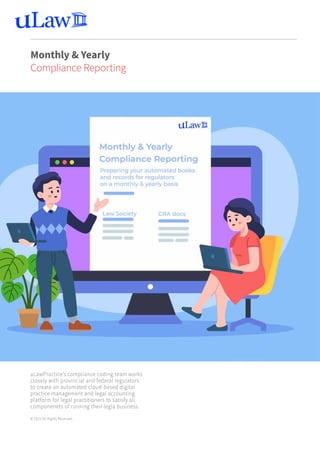
uLawPractice’s compliance coding team works
closely with provincial and federal regulators
to create an automated cloud-based digital
practice management and legal accounting
platform for legal practitioners to satisfy all
componenets of running their legla business.
© 2021 All Rights Reserved.
Monthly & Yearly
Compliance Reporting
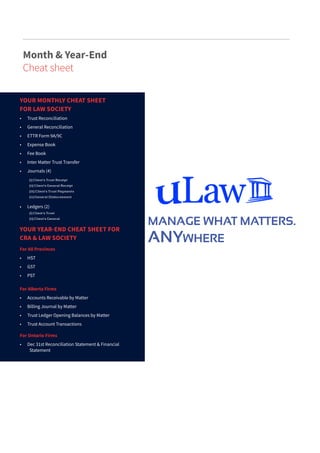
YOUR YEAR-END CHEAT SHEET FOR
CRA & LAW SOCIETY
		
For All Provinces
•	 HST
•	 GST
•	 PST
For Alberta Firms
•	 Accounts Receivable by Matter
•	 Billing Journal by Matter
•	 Trust Ledger Opening Balances by Matter
•	 Trust Account Transactions
For Ontario Firms
•	 Dec 31st Reconciliation Statement & Financial
Statement
(i) Client’s Trust Receipt
(ii) Client’s General Receipt
(iii) Client’s Trust Payments
(iv) General Disbursement
(i) Client’s Trust
(ii) Client’s General
YOUR MONTHLY CHEAT SHEET
FOR LAW SOCIETY
•	 Trust Reconciliation			
•	 General Reconciliation
•	 ETTR Form 9A/9C
•	 Expense Book
•	 Fee Book
•	 Inter Matter Trust Transfer
•	 Journals (4)
•	 Ledgers (2)
Month & Year-End
Cheat sheet
MANAGE WHAT MATTERS.
ANYWHERE
DOCUMENTS NEEDED FOR
MONTHLY
LAW SOCIETY
COMPLIANCE
USING ULAWPRACTICE,
YOUR DIGITAL LEGAL ASSISTANT
STEP 1: LOG IN TO YOUR ACCOUNT -> ACCOUNTS (LEFT COLUMN)->[COMPLIANCE] (TOP ROW)
->MONTHLY
https://www.app.ulawpractice.com
uLaw
https://app.ulawpractice.com/app
STEP 2: OBSERVE THE FOLLOWING MENU
IMPORTANT
This list of documents represents the grand
sum of what is expected to be produced at
the end of each month.
Take stock of your ledgers, journals, and
various other documents.
In terms of importance, work your way from
the bottom, which we will cover in more
depth in
STEP 3.
STEP 3: DO YOUR RECONCILIATION
DOCUMENTS NEEDED FOR
MONTHLY
LAW SOCIETY
COMPLIANCE
FOLLOW THE INTERACTIVE
GRAPHIC
Handling monthly reconciliation is by far
the most important task to conduct, as each
subsequent document you produce is based
on these numbers being correct.
Click to download your reconciliation. You
will see an interactive 5-step graphic. Follow
the instructions. A good hint is that most
entries should be reading ($0.00) if properly
reconciled.
STEP 4: DOWNLOADING REMAINING
DOCUMENTS
Once your accounts are fully reconciled,
you can move on and download the
remaining forms, books, ledgers and journals
located under the same window found at
[Compliance]->Monthly.
Submitting these to your relevant Law
Society on a timely basis will ensure you are
compliant.
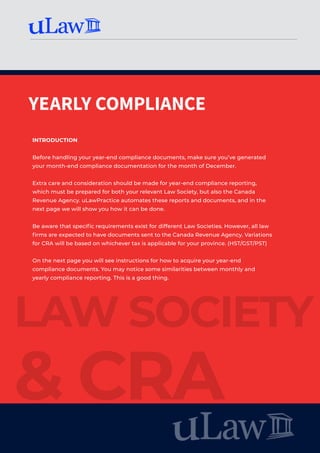
YEARLY COMPLIANCE
LAW SOCIETY
& CRA
INTRODUCTION
Before handling your year-end compliance documents, make sure you’ve generated
your month-end compliance documentation for the month of December.
Extra care and consideration should be made for year-end compliance reporting,
which must be prepared for both your relevant Law Society, but also the Canada
Revenue Agency. uLawPractice automates these reports and documents, and in the
next page we will show you how it can be done.
Be aware that specific requirements exist for different Law Societies. However, all law
firms are expected to have documents sent to the Canada Revenue Agency. Variations
for CRA will be based on whichever tax is applicable for your province. (HST/GST/PST)
On the next page you will see instructions for how to acquire your year-end
compliance documents. You may notice some similarities between monthly and
yearly compliance reporting. This is a good thing.
DOCUMENTS NEEDED FOR
YEARLY
LAW SOCIETY
& CRA
COMPLIANCE
STEP 3: FOR ALBERTA FIRMS
IMPORTANT
Since uLawPractice is certified for use in
the province of Alberta, the software can
generate four more documents necessary for
submission to regulators in that province:
•	 Accounts Receivable By Matter
•	 Billing Journal By Matter
•	 Trust Ledger Opening Balance by Matter
•	 Trust Account Transactions
ONTARIO YEAR-END
USING ULAWPRACTICE,
YOUR DIGITAL LEGAL ASSISTANT
STEP 1: LOG IN TO YOUR ACCOUNT -
> ACCOUNTS (LEFT COLUMN)
->[COMPLIANCE] (TOP ROW)
->YEARLY
STEP 2: OBSERVE ABOVE MENU
The first set of reports are based on taxes owed to the
government. You can be on a quarterly or annual basis.
Download & submit to the relevant agencies. We’ll be
covering province-specific requirements in the next
steps.
From uLaw you will need your statement of
reconciliation from Dec 31st of the year.
Need more help?
The uLaw team is here
to support you, either by
email or phone.
1-844-333-uLaw (8529)
support@ulawpractice.com

Monthly & Yearly compliance with uLaw

  • 1.
    100 Metcalfe StreetSuite 200, Unit 355 Ottawa, ON K1P 5M1 + 1-844-333-uLaw (8529) uLaw.io uLawPractice.com support@ulawpractice.com MONTHLY & YEARLY A SIMPLE WALKTHROUGH TO AUTOMATE YOUR BOOKS FOR REGULATORY SCRUTINY COMPLIANCE REPORTING | 2021 uLawPractice
  • 2.
    uLawPractice’s compliance codingteam works closely with provincial and federal regulators to create an automated cloud-based digital practice management and legal accounting platform for legal practitioners to satisfy all componenets of running their legla business. © 2021 All Rights Reserved. Monthly & Yearly Compliance Reporting
  • 3.
    YOUR YEAR-END CHEATSHEET FOR CRA & LAW SOCIETY For All Provinces • HST • GST • PST For Alberta Firms • Accounts Receivable by Matter • Billing Journal by Matter • Trust Ledger Opening Balances by Matter • Trust Account Transactions For Ontario Firms • Dec 31st Reconciliation Statement & Financial Statement (i) Client’s Trust Receipt (ii) Client’s General Receipt (iii) Client’s Trust Payments (iv) General Disbursement (i) Client’s Trust (ii) Client’s General YOUR MONTHLY CHEAT SHEET FOR LAW SOCIETY • Trust Reconciliation • General Reconciliation • ETTR Form 9A/9C • Expense Book • Fee Book • Inter Matter Trust Transfer • Journals (4) • Ledgers (2) Month & Year-End Cheat sheet MANAGE WHAT MATTERS. ANYWHERE
  • 4.
    DOCUMENTS NEEDED FOR MONTHLY LAWSOCIETY COMPLIANCE USING ULAWPRACTICE, YOUR DIGITAL LEGAL ASSISTANT STEP 1: LOG IN TO YOUR ACCOUNT -> ACCOUNTS (LEFT COLUMN)->[COMPLIANCE] (TOP ROW) ->MONTHLY https://www.app.ulawpractice.com uLaw https://app.ulawpractice.com/app STEP 2: OBSERVE THE FOLLOWING MENU IMPORTANT This list of documents represents the grand sum of what is expected to be produced at the end of each month. Take stock of your ledgers, journals, and various other documents. In terms of importance, work your way from the bottom, which we will cover in more depth in STEP 3.
  • 5.
    STEP 3: DOYOUR RECONCILIATION DOCUMENTS NEEDED FOR MONTHLY LAW SOCIETY COMPLIANCE FOLLOW THE INTERACTIVE GRAPHIC Handling monthly reconciliation is by far the most important task to conduct, as each subsequent document you produce is based on these numbers being correct. Click to download your reconciliation. You will see an interactive 5-step graphic. Follow the instructions. A good hint is that most entries should be reading ($0.00) if properly reconciled. STEP 4: DOWNLOADING REMAINING DOCUMENTS Once your accounts are fully reconciled, you can move on and download the remaining forms, books, ledgers and journals located under the same window found at [Compliance]->Monthly. Submitting these to your relevant Law Society on a timely basis will ensure you are compliant.
  • 6.
    YEARLY COMPLIANCE LAW SOCIETY &CRA INTRODUCTION Before handling your year-end compliance documents, make sure you’ve generated your month-end compliance documentation for the month of December. Extra care and consideration should be made for year-end compliance reporting, which must be prepared for both your relevant Law Society, but also the Canada Revenue Agency. uLawPractice automates these reports and documents, and in the next page we will show you how it can be done. Be aware that specific requirements exist for different Law Societies. However, all law firms are expected to have documents sent to the Canada Revenue Agency. Variations for CRA will be based on whichever tax is applicable for your province. (HST/GST/PST) On the next page you will see instructions for how to acquire your year-end compliance documents. You may notice some similarities between monthly and yearly compliance reporting. This is a good thing.
  • 7.
    DOCUMENTS NEEDED FOR YEARLY LAWSOCIETY & CRA COMPLIANCE STEP 3: FOR ALBERTA FIRMS IMPORTANT Since uLawPractice is certified for use in the province of Alberta, the software can generate four more documents necessary for submission to regulators in that province: • Accounts Receivable By Matter • Billing Journal By Matter • Trust Ledger Opening Balance by Matter • Trust Account Transactions ONTARIO YEAR-END USING ULAWPRACTICE, YOUR DIGITAL LEGAL ASSISTANT STEP 1: LOG IN TO YOUR ACCOUNT - > ACCOUNTS (LEFT COLUMN) ->[COMPLIANCE] (TOP ROW) ->YEARLY STEP 2: OBSERVE ABOVE MENU The first set of reports are based on taxes owed to the government. You can be on a quarterly or annual basis. Download & submit to the relevant agencies. We’ll be covering province-specific requirements in the next steps. From uLaw you will need your statement of reconciliation from Dec 31st of the year.
  • 8.
    Need more help? TheuLaw team is here to support you, either by email or phone. 1-844-333-uLaw (8529) support@ulawpractice.com