Copyright © 2014 Splunk Inc.
Monitoring Splunk
DMC, SoS, and Beyond
David Veuve – Sr. Sales Engineer
Introduction
• Who am I?
• Who are you?
• What are you going to get from this?
– Familiarity with some typical Splunk scenarios
– Understanding of essential Splunk tools
– Desire to go explore those tools!
2
Agenda
Quick Demo
Data Acquisition Latency Use Case
Slow Search Performance Use Case
Platform Alerts
Wrap Up
3
If you only learn one thing…
Splunk 6.1 and beyond: the Distributed Management Console (DMC)
– Driven by product management
Splunk (All Versions): Splunk on Splunk (SoS)
– Was the foundation for monitoring
– Driven by support and PS
DMC is the future
Virtually all large and successful customers use one or both of these
4
Why Still use SoS When DMC Exists
• You’re not on Splunk 6.1+ (or you don’t have anyplace to run it)
• Some views that aren’t in DMC yet
• If Managing Splunk is 25% of your job, just use DMC
• Otherwise, evaluate other apps based on your needs.
5
Overview Demo
6
“How do you actually find and use these things?”
Data Acquisition Latency
7
Them disks be slow
Symptoms
Scheduled Alerts Aren’t Firing As Expected / No Recent Results
– If latency = 6 minutes, no results from earliest=-5m MAJORBADERROR
– Advanced Tip: _index_earliest=-5m
“Splunk isn’t realtime enough” – users
Typical Data Acquisition Latency is <1 Minute, Median <5 seconds
8
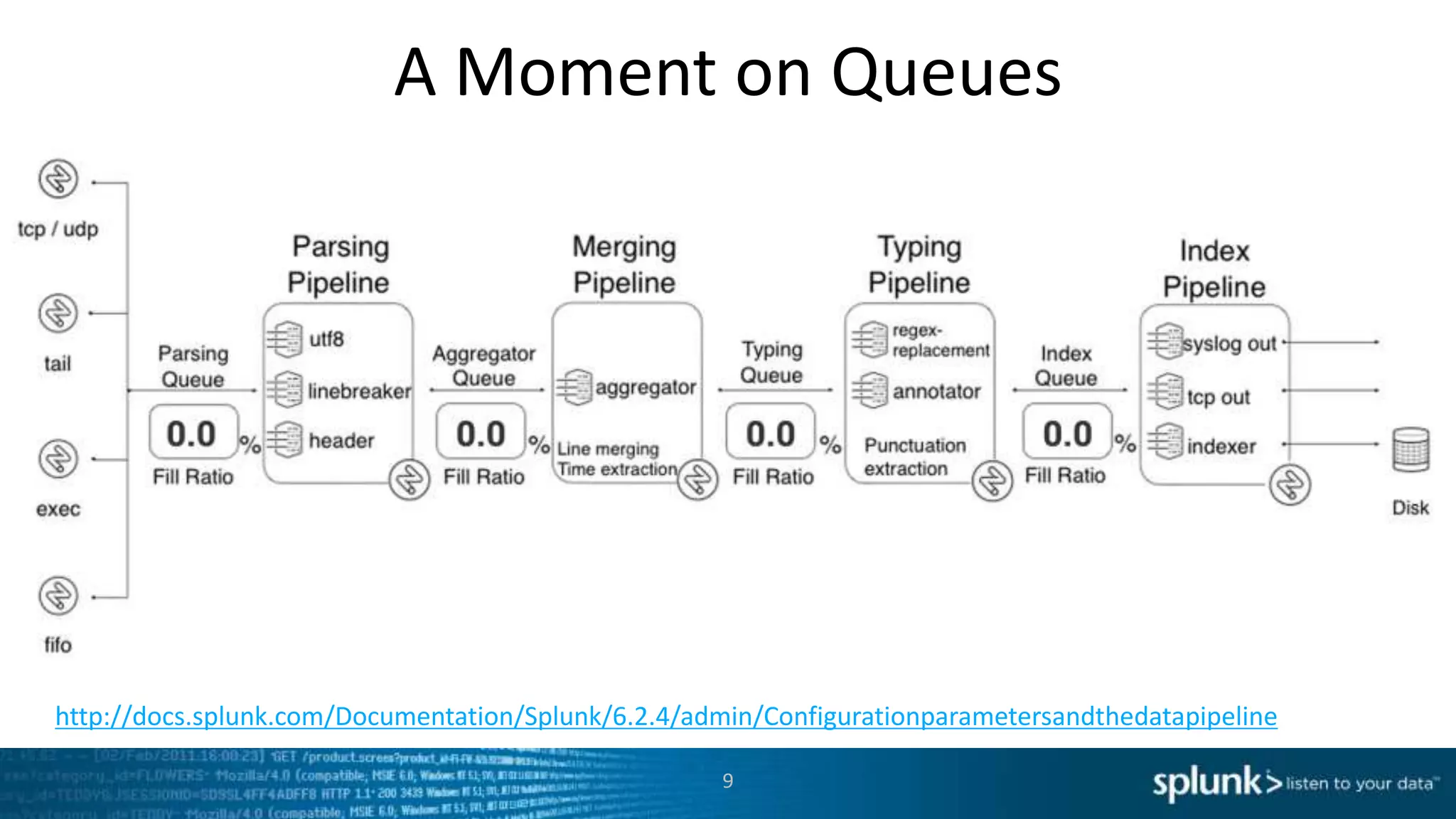
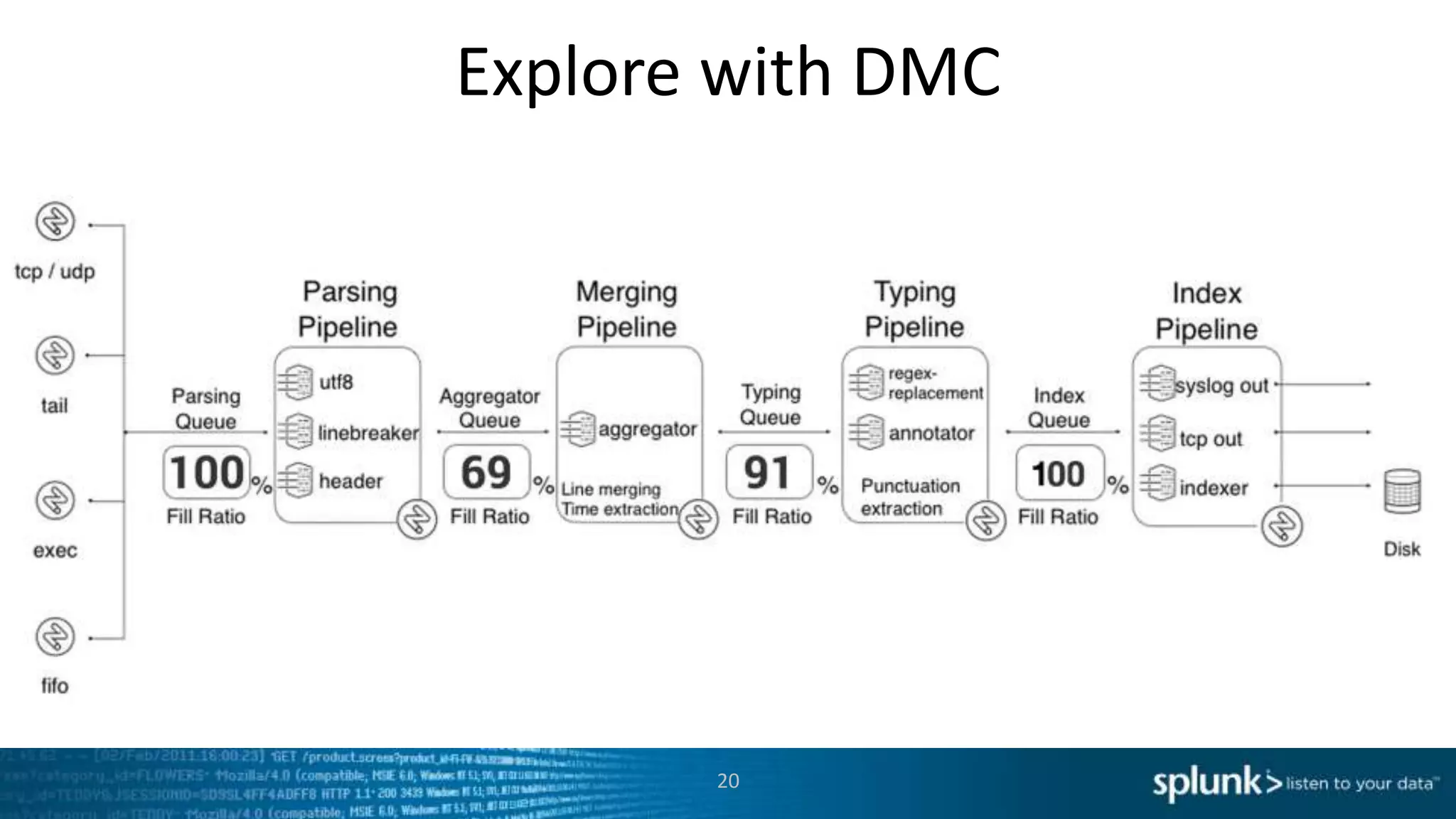
A Moment on Queues
http://docs.splunk.com/Documentation/Splunk/6.2.4/admin/Configurationparametersandthedatapipeline
9
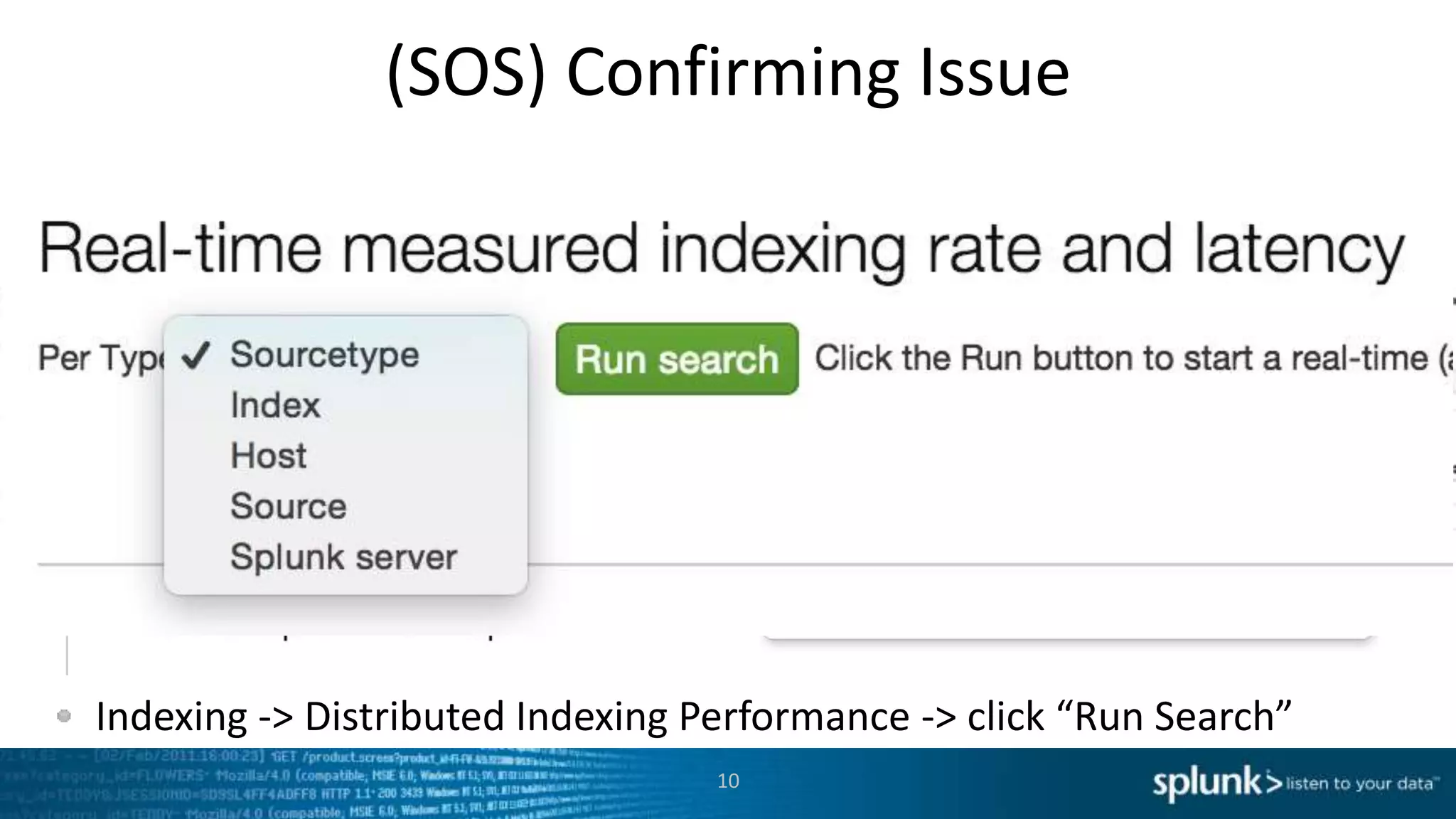
Either using SOS, or a realtime-all-time search, track latency
Indexing -> Distributed Indexing Performance -> click “Run Search”
(SOS) Confirming Issue
10
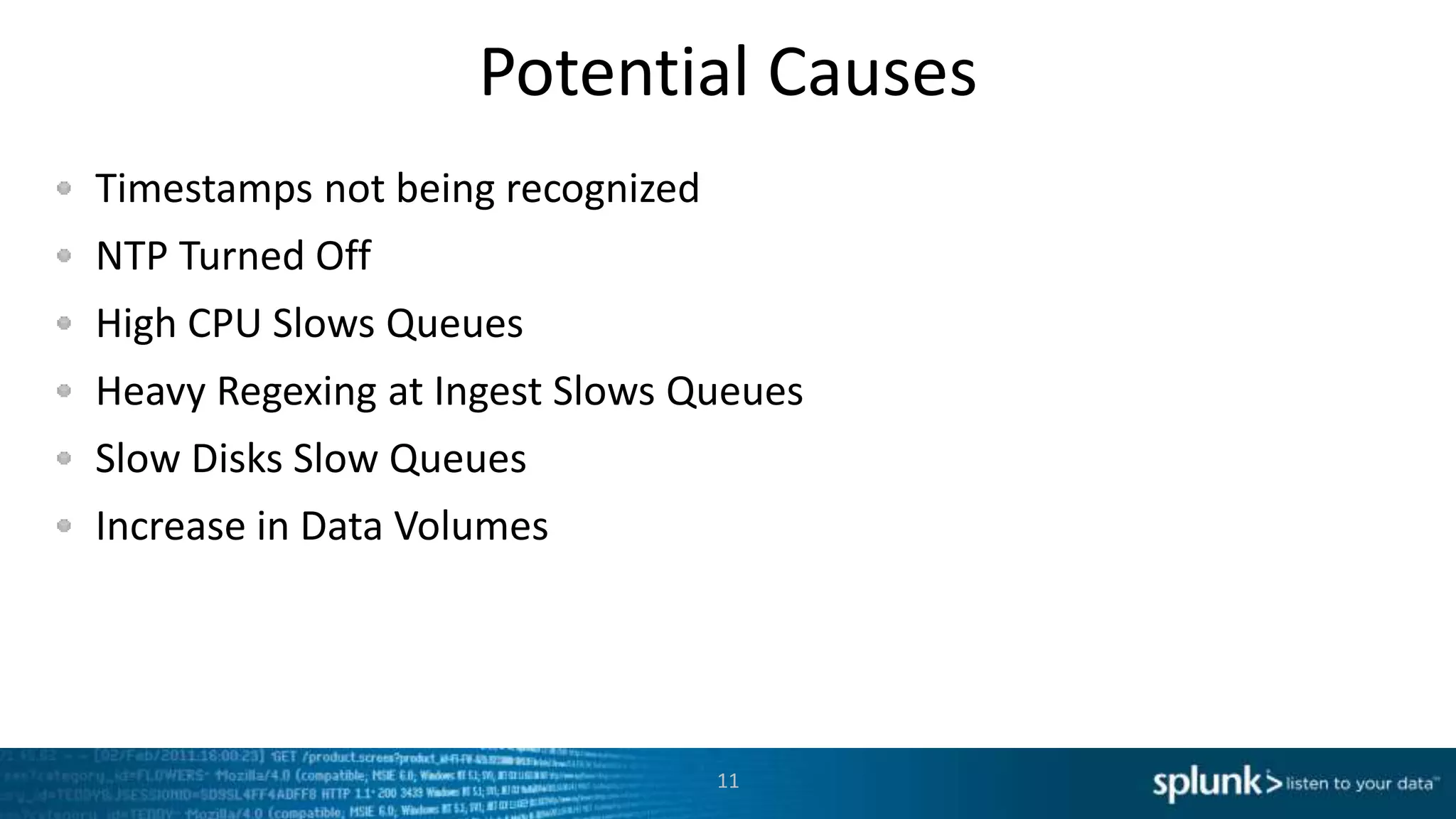
Potential Causes
Timestamps not being recognized
NTP Turned Off
High CPU Slows Queues
Heavy Regexing at Ingest Slows Queues
Slow Disks Slow Queues
Increase in Data Volumes
11
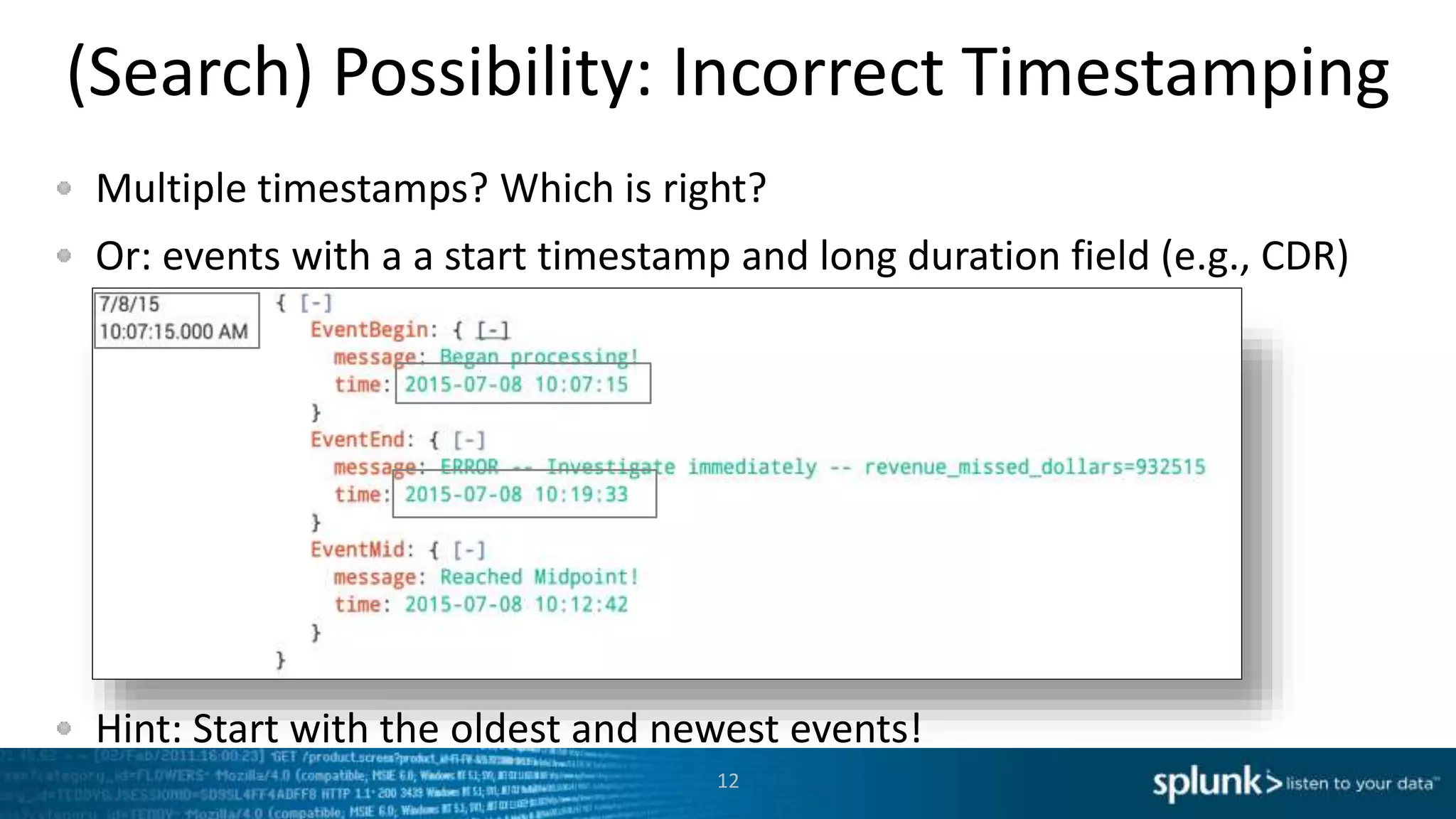
(Search) Possibility: Incorrect Timestamping
Multiple timestamps? Which is right?
Or: events with a a start timestamp and long duration field (e.g., CDR)
Hint: Start with the oldest and newest events!
12
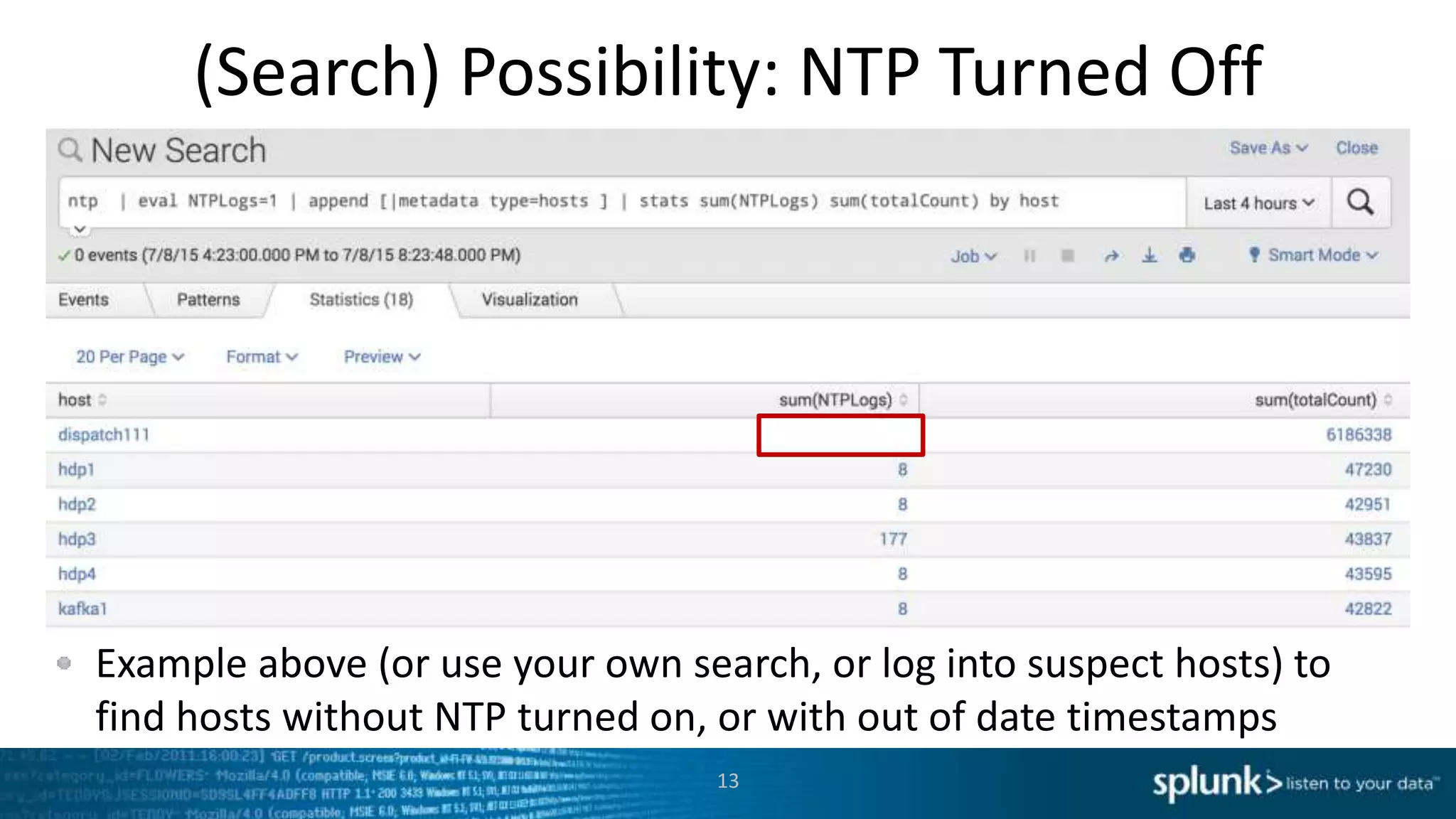
(Search) Possibility: NTP Turned Off
Example above (or use your own search, or log into suspect hosts) to
find hosts without NTP turned on, or with out of date timestamps
13
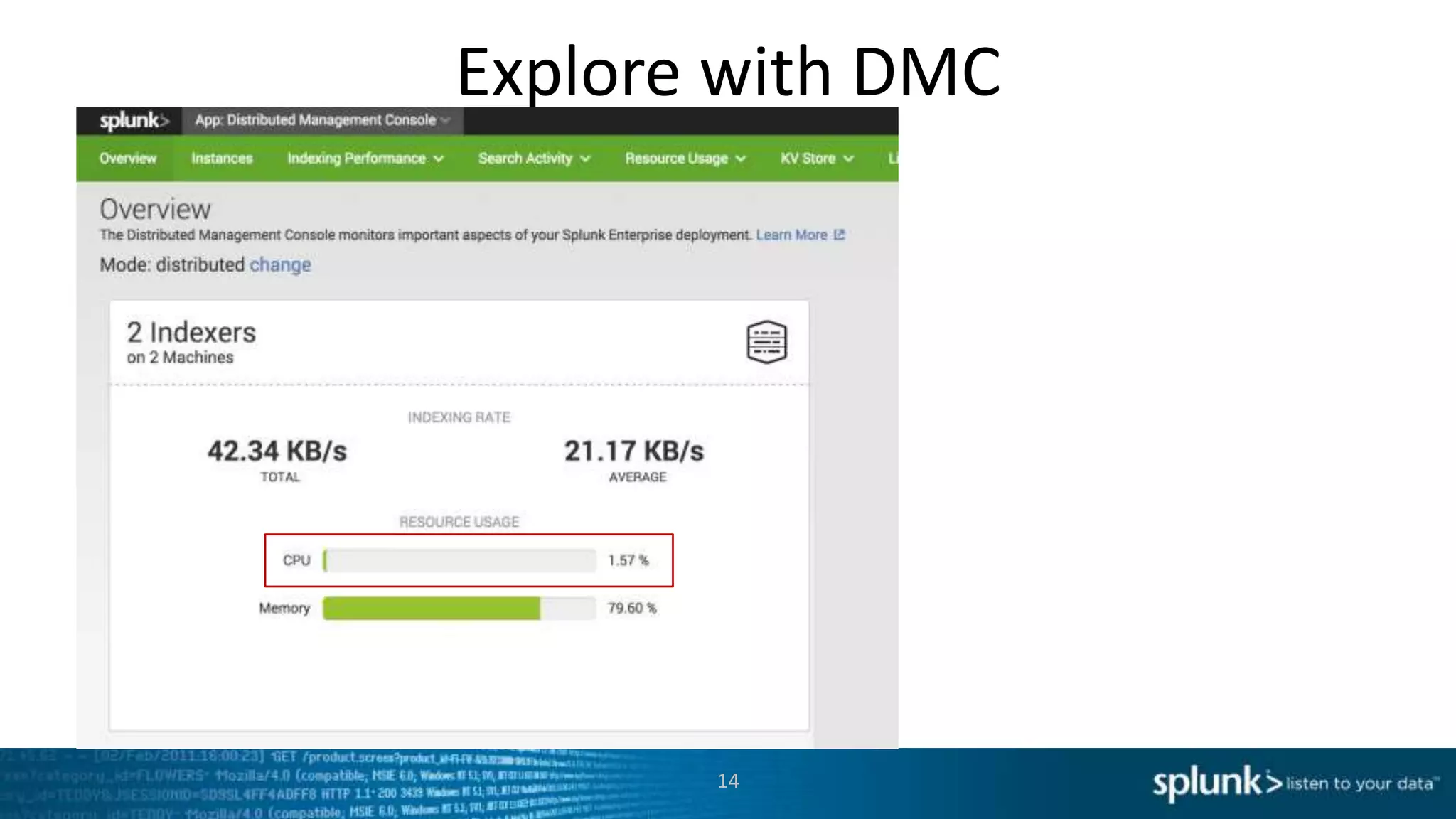
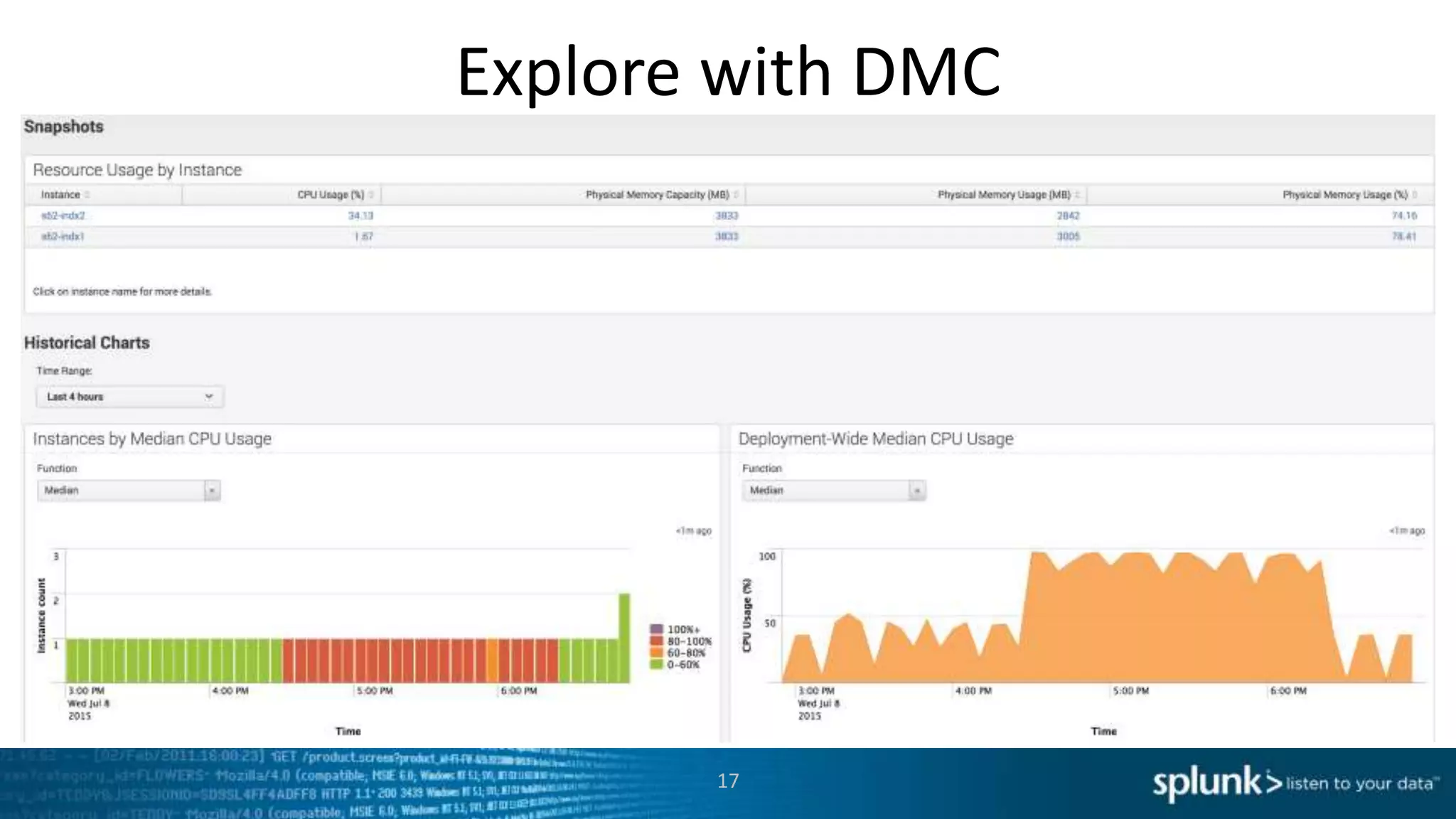
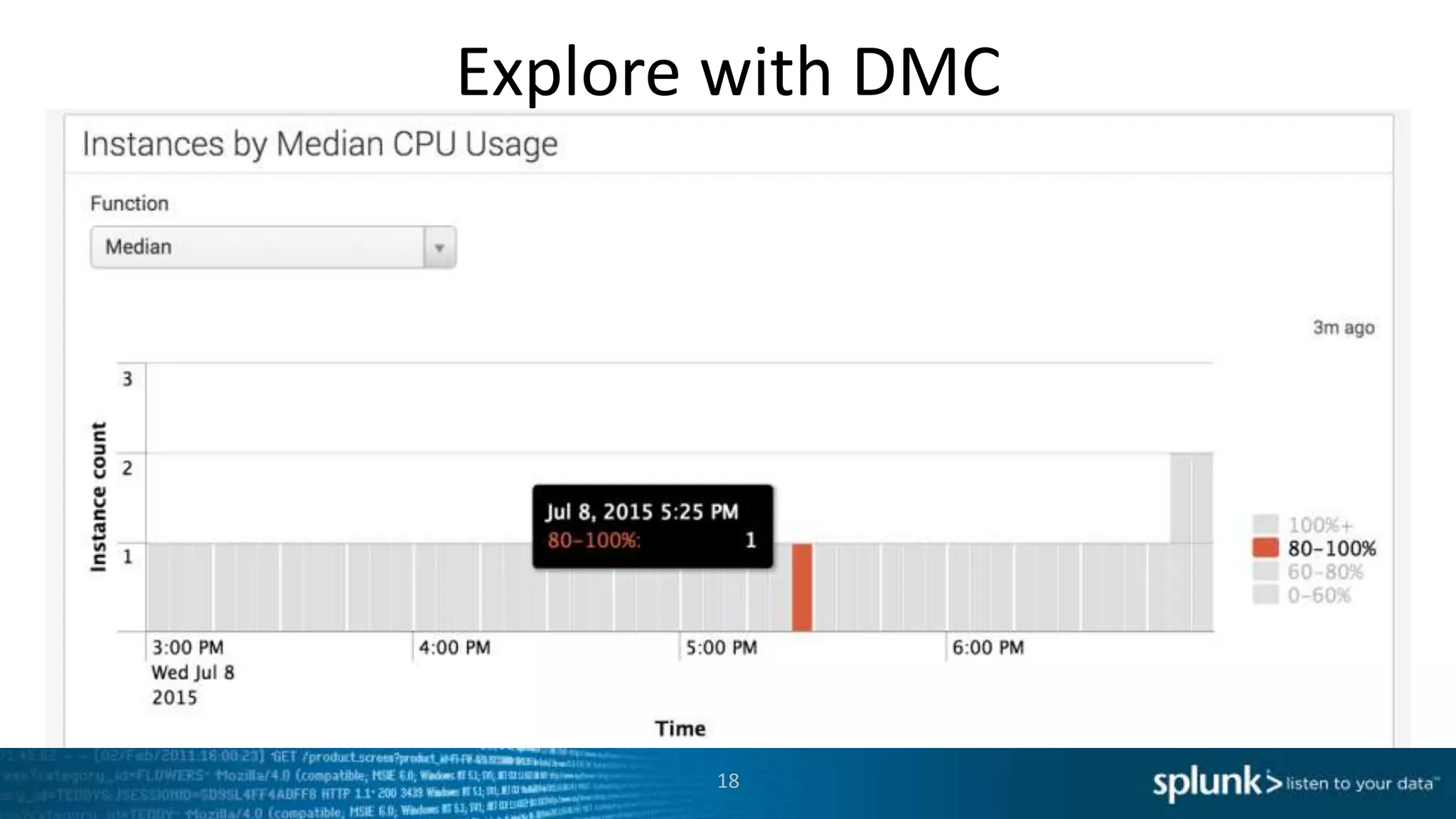
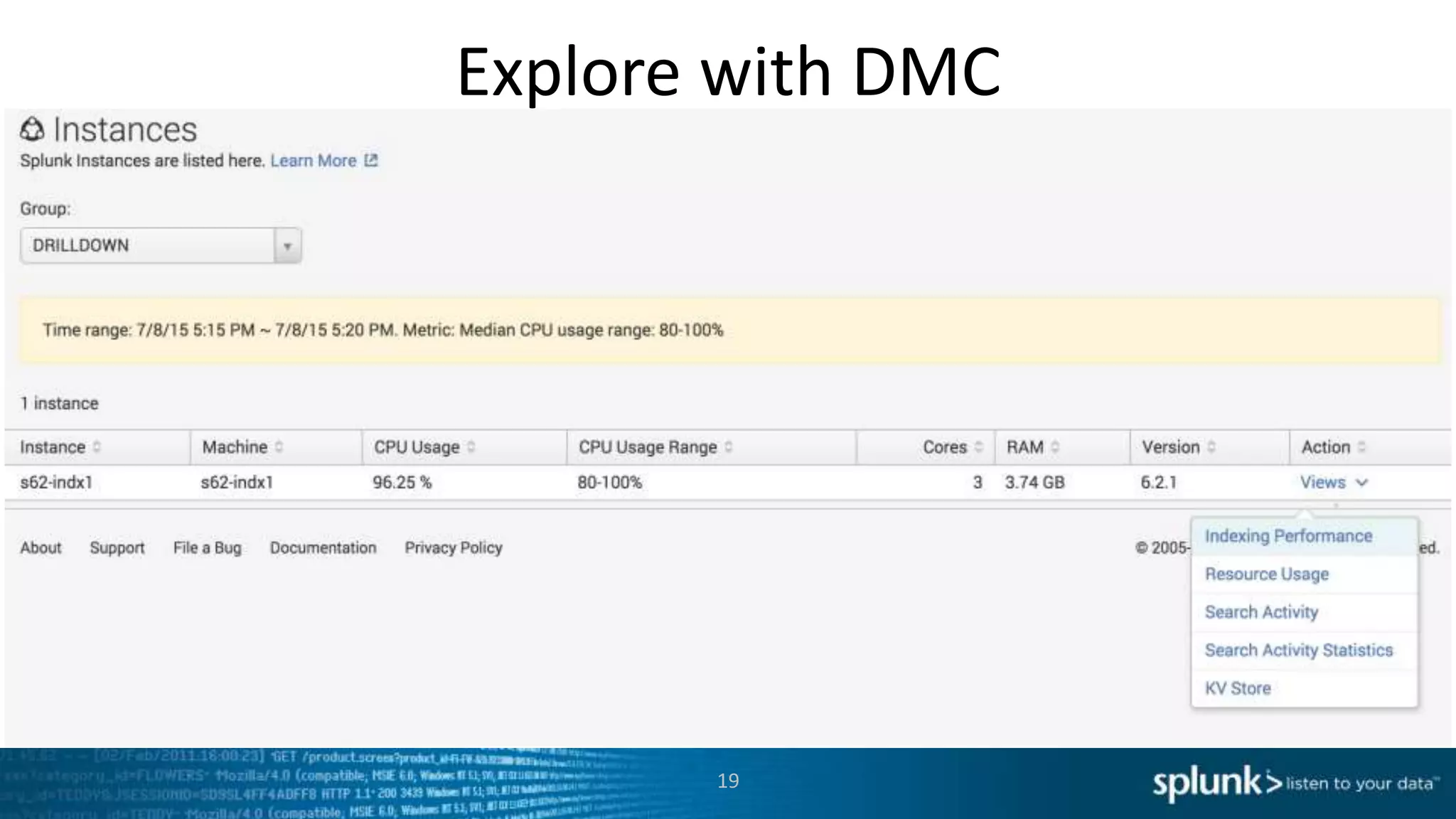
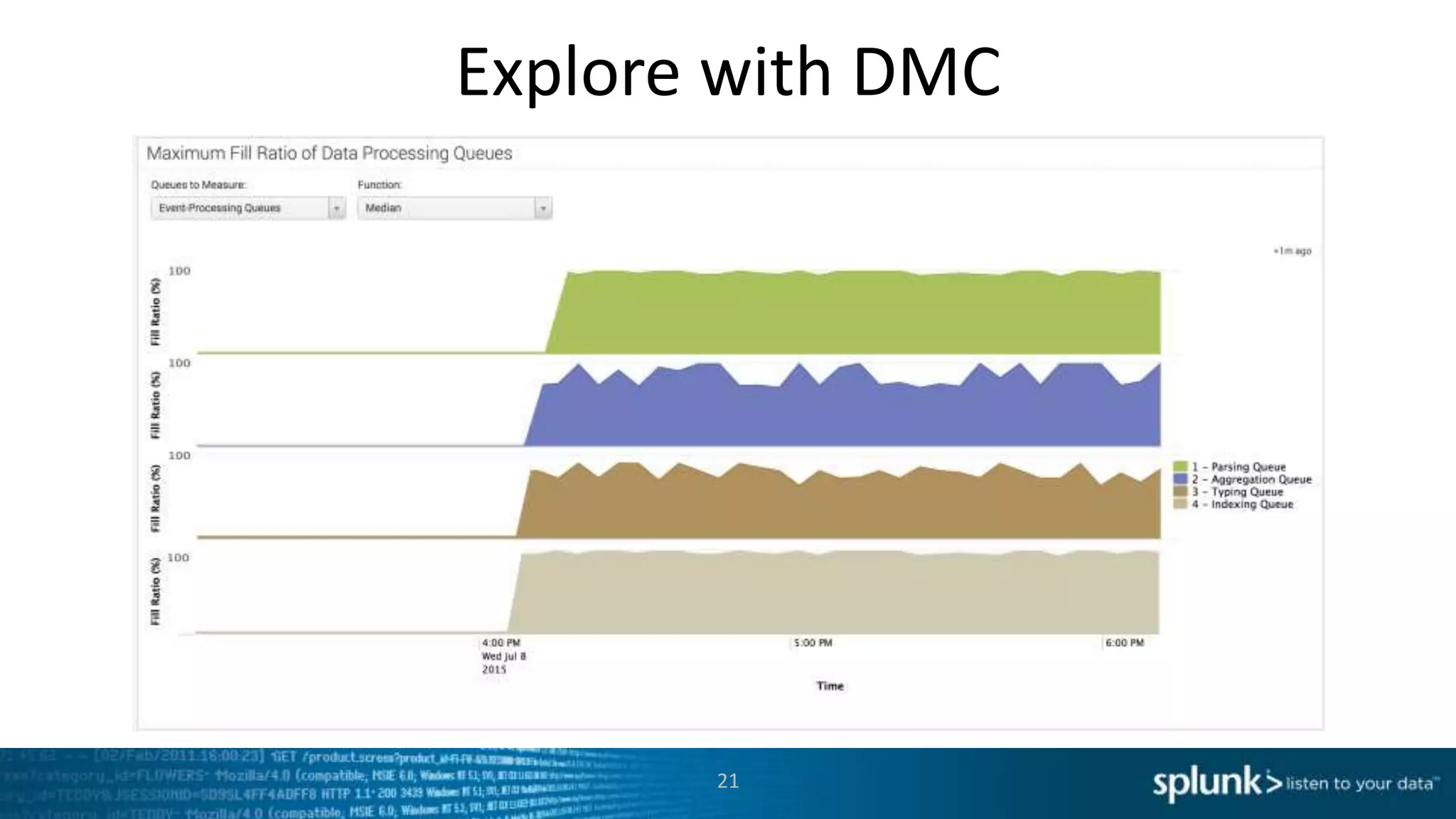
Explore with DMC
14
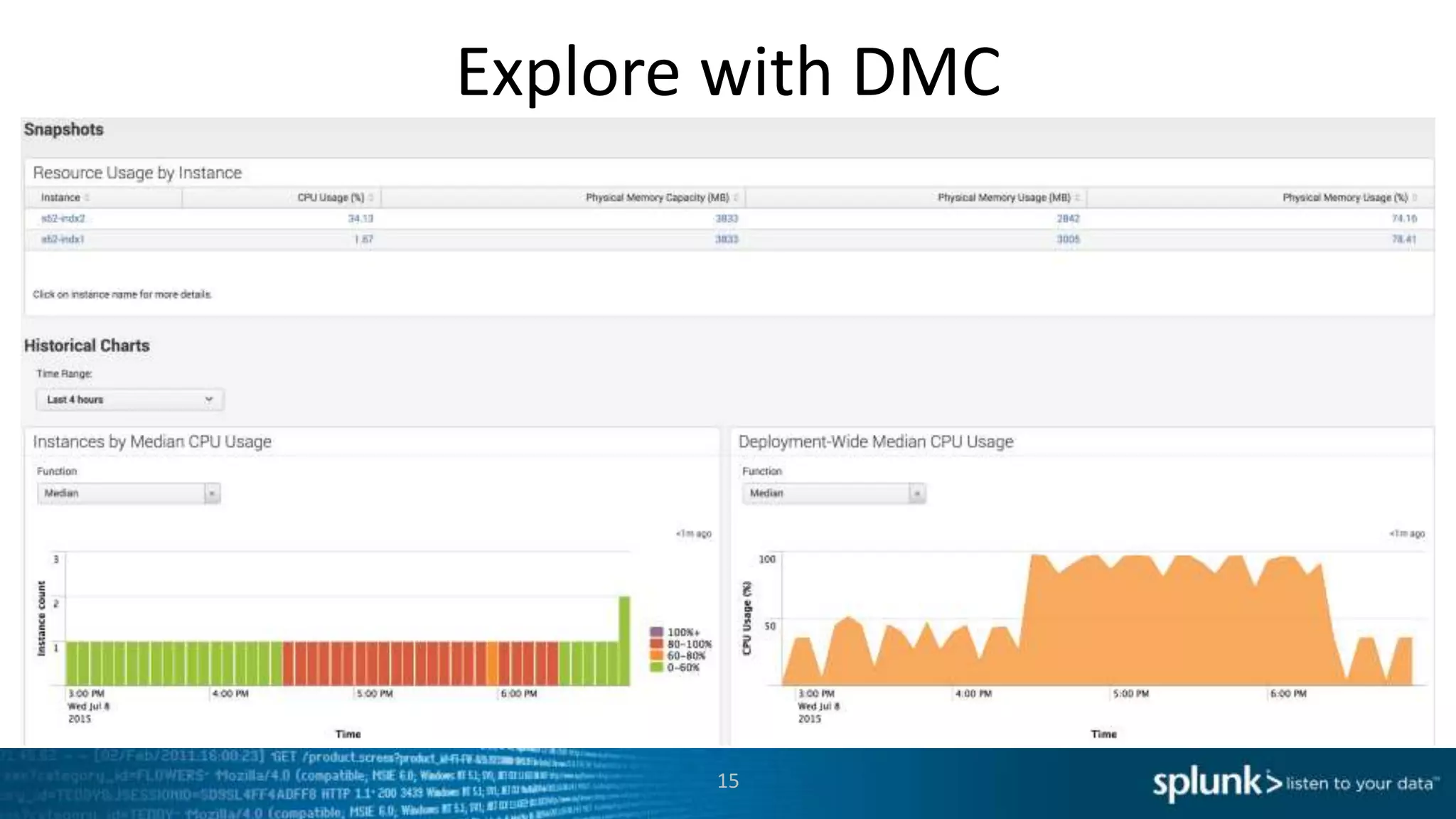
Explore with DMC
15
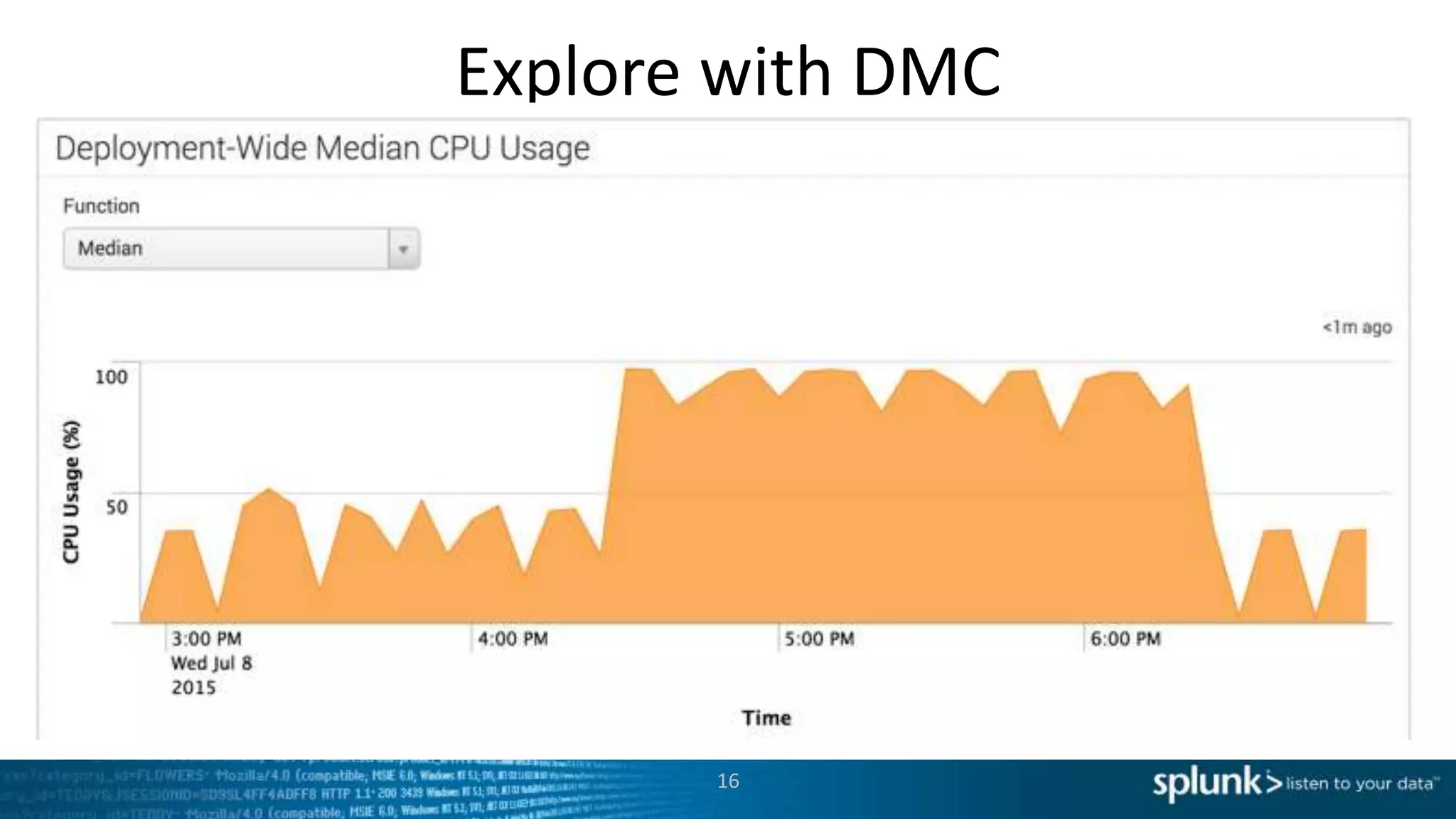
Explore with DMC
16
Explore with DMC
17
Explore with DMC
18
Explore with DMC
19
Explore with DMC
20
Explore with DMC
21
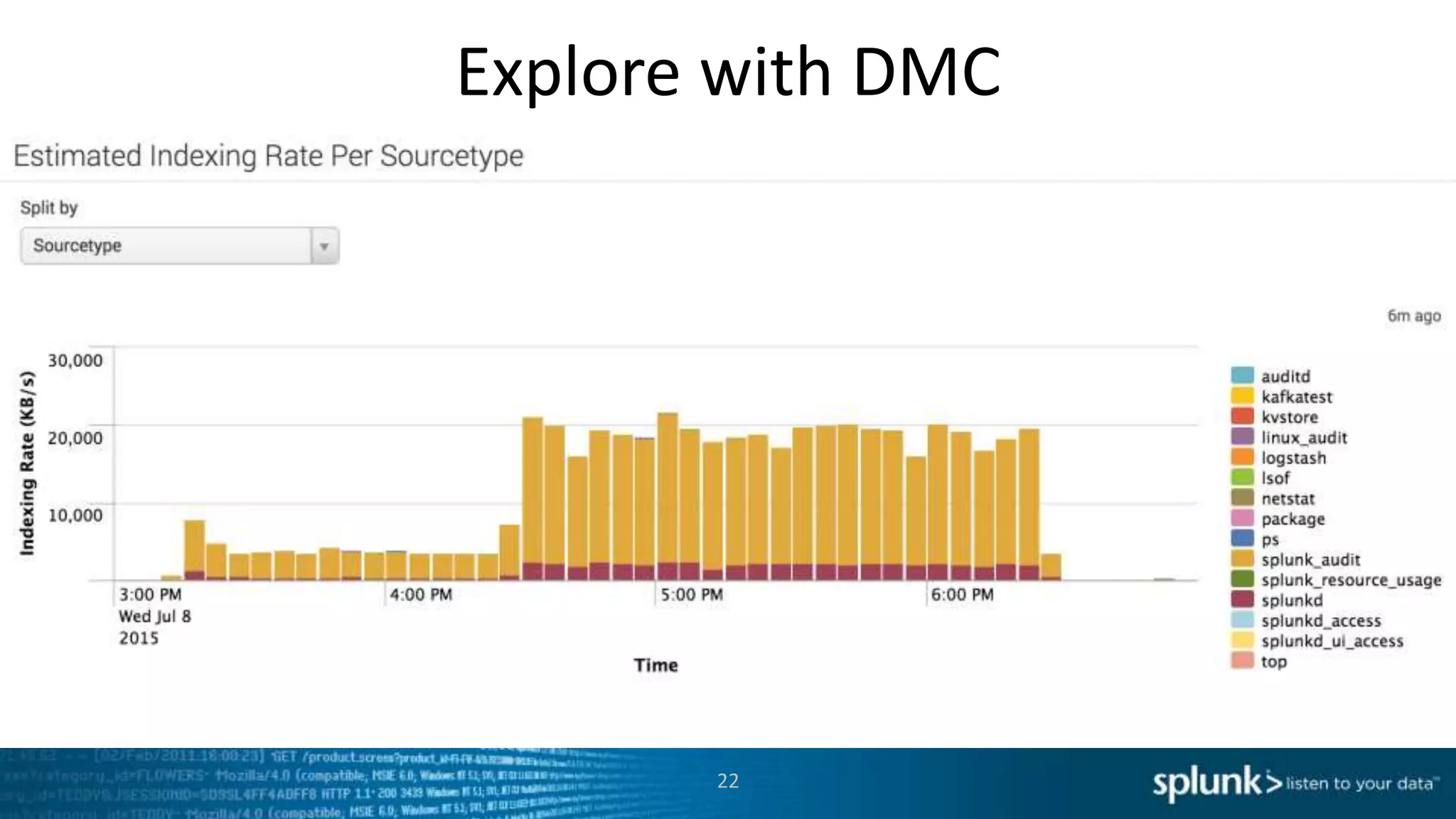
Explore with DMC
22
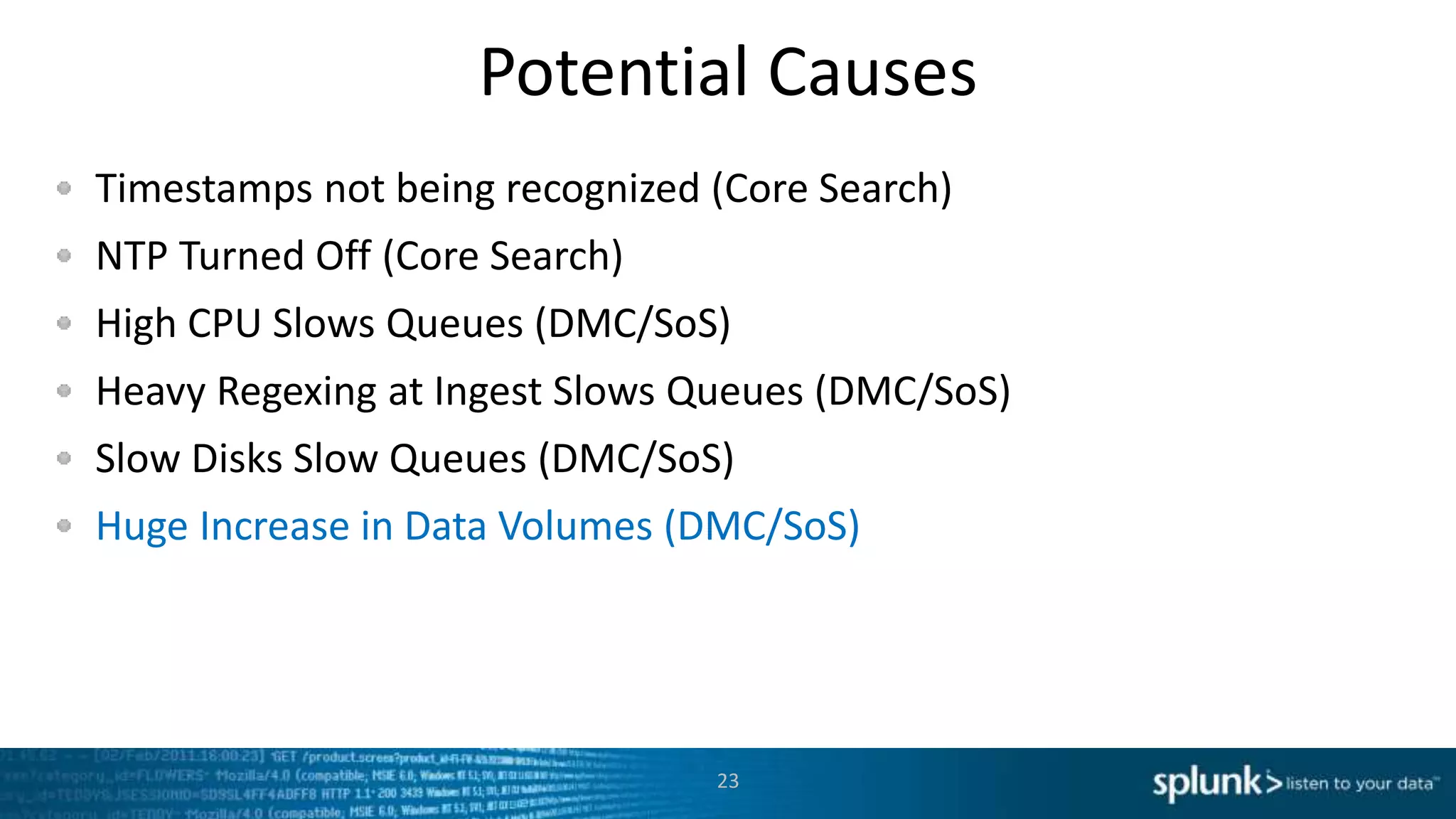
Potential Causes
Timestamps not being recognized (Core Search)
NTP Turned Off (Core Search)
High CPU Slows Queues (DMC/SoS)
Heavy Regexing at Ingest Slows Queues (DMC/SoS)
Slow Disks Slow Queues (DMC/SoS)
Huge Increase in Data Volumes (DMC/SoS)
23
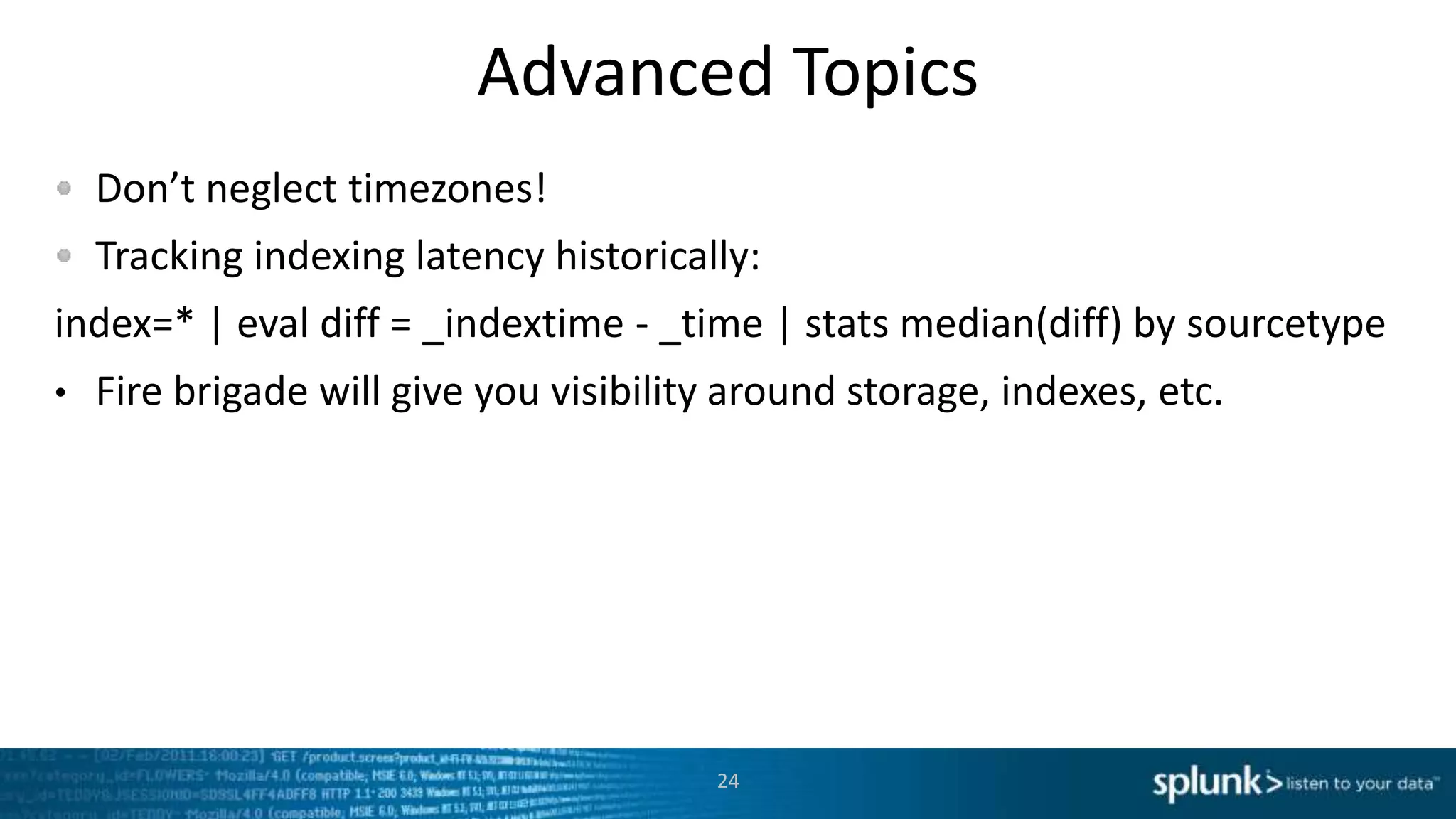
Advanced Topics
Don’t neglect timezones!
Tracking indexing latency historically:
index=* | eval diff = _indextime - _time | stats median(diff) by sourcetype
• Fire brigade will give you visibility around storage, indexes, etc.
24
Slow Search Performance
25
OH THE CONCURRENCY!
Slow Search Symptoms
Users complain that searches take too long
Dashboards don’t populate
Data Model Accelerations don’t complete
You actually monitor search performance over time!
26
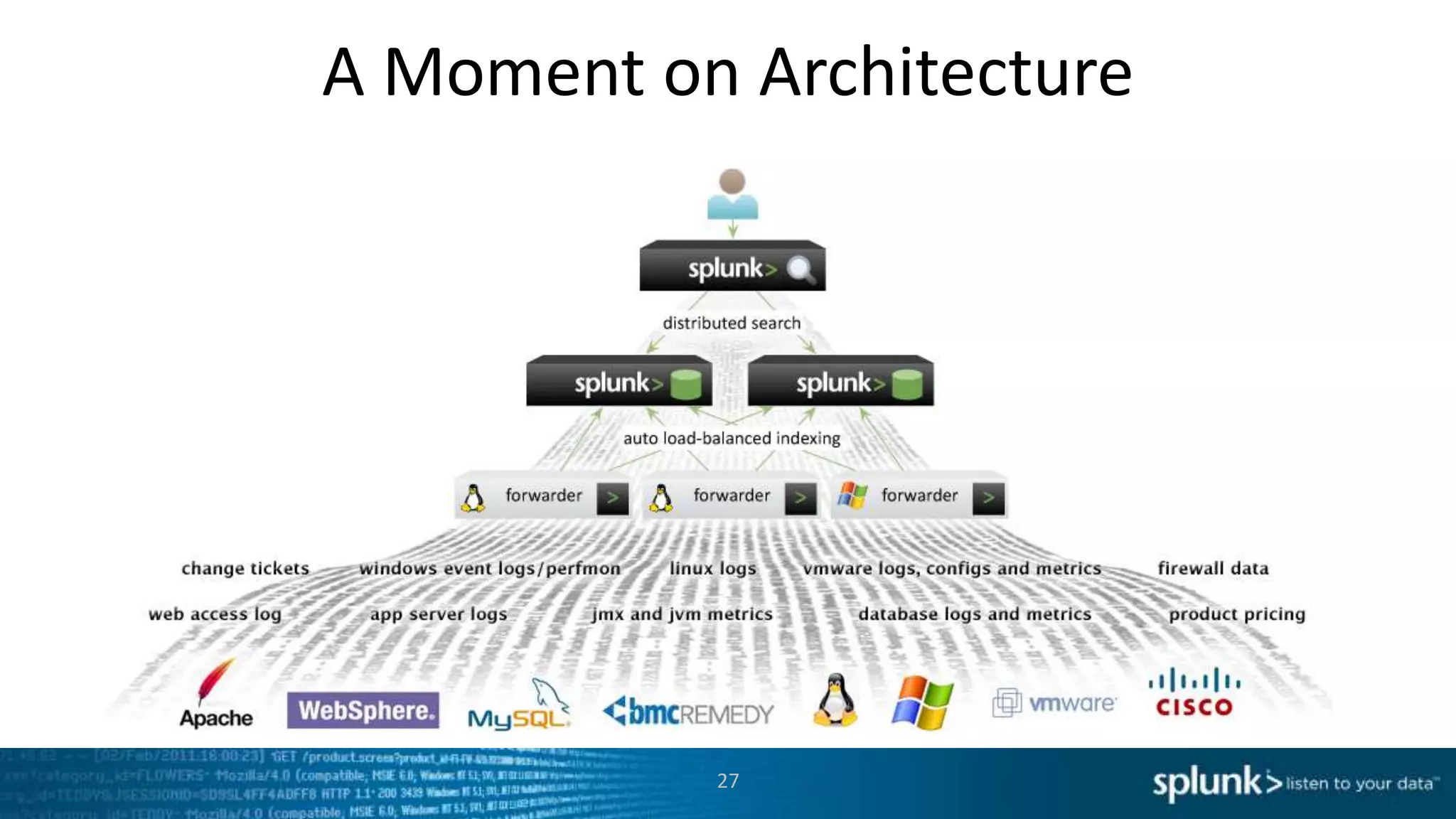
A Moment on Architecture
27
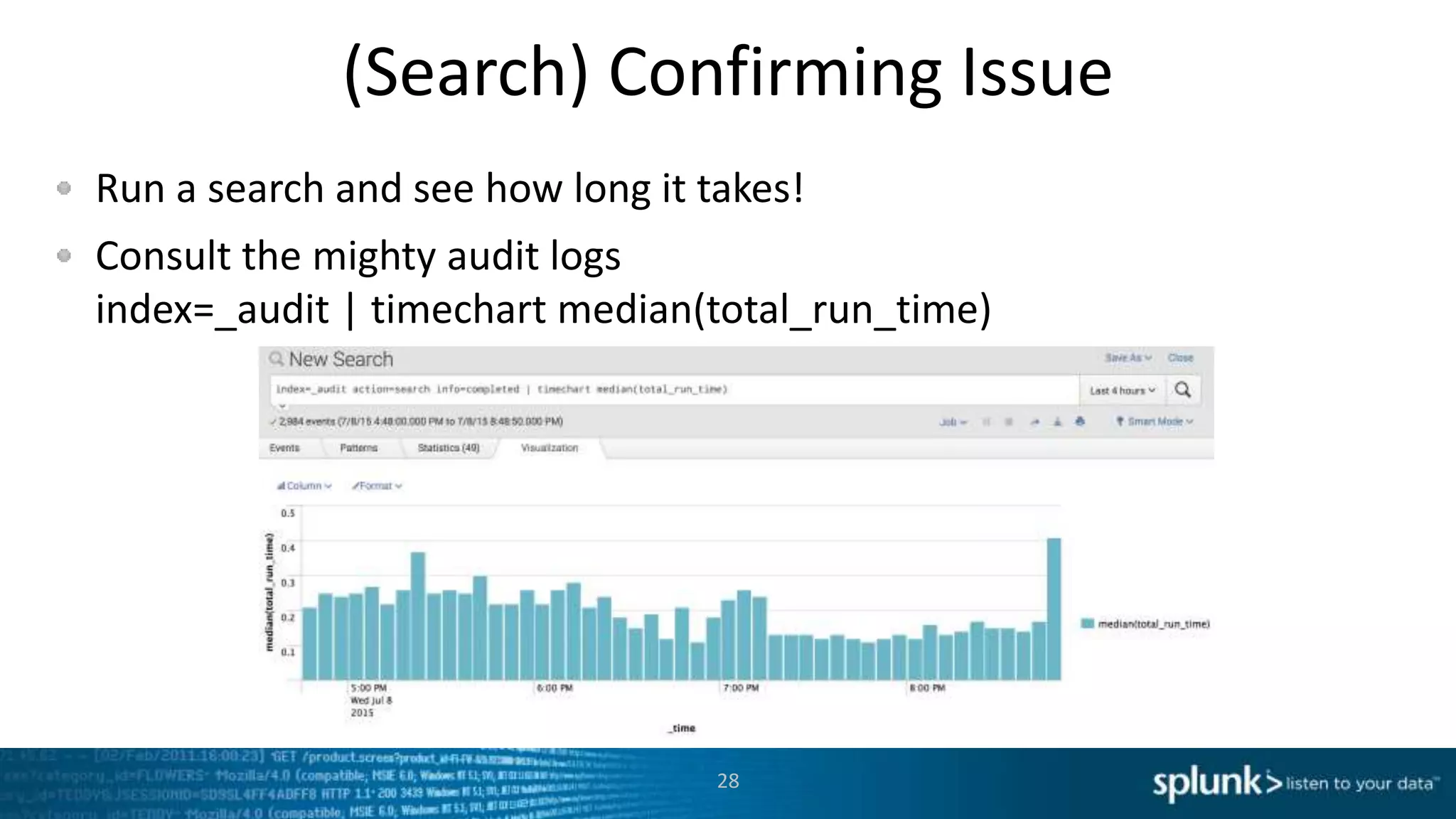
(Search) Confirming Issue
Run a search and see how long it takes!
Consult the mighty audit logs
index=_audit | timechart median(total_run_time)
28
Potential Causes
Poorly Written Search (Search Inspector, Core Search)
High CPU at Indexers or Search Heads
Slow / Too Busy Disks at Indexers
Overall Search Load too high
Several big searches slowing environment
29
Poorly Written Search
Major possibility if just a few searches are slow
See:
– “Search Efficiency Optimization” at .conf2015 by Andrew Landen (Splunk SME,
National Oilwell Varco)
– “Splunk Search Optimization” at .conf2014 by Julian Harty (Sr. Sales Engineer,
Splunk)
http://conf.splunk.com/sessions/2014
30
(Search) Possibility: New Search Load
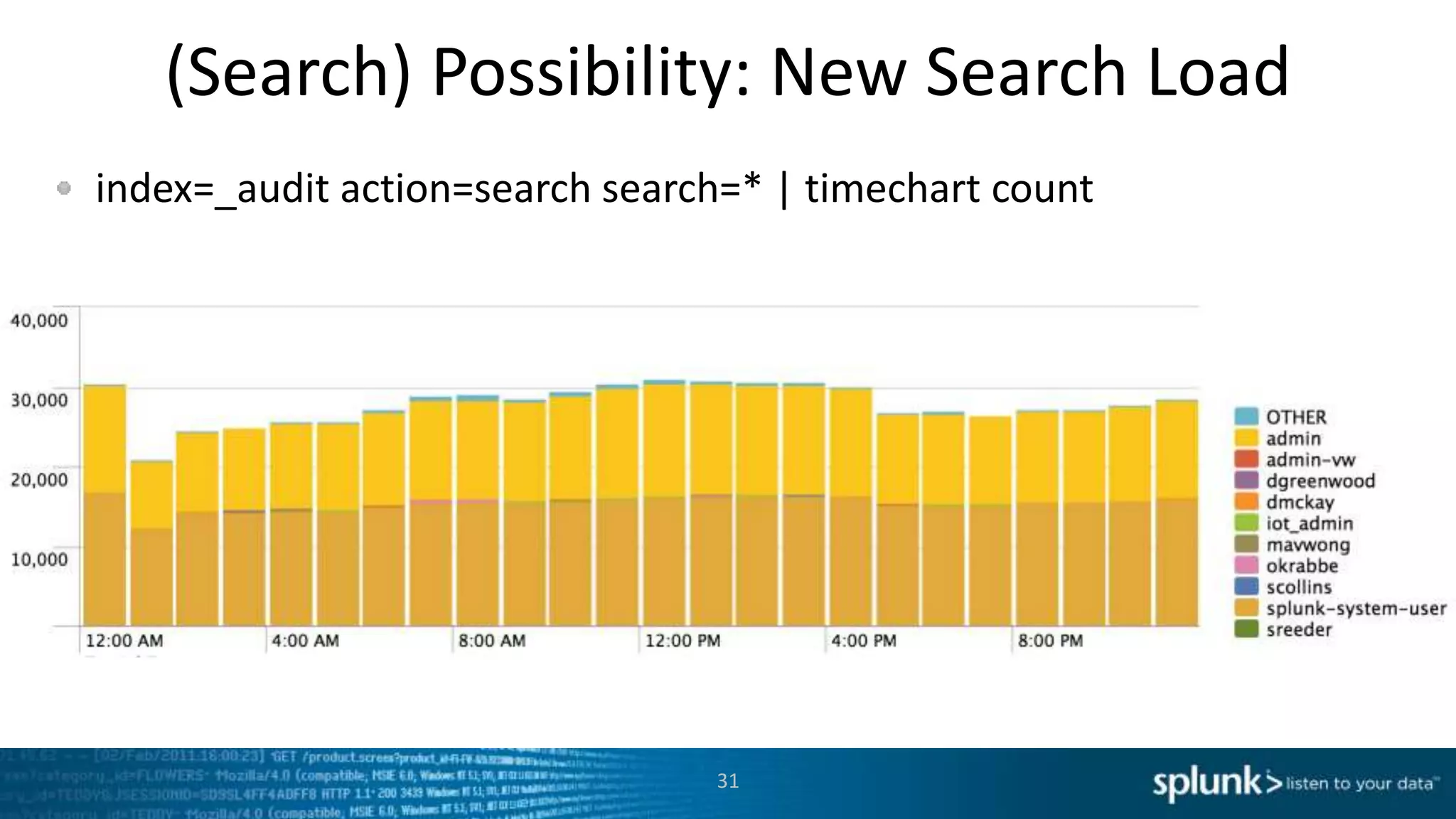
index=_audit action=search search=* | timechart count
31
Possibility: IO issue on Indexers
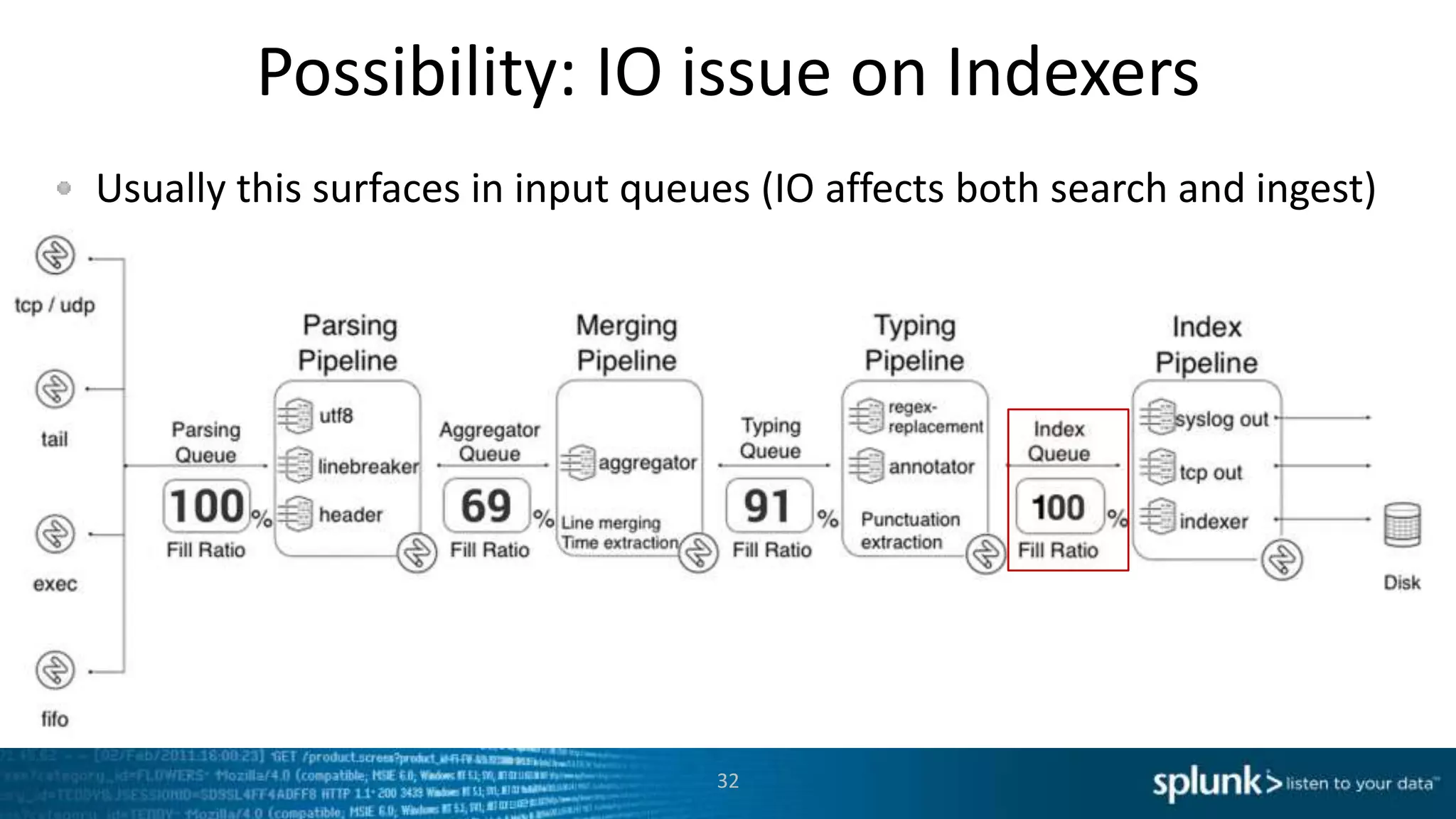
Usually this surfaces in input queues (IO affects both search and ingest)
32
Explore with DMC
33
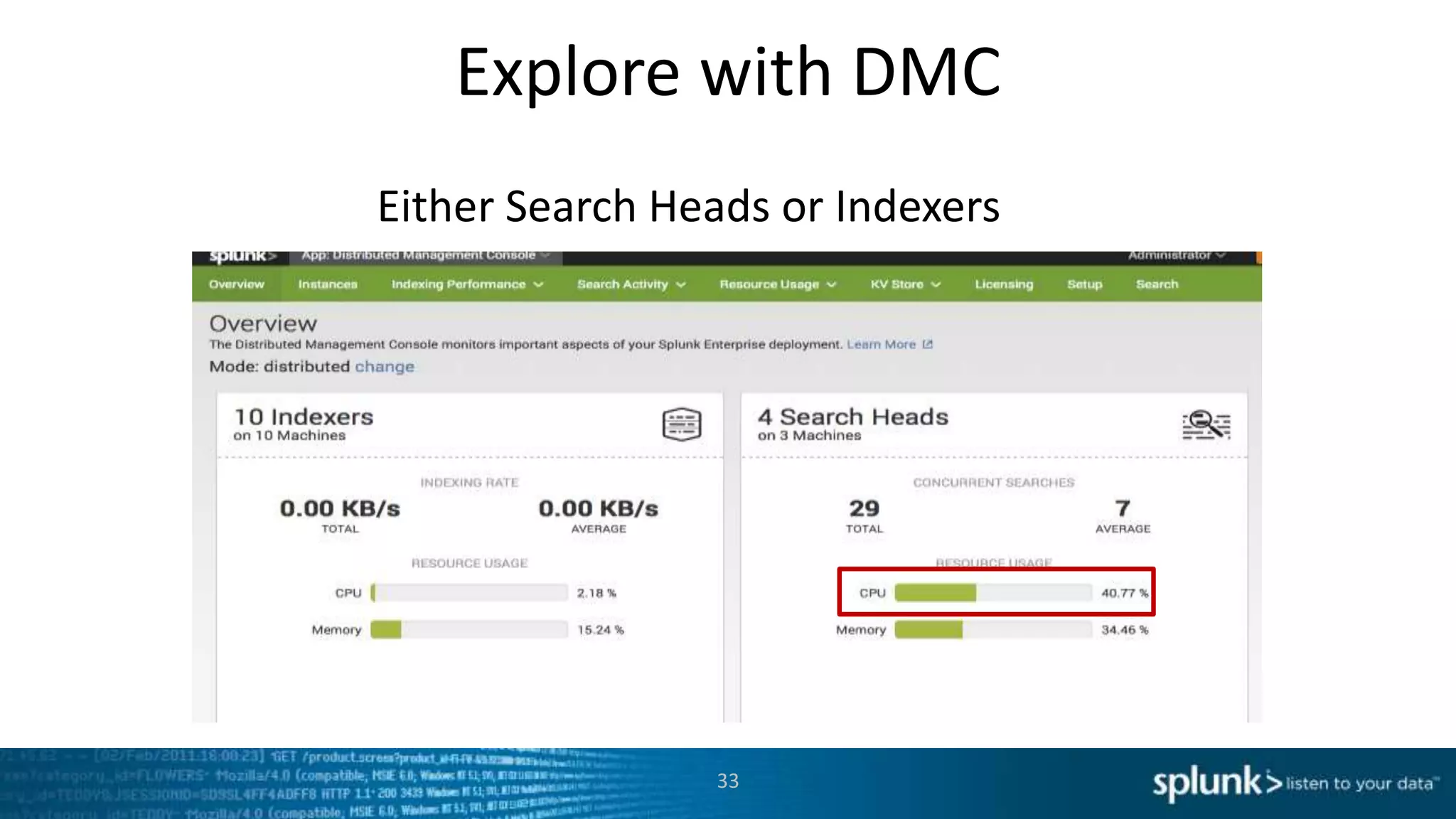
Either Search Heads or Indexers
Explore with DMC
34
Explore with DMC
35
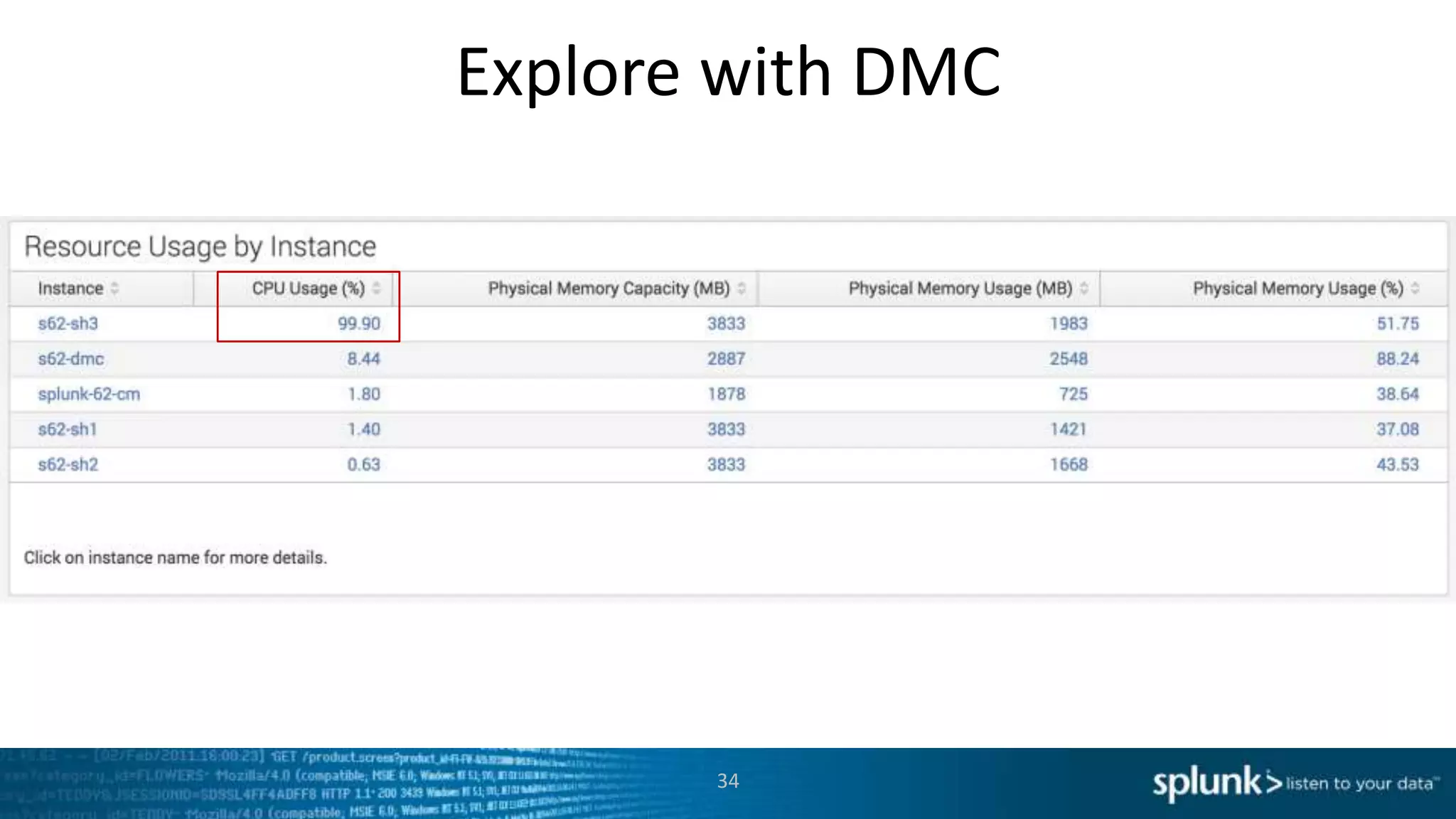
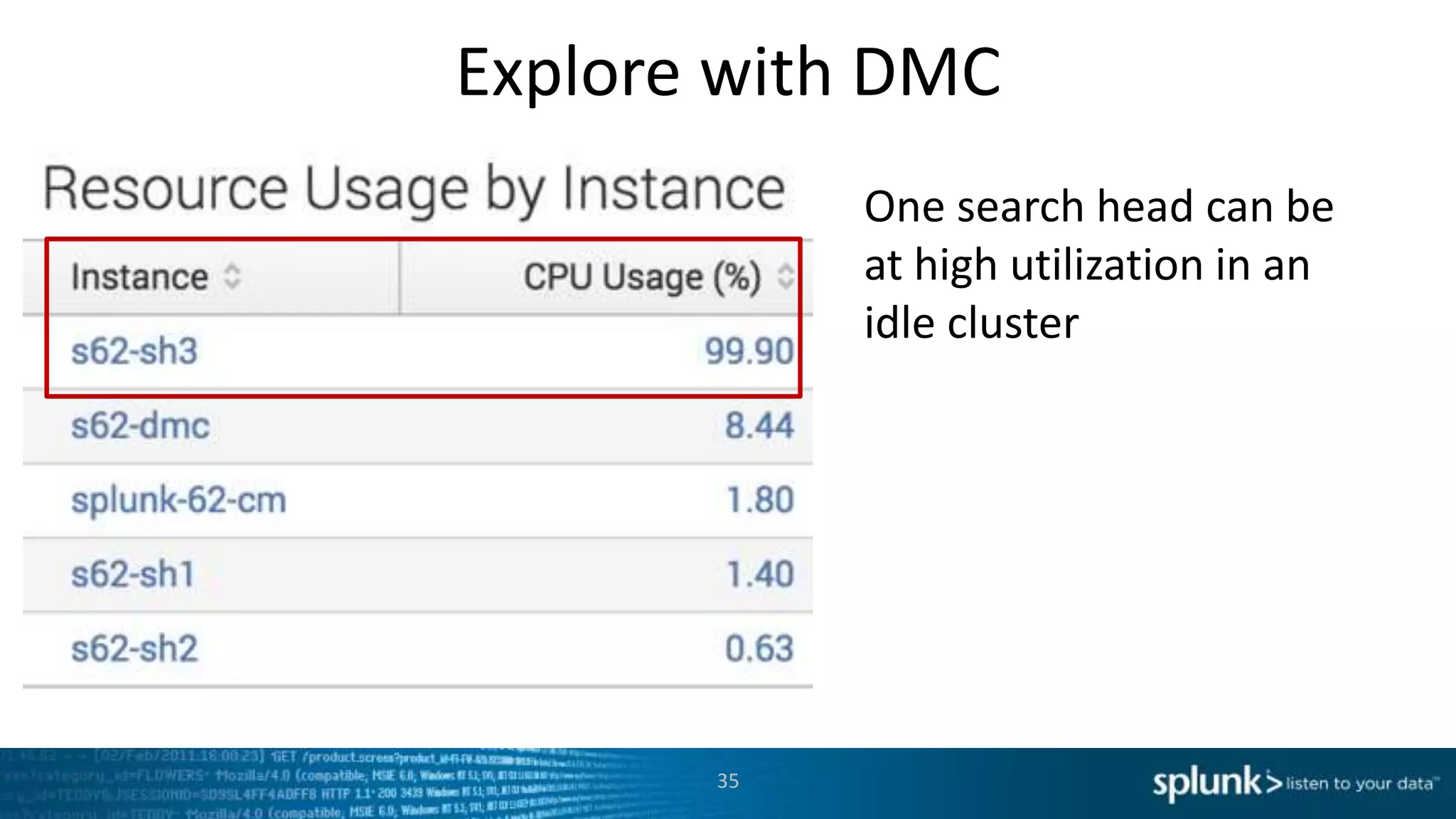
One search head can be
at high utilization in an
idle cluster
Explore with DMC
36
Explore with DMC
37
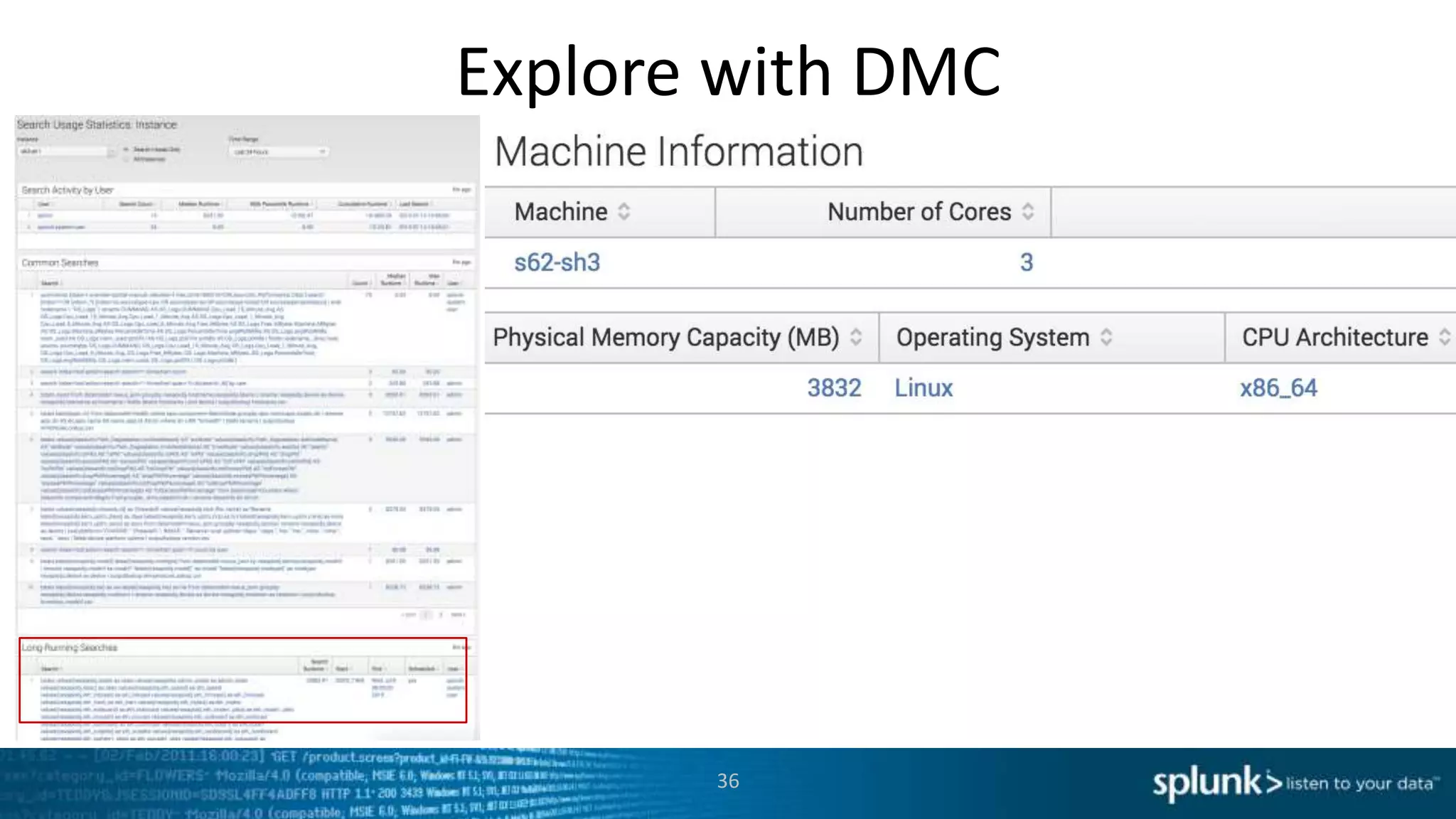
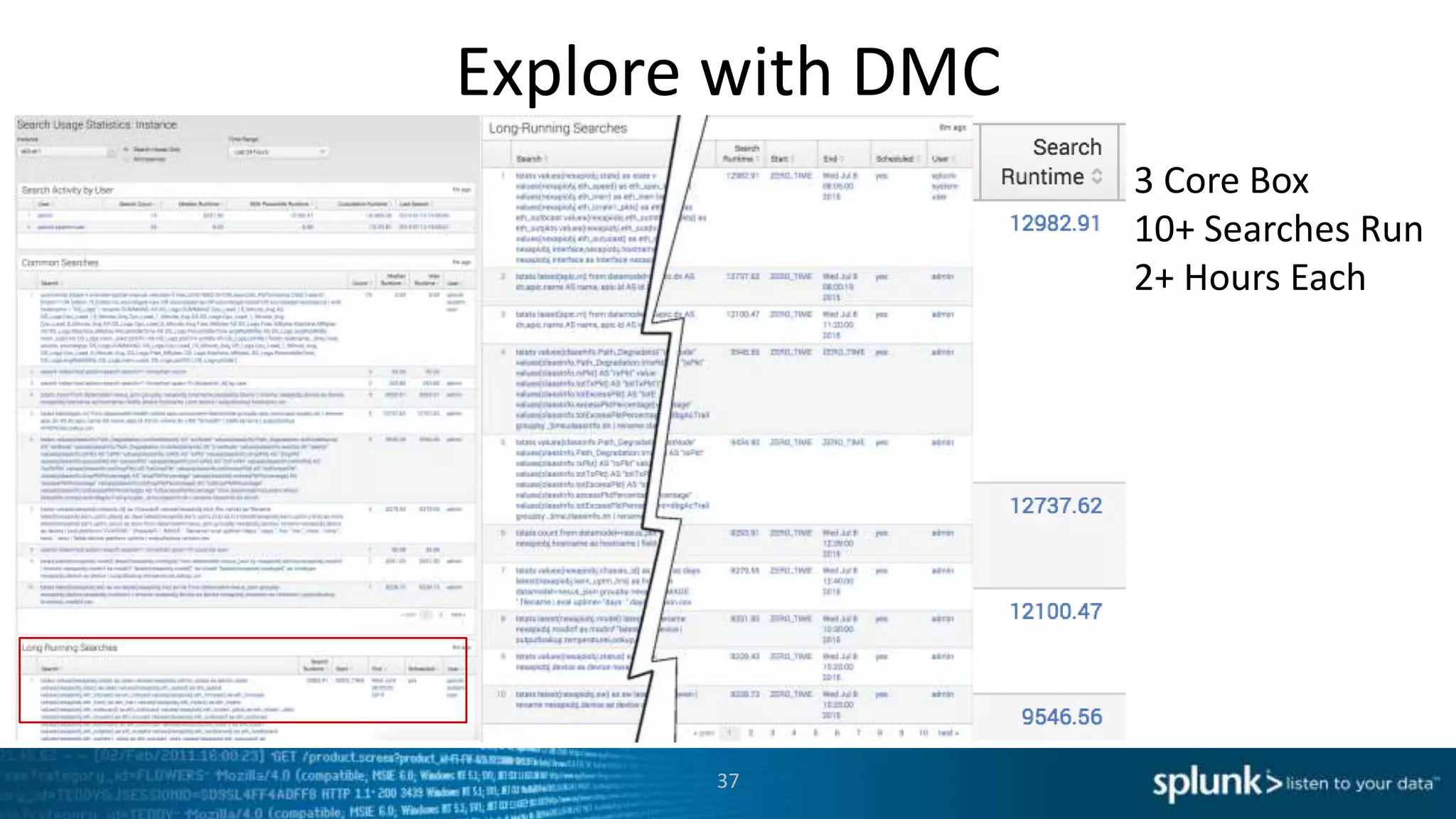
3 Core Box
10+ Searches Run
2+ Hours Each
Advanced Topics
• Look at .conf2014 presentations:
– Curating User Experience – Sanford Owings (Principal Professional Services)
– Splunk Search Optimization – Julian Harty (Sr. Sales Engineer)
– http://conf.splunk.com/sessions/2014
Consider Search Activity app
38
Platform Alerts
39
Responsive, meet Proactive
Be Notified
40
Be Notified
41
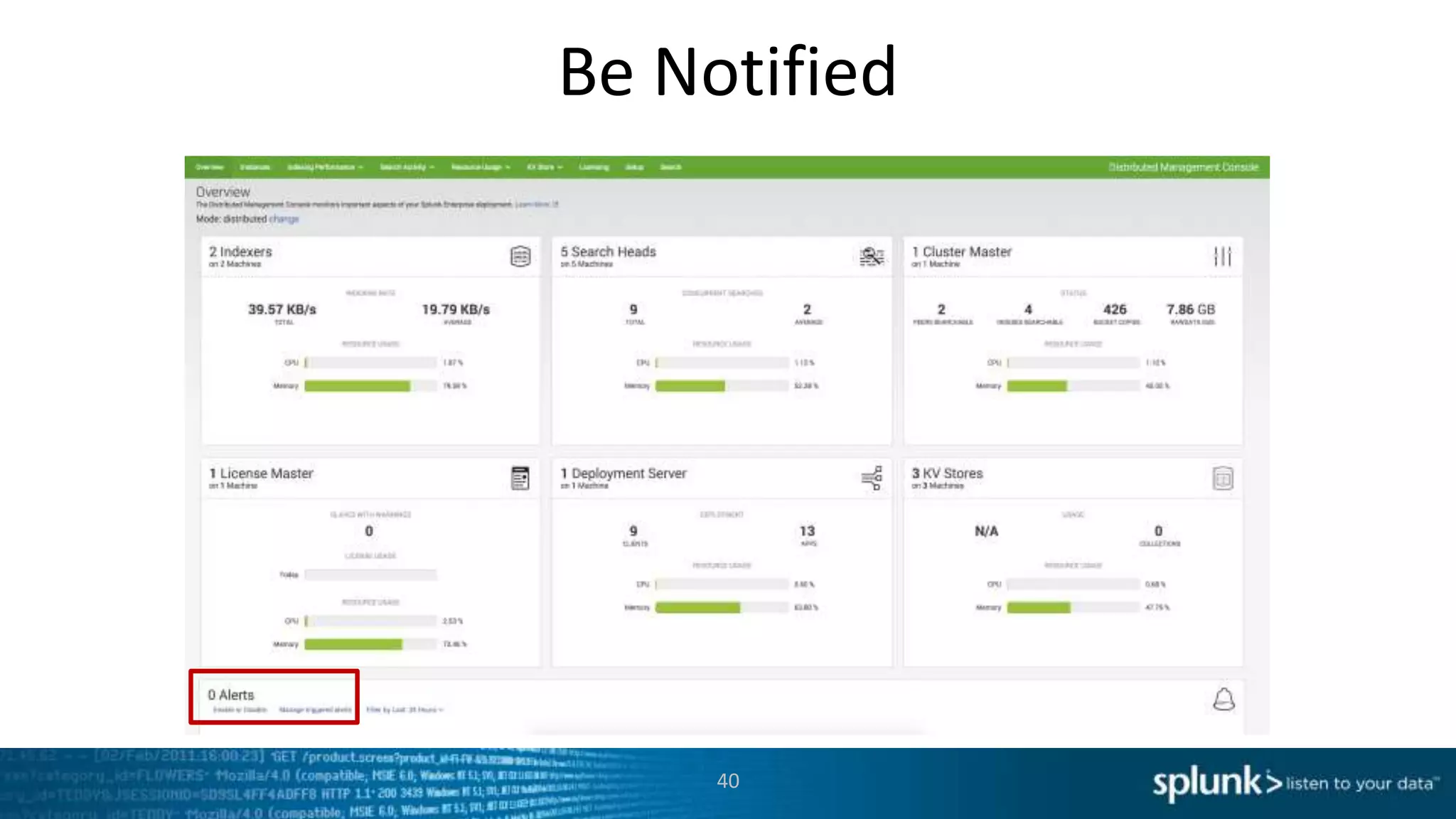
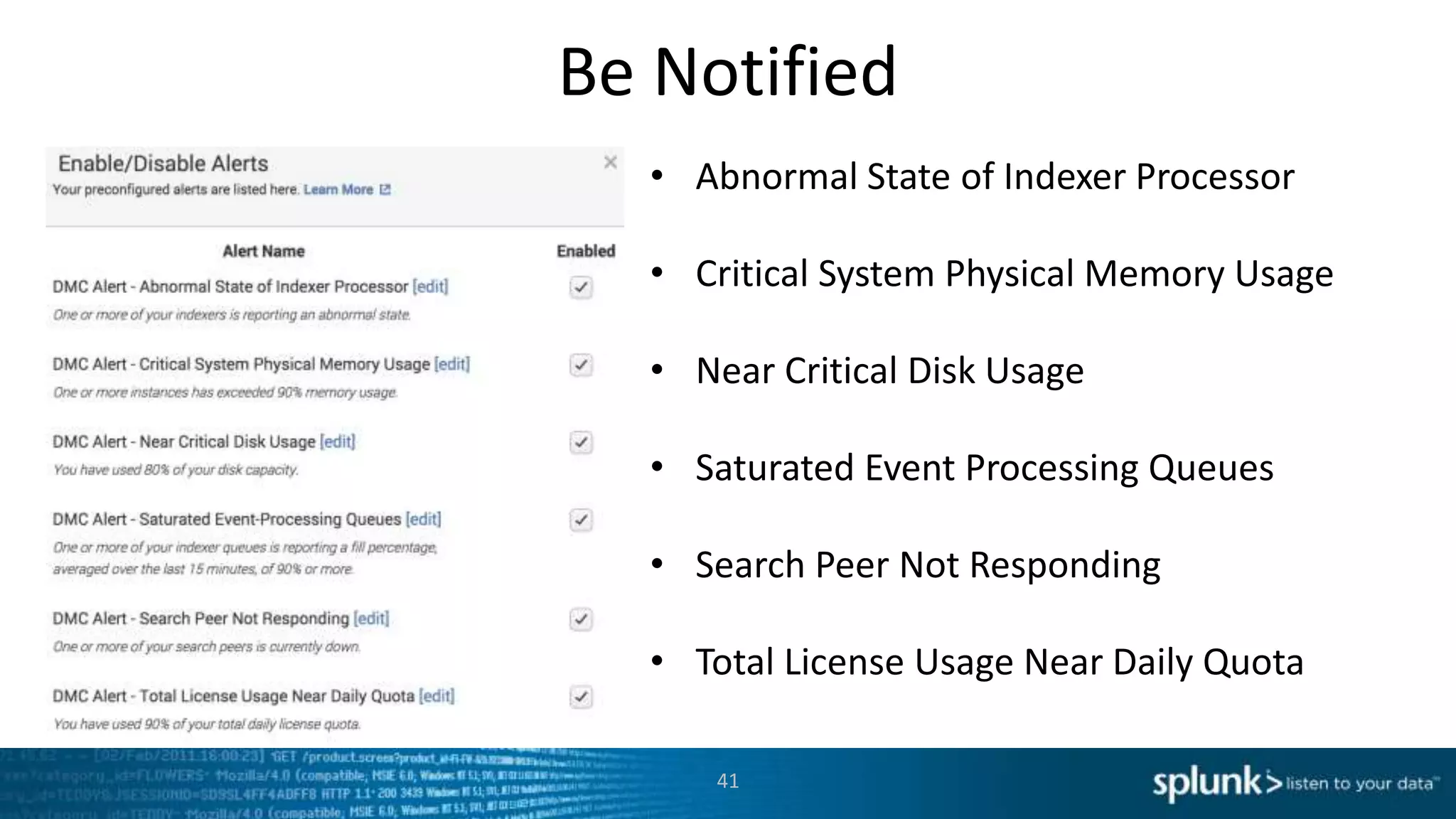
• Abnormal State of Indexer Processor
• Critical System Physical Memory Usage
• Near Critical Disk Usage
• Saturated Event Processing Queues
• Search Peer Not Responding
• Total License Usage Near Daily Quota
Wrap Up
42
What are all the tools out there
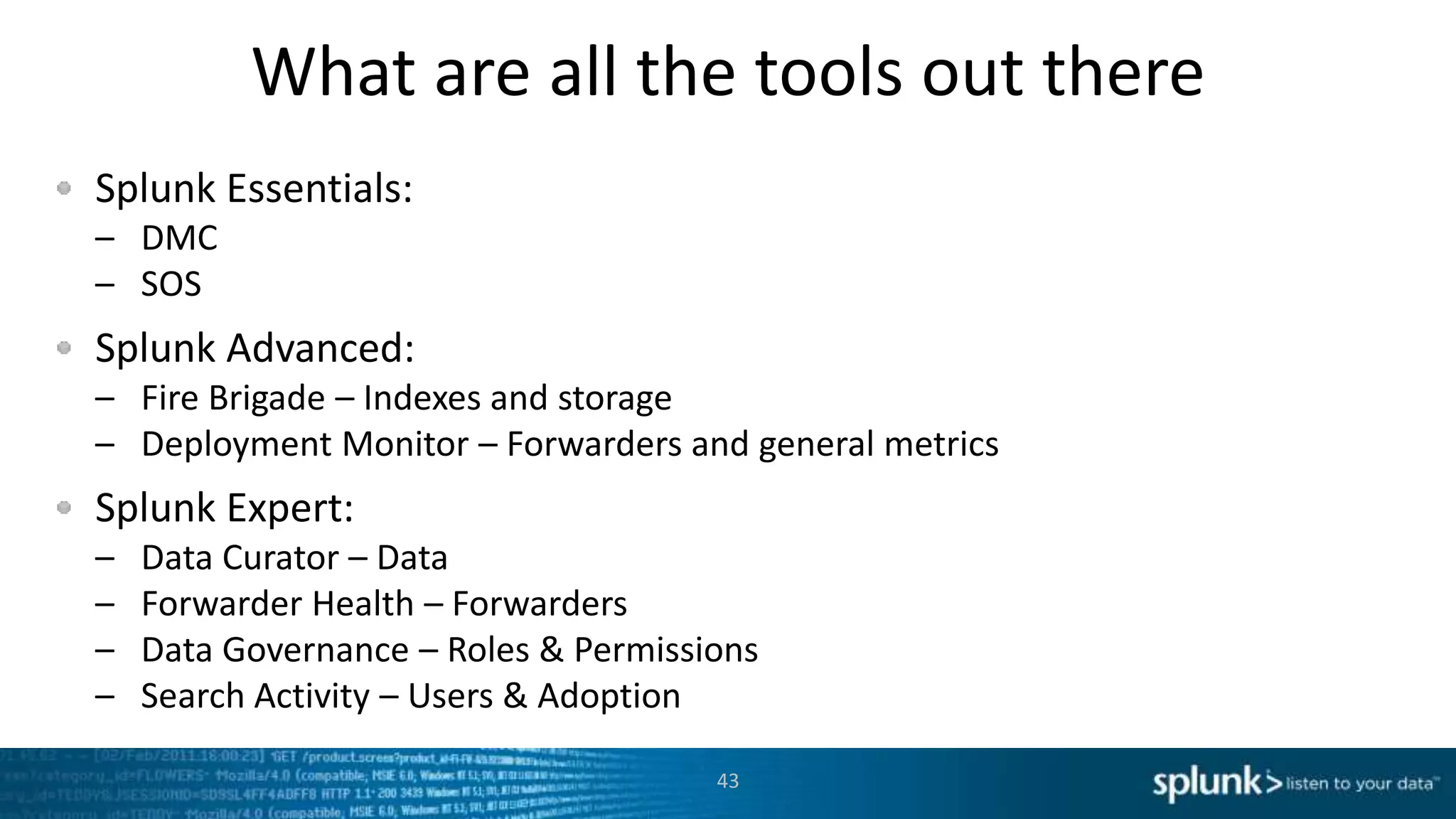
Splunk Essentials:
– DMC
– SOS
Splunk Advanced:
– Fire Brigade – Indexes and storage
– Deployment Monitor – Forwarders and general metrics
Splunk Expert:
– Data Curator – Data
– Forwarder Health – Forwarders
– Data Governance – Roles & Permissions
– Search Activity – Users & Adoption
43
How to Set up DMC
1. Read the docs section: where to install the role (hint: not your normal
search head)
2. Read the docs section: Prerequisites (important!)
3. Make sure to complete the setup
4. In the setup, roles should almost always autodetect correctly –
assume misconfiguration for errors!
45
What was that one thing I need to learn?
Splunk 6.1 and beyond: the Distributed Management Console (DMC)
– Supported
– Driven by product management
Splunk (All Versions): Splunk on Splunk (SoS)
– Was the foundation for monitoring
– Driven by support and PS
Virtually all large and successful customers use one or both of these
46
Related SessionsThe 6th Annual Splunk Worldwide Users’ Conference
September 21-24, 2015  The MGM Grand Hotel, Las Vegas
Did you like this session on Monitoring Splunk? You should check out
these sessions at .conf2015?
• Splunk Distributed Management Console: New Views for the DMC in the next version of
Splunk – Patrick Ogdin (Product Manager) and Octavio Di Sciullo (Splunk Master)
• Using Splunk Internal Logs for System Health Diagnosis and Troubleshooting– Victor Ebken
and Xiaoyuan Li (Both Splunk Engineering)
• Splunk Health Check. How is Your Environment Feeling? – Aaron Kornhauser and Vladimir
Skoryk (Both Splunk Professional Services)
Register at: conf.splunk.com
.conf boilerplateThe 6th Annual Splunk Worldwide Users’ Conference
September 21-24, 2015  The MGM Grand Hotel, Las Vegas
• 50+ Customer Speakers
• 50+ Splunk Speakers
• 35+ Apps in Splunk Apps Showcase
• 65 Technology Partners
• 4,000+ IT & Business Professionals
• 2 Keynote Sessions
• 3 days of technical content (150+ Sessions)
• 3 days of Splunk University
– Get Splunk Certified
– Get CPE credits for CISSP, CAP, SSCP, etc.
– Save thousands on Splunk education!
48
Register at: conf.splunk.com
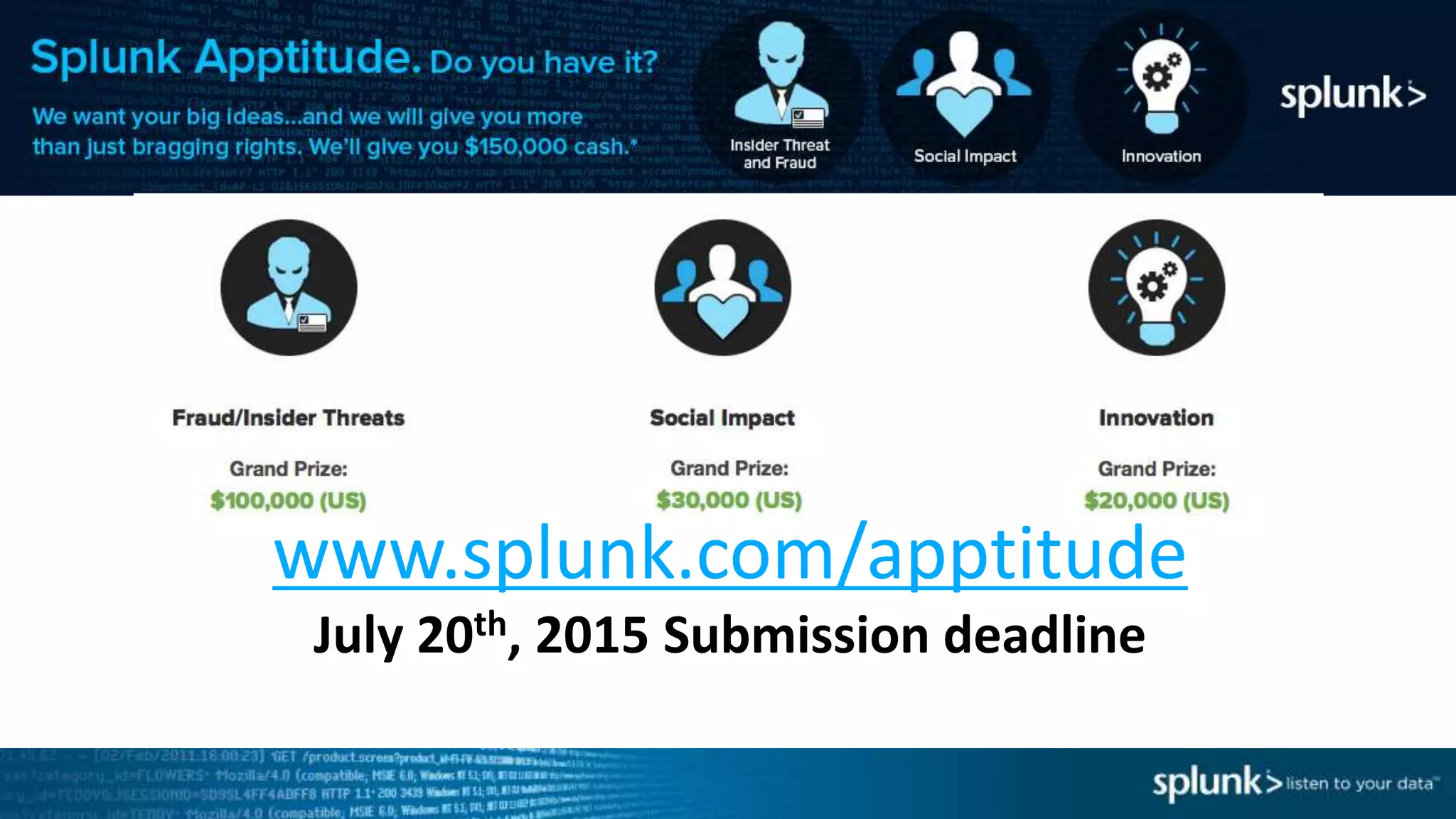
Apptitutde
www.splunk.com/apptitude
July 20th, 2015 Submission deadline
Where to go from here?
Ask me or other Splunkers questions at the break
Ask your SE
Ask the Splunk Answers booth
Ask Splunk Answers (http://answers.splunk.com/)
Look at .conf2015 sessions!
Set up the DMC, and maybe SoS, and any of the other apps in your own
environment
50
We Want to Hear your Feedback!
After the Breakout Sessions conclude
Text Splunk to 878787
And be entered for a chance to win a $100 AMEX gift card!
Thank you!

Monitoring Splunk: S.o.S, DMC, and Beyond Breakout Session

  • 1.
    Copyright © 2014Splunk Inc. Monitoring Splunk DMC, SoS, and Beyond David Veuve – Sr. Sales Engineer
  • 2.
    Introduction • Who amI? • Who are you? • What are you going to get from this? – Familiarity with some typical Splunk scenarios – Understanding of essential Splunk tools – Desire to go explore those tools! 2
  • 3.
    Agenda Quick Demo Data AcquisitionLatency Use Case Slow Search Performance Use Case Platform Alerts Wrap Up 3
  • 4.
    If you onlylearn one thing… Splunk 6.1 and beyond: the Distributed Management Console (DMC) – Driven by product management Splunk (All Versions): Splunk on Splunk (SoS) – Was the foundation for monitoring – Driven by support and PS DMC is the future Virtually all large and successful customers use one or both of these 4
  • 5.
    Why Still useSoS When DMC Exists • You’re not on Splunk 6.1+ (or you don’t have anyplace to run it) • Some views that aren’t in DMC yet • If Managing Splunk is 25% of your job, just use DMC • Otherwise, evaluate other apps based on your needs. 5
  • 6.
    Overview Demo 6 “How doyou actually find and use these things?”
  • 7.
  • 8.
    Symptoms Scheduled Alerts Aren’tFiring As Expected / No Recent Results – If latency = 6 minutes, no results from earliest=-5m MAJORBADERROR – Advanced Tip: _index_earliest=-5m “Splunk isn’t realtime enough” – users Typical Data Acquisition Latency is <1 Minute, Median <5 seconds 8
  • 9.
    A Moment onQueues http://docs.splunk.com/Documentation/Splunk/6.2.4/admin/Configurationparametersandthedatapipeline 9
  • 10.
    Either using SOS,or a realtime-all-time search, track latency Indexing -> Distributed Indexing Performance -> click “Run Search” (SOS) Confirming Issue 10
  • 11.
    Potential Causes Timestamps notbeing recognized NTP Turned Off High CPU Slows Queues Heavy Regexing at Ingest Slows Queues Slow Disks Slow Queues Increase in Data Volumes 11
  • 12.
    (Search) Possibility: IncorrectTimestamping Multiple timestamps? Which is right? Or: events with a a start timestamp and long duration field (e.g., CDR) Hint: Start with the oldest and newest events! 12
  • 13.
    (Search) Possibility: NTPTurned Off Example above (or use your own search, or log into suspect hosts) to find hosts without NTP turned on, or with out of date timestamps 13
  • 14.
  • 15.
  • 16.
  • 17.
  • 18.
  • 19.
  • 20.
  • 21.
  • 22.
  • 23.
    Potential Causes Timestamps notbeing recognized (Core Search) NTP Turned Off (Core Search) High CPU Slows Queues (DMC/SoS) Heavy Regexing at Ingest Slows Queues (DMC/SoS) Slow Disks Slow Queues (DMC/SoS) Huge Increase in Data Volumes (DMC/SoS) 23
  • 24.
    Advanced Topics Don’t neglecttimezones! Tracking indexing latency historically: index=* | eval diff = _indextime - _time | stats median(diff) by sourcetype • Fire brigade will give you visibility around storage, indexes, etc. 24
  • 25.
  • 26.
    Slow Search Symptoms Userscomplain that searches take too long Dashboards don’t populate Data Model Accelerations don’t complete You actually monitor search performance over time! 26
  • 27.
    A Moment onArchitecture 27
  • 28.
    (Search) Confirming Issue Runa search and see how long it takes! Consult the mighty audit logs index=_audit | timechart median(total_run_time) 28
  • 29.
    Potential Causes Poorly WrittenSearch (Search Inspector, Core Search) High CPU at Indexers or Search Heads Slow / Too Busy Disks at Indexers Overall Search Load too high Several big searches slowing environment 29
  • 30.
    Poorly Written Search Majorpossibility if just a few searches are slow See: – “Search Efficiency Optimization” at .conf2015 by Andrew Landen (Splunk SME, National Oilwell Varco) – “Splunk Search Optimization” at .conf2014 by Julian Harty (Sr. Sales Engineer, Splunk) http://conf.splunk.com/sessions/2014 30
  • 31.
    (Search) Possibility: NewSearch Load index=_audit action=search search=* | timechart count 31
  • 32.
    Possibility: IO issueon Indexers Usually this surfaces in input queues (IO affects both search and ingest) 32
  • 33.
    Explore with DMC 33 EitherSearch Heads or Indexers
  • 34.
  • 35.
    Explore with DMC 35 Onesearch head can be at high utilization in an idle cluster
  • 36.
  • 37.
    Explore with DMC 37 3Core Box 10+ Searches Run 2+ Hours Each
  • 38.
    Advanced Topics • Lookat .conf2014 presentations: – Curating User Experience – Sanford Owings (Principal Professional Services) – Splunk Search Optimization – Julian Harty (Sr. Sales Engineer) – http://conf.splunk.com/sessions/2014 Consider Search Activity app 38
  • 39.
  • 40.
  • 41.
    Be Notified 41 • AbnormalState of Indexer Processor • Critical System Physical Memory Usage • Near Critical Disk Usage • Saturated Event Processing Queues • Search Peer Not Responding • Total License Usage Near Daily Quota
  • 42.
  • 43.
    What are allthe tools out there Splunk Essentials: – DMC – SOS Splunk Advanced: – Fire Brigade – Indexes and storage – Deployment Monitor – Forwarders and general metrics Splunk Expert: – Data Curator – Data – Forwarder Health – Forwarders – Data Governance – Roles & Permissions – Search Activity – Users & Adoption 43
  • 44.
    How to Setup DMC 1. Read the docs section: where to install the role (hint: not your normal search head) 2. Read the docs section: Prerequisites (important!) 3. Make sure to complete the setup 4. In the setup, roles should almost always autodetect correctly – assume misconfiguration for errors! 45
  • 45.
    What was thatone thing I need to learn? Splunk 6.1 and beyond: the Distributed Management Console (DMC) – Supported – Driven by product management Splunk (All Versions): Splunk on Splunk (SoS) – Was the foundation for monitoring – Driven by support and PS Virtually all large and successful customers use one or both of these 46
  • 46.
    Related SessionsThe 6thAnnual Splunk Worldwide Users’ Conference September 21-24, 2015  The MGM Grand Hotel, Las Vegas Did you like this session on Monitoring Splunk? You should check out these sessions at .conf2015? • Splunk Distributed Management Console: New Views for the DMC in the next version of Splunk – Patrick Ogdin (Product Manager) and Octavio Di Sciullo (Splunk Master) • Using Splunk Internal Logs for System Health Diagnosis and Troubleshooting– Victor Ebken and Xiaoyuan Li (Both Splunk Engineering) • Splunk Health Check. How is Your Environment Feeling? – Aaron Kornhauser and Vladimir Skoryk (Both Splunk Professional Services) Register at: conf.splunk.com
  • 47.
    .conf boilerplateThe 6thAnnual Splunk Worldwide Users’ Conference September 21-24, 2015  The MGM Grand Hotel, Las Vegas • 50+ Customer Speakers • 50+ Splunk Speakers • 35+ Apps in Splunk Apps Showcase • 65 Technology Partners • 4,000+ IT & Business Professionals • 2 Keynote Sessions • 3 days of technical content (150+ Sessions) • 3 days of Splunk University – Get Splunk Certified – Get CPE credits for CISSP, CAP, SSCP, etc. – Save thousands on Splunk education! 48 Register at: conf.splunk.com
  • 48.
  • 49.
    Where to gofrom here? Ask me or other Splunkers questions at the break Ask your SE Ask the Splunk Answers booth Ask Splunk Answers (http://answers.splunk.com/) Look at .conf2015 sessions! Set up the DMC, and maybe SoS, and any of the other apps in your own environment 50
  • 50.
    We Want toHear your Feedback! After the Breakout Sessions conclude Text Splunk to 878787 And be entered for a chance to win a $100 AMEX gift card! Thank you!

Editor's Notes

  • #3 Who is this for? This is for existing Splunk users Why care about monitoring Splunk Large distributed systems require work If you let an issue turn into a down situation, your best troubleshooting tool is offline so you'd best detect the issues first Most successful customers use these Support is going to ask you to install them anyway, on a webex of via screenshots What to cover? Several concrete examples of using SOS or DMC to discover problems and resolve them. Best practices and offhand remarks that even a seasoned admin will learn from A witty reparte
  • #5 What are the most popular monitoring tools out there? Distributed Management Console Some introspection, adds alerting for when we are close to max capacity Better view for topology-wide scope SOS Great and primarily post-mortem system introspection
  • #47 What are the most popular monitoring tools out there? Distributed Management Console Some introspection, adds alerting for when we are close to max capacity Better view for topology-wide scope SOS Great and primarily post-mortem system introspection
  • #49 And finally, I would like to encourage all of you to attend our user conference in September.   The energy level and passion that our customers bring to this event is simply electrifying.   Combined with inspirational keynotes and 150+ breakout session across all areas of operational intelligence,   It is simply the best forum to bring our Splunk community together, to learn about new and advanced Splunk offerings, and most of all to learn from one another.