

Copyright © 2015 Splunk Inc.
Splunk @ Level++
2
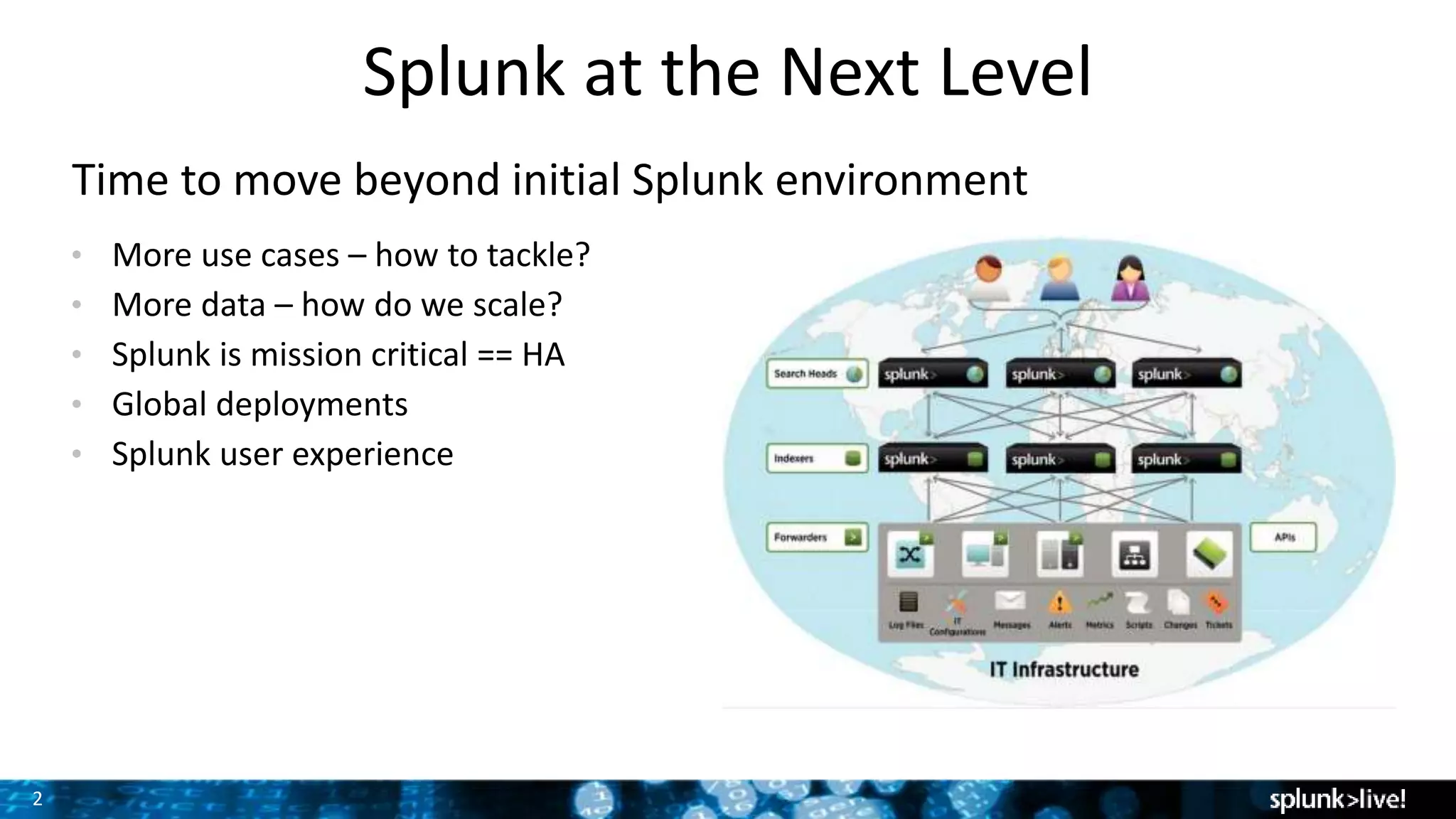
Splunk at the Next Level
Time to move beyond initial Splunk environment
• More use cases – how to tackle?
• More data – how do we scale?
• Splunk is mission critical == HA
• Global deployments
• Splunk user experience Screenshot here
3
Agenda
Use cases  Business Cases
Simple Scaling
Indexer Clustering (+Cross-site Clustering, Search Affinity)
Search Head Clustering
Distributed Management Console
Centralized Configuration Management
Splunk Cloud & Hybrid Deployments
Q&A
4
Growing your Splunk Deployment
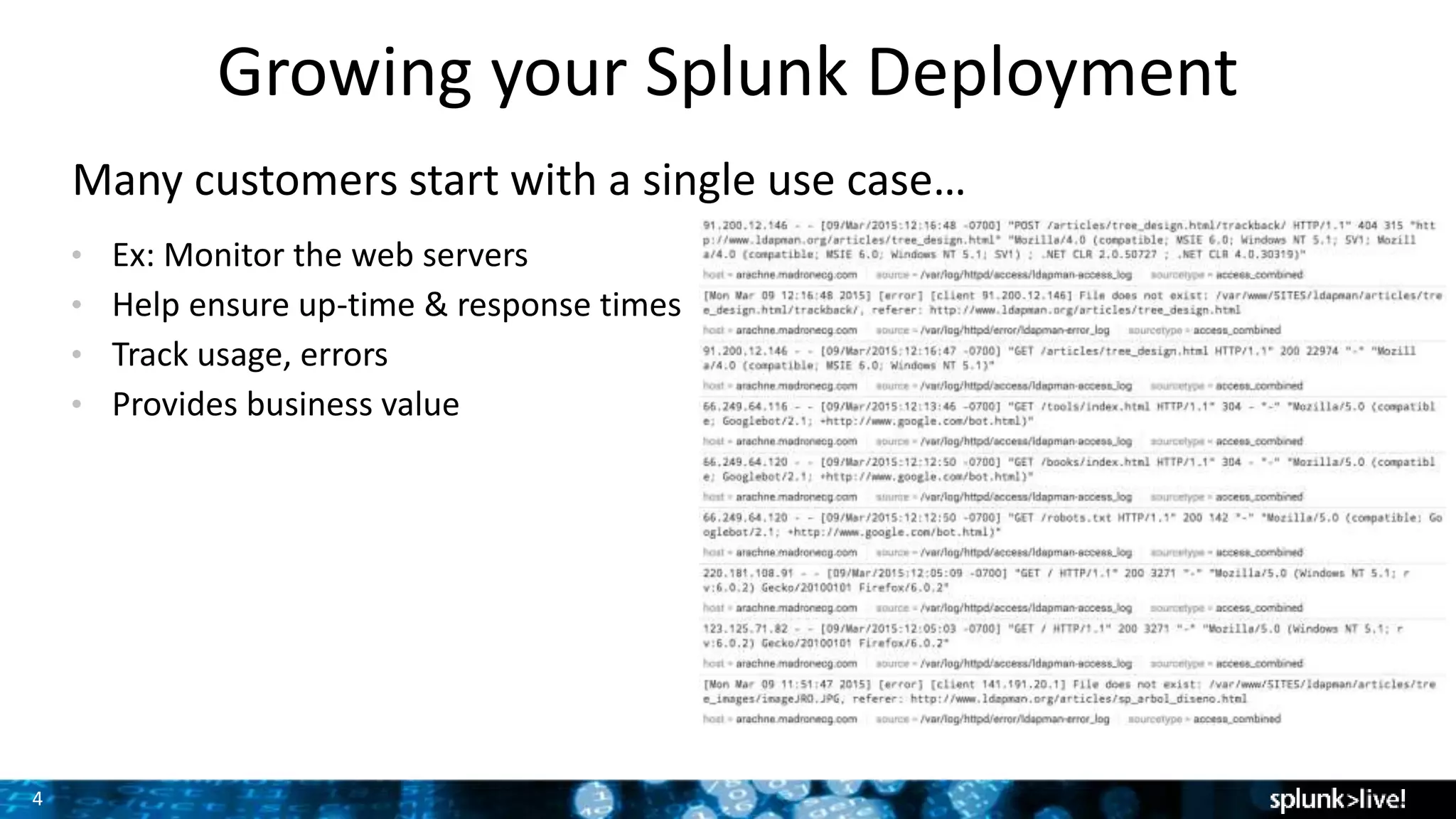
Many customers start with a single use case…
• Ex: Monitor the web servers
• Help ensure up-time & response times
• Track usage, errors
• Provides business value
5
Growing your Splunk Deployment
Value statement for each overall service
Your services exist in a larger context than just one app, or one tier.
What is the value of the service as a whole?
What are CIO commitments for the service?
• The company’s web store is one of the most critical parts of the business.
• Performance of the overall environment must be maintained at all times.
• Failures in any portion of the web store must be quickly identified, send
notification to the appropriate parties.
• Dependencies on external processes must be monitored as well.
6
Growing your Splunk Deployment
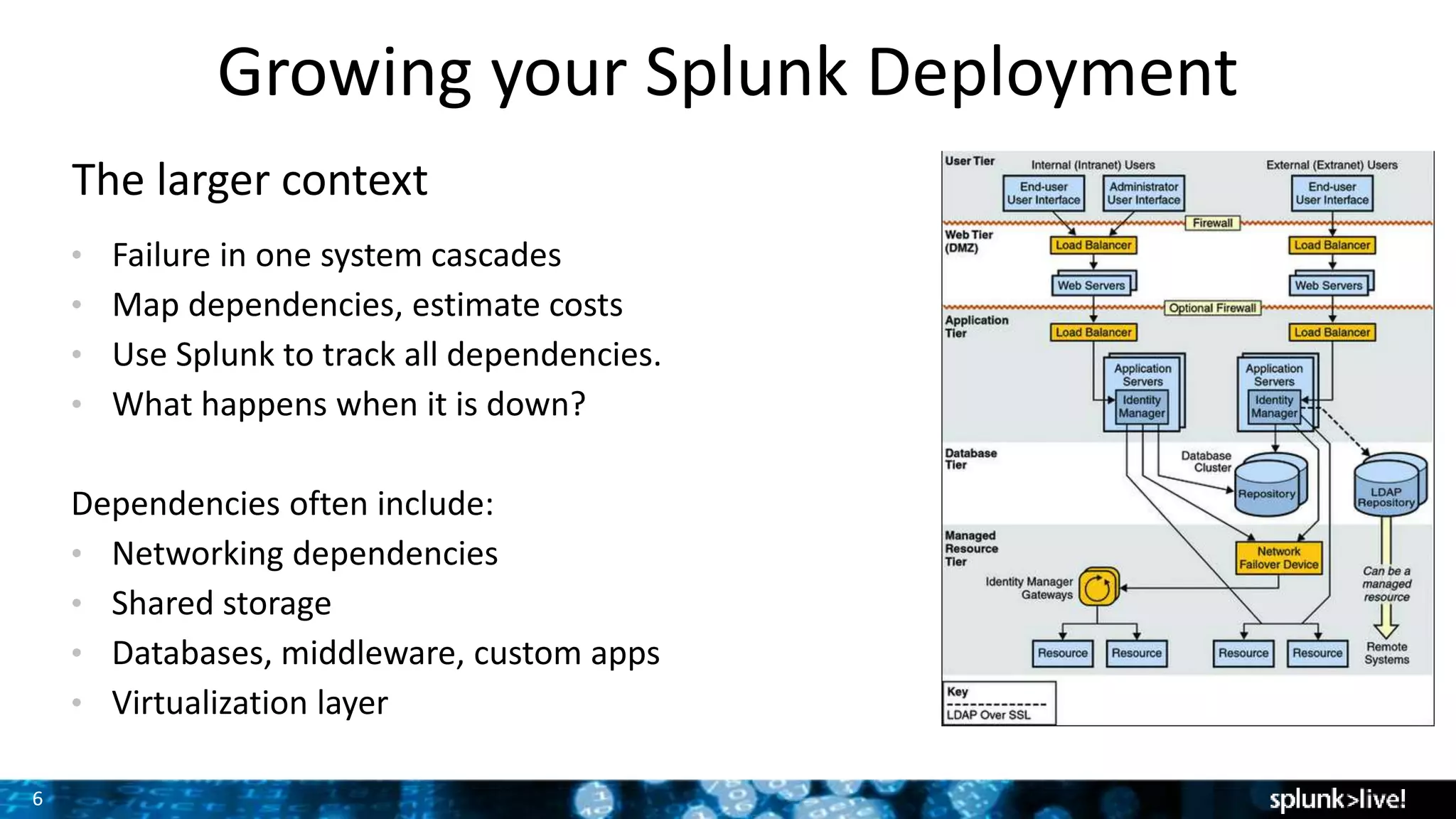
The larger context
• Failure in one system cascades
• Map dependencies, estimate costs
• Use Splunk to track all dependencies.
• What happens when it is down?
Dependencies often include:
• Networking dependencies
• Shared storage
• Databases, middleware, custom apps
• Virtualization layer
Screenshot here
7
Scaling
Multiple factors
Indexer: IOPs, daily rate
Storage: Usage & retention
Search Head usage
8
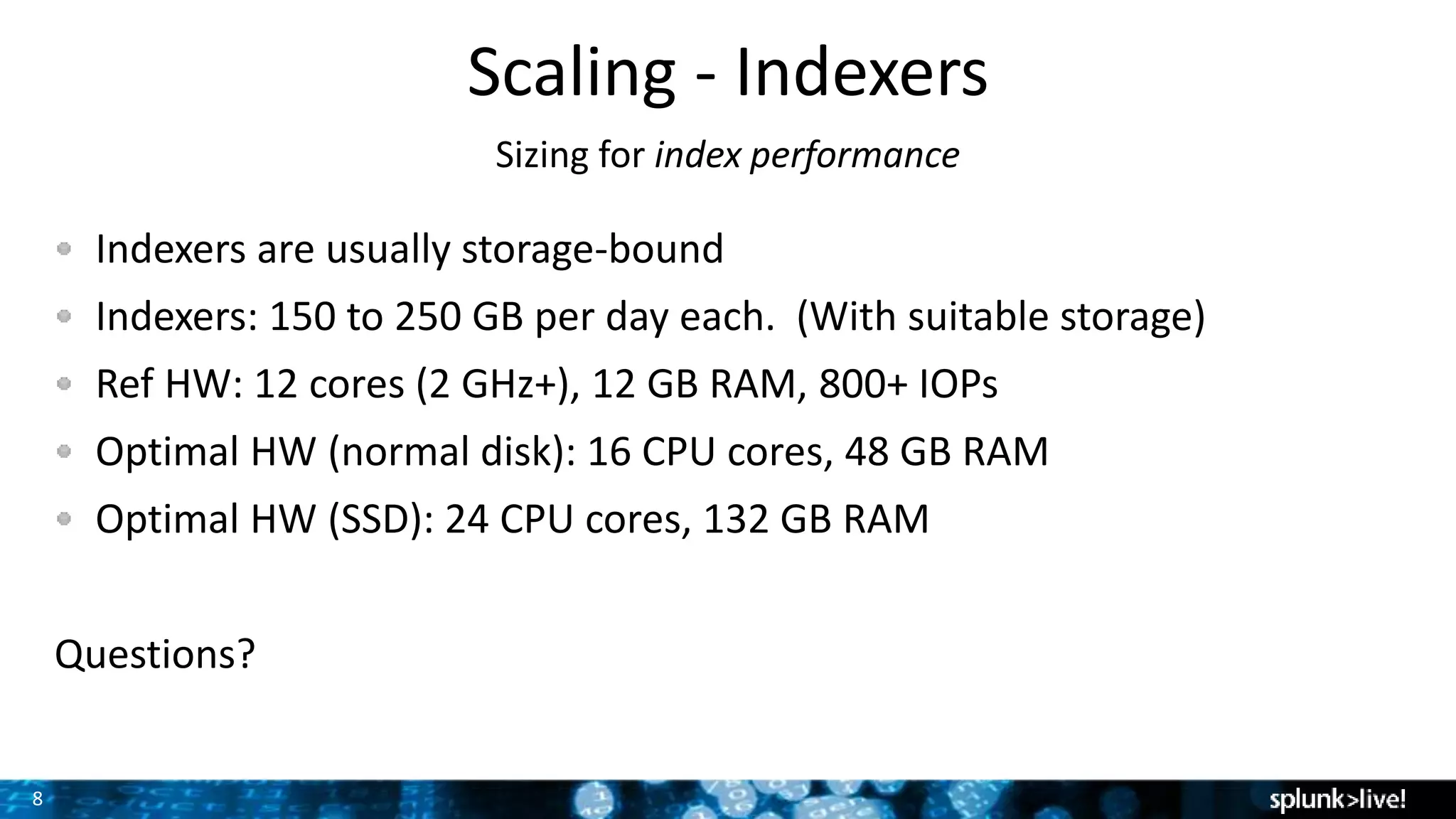
Scaling - Indexers
Sizing for index performance
Indexers are usually storage-bound
Indexers: 150 to 250 GB per day each. (With suitable storage)
Ref HW: 12 cores (2 GHz+), 12 GB RAM, 800+ IOPs
Optimal HW (normal disk): 16 CPU cores, 48 GB RAM
Optimal HW (SSD): 24 CPU cores, 132 GB RAM
Questions?
9
SSD Advantage
http://blogs.splunk.com/2012/05/10/quantifying-the-benefits-of-
splunk-with-ssds/
• Low cost random seeks
• Writes are not that much faster – no great improvement with Indexing
• Significant improvements with Sparse/needle-haystack searches
• Dense searches become CPU bound
• Searches run faster allowing for more completed searches/min
10
Scaling - Storage
Simple storage to complex
Raw data rate  net compression of ~ 50% on disk.
Simple: rate * compression * retention
200 GB / day * 50% * 100 days = 10TB
Consider cold storage on NAS
– Changes storage story.
– Retention on fast, retention on slow
Clustering
– Changes storage story
11
Scaling - Storage
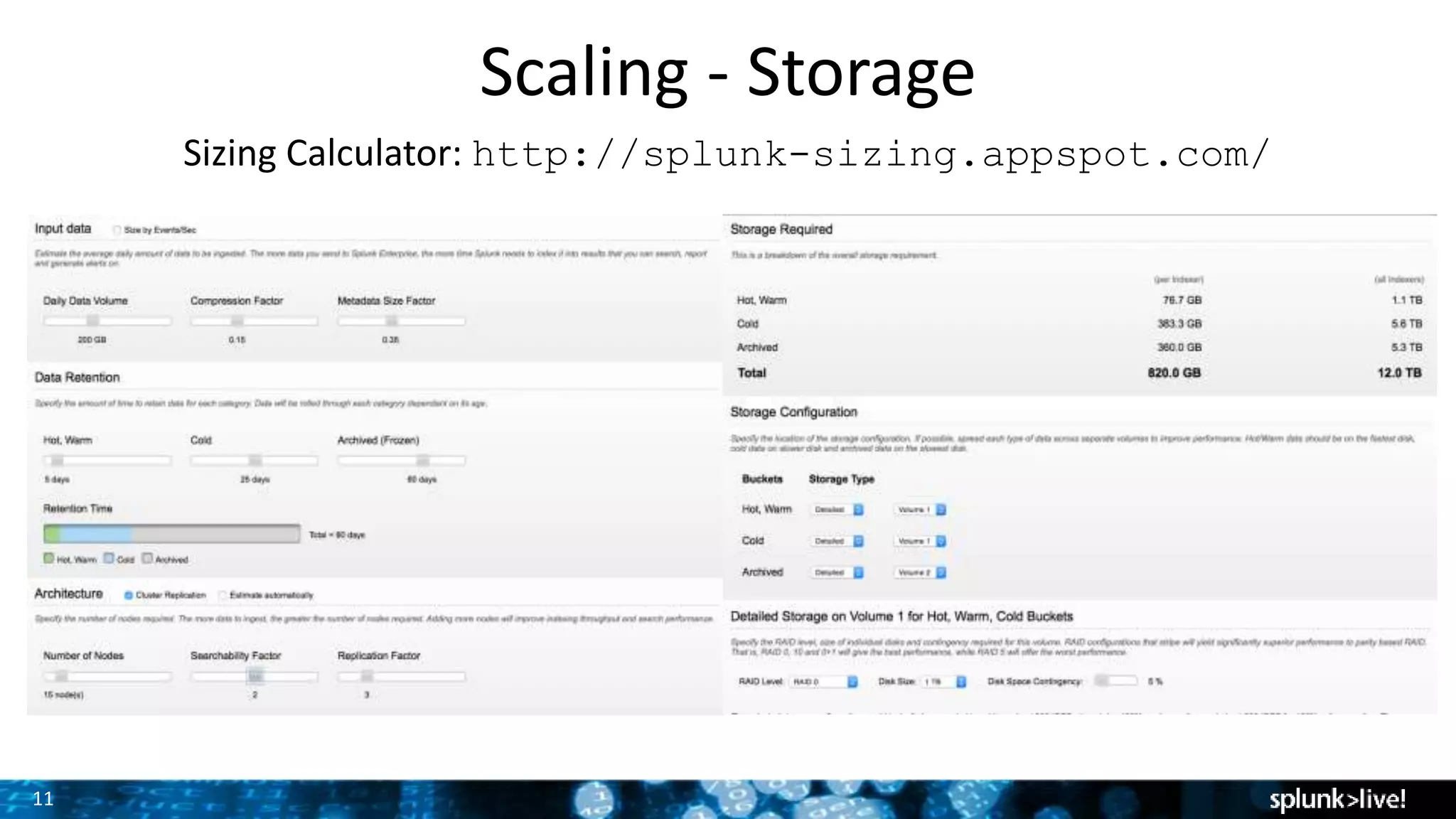
Sizing Calculator: http://splunk-sizing.appspot.com/
12
Scaling - Storage
RAID + SSD deep dive
• For spinning disks, Splunk recommends RAID 1+0 with 1k IOPs
• SSDs provide extremely high IOPs (45,000 +)
• RAID 5 SSD arrays give great Splunk performance in most
scenarios.
Additional details: Splunk Docs, Capacity Planning Manual
13
Forwarder Load Balancing
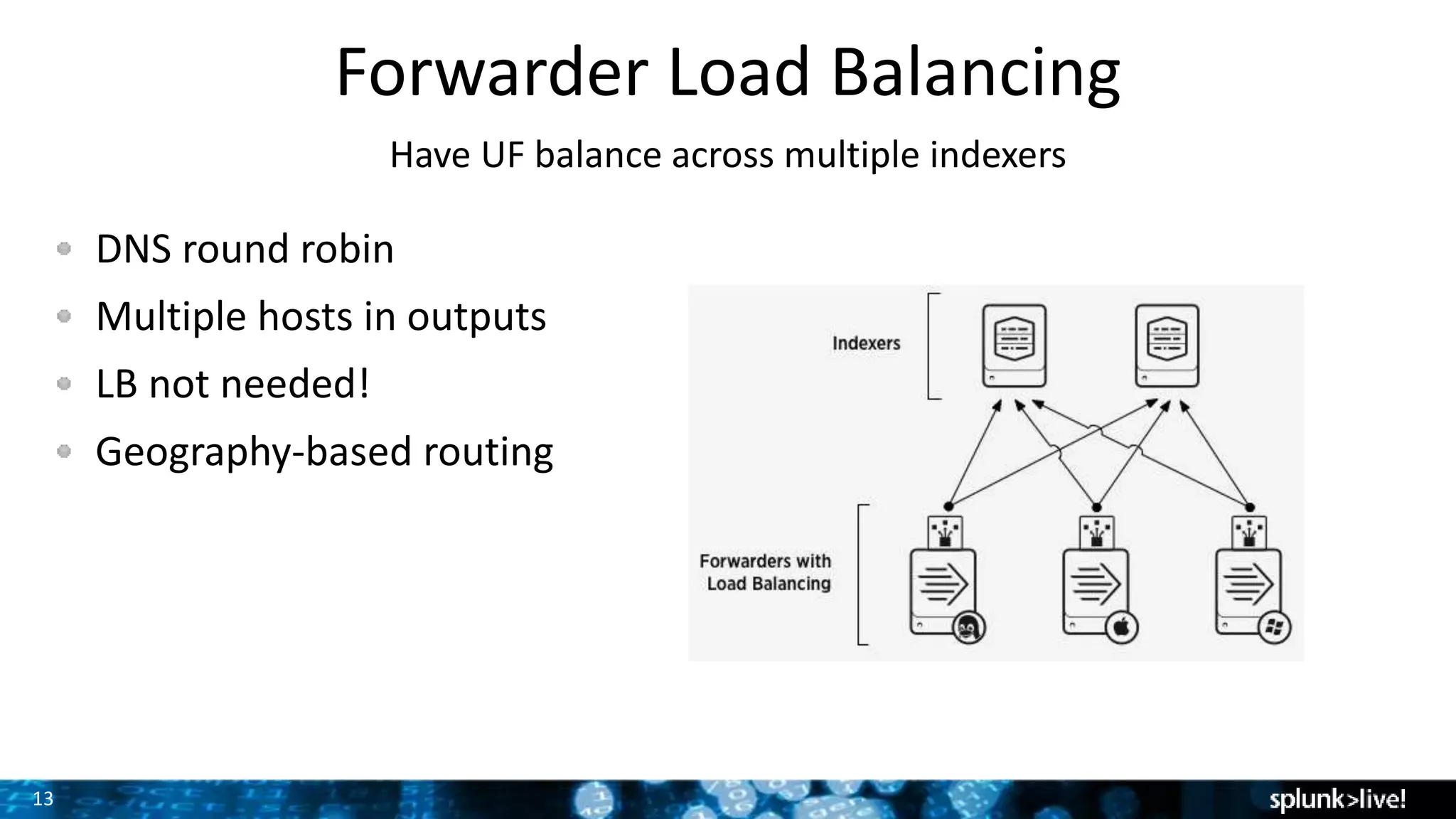
Have UF balance across multiple indexers
DNS round robin
Multiple hosts in outputs
LB not needed!
Geography-based routing
14
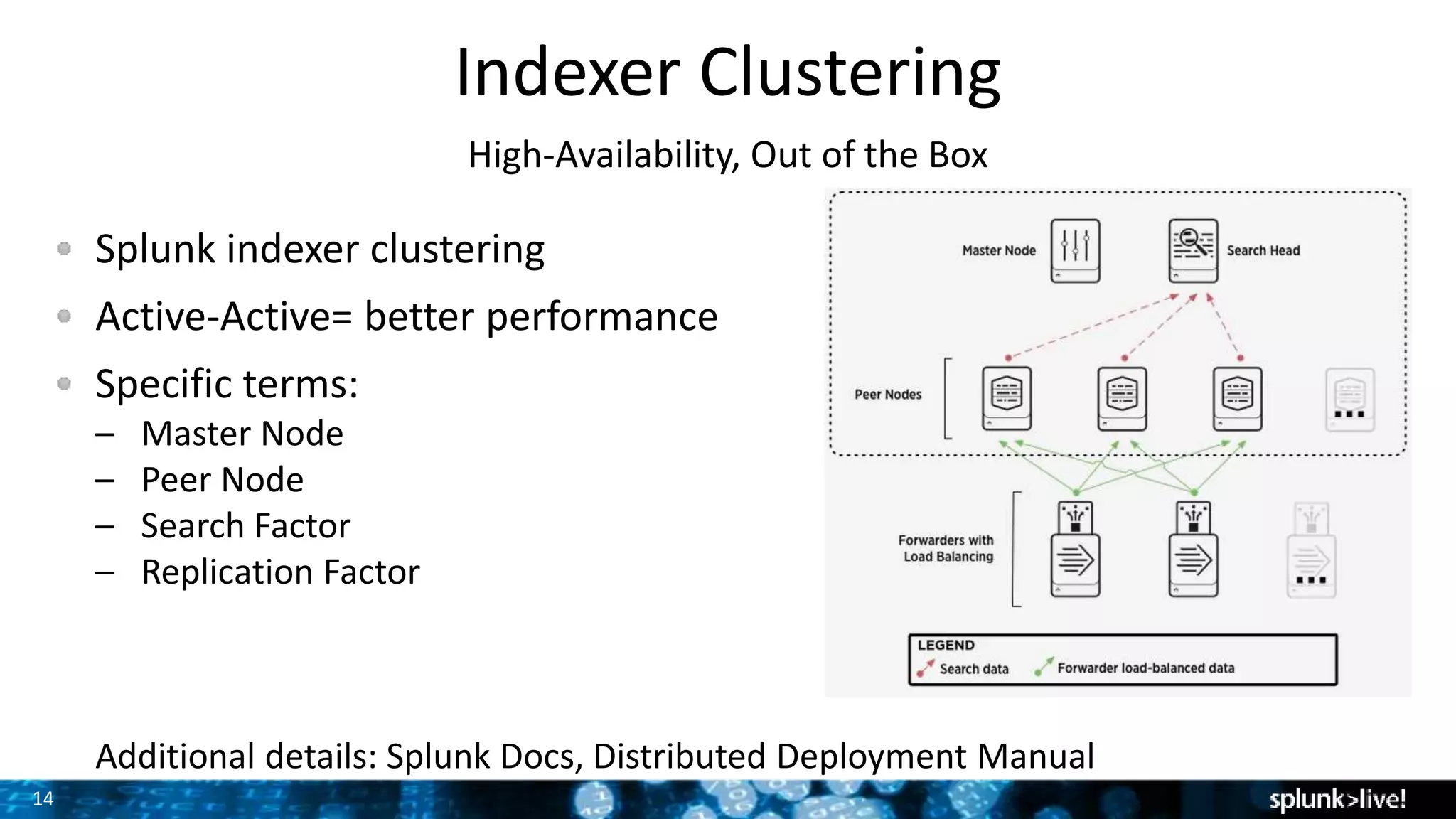
Indexer Clustering
High-Availability, Out of the Box
Splunk indexer clustering
Active-Active= better performance
Specific terms:
– Master Node
– Peer Node
– Search Factor
– Replication Factor
Additional details: Splunk Docs, Distributed Deployment Manual
15
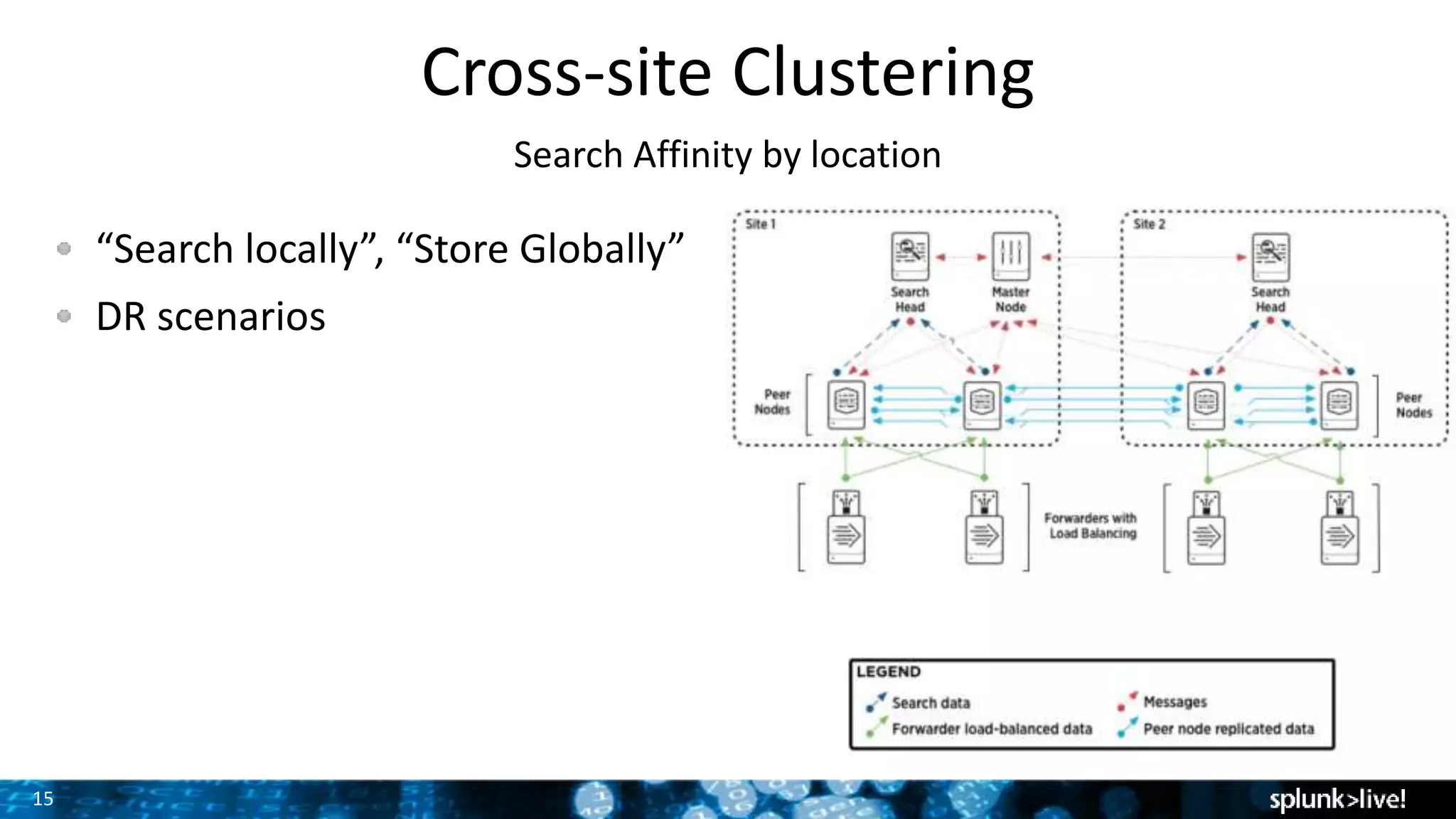
Cross-site Clustering
Search Affinity by location
“Search locally”, “Store Globally”
DR scenarios
16
Scaling the Search Heads
Splunk Search is critical, too!
Splunk Search high availability needs
Scale to handle # of concurrent queries
17
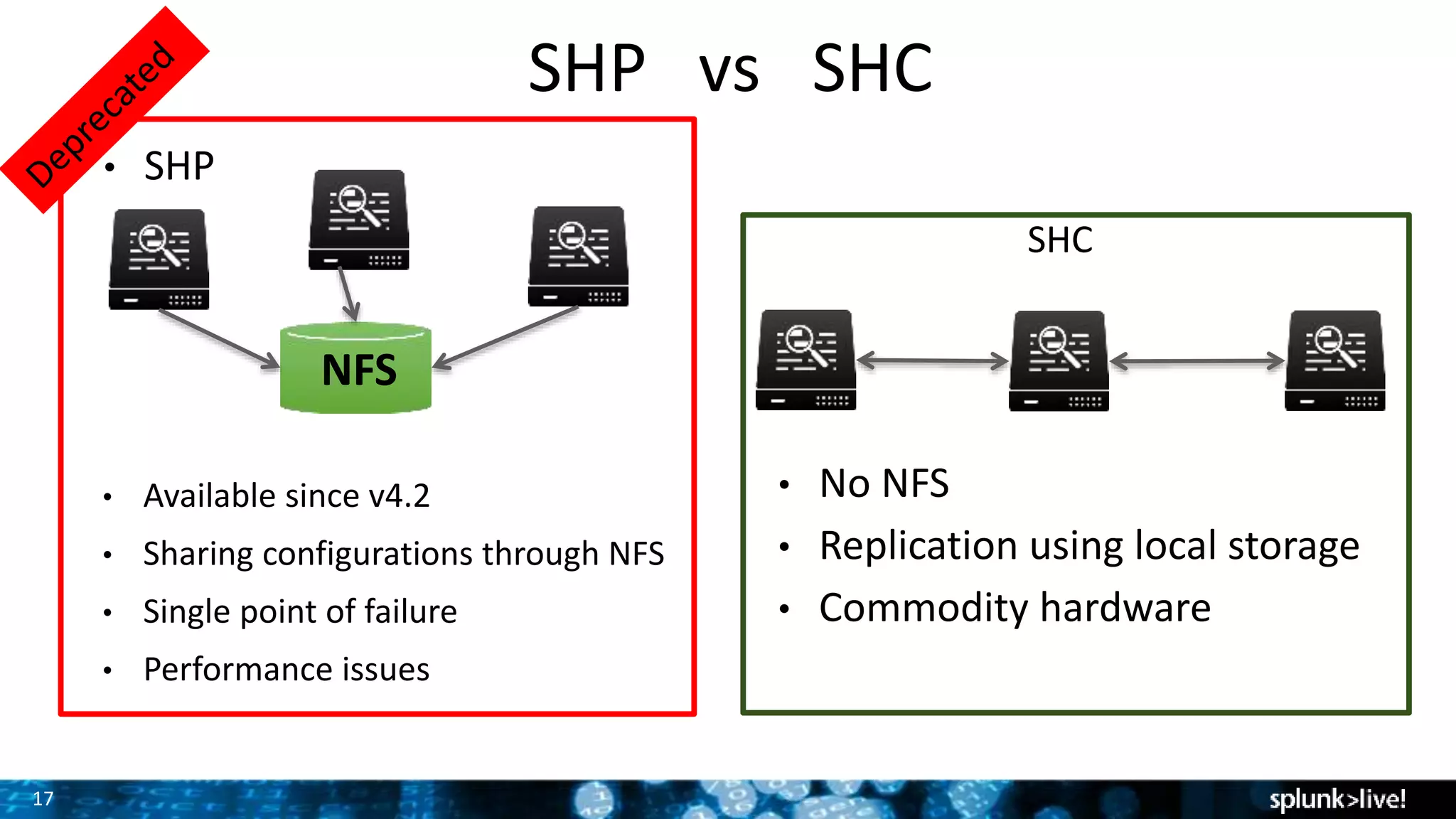
SHP vs SHC
SHC
• SHP
• Available since v4.2
• Sharing configurations through NFS
• Single point of failure
• Performance issues
• No NFS
• Replication using local storage
• Commodity hardware
NFS
18
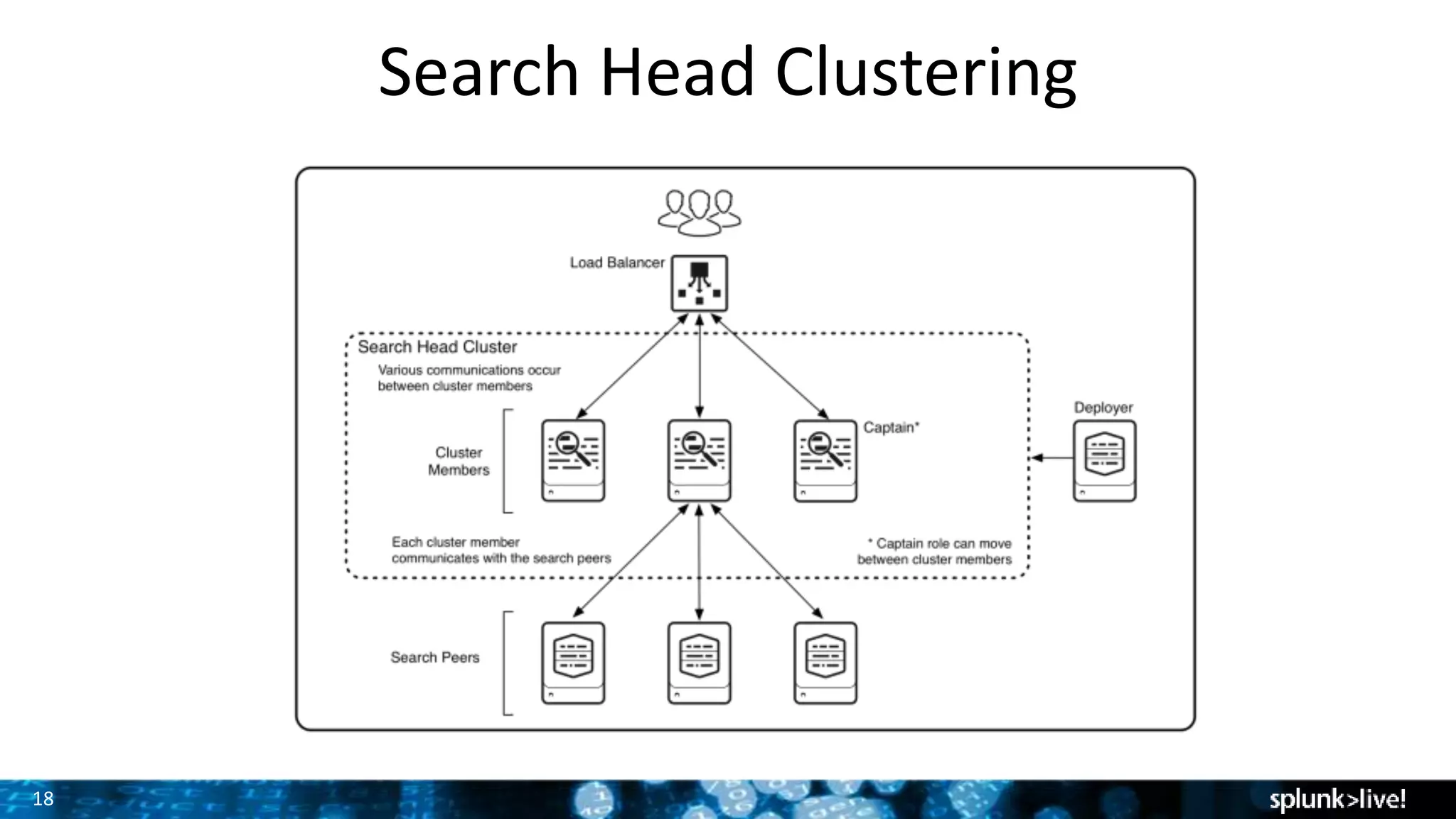
Search Head Clustering
19
Search Head Clustering
Use “Captain” for Master to avoid confusion with Index-Clustering
Minimum 3 nodes required. Odd is always preferred.
Cluster takes certain key decisions based on *majority* (consensus)
In multi-site setup have more nodes in main datacenter
20
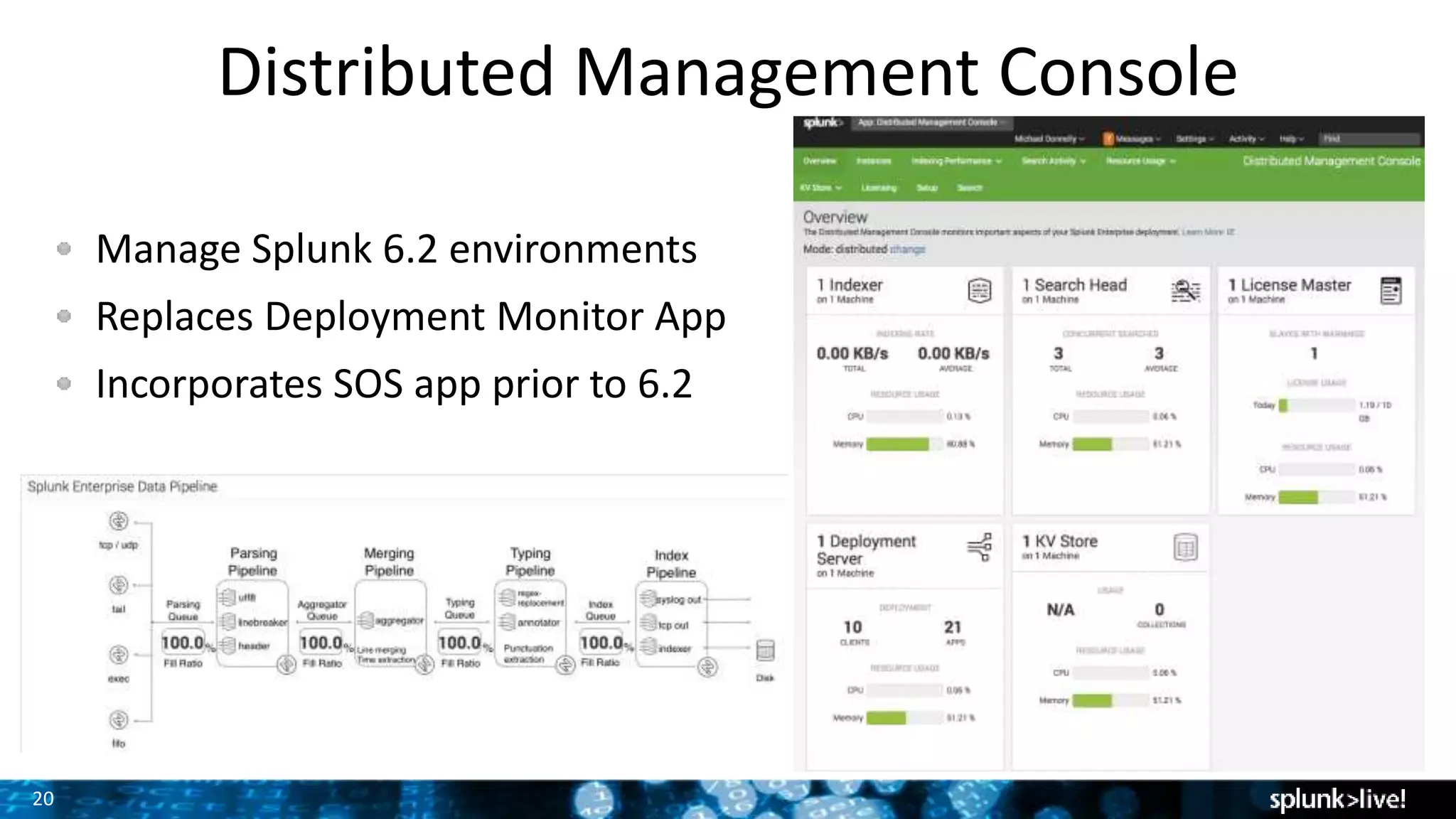
Distributed Management Console
Manage Splunk 6.2 environments
Replaces Deployment Monitor App
Incorporates SOS app prior to 6.2
21
Deployment Server
Central management of Splunk Forwarders
Deployment Server manages Apps, Configs
Select one or more classes for each host
Class defines apps & configs
Works by phone-home
Notes:
DS does not push forwarder binaries
Use Cluster Master to manage indexers in cluster, not DS
22
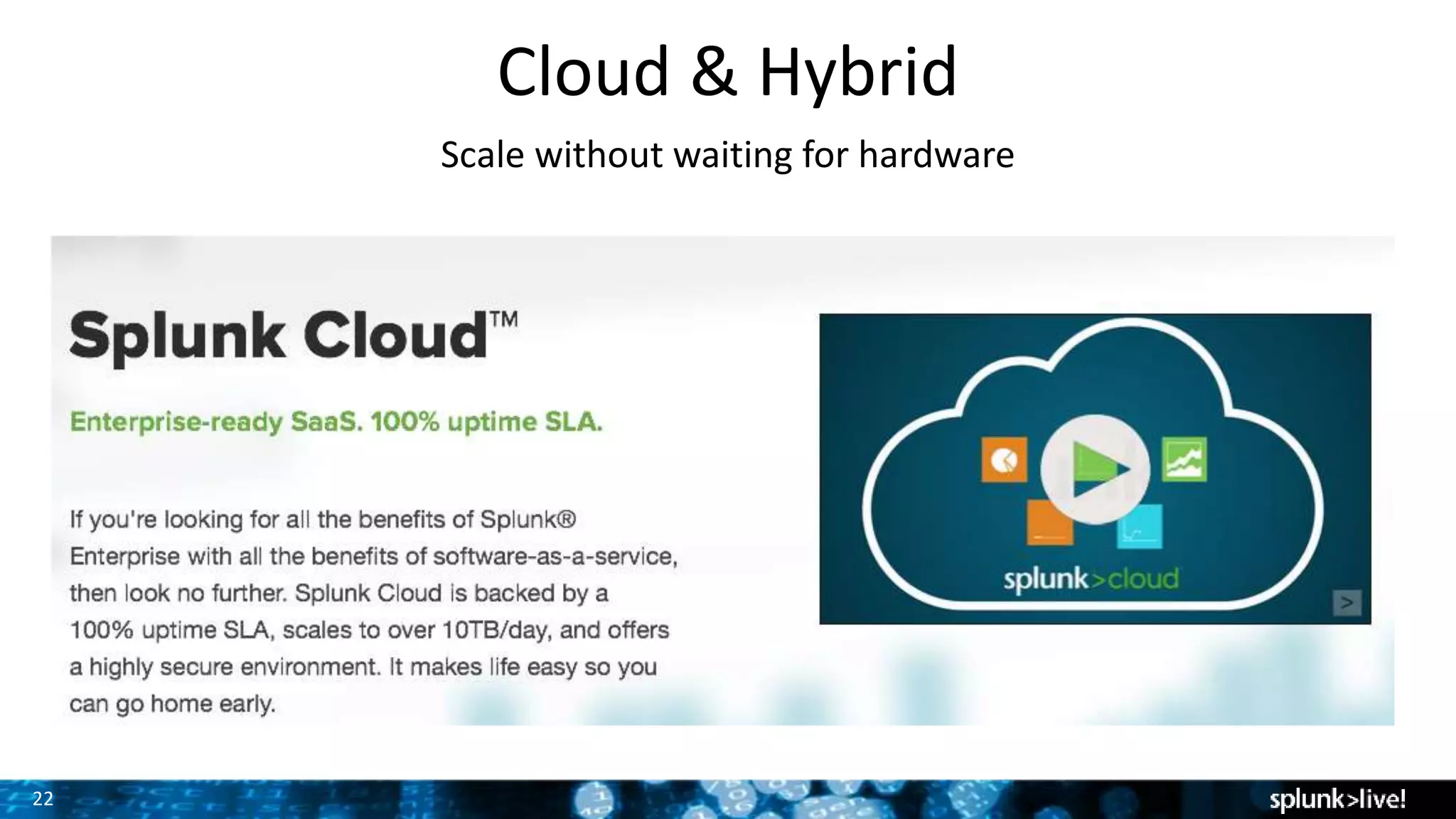
Cloud & Hybrid
Scale without waiting for hardware
Thank You

Taking Splunk to the Next Level - Technical

  • 1.
    Copyright © 2015Splunk Inc. Splunk @ Level++
  • 2.
    2 Splunk at theNext Level Time to move beyond initial Splunk environment • More use cases – how to tackle? • More data – how do we scale? • Splunk is mission critical == HA • Global deployments • Splunk user experience Screenshot here
  • 3.
    3 Agenda Use cases Business Cases Simple Scaling Indexer Clustering (+Cross-site Clustering, Search Affinity) Search Head Clustering Distributed Management Console Centralized Configuration Management Splunk Cloud & Hybrid Deployments Q&A
  • 4.
    4 Growing your SplunkDeployment Many customers start with a single use case… • Ex: Monitor the web servers • Help ensure up-time & response times • Track usage, errors • Provides business value
  • 5.
    5 Growing your SplunkDeployment Value statement for each overall service Your services exist in a larger context than just one app, or one tier. What is the value of the service as a whole? What are CIO commitments for the service? • The company’s web store is one of the most critical parts of the business. • Performance of the overall environment must be maintained at all times. • Failures in any portion of the web store must be quickly identified, send notification to the appropriate parties. • Dependencies on external processes must be monitored as well.
  • 6.
    6 Growing your SplunkDeployment The larger context • Failure in one system cascades • Map dependencies, estimate costs • Use Splunk to track all dependencies. • What happens when it is down? Dependencies often include: • Networking dependencies • Shared storage • Databases, middleware, custom apps • Virtualization layer Screenshot here
  • 7.
    7 Scaling Multiple factors Indexer: IOPs,daily rate Storage: Usage & retention Search Head usage
  • 8.
    8 Scaling - Indexers Sizingfor index performance Indexers are usually storage-bound Indexers: 150 to 250 GB per day each. (With suitable storage) Ref HW: 12 cores (2 GHz+), 12 GB RAM, 800+ IOPs Optimal HW (normal disk): 16 CPU cores, 48 GB RAM Optimal HW (SSD): 24 CPU cores, 132 GB RAM Questions?
  • 9.
    9 SSD Advantage http://blogs.splunk.com/2012/05/10/quantifying-the-benefits-of- splunk-with-ssds/ • Lowcost random seeks • Writes are not that much faster – no great improvement with Indexing • Significant improvements with Sparse/needle-haystack searches • Dense searches become CPU bound • Searches run faster allowing for more completed searches/min
  • 10.
    10 Scaling - Storage Simplestorage to complex Raw data rate  net compression of ~ 50% on disk. Simple: rate * compression * retention 200 GB / day * 50% * 100 days = 10TB Consider cold storage on NAS – Changes storage story. – Retention on fast, retention on slow Clustering – Changes storage story
  • 11.
    11 Scaling - Storage SizingCalculator: http://splunk-sizing.appspot.com/
  • 12.
    12 Scaling - Storage RAID+ SSD deep dive • For spinning disks, Splunk recommends RAID 1+0 with 1k IOPs • SSDs provide extremely high IOPs (45,000 +) • RAID 5 SSD arrays give great Splunk performance in most scenarios. Additional details: Splunk Docs, Capacity Planning Manual
  • 13.
    13 Forwarder Load Balancing HaveUF balance across multiple indexers DNS round robin Multiple hosts in outputs LB not needed! Geography-based routing
  • 14.
    14 Indexer Clustering High-Availability, Outof the Box Splunk indexer clustering Active-Active= better performance Specific terms: – Master Node – Peer Node – Search Factor – Replication Factor Additional details: Splunk Docs, Distributed Deployment Manual
  • 15.
    15 Cross-site Clustering Search Affinityby location “Search locally”, “Store Globally” DR scenarios
  • 16.
    16 Scaling the SearchHeads Splunk Search is critical, too! Splunk Search high availability needs Scale to handle # of concurrent queries
  • 17.
    17 SHP vs SHC SHC •SHP • Available since v4.2 • Sharing configurations through NFS • Single point of failure • Performance issues • No NFS • Replication using local storage • Commodity hardware NFS
  • 18.
  • 19.
    19 Search Head Clustering Use“Captain” for Master to avoid confusion with Index-Clustering Minimum 3 nodes required. Odd is always preferred. Cluster takes certain key decisions based on *majority* (consensus) In multi-site setup have more nodes in main datacenter
  • 20.
    20 Distributed Management Console ManageSplunk 6.2 environments Replaces Deployment Monitor App Incorporates SOS app prior to 6.2
  • 21.
    21 Deployment Server Central managementof Splunk Forwarders Deployment Server manages Apps, Configs Select one or more classes for each host Class defines apps & configs Works by phone-home Notes: DS does not push forwarder binaries Use Cluster Master to manage indexers in cluster, not DS
  • 22.
    22 Cloud & Hybrid Scalewithout waiting for hardware
  • 23.