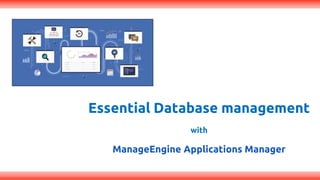

Essential Database management
with
ManageEngine Applications Manager
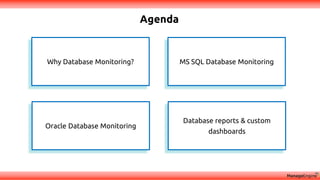
Agenda
MS SQL Database MonitoringWhy Database Monitoring?
Oracle Database Monitoring
Database reports & custom
dashboards
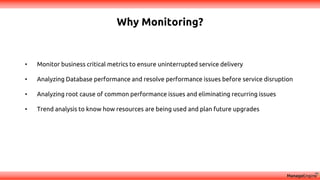
Why Monitoring?
• Monitor business critical metrics to ensure uninterrupted service delivery
• Analyzing Database performance and resolve performance issues before service disruption
• Analyzing root cause of common performance issues and eliminating recurring issues
• Trend analysis to know how resources are being used and plan future upgrades
What to Monitor?
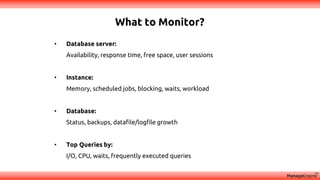
• Database server:
Availability, response time, free space, user sessions
• Instance:
Memory, scheduled jobs, blocking, waits, workload
• Database:
Status, backups, datafile/logfile growth
• Top Queries by:
I/O, CPU, waits, frequently executed queries
Tools Used
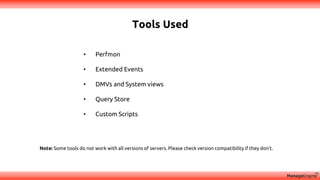
• Perfmon
• Extended Events
• DMVs and System views
• Query Store
• Custom Scripts
Note: Some tools do not work with all versions of servers. Please check version compatibility if they don't.
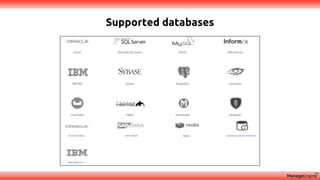
Supported databases
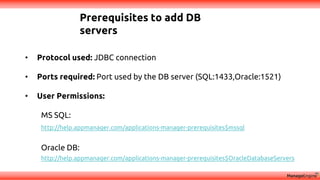
Prerequisites to add DB
servers
• Protocol used: JDBC connection
• Ports required: Port used by the DB server (SQL:1433,Oracle:1521)
• User Permissions:
MS SQL:
http://help.appmanager.com/applications-manager-prerequisites$mssql
Oracle DB:
http://help.appmanager.com/applications-manager-prerequisites$OracleDatabaseServers
Discovery & mapping
MsSQL Database Server Monitoring
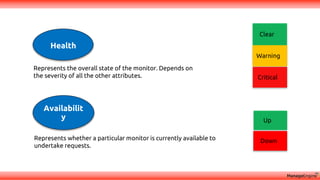
Represents whether a particular monitor is currently available to
undertake requests.
Represents the overall state of the monitor. Depends on
the severity of all the other attributes.
Up
Down
Availabilit
y
Clear
Warning
Critical
Health
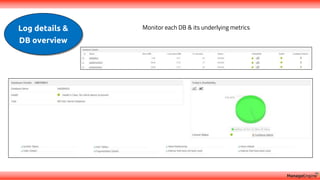
Log details &
DB overview
Monitor each DB & its underlying metrics
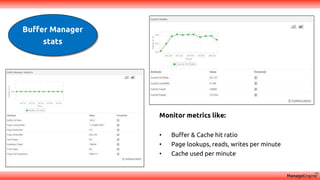
Buffer Manager
stats
Monitor metrics like:
• Buffer & Cache hit ratio
• Page lookups, reads, writes per minute
• Cache used per minute
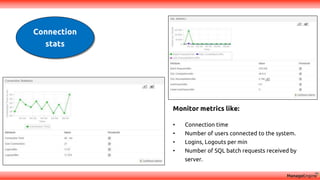
Connection
stats
Monitor metrics like:
• Connection time
• Number of users connected to the system.
• Logins, Logouts per min
• Number of SQL batch requests received by
server.
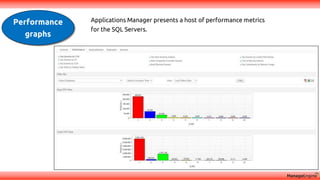
Performance
graphs
Applications Manager presents a host of performance metrics
for the SQL Servers.
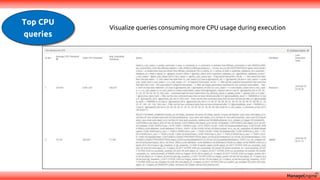
Top CPU
queries
Visualize queries consuming more CPU usage during execution
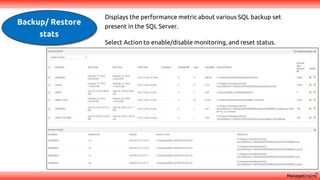
Backup/ Restore
stats
Displays the performance metric about various SQL backup set
present in the SQL Server.
Select Action to enable/disable monitoring, and reset status.
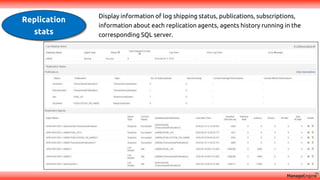
Replication
stats
Display information of log shipping status, publications, subscriptions,
information about each replication agents, agents history running in the
corresponding SQL server.
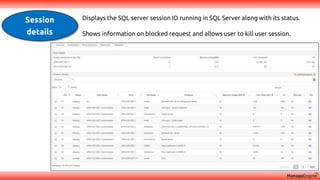
Session
details
Displays the SQL server session ID running in SQL Server along with its status.
Shows information on blocked request and allows user to kill user session.
Discovery & mapping
More enhancements in Database Monitoring (upcoming
release)
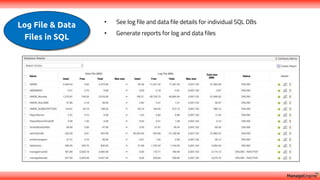
Log File & Data
Files in SQL
• See log file and data file details for individual SQL DBs
• Generate reports for log and data files
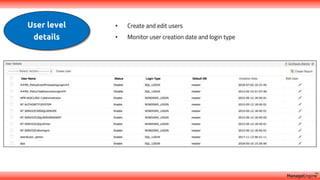
User level
details
• Create and edit users
• Monitor user creation date and login type
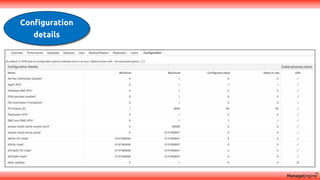
Configuration
details
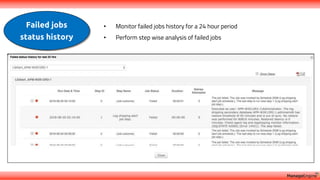
Failed jobs
status history
• Monitor failed jobs history for a 24 hour period
• Perform step wise analysis of failed jobs
Discovery & mapping
Oracle Database Server Monitoring
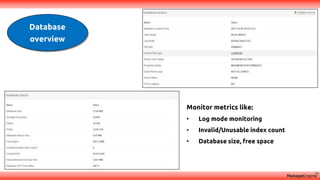
Database
overview
Monitor metrics like:
• Log mode monitoring
• Invalid/Unusable index count
• Database size, free space
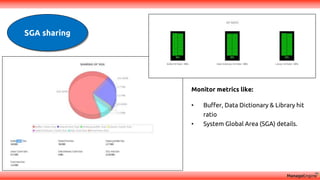
SGA sharing
Monitor metrics like:
• Buffer, Data Dictionary & Library hit
ratio
• System Global Area (SGA) details.
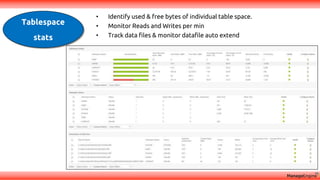
Tablespace
stats
• Identify used & free bytes of individual table space.
• Monitor Reads and Writes per min
• Track data files & monitor datafile auto extend
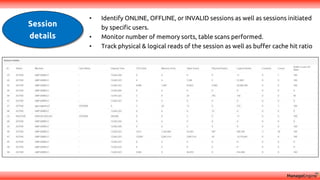
Session
details
• Identify ONLINE, OFFLINE, or INVALID sessions as well as sessions initiated
by specific users.
• Monitor number of memory sorts, table scans performed.
• Track physical & logical reads of the session as well as buffer cache hit ratio
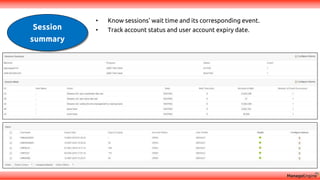
Session
summary
• Know sessions' wait time and its corresponding event.
• Track account status and user account expiry date.
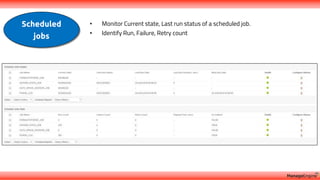
Scheduled
jobs
• Monitor Current state, Last run status of a scheduled job.
• Identify Run, Failure, Retry count
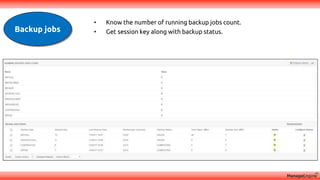
Backup jobs
• Know the number of running backup jobs count.
• Get session key along with backup status.
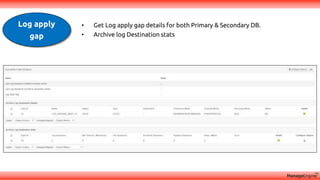
Log apply
gap
• Get Log apply gap details for both Primary & Secondary DB.
• Archive log Destination stats
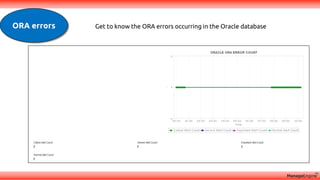
ORA errors Get to know the ORA errors occurring in the Oracle database
Discovery & mapping
Analyzing Database performance reports, and
organizing business dashboards
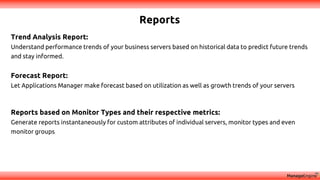
Reports
Trend Analysis Report:
Understand performance trends of your business servers based on historical data to predict future trends
and stay informed.
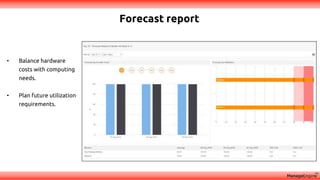
Forecast Report:
Let Applications Manager make forecast based on utilization as well as growth trends of your servers
Reports based on Monitor Types and their respective metrics:
Generate reports instantaneously for custom attributes of individual servers, monitor types and even
monitor groups
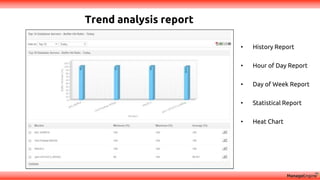
Trend analysis report
• History Report
• Hour of Day Report
• Day of Week Report
• Statistical Report
• Heat Chart
Forecast report
• Balance hardware
costs with computing
needs.
• Plan future utilization
requirements.
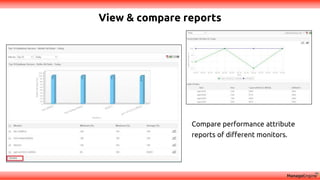
View & compare reports
Compare performance attribute
reports of different monitors.
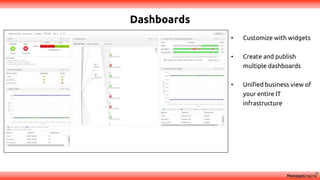
Dashboards
• Customize with widgets
• Create and publish
multiple dashboards
• Unified business view of
your entire IT
infrastructure
Quick Recap:
Support
appmanager-support@manageengine.com
Eval
eval-apm@manageengine.com
Online Demo
demo.appmanager.com
• Why Database Monitoring
• How to monitor key metrics of MS SQL & Oracle DBs
• Troubleshooting performance issues in MS SQL & Oracle DBs
• Database reports & custom dashboards
Support
appmanager-support@manageengine.com
Eval
eval-apm@manageengine.com
Online Demo
demo.appmanager.com

Monitor database essentials with Applications Manager