By
KALAISELVI.K
 What is NO SQL Data base?
 Types of NO SQL Data base.
 What is Mongo DB?
 Why Mongo DB?
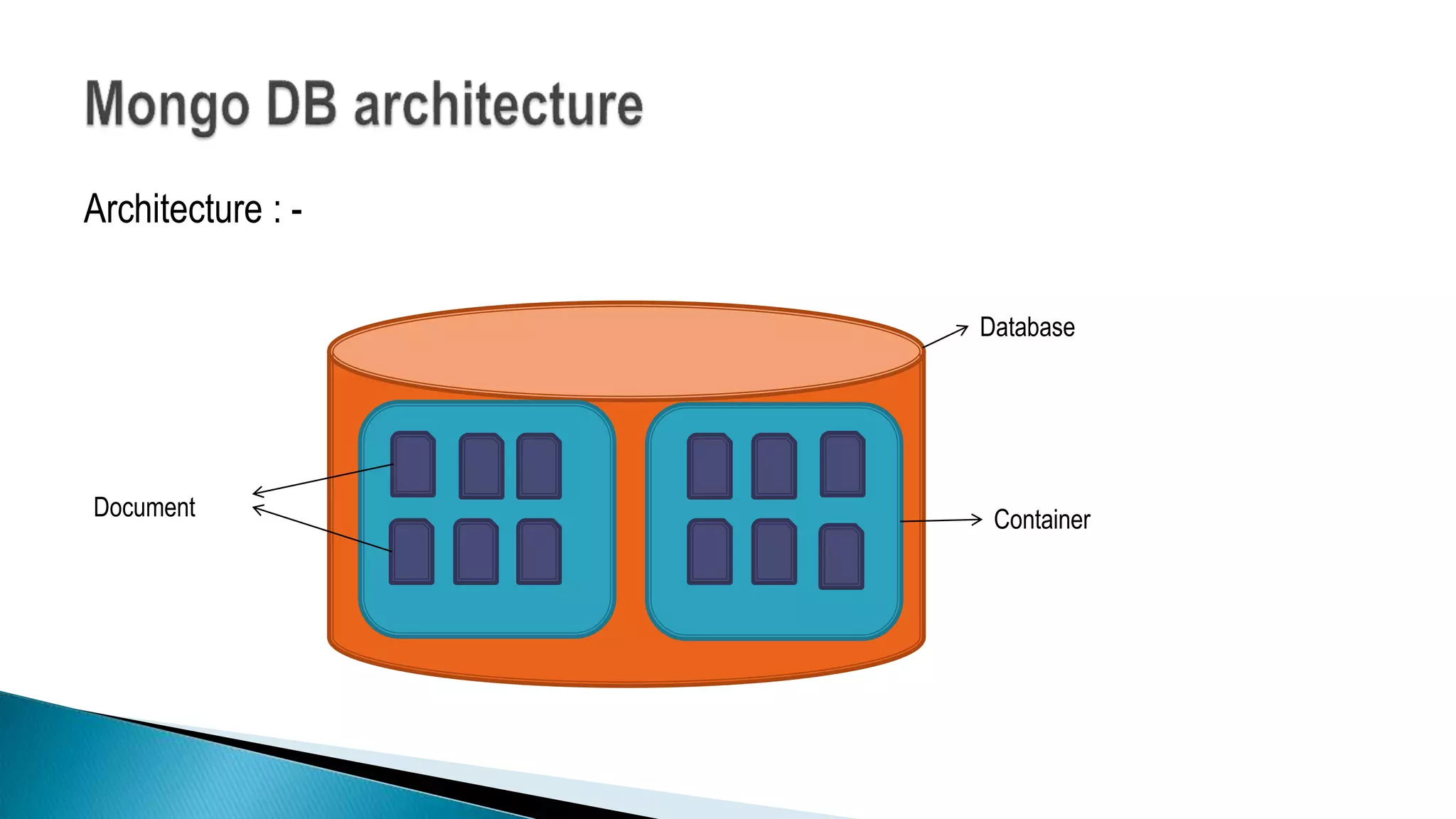
 Mongo DB Architecture.
 Document (JSON) Structure.
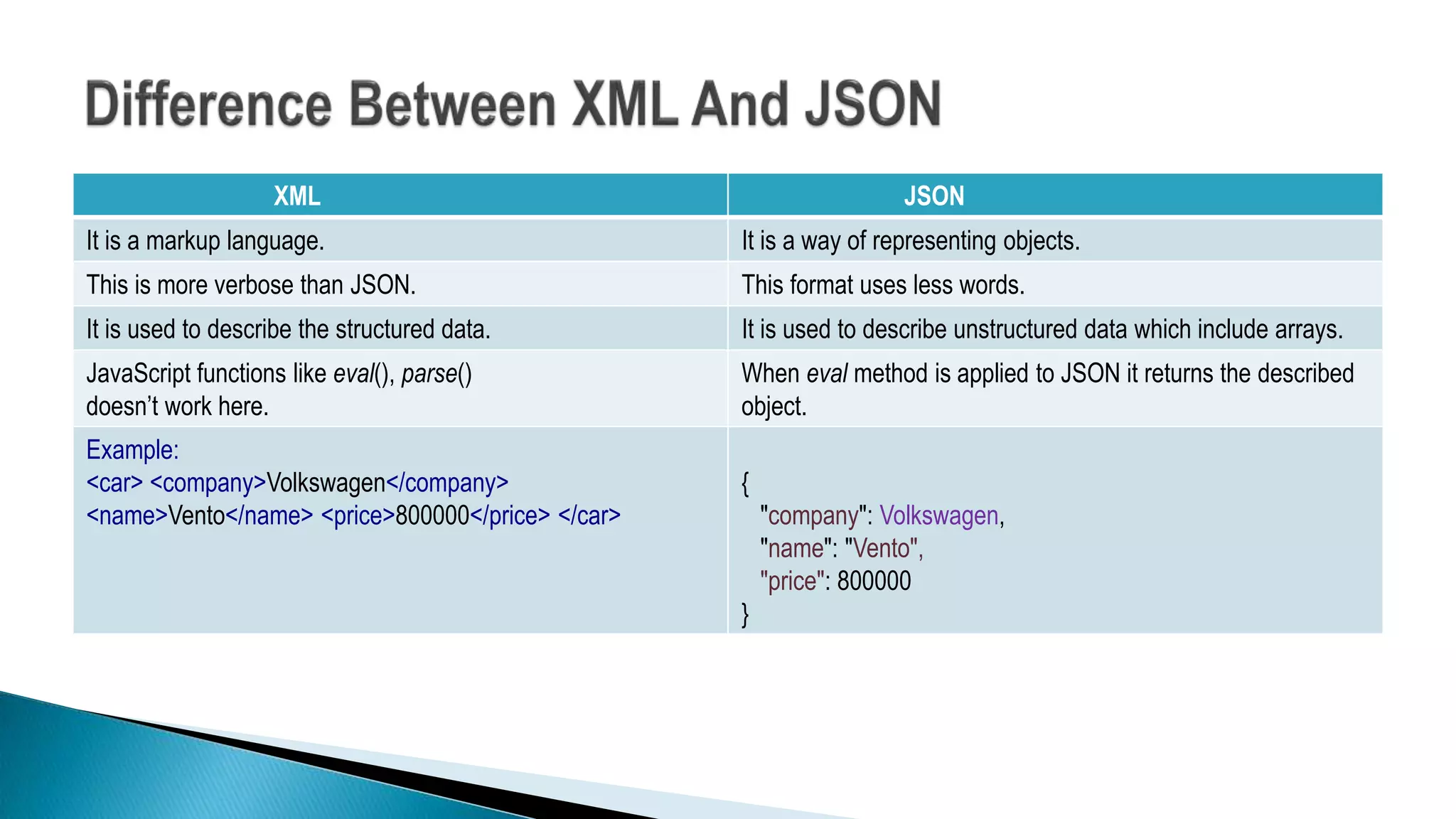
 Differences between XML and JSON.
 Different Methods.
 Demo
 When to use Mongo DB?
 It’s Not No SQL it’s NOT ONLY SQL.
 It’s not even a replacement to RDBMS.
As compared to the good olden days we are saving more and more data.
Connection between the data is growing in which we require an architecture that
takes advantage of these two key issues.
 Key Value pair
Dynamo DB
Azure Table Storage (ATS )
 Graph database
 Document Based
Mango Db
AmazonSimple DB
Couch DB
 Column Oriented database
(#key,#value)
(Name, Tom)
(Age,25)
(Role,
Student)
(University,
CU)
[
{
"Name": "Tom",
"Age": 30,
"Role": "Student",
"University": "CU",
}
]
Student
Tom
CU
25
Masters
Ottawa Location
• Neo4j
• Infogrid
Row Id Columns
1
Name Tom
Age 25
Role Student
Bigtable(Google)
HBase
MongoDB is a cross-platform, document oriented database that provides
 High performance.
 High availability.
 Easy scalability.
MongoDB works on concept of collection and document.
 All the modern applications deals with huge data.
 Development with ease is possible with mongo DB.
 Flexibility in deployment.
 Rich Queries.
 Older database systems may not be compatible with the design.
And it’s a document oriented storage:- Data is stored in the form of JSON Style.
Architecture : -
Database
ContainerDocument
 The document has simple structure and very easy to
understand the content
 JSON is smaller, faster and lightweight compared to XML.
 For data delivery between servers and browsers, JSON is a
better choice
 Easy in parsing, processing, validating in all languages
 JSON can be mapped more easily into object oriented
system.
 [
 {
 "Name": "Tom",
 "Age": 30,
 "Role": "Student",
 "University": "CU",
}
{
 "Name": “Sam",
 "Age": 32,
 "Role": "Student",
 "University": “OU",
}
]
XML JSON
It is a markup language. It is a way of representing objects.
This is more verbose than JSON. This format uses less words.
It is used to describe the structured data. It is used to describe unstructured data which include arrays.
JavaScript functions like eval(), parse()
doesn’t work here.
When eval method is applied to JSON it returns the described
object.
Example:
<car> <company>Volkswagen</company>
<name>Vento</name> <price>800000</price> </car>
{
"company": Volkswagen,
"name": "Vento",
"price": 800000
}
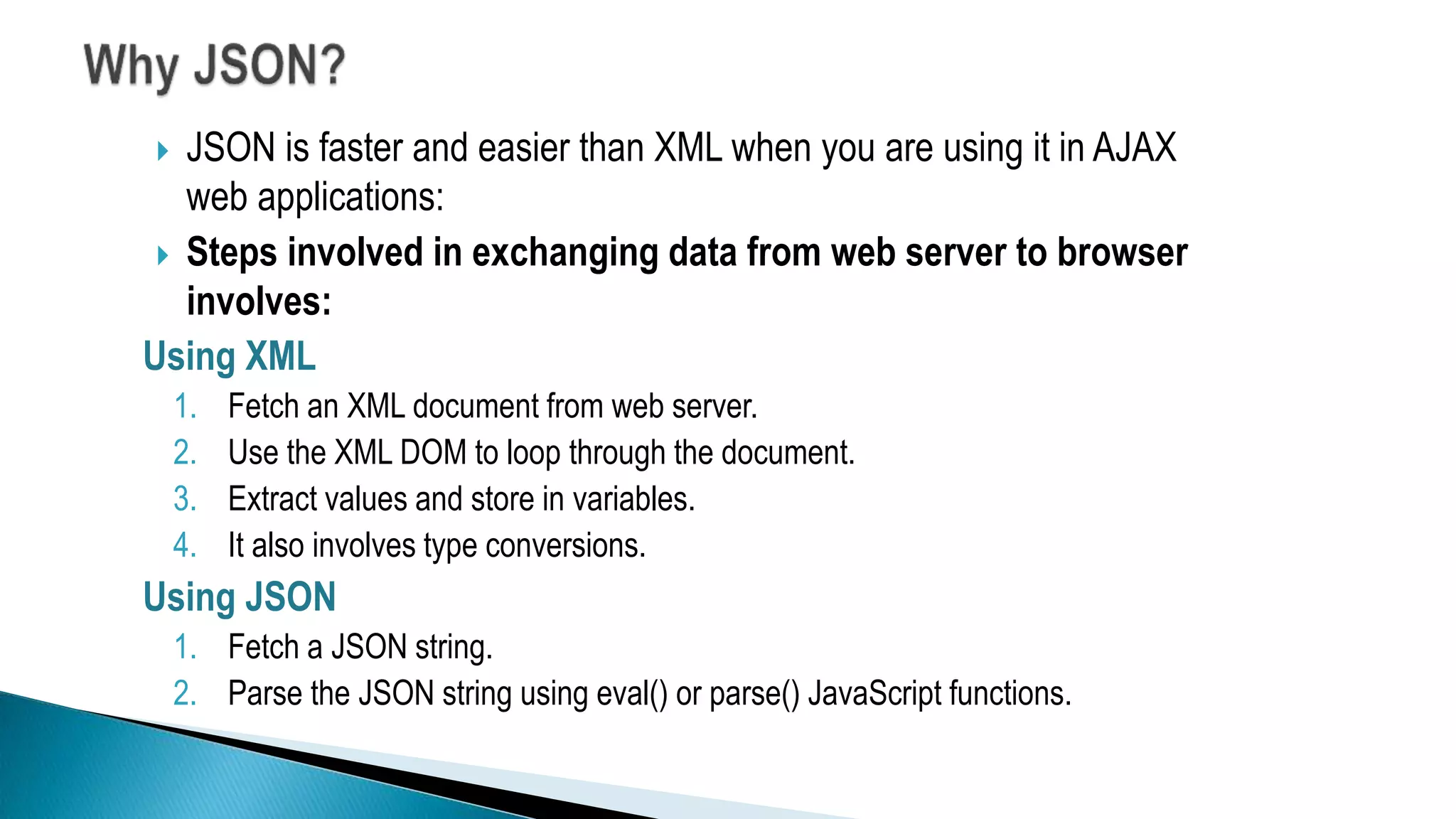
 JSON is faster and easier than XML when you are using it in AJAX
web applications:
 Steps involved in exchanging data from web server to browser
involves:
Using XML
1. Fetch an XML document from web server.
2. Use the XML DOM to loop through the document.
3. Extract values and store in variables.
4. It also involves type conversions.
Using JSON
1. Fetch a JSON string.
2. Parse the JSON string using eval() or parse() JavaScript functions.
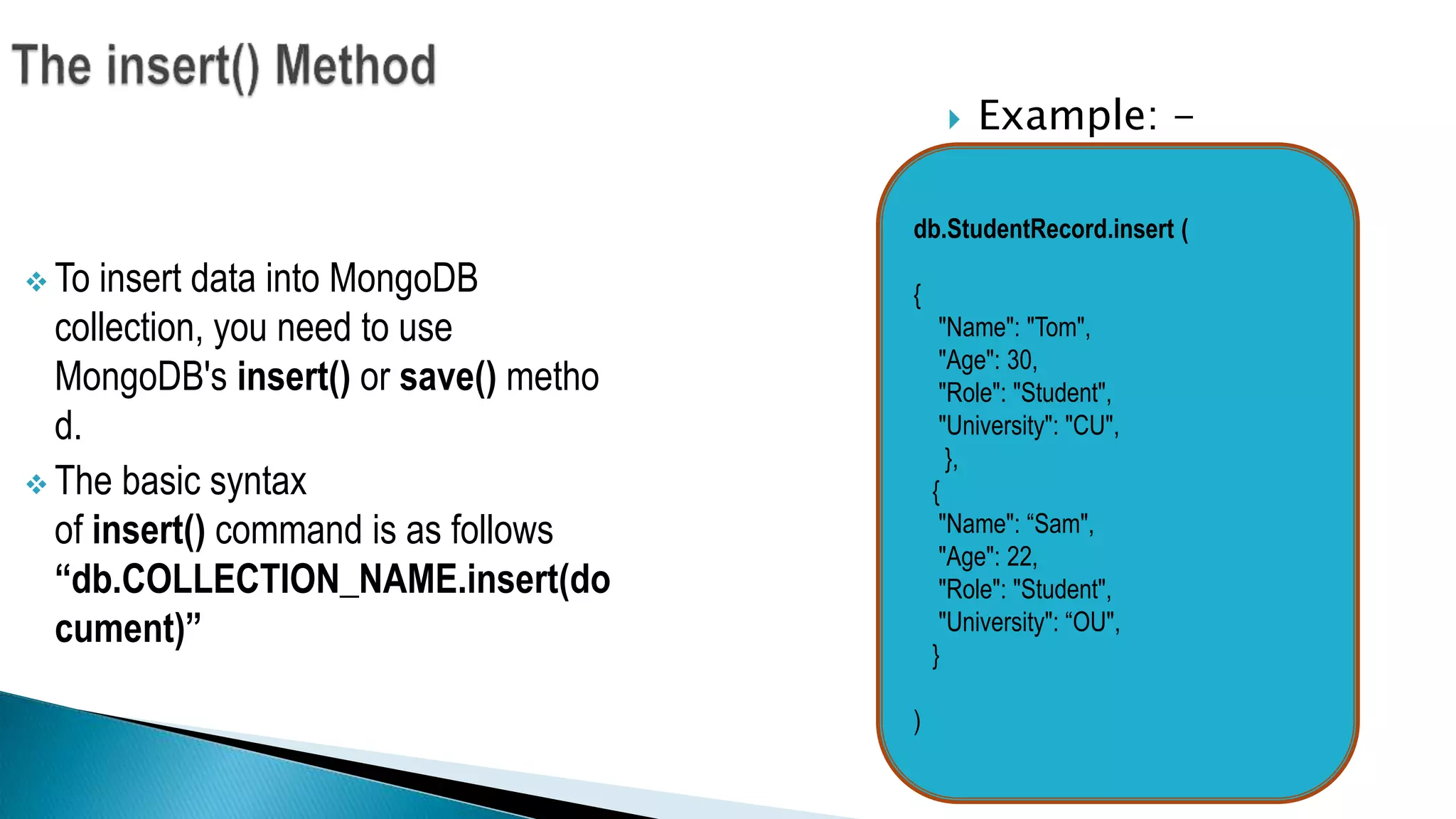
 To insert data into MongoDB
collection, you need to use
MongoDB's insert() or save() metho
d.
 The basic syntax
of insert() command is as follows
“db.COLLECTION_NAME.insert(do
cument)”
 Example: -
db.StudentRecord.insert (
{
"Name": "Tom",
"Age": 30,
"Role": "Student",
"University": "CU",
},
{
"Name": “Sam",
"Age": 22,
"Role": "Student",
"University": “OU",
}
)
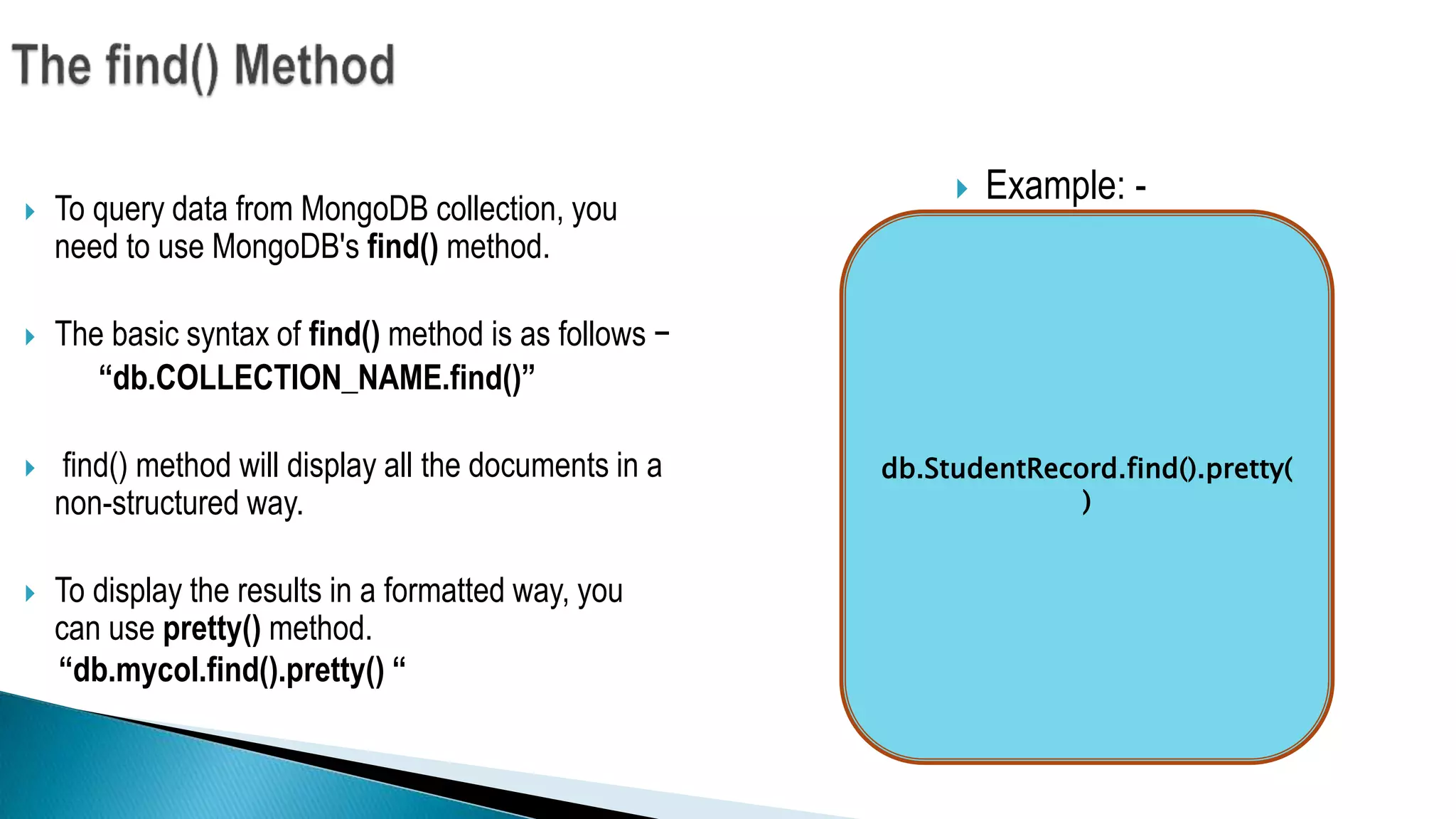
 To query data from MongoDB collection, you
need to use MongoDB's find() method.
 The basic syntax of find() method is as follows −
“db.COLLECTION_NAME.find()”
 find() method will display all the documents in a
non-structured way.
 To display the results in a formatted way, you
can use pretty() method.
“db.mycol.find().pretty() “
 Example: -
db.StudentRecord.find().pretty(
)
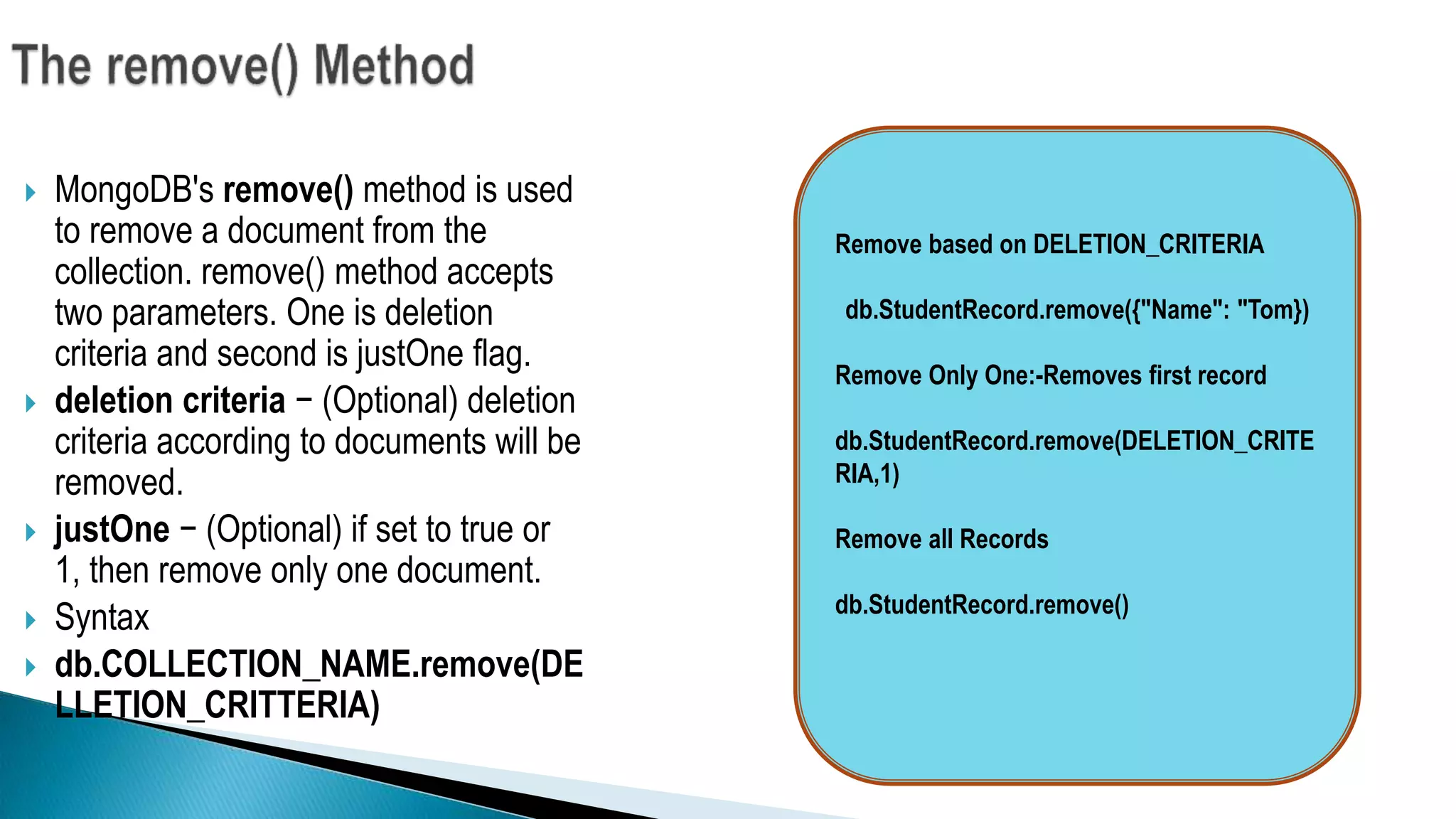
 MongoDB's remove() method is used
to remove a document from the
collection. remove() method accepts
two parameters. One is deletion
criteria and second is justOne flag.
 deletion criteria − (Optional) deletion
criteria according to documents will be
removed.
 justOne − (Optional) if set to true or
1, then remove only one document.
 Syntax
 db.COLLECTION_NAME.remove(DE
LLETION_CRITTERIA)
Remove based on DELETION_CRITERIA
db.StudentRecord.remove({"Name": "Tom})
Remove Only One:-Removes first record
db.StudentRecord.remove(DELETION_CRITE
RIA,1)
Remove all Records
db.StudentRecord.remove()
When your requirements has these properties :
 You absolutely must store unstructured data. Say things coming from 3rd-party API
you don’t control, logs whose format may change any minute, user-entered
metadata, but you want indexes on a subset of it.
 You need to handle more reads/writes than single server can deal with and master-
slave architecture won’t work for you.
 You change your schema very often on a large dataset.
Thank you for your attention!

Mongodb

  • 1.
  • 2.
     What isNO SQL Data base?  Types of NO SQL Data base.  What is Mongo DB?  Why Mongo DB?  Mongo DB Architecture.  Document (JSON) Structure.  Differences between XML and JSON.  Different Methods.  Demo  When to use Mongo DB?
  • 3.
     It’s NotNo SQL it’s NOT ONLY SQL.  It’s not even a replacement to RDBMS. As compared to the good olden days we are saving more and more data. Connection between the data is growing in which we require an architecture that takes advantage of these two key issues.
  • 4.
     Key Valuepair Dynamo DB Azure Table Storage (ATS )  Graph database  Document Based Mango Db AmazonSimple DB Couch DB  Column Oriented database (#key,#value) (Name, Tom) (Age,25) (Role, Student) (University, CU) [ { "Name": "Tom", "Age": 30, "Role": "Student", "University": "CU", } ] Student Tom CU 25 Masters Ottawa Location • Neo4j • Infogrid Row Id Columns 1 Name Tom Age 25 Role Student Bigtable(Google) HBase
  • 5.
    MongoDB is across-platform, document oriented database that provides  High performance.  High availability.  Easy scalability. MongoDB works on concept of collection and document.
  • 6.
     All themodern applications deals with huge data.  Development with ease is possible with mongo DB.  Flexibility in deployment.  Rich Queries.  Older database systems may not be compatible with the design. And it’s a document oriented storage:- Data is stored in the form of JSON Style.
  • 7.
  • 8.
     The documenthas simple structure and very easy to understand the content  JSON is smaller, faster and lightweight compared to XML.  For data delivery between servers and browsers, JSON is a better choice  Easy in parsing, processing, validating in all languages  JSON can be mapped more easily into object oriented system.  [  {  "Name": "Tom",  "Age": 30,  "Role": "Student",  "University": "CU", } {  "Name": “Sam",  "Age": 32,  "Role": "Student",  "University": “OU", } ]
  • 9.
    XML JSON It isa markup language. It is a way of representing objects. This is more verbose than JSON. This format uses less words. It is used to describe the structured data. It is used to describe unstructured data which include arrays. JavaScript functions like eval(), parse() doesn’t work here. When eval method is applied to JSON it returns the described object. Example: <car> <company>Volkswagen</company> <name>Vento</name> <price>800000</price> </car> { "company": Volkswagen, "name": "Vento", "price": 800000 }
  • 10.
     JSON isfaster and easier than XML when you are using it in AJAX web applications:  Steps involved in exchanging data from web server to browser involves: Using XML 1. Fetch an XML document from web server. 2. Use the XML DOM to loop through the document. 3. Extract values and store in variables. 4. It also involves type conversions. Using JSON 1. Fetch a JSON string. 2. Parse the JSON string using eval() or parse() JavaScript functions.
  • 11.
     To insertdata into MongoDB collection, you need to use MongoDB's insert() or save() metho d.  The basic syntax of insert() command is as follows “db.COLLECTION_NAME.insert(do cument)”  Example: - db.StudentRecord.insert ( { "Name": "Tom", "Age": 30, "Role": "Student", "University": "CU", }, { "Name": “Sam", "Age": 22, "Role": "Student", "University": “OU", } )
  • 12.
     To querydata from MongoDB collection, you need to use MongoDB's find() method.  The basic syntax of find() method is as follows − “db.COLLECTION_NAME.find()”  find() method will display all the documents in a non-structured way.  To display the results in a formatted way, you can use pretty() method. “db.mycol.find().pretty() “  Example: - db.StudentRecord.find().pretty( )
  • 13.
     MongoDB's remove()method is used to remove a document from the collection. remove() method accepts two parameters. One is deletion criteria and second is justOne flag.  deletion criteria − (Optional) deletion criteria according to documents will be removed.  justOne − (Optional) if set to true or 1, then remove only one document.  Syntax  db.COLLECTION_NAME.remove(DE LLETION_CRITTERIA) Remove based on DELETION_CRITERIA db.StudentRecord.remove({"Name": "Tom}) Remove Only One:-Removes first record db.StudentRecord.remove(DELETION_CRITE RIA,1) Remove all Records db.StudentRecord.remove()
  • 14.
    When your requirementshas these properties :  You absolutely must store unstructured data. Say things coming from 3rd-party API you don’t control, logs whose format may change any minute, user-entered metadata, but you want indexes on a subset of it.  You need to handle more reads/writes than single server can deal with and master- slave architecture won’t work for you.  You change your schema very often on a large dataset.
  • 15.
    Thank you foryour attention!