Collection Framework
Module 2
The Collection Classes with example code
• AbstractCollection
• Implements most of the Collection interface.
• AbstractList
• Extends AbstractCollection and implements most of the List interface,Queue interface.
• AbstractSequentialList
• Extends AbstractList for use by a collection that uses sequential rather than random
access of its elements.
• AbstractSet
• Extends AbstractCollection and implements most of the Set interface.
• EnumSet
• Extends AbstractSet for use with enum elements.
• HashSet
• Extends AbstractSet for use with a hash table.
• LinkedHashSet
• Extends HashSet to allow insertion-order iterations.
• PriorityQueue
• Extends AbstractQueue to support a priority-based queue.
• TreeSet
• Implements a set stored in a tree. Extends AbstractSet.
• LinkedList
• Implements a linked list by extending AbstractSequentialList.
• ArrayList
• Implements a dynamic array by extending AbstractList.
• ArrayDeque
• Implements a dynamic double-ended queue by extending
AbstractCollection and implementing the Deque interface.
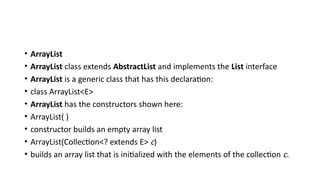
• ArrayList
• ArrayList class extends AbstractList and implements the List interface
• ArrayList is a generic class that has this declaration:
• class ArrayList<E>
• ArrayList has the constructors shown here:
• ArrayList( )
• constructor builds an empty array list
• ArrayList(Collection<? extends E> c)
• builds an array list that is initialized with the elements of the collection c.
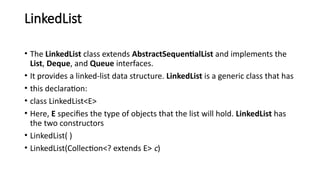
LinkedList
• The LinkedList class extends AbstractSequentialList and implements the
List, Deque, and Queue interfaces.
• It provides a linked-list data structure. LinkedList is a generic class that has
• this declaration:
• class LinkedList<E>
• Here, E specifies the type of objects that the list will hold. LinkedList has
the two constructors
• LinkedList( )
• LinkedList(Collection<? extends E> c)
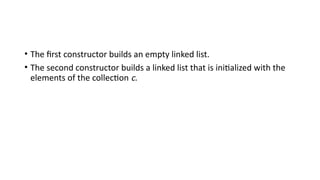
• The first constructor builds an empty linked list.
• The second constructor builds a linked list that is initialized with the
elements of the collection c.
Example code:
• import java.util.*;
• class LinkedListDemo {
• public static void main(String args[]) {
• LinkedList<String> ll = new LinkedList<String>();
• ll.add("F");
• ll.add("B");
• ll.add("D");
• ll.add("E");
• ll.add("C");
• ll.addLast("Z");
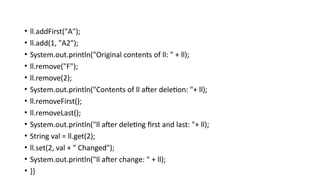
• ll.addFirst("A");
• ll.add(1, "A2");
• System.out.println("Original contents of ll: " + ll);
• ll.remove("F");
• ll.remove(2);
• System.out.println("Contents of ll after deletion: "+ ll);
• ll.removeFirst();
• ll.removeLast();
• System.out.println("ll after deleting first and last: "+ ll);
• String val = ll.get(2);
• ll.set(2, val + " Changed");
• System.out.println("ll after change: " + ll);
• }}
• HashSet
• HashSet extends AbstractSet and implements the Set interface. It creates a
collection
• that uses a hash table for storage.
• Java HashSet class is used to create a collection that uses a hash table for
storage.
• It inherits the AbstractSet class and implements Set interface.
• The important points about Java HashSet class are:
• o HashSet stores the elements by using a mechanism called hashing.
• o HashSet contains unique elements only.
• HashSet is a generic class that has this declaration:
• class HashSet<E>
• Here, E specifies the type of objects that the set will hold.
• Constructor
• HashSet( )
• HashSet(Collection<? extends E> c)
• HashSet(int capacity)
• HashSet(int capacity, float fillRatio)
• Example:
• Import java.util.*;
• class HashSetDemo {
• public static void main(String args[]) {
• HashSet<String> hs = new HashSet<String>();
• hs.add("B");
• hs.add("A");
• hs.add("D");
• hs.add("E");
• hs.add("C");
• hs.add("F");
• System.out.println(hs);
• }
• }
• output
• LinkedHashSet
• LinkedHashSet class is a Hash table and Linked list implementation of
the set interface.
• It inherits HashSet class and implements Set interface.
• The important points about Java LinkedHashSet class are:
• o Contains unique elements only like HashSet.
• o Provides all optional set operations, and permits null elements.
• o Maintains insertion order.
• The LinkedHashSet class extends HashSet and adds no members of its
own.
• It is a generic class that has this declaration:
• class LinkedHashSet<E>
• Here, E specifies the type of objects that the set will hold.
• LinkedHashSet maintains a linked list of the entries in the set, in the
order in which they were inserted.
• This allows insertion-order iteration over the set.
• That is, when cycling through a LinkedHashSet using an iterator, the elements
will be returned in the order in which they were inserted.
• This is also the order in which they are contained in the string returned by
• toString( ) when called on a LinkedHashSet object.
• To see the effect of LinkedHashSet, try substituting LinkedHashSet for
HashSet in the preceding program.
• The output will be
• [B, A, D, E, C, F]
• which is the order in which the elements were inserted.
• TreeSet
• TreeSet extends AbstractSet and implements the NavigableSet interface. It
• creates a collection that uses a tree for storage. Objects are stored in sorted,
ascending order.
• Access and retrieval times are quite fast, which makes TreeSet an excellent
choice when storing large amounts of sorted information that must be
found quickly.
• TreeSet is a generic class that has this declaration:
• class TreeSet<E>
• Here, E specifies the type of objects that the set will hold.
• TreeSet has the following constructors:
• TreeSet( )
• TreeSet(Collection<? extends E> c)
• TreeSet(Comparator<? super E> comp)
• TreeSet(SortedSet<E> ss)
• Example
• import java.util.*; class
• TreeSetDemo {
• public static void main(String args[]) {
• TreeSet<String> ts = new TreeSet<String>();
• ts.add("C");
• ts.add("A");
• ts.add("B");
• ts.add("E");
• ts.add("F");
• ts.add("D");
• System.out.println(ts);
• }
• }
• The output from this program is shown here:
• [A, B, C,D, E, F]
• PriorityQueue
• PriorityQueue extends AbstractQueue and implements the Queue
interface.
• It creates a queue that is prioritized based on the queue‘s comparator.
• PriorityQueue is a generic class that has this declaration: class
• PriorityQueue<E>
• Here, E specifies the type of objects stored in the queue.
• PriorityQueues are dynamic, growing as necessary.
• PriorityQueue defines the six constructors shown here:
• PriorityQueue( )
• PriorityQueue(int capacity)
• PriorityQueue(int capacity, Comparator<? super E> comp)
• PriorityQueue(Collection<? extends E> c)
• PriorityQueue(PriorityQueue<? extends E> c)
• PriorityQueue(SortedSet<? extends E> c)
• ArrayDeque
• Java SE 6 added the ArrayDeque class, which extends
AbstractCollection and
• implements the Deque interface.
• It adds no methods of its own.
• ArrayDeque creates a dynamic array and has no capacity restrictions.
• ArrayDeque is a generic class that has this declaration:
• class ArrayDeque<E>
• Here, E specifies the type of objects stored in the collection.
• ArrayDeque defines the following constructors: ArrayDeque( )
• ArrayDeque(int size) ArrayDeque(Collection<? extends E> c)
• import java.util.*;
• class ArrayDequeDemo {
• public static void main(String args[]) { ArrayDeque<String>
• adq = new ArrayDeque<String>(); adq.push("A");
• adq.push("B");
• adq.push("D");
• adq.push("E");
• adq.push("F"); System.out.print("Popping
• the stack: "); while(adq.peek() != null)
• System.out.print(adq.pop() + " ");
• System.out.println();
• }
• }
• The output is shown here:
• Popping the stack: F E D B A
Accessing a collection Via an Iterator:
• Before you can access a collection through an iterator, you must obtain one.
Each of the collection classes provides an iterator( ) method that returns an
iterator to the start of the collection.
• By using this iterator object, you can access each element in the collection.
Element at a time. In general, to use an iterator to cycle through the contents
of a collection, follow these
• steps:
• 1. Obtain an iterator to the start of the collection by calling the collection‘s
iterator( ) method.
• 2. Set up a loop that makes a call to hasNext( ). Have the loop iterate as long
as hasNext( )returns true.
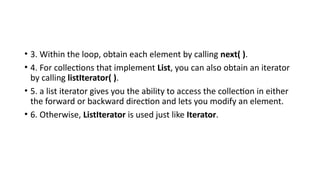
• 3. Within the loop, obtain each element by calling next( ).
• 4. For collections that implement List, you can also obtain an iterator
by calling listIterator( ).
• 5. a list iterator gives you the ability to access the collection in either
the forward or backward direction and lets you modify an element.
• 6. Otherwise, ListIterator is used just like Iterator.
• import java.util.*;
• Class IteratorDemo {
• public static void main(String args[]) {
• ArrayList<String> al = new ArrayList<String>();
• al.add("C");
• al.add("A");
• al.add("E");
• al.add("B");
• al.add("D");
• al.add("F");
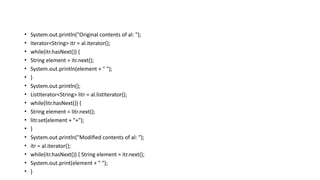
• System.out.println("Original contents of al: ");
• Iterator<String> itr = al.iterator();
• while(itr.hasNext()) {
• String element = itr.next();
• System.out.println(element + " ");
• }
• System.out.println();
• ListIterator<String> litr = al.listIterator();
• while(litr.hasNext()) {
• String element = litr.next();
• litr.set(element + "+");
• }
• System.out.println("Modified contents of al: ");
• itr = al.iterator();
• while(itr.hasNext()) { String element = itr.next();
• System.out.print(element + " ");
• }
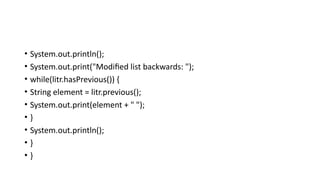
• System.out.println();
• System.out.print("Modified list backwards: ");
• while(litr.hasPrevious()) {
• String element = litr.previous();
• System.out.print(element + " ");
• }
• System.out.println();
• }
• }
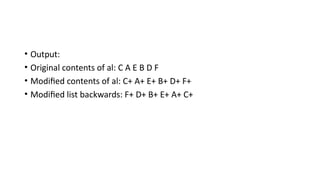
• Output:
• Original contents of al: C A E B D F
• Modified contents of al: C+ A+ E+ B+ D+ F+
• Modified list backwards: F+ D+ B+ E+ A+ C+
• For Each loop for iterating through collection:
• import java.util.*;
• class ForEachDemo {
• public static void main(String args[]) {
• ArrayList<Integer> vals = new ArrayList<Integer>();
• vals.add(1);
• vals.add(2);
• vals.add(3);
• vals.add(4);
• vals.add(5);
• System.out.print("Original contents of vals: "); for(int v : vals)
• System.out.print(v + " "); System.out.println();
• int sum = 0;
• for(int v : vals)
• sum += v;
• System.out.println("Sum of values: " + sum);
• }}
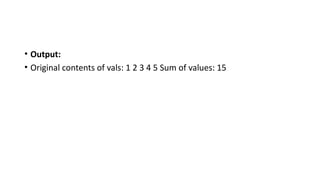
• Output:
• Original contents of vals: 1 2 3 4 5 Sum of values: 15
• Storing User Defined Classes in Collections:
• collections are not limited to the storage of built-in objects.
• The power of collections is that they can store any type of object,
including objects of classes that you create.
• User defined objects stored in LinkedList to store mailing addresses:
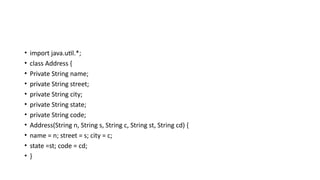
• import java.util.*;
• class Address {
• Private String name;
• private String street;
• private String city;
• private String state;
• private String code;
• Address(String n, String s, String c, String st, String cd) {
• name = n; street = s; city = c;
• state =st; code = cd;
• }
• public String toString() {
• return name + "n" + street + "n" + city + " " + state + " " +code;
• }}
• class MailList {
• public static void main(String args[]) {
• LinkedList<Address> ml = new LinkedList<Address>();
• ml.add(new Address("J.W. West", "11 Oak Ave","Urbana", "IL",
"61801"));
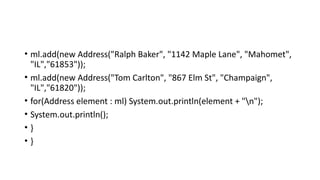
• ml.add(new Address("Ralph Baker", "1142 Maple Lane", "Mahomet",
"IL","61853"));
• ml.add(new Address("Tom Carlton", "867 Elm St", "Champaign",
"IL","61820"));
• for(Address element : ml) System.out.println(element + "n");
• System.out.println();
• }
• }
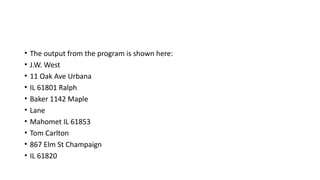
• The output from the program is shown here:
• J.W. West
• 11 Oak Ave Urbana
• IL 61801 Ralph
• Baker 1142 Maple
• Lane
• Mahomet IL 61853
• Tom Carlton
• 867 Elm St Champaign
• IL 61820
• Working With Maps:
• A map is an object that stores associations between keys and values,
or key/value pairs.
• Keys and values are objects. Keys must be unique, but the values may
be duplicated.
• Some maps can accept a null key and null values, others cannot.
• The Map Interfaces
• Because the map interfaces define the character and nature of maps,
this discussion of maps begins with them.
• The following interfaces support maps:
• The Map Interface
• The Map interface maps unique keys to values. A key is an object that
you use to retrieve a value at a later date. Given a key and a value,
you can store the value in a Map object.
• After the value is stored, you can retrieve it by using its key.
• Map is generic:
• Interface Map<K, V>
• Here, K specifies the type of keys, and V specifies the type of values.
• The methods declared by Map.
• Several methods throw a ClassCastException when an object is
incompatible with the elements in a map.
• A NullPointerException is thrown if an attempt is made to use a null
object and null is not allowed in the map.
• An UnsupportedOperationException is thrown when an attempt is
• made to change an unmodifiable map
• An IllegalArgumentException is thrown if an invalid argument is used.
• Maps revolve around two basic operations: get( ) and put( ). To put a
value into a map,use put( ), specifying the key and the value.
• To obtain a value, call get( ), passing the key as an argument. The
value is returned.
• maps are not, themselves, collections because they do not implement
the Collection interface. However, you can obtain a collection-view of
a map.
• To do this, you can use the entrySet( ) method. It returns a Set that
contains the elements in the map.
• To obtain a collection-view of the keys, use keySet( ).
• To get a collection-view of the values, use values( ).
• Collection-views are the means by which maps are integrated into the
larger Collections Framework.
SortedMap
• The SortedMap interface extends Map. It ensures that the entries are
maintained in ascending order based on the keys.
• SortedMap is generic and is declared as shown here:
• interface SortedMap<K, V>
• K specifies the type of keys,
• V specifies the type of values.
• Several methods throw a NoSuchElementException when no items
are in the invoking map.
• A ClassCastException is thrown when an object is incompatible with
the elements in a map.
• A NullPointerException is thrown if an attempt is made to use a null
object when null is not allowed in the map.
• An IllegalArgumentException is thrown if an invalid argument is used.
• Sorted maps allow very efficient manipulations of submaps
• To obtain a submap, use headMap( ), tailMap( ), or subMap( ).
• To get the first key in the set, call firstKey( ).
• To get the last key, use lastKey( ).
• NavigableMap Interface
• The NavigableMap interface was added by Java SE 6.
• It extends SortedMap and declares the behavior of a map that
supports the retrieval of entries based on the closest match to a given
key or keys. NavigableMap is a generic interface that has this
declaration:
• interface NavigableMap<K,V>
• Here, K specifies the type of the keys, and V specifies the type of the
values associated with the keys.
• Several methods throw a ClassCastException when an object is
incompatible with the keys in the map.
• A NullPointerException is thrown if an attempt is made to use a null
object and null keys are not allowed in the set.
• An IllegalArgumentException is thrown if an invalid argument is used
Map.Entry Interface
• The Map.Entry interface enables you to work with a map entry. Recall
that the entrySet( ) method declared by the Map interface returns a
Set containing the map entries.
• Each of these set elements is a Map.Entry object. Map.Entry is
generic and is declared like this:
• interface Map.Entry<K, V>
• Here, K specifies the type of keys, and V specifies the type of values
the methods declared by Map.Entry.
Map Classes
• Several classes provide implementations of the map interfaces. The
classes that can be used for maps are summarized here:
• HashMap:
• The HashMap class extends AbstractMap and implements the Map
interface. It uses a hash table to store the map.
• This allows the execution time of get( ) and put( ) to remain constant
even for large sets. HashMap is a generic class that has this declaration:
• class HashMap<K, V>
• Here, K specifies the type of keys, and V specifies the type of values.
• The following constructors are defined:
• HashMap( )
• HashMap(Map<? extends K, ? extends V> m)
• HashMap(int capacity)
• HashMap(int capacity, float fillRatio)
• The first form constructs a default hash map. The second form initializes the
hash map by using the elements of m.
• The third form initializes the capacity of the hash map to capacity. The
fourthform initializes both the capacity and fill ratio of the hash map by
using its arguments.
• The meaning of capacity and fill ratio is the same as for HashSet,
described earlier.
• Thedefault capacity is 16.
• The default fill ratio is 0.75.
• HashMap implements Map and extends AbstractMap. It does not
add any methods of its own
• import java.util.*;
• Class HashMapDemo {
• public static void main(String args[]) {
• HashMap<String, Double> hm = new HashMap<String, Double>();
• hm.put("John Doe", new Double(3434.34));
• hm.put("Tom Smith", new Double(123.22));
• hm.put("Jane Baker", new Double(1378.00));
• hm.put("Tod Hall", new Double(99.22));
• hm.put("Ralph Smith", new Double(-19.08));
• Set<Map.Entry<String, Double>> set =hm.entrySet();
• for(Map.Entry<String, Double> me : set) {
• System.out.print(me.getKey() + ": ");
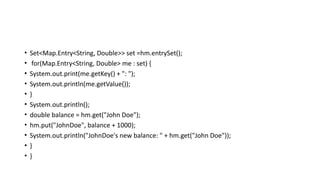
• System.out.println(me.getValue());
• }
• System.out.println();
• double balance = hm.get("John Doe");
• hm.put("JohnDoe", balance + 1000);
• System.out.println("JohnDoe's new balance: " + hm.get("John Doe"));
• }
• }
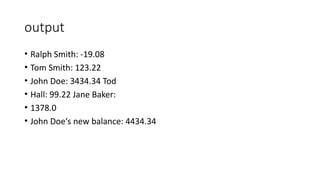
output
• Ralph Smith: -19.08
• Tom Smith: 123.22
• John Doe: 3434.34 Tod
• Hall: 99.22 Jane Baker:
• 1378.0
• John Doe‘s new balance: 4434.34
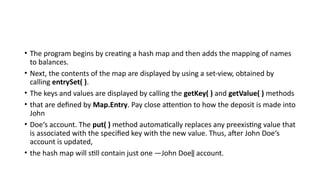
• The program begins by creating a hash map and then adds the mapping of names
to balances.
• Next, the contents of the map are displayed by using a set-view, obtained by
calling entrySet( ).
• The keys and values are displayed by calling the getKey( ) and getValue( ) methods
• that are defined by Map.Entry. Pay close attention to how the deposit is made into
John
• Doe‘s account. The put( ) method automatically replaces any preexisting value that
is associated with the specified key with the new value. Thus, after John Doe‘s
account is updated,
• the hash map will still contain just one ―John Doe‖ account.
• TreeMap
• The TreeMap class extends AbstractMap and implements the
NavigableMap interface. It creates maps stored in a tree structure.
• A TreeMap provides an efficient means of storing key/value pairs in
sorted order and allows rapid retrieval. You should note that, unlike a
hash map, a tree map guarantees that its elements will be sorted in
ascending key order.
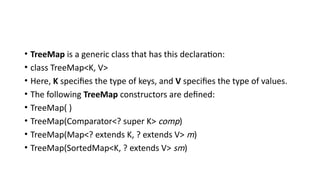
• TreeMap is a generic class that has this declaration:
• class TreeMap<K, V>
• Here, K specifies the type of keys, and V specifies the type of values.
• The following TreeMap constructors are defined:
• TreeMap( )
• TreeMap(Comparator<? super K> comp)
• TreeMap(Map<? extends K, ? extends V> m)
• TreeMap(SortedMap<K, ? extends V> sm)
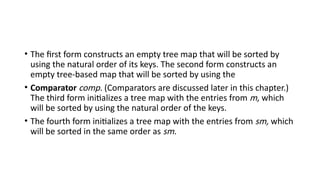
• The first form constructs an empty tree map that will be sorted by
using the natural order of its keys. The second form constructs an
empty tree-based map that will be sorted by using the
• Comparator comp. (Comparators are discussed later in this chapter.)
The third form initializes a tree map with the entries from m, which
will be sorted by using the natural order of the keys.
• The fourth form initializes a tree map with the entries from sm, which
will be sorted in the same order as sm.
• TreeMap has no methods beyond those specified by the
NavigableMap interface and the AbstractMap class.
• The following program reworks the preceding example so that it uses
TreeMap:
• import java.util.*;
• class TreeMapDemo {
• public static void main(String args[]) { //Create a tree map.
• TreeMap<String, Double> tm = new TreeMap<String, Double>(); //Put
elements to the map.
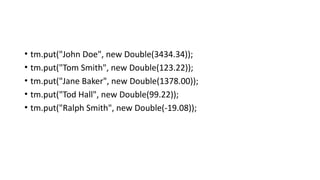
• tm.put("John Doe", new Double(3434.34));
• tm.put("Tom Smith", new Double(123.22));
• tm.put("Jane Baker", new Double(1378.00));
• tm.put("Tod Hall", new Double(99.22));
• tm.put("Ralph Smith", new Double(-19.08));
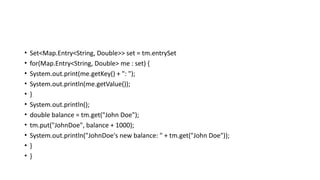
• Set<Map.Entry<String, Double>> set = tm.entrySet
• for(Map.Entry<String, Double> me : set) {
• System.out.print(me.getKey() + ": ");
• System.out.println(me.getValue());
• }
• System.out.println();
• double balance = tm.get("John Doe");
• tm.put("JohnDoe", balance + 1000);
• System.out.println("JohnDoe's new balance: " + tm.get("John Doe"));
• }
• }
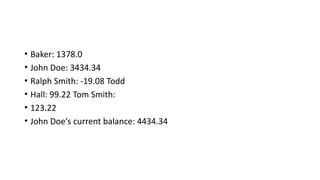
• Baker: 1378.0
• John Doe: 3434.34
• Ralph Smith: -19.08 Todd
• Hall: 99.22 Tom Smith:
• 123.22
• John Doe‘s current balance: 4434.34
• LinkedHashMap
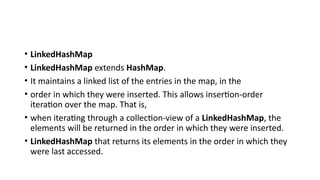
• LinkedHashMap extends HashMap.
• It maintains a linked list of the entries in the map, in the
• order in which they were inserted. This allows insertion-order
iteration over the map. That is,
• when iterating through a collection-view of a LinkedHashMap, the
elements will be returned in the order in which they were inserted.
• LinkedHashMap that returns its elements in the order in which they
were last accessed.
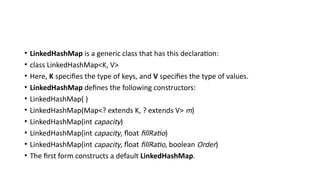
• LinkedHashMap is a generic class that has this declaration:
• class LinkedHashMap<K, V>
• Here, K specifies the type of keys, and V specifies the type of values.
• LinkedHashMap defines the following constructors:
• LinkedHashMap( )
• LinkedHashMap(Map<? extends K, ? extends V> m)
• LinkedHashMap(int capacity)
• LinkedHashMap(int capacity, float fillRatio)
• LinkedHashMap(int capacity, float fillRatio, boolean Order)
• The first form constructs a default LinkedHashMap.
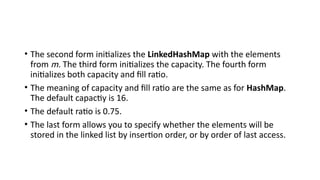
• The second form initializes the LinkedHashMap with the elements
from m. The third form initializes the capacity. The fourth form
initializes both capacity and fill ratio.
• The meaning of capacity and fill ratio are the same as for HashMap.
The default capactiy is 16.
• The default ratio is 0.75.
• The last form allows you to specify whether the elements will be
stored in the linked list by insertion order, or by order of last access.
• IdentityHashMap
• IdentityHashMap extends AbstractMap and implements the Map interface.
• It is similar to HashMap except that it uses reference equality when
comparing elements.
• IdentityHashMap is a generic class that has this declaration:
• class IdentityHashMap<K, V>
• Here, K specifies the type of key, and V specifies the type of value. The API
documentation
• explicitly states that IdentityHashMap is not for general use.
• The EnumMap Class
• EnumMap extends AbstractMap and implements Map. It is
specifically for use with keys of an enum type. It is a generic class that
has this declaration:
• class EnumMap<K extends Enum<K>, V>
• Here, K specifies the type of key, and V specifies the type of value.
Notice that K must extend Enum<K>, which enforces the requirement
that the keys must be of an enum type.
• EnumMap defines the following constructors:
• EnumMap(Class<K> kType)
• EnumMap(Map<K, ? extends V> m)
• EnumMap(EnumMap<K, ? extends V> em)
• The first constructor creates an empty EnumMap of type kType. The
second creates an EnumMap map that contains the same entries as
m. The third creates an EnumMap
• initialized with the values in em.
Comparator interface
• Comparator is a generic interface that has this declaration:
• interface Comparator<T>
• Here, T specifies the type of objects being compared.
• The Comparator interface defines two methods: compare( ) and
equals( ). The compare( )method, shown here, compares two
elements for order:
• int compare(T obj1, T obj2)
• obj1 and obj2 are the objects to be compared.
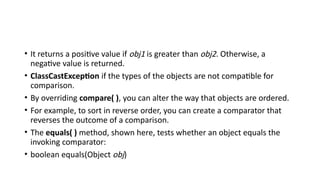
• This method returns zero if the objects are equal.
• It returns a positive value if obj1 is greater than obj2. Otherwise, a
negative value is returned.
• ClassCastException if the types of the objects are not compatible for
comparison.
• By overriding compare( ), you can alter the way that objects are ordered.
• For example, to sort in reverse order, you can create a comparator that
reverses the outcome of a comparison.
• The equals( ) method, shown here, tests whether an object equals the
invoking comparator:
• boolean equals(Object obj)
• Here, obj is the object to be tested for equality. The method returns
true if obj and the invoking object are both Comparator objects and
use the same ordering. Otherwise, it returns false.
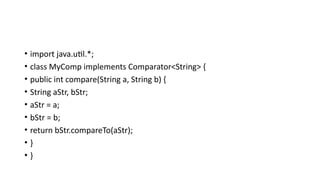
• import java.util.*;
• class MyComp implements Comparator<String> {
• public int compare(String a, String b) {
• String aStr, bStr;
• aStr = a;
• bStr = b;
• return bStr.compareTo(aStr);
• }
• }
• class CompDemo {
• public static void main(String args[]) {
• TreeSet<String> ts = new TreeSet<String>(new MyComp());
• ts.add("C");
• ts.add("A");
• ts.add("B");
• ts.add("E");
• ts.add("F");
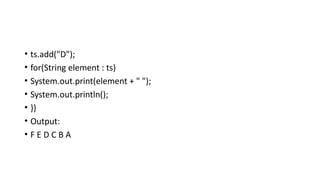
• ts.add("D");
• for(String element : ts)
• System.out.print(element + " ");
• System.out.println();
• }}
• Output:
• F E D C B A
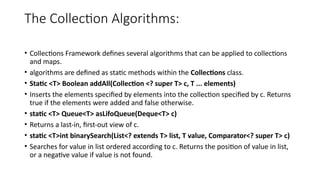
The Collection Algorithms:
• Collections Framework defines several algorithms that can be applied to collections
and maps.
• algorithms are defined as static methods within the Collections class.
• Static <T> Boolean addAll(Collection <? super T> c, T ... elements)
• Inserts the elements specified by elements into the collection specified by c. Returns
true if the elements were added and false otherwise.
• static <T> Queue<T> asLifoQueue(Deque<T> c)
• Returns a last-in, first-out view of c.
• static <T>int binarySearch(List<? extends T> list, T value, Comparator<? super T> c)
• Searches for value in list ordered according to c. Returns the position of value in list,
or a negative value if value is not found.
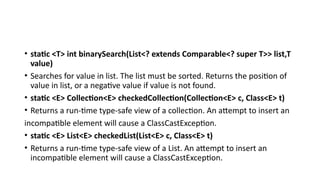
• static <T> int binarySearch(List<? extends Comparable<? super T>> list,T
value)
• Searches for value in list. The list must be sorted. Returns the position of
value in list, or a negative value if value is not found.
• static <E> Collection<E> checkedCollection(Collection<E> c, Class<E> t)
• Returns a run-time type-safe view of a collection. An attempt to insert an
incompatible element will cause a ClassCastException.
• static <E> List<E> checkedList(List<E> c, Class<E> t)
• Returns a run-time type-safe view of a List. An attempt to insert an
incompatible element will cause a ClassCastException.
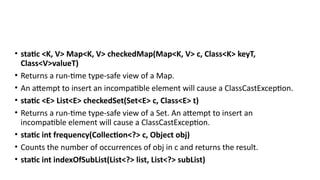
• static <K, V> Map<K, V> checkedMap(Map<K, V> c, Class<K> keyT,
Class<V>valueT)
• Returns a run-time type-safe view of a Map.
• An attempt to insert an incompatible element will cause a ClassCastException.
• static <E> List<E> checkedSet(Set<E> c, Class<E> t)
• Returns a run-time type-safe view of a Set. An attempt to insert an
incompatible element will cause a ClassCastException.
• static int frequency(Collection<?> c, Object obj)
• Counts the number of occurrences of obj in c and returns the result.
• static int indexOfSubList(List<?> list, List<?> subList)
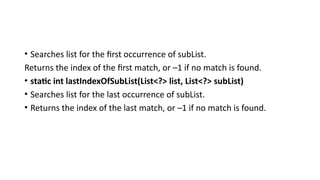
• Searches list for the first occurrence of subList.
Returns the index of the first match, or –1 if no match is found.
• static int lastIndexOfSubList(List<?> list, List<?> subList)
• Searches list for the last occurrence of subList.
• Returns the index of the last match, or –1 if no match is found.
• import java.util.*;
• class AlgorithmsDemo {
• public static void main(String args[]) {
• LinkedList<Integer> ll = new LinkedList<Integer>();
• ll.add(-8);
• ll.add(20);
• ll.add(-20);
• ll.add(8);
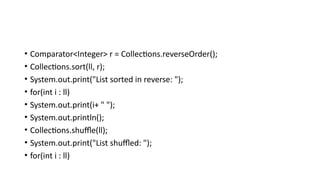
• Comparator<Integer> r = Collections.reverseOrder();
• Collections.sort(ll, r);
• System.out.print("List sorted in reverse: ");
• for(int i : ll)
• System.out.print(i+ " ");
• System.out.println();
• Collections.shuffle(ll);
• System.out.print("List shuffled: ");
• for(int i : ll)
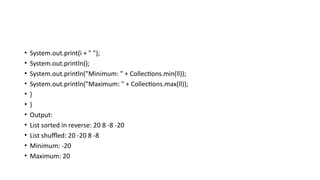
• System.out.print(i + " ");
• System.out.println();
• System.out.println("Minimum: " + Collections.min(ll));
• System.out.println("Maximum: " + Collections.max(ll));
• }
• }
• Output:
• List sorted in reverse: 20 8 -8 -20
• List shuffled: 20 -20 8 -8
• Minimum: -20
• Maximum: 20
• Why Generic Collections?
• As mentioned at the start of this chapter, the entire Collections
Framework was refitted for generics when JDK 5 was released.
• Furthermore, the Collections Framework is arguably the single most
important use of generics in the Java API.
• The reason for this is that generics add type safety to the Collections
Framework.
• Before moving on, it is worth taking some time to examine in detail
the significance of this improvement.
• import java.util.*;
• class OldStyle {
• public static void main(String args[]) {
• ArrayList list = new ArrayList();
• list.add("one");
• list.add("two");
• list.add("three");
• list.add("four");
• Iterator itr = list.iterator();
• while(itr.hasNext()) {
• String str = (String) itr.next(); // explicit cast needed here.
• System.out.println(str + " is " + str.length() + " chars long.");
• }} }
• Prior to generics, all collections stored references of type Object.
• This allowed any type of reference to be stored in the collection.
• The preceding program uses this feature to store references to objects of type String in list, but
• any type of reference could have been stored. Unfortunately, the fact that a pre-generics
• collection stored Object references could easily lead to errors.
• First, it required that you, rather than the compiler, ensure that only objects of
• the proper type be stored in a specific collection. For example, in the preceding example, list is
• clearly intended to store Strings, but there is nothing that actually prevents another type of
• reference from being added to the collection
• For example, the compiler will find nothing wrong with this line of code:
• list.add(new Integer(100));
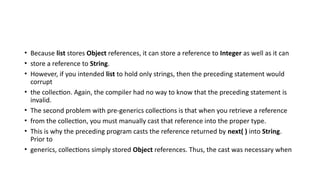
• Because list stores Object references, it can store a reference to Integer as well as it can
• store a reference to String.
• However, if you intended list to hold only strings, then the preceding statement would
corrupt
• the collection. Again, the compiler had no way to know that the preceding statement is
invalid.
• The second problem with pre-generics collections is that when you retrieve a reference
• from the collection, you must manually cast that reference into the proper type.
• This is why the preceding program casts the reference returned by next( ) into String.
Prior to
• generics, collections simply stored Object references. Thus, the cast was necessary when
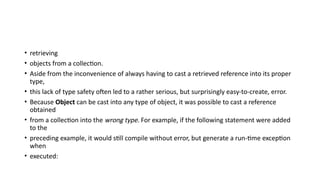
• retrieving
• objects from a collection.
• Aside from the inconvenience of always having to cast a retrieved reference into its proper
type,
• this lack of type safety often led to a rather serious, but surprisingly easy-to-create, error.
• Because Object can be cast into any type of object, it was possible to cast a reference
obtained
• from a collection into the wrong type. For example, if the following statement were added
to the
• preceding example, it would still compile without error, but generate a run-time exception
when
• executed:
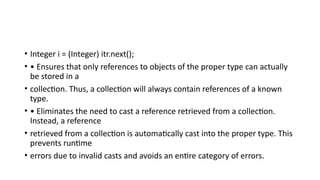
• Integer i = (Integer) itr.next();
• • Ensures that only references to objects of the proper type can actually
be stored in a
• collection. Thus, a collection will always contain references of a known
type.
• • Eliminates the need to cast a reference retrieved from a collection.
Instead, a reference
• retrieved from a collection is automatically cast into the proper type. This
prevents runtime
• errors due to invalid casts and avoids an entire category of errors.
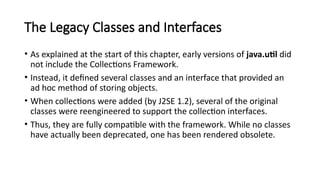
The Legacy Classes and Interfaces
• As explained at the start of this chapter, early versions of java.util did
not include the Collections Framework.
• Instead, it defined several classes and an interface that provided an
ad hoc method of storing objects.
• When collections were added (by J2SE 1.2), several of the original
classes were reengineered to support the collection interfaces.
• Thus, they are fully compatible with the framework. While no classes
have actually been deprecated, one has been rendered obsolete.
• Of course, where a collection duplicates the functionality of a legacy
class,you will usually want to use the collection for new code. In
general, the legacy classes are supported because there is still code
that uses them.
• One other point: none of the collection classes are synchronized, but
all the legacy classes are synchronized.
• This distinction may be important in some situations. Of course, you
can easily synchronize collections, too, by using one of the algorithms
provided by Collections.
• The legacy classes defined by java.util are shown here:
• Dictionary
• Hashtable
• Properties
• Stack
• Vector
• There is one legacy interface called Enumeration.
• The following sections examine Enumeration and each of the legacy
classes, in turn.
• The Enumeration Interface
• The Enumeration interface defines the methods by which you can
enumerate (obtain one at a time) the elements in a collection of
objects. This legacy interface has been superseded by Iterator.
• interface Enumeration<E>
• where E specifies the type of element being enumerated.
Vector
• Vector implements a dynamic array. It is similar to ArrayList, but with two differences:
• Vector is synchronized, and it contains many legacy methods that are not part of the
Collections.
• Vector is declared like this:
• class Vector<E>
• Here, E specifies the type of element that will be stored.
• Here are the Vector constructors:
• Vector( )
• Vector(int size)
• Vector(int size, int incr)
• Vector(Collection<? extends E> c)
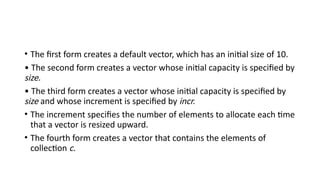
• The first form creates a default vector, which has an initial size of 10.
• The second form creates a vector whose initial capacity is specified by
size.
• The third form creates a vector whose initial capacity is specified by
size and whose increment is specified by incr.
• The increment specifies the number of elements to allocate each time
that a vector is resized upward.
• The fourth form creates a vector that contains the elements of
collection c.
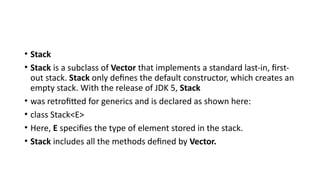
• Stack
• Stack is a subclass of Vector that implements a standard last-in, first-
out stack. Stack only defines the default constructor, which creates an
empty stack. With the release of JDK 5, Stack
• was retrofitted for generics and is declared as shown here:
• class Stack<E>
• Here, E specifies the type of element stored in the stack.
• Stack includes all the methods defined by Vector.
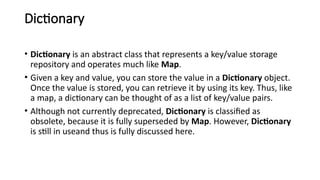
Dictionary
• Dictionary is an abstract class that represents a key/value storage
repository and operates much like Map.
• Given a key and value, you can store the value in a Dictionary object.
Once the value is stored, you can retrieve it by using its key. Thus, like
a map, a dictionary can be thought of as a list of key/value pairs.
• Although not currently deprecated, Dictionary is classified as
obsolete, because it is fully superseded by Map. However, Dictionary
is still in useand thus is fully discussed here.
• class Dictionary<K, V>
• Here, K specifies the type of keys, and V specifies the type of values.
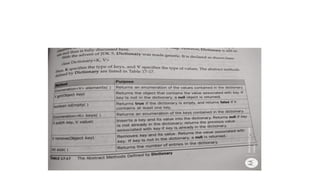
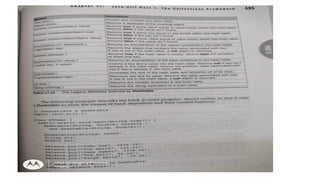
The abstract methods defined by Dictionary are listed in Table 17-17.
• Hashtable
• Hashtable was part of the original java.util and is a concrete
implementation of a Dictionary.
• HashMap, Hashtable stores key/value pairs in a hash table.
• However, neither keys nor values can be null. When using a Hashtable,
you specify an object that is used as a key, and the value that you want
linked to that key.
• The key is then hashed, and the resulting hash code is used as the index
at which the value is stored within the table.
• Hashtable was made generic by JDK 5.
• It is declared like this: class Hashtable<K, V>
• Hashtable( )
• Hashtable(int size)
• Hashtable(int size, float fillRatio)
• Hashtable(Map<? extends K, ? extends V> m)
• The first version is the default constructor.
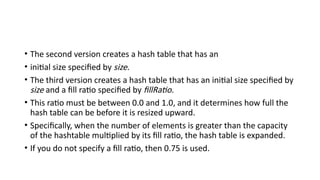
• The second version creates a hash table that has an
• initial size specified by size.
• The third version creates a hash table that has an initial size specified by
size and a fill ratio specified by fillRatio.
• This ratio must be between 0.0 and 1.0, and it determines how full the
hash table can be before it is resized upward.
• Specifically, when the number of elements is greater than the capacity
of the hashtable multiplied by its fill ratio, the hash table is expanded.
• If you do not specify a fill ratio, then 0.75 is used.
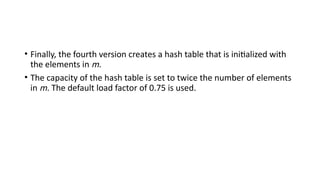
• Finally, the fourth version creates a hash table that is initialized with
the elements in m.
• The capacity of the hash table is set to twice the number of elements
in m. The default load factor of 0.75 is used.
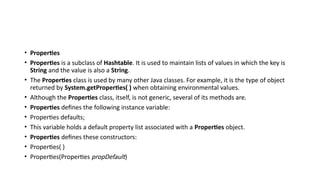
• Properties
• Properties is a subclass of Hashtable. It is used to maintain lists of values in which the key is
String and the value is also a String.
• The Properties class is used by many other Java classes. For example, it is the type of object
returned by System.getProperties( ) when obtaining environmental values.
• Although the Properties class, itself, is not generic, several of its methods are.
• Properties defines the following instance variable:
• Properties defaults;
• This variable holds a default property list associated with a Properties object.
• Properties defines these constructors:
• Properties( )
• Properties(Properties propDefault)
module2a it is module 2 so it is module 2.pptx

module2a it is module 2 so it is module 2.pptx

  • 1.
  • 2.
    The Collection Classeswith example code • AbstractCollection • Implements most of the Collection interface. • AbstractList • Extends AbstractCollection and implements most of the List interface,Queue interface. • AbstractSequentialList • Extends AbstractList for use by a collection that uses sequential rather than random access of its elements. • AbstractSet • Extends AbstractCollection and implements most of the Set interface. • EnumSet
  • 3.
    • Extends AbstractSetfor use with enum elements. • HashSet • Extends AbstractSet for use with a hash table. • LinkedHashSet • Extends HashSet to allow insertion-order iterations. • PriorityQueue • Extends AbstractQueue to support a priority-based queue.
  • 4.
    • TreeSet • Implementsa set stored in a tree. Extends AbstractSet. • LinkedList • Implements a linked list by extending AbstractSequentialList. • ArrayList • Implements a dynamic array by extending AbstractList. • ArrayDeque • Implements a dynamic double-ended queue by extending AbstractCollection and implementing the Deque interface.
  • 5.
    • ArrayList • ArrayListclass extends AbstractList and implements the List interface • ArrayList is a generic class that has this declaration: • class ArrayList<E> • ArrayList has the constructors shown here: • ArrayList( ) • constructor builds an empty array list • ArrayList(Collection<? extends E> c) • builds an array list that is initialized with the elements of the collection c.
  • 6.
    LinkedList • The LinkedListclass extends AbstractSequentialList and implements the List, Deque, and Queue interfaces. • It provides a linked-list data structure. LinkedList is a generic class that has • this declaration: • class LinkedList<E> • Here, E specifies the type of objects that the list will hold. LinkedList has the two constructors • LinkedList( ) • LinkedList(Collection<? extends E> c)
  • 7.
    • The firstconstructor builds an empty linked list. • The second constructor builds a linked list that is initialized with the elements of the collection c.
  • 8.
    Example code: • importjava.util.*; • class LinkedListDemo { • public static void main(String args[]) { • LinkedList<String> ll = new LinkedList<String>(); • ll.add("F"); • ll.add("B"); • ll.add("D"); • ll.add("E"); • ll.add("C"); • ll.addLast("Z");
  • 9.
    • ll.addFirst("A"); • ll.add(1,"A2"); • System.out.println("Original contents of ll: " + ll); • ll.remove("F"); • ll.remove(2); • System.out.println("Contents of ll after deletion: "+ ll); • ll.removeFirst(); • ll.removeLast(); • System.out.println("ll after deleting first and last: "+ ll); • String val = ll.get(2); • ll.set(2, val + " Changed"); • System.out.println("ll after change: " + ll); • }}
  • 10.
    • HashSet • HashSetextends AbstractSet and implements the Set interface. It creates a collection • that uses a hash table for storage. • Java HashSet class is used to create a collection that uses a hash table for storage. • It inherits the AbstractSet class and implements Set interface. • The important points about Java HashSet class are: • o HashSet stores the elements by using a mechanism called hashing. • o HashSet contains unique elements only.
  • 11.
    • HashSet isa generic class that has this declaration: • class HashSet<E> • Here, E specifies the type of objects that the set will hold. • Constructor • HashSet( ) • HashSet(Collection<? extends E> c) • HashSet(int capacity) • HashSet(int capacity, float fillRatio)
  • 12.
    • Example: • Importjava.util.*; • class HashSetDemo { • public static void main(String args[]) { • HashSet<String> hs = new HashSet<String>(); • hs.add("B"); • hs.add("A"); • hs.add("D"); • hs.add("E"); • hs.add("C"); • hs.add("F"); • System.out.println(hs); • } • } • output
  • 13.
    • LinkedHashSet • LinkedHashSetclass is a Hash table and Linked list implementation of the set interface. • It inherits HashSet class and implements Set interface. • The important points about Java LinkedHashSet class are: • o Contains unique elements only like HashSet. • o Provides all optional set operations, and permits null elements. • o Maintains insertion order.
  • 14.
    • The LinkedHashSetclass extends HashSet and adds no members of its own. • It is a generic class that has this declaration: • class LinkedHashSet<E> • Here, E specifies the type of objects that the set will hold. • LinkedHashSet maintains a linked list of the entries in the set, in the order in which they were inserted.
  • 15.
    • This allowsinsertion-order iteration over the set. • That is, when cycling through a LinkedHashSet using an iterator, the elements will be returned in the order in which they were inserted. • This is also the order in which they are contained in the string returned by • toString( ) when called on a LinkedHashSet object. • To see the effect of LinkedHashSet, try substituting LinkedHashSet for HashSet in the preceding program. • The output will be • [B, A, D, E, C, F] • which is the order in which the elements were inserted.
  • 16.
    • TreeSet • TreeSetextends AbstractSet and implements the NavigableSet interface. It • creates a collection that uses a tree for storage. Objects are stored in sorted, ascending order. • Access and retrieval times are quite fast, which makes TreeSet an excellent choice when storing large amounts of sorted information that must be found quickly. • TreeSet is a generic class that has this declaration: • class TreeSet<E> • Here, E specifies the type of objects that the set will hold.
  • 17.
    • TreeSet hasthe following constructors: • TreeSet( ) • TreeSet(Collection<? extends E> c) • TreeSet(Comparator<? super E> comp) • TreeSet(SortedSet<E> ss)
  • 18.
    • Example • importjava.util.*; class • TreeSetDemo { • public static void main(String args[]) { • TreeSet<String> ts = new TreeSet<String>(); • ts.add("C"); • ts.add("A"); • ts.add("B"); • ts.add("E"); • ts.add("F");
  • 19.
    • ts.add("D"); • System.out.println(ts); •} • } • The output from this program is shown here: • [A, B, C,D, E, F]
  • 20.
    • PriorityQueue • PriorityQueueextends AbstractQueue and implements the Queue interface. • It creates a queue that is prioritized based on the queue‘s comparator. • PriorityQueue is a generic class that has this declaration: class • PriorityQueue<E> • Here, E specifies the type of objects stored in the queue. • PriorityQueues are dynamic, growing as necessary.
  • 21.
    • PriorityQueue definesthe six constructors shown here: • PriorityQueue( ) • PriorityQueue(int capacity) • PriorityQueue(int capacity, Comparator<? super E> comp) • PriorityQueue(Collection<? extends E> c) • PriorityQueue(PriorityQueue<? extends E> c) • PriorityQueue(SortedSet<? extends E> c)
  • 22.
    • ArrayDeque • JavaSE 6 added the ArrayDeque class, which extends AbstractCollection and • implements the Deque interface. • It adds no methods of its own. • ArrayDeque creates a dynamic array and has no capacity restrictions. • ArrayDeque is a generic class that has this declaration: • class ArrayDeque<E> • Here, E specifies the type of objects stored in the collection.
  • 23.
    • ArrayDeque definesthe following constructors: ArrayDeque( ) • ArrayDeque(int size) ArrayDeque(Collection<? extends E> c)
  • 24.
    • import java.util.*; •class ArrayDequeDemo { • public static void main(String args[]) { ArrayDeque<String> • adq = new ArrayDeque<String>(); adq.push("A"); • adq.push("B"); • adq.push("D"); • adq.push("E"); • adq.push("F"); System.out.print("Popping • the stack: "); while(adq.peek() != null) • System.out.print(adq.pop() + " "); • System.out.println(); • } • }
  • 25.
    • The outputis shown here: • Popping the stack: F E D B A
  • 26.
    Accessing a collectionVia an Iterator: • Before you can access a collection through an iterator, you must obtain one. Each of the collection classes provides an iterator( ) method that returns an iterator to the start of the collection. • By using this iterator object, you can access each element in the collection. Element at a time. In general, to use an iterator to cycle through the contents of a collection, follow these • steps: • 1. Obtain an iterator to the start of the collection by calling the collection‘s iterator( ) method. • 2. Set up a loop that makes a call to hasNext( ). Have the loop iterate as long as hasNext( )returns true.
  • 27.
    • 3. Withinthe loop, obtain each element by calling next( ). • 4. For collections that implement List, you can also obtain an iterator by calling listIterator( ). • 5. a list iterator gives you the ability to access the collection in either the forward or backward direction and lets you modify an element. • 6. Otherwise, ListIterator is used just like Iterator.
  • 28.
    • import java.util.*; •Class IteratorDemo { • public static void main(String args[]) { • ArrayList<String> al = new ArrayList<String>(); • al.add("C"); • al.add("A"); • al.add("E"); • al.add("B"); • al.add("D"); • al.add("F");
  • 29.
    • System.out.println("Original contentsof al: "); • Iterator<String> itr = al.iterator(); • while(itr.hasNext()) { • String element = itr.next(); • System.out.println(element + " "); • } • System.out.println(); • ListIterator<String> litr = al.listIterator(); • while(litr.hasNext()) { • String element = litr.next(); • litr.set(element + "+"); • } • System.out.println("Modified contents of al: "); • itr = al.iterator(); • while(itr.hasNext()) { String element = itr.next(); • System.out.print(element + " "); • }
  • 30.
    • System.out.println(); • System.out.print("Modifiedlist backwards: "); • while(litr.hasPrevious()) { • String element = litr.previous(); • System.out.print(element + " "); • } • System.out.println(); • } • }
  • 31.
    • Output: • Originalcontents of al: C A E B D F • Modified contents of al: C+ A+ E+ B+ D+ F+ • Modified list backwards: F+ D+ B+ E+ A+ C+
  • 32.
    • For Eachloop for iterating through collection: • import java.util.*; • class ForEachDemo { • public static void main(String args[]) { • ArrayList<Integer> vals = new ArrayList<Integer>(); • vals.add(1); • vals.add(2); • vals.add(3); • vals.add(4); • vals.add(5); • System.out.print("Original contents of vals: "); for(int v : vals) • System.out.print(v + " "); System.out.println(); • int sum = 0; • for(int v : vals) • sum += v; • System.out.println("Sum of values: " + sum); • }}
  • 33.
    • Output: • Originalcontents of vals: 1 2 3 4 5 Sum of values: 15
  • 34.
    • Storing UserDefined Classes in Collections: • collections are not limited to the storage of built-in objects. • The power of collections is that they can store any type of object, including objects of classes that you create. • User defined objects stored in LinkedList to store mailing addresses:
  • 35.
    • import java.util.*; •class Address { • Private String name; • private String street; • private String city; • private String state; • private String code; • Address(String n, String s, String c, String st, String cd) { • name = n; street = s; city = c; • state =st; code = cd; • }
  • 36.
    • public StringtoString() { • return name + "n" + street + "n" + city + " " + state + " " +code; • }} • class MailList { • public static void main(String args[]) { • LinkedList<Address> ml = new LinkedList<Address>(); • ml.add(new Address("J.W. West", "11 Oak Ave","Urbana", "IL", "61801"));
  • 37.
    • ml.add(new Address("RalphBaker", "1142 Maple Lane", "Mahomet", "IL","61853")); • ml.add(new Address("Tom Carlton", "867 Elm St", "Champaign", "IL","61820")); • for(Address element : ml) System.out.println(element + "n"); • System.out.println(); • } • }
  • 38.
    • The outputfrom the program is shown here: • J.W. West • 11 Oak Ave Urbana • IL 61801 Ralph • Baker 1142 Maple • Lane • Mahomet IL 61853 • Tom Carlton • 867 Elm St Champaign • IL 61820
  • 39.
    • Working WithMaps: • A map is an object that stores associations between keys and values, or key/value pairs. • Keys and values are objects. Keys must be unique, but the values may be duplicated. • Some maps can accept a null key and null values, others cannot.
  • 40.
    • The MapInterfaces • Because the map interfaces define the character and nature of maps, this discussion of maps begins with them. • The following interfaces support maps: • The Map Interface • The Map interface maps unique keys to values. A key is an object that you use to retrieve a value at a later date. Given a key and a value, you can store the value in a Map object. • After the value is stored, you can retrieve it by using its key.
  • 41.
    • Map isgeneric: • Interface Map<K, V> • Here, K specifies the type of keys, and V specifies the type of values. • The methods declared by Map. • Several methods throw a ClassCastException when an object is incompatible with the elements in a map.
  • 42.
    • A NullPointerExceptionis thrown if an attempt is made to use a null object and null is not allowed in the map. • An UnsupportedOperationException is thrown when an attempt is • made to change an unmodifiable map • An IllegalArgumentException is thrown if an invalid argument is used. • Maps revolve around two basic operations: get( ) and put( ). To put a value into a map,use put( ), specifying the key and the value. • To obtain a value, call get( ), passing the key as an argument. The value is returned.
  • 43.
    • maps arenot, themselves, collections because they do not implement the Collection interface. However, you can obtain a collection-view of a map. • To do this, you can use the entrySet( ) method. It returns a Set that contains the elements in the map.
  • 44.
    • To obtaina collection-view of the keys, use keySet( ). • To get a collection-view of the values, use values( ). • Collection-views are the means by which maps are integrated into the larger Collections Framework.
  • 45.
    SortedMap • The SortedMapinterface extends Map. It ensures that the entries are maintained in ascending order based on the keys. • SortedMap is generic and is declared as shown here: • interface SortedMap<K, V> • K specifies the type of keys, • V specifies the type of values.
  • 46.
    • Several methodsthrow a NoSuchElementException when no items are in the invoking map. • A ClassCastException is thrown when an object is incompatible with the elements in a map. • A NullPointerException is thrown if an attempt is made to use a null object when null is not allowed in the map. • An IllegalArgumentException is thrown if an invalid argument is used. • Sorted maps allow very efficient manipulations of submaps • To obtain a submap, use headMap( ), tailMap( ), or subMap( ).
  • 47.
    • To getthe first key in the set, call firstKey( ). • To get the last key, use lastKey( ).
  • 48.
    • NavigableMap Interface •The NavigableMap interface was added by Java SE 6. • It extends SortedMap and declares the behavior of a map that supports the retrieval of entries based on the closest match to a given key or keys. NavigableMap is a generic interface that has this declaration: • interface NavigableMap<K,V>
  • 49.
    • Here, Kspecifies the type of the keys, and V specifies the type of the values associated with the keys. • Several methods throw a ClassCastException when an object is incompatible with the keys in the map. • A NullPointerException is thrown if an attempt is made to use a null object and null keys are not allowed in the set. • An IllegalArgumentException is thrown if an invalid argument is used
  • 50.
    Map.Entry Interface • TheMap.Entry interface enables you to work with a map entry. Recall that the entrySet( ) method declared by the Map interface returns a Set containing the map entries. • Each of these set elements is a Map.Entry object. Map.Entry is generic and is declared like this: • interface Map.Entry<K, V> • Here, K specifies the type of keys, and V specifies the type of values the methods declared by Map.Entry.
  • 51.
    Map Classes • Severalclasses provide implementations of the map interfaces. The classes that can be used for maps are summarized here: • HashMap: • The HashMap class extends AbstractMap and implements the Map interface. It uses a hash table to store the map. • This allows the execution time of get( ) and put( ) to remain constant even for large sets. HashMap is a generic class that has this declaration: • class HashMap<K, V> • Here, K specifies the type of keys, and V specifies the type of values.
  • 52.
    • The followingconstructors are defined: • HashMap( ) • HashMap(Map<? extends K, ? extends V> m) • HashMap(int capacity) • HashMap(int capacity, float fillRatio) • The first form constructs a default hash map. The second form initializes the hash map by using the elements of m. • The third form initializes the capacity of the hash map to capacity. The fourthform initializes both the capacity and fill ratio of the hash map by using its arguments.
  • 53.
    • The meaningof capacity and fill ratio is the same as for HashSet, described earlier. • Thedefault capacity is 16. • The default fill ratio is 0.75. • HashMap implements Map and extends AbstractMap. It does not add any methods of its own
  • 54.
    • import java.util.*; •Class HashMapDemo { • public static void main(String args[]) { • HashMap<String, Double> hm = new HashMap<String, Double>(); • hm.put("John Doe", new Double(3434.34)); • hm.put("Tom Smith", new Double(123.22)); • hm.put("Jane Baker", new Double(1378.00)); • hm.put("Tod Hall", new Double(99.22)); • hm.put("Ralph Smith", new Double(-19.08));
  • 55.
    • Set<Map.Entry<String, Double>>set =hm.entrySet(); • for(Map.Entry<String, Double> me : set) { • System.out.print(me.getKey() + ": "); • System.out.println(me.getValue()); • } • System.out.println(); • double balance = hm.get("John Doe"); • hm.put("JohnDoe", balance + 1000); • System.out.println("JohnDoe's new balance: " + hm.get("John Doe")); • } • }
  • 56.
    output • Ralph Smith:-19.08 • Tom Smith: 123.22 • John Doe: 3434.34 Tod • Hall: 99.22 Jane Baker: • 1378.0 • John Doe‘s new balance: 4434.34
  • 57.
    • The programbegins by creating a hash map and then adds the mapping of names to balances. • Next, the contents of the map are displayed by using a set-view, obtained by calling entrySet( ). • The keys and values are displayed by calling the getKey( ) and getValue( ) methods • that are defined by Map.Entry. Pay close attention to how the deposit is made into John • Doe‘s account. The put( ) method automatically replaces any preexisting value that is associated with the specified key with the new value. Thus, after John Doe‘s account is updated, • the hash map will still contain just one ―John Doe‖ account.
  • 58.
    • TreeMap • TheTreeMap class extends AbstractMap and implements the NavigableMap interface. It creates maps stored in a tree structure. • A TreeMap provides an efficient means of storing key/value pairs in sorted order and allows rapid retrieval. You should note that, unlike a hash map, a tree map guarantees that its elements will be sorted in ascending key order.
  • 59.
    • TreeMap isa generic class that has this declaration: • class TreeMap<K, V> • Here, K specifies the type of keys, and V specifies the type of values. • The following TreeMap constructors are defined: • TreeMap( ) • TreeMap(Comparator<? super K> comp) • TreeMap(Map<? extends K, ? extends V> m) • TreeMap(SortedMap<K, ? extends V> sm)
  • 60.
    • The firstform constructs an empty tree map that will be sorted by using the natural order of its keys. The second form constructs an empty tree-based map that will be sorted by using the • Comparator comp. (Comparators are discussed later in this chapter.) The third form initializes a tree map with the entries from m, which will be sorted by using the natural order of the keys. • The fourth form initializes a tree map with the entries from sm, which will be sorted in the same order as sm.
  • 61.
    • TreeMap hasno methods beyond those specified by the NavigableMap interface and the AbstractMap class. • The following program reworks the preceding example so that it uses TreeMap: • import java.util.*; • class TreeMapDemo { • public static void main(String args[]) { //Create a tree map. • TreeMap<String, Double> tm = new TreeMap<String, Double>(); //Put elements to the map.
  • 62.
    • tm.put("John Doe",new Double(3434.34)); • tm.put("Tom Smith", new Double(123.22)); • tm.put("Jane Baker", new Double(1378.00)); • tm.put("Tod Hall", new Double(99.22)); • tm.put("Ralph Smith", new Double(-19.08));
  • 63.
    • Set<Map.Entry<String, Double>>set = tm.entrySet • for(Map.Entry<String, Double> me : set) { • System.out.print(me.getKey() + ": "); • System.out.println(me.getValue()); • } • System.out.println(); • double balance = tm.get("John Doe"); • tm.put("JohnDoe", balance + 1000); • System.out.println("JohnDoe's new balance: " + tm.get("John Doe")); • } • }
  • 64.
    • Baker: 1378.0 •John Doe: 3434.34 • Ralph Smith: -19.08 Todd • Hall: 99.22 Tom Smith: • 123.22 • John Doe‘s current balance: 4434.34
  • 65.
    • LinkedHashMap • LinkedHashMapextends HashMap. • It maintains a linked list of the entries in the map, in the • order in which they were inserted. This allows insertion-order iteration over the map. That is, • when iterating through a collection-view of a LinkedHashMap, the elements will be returned in the order in which they were inserted. • LinkedHashMap that returns its elements in the order in which they were last accessed.
  • 66.
    • LinkedHashMap isa generic class that has this declaration: • class LinkedHashMap<K, V> • Here, K specifies the type of keys, and V specifies the type of values. • LinkedHashMap defines the following constructors: • LinkedHashMap( ) • LinkedHashMap(Map<? extends K, ? extends V> m) • LinkedHashMap(int capacity) • LinkedHashMap(int capacity, float fillRatio) • LinkedHashMap(int capacity, float fillRatio, boolean Order) • The first form constructs a default LinkedHashMap.
  • 67.
    • The secondform initializes the LinkedHashMap with the elements from m. The third form initializes the capacity. The fourth form initializes both capacity and fill ratio. • The meaning of capacity and fill ratio are the same as for HashMap. The default capactiy is 16. • The default ratio is 0.75. • The last form allows you to specify whether the elements will be stored in the linked list by insertion order, or by order of last access.
  • 68.
    • IdentityHashMap • IdentityHashMapextends AbstractMap and implements the Map interface. • It is similar to HashMap except that it uses reference equality when comparing elements. • IdentityHashMap is a generic class that has this declaration: • class IdentityHashMap<K, V> • Here, K specifies the type of key, and V specifies the type of value. The API documentation • explicitly states that IdentityHashMap is not for general use.
  • 69.
    • The EnumMapClass • EnumMap extends AbstractMap and implements Map. It is specifically for use with keys of an enum type. It is a generic class that has this declaration: • class EnumMap<K extends Enum<K>, V> • Here, K specifies the type of key, and V specifies the type of value. Notice that K must extend Enum<K>, which enforces the requirement that the keys must be of an enum type.
  • 70.
    • EnumMap definesthe following constructors: • EnumMap(Class<K> kType) • EnumMap(Map<K, ? extends V> m) • EnumMap(EnumMap<K, ? extends V> em) • The first constructor creates an empty EnumMap of type kType. The second creates an EnumMap map that contains the same entries as m. The third creates an EnumMap • initialized with the values in em.
  • 71.
    Comparator interface • Comparatoris a generic interface that has this declaration: • interface Comparator<T> • Here, T specifies the type of objects being compared. • The Comparator interface defines two methods: compare( ) and equals( ). The compare( )method, shown here, compares two elements for order: • int compare(T obj1, T obj2) • obj1 and obj2 are the objects to be compared. • This method returns zero if the objects are equal.
  • 72.
    • It returnsa positive value if obj1 is greater than obj2. Otherwise, a negative value is returned. • ClassCastException if the types of the objects are not compatible for comparison. • By overriding compare( ), you can alter the way that objects are ordered. • For example, to sort in reverse order, you can create a comparator that reverses the outcome of a comparison. • The equals( ) method, shown here, tests whether an object equals the invoking comparator: • boolean equals(Object obj)
  • 73.
    • Here, objis the object to be tested for equality. The method returns true if obj and the invoking object are both Comparator objects and use the same ordering. Otherwise, it returns false.
  • 74.
    • import java.util.*; •class MyComp implements Comparator<String> { • public int compare(String a, String b) { • String aStr, bStr; • aStr = a; • bStr = b; • return bStr.compareTo(aStr); • } • }
  • 75.
    • class CompDemo{ • public static void main(String args[]) { • TreeSet<String> ts = new TreeSet<String>(new MyComp()); • ts.add("C"); • ts.add("A"); • ts.add("B"); • ts.add("E"); • ts.add("F");
  • 76.
    • ts.add("D"); • for(Stringelement : ts) • System.out.print(element + " "); • System.out.println(); • }} • Output: • F E D C B A
  • 77.
    The Collection Algorithms: •Collections Framework defines several algorithms that can be applied to collections and maps. • algorithms are defined as static methods within the Collections class. • Static <T> Boolean addAll(Collection <? super T> c, T ... elements) • Inserts the elements specified by elements into the collection specified by c. Returns true if the elements were added and false otherwise. • static <T> Queue<T> asLifoQueue(Deque<T> c) • Returns a last-in, first-out view of c. • static <T>int binarySearch(List<? extends T> list, T value, Comparator<? super T> c) • Searches for value in list ordered according to c. Returns the position of value in list, or a negative value if value is not found.
  • 78.
    • static <T>int binarySearch(List<? extends Comparable<? super T>> list,T value) • Searches for value in list. The list must be sorted. Returns the position of value in list, or a negative value if value is not found. • static <E> Collection<E> checkedCollection(Collection<E> c, Class<E> t) • Returns a run-time type-safe view of a collection. An attempt to insert an incompatible element will cause a ClassCastException. • static <E> List<E> checkedList(List<E> c, Class<E> t) • Returns a run-time type-safe view of a List. An attempt to insert an incompatible element will cause a ClassCastException.
  • 79.
    • static <K,V> Map<K, V> checkedMap(Map<K, V> c, Class<K> keyT, Class<V>valueT) • Returns a run-time type-safe view of a Map. • An attempt to insert an incompatible element will cause a ClassCastException. • static <E> List<E> checkedSet(Set<E> c, Class<E> t) • Returns a run-time type-safe view of a Set. An attempt to insert an incompatible element will cause a ClassCastException. • static int frequency(Collection<?> c, Object obj) • Counts the number of occurrences of obj in c and returns the result. • static int indexOfSubList(List<?> list, List<?> subList)
  • 80.
    • Searches listfor the first occurrence of subList. Returns the index of the first match, or –1 if no match is found. • static int lastIndexOfSubList(List<?> list, List<?> subList) • Searches list for the last occurrence of subList. • Returns the index of the last match, or –1 if no match is found.
  • 81.
    • import java.util.*; •class AlgorithmsDemo { • public static void main(String args[]) { • LinkedList<Integer> ll = new LinkedList<Integer>(); • ll.add(-8); • ll.add(20); • ll.add(-20); • ll.add(8);
  • 82.
    • Comparator<Integer> r= Collections.reverseOrder(); • Collections.sort(ll, r); • System.out.print("List sorted in reverse: "); • for(int i : ll) • System.out.print(i+ " "); • System.out.println(); • Collections.shuffle(ll); • System.out.print("List shuffled: "); • for(int i : ll)
  • 83.
    • System.out.print(i +" "); • System.out.println(); • System.out.println("Minimum: " + Collections.min(ll)); • System.out.println("Maximum: " + Collections.max(ll)); • } • } • Output: • List sorted in reverse: 20 8 -8 -20 • List shuffled: 20 -20 8 -8 • Minimum: -20 • Maximum: 20
  • 84.
    • Why GenericCollections? • As mentioned at the start of this chapter, the entire Collections Framework was refitted for generics when JDK 5 was released. • Furthermore, the Collections Framework is arguably the single most important use of generics in the Java API. • The reason for this is that generics add type safety to the Collections Framework. • Before moving on, it is worth taking some time to examine in detail the significance of this improvement.
  • 85.
    • import java.util.*; •class OldStyle { • public static void main(String args[]) { • ArrayList list = new ArrayList(); • list.add("one"); • list.add("two"); • list.add("three"); • list.add("four"); • Iterator itr = list.iterator(); • while(itr.hasNext()) { • String str = (String) itr.next(); // explicit cast needed here. • System.out.println(str + " is " + str.length() + " chars long."); • }} }
  • 86.
    • Prior togenerics, all collections stored references of type Object. • This allowed any type of reference to be stored in the collection. • The preceding program uses this feature to store references to objects of type String in list, but • any type of reference could have been stored. Unfortunately, the fact that a pre-generics • collection stored Object references could easily lead to errors. • First, it required that you, rather than the compiler, ensure that only objects of • the proper type be stored in a specific collection. For example, in the preceding example, list is • clearly intended to store Strings, but there is nothing that actually prevents another type of • reference from being added to the collection • For example, the compiler will find nothing wrong with this line of code: • list.add(new Integer(100));
  • 87.
    • Because liststores Object references, it can store a reference to Integer as well as it can • store a reference to String. • However, if you intended list to hold only strings, then the preceding statement would corrupt • the collection. Again, the compiler had no way to know that the preceding statement is invalid. • The second problem with pre-generics collections is that when you retrieve a reference • from the collection, you must manually cast that reference into the proper type. • This is why the preceding program casts the reference returned by next( ) into String. Prior to • generics, collections simply stored Object references. Thus, the cast was necessary when
  • 88.
    • retrieving • objectsfrom a collection. • Aside from the inconvenience of always having to cast a retrieved reference into its proper type, • this lack of type safety often led to a rather serious, but surprisingly easy-to-create, error. • Because Object can be cast into any type of object, it was possible to cast a reference obtained • from a collection into the wrong type. For example, if the following statement were added to the • preceding example, it would still compile without error, but generate a run-time exception when • executed:
  • 89.
    • Integer i= (Integer) itr.next(); • • Ensures that only references to objects of the proper type can actually be stored in a • collection. Thus, a collection will always contain references of a known type. • • Eliminates the need to cast a reference retrieved from a collection. Instead, a reference • retrieved from a collection is automatically cast into the proper type. This prevents runtime • errors due to invalid casts and avoids an entire category of errors.
  • 90.
    The Legacy Classesand Interfaces • As explained at the start of this chapter, early versions of java.util did not include the Collections Framework. • Instead, it defined several classes and an interface that provided an ad hoc method of storing objects. • When collections were added (by J2SE 1.2), several of the original classes were reengineered to support the collection interfaces. • Thus, they are fully compatible with the framework. While no classes have actually been deprecated, one has been rendered obsolete.
  • 91.
    • Of course,where a collection duplicates the functionality of a legacy class,you will usually want to use the collection for new code. In general, the legacy classes are supported because there is still code that uses them. • One other point: none of the collection classes are synchronized, but all the legacy classes are synchronized. • This distinction may be important in some situations. Of course, you can easily synchronize collections, too, by using one of the algorithms provided by Collections.
  • 92.
    • The legacyclasses defined by java.util are shown here: • Dictionary • Hashtable • Properties • Stack • Vector
  • 93.
    • There isone legacy interface called Enumeration. • The following sections examine Enumeration and each of the legacy classes, in turn. • The Enumeration Interface • The Enumeration interface defines the methods by which you can enumerate (obtain one at a time) the elements in a collection of objects. This legacy interface has been superseded by Iterator. • interface Enumeration<E> • where E specifies the type of element being enumerated.
  • 94.
    Vector • Vector implementsa dynamic array. It is similar to ArrayList, but with two differences: • Vector is synchronized, and it contains many legacy methods that are not part of the Collections. • Vector is declared like this: • class Vector<E> • Here, E specifies the type of element that will be stored. • Here are the Vector constructors: • Vector( ) • Vector(int size) • Vector(int size, int incr) • Vector(Collection<? extends E> c)
  • 95.
    • The firstform creates a default vector, which has an initial size of 10. • The second form creates a vector whose initial capacity is specified by size. • The third form creates a vector whose initial capacity is specified by size and whose increment is specified by incr. • The increment specifies the number of elements to allocate each time that a vector is resized upward. • The fourth form creates a vector that contains the elements of collection c.
  • 97.
    • Stack • Stackis a subclass of Vector that implements a standard last-in, first- out stack. Stack only defines the default constructor, which creates an empty stack. With the release of JDK 5, Stack • was retrofitted for generics and is declared as shown here: • class Stack<E> • Here, E specifies the type of element stored in the stack. • Stack includes all the methods defined by Vector.
  • 99.
    Dictionary • Dictionary isan abstract class that represents a key/value storage repository and operates much like Map. • Given a key and value, you can store the value in a Dictionary object. Once the value is stored, you can retrieve it by using its key. Thus, like a map, a dictionary can be thought of as a list of key/value pairs. • Although not currently deprecated, Dictionary is classified as obsolete, because it is fully superseded by Map. However, Dictionary is still in useand thus is fully discussed here.
  • 100.
    • class Dictionary<K,V> • Here, K specifies the type of keys, and V specifies the type of values. The abstract methods defined by Dictionary are listed in Table 17-17.
  • 102.
    • Hashtable • Hashtablewas part of the original java.util and is a concrete implementation of a Dictionary. • HashMap, Hashtable stores key/value pairs in a hash table. • However, neither keys nor values can be null. When using a Hashtable, you specify an object that is used as a key, and the value that you want linked to that key. • The key is then hashed, and the resulting hash code is used as the index at which the value is stored within the table. • Hashtable was made generic by JDK 5.
  • 103.
    • It isdeclared like this: class Hashtable<K, V> • Hashtable( ) • Hashtable(int size) • Hashtable(int size, float fillRatio) • Hashtable(Map<? extends K, ? extends V> m) • The first version is the default constructor.
  • 104.
    • The secondversion creates a hash table that has an • initial size specified by size. • The third version creates a hash table that has an initial size specified by size and a fill ratio specified by fillRatio. • This ratio must be between 0.0 and 1.0, and it determines how full the hash table can be before it is resized upward. • Specifically, when the number of elements is greater than the capacity of the hashtable multiplied by its fill ratio, the hash table is expanded. • If you do not specify a fill ratio, then 0.75 is used.
  • 105.
    • Finally, thefourth version creates a hash table that is initialized with the elements in m. • The capacity of the hash table is set to twice the number of elements in m. The default load factor of 0.75 is used.
  • 107.
    • Properties • Propertiesis a subclass of Hashtable. It is used to maintain lists of values in which the key is String and the value is also a String. • The Properties class is used by many other Java classes. For example, it is the type of object returned by System.getProperties( ) when obtaining environmental values. • Although the Properties class, itself, is not generic, several of its methods are. • Properties defines the following instance variable: • Properties defaults; • This variable holds a default property list associated with a Properties object. • Properties defines these constructors: • Properties( ) • Properties(Properties propDefault)