AMP with W rdPress
Pradeep Sonawane
VP Engineering
AMP Basics
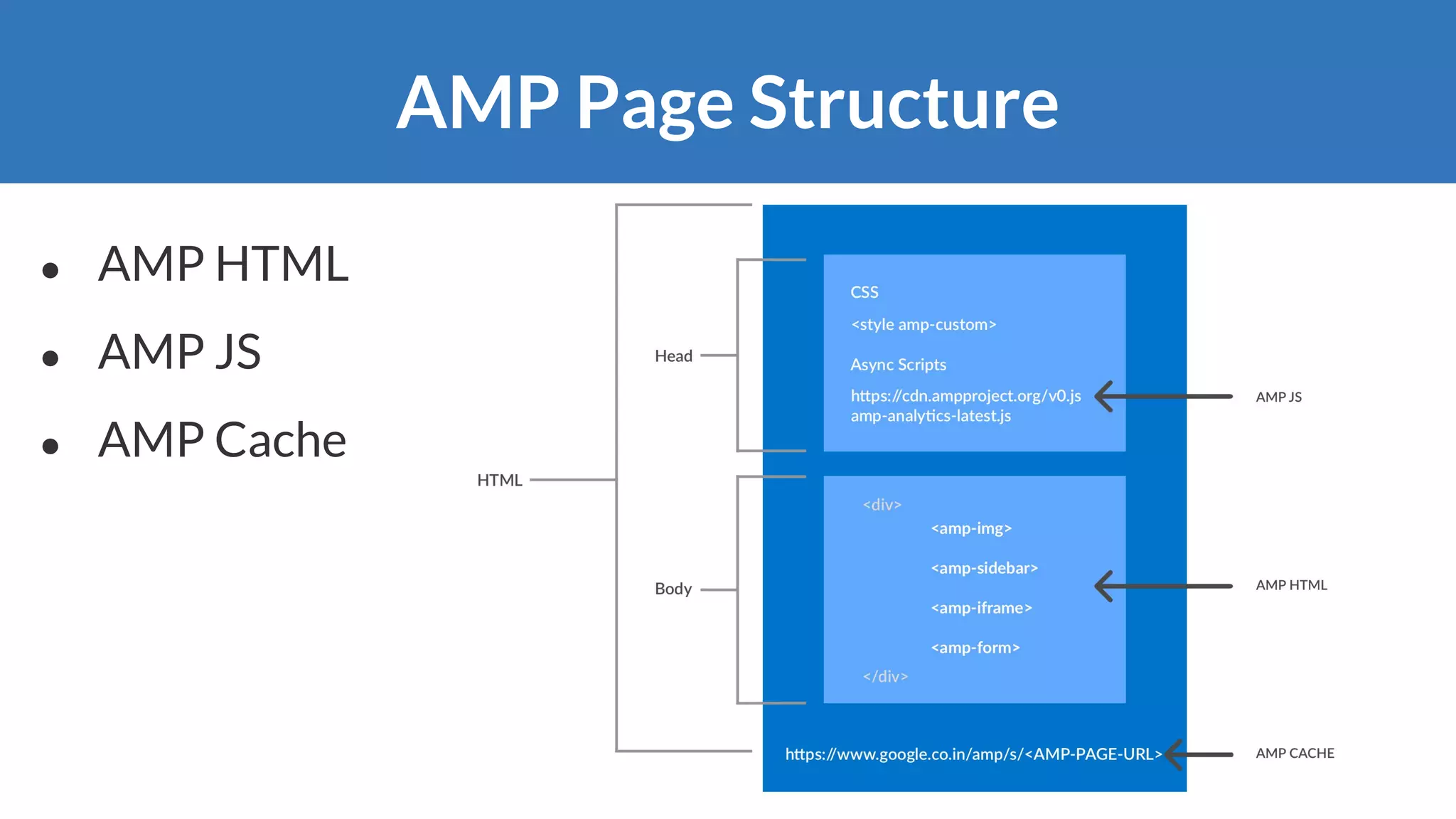
AMP Page Structure
● AMP HTML
● AMP JS
● AMP Cache
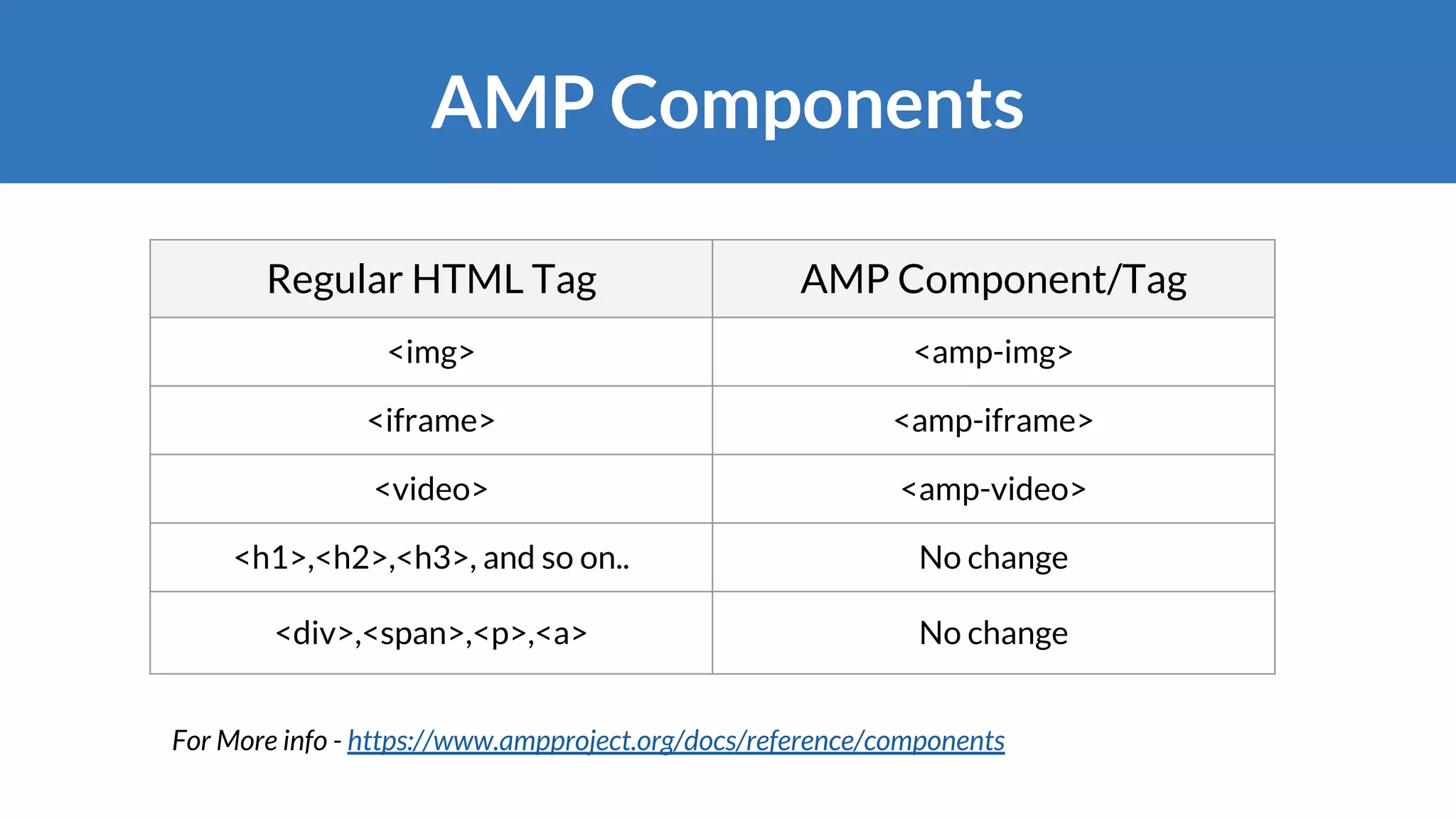
AMP Components
Regular HTML Tag AMP Component/Tag
<img> <amp-img>
<iframe> <amp-iframe>
<video> <amp-video>
<h1>,<h2>,<h3>, and so on.. No change
<div>,<span>,<p>,<a> No change
For More info - https://www.ampproject.org/docs/reference/components
WordPress AMP Plugin
Officially Supported
https://github.com/Automattic/amp-wp
https://wordpress.org/plugins/amp
Open source project developed collaboratively by
Google, Automattic and XWP.
Three Template Modes
#1 Classic Mode
Supported Pages
● Post URLs - /post-name/amp
● Page URLs - /page-name/amp
● Media URLs - /attachment/amp
Conflicting page slugs like /amp in classic
mode will use /amp/?amp to prevent
conflicts.
<link rel="amphtml" href="your-amp-url">
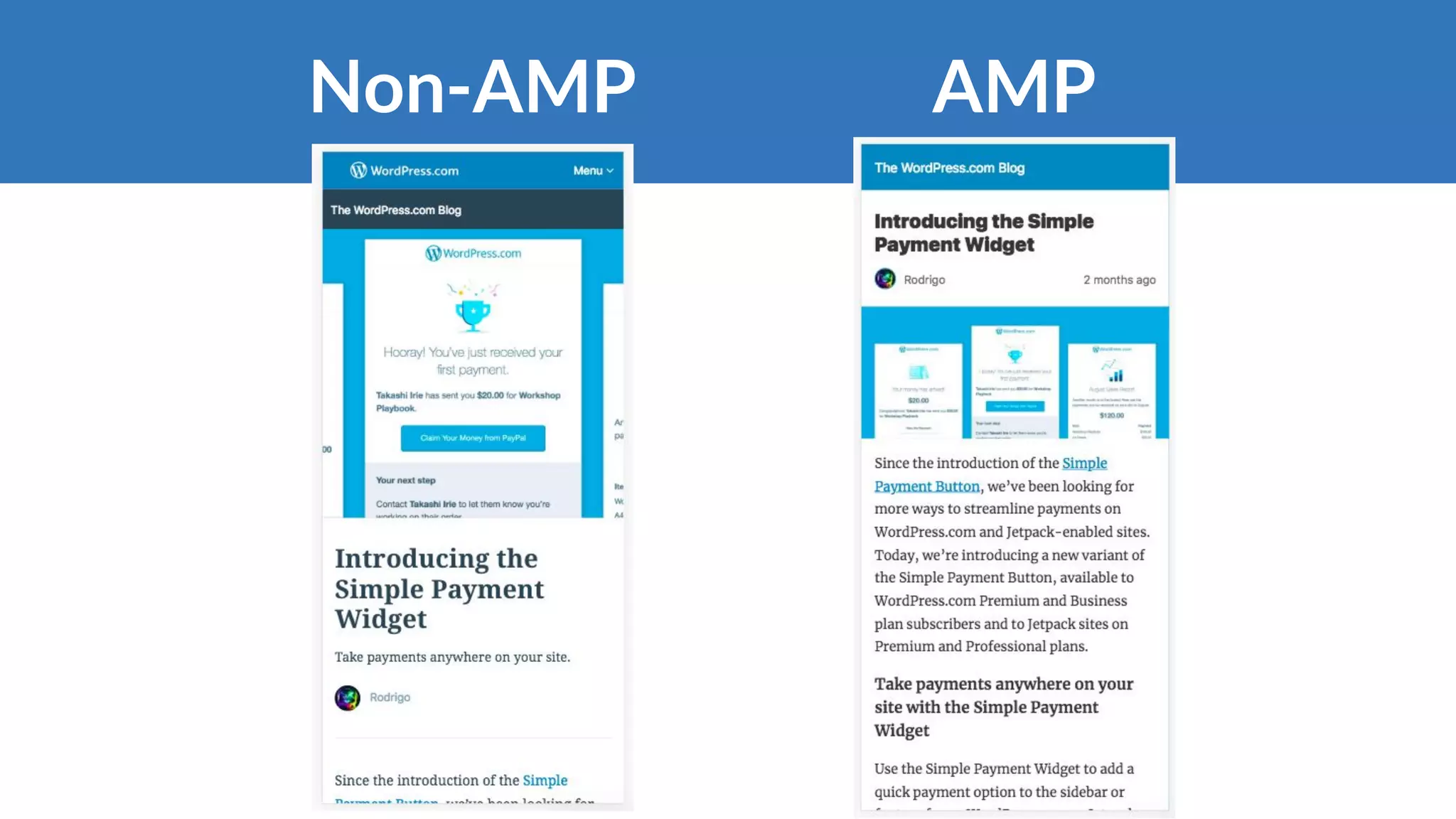
AMPNon-AMP
What about my responsive site?
#2 Paired Mode
Supported Pages:
● Post URL - /post-name/?amp
● Page URL - /page-name/?amp
● Homepage - /?amp
● Blog - /blog/?amp
Possibly all site pages!
Supported Pages:
● Post URL - /post-name/
● Page URL - /page-name/
● Homepage URL - /
● Blog - /blog/
Possibly all site pages!
#3 Native Mode
What’s happening behind the
scene?
Customizing AMP Pages
WordPress Case Studies
Sites using AMP plugin
Classic mode Paired mode Native mode
IndianExpress - indianexpress.com
Vanguard - vanguardngr.com
RTB - realtimeboard.com/blog
Make XWP - make.xwp.co/
rtCamp - rtcamp.com
XWP - xwp.co
Wine Folly - winefolly.com
Felix - felix-arntz.me
Thank you! :)
pradeep@rtcamp.com

AMP with WordPress by Pradeep Sonawane @ Google AMP Roadshow Mumbai 2018